Every Git Setting to Change on Day One
Git ships with no settings at all, so on day one it guesses your email, names your first branch master, refuses to pull when two people changed the same branch, and more. On a real Ubuntu machine (git 2.43.0) we set eight settings once with git config --global and show what each one changes, from a guessed email baked into a commit to a merge conflict that finally shows what the line said before.
Zero settings
You just installed Git, and your first commit is already stamped with an email you never typed. Out of the box, Git has no settings at all, so it guesses, and a guessed email means GitHub can't link your work to you. Here are the eight to change on day one, including the ones that stop pull from refusing, push from failing, and conflicts from hiding what changed.
git commit -am 'Swap dishes and laundry'[main 2937db9] Swap dishes and laundry
 Committer: Linda <linda@laptop.home>
Your name and email address were configured automatically based
on your username and hostname. Please check that they are accurate.
git config --global --listfatal: unable to read config file '/home/linda/.gitconfig': No such file or directory
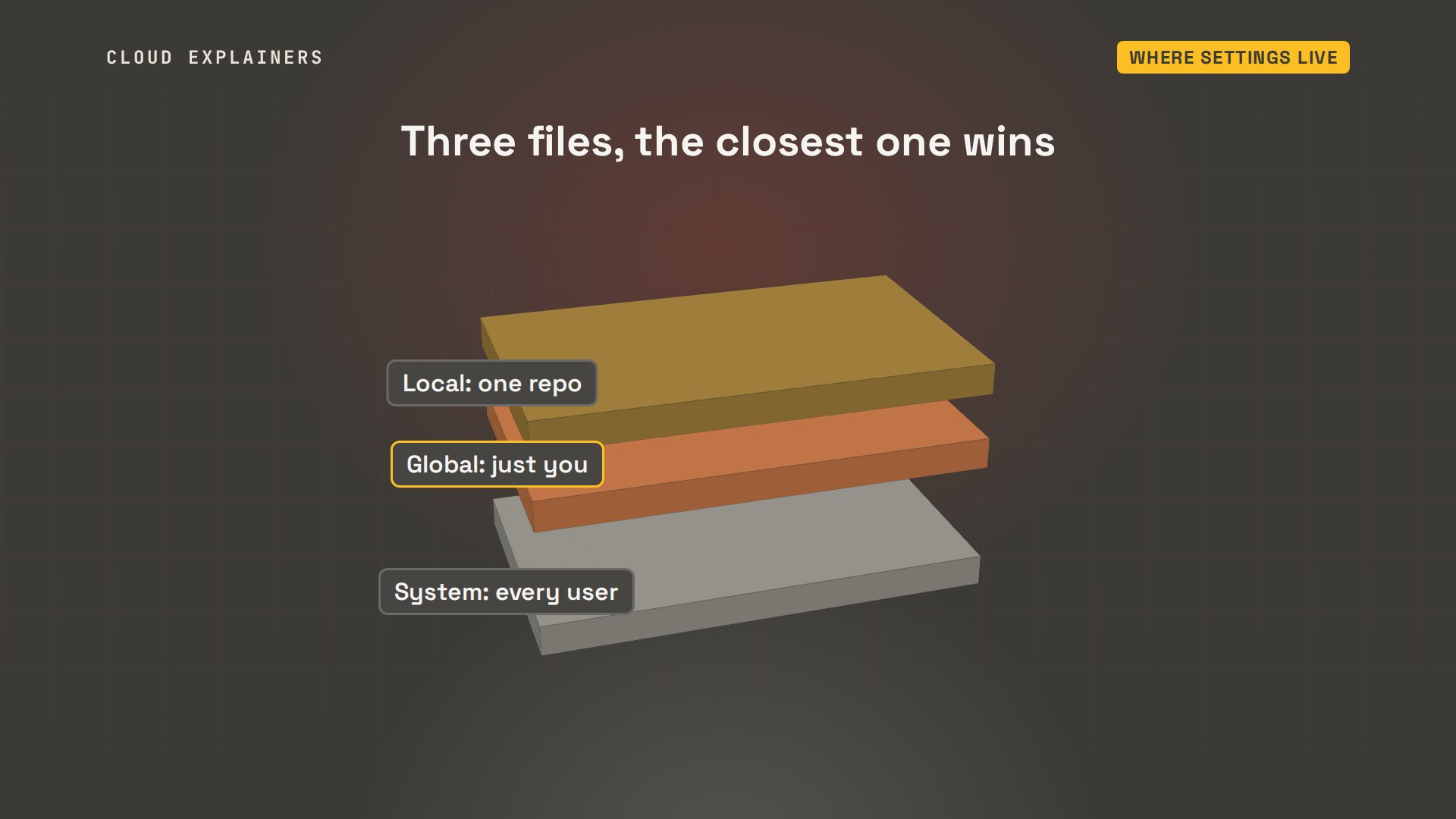
Linda's new laptop signed her first commit with the email linda at laptop dot home. That's just the computer's own name. She and Rob keep the family chore chart in Git, and Rob would like to know who laptop dot home is. Each saved change, a commit, gets an ID that's a fingerprint of everything in it, including her email. Once Rob copies it down to his laptop, that guess is stuck in the chart's history.
Where settings live
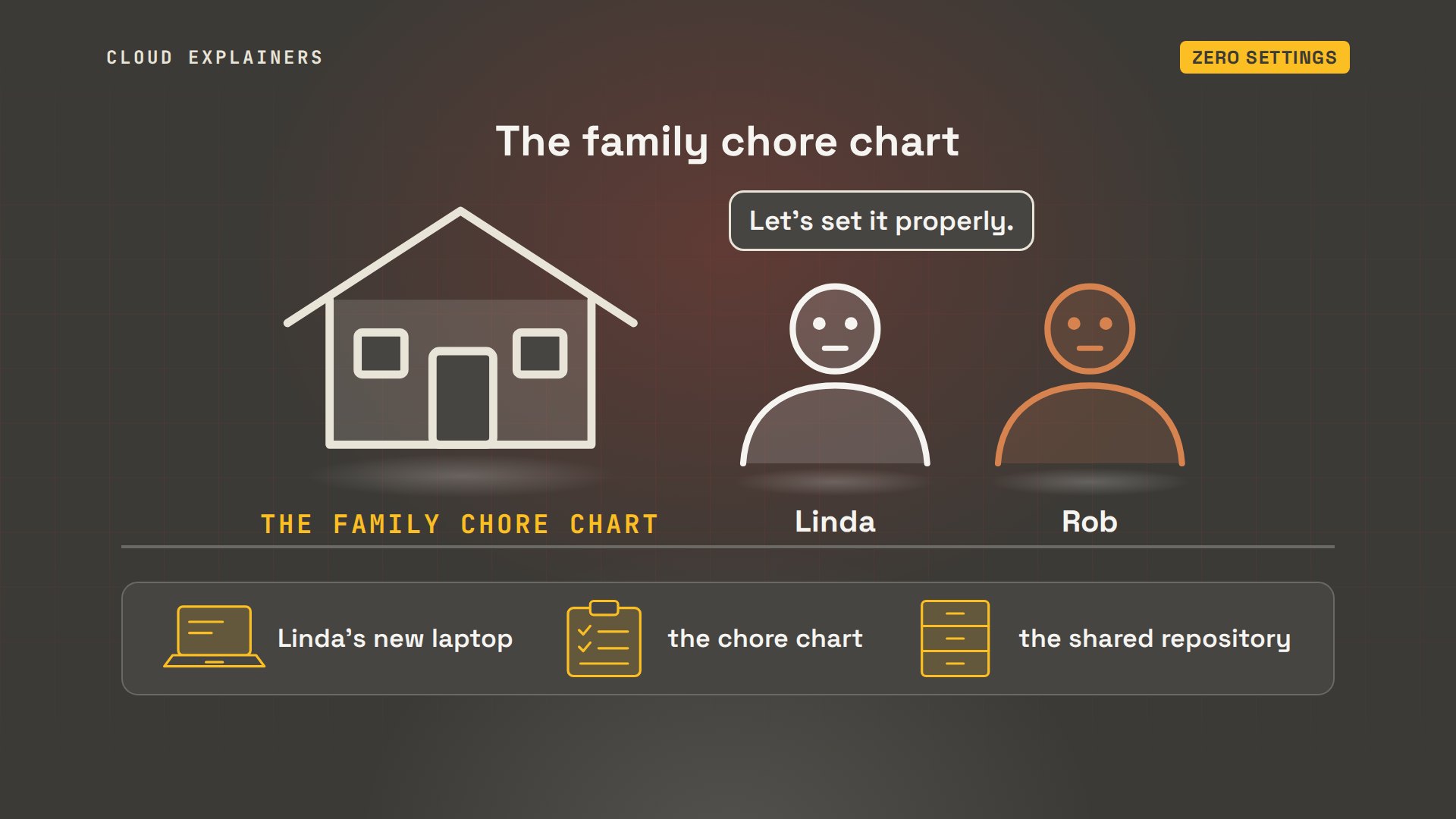
Before we change anything: where does a setting actually go, and if two places disagree, which one wins? Every setting lives in one of three files. The system file is for every user on the computer. The global file, in your home folder, is just for you. And each repository, a project folder Git tracks, has a local file of its own. The file closest to your repository wins: local beats global, and global beats system. It's like setting the seat and mirrors in a new car: you do it once, before the first drive, and every trip after fits you. When you change a setting with git config, adding dash dash global puts it in that middle file, so every repository on this laptop gets it.
user.name and user.email
Setting one: your name and email. A commit is a saved snapshot of the chart, and every commit records who made it. Git log lists commits; here it shows the latest one's ID, name and email. There's the guess. On some computers, Git refuses to commit instead. Either way, the fix is the same two commands.
git log -1 --format='%h %an <%ae>'2937db9 Linda <linda@laptop.home>
She sets her name, and her email, with dash dash global, so every repository gets them. She hasn't pushed the commit yet, which means sending it up to the shared repository. So she runs git commit dash dash amend dash dash reset author. That remakes the last commit with her new name and email; dash dash no edit keeps the message. Only do that before you push: once a commit is shared, changing it changes its ID for everyone. Look at the ID: same change, new fingerprint. Add dash dash show origin to git config, and Git names the file a setting came from: the global one, a file called dot gitconfig, sitting in her home folder.
git config --global user.name "Linda"
git config --global user.email linda@example.com
git commit --amend --reset-author --no-edit[main 30d83a3] Swap dishes and laundry
 1 file changed, 2 insertions(+), 2 deletions(-)
git log -1 --format='%h %an <%ae>'30d83a3 Linda <linda@example.com>
git config --show-origin user.emailfile:/home/linda/.gitconfig linda@example.com
init.defaultBranch
Setting two: every new repository starts with a wall of warnings, on a branch name GitHub doesn't use. A branch is a line of commits, and every repository starts with one. Linda starts a new repository for recipes, and there are the hints: it's using master, and that name may change. GitHub and most hosts call the first branch main, so she sets it once, and her laptop and the host agree from the very first commit. Her next repository starts on main, with no hints at all. That dash C in the command just runs it inside the new folder. This setting only arrived in Git 2.28, in 2020.
git init recipeshint: Using 'master' as the name for the initial branch. This default branch name
hint: is subject to change. To configure the initial branch name to use in all
hint: of your new repositories, which will suppress this warning, call:
hint:
hint: 	git config --global init.defaultBranch <name>
hint:
hint: Names commonly chosen instead of 'master' are 'main', 'trunk' and
hint: 'development'. The just-created branch can be renamed via this command:
hint:
hint: 	git branch -m <name>
Initialized empty Git repository in /home/linda/recipes/.git/
git config --global init.defaultBranch main
git init meal-planInitialized empty Git repository in /home/linda/meal-plan/.git/
git -C meal-plan branch --show-currentmain
pull.rebase
Setting three is where two people collide. Git pull fetches new commits from the shared repository, then joins them to yours. Linda commits the Sunday chores. Rob has pushed a car wash in the meantime. Guess first: what does git pull do now? It refuses. There are two ways to join her work with Rob's, called merge and rebase, and recent versions of Git won't pick one for you.
git commit -am 'Add Sunday chores'[main 90e78af] Add Sunday chores
 1 file changed, 1 insertion(+)
git pullhint: You have divergent branches and need to specify how to reconcile them.
hint:   git config pull.rebase false  # merge
hint:   git config pull.rebase true   # rebase
hint:   git config pull.ff only       # fast-forward only
fatal: Need to specify how to reconcile divergent branches.
Here's why. Both of them started from the last commit they shared, the one that added the plants. Rob's car wash went to the server, and Linda's two commits, the dishes swap from the start and the Sunday chores, stayed on her laptop, so history has a fork. A merge would tie the two ends together with an extra merge commit. A rebase lifts her two commits off, and replays them on top of Rob's: one straight line. Neither is wrong: a rebase keeps history easy to read, a merge keeps exactly what happened.
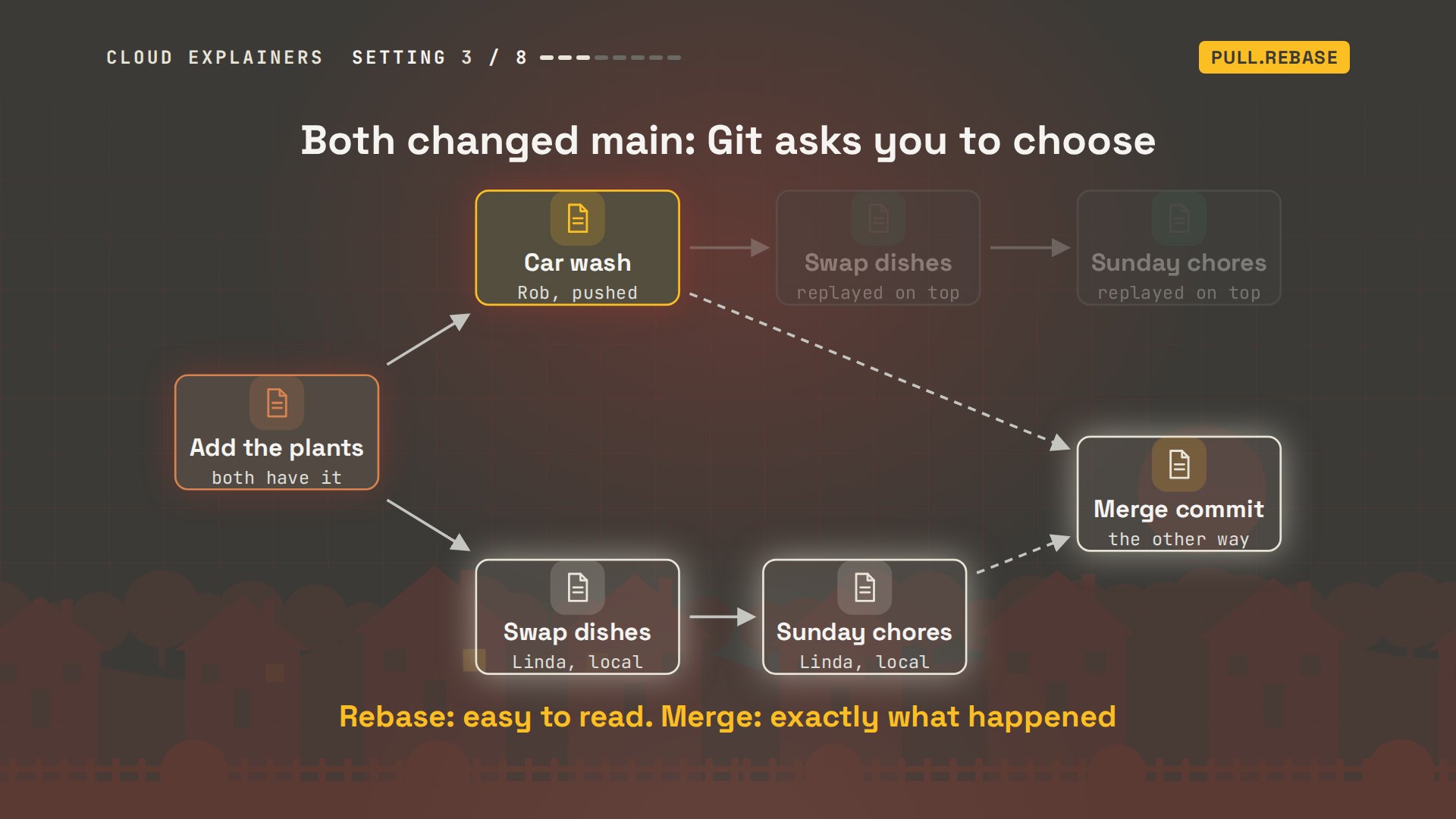
Linda picks rebase, for every repository. Pull again, and it works. The log is one straight line, with Rob's car wash under her two commits. If you prefer merges, pull dot rebase false is fine too: what matters is that you choose once, so pull stops asking.
git config --global pull.rebase true
git pullSuccessfully rebased and updated refs/heads/main.
git log --oneline --graph -4* 4cbdf8e (HEAD -> main) Add Sunday chores
* 082861a Swap dishes and laundry
* 98decdd (origin/main, origin/HEAD) Add the car wash
* 348c7c3 Add the plants
rebase.autoStash
Setting four fixes the next pull. Linda is halfway through adding towels to Sunday's chores. Meanwhile, Rob pushes a new recycling chore. Git status, short, lists the files she has changed. Now pull stops: Git says she has unstaged changes, which means edits she hasn't committed yet. A rebase needs a clean folder, so Git won't touch her edit. A stash is a shelf where Git sets unfinished work aside. Auto stash tells Git to shelve her edit, pull, and put it back.
git status --shortM chores.md
git pullerror: cannot pull with rebase: You have unstaged changes.
error: Please commit or stash them.
git config --global rebase.autoStash true
Pull again. Git creates the auto stash, rebases, and applies it back. Her towels edit is still there. She commits it, and pushes.
git pullCreated autostash: e2d6e03
Applied autostash.
Successfully rebased and updated refs/heads/main.
git status --shortM chores.md
git commit -am 'Towels on Sunday too'[main bcc6415] Towels on Sunday too
 1 file changed, 1 insertion(+), 1 deletion(-)
git pushTo /srv/git/chores.git
   8547f60..bcc6415  main -> main
push.autoSetupRemote
Setting five stops an error you'd otherwise hit on every new branch you push. To see why, you need one word. Every branch on your laptop can have an upstream: a partner branch on the shared repository. That link is what plain git push and git pull use. A brand new branch has nothing to link to yet.
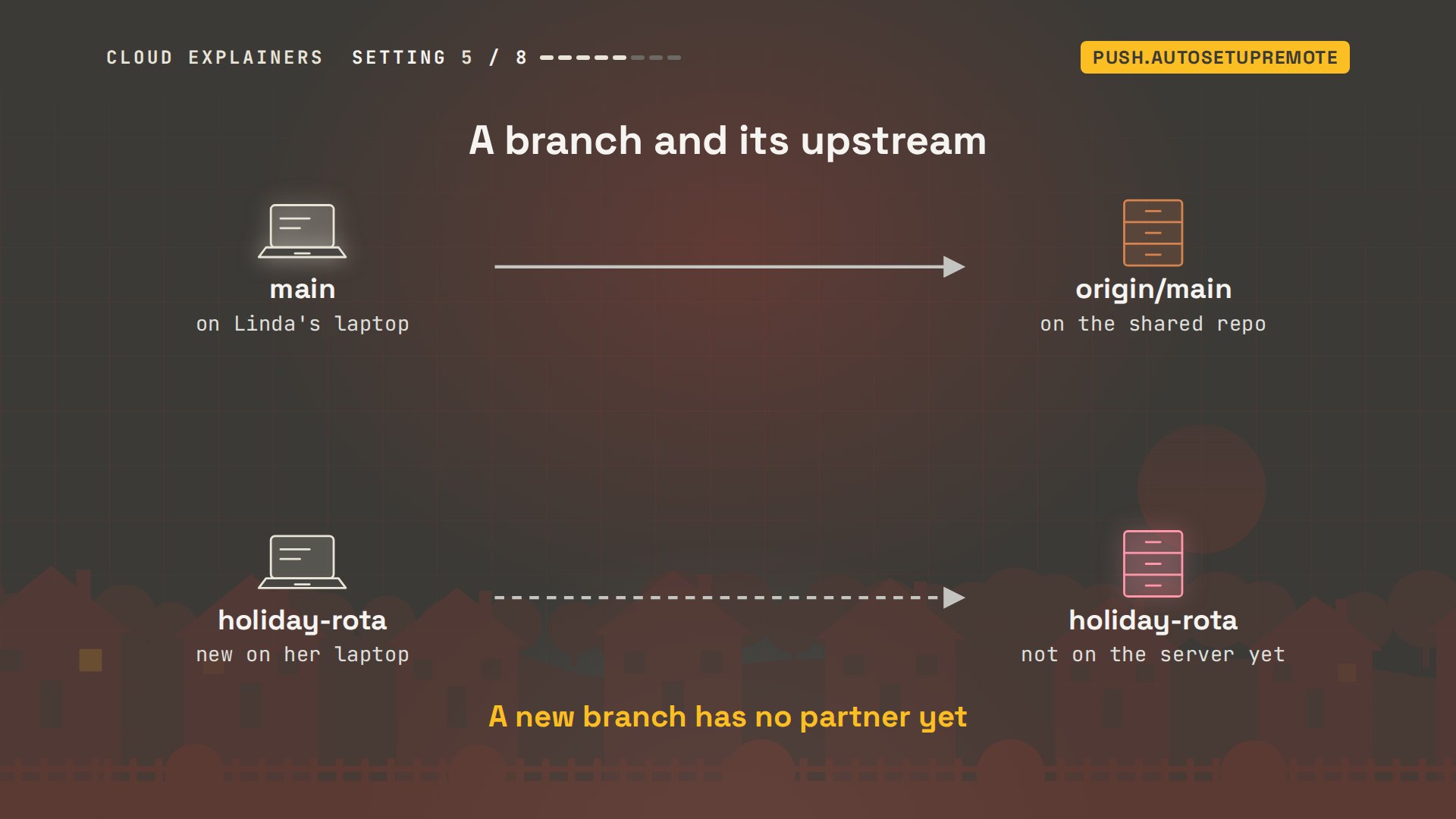
Linda starts a holiday rota on its own branch: git switch dash c makes a new branch and moves onto it. She adds the new file, commits it, and pushes. Fatal: the branch has no upstream. Git tells her to type a longer command, and even names the setting that would have done it for her.
git switch -c holiday-rotaSwitched to a new branch 'holiday-rota'
git add holiday.md
git commit -m 'Add the holiday rota'[holiday-rota 7e387b8] Add the holiday rota
git pushfatal: The current branch holiday-rota has no upstream branch.
To push the current branch and set the remote as upstream, use

    git push --set-upstream origin holiday-rota

To have this happen automatically for branches without a tracking
upstream, see 'push.autoSetupRemote' in 'git help config'.
With auto setup remote on, a plain git push creates the branch on the server and links her branch to it. No long command to remember, on every new branch from now on.
git config --global push.autoSetupRemote true
git pushTo /srv/git/chores.git
 * [new branch]      holiday-rota -> holiday-rota
branch 'holiday-rota' set up to track 'origin/holiday-rota'.
fetch.prune
Setting six fixes a mess you only notice weeks later. Linda's laptop keeps its own copy of every branch on the server. Each copy is named origin slash, then the branch name, and origin is Git's nickname for the shared repository. Rob merges the holiday rota, and deletes the branch on the server. Linda runs git fetch, which checks the server for news without touching her files. Then git branch dash r lists her copies. Guess first: does she still see Rob's deleted branch? Yes. A plain fetch never removes anything, so deleted branches pile up.
git fetchFrom /srv/git/chores
   bcc6415..7e387b8  main       -> origin/main
git branch -rorigin/HEAD -> origin/main origin/holiday-rota origin/main
Turn on prune, and fetch again. Git deletes its copy too, and her list matches the server. Git pull runs a fetch too, so prune works there as well. And prune only removes those copies: her own branches stay until she deletes them.
git config --global fetch.prune true
git fetchFrom /srv/git/chores
 - [deleted]         (none)     -> origin/holiday-rota
git branch -rorigin/HEAD -> origin/main origin/main
merge.conflictStyle
And then the day comes when they both change the same line. Rob takes the bins for himself: he changes the bins line to his own name. Linda, at the same time, changes that same line to: take turns.
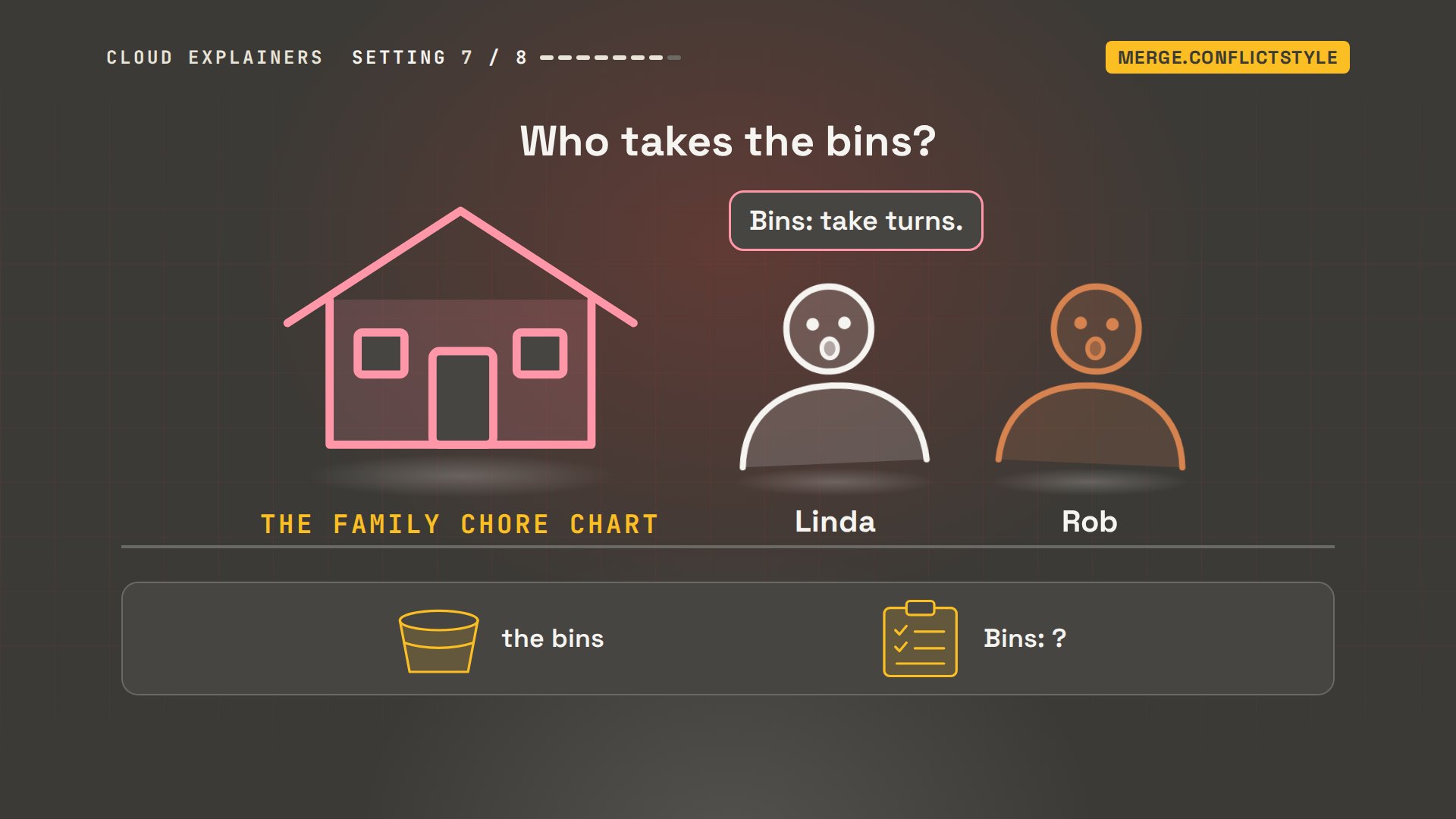
Setting seven matters right here. This time she fetches and merges by hand, so we can see exactly what a conflict looks like. She commits her line, fetches, and merges origin slash main, her copy of Rob's work, into her own. A conflict. Git writes both versions into the file itself: hers, then Rob's, but not what the line said before either of them touched it. So who changed what?
git commit -am 'Take turns with the bins'[main 0b30e8a] Take turns with the bins
 1 file changed, 1 insertion(+), 1 deletion(-)
git fetchremote: Enumerating objects: 5, done.
remote: Counting objects: 100% (5/5), done.
remote: Compressing objects: 100% (3/3), done.
remote: Total 3 (delta 1), reused 0 (delta 0), pack-reused 0
Unpacking objects: 100% (3/3), 285 bytes | 285.00 KiB/s, done.
From /srv/git/chores
   7e387b8..4eb869f  main       -> origin/main
git merge origin/mainAuto-merging chores.md
CONFLICT (content): Merge conflict in chores.md
Automatic merge failed; fix conflicts and then commit the result.
cat chores.mdDishes: Linda
Laundry: Rob
<<<<<<< HEAD
Bins: take turns
=======
Bins: Rob
>>>>>>> origin/main
Hoovering: Rob
Merge conflict style Z diff three adds the missing piece; it's Git's name for a three part view. She aborts the merge, which puts everything back as it was. She turns the setting on, and merges again. Now the block has three parts: her side on top, the original in the middle, which said Linda takes the bins, and Rob's side at the bottom. Rob's offer beats sharing, so she keeps his line. She deletes the marker lines, the rows of arrows and bars Git added. Then git add marks the conflict solved, and she commits.
git merge --abort
git config --global merge.conflictStyle zdiff3
git merge origin/mainAuto-merging chores.md
CONFLICT (content): Merge conflict in chores.md
Automatic merge failed; fix conflicts and then commit the result.
cat chores.mdDishes: Linda
Laundry: Rob
<<<<<<< HEAD
Bins: take turns
||||||| 7e387b8
Bins: Linda
=======
Bins: Rob
>>>>>>> origin/main
Hoovering: Rob
git add chores.md
git commit --no-edit[main 06c5a81] Merge remote-tracking branch 'origin/main'
help.autocorrect
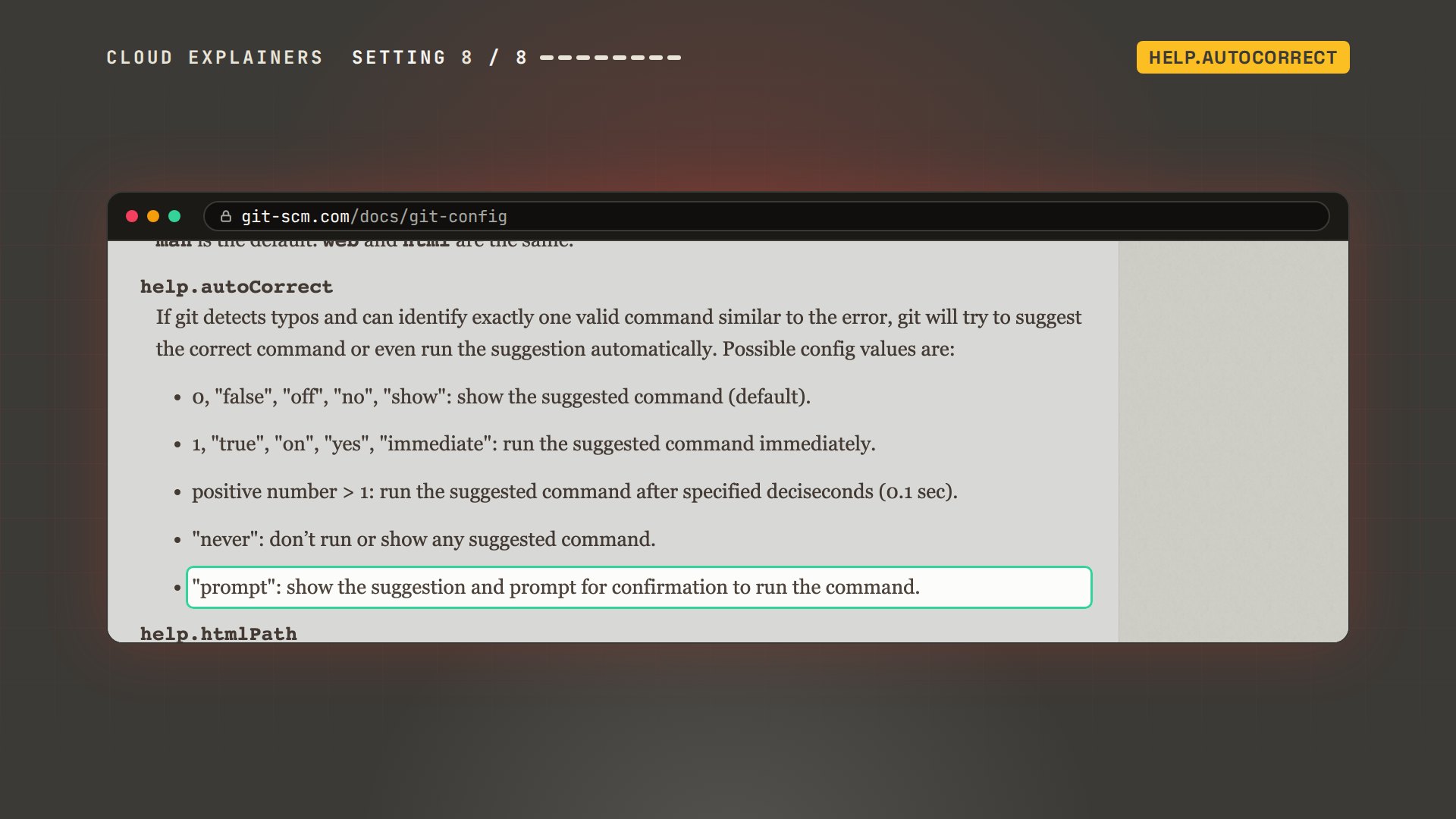
The last setting is for fast fingers. Linda types status with two letters swapped. Git knows exactly what she meant, and still makes her type it again. Set auto correct to prompt, and Git asks first; one key runs the right command.
git stautsgit: 'stauts' is not a git command. See 'git --help'.

The most similar command is
	status
git config --global help.autocorrect prompt
git stautsWARNING: You called a Git command named 'stauts', which does not exist.
Run 'status' instead [y/N]? y
On branch main
Git's manual lists the other choices. Immediate runs the guess right away, or set a number, and Git waits that many tenths of a second before running it. Prompt shows it and asks first, which is the safe one: if Git guesses wrong, nothing runs. And this list isn't just mine. Scott Chacon, a co-founder of GitHub, wrote up the settings even Git's own developers change, and seven of these eight are on it.
Sunday night
Sunday night, the new chart goes up.
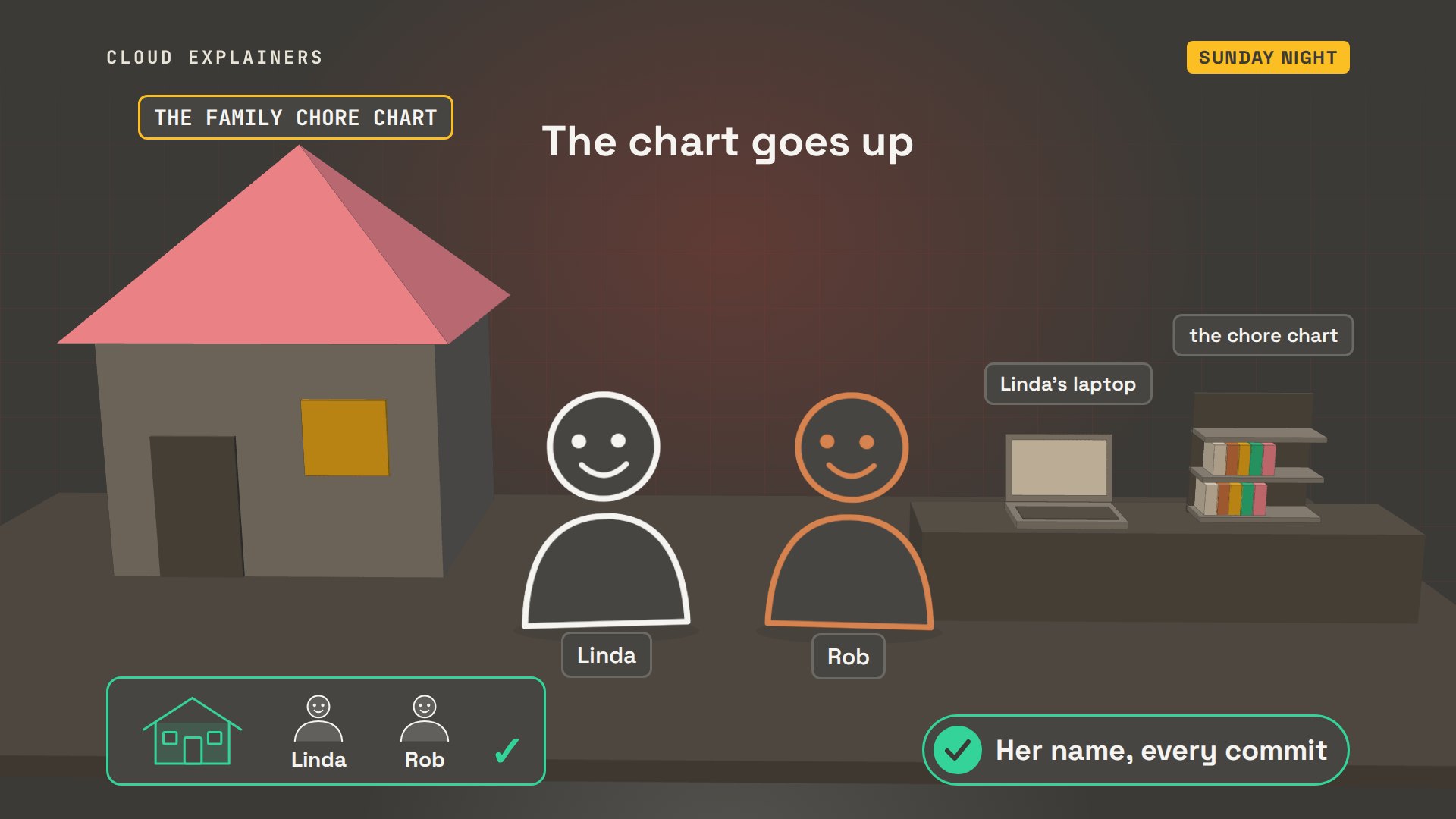
Linda pushes it, and Rob pulls. He asks git log for the last six commits, each with its ID, author and email. Every one of Linda's says Linda, with the email she chose. No laptop dot home anywhere.
git pullUpdating 4eb869f..06c5a81
Fast-forward
git log --format='%h %an <%ae>' -606c5a81 Linda <linda@example.com>
0b30e8a Linda <linda@example.com>
4eb869f Rob <rob@example.com>
7e387b8 Linda <linda@example.com>
bcc6415 Linda <linda@example.com>
1ea672e Linda <linda@example.com>
Recap
Here's her whole settings file: who she is, how pull and push behave, and how conflicts look. Nine short commands for eight settings, typed once, in one file you can read back any time.
cat ~/.gitconfig[user]
	name = Linda
	email = linda@example.com
[init]
	defaultBranch = main
[pull]
	rebase = true
[rebase]
	autoStash = true
[push]
	autoSetupRemote = true
[fetch]
	prune = true
[merge]
	conflictStyle = zdiff3
[help]
	autocorrect = prompt
If your own Git is set up for day one now, subscribing brings the next one, tested on a real machine.
Every command in this video ran on a real Ubuntu machine, and the lab files are linked in the description. Thanks for watching Cloud Explainers.
Sources
- git-config(1): the system, global and local files, and every setting in this video
- Pro Git, Git Internals: Git Objects (a commit stores your name and email; its ID is a SHA-1 of its content)
- GitHub blog, Highlights from Git 2.28 (init.defaultBranch)
- Scott Chacon, How Core Git Developers Configure Git (GitButler blog)
Demos: one container on our own Mac standing in for a family's laptop and shared repository; the family and its chore chart are made up. Every command and output was real. Watch the full video on YouTube.
More videos
Amazon Bedrock vs OpenRouter: Which One Should You Use?
Golang Channels (chan) in 5 Minutes
Tailscale: Full Tutorial for Beginners
How RAG Works
WSL vs a Linux Virtual Machine: Which One Should You Use?
Every PostgreSQL Setting to Change After You Install It
What Happens When You Install Docker on Ubuntu
How to Fix Python 'Address Already in Use' Errors
Golang Interfaces and Mocks in 5 Minutes
How to Fix Git 'Detached HEAD' State
Linux Firewall with ufw: Full Tutorial for Beginners
Golang defer Statements in 5 Minutes
How to Fix OAuth 'invalid_grant' Errors
The SQL Roadmap for Beginners
Golang make() for Slices and Maps in 5 Minutes
How to Fix Network 'No Route to Host' Errors on Linux
How to Fix Linux 'Too Many Open Files' Errors
Every Django Concept a Beginner Needs to Know
SSH on Linux: Full Tutorial for Beginners
Golang for range Loops in 5 Minutes
SQL Databases: SQLite vs PostgreSQL
The Django Roadmap for Beginners
Golang Structs in 5 Minutes
Redis: Full Tutorial for Beginners
Golang context.Context in 5 Minutes
How to Fix MySQL Database Error 1045: Access Denied for User
Golang Method Receivers in 5 Minutes
How to Fix Python SSL: CERTIFICATE_VERIFY_FAILED Errors
How to Fix Django Static Files Not Loading in Production
OpenRouter vs Direct API Keys: Which One Should You Use?
Golang if err != nil Checks in 5 Minutes

How to Fix Golang 'go.mod File Not Found' Errors
MCP Servers: Full Tutorial for Beginners
Golang Error Return Values in 5 Minutes
How to Fix Python ModuleNotFoundError: No Module Named
Golang Pointers in 5 Minutes
How to Fix a Kubernetes Pod Stuck in CrashLoopBackOff
How to Fix a Homelab ESXi Host Not Responding
PostgreSQL: Full Tutorial for Beginners
How a Load Balancer Works with HAProxy

How Python Virtual Environments Work
How to Fix Cloudflare Tunnel Errors in a Homelab
How to Fix API CORS Errors: No 'Access-Control-Allow-Origin'
How Authenticator App Login Codes Work (TOTP)
Git and GitHub: Full Tutorial for Beginners
How a Homelab Hypervisor Works (VMware ESXi)
How to Fix Kubernetes ImagePullBackOff Errors
How to Fix DNS 'Temporary Failure in Name Resolution' on Linux
How to Fix AWS CLI 'Unable to Locate Credentials'
Proxmox vs ESXi for Your Homelab: When Each One Wins
PostgreSQL UUID vs Auto Increment: Which Primary Key Should You Use?
Kubernetes: Full Tutorial for Beginners
How TCP Sockets Work
How to Fix PostgreSQL 'Could Not Connect to Server'
Claude Code Hooks Will Finally Make Sense After This
DevOps with Ansible Will Finally Make Sense After This
How SNMP Network Monitoring Works
How to Fix GitHub 'Permission Denied (publickey)' Errors
Docker: Full Tutorial for Beginners
How to Fix PostgreSQL 'Password Authentication Failed'
Why One Linux Server Handles More Users Than You Think
How to Fix Network 'Connection Refused' Errors
DevOps Pipelines: Jenkins vs GitHub Actions
Linux Nginx Reverse Proxy: Full Tutorial for Beginners
Every Networking Term a Beginner Needs in 12 Minutes
How to Fix Docker 'Permission Denied' on docker.sock
How to Fix Git 'Updates Were Rejected' When You Push
How to Fix nginx 502 Bad Gateway Errors on Linux
How to Fix Linux apt 'Could Not Get Lock' Errors (Ubuntu)
How Email Works on the Internet (SMTP) in 10 Minutes
The Python Roadmap for Beginners

Golang REST API with Gin: Full Tutorial for Beginners
How a WireGuard VPN Network Works
Linux Makefiles Will Finally Make Sense After This

SAML vs OAuth vs OpenID Connect: What's the Difference?
How to Fix Python cron Jobs That Never Run
Linux Bash Scripting: Full Tutorial for Beginners
How PXE Network Boot Works
How Active Directory Works
How to Fix a Linux systemd Service That Won't Start
Linux Logs: syslog vs journald
JWT vs Session Cookies: Which One Should You Use?
Docker vs Docker Compose: Which One Should You Use?
How to Fix Docker Compose Containers That Can't Talk to Each Other
Django Full Tutorial for Beginners
How Linux systemd Works

How to Fix 'Windows Cannot Access' Network Share Errors (SMB)
REST vs gRPC: Which One Should You Use?
How to Fix SSL Certificate Chain Errors (Missing Intermediate)
Every Python Concept for Beginners in 10 Minutes
Every SQL Join Type in 10 Minutes
Why OpenRouter Free Models Hit Their Limit So Fast
Why Your Gemini API Free Tier Runs Out So Fast
OpenRouter Will Finally Make Sense After This
How Redis Caching Works
Gemini API vs Vertex AI: Which One Should You Use?
How to Fix a Leaked Gemini API Key
Why Golang Uses Goroutines Instead of Threads
How to Fix Gemini API Error 429: Resource Exhausted
Claude Token Pricing Will Finally Make Sense After This
Why Python Web Scraping Returns Nothing (and the Fix)
Python Automation: Full Tutorial for Beginners
How OAuth Login Works
Python uv vs pip: Which One Should You Use?

Google AI Studio Will Finally Make Sense After This
What Happens When You Run a Docker Container
How to Fix Claude Code Billing Your API Key Instead of Your Plan
Why Passkeys Can't Be Phished Like Passwords
PowerShell vs Bash: Which One Should You Learn?
The Linux Roadmap for Beginners
Django vs FastAPI: Which One Should You Use?
Why SQLite Is the Most Used Database in the World
How a NoSQL Database Like MongoDB Works
How to Fix Python pip error: externally-managed-environment
How to Fix MySQL Too Many Connections Database Errors
Golang Concurrency Will Finally Make Sense After This
How Amazon S3 Works
How Kubernetes Works
How Git Works
How to Fix Docker Port Already Allocated Errors
How PostgreSQL Works
How to Fix Git Merge Conflicts
How to Fix No Space Left on Device in Linux
How the Internet Works
SQL vs NoSQL: When Each One Wins
How to Fix JWT Token Expired Errors (401 Unauthorized)
Claude API vs Claude Pro: Why Your Subscription Doesn't Include It
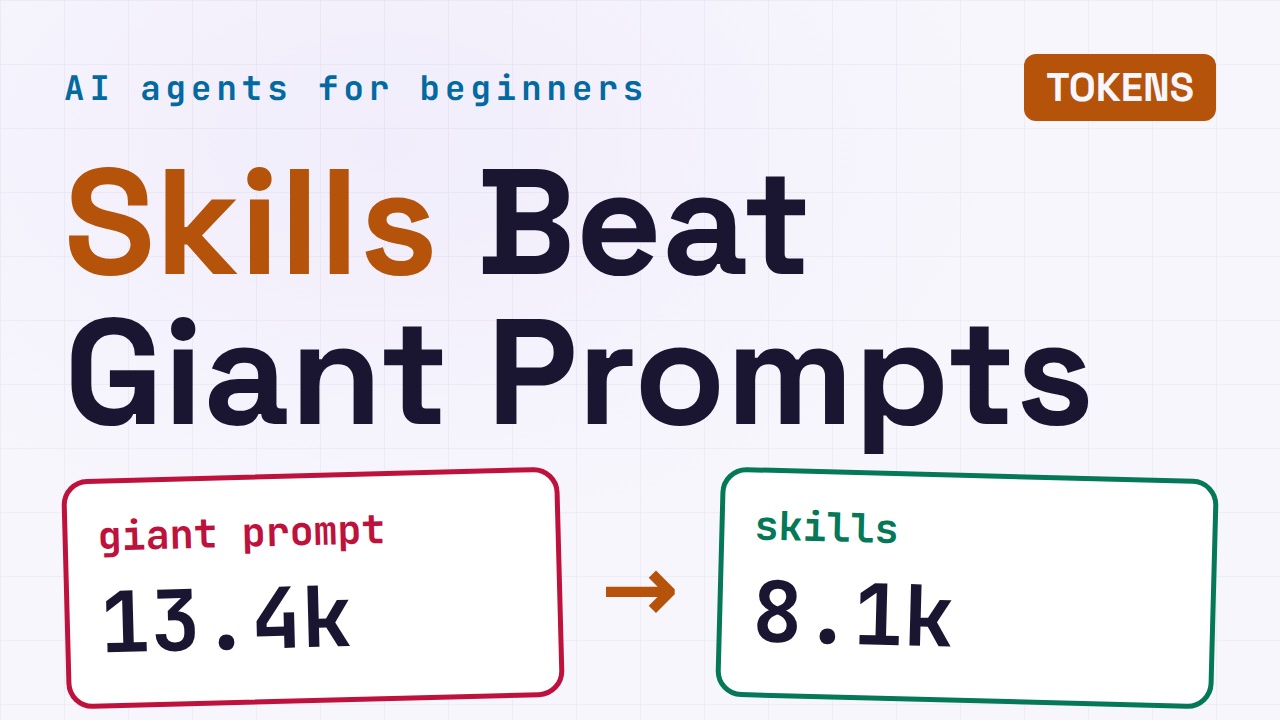
Why AI Agent Skills Beat Giant Prompts

Linux Cron Jobs Will Finally Make Sense After This
Security Logs Will Finally Make Sense After This
How to Fix a Security Leak: An API Key Pushed to GitHub
DNS Will Finally Make Sense After This
Never Ignore a Security Update
Two-Factor Authentication Will Finally Make Sense
Never Expose a Database to the Internet
SSH Keys vs Passwords: Which Is Safer for Security?
The 5 Levels of Linux Boot: From Power On to Login
The 5 Levels of Network Firewalls
Password Security: Why Hackers Crack Weak Passwords
Why Your Linux Server Runs Out of Memory
HTTP vs HTTPS: What Actually Changes on Your Network

Every Linux File Permission You Need to Know
Linux Processes vs Threads: When Each One Wins
The OSI Model Will Finally Make Sense After This
The 7 Levels of Git
Every Network Troubleshooting Command You Need
Hashing vs Encryption in Cybersecurity: When Each One Wins
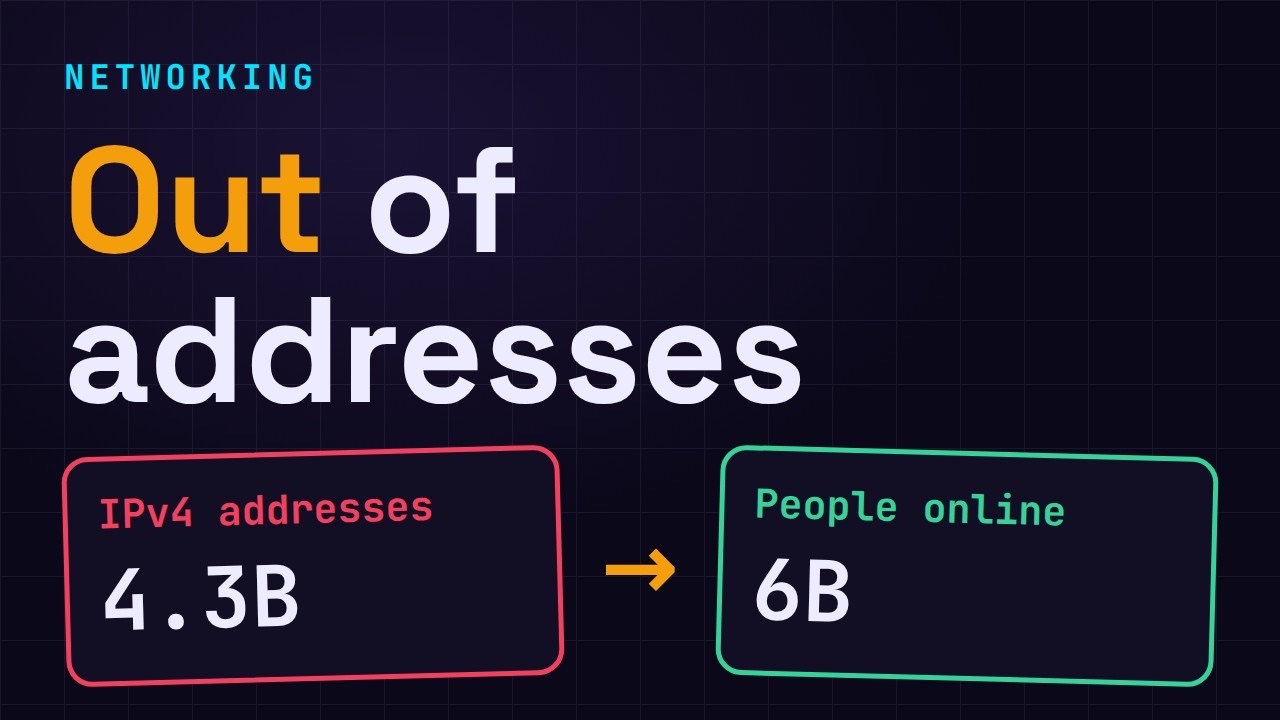
Why the Internet Ran Out of IP Addresses
Linux Package Managers: apt vs Snap vs Flatpak
Why Python Is Slow (and When It Doesn't Matter)
TCP vs UDP: When Each One Wins
Stop Running Linux as Root (Do This Instead)
Linux Users and Groups Will Finally Make Sense
Why Phishing Beats Good Security (and How to Spot It)
The 7 Levels of Docker

AI Agents Will Finally Make Sense After This
Stop Using git push --force (Use This Instead)
Agent Skills vs MCP: When Each One Wins
Networking Will Finally Make Sense After This
Every Linux Command You Actually Need
The 7 Levels of Cybersecurity
Every System Design Concept You Need, in One Diagram