
Google AI Studio Will Finally Make Sense After This
Google AI Studio explained from the request up: AI Studio is a playground for the Gemini API, and every setting in its Run settings panel is one field in one request. We send the same requests from a terminal and from Python: a system instruction, thinking level, structured output, why temperature no longer changes anything on new models, Get code, the free tier's daily limit, and when Google may use your prompts.
The panel nobody explains
You open Google AI Studio to try Gemini, and the right side of the screen is a wall of settings. A model list, thinking, tools, structured output, and a button that says Get code. Nothing tells you what they do, or which ones change your answers.
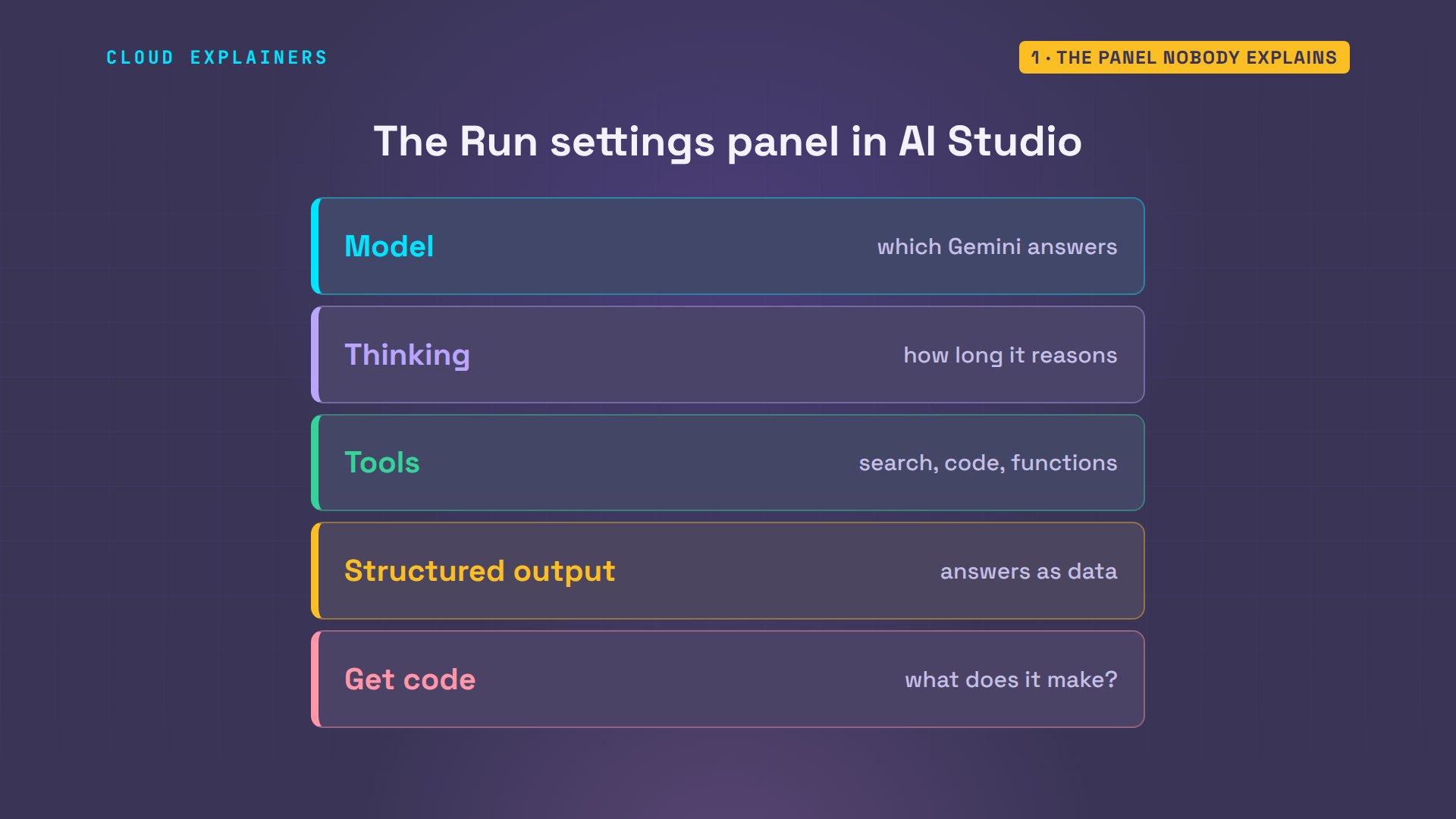
Here's the idea that makes it click: every setting in that panel is one field in one request to the Gemini API, the service behind AI Studio. By the end, you'll know which settings change your answers, and what Get code gives you. And there's one setting that isn't in the panel at all, which decides whether people at Google may read your prompts. We'll find it.
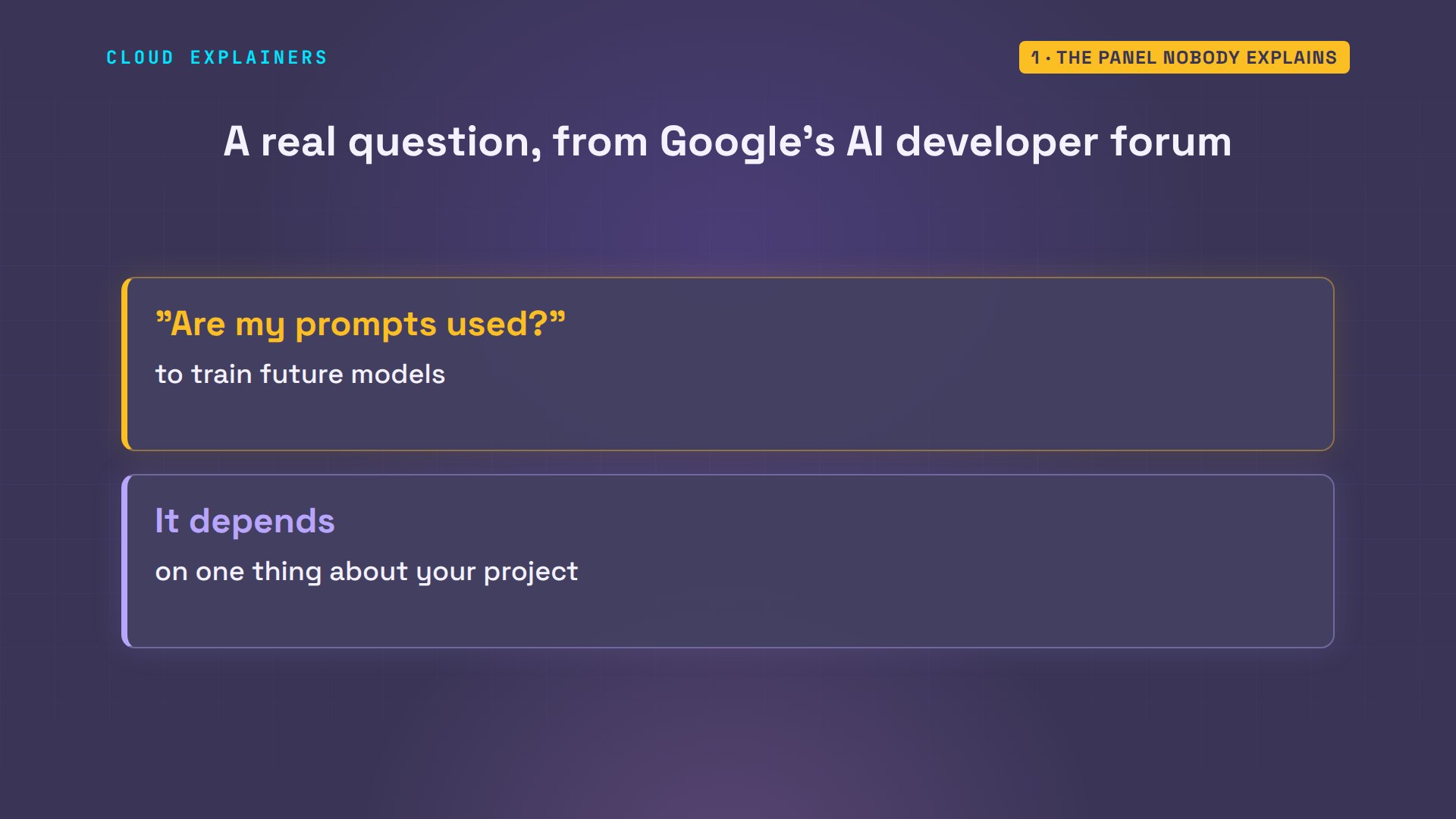
It's one of the first things people ask. On Google's own developer forum, someone asked: does Google use my prompts and chat history to train its models? The answer depends on something most beginners never look at.
What AI Studio really is
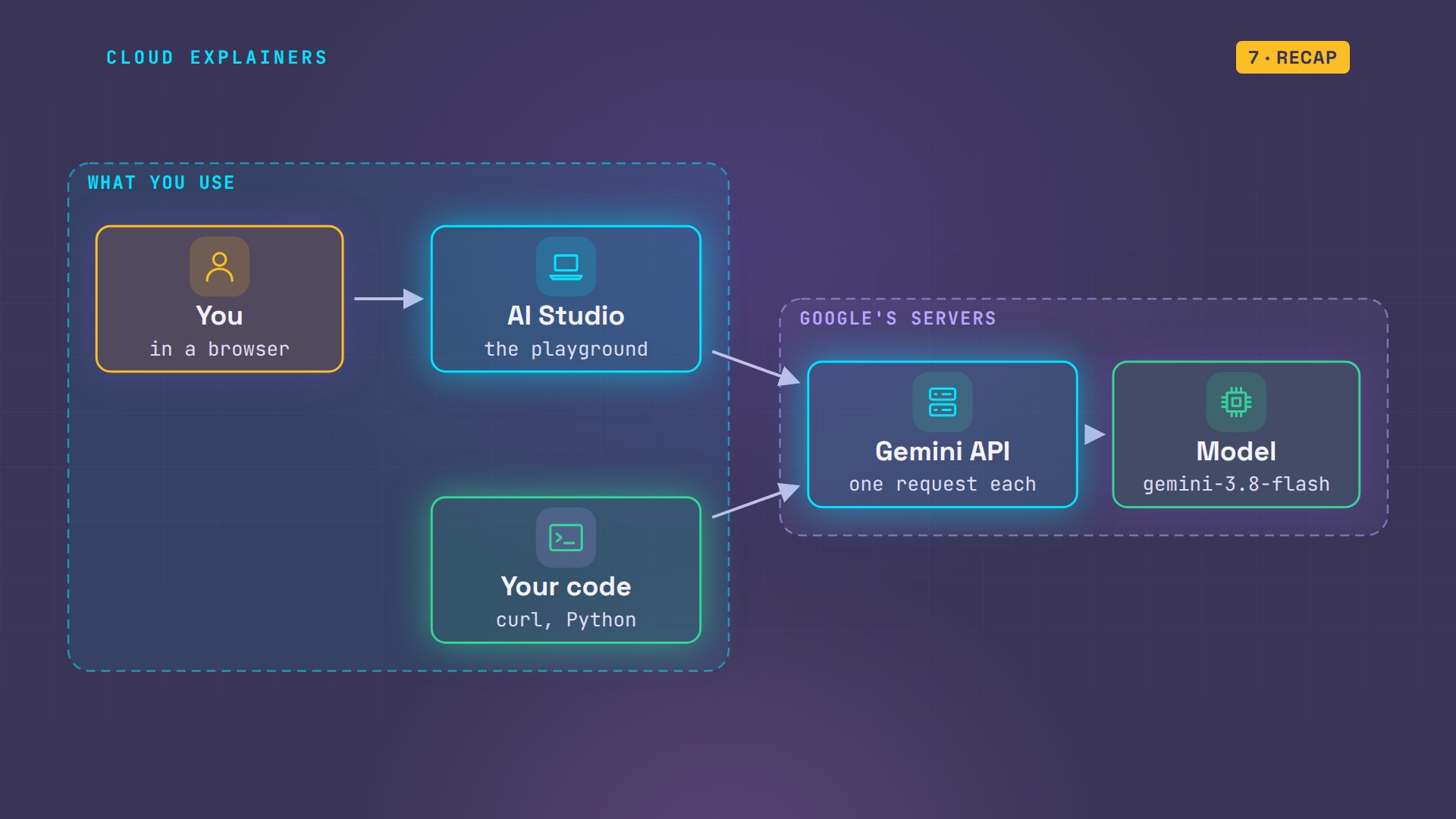
So what is AI Studio? It's a web page where you try Google's Gemini models: a playground. When you press Run, the page sends your prompt to the Gemini API, the same service your own code would call, and shows you the reply.
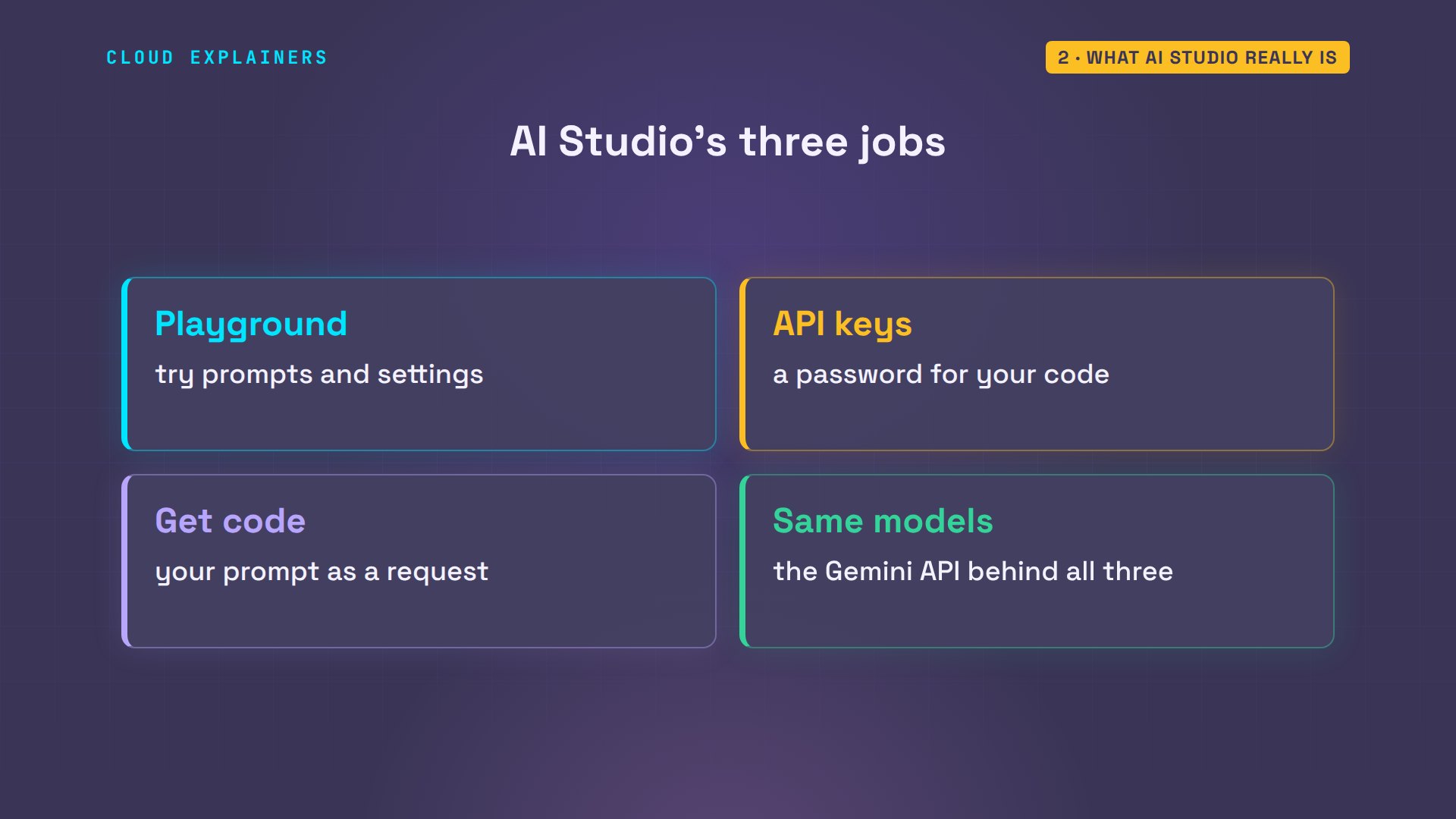
It does three jobs. It's the playground for trying prompts. It's where you get an API key, the password your code uses. And Get code turns whatever you tried into a request you can run yourself.
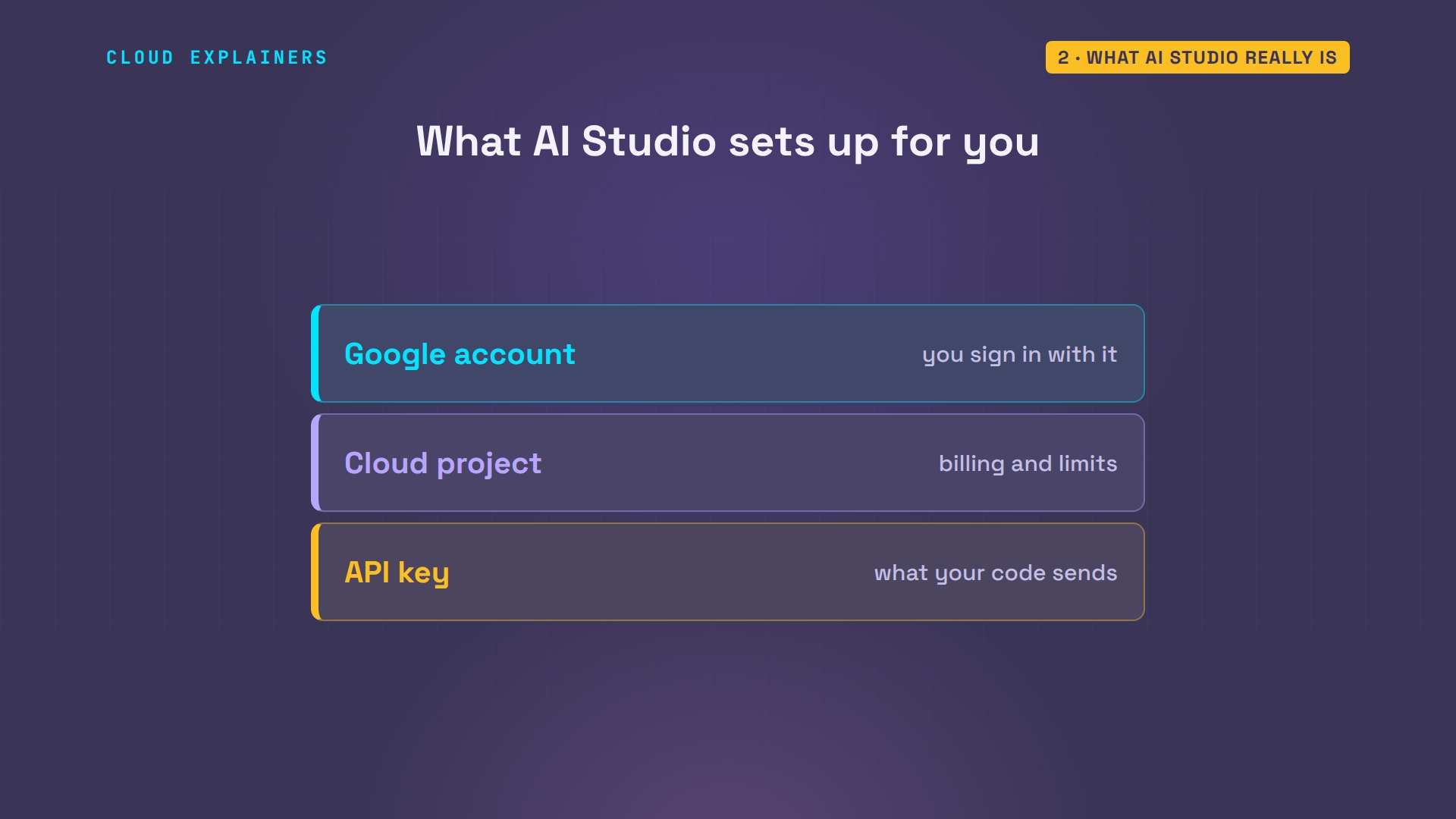
When you first open AI Studio, it makes two things for you. A Google Cloud project: the account that holds billing and limits. And inside it, an API key: the password your code sends. Ana's project has billing turned on. We'll see why that matters.
Treat the key like a password. In a terminal, the text window where you type commands, Ana keeps hers in an environment variable, a named setting the shell remembers, called GEMINI API KEY, so it never sits in her code. Here we only print its length: 53 characters.
echo ${#GEMINI_API_KEY}53
Every request in this video is real, sent from Ana's laptop with that key. First: which models can it use? The API lists 61. The model list in AI Studio is the same list, including the Flash models we'll use: fast, and cheap.
API=https://generativelanguage.googleapis.com/v1beta
curl -s -H "x-goog-api-key: $GEMINI_API_KEY" "$API/models?pageSize=200" | jq '.models | length'61
curl -s -H "x-goog-api-key: $GEMINI_API_KEY" "$API/models?pageSize=200" | jq -r '.models[].name' | grep -E 'gemini-3\.[5-8]-flash$'models/gemini-3.5-flash
models/gemini-3.6-flash
models/gemini-3.7-flash
models/gemini-3.8-flash
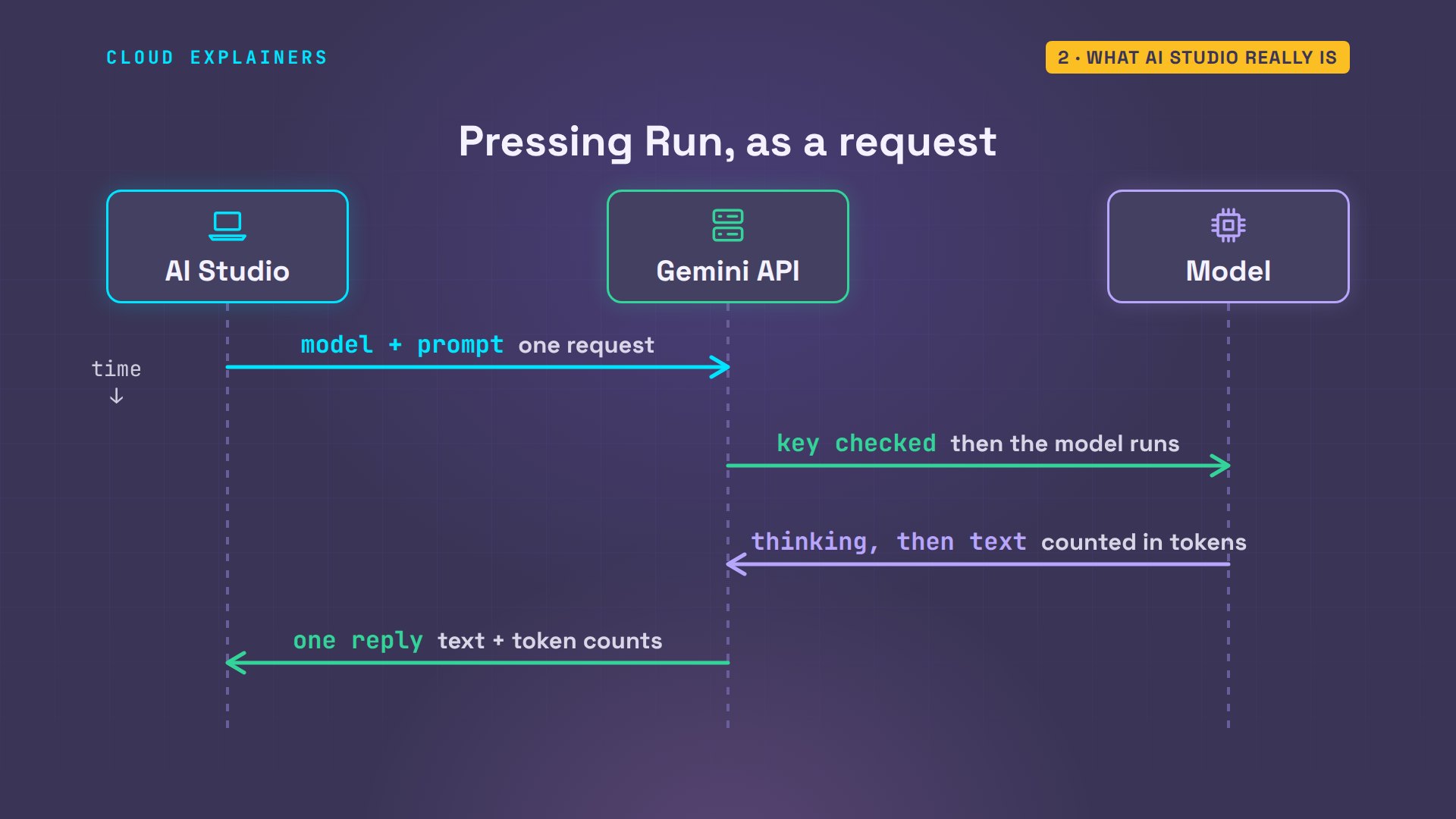
So what happens when you press Run? AI Studio sends one request to the Gemini API: which model, and your prompt. The API checks the key, the model thinks, then writes, and one reply comes back, with a count of the tokens it used.
One prompt, one request
What does pressing Run actually send? One small piece of JSON, a text format for data. The model's name, and your prompt, as input. That's a whole request.
cat plain.json{
  "model": "gemini-3.8-flash",
  "input": "Describe our Sencha green tea for the shop page."
}
Ana's little script, ask, sends a request file the way AI Studio does. curl posts it to the API's address, with the key in a header, a labelled line sent with the request. Then jq, a JSON tool, prints the reply, and the token counts. You never have to type this: AI Studio builds the same request each time you press Run.
cat ask#!/usr/bin/env bash
# Send one request file to the Gemini API, then print the reply and its token counts.
curl -s --max-time 100 https://generativelanguage.googleapis.com/v1beta/interactions \
  -H "x-goog-api-key: $GEMINI_API_KEY" -H "Content-Type: application/json" -d @"$1" |
  jq -r 'if .error then "error: \(.error.message)" else
    (.steps[] | select(.type == "model_output") | .content[0].text),
    "tokens: in \(.usage.total_input_tokens), thinking \(.usage.total_thought_tokens), out \(.usage.total_output_tokens)"
  end'
Ana asks for a description of her Sencha green tea, for the shop page. Before we look: how much text comes back from that one line? 453 words. It starts like this: a few options, depending on your brand's voice. Fine in a playground, useless on a product page.
./ask plain.json > reply.txt
wc -w reply.txt453 reply.txt
head -3 reply.txtHere are three options for your shop page, ranging from classic and sensory to modern and concise. Choose the one that best fits your brand’s voice.

---
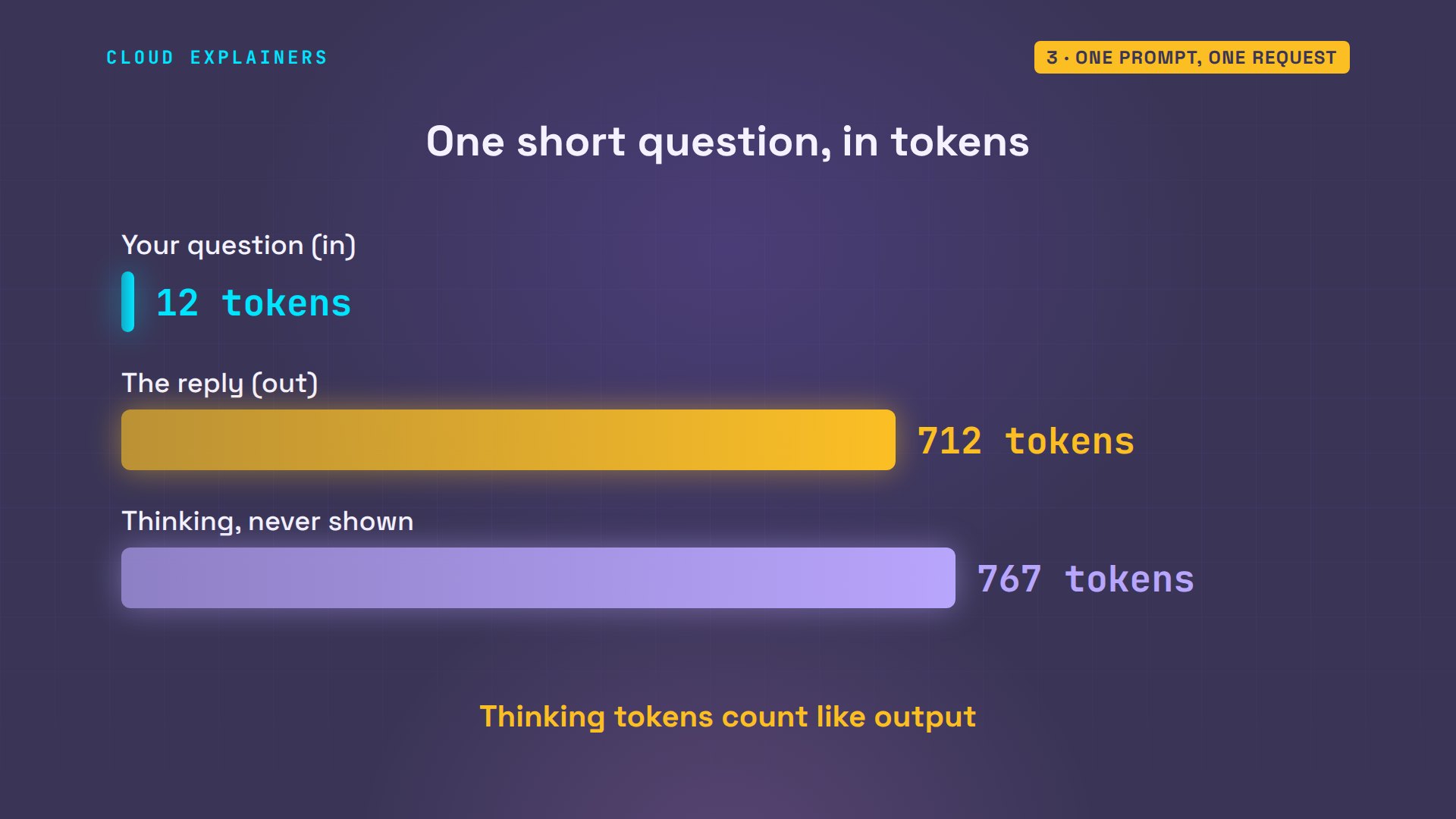
And the last line counts tokens: 12 in, 712 out, and 767 for thinking.
tail -1 reply.txttokens: in 12, thinking 767, out 712
A token is a piece of a word, about four characters of English. Models read and write in tokens, and limits and prices are counted in them. The surprise is thinking: the model reasons first, in tokens you never see, and on paid plans they're charged like output.
The settings, one field each
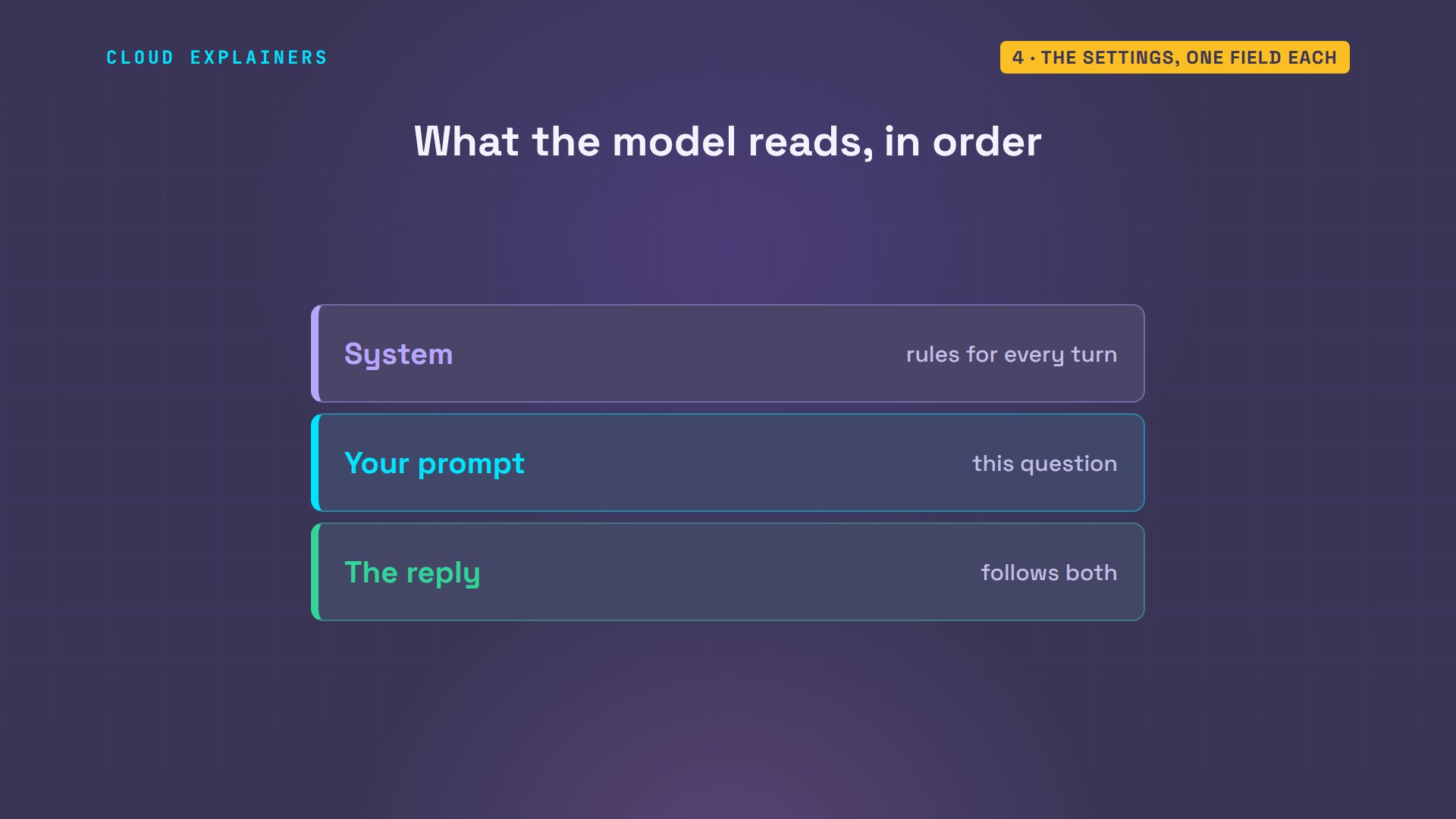
So how does Ana get two calm sentences instead of a menu? With the first box in Run settings: System instructions. It's text the model reads first, for the whole conversation. Then it reads your prompt, and writes a reply that follows both.
In the request, it's one more field: system instruction. Same prompt, sent again: two short sentences, no exclamation marks, 30 tokens instead of 712.
cat system.json{
  "model": "gemini-3.8-flash",
  "system_instruction": "You write for Ana's Tea Shop. Two short sentences. Calm, no exclamation marks.",
  "input": "Describe our Sencha green tea for the shop page."
}
./ask system.jsonOur Sencha offers a gentle, grassy sweetness with notes of fresh spring dew. It brews into a clear green cup with a soft, quiet finish.
tokens: in 32, thinking 595, out 30
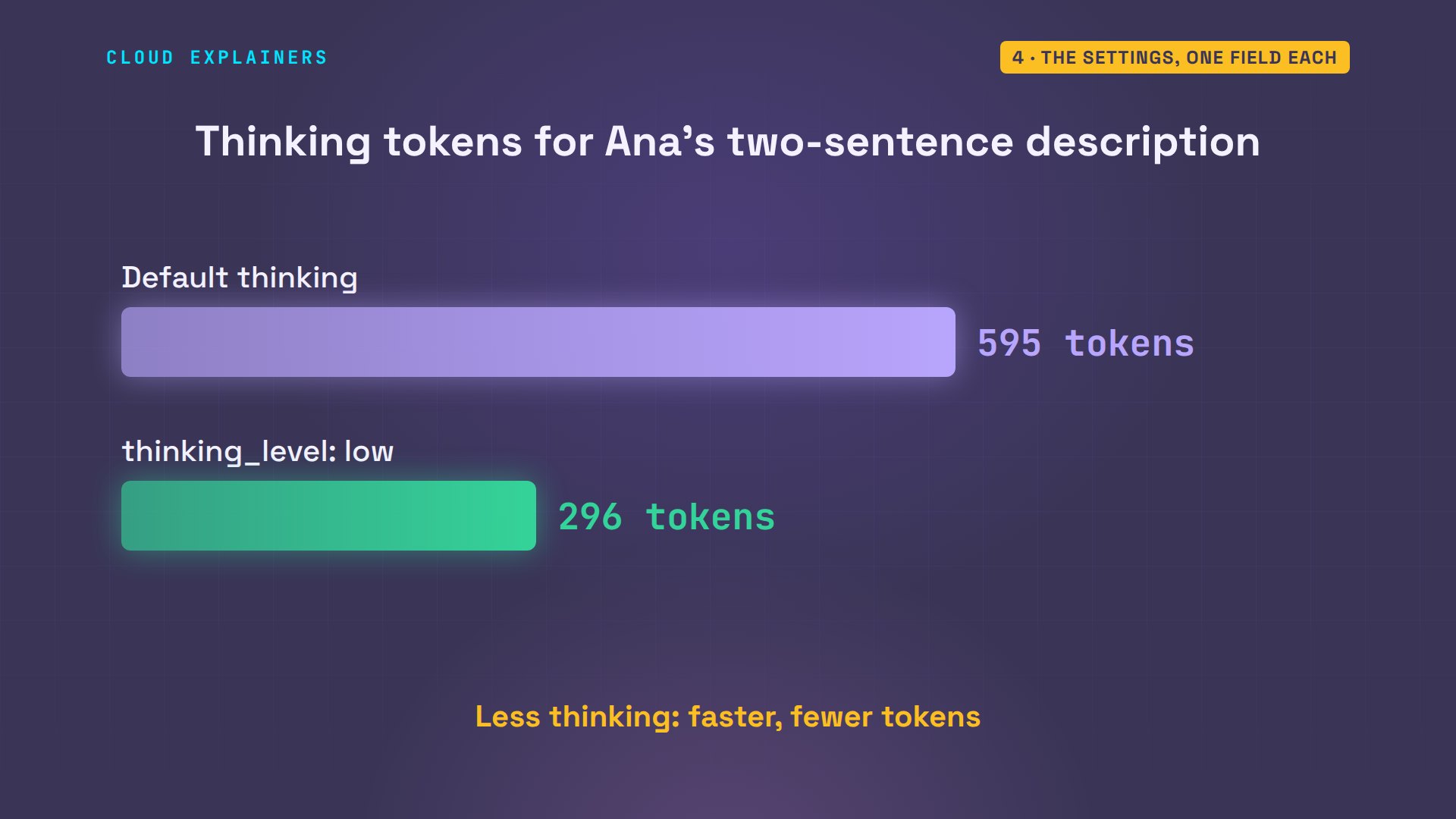
Next in the panel: thinking. It sets how long the model reasons before it answers. In the request it's thinking level, inside generation config. Set it to low, and thinking drops from 595 tokens to 296, for the same kind of answer.
diff system.json low.json4c4,5
<   "input": "Describe our Sencha green tea for the shop page."
---
>   "input": "Describe our Sencha green tea for the shop page.",
>   "generation_config": { "thinking_level": "low" }
./ask low.jsonCarefully steamed leaves produce a clean infusion filled with the fresh taste of spring grasses. Each gentle sip finishes with a light, lingering sweetness.
tokens: in 32, thinking 296, out 28
Why have the choice? Hard questions, like code or maths, get better answers with more thinking. Short writing jobs like Ana's don't need much, and less thinking is faster, and uses fewer tokens.
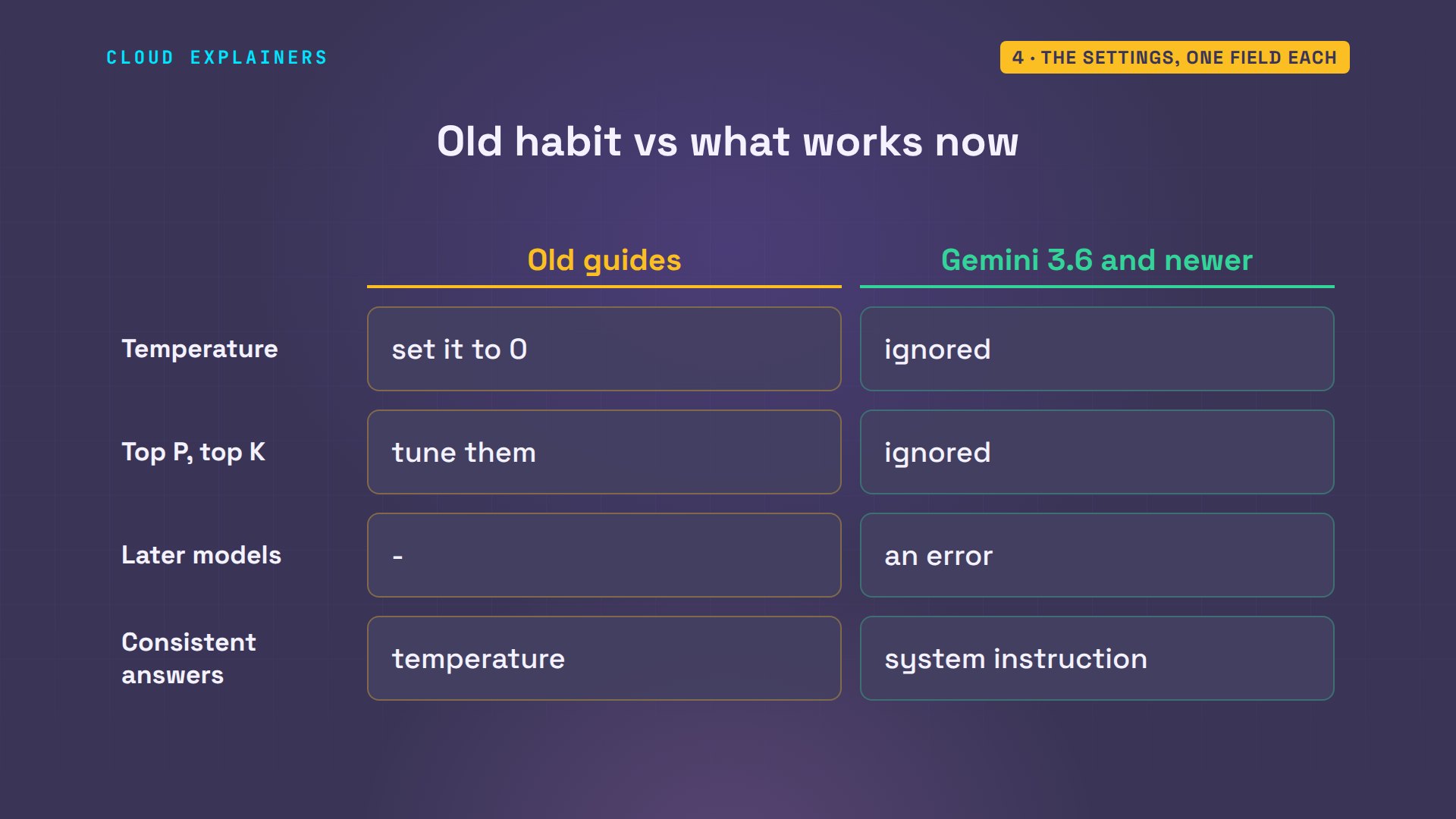
Older guides say to turn temperature down to zero, so the model gives the same answer every time. Ana adds temperature zero and sends it twice. Before we look: will the two answers match? They don't. And there's no error either.
diff low.json temp0.json5c5
<   "generation_config": { "thinking_level": "low" }
---
>   "generation_config": { "thinking_level": "low", "temperature": 0 }
./ask temp0.jsonThis classic Japanese green tea brews a bright cup with gentle, grassy sweetness. It is a quiet, refreshing infusion meant for peaceful afternoons.
tokens: in 32, thinking 577, out 27
./ask temp0.jsonLightly steamed leaves brew into a delicate cup with notes of sweet grass and tender umami. It offers a quiet, grounding sip to refresh your day.
tokens: in 32, thinking 517, out 31
Google's docs explain it: the newest Gemini models ignore temperature, top P and top K, and say to remove them from requests. Future models will refuse them with an error. If you need answers that stay consistent, write the rules into the system instruction.
From playground to code
Now the tools. Turn on structured output, and you give the model a schema: the exact fields you want back. Ana wants a product card: name, price, and minutes to steep.
cat card.json{
  "model": "gemini-3.8-flash",
  "input": "Sencha green tea, 100 g tin, 8 euros, steep 2 minutes at 75 C.",
  "generation_config": { "thinking_level": "low" },
  "response_format": {
    "type": "text",
    "mime_type": "application/json",
    "schema": {
      "type": "object",
      "properties": {
        "name": { "type": "string" },
        "price_eur": { "type": "number" },
        "steep_minutes": { "type": "number" }
      },
      "required": ["name", "price_eur", "steep_minutes"]
    }
  }
}
The reply is JSON with exactly those fields, so her shop's code can use it without guessing. jq reads the price straight out: 8.
./ask card.json > card.txt
cat card.txt{"name":"Sencha green tea, 100 g tin","price_eur":8,"steep_minutes":2}
tokens: in 27, thinking 0, out 28
head -1 card.txt | jq .price_eur8
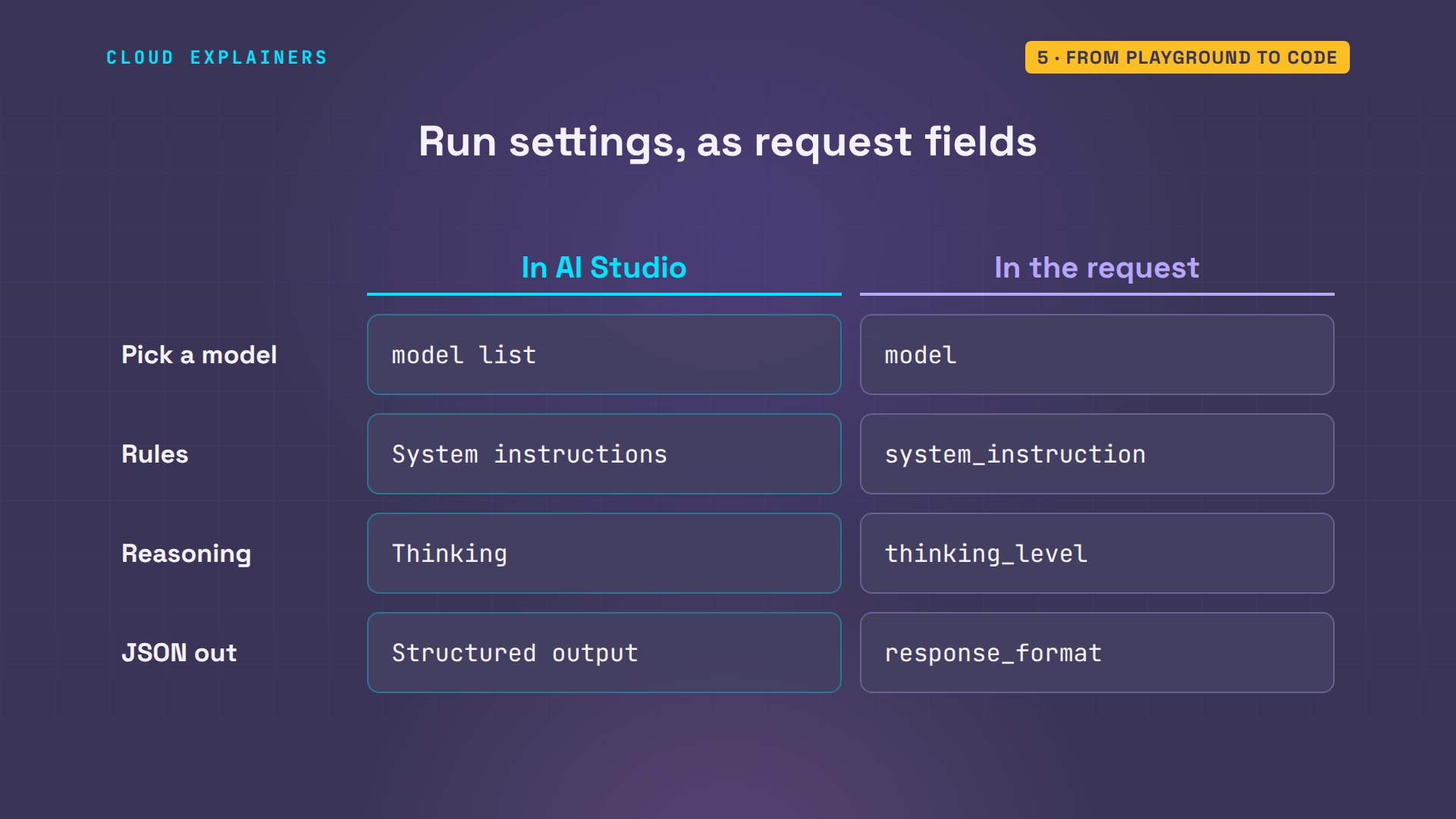
Here's the whole Run settings panel, translated. The model list is the model field. System instructions is system instruction. Thinking is thinking level. Structured output is the response format. And the temperature slider is a field the newest models ignore.
So what does Get code give you? The request you built, written in code. Here's that request in Python, with Google's Gen AI library. The client finds the key in GEMINI API KEY by itself, and every setting is a named argument: model, system instruction, thinking.
cat describe.pyfrom google import genai

client = genai.Client()  # finds the key in GEMINI_API_KEY by itself

reply = client.interactions.create(
    model="gemini-3.8-flash",
    system_instruction="You write for Ana's Tea Shop. Two short sentences. Calm, no exclamation marks.",
    input="Describe our Sencha green tea for the shop page.",
    generation_config={"thinking_level": "low"},
)
print(reply.output_text)
Ana switches to the Python environment where that library is installed, and runs it: the same kind of answer AI Studio gave her. And without the key? No API key was provided. That's the first error most people meet.
source ~/.venv/bin/activate
(.venv) ana@laptop:~/shop$ python describe.pyGently steamed leaves offer a fresh, grassy aroma with a delicate hint of sweetness. It brews into a vibrant green cup, perfect for a quiet moment of pause.
(.venv) ana@laptop:~/shop$ env -u GEMINI_API_KEY python describe.py 2>&1 | tail -1ValueError: No API key was provided. Please pass a valid API key. Learn how to create an API key at https://ai.google.dev/gemini-api/docs/api-key.
That's the whole picture. AI Studio and the code on Ana's laptop send the same kind of request to the same API. The playground is where you find the settings; your code is where they live.
Free tier, limits and your data
Now the free tier. Before she turned billing on, Ana had a key from a project without it. She sends the same request with that key: rate limit exceeded. 20 requests per day, on the free tier, and we had used them all, testing this video.
GEMINI_API_KEY=$FREE_KEY ./ask low.jsonerror: Rate limit exceeded for model gemini-3.8-flash (limit: 20 requests per day on Free Tier). Please retry in 19h43m54s or upgrade your tier at https://ai.dev/rate-limit.
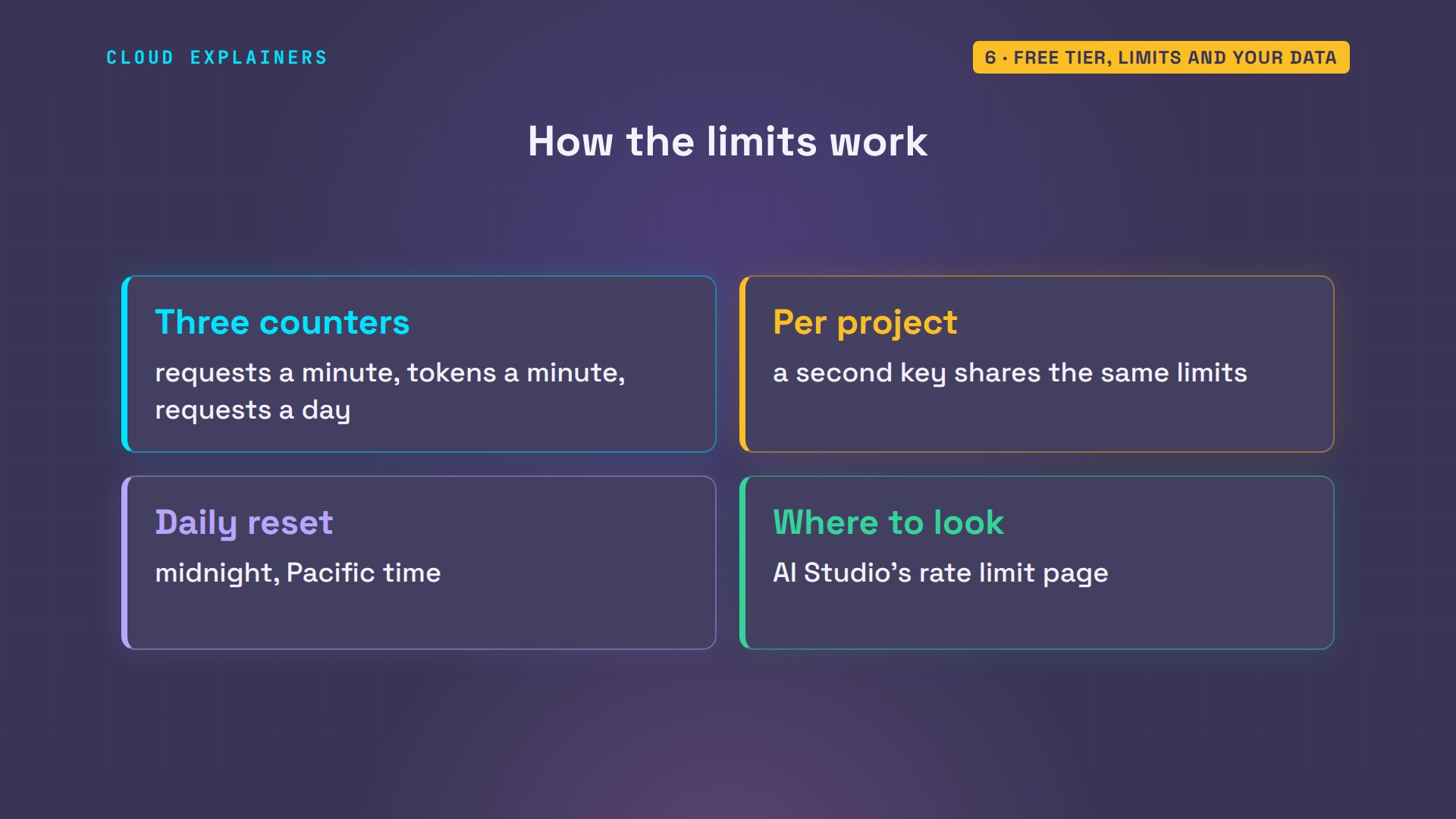
Limits are counted three ways: requests per minute, tokens per minute, and requests per day. They apply to the whole project, not to one key, so a second key doesn't help. Daily limits reset at midnight, Pacific time. AI Studio shows your project's limits on its rate limit page.
And here's the setting that isn't in the panel: billing. On the free tier, Google's terms say your prompts and replies may be used to improve its products, and human reviewers may read them. On the paid tier, like Ana's project, they're not used that way. And here's the twist: once your account has a project with an active billing account, even AI Studio's free playground counts as paid, for how your data is treated.
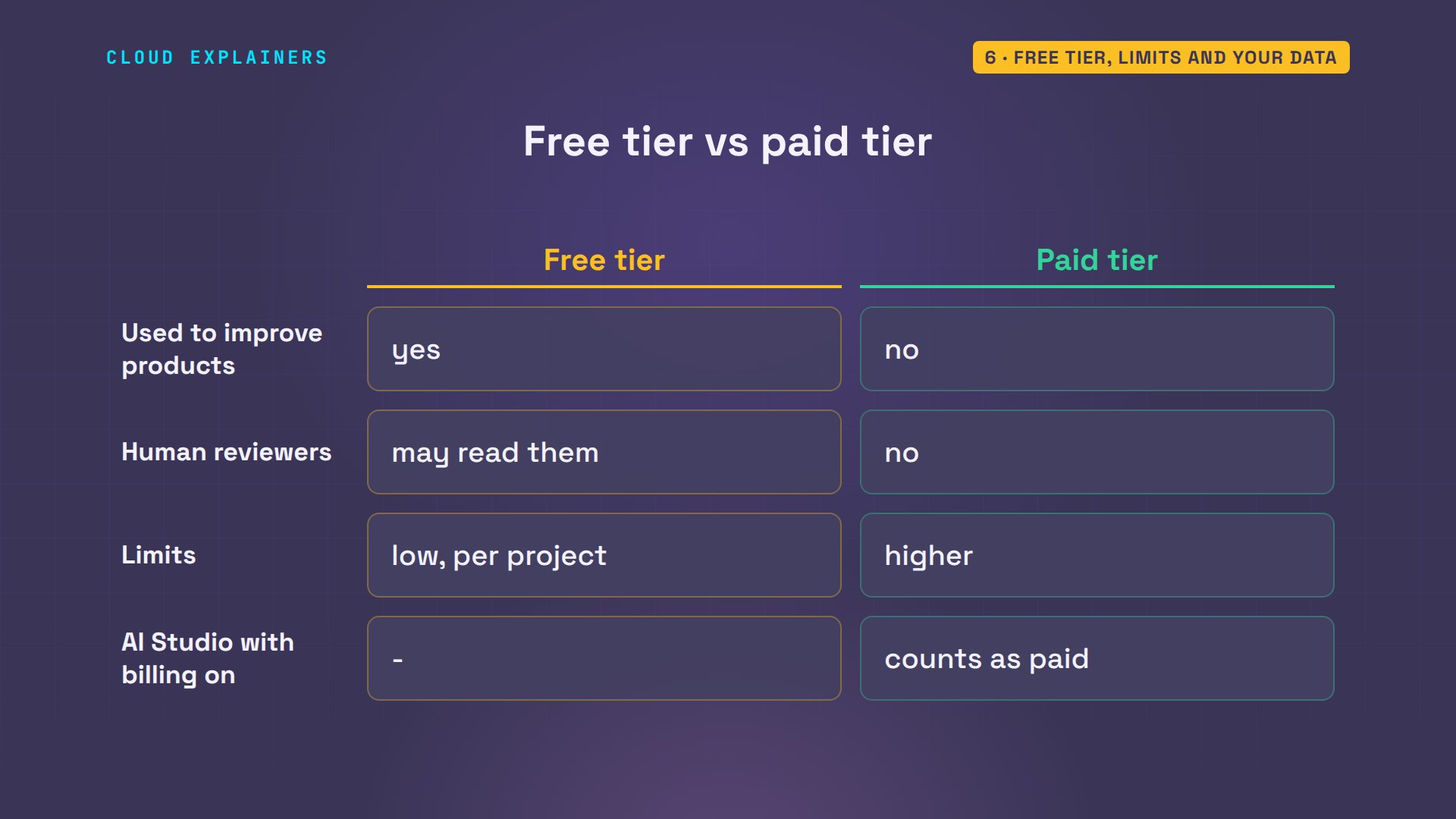
So the answer to the question from the forum is: it depends on billing. The terms are plain about the free tier: don't send it anything sensitive, confidential or personal. Customer emails, for example, belong on a paid project.
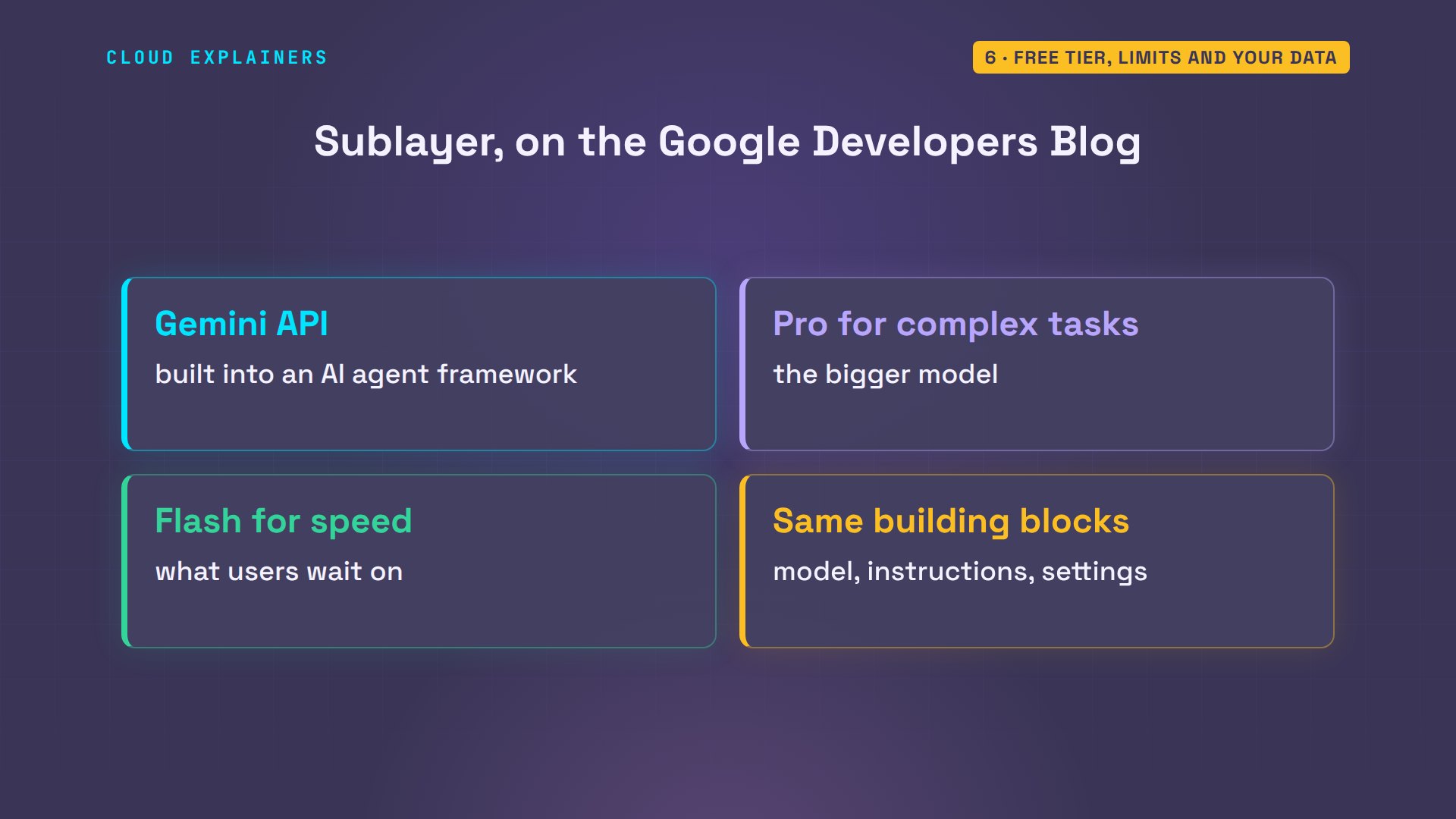
Teams that build on this go the same way. Sublayer, a company that makes a framework for AI agents, builds Gemini into its product through this API, with the bigger Pro model for complex tasks, and Flash for the quick ones users wait on.
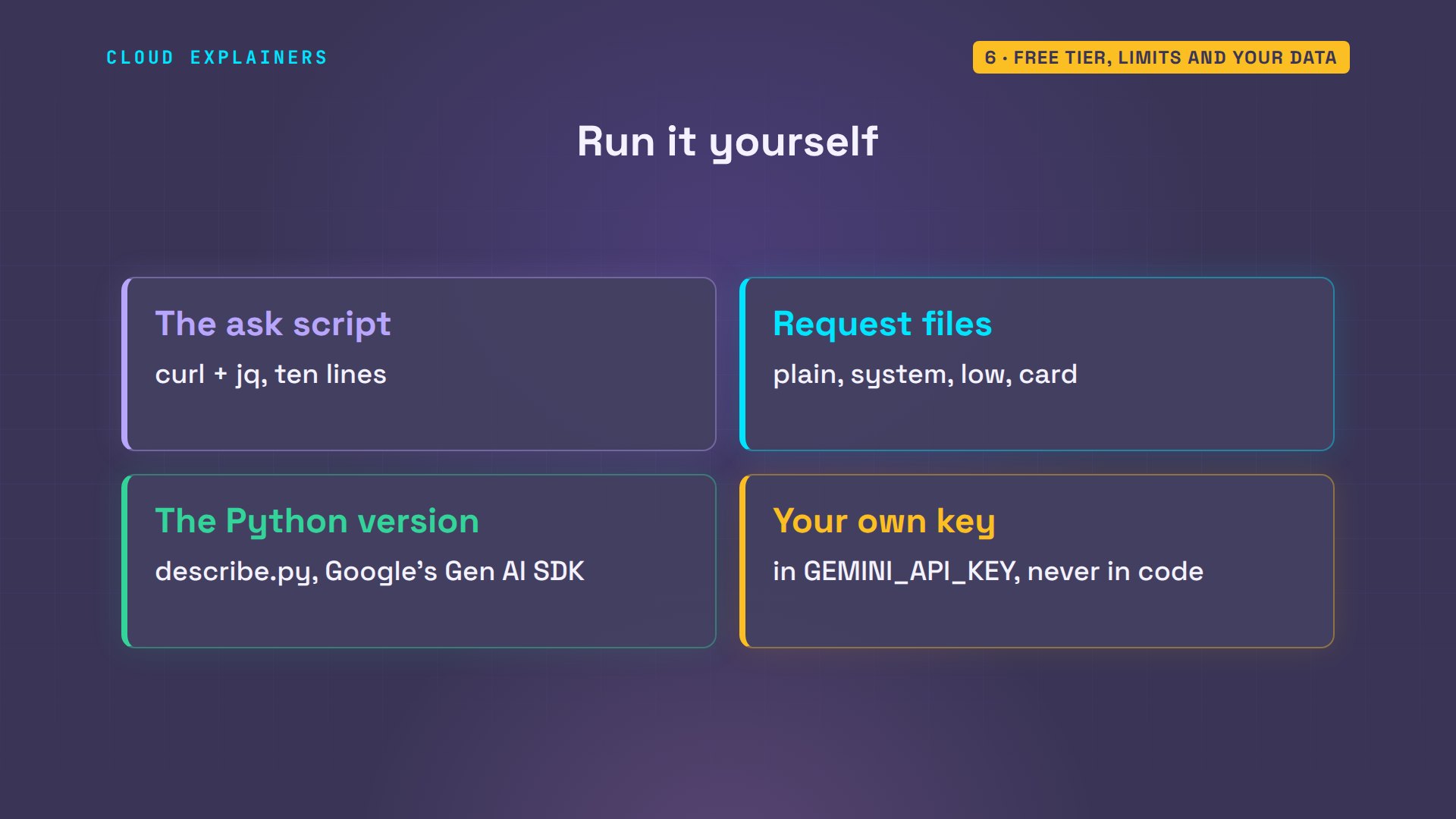
Every command and request file from this video is linked in the description, so you can run them with your own key.
Recap
So: AI Studio is a playground for the Gemini API. Every setting is a field in one request, Get code writes it for you, and billing decides your limits, and who may read your prompts.
If seeing the request behind each setting made AI Studio click, a like helps YouTube show this to more beginners, and subscribing brings the next one your way.
Every request here went to the real Gemini API. Thanks for watching Cloud Explainers.
Sources
- Google AI Studio quickstart (Run settings, system instructions, tools, Get code)
- Gemini API keys (default project and key, GEMINI_API_KEY, treat it like a password)
- Rate limits (RPM, TPM, RPD; per project, not per key; RPD resets at midnight Pacific)
- Text generation (system instructions, thinking_level; Gemini 3.6+ ignore temperature, top_p, top_k)
- Structured output
- Understand and count tokens (about 4 characters per token)
- Pricing (free tier: content used to improve our products; paid tier: not)
- Gemini API Additional Terms of Service (unpaid services, human reviewers, billing account makes AI Studio a Paid Service)
- Google AI Developers Forum, Does Google use user prompts, chat history to train the model in future?
- Google Developers Blog, Enhancing AI-powered developer tools with Gemini API (Sublayer, 14 Nov 2024)
- Google Gen AI SDK for Python (google-genai)
Demos: one container on our own Mac standing in for Ana's laptop, sending real requests with our own keys (never shown); the tea shop is made up. Watch the full video on YouTube.
More videos
What Happens When You Run a Docker Container
How to Fix Claude Code Billing Your API Key Instead of Your Plan
Why Passkeys Can't Be Phished Like Passwords
PowerShell vs Bash: Which One Should You Learn?
The Linux Roadmap for Beginners
Django vs FastAPI: Which One Should You Use?
Why SQLite Is the Most Used Database in the World
How a NoSQL Database Like MongoDB Works
How to Fix Python pip error: externally-managed-environment
How to Fix MySQL Too Many Connections Database Errors
Golang Concurrency Will Finally Make Sense After This
How Amazon S3 Works
How Kubernetes Works
How Git Works
How to Fix Docker Port Already Allocated Errors
How PostgreSQL Works
How to Fix Git Merge Conflicts
How to Fix No Space Left on Device in Linux
How the Internet Works
SQL vs NoSQL: When Each One Wins
How to Fix JWT Token Expired Errors (401 Unauthorized)

Claude API vs Claude Pro: Why Your Subscription Doesn't Include It

Why AI Agent Skills Beat Giant Prompts

Linux Cron Jobs Will Finally Make Sense After This

Security Logs Will Finally Make Sense After This

How to Fix a Security Leak: An API Key Pushed to GitHub

DNS Will Finally Make Sense After This

Never Ignore a Security Update

Two-Factor Authentication Will Finally Make Sense

Never Expose a Database to the Internet

SSH Keys vs Passwords: Which Is Safer for Security?

The 5 Levels of Linux Boot: From Power On to Login

The 5 Levels of Network Firewalls

Password Security: Why Hackers Crack Weak Passwords

Why Your Linux Server Runs Out of Memory

HTTP vs HTTPS: What Actually Changes on Your Network

Every Linux File Permission You Need to Know

Linux Processes vs Threads: When Each One Wins

The OSI Model Will Finally Make Sense After This

The 7 Levels of Git

Every Network Troubleshooting Command You Need

Hashing vs Encryption in Cybersecurity: When Each One Wins

Why the Internet Ran Out of IP Addresses

Linux Package Managers: apt vs Snap vs Flatpak

Why Python Is Slow (and When It Doesn't Matter)

TCP vs UDP: When Each One Wins

Stop Running Linux as Root (Do This Instead)

Linux Users and Groups Will Finally Make Sense

Why Phishing Beats Good Security (and How to Spot It)

The 7 Levels of Docker

AI Agents Will Finally Make Sense After This

Stop Using git push --force (Use This Instead)

Agent Skills vs MCP: When Each One Wins

Networking Will Finally Make Sense After This

Every Linux Command You Actually Need

The 7 Levels of Cybersecurity

Every System Design Concept You Need, in One Diagram
