
Why Python Web Scraping Returns Nothing (and the Fix)
Why a Python scraper with requests and Beautiful Soup gets status 200 and finds nothing: the page's HTML has an empty list, and JavaScript fills it in the browser. We prove it on a lab shop, then fix it two ways: ask the JSON API the page itself calls (httpx), or let a real browser run the page (Playwright) and wait for the element. Plus robots.txt, 429 Too Many Requests, Retry-After and an honest User-Agent.
Status 200, zero teas
Your Python scraper gets status 200 from the page, no error at all, and finds nothing. You copied the class name from your browser: tea, on every list item. It's right there on the screen. Python says zero.
(.venv) ana@laptop:~/scraper$ cat scrape.pyimport requests
from bs4 import BeautifulSoup

page = requests.get("http://shop.test/")
print("Status:", page.status_code)

soup = BeautifulSoup(page.text, "html.parser")
teas = soup.select("li.tea")
print("Teas found:", len(teas))
(.venv) ana@laptop:~/scraper$ python scrape.pyStatus: 200
Teas found: 0
Here's why: the page your browser shows you, and the page Python downloads, are not the same page. By the end, you'll have two fixes that work, and the habits that keep your scraper welcome. One of the two fixes is hundreds of times heavier than the other. We'll see which one, and when it's worth it.
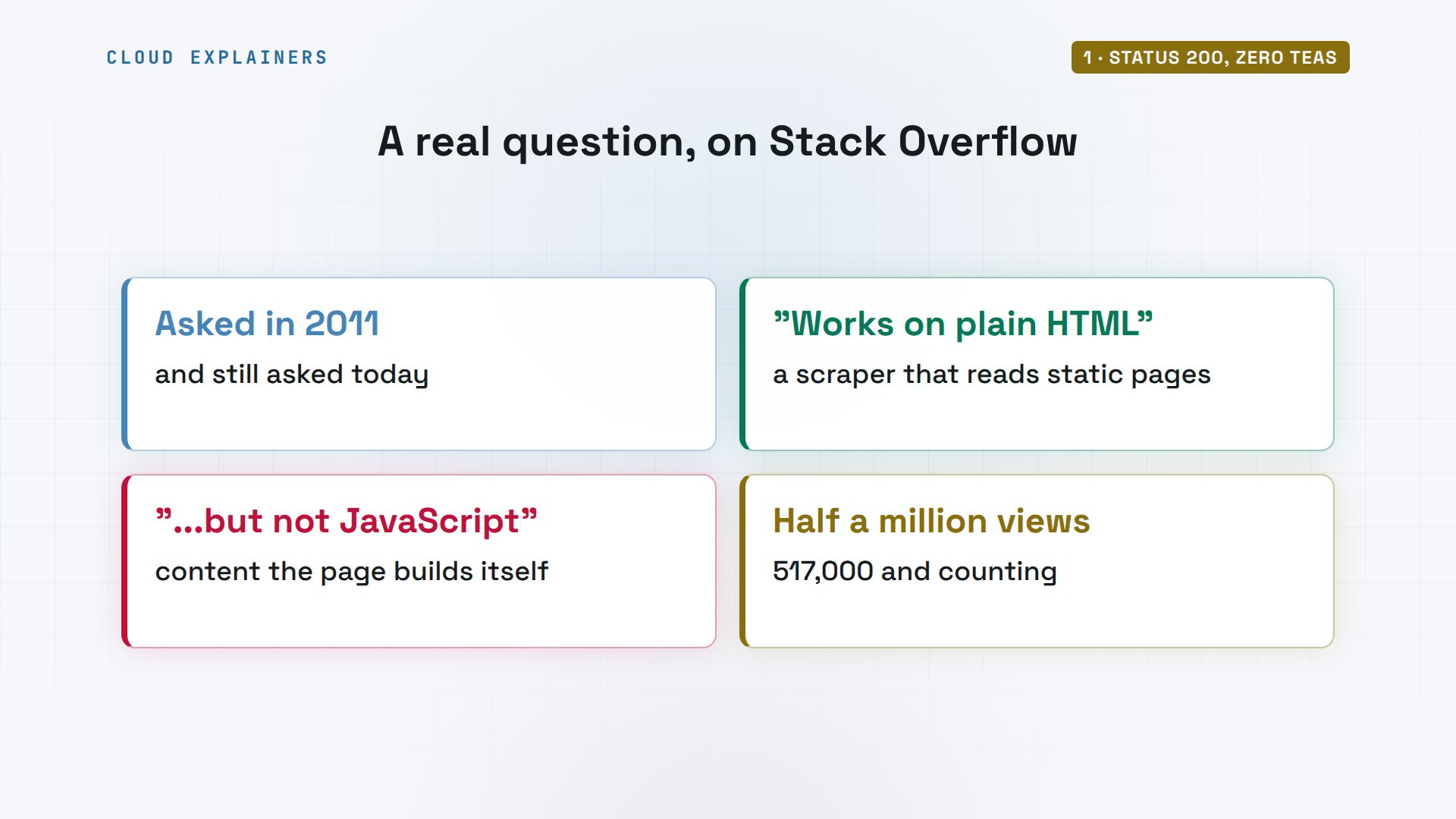
You're in good company. One of the most viewed scraping questions on Stack Overflow, asked back in 2011, says exactly this: my code works on plain pages, but not when the content is made by JavaScript. It has been viewed over half a million times.
What Python really downloads
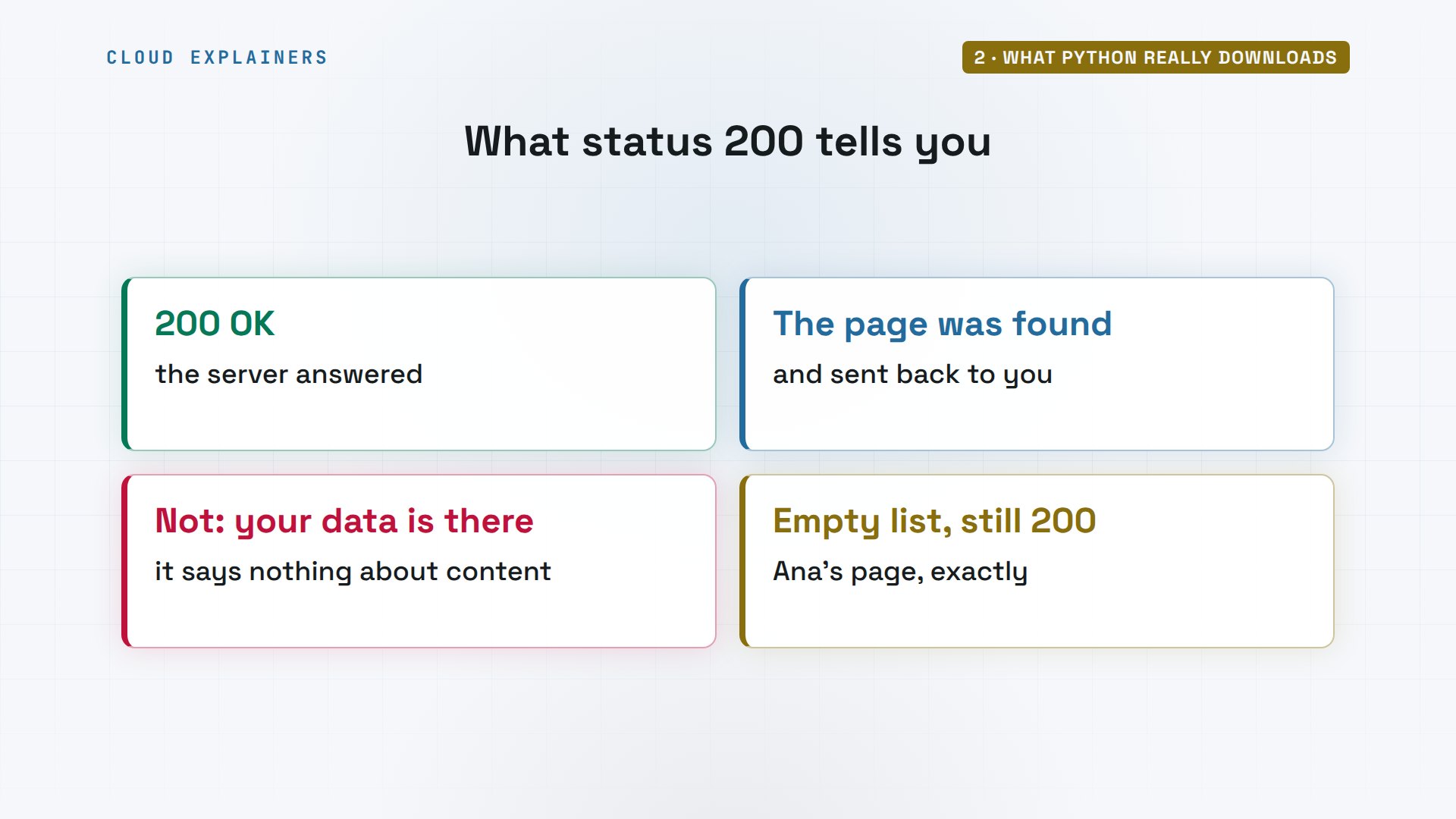
First, what does status 200 tell you? Only that the server answered: it found the page and sent it. It says nothing about what's inside. A page with an empty list is still a perfectly good 200.
So what does a browser do that Python doesn't? It asks the shop for the page, and gets HTML: the text that describes the page. That HTML names a script, so the browser asks for it, and runs it. The script asks a third address for the teas, gets them back as data, and only then draws the list you see.
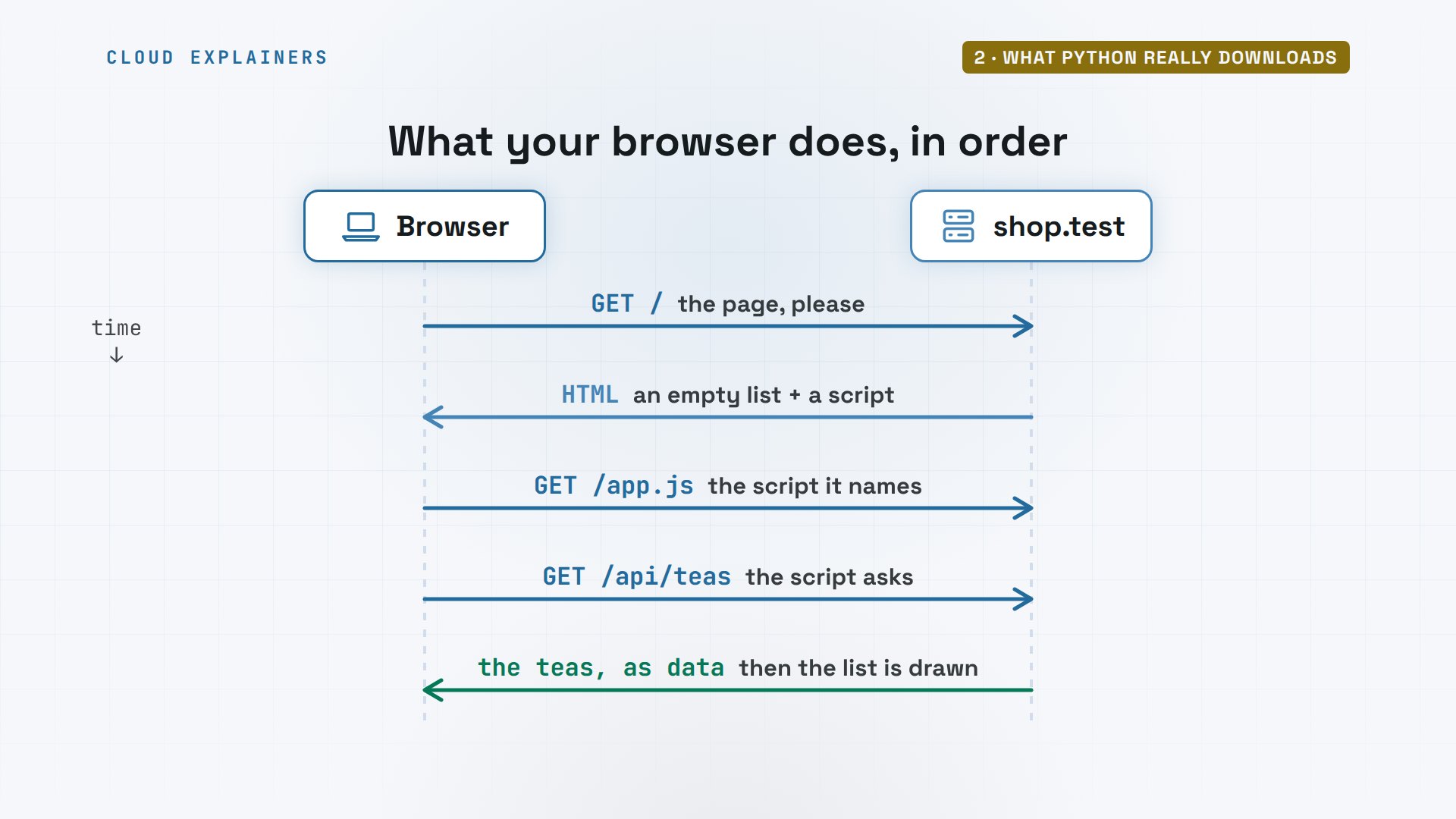
Think of it as layers. The HTML is the skeleton the server sends. JavaScript runs on top and adds to it. What you see is the result of both, built inside your browser, on your computer.
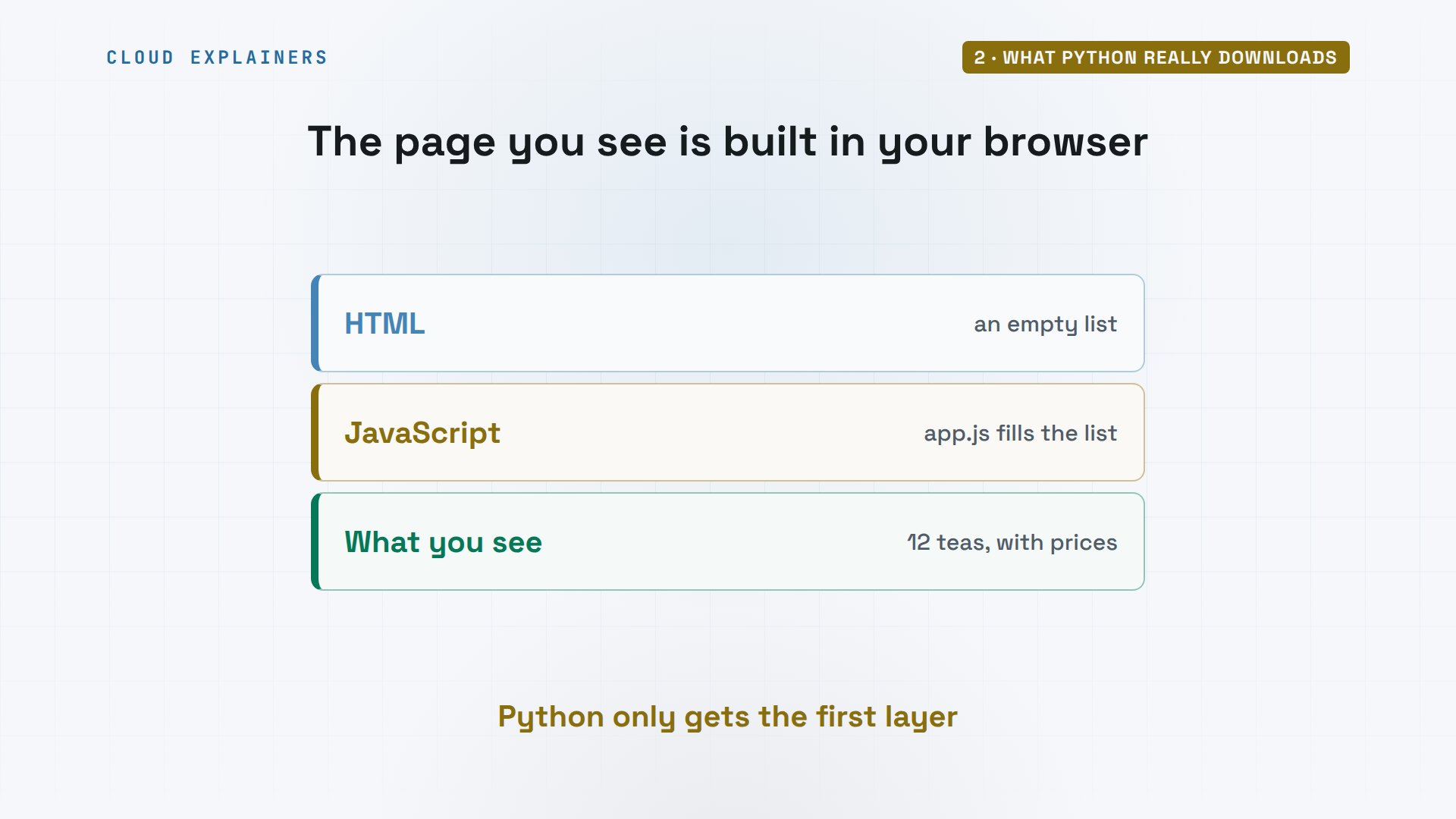
requests does only the first step. It downloads the HTML, and stops. It never runs the script, so it never asks for the teas.
Let's look at what Python really gets. Here's the shop's page, downloaded with curl, a command that fetches a web address. There's the list, with nothing inside it, and the script tag below it. Before we count: how many tea items do you think are in this HTML? grep, a tool that counts matching lines, says: zero.
(.venv) ana@laptop:~/scraper$ curl -s http://shop.test/<!doctype html>
<html>
<head><title>Ana's Tea Shop</title></head>
<body>
  <h1>Our teas</h1>
  <ul id="teas"></ul>
  <script src="/app.js"></script>
</body>
</html>
(.venv) ana@laptop:~/scraper$ curl -s http://shop.test/ | grep -c 'class="tea"'0
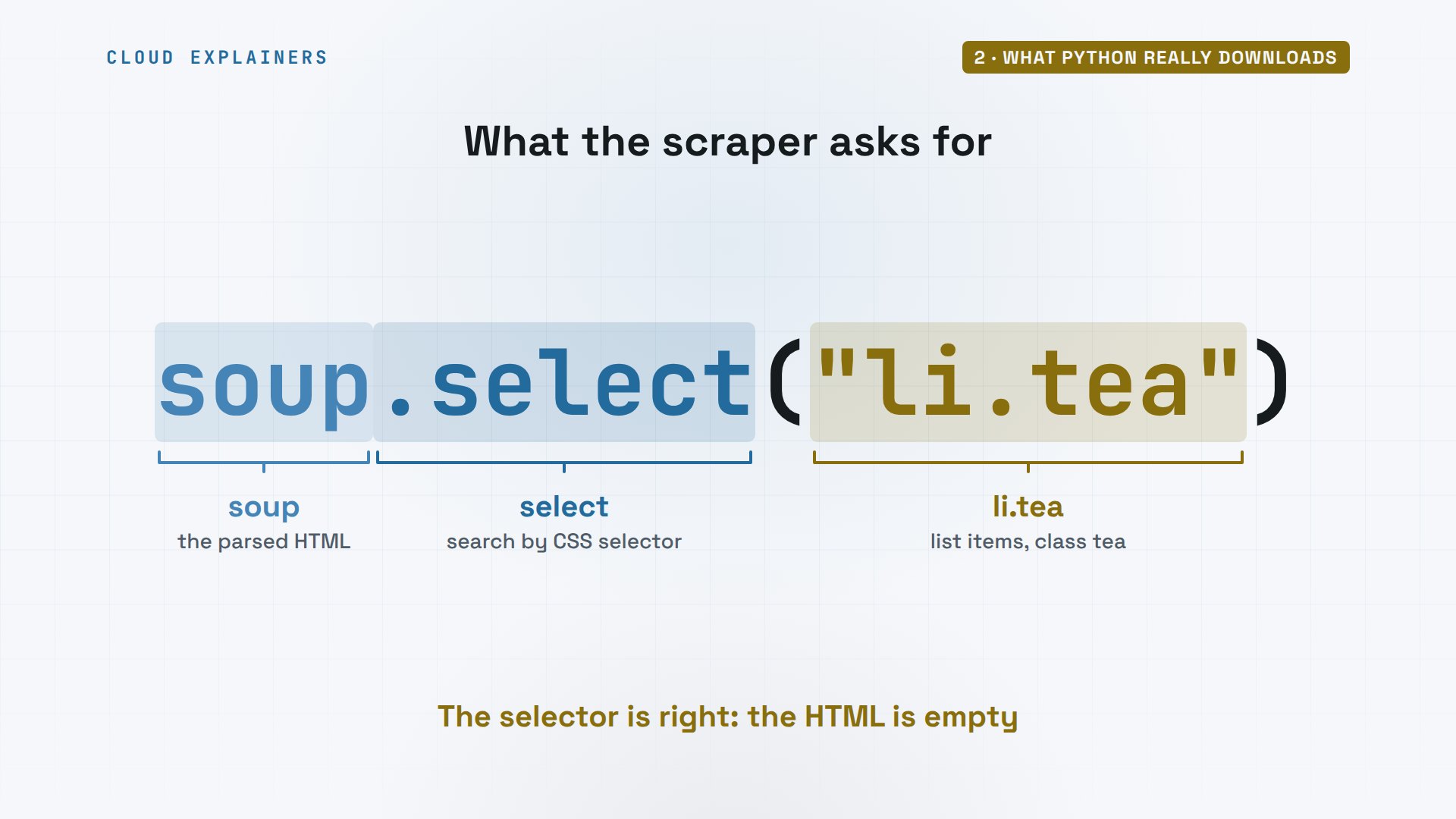
And look at what Ana's script asks for. Beautiful Soup parses the HTML into a tree it can search, and select takes a selector, a pattern for parts of the page: here, list items with the class tea. The selector is right. There's simply nothing in the HTML for it to find.
The shop's own log agrees. When Ana's script ran, the server saw one request: the page, from python requests. Nothing else was ever asked for.
cat /var/log/shop.logGET / 200 python-requests/2.32.5
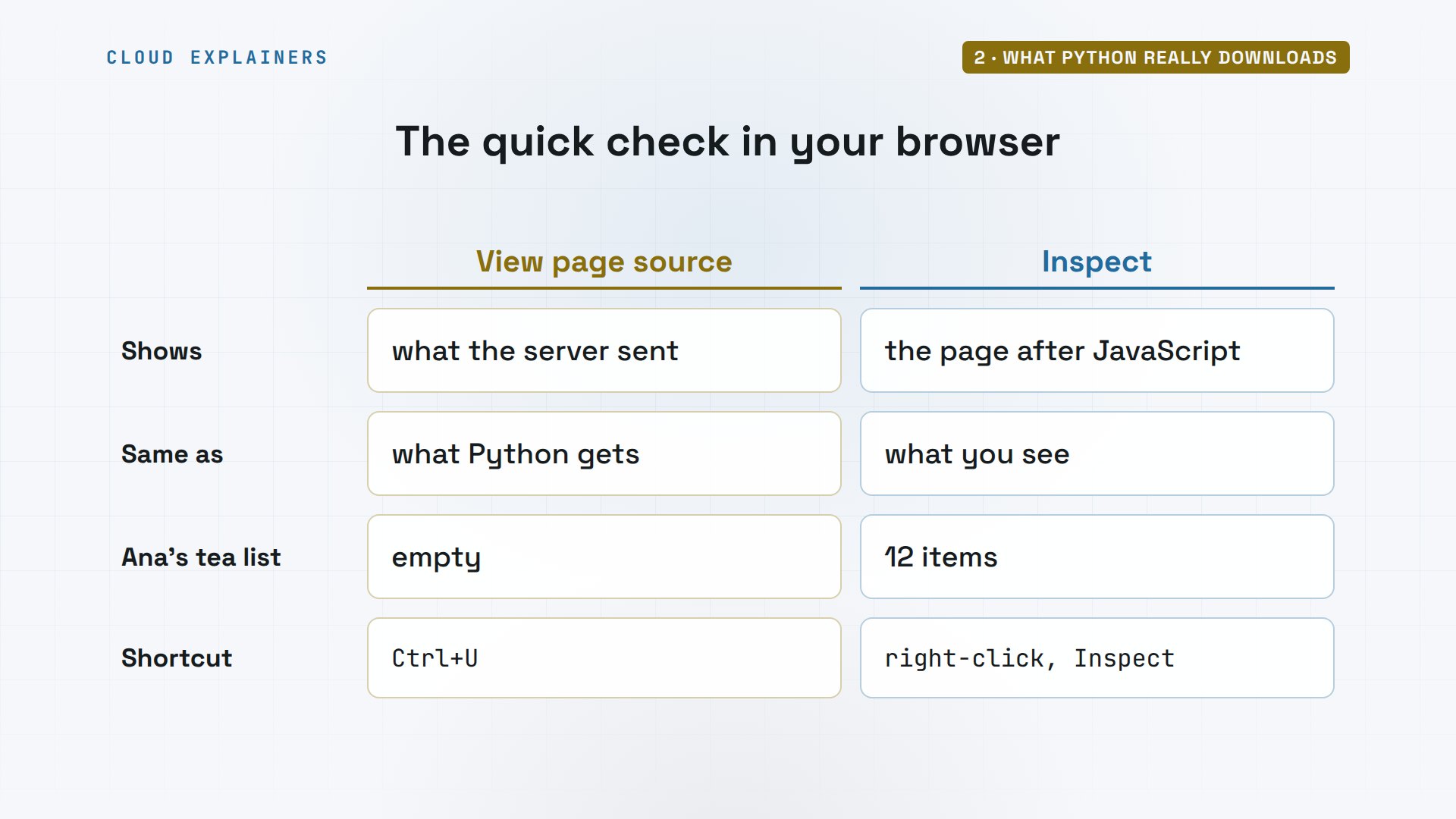
You can check any site this way. View page source, Control U, shows the HTML the server sent: what Python gets. Inspect shows the page after its JavaScript ran: what you see. If your data is in Inspect but not in the source, JavaScript put it there.
Ask the API the page asks
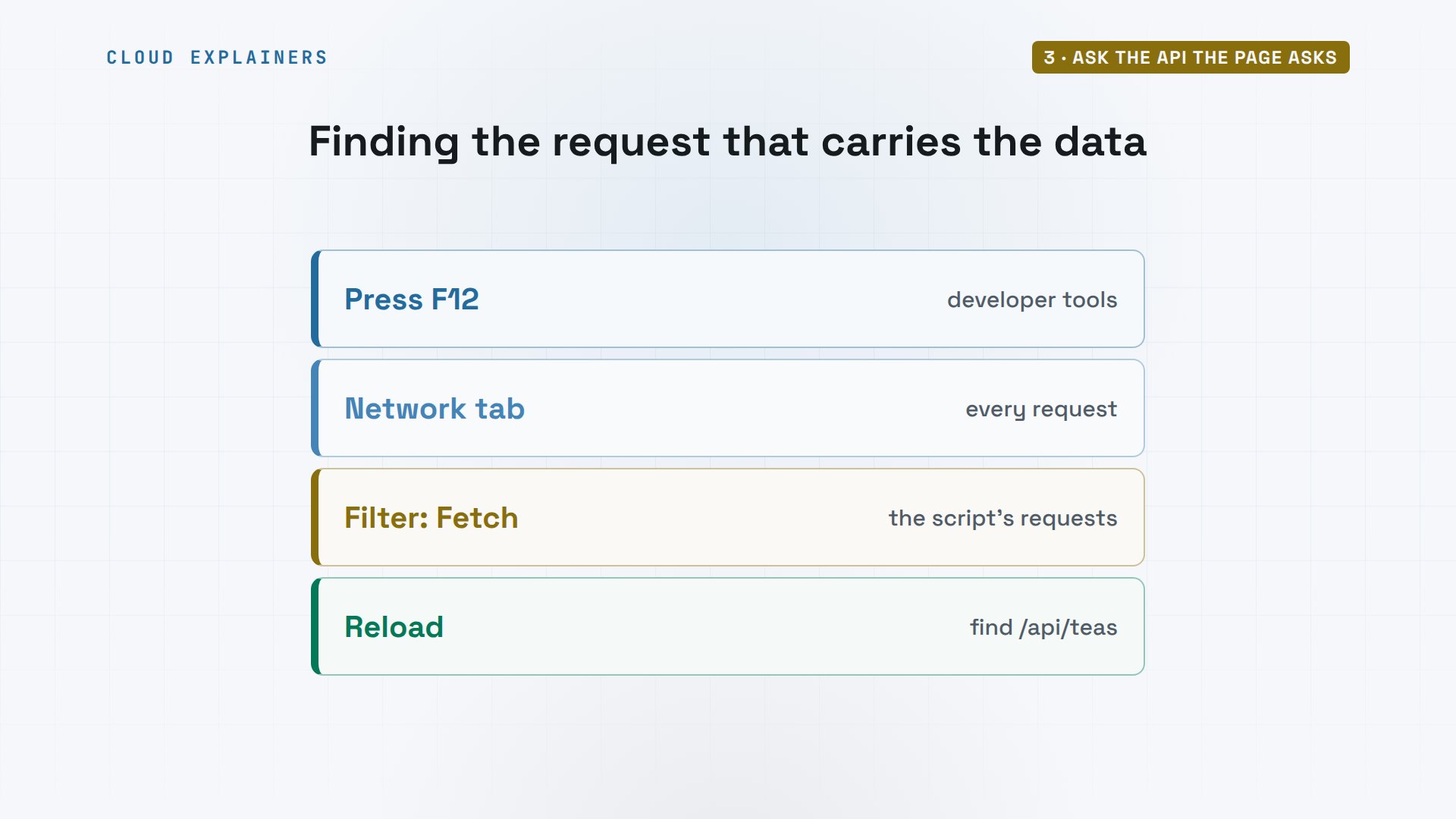
Where do the teas come from? Press F12 to open your browser's developer tools, pick the Network tab, filter by Fetch, and reload. One of those requests carries your data. The page's script asked for it, so you can too.
That address is an API: a door into the shop meant for programs, not people. Instead of a page to look at, it answers with plain data. The shop's own script uses it, and so can yours.
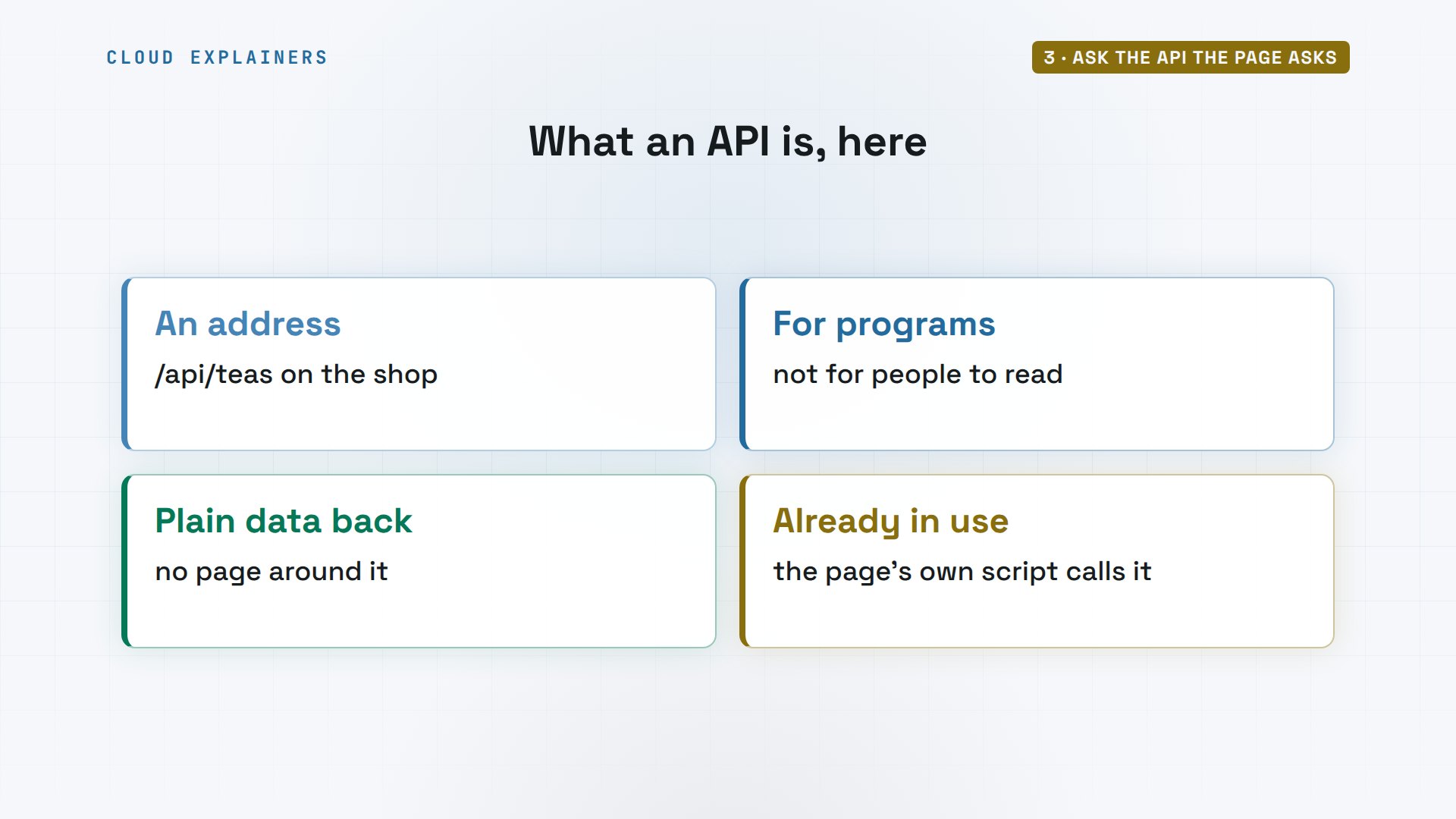
In the lab, we can read the shop's script from the terminal: it fetches slash API slash teas. Ask that address, and there are the teas, as JSON, a text format for data. The json tool part only lays it out so we can read it.
(.venv) ana@laptop:~/scraper$ curl -s http://shop.test/app.js | grep fetchfetch("/api/teas")
(.venv) ana@laptop:~/scraper$ curl -s http://shop.test/api/teas | python -m json.tool | head -6[
    {
        "id": 1,
        "name": "Sencha",
        "price": 8.0
    },
That's better than HTML for a scraper. Every tea is a record with named fields: an id, a name, and a price as a number. No class names to guess, and nothing breaks when the shop redesigns its page.
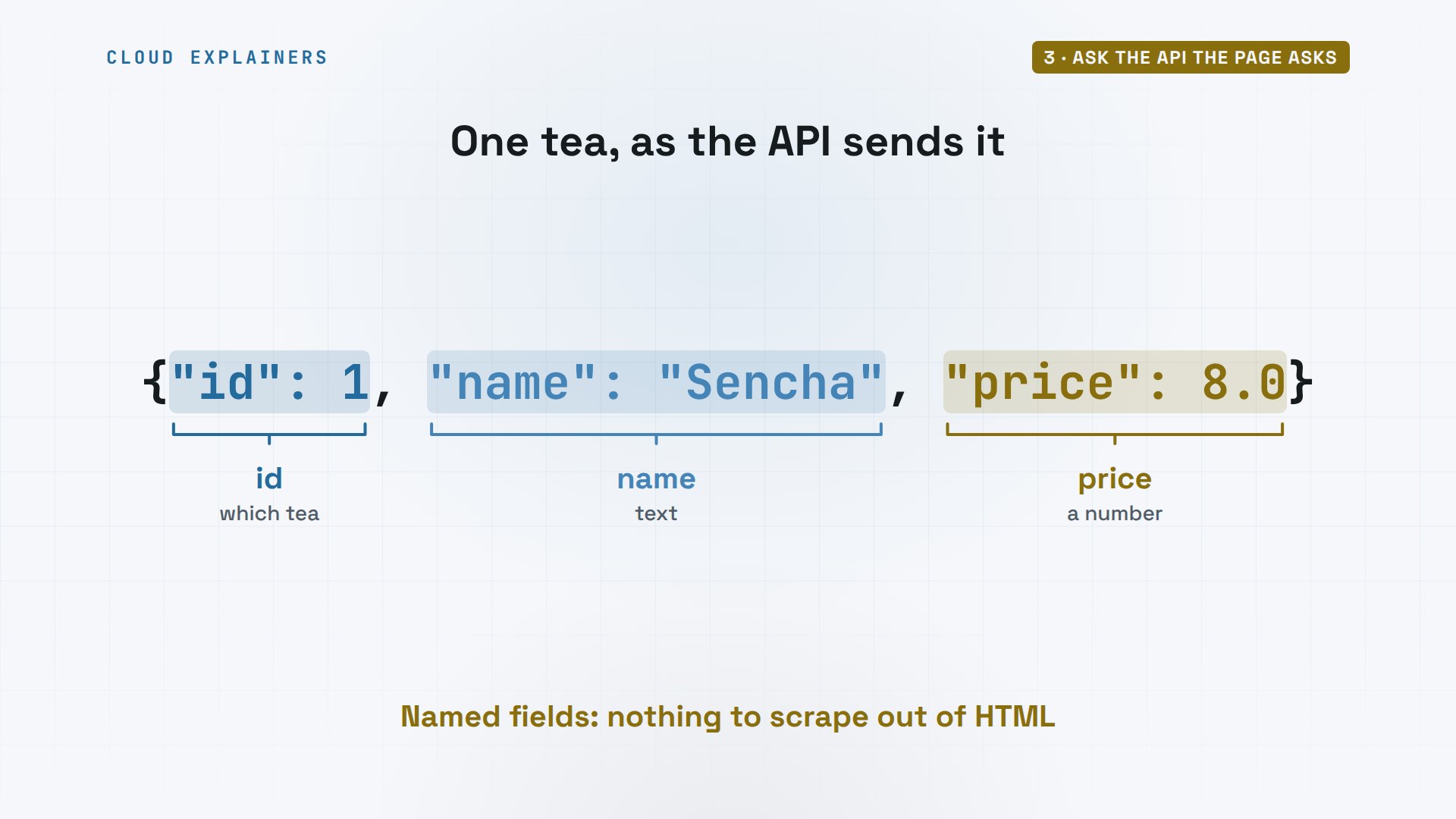
Here's the new script, with httpx, a Python library for web requests. It gets the API's address, stops with an error if the answer isn't OK, and reads the JSON straight into Python. 12 teas found. The same data the browser drew.
(.venv) ana@laptop:~/scraper$ cat api.pyimport httpx

r = httpx.get("http://shop.test/api/teas")
r.raise_for_status()
teas = r.json()
print("Teas found:", len(teas))
for tea in teas[:3]:
    print(f"{tea['name']}: {tea['price']} EUR")
(.venv) ana@laptop:~/scraper$ python api.pyTeas found: 12
Sencha: 8.0 EUR
Jasmine Pearls: 12.5 EUR
Earl Grey: 6.0 EUR
That's the first fix. Skip the page, and ask the API the page asks. It's one request, it's fast, and the answer is already structured.
Let a real browser run it
But some pages stitch their data from many requests, with no clean API to call. Some send values only their own script can compute, or you need what the page looks like after a click. Then let a real browser run the page for you.
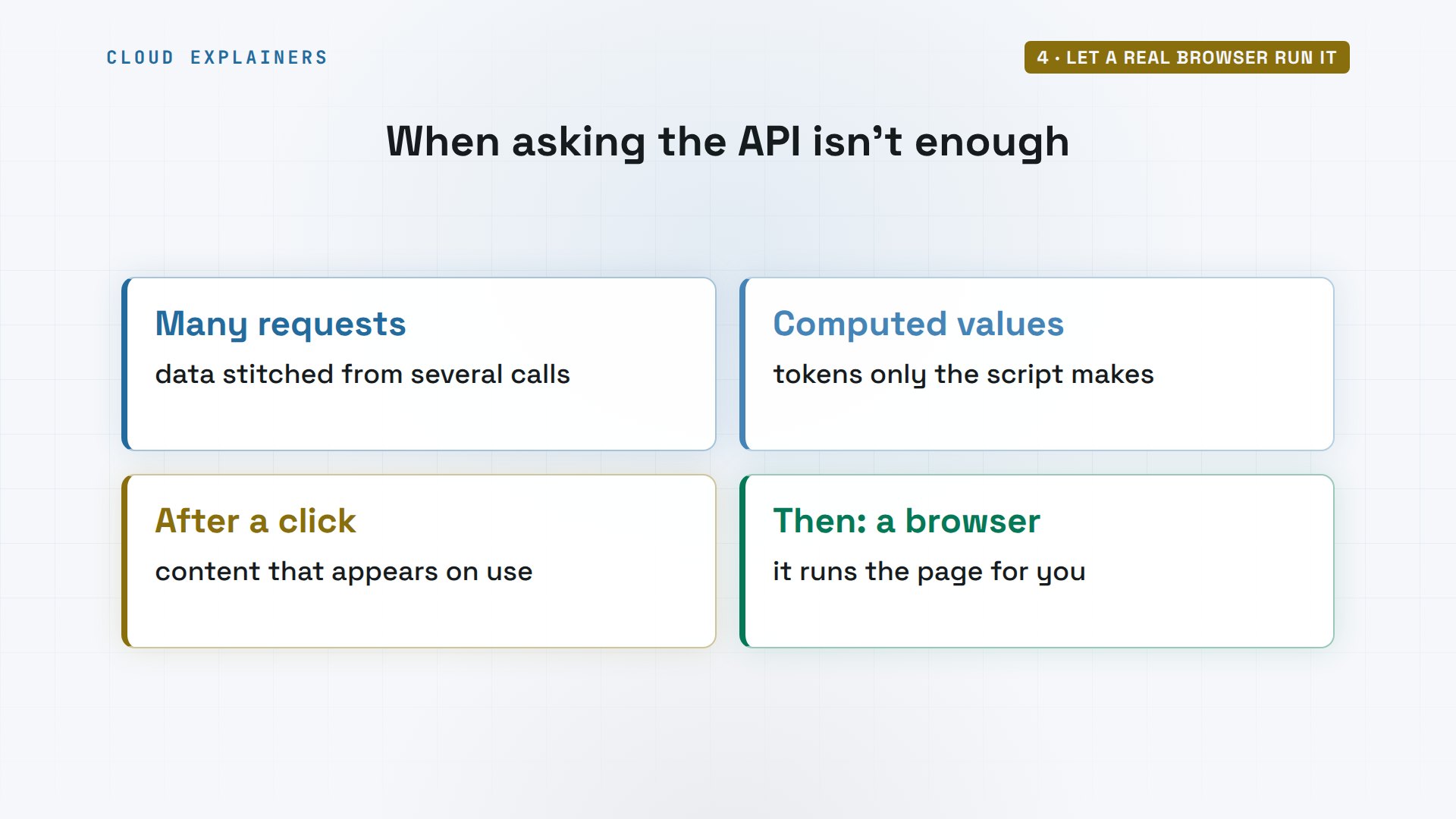
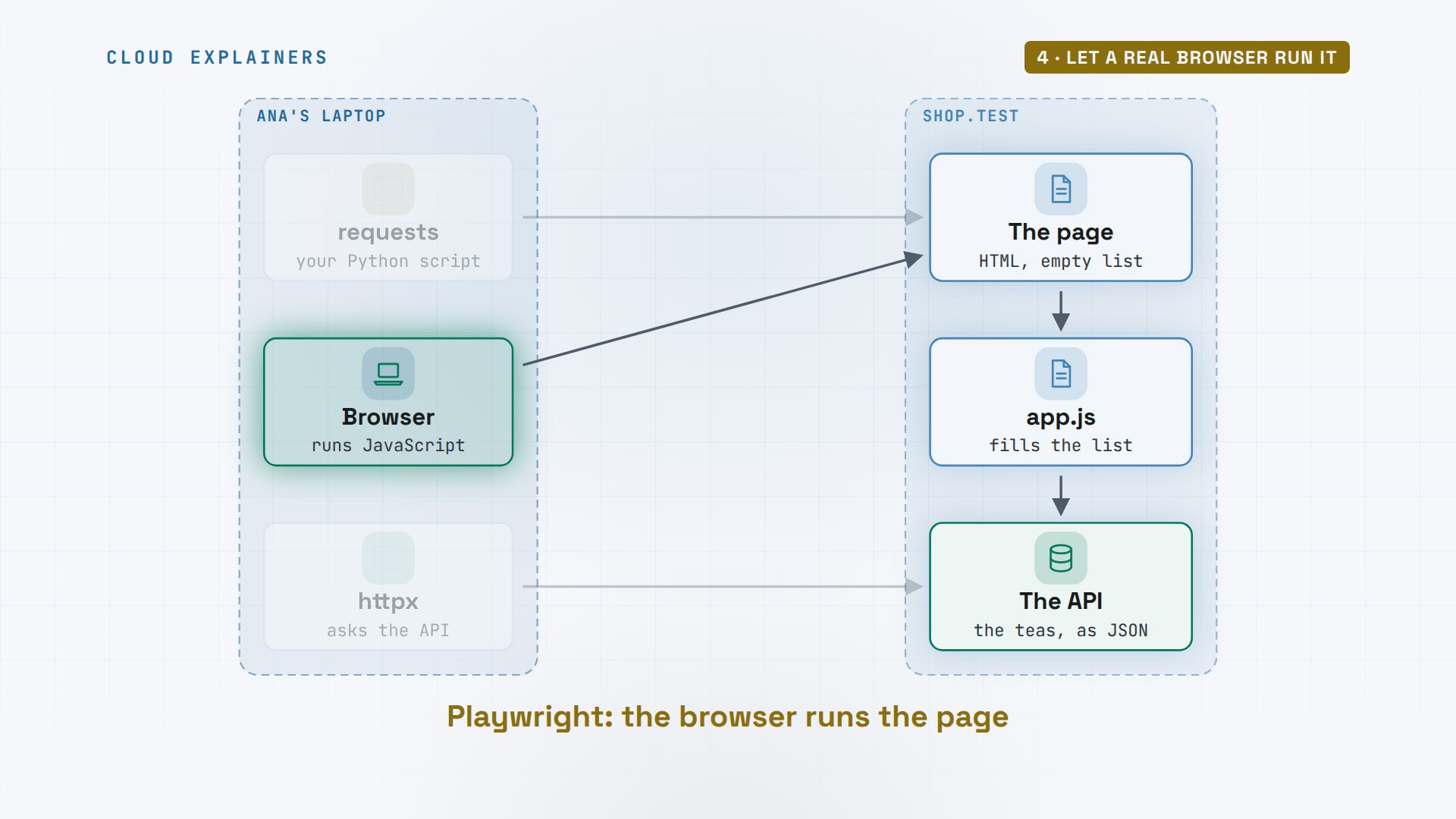
Here's how the pieces fit. Your Python code talks to Playwright. Playwright drives a browser with no window, called headless. The browser loads the page and runs its JavaScript, exactly as it would for you.
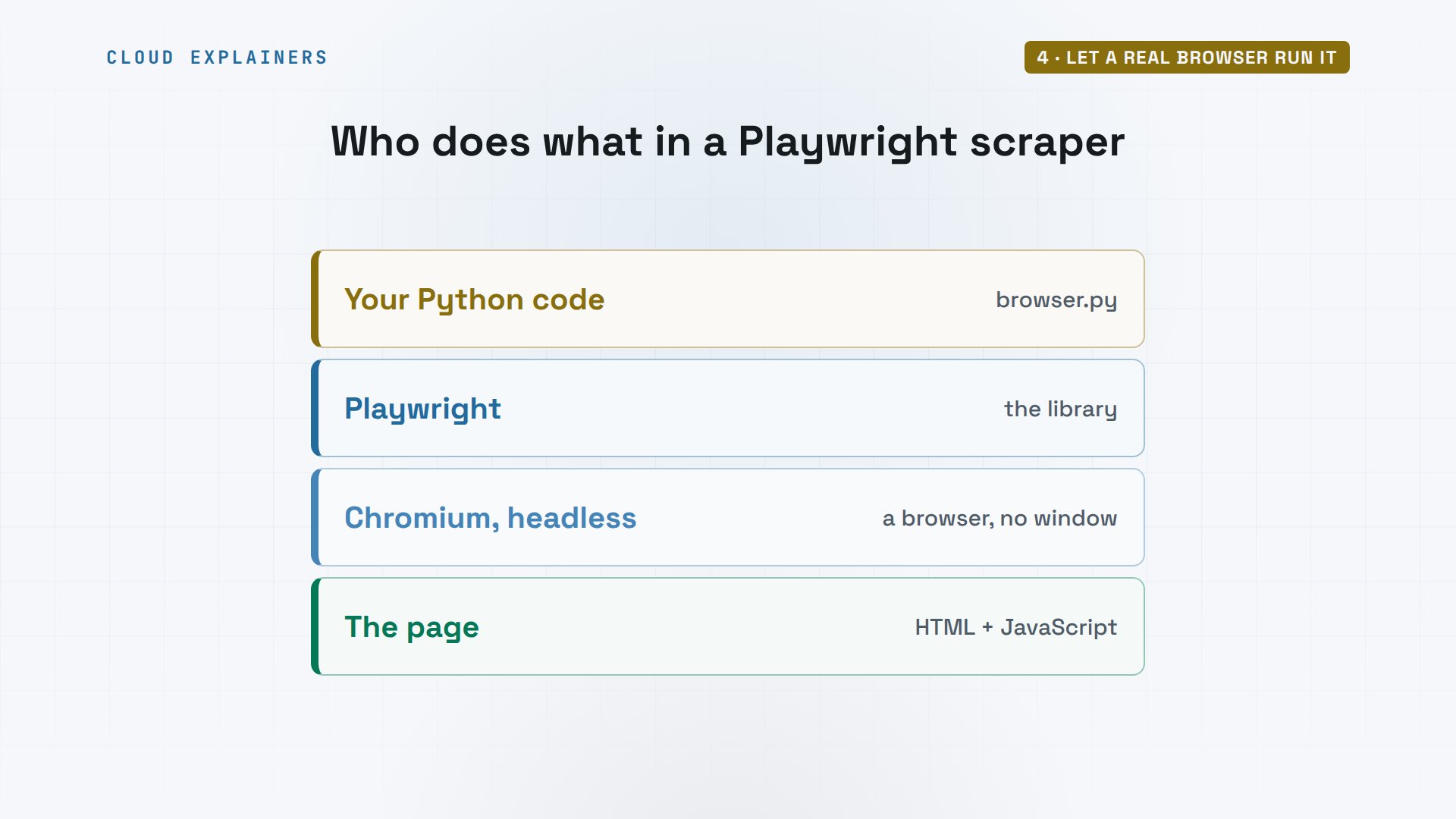
Playwright is a Python library that drives a real browser, here Chromium, the open-source core of Chrome. Launch it, go to the page, and wait until a tea item appears. Then count them, and print the first.
(.venv) ana@laptop:~/scraper$ cat browser.pyfrom playwright.sync_api import sync_playwright

with sync_playwright() as p:
    browser = p.chromium.launch()
    page = browser.new_page()
    page.goto("http://shop.test/")
    page.wait_for_selector("li.tea")
    teas = page.locator("li.tea")
    print("Teas found:", teas.count())
    print(teas.first.inner_text())
    browser.close()
Run it, and the browser finds all 12, the first one with its price. It waited for the list, so the list was there.
(.venv) ana@laptop:~/scraper$ python browser.pyTeas found: 12
Sencha: 8 EUR
On the shop's side, the log now shows three requests: the page, the script, and the API. Exactly what your own browser does.
cut -d' ' -f1-3 /var/log/shop.logGET / 200
GET /app.js 200
GET /api/teas 200
That's the second fix on our map. The browser asks for the page, runs its script, and the script calls the API, just as it would for you. Your code only reads the finished list.
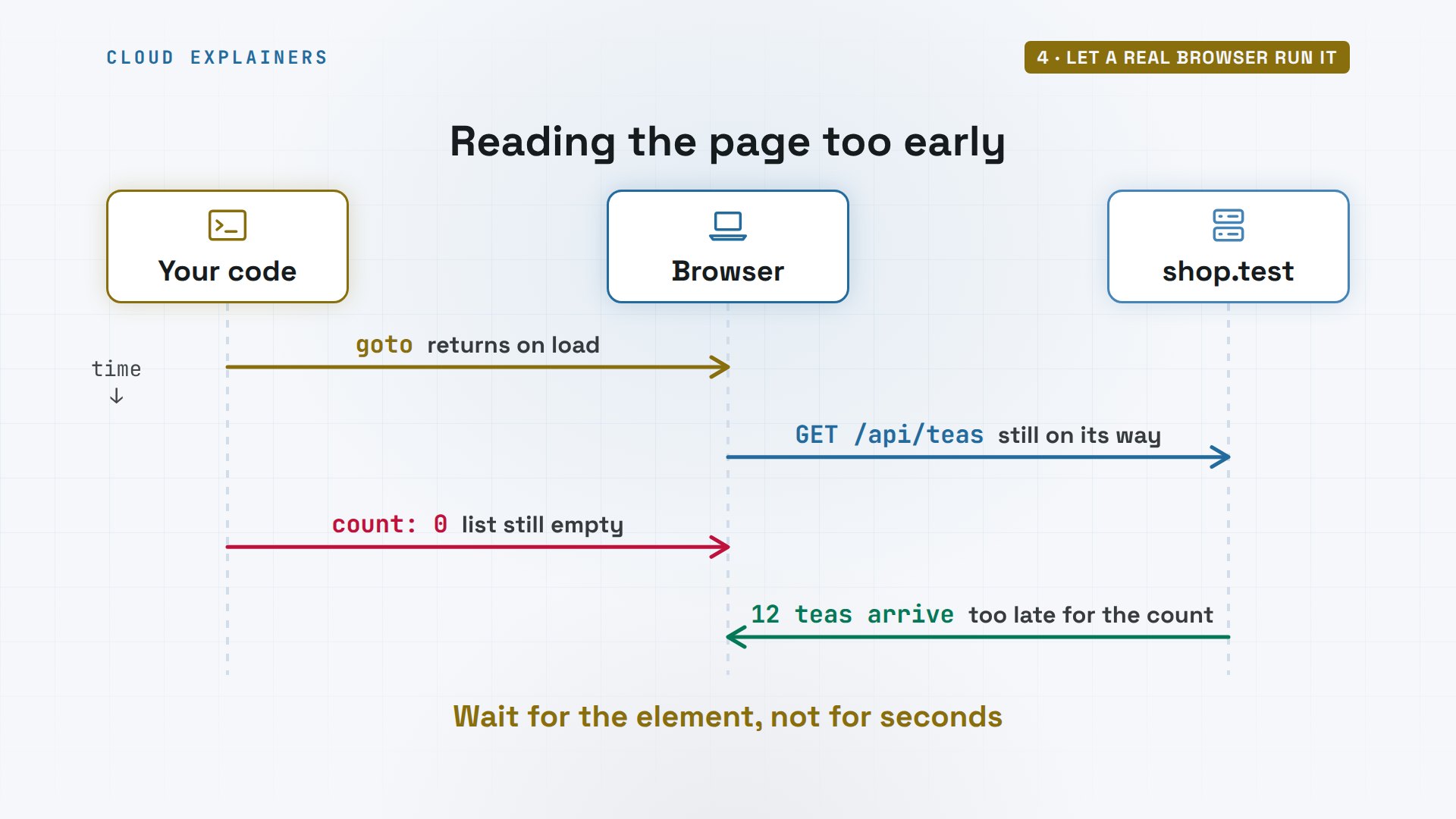
Now a trap that catches people even with a browser. Here's the same script without the wait: diff shows what changed, and the red line is the one we removed. Before we run it: will it find the teas? Zero again.
(.venv) ana@laptop:~/scraper$ diff browser.py too_soon.py7,10c7
<     page.wait_for_selector("li.tea")
<     teas = page.locator("li.tea")
<     print("Teas found:", teas.count())
<     print(teas.first.inner_text())
---
>     print("Teas found:", page.locator("li.tea").count())
(.venv) ana@laptop:~/scraper$ python too_soon.pyTeas found: 0
Why? goto returns when the page has loaded, but the script's request for the teas is still on its way. Count right then, and the list is still empty. Wait for the thing you need, not for a fixed number of seconds.
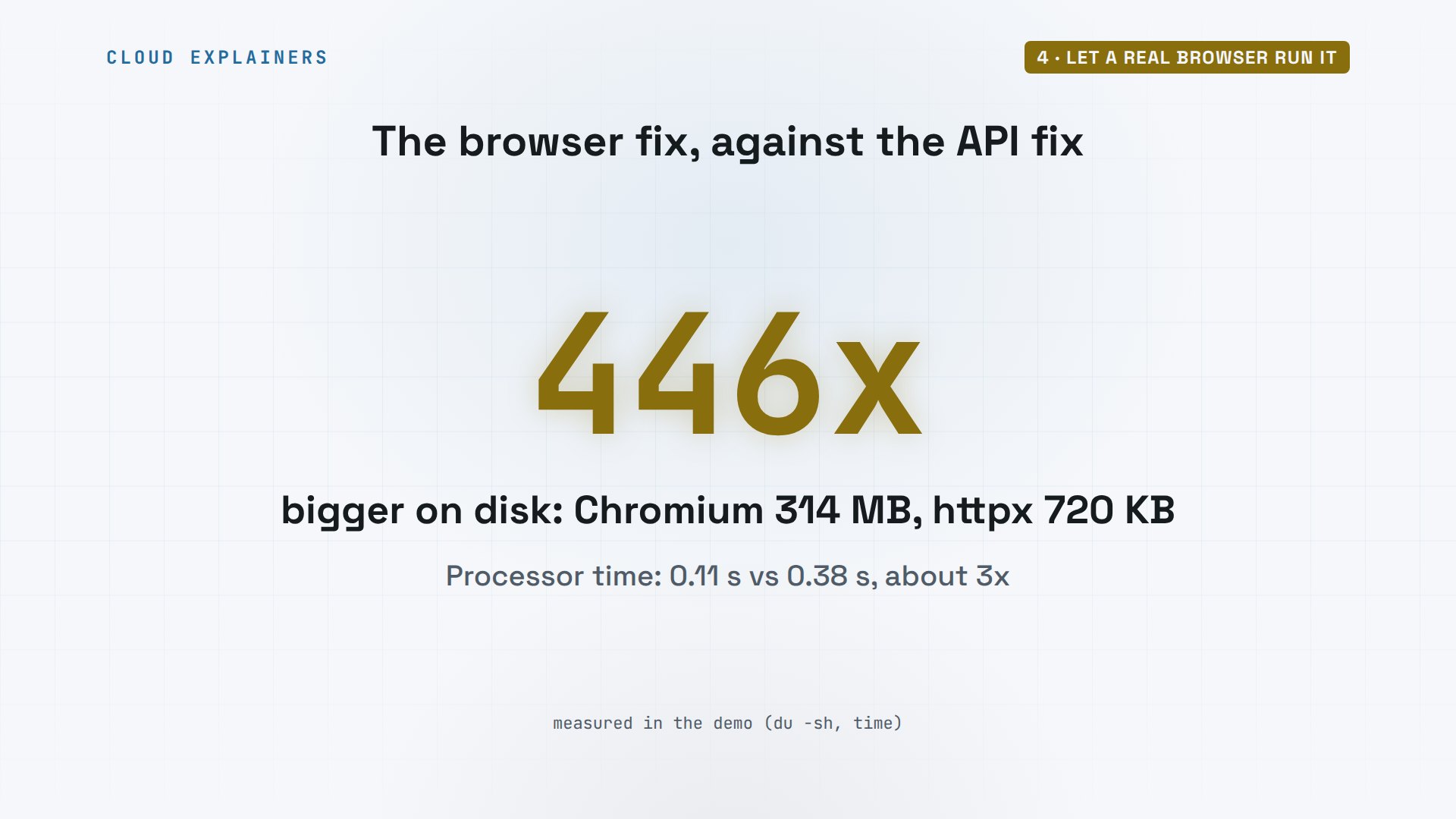
So which fix is the heavy one? Let's time both, with time, a tool that measures how long a command takes. The API script finished in 0.4 seconds, the browser in 1.1. And on disk, measured with du, which reports a folder's size: httpx is 720 kilobytes. The browser Playwright runs is 314 megabytes.
(.venv) ana@laptop:~/scraper$ time python api.py > /dev/nullreal	0m0.422s
user	0m0.104s
sys	0m0.006s
(.venv) ana@laptop:~/scraper$ time python browser.py > /dev/nullreal	0m1.086s
user	0m0.272s
sys	0m0.107s
(.venv) ana@laptop:~/scraper$ du -sh .venv/lib/python3.12/site-packages/httpx /ms-playwright/chromium_headless_shell-*720K	.venv/lib/python3.12/site-packages/httpx
314M	/ms-playwright/chromium_headless_shell-1187
That's the answer to our question: the browser is more than 400 times bigger on disk, and it used about 3 times the processor time, for the same teas. On one page you won't notice. On thousands of pages, it adds up.
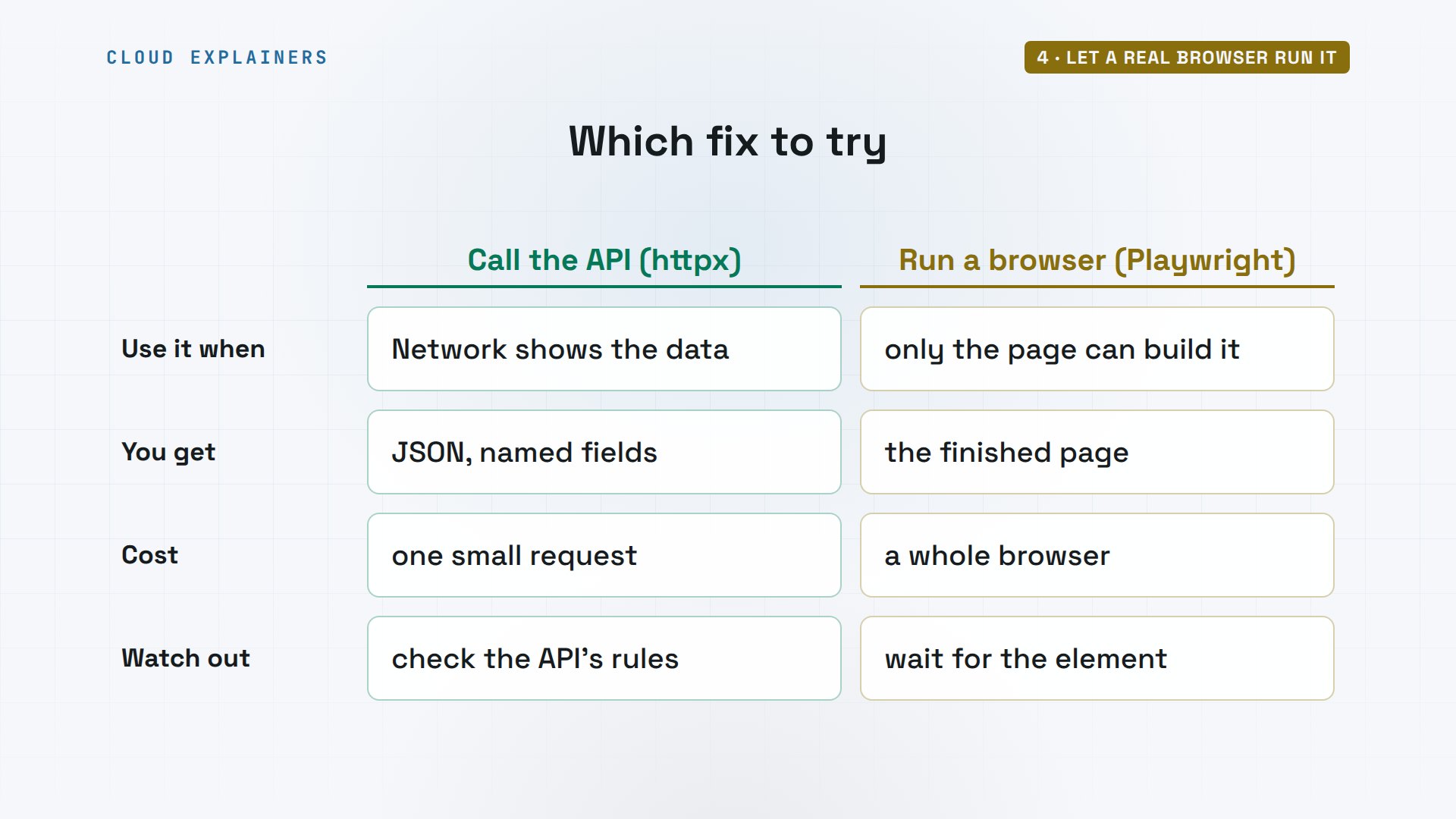
So which one should you use? If the browser's Network tab shows a request with your data, call that API: small, fast, and already structured. If the data only exists after the page's script runs, or after a click, use Playwright, and always wait for the element you need.
Scrape like a good guest
What does the shop allow? Before you scrape, read robots dot T X T, the site's rules for bots. Python can check them for you: the API is allowed, the account pages are not, and the shop asks for one second between requests. Ignore that, and a scraper ends up with nothing again.
(.venv) ana@laptop:~/scraper$ curl -s http://shop.test/robots.txtUser-agent: *
Disallow: /account/
Crawl-delay: 1
(.venv) ana@laptop:~/scraper$ python robots.py/api/teas allowed: True
/account/orders allowed: False
Crawl delay: 1 second
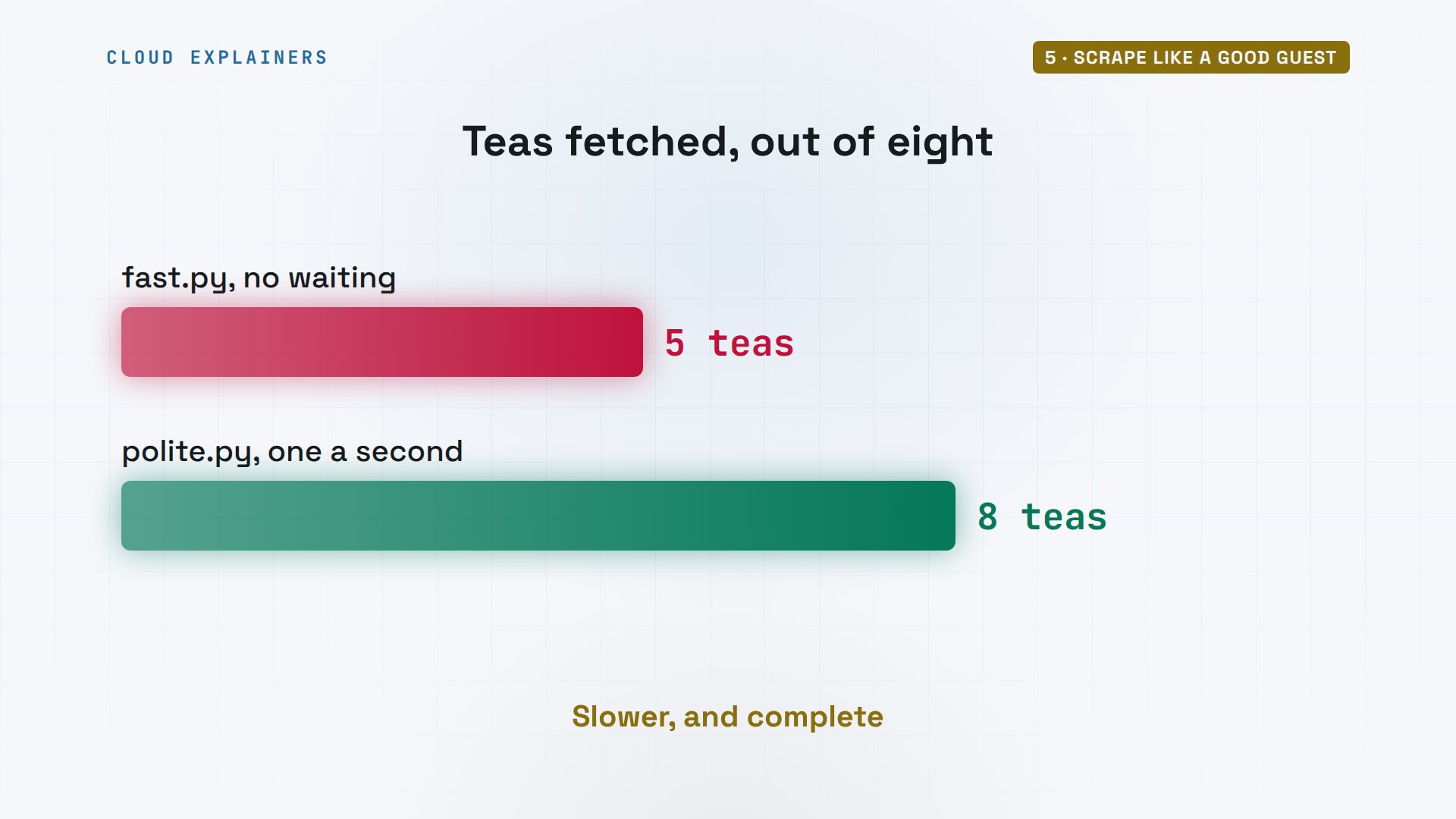
Ana's next script asks for eight teas, one page each, as fast as it can. Guess how many get through. Five. Then four two nine, too many requests. The shop allows five a second, and a scraper that ignores that gets blocked.
(.venv) ana@laptop:~/scraper$ python fast.py1 200
2 200
3 200
4 200
5 200
6 429
7 429
8 429
A 429 isn't an insult. It comes with a header, an extra labelled line in the reply, called Retry After: how many seconds to wait. A polite scraper waits that long, asks again, and keeps a gap between requests from then on.
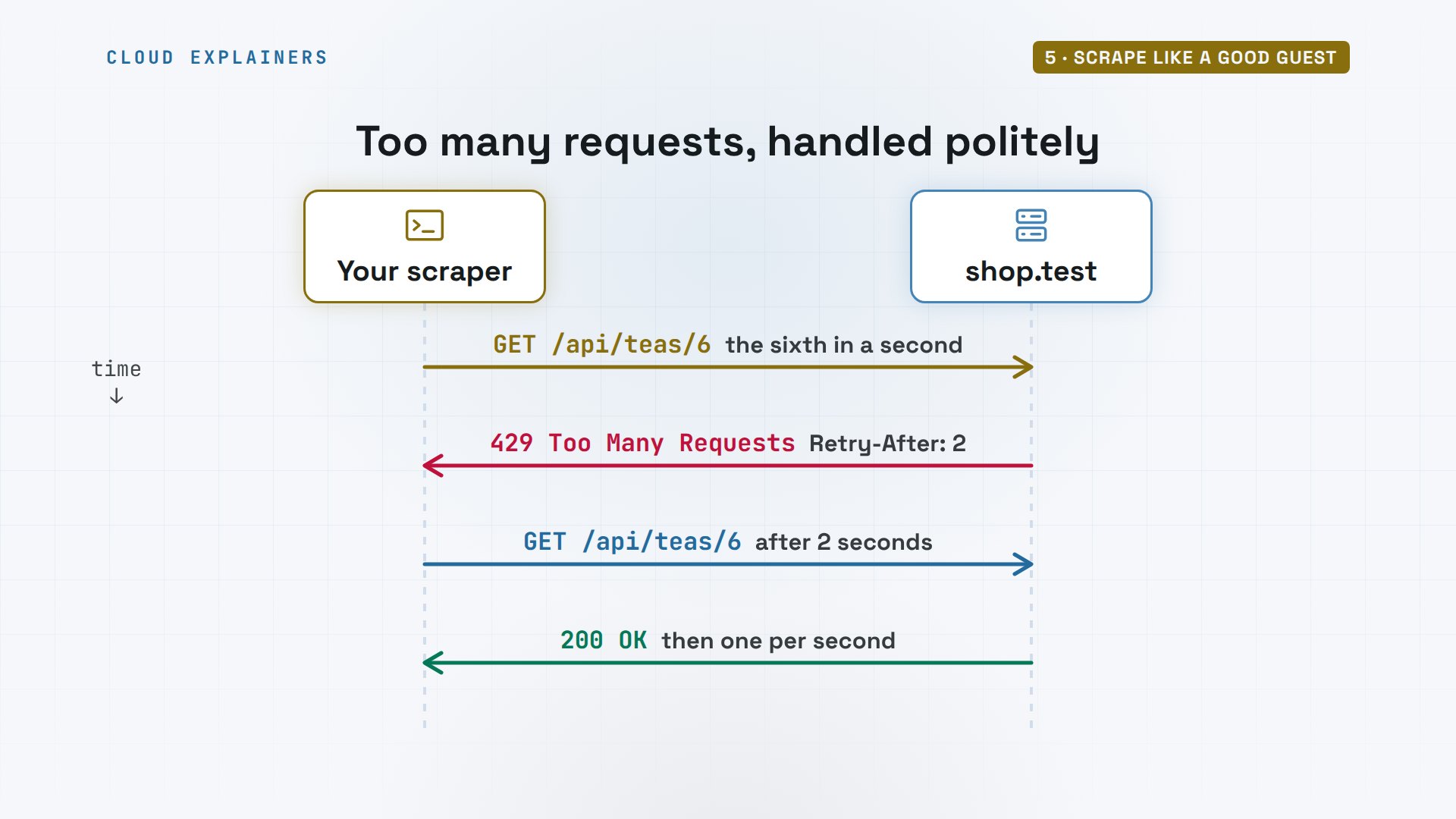
Here's that in code. A User Agent that says honestly who's asking, with a way to reach you. On a 429, wait as long as the shop says. And one second between requests. All eight teas, no errors, and the shop's log shows exactly who came by.
(.venv) ana@laptop:~/scraper$ cat polite.pyimport time
import httpx

headers = {"User-Agent": "tea-price-bot (ana@example.com)"}
with httpx.Client(headers=headers) as client:
    for n in range(1, 9):
        r = client.get(f"http://shop.test/api/teas/{n}")
        if r.status_code == 429:
            time.sleep(int(r.headers["Retry-After"]))
            r = client.get(f"http://shop.test/api/teas/{n}")
        print(n, r.status_code, r.json()["name"])
        time.sleep(1)  # the shop's crawl delay
(.venv) ana@laptop:~/scraper$ python polite.py1 200 Sencha
2 200 Jasmine Pearls
3 200 Earl Grey
4 200 Darjeeling
5 200 Genmaicha
6 200 Oolong
7 200 Assam
8 200 Rooibos
That name is the point. The shop can see the bot, and contact Ana if it ever causes trouble.
tail -n 2 /var/log/shop.logGET /api/teas/7 200 tea-price-bot (ana@example.com)
GET /api/teas/8 200 tea-price-bot (ana@example.com)
Same eight teas, two scripts. The fast one got 5 and was turned away. The polite one took a few seconds longer, and got all eight.
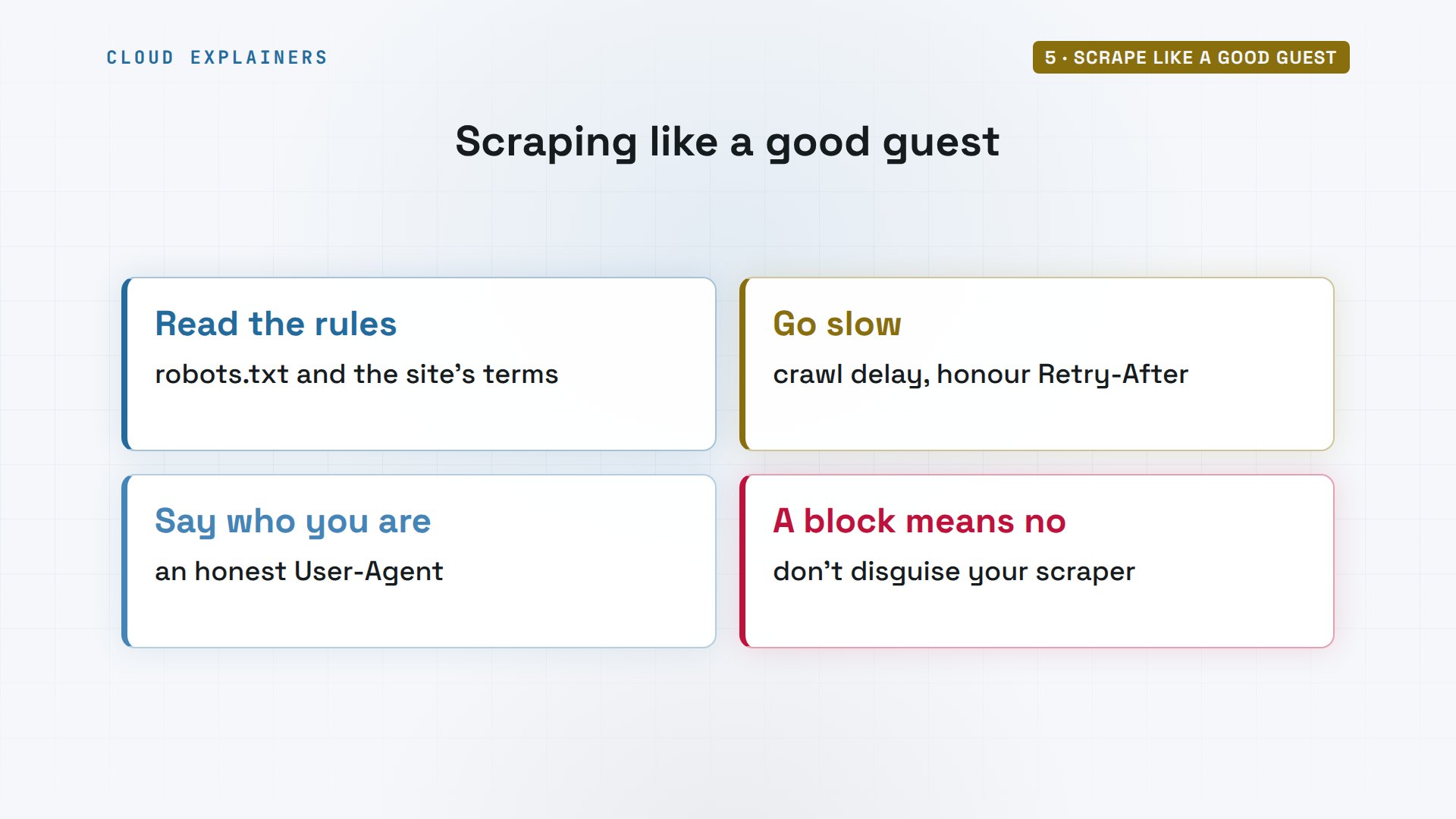
So the rules are simple. Read robots dot T X T and the site's terms. Go slow, and honour Retry After. Say who you are. And if a site blocks you, with a login wall or a 403, forbidden, that's its answer: don't disguise your scraper. Ask for an API, or leave it.
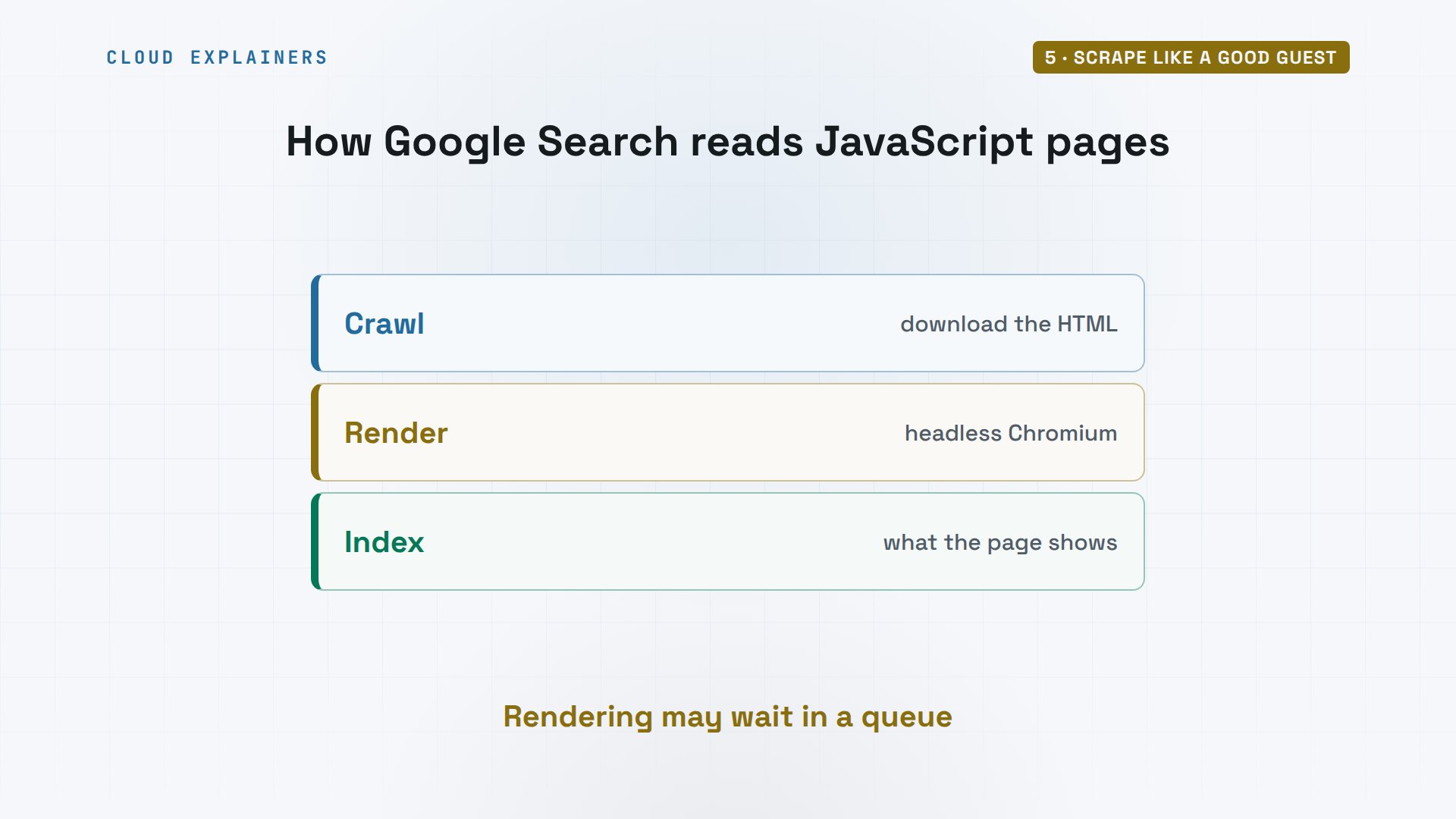
Google meets this at enormous scale. Googlebot handles JavaScript pages in three phases: crawl, render, and index. Rendering means a headless Chromium runs the page's JavaScript, sometimes after waiting in a queue, because running a browser costs so much more than reading HTML.
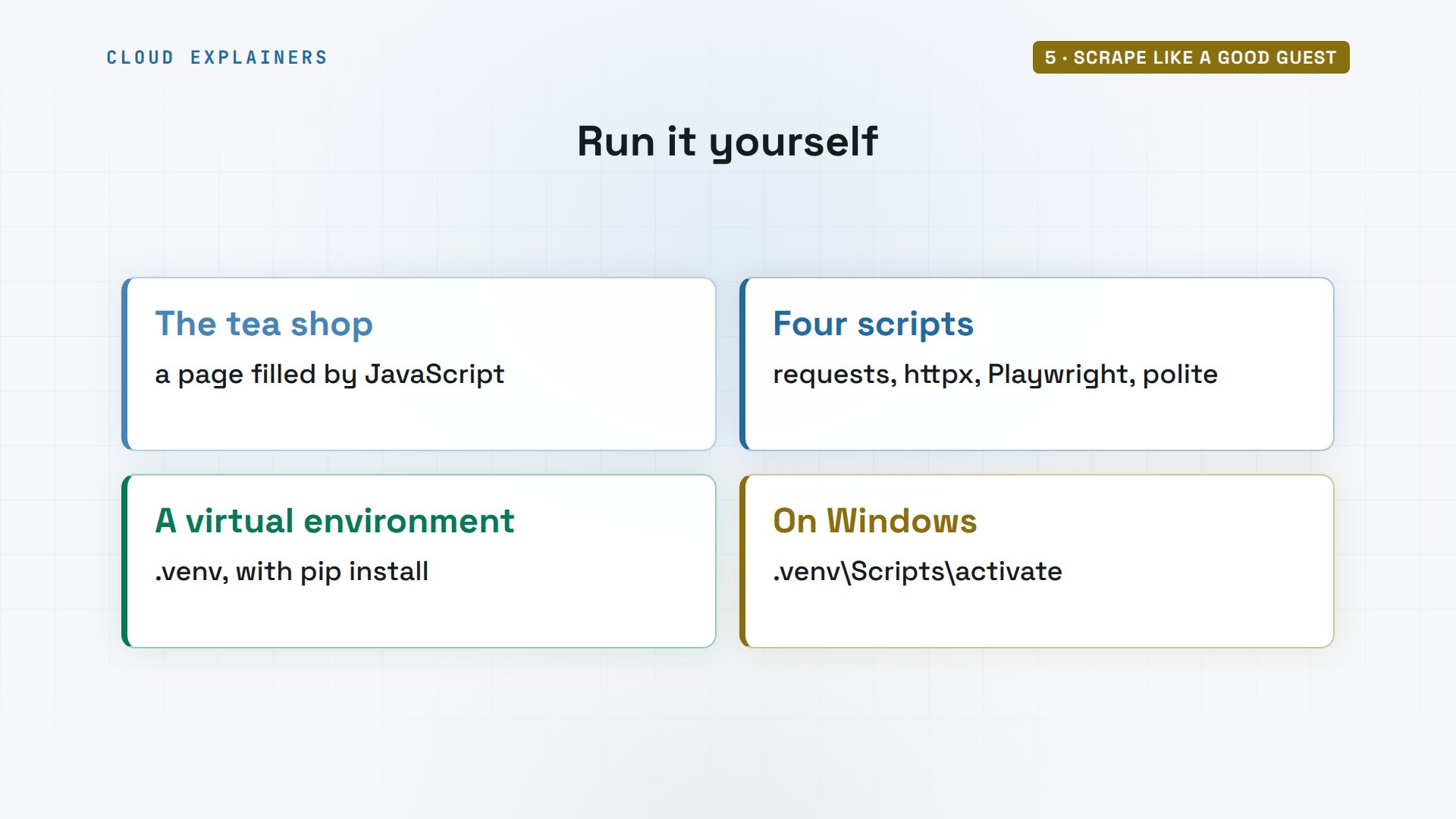
Every command and the lab files are linked in the description, with the little tea shop, so you can practise on a site that's yours to scrape. The Python packages live in a virtual environment, a private folder of libraries.
Recap
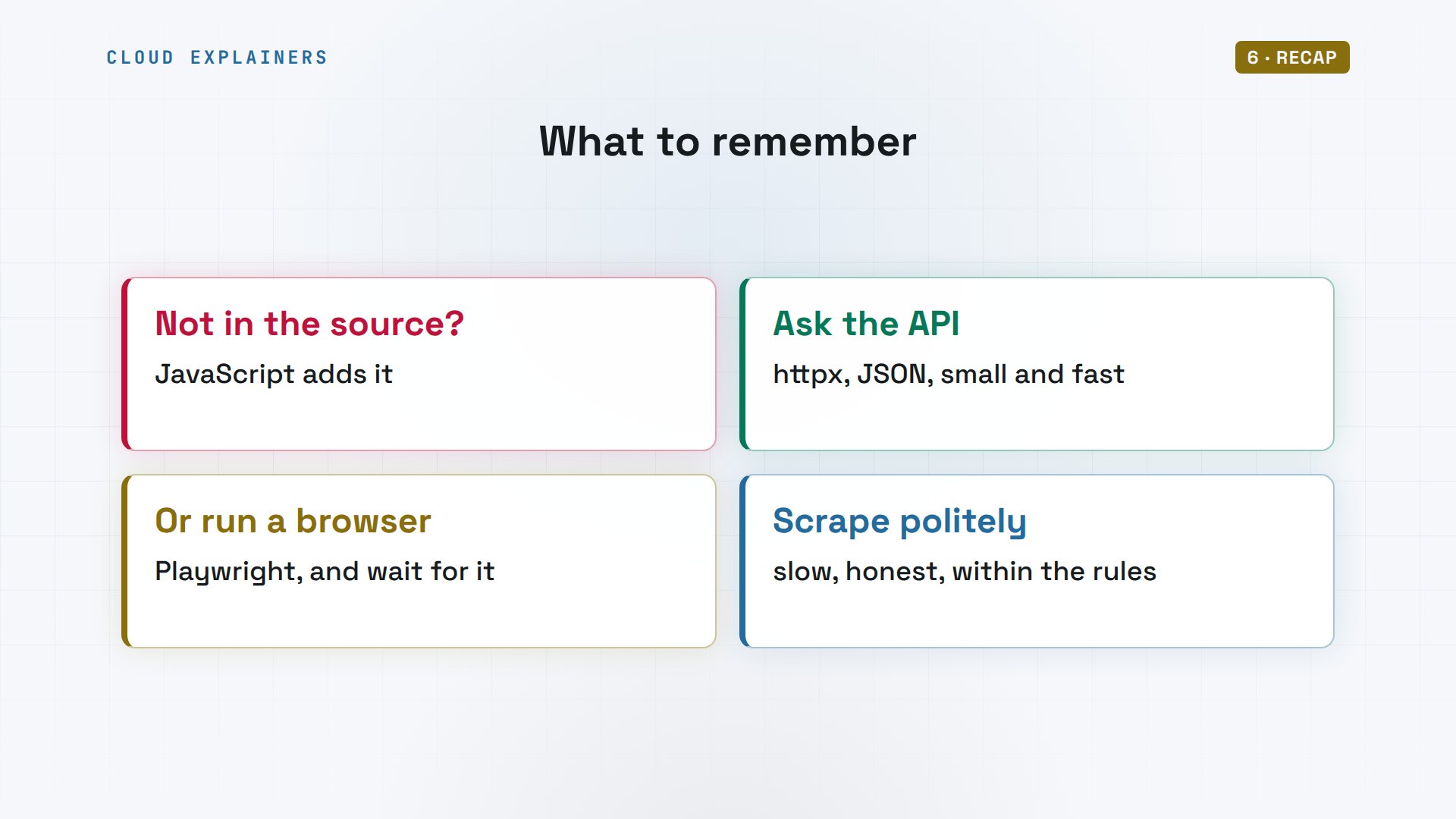
So: if the data isn't in the page source, JavaScript adds it. Ask the API the page asks, or let a browser run it and wait for the element. And scrape slowly, and honestly.
If your scraper finds its data now, a like helps YouTube show this to more beginners, and subscribing gets you the next Python fix.
Every command and output here came from a real run, on our own lab shop. Thanks for watching Cloud Explainers.
Sources
- Stack Overflow, How can I scrape a page with dynamic content (created by JavaScript) in Python? (2011)
- Google Search Central, Understand the JavaScript SEO basics (crawling, rendering with headless Chromium, indexing; the render queue)
- Requests documentation
- Beautiful Soup documentation (select with CSS selectors)
- HTTPX documentation (Client, headers, raise_for_status)
- Playwright for Python (launch, goto, wait_for_selector, locators)
- Python docs, urllib.robotparser (can_fetch, crawl_delay)
- RFC 9309, Robots Exclusion Protocol
- RFC 6585, 429 Too Many Requests (with Retry-After)
- Chrome DevTools, the Network panel
Demos: two containers on our own Mac, a made-up tea shop and Ana's laptop, on a network with no internet access; only our own lab shop is scraped. Watch the full video on YouTube.
More videos
Python uv vs pip: Which One Should You Use?
Python Automation: Full Tutorial for Beginners
How OAuth Login Works

Google AI Studio Will Finally Make Sense After This
What Happens When You Run a Docker Container
How to Fix Claude Code Billing Your API Key Instead of Your Plan
Why Passkeys Can't Be Phished Like Passwords
PowerShell vs Bash: Which One Should You Learn?
The Linux Roadmap for Beginners
Django vs FastAPI: Which One Should You Use?
Why SQLite Is the Most Used Database in the World
How a NoSQL Database Like MongoDB Works
How to Fix Python pip error: externally-managed-environment
How to Fix MySQL Too Many Connections Database Errors
Golang Concurrency Will Finally Make Sense After This
How Amazon S3 Works
How Kubernetes Works
How Git Works
How to Fix Docker Port Already Allocated Errors
How PostgreSQL Works
How to Fix Git Merge Conflicts
How to Fix No Space Left on Device in Linux
How the Internet Works
SQL vs NoSQL: When Each One Wins
How to Fix JWT Token Expired Errors (401 Unauthorized)

Claude API vs Claude Pro: Why Your Subscription Doesn't Include It

Why AI Agent Skills Beat Giant Prompts

Linux Cron Jobs Will Finally Make Sense After This

Security Logs Will Finally Make Sense After This

How to Fix a Security Leak: An API Key Pushed to GitHub

DNS Will Finally Make Sense After This

Never Ignore a Security Update

Two-Factor Authentication Will Finally Make Sense

Never Expose a Database to the Internet

SSH Keys vs Passwords: Which Is Safer for Security?

The 5 Levels of Linux Boot: From Power On to Login

The 5 Levels of Network Firewalls

Password Security: Why Hackers Crack Weak Passwords

Why Your Linux Server Runs Out of Memory

HTTP vs HTTPS: What Actually Changes on Your Network

Every Linux File Permission You Need to Know

Linux Processes vs Threads: When Each One Wins

The OSI Model Will Finally Make Sense After This

The 7 Levels of Git

Every Network Troubleshooting Command You Need

Hashing vs Encryption in Cybersecurity: When Each One Wins

Why the Internet Ran Out of IP Addresses

Linux Package Managers: apt vs Snap vs Flatpak

Why Python Is Slow (and When It Doesn't Matter)

TCP vs UDP: When Each One Wins

Stop Running Linux as Root (Do This Instead)

Linux Users and Groups Will Finally Make Sense

Why Phishing Beats Good Security (and How to Spot It)

The 7 Levels of Docker

AI Agents Will Finally Make Sense After This

Stop Using git push --force (Use This Instead)

Agent Skills vs MCP: When Each One Wins

Networking Will Finally Make Sense After This

Every Linux Command You Actually Need

The 7 Levels of Cybersecurity

Every System Design Concept You Need, in One Diagram
