
The 5 Levels of Network Firewalls
The five levels of firewalls, each one built for real in a small lab network: a packet filter (address and port rules with a default drop), a stateful firewall (connection tracking, so answers just work), a network firewall on the router that guards every server at once, cloud firewalls (AWS security groups and network ACLs), and an application firewall that reads the web request itself. We follow Ana's online shop from a database open to anyone to a network where each layer covers what the one before can't see.
Ana's open database
A stranger on the internet scans Ana's online shop, and finds her database open to anyone. Every customer and every order sits behind that one open door. A firewall is what decides who may knock. Here are five levels of firewalls, and each one closes a gap the last one leaves.
Here is that scan, run for real, in a lab built for this video. nmap knocks on three ports of each server. The web server has SSH, the remote login, and the website open. The database server has SSH open, and PostgreSQL, the database itself, on port 5432. And nc, a tool that just tries to connect, gets straight in.
nmap -Pn -p 22,80,5432 web db | grep -E 'report|/tcp'Nmap scan report for web (198.51.100.10)
22/tcp   open   ssh
80/tcp   open   http
5432/tcp closed postgresql
Nmap scan report for db (198.51.100.20)
22/tcp   open   ssh
80/tcp   closed http
5432/tcp open   postgresql
nc -zv -w 3 db 5432Connection to db (198.51.100.20) 5432 port [tcp/postgresql] succeeded!
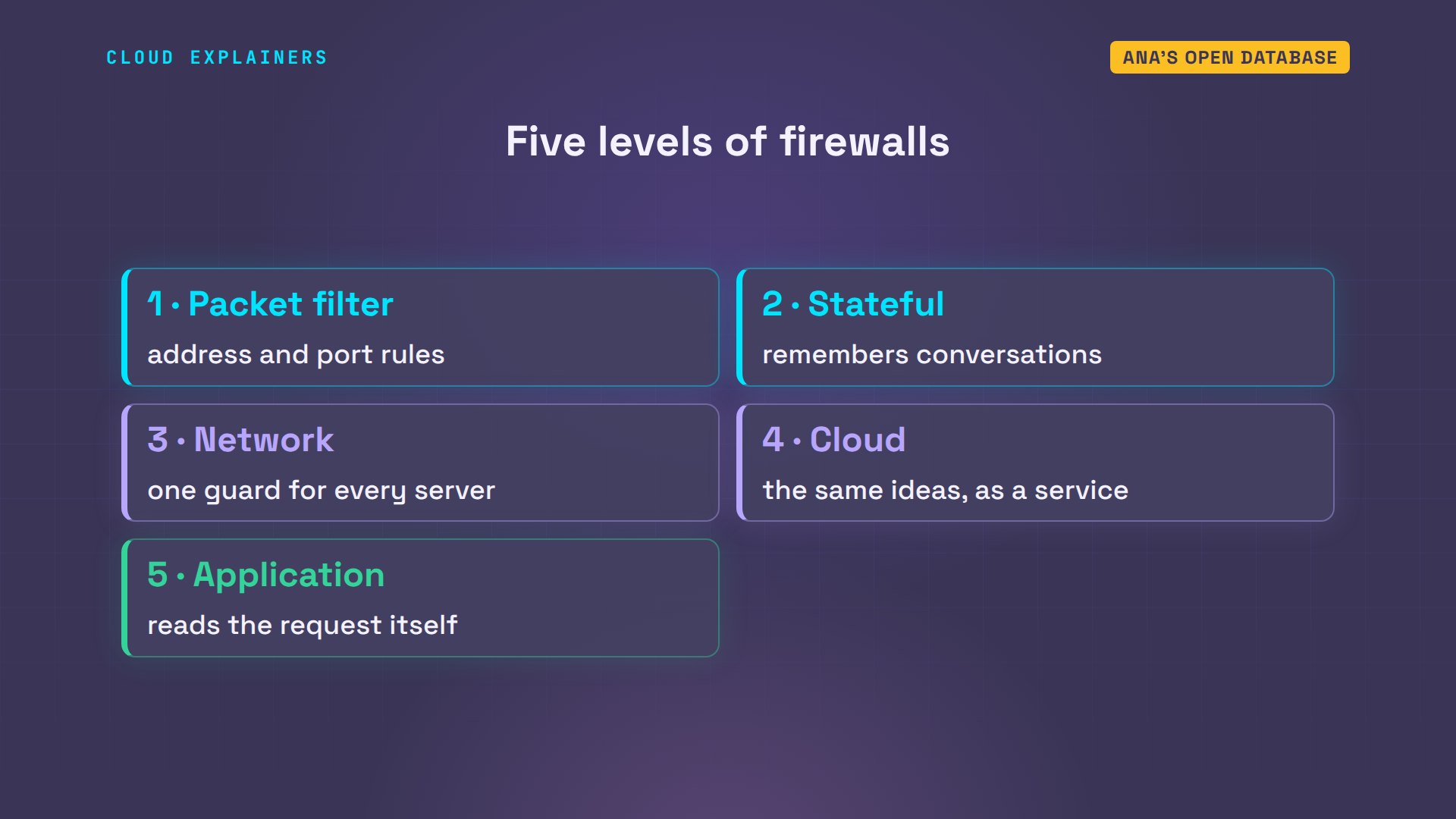
We'll fix it five times, level by level. A packet filter on one server. A stateful firewall that remembers conversations. A network firewall that guards every server at once. Cloud firewalls, the same ideas as a service. And an application firewall that reads the request itself.
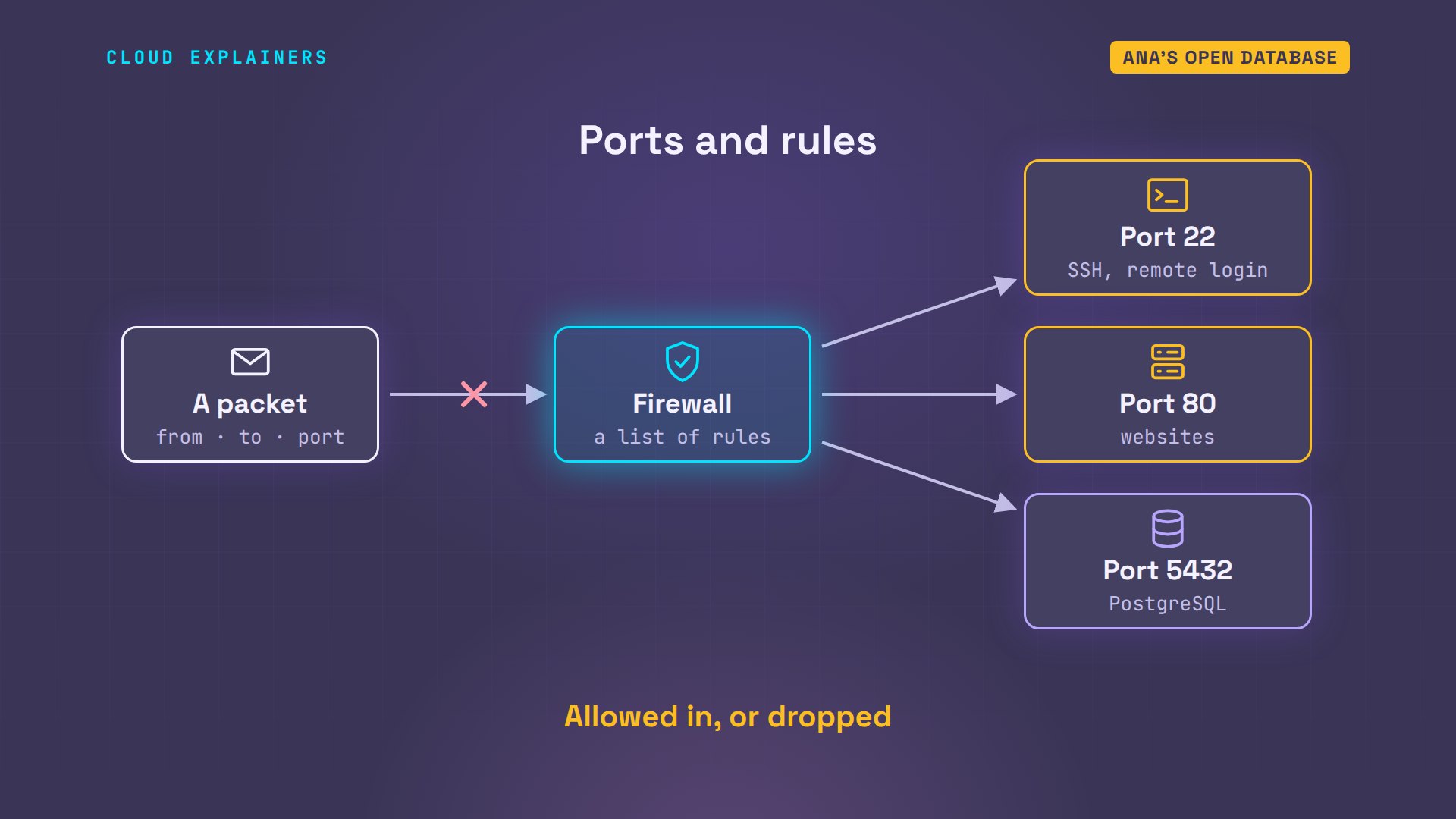
First, two words. A port is a numbered door on a computer: 22 for SSH, the remote login, 80 for websites, 5432 for PostgreSQL. A firewall sits in front of those doors. It looks at every packet, checks its list of rules, and either lets the packet in, or drops it.
Level 1: Packet filter
Level one: a packet filter. Every packet carries an address it came from, an address it's going to, and a port. The filter reads only those, checks its rules from the top, and the first rule that matches wins. A packet that matches none of the rules gets the default, called the policy. The safe policy is drop.
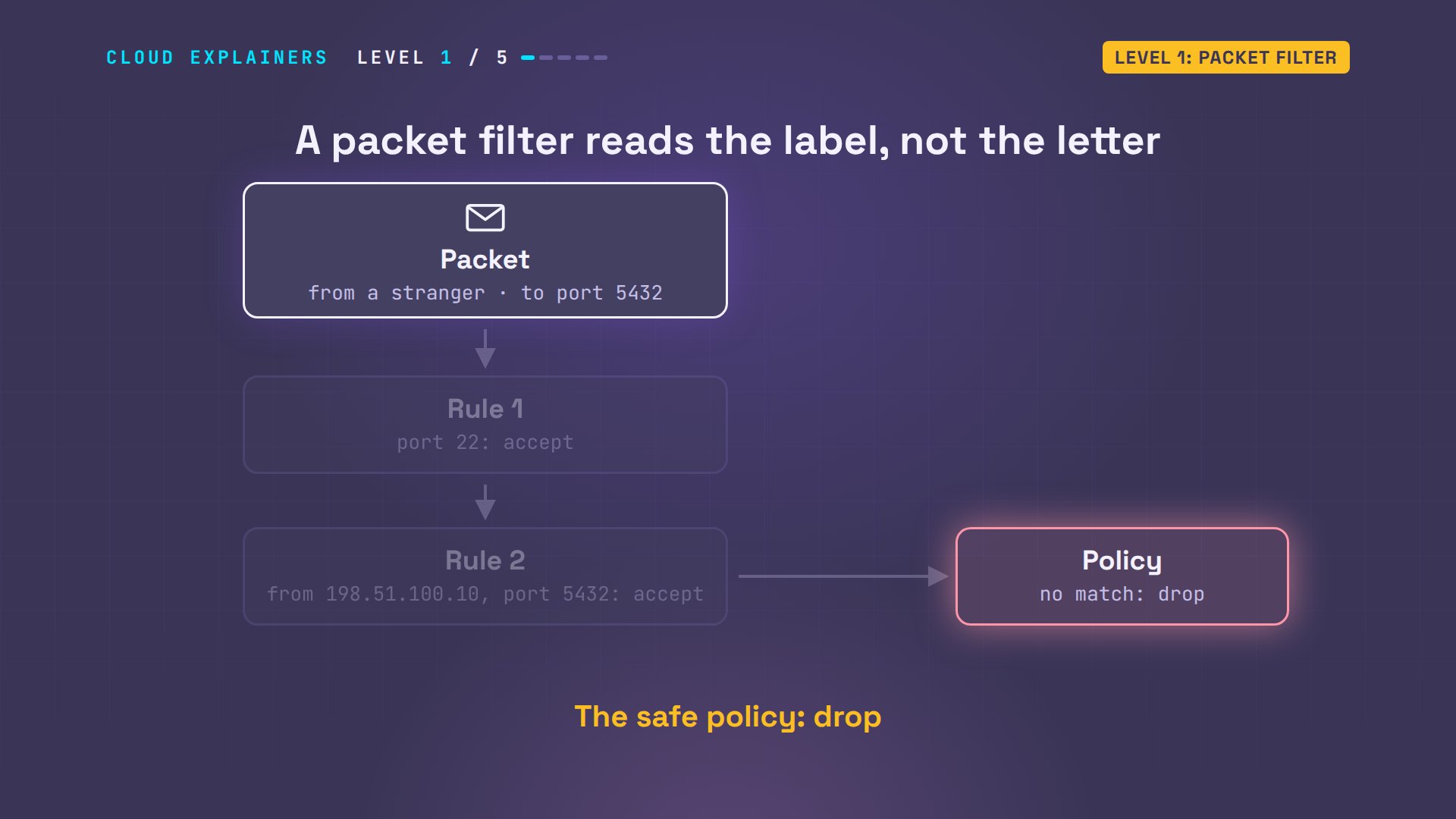
On Linux, the firewall is built into the kernel, and the tool to set it is nftables. On the database server, Ana writes a table with one chain of rules, for packets coming in. The policy: drop. Accept the server talking to itself, on its loopback connection, called lo. Accept SSH. And accept PostgreSQL, but only from the web server's address. nft loads the rules.
cat firewall.nfttable inet fw {
  chain input {
    type filter hook input priority 0; policy drop;
    iif lo accept
    tcp dport 22 accept
    ip saddr 198.51.100.10 tcp dport 5432 accept
  }
}
sudo nft -f firewall.nft
Now the stranger tries again. nc waits three seconds, and gives up: timed out. From the web server, the same command still connects. And nmap now calls the database port filtered: it got no answer at all, so it can't even tell whether something is there.
nc -zv -w 3 db 5432nc: connect to db (198.51.100.20) port 5432 (tcp) timed out: Operation now in progress
nc -zv -w 3 db 5432Connection to db (198.51.100.20) 5432 port [tcp/postgresql] succeeded!
nmap -Pn -p 22,5432 db | grep /tcp22/tcp   open     ssh
5432/tcp filtered postgresql
But something else broke. The database server needs security updates, from a download site on the internet. Ana asks for one, and curl gives up after five seconds.
curl -m 5 http://updates.example/curl: (28) Connection timed out after 5002 milliseconds
Here's why. The request goes out fine, because Ana's rules only check packets coming in. It leaves from a random high port the server picks for its own end. But the answer comes back from port 80, to that random port. No rule accepts that, so the policy drops it. A packet filter looks at each packet on its own. It can't tell an answer Ana asked for from a stranger knocking. Opening every high port would undo the whole firewall.
Level 2: Stateful firewall
Level two: a stateful firewall. Stateful means it remembers. When the database server starts a connection, the firewall writes it down: who, to where, which ports. A packet that belongs to a conversation on that list is called established, and one rule lets all of those in. A stranger's packet matches nothing on the list.
In nftables, that's one rule, inserted at the top: accept packets whose connection state is established or related. Related covers helper packets, like an error message about one of Ana's own connections. The download works again. And the rule list now starts with it.
sudo nft insert rule inet fw input ct state established,related accept
curl -m 5 http://updates.example/security-update-2026-10.tar: ready
sudo nft list chain inet fw inputtable inet fw {
	chain input {
		type filter hook input priority filter; policy drop;
		ct state established,related accept
		iif "lo" accept
		tcp dport 22 accept
		ip saddr 198.51.100.10 tcp dport 5432 accept
	}
}
The list the firewall keeps is called the connection tracking table. A tool called conntrack shows it. Here is the download: from the database server, to the download site, port 80, from local port 33814. And the stranger? Still timed out. Nothing on the list matches a packet nobody asked for.
sudo conntrack -L -p tcp --dport 80 2>/dev/null | awk '{print $4, $5, $6, $7, $8}'SYN_RECV src=198.51.100.20 dst=203.0.113.80 sport=33798 dport=80
TIME_WAIT src=198.51.100.20 dst=203.0.113.80 sport=33814 dport=80
nc -zv -w 3 db 5432nc: connect to db (198.51.100.20) port 5432 (tcp) timed out: Operation now in progress
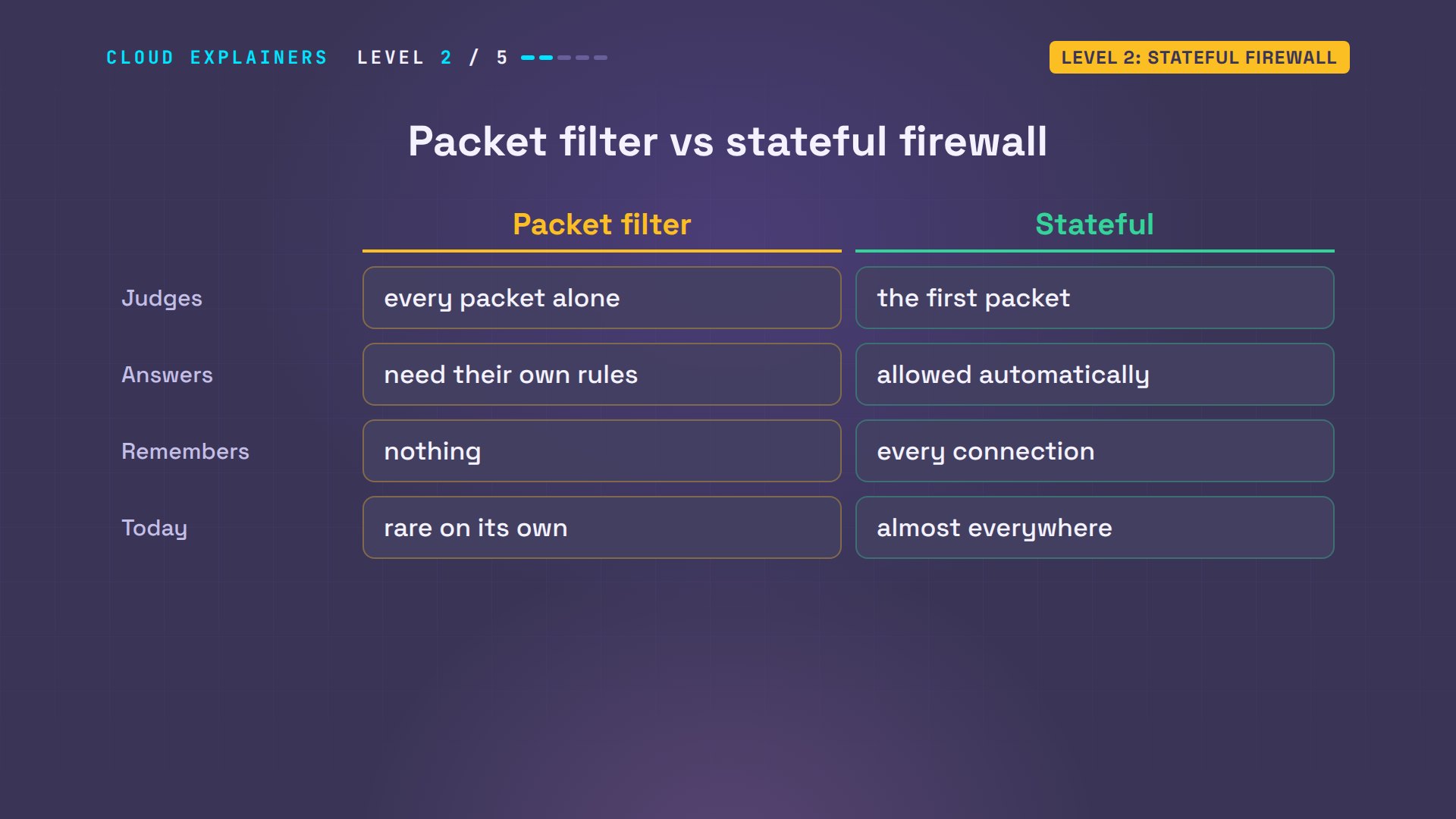
So that's the difference. A packet filter judges every packet alone, and answers need their own holes. A stateful firewall judges the first packet of each connection, then lets the rest of that conversation through. Almost every firewall you'll meet today is stateful.
Level 3: Network firewall
Level three: a network firewall. Ana's database server is safe now, but she has two servers. The web server has no firewall at all, and its SSH login is open to the whole internet. Every new server means writing every rule again, and one forgotten server is all a stranger needs.
The stranger checks, and the web server's SSH port answers.
nc -zv -w 3 web 22Connection to web (198.51.100.10) 22 port [tcp/ssh] succeeded!
But every packet from the internet already passes one machine: the shop's router. A firewall there guards every server behind it at once. In nftables, packets passing through a machine use a hook called forward. A hook is a checkpoint where rules run. Packets addressed to the machine itself use a different one, called input.
Ana's rules for the router. Policy: drop. Accept established connections. Let the shop's own servers start connections out. From the internet, allow just one thing: the website, on port 80 of the web server. SSH only from Ana's home address. And count everything that gets dropped.
cat edge.nfttable inet edge {
  chain forward {
    type filter hook forward priority 0; policy drop;
    ct state established,related accept
    ip saddr 198.51.100.0/24 accept
    ip daddr 198.51.100.10 tcp dport 80 accept
    ip saddr 203.0.113.30 tcp dport 22 accept
    counter drop
  }
}
sudo nft -f edge.nft
From the stranger's computer: the website loads. SSH on the web server: timed out. SSH on the database server: timed out too. From Ana's home, SSH still connects.
curl -s http://shop.example/Ana's Kettle Shop
nc -zv -w 3 web 22nc: connect to web (198.51.100.10) port 22 (tcp) timed out: Operation now in progress
nc -zv -w 3 db 22nc: connect to db (198.51.100.20) port 22 (tcp) timed out: Operation now in progress
nc -zv -w 3 web 22Connection to web (198.51.100.10) 22 port [tcp/ssh] succeeded!
On the map: one set of rules at the edge, and every server behind it gets the same protection, including servers Ana hasn't built yet. The database keeps its own firewall too. Two layers means one mistake doesn't open the door. That idea is called defense in depth. Most home routers do a version of this too: they let out what your devices start, and drop connections nobody inside asked for.
The database server can still fetch updates, because it started that connection. And the router's counter shows what it stopped: 6 packets dropped, from the stranger's tries.
curl -m 5 http://updates.example/security-update-2026-10.tar: ready
sudo nft list chain inet edge forward | grep countercounter packets 6 bytes 360 drop
Level 4: Cloud firewalls
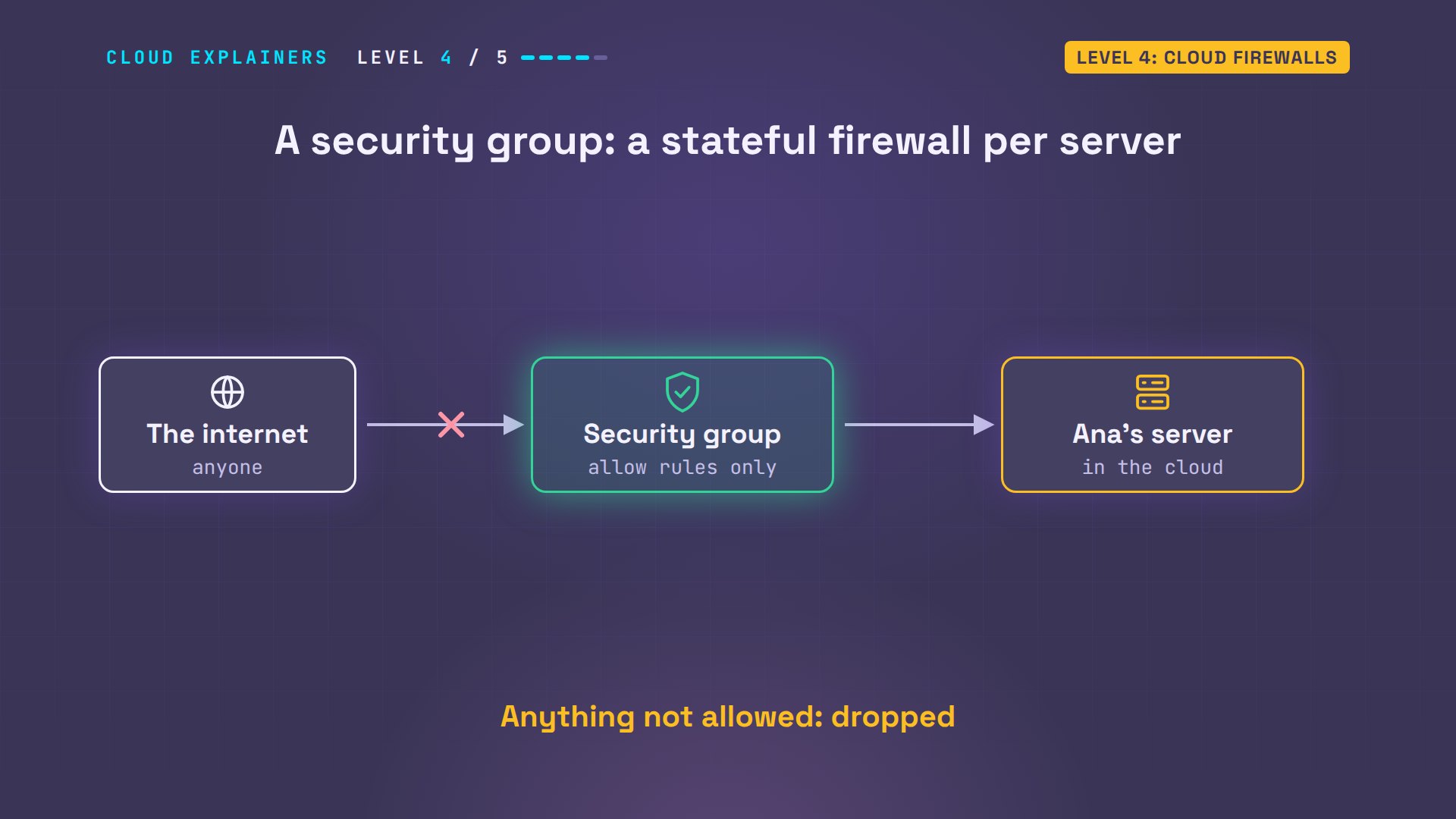
Level four: cloud firewalls. If Ana moves her shop to a cloud, like AWS, Azure or Google Cloud, she doesn't get a router to log in to. She gets the same ideas as a service. On AWS, the main one is a security group: a stateful firewall attached to each server, with allow rules only. Anything not allowed is dropped.
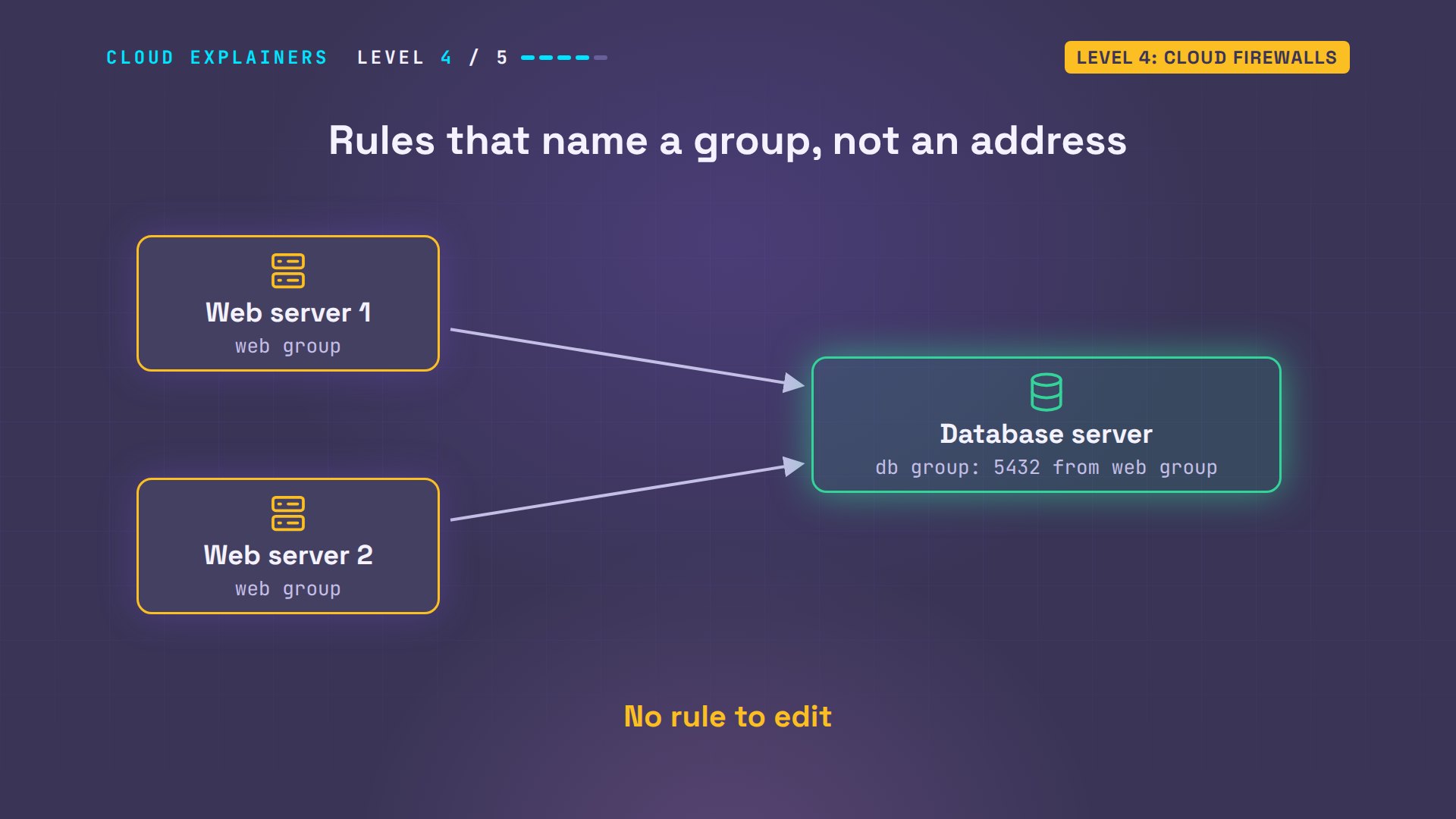
Security groups add one clever trick. A rule can allow traffic from another group, instead of an address. So the database's group says: port 5432, only from the web group. When Ana adds a second web server to that group, it can reach the database at once, with no rule to edit.
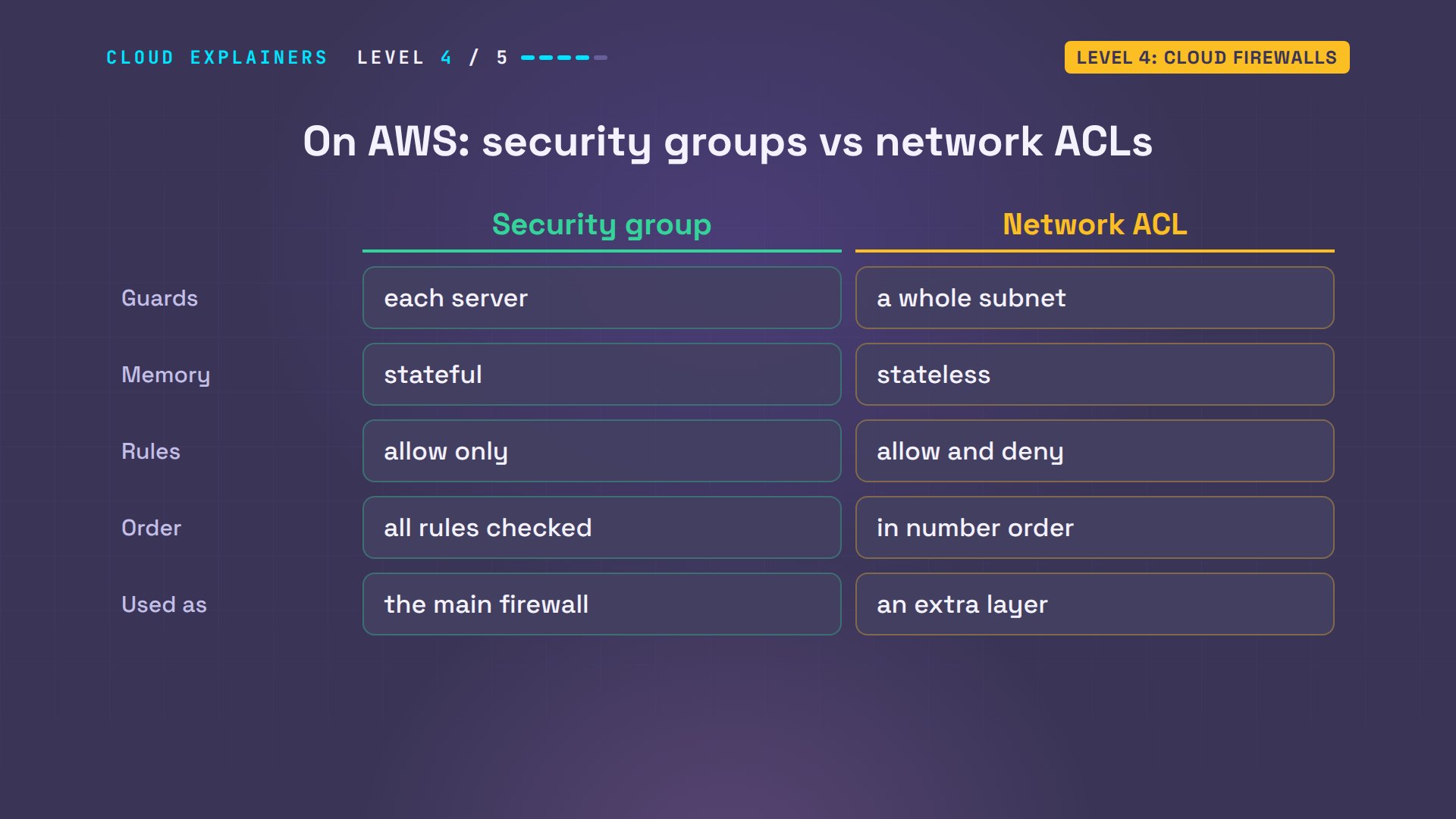
AWS has a second layer: network ACLs, short for access control lists. They guard a whole subnet, a block of addresses, like the router guarded Ana's network. But they're stateless, like level one: answers need their own rules. They can say deny, not just allow, and they're checked in number order, where the first match wins. Most setups lean on security groups, and use ACLs as an extra layer.
So nothing new to learn, just new names. The rules Ana wrote on her database server are what a security group does. And the router's rules are the network level, what AWS offers as ACLs and network firewalls. But all four levels so far share one blind spot.
Level 5: Application firewall
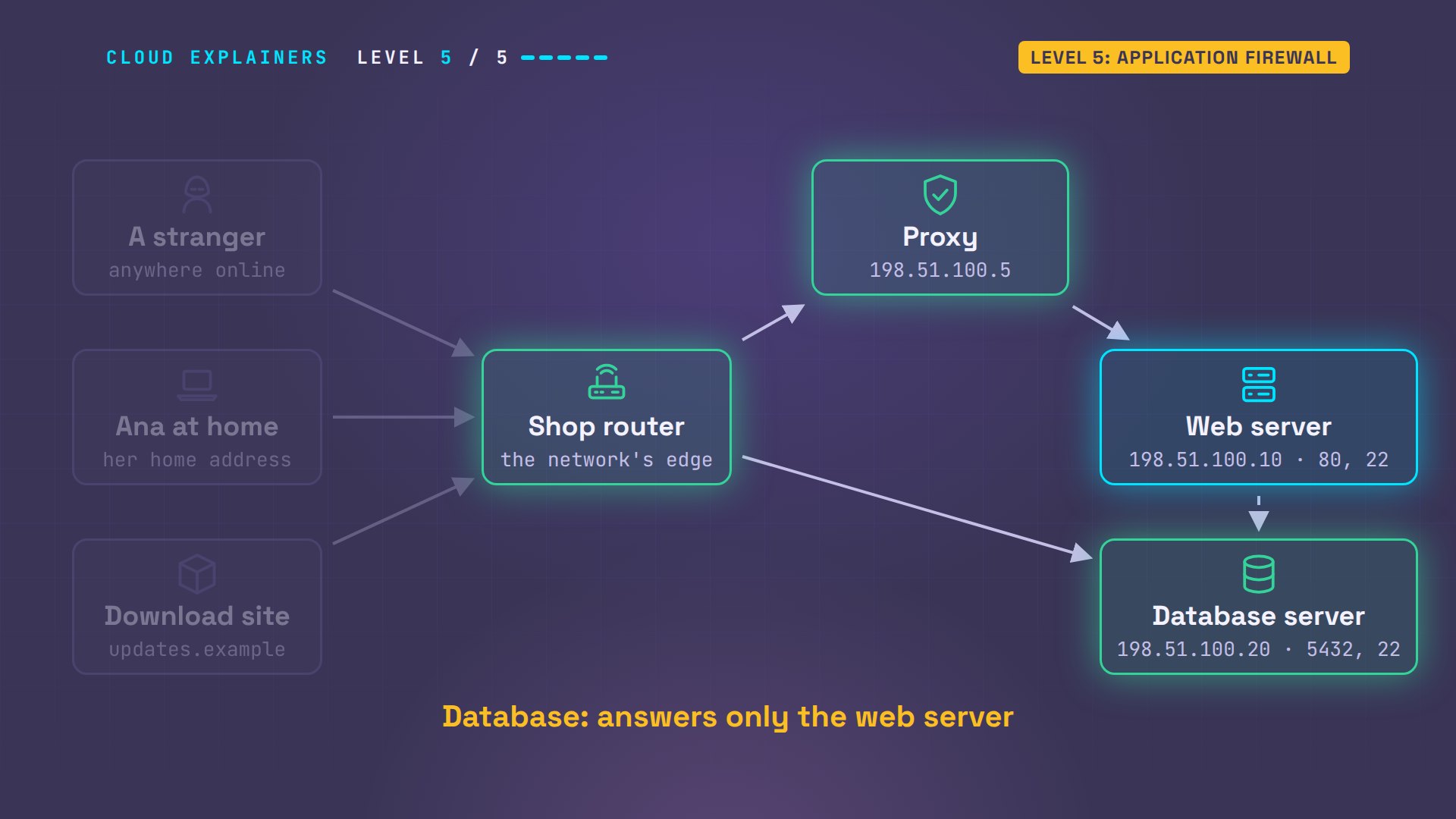
Level five: an application firewall. Port 80 is open, because it has to be: it's the website. So the stranger asks for the shop's admin page, /admin, on port 80, and gets it: orders, refunds, the customer list. Every firewall so far sees addresses and ports. None of them can see which page is asked for.
curl -s http://shop.example/adminShop admin: 3 new orders, refunds, customer list
The fix is a program that reads the request itself. A reverse proxy sits in front of the web server and receives every web request first. It reads the page asked for, and who keeps asking, then passes only good requests on. That's layer seven, the application layer, from the OSI episode.
Ana's proxy is nginx, a program that can serve websites, or, like here, sit in front of one. Two rules. Anything under /admin: deny. Everything else goes to the web server, but each address gets five requests a second, with a short burst allowed. Past that, the answer is 429, too many requests.
cat shop-proxy.conflimit_req_zone $binary_remote_addr zone=perip:1m rate=5r/s;
server {
  listen 80;
  location /admin { deny all; }
  location / {
    limit_req zone=perip burst=5 nodelay;
    limit_req_status 429;
    proxy_pass http://198.51.100.10;
  }
}
sudo cp shop-proxy.conf /etc/nginx/conf.d/ && sudo nginx
Two more changes. The router now sends web traffic from the internet only to the proxy. And the shop's name, shop.example, now points to the proxy's address, as the shop's DNS record would.
cat edge-proxy.nft | grep 'tcp dport 80'ip daddr 198.51.100.5 tcp dport 80 accept
sudo nft -f edge-proxy.nft
getent hosts shop.example198.51.100.5 shop.example proxy
The stranger tries again. The product list loads, through the proxy. The admin page: 403, forbidden. And going around the proxy, straight to the web server's address, times out at the router.
curl -s http://shop.example/productsCopper kettle  $49
Steel kettle   $29
curl -s -o /dev/null -w '%{http_code}\n' http://shop.example/admin403
curl -m 5 http://198.51.100.10/admincurl: (28) Connection timed out after 5002 milliseconds
Here's the whole path now. The router lets only web traffic in, and only to the proxy. The proxy reads each request and turns away what the shop never meant to be public. The web server sees only good requests, and the database answers only the web server.
Last test: twenty requests in a row, as fast as curl can send them. 6 get the page, the first one, plus a burst of five more. The other 14 get 429.
for i in $(seq 20); do curl -s -o /dev/null -w '%{http_code}\n' http://shop.example/; done | sort | uniq -c6 200 14 429
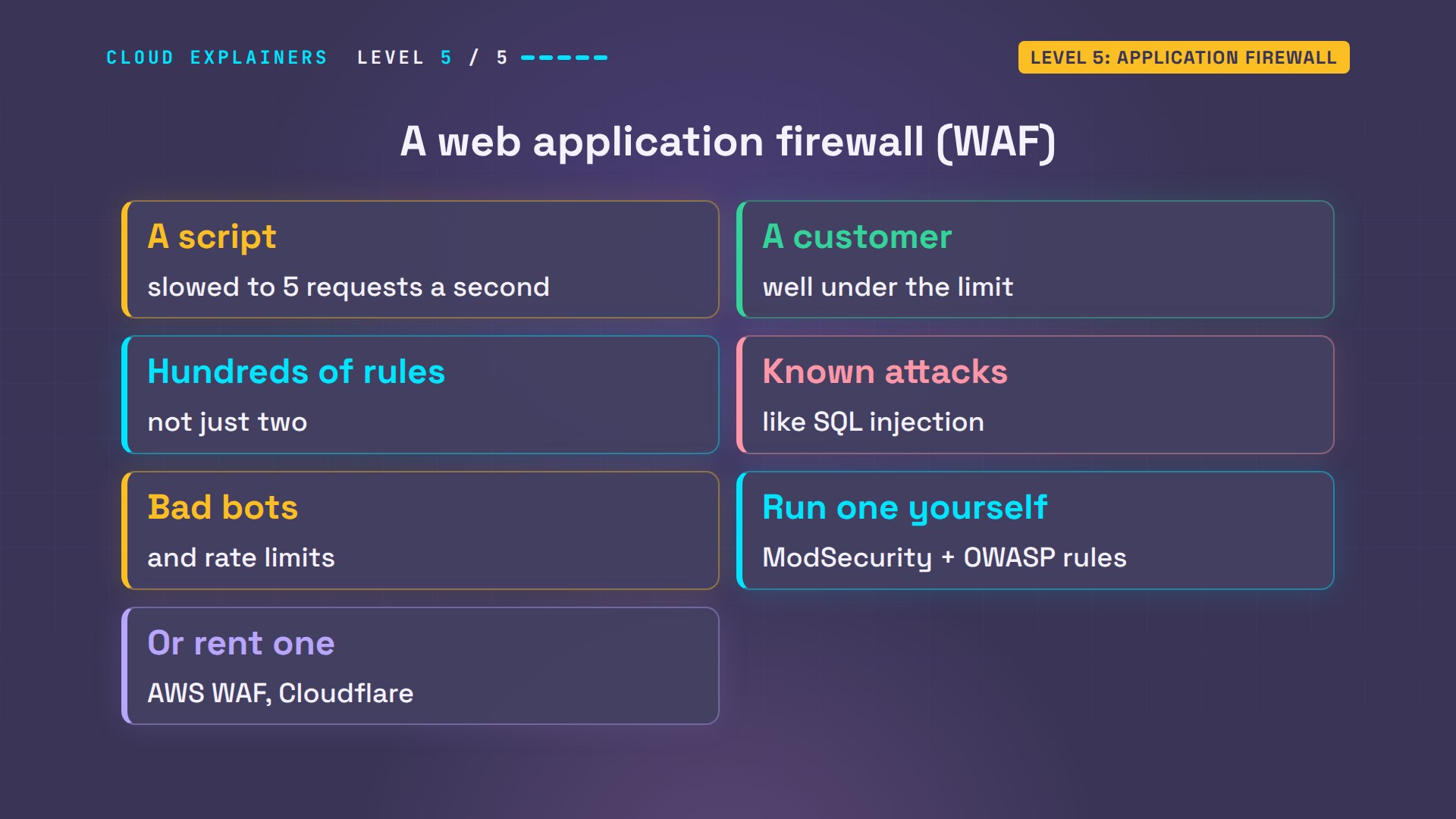
So a script hammering the shop slows to five requests a second, while a customer browsing stays well under that. A web application firewall, or WAF, is this idea grown up. Instead of two rules, it carries hundreds or thousands: patterns of known attacks, like SQL injection, which tricks a site into running database commands, bad bots, and rate limits. You can run one yourself, like ModSecurity, free WAF software, with rules from OWASP, an open security project, or rent one, like AWS WAF or Cloudflare.
Recap
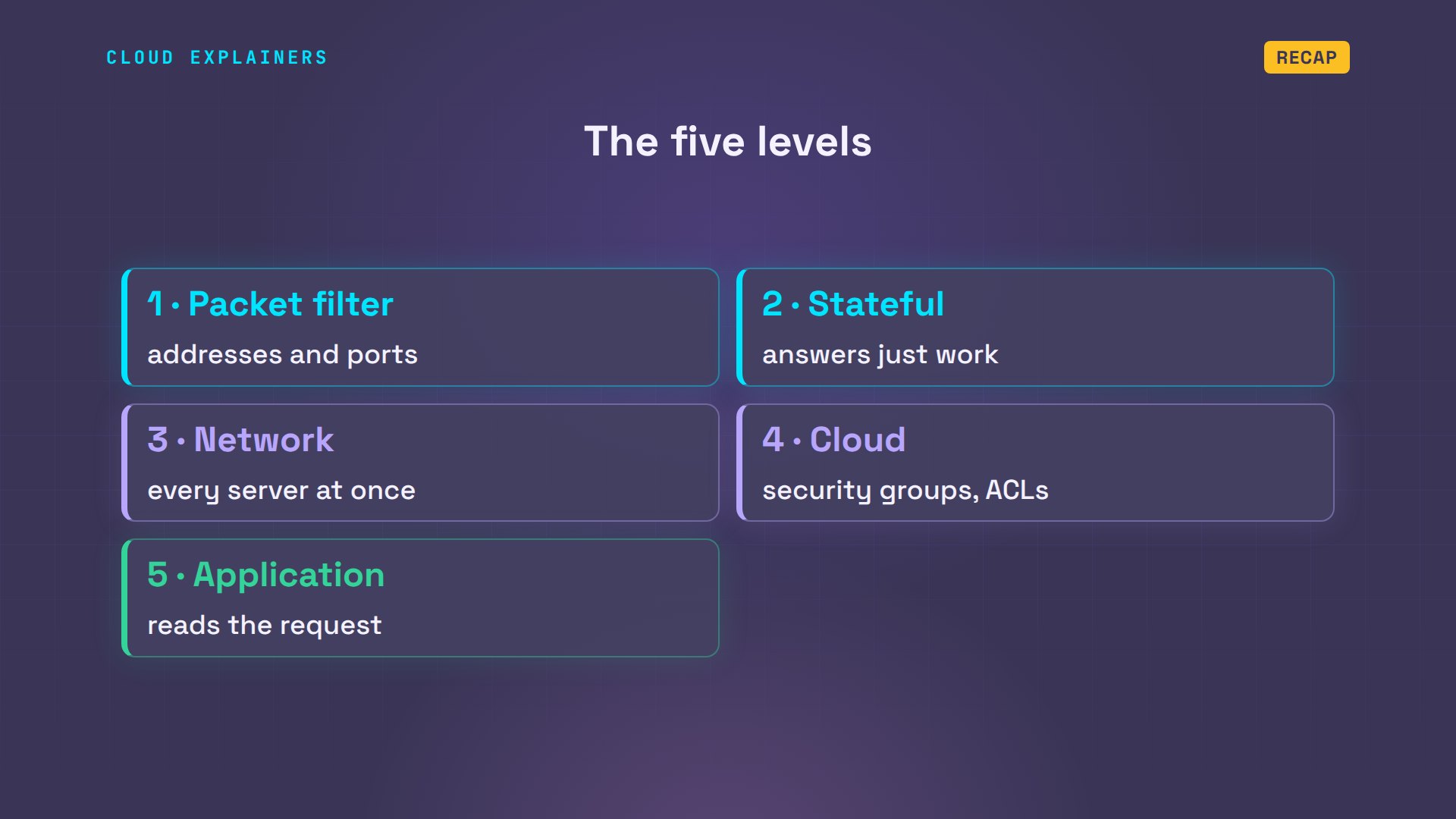
So, the five levels. A packet filter checks addresses and ports. A stateful firewall remembers connections, so answers just work. A network firewall guards every server at once. Cloud firewalls give you the same ideas as a service. And an application firewall reads the request itself.
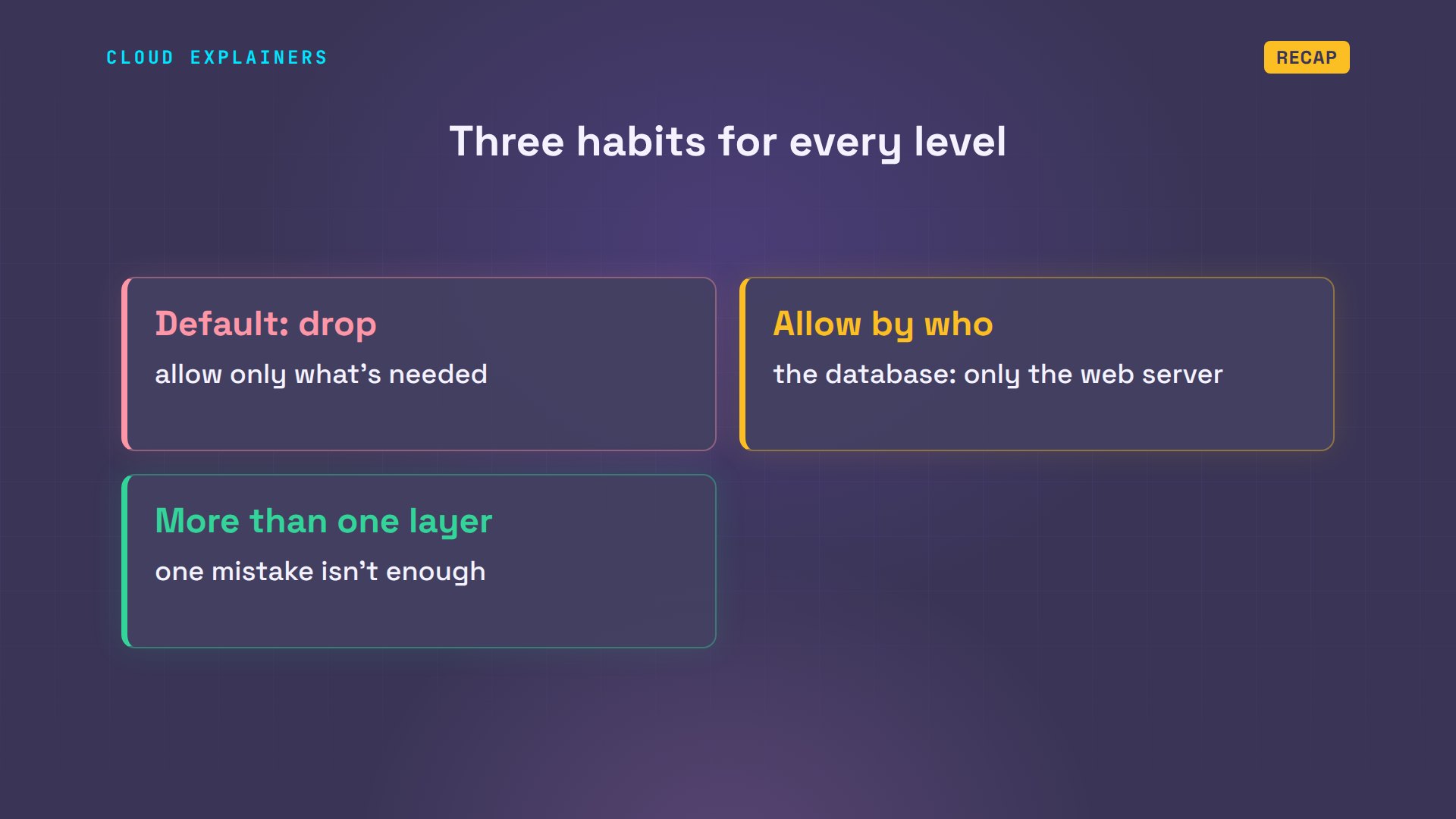
And three habits that go with every level. Start from drop, and allow only what's needed. Allow by who is asking, not just by port: the database only for the web server. And use more than one layer, so one mistake isn't enough.
A question for the comments: which of these five levels guards something you run today, even just your home router? Tell me in the comments.
Every result in this video came from a real run of a small lab network. This was episode seven of Networking for Beginners.
Sources
- nftables wiki, quick reference
- nftables wiki, netfilter hooks
- nftables wiki, matching connection tracking state
- conntrack(8)
- Nmap port states
- AWS, security groups
- AWS, network ACLs
- AWS, compare security groups and network ACLs
- nginx limit_req module
- nginx access module
- NIST SP 800-41 Rev. 1, Guidelines on Firewalls and Firewall Policy
- OWASP ModSecurity Core Rule Set
Demos: real output from a small lab network built with Docker containers on one machine, using only reserved test addresses (203.0.113.x and 198.51.100.x). The lab has no route to the real internet, and every scan and connection attempt targets only the lab's own machines. Watch the full video on YouTube.
More videos
Password Security: Why Hackers Crack Weak Passwords
Why Your Linux Server Runs Out of Memory
HTTP vs HTTPS: What Actually Changes on Your Network

Every Linux File Permission You Need to Know
Linux Processes vs Threads: When Each One Wins
The OSI Model Will Finally Make Sense After This
The 7 Levels of Git
Every Network Troubleshooting Command You Need
Hashing vs Encryption in Cybersecurity: When Each One Wins
Why the Internet Ran Out of IP Addresses
Linux Package Managers: apt vs Snap vs Flatpak

Why Python Is Slow (and When It Doesn't Matter)
TCP vs UDP: When Each One Wins
Stop Running Linux as Root (Do This Instead)
Linux Users and Groups Will Finally Make Sense

Why Phishing Beats Good Security (and How to Spot It)
The 7 Levels of Docker

AI Agents Will Finally Make Sense After This
Stop Using git push --force (Use This Instead)
Agent Skills vs MCP: When Each One Wins
Networking Will Finally Make Sense After This

Every Linux Command You Actually Need

The 7 Levels of Cybersecurity

Every System Design Concept You Need, in One Diagram
