PostgreSQL: Full Tutorial for Beginners
A full PostgreSQL tutorial for beginners, on a real Ubuntu PC. We install PostgreSQL, fix the first 'role does not exist' error, create a database and tables with types and rules, insert, select, update and delete rows, link tables with foreign keys, join them, make a lookup 2,200 times faster with an index, give a second user only the access he needs, stop a real double booking with a transaction and an exclusion constraint, query from Python, and back up and restore the database.
A campground's bookings
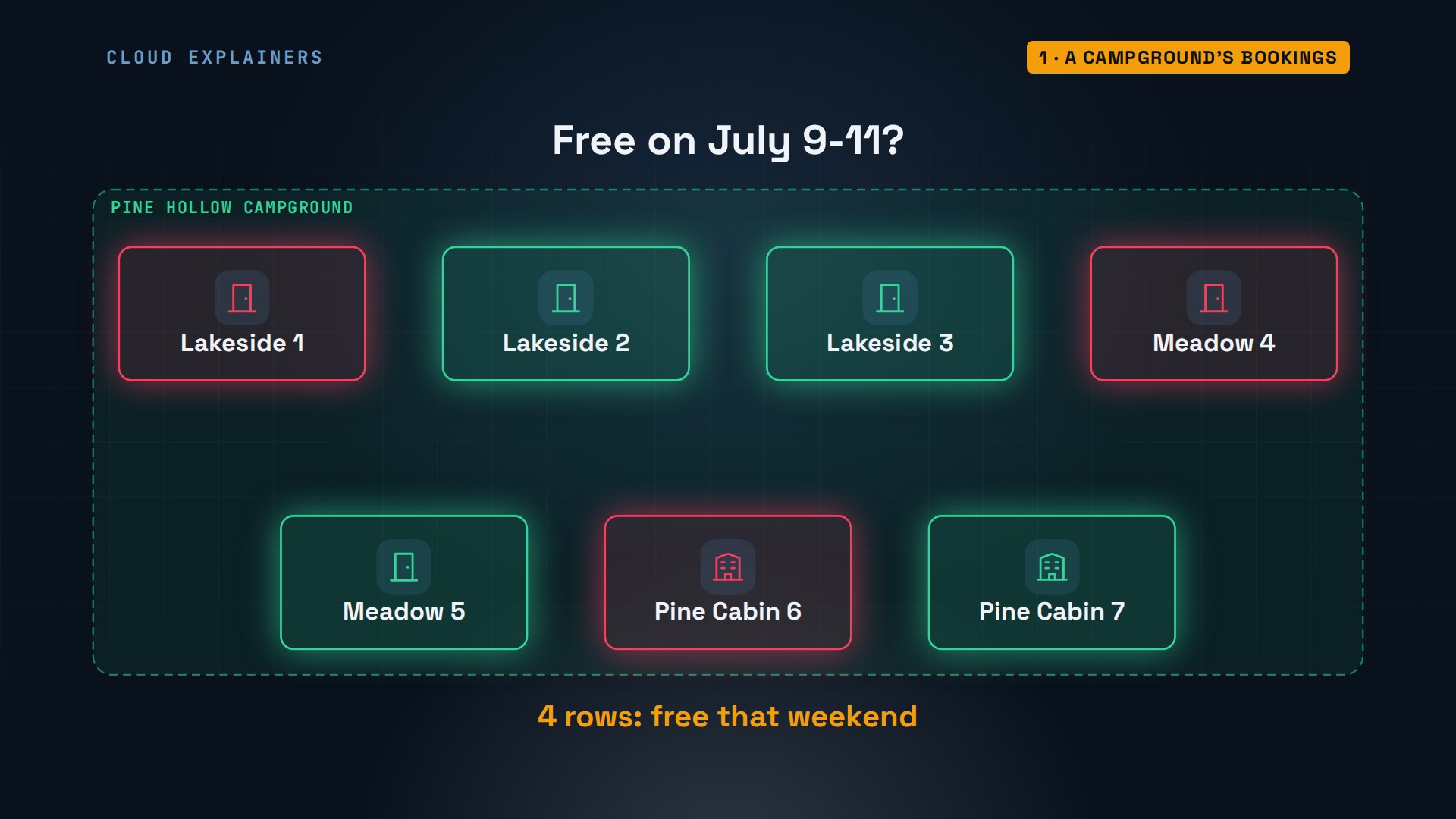
You want to keep real data in PostgreSQL, and you don't know where to start. Here's where you'll be by the end. Pine Hollow, a small campground, keeps its bookings in a database you'll build, starting from a PC with nothing installed. Ask which sites are free on the weekend of July ninth, and four of its seven sites light up.
And here, Ben at the front desk books a site his coworker Ana booked a moment earlier. The database itself says no. Both had checked, and both saw it free, so how does it know? We'll build that rule.
campground=> INSERT INTO bookings (site_id, guest_id, arrive, leave)
  VALUES (5, 4, '2027-07-31', '2027-08-02');ERROR:  conflicting key value violates exclusion constraint "no_double_booking"
DETAIL:  Key (site_id, daterange(arrive, leave))=(5, [2027-07-31,2027-08-02)) conflicts with existing key (site_id, daterange(arrive, leave))=(5, [2027-07-30,2027-08-01)).
What PostgreSQL is
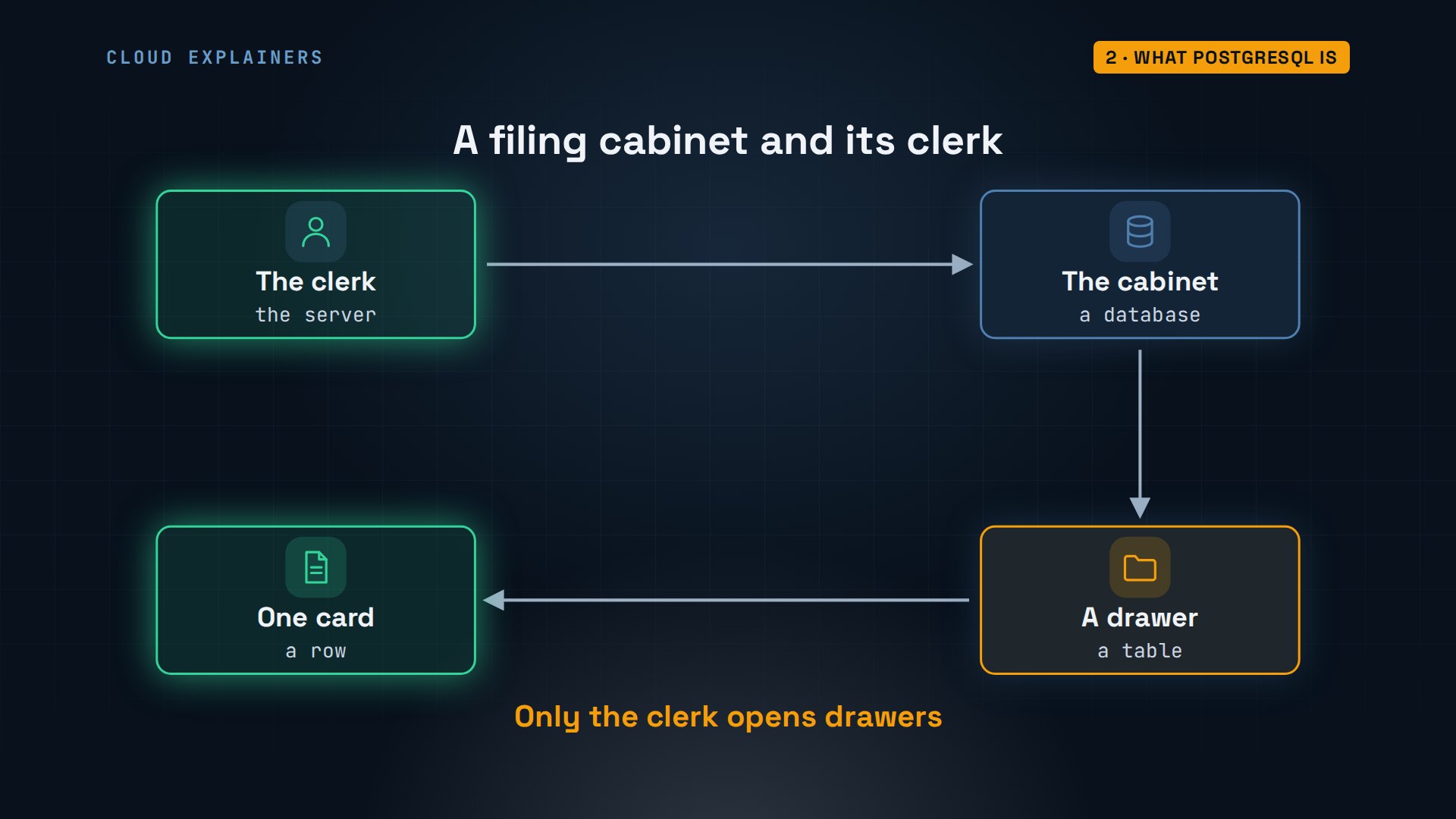
First, what PostgreSQL is. Unlike a spreadsheet file you open yourself, it's a database server: a program that runs all the time, keeps your data on disk, and answers questions about it. You never open its files. You send it SQL, a language for asking and changing data, and it sends back rows. It's free and open source, and every major cloud will run it for you.
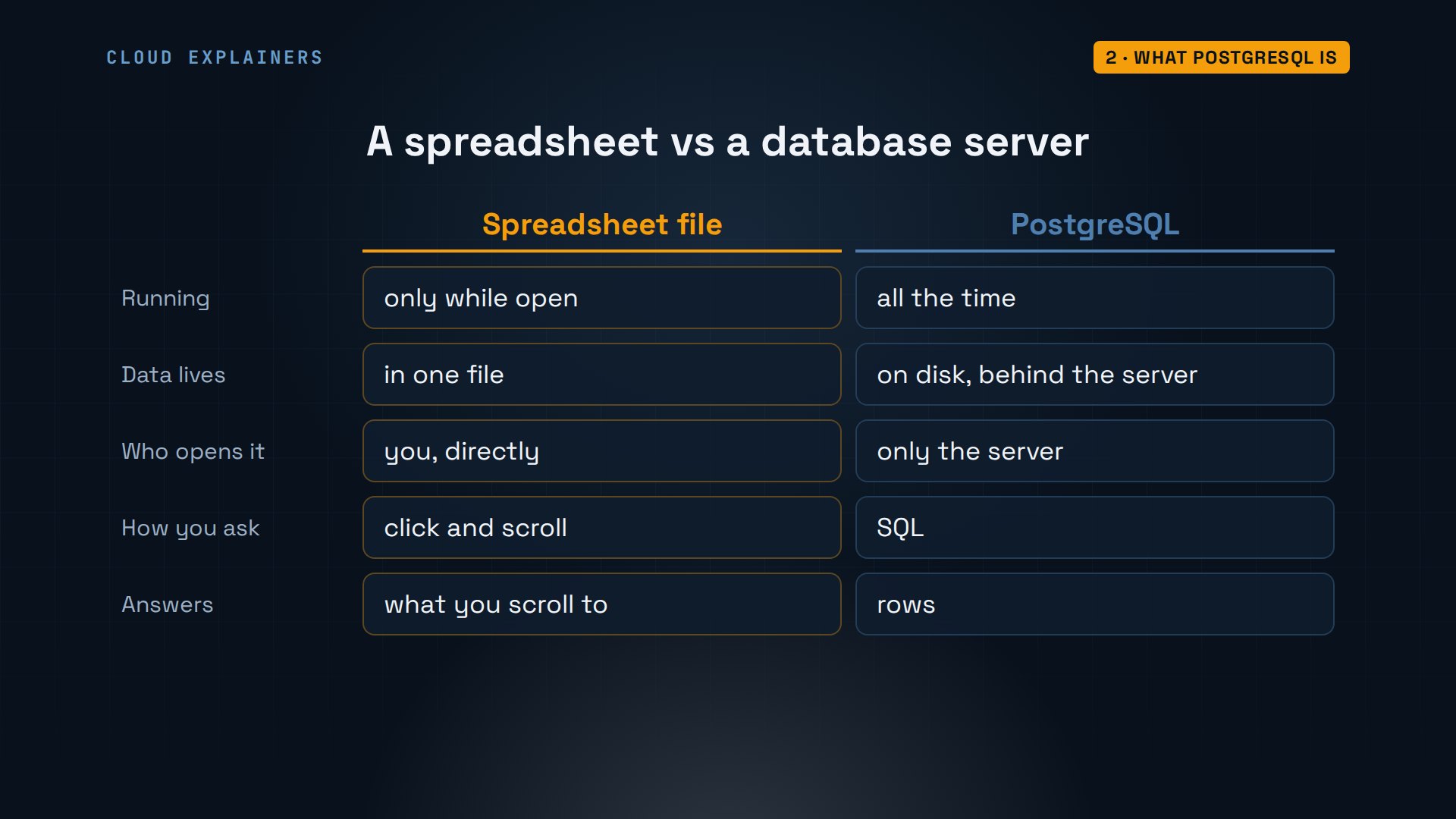
Picture a filing cabinet with a clerk beside it. The cabinet is a database. Each drawer is a table, and every card in a drawer has the same printed boxes: those are the columns. One filled-in card is a row. And nobody opens the drawers but the clerk. You hand the clerk a request, and the clerk checks it, files it, or fetches what you asked for. That clerk is the server.
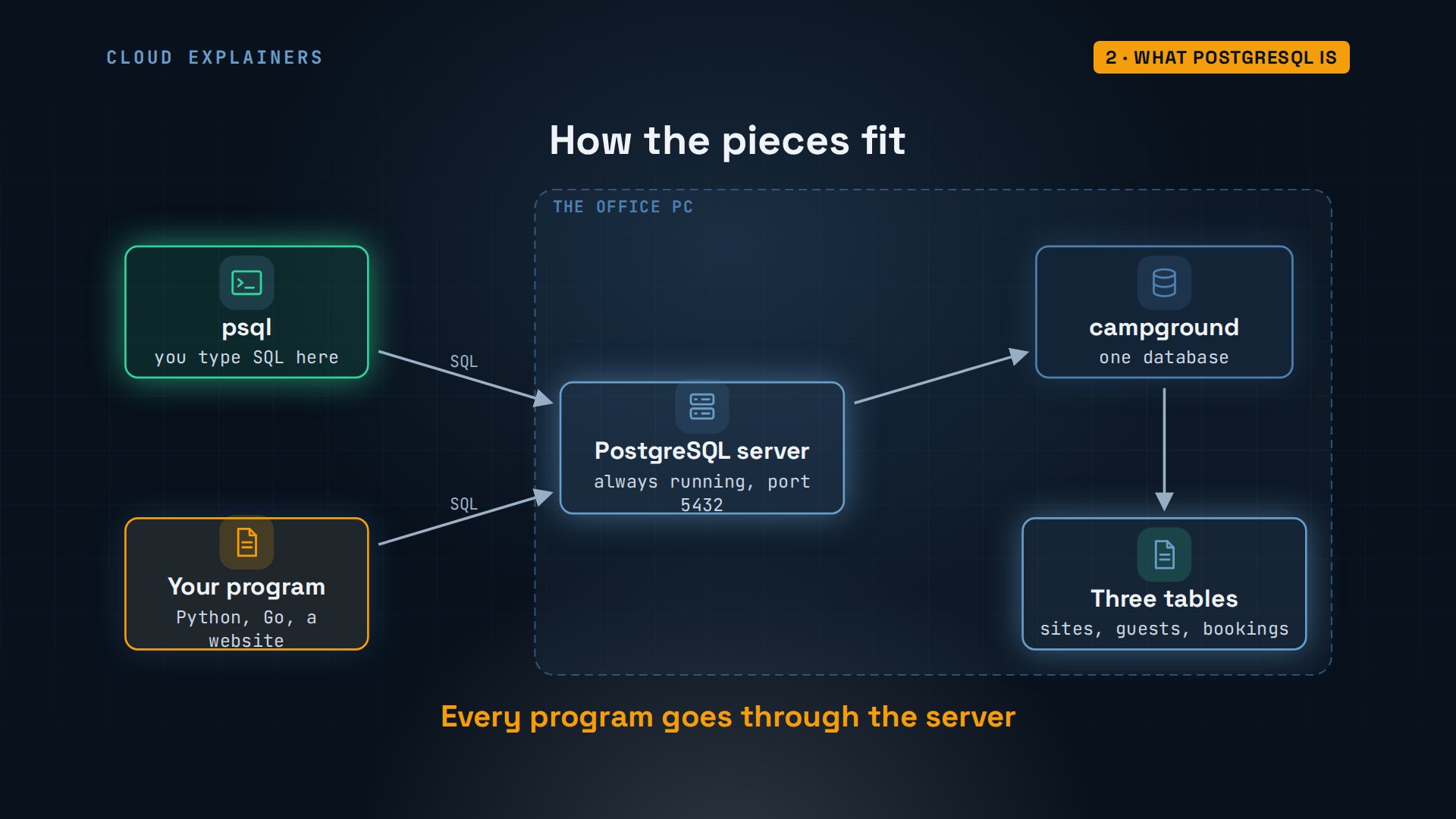
Here's how that looks in practice. On one machine, the server runs and holds databases, and each database holds tables, like the campground's sites, guests and bookings. You talk to it from psql, a terminal program that comes with PostgreSQL, or from programs you write. You send a question, the server reads the tables, and the answer comes back as rows. A website asking for free sites does exactly the same.
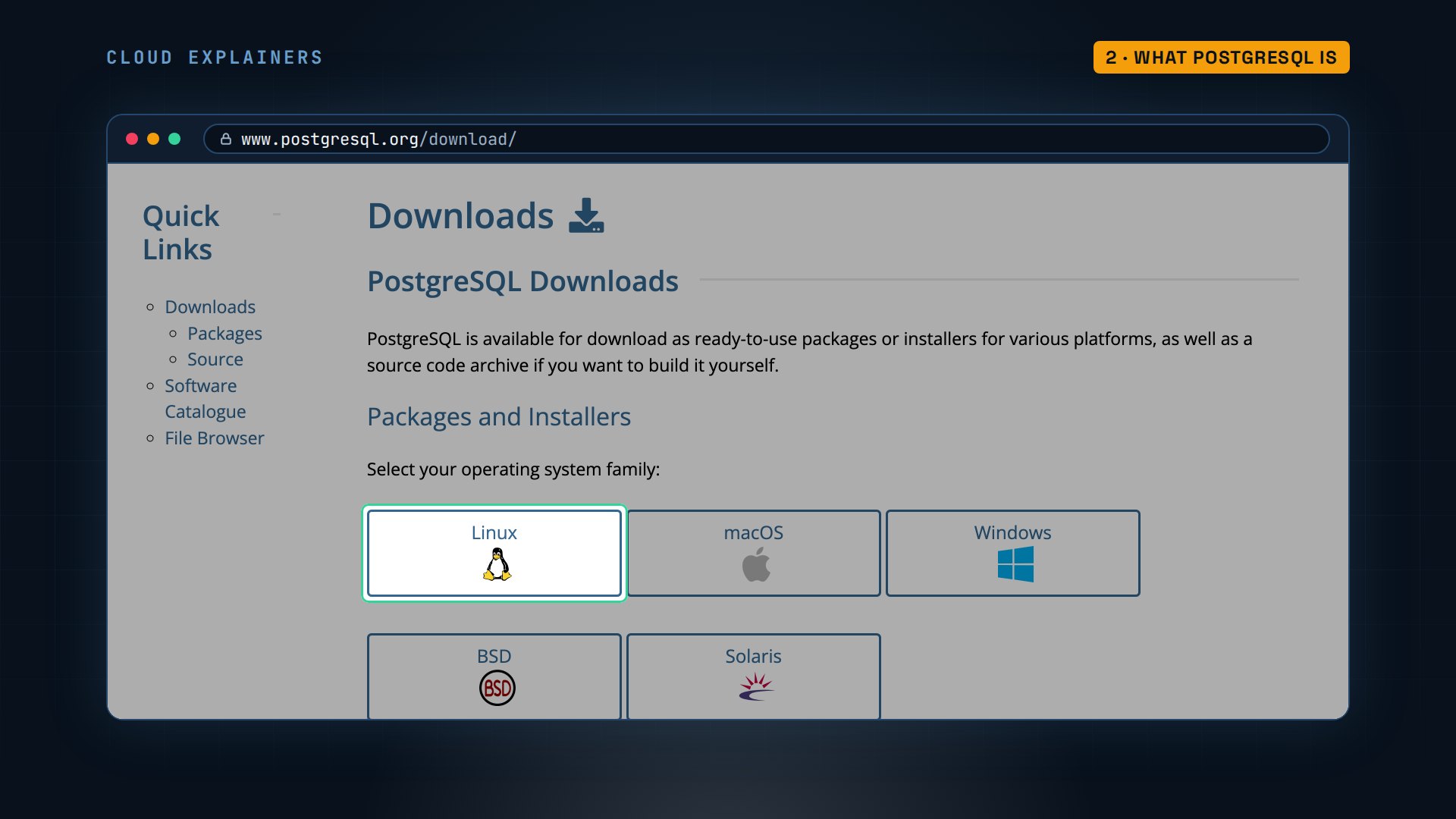
To install it, postgresql.org has a download page for Linux, macOS and Windows. On Windows and macOS, the installer also gives you SQL Shell, which opens psql as the postgres user with the password you chose. From there, every SQL command in this video works the same. Ana's office PC runs Ubuntu, where it's one package.
Installing it
Right now, psql isn't even there: command not found. sudo apt install postgresql installs the server and psql together; dash Y answers yes to its question. Near the end, it says it's creating a new cluster, sixteen main. A cluster is one running server and the folder where it keeps its data.
psql --version-bash: psql: command not found
sudo apt install -y postgresqlReading package lists... Done
Building dependency tree... Done
Reading state information... Done
The following additional packages will be installed:
  libbsd0 libcommon-sense-perl libedit2 libgdbm-compat4t64 libgdbm6t64
  libicu74 libjson-perl libjson-xs-perl libllvm17t64 libperl5.38t64 libpopt0
  libsensors-config libsensors5 libtypes-serialiser-perl libxml2 libxslt1.1
  logrotate perl perl-modules-5.38 postgresql-16 postgresql-client-16
  postgresql-client-common postgresql-common ssl-cert sysstat ucf xz-utils
Suggested packages:
  gdbm-l10n lm-sensors bsd-mailx | mailx perl-doc libterm-readline-gnu-perl
  | libterm-readline-perl-perl make libtap-harness-archive-perl postgresql-doc
  postgresql-doc-16 isag
The following NEW packages will be installed:
  libbsd0 libcommon-sense-perl libedit2 libgdbm-compat4t64 libgdbm6t64
  libicu74 libjson-perl libjson-xs-perl libllvm17t64 libperl5.38t64 libpopt0
  libsensors-config libsensors5 libtypes-serialiser-perl libxml2 libxslt1.1
  logrotate perl perl-modules-5.38 postgresql postgresql-16
  postgresql-client-16 postgresql-client-common postgresql-common ssl-cert
  sysstat ucf xz-utils
0 upgraded, 28 newly installed, 0 to remove and 0 not upgraded.
Need to get 0 B/63.1 MB of archives.
After this operation, 271 MB of additional disk space will be used.
debconf: delaying package configuration, since apt-utils is not installed

Selecting previously unselected package perl-modules-5.38.
(Reading database ... 8218 files and directories currently installed.)
Preparing to unpack .../00-perl-modules-5.38_5.38.2-3.2ubuntu0.7_all.deb ...
Unpacking perl-modules-5.38 (5.38.2-3.2ubuntu0.7) ...
Selecting previously unselected package libgdbm6t64:arm64.
Preparing to unpack .../01-libgdbm6t64_1.23-5.1build1_arm64.deb ...
Unpacking libgdbm6t64:arm64 (1.23-5.1build1) ...
Selecting previously unselected package libgdbm-compat4t64:arm64.
Preparing to unpack .../02-libgdbm-compat4t64_1.23-5.1build1_arm64.deb ...
Unpacking libgdbm-compat4t64:arm64 (1.23-5.1build1) ...
Selecting previously unselected package libperl5.38t64:arm64.
Preparing to unpack .../03-libperl5.38t64_5.38.2-3.2ubuntu0.7_arm64.deb ...
Unpacking libperl5.38t64:arm64 (5.38.2-3.2ubuntu0.7) ...
Selecting previously unselected package perl.
Preparing to unpack .../04-perl_5.38.2-3.2ubuntu0.7_arm64.deb ...
Unpacking perl (5.38.2-3.2ubuntu0.7) ...
Selecting previously unselected package libjson-perl.
Preparing to unpack .../05-libjson-perl_4.10000-1_all.deb ...
Unpacking libjson-perl (4.10000-1) ...
Selecting previously unselected package postgresql-client-common.
Preparing to unpack .../06-postgresql-client-common_257build1.1_all.deb ...
Unpacking postgresql-client-common (257build1.1) ...
Selecting previously unselected package ssl-cert.
Preparing to unpack .../07-ssl-cert_1.1.2ubuntu1_all.deb ...
Unpacking ssl-cert (1.1.2ubuntu1) ...
Selecting previously unselected package ucf.
Preparing to unpack .../08-ucf_3.0043+nmu1_all.deb ...
Moving old data out of the way
Unpacking ucf (3.0043+nmu1) ...
Selecting previously unselected package postgresql-common.
Preparing to unpack .../09-postgresql-common_257build1.1_all.deb ...
Adding 'diversion of /usr/bin/pg_config to /usr/bin/pg_config.libpq-dev by postgresql-common'
Unpacking postgresql-common (257build1.1) ...
Selecting previously unselected package libbsd0:arm64.
Preparing to unpack .../10-libbsd0_0.12.1-1build1.1_arm64.deb ...
Unpacking libbsd0:arm64 (0.12.1-1build1.1) ...
Selecting previously unselected package libicu74:arm64.
Preparing to unpack .../11-libicu74_74.2-1ubuntu3.1_arm64.deb ...
Unpacking libicu74:arm64 (74.2-1ubuntu3.1) ...
Selecting previously unselected package libpopt0:arm64.
Preparing to unpack .../12-libpopt0_1.19+dfsg-1build1_arm64.deb ...
Unpacking libpopt0:arm64 (1.19+dfsg-1build1) ...
Selecting previously unselected package libxml2:arm64.
Preparing to unpack .../13-libxml2_2.9.14+dfsg-1.3ubuntu3.10_arm64.deb ...
Unpacking libxml2:arm64 (2.9.14+dfsg-1.3ubuntu3.10) ...
Selecting previously unselected package logrotate.
Preparing to unpack .../14-logrotate_3.21.0-2build1_arm64.deb ...
Unpacking logrotate (3.21.0-2build1) ...
Selecting previously unselected package libedit2:arm64.
Preparing to unpack .../15-libedit2_3.1-20230828-1build1_arm64.deb ...
Unpacking libedit2:arm64 (3.1-20230828-1build1) ...
Selecting previously unselected package libsensors-config.
Preparing to unpack .../16-libsensors-config_1%3a3.6.0-9build1_all.deb ...
Unpacking libsensors-config (1:3.6.0-9build1) ...
Selecting previously unselected package libsensors5:arm64.
Preparing to unpack .../17-libsensors5_1%3a3.6.0-9build1_arm64.deb ...
Unpacking libsensors5:arm64 (1:3.6.0-9build1) ...
Selecting previously unselected package xz-utils.
Preparing to unpack .../18-xz-utils_5.6.1+really5.4.5-1ubuntu0.4_arm64.deb ...
Unpacking xz-utils (5.6.1+really5.4.5-1ubuntu0.4) ...
Selecting previously unselected package sysstat.
Preparing to unpack .../19-sysstat_12.6.1-2_arm64.deb ...
Unpacking sysstat (12.6.1-2) ...
Selecting previously unselected package libcommon-sense-perl:arm64.
Preparing to unpack .../20-libcommon-sense-perl_3.75-3build3_arm64.deb ...
Unpacking libcommon-sense-perl:arm64 (3.75-3build3) ...
Selecting previously unselected package libtypes-serialiser-perl.
Preparing to unpack .../21-libtypes-serialiser-perl_1.01-1_all.deb ...
Unpacking libtypes-serialiser-perl (1.01-1) ...
Selecting previously unselected package libjson-xs-perl.
Preparing to unpack .../22-libjson-xs-perl_4.040-0ubuntu0.24.04.1_arm64.deb ...
Unpacking libjson-xs-perl (4.040-0ubuntu0.24.04.1) ...
Selecting previously unselected package libllvm17t64:arm64.
Preparing to unpack .../23-libllvm17t64_1%3a17.0.6-9ubuntu1_arm64.deb ...
Unpacking libllvm17t64:arm64 (1:17.0.6-9ubuntu1) ...
Selecting previously unselected package libxslt1.1:arm64.
Preparing to unpack .../24-libxslt1.1_1.1.39-0exp1ubuntu0.24.04.3_arm64.deb ...
Unpacking libxslt1.1:arm64 (1.1.39-0exp1ubuntu0.24.04.3) ...
Selecting previously unselected package postgresql-client-16.
Preparing to unpack .../25-postgresql-client-16_16.15-0ubuntu0.24.04.1_arm64.deb ...
Unpacking postgresql-client-16 (16.15-0ubuntu0.24.04.1) ...
Selecting previously unselected package postgresql-16.
Preparing to unpack .../26-postgresql-16_16.15-0ubuntu0.24.04.1_arm64.deb ...
Unpacking postgresql-16 (16.15-0ubuntu0.24.04.1) ...
Selecting previously unselected package postgresql.
Preparing to unpack .../27-postgresql_16+257build1.1_all.deb ...
Unpacking postgresql (16+257build1.1) ...
Setting up libgdbm6t64:arm64 (1.23-5.1build1) ...
Setting up libgdbm-compat4t64:arm64 (1.23-5.1build1) ...
Setting up libsensors-config (1:3.6.0-9build1) ...
Setting up ssl-cert (1.1.2ubuntu1) ...
debconf: unable to initialize frontend: Dialog
debconf: (No usable dialog-like program is installed, so the dialog based frontend cannot be used. at /usr/share/perl5/Debconf/FrontEnd/Dialog.pm line 79.)
debconf: falling back to frontend: Readline
Created symlink /etc/systemd/system/multi-user.target.wants/ssl-cert.service → /usr/lib/systemd/system/ssl-cert.service.
Setting up xz-utils (5.6.1+really5.4.5-1ubuntu0.4) ...
update-alternatives: using /usr/bin/xz to provide /usr/bin/lzma (lzma) in auto mode
update-alternatives: warning: skip creation of /usr/share/man/man1/lzma.1.gz because associated file /usr/share/man/man1/xz.1.gz (of link group lzma) doesn't exist
update-alternatives: warning: skip creation of /usr/share/man/man1/unlzma.1.gz because associated file /usr/share/man/man1/unxz.1.gz (of link group lzma) doesn't exist
update-alternatives: warning: skip creation of /usr/share/man/man1/lzcat.1.gz because associated file /usr/share/man/man1/xzcat.1.gz (of link group lzma) doesn't exist
update-alternatives: warning: skip creation of /usr/share/man/man1/lzmore.1.gz because associated file /usr/share/man/man1/xzmore.1.gz (of link group lzma) doesn't exist
update-alternatives: warning: skip creation of /usr/share/man/man1/lzless.1.gz because associated file /usr/share/man/man1/xzless.1.gz (of link group lzma) doesn't exist
update-alternatives: warning: skip creation of /usr/share/man/man1/lzdiff.1.gz because associated file /usr/share/man/man1/xzdiff.1.gz (of link group lzma) doesn't exist
update-alternatives: warning: skip creation of /usr/share/man/man1/lzcmp.1.gz because associated file /usr/share/man/man1/xzcmp.1.gz (of link group lzma) doesn't exist
update-alternatives: warning: skip creation of /usr/share/man/man1/lzgrep.1.gz because associated file /usr/share/man/man1/xzgrep.1.gz (of link group lzma) doesn't exist
update-alternatives: warning: skip creation of /usr/share/man/man1/lzegrep.1.gz because associated file /usr/share/man/man1/xzegrep.1.gz (of link group lzma) doesn't exist
update-alternatives: warning: skip creation of /usr/share/man/man1/lzfgrep.1.gz because associated file /usr/share/man/man1/xzfgrep.1.gz (of link group lzma) doesn't exist
Setting up perl-modules-5.38 (5.38.2-3.2ubuntu0.7) ...
Setting up ucf (3.0043+nmu1) ...
debconf: unable to initialize frontend: Dialog
debconf: (No usable dialog-like program is installed, so the dialog based frontend cannot be used. at /usr/share/perl5/Debconf/FrontEnd/Dialog.pm line 79.)
debconf: falling back to frontend: Readline
Setting up libsensors5:arm64 (1:3.6.0-9build1) ...
Setting up libicu74:arm64 (74.2-1ubuntu3.1) ...
Setting up libperl5.38t64:arm64 (5.38.2-3.2ubuntu0.7) ...
Setting up libbsd0:arm64 (0.12.1-1build1.1) ...
Setting up libxml2:arm64 (2.9.14+dfsg-1.3ubuntu3.10) ...
Setting up sysstat (12.6.1-2) ...
debconf: unable to initialize frontend: Dialog
debconf: (No usable dialog-like program is installed, so the dialog based frontend cannot be used. at /usr/share/perl5/Debconf/FrontEnd/Dialog.pm line 79.)
debconf: falling back to frontend: Readline

Creating config file /etc/default/sysstat with new version
update-alternatives: using /usr/bin/sar.sysstat to provide /usr/bin/sar (sar) in auto mode
update-alternatives: warning: skip creation of /usr/share/man/man1/sar.1.gz because associated file /usr/share/man/man1/sar.sysstat.1.gz (of link group sar) doesn't exist
Created symlink /etc/systemd/system/sysstat.service.wants/sysstat-collect.timer → /usr/lib/systemd/system/sysstat-collect.timer.
Created symlink /etc/systemd/system/sysstat.service.wants/sysstat-summary.timer → /usr/lib/systemd/system/sysstat-summary.timer.
Created symlink /etc/systemd/system/multi-user.target.wants/sysstat.service → /usr/lib/systemd/system/sysstat.service.
Setting up libpopt0:arm64 (1.19+dfsg-1build1) ...
Setting up logrotate (3.21.0-2build1) ...
Created symlink /etc/systemd/system/timers.target.wants/logrotate.timer → /usr/lib/systemd/system/logrotate.timer.
logrotate.service is a disabled or a static unit, not starting it.
Setting up libedit2:arm64 (3.1-20230828-1build1) ...
Setting up perl (5.38.2-3.2ubuntu0.7) ...
Setting up libllvm17t64:arm64 (1:17.0.6-9ubuntu1) ...
Setting up libjson-perl (4.10000-1) ...
Setting up libxslt1.1:arm64 (1.1.39-0exp1ubuntu0.24.04.3) ...
Setting up postgresql-client-common (257build1.1) ...
Setting up postgresql-client-16 (16.15-0ubuntu0.24.04.1) ...
update-alternatives: using /usr/share/postgresql/16/man/man1/psql.1.gz to provide /usr/share/man/man1/psql.1.gz (psql.1.gz) in auto mode
Setting up libcommon-sense-perl:arm64 (3.75-3build3) ...
Setting up postgresql-common (257build1.1) ...
debconf: unable to initialize frontend: Dialog
debconf: (No usable dialog-like program is installed, so the dialog based frontend cannot be used. at /usr/share/perl5/Debconf/FrontEnd/Dialog.pm line 79.)
debconf: falling back to frontend: Readline

Creating config file /etc/postgresql-common/createcluster.conf with new version
Building PostgreSQL dictionaries from installed myspell/hunspell packages...
Removing obsolete dictionary files:
Created symlink /etc/systemd/system/multi-user.target.wants/postgresql.service → /usr/lib/systemd/system/postgresql.service.
Setting up libtypes-serialiser-perl (1.01-1) ...
Setting up libjson-xs-perl (4.040-0ubuntu0.24.04.1) ...
Setting up postgresql-16 (16.15-0ubuntu0.24.04.1) ...
debconf: unable to initialize frontend: Dialog
debconf: (No usable dialog-like program is installed, so the dialog based frontend cannot be used. at /usr/share/perl5/Debconf/FrontEnd/Dialog.pm line 79.)
debconf: falling back to frontend: Readline
Creating new PostgreSQL cluster 16/main ...
/usr/lib/postgresql/16/bin/initdb -D /var/lib/postgresql/16/main --auth-local peer --auth-host scram-sha-256 --no-instructions
The files belonging to this database system will be owned by user "postgres".
This user must also own the server process.

The database cluster will be initialized with locale "C.UTF-8".
The default database encoding has accordingly been set to "UTF8".
The default text search configuration will be set to "english".

Data page checksums are disabled.

fixing permissions on existing directory /var/lib/postgresql/16/main ... ok
creating subdirectories ... ok
selecting dynamic shared memory implementation ... posix
selecting default max_connections ... 100
selecting default shared_buffers ... 128MB
selecting default time zone ... Etc/UTC
creating configuration files ... ok
running bootstrap script ... ok
performing post-bootstrap initialization ... ok
syncing data to disk ... ok
Setting up postgresql (16+257build1.1) ...
Processing triggers for libc-bin (2.39-0ubuntu8.12) ...
Is it running? pg_lsclusters lists the clusters: version sixteen, named main, on port 5432, online. A port is the numbered door programs knock on, and 5432 is PostgreSQL's usual one. psql dash dash version says 16.15.
pg_lsclustersVer Cluster Port Status Owner    Data directory              Log file
16  main    5432 online postgres /var/lib/postgresql/16/main /var/log/postgresql/postgresql-16-main.log
psql --versionpsql (PostgreSQL) 16.15 (Ubuntu 16.15-0ubuntu0.24.04.1)
So Ana types psql, and gets her first error: role ana does not exist. PostgreSQL has its own users, called roles, separate from the computer's. On Ubuntu, psql logs in as a role with the same name as you, and the only role so far is postgres, the superuser that can do anything.
psqlpsql: error: connection to server on socket "/var/run/postgresql/.s.PGSQL.5432" failed: FATAL: role "ana" does not exist
Installing PostgreSQL also created a Linux account called postgres. sudo, dash small u, postgres, psql runs psql as that Linux account, so PostgreSQL logs you in as its superuser. SELECT current user confirms it: postgres. The prompt now ends in a hash sign, which means superuser. One command makes Ana a role of her own: CREATE USER ana, with CREATEDB so she can make databases. CREATE USER is shorthand for a role that can log in, which is why it answers CREATE ROLE. Then backslash Q quits.
sudo -u postgres psqlpsql (16.15 (Ubuntu 16.15-0ubuntu0.24.04.1))
Type "help" for help.
postgres=# SELECT current_user;current_user -------------- postgres (1 row)
postgres=# CREATE USER ana CREATEDB;CREATE ROLE
Back as herself, Ana runs createdb campground. That's a terminal command that came with psql, and it makes an empty database. Then psql campground opens it. The prompt is the database's name, and it ends in an arrow, not a hash: a normal user. Backslash conninfo, one of psql's own commands, confirms database campground, user ana, and backslash D T, which lists tables, finds no relations: PostgreSQL's word for tables.
createdb campground
psql campgroundpsql (16.15 (Ubuntu 16.15-0ubuntu0.24.04.1))
Type "help" for help.
campground=> \conninfoYou are connected to database "campground" as user "ana" via socket in "/var/run/postgresql" at port "5432".
campground=> \dtDid not find any relations.
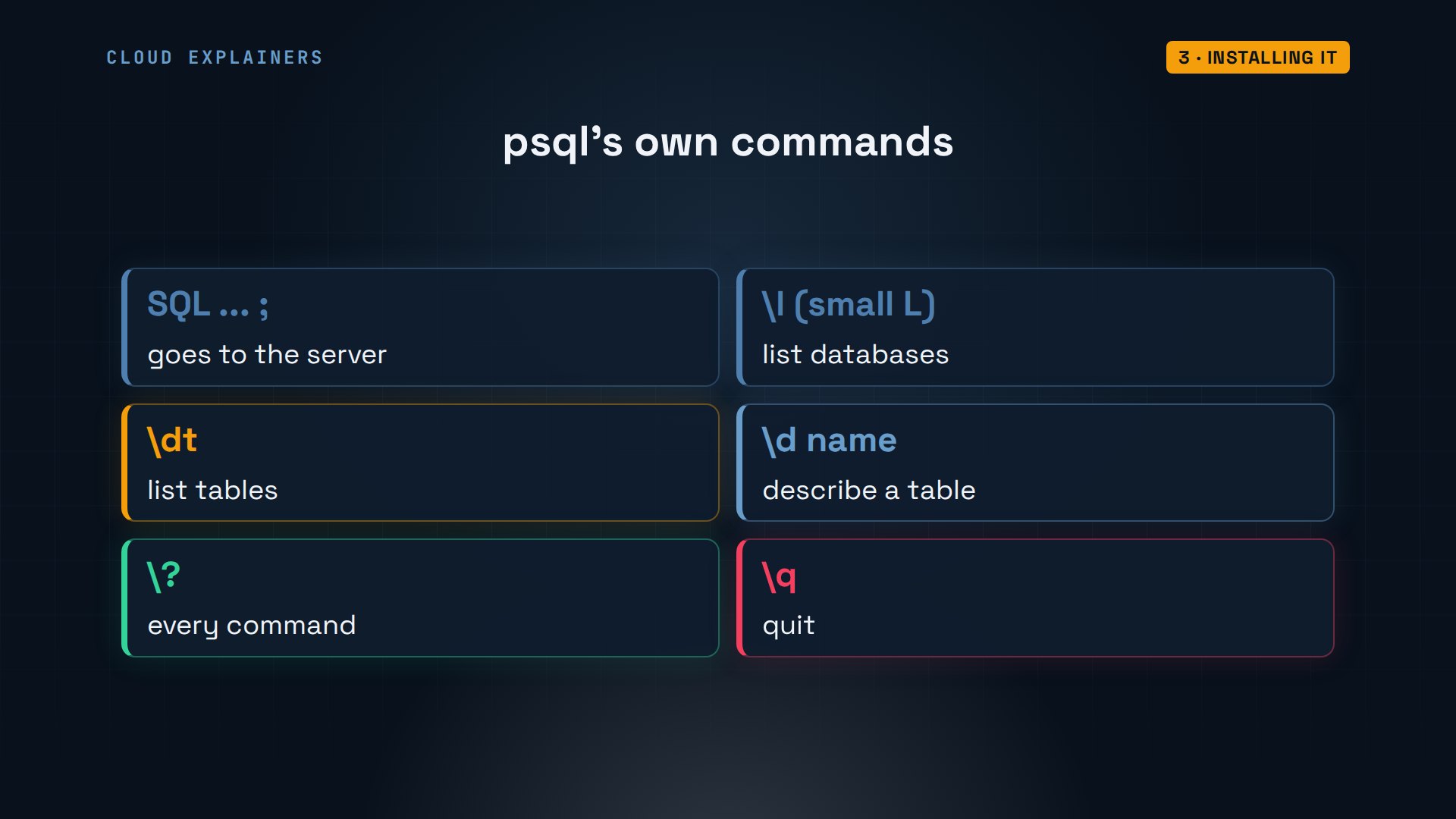
Inside psql, two kinds of things get typed. SQL, which always ends with a semicolon, goes to the server. Commands that start with a backslash are psql's own shortcuts. Backslash L lists databases, backslash D T lists tables, and backslash D with a name describes one table. Backslash question mark shows them all, and backslash Q quits.
Your first table
Before Pine Hollow can store a single site, PostgreSQL needs to know exactly what a site looks like. sites has an id, a name, a kind, how many people it sleeps, and a price per night. The id is a whole number, an integer, that PostgreSQL fills in for you: that's what generated always as identity means. It's also the primary key, the one value that picks out each row. Text holds words. Numeric, six comma two, holds money exactly: up to six digits, two of them after the point. The words after each type are rules, and they come next.
campground=> CREATE TABLE sites (
  id     integer GENERATED ALWAYS AS IDENTITY PRIMARY KEY,
  name   text NOT NULL UNIQUE,
  kind   text NOT NULL,
  people integer NOT NULL CHECK (people > 0),
  price  numeric(6,2) NOT NULL CHECK (price > 0)
);CREATE TABLE
Why not an ordinary decimal number for money? SELECT can work as a calculator: two colons turn a value into a type, and AS names the column. Add point one and point two both ways. As float eight, the standard computer number, you get point three, followed by a long tail of digits, because floats are stored in binary, which can't hold point one exactly. As numeric, exactly point three. For prices, use numeric.
campground=> SELECT 0.1::float8 + 0.2::float8 AS float, 0.1::numeric + 0.2::numeric AS numeric;float | numeric ---------------------+--------- 0.30000000000000004 | 0.3 (1 row)
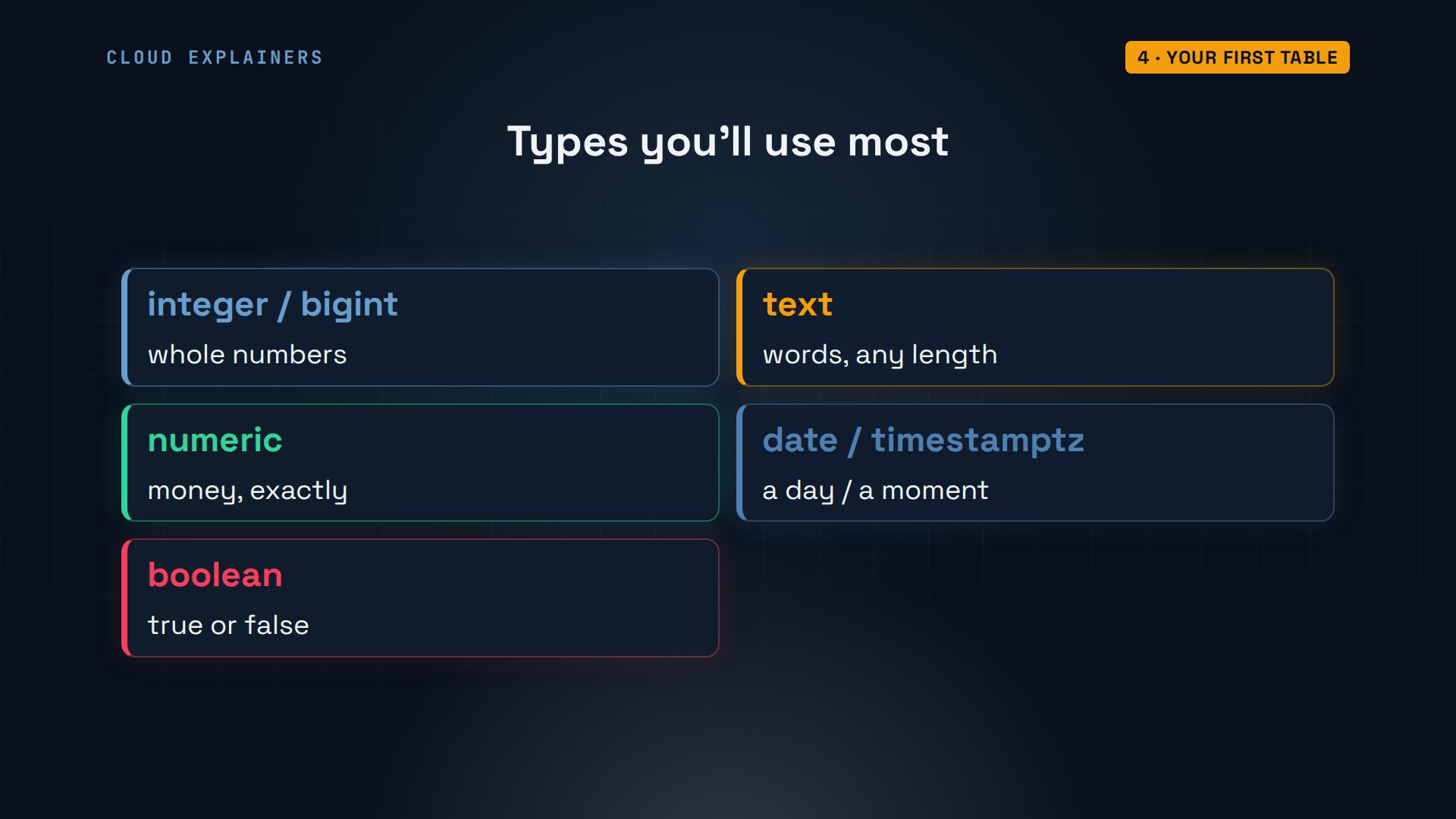
A handful of types cover most tables. Integer for whole numbers, and bigint when they might pass two billion. Text for words of any length. Numeric for money. Date for a day, and timestamp with time zone, written timestamptz, for an exact moment. And boolean for true or false.
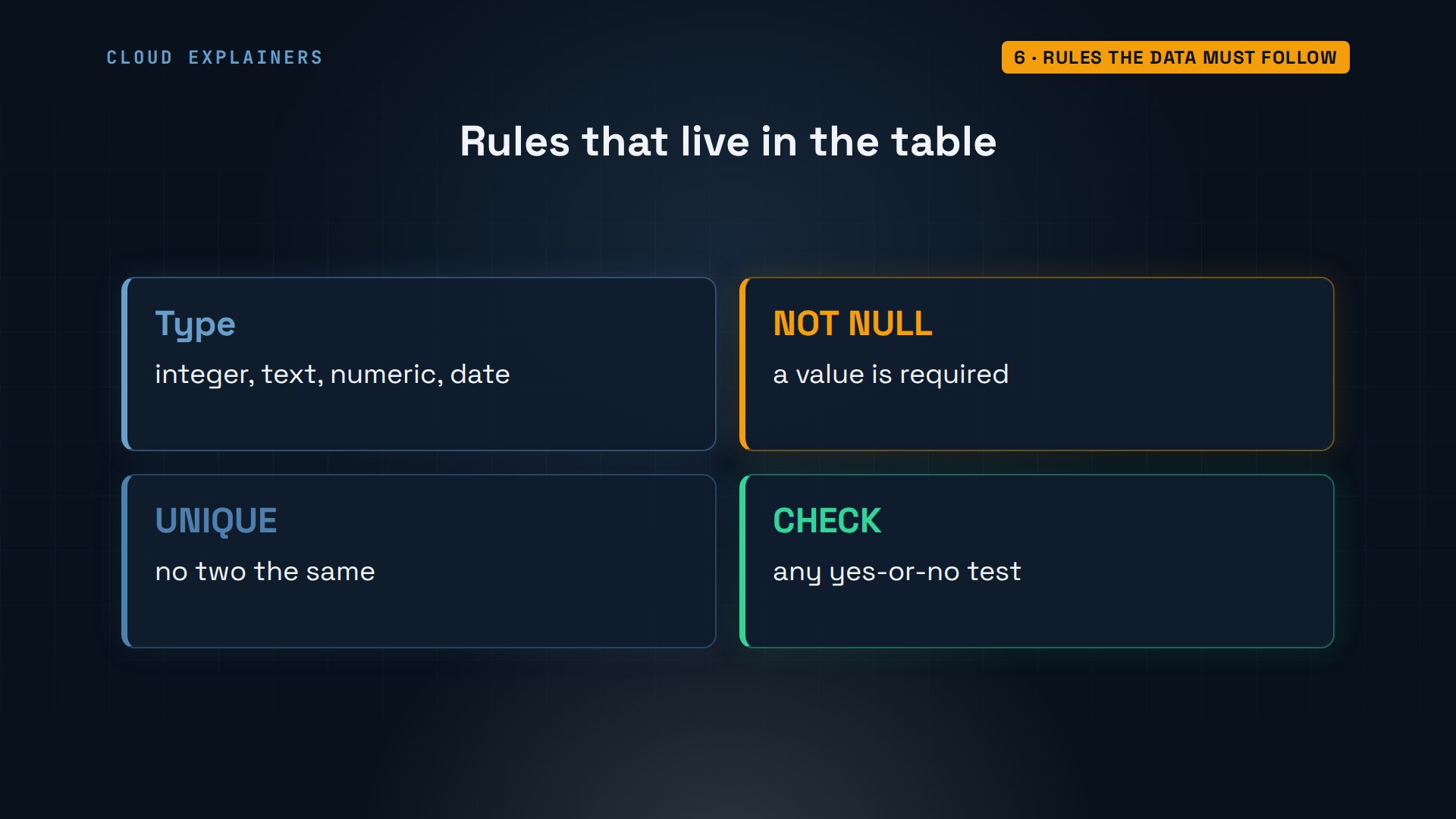
NOT NULL means the value can't be left empty. UNIQUE means no two sites share a name. CHECK people greater than zero refuses a site for nobody. Backslash D sites shows it all back. It also lists two indexes: the primary key and the unique rule created those on their own. We'll see what an index does later.
campground=> \d sitesTable "public.sites" Column | Type | Collation | Nullable | Default --------+--------------+-----------+----------+------------------------------ id | integer | | not null | generated always as identity name | text | | not null | kind | text | | not null | people | integer | | not null | price | numeric(6,2) | | not null | Indexes: "sites_pkey" PRIMARY KEY, btree (id) "sites_name_key" UNIQUE CONSTRAINT, btree (name) Check constraints: "sites_people_check" CHECK (people > 0) "sites_price_check" CHECK (price > 0::numeric)
Now a first row. INSERT INTO names the table and the columns you're filling, and VALUES lists the values in the same order. Ana writes Lakeside 1 in double quotes, as many languages would. What do you think happens? An error: column Lakeside 1 does not exist. In SQL, single quotes are for text, and double quotes are for names, like a column's name. So PostgreSQL went looking for a column called Lakeside 1.
campground=> INSERT INTO sites (name, kind, people, price) VALUES ("Lakeside 1", "tent", 4, 32);ERROR:  column "Lakeside 1" does not exist
LINE 1: ...RT INTO sites (name, kind, people, price) VALUES ("Lakeside ...
                                                             ^
With single quotes, one INSERT can add many rows at once: eight sites, from Lakeside 1 to the Creek RV pitch. PostgreSQL answers INSERT zero eight. The eight is the rows added; the zero is an old leftover you can ignore. And there's no id in the list: the identity column fills it in.
campground=> INSERT INTO sites (name, kind, people, price) VALUES
  ('Lakeside 1', 'tent', 4, 32),
  ('Lakeside 2', 'tent', 4, 32),
  ('Lakeside 3', 'tent', 6, 36),
  ('Meadow 4', 'tent', 6, 28),
  ('Meadow 5', 'tent', 8, 30),
  ('Pine Cabin 6', 'cabin', 4, 85),
  ('Pine Cabin 7', 'cabin', 6, 95),
  ('Creek RV 8', 'rv', 4, 45);INSERT 0 8
Asking with SELECT
Eight sites are stored. Now, how do you read them back? Reading data is SELECT. SELECT star FROM sites means every column of every row. There are the eight sites, with the ids one to eight that PostgreSQL gave them, and the prices with two decimals, because of numeric six two.
campground=> SELECT * FROM sites;id | name | kind | people | price ----+--------------+-------+--------+------- 1 | Lakeside 1 | tent | 4 | 32.00 2 | Lakeside 2 | tent | 4 | 32.00 3 | Lakeside 3 | tent | 6 | 36.00 4 | Meadow 4 | tent | 6 | 28.00 5 | Meadow 5 | tent | 8 | 30.00 6 | Pine Cabin 6 | cabin | 4 | 85.00 7 | Pine Cabin 7 | cabin | 6 | 95.00 8 | Creek RV 8 | rv | 4 | 45.00 (8 rows)
Usually you want some rows, and some columns. Name the columns after SELECT. WHERE keeps only rows that match: tents for six people or more. ORDER BY price sorts them, cheapest first. Three sites, and Meadow 4 is the bargain at twenty-eight dollars a night.
campground=> SELECT name, people, price FROM sites WHERE kind = 'tent' AND people >= 6 ORDER BY price;name | people | price ------------+--------+------- Meadow 4 | 6 | 28.00 Meadow 5 | 8 | 30.00 Lakeside 3 | 6 | 36.00 (3 rows)
SQL can also add things up. GROUP BY kind puts the rows into one group per kind, count star counts the rows in each group, and min finds its lowest price. Two cabins from eighty-five dollars, one RV pitch, and five tent sites from twenty-eight.
campground=> SELECT kind, count(*), min(price) FROM sites GROUP BY kind ORDER BY kind;kind | count | min -------+-------+------- cabin | 2 | 85.00 rv | 1 | 45.00 tent | 5 | 28.00 (3 rows)
Rules the data must follow
Now the rules earn their keep. A site for zero people: refused, because it breaks the check rule on people. The word four where a number belongs: invalid input syntax for type integer. Each column's type is a rule too.
campground=> INSERT INTO sites (name, kind, people, price) VALUES ('Lakeside 9', 'tent', 0, 32);ERROR:  new row for relation "sites" violates check constraint "sites_people_check"
DETAIL:  Failing row contains (9, Lakeside 9, tent, 0, 32.00).
campground=> INSERT INTO sites (name, kind, people, price) VALUES ('Lakeside 9', 'tent', 'four', 32);ERROR:  invalid input syntax for type integer: "four"
LINE 1: ...ind, people, price) VALUES ('Lakeside 9', 'tent', 'four', 32...
                                                             ^
A second Lakeside 1: duplicate key value, because names must be unique. A site with no price: null value in column price. Null is SQL's word for no value at all. Each error also prints the row it refused. There are eight sites, so you'd expect id nine, but it's eleven. The refused inserts each used up an id, and PostgreSQL never takes one back, so ids can have gaps. That's normal.
campground=> INSERT INTO sites (name, kind, people, price) VALUES ('Lakeside 1', 'tent', 4, 32);ERROR:  duplicate key value violates unique constraint "sites_name_key"
DETAIL:  Key (name)=(Lakeside 1) already exists.
campground=> INSERT INTO sites (name, kind, people) VALUES ('Lakeside 9', 'tent', 4);ERROR:  null value in column "price" of relation "sites" violates not-null constraint
DETAIL:  Failing row contains (11, Lakeside 9, tent, 4, null).
Why put rules in the database instead of in your program? Because every program, every script and every person with psql goes through the same server, and the server checks every row, every time. A bug in one program can't sneak bad data past it.
Changing and deleting rows
Prices change. UPDATE sites SET price equals thirty-four, WHERE name is Lakeside 1. PostgreSQL answers UPDATE one: one row changed. That number is worth reading every time, because the WHERE is what decides which rows change.
campground=> UPDATE sites SET price = 34 WHERE name = 'Lakeside 1';UPDATE 1
So what if you forget it? Normally each statement is saved the moment it runs, so this mistake would be permanent. Ana tries it the safe way. She types BEGIN first, which starts a transaction. Nothing in it is final until COMMIT saves it, and ROLLBACK throws it away. Then the same UPDATE without a WHERE. Guess first: how many rows change? UPDATE eight. Every site now costs ninety-nine dollars, and the star in the prompt says the transaction is still open.
campground=> BEGIN;BEGIN
campground=*> UPDATE sites SET price = 99;UPDATE 8
campground=*> SELECT name, price FROM sites ORDER BY id;name | price --------------+------- Lakeside 1 | 99.00 Lakeside 2 | 99.00 Lakeside 3 | 99.00 Meadow 4 | 99.00 Meadow 5 | 99.00 Pine Cabin 6 | 99.00 Pine Cabin 7 | 99.00 Creek RV 8 | 99.00 (8 rows)
ROLLBACK throws the whole transaction away. The star is gone, and the prices are back, Lakeside 1 still at thirty-four. Then, a real delete: the RV pitch is closing for good. DELETE FROM sites, WHERE the name matches: DELETE one. And like UPDATE, a DELETE with no WHERE removes every row.
campground=*> ROLLBACK;ROLLBACK
campground=> SELECT name, price FROM sites ORDER BY id;name | price --------------+------- Lakeside 1 | 34.00 Lakeside 2 | 32.00 Lakeside 3 | 36.00 Meadow 4 | 28.00 Meadow 5 | 30.00 Pine Cabin 6 | 85.00 Pine Cabin 7 | 95.00 Creek RV 8 | 45.00 (8 rows)
campground=> DELETE FROM sites WHERE name = 'Creek RV 8';DELETE 1
Tables that point at each other
Now the bookings. You could write the guest's name, email and phone on every booking, but a guest who comes back five times would be written five times, and might be spelled two ways. Instead, each guest is one row in a guests table, and a booking holds just two numbers: which site, and which guest. Those numbers are foreign keys.
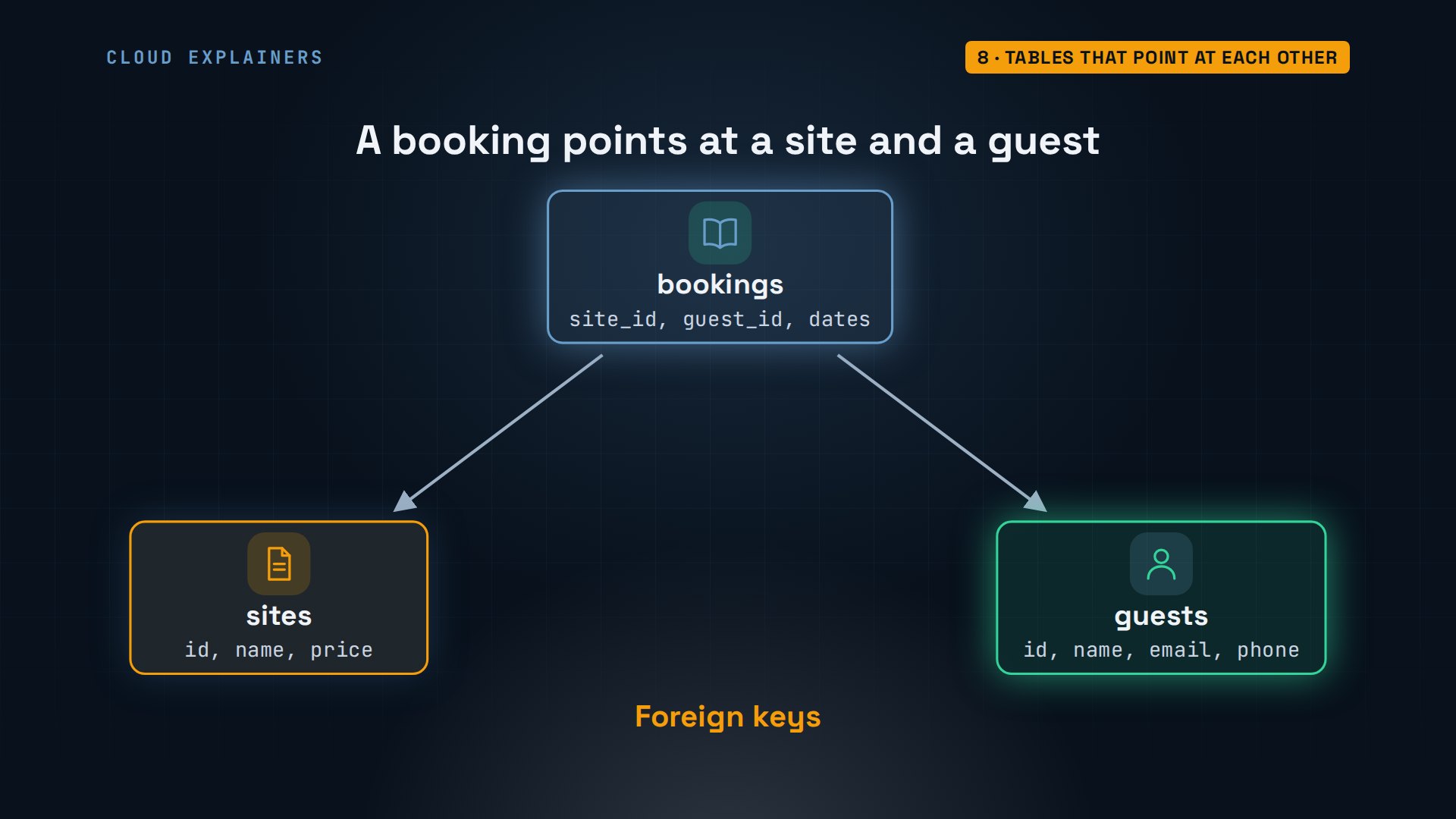
The guests table follows the same pattern: an id, a name, an email that must be unique, and a phone with no NOT NULL, so it's optional. Five guests go in. Ava gave no phone number, so her row says NULL, with no quotes: that's how you write a missing value.
campground=> CREATE TABLE guests (
  id    integer GENERATED ALWAYS AS IDENTITY PRIMARY KEY,
  name  text NOT NULL,
  email text NOT NULL UNIQUE,
  phone text
);CREATE TABLE
campground=> INSERT INTO guests (name, email, phone) VALUES
  ('Mia Chen', 'mia@example.com', '555-0101'),
  ('Leo Park', 'leo@example.com', '555-0102'),
  ('Sara Diaz', 'sara@example.com', '555-0103'),
  ('Tom Reed', 'tom@example.com', '555-0104'),
  ('Ava Brooks', 'ava@example.com', NULL);INSERT 0 5
Null catches almost everyone once. Who has no phone? WHERE phone equals null returns zero rows, because null means unknown, and nothing equals an unknown, not even another null. The test is IS NULL, and there's Ava.
campground=> SELECT name FROM guests WHERE phone = NULL;name ------ (0 rows)
campground=> SELECT name FROM guests WHERE phone IS NULL;name ------------ Ava Brooks (1 row)
Then bookings. site id REFERENCES sites, and guest id REFERENCES guests: each must match an id that really exists in that table. Arrive and leave are dates, with a check that you leave after you arrive. Six bookings go in, for July and August next summer, and backslash D T now lists all three tables.
campground=> CREATE TABLE bookings (
  id       integer GENERATED ALWAYS AS IDENTITY PRIMARY KEY,
  site_id  integer NOT NULL REFERENCES sites,
  guest_id integer NOT NULL REFERENCES guests,
  arrive   date NOT NULL,
  leave    date NOT NULL CHECK (leave > arrive)
);CREATE TABLE
campground=> INSERT INTO bookings (site_id, guest_id, arrive, leave) VALUES
  (1, 1, '2027-07-09', '2027-07-11'),
  (6, 2, '2027-07-09', '2027-07-12'),
  (3, 3, '2027-07-02', '2027-07-05'),
  (4, 4, '2027-07-09', '2027-07-11'),
  (1, 3, '2027-07-16', '2027-07-18'),
  (7, 1, '2027-08-06', '2027-08-08');INSERT 0 6
campground=> \dtList of relations Schema | Name | Type | Owner --------+----------+-------+------- public | bookings | table | ana public | guests | table | ana public | sites | table | ana (3 rows)
Watch the foreign keys work. A booking for site eight, the RV pitch she deleted: refused, key site id eight is not present in table sites. Deleting Leo, who has a booking: refused too, he's still referenced from bookings. And leaving before arriving fails the date check.
campground=> INSERT INTO bookings (site_id, guest_id, arrive, leave)
  VALUES (8, 5, '2027-07-23', '2027-07-25');ERROR:  insert or update on table "bookings" violates foreign key constraint "bookings_site_id_fkey"
DETAIL:  Key (site_id)=(8) is not present in table "sites".
campground=> DELETE FROM guests WHERE name = 'Leo Park';ERROR:  update or delete on table "guests" violates foreign key constraint "bookings_guest_id_fkey" on table "bookings"
DETAIL:  Key (id)=(2) is still referenced from table "bookings".
campground=> INSERT INTO bookings (site_id, guest_id, arrive, leave)
  VALUES (5, 5, '2027-07-25', '2027-07-23');ERROR:  new row for relation "bookings" violates check constraint "bookings_check"
DETAIL:  Failing row contains (8, 5, 5, 2027-07-25, 2027-07-23).
Joining tables
Bookings only hold numbers, so how do you see names? A JOIN. First, writing b right after bookings, g after guests and s after sites gives each table a short nickname. JOIN guests ON g dot id equals b dot guest id matches each booking with its guest's row, and the second JOIN does the same for sites. Six bookings, each with a guest's name and a site's name.
campground=> SELECT g.name AS guest, s.name AS site, b.arrive, b.leave FROM bookings b JOIN guests g ON g.id = b.guest_id JOIN sites s ON s.id = b.site_id ORDER BY b.arrive;guest | site | arrive | leave -----------+--------------+------------+------------ Sara Diaz | Lakeside 3 | 2027-07-02 | 2027-07-05 Mia Chen | Lakeside 1 | 2027-07-09 | 2027-07-11 Leo Park | Pine Cabin 6 | 2027-07-09 | 2027-07-12 Tom Reed | Meadow 4 | 2027-07-09 | 2027-07-11 Sara Diaz | Lakeside 1 | 2027-07-16 | 2027-07-18 Mia Chen | Pine Cabin 7 | 2027-08-06 | 2027-08-08 (6 rows)
Joins work with GROUP BY too. Who comes back? Group the joined rows by guest, count them, and HAVING keeps only groups with more than one stay. WHERE filters rows before grouping; HAVING filters the groups after. Mia and Sara each have two stays.
campground=> SELECT g.name, count(*) AS stays FROM bookings b JOIN guests g ON g.id = b.guest_id GROUP BY g.name HAVING count(*) > 1;name | stays -----------+------- Mia Chen | 2 Sara Diaz | 2 (2 rows)
Now count bookings per site. A plain JOIN keeps only rows that match, so a site with no bookings drops out: of seven sites, the plain JOIN returns only five. LEFT JOIN keeps every row of the table named first, after FROM. One catch. Count star counts rows, so an empty site would still count as one. Count b dot id counts only real bookings, so Lakeside 2 and Meadow 5 show zero.
campground=> SELECT s.name, count(b.id) AS bookings FROM sites s JOIN bookings b ON b.site_id = s.id GROUP BY s.name ORDER BY s.name;name | bookings --------------+---------- Lakeside 1 | 2 Lakeside 3 | 1 Meadow 4 | 1 Pine Cabin 6 | 1 Pine Cabin 7 | 1 (5 rows)
campground=> SELECT s.name, count(b.id) AS bookings FROM sites s LEFT JOIN bookings b ON b.site_id = s.id GROUP BY s.name ORDER BY s.name;name | bookings --------------+---------- Lakeside 1 | 2 Lakeside 2 | 0 Lakeside 3 | 1 Meadow 4 | 1 Meadow 5 | 0 Pine Cabin 6 | 1 Pine Cabin 7 | 1 (7 rows)
Joins and math together: nights times the price, summed per site. Subtracting two dates gives the number of nights. Leo's three nights in Pine Cabin 6 bring in two hundred fifty-five dollars, the most of any site.
campground=> SELECT s.name, sum((b.leave - b.arrive) * s.price) AS revenue FROM bookings b JOIN sites s ON s.id = b.site_id GROUP BY s.name ORDER BY revenue DESC;name | revenue --------------+--------- Pine Cabin 6 | 255.00 Pine Cabin 7 | 190.00 Lakeside 1 | 136.00 Lakeside 3 | 108.00 Meadow 4 | 56.00 (5 rows)
And the question from the start: which sites are free from July ninth to the eleventh? The query inside the parentheses is a subquery, run for each site. It looks for a booking of that site that arrives before the eleventh and leaves after the ninth: one that overlaps. SELECT 1 just returns something small, because all that matters is whether a matching row exists. WHERE NOT EXISTS keeps the site when it finds none. Four sites are free.
campground=> SELECT name, price FROM sites s WHERE NOT EXISTS ( SELECT 1 FROM bookings b WHERE b.site_id = s.id AND b.arrive < '2027-07-11' AND b.leave > '2027-07-09') ORDER BY name;name | price --------------+------- Lakeside 2 | 32.00 Lakeside 3 | 36.00 Meadow 5 | 30.00 Pine Cabin 7 | 95.00 (4 rows)
Making it fast with an index
Seven sites are easy. What about a campground that has kept every guest for years? Backslash timing on shows how long each command takes. Then Ana makes a copy of the guests table, and fills it with a million made-up guests in one command. It takes 1.7 seconds.
campground=> \timing onTiming is on.
campground=> CREATE TABLE guest_test (LIKE guests INCLUDING ALL);CREATE TABLE
Time: 1.800 ms
campground=> INSERT INTO guest_test (name, email, phone)
SELECT 'Guest ' || n, 'guest' || n || '@example.com', '555-' || lpad(n::text, 7, '0')
FROM generate_series(1, 1000000) AS n;INSERT 0 1000000
Time: 1664.462 ms (00:01.664)
Now find one guest by phone number. EXPLAIN ANALYZE runs the query and shows how PostgreSQL did it; the two OFF options just hide numbers we don't need. It did a sequential scan, split across three parallel workers: each read a third of the million rows, and they threw away all but one. That's the clerk reading every card in the drawer. 13.2 milliseconds.
campground=> EXPLAIN (ANALYZE, COSTS OFF, TIMING OFF) SELECT * FROM guest_test WHERE phone = '555-0765432';QUERY PLAN --------------------------------------------------------------- Gather (actual rows=1 loops=1) Workers Planned: 2 Workers Launched: 2 -> Parallel Seq Scan on guest_test (actual rows=0 loops=3) Filter: (phone = '555-0765432'::text) Rows Removed by Filter: 333333 Planning Time: 0.025 ms Execution Time: 13.231 ms (8 rows) Time: 13.367 ms
CREATE INDEX ON guest test, phone, builds an index: the phone numbers sorted, each pointing at its row, like the index at the back of a book. It took 128 milliseconds. Same query, how much faster? An index scan, in under a hundredth of a millisecond. About 2,200 times faster.
campground=> CREATE INDEX ON guest_test (phone);CREATE INDEX
Time: 128.049 ms
campground=> EXPLAIN (ANALYZE, COSTS OFF, TIMING OFF) SELECT * FROM guest_test WHERE phone = '555-0765432';QUERY PLAN ----------------------------------------------------------------------------- Index Scan using guest_test_phone_idx on guest_test (actual rows=1 loops=1) Index Cond: (phone = '555-0765432'::text) Planning Time: 0.010 ms Execution Time: 0.006 ms (4 rows) Time: 0.087 ms
Indexes aren't free. pg_relation_size measures each one: the index takes 30 megabytes, the table 81. Every insert now updates it too. So index the columns you search by often, not everything. Backslash D I lists the indexes: the primary key and the unique email already made their own. Then Ana drops the test table.
campground=> SELECT pg_size_pretty(pg_relation_size('guest_test')) AS table_size, pg_size_pretty(pg_relation_size('guest_test_phone_idx')) AS index_size;table_size | index_size ------------+------------ 81 MB | 30 MB (1 row) Time: 0.112 ms
campground=> \di guest_test*List of relations Schema | Name | Type | Owner | Table --------+----------------------+-------+-------+------------ public | guest_test_email_key | index | ana | guest_test public | guest_test_phone_idx | index | ana | guest_test public | guest_test_pkey | index | ana | guest_test (3 rows)
campground=> DROP TABLE guest_test;DROP TABLE
Time: 12.466 ms
Users and permissions
Ben works the desk too. If he logs in as Ana, he can change prices and delete bookings just like her, so he gets his own login with only what he needs. In PostgreSQL, a user is just a role that can log in. But CREATE USER ben, as Ana: permission denied to create role. Making roles takes the superuser, so Ana runs createuser ben, a terminal command, as postgres.
campground=> CREATE USER ben;ERROR:  permission denied to create role
DETAIL:  Only roles with the CREATEROLE attribute may create roles.
sudo -u postgres createuser ben
A new role can log in, but it can't read Ana's tables. As their owner, she grants what Ben needs: SELECT on all three tables, and INSERT on bookings, so he can take new bookings. Ben logs into the office PC as himself and runs psql campground. SELECT works. DELETE a booking: permission denied. Change a price: permission denied. He can book, and nothing more.
campground=> GRANT SELECT ON sites, guests, bookings TO ben;GRANT
campground=> GRANT INSERT ON bookings TO ben;GRANT
campground=> SELECT name, price FROM sites ORDER BY id LIMIT 3;name | price ------------+------- Lakeside 1 | 34.00 Lakeside 2 | 32.00 Lakeside 3 | 36.00 (3 rows)
campground=> DELETE FROM bookings WHERE id = 2;ERROR: permission denied for table bookings
campground=> UPDATE sites SET price = 1;ERROR: permission denied for table sites
Two bookings at once
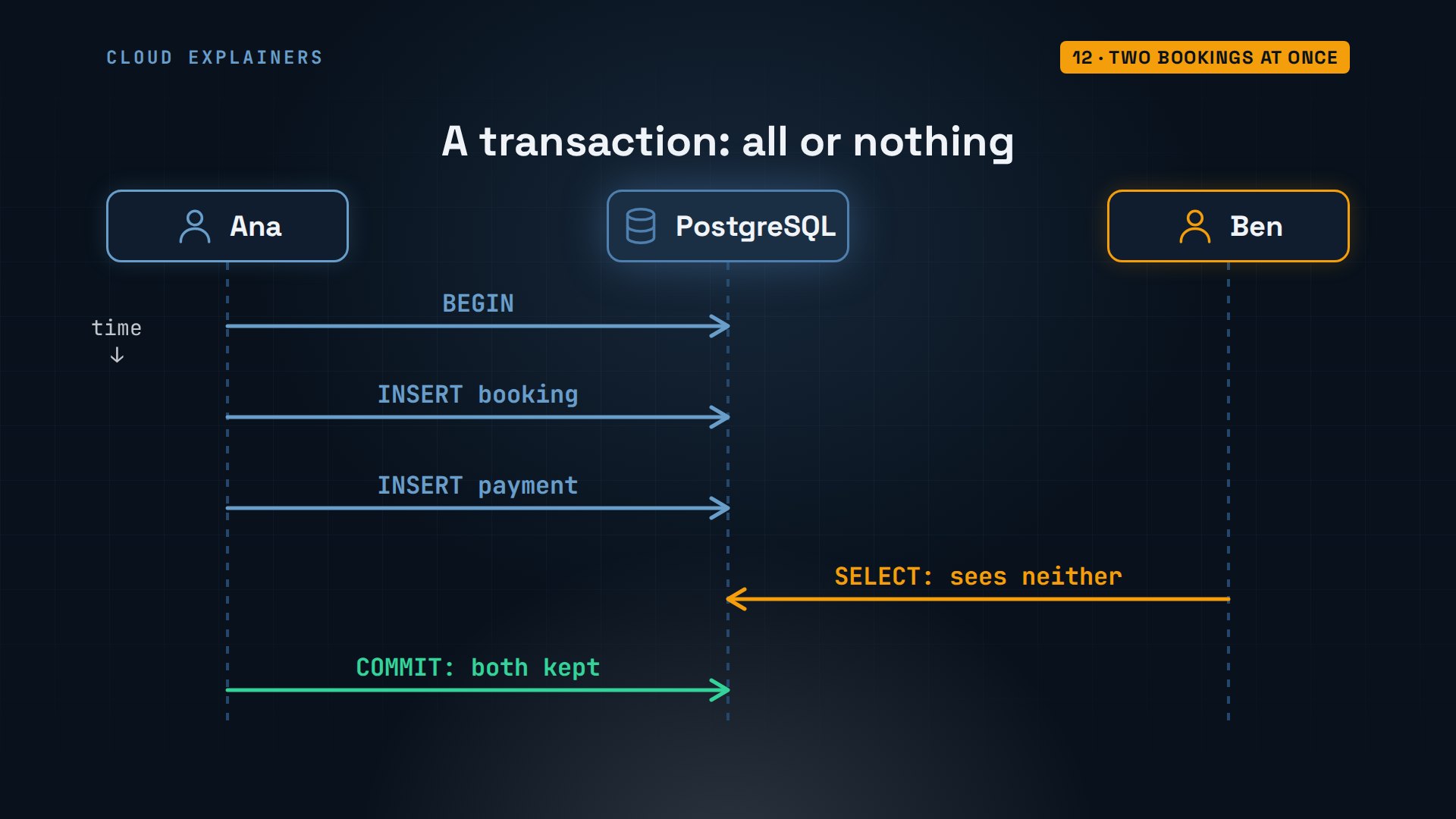
Remember Ben and Ana booking the same site? To see how PostgreSQL stops that, you need one idea first. A transaction groups statements so they count as one: COMMIT keeps all of them, ROLLBACK keeps none. A booking plus its payment should never be half saved. And while a transaction is open, other people don't see its changes. Keep that in mind.
First, let's see what happens today, with no rule in place. Two guests call about the same weekend in Pine Cabin 7, Ava on Ana's phone and Tom on Ben's. Both start with BEGIN, so both prompts show the star, and both check first: any booking that overlaps July twenty-third to twenty-fifth? Zero, in both windows. So both book it, and both commit.
campground=> BEGIN;BEGIN
campground=*> SELECT count(*) FROM bookings WHERE site_id = 7 AND arrive < '2027-07-25' AND leave > '2027-07-23';count ------- 0 (1 row)
campground=*> SELECT count(*) FROM bookings WHERE site_id = 7 AND arrive < '2027-07-25' AND leave > '2027-07-23';count ------- 0 (1 row)
campground=*> INSERT INTO bookings (site_id, guest_id, arrive, leave)
  VALUES (7, 4, '2027-07-23', '2027-07-25');INSERT 0 1
campground=*> COMMIT;COMMIT
Pine Cabin 7 is now booked twice for the same two nights: Ava Brooks, and Tom Reed. Each check was true when it ran. The trouble is the gap between checking and booking, where someone else can slip in. Checking in your program can never close that gap.
campground=> SELECT b.id, g.name, b.arrive, b.leave FROM bookings b JOIN guests g ON g.id = b.guest_id WHERE b.site_id = 7 ORDER BY b.id;id | name | arrive | leave ----+------------+------------+------------ 6 | Mia Chen | 2027-08-06 | 2027-08-08 9 | Ava Brooks | 2027-07-23 | 2027-07-25 10 | Tom Reed | 2027-07-23 | 2027-07-25 (3 rows)
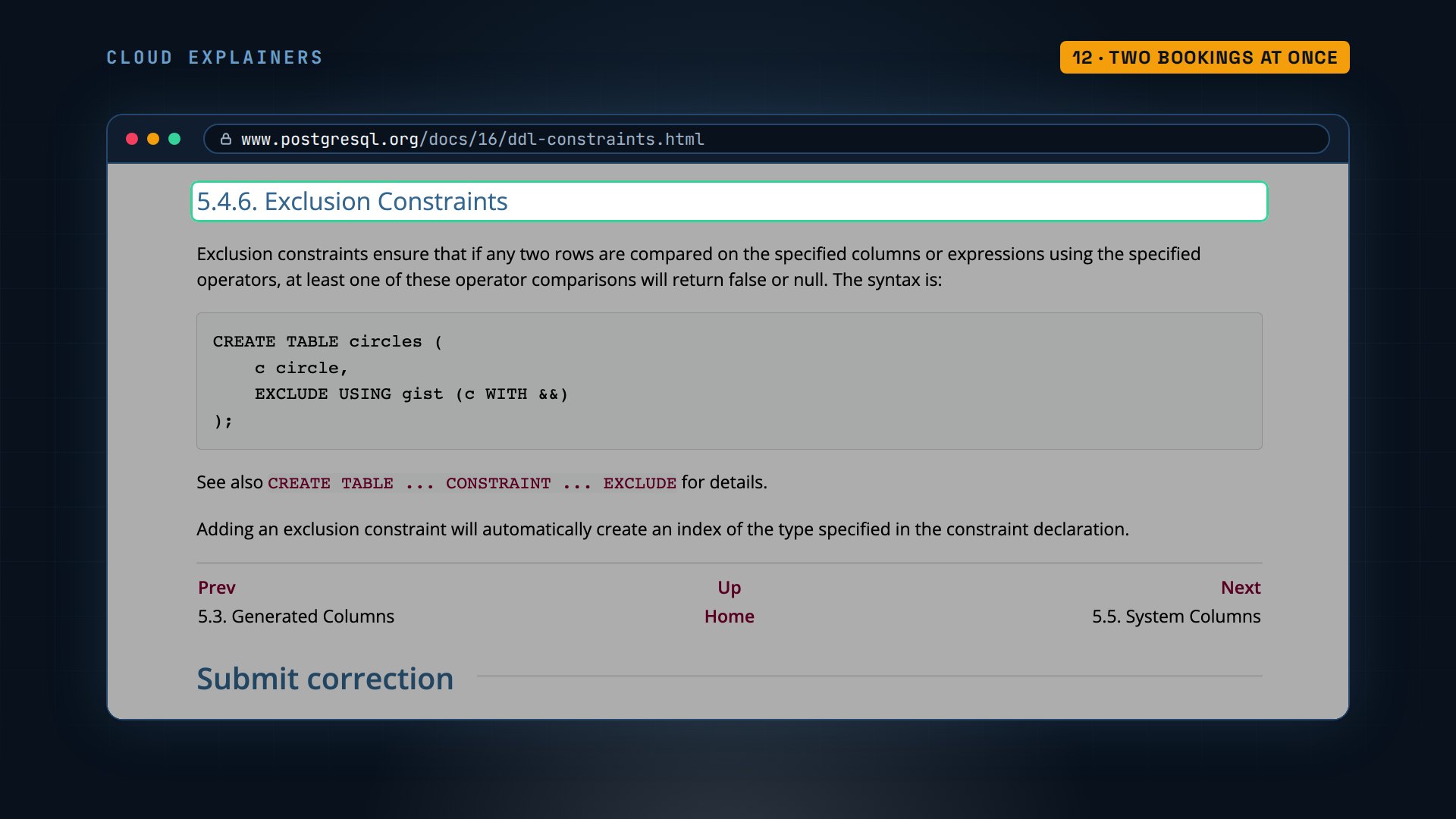
So the rule goes in the table, like the others. PostgreSQL has a constraint for exactly this: an exclusion constraint. The manual says it makes sure that no two rows match on the columns and comparisons you list. For bookings: the same site, and date ranges that overlap. Never both.
Extensions are optional add-ons, and this rule needs one, btree_gist. It lets one special index, called GiST, check equals and overlaps together. daterange of arrive and leave turns the two dates into one range, and the double ampersand means overlaps. So the rule reads: no two rows with the same site and overlapping ranges. A range includes the arrive day but not the leave day, so back-to-back stays are fine. Ana tries to add the rule, and PostgreSQL refuses: Ava's and Tom's bookings already overlap. So she deletes Tom's duplicate booking. Now ALTER TABLE works.
campground=> CREATE EXTENSION btree_gist;CREATE EXTENSION
campground=> ALTER TABLE bookings ADD CONSTRAINT no_double_booking
  EXCLUDE USING gist (site_id WITH =, daterange(arrive, leave) WITH &&);ERROR:  could not create exclusion constraint "no_double_booking"
DETAIL:  Key (site_id, daterange(arrive, leave))=(7, [2027-07-23,2027-07-25)) conflicts with key (site_id, daterange(arrive, leave))=(7, [2027-07-23,2027-07-25)).
campground=> DELETE FROM bookings WHERE id = 10;DELETE 1
campground=> ALTER TABLE bookings ADD CONSTRAINT no_double_booking
  EXCLUDE USING gist (site_id WITH =, daterange(arrive, leave) WITH &&);ALTER TABLE
Same race, new weekend, Meadow 5. Ana starts a transaction and books it for Leo, but hasn't committed. In Ben's window, a count shows zero: her booking is still a draft only she can see. So Ben books an overlapping stay for Tom, and his INSERT just waits.
campground=> BEGIN;BEGIN
campground=*> INSERT INTO bookings (site_id, guest_id, arrive, leave)
  VALUES (5, 2, '2027-07-30', '2027-08-01');INSERT 0 1
campground=> SELECT count(*) FROM bookings WHERE site_id = 5;count ------- 0 (1 row)
campground=> INSERT INTO bookings (site_id, guest_id, arrive, leave)
  VALUES (5, 4, '2027-07-31', '2027-08-02');
It waits 4 seconds, until Ana commits. Then Ben gets his answer: conflicting key value violates exclusion constraint no double booking. That's how PostgreSQL knew. The rule lives in the table, and the server holds the second booking until the first one is final. Meadow 5 has exactly one booking.
campground=*> COMMIT;COMMIT
campground=> SELECT count(*) FROM bookings WHERE site_id = 5;count ------- 1 (1 row)
From a program
Most of the time, a program asks the questions, not a person. Ben's free_sites.py is Python with psycopg2, the most common PostgreSQL library. It connects to campground on this PC as Ben, like psql does, so it needs no password here. It runs the same free sites query, with two percent S marks where the dates go. Those are placeholders, and the dates fill them in order. The library sends the dates separately, as data, never as part of the SQL itself.
cat free_sites.pyimport sys
import psycopg2

arrive, leave = sys.argv[1], sys.argv[2]
conn = psycopg2.connect(dbname="campground")
with conn, conn.cursor() as cur:
    cur.execute("""
        SELECT name, price FROM sites s
        WHERE NOT EXISTS (
          SELECT 1 FROM bookings b
          WHERE b.site_id = s.id AND b.arrive < %s AND b.leave > %s)
        ORDER BY name""", (leave, arrive))
    for name, price in cur.fetchall():
        print(f"{name:<14} ${price} a night")
For the cabin weekend, six sites are free. Pine Cabin 7 isn't among them, it's Ava's. Now someone types SQL where a date should go. Pasted into the query text, that quote would end the date, and the rest would run as a command that drops the table. With placeholders: invalid input syntax for type date. It was treated as one strange date, and the bookings are all still there.
python3 free_sites.py 2027-07-23 2027-07-25Lakeside 1     $34.00 a night
Lakeside 2     $32.00 a night
Lakeside 3     $36.00 a night
Meadow 4       $28.00 a night
Meadow 5       $30.00 a night
Pine Cabin 6   $85.00 a night
python3 free_sites.py "2027-07-23'; DROP TABLE bookings; --" 2027-07-25Traceback (most recent call last):
  File "/home/ben/free_sites.py", line 7, in <module>
    cur.execute("""
psycopg2.errors.InvalidDatetimeFormat: invalid input syntax for type date: "2027-07-23'; DROP TABLE bookings; --"
LINE 5: ... = s.id AND b.arrive < '2027-07-25' AND b.leave > '2027-07-2...
                                                             ^
psql campground -c 'SELECT count(*) FROM bookings;'count ------- 8 (1 row)
Backups
Last, the thing people skip until it's too late: backups. pg_dump campground prints the whole database as SQL, and the greater-than sign saves it into a file: 6.1 kilobytes. grep searches the file and shows what's inside: the CREATE TABLE statements, a COPY block that loads each table's rows, and the rules, added back at the end.
pg_dump campground > campground.sql
ls -lh campground.sql-rw-rw-r-- 1 ana ana 6.1K Nov 21 03:28 campground.sql
grep -E '^(CREATE TABLE|COPY|ALTER TABLE ONLY public.bookings)' campground.sqlCREATE TABLE public.bookings (
CREATE TABLE public.guests (
CREATE TABLE public.sites (
COPY public.bookings (id, site_id, guest_id, arrive, leave) FROM stdin;
COPY public.guests (id, name, email, phone) FROM stdin;
COPY public.sites (id, name, kind, people, price) FROM stdin;
ALTER TABLE ONLY public.bookings
ALTER TABLE ONLY public.bookings
ALTER TABLE ONLY public.bookings
ALTER TABLE ONLY public.bookings
Then the bad day. psql dash c runs one command: DROP TABLE bookings, and the table is gone: relation bookings does not exist. The backup creates every table itself, so it needs an empty database. dropdb removes the old one, and createdb makes a fresh one. Then psql, with a small dash f, runs the backup file into it. All eight bookings are back. Keep a copy on another machine, because a backup on the same disk goes down with it.
psql campground -c 'DROP TABLE bookings;'DROP TABLE
psql campground -c 'SELECT count(*) FROM bookings;'ERROR:  relation "bookings" does not exist
LINE 1: SELECT count(*) FROM bookings;
                             ^
dropdb campground
createdb campground
psql -q -o /dev/null -f campground.sql campground
psql campground -c 'SELECT count(*) FROM bookings;'count ------- 8 (1 row)
Where to go next
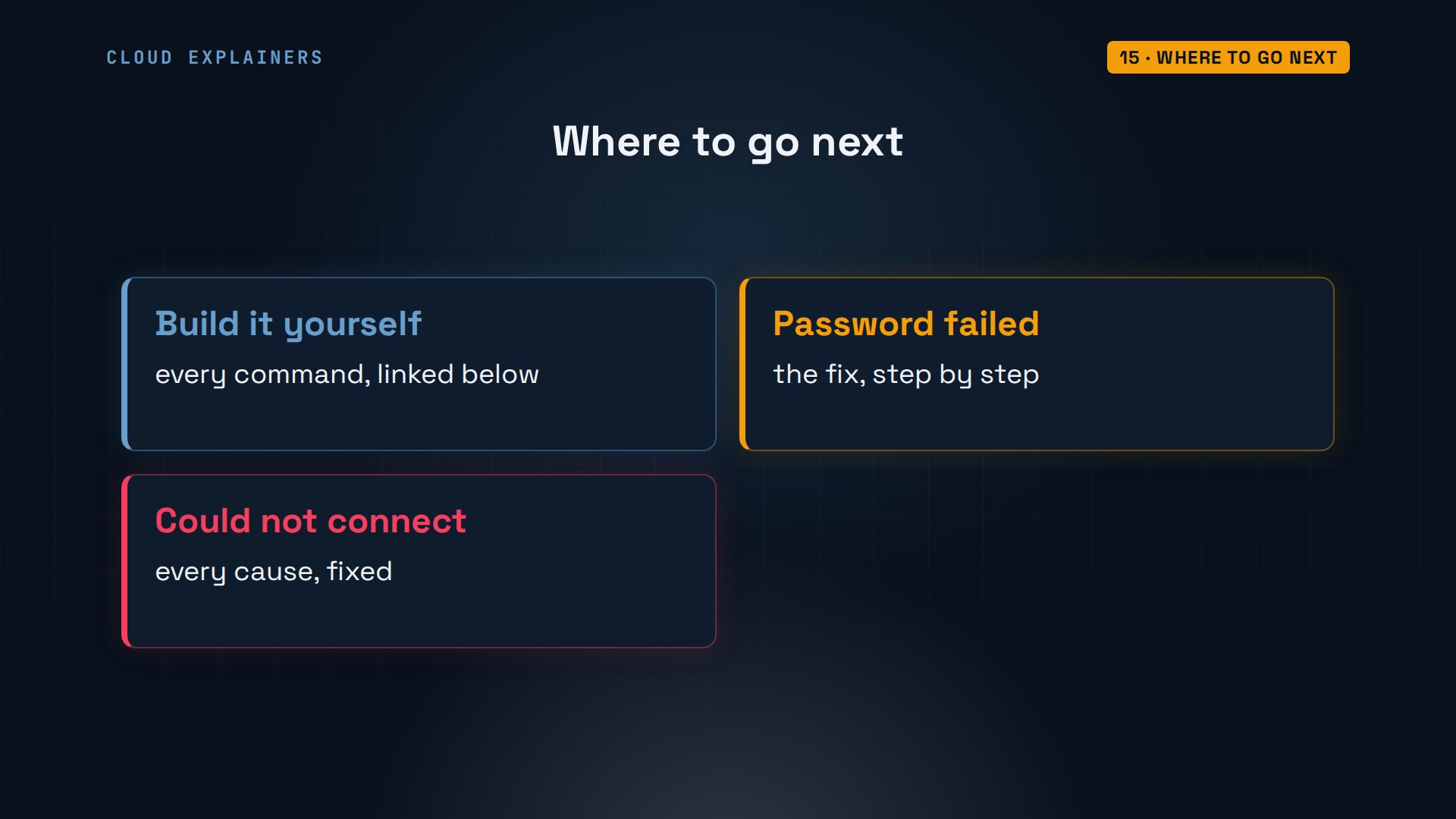
Every command and the lab files are linked in the description, so you can build this campground yourself, step by step. And if psql ever says password authentication failed, or could not connect to server, we have a video that fixes each one.
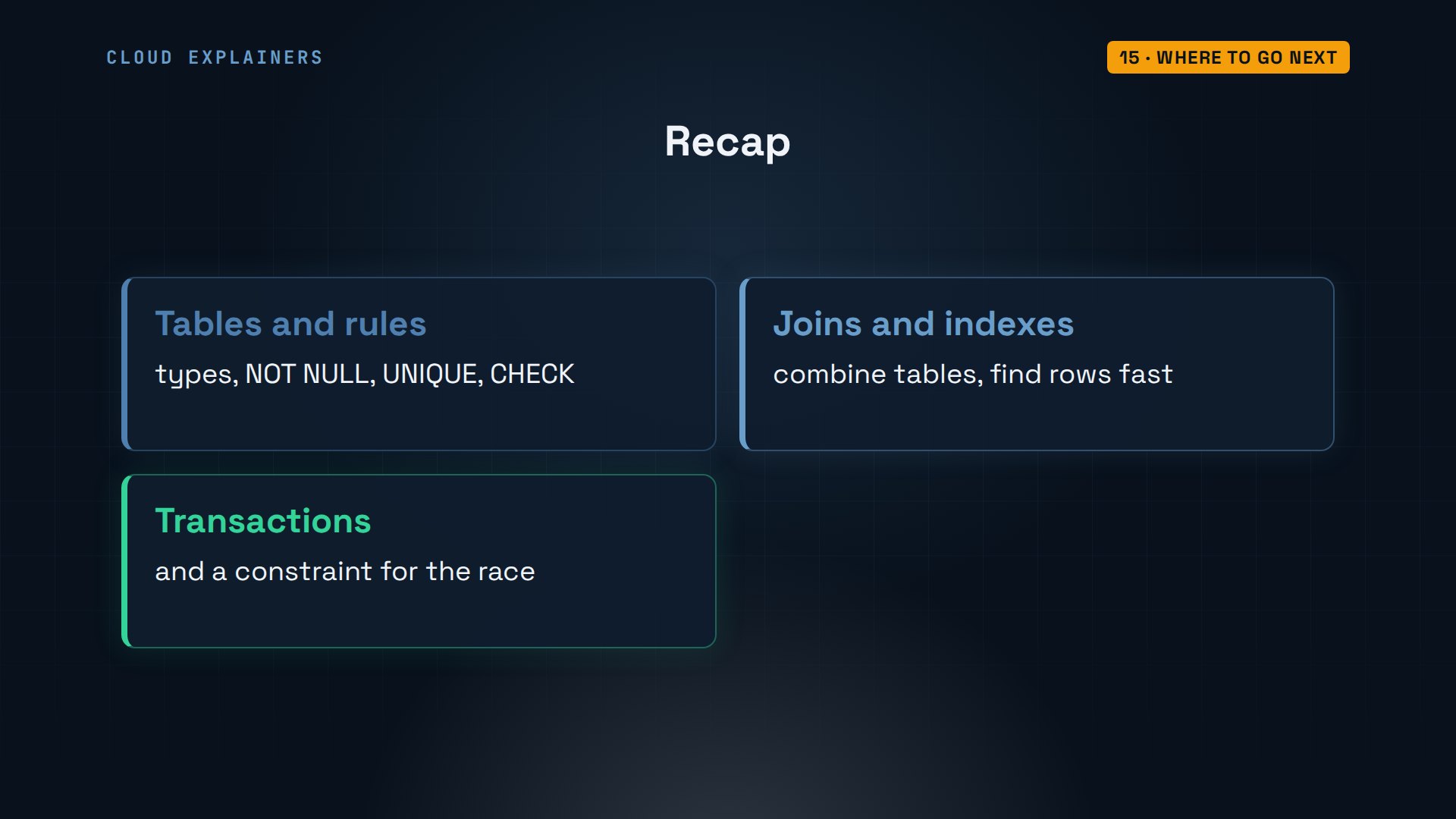
To recap: tables with types and rules keep bad data out. Joins put the pieces back together, indexes make lookups fast, and transactions plus a constraint stop two people booking the same cabin.
If this got your first database running, a like helps, and subscribing brings you the next one. Thanks for watching Cloud Explainers.
Sources
Demos: one container on our own Mac standing in for a campground's office PC; the campground, its guests and their details are made up. Every command and output was real. Watch the full video on YouTube.
More videos

How to Fix Python ModuleNotFoundError: No Module Named
Golang Pointers in 5 Minutes
How to Fix a Kubernetes Pod Stuck in CrashLoopBackOff
How to Fix a Homelab ESXi Host Not Responding
How a Load Balancer Works with HAProxy

How Python Virtual Environments Work
How to Fix Cloudflare Tunnel Errors in a Homelab
How to Fix API CORS Errors: No 'Access-Control-Allow-Origin'
How Authenticator App Login Codes Work (TOTP)
Git and GitHub: Full Tutorial for Beginners
How a Homelab Hypervisor Works (VMware ESXi)
How to Fix Kubernetes ImagePullBackOff Errors
How to Fix DNS 'Temporary Failure in Name Resolution' on Linux
How to Fix AWS CLI 'Unable to Locate Credentials'
Proxmox vs ESXi for Your Homelab: When Each One Wins
PostgreSQL UUID vs Auto Increment: Which Primary Key Should You Use?
Kubernetes: Full Tutorial for Beginners

How TCP Sockets Work

How to Fix PostgreSQL 'Could Not Connect to Server'
Claude Code Hooks Will Finally Make Sense After This
DevOps with Ansible Will Finally Make Sense After This
How SNMP Network Monitoring Works
How to Fix GitHub 'Permission Denied (publickey)' Errors

Docker: Full Tutorial for Beginners
How to Fix PostgreSQL 'Password Authentication Failed'
Why One Linux Server Handles More Users Than You Think
How to Fix Network 'Connection Refused' Errors
DevOps Pipelines: Jenkins vs GitHub Actions
Linux Nginx Reverse Proxy: Full Tutorial for Beginners
Every Networking Term a Beginner Needs in 12 Minutes
How to Fix Docker 'Permission Denied' on docker.sock
How to Fix Git 'Updates Were Rejected' When You Push
How to Fix nginx 502 Bad Gateway Errors on Linux

How to Fix Linux apt 'Could Not Get Lock' Errors (Ubuntu)

How Email Works on the Internet (SMTP) in 10 Minutes

The Python Roadmap for Beginners

Golang REST API with Gin: Full Tutorial for Beginners
How a WireGuard VPN Network Works

Linux Makefiles Will Finally Make Sense After This

SAML vs OAuth vs OpenID Connect: What's the Difference?

How to Fix Python cron Jobs That Never Run

Linux Bash Scripting: Full Tutorial for Beginners

How PXE Network Boot Works
How Active Directory Works

How to Fix a Linux systemd Service That Won't Start
Linux Logs: syslog vs journald
JWT vs Session Cookies: Which One Should You Use?
Docker vs Docker Compose: Which One Should You Use?
How to Fix Docker Compose Containers That Can't Talk to Each Other

Django Full Tutorial for Beginners

How Linux systemd Works

How to Fix 'Windows Cannot Access' Network Share Errors (SMB)
REST vs gRPC: Which One Should You Use?
How to Fix SSL Certificate Chain Errors (Missing Intermediate)

Every Python Concept for Beginners in 10 Minutes
Every SQL Join Type in 10 Minutes
Why OpenRouter Free Models Hit Their Limit So Fast
Why Your Gemini API Free Tier Runs Out So Fast
OpenRouter Will Finally Make Sense After This
How Redis Caching Works
Gemini API vs Vertex AI: Which One Should You Use?
How to Fix a Leaked Gemini API Key
Why Golang Uses Goroutines Instead of Threads
How to Fix Gemini API Error 429: Resource Exhausted
Claude Token Pricing Will Finally Make Sense After This
Why Python Web Scraping Returns Nothing (and the Fix)
Python uv vs pip: Which One Should You Use?

Python Automation: Full Tutorial for Beginners
How OAuth Login Works

Google AI Studio Will Finally Make Sense After This
What Happens When You Run a Docker Container
How to Fix Claude Code Billing Your API Key Instead of Your Plan
Why Passkeys Can't Be Phished Like Passwords
PowerShell vs Bash: Which One Should You Learn?

The Linux Roadmap for Beginners
Django vs FastAPI: Which One Should You Use?
Why SQLite Is the Most Used Database in the World
How a NoSQL Database Like MongoDB Works

How to Fix Python pip error: externally-managed-environment
How to Fix MySQL Too Many Connections Database Errors
Golang Concurrency Will Finally Make Sense After This
How Amazon S3 Works
How Kubernetes Works

How Git Works
How to Fix Docker Port Already Allocated Errors
How PostgreSQL Works
How to Fix Git Merge Conflicts
How to Fix No Space Left on Device in Linux
How the Internet Works
SQL vs NoSQL: When Each One Wins
How to Fix JWT Token Expired Errors (401 Unauthorized)
Claude API vs Claude Pro: Why Your Subscription Doesn't Include It
Why AI Agent Skills Beat Giant Prompts

Linux Cron Jobs Will Finally Make Sense After This

Security Logs Will Finally Make Sense After This

How to Fix a Security Leak: An API Key Pushed to GitHub
DNS Will Finally Make Sense After This
Never Ignore a Security Update
Two-Factor Authentication Will Finally Make Sense
Never Expose a Database to the Internet
SSH Keys vs Passwords: Which Is Safer for Security?
The 5 Levels of Linux Boot: From Power On to Login
The 5 Levels of Network Firewalls
Password Security: Why Hackers Crack Weak Passwords
Why Your Linux Server Runs Out of Memory
HTTP vs HTTPS: What Actually Changes on Your Network

Every Linux File Permission You Need to Know
Linux Processes vs Threads: When Each One Wins

The OSI Model Will Finally Make Sense After This

The 7 Levels of Git
Every Network Troubleshooting Command You Need
Hashing vs Encryption in Cybersecurity: When Each One Wins
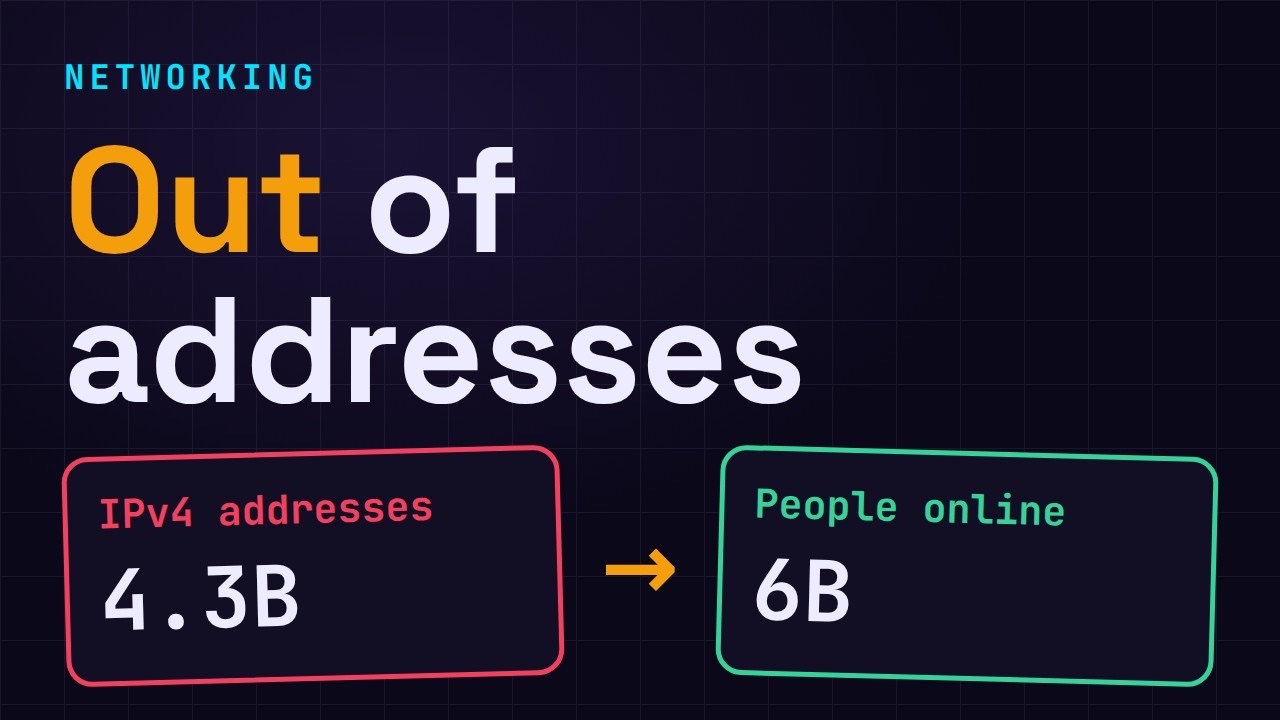
Why the Internet Ran Out of IP Addresses
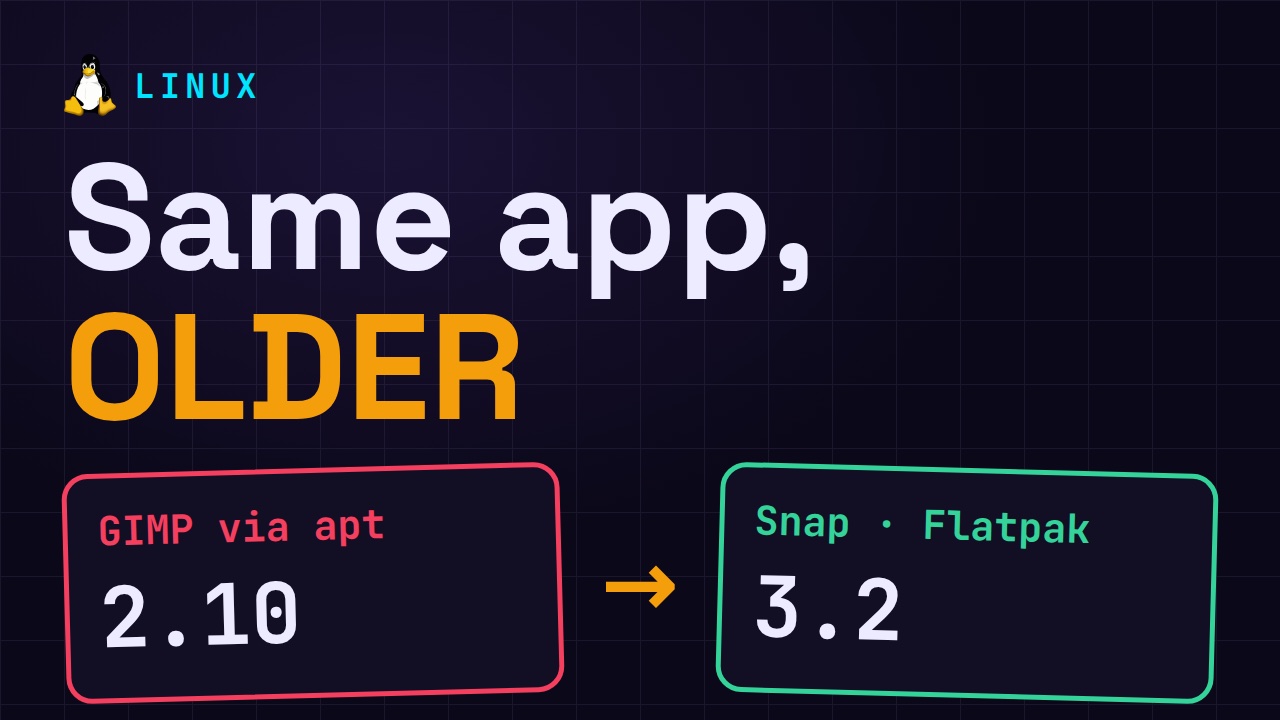
Linux Package Managers: apt vs Snap vs Flatpak
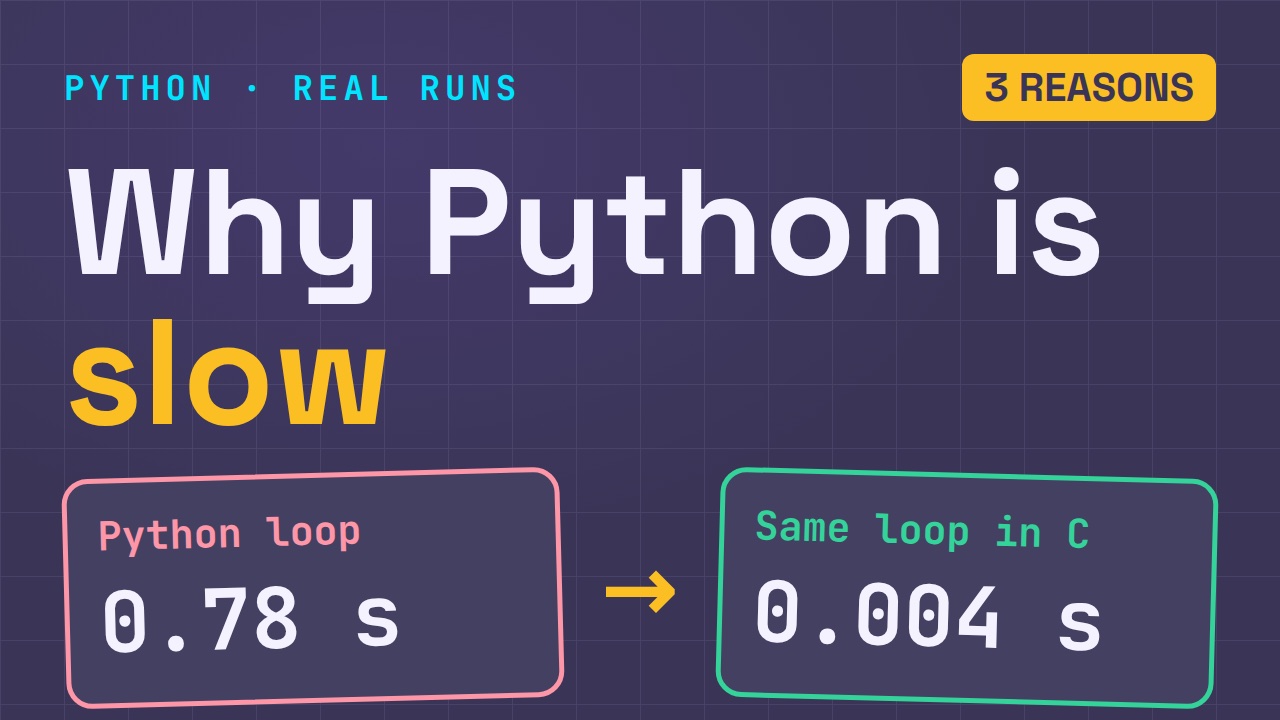
Why Python Is Slow (and When It Doesn't Matter)
TCP vs UDP: When Each One Wins
Stop Running Linux as Root (Do This Instead)
Linux Users and Groups Will Finally Make Sense

Why Phishing Beats Good Security (and How to Spot It)
The 7 Levels of Docker

AI Agents Will Finally Make Sense After This
Stop Using git push --force (Use This Instead)
Agent Skills vs MCP: When Each One Wins

Networking Will Finally Make Sense After This

Every Linux Command You Actually Need
The 7 Levels of Cybersecurity

Every System Design Concept You Need, in One Diagram