
PowerShell vs Bash: Which One Should You Learn?
PowerShell vs Bash for beginners, tested side by side on one Ubuntu laptop: Ana does the same jobs in both shells. Finding the three biggest log files shows the real difference: Bash's pipe carries text, so awk cut "green tea.log" down to "green", while PowerShell's pipe carries file objects with named properties. Then JSON from a web page (jq vs Invoke-RestMethod), start-up time measured, and why ls means something different in PowerShell on Linux and on Windows. Ends with a table for picking which one to learn first.
Two shells, one question
You want to learn the command line, and every guide says Bash or PowerShell, but never which one first. One tutorial types ls, the next one types Get-ChildItem, and you're not sure which world you're in. So Ana does the same jobs in both shells, on one laptop, and we compare. Along the way, a command you already know, ls, will do something you might not expect in PowerShell, and we'll see why.
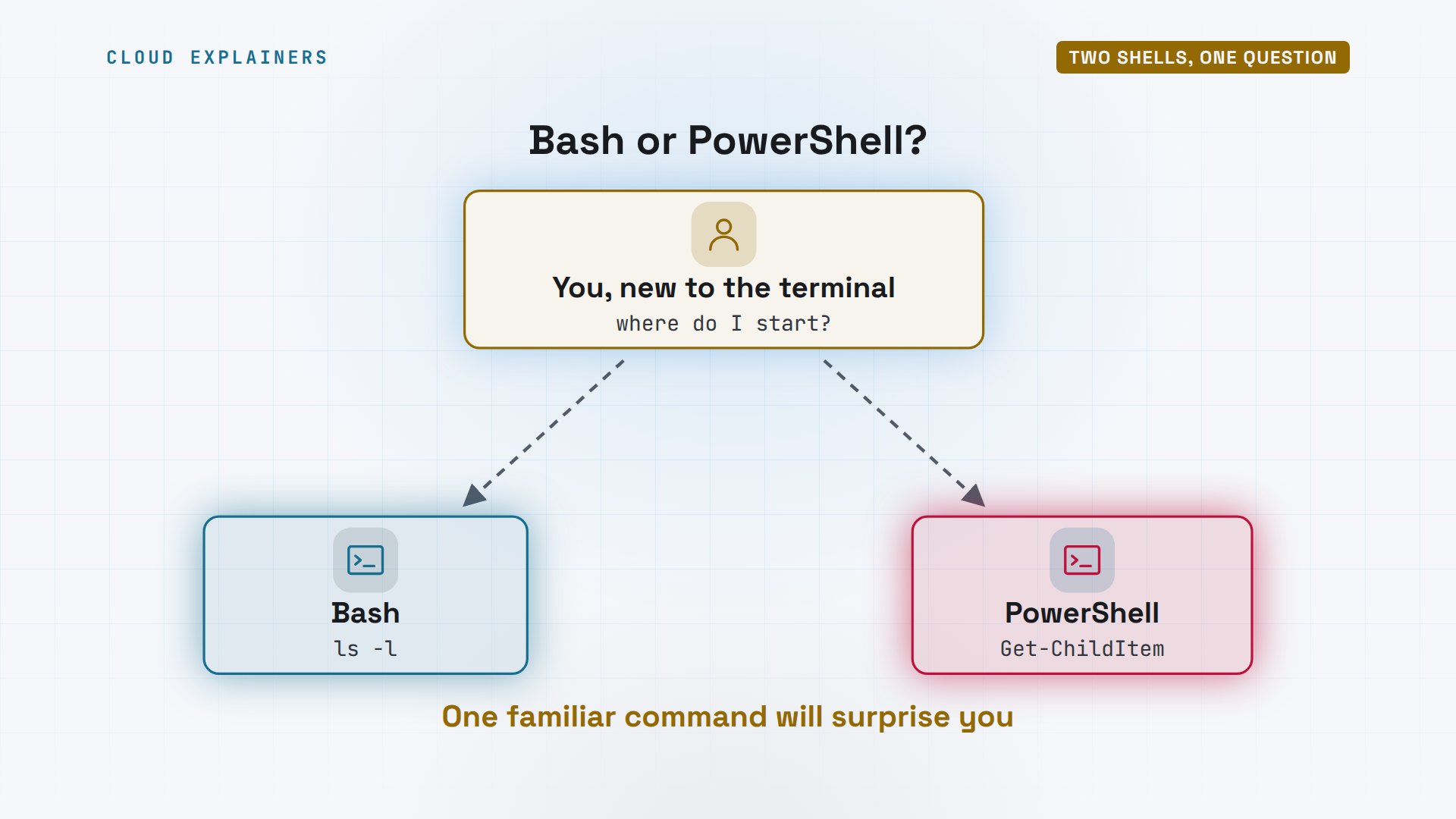
You're not the only one asking. On the freeCodeCamp forum, a beginner wrote: Should I learn PowerShell or Bash? Their goal was a web app in JavaScript, and later a mobile app. We'll answer them at the end, with what we measure.

What a shell is
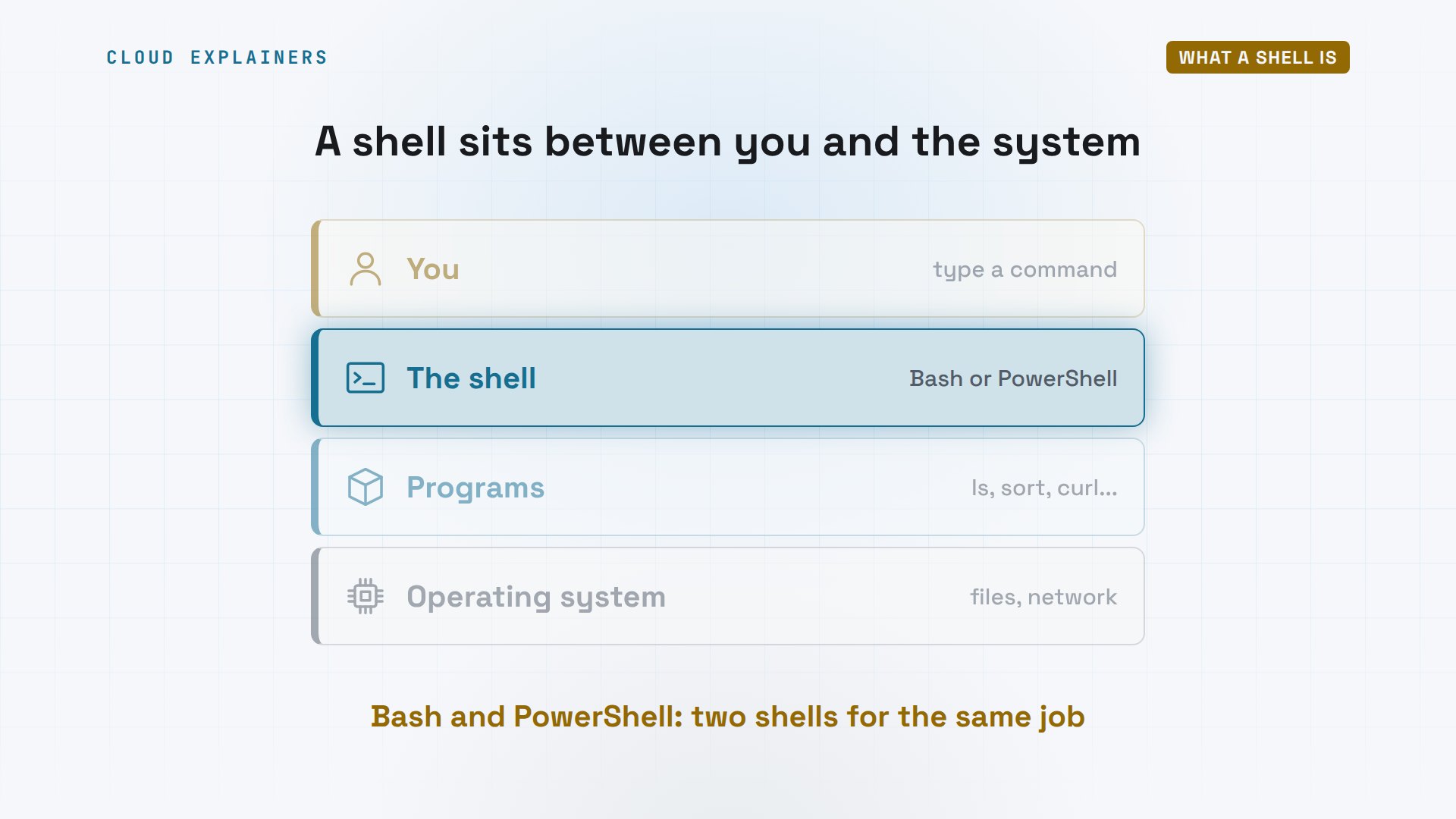
What is a shell, exactly? It's the program that reads what you type, runs other programs for you, and passes one program's results to the next. Bash and PowerShell both do that job. Bash is the GNU shell, the usual default on Linux. PowerShell is Microsoft's, built into Windows, and also free on Linux and Mac.
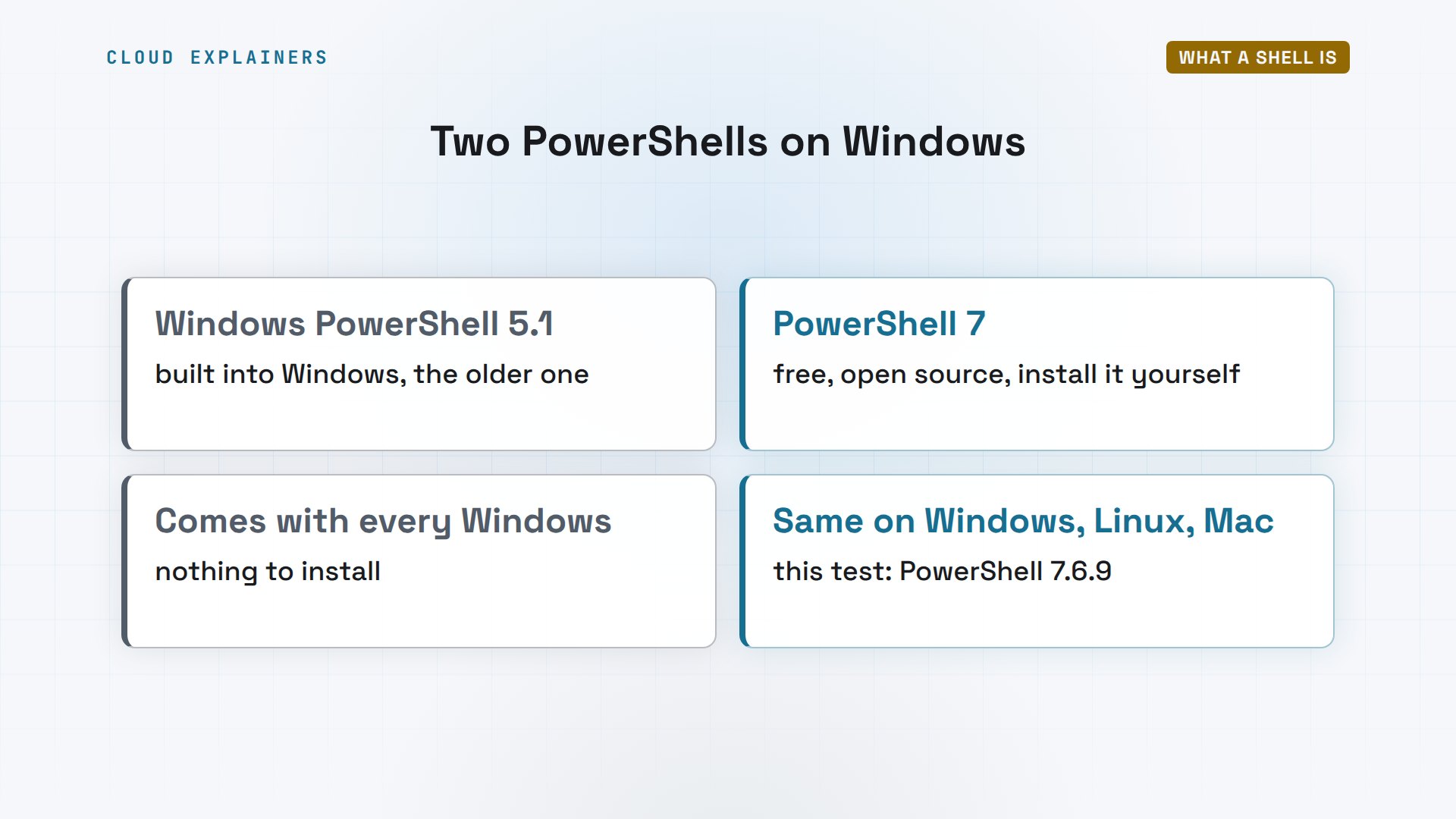
If you're on Windows, which PowerShell do you have? Windows comes with Windows PowerShell 5.1, the older one, blue window and all. PowerShell 7 is the newer one: free, open source, installed separately, and the same on Windows, Linux and Mac. Everything in this test uses PowerShell 7, the one Microsoft keeps improving.
Here's a fresh Windows Server 2022 from our lab. Ask PowerShell its version, stored in a built-in variable: five point one. Ask for pwsh, the PowerShell 7 program, and Windows says it isn't recognized. It isn't there until you install it.
PS C:\shop\logs> $PSVersionTable.PSVersion.ToString()5.1.20348.558
PS C:\shop\logs> Get-Command pwshGet-Command : The term 'pwsh' is not recognized as the name of a cmdlet, function, script file, or
operable program. Check the spelling of the name, or if a path was included, verify that the path
is correct and try again.
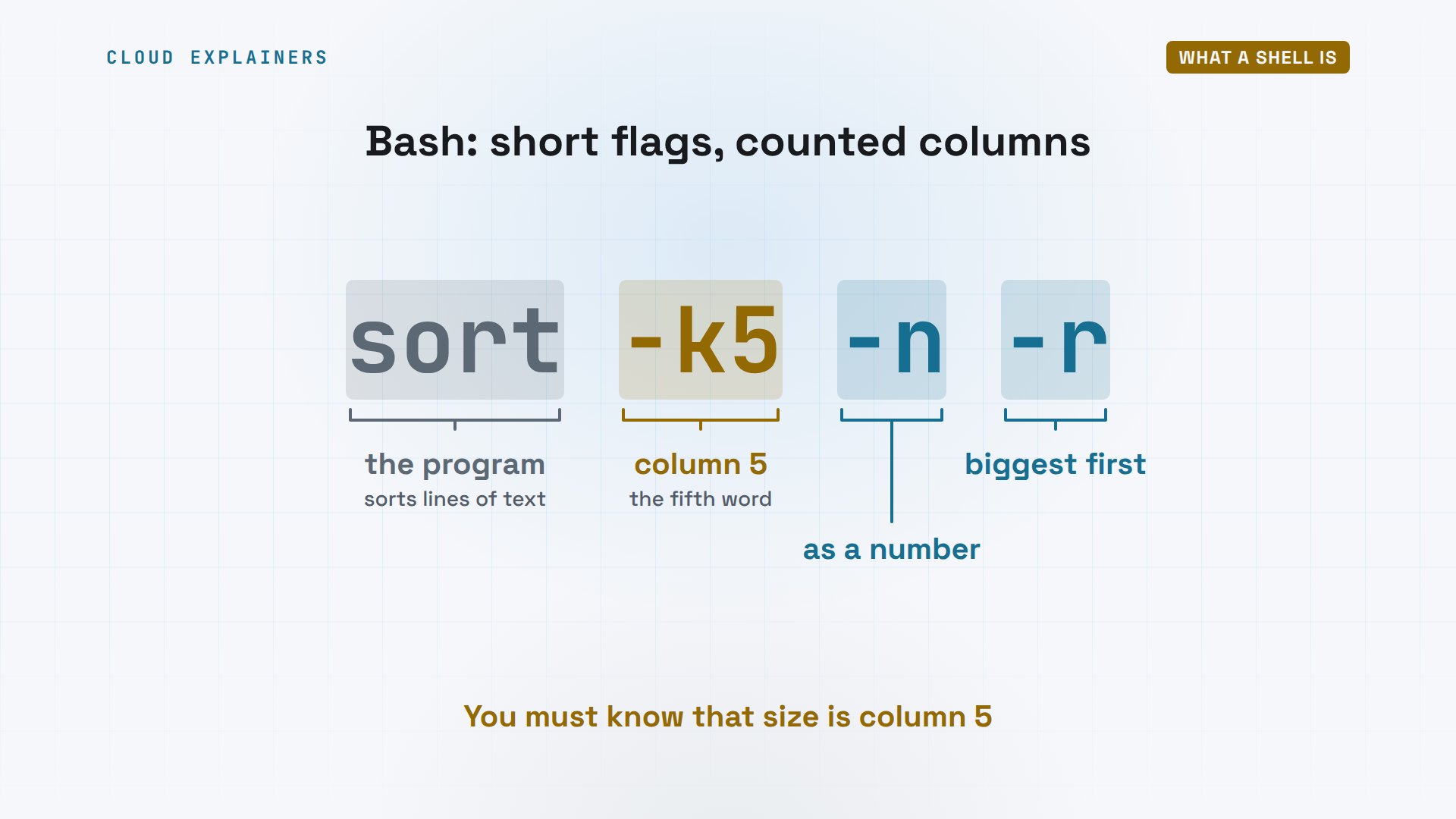
Their commands look very different. Here's how Bash sorts by size: sort, dash k five, dash n, dash r. Dash k five means: sort by the fifth column of text. Dash n means read it as a number, and dash r means biggest first. Short, fast to type, and you have to know that size happens to be column five.
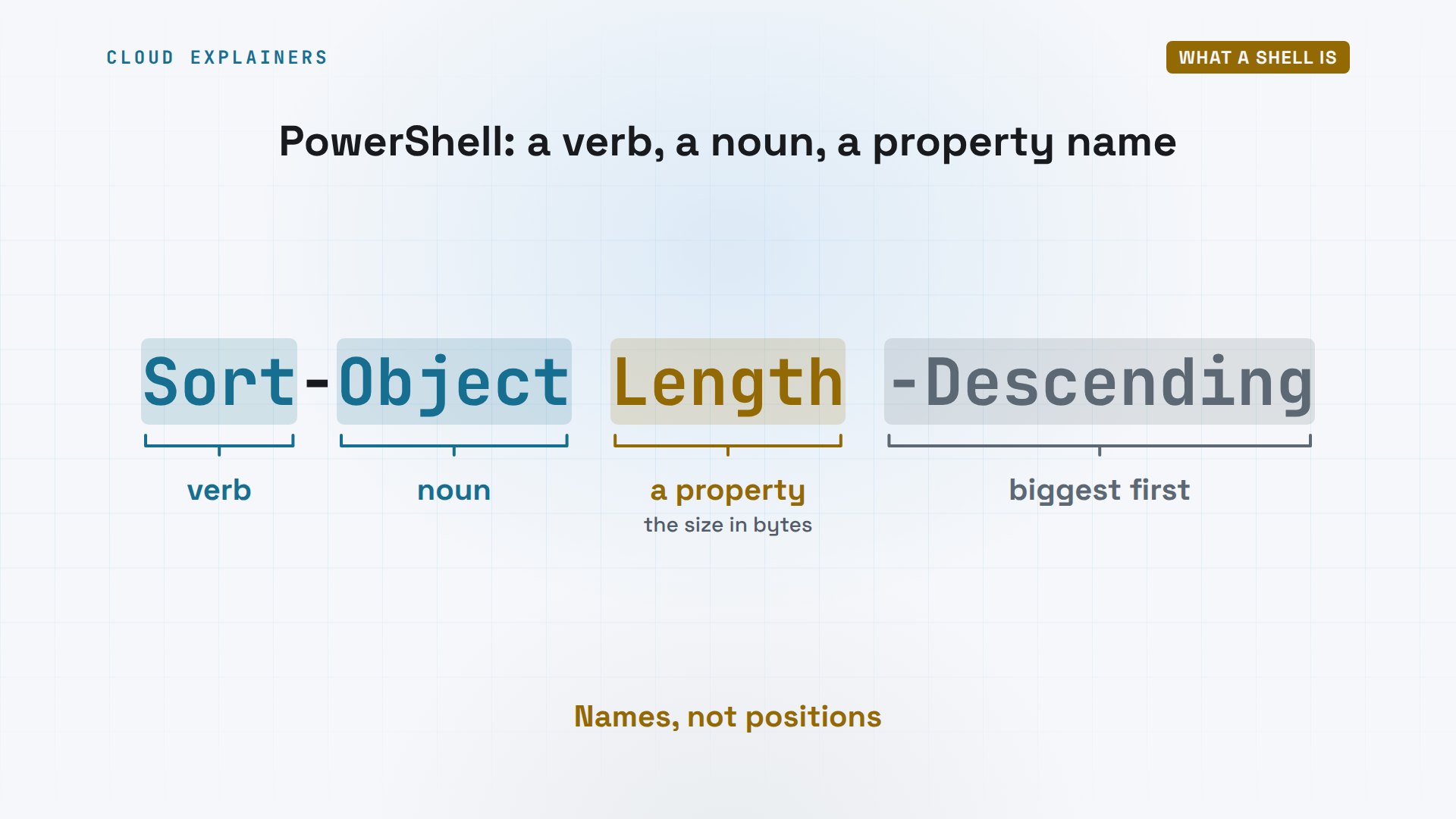
PowerShell's version reads almost like English: Sort-Object, Length, dash Descending. Every command is a verb and a noun, like Sort-Object or Get-ChildItem. Length isn't a column number. It's the name of a property: the file's size in bytes. Longer to type, but you can read it a year later.
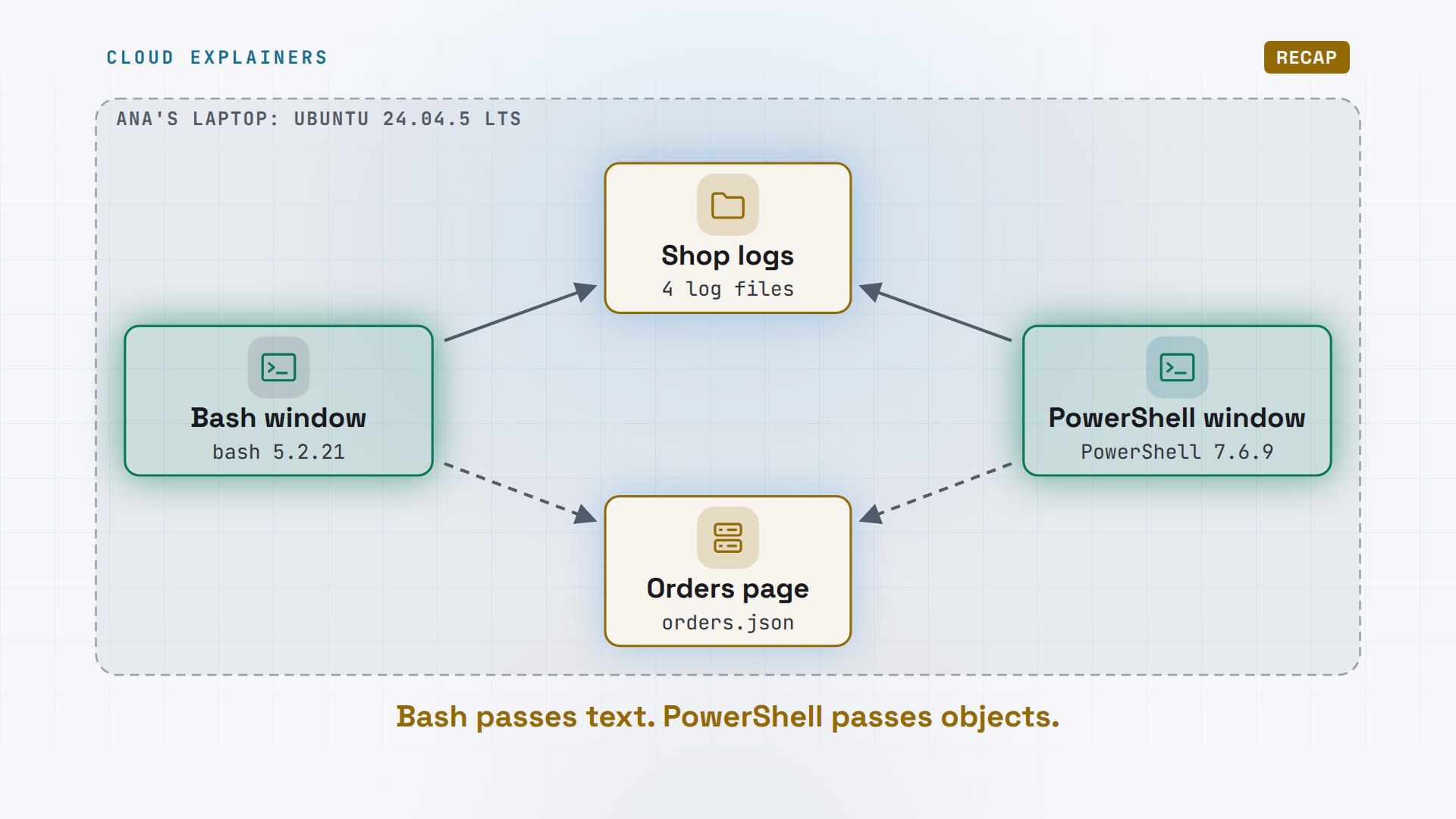
So here's our test. Ana runs a small tea shop. On her laptop there's a folder of shop logs, and a page that lists today's orders. On the left, a Bash window. On the right, a PowerShell window. Same files, same jobs.
Text or objects?
Job one: find the three biggest logs. In Bash, ls dash l lists the files, one line each. Notice the quotes ls puts around green tea dot log: that name has a space. Then a pipe, the bar symbol, sends those lines into sort, by column five, the size, and head keeps the first three. Correct so far.
ls -ltotal 256
-rw-r--r-- 1 ana ana   1232 Nov  5 23:15  app.log
-rw-r--r-- 1 ana ana 176363 Nov  5 23:15 'green tea.log'
-rw-r--r-- 1 ana ana  65130 Nov  5 23:15  orders.log
-rw-r--r-- 1 ana ana   9877 Nov  5 23:15  payments.log
ls -l | sort -k5 -n -r | head -3-rw-r--r-- 1 ana ana 176363 Nov  5 23:15 green tea.log
-rw-r--r-- 1 ana ana  65130 Nov  5 23:15 orders.log
-rw-r--r-- 1 ana ana   9877 Nov  5 23:15 payments.log
Now Ana wants just the names. awk splits each line at spaces, and dollar nine prints the ninth piece: the name. Before we run it: what will it print for green tea dot log? It prints green. Half a file name, and no error to warn her.
ls -l | sort -k5 -n -r | head -3 | awk '{print $9}'green
orders.log
payments.log
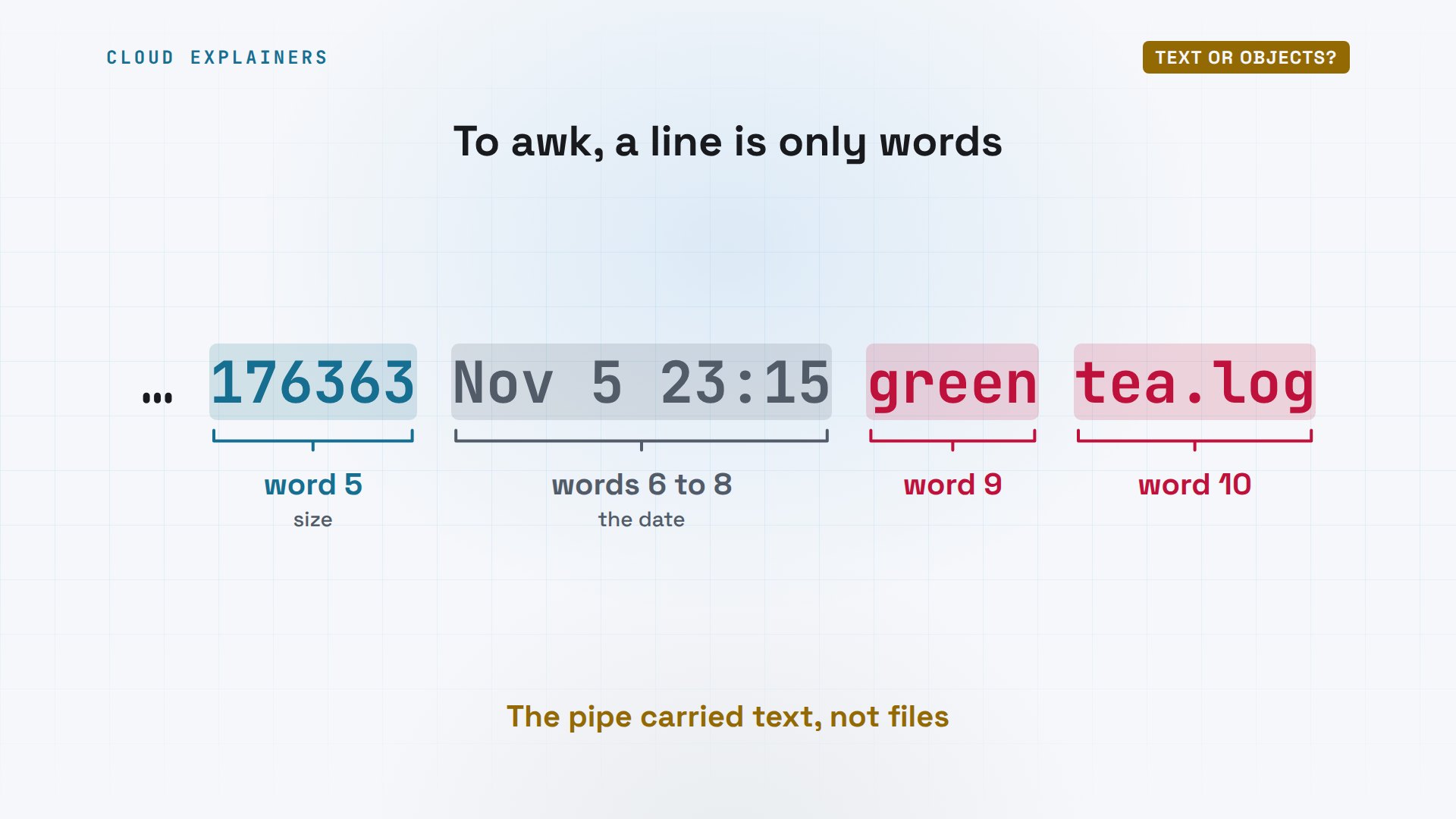
Why did that happen? Bash's pipe carries plain text. To awk, this line is just words with spaces between them. Size is word five, the date is six to eight, and the name should be word nine. But a space inside the name makes it two words: nine and ten. The meaning was lost the moment ls turned files into text.
Same job in PowerShell. Get-ChildItem lists the folder. Sort-Object sorts by Length, and Select-Object keeps the first three, with their name and length. Wrap it all in brackets and add dot Name, and you get just the names. Green tea dot log comes back whole, space and all.
PS /home/ana/shop/logs> Get-ChildItem | Sort-Object Length -Descending | Select-Object -First 3 Name, LengthName          Length
----          ------
green tea.log 176363
orders.log     65130
payments.log    9877
PS /home/ana/shop/logs> (Get-ChildItem | Sort-Object Length -Descending | Select-Object -First 3).Namegreen tea.log
orders.log
payments.log
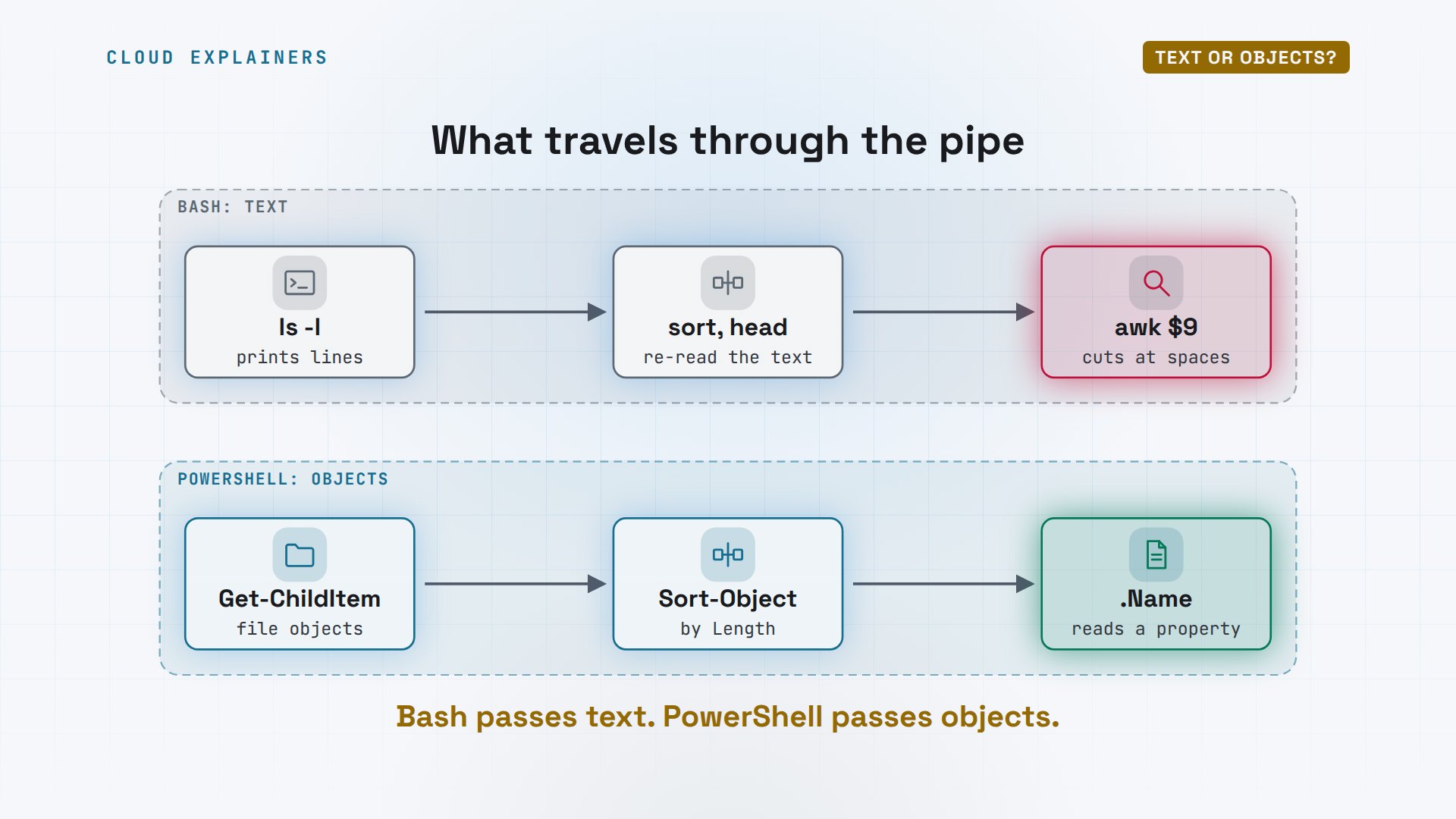
That's the whole difference in one picture. In Bash, each program prints text, and the next one has to cut it apart again. In PowerShell, the pipe carries objects: each file arrives as a file, with its name and length already labelled. Nobody counts columns.
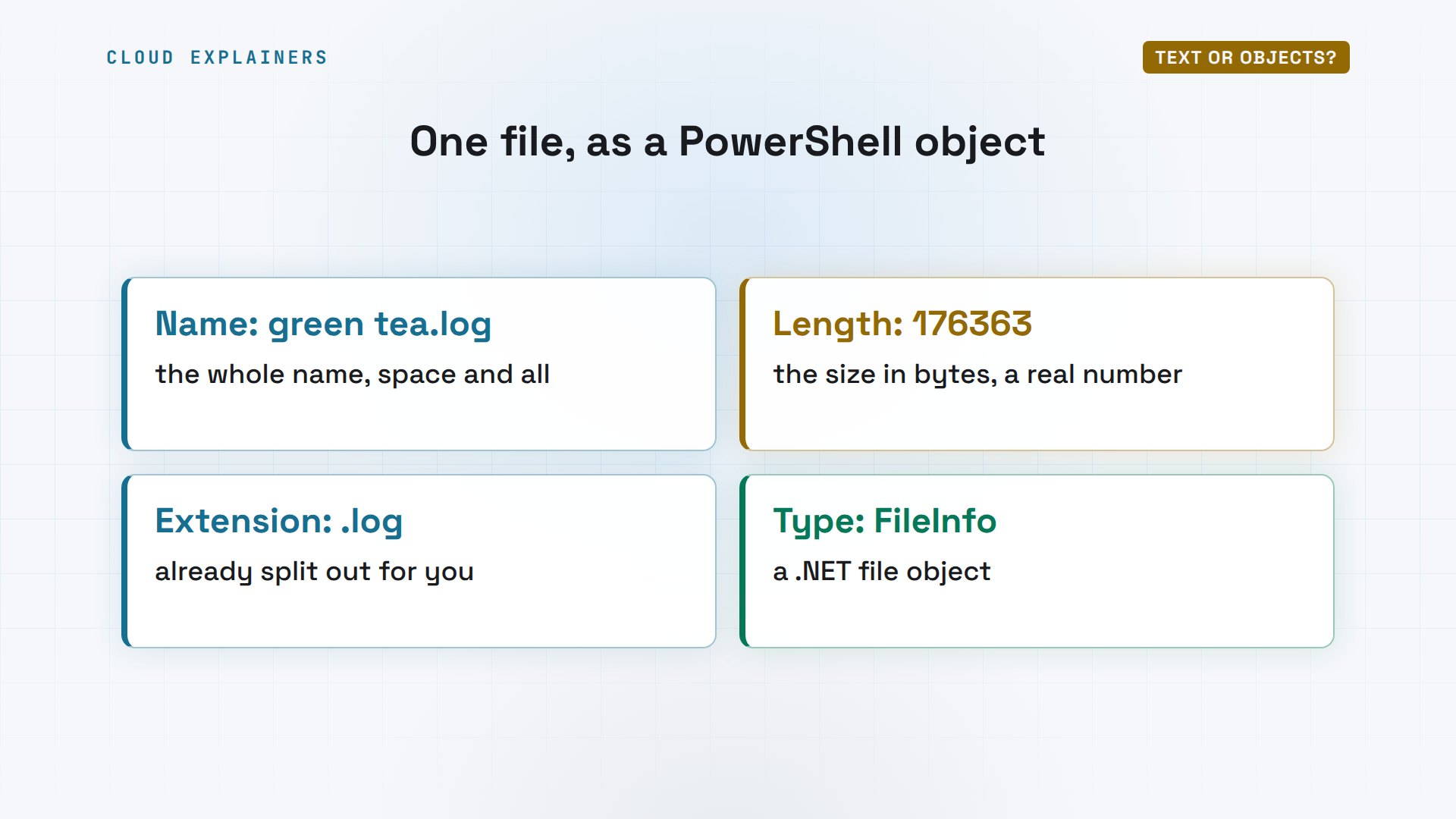
What's inside one of those objects? Get-Item fetches green tea dot log, and Format-List shows four of its properties: the name, the length, the extension, and when it was last changed. Ask its type, and it says FileInfo: a real file object from dot NET, the library PowerShell is built on.
Reading data from the web
Does that matter beyond file names? Most of what you'll fetch from the web is JSON: text with labels, like id, customer, and total. Ana's orders page serves five orders that way. Job two: which orders are over twenty dollars?
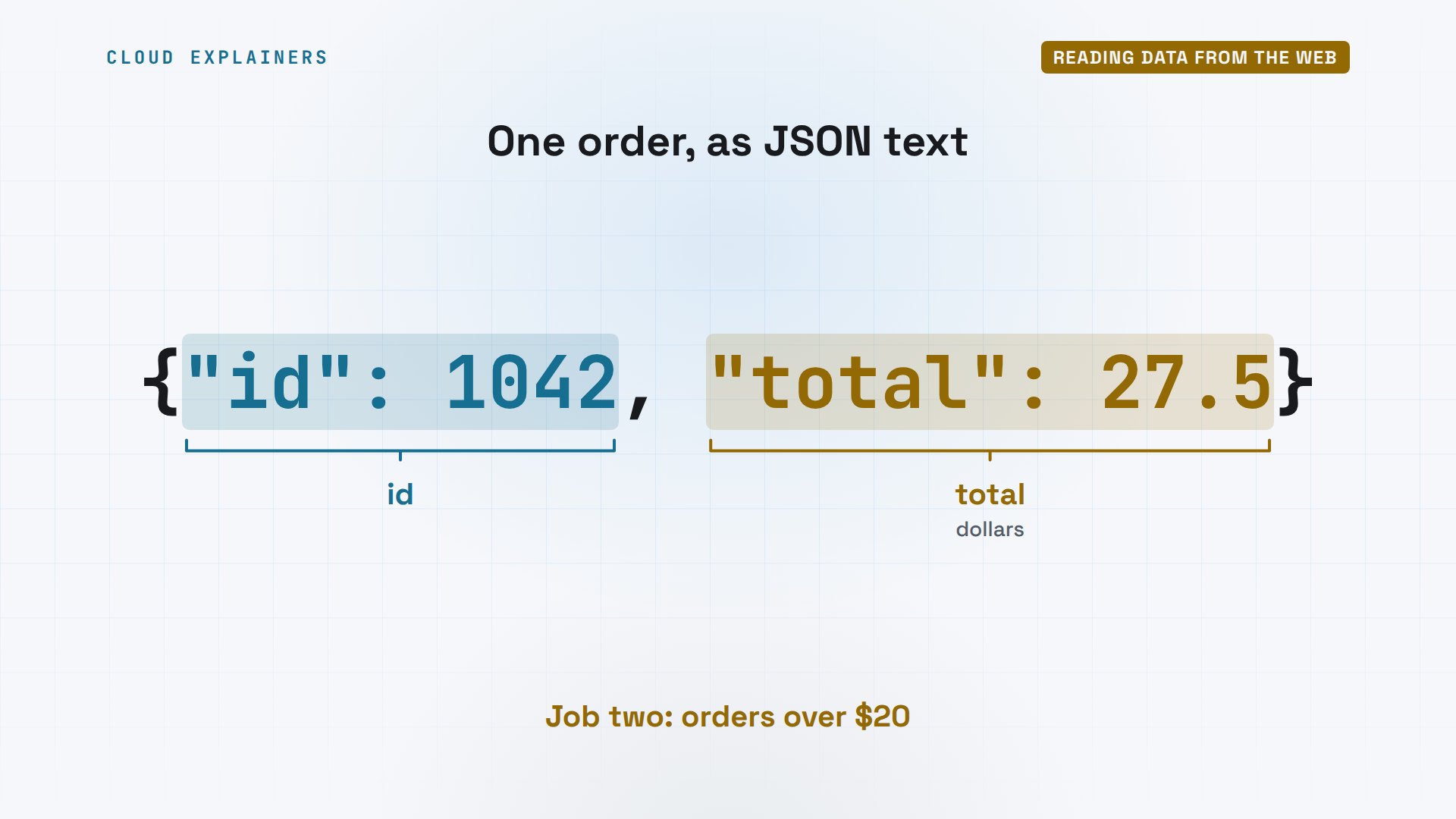
Bash sees JSON as one long string. curl fetches it, and to read the labels we need a helper program, jq, which Ana installed separately. Its little language says: for each order, keep the ones with a total over twenty, and print the id. Two orders: ten forty-two and ten forty-four.
curl -s localhost:8080/orders.json | head -3[
 {"id": 1041, "customer": "Mei", "tea": "Sencha", "total": 13.0},
 {"id": 1042, "customer": "Tom", "tea": "Earl Grey", "total": 27.5},
curl -s localhost:8080/orders.json | jq '.[] | select(.total > 20) | .id'1042
1044
In PowerShell, Invoke-RestMethod fetches the page and turns the JSON into objects, stored in a variable called orders. The first one prints as a neat row. Where-Object total, dash g t twenty, meaning greater than twenty, gives Tom and Lena. And Measure-Object adds all five totals: 110 dollars and 25 cents. No helper program needed.
PS /home/ana/shop/logs> $orders = Invoke-RestMethod http://localhost:8080/orders.json
PS /home/ana/shop/logs> $orders[0]id customer tea total -- -------- --- ----- 1041 Mei Sencha 13.00
PS /home/ana/shop/logs> $orders | Where-Object total -gt 20id customer tea total -- -------- --- ----- 1042 Tom Earl Grey 27.50 1044 Lena Matcha 42.00
PS /home/ana/shop/logs> $orders | Measure-Object total -Sum | Select-Object Count, SumCount    Sum
-----    ---
    5 110.25
So on our map, both shells got the right answer from the orders page. Bash needed one more tool to read it. PowerShell read it on its own. So far, that's two jobs to PowerShell. Is Bash just the old way, then?
Where Bash wins
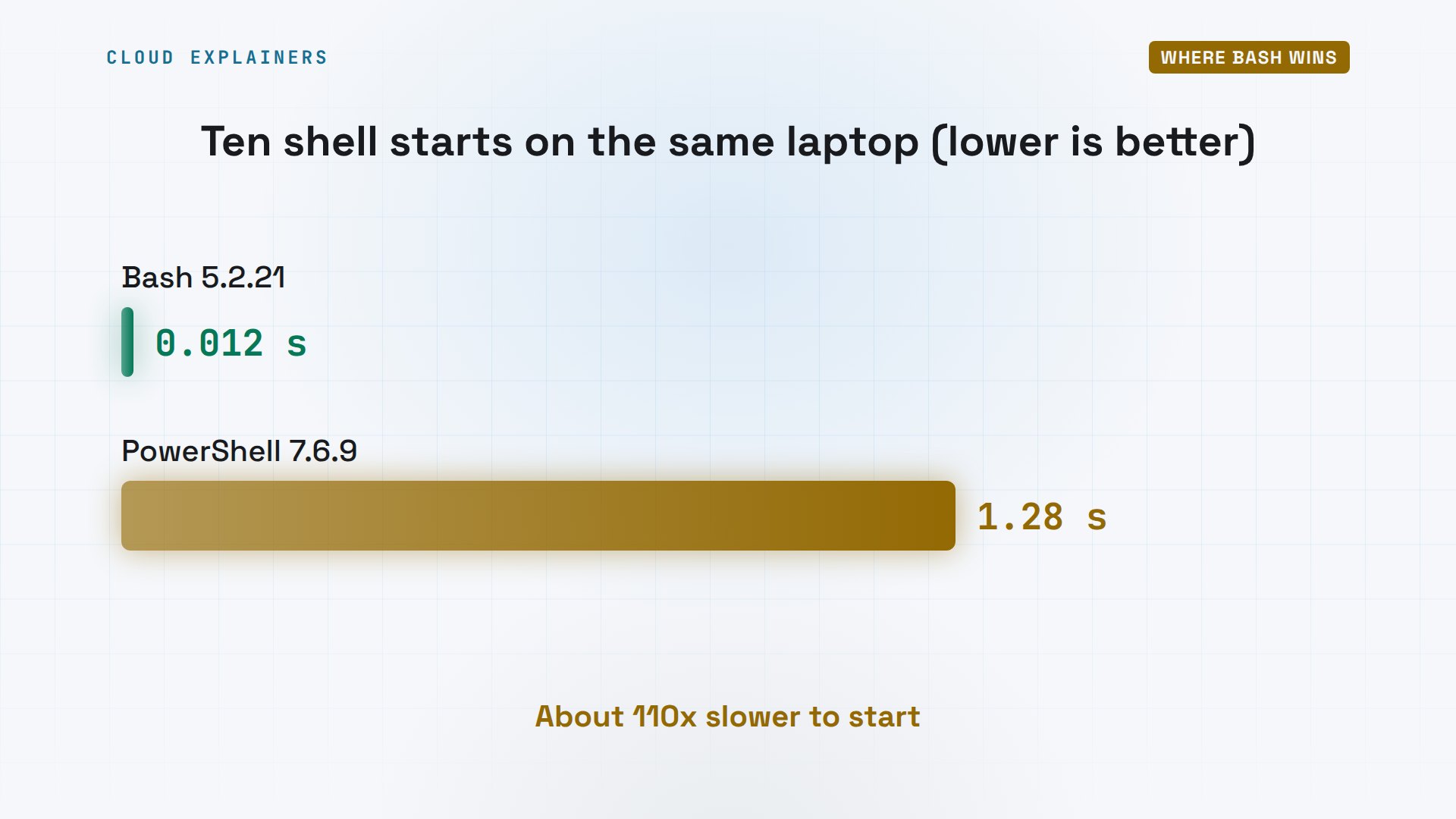
Not at all. First: speed to start. Ana starts each shell ten times and lets time measure it. Ten Bash starts: 0.012 seconds. Ten PowerShell starts: 1.28 seconds. Each PowerShell start loads the dot NET runtime first.
time (for i in {1..10}; do bash -c exit; done)real	0m0.012s
user	0m0.006s
sys	0m0.007s
time (for i in {1..10}; do pwsh -NoProfile -c exit; done)real	0m1.280s
user	0m1.638s
sys	0m0.619s
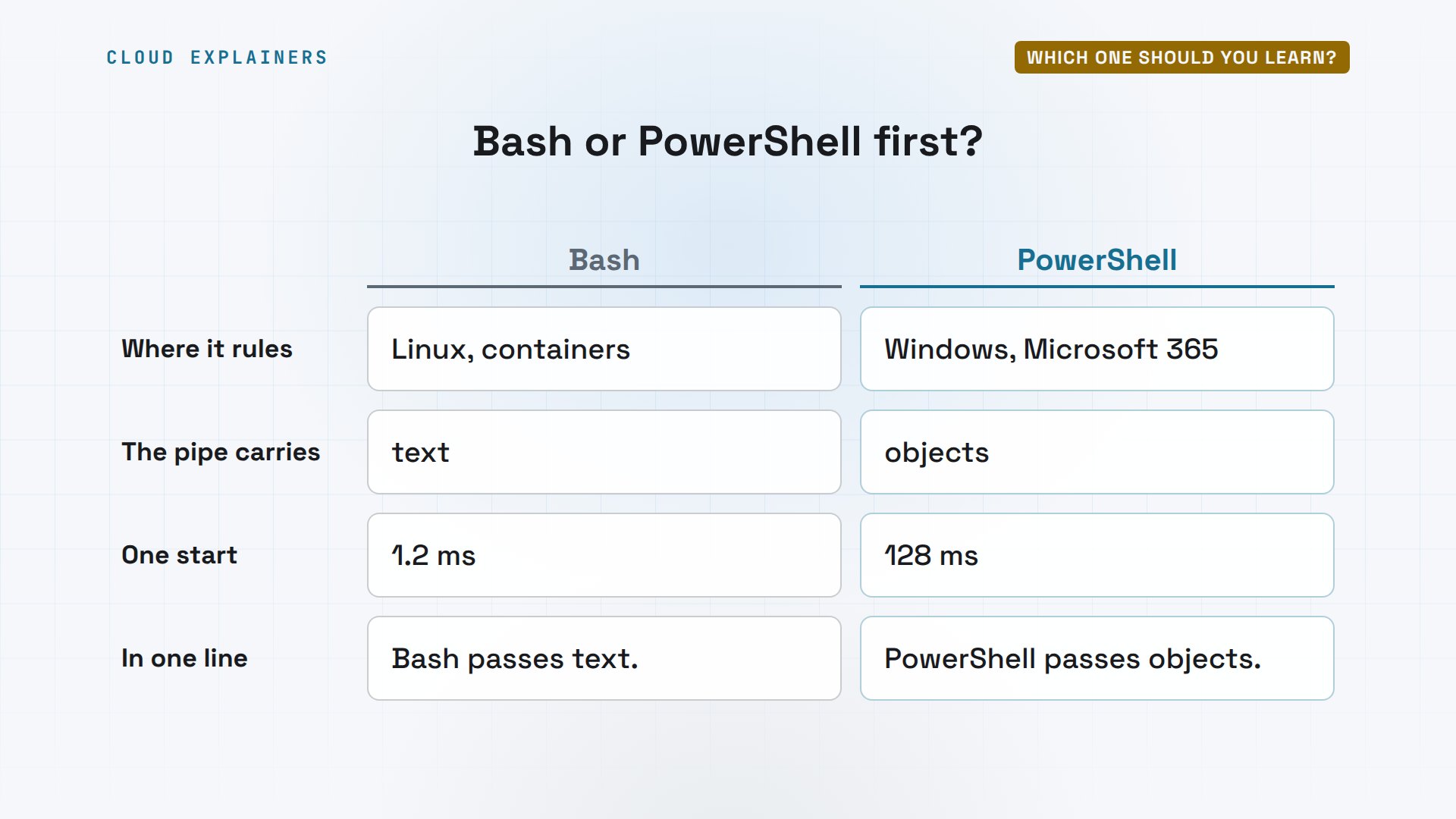
That's about 110 times slower to start, around 128 milliseconds each. Typing commands, you'll never feel it. But a script that starts a shell for every file, thousands of times, will.
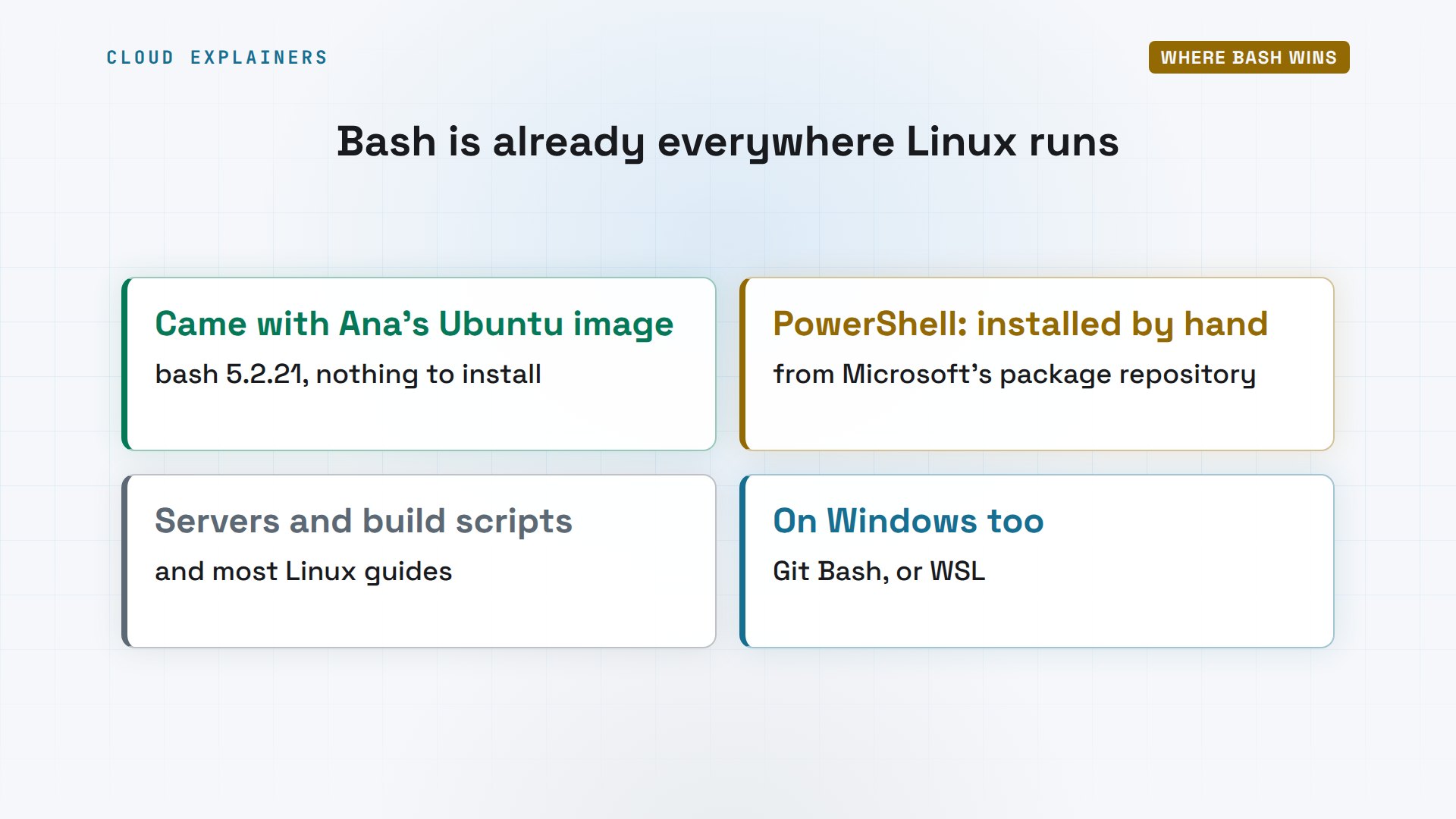
Second: Bash is already there. Ana's Ubuntu image came with Bash; PowerShell she installed herself, from Microsoft's package repository. Most Linux servers and build scripts speak Bash, and so do most Linux guides. On Windows you can get it too, with Git Bash or the Windows Subsystem for Linux.
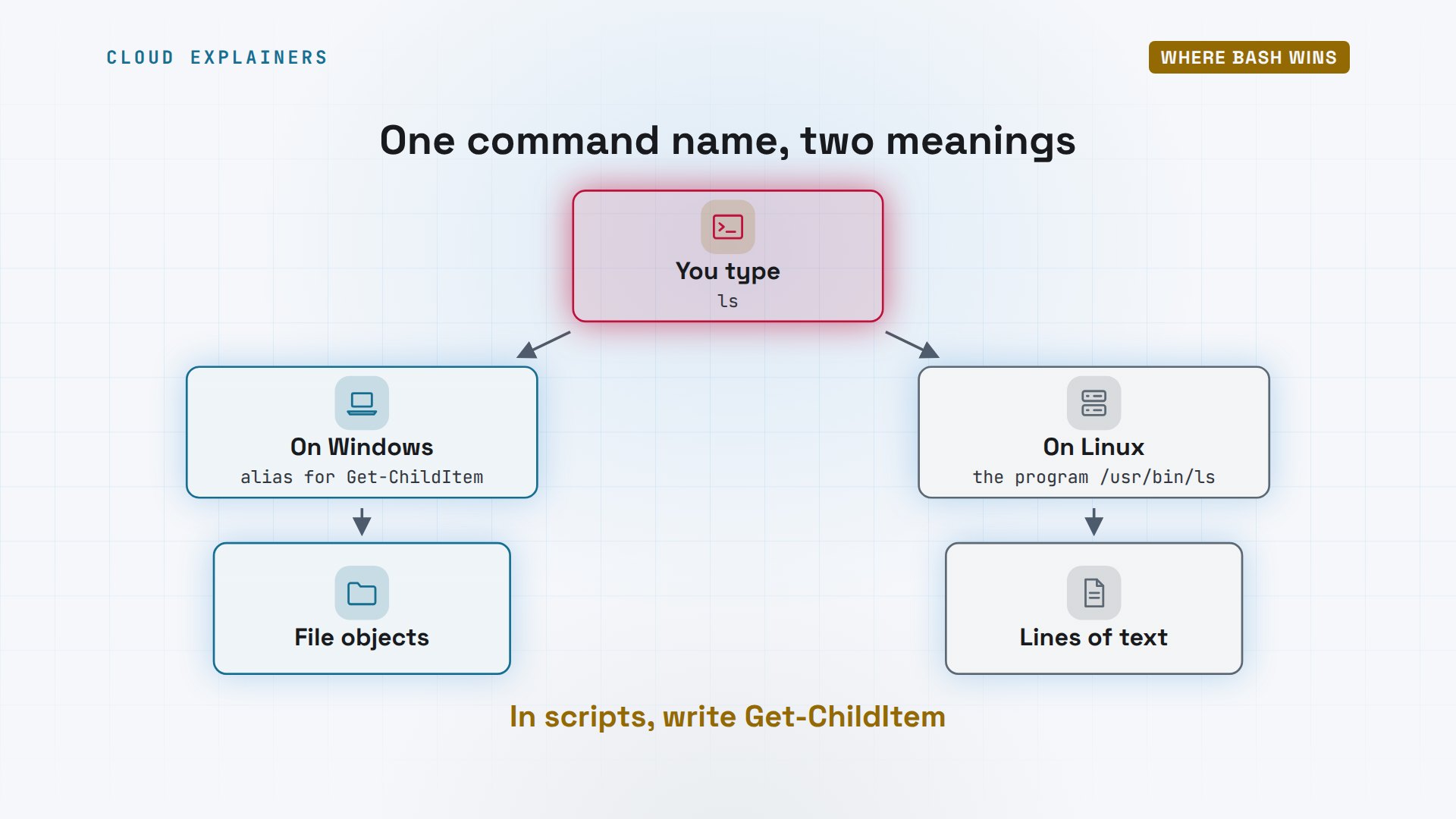
Third, the surprise from the start. In PowerShell on Linux, type ls, and you get the old text listing, not objects. An alias is a nickname for another command, and Get-Alias says there's no alias called ls here. Get-Command shows why: ls is the Linux program, in slash user slash bin. Its Windows cousin dir is still an alias for Get-ChildItem.
PS /home/ana/shop/logs> Get-Alias lsGet-Alias: This command cannot find a matching alias because an alias with the name 'ls' does not exist.
PS /home/ana/shop/logs> Get-Command ls | Format-List Name, CommandType, SourceName        : ls
CommandType : Application
Source      : /usr/bin/ls
PS /home/ana/shop/logs> (Get-Alias dir).DefinitionGet-ChildItem
And on Windows? Same question to the same command: there, ls is an alias for Get-ChildItem. So ls, piped into Sort-Object, gives objects, and green tea dot log comes back whole.
PS C:\shop\logs> Get-Alias lsCommandType     Name                                               Version    Source
-----------     ----                                               -------    ------
Alias           ls -> Get-ChildItem
PS C:\shop\logs> ls | Sort-Object Length -Descending | Select-Object -First 3 Name, LengthName          Length
----          ------
green tea.log 176363
orders.log     65130
payments.log    9877
On Windows, ls in PowerShell is a nickname for Get-ChildItem, and returns objects. On Linux, Microsoft leaves that nickname out, so it can't hide the real ls program. Same word, two different commands. So in scripts you share, write the full name: Get-ChildItem.
Which one should you learn?
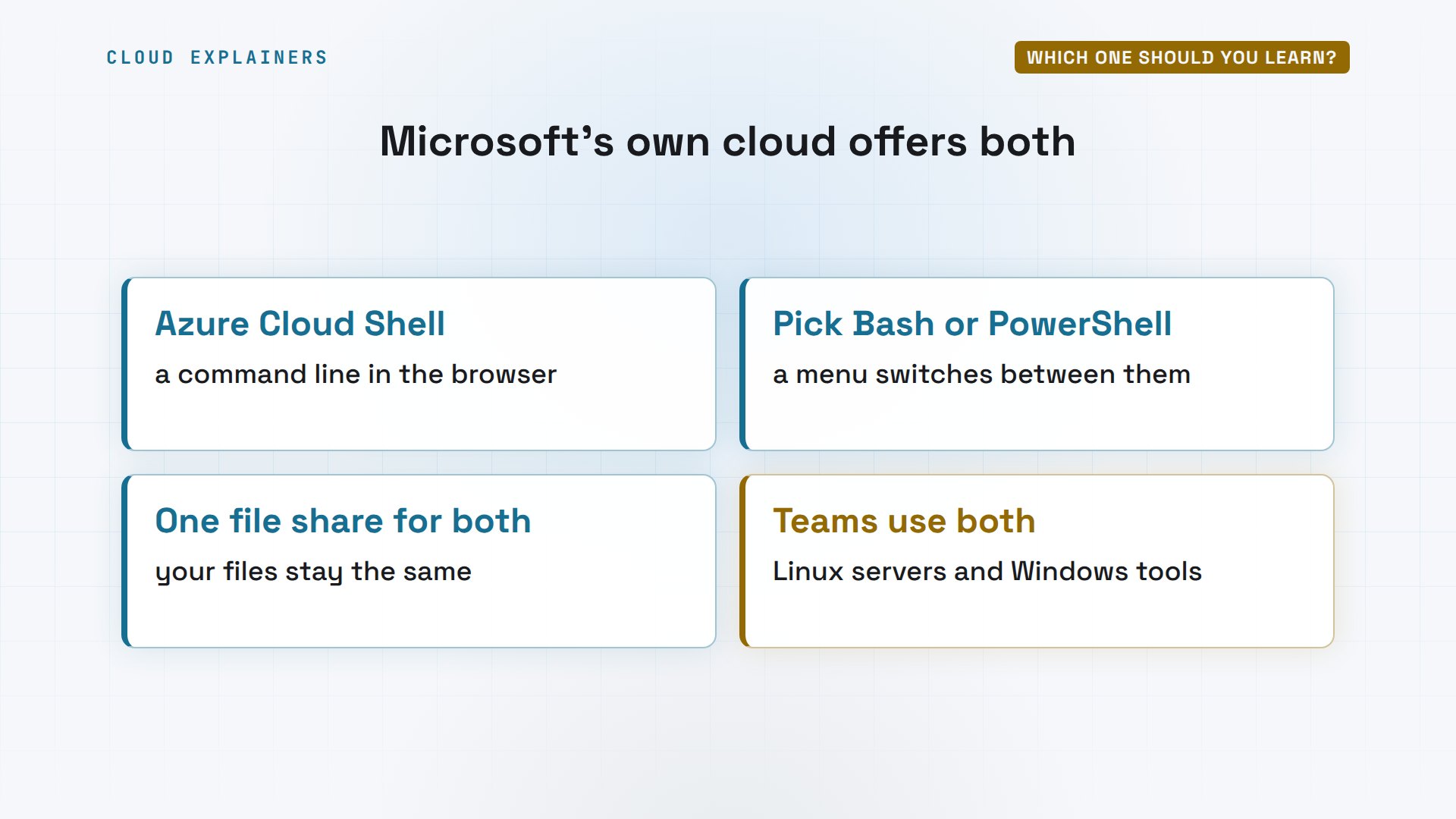
Do real teams have to choose? Microsoft's own Azure Cloud Shell, the command line inside its cloud website, lets you pick Bash or PowerShell, and keeps the same files for both. Even Microsoft ships both, because its users need both.
Here's the choice in one table. Bash rules Linux servers and containers; PowerShell, Windows and Microsoft 365. Bash's pipe carries text; PowerShell's carries objects. Bash starts in about a millisecond, PowerShell in about a tenth of a second. For JSON, Bash adds jq; PowerShell has it built in. Working mostly on Linux? Bash first. Running Windows machines at work? PowerShell first.
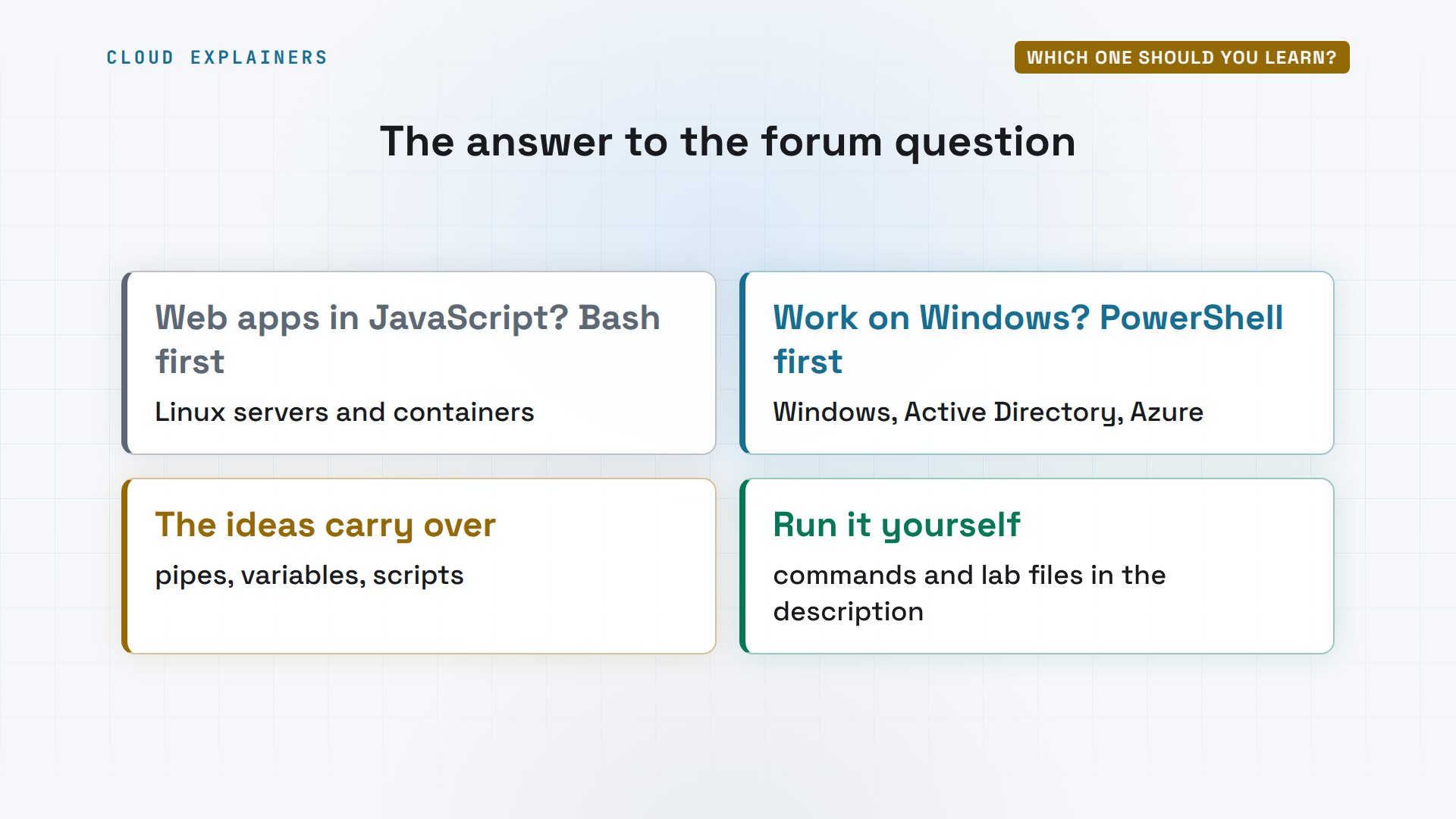
So, to the forum question: for web apps in JavaScript, your code will likely run on Linux servers and in containers, so learn Bash first. Learn PowerShell when your work lives on Windows. The ideas carry over: pipes, variables, scripts. Every command from this video, with the lab files, is linked in the description.
Recap
So: Bash passes text, PowerShell passes objects. Bash starts fast and is on every Linux machine. And in shared scripts, use full PowerShell names, not ls.
If this helped you pick a shell, a like helps YouTube show it to more beginners, and subscribing brings you the next side-by-side test.
Every command and output in this video came from a real run, on Ubuntu 24.04.5 LTS, with Bash 5.2.21 and PowerShell 7.6.9. Thanks for watching Cloud Explainers.
Sources
- The question we open with, freeCodeCamp forum, "Should I learn Powershell or Bash?" (2018)
- Microsoft Learn, What is PowerShell? (a cross-platform shell that works with objects, on Windows, Linux and macOS)
- Microsoft Learn, PowerShell differences on non-Windows platforms (aliases such as ls that clash with native commands are not defined there)
- Microsoft Learn, Install PowerShell on Ubuntu (Microsoft's package repository)
- Microsoft Learn, Differences between Windows PowerShell 5.1 and PowerShell 7.x (5.1 ships with Windows)
- GNU Bash, the GNU Project's shell
- Microsoft Learn, Overview of Azure Cloud Shell (choose Bash or PowerShell in the browser)
- Microsoft Learn, What is the Windows Subsystem for Linux?
Demos: a stock Ubuntu 24.04 container on our own lab machine, standing in for a laptop, and a Windows Server 2022 machine in the same lab, reached over SSH; the tea shop, its logs and its orders are made up. Watch the full video on YouTube.
More videos
What Happens When You Run a Docker Container

How to Fix Claude Code Billing Your API Key Instead of Your Plan
Why Passkeys Can't Be Phished Like Passwords

The Linux Roadmap for Beginners

Django vs FastAPI: Which One Should You Use?
Why SQLite Is the Most Used Database in the World
How a NoSQL Database Like MongoDB Works

How to Fix Python pip error: externally-managed-environment
How to Fix MySQL Too Many Connections Database Errors

Golang Concurrency Will Finally Make Sense After This
How Amazon S3 Works
How Kubernetes Works
How Git Works
How to Fix Docker Port Already Allocated Errors
How PostgreSQL Works
How to Fix Git Merge Conflicts
How to Fix No Space Left on Device in Linux
How the Internet Works
SQL vs NoSQL: When Each One Wins
How to Fix JWT Token Expired Errors (401 Unauthorized)

Claude API vs Claude Pro: Why Your Subscription Doesn't Include It

Why AI Agent Skills Beat Giant Prompts

Linux Cron Jobs Will Finally Make Sense After This

Security Logs Will Finally Make Sense After This

How to Fix a Security Leak: An API Key Pushed to GitHub

DNS Will Finally Make Sense After This

Never Ignore a Security Update

Two-Factor Authentication Will Finally Make Sense

Never Expose a Database to the Internet

SSH Keys vs Passwords: Which Is Safer for Security?

The 5 Levels of Linux Boot: From Power On to Login

The 5 Levels of Network Firewalls

Password Security: Why Hackers Crack Weak Passwords

Why Your Linux Server Runs Out of Memory

HTTP vs HTTPS: What Actually Changes on Your Network

Every Linux File Permission You Need to Know

Linux Processes vs Threads: When Each One Wins

The OSI Model Will Finally Make Sense After This

The 7 Levels of Git

Every Network Troubleshooting Command You Need

Hashing vs Encryption in Cybersecurity: When Each One Wins

Why the Internet Ran Out of IP Addresses

Linux Package Managers: apt vs Snap vs Flatpak

Why Python Is Slow (and When It Doesn't Matter)

TCP vs UDP: When Each One Wins

Stop Running Linux as Root (Do This Instead)

Linux Users and Groups Will Finally Make Sense

Why Phishing Beats Good Security (and How to Spot It)

The 7 Levels of Docker

AI Agents Will Finally Make Sense After This

Stop Using git push --force (Use This Instead)

Agent Skills vs MCP: When Each One Wins

Networking Will Finally Make Sense After This

Every Linux Command You Actually Need

The 7 Levels of Cybersecurity

Every System Design Concept You Need, in One Diagram
