
TCP vs UDP: When Each One Wins
TCP vs UDP for complete beginners: what each one promises, and three real races on a bad network that show when each one wins. TCP's handshake costs a round trip (UDP wins small questions like DNS), TCP's resending gets every byte of a photo through (UDP's arrived broken), and on a live call TCP's waiting makes frames arrive too late (UDP wins). Plus why streamed movies are fine on TCP, and how QUIC (HTTP/3) builds TCP's promises on top of UDP.
TCP or UDP?
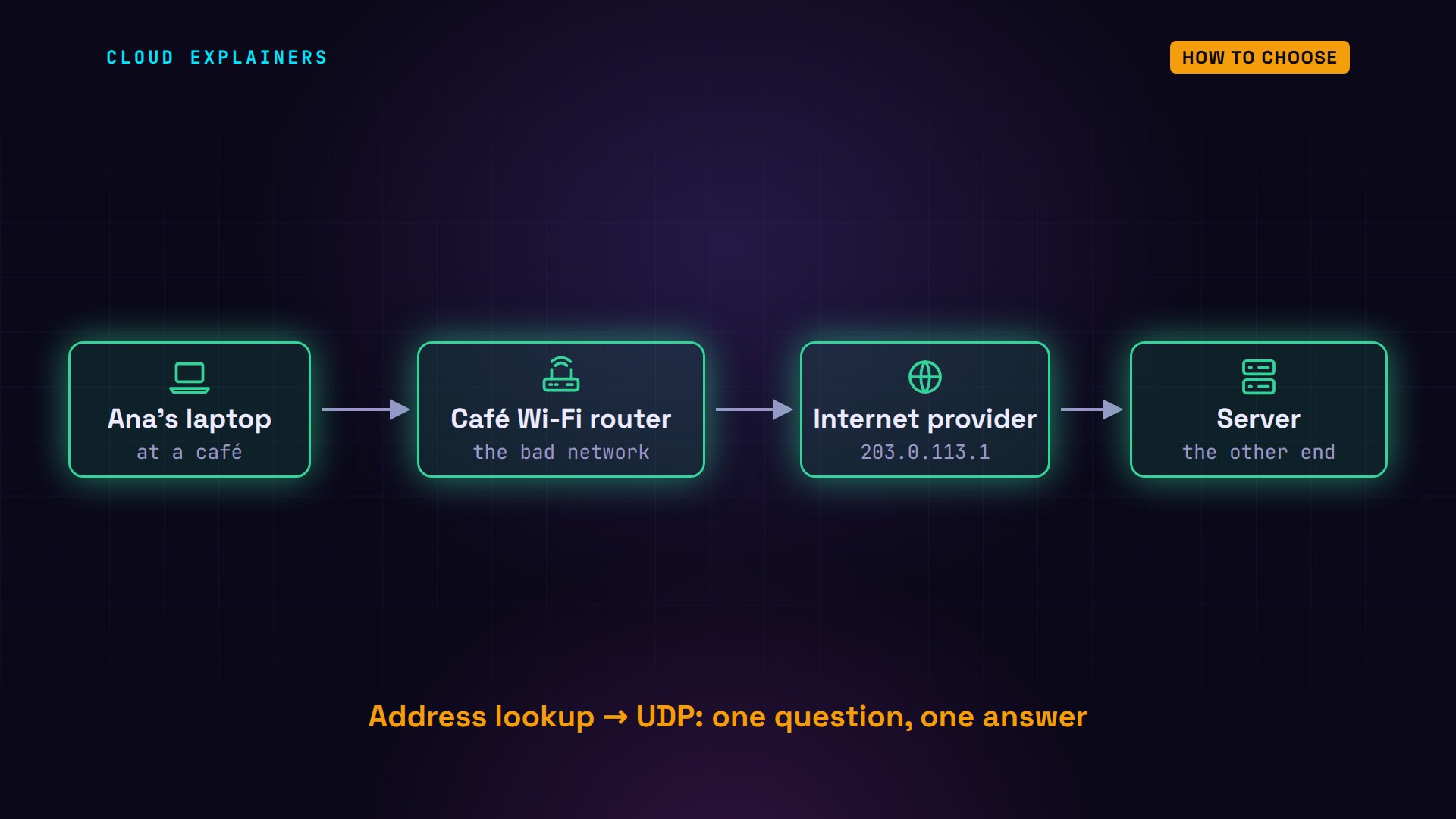
Every app that talks over a network has to choose: TCP or UDP. Pick wrong, and a video call freezes, or a photo arrives broken. Ana is on a video call from a café with weak Wi-Fi, and during the call she sends her friend a photo. The call and the photo need opposite things. We'll race TCP and UDP on a real network, in three rounds, and see exactly when each one wins.
Like in episode one, this network is real, built with Docker inside one computer: each box is a separate little machine. Ana's laptop, the café's Wi-Fi router, an internet provider, and a server at the other end of her call. And we'll make it a bad day on purpose: the café router can delay packets, and lose some, whenever we tell it to.
Two ways to send
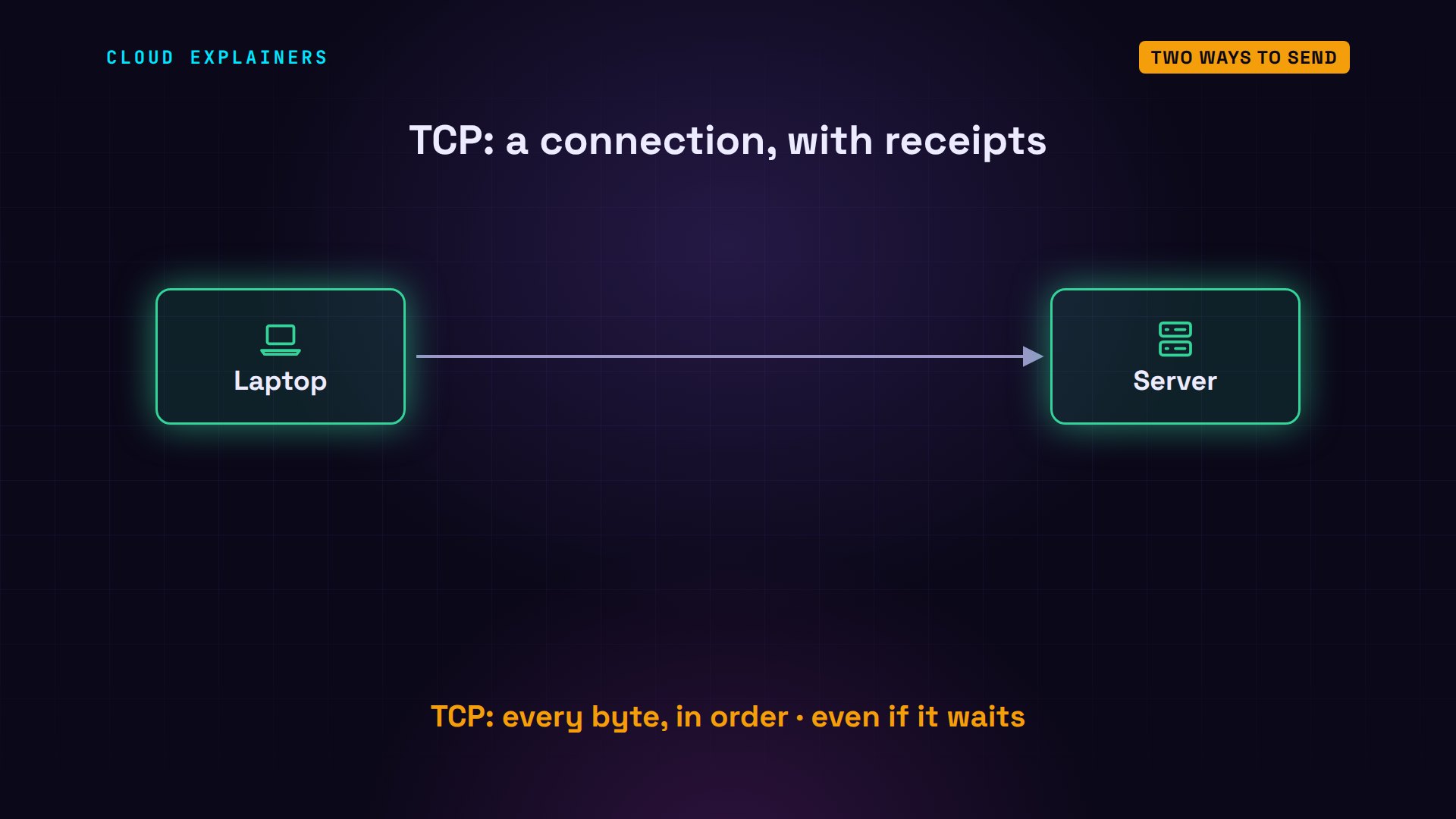
First, what each one does. TCP, the transmission control protocol, starts with a handshake that opens a connection. Then it numbers every piece of data, the receiver acknowledges what arrived, and anything missing is sent again, and put back in order. TCP's promise: every byte, in the right order, even if that means waiting.
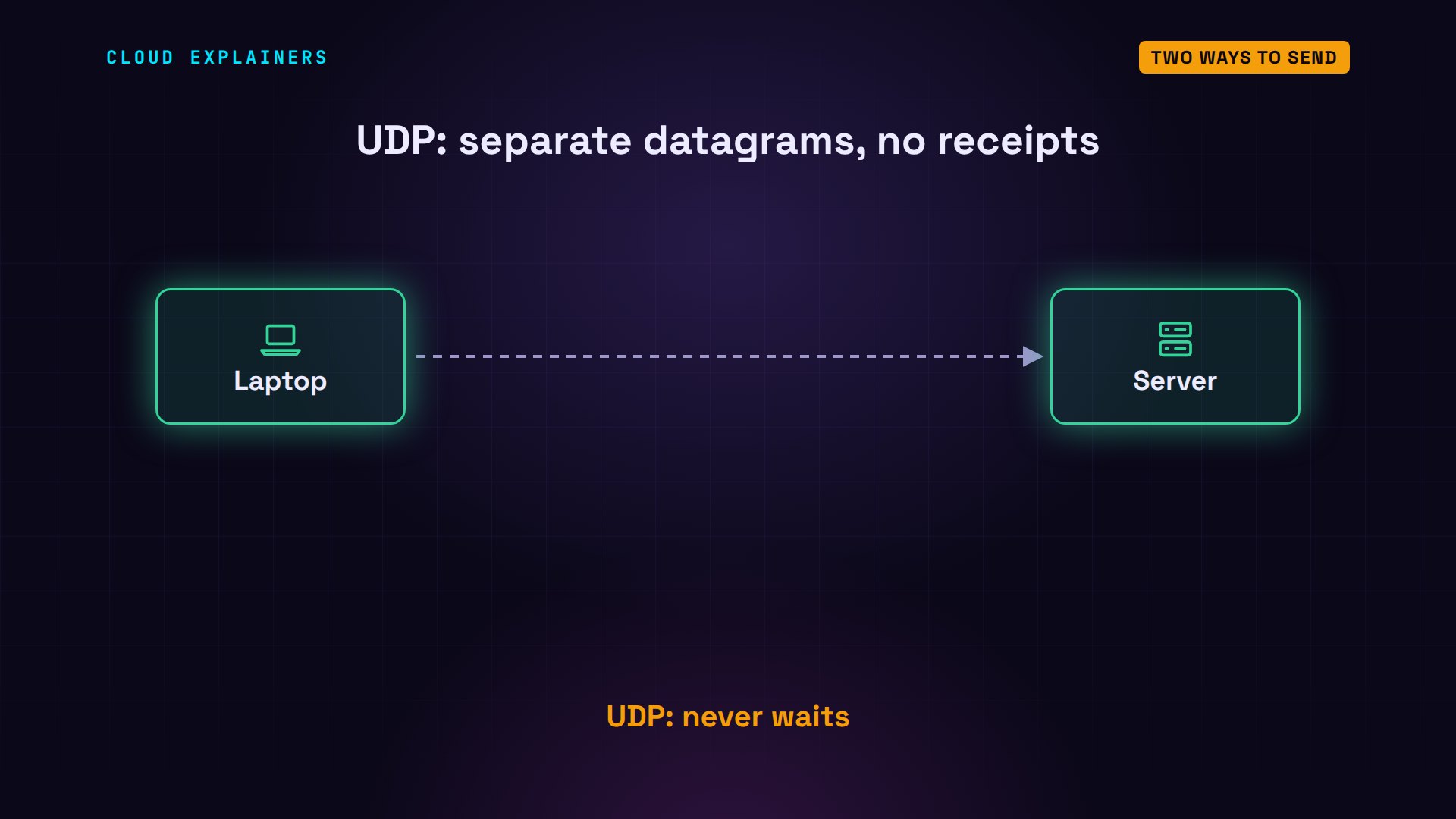
UDP, the user datagram protocol, makes almost no promises. Each packet, called a datagram, is sent on its own: no handshake, no receipts, nothing sent twice. What's lost stays lost, and the next datagram goes anyway. UDP's only promise: it never waits.
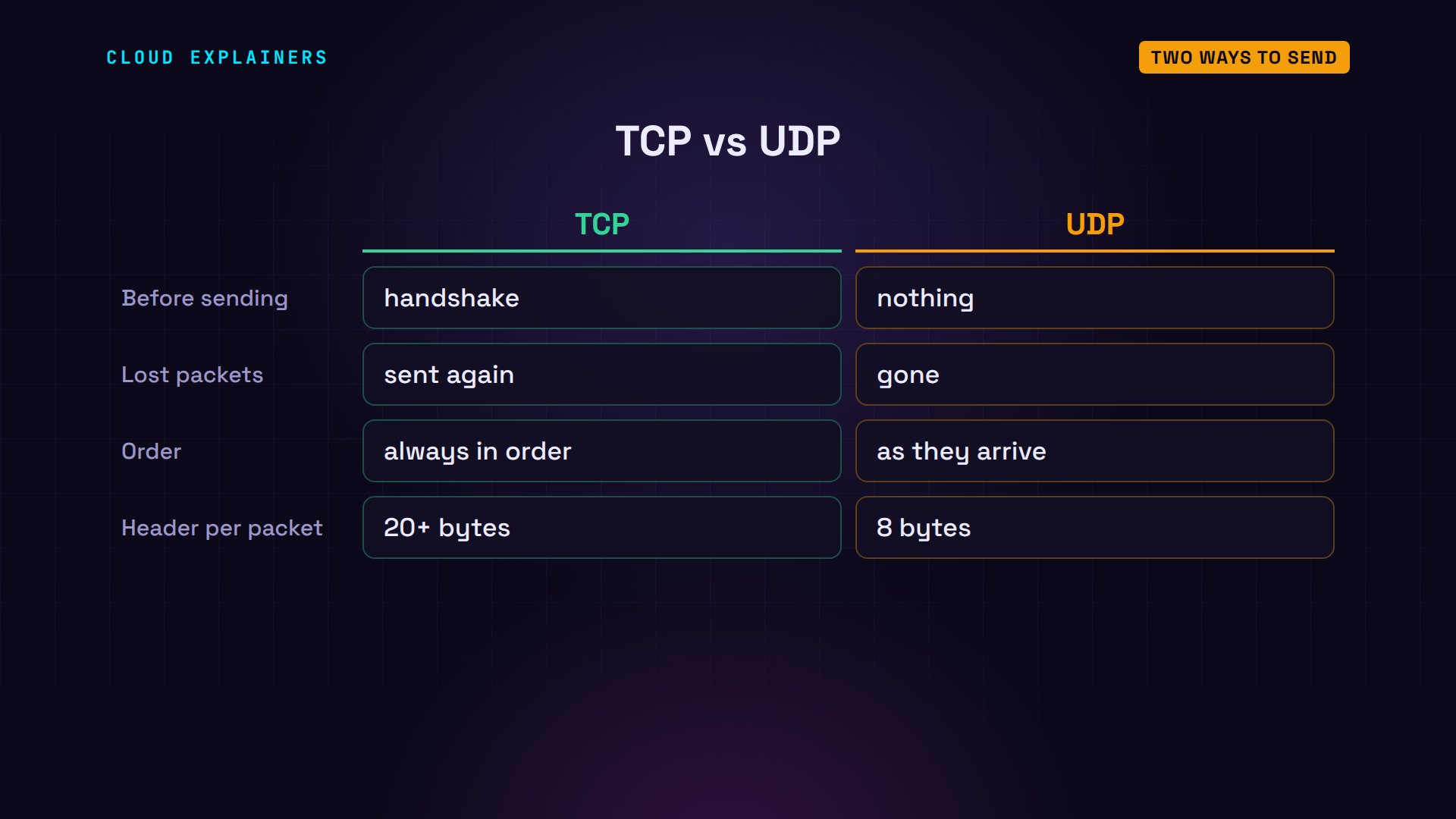
Side by side. TCP sets up a connection; UDP just sends. TCP resends what's lost; UDP doesn't. TCP delivers in order; UDP hands over each datagram the moment it arrives. And TCP adds at least 20 bytes of bookkeeping to every packet; UDP adds 8. Two tools, for different jobs. So let's race them.
Round 1: Saying hello
Round one: getting started. We tell the café router to hold every packet for 50 milliseconds, in each direction, as if the server were in another country. So any question and its answer, a round trip, now takes at least 100 milliseconds.
ping sends a tiny are-you-there message and times the reply: one round trip. Before the delay, inside one computer, it took under a tenth of a millisecond. Now it takes 100 milliseconds, every time, just like a server in another country.
ping -c 3 server.examplePING server.example (198.51.100.10) 56(84) bytes of data.
64 bytes from 198.51.100.10: icmp_seq=1 ttl=62 time=0.023 ms
64 bytes from 198.51.100.10: icmp_seq=2 ttl=62 time=0.057 ms
64 bytes from 198.51.100.10: icmp_seq=3 ttl=62 time=0.060 ms

--- server.example ping statistics ---
3 packets transmitted, 3 received, 0% packet loss, time 2040ms
rtt min/avg/max/mdev = 0.023/0.046/0.060/0.016 ms
ping -c 3 server.examplePING server.example (198.51.100.10) 56(84) bytes of data.
64 bytes from 198.51.100.10: icmp_seq=1 ttl=62 time=100 ms
64 bytes from 198.51.100.10: icmp_seq=2 ttl=62 time=100 ms
64 bytes from 198.51.100.10: icmp_seq=3 ttl=62 time=100 ms

--- server.example ping statistics ---
3 packets transmitted, 3 received, 0% packet loss, time 2003ms
rtt min/avg/max/mdev = 100.223/100.302/100.358/0.057 ms
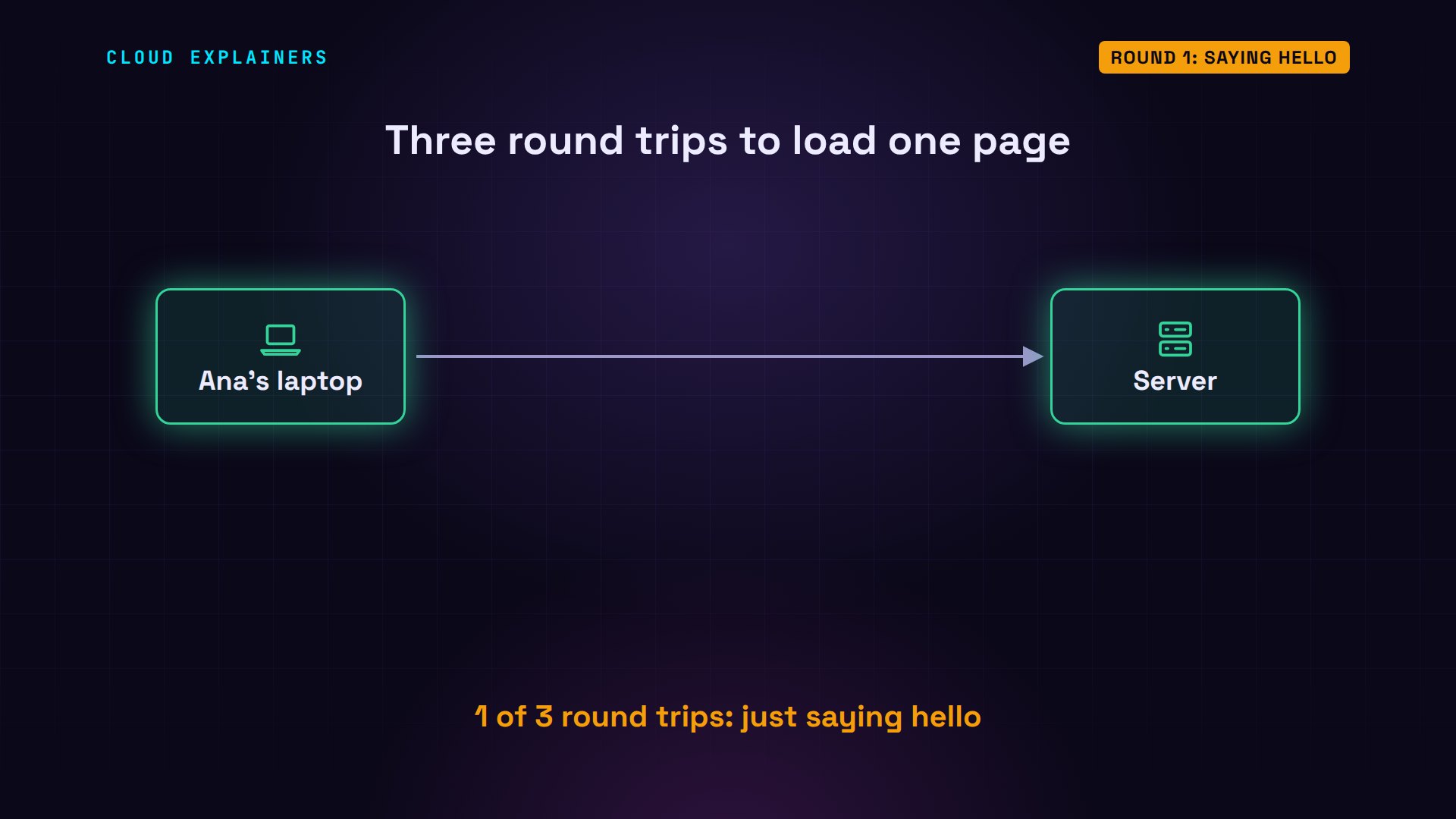
Now Ana's laptop loads a small web page, and curl, a command-line web client, reports when each step finished, counted from the start. Finding the server's address: 0.10 seconds, one round trip, a DNS question that turns the name into an address, over UDP. Connected: 0.20, a second round trip, TCP's handshake. Only the third round trip brought the page, at 0.30.
curl -s -o /dev/null -w 'name found: %{time_namelookup} s\nconnected:  %{time_connect} s\npage:       %{time_total} s\n' server.examplename found: 0.100730 s
connected:  0.201047 s
page:       0.304518 s
Here's that second round trip. The laptop sends SYN: can we talk? The server answers SYN-ACK: yes. Only then does the laptop send its ACK, with the request right behind it. On a fast network you'd never notice. With 100 milliseconds per round trip, a third of this page's wait was TCP saying hello.
Now the same DNS question, asked both ways. dig is a DNS lookup tool, and time measures how long it ran. Over UDP: 0.12 seconds. Adding +tcp sends it over TCP: 0.22. One extra round trip, the handshake. And on the router we counted the packets: UDP needed two. TCP needed 10.
time dig +short server.example198.51.100.10

real	0m0.120s
user	0m0.005s
sys	0m0.004s
time dig +tcp +short server.example198.51.100.10

real	0m0.220s
user	0m0.006s
sys	0m0.004s
tcpdump -n -i lan -q port 53tcpdump: verbose output suppressed, use -v[v]... for full protocol decode
listening on lan, link-type EN10MB (Ethernet), snapshot length 262144 bytes
15:58:22.032492 IP 192.168.1.20.50047 > 198.51.100.10.53: UDP, length 55
15:58:22.132812 IP 198.51.100.10.53 > 192.168.1.20.50047: UDP, length 59

2 packets captured
2 packets received by filter
0 packets dropped by kernel
tcpdump -n -i lan -q port 53tcpdump: verbose output suppressed, use -v[v]... for full protocol decode
listening on lan, link-type EN10MB (Ethernet), snapshot length 262144 bytes
15:58:25.666218 IP 192.168.1.20.37993 > 198.51.100.10.53: tcp 0
15:58:25.766418 IP 198.51.100.10.53 > 192.168.1.20.37993: tcp 0
15:58:25.766444 IP 192.168.1.20.37993 > 198.51.100.10.53: tcp 0
15:58:25.766498 IP 192.168.1.20.37993 > 198.51.100.10.53: tcp 57
15:58:25.866598 IP 198.51.100.10.53 > 192.168.1.20.37993: tcp 0
15:58:25.867018 IP 198.51.100.10.53 > 192.168.1.20.37993: tcp 61
15:58:25.867078 IP 192.168.1.20.37993 > 198.51.100.10.53: tcp 0
15:58:25.867220 IP 192.168.1.20.37993 > 198.51.100.10.53: tcp 0
15:58:25.967317 IP 198.51.100.10.53 > 192.168.1.20.37993: tcp 0
15:58:25.967336 IP 192.168.1.20.37993 > 198.51.100.10.53: tcp 0

10 packets captured
10 packets received by filter
0 packets dropped by kernel
Here's where the TCP packets went: three for the handshake, then the question and its answer, receipts for each, and three more to close the connection politely. UDP sent the question, and got the answer. That's all.
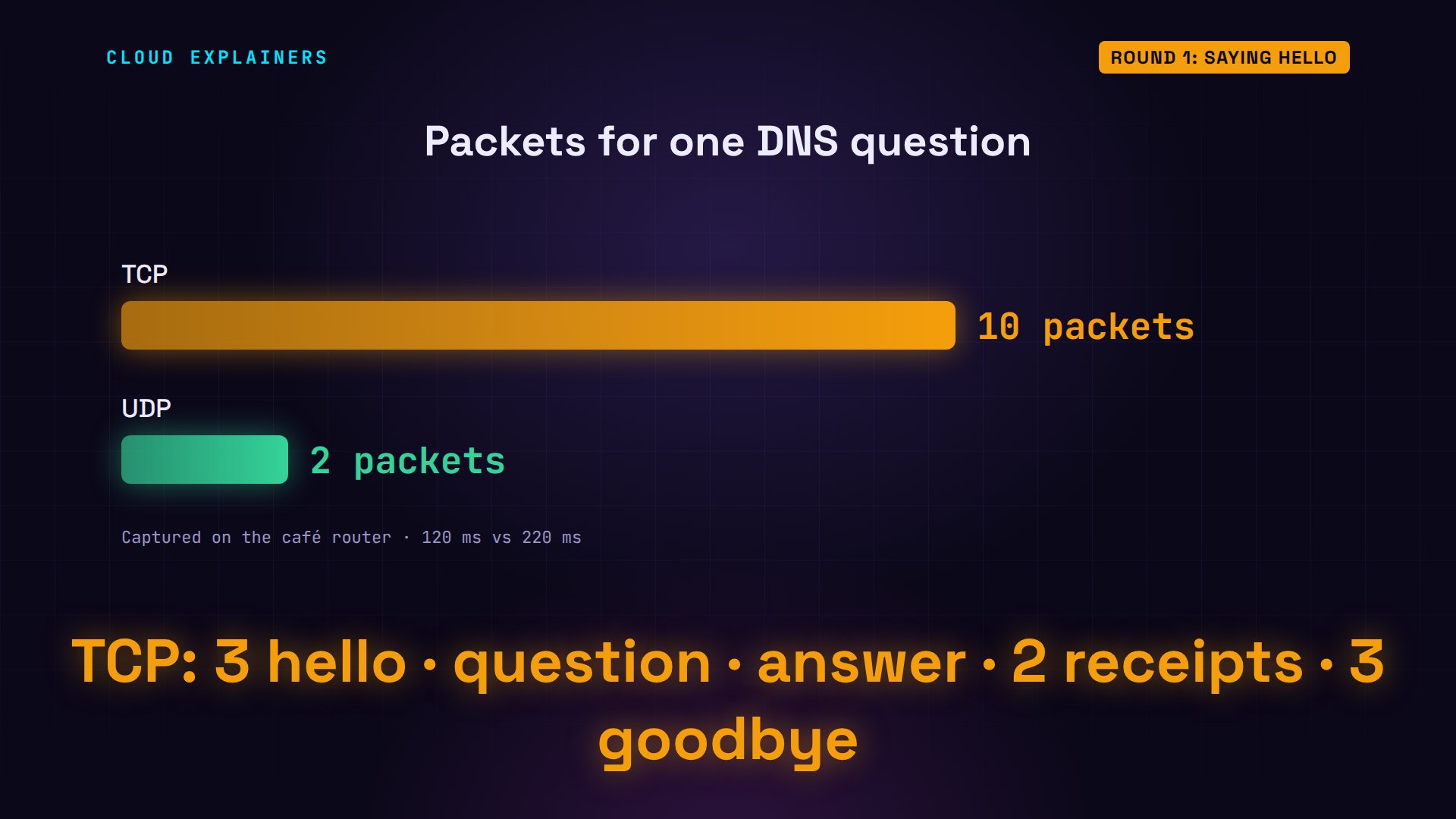
Round one goes to UDP. For one small question and one small answer, a handshake costs as much as the question itself. That's why DNS uses UDP by default, and switches to TCP only when an answer is too big. And for Ana's call, it means the first sound can leave at once.
Round 2: Every byte
Round two. The café Wi-Fi gets weak: the router now also throws away 2 packets in every 100, in both directions. tc is Linux's traffic control tool; netem makes a network behave badly on purpose.
tc qdisc change dev lan root netem delay 50ms loss 2%
tc qdisc change dev wan root netem delay 50ms loss 2%
During the call, Ana sends her friend a photo: 2 megabytes, cut into 1,429 pieces of 1,400 bytes. We send it twice with the same small program: once over TCP, once over UDP. A photo is useless unless every byte arrives.
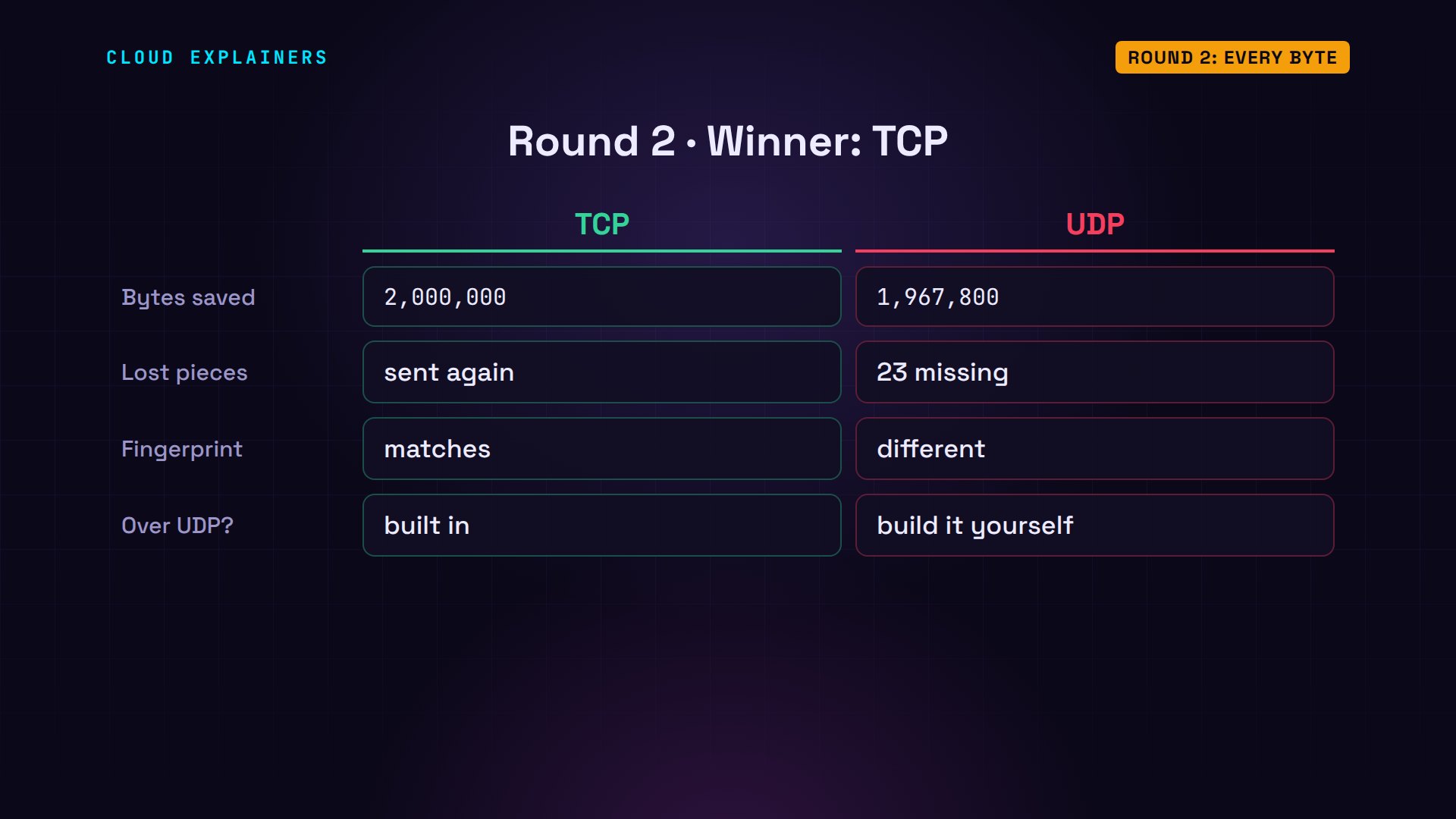
Over TCP, the server saved all 2 million bytes. A checksum is a fingerprint of a file's exact bytes. The server's copy has exactly the same fingerprint as Ana's original. Every piece the Wi-Fi lost was noticed, and sent again.
sha256sum photo.jpg33101f570ea8292f69eacf8a8825dbce0606ef410a43efd7213d8d41be041554 photo.jpg
python3 sendfile.py send tcp photo.jpg server.examplesent 2,000,000 bytes in 1,429 pieces over TCP
python3 sendfile.py receive tcpsaved photo.jpg: 2,000,000 bytes
sha256sum photo.jpg33101f570ea8292f69eacf8a8825dbce0606ef410a43efd7213d8d41be041554 photo.jpg
Over UDP, the server's copy is short: 1,967,800 bytes, not 2,000,000. 23 pieces never arrived, and nothing noticed. The fingerprint doesn't match. The photo is broken: in a real picture, that means damaged patches, or a file that won't open at all.
python3 sendfile.py send udp photo.jpg server.examplesent 2,000,000 bytes in 1,429 pieces over UDP
python3 sendfile.py receive udpsaved photo.jpg: 1,967,800 bytes
sha256sum photo.jpg34c111859d09ccf776908edd0178cd1f78e4d604a2b5123099ee4023dc078e35 photo.jpg
Round two goes to TCP. When every byte matters, resending is the whole point: files, web pages, email, payments, software updates. To do it over UDP, you'd have to add numbering, receipts and resending yourself, and you'd have rebuilt TCP.
Round 3: Right now
Round three: the call itself. A call app cuts Ana's voice into tiny slices, one every 20 milliseconds, 50 a second, and sends each slice as a frame. For a conversation to feel natural, sound should reach the other side within about 150 milliseconds. So we count any frame that takes longer as too late: by then, the moment has passed. A late frame is as useless as a lost one.
And here's TCP's problem. Say frame 2 is lost on the way. Frames 3 and 4 arrive just fine, but TCP promised order, so it holds them back until frame 2 has been sent again. One lost packet delays everything behind it. This is called head-of-line blocking.
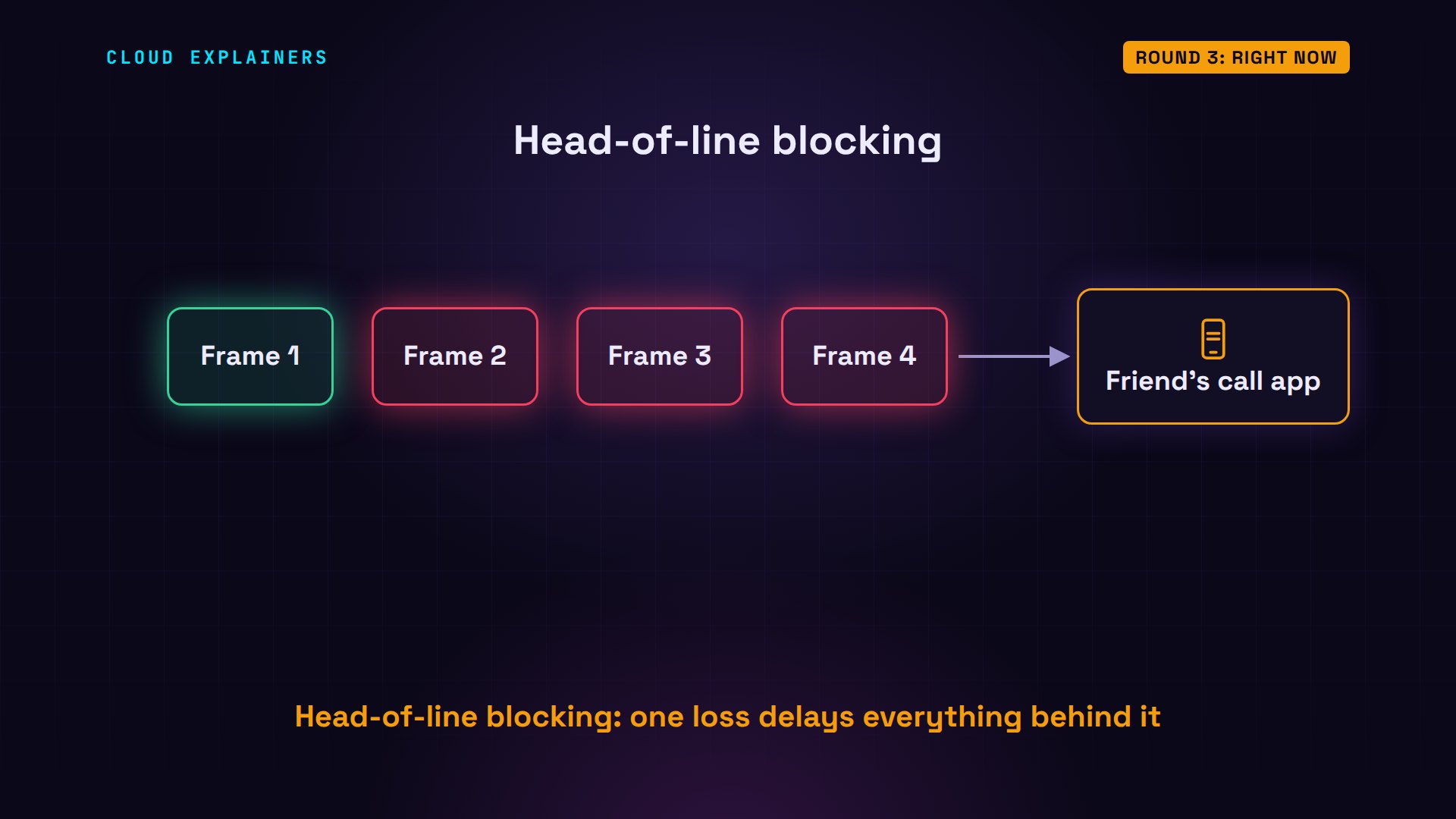
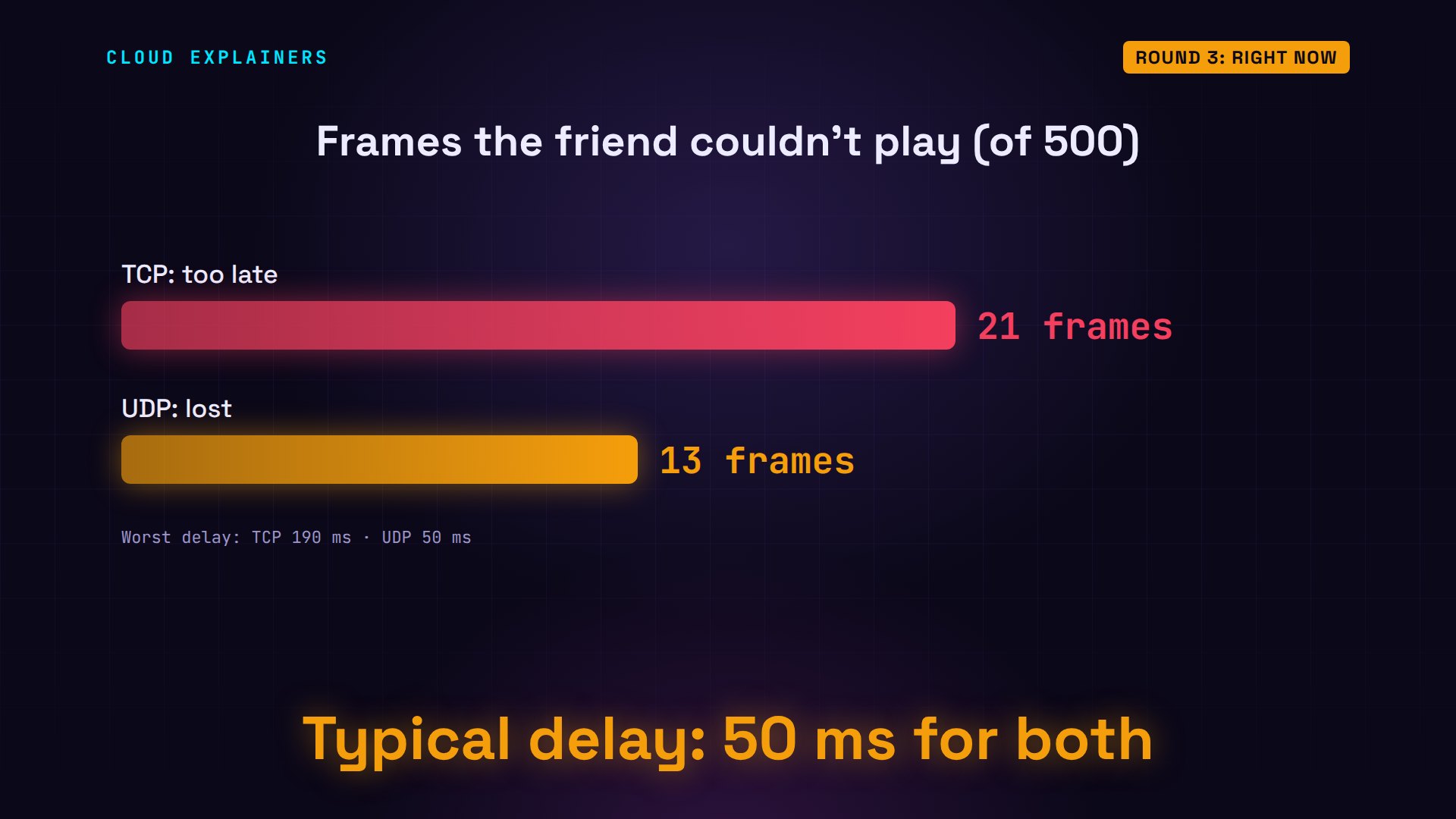
We run a 10-second call over TCP, on the same weak Wi-Fi. All 500 frames arrived. But 21 arrived too late to play, the worst one 190 milliseconds after it was sent. And the late frames came in 10 little bursts: each lost frame, plus the ones stuck behind it.
python3 call.py send tcp server.examplesent 500 frames over TCP, one every 20 ms
python3 call.py listen tcpTCP call: 500 frames sent
arrived:        500
on time:        479
too late:       21
lost:           0
typical delay:  50 ms
worst delay:    190 ms
The same call over UDP. 13 frames were lost, and stayed lost. But every frame that arrived was on time. The worst delay: 50 milliseconds, just the distance.
python3 call.py send udp server.examplesent 500 frames over UDP, one every 20 ms
python3 call.py listen udpUDP call: 500 frames sent
arrived:        487
on time:        487
too late:       0
lost:           13
typical delay:  50 ms
worst delay:    50 ms
Count the frames Ana's friend couldn't play. TCP: 21, all late. UDP: 13, all lost. And the typical delay was 50 milliseconds for both. UDP isn't a faster wire. It simply never waits.
Round three goes to UDP. A call app can smooth over a missing slice of sound; it can't undo a freeze. For anything live, voice and video calls, fast online games, live sensor readings, a late packet is worthless, so it's better to skip it than to wait for it. That's why video calls in your browser send their sound and picture over UDP, and fall back to TCP only when a network blocks UDP, as some office firewalls do.
Buffering changes the answer
But wait: a streamed movie is video too, and it works fine over TCP. The difference is buffering. A movie player downloads several seconds ahead of what you're watching, so when a packet is lost, there's plenty of time to send it again before that moment plays. Ana's call can't buffer: her friend is answering her right now.
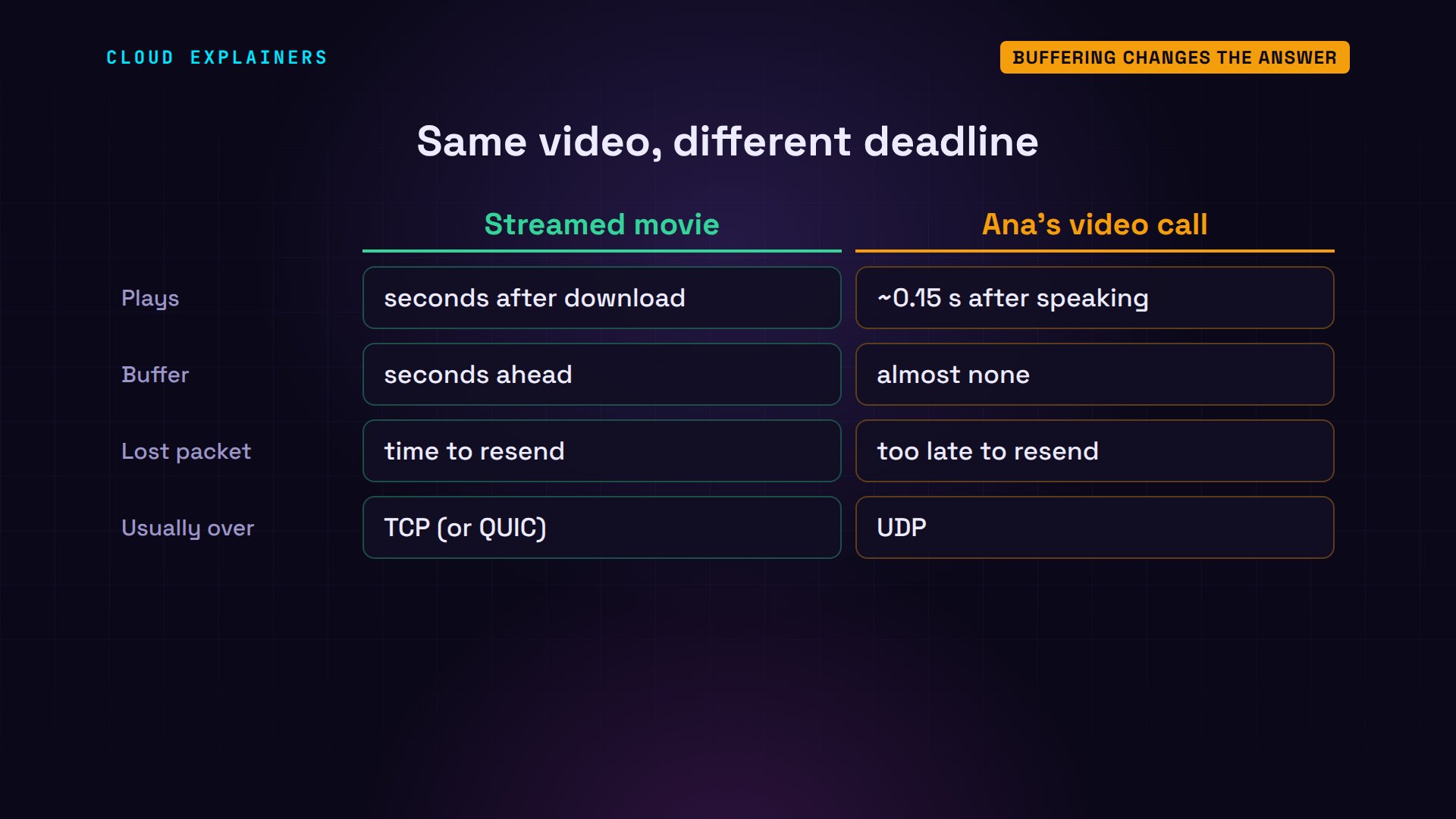
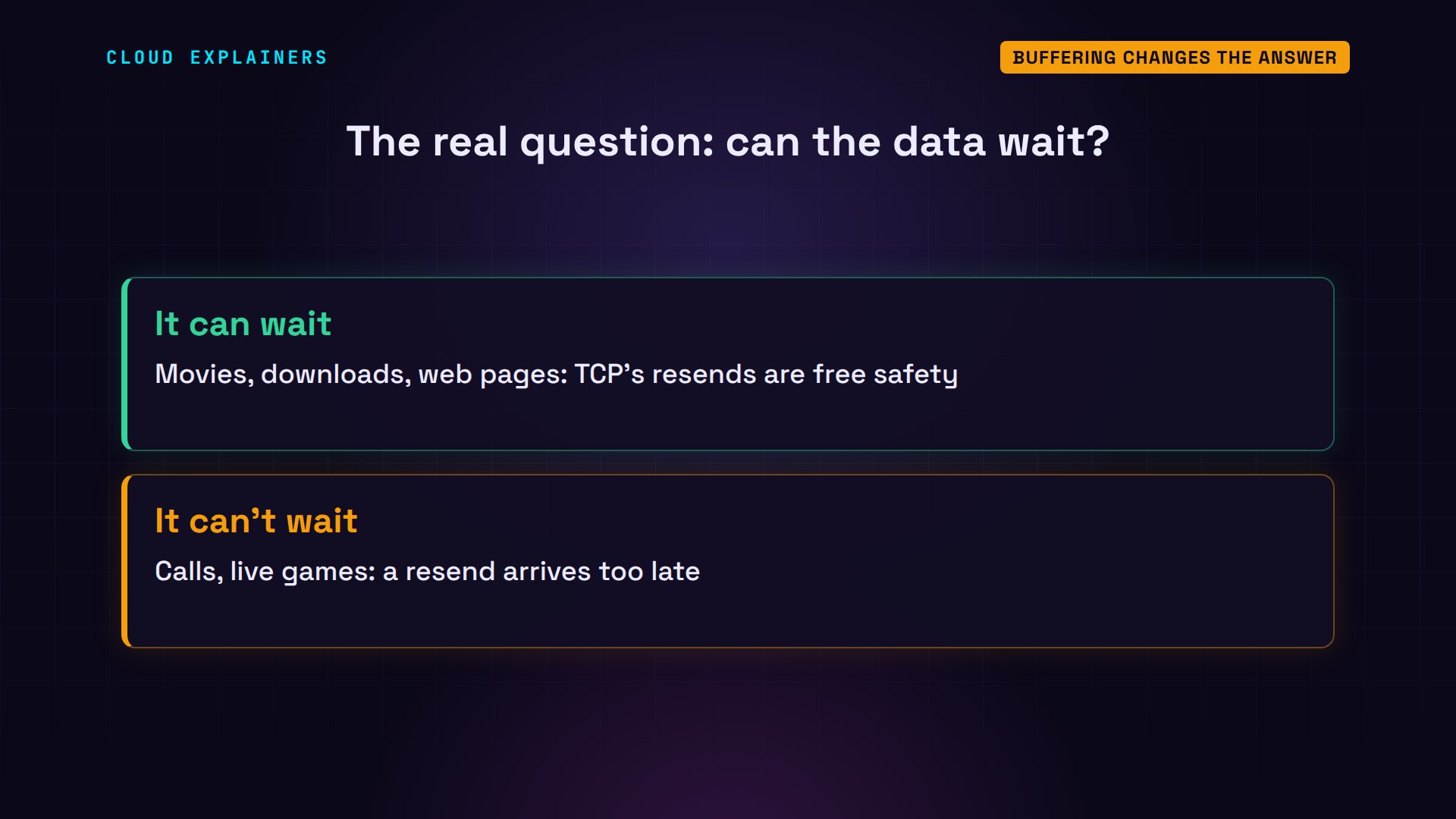
So the real question isn't: is it video? It's: can the data wait? If it can wait a little, TCP's resending is free safety. If it can't, like a live call, every resend arrives too late.
QUIC: UDP with TCP's promises
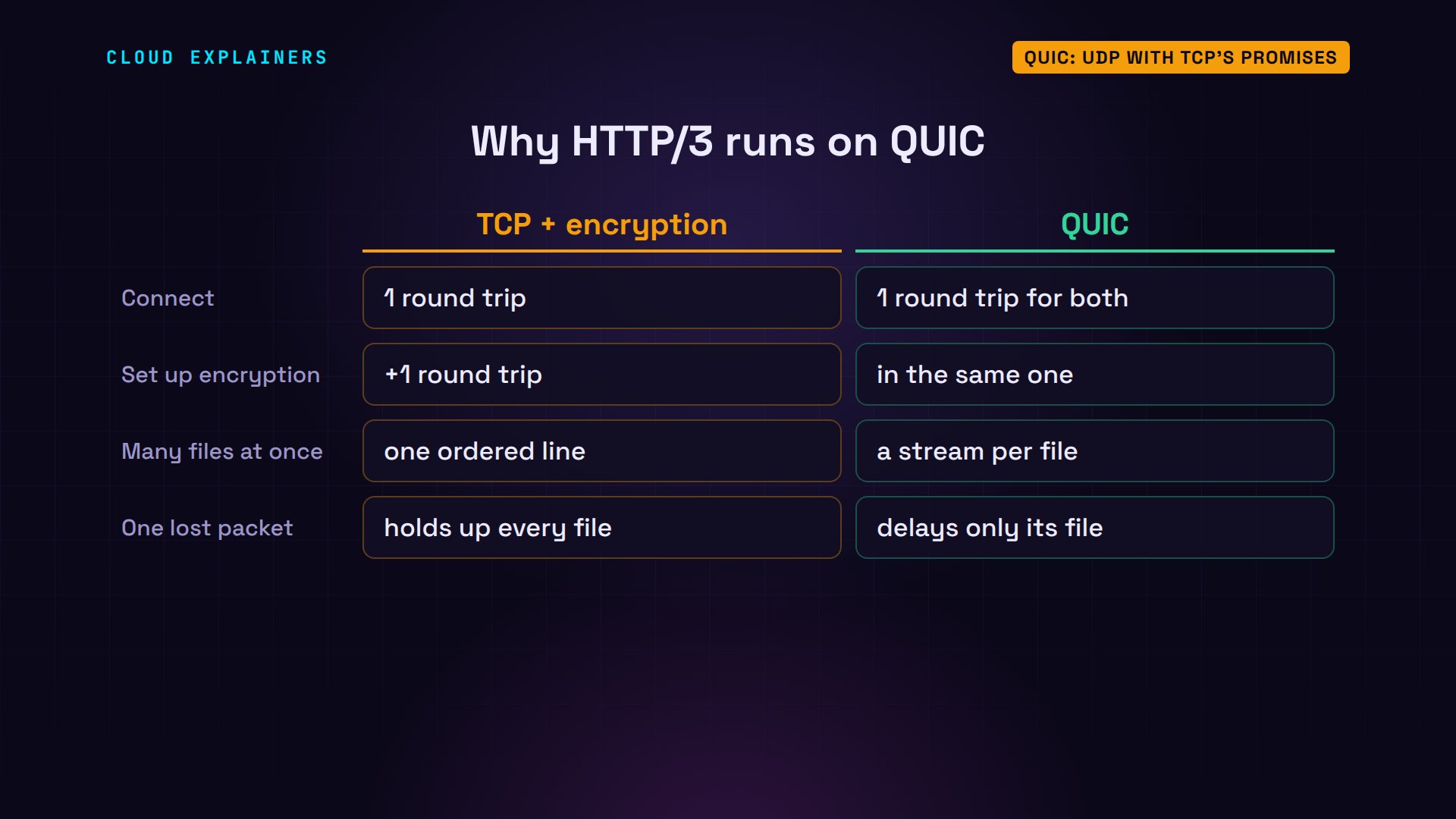
Now a twist: you can build TCP's promises on top of UDP, your own way. That's what QUIC does. It runs over UDP, and adds numbering, receipts, resending and encryption itself. And on top of QUIC runs HTTP/3, the newest version of the web's own language.
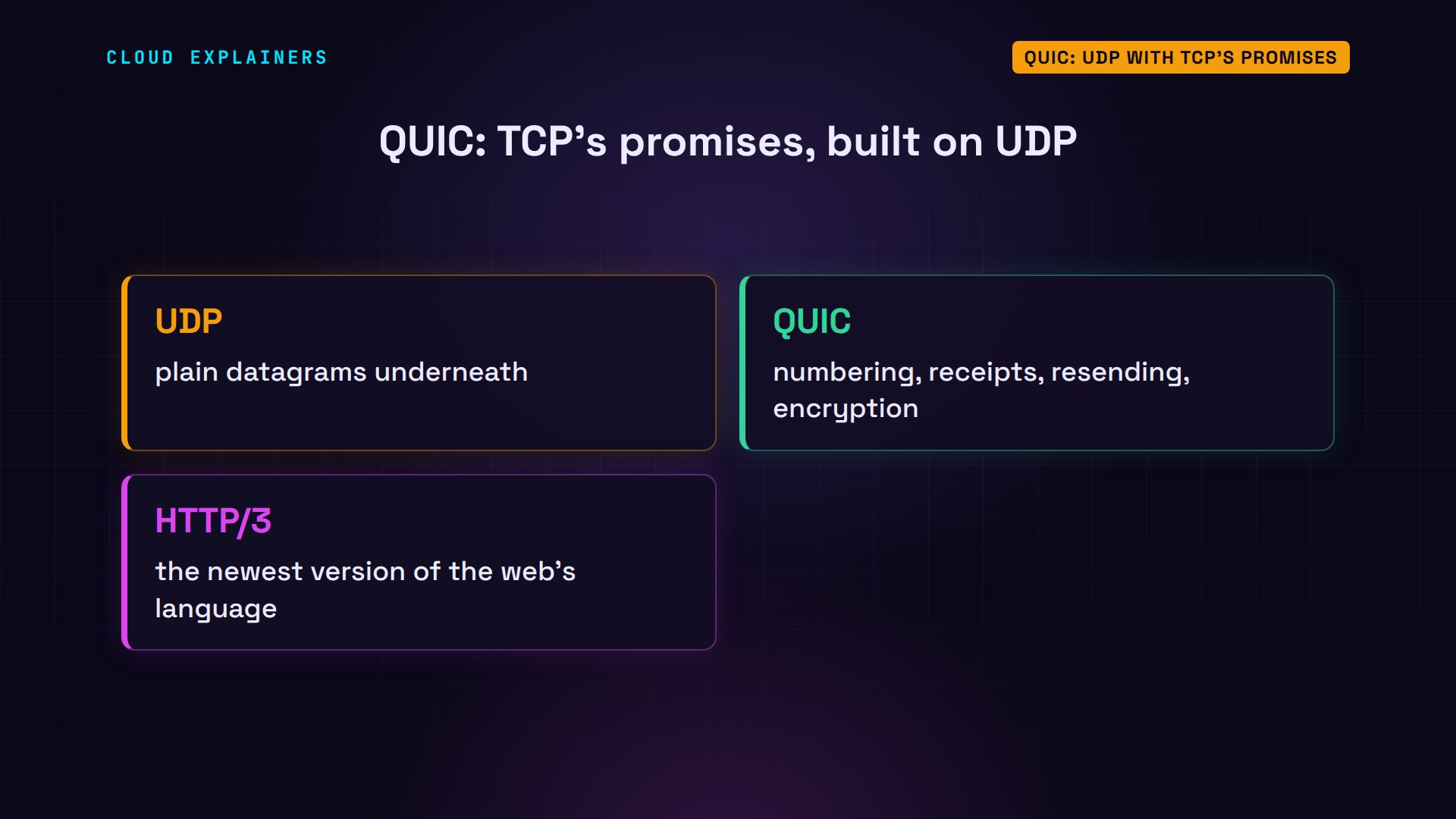
Two tricks make it faster for the web. First, fewer round trips: secure TCP needs one to connect and another to set up encryption; QUIC does both in one. Second, a web page loads many files at once. Over one TCP connection, one lost packet holds up every file: head-of-line blocking again. QUIC gives each file its own stream, so a loss only delays the file it belongs to.
How to choose
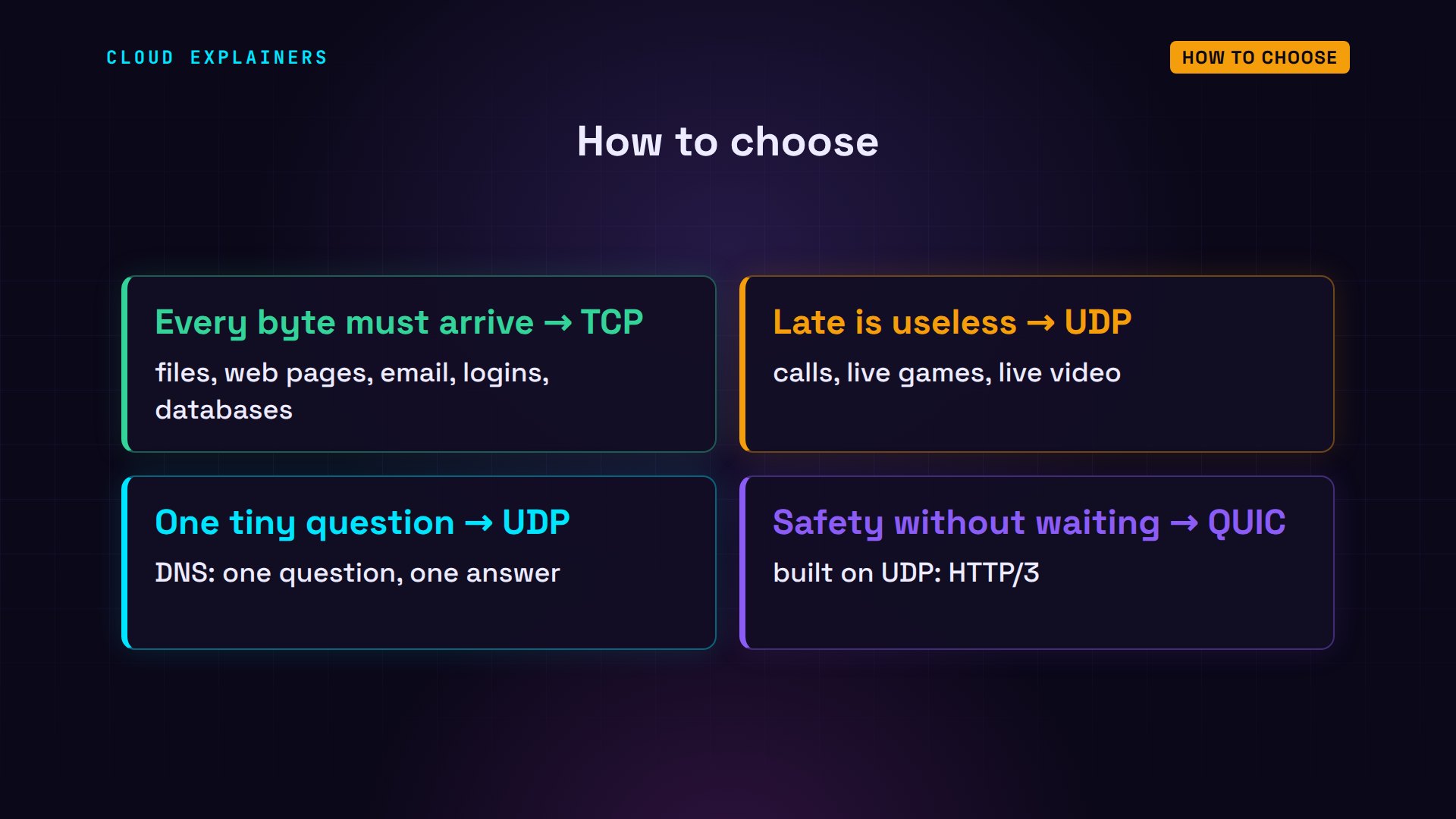
So, how do you choose? If every byte must arrive: TCP. Files, web pages, email, logins, databases. If late is useless: UDP. Calls, live games, live video. One tiny question and answer: UDP, like DNS. And if you need TCP's safety without its waiting, use a protocol built on UDP, like QUIC.
Back to Ana at the café. Her call goes over UDP: a few lost slices she'll never notice, and no freezes. Her photo goes over TCP: slower on weak Wi-Fi, but every byte arrives. And the address lookup before both? One UDP question, one answer.
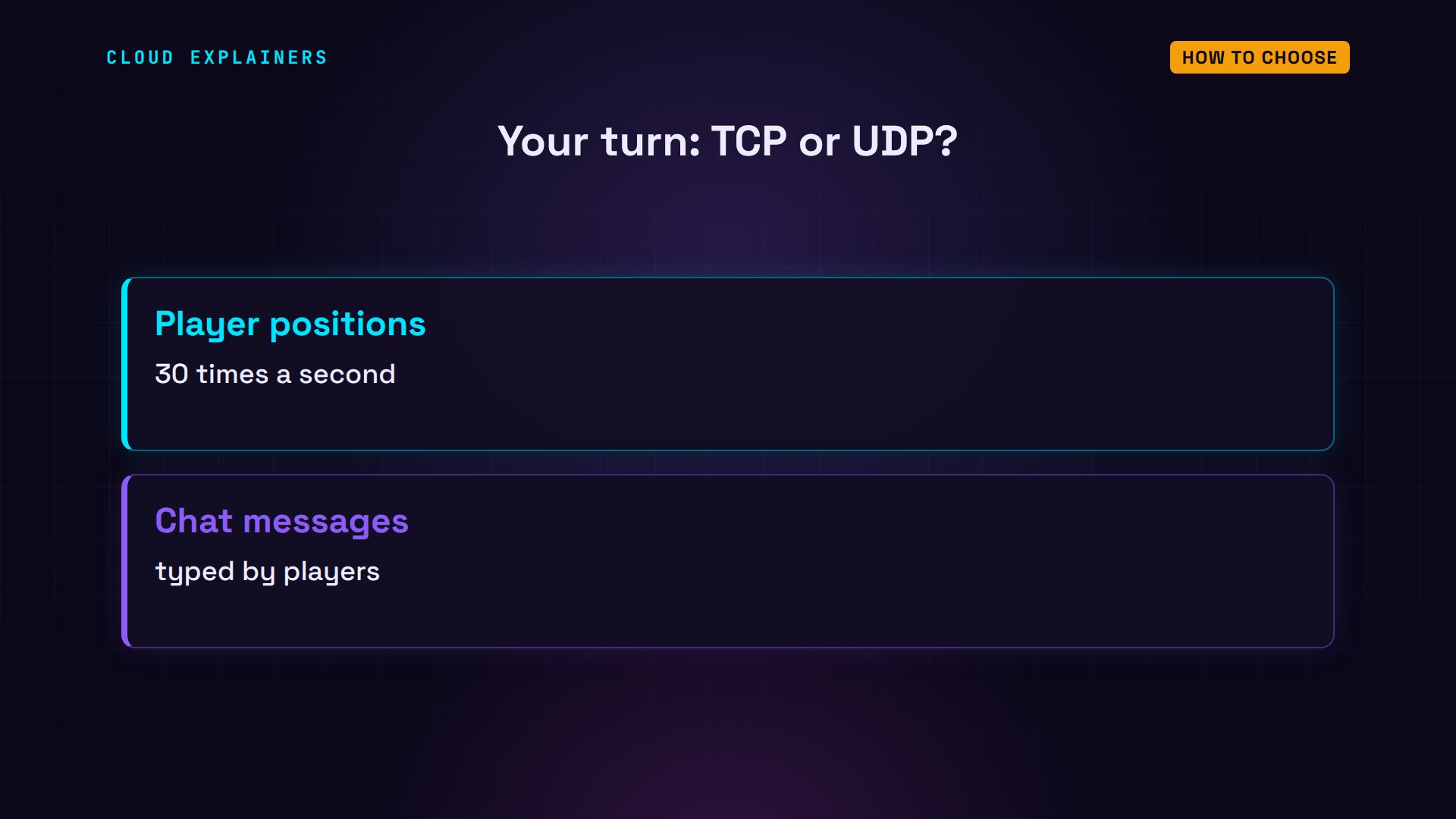
A question for the comments: an online game sends two kinds of messages. Player positions, 30 times a second, and the chat. Which would you send over TCP, and which over UDP? Tell me why in the comments.
Every number in this video came from a real run of this small network. This was episode two of Networking for Beginners. Next time: why the internet ran out of addresses.
Sources
- RFC 9293, Transmission Control Protocol (TCP)
- RFC 768, User Datagram Protocol (UDP)
- RFC 7766, DNS over TCP (used when answers are too big for UDP)
- ITU-T G.114, one-way transmission time (150 ms)
- RFC 8835, WebRTC transports (media over UDP, TCP fallback)
- RFC 9000, QUIC
- RFC 9114, HTTP/3
- RFC 8446, TLS 1.3 (one-round-trip handshake)
- tc-netem manual (delay and loss)
- curl --write-out timings
Demos: real output from a small lab network built with Docker containers on one machine: a private café range (192.168.1.x) and addresses reserved for documentation (203.0.113.x and 198.51.100.x) as the internet. The lab has no route to the real internet; the delay and packet loss were added on purpose with tc netem, and the call and file programs are small test programs written for this video. Watch the full video on YouTube.
More videos

Stop Running Linux as Root (Do This Instead)
Linux Users and Groups Will Finally Make Sense

Why Phishing Beats Good Security (and How to Spot It)
The 7 Levels of Docker

AI Agents Will Finally Make Sense After This
Stop Using git push --force (Use This Instead)
Agent Skills vs MCP: When Each One Wins
Networking Will Finally Make Sense After This

Every Linux Command You Actually Need

The 7 Levels of Cybersecurity

Every System Design Concept You Need, in One Diagram
