
Linux Processes vs Threads: When Each One Wins
Processes vs threads on a real Ubuntu 24.04 server: PostgreSQL starts a process per connection, MariaDB a thread per connection. Four tested rounds: sharing memory (a real race condition), crashes, the cost of starting one, and using every CPU core. Plus a simple rule for when each one wins.
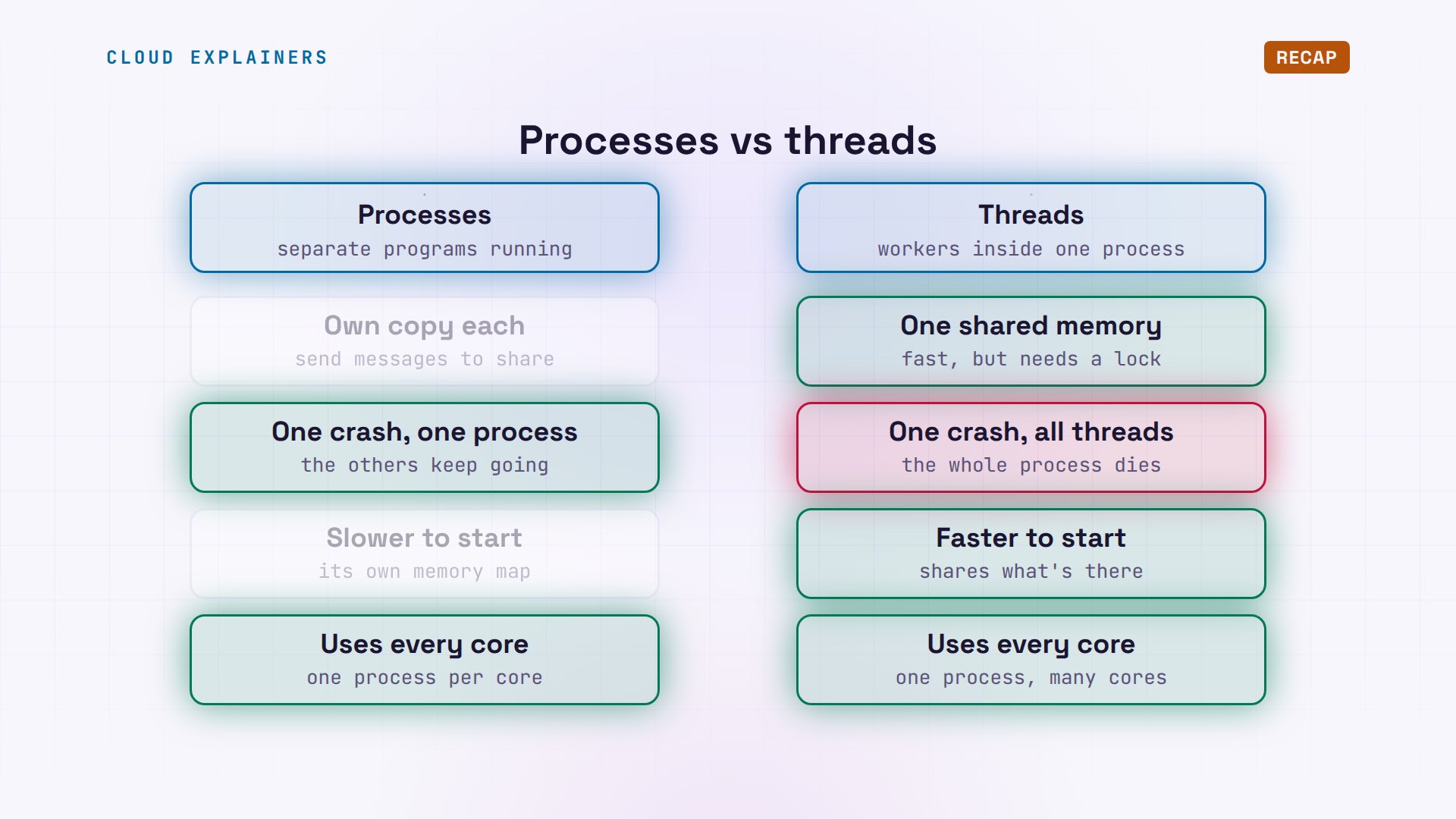
Processes vs threads
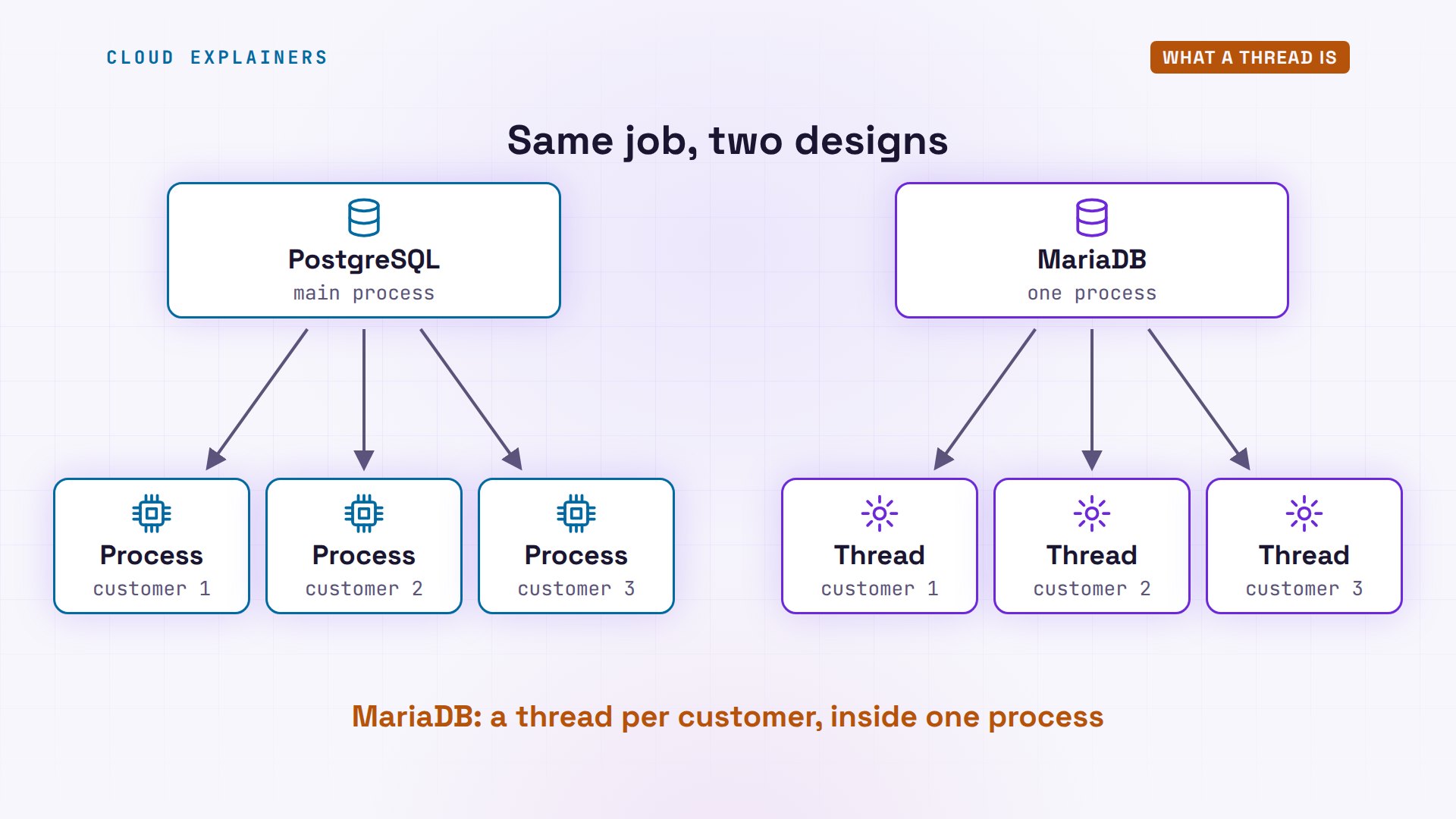
Every program on Linux runs as processes and threads. What's the difference, and when does each one win? Ana is picking a database for her shop, and three customers just connected to each of two. PostgreSQL started three new processes, one per customer. MariaDB is still one process. It went from seven threads to ten: one new thread per customer.
ps -u postgres -o pid,nlwp,argsPID NLWP COMMAND 55 1 /usr/lib/postgresql/16/bin/postgres -D /var/lib/pos 56 1 postgres: 16/main: checkpointer 57 1 postgres: 16/main: background writer 59 1 postgres: 16/main: walwriter 60 1 postgres: 16/main: autovacuum launcher 61 1 postgres: 16/main: logical replication launcher 897 1 postgres: 16/main: ana shop [local] idle 906 1 postgres: 16/main: ana shop [local] idle 909 1 postgres: 16/main: ana shop [local] idle
ps -C mariadbd -o pid,nlwp,commPID NLWP COMMAND 489 10 mariadbd
Same job, two designs. To see why, we'll look at what a process is, and what threads are. Then we'll test them in four rounds, on Ana's Ubuntu server: sharing memory, crashes, the cost of starting one, and using every CPU core. At the end, a simple rule for when each one wins.
What a process is
First, a program is just a file on the disk. A process is that program running. Linux copies the program into memory, gives it a number called a process ID, or PID, and runs it as a user. Each process gets its own private memory. Another process can't read it or change it. And one program can run as many processes at once.
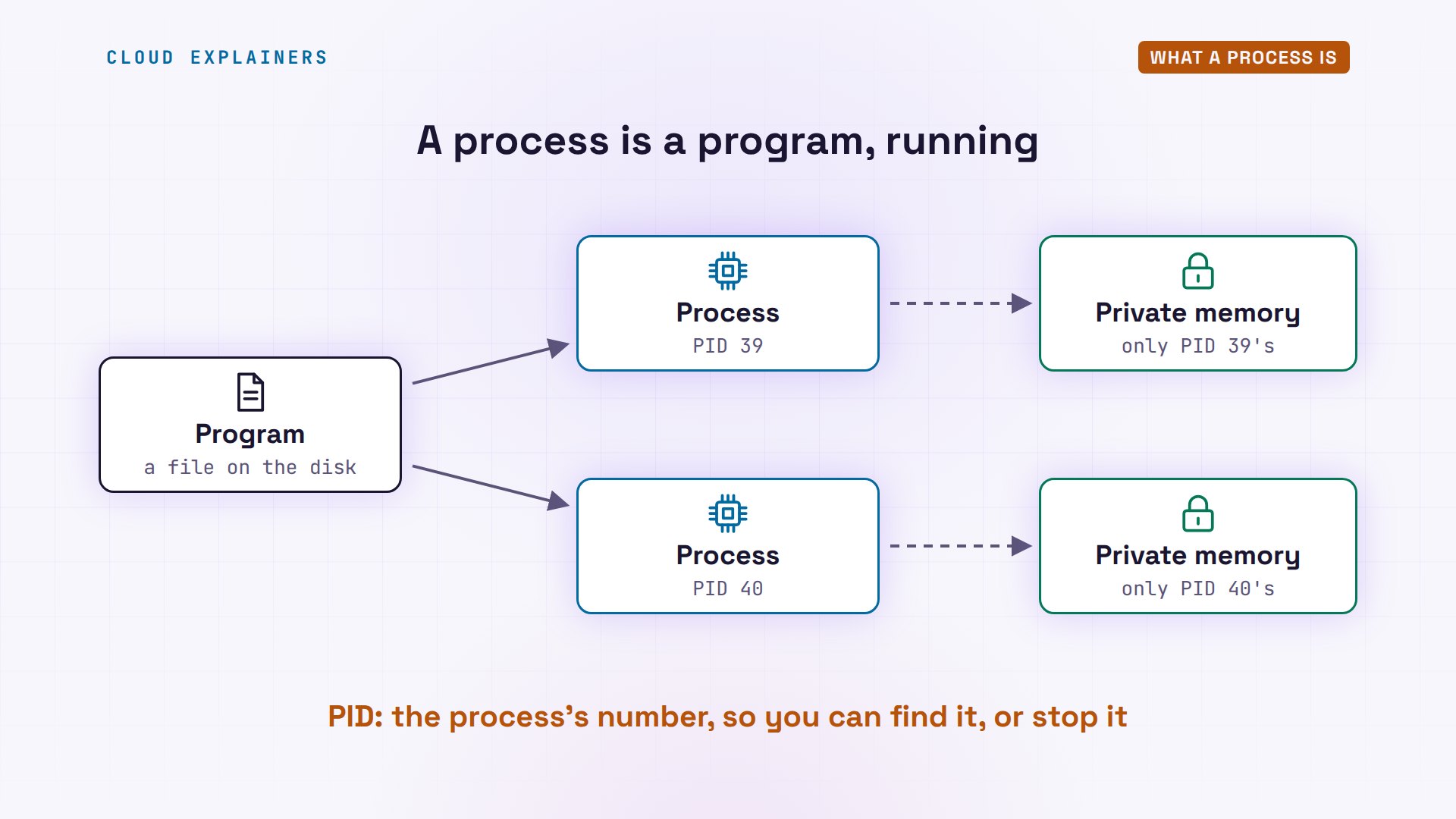
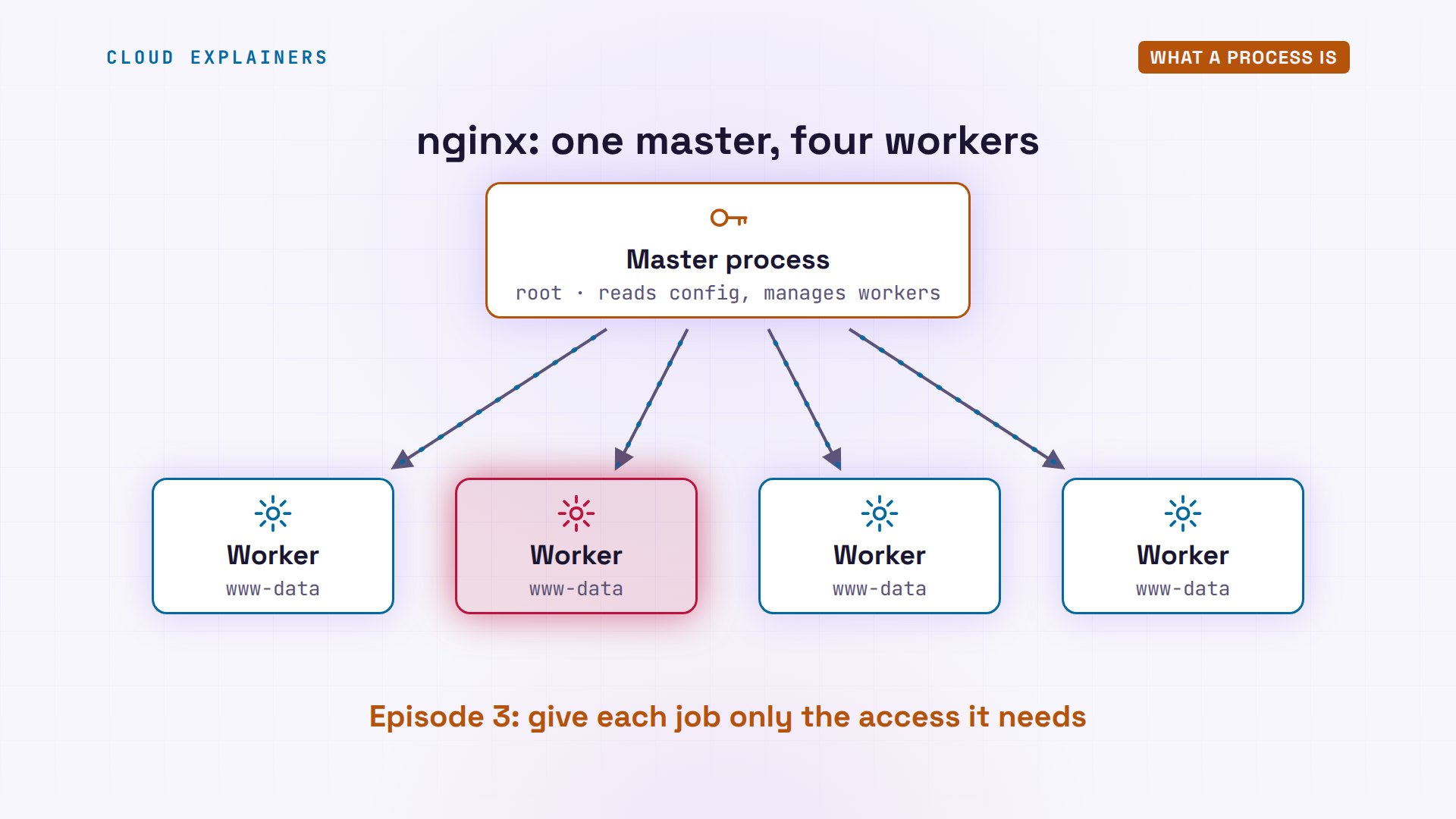
Here's that on Ana's server. Her web server, nginx, is one program file. ps lists processes, and this one program is running as five. A master process runs as root, and four worker processes run as a user called www-data. Each has its own PID, and the NLWP column counts threads: each has one.
ls -l /usr/sbin/nginx-rwxr-xr-x 1 root root 1314136 Oct 24 14:34 /usr/sbin/nginx
ps -C nginx -o pid,user,nlwp,argsPID USER NLWP COMMAND 39 root 1 nginx: master process nginx 40 www-data 1 nginx: worker process 41 www-data 1 nginx: worker process 42 www-data 1 nginx: worker process 43 www-data 1 nginx: worker process
Why two kinds? The master starts as root, so it can open the web port, and then it only manages the workers. The workers do the real work: they answer every request. If someone breaks into a worker, they get www-data's permissions, not root's. As in episode three: give each job only the access it needs.
What a thread is
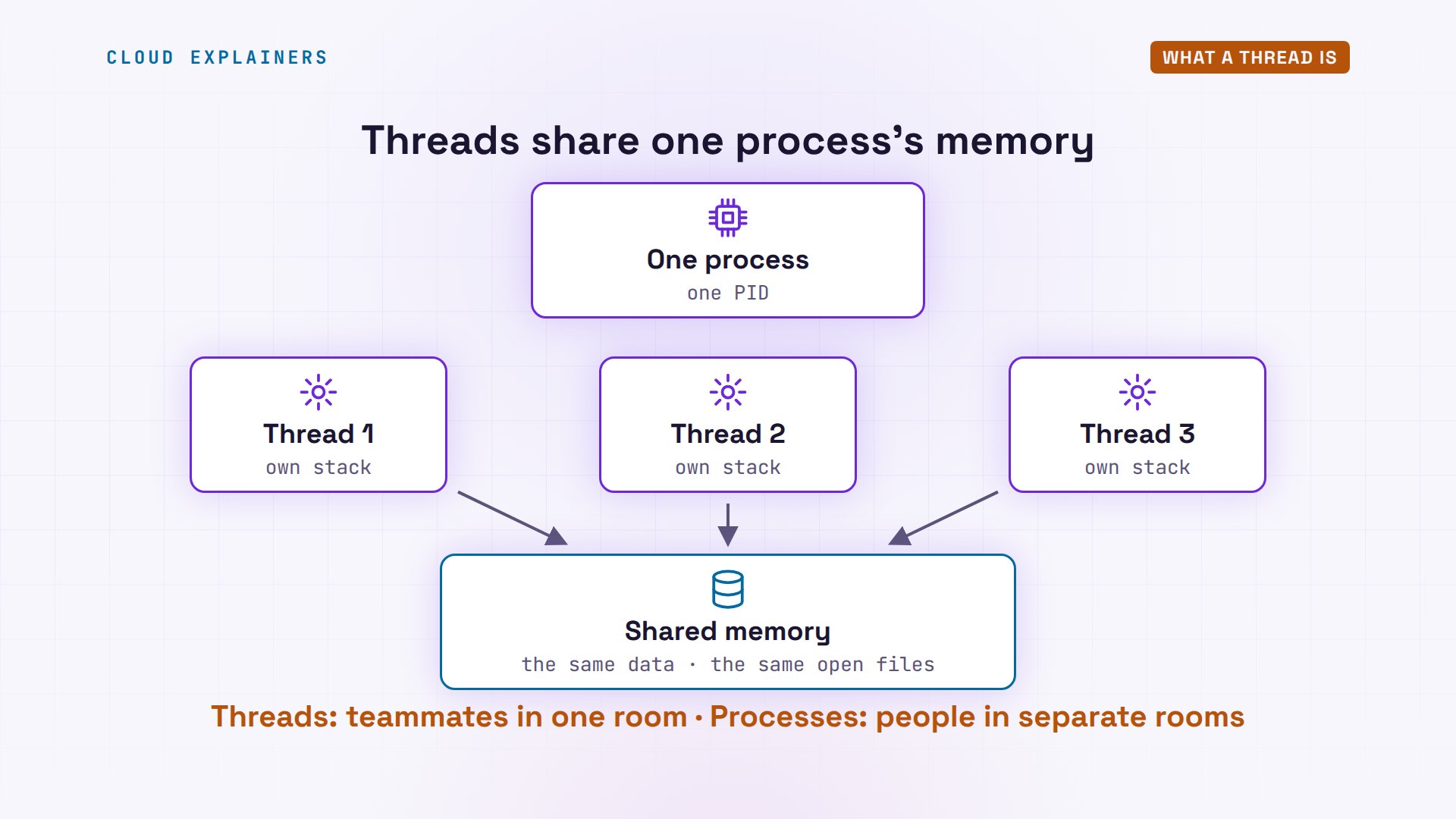
A thread is a worker inside a process. Every process starts with one. It can start more, and they all share the process's memory: the same data, the same open files. Each thread only keeps its own small notepad, called a stack, and its own place in the code. So threads are teammates in one room, and processes are people in separate rooms.
That's MariaDB. pidof finds MariaDB's PID, and ps with dash T lists the threads of that one process. They all share one PID, 489, and each has its own thread ID in the S P I D column. Linux also shows every running process as a folder in slash proc, with one entry per thread. Counting them gives ten, the same number as ps.
ps -T -p $(pidof mariadbd) | head -5PID SPID TTY TIME CMD 489 489 ? 00:00:00 mariadbd 489 491 ? 00:00:00 mariadbd 489 492 ? 00:00:00 mariadbd 489 493 ? 00:00:00 mariadbd
ls /proc/$(pidof mariadbd)/task | wc -l10
Now Ana's two databases make sense. PostgreSQL has a main process that waits for customers. For each new connection, it starts a new process, and that process serves only that customer. MariaDB stays one process. For each new connection, it starts a new thread inside itself, sharing the database's memory.
Round 1: Sharing memory
Round one: sharing memory. To test it, we wrote a tiny program called counter. It starts four workers, and each one adds one to a number, a million times. With four processes, each worker has its own copy of the number. With four threads, they all add to the same one.
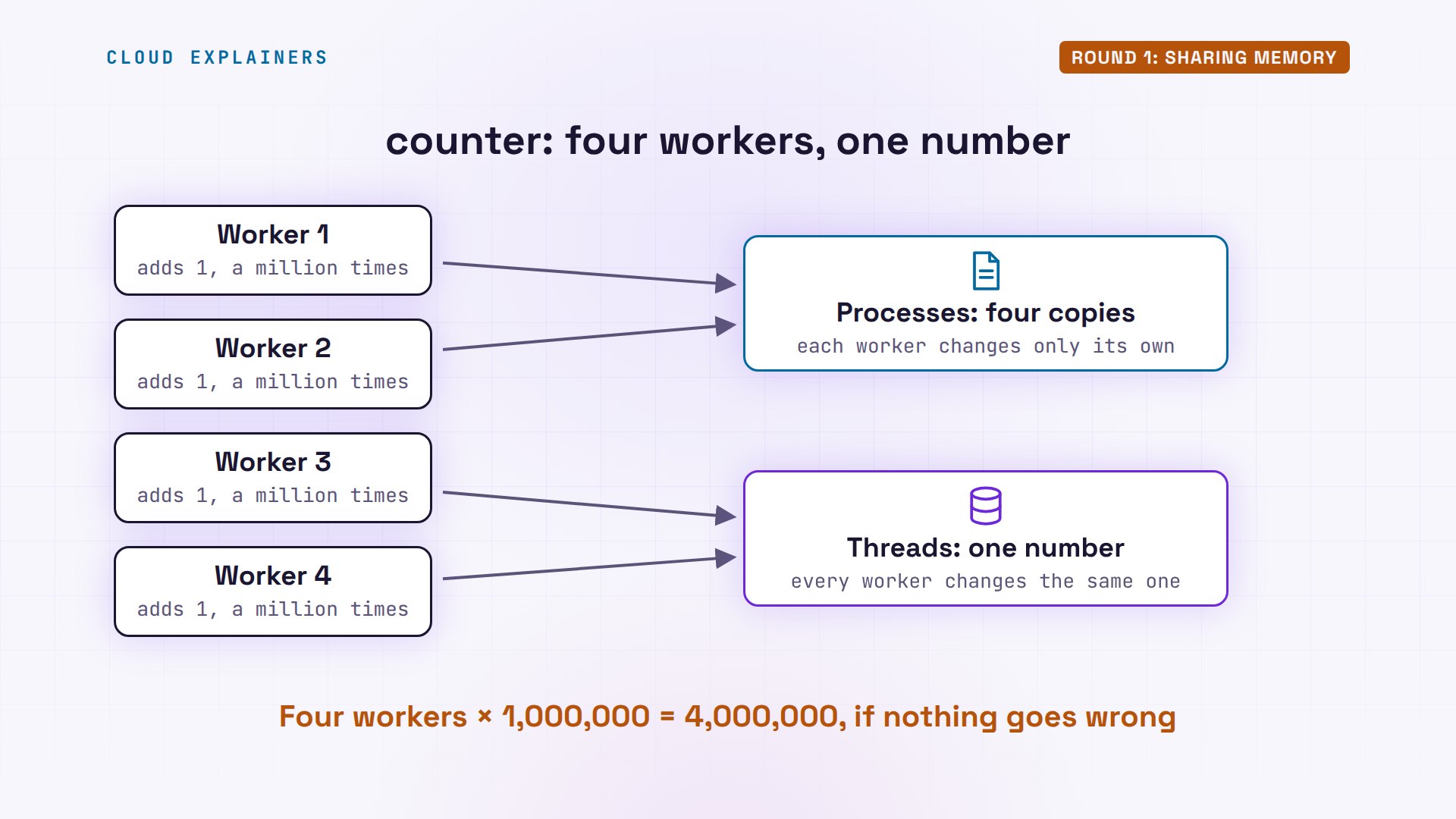
Processes first. Each process counted its own copy to a million. The parent, the process that started them, still has zero: nothing was shared. Now threads. Four million expected, and we got about one point nine million. Run it again: about one point four million. A different wrong answer every time.
counter --processes 44 processes, each with its own copy.
process 1: its copy is 1000000
process 2: its copy is 1000000
process 3: its copy is 1000000
process 4: its copy is 1000000
parent:    its copy is 0
counter --threads 44 threads share one number.
expected: 4000000
result:   1903149
counter --threads 44 threads share one number.
expected: 4000000
result:   1371366
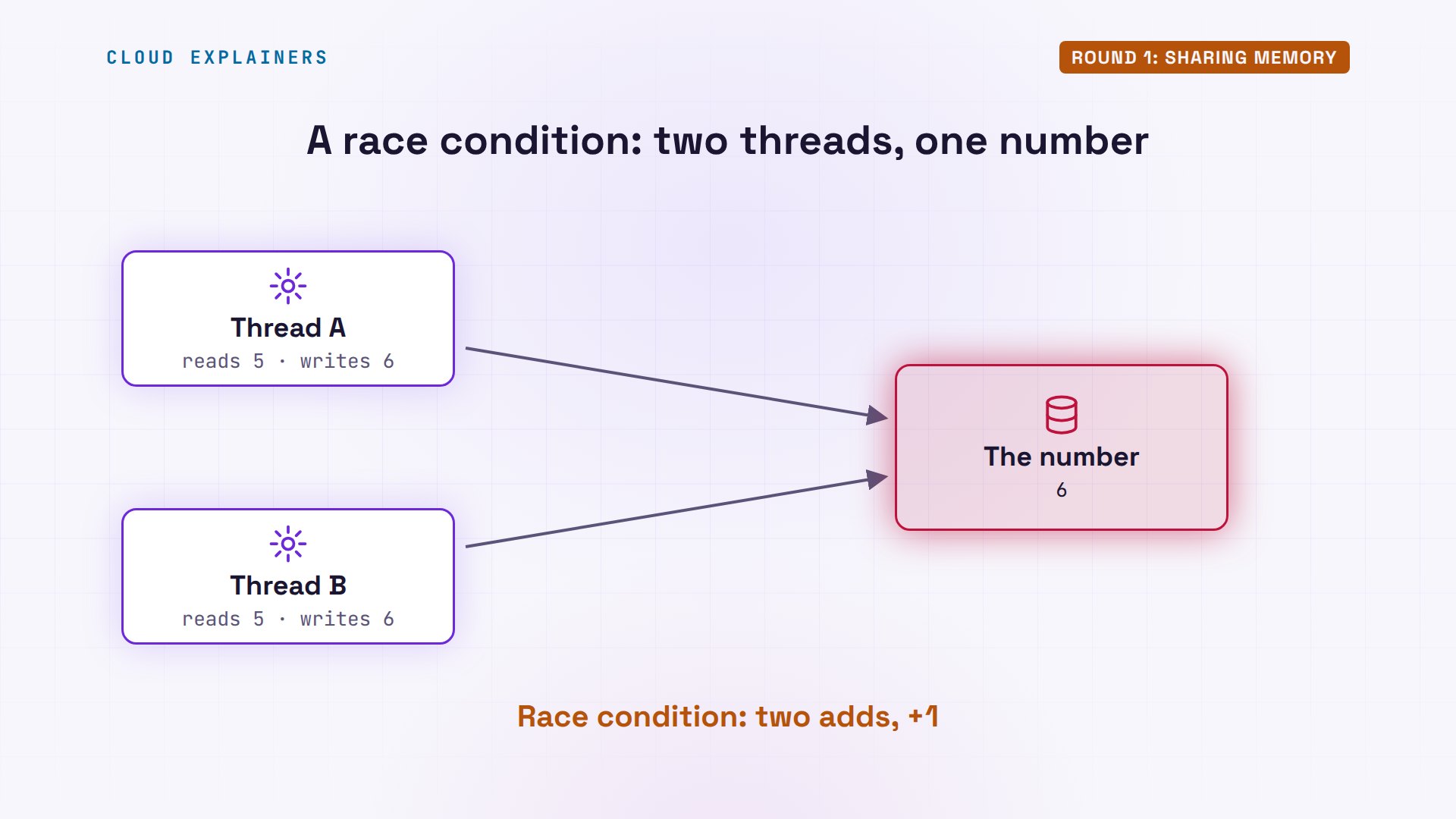
Where did the missing adds go? Adding one is three small steps: read the number, add one, write it back. Two threads read five at the same moment. Both write back six. Two adds, but the number only went up by one. This is called a race condition.
The fix is a lock: only one thread may change the number at a time, and the others wait their turn. With the lock: four million, exactly. It's a little slower, because threads now take turns, but the answer is right.
counter --threads 4 --lock4 threads share one number, with a lock.
expected: 4000000
result:   4000000
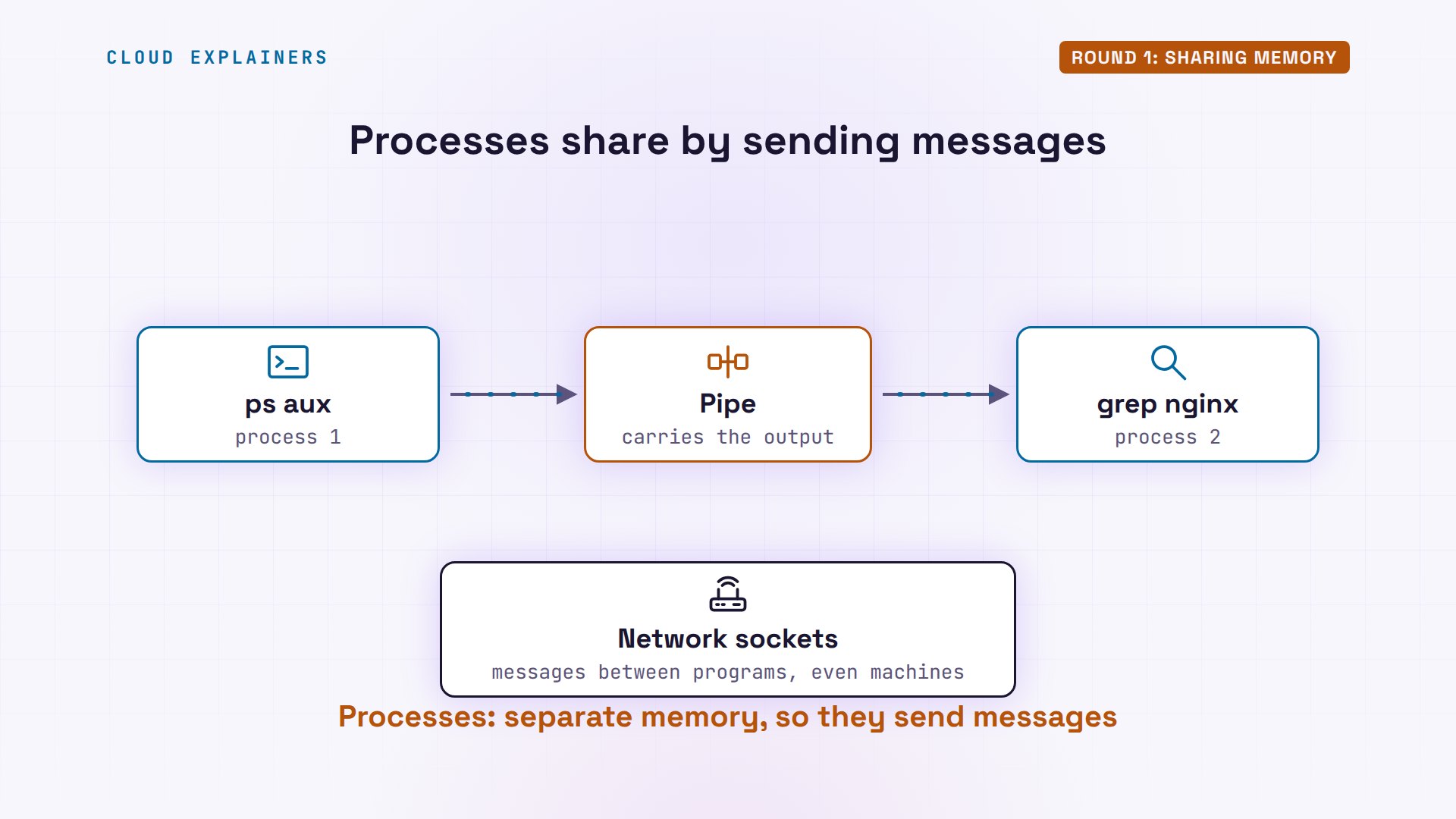
So threads win at sharing: it's fast and it's built in, but every piece of shared data needs a lock. Processes can't see each other's memory, so they send messages instead. You've already used one way: the pipe. Take ps aux, piped into grep nginx. That's two processes, and the pipe carries the output of the first one into the second. Network sockets do the same between programs, even on different machines.
Round 2: Crashes
Round two: crashes. A bug that touches memory a program doesn't own is called a segmentation fault. Linux then stops the whole process. Not just the thread with the bug: every thread inside it. Our second program, crash, starts four workers, and worker three has that bug.
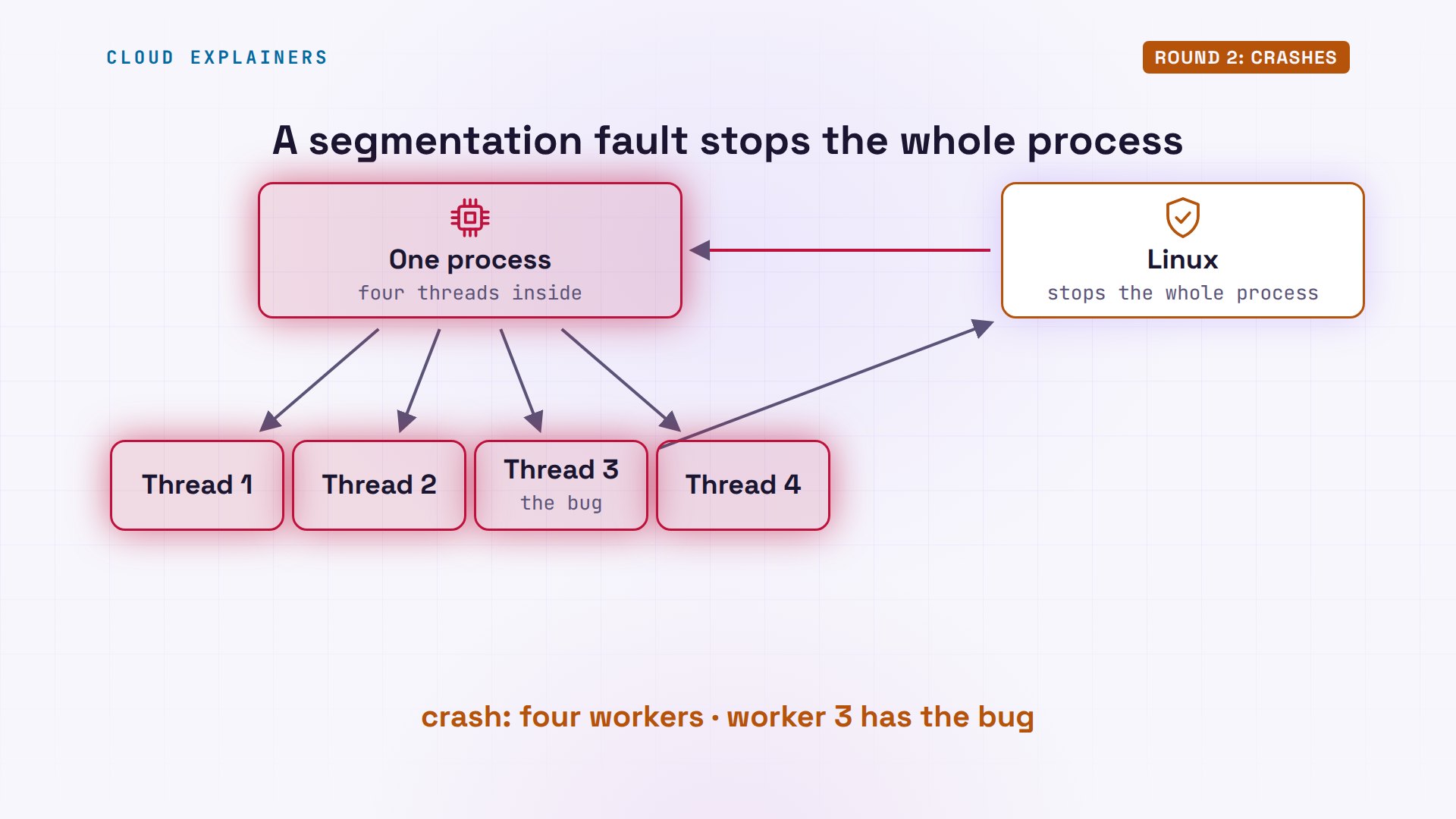
With threads: worker three hits the bug, and everything is gone. Segmentation fault, and not one worker finished. With processes: worker three dies alone. One, two and four finish, and the parent sees what happened and keeps running.
crash --threads 4starting 4 threads in one process
thread 3: bad memory access!
Segmentation fault (core dumped)
crash --processes 4starting 4 processes
process 3: bad memory access!
process 1: finished
process 2: finished
process 4: finished
parent: process 3 was killed (Segmentation fault)
parent: still running
Real servers use this. Ana stops worker 40 with kill dash nine, the way a crash would end it. ps again: the master already started a new worker, PID 1025. And the website still answers: two hundred, OK.
sudo kill -9 40[sudo] password for ana:
ps -C nginx -o pid,user,nlwp,argsPID USER NLWP COMMAND 39 root 1 nginx: master process nginx 41 www-data 1 nginx: worker process 42 www-data 1 nginx: worker process 43 www-data 1 nginx: worker process 1025 www-data 1 nginx: worker process
curl -sI localhost | head -1HTTP/1.1 200 OK
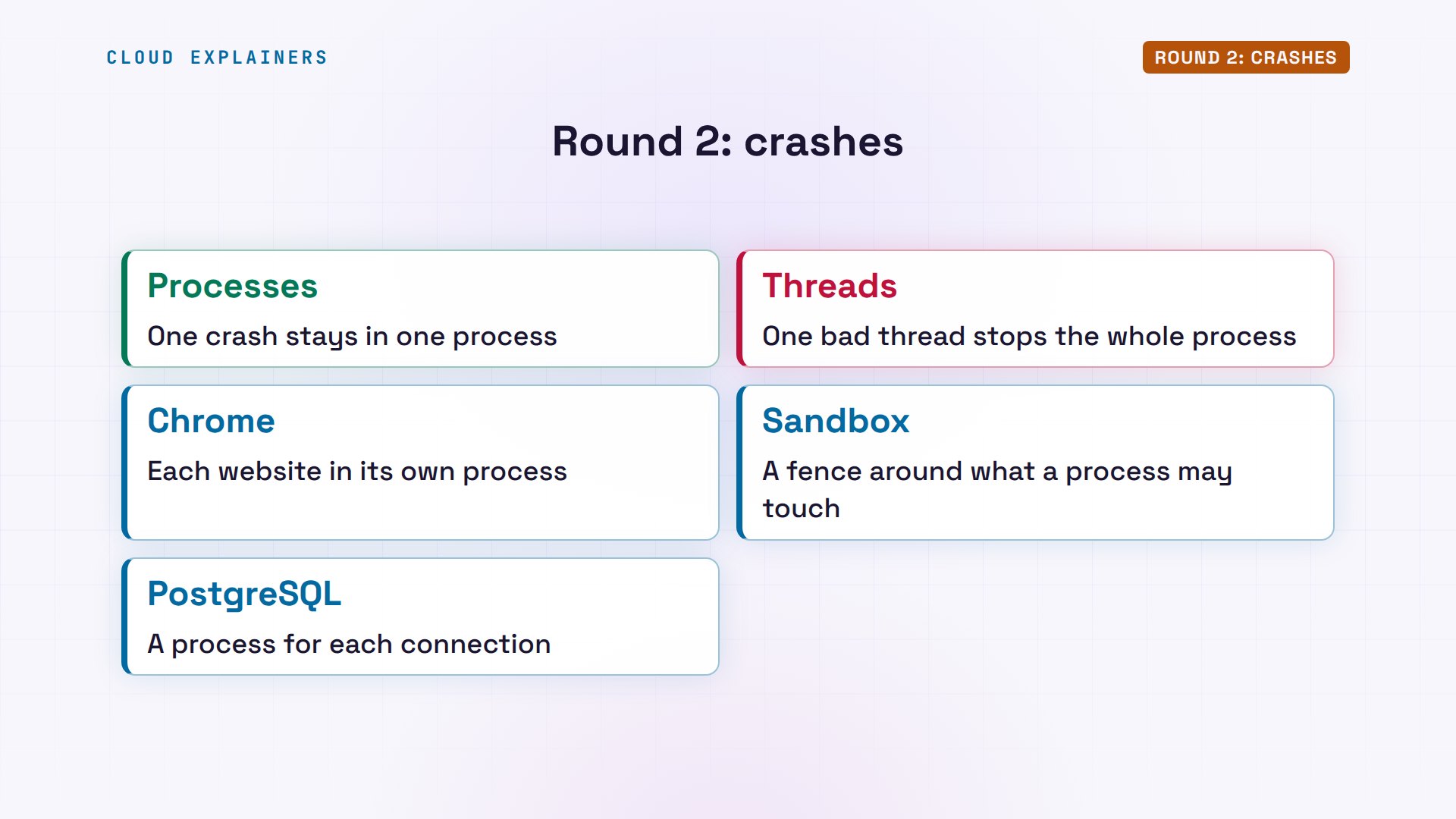
So processes win this round, and threads lose it: one bad thread stops them all. That's why web browsers like Chrome run websites in separate processes. One broken page can't take down the others, and each one can be locked in a sandbox, a fence around what it may touch. And it's one reason PostgreSQL gives each customer a process of its own.
Round 3: Starting one
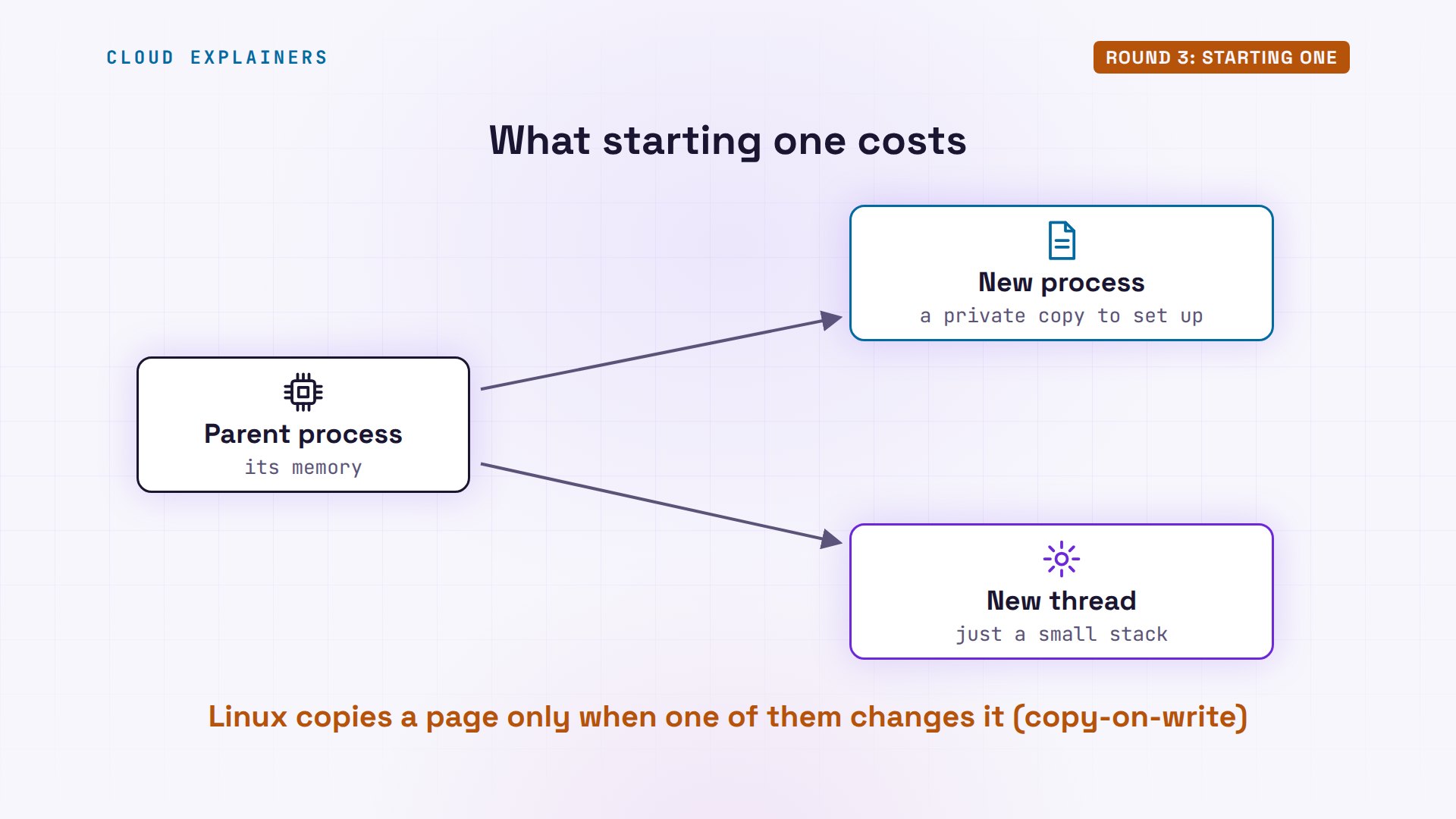
Round three: the cost of starting one. A new process needs its own memory, so Linux sets up a private copy of the parent's memory for it. It copies only the pages that change, but there's still work to do. A new thread just needs a small stack, in memory that's already there.
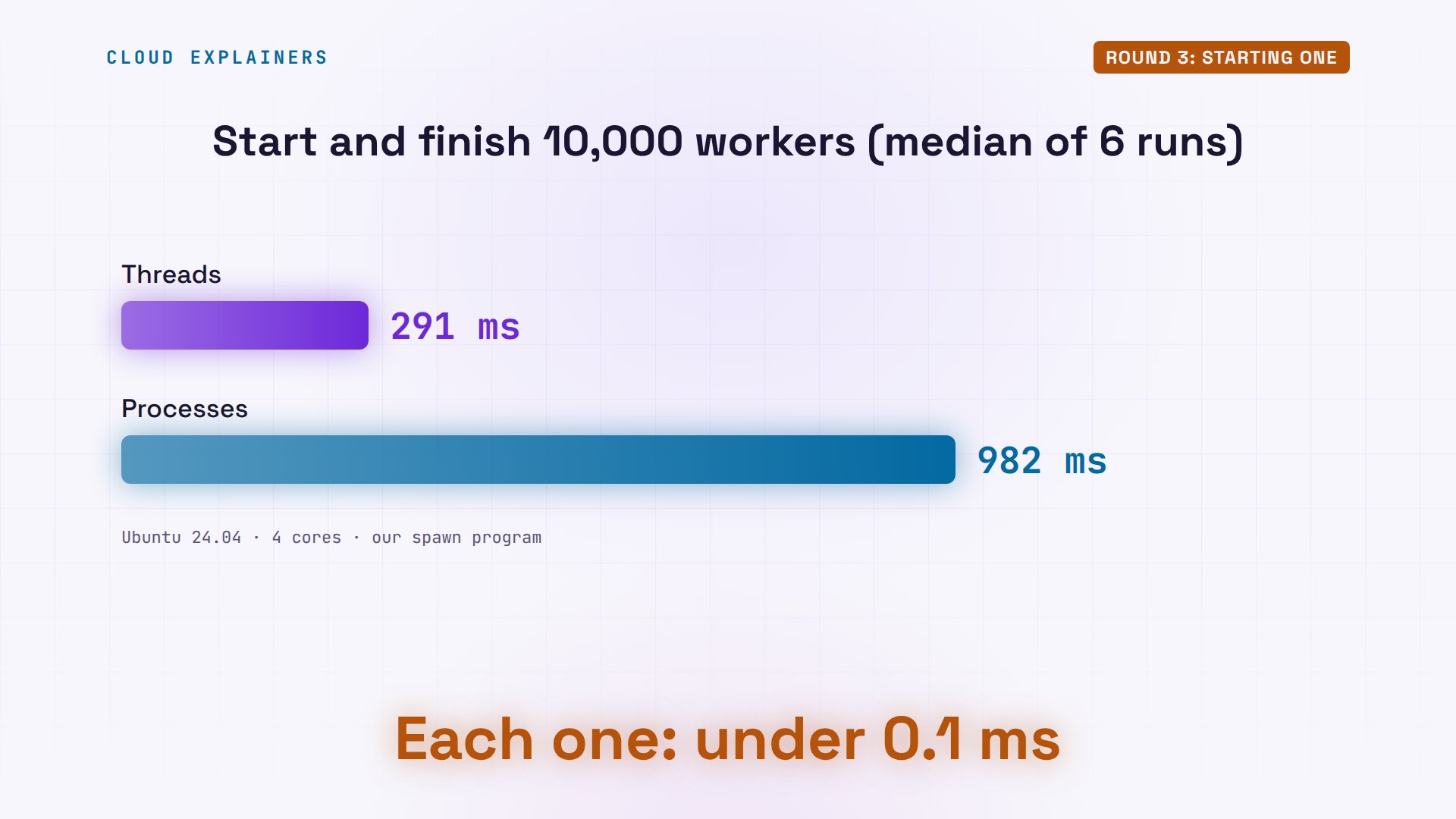
Our third program, spawn, starts ten thousand workers that do nothing, one after another, and times it. Ten thousand threads: two hundred and ninety-two milliseconds. Ten thousand processes: nine hundred and ninety-four.
spawn --threads 1000010000 threads started and finished in 292 ms
spawn --processes 1000010000 processes started and finished in 994 ms
Over six runs each, threads took about two hundred and ninety-two milliseconds, and processes about three times as long. So threads win this round. Each start is still under a tenth of a millisecond, so it matters most when a server starts thousands.
Round 4: CPU cores
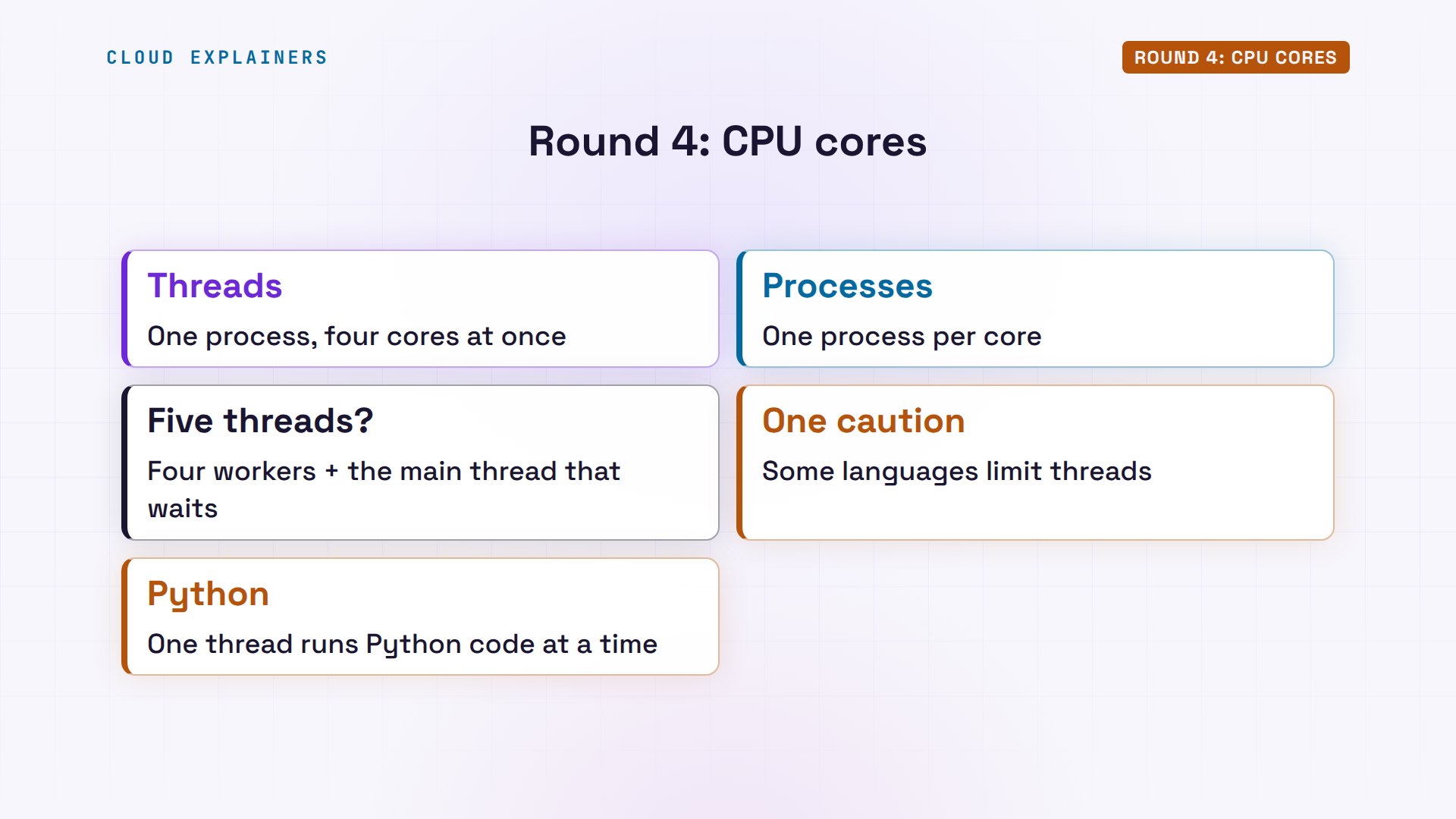
Round four: CPU cores. A core is one part of the processor that runs one thing at a time, and the server Ana runs has four. Linux's scheduler decides what runs on each core, and it schedules threads, not programs. A process with one thread is one task to it. A process with four threads is four tasks, and they can run on four cores at the same time.
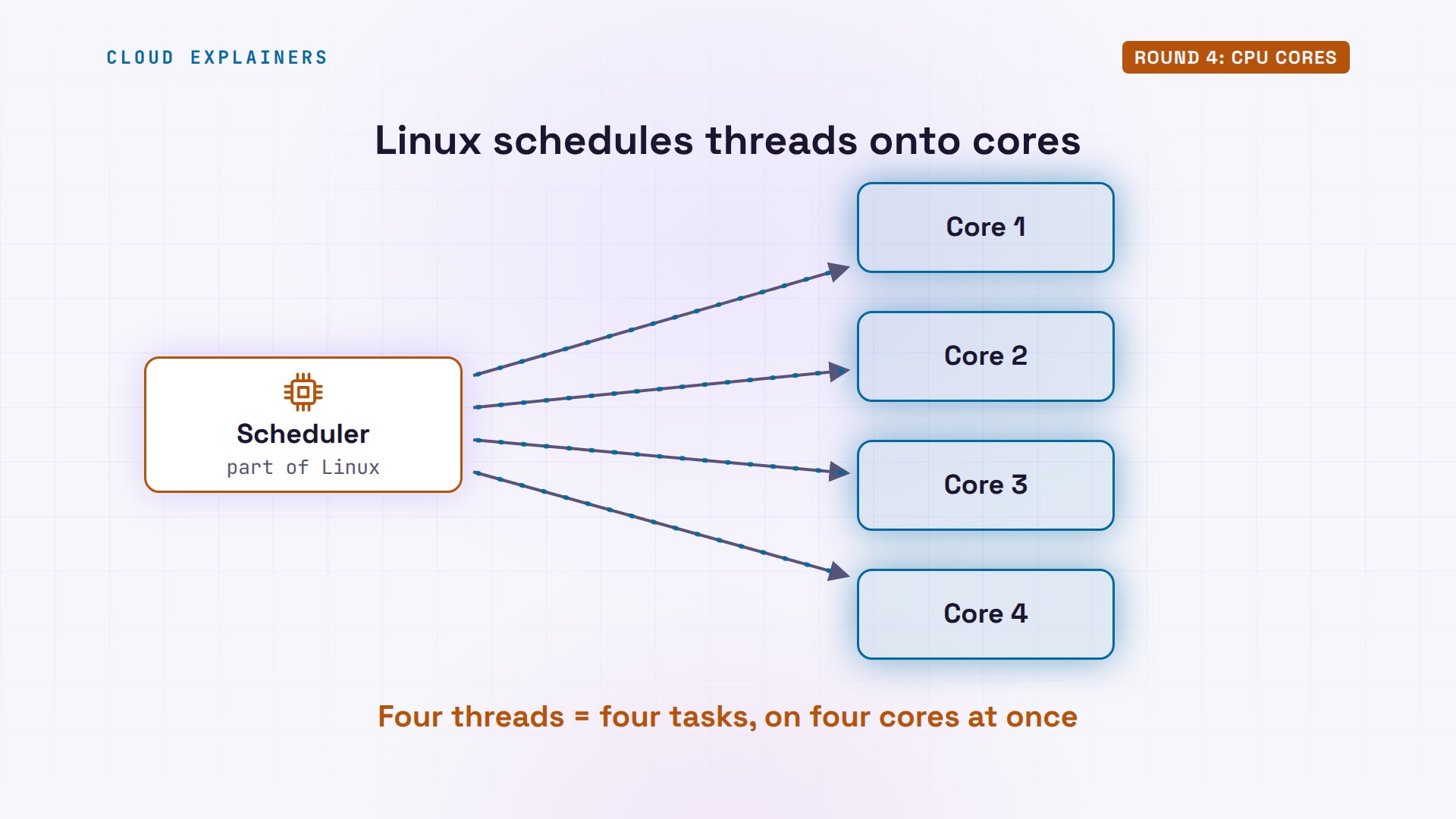
Our last program, burn, keeps four workers busy for a few seconds. As threads: one process, five threads, at three hundred and ninety-seven percent CPU. ps counts a hundred percent per core, so that's four full cores. As processes: four processes at about a hundred percent each, plus the parent, resting at zero.
nproc4
burn --threads 4 & sleep 3; ps -C burn -o pid,nlwp,pcpu,comm; wait[1] 121102
    PID NLWP %CPU COMMAND
 121102    5  397 burn
[1]+  Done                    burn --threads 4
burn --processes 4 & sleep 3; ps -C burn -o pid,nlwp,pcpu,comm; wait[1] 121109
    PID NLWP %CPU COMMAND
 121109    1  0.0 burn
 121111    1  100 burn
 121112    1  100 burn
 121113    1 99.6 burn
 121114    1 99.6 burn
[1]+  Done                    burn --processes 4
So on Linux, this round is a tie: threads and processes both use every core. The five threads are the four workers, plus the main one, which waits for them. One caution: some languages limit threads. In Python, only one thread runs Python code at a time, as we showed in our Python video.
When each one wins
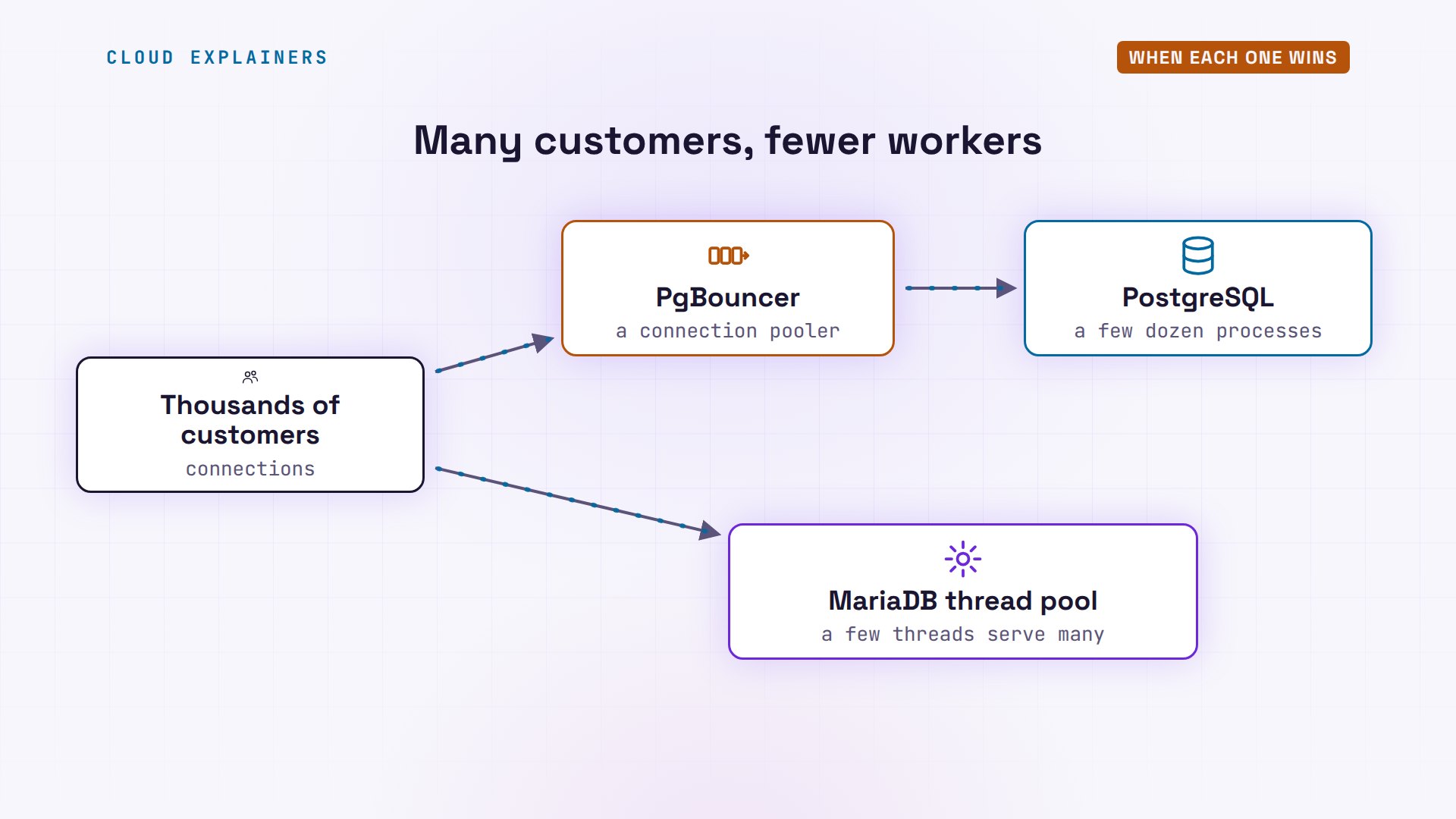
Each design has a known fix for its weak spot. A process per customer costs memory, so busy PostgreSQL servers put a connection pooler in front, like PgBouncer. Thousands of customers share a few dozen database processes. MariaDB can do the opposite: its thread pool lets a few threads serve many customers, so it doesn't need thousands of threads.
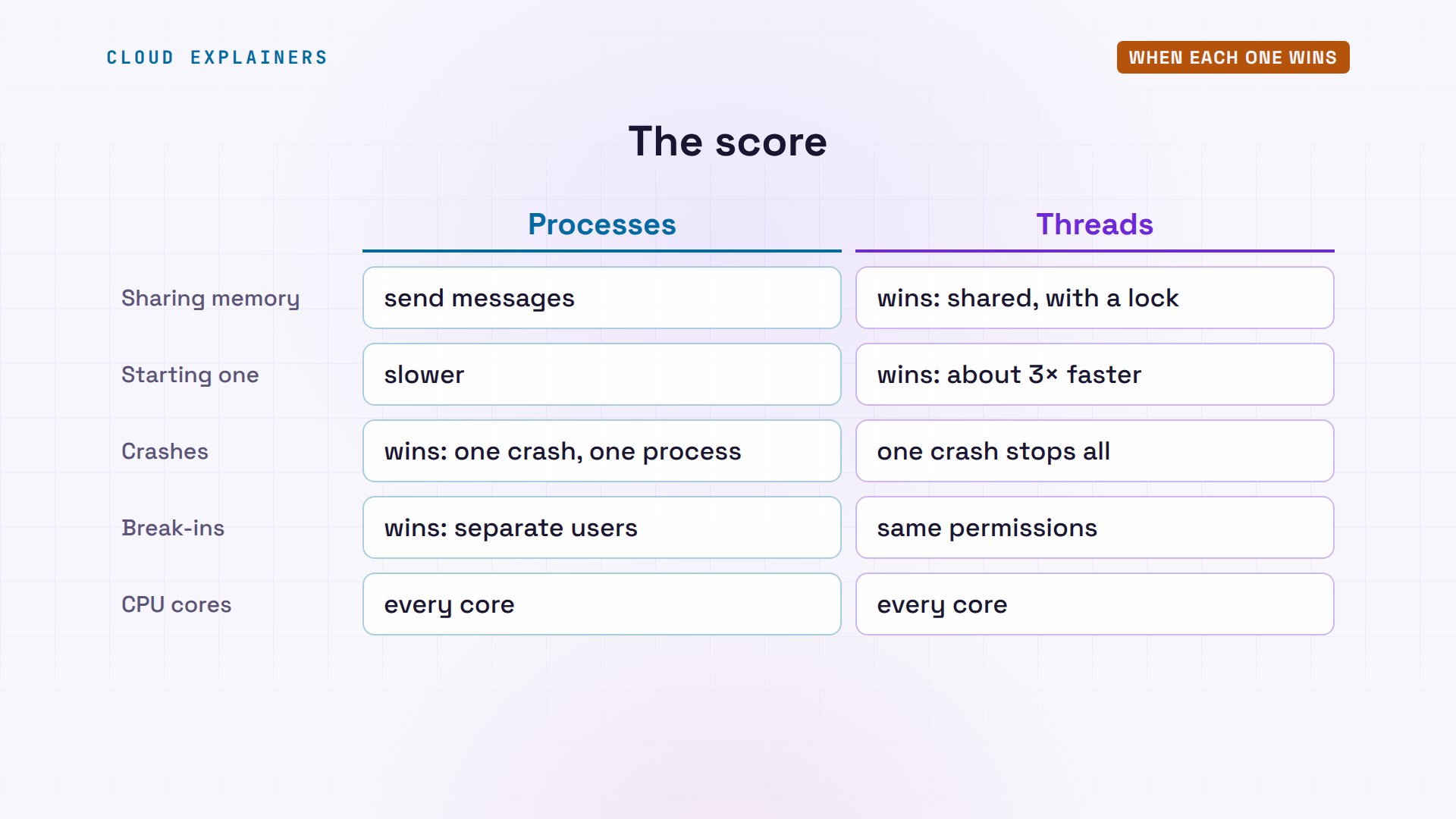
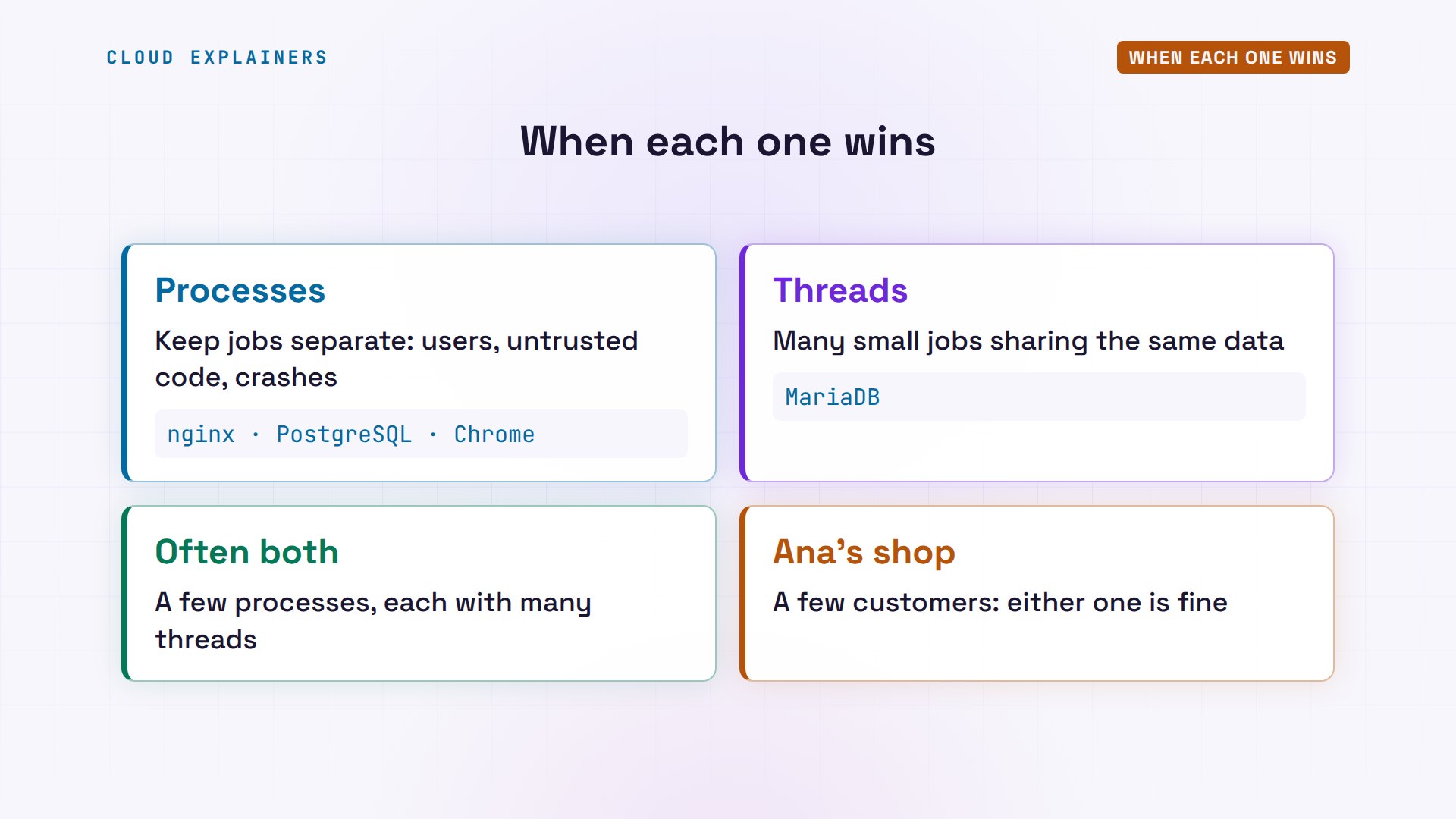
Here's the score. Threads win at sharing memory, as long as you lock what's shared, and at starting fast. Processes win at keeping a crash, or a break-in, inside one process. And both use every core.
So here's the rule. Use processes when jobs must stay separate: different users, code you don't fully trust, or a crash that must not spread. Use threads when lots of small jobs share the same data. Many real programs use both: Chrome runs a few processes, and each of them has many threads. And for the shop Ana runs, both databases are fine: a few customers are cheap either way.
Recap
So, a process is a program running, with its own private memory and its own PID. A thread is a worker inside a process, sharing that memory. Threads share easily and start fast, but one crash stops them all. Processes keep each crash, and each user, apart. And on Linux, both use every core.
Which program on your machine has the most threads? Run ps, sorted by thread count, and tell me in the comments.
Sources
- PostgreSQL 16 docs, How Connections Are Established
- MariaDB docs, Thread Pool in MariaDB
- nginx, Beginner's Guide
- Linux man-pages, pthreads(7)
- Linux man-pages, fork(2)
- Linux man-pages, signal(7)
- Chromium, Multi-process Architecture
- PgBouncer, lightweight connection pooler for PostgreSQL
- Python docs, global interpreter lock
Demos: real servers and four small test programs (counter, crash, spawn, burn) on one test machine (an Ubuntu 24.04 container). Watch the full video on YouTube.
More videos
The OSI Model Will Finally Make Sense After This

The 7 Levels of Git
Every Network Troubleshooting Command You Need
Hashing vs Encryption in Cybersecurity: When Each One Wins
Why the Internet Ran Out of IP Addresses
Linux Package Managers: apt vs Snap vs Flatpak
Why Python Is Slow (and When It Doesn't Matter)
TCP vs UDP: When Each One Wins

Stop Running Linux as Root (Do This Instead)

Linux Users and Groups Will Finally Make Sense

Why Phishing Beats Good Security (and How to Spot It)
The 7 Levels of Docker

AI Agents Will Finally Make Sense After This
Stop Using git push --force (Use This Instead)
Agent Skills vs MCP: When Each One Wins

Networking Will Finally Make Sense After This

Every Linux Command You Actually Need

The 7 Levels of Cybersecurity

Every System Design Concept You Need, in One Diagram
