
Why OpenRouter Free Models Hit Their Limit So Fast
OpenRouter's free models allow 50 requests a day on an account that never bought credits, one counter shared by every free model. We spent a real key's last free requests on camera: bursts of requests all answered while the counter lagged behind, then every free model returned 429 free-models-per-day until midnight UTC. Why tools burn the limit so fast, how to read the reset, the other 429 from a busy provider, and how to make 50 a day go further.
Every free request: 429
Your free OpenRouter models worked fine, then every request started coming back: error 429, free models per day. 429 is the web's code for too many requests. Ana's tea shop script just hit it. Nemotron, a free model: refused. Cohere, another free model: the same refusal, word for word.
./ask nvidia/nemotron-3.5-lightning:freeerror 429: Rate limit exceeded: free-models-per-day. Add 10 credits to unlock 1000 free model requests per day
x-ratelimit-limit: 50
x-ratelimit-remaining: 0
x-ratelimit-reset: 1794096000000
./ask cohere/north-mini-code:freeerror 429: Rate limit exceeded: free-models-per-day. Add 10 credits to unlock 1000 free model requests per day
x-ratelimit-limit: 50
x-ratelimit-remaining: 0
x-ratelimit-reset: 1794096000000
Here's the odd part. A few minutes earlier, her key's counter said 23 of fifty used. Then she sent 52 more requests, and every one of them got an answer. How do you fit that many requests into a limit of fifty? By the end you'll know why free models run out so fast, and how to make fifty go further.
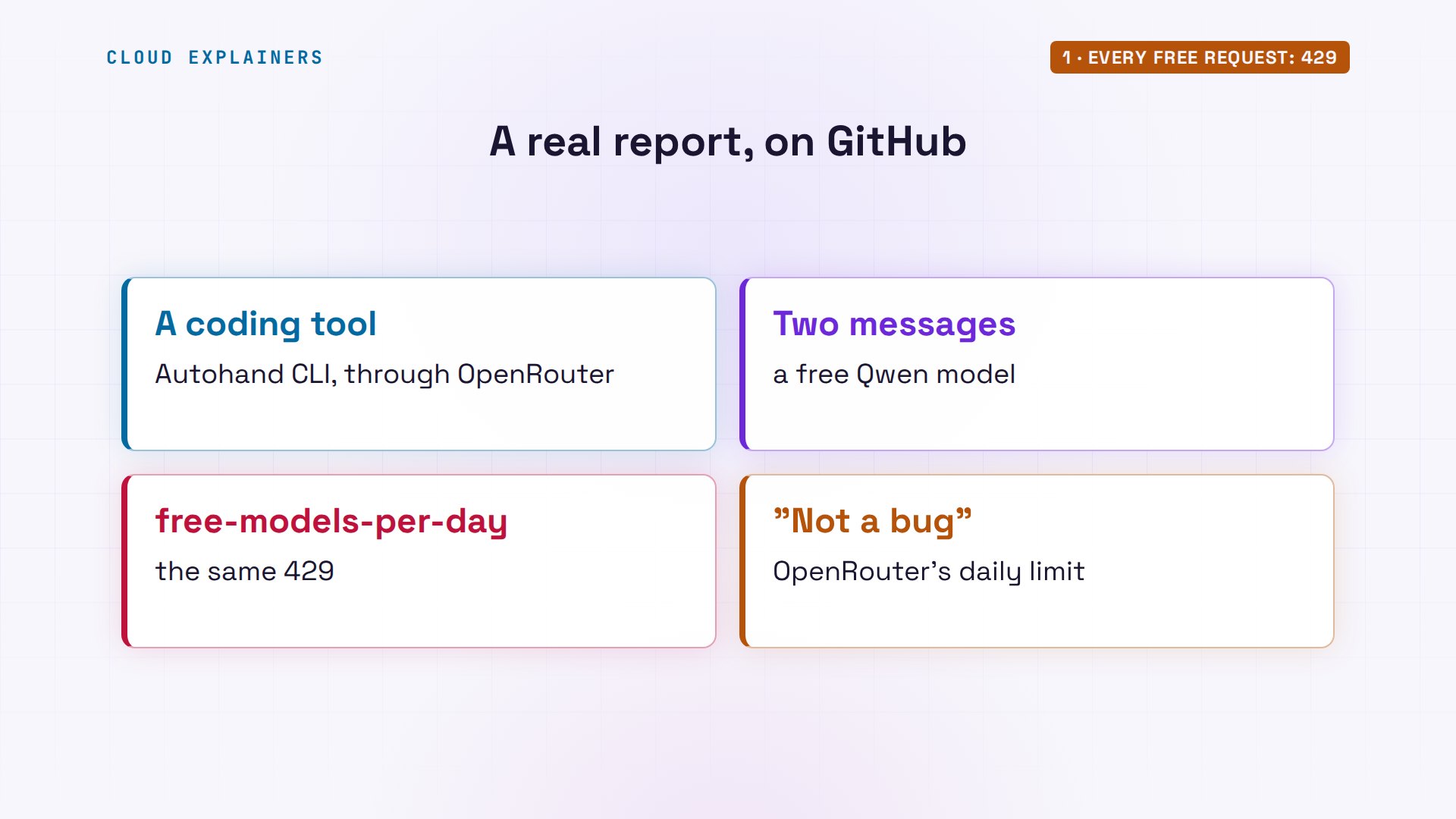
You're not alone. On GitHub, Autohand's command-line coding tool filed a bug report: a session only two messages long, on a free model through OpenRouter, failed with this exact error. The maintainer's answer: not a bug in the tool. It's OpenRouter's daily limit.
The two free limits
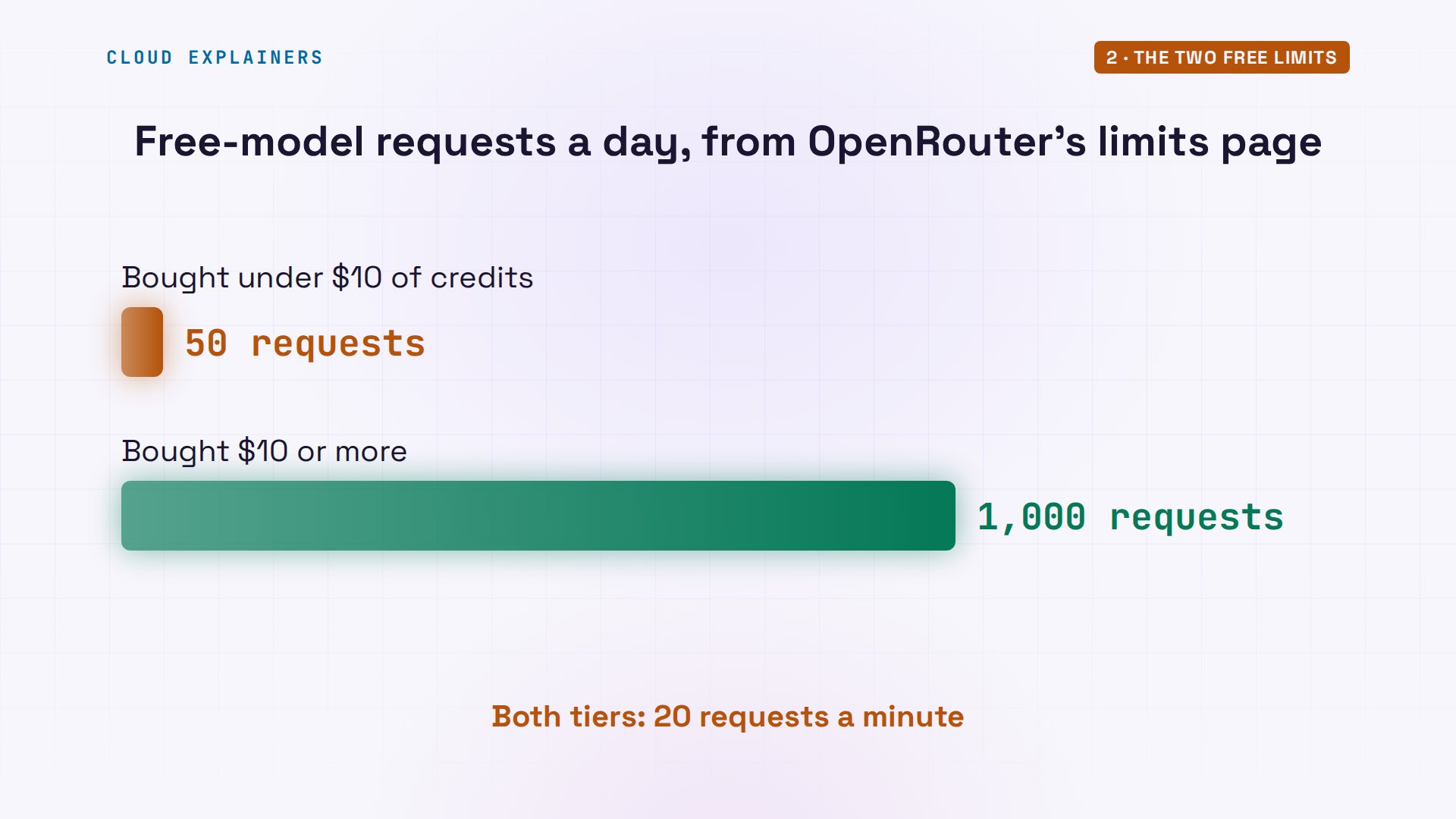
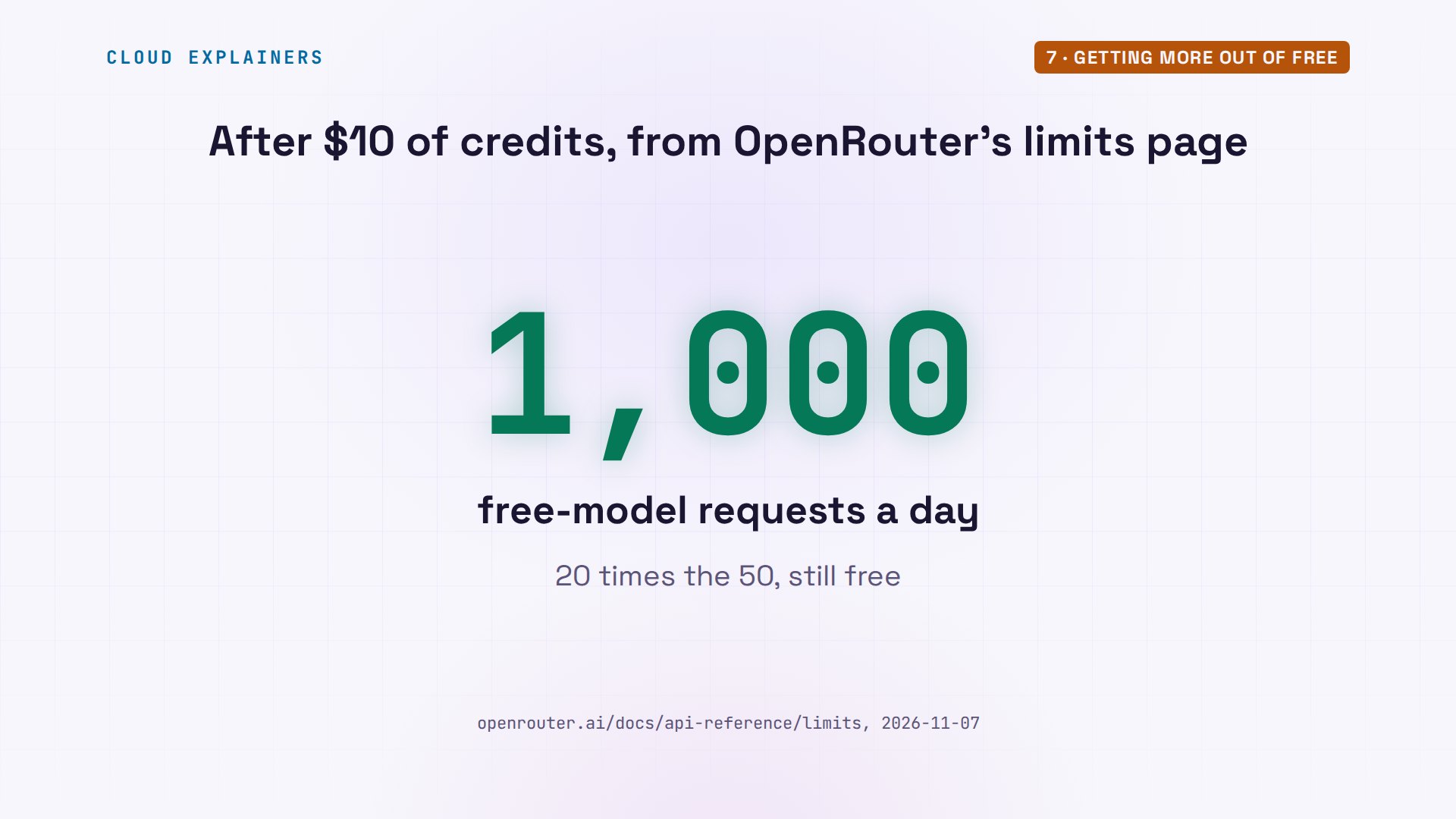
So what are the rules? OpenRouter's limits page has a small table for models whose name ends in colon free. Twenty requests a minute. And per day: fifty, until you've bought at least ten dollars of credits in total. After that, one thousand a day.
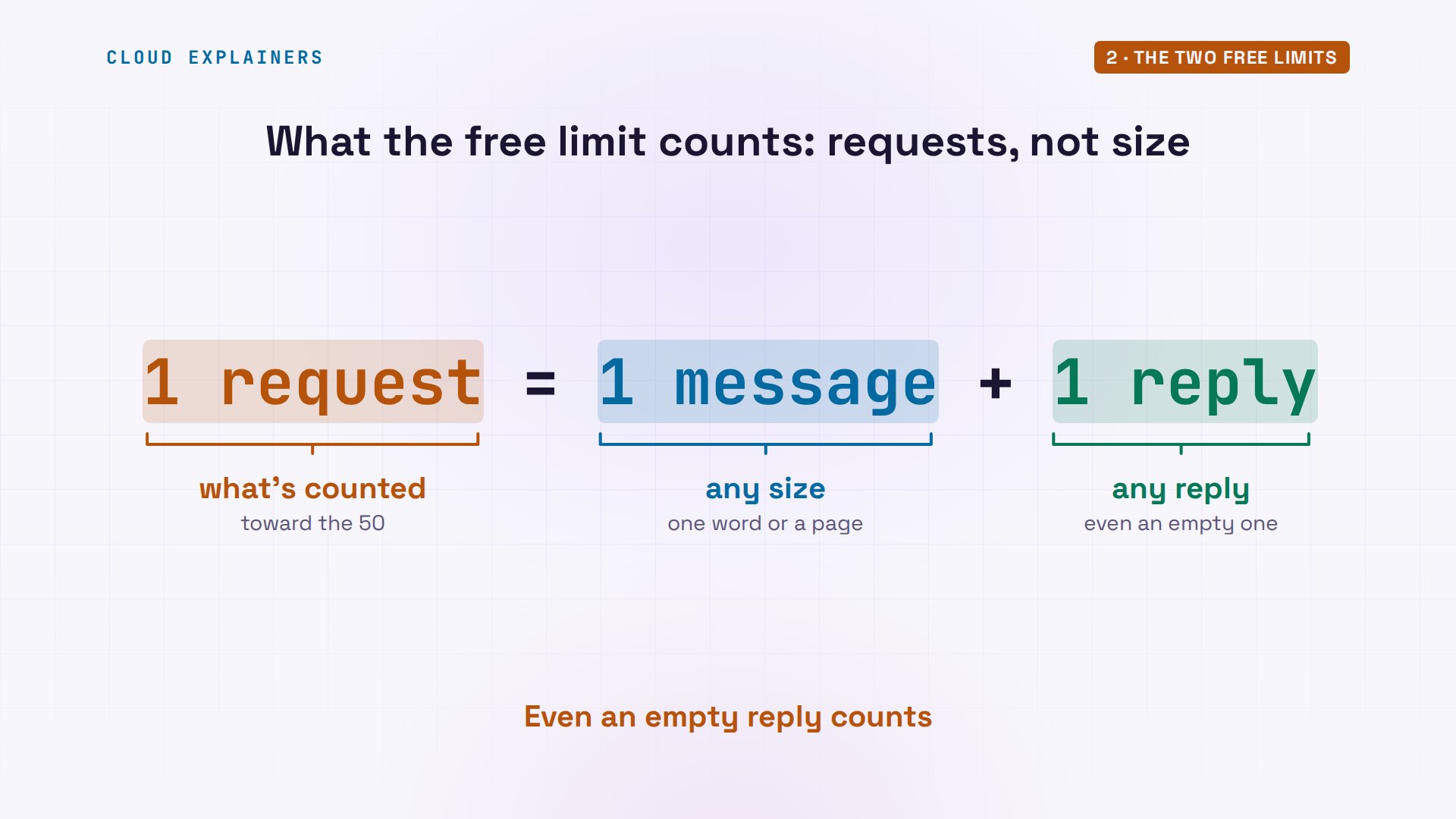
First, what counts as one request? One message sent to a model, and its one reply. The daily limit counts requests, not their size: a one-word question and a page of code both count as one. And a request is counted even when the model's answer is useless, like an empty reply.
Notice what it doesn't say. The ten dollars isn't spent on the free models. They stay free. It's credits you've ever bought, and the higher limit stays after that. Our key has never had any credits, so it's on fifty.
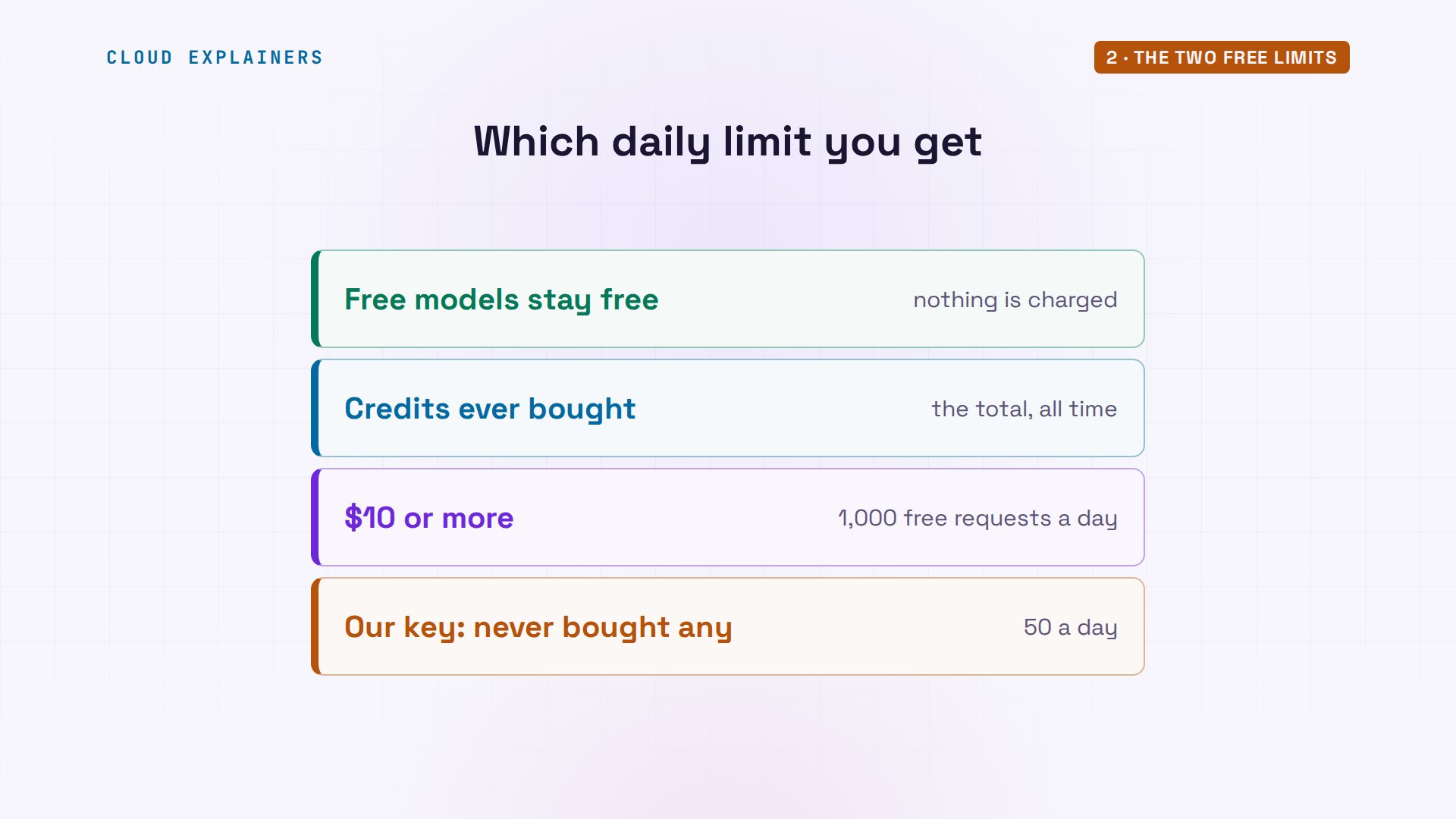
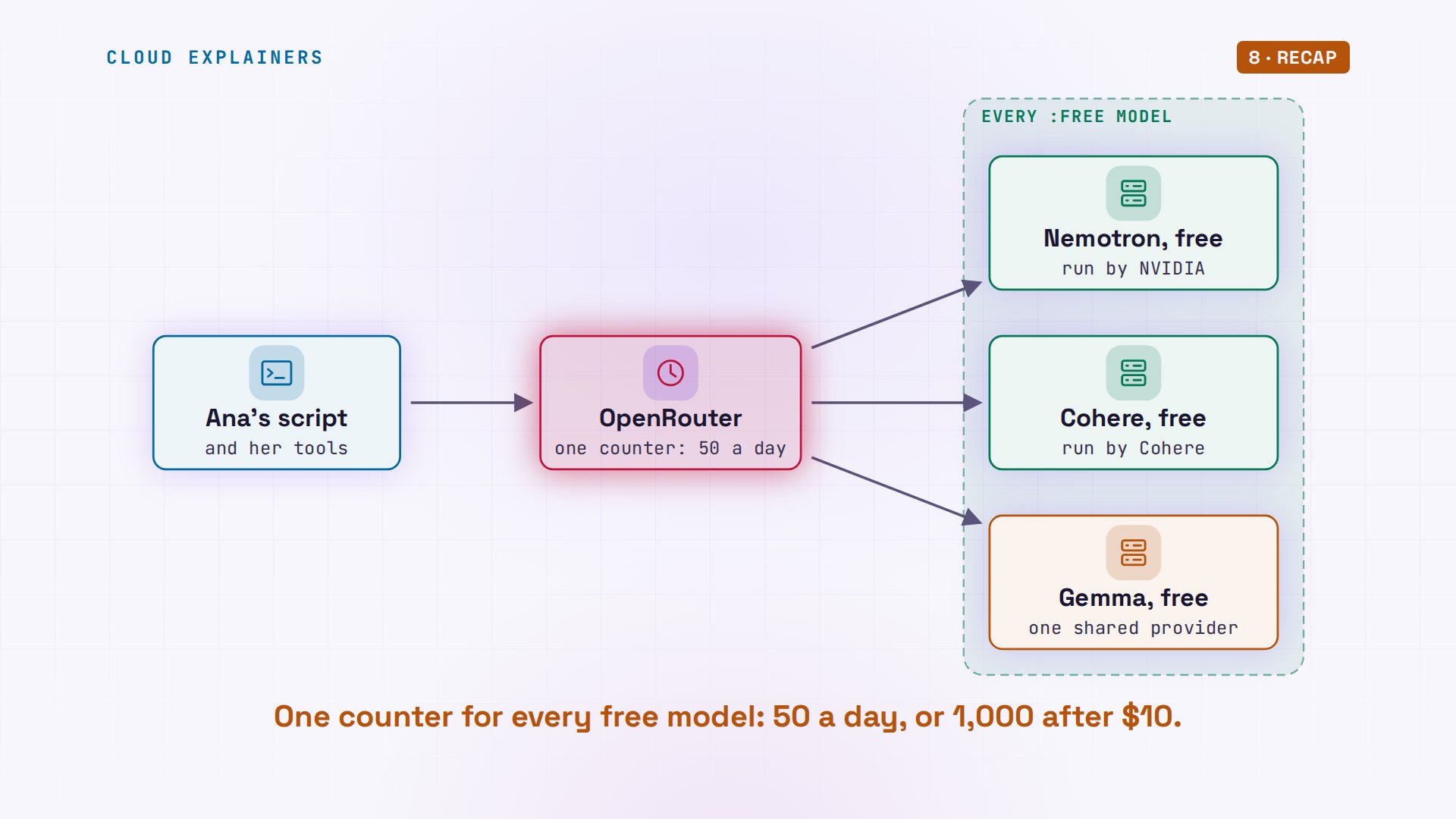
And the fifty is one counter for every free model. That's why switching from Nemotron to Cohere didn't help: same counter, already full. A second key won't help you. OpenRouter's docs say extra accounts or keys won't change your limits, because capacity is governed globally.
Why fifty goes so fast
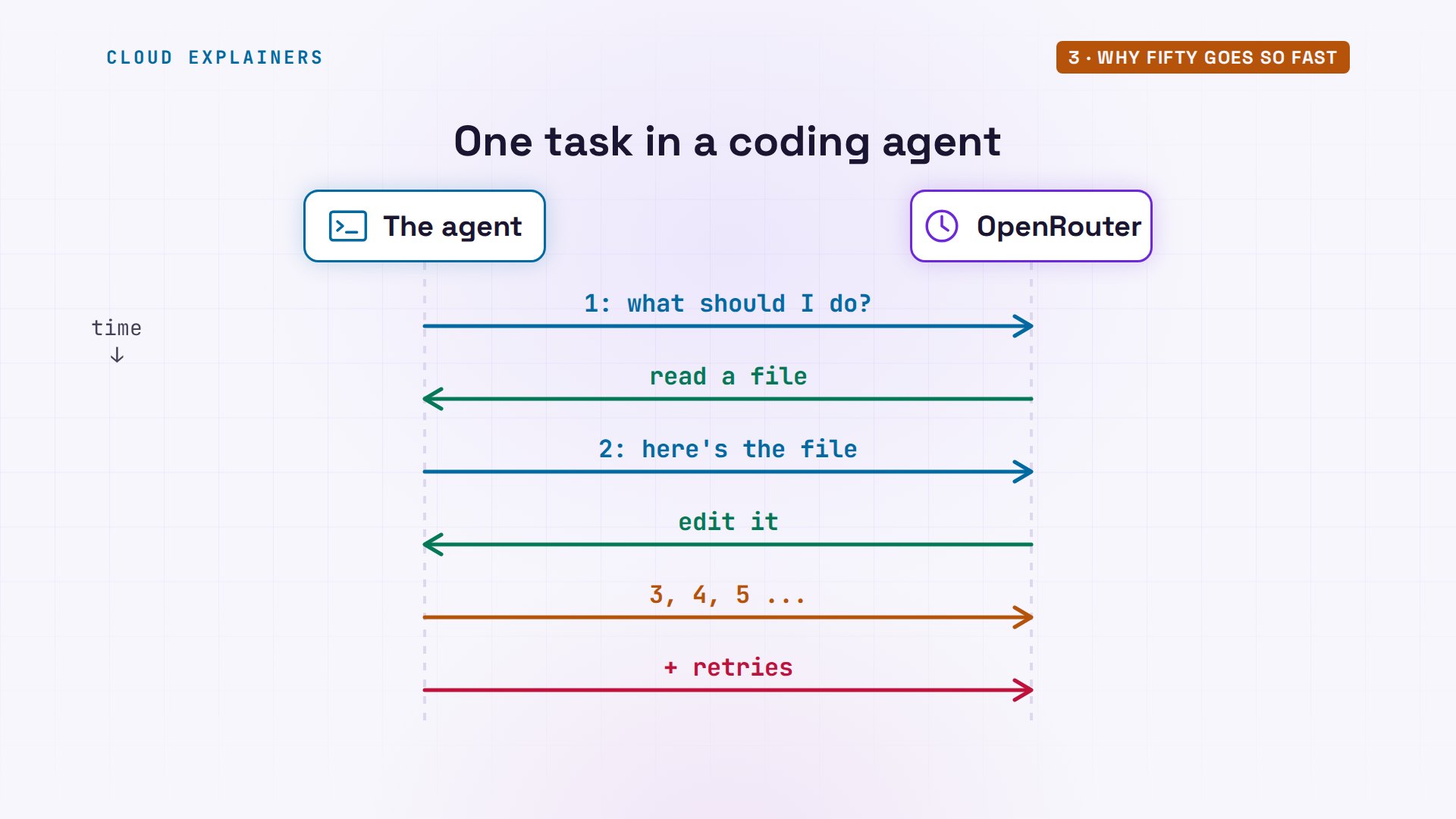
Why does fifty go so fast? Because tools don't send one request per question. Ana's burst script sends requests one after another, as fast as answers come back, the way a coding agent or a retry loop does. You don't need to read the shell code: it loops, sends, and prints one line per request.
cat burst#!/usr/bin/env bash
# ./burst N MODEL: send N requests one after another, as fast as they come back, like a coding agent or a retry
# loop does. One line per request: its number, seconds since the start, the HTTP status, and the error if any.
N=$1; M=$2; start=$(date +%s)
BODY=$(jq -cn --arg m "$M" '{model: $m, max_tokens: 8, messages: [{role: "user", content: "Say ok."}]}')
for i in $(seq 1 "$N"); do
  code=$(curl -s --max-time 120 -o r.json -w '%{http_code}' https://openrouter.ai/api/v1/chat/completions \
    -H "Authorization: Bearer $OPENROUTER_API_KEY" -H "Content-Type: application/json" -d "$BODY")
  msg=$(jq -r '.error.message // "ok" | .[0:70]' r.json 2>/dev/null)
  printf '#%-3s %3ss  %s  %s\n' "$i" "$(( $(date +%s) - start ))" "$code" "$msg"
done
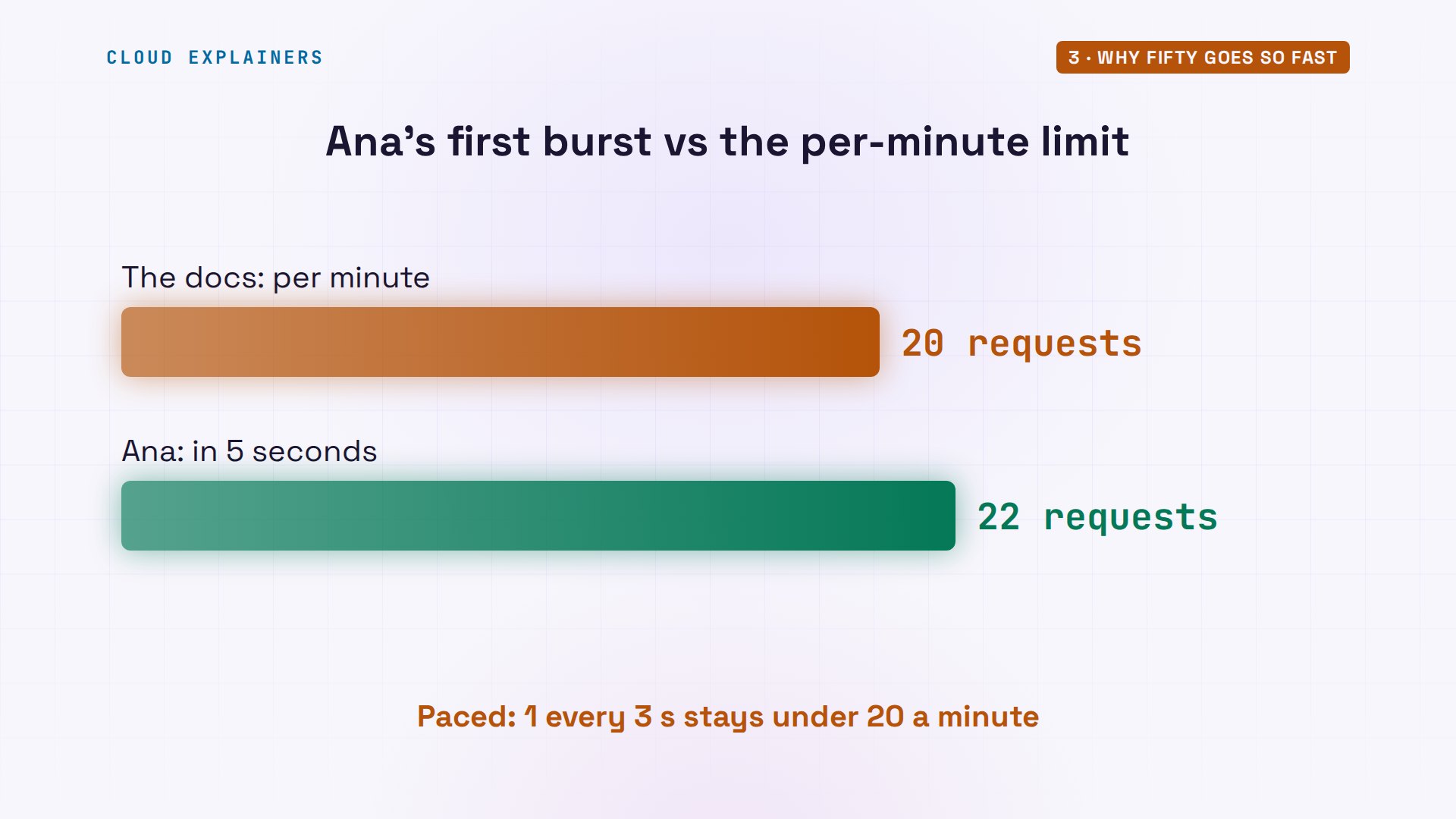
She sends 22. They finish in 5 seconds. Every one says two hundred, the web's code for success. That's almost half a day's allowance, gone before you could read the first answer.
./burst 22 nvidia/nemotron-3.5-lightning:free#1     0s  200  ok
#2     0s  200  ok
#3     0s  200  ok
#4     0s  200  ok
#5     1s  200  ok
#6     1s  200  ok
#7     1s  200  ok
#8     1s  200  ok
#9     2s  200  ok
#10    2s  200  ok
#11    2s  200  ok
#12    2s  200  ok
#13    2s  200  ok
#14    3s  200  ok
#15    3s  200  ok
#16    4s  200  ok
#17    4s  200  ok
#18    4s  200  ok
#19    4s  200  ok
#20    5s  200  ok
#21    5s  200  ok
#22    5s  200  ok
What about twenty a minute? That burst was 22 requests in 5 seconds, and none was refused. So in our run, the per-minute limit didn't stop a short burst. Don't build on that, though. Pace a loop to one request every three seconds, and you're under twenty a minute, whatever OpenRouter enforces that day.
That's what a coding agent does every time you give it a task. It asks the model what to do, runs a tool, sends the result back, and asks again. Each turn of that loop is one request. A single task can take dozens of them, and a retry loop on errors adds more. One task can use a day's fifty.
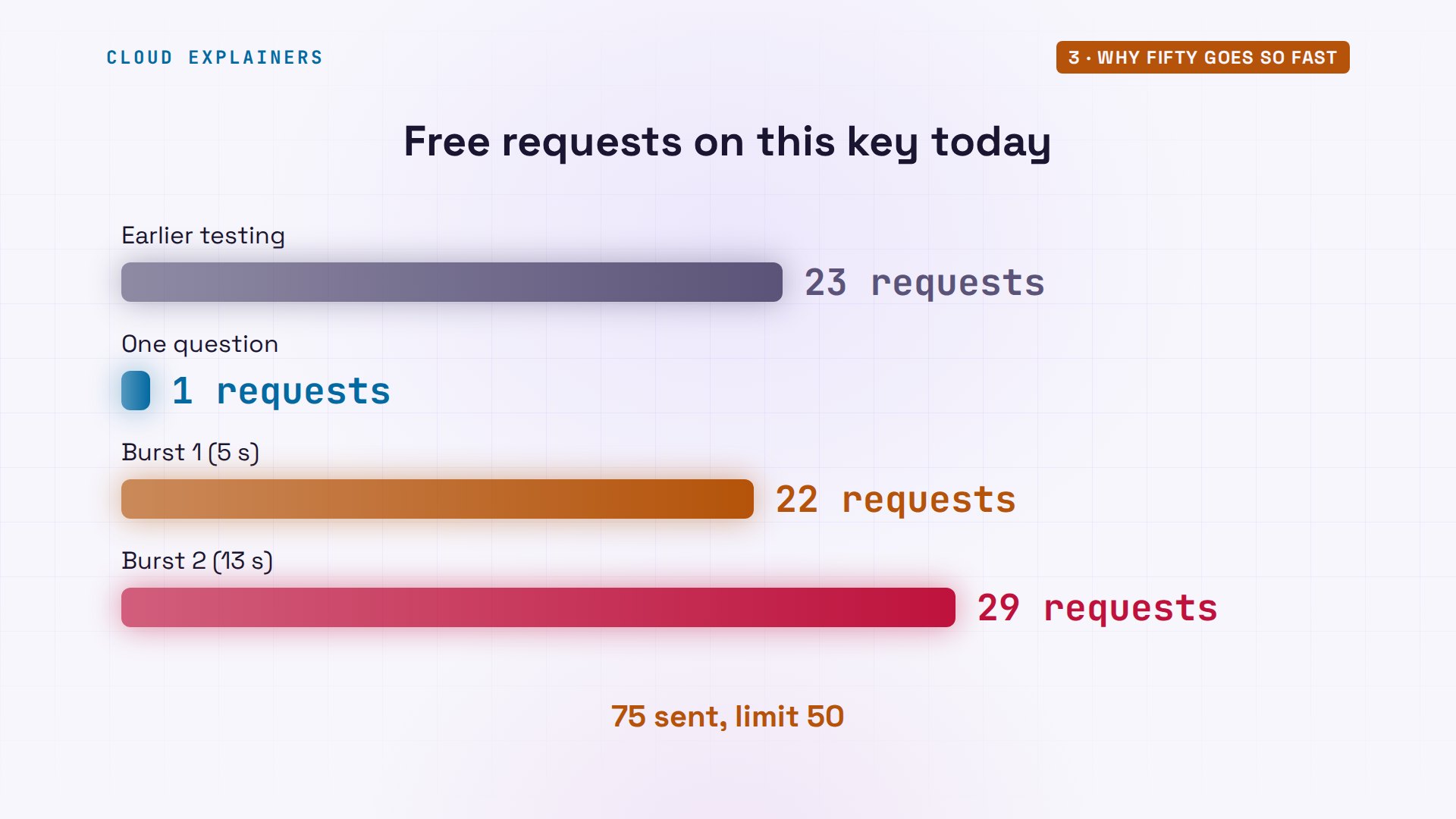
Back to Ana. The counter said 23 used, and she has sent 23 since: that's 46 of fifty. She sends 29 more, straight away. Guess first: how many get an answer? All 29. In 13 seconds, well past fifty, with no error at all.
./usagefree tier:        true
free requests:    23 used of 50 today
left today:       27
./burst 29 nvidia/nemotron-3.5-lightning:free#1     5s  200  ok
#2     6s  200  ok
#3     6s  200  ok
#4     7s  200  ok
#5     7s  200  ok
#6     7s  200  ok
#7     8s  200  ok
#8     8s  200  ok
#9     8s  200  ok
#10    8s  200  ok
#11    8s  200  ok
#12    9s  200  ok
#13    9s  200  ok
#14    9s  200  ok
#15    9s  200  ok
#16   10s  200  ok
#17   10s  200  ok
#18   10s  200  ok
#19   10s  200  ok
#20   10s  200  ok
#21   11s  200  ok
#22   11s  200  ok
#23   11s  200  ok
#24   12s  200  ok
#25   12s  200  ok
#26   12s  200  ok
#27   12s  200  ok
#28   13s  200  ok
#29   13s  200  ok
Add up the whole day. 23 requests from earlier testing, one question, a burst of 22, and a burst of 29. That's 75, against a limit of fifty. Two bursts did most of it, in under half a minute.
The counter runs behind
So is the limit fake? Ana's usage script asks OpenRouter what it has counted. Reading it is free: it isn't a model request. Right after those bursts: still 23 used. A few minutes later: 76 used of fifty, zero left. That includes one test of ours, off camera.
./usagefree tier:        true
free requests:    76 used of 50 today
left today:       0
The limit is real. The counter just runs behind. Requests are counted a few minutes after they happen, and the refusals only start once the count catches up. That's how Ana got past fifty, and why it feels sudden: fine one minute, every request refused the next.
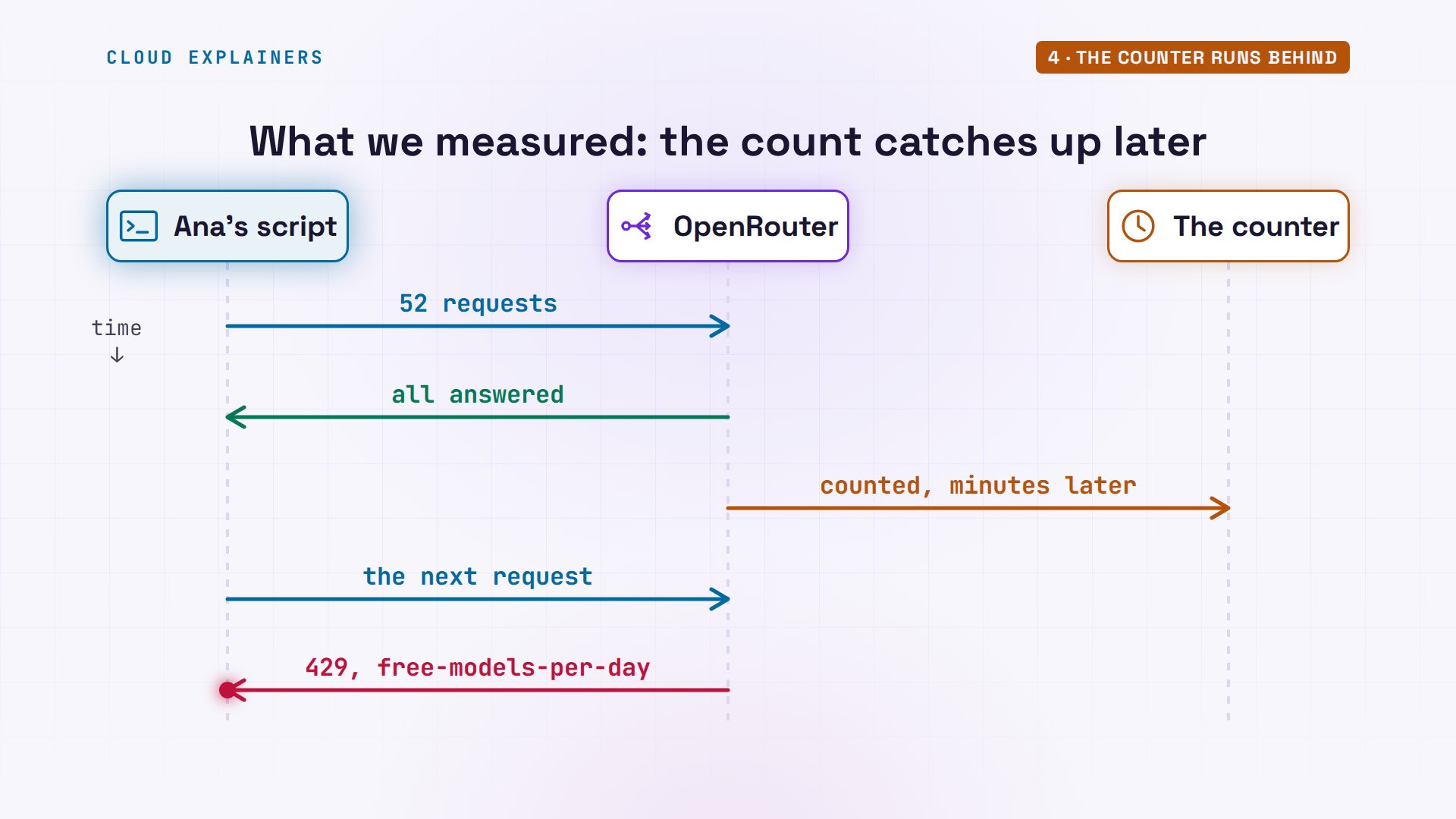
There's no warning in the answers either. OpenRouter's docs say successful replies carry no rate limit headers. You only see the numbers once you're refused: limit fifty, remaining zero, and a reset time.
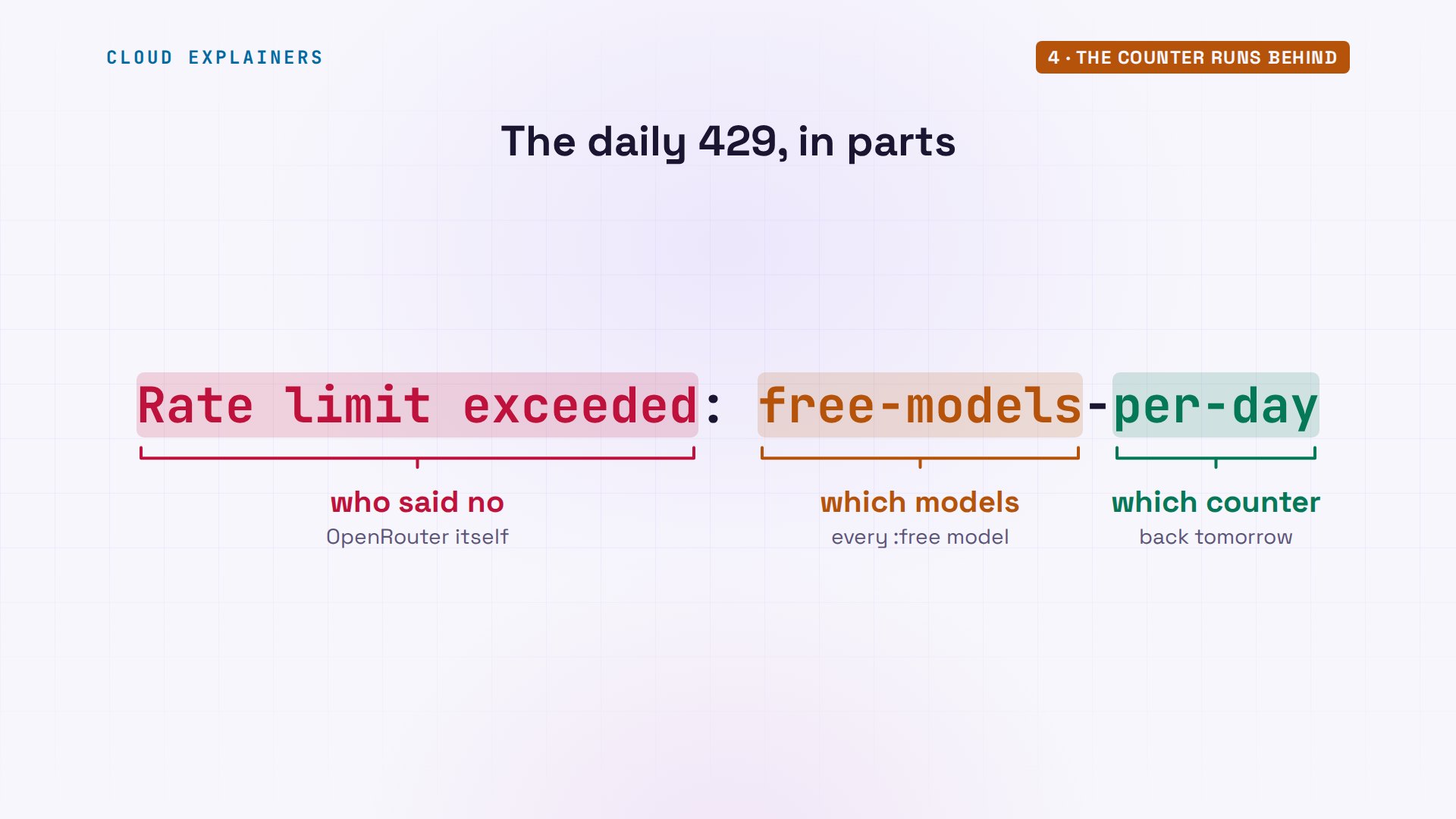
Read the error itself in parts. Rate limit exceeded: OpenRouter said no, not the model. Free models: all of them, together. Per day: it comes back tomorrow. The rest is the way out: ten dollars of credits for one thousand a day.
When it comes back
That reset time is in milliseconds since 1970. You don't need this command: it just turns that number into a date: midnight, U T C. The daily count runs by the U T C day, so in New York it comes back at seven in the evening, or eight in summer.
date -u -d @$(( $(grep -i '^x-ratelimit-reset' headers.txt | tr -dc 0-9) / 1000 ))Sun Nov 8 00:00:00 UTC 2026
So we waited for midnight. The same key, the same counter: zero used. A fresh fifty.
date -uSun Nov 8 00:01:09 UTC 2026
./usagefree tier:        true
free requests:    0 used of 50 today
left today:       50
Now the counter's delay, one request at a time. Ana asks Nemotron one question. The reply is empty: it's a reasoning model, and its hidden thinking used up the reply's whole length limit. Straight after, the counter still says zero. Four minutes later: one. Even an empty reply counts, and the number you see can be a few minutes old.
./ask nvidia/nemotron-3.5-lightning:freemodel: nvidia/nemotron-3.5-lightning:free
./usagefree tier:        true
free requests:    0 used of 50 today
left today:       50
./usagefree tier:        true
free requests:    1 used of 50 today
left today:       49
Busy before the limit
There's a second 429 that looks almost the same. Its message says provider returned error, rate-limited upstream. That one isn't your fifty. It's the company running a free model, full with everyone else's requests. It can happen on your first request of the day.
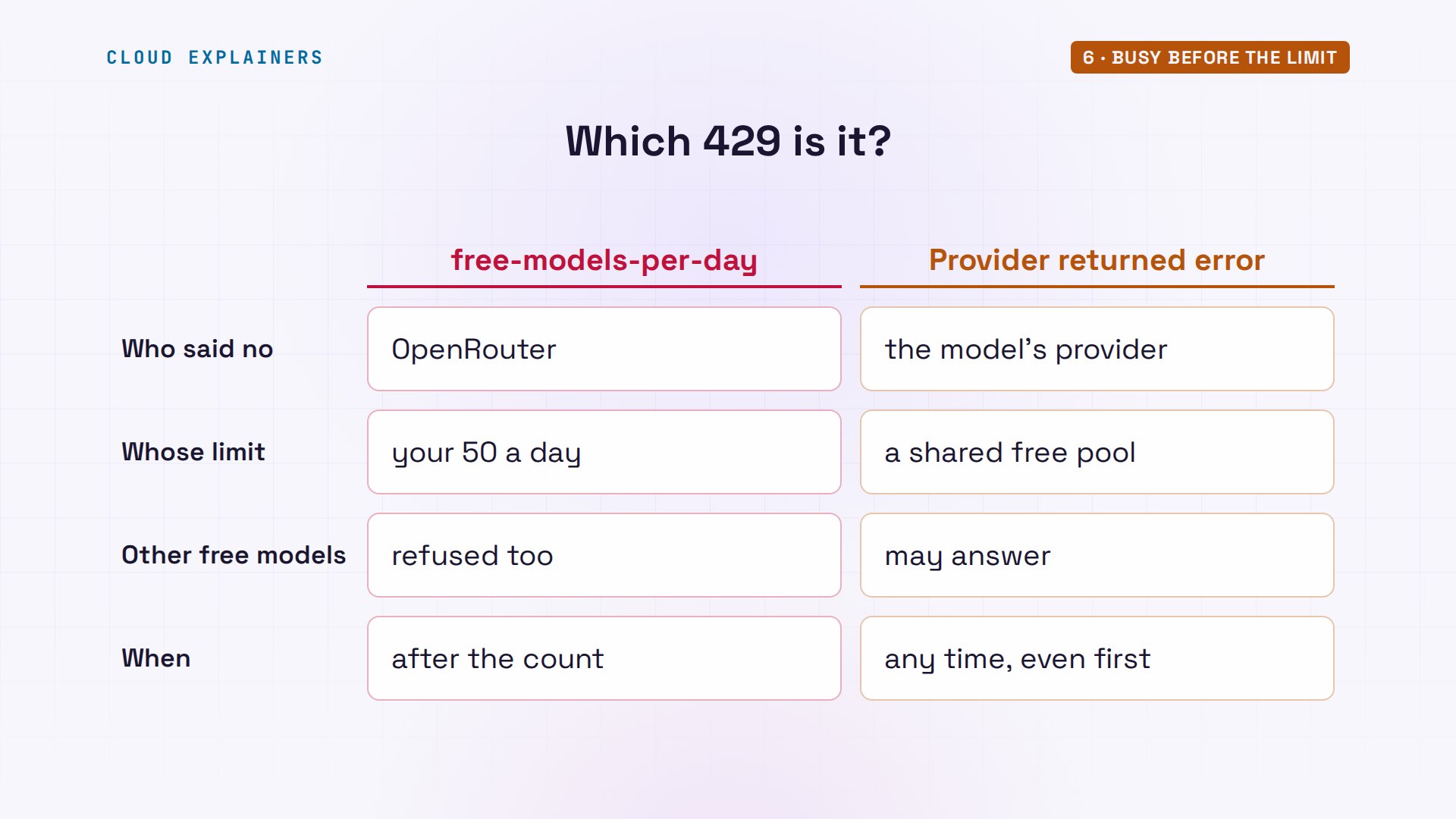
The fix depends on which one you got. A busy provider: another free model can answer, so put several model names in the request's models list, and OpenRouter tries the next. Your daily fifty: every free model shares that counter, so a list doesn't help. Only waiting, or credits, do.
Getting more out of free
The worst thing a script can do with this error is retry it in a loop. A daily 429 won't clear in a second, or a minute. A loop just keeps knocking until midnight. A better loop reads the reset header once, sleeps until then, or switches to a paid model if you've chosen to pay.
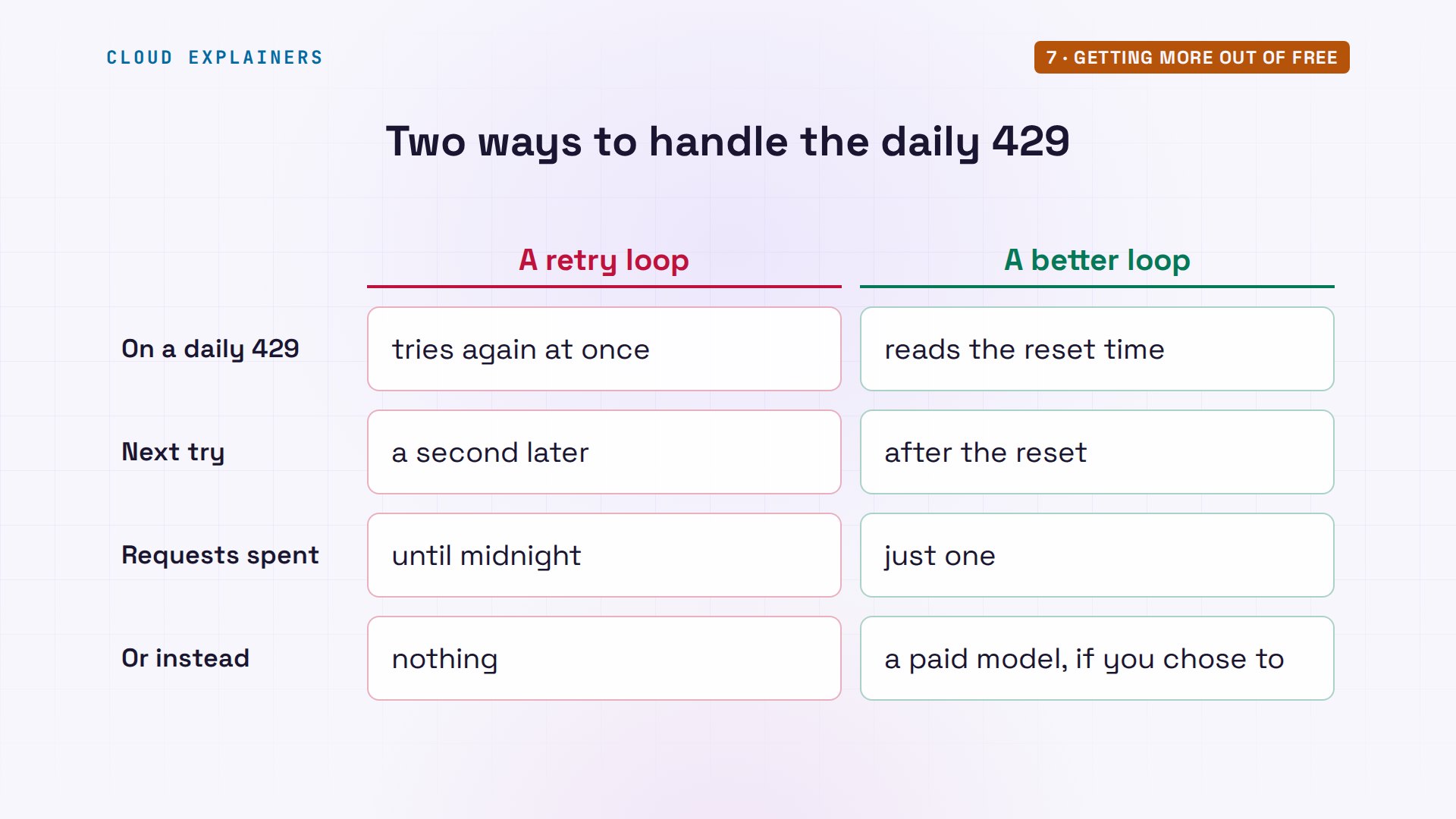
So how do you make fifty go further? Send fewer requests: test with one question, not a loop, and keep answers you'll ask for again. Never retry a daily 429 in a loop: read the reset time and stop until then. Check the counter before a big run, and remember it can be minutes behind.
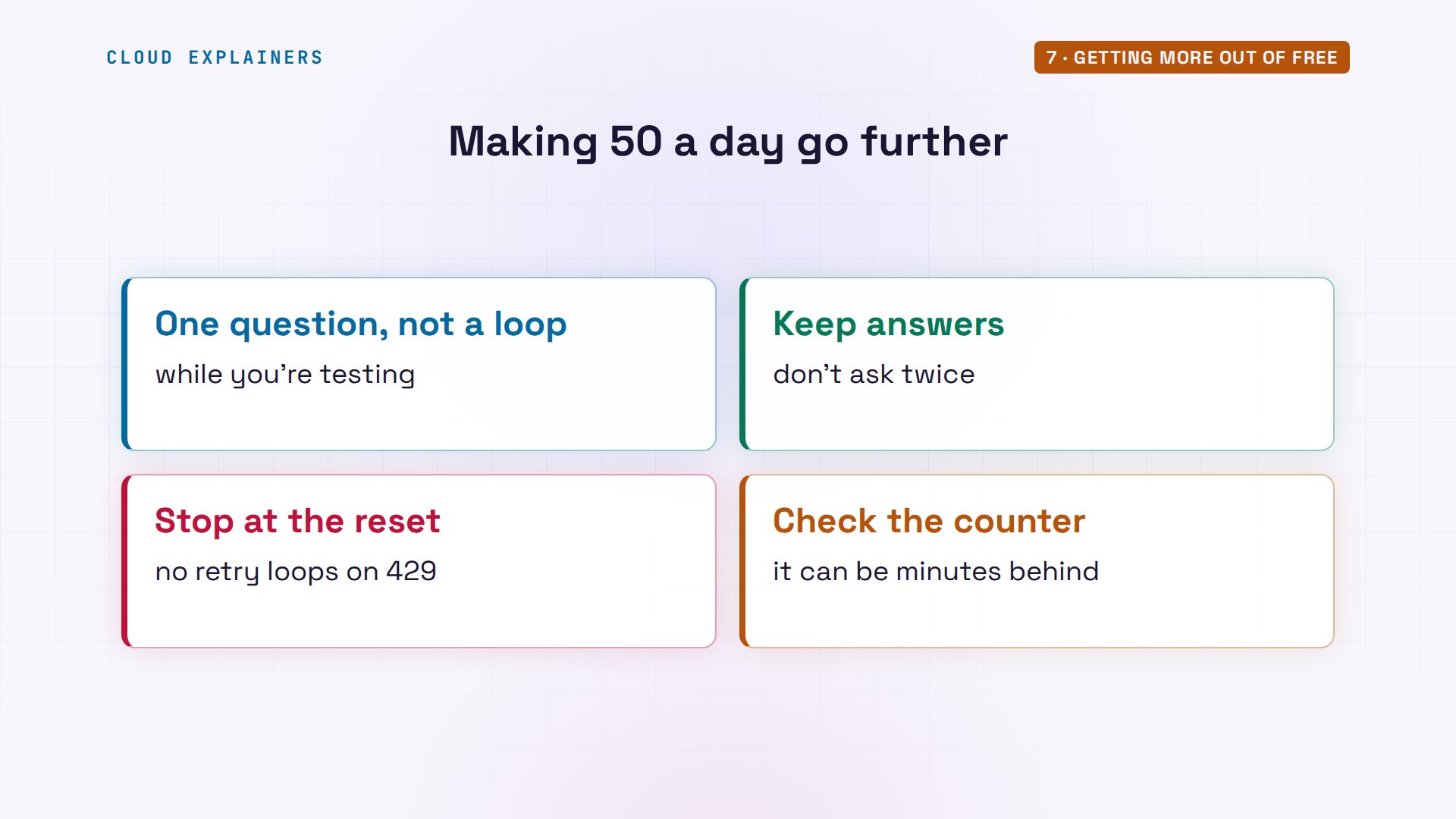
And if you use free models every day, the ten dollars is the big lever. Fifty requests become one thousand requests every day, twenty times as many, and the free models still cost nothing. Set a spending limit on the key too, so a paid model can't quietly use those credits.
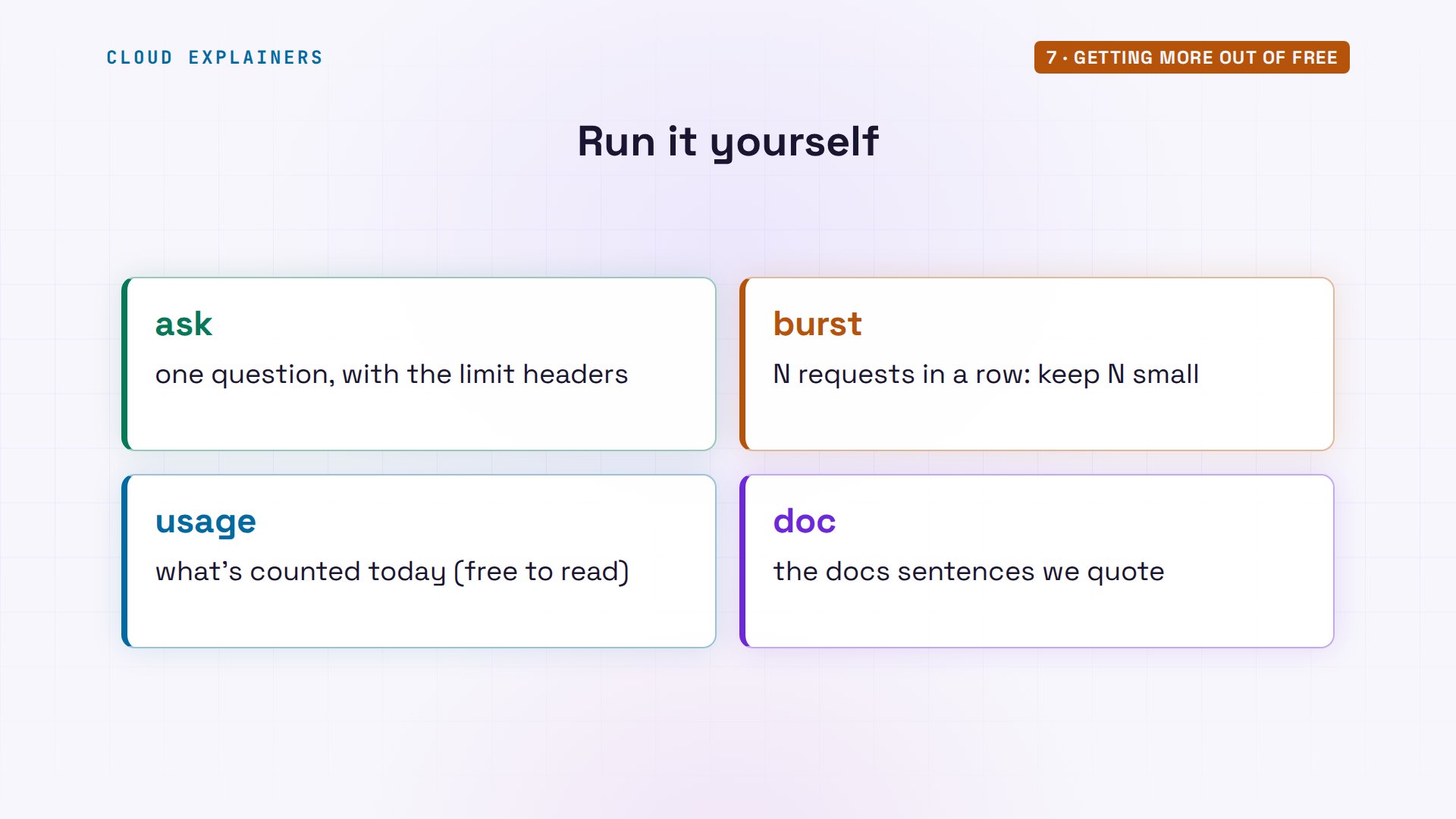
Ana's ask, burst and usage scripts are in the lab files, linked in the description, ready for your own free key. Run burst with a small number.
Recap
So: fifty free requests a day, one counter for every free model. Tools spend them in seconds, the counter shows it minutes later, and it resets at midnight U T C.
If this saved you a day of 429s, a like helps other beginners find it, and subscribing gets you the next one.
Every request here went to the real OpenRouter, on free models. Thanks for watching Cloud Explainers.
Sources
- OpenRouter API limits (free variants: 20 requests a minute; 50 a day with less than 10 credits purchased, 1000 with at least 10; the counter is per UTC day; successful responses carry no X-RateLimit headers; extra accounts or keys don't change limits; upstream provider 429s)
- OpenRouter FAQ (free model rate limits: 50 requests a day, 1000 after buying at least 10 credits)
- Free variant (:free models may have different rate limits or availability)
- Model fallbacks (a list of models; OpenRouter tries the next one on an error)
- Autohand CLI, GitHub issue 85 (a session on qwen/qwen3.6-plus-preview:free through OpenRouter, 'Rate limit exceeded: free-models-per-day')
Demos: one container on our own Mac standing in for Ana's laptop, sending real requests to OpenRouter with our own free-tier key (never shown); the tea shop is made up. Watch the full video on YouTube.
More videos

Linux Makefiles Will Finally Make Sense After This

SAML vs OAuth vs OpenID Connect: What's the Difference?

How to Fix Python cron Jobs That Never Run

Linux Bash Scripting: Full Tutorial for Beginners

How PXE Network Boot Works

How Active Directory Works

How to Fix a Linux systemd Service That Won't Start

Linux Logs: syslog vs journald

JWT vs Session Cookies: Which One Should You Use?

Docker vs Docker Compose: Which One Should You Use?

How to Fix Docker Compose Containers That Can't Talk to Each Other

Django Full Tutorial for Beginners

How Linux systemd Works

How to Fix 'Windows Cannot Access' Network Share Errors (SMB)

REST vs gRPC: Which One Should You Use?

How to Fix SSL Certificate Chain Errors (Missing Intermediate)

Every Python Concept for Beginners in 10 Minutes

Every SQL Join Type in 10 Minutes

Why Your Gemini API Free Tier Runs Out So Fast

OpenRouter Will Finally Make Sense After This

How Redis Caching Works

Gemini API vs Vertex AI: Which One Should You Use?

How to Fix a Leaked Gemini API Key

Why Golang Uses Goroutines Instead of Threads

How to Fix Gemini API Error 429: Resource Exhausted

Claude Token Pricing Will Finally Make Sense After This

Why Python Web Scraping Returns Nothing (and the Fix)

Python uv vs pip: Which One Should You Use?

Python Automation: Full Tutorial for Beginners

How OAuth Login Works

Google AI Studio Will Finally Make Sense After This

What Happens When You Run a Docker Container

How to Fix Claude Code Billing Your API Key Instead of Your Plan

Why Passkeys Can't Be Phished Like Passwords

PowerShell vs Bash: Which One Should You Learn?

The Linux Roadmap for Beginners

Django vs FastAPI: Which One Should You Use?

Why SQLite Is the Most Used Database in the World

How a NoSQL Database Like MongoDB Works

How to Fix Python pip error: externally-managed-environment

How to Fix MySQL Too Many Connections Database Errors

Golang Concurrency Will Finally Make Sense After This

How Amazon S3 Works

How Kubernetes Works

How Git Works

How to Fix Docker Port Already Allocated Errors

How PostgreSQL Works

How to Fix Git Merge Conflicts

How to Fix No Space Left on Device in Linux

How the Internet Works

SQL vs NoSQL: When Each One Wins

How to Fix JWT Token Expired Errors (401 Unauthorized)

Claude API vs Claude Pro: Why Your Subscription Doesn't Include It

Why AI Agent Skills Beat Giant Prompts

Linux Cron Jobs Will Finally Make Sense After This

Security Logs Will Finally Make Sense After This

How to Fix a Security Leak: An API Key Pushed to GitHub

DNS Will Finally Make Sense After This

Never Ignore a Security Update

Two-Factor Authentication Will Finally Make Sense

Never Expose a Database to the Internet

SSH Keys vs Passwords: Which Is Safer for Security?

The 5 Levels of Linux Boot: From Power On to Login

The 5 Levels of Network Firewalls

Password Security: Why Hackers Crack Weak Passwords

Why Your Linux Server Runs Out of Memory

HTTP vs HTTPS: What Actually Changes on Your Network

Every Linux File Permission You Need to Know

Linux Processes vs Threads: When Each One Wins

The OSI Model Will Finally Make Sense After This

The 7 Levels of Git

Every Network Troubleshooting Command You Need

Hashing vs Encryption in Cybersecurity: When Each One Wins

Why the Internet Ran Out of IP Addresses

Linux Package Managers: apt vs Snap vs Flatpak

Why Python Is Slow (and When It Doesn't Matter)

TCP vs UDP: When Each One Wins

Stop Running Linux as Root (Do This Instead)

Linux Users and Groups Will Finally Make Sense

Why Phishing Beats Good Security (and How to Spot It)

The 7 Levels of Docker

AI Agents Will Finally Make Sense After This

Stop Using git push --force (Use This Instead)

Agent Skills vs MCP: When Each One Wins

Networking Will Finally Make Sense After This

Every Linux Command You Actually Need

The 7 Levels of Cybersecurity

Every System Design Concept You Need, in One Diagram
