
SAML vs OAuth vs OpenID Connect: What's the Difference?
SAML, OAuth and OpenID Connect are usually listed together, as if they were three ways to log in. They aren't: two of them say who you are, and one only says what an app may do. We built one sign-in service with all three in a lab and followed a receptionist's morning through them: a SAML sign-in to a payroll site, an OAuth permission for a reminder app, and the one extra word that turns OAuth into OpenID Connect.
Three names, one login?
You're setting up login, and the page asks you to pick: SAML, OAuth, or OpenID Connect. They look like three ways to log a person in. They aren't. One of them never tells the app who you are.
Here's a real app, right after its user clicked Yes on an OAuth screen. It was handed this: a token, five minutes of life, one permission. No name. No email. So how does a Sign in with Google button know who you are? One extra word. We'll find it.
jq '{token_type, expires_in, scope, id_token}' oauth_tokens.json{
  "token_type": "Bearer",
  "expires_in": 300,
  "scope": "calendar.read",
  "id_token": null
}
Two different questions
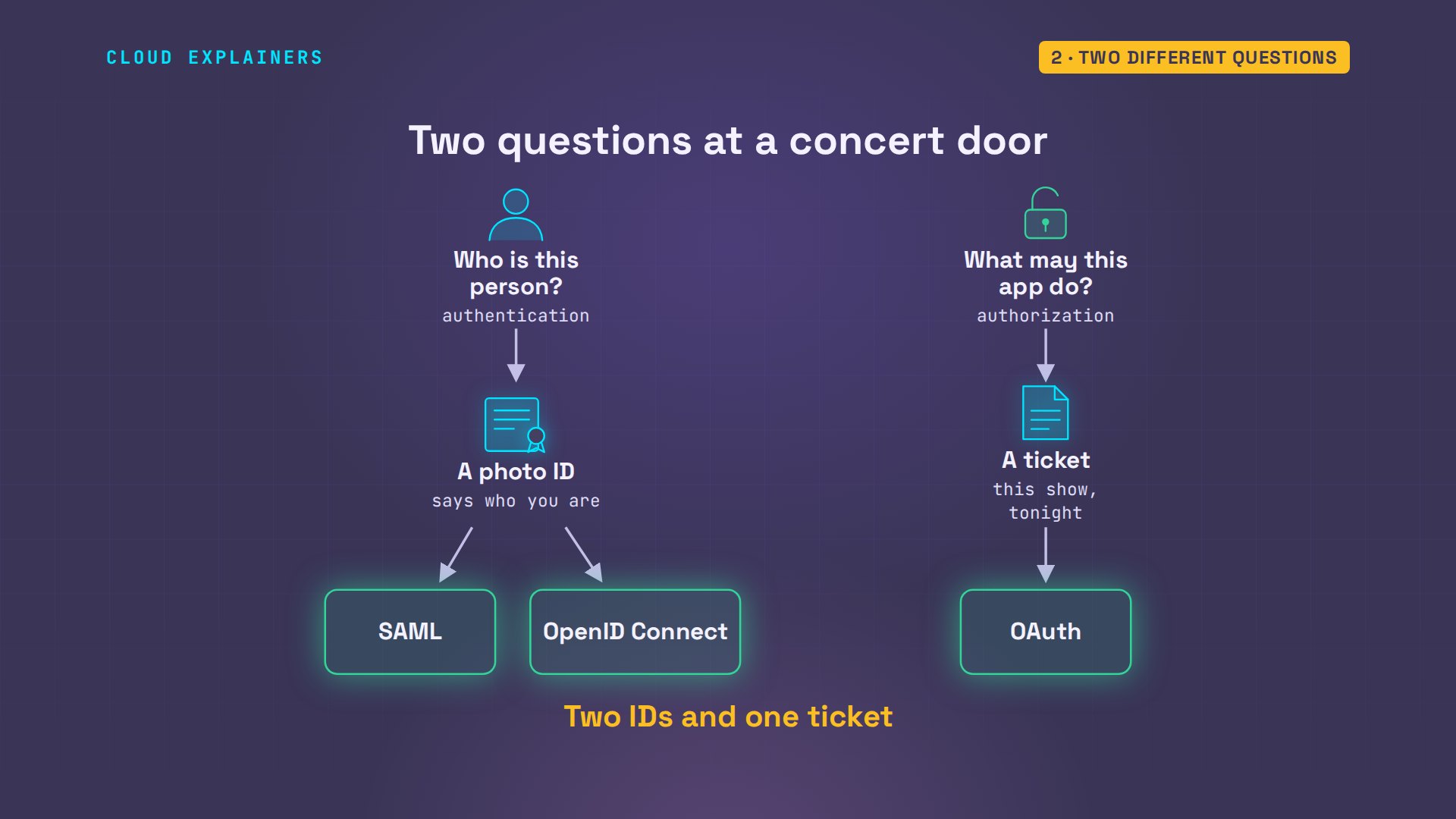
Start with two questions that sound alike. Authentication: who is this person? Authorization: what is this app allowed to do? At a concert door, those are two different papers. Your photo ID says who you are. Your ticket says what you may do: this show, tonight, for whoever is holding it. SAML and OpenID Connect are photo IDs. OAuth is a ticket.
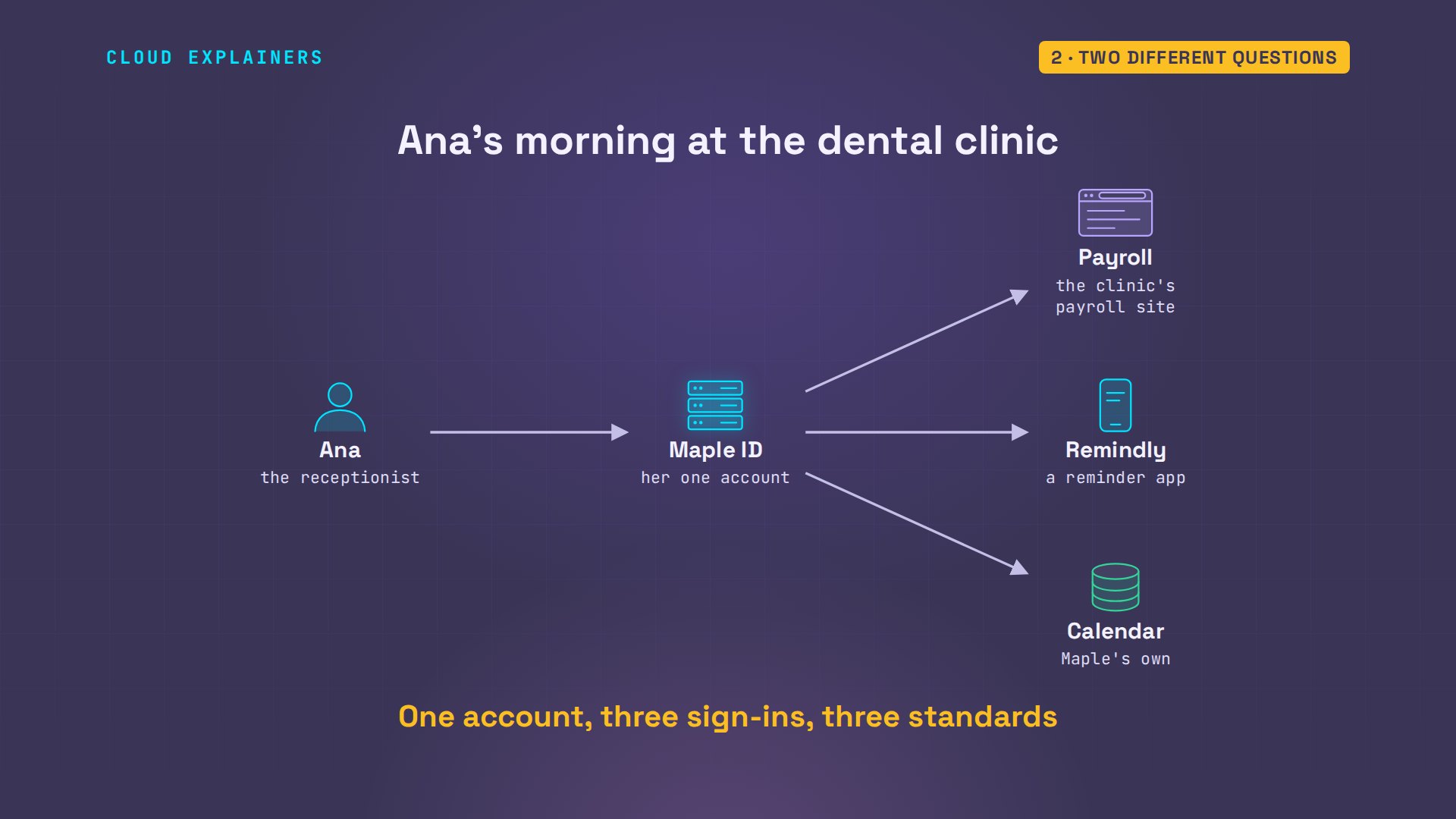
To prove it, we built all three around one made-up dental clinic. Ana, the receptionist, has one account, at Maple ID: our stand-in for a Google or Microsoft account. This morning she'll use it three ways.
SAML: who you are, in XML
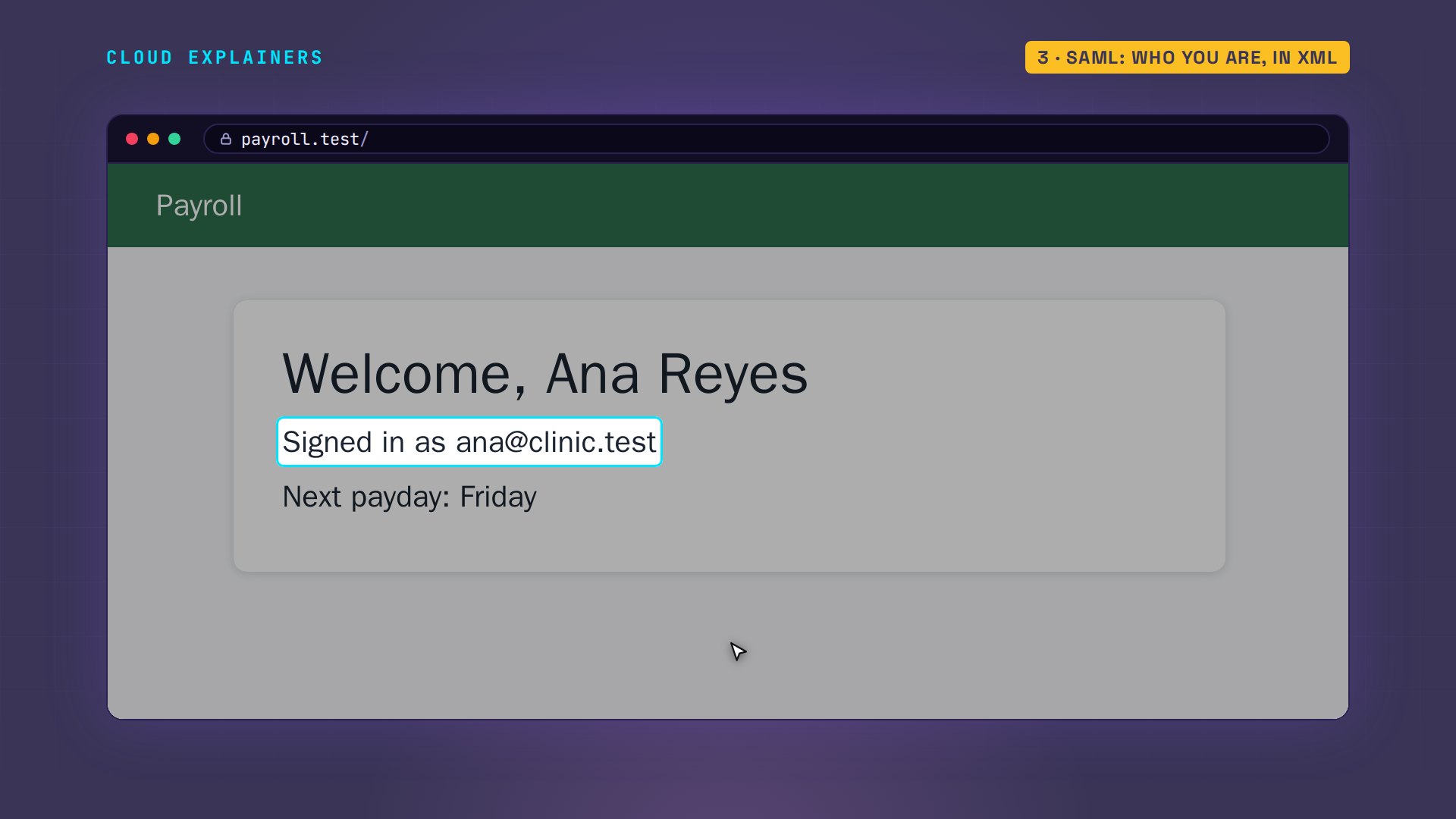
First, payroll. Ana opens the site, and it has no password for her. It sends her browser to Maple ID instead. Look at the address: this is Maple ID's own page. She types her password here, and Payroll never sees it. One click later she's back at Payroll: Welcome, Ana Reyes.
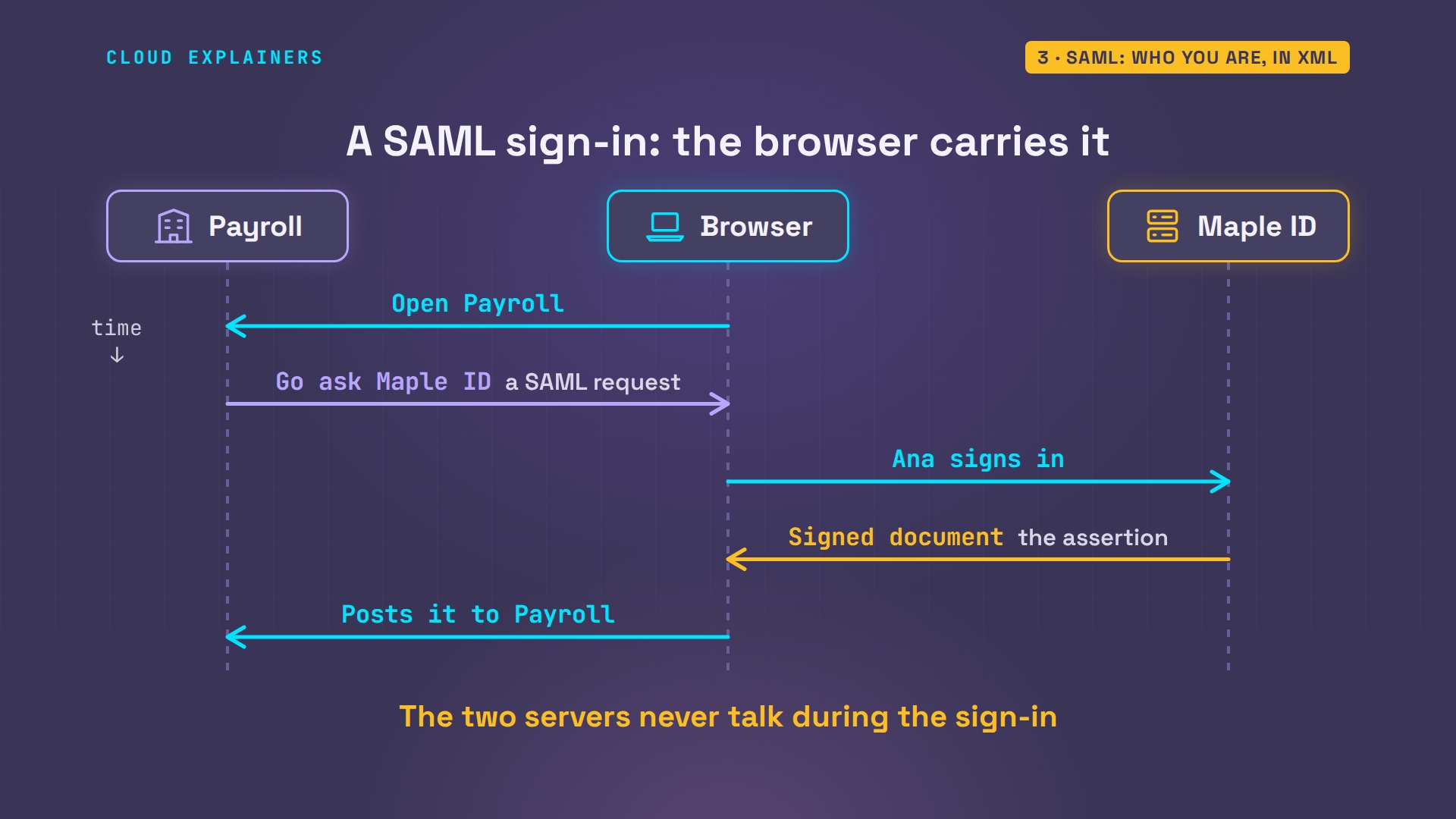
Here's what happened in between. Payroll sent the browser to Maple ID with a request. Ana proved who she is. Then Maple ID wrote a short document about her, signed it, and handed it to the browser, which posted it to Payroll. That document is called a SAML assertion. During the sign-in, the two servers never talk to each other: the browser carries everything.
And here it is, as Payroll read it. Who wrote it: Maple ID. Who it's about: Ana, by her email address. Who it's for: Payroll, and no one else. It's valid for sixty seconds. And it carries Maple ID's signature, a seal Payroll can check and nobody else can fake. It's written in XML, an older text format: about four and a half thousand characters of it.
saml-showformat:      XML, 4,466 characters
Issuer:      https://id.maple.test/realms/maple
NameID:      ana@clinic.test
firstName:   Ana
lastName:    Reyes
Audience:    https://payroll.test/saml
NotBefore:   2026-11-10T15:27:56.713Z
NotOnOrAfter: 2026-11-10T15:28:56.713Z
Signature:   valid, rsa-sha256
That signature works like a tamper seal. Run Payroll's check on a copy with one detail changed, a different email address, and it's refused. So that's SAML, a standard since two thousand five. It tells a site who you are. It says nothing about what an app may do for you.
saml-checksignature valid: NameID ana@clinic.test
saml-check --change ana@clinic.test dr.lee@clinic.testcopy: 1 place(s) changed, ana@clinic.test -> dr.lee@clinic.test
REFUSED: signature check failed (InvalidDigest)
OAuth: what an app may do
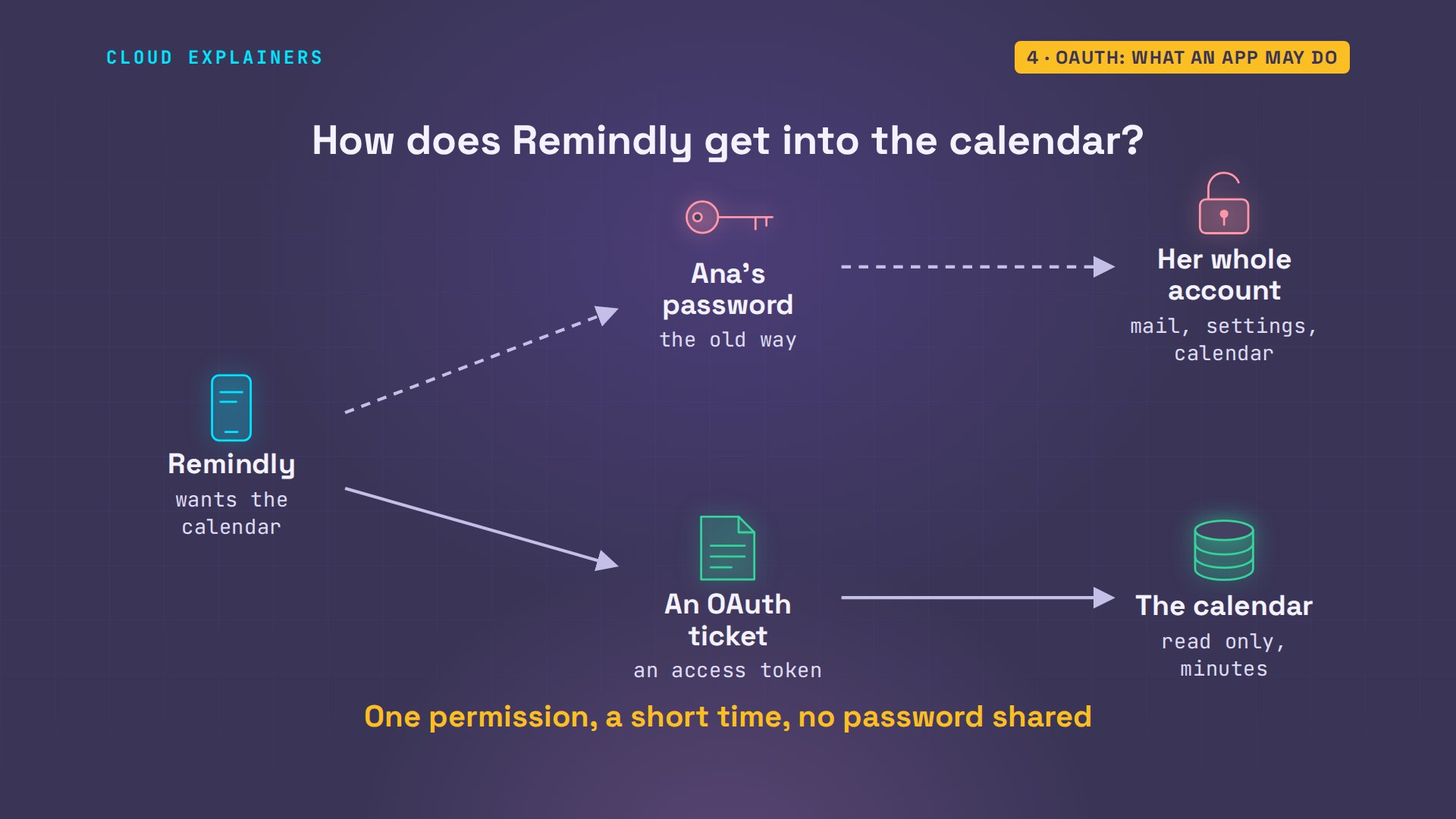
Now the reminder app. Remindly wants to read the clinic's calendar, so it can text patients before each appointment. Ana could give it her Maple password, but then it could open everything she can. OAuth, from two thousand twelve, gives it a ticket instead: one permission, for a short time, and no password ever leaves Maple ID.
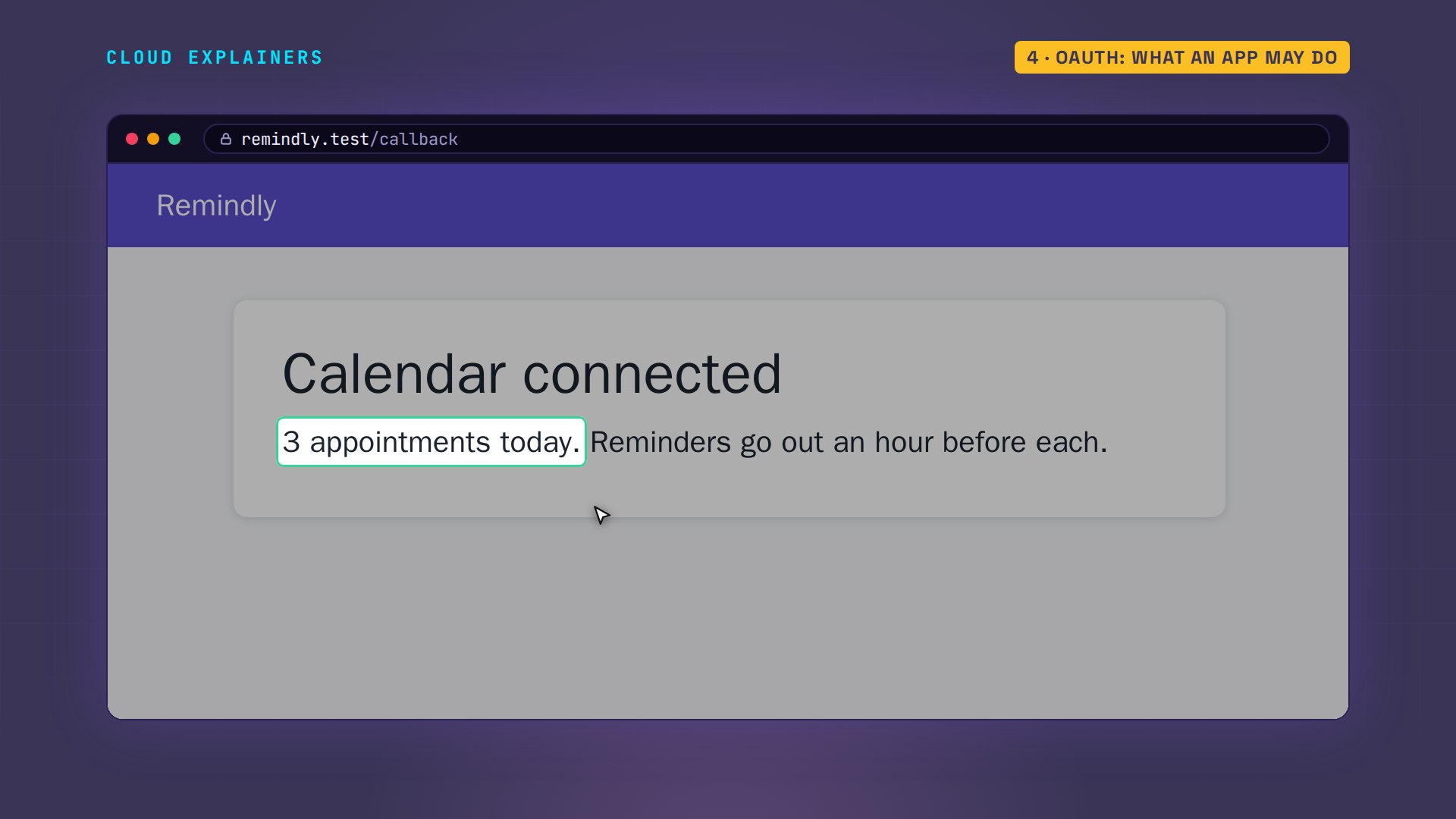
Ana clicks Connect calendar, and Maple ID asks her one thing: may Remindly view your calendar? Notice what it didn't ask for: her password. She typed it a minute ago, for Payroll, and Maple ID remembers. That's single sign-on. She clicks Yes, and Remindly shows today's three appointments.
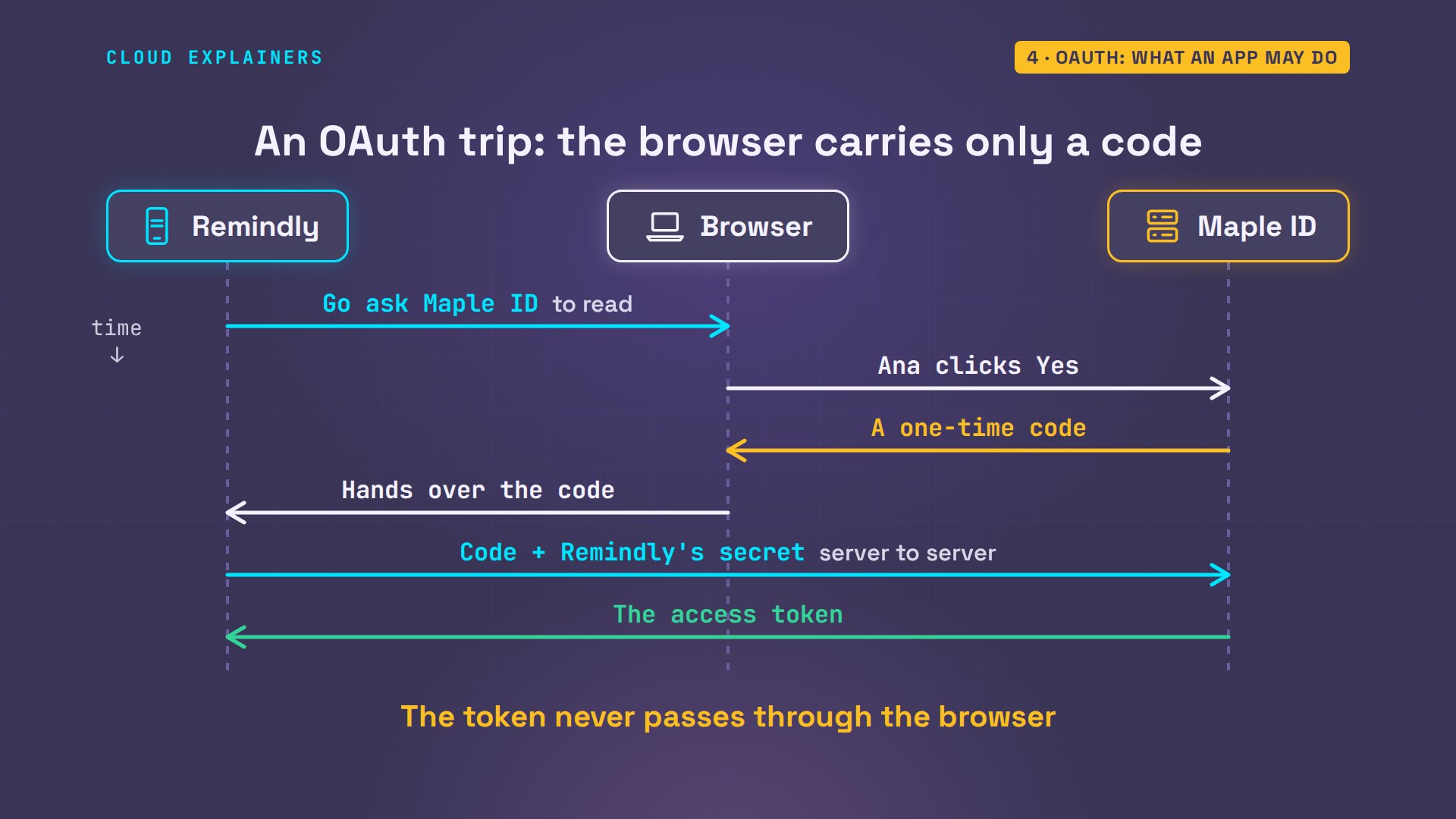
This trip differs from SAML in one way that matters. When Ana clicks Yes, her browser doesn't carry the ticket. It carries only a one-time code back to Remindly. Remindly then calls Maple ID directly, server to server, and swaps that code for the access token. So the token never sits in the browser, where it could leak.
That access token is the ticket. Remindly shows it to the calendar API, and gets the appointments. Then it tries to write, to add one, with the same token. The API answers four oh three, forbidden: insufficient scope. Scope is OAuth's word for permission, and this ticket says read. Notice what the API never asked: who Ana is.
calendar-api GET /eventsGET https://calendar.maple.test/events
Authorization: Bearer eyJhbGciOiJS... (the access token)
-> 200
   09:00  Check-up, room 1
   10:30  Filling, room 2
   14:00  Cleaning, room 1
calendar-api POST /eventsPOST https://calendar.maple.test/events
Authorization: Bearer eyJhbGciOiJS... (the access token)
-> 403
{
 "error": "insufficient_scope",
 "error_description": "this request needs the scope calendar.write"
}
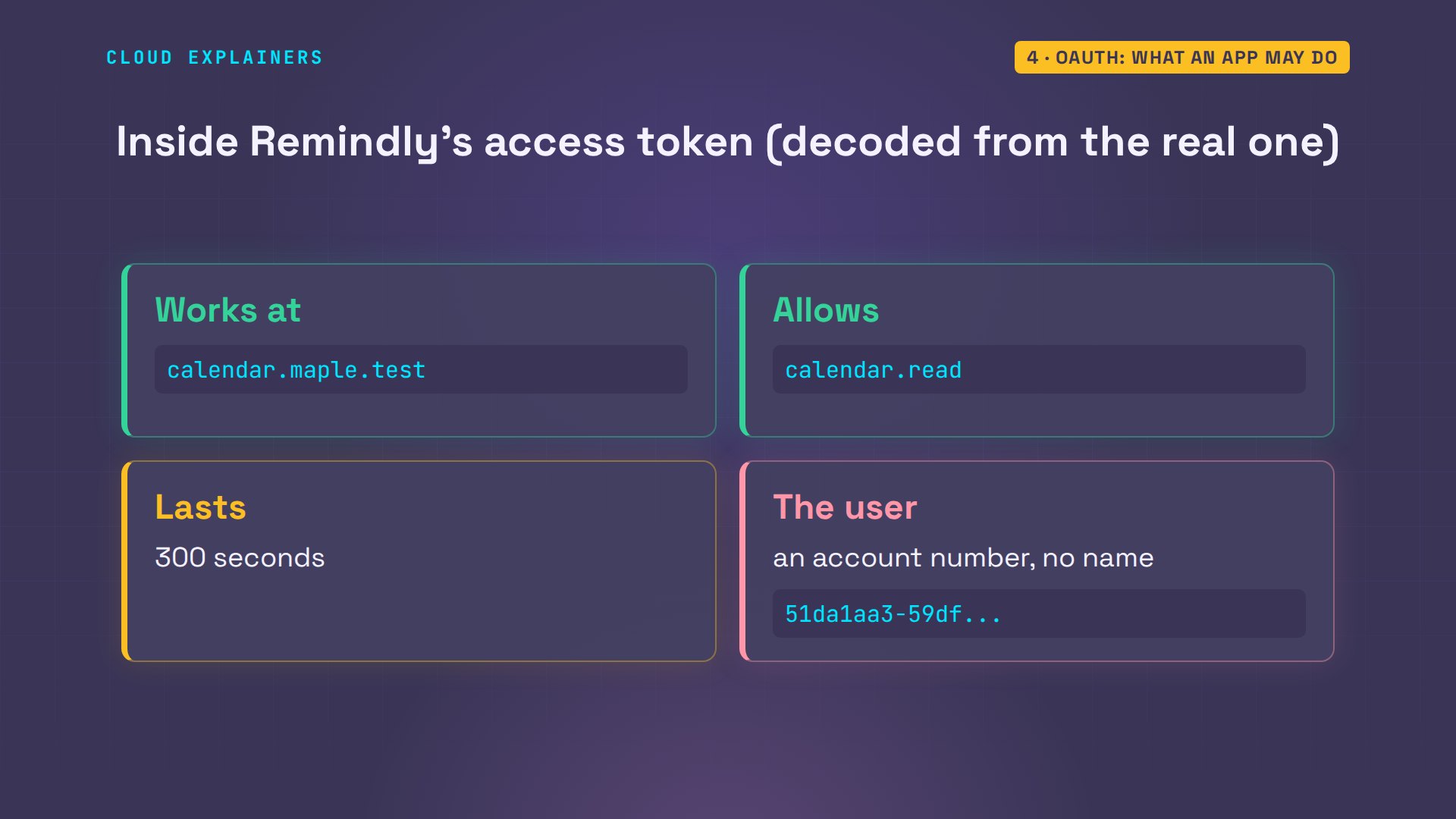
Open the ticket and you can see why. It names the one place it works: the calendar API. It names the one permission. It lasts five minutes, because whoever holds a ticket can use it. And for the user, there's only an account number: no name, no email.
OpenID Connect: one more word
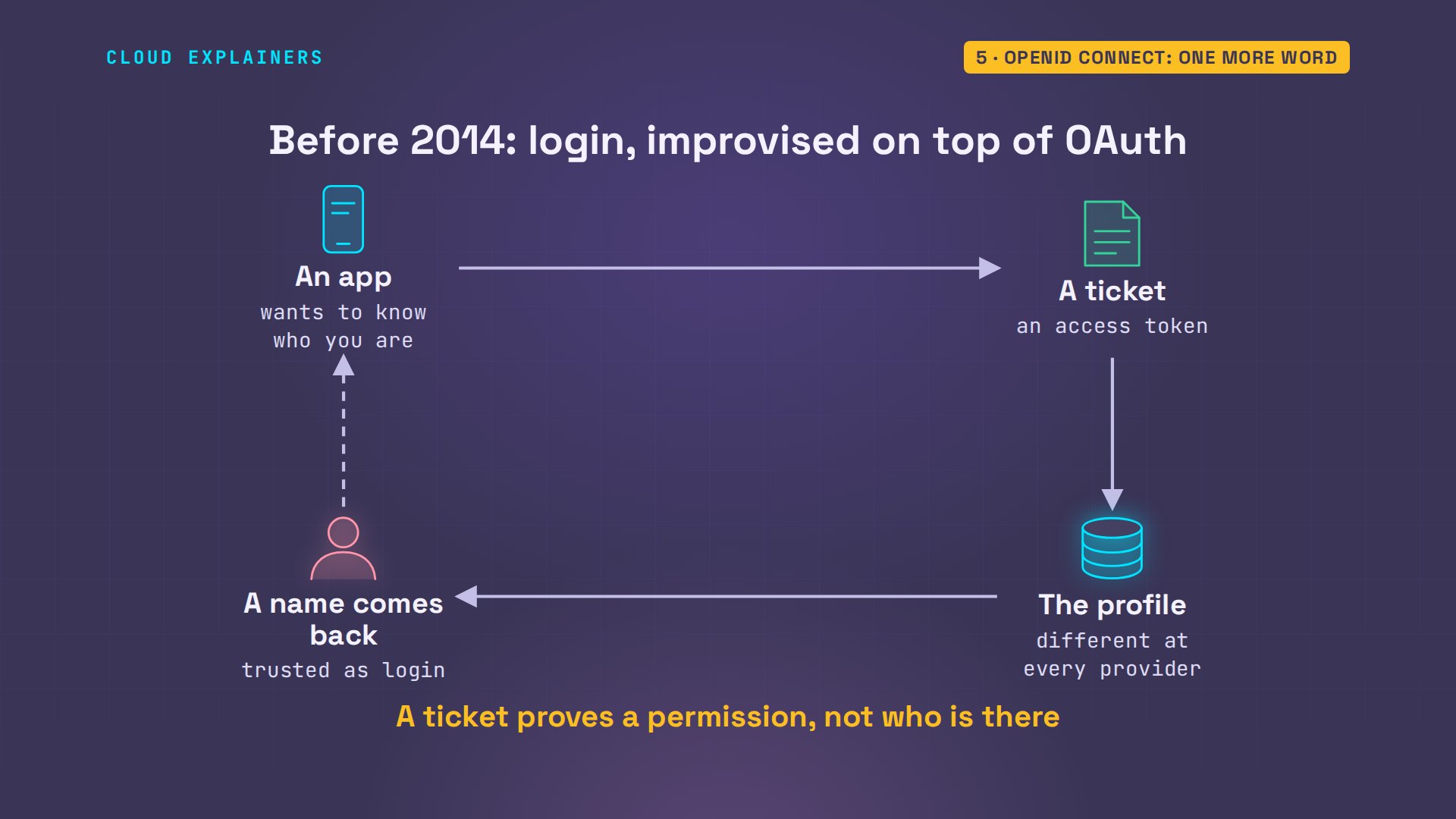
So how did Sign in with buttons ever work? For years, each app improvised: get a ticket, use it to fetch the account's profile, and trust whatever name came back. Every provider did it differently, and it wasn't always safe: a ticket proves that someone allowed something, not who is at the keyboard.
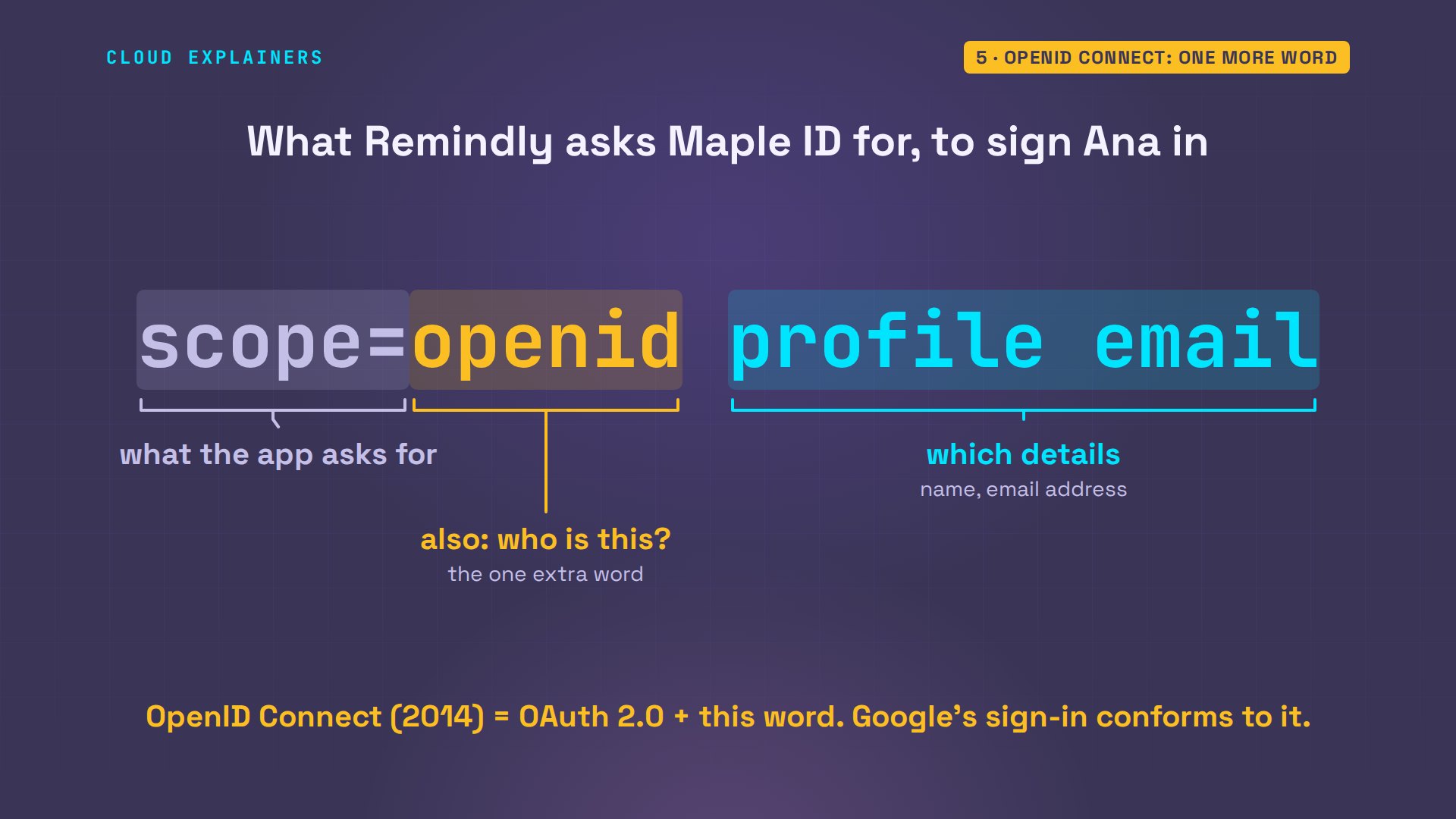
In two thousand fourteen, OpenID Connect made it one standard. It is OAuth, the very same trip, with one extra word in the request: openid. That word means: also tell me who this is. The words after it say which details. It's what Google uses: its documentation says its sign-in conforms to OpenID Connect.
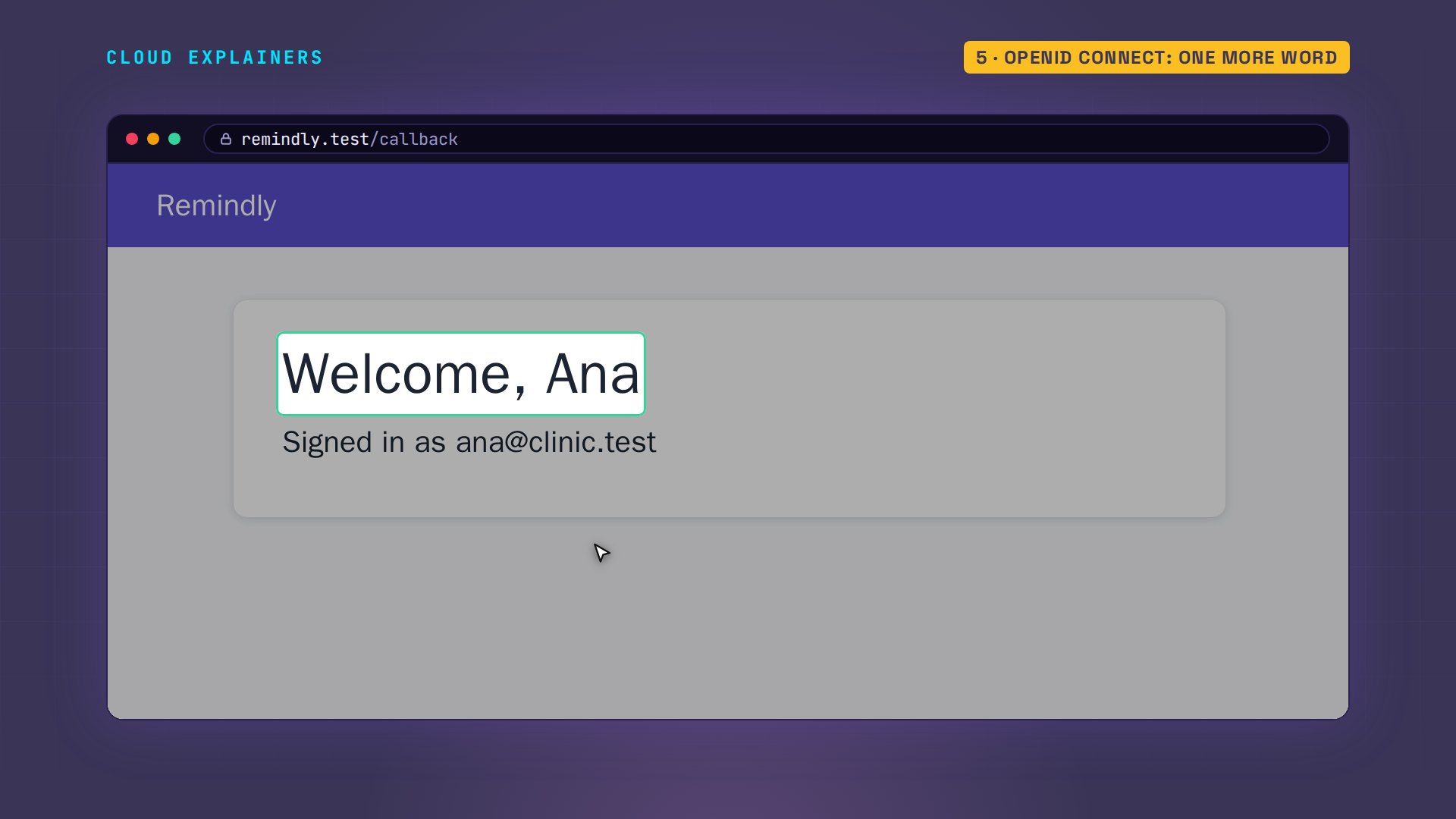
Ana clicks Sign in with Maple ID. Same trip, but now the question lists her profile and her email address. Yes. And Remindly greets her by name.
What changed in Maple ID's answer? One new item: an ID token. Decoded, it reads a lot like that SAML document. Who wrote it: Maple ID. Who it's for: Remindly. Who it's about: Ana Reyes, with her email. And when it expires. It's signed, too. The same photo ID, in JSON instead of XML, at about a quarter of the size.
jq '{scope, id_token: .id_token[0:20]}' oidc_tokens.json{
  "scope": "openid profile email",
  "id_token": "eyJhbGciOiJSUzI1NiIs"
}
jq '{iss, aud, sub, name, email, exp}' id_token.json{
  "iss": "https://id.maple.test/realms/maple",
  "aud": "remindly",
  "sub": "51da1aa3-59df-4808-b2c7-c6df03b8def8",
  "name": "Ana Reyes",
  "email": "ana@clinic.test",
  "exp": 1794324781
}
Remindly now holds two tokens from Maple ID, both real, both signed. Suppose it shows the calendar API the ID token instead. Take a guess: does the API accept it? No. Four oh one, unauthorized: this token was written for Remindly, not for the calendar. A photo ID doesn't get you into the show, and a ticket doesn't prove who you are. The ID token is for the app. The access token is for the API.
calendar-api GET /events --token idGET https://calendar.maple.test/events
Authorization: Bearer eyJhbGciOiJS... (the ID token)
-> 401
{
 "error": "invalid_token",
 "error_description": "this token was written for remindly, not for https://calendar.maple.test"
}
Which one do you need?
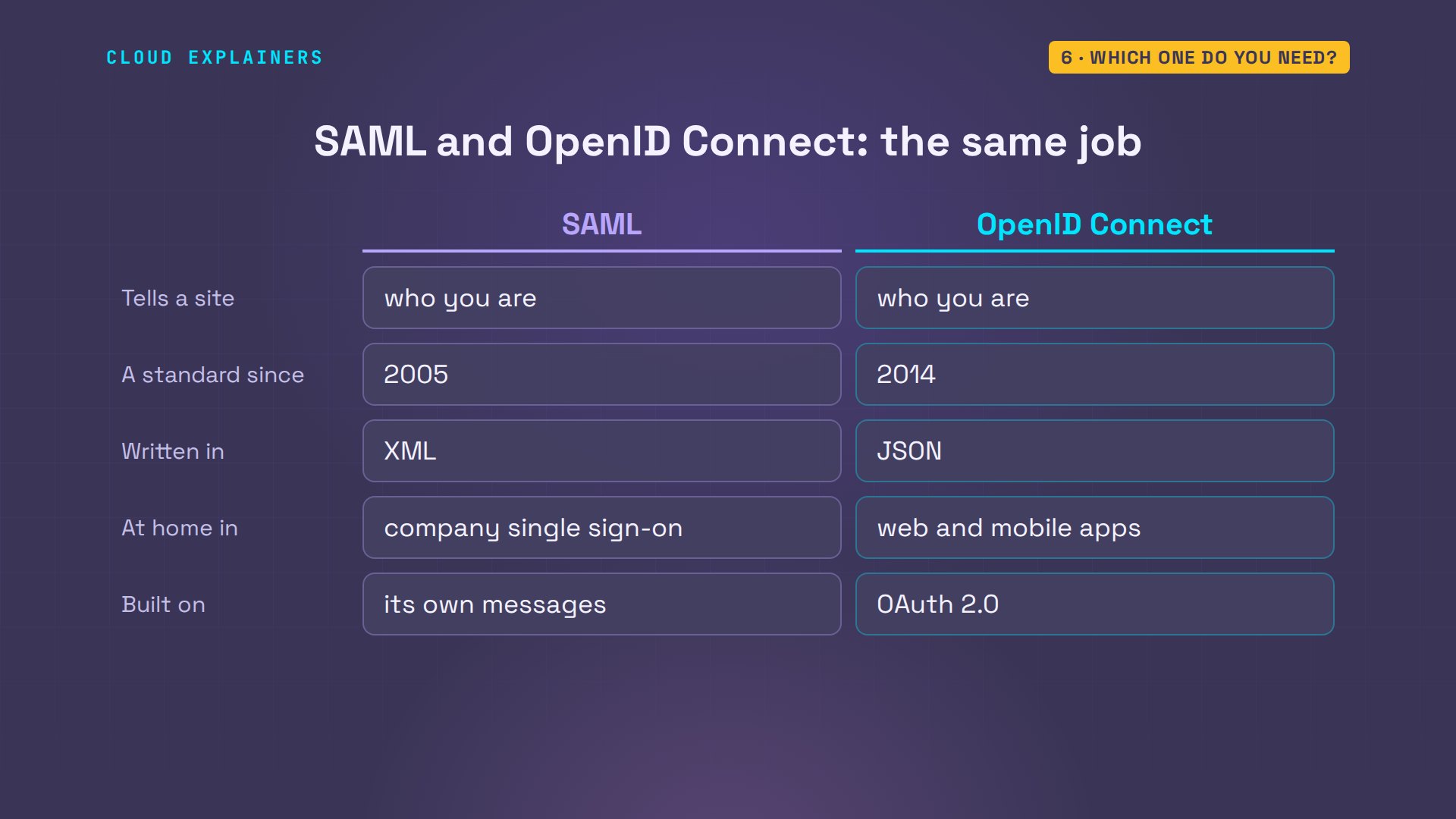
So two of the three do the same job, a generation apart. SAML: two thousand five, XML, made for a person at a browser, and everywhere in company single sign-on. OpenID Connect: two thousand fourteen, JSON, built on OAuth and plain web requests, so it's at home in mobile apps too.
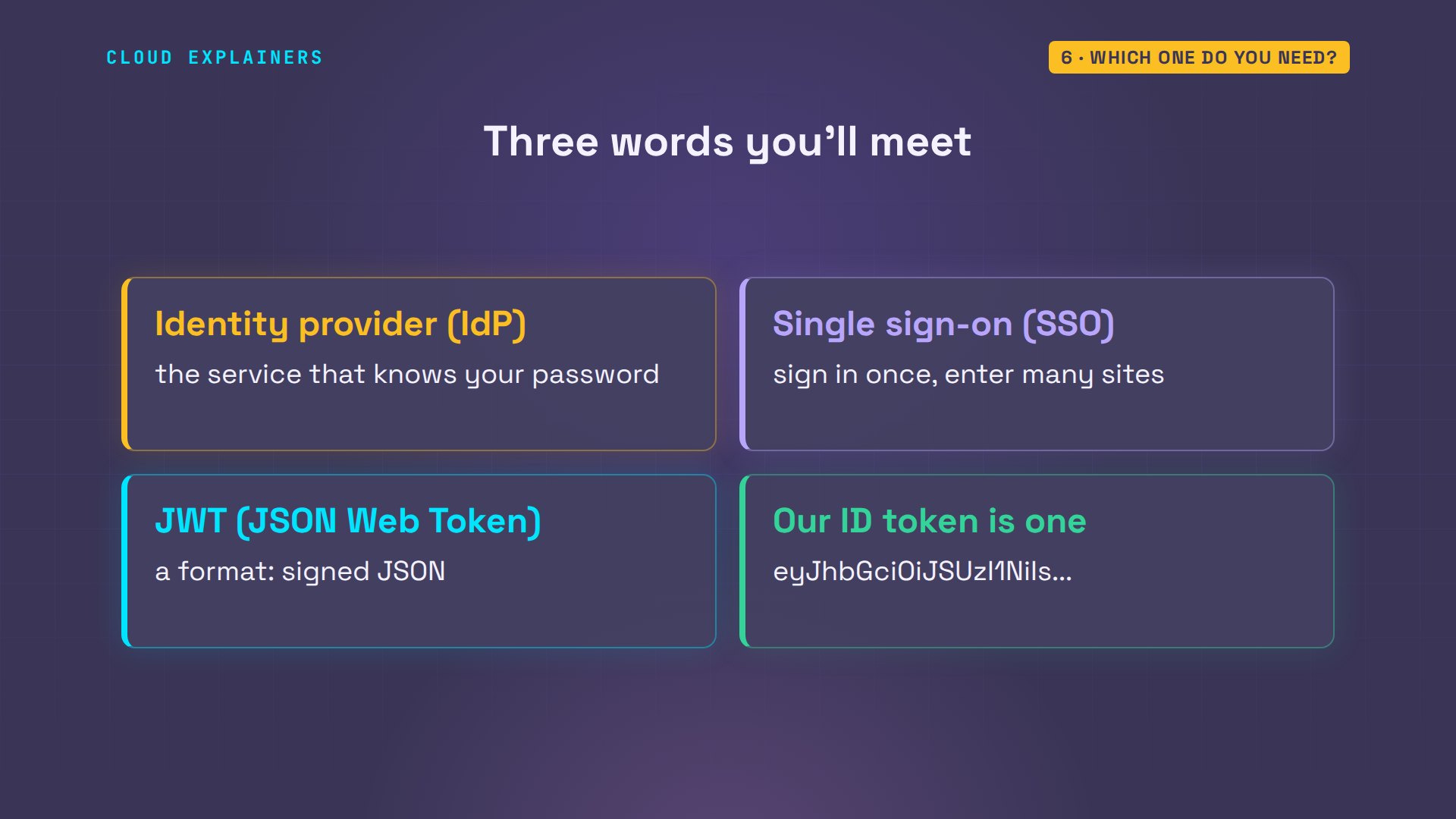
Three words you'll meet along the way. Identity provider: the service that knows your password, like our Maple ID. Single sign-on: sign in there once, and every site that trusts it lets you in. And JWT, said jot: not a fourth choice, just a format. A small piece of signed JSON. The ID token is one.
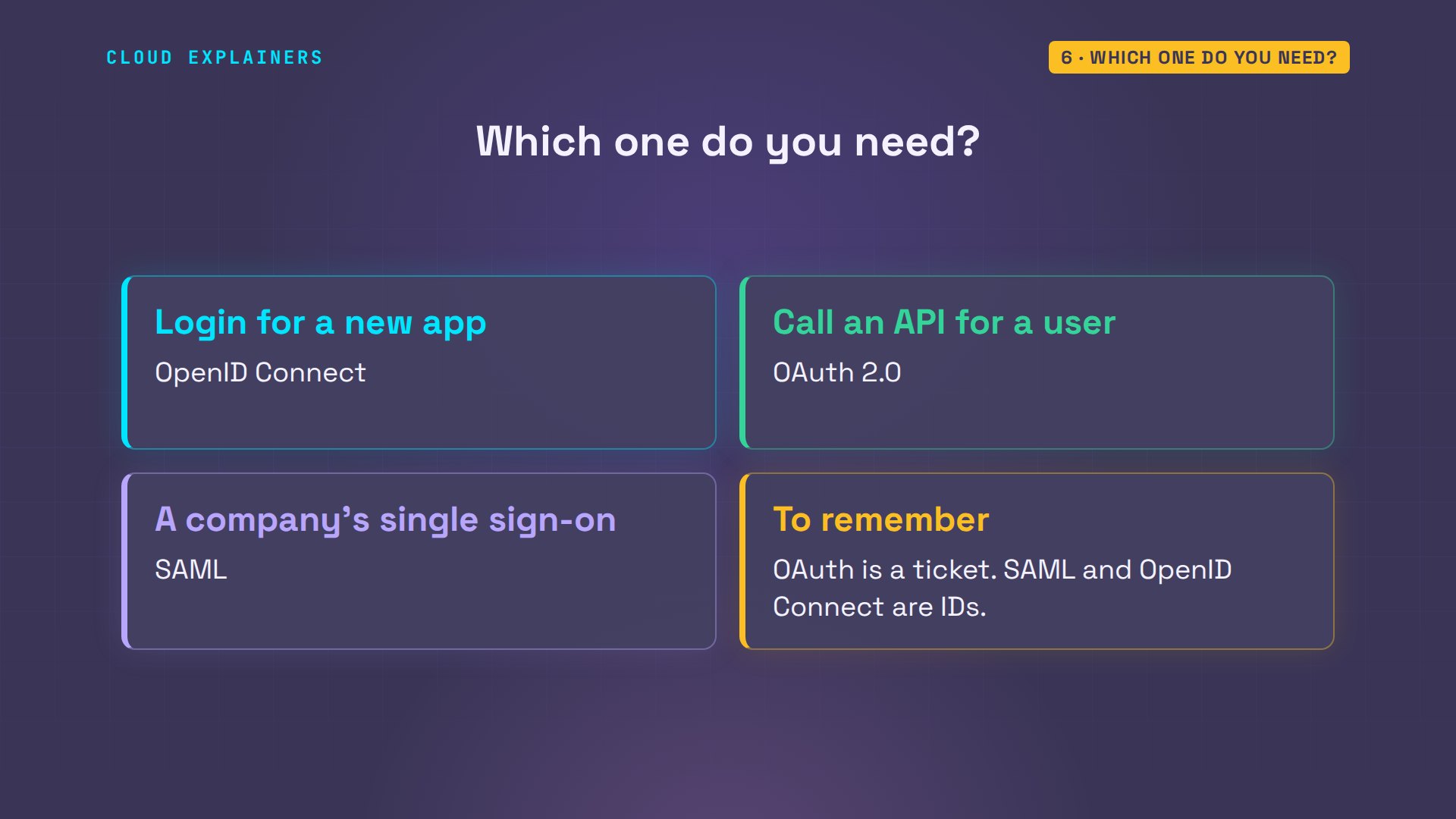
Which one do you need? Adding login to a new app: OpenID Connect. Your app has to call an API on a user's behalf: that's OAuth, and OpenID Connect already rides on it. A company customer says, connect to our identity provider, or the app you bought only speaks SAML: then SAML. And if you keep one line: OAuth is a ticket. SAML and OpenID Connect are IDs.
Recap
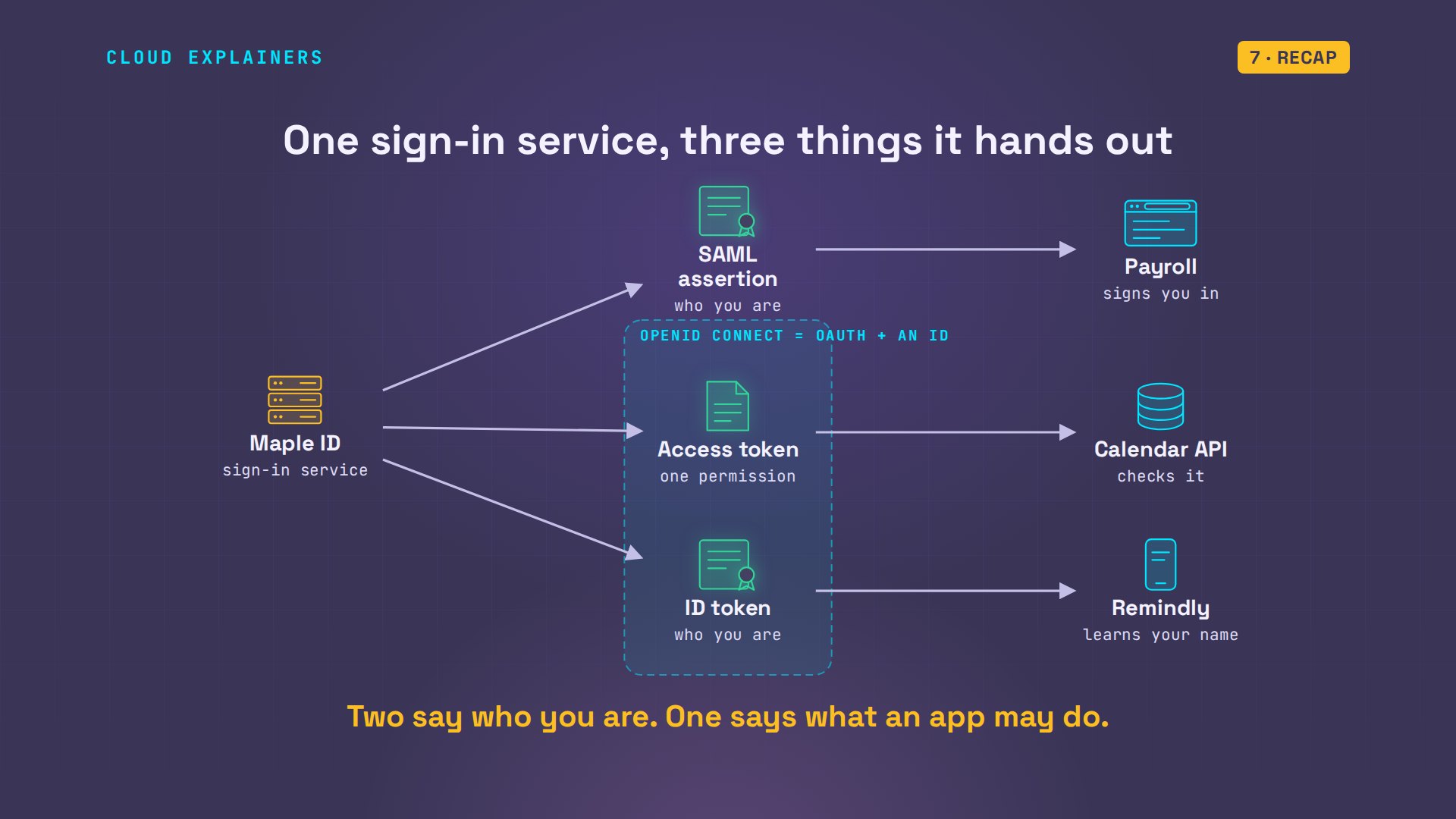
So: one sign-in service, three things it hands out. SAML: a signed XML document that says who you are. OAuth: a ticket for one thing an app may do. OpenID Connect: that ticket, plus a signed ID. Now you know which question each one answers.
Every command and the lab files are linked in the description, so you can run all three sign-ins yourself. If this untangled three names you kept seeing together, subscribing means the next one finds you.
Every page and every refusal here came from a real run in our lab. Thanks for watching Cloud Explainers.
Sources
- OASIS, SAML 2.0 core (March 2005: assertions, signatures, audience and time conditions)
- RFC 6749, the OAuth 2.0 authorization framework (October 2012: access tokens, scope, the code flow)
- RFC 6750, bearer token usage (401 invalid_token, 403 insufficient_scope)
- OpenID Connect Core 1.0 (2014: the openid scope, the ID token and how a client must check it)
- oauth.net, why OAuth 2.0 alone is not an authentication protocol
- Google, OpenID Connect (its OAuth 2.0 sign-in conforms to the OpenID Connect specification)
- RFC 7519, JSON Web Token (the ID token's format; suggested pronunciation: jot)
Demos: containers on our own Mac standing in for a sign-in service, a payroll site, a reminder app and a calendar API; the clinic and the products are made up. Nothing was attacked: every refusal is a service checking its own input. Watch the full video on YouTube.
More videos

Linux Makefiles Will Finally Make Sense After This

How to Fix Python cron Jobs That Never Run

Linux Bash Scripting: Full Tutorial for Beginners

How PXE Network Boot Works

How Active Directory Works

How to Fix a Linux systemd Service That Won't Start

Linux Logs: syslog vs journald

JWT vs Session Cookies: Which One Should You Use?

Docker vs Docker Compose: Which One Should You Use?

How to Fix Docker Compose Containers That Can't Talk to Each Other

Django Full Tutorial for Beginners

How Linux systemd Works

How to Fix 'Windows Cannot Access' Network Share Errors (SMB)

REST vs gRPC: Which One Should You Use?

How to Fix SSL Certificate Chain Errors (Missing Intermediate)

Every Python Concept for Beginners in 10 Minutes

Every SQL Join Type in 10 Minutes

Why OpenRouter Free Models Hit Their Limit So Fast

Why Your Gemini API Free Tier Runs Out So Fast

OpenRouter Will Finally Make Sense After This

How Redis Caching Works

Gemini API vs Vertex AI: Which One Should You Use?

How to Fix a Leaked Gemini API Key

Why Golang Uses Goroutines Instead of Threads

How to Fix Gemini API Error 429: Resource Exhausted

Claude Token Pricing Will Finally Make Sense After This

Why Python Web Scraping Returns Nothing (and the Fix)

Python uv vs pip: Which One Should You Use?

Python Automation: Full Tutorial for Beginners

How OAuth Login Works

Google AI Studio Will Finally Make Sense After This

What Happens When You Run a Docker Container

How to Fix Claude Code Billing Your API Key Instead of Your Plan

Why Passkeys Can't Be Phished Like Passwords

PowerShell vs Bash: Which One Should You Learn?

The Linux Roadmap for Beginners

Django vs FastAPI: Which One Should You Use?

Why SQLite Is the Most Used Database in the World

How a NoSQL Database Like MongoDB Works

How to Fix Python pip error: externally-managed-environment

How to Fix MySQL Too Many Connections Database Errors

Golang Concurrency Will Finally Make Sense After This

How Amazon S3 Works

How Kubernetes Works

How Git Works

How to Fix Docker Port Already Allocated Errors

How PostgreSQL Works

How to Fix Git Merge Conflicts

How to Fix No Space Left on Device in Linux

How the Internet Works

SQL vs NoSQL: When Each One Wins

How to Fix JWT Token Expired Errors (401 Unauthorized)

Claude API vs Claude Pro: Why Your Subscription Doesn't Include It

Why AI Agent Skills Beat Giant Prompts

Linux Cron Jobs Will Finally Make Sense After This

Security Logs Will Finally Make Sense After This

How to Fix a Security Leak: An API Key Pushed to GitHub

DNS Will Finally Make Sense After This

Never Ignore a Security Update

Two-Factor Authentication Will Finally Make Sense

Never Expose a Database to the Internet

SSH Keys vs Passwords: Which Is Safer for Security?

The 5 Levels of Linux Boot: From Power On to Login

The 5 Levels of Network Firewalls

Password Security: Why Hackers Crack Weak Passwords

Why Your Linux Server Runs Out of Memory

HTTP vs HTTPS: What Actually Changes on Your Network

Every Linux File Permission You Need to Know

Linux Processes vs Threads: When Each One Wins

The OSI Model Will Finally Make Sense After This

The 7 Levels of Git

Every Network Troubleshooting Command You Need

Hashing vs Encryption in Cybersecurity: When Each One Wins

Why the Internet Ran Out of IP Addresses

Linux Package Managers: apt vs Snap vs Flatpak

Why Python Is Slow (and When It Doesn't Matter)

TCP vs UDP: When Each One Wins

Stop Running Linux as Root (Do This Instead)

Linux Users and Groups Will Finally Make Sense

Why Phishing Beats Good Security (and How to Spot It)

The 7 Levels of Docker

AI Agents Will Finally Make Sense After This

Stop Using git push --force (Use This Instead)

Agent Skills vs MCP: When Each One Wins

Networking Will Finally Make Sense After This

Every Linux Command You Actually Need

The 7 Levels of Cybersecurity

Every System Design Concept You Need, in One Diagram
