
How to Fix Claude Code Billing Your API Key Instead of Your Plan
How to fix Claude Code using your ANTHROPIC_API_KEY instead of your Claude Pro or Max plan: when the variable is set, Claude Code puts the key ahead of your claude.ai login, so requests go to an API account billed per token (or fail with Invalid API key). Shown with a made-up key on a real Claude Code: the quick fix (unset it, check claude auth status), why the key wins (the documented sign-in order), the interactive question that remembers a Yes, the -p mode that never asks, and how to keep a key for your own code only.
Billed for the wrong thing
You pay for Claude Pro or Max, but Claude Code says Invalid API key, or quietly bills your API account. Here's Ana's laptop. She pays for a plan, asks Claude Code for one line, and gets this: invalid API key. She never meant to use an API key at all.
claude -p "Write a one-line welcome for Ana's tea shop"⚠ claude.ai connectors are disabled because ANTHROPIC_API_KEY or another auth source is set and takes precedence over your claude.ai login · Unset it to load your organization's connectors
Invalid API key · Fix external API key
One environment variable decides who pays. If it's set, Claude Code can skip your plan and send every request to an API account that charges for every token, a small piece of text. With a real key there's no error at all, just a bill. And there's one place where Claude Code uses that key even after you tell it no. We'll find it.
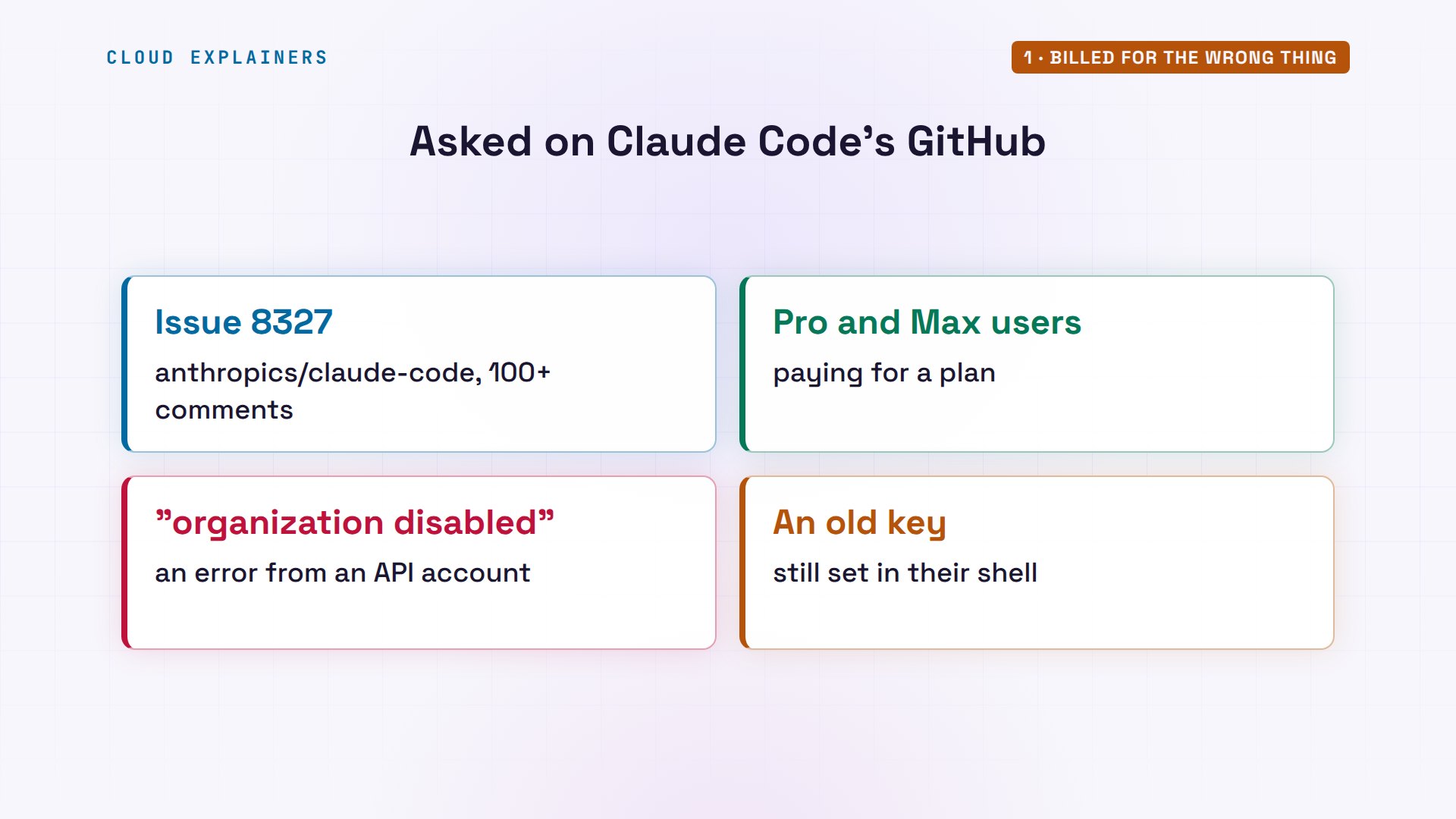
You're not the only one. On Claude Code's own GitHub, one report has more than a hundred comments: Max subscribers seeing "This organization has been disabled", because an old API key in their shell took over.
The usual fix
So what's the quick fix? First, list the variables and keep only lines with ANTHROPIC, which is what grep does: there it is. Remove it from this shell. Ask Claude Code how it signs in now: claude.ai, your plan. And the same request works.
env | grep ANTHROPICANTHROPIC_API_KEY=sk-ant-api03-FAKE0
unset ANTHROPIC_API_KEY
claude auth status | grep -E 'authMethod|apiKeySource'"authMethod": "claude.ai",
claude -p "Write a one-line welcome for Ana's tea shop"Welcome to Ana's Tea Shop, where every cup is steeped with care. Pull up a chair and stay a while.
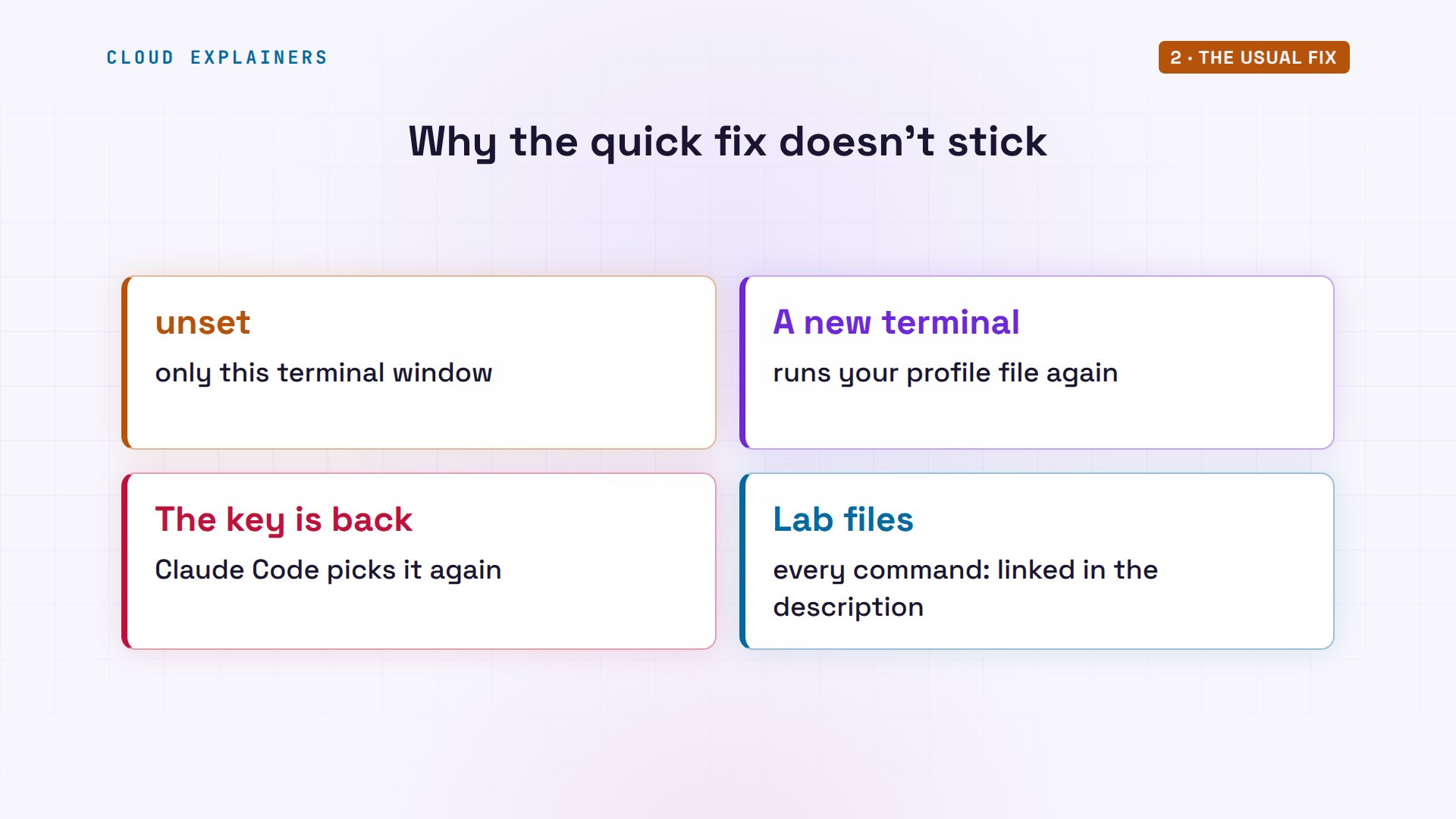
If that worked, it may not last. Open a new terminal tomorrow, and the key can be back, because a startup file, called a profile, sets it every time a shell starts. So let's see why Claude Code picks it, and fix it for good. Every command and the lab files are linked in the description.
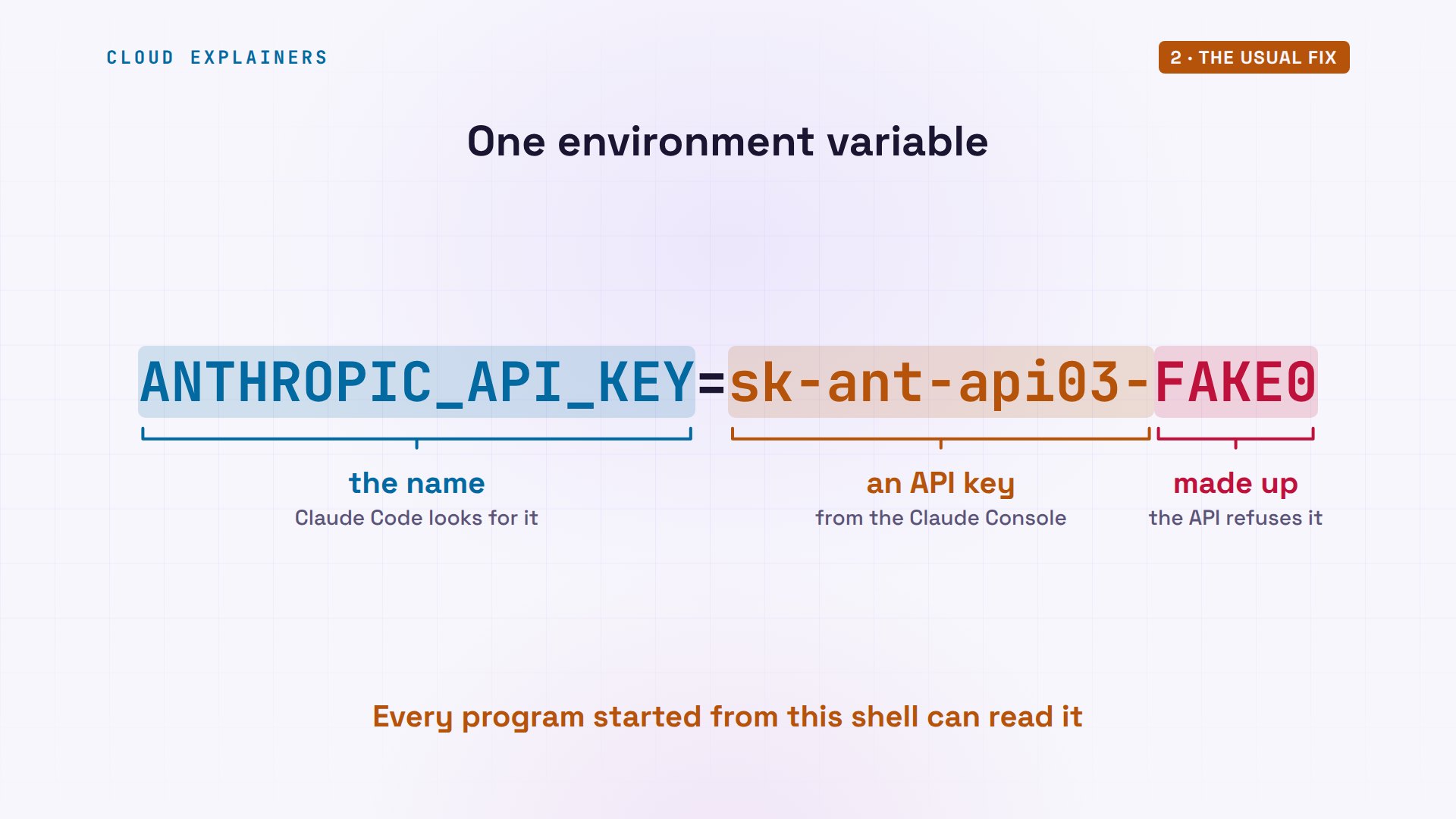
What is that variable, exactly? An environment variable is a name and a value that your shell hands to every program it starts. The name, ANTHROPIC_API_KEY, is the one Claude Code looks for. The value starts with sk-ant-api: the shape of a key from the Claude Console, where API accounts live. Ours ends in FAKE0.
Why Claude Code picks the key
Why does a key beat a plan you pay for? Claude Code can sign in several ways, and its documentation lists the order it tries them. Near the top: an auth token, then ANTHROPIC_API_KEY, then a key-helper script. Your plan's login is the very last. Whatever is higher up wins.
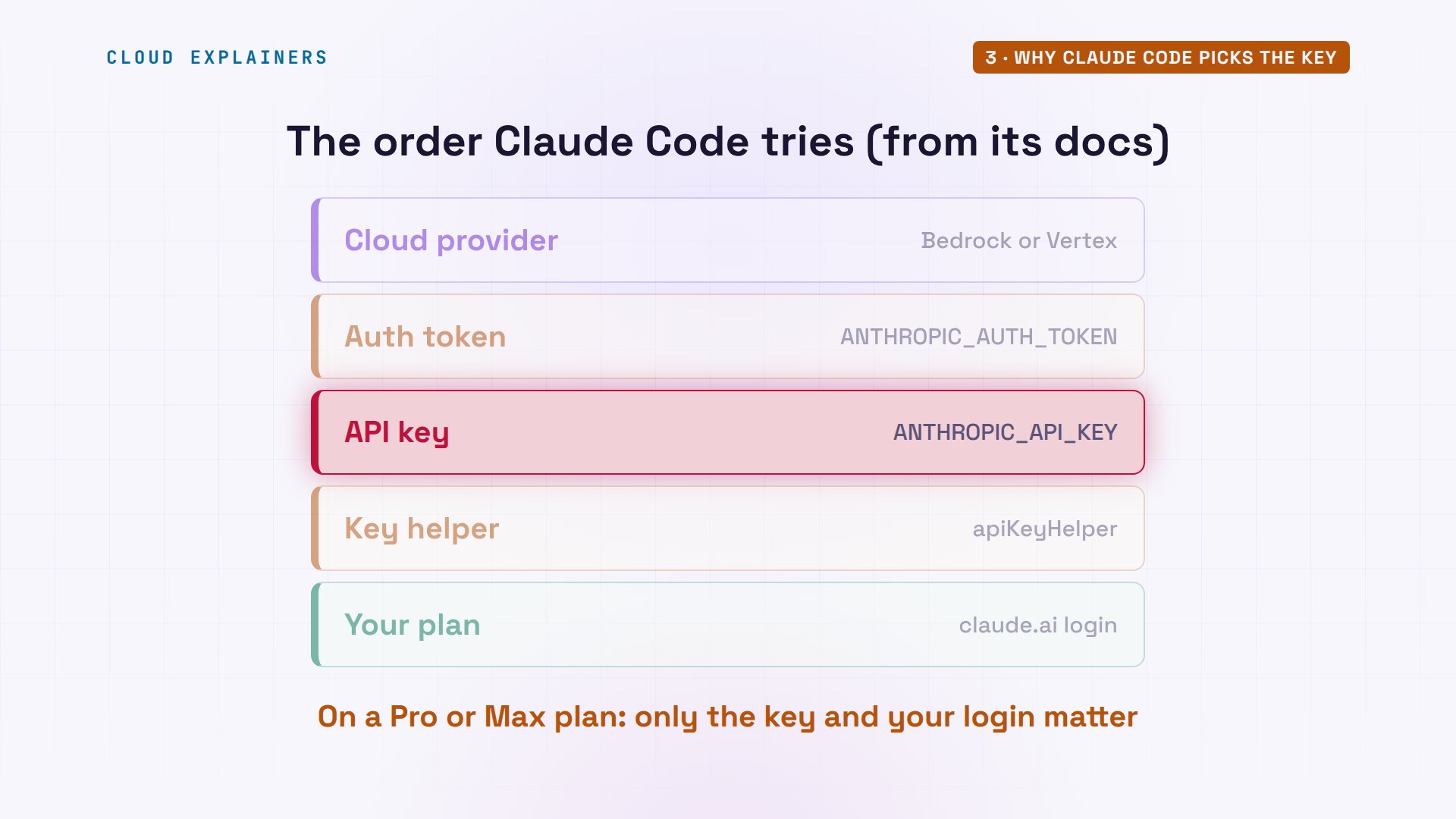
Watch it switch. Ana puts a made-up key back, only to recreate the problem: don't copy this line. Same command as before, and now the sign-in method is api key, taken from that variable. She's still logged in to her plan; it's just not used.
export ANTHROPIC_API_KEY=sk-ant-api03-FAKE0
claude auth status | grep -E 'authMethod|apiKeySource'"authMethod": "api_key", "apiKeySource": "ANTHROPIC_API_KEY"
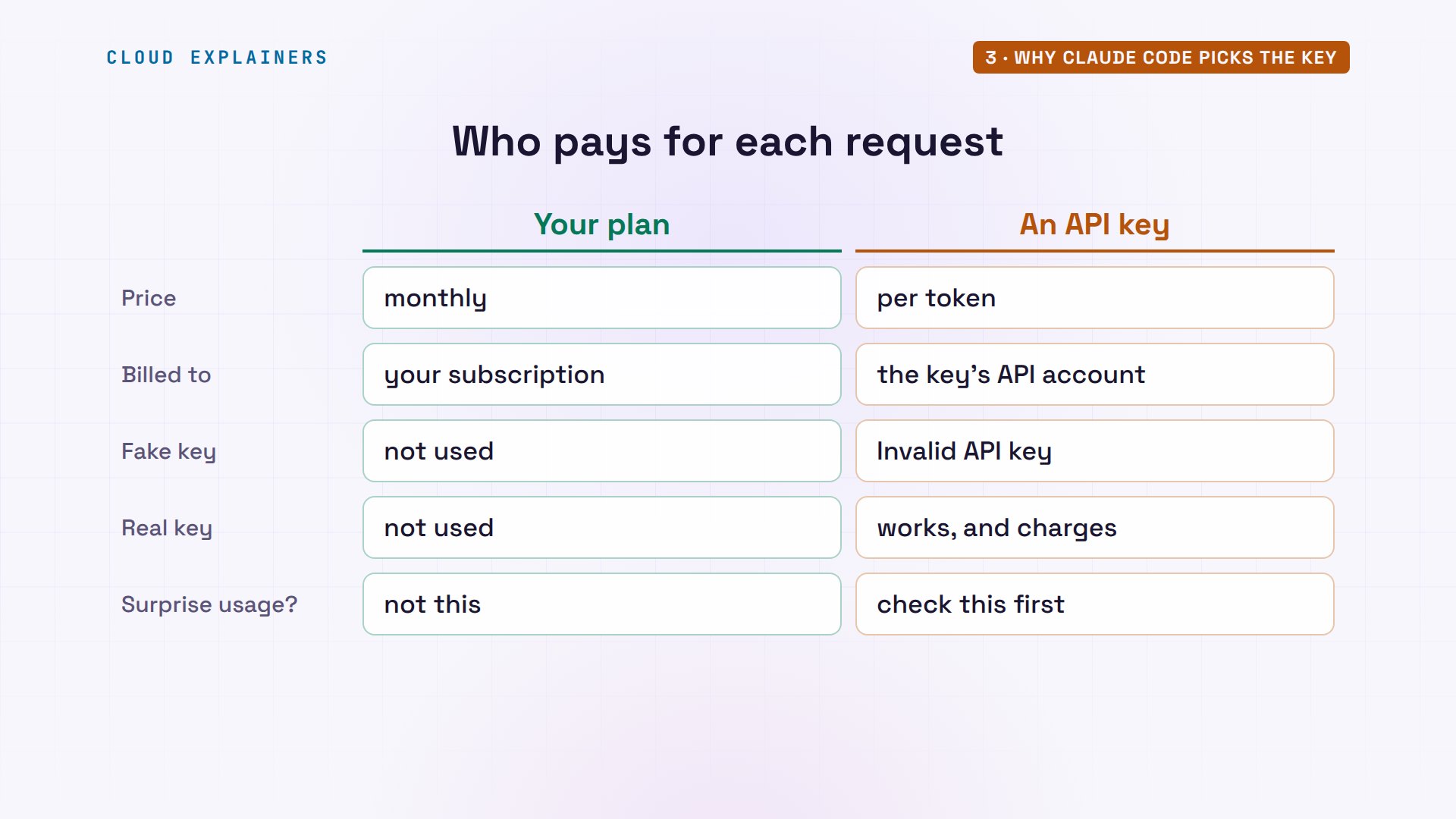
What does that cost? Your plan is a monthly price with usage limits. An API key is pay as you go: every request is billed by the token to that key's API account, on top of what you pay for the plan. Our key is fake, so the API refuses it. A real one just works, and charges. So if your API account shows usage you don't remember, this is the first thing to check.
The Yes you said once
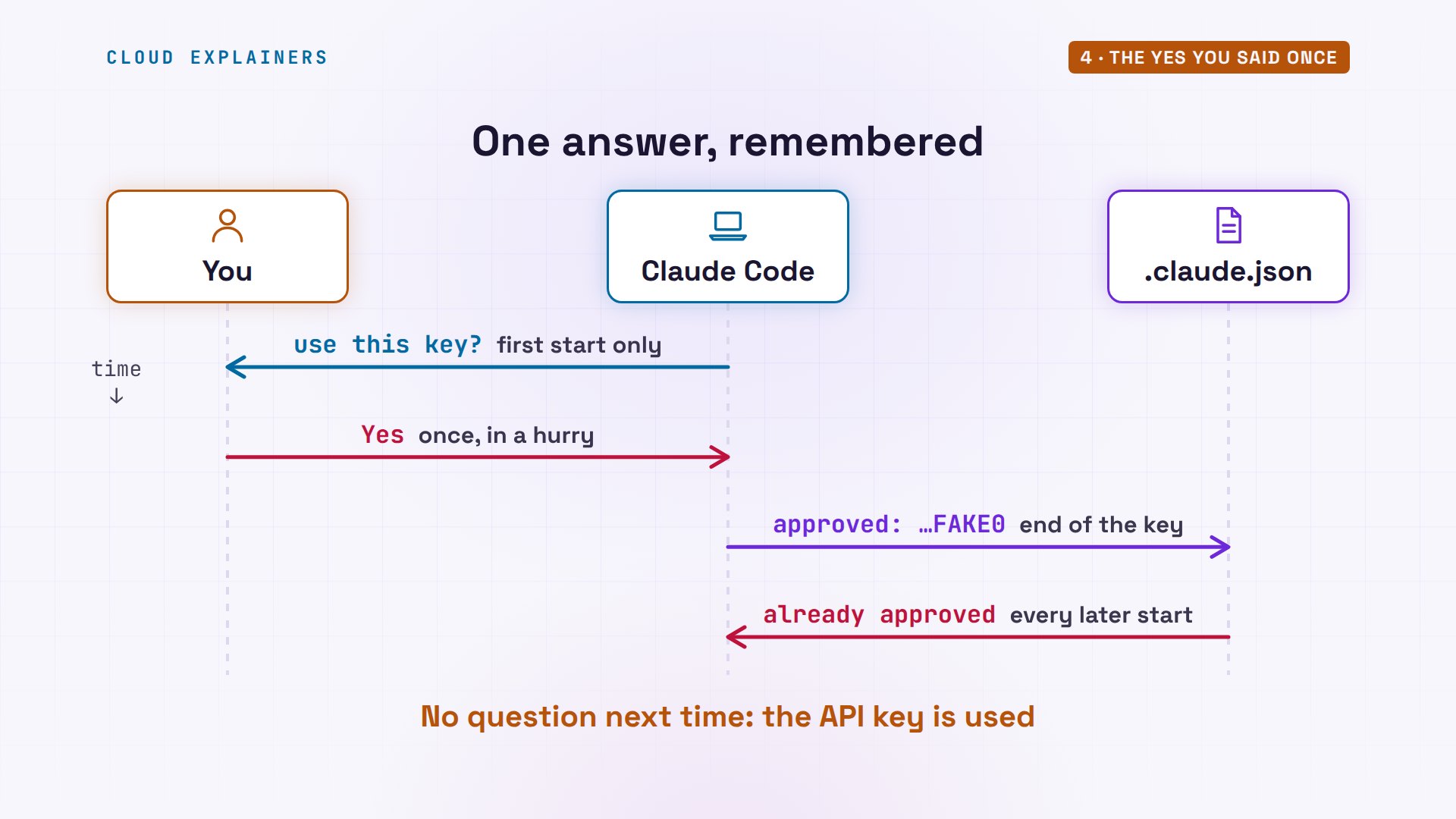
In the interactive app, Claude Code does ask. It found a key in the environment: do you want to use it? It even recommends No. But the question comes once, and your answer is remembered.
claude────────────────────────────────────────────────────────────────────────────────────────────────────
  Detected a custom API key in your environment
  ANTHROPIC_API_KEY: sk-ant-...sk-ant-api03-FAKE0
  Do you want to use this API key?
    Yes
  ❯ No (recommended)
  Enter to confirm · Esc to cancel
Press Yes, maybe months ago, in a hurry, and here's the welcome screen. Under the model it says API Usage Billing, not your plan. It warns that both are set, and nothing else looks wrong.
Claude Code v2.1.311
Opus 5.5 · API Usage Billing
~/key-lab
⚠ Both claude.ai and ANTHROPIC_API_KEY set · auth may not work as expected
  · to use claude.ai: Unset the ANTHROPIC_API_KEY environment variable, or claude /logout then say "No" to the API key approval before login.
  · to use ANTHROPIC_API_KEY: claude /logout to sign out of claude.ai.
  ⚠ claude.ai connectors are disabled because ANTHROPIC_API_KEY or another auth source is set and…
────────────────────────────────────────────────────────────────────────────────────────────────────
❯ Try "how does <filepath> work?"
────────────────────────────────────────────────────────────────────────────────────────────────────
  ⏵⏵ auto mode on (shift+tab to cycle) · ← for agents
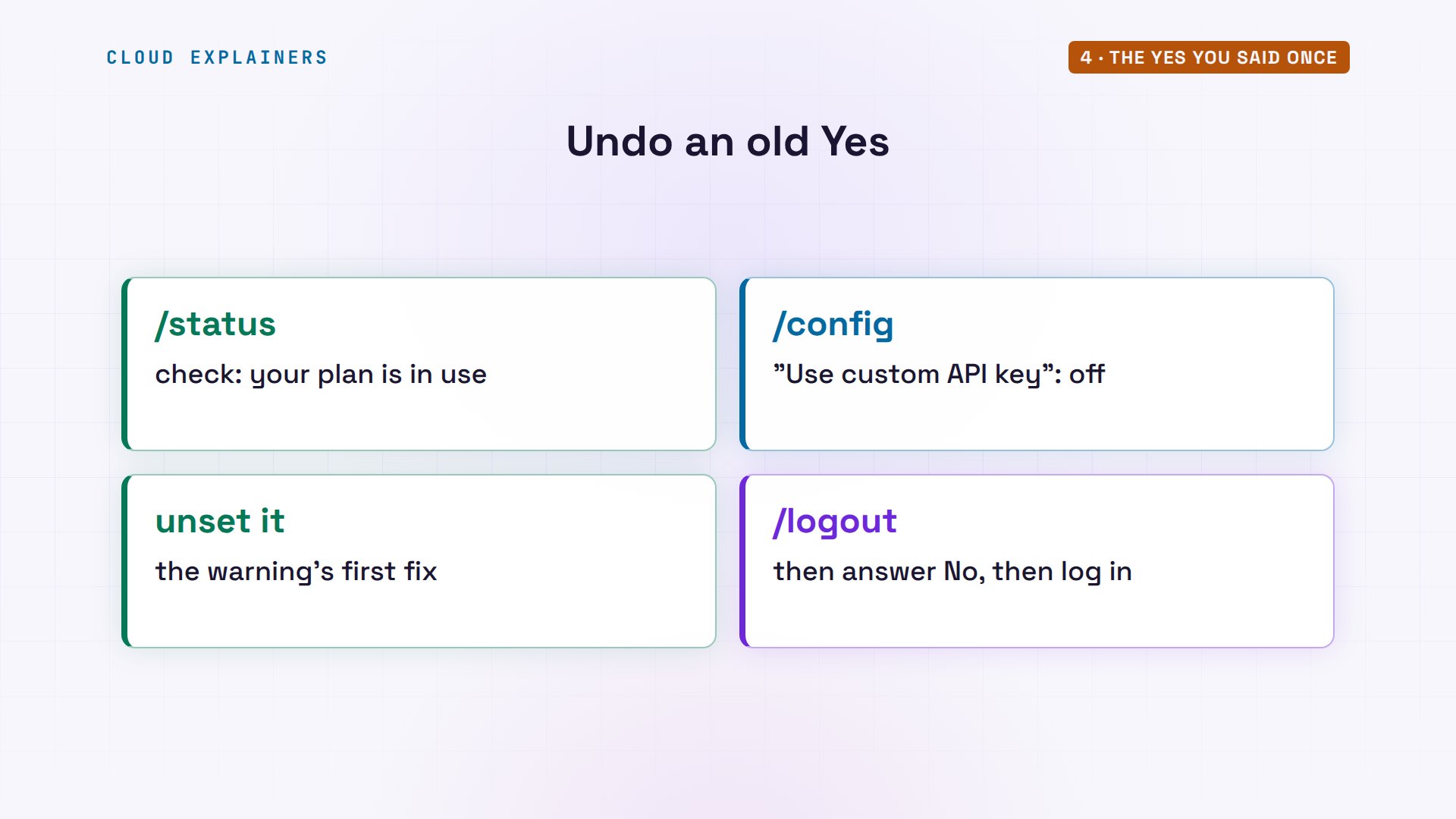
Ana types slash status inside Claude Code, and it says it plainly. Auth token: claude.ai, not in use. API key: the environment variable. If you only remember one check, it's this one.
  "No" to the API key approval before login.
  · to use ANTHROPIC_API_KEY: claude /logout to sign out of claude.ai.
⚠ claude.ai connectors are disabled because ANTHROPIC_API_KEY or another auth source is set and …
   Settings  Status   Config   Usage   Stats
   Version:              2.1.311
   Session name:         /rename to add a name
   Session kind:         interactive
   Auth token:           claude.ai · not in use
   API key:              ANTHROPIC_API_KEY
   Model:                Default (claude-opus-5-5)
   MCP servers:          14 need auth, 1 disabled, 5 failed · /mcp
   Setting sources:      User settings
   Organization policy:  Couldn't load · features that must check it first (Remote Control, cloud sessions, /feedback and others) stay off, and some need a restart once it loads · api.anthropic.com rejected this session's credentials (HTTP 401) · Fix: sign in again or check the API key this session uses Auto mode server:     Enabled Esc to cancel
Where does that Yes go? Claude Code saves it in its config file in your home folder, with the end of the key. Next time it starts, it sees the same key, finds your old answer, and doesn't ask again.
Ana asks for her welcome line. A working key would answer, and charge the API account. With our fake key, it stops: invalid API key.
Claude Code v2.1.311
Opus 5.5 · API Usage Billing
~/key-lab
⚠ Both claude.ai and ANTHROPIC_API_KEY set · auth may not work as expected
  · to use claude.ai: Unset the ANTHROPIC_API_KEY environment variable, or claude /logout then say "No" to the API key approval before login.
  · to use ANTHROPIC_API_KEY: claude /logout to sign out of claude.ai.
❯ Write a one-line welcome for Ana's tea shop
  ⎿  Invalid API key · Fix external API key
✻ Worked for 0s · done 6:08 AM
  ⚠ claude.ai connectors are disabled because ANTHROPIC_API_KEY or another auth source is set and…
────────────────────────────────────────────────────────────────────────────────────────────────────
❯
────────────────────────────────────────────────────────────────────────────────────────────────────
  ⏵⏵ auto mode on (shift+tab to cycle)
Now the same start, but this time Ana answers No. The welcome screen says Claude Max, the subscription she already pays for, and her greeting comes back, with no extra bill anywhere.
Claude Code v2.1.311
Opus 5.5 · Claude Max
~/key-lab
❯ Write a one-line welcome for Ana's tea shop
⏺ "Welcome to Ana's Tea Shop, where every cup is steeped with care. Come in, slow down, and stay a while."
✻ Sautéed for 5s · done 6:08 AM
────────────────────────────────────────────────────────────────────────────────────────────────────
❯
────────────────────────────────────────────────────────────────────────────────────────────────────
  ⏵⏵ auto mode on (shift+tab to cycle)
Changed your mind about a Yes? Inside Claude Code, where you typed slash status, the docs point to slash config, where a setting called Use custom API key turns it off. Or the warning's own advice: unset the variable, or log out, say No, and log in again.
The No that scripts ignore
Here's the place we promised. Ana answered No. Now she runs Claude Code from a script, with dash P, print mode: it answers once and exits, the way scripts and scheduled jobs call it. Before we run it: does her No still count?
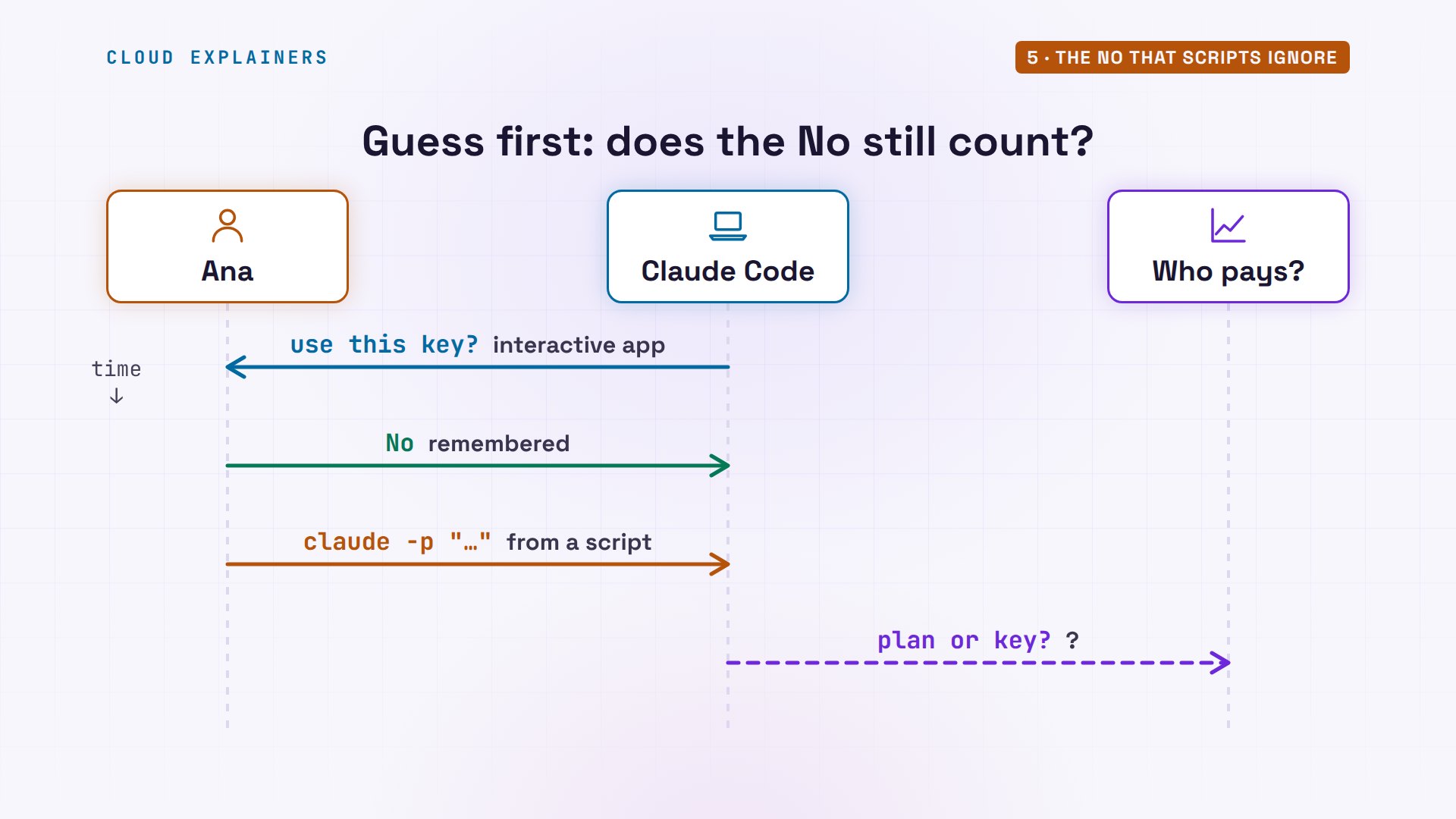
It doesn't. Invalid API key, again. The docs say it directly: in non-interactive mode, the key is always used when it's present. There's no question to answer, so a script or a scheduled job can bill your API account all night.
claude -p "Write a one-line welcome for Ana's tea shop"⚠ claude.ai connectors are disabled because ANTHROPIC_API_KEY or another auth source is set and takes precedence over your claude.ai login · Unset it to load your organization's connectors
Invalid API key · Fix external API key
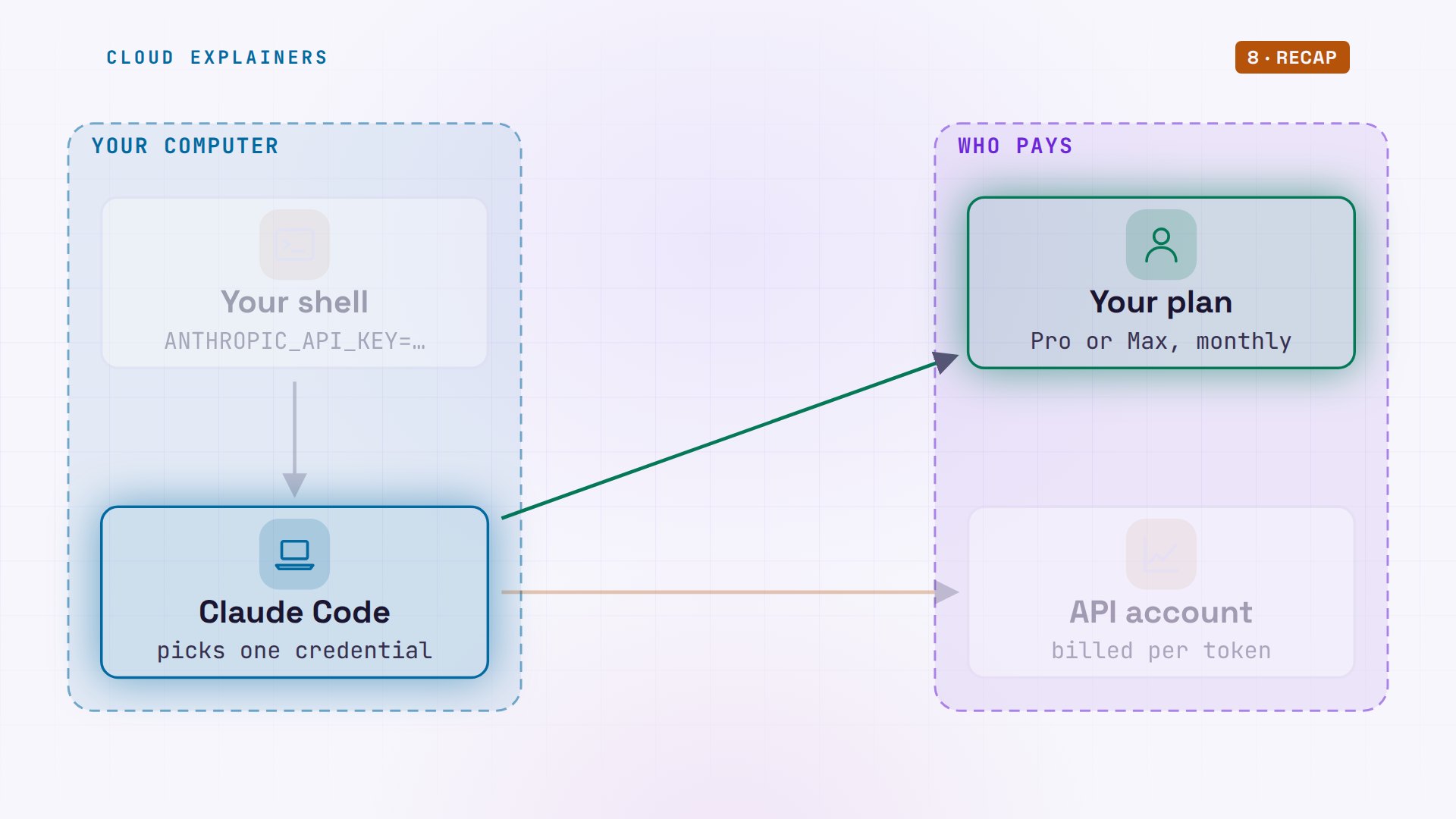
On our map: the interactive app asks once and remembers. Dash P never asks. If the variable reaches it, the key wins. That's why the real fix is removing the variable, not answering a question.
Find where it's set
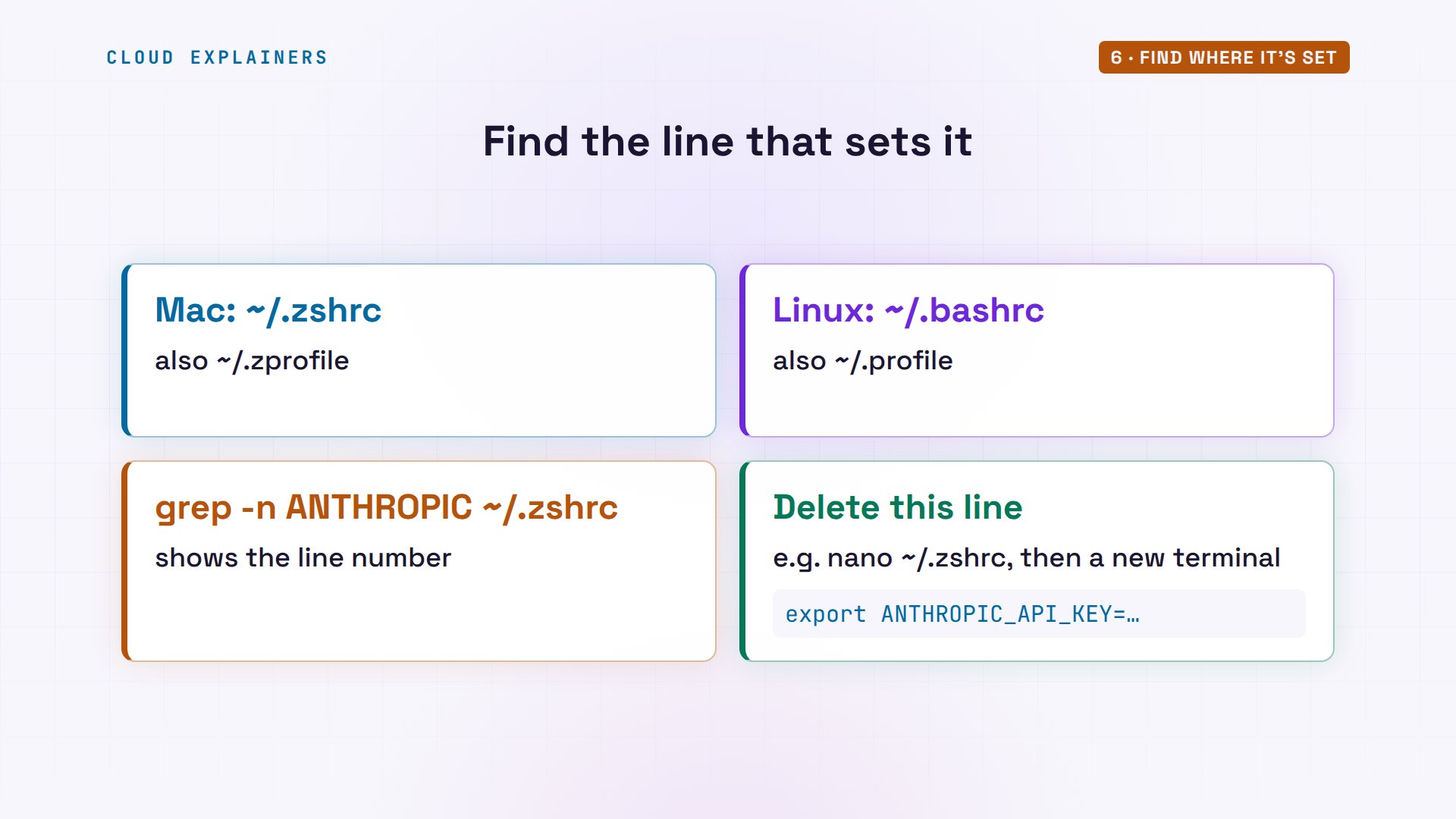
So where does the key come from? Usually one line in a file your shell reads at start: on a Mac that's ~/.zshrc, on Linux often.bashrc or.profile. Search them with grep, a search command, open the file in any text editor, delete the export line, and open a new terminal.
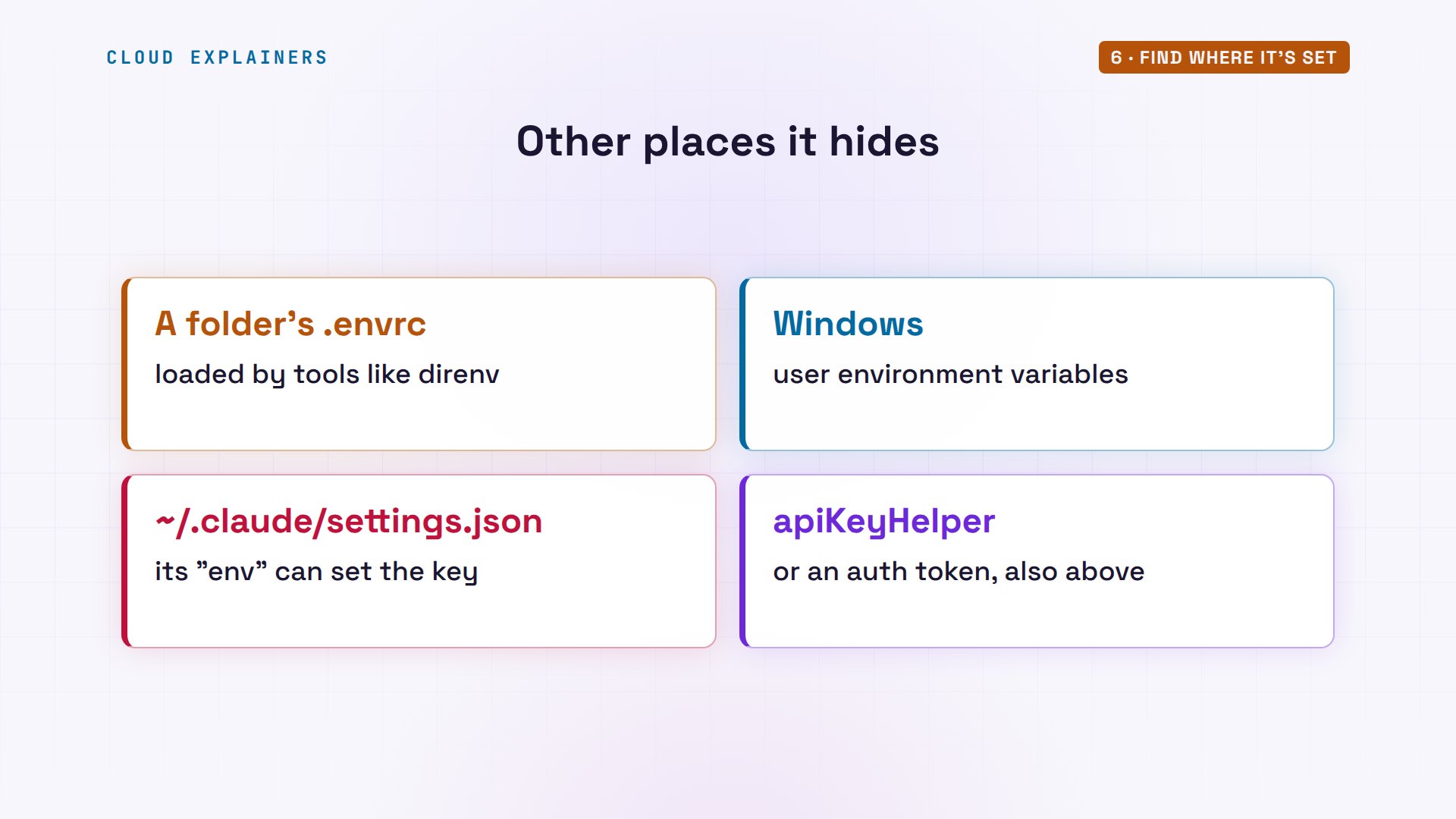
Not there? Check the other places that can win. An.envrc file that a tool loads when you enter a folder. On Windows, your user environment variables. And Claude Code's own settings file, in the.claude folder in your home folder, can set the key, an auth token or an API key helper, all above your plan.
Keep the key for your own code
But what if you need that key, for your own program that calls the API? Then give it to that program only. Put the key in a file outside your code, and set the variable just for the one command that needs it.
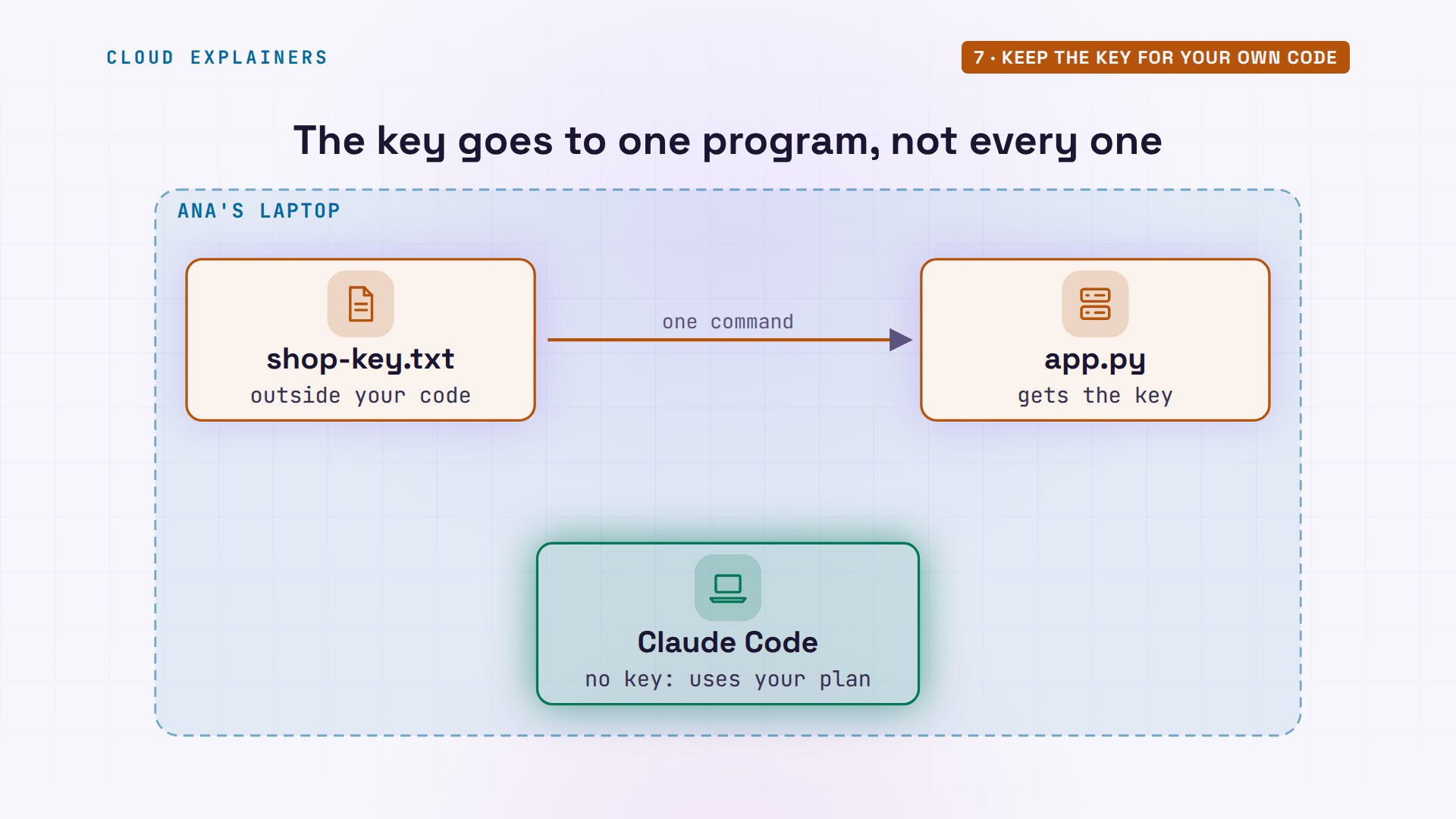
Here, the dollar-sign part reads the key from the file, for app.py's one run only. It reached the API, which refused our fake key, as expected. Right after, Claude Code still signs in with the plan, and app.py on its own has no key at all. The key went exactly where it was meant to.
ANTHROPIC_API_KEY=$(cat shop-key.txt) python3 app.pyAPI answered: 401 authentication_error: invalid x-api-key
claude auth status | grep -E 'authMethod|apiKeySource'"authMethod": "claude.ai",
python3 app.pyapp.py: no ANTHROPIC_API_KEY for this program
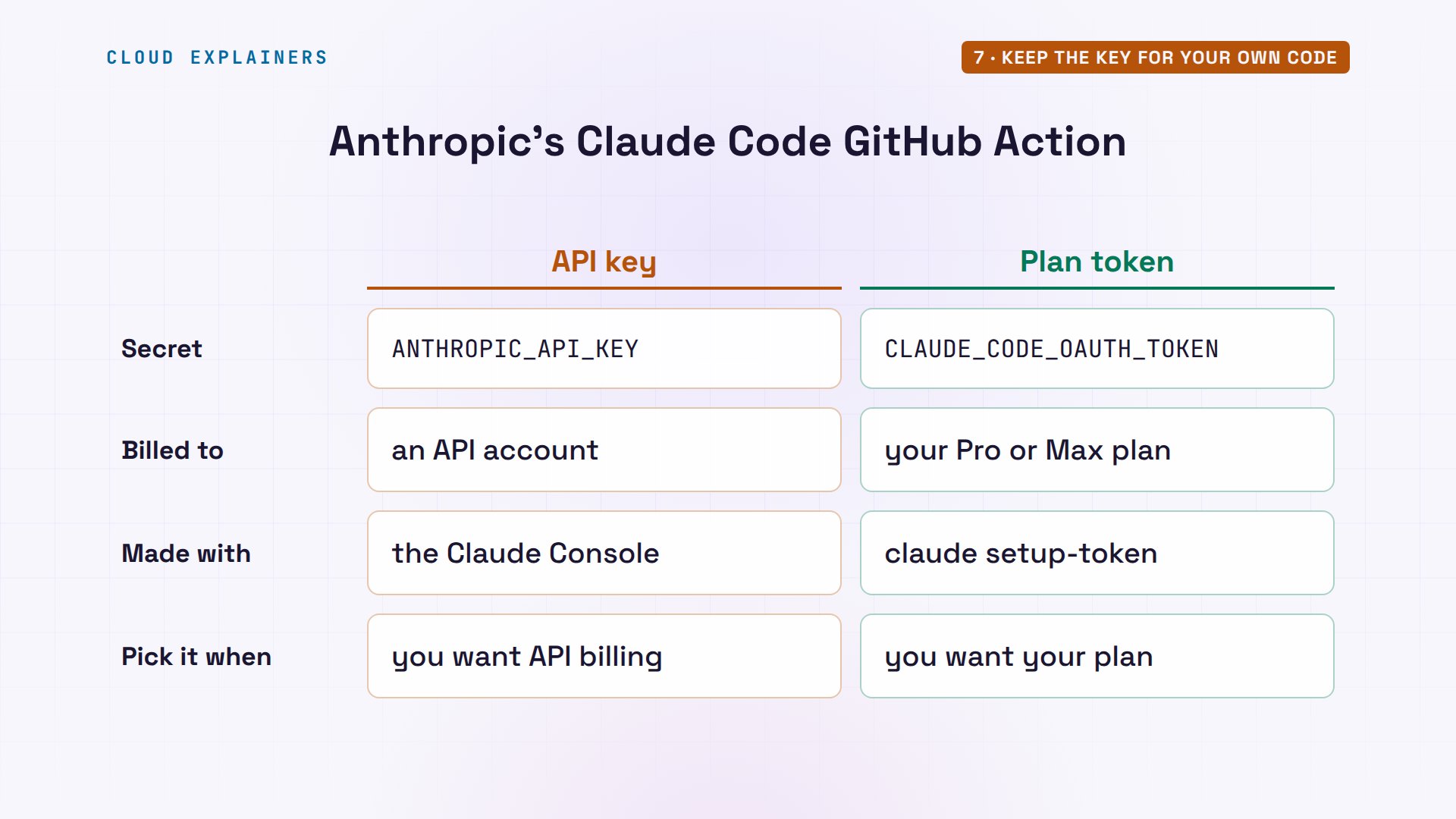
If you run Claude Code in automation, Anthropic draws the same line in its own GitHub Action. You pick one secret: ANTHROPIC_API_KEY, billed to an API account, or an OAuth token for a Pro or Max plan, made with claude setup-token. One credential, chosen on purpose.
Recap
So: an API key in your shell beats the plan you pay for. Interactive Claude Code asks you once, and remembers; scripts never ask at all. Remove the variable where it's set, and check slash status.
If this saved you a surprise bill, subscribing helps us make the next fix, and a like helps YouTube show it to more people stuck on the same error.
Everything here came from a real run of Claude Code 2.1.311, signed in to a plan, with a made-up key. Thanks for watching Cloud Explainers.
Sources
- Claude Code docs, Authentication (authentication precedence; in interactive mode you approve the key once; with -p the key is always used when present; /status)
- Claude Code docs, Environment variables (ANTHROPIC_API_KEY is used instead of your subscription even if you are logged in)
- Claude Help Center, Managing API key environment variables in Claude Code
- anthropics/claude-code issue 8327, 'Organization has been disabled' when ANTHROPIC_API_KEY overrides Max/Pro
- anthropics/claude-code-action setup (ANTHROPIC_API_KEY, or CLAUDE_CODE_OAUTH_TOKEN from claude setup-token for Pro and Max)
Demos: Claude Code on our own Mac, signed in to a plan, with a made-up key that the API rejects (no API account was billed); the tea shop is made up. Watch the full video on YouTube.
More videos
What Happens When You Run a Docker Container
Why Passkeys Can't Be Phished Like Passwords
PowerShell vs Bash: Which One Should You Learn?
The Linux Roadmap for Beginners
Django vs FastAPI: Which One Should You Use?
Why SQLite Is the Most Used Database in the World
How a NoSQL Database Like MongoDB Works
How to Fix Python pip error: externally-managed-environment
How to Fix MySQL Too Many Connections Database Errors
Golang Concurrency Will Finally Make Sense After This
How Amazon S3 Works
How Kubernetes Works
How Git Works
How to Fix Docker Port Already Allocated Errors
How PostgreSQL Works
How to Fix Git Merge Conflicts
How to Fix No Space Left on Device in Linux
How the Internet Works
SQL vs NoSQL: When Each One Wins
How to Fix JWT Token Expired Errors (401 Unauthorized)

Claude API vs Claude Pro: Why Your Subscription Doesn't Include It

Why AI Agent Skills Beat Giant Prompts

Linux Cron Jobs Will Finally Make Sense After This

Security Logs Will Finally Make Sense After This

How to Fix a Security Leak: An API Key Pushed to GitHub

DNS Will Finally Make Sense After This

Never Ignore a Security Update

Two-Factor Authentication Will Finally Make Sense

Never Expose a Database to the Internet

SSH Keys vs Passwords: Which Is Safer for Security?

The 5 Levels of Linux Boot: From Power On to Login

The 5 Levels of Network Firewalls

Password Security: Why Hackers Crack Weak Passwords

Why Your Linux Server Runs Out of Memory

HTTP vs HTTPS: What Actually Changes on Your Network

Every Linux File Permission You Need to Know

Linux Processes vs Threads: When Each One Wins

The OSI Model Will Finally Make Sense After This

The 7 Levels of Git

Every Network Troubleshooting Command You Need

Hashing vs Encryption in Cybersecurity: When Each One Wins

Why the Internet Ran Out of IP Addresses

Linux Package Managers: apt vs Snap vs Flatpak

Why Python Is Slow (and When It Doesn't Matter)

TCP vs UDP: When Each One Wins

Stop Running Linux as Root (Do This Instead)

Linux Users and Groups Will Finally Make Sense

Why Phishing Beats Good Security (and How to Spot It)

The 7 Levels of Docker

AI Agents Will Finally Make Sense After This

Stop Using git push --force (Use This Instead)

Agent Skills vs MCP: When Each One Wins

Networking Will Finally Make Sense After This

Every Linux Command You Actually Need

The 7 Levels of Cybersecurity

Every System Design Concept You Need, in One Diagram
