
Python uv vs pip: Which One Should You Use?
uv vs pip for beginners, measured on one Ubuntu 24.04 laptop: Ana installs the same four libraries (24 packages) with both. With empty caches pip took 15.3 s and uv 1.3 s; with full caches 11.6 s vs 0.05 s (1.3 s with --compile-bytecode, the fair comparison). We show why (parallel downloads, an unpacked cache, hard links), what uv adds beyond installing (uv add, pyproject.toml, uv.lock, uv run, uv python install), the trap that catches pip users in a uv environment, and a table for choosing.
uv or pip?
Newer Python tutorials keep telling you to use uv instead of pip, and you're not sure you should switch. Is it really better, or just newer? Ana's shop project needs four libraries. Before we run it, guess: how much faster will uv be? pip, with an empty cache: 15.3 seconds. uv: 1.3 seconds. But uv also has a trap that catches pip users on day one, and later we'll walk right into it.
cat requirements.txtflask
requests
pandas
matplotlib
time (python3 -m venv .venv && .venv/bin/pip install -q -r requirements.txt)real	0m15.282s
user	0m10.728s
sys	0m0.847s
rm -rf .venv && time (uv venv -q && uv pip install -r requirements.txt)Resolved 24 packages in 265ms
Downloading pillow (6.2MiB)
Downloading pandas (11.0MiB)
Downloading kiwisolver (1.2MiB)
Downloading numpy (15.0MiB)
Downloading fonttools (5.2MiB)
Downloading matplotlib (10.2MiB)
 Downloaded kiwisolver
 Downloaded fonttools
 Downloaded pillow
 Downloaded pandas
 Downloaded matplotlib
 Downloaded numpy
Prepared 24 packages in 933ms
Installed 24 packages in 36ms
 + blinker==1.9.0
 + certifi==2026.10.23
 + charset-normalizer==3.5.2
 + click==8.5.1
 + contourpy==1.4.0
 + cycler==0.12.1
 + flask==3.1.3
 + fonttools==4.68.0
 + idna==3.20
 + itsdangerous==2.2.0
 + jinja2==3.1.6
 + kiwisolver==1.5.1
 + markupsafe==3.0.4
 + matplotlib==3.11.2
 + numpy==2.5.4
 + packaging==26.3
 + pandas==3.1.1
 + pillow==13.0.0
 + pyparsing==3.3.3
 + python-dateutil==4.0.0
 + requests==2.34.2
 + tzdata==2026.6
 + urllib3==2.8.0
 + werkzeug==3.1.9

real	0m1.303s
user	0m0.831s
sys	0m0.388s
You're not the only one asking. On the Python forum, someone who had always used a simple requirements file asked: starting a new project, do I need all these tools? uv was on their list. The answer they got: start small, and add a tool when it earns its place. So let's see what uv earns.

Two tools
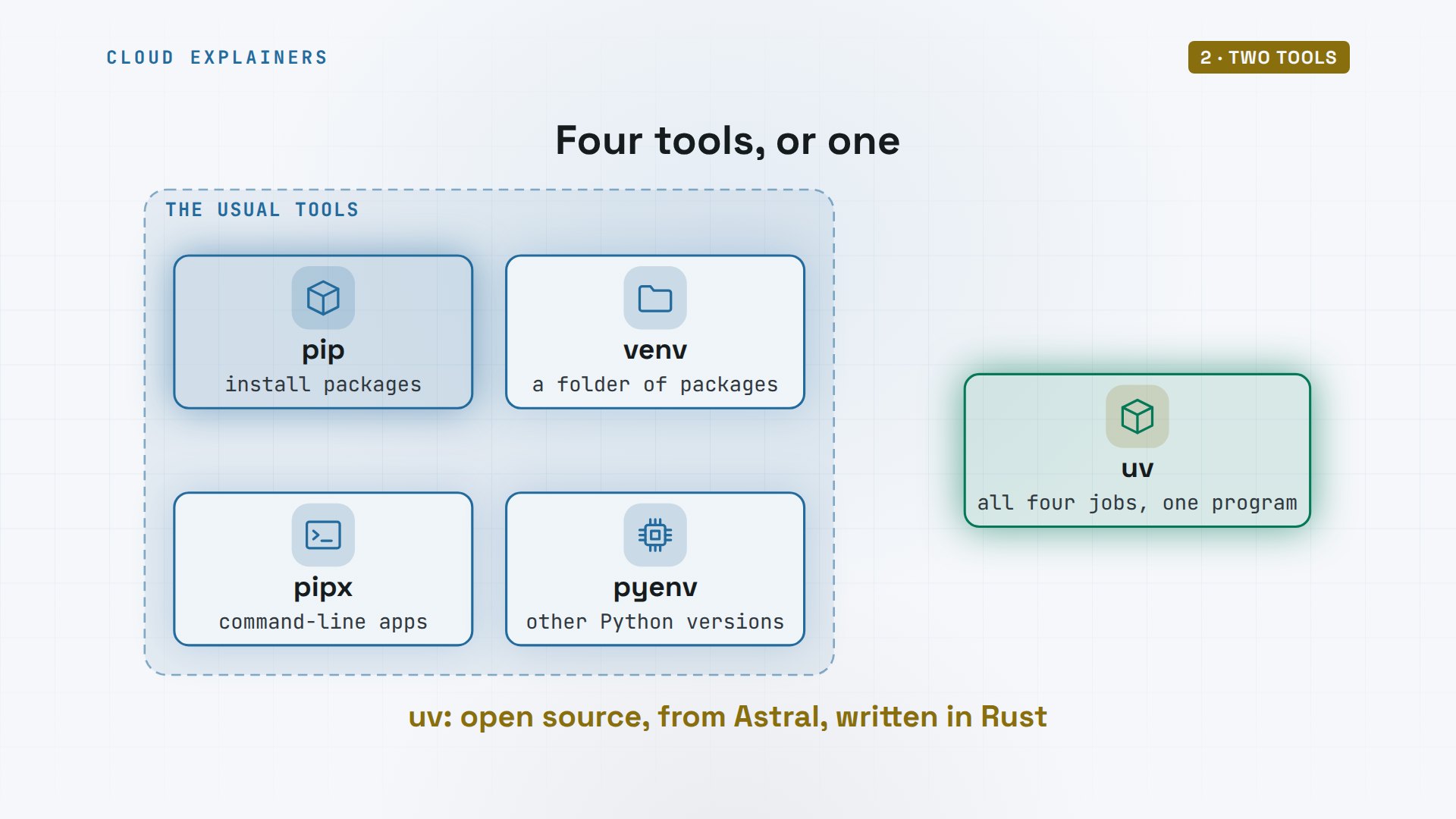
What are we comparing? pip installs Python packages, and it comes with Python. But a real project needs more: venv to make a separate folder of packages, pipx for command-line apps, pyenv for other Python versions. uv is one program that does all of those jobs, written in Rust, by a company called Astral.
On Ana's laptop, pip is already there: version 24.0, from Ubuntu. uv is not. Its official installer is one line, and it puts uv in a folder in her home. Then she loads that folder into this terminal, and uv answers.
pip --versionpip 24.0 from /usr/lib/python3/dist-packages/pip (python 3.12)
curl -LsSf https://astral.sh/uv/install.sh | shdownloading uv 0.13.7 aarch64-unknown-linux-gnu
installing to /home/ana/.local/bin
  uv
  uvx
everything's installed!

To add $HOME/.local/bin to your PATH, either restart your shell or run:

    source $HOME/.local/bin/env (sh, bash, zsh)
    source $HOME/.local/bin/env.fish (fish)
source $HOME/.local/bin/env
uv --versionuv 0.13.7 (aarch64-unknown-linux-gnu)
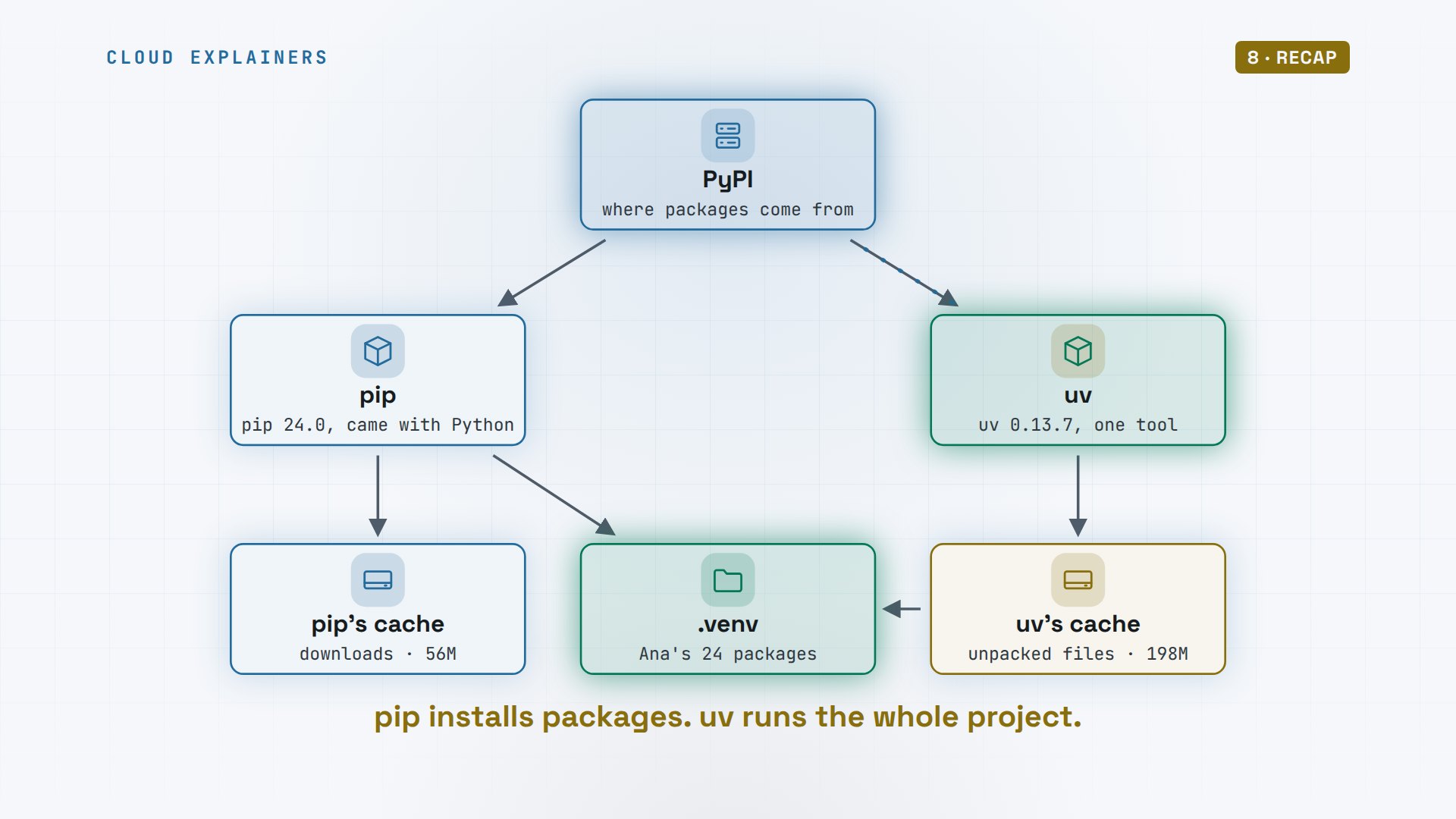
Here's the picture for the rest of the video. Both tools download packages from PyPI, the Python Package Index. Both put them into Ana's project folder, dot venv. And both keep a cache on her disk, so the next install can skip the download.
The race
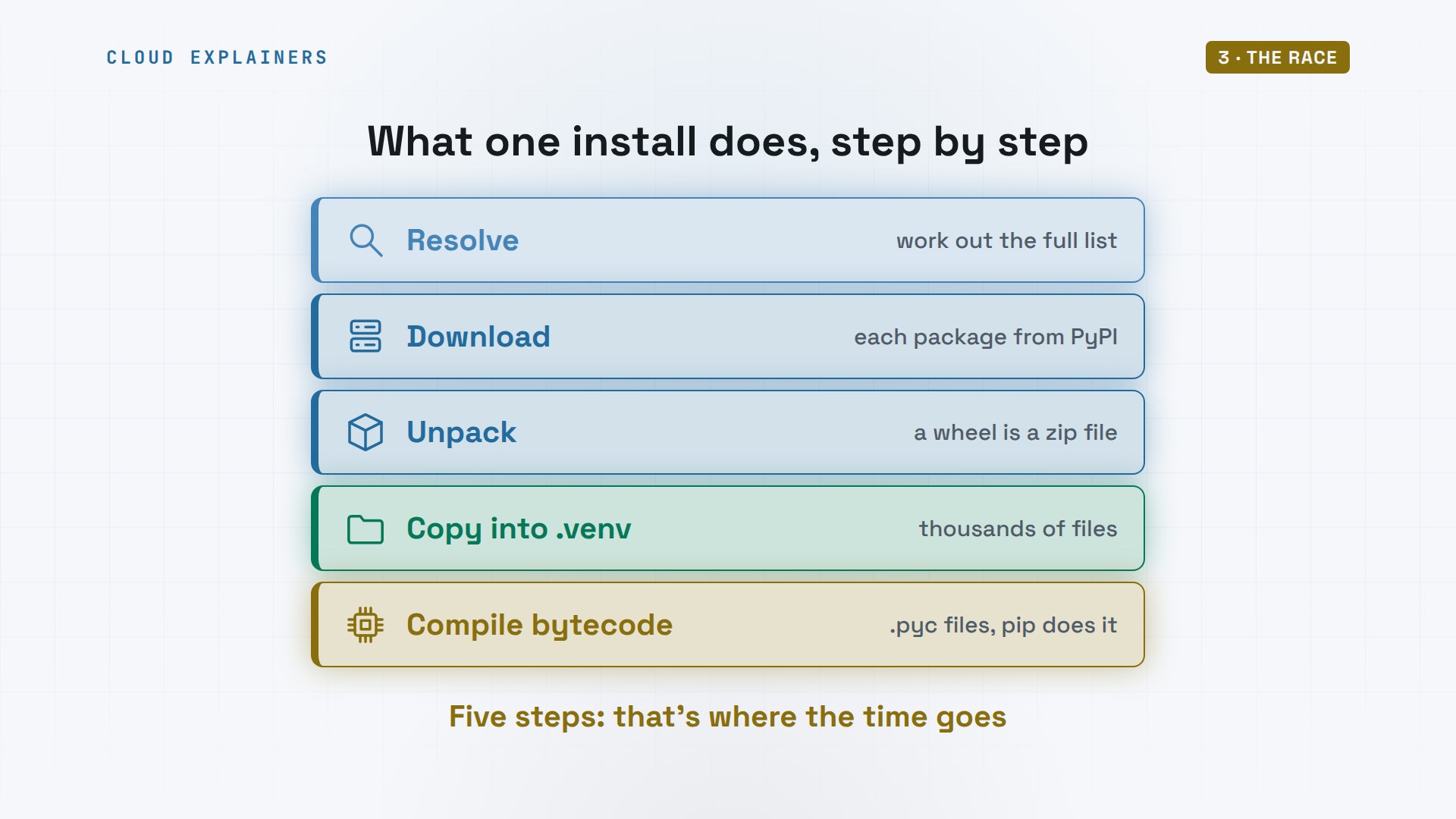
What does an install actually do? First, the installer works out the full list: the libraries you asked for, and every library they need. Then it downloads each package, unpacks it, and copies its files into the project's folder. pip also compiles the code to bytecode, so it loads faster later. Keep these five steps in mind: that's where the time goes.
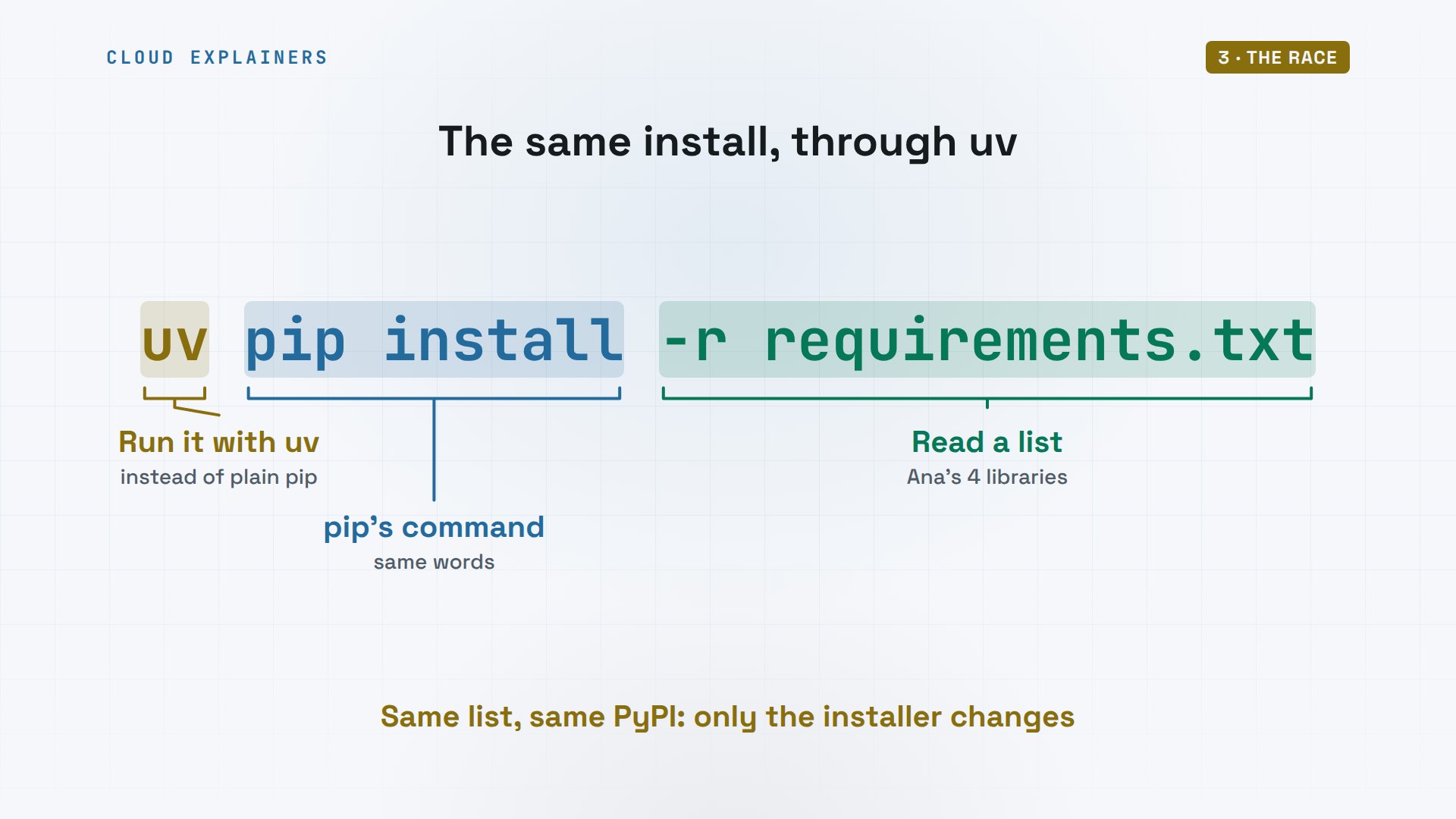
To make it fair, uv runs pip's own commands. Put uv in front of pip install, and dash r reads the same requirements file. Same list, same packages from PyPI; only the installer changes.
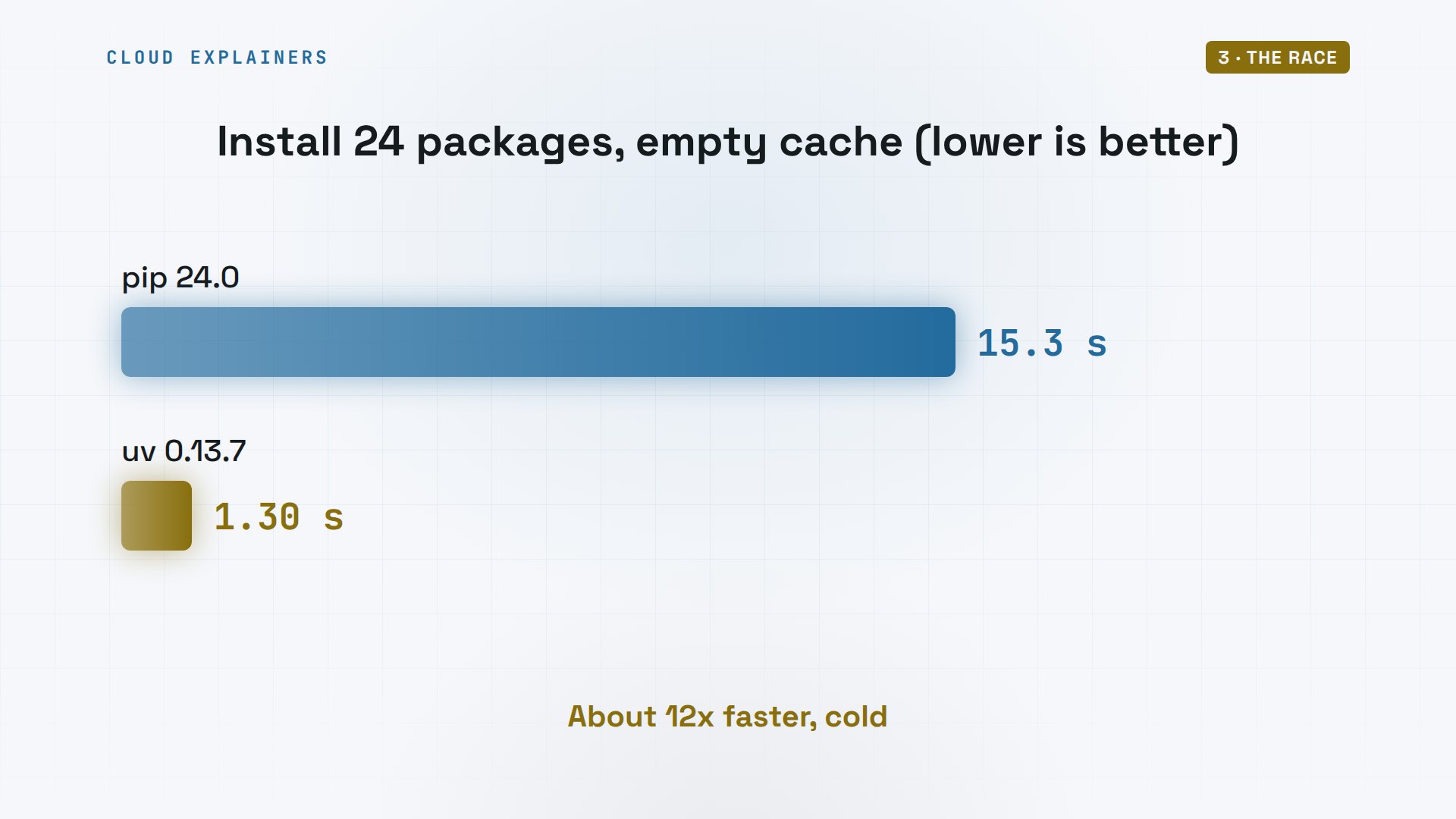
First race, on a fresh laptop with nothing downloaded: pip took 15.3 seconds. uv took 1.3. The four libraries pulled in 24 packages in total, the same ones from the same place. That's about 12 times faster.
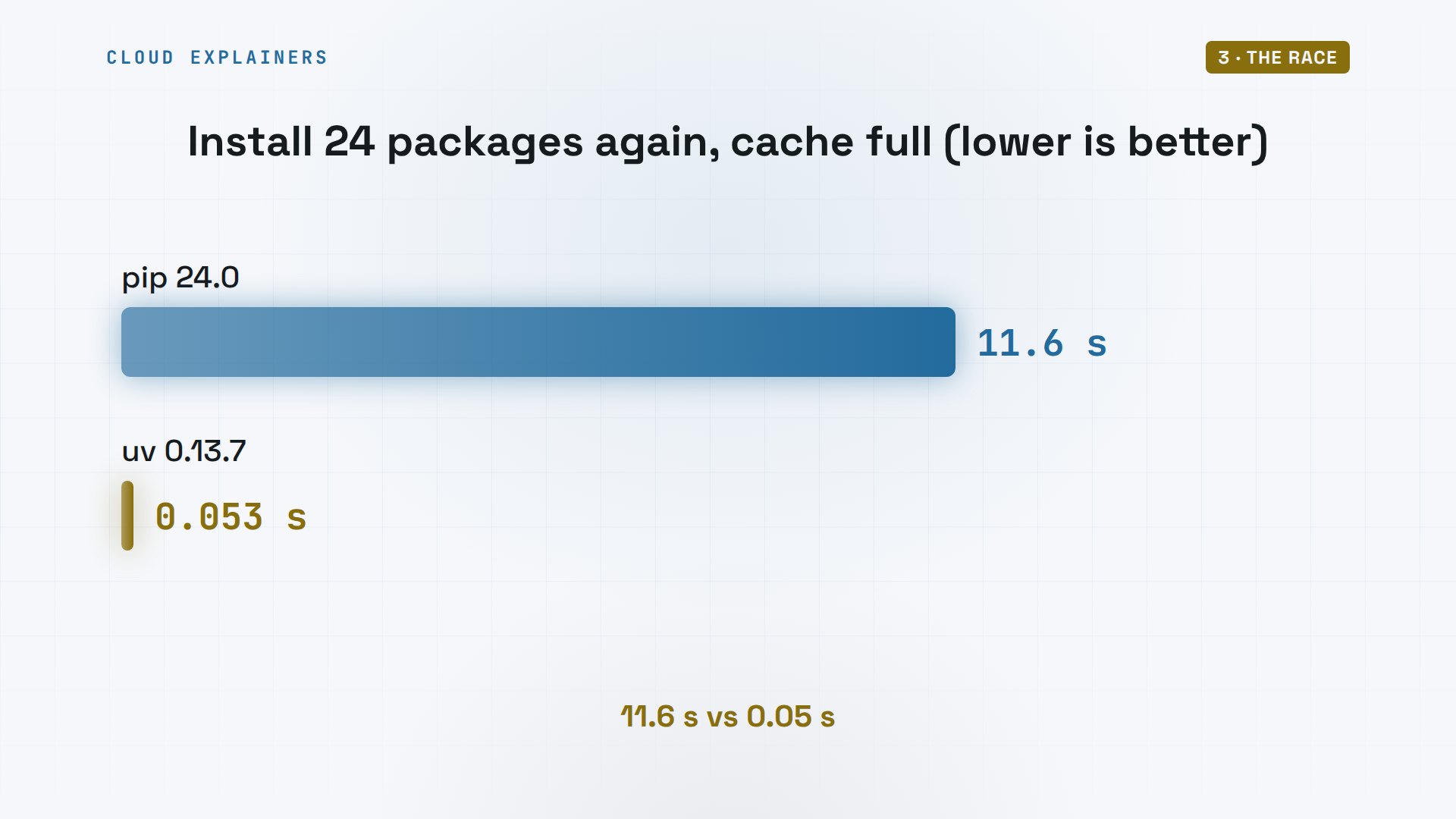
Second race: the same install again, now that both caches are full. Ana deletes the project's environment, and pip rebuilds it: 11.6 seconds. uv rebuilds it: 34 milliseconds to install all 24.
rm -rf .venv && time (python3 -m venv .venv && .venv/bin/pip install -q -r requirements.txt)real	0m11.613s
user	0m10.202s
sys	0m0.512s
rm -rf .venv && time (uv venv -q && uv pip install -r requirements.txt)Resolved 24 packages in 3ms
Installed 24 packages in 34ms
 + blinker==1.9.0
 + certifi==2026.10.23
 + charset-normalizer==3.5.2
 + click==8.5.1
 + contourpy==1.4.0
 + cycler==0.12.1
 + flask==3.1.3
 + fonttools==4.68.0
 + idna==3.20
 + itsdangerous==2.2.0
 + jinja2==3.1.6
 + kiwisolver==1.5.1
 + markupsafe==3.0.4
 + matplotlib==3.11.2
 + numpy==2.5.4
 + packaging==26.3
 + pandas==3.1.1
 + pillow==13.0.0
 + pyparsing==3.3.3
 + python-dateutil==4.0.0
 + requests==2.34.2
 + tzdata==2026.6
 + urllib3==2.8.0
 + werkzeug==3.1.9

real	0m0.053s
user	0m0.024s
sys	0m0.106s
From its cache, pip still needed 11.6 seconds. uv finished the whole job, the environment included, in 53 milliseconds. That's the difference you feel every day, every time you make a fresh environment.
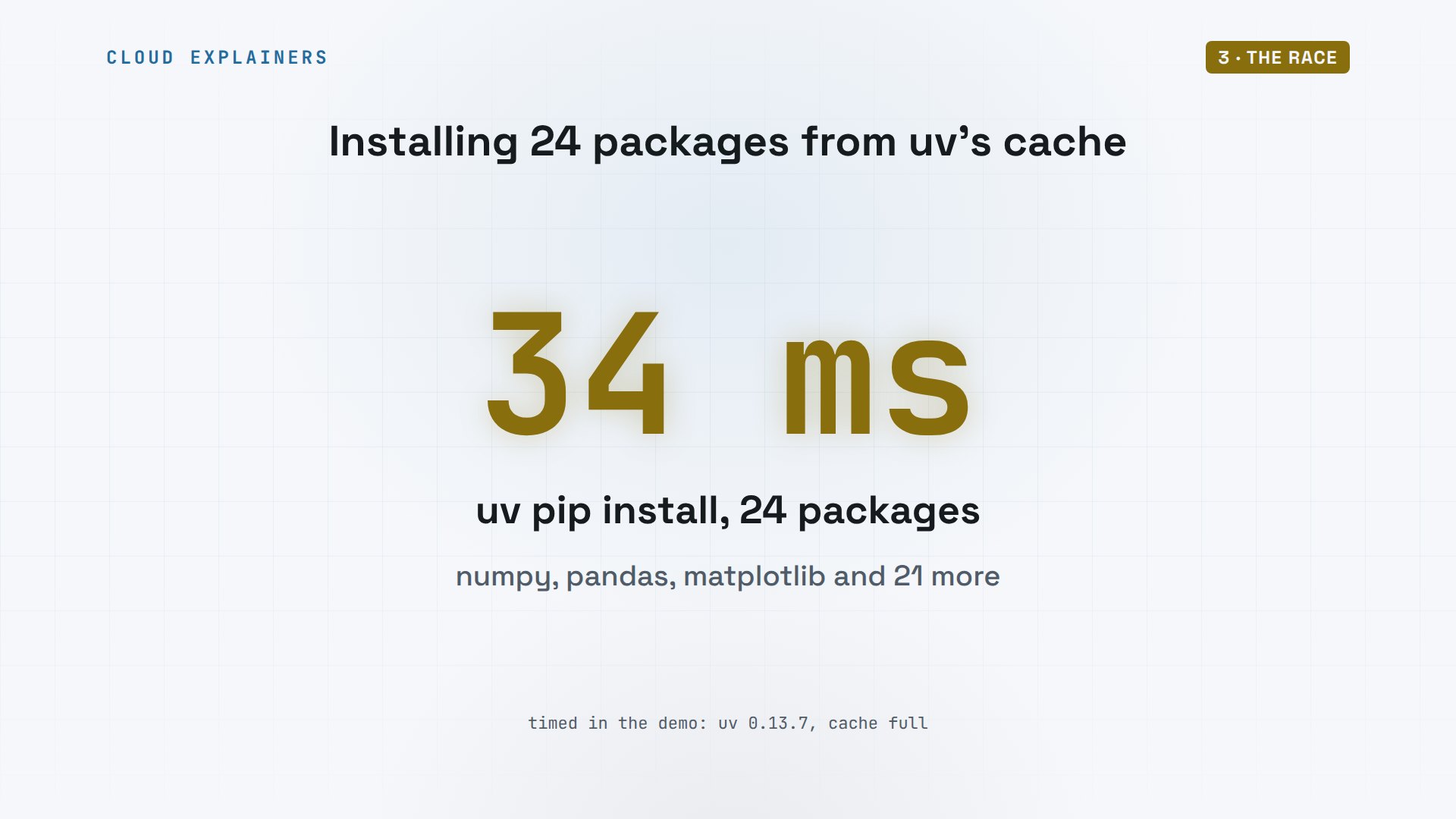
Here's that number on its own. 24 packages, numpy and pandas among them, placed into a new environment in 34 milliseconds. Faster than a blink.
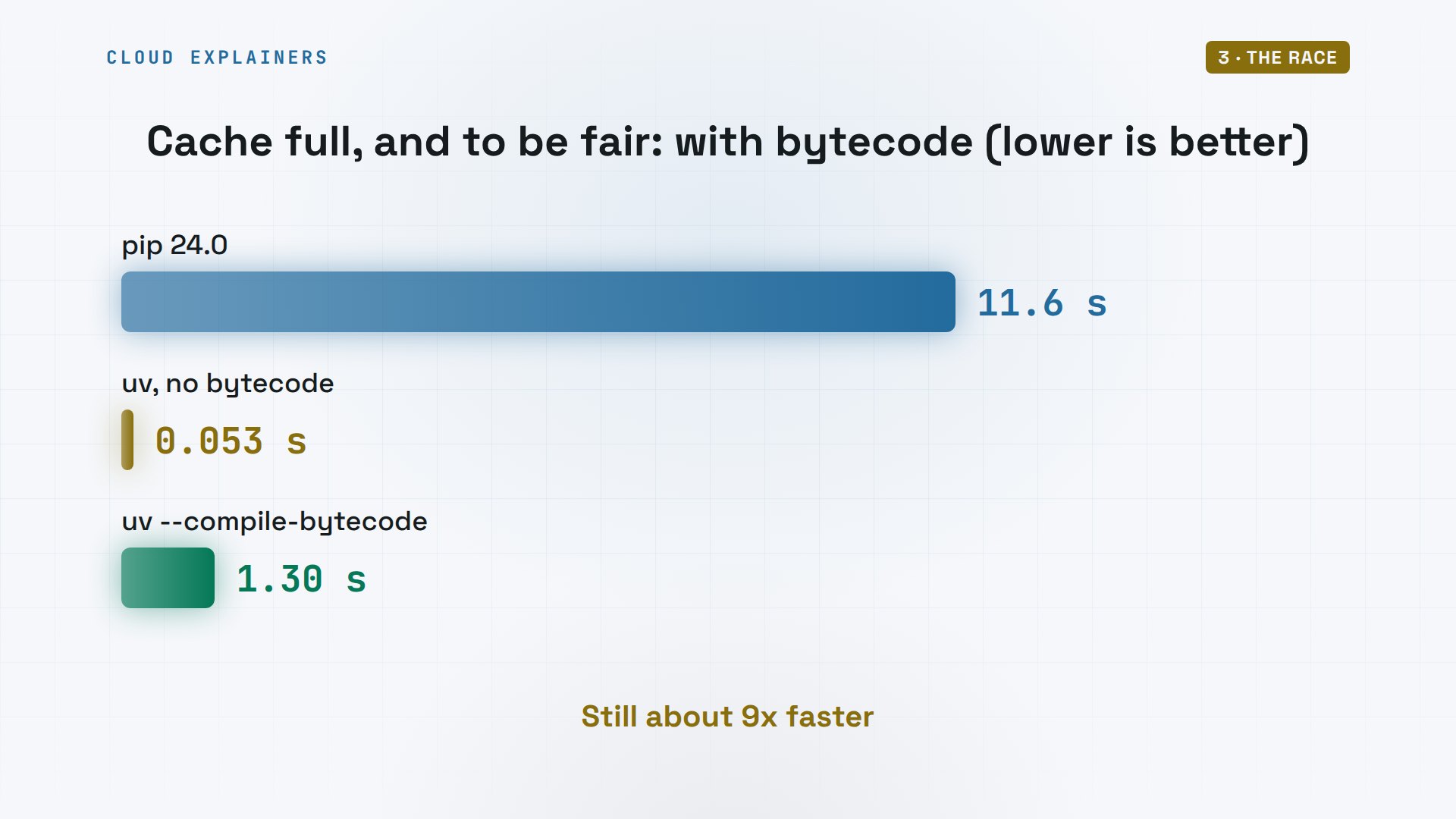
Is that fair? Not quite. pip also prepares compiled bytecode files, so Python starts faster later. uv skips that step unless you ask. With dash dash compile bytecode, uv took 1.3 seconds, still about 9 times faster than pip.
Why uv is faster
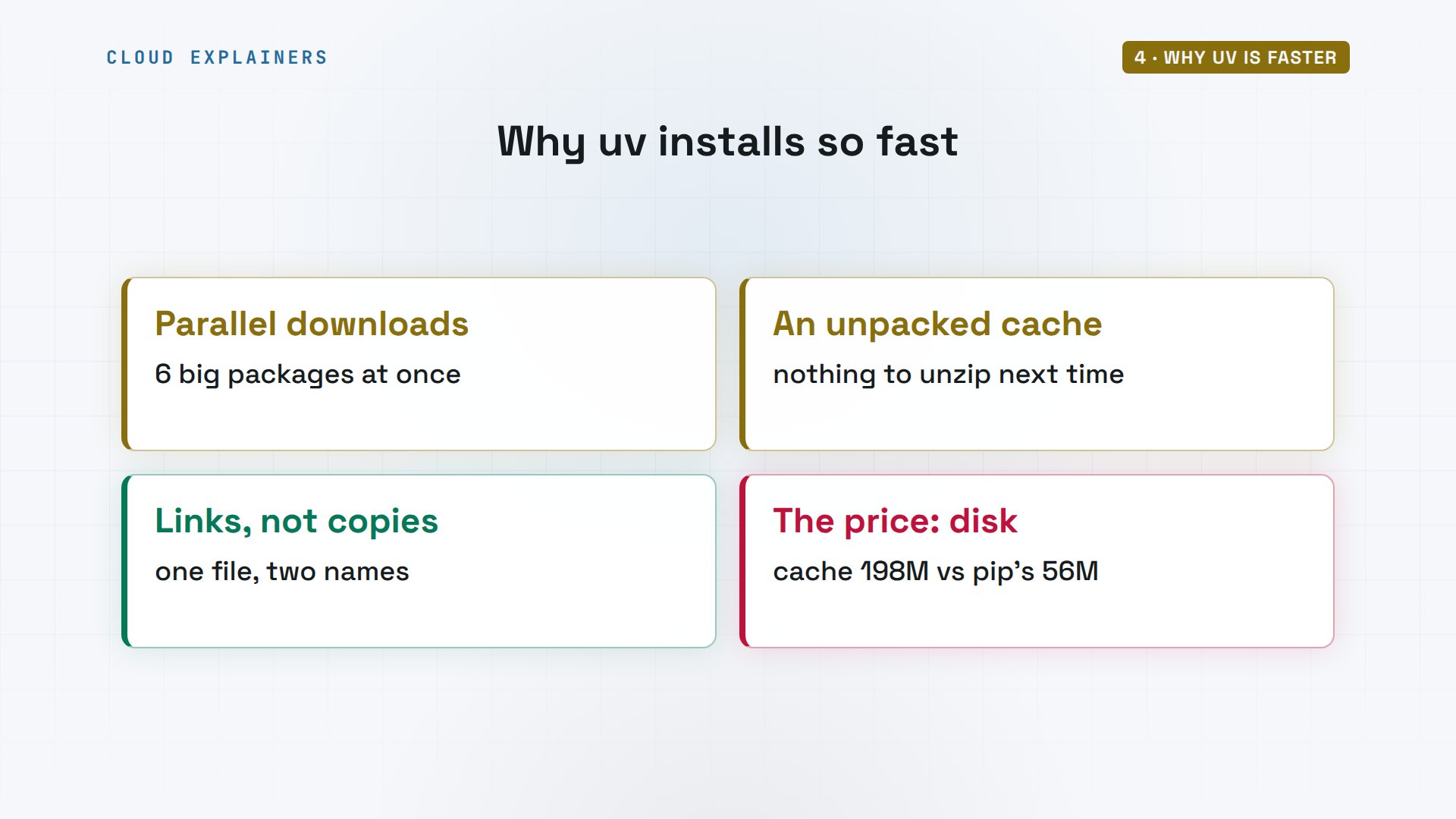
How can copying that much be so quick? It isn't copying. Look at uv's first install again: it started downloading 6 big packages at once, not one after another. It keeps every package unpacked in its cache. Then, instead of copying files into dot venv, it links them.
Ana can see the links. The stat command counts the names one file has on disk. This pandas file has two: one in uv's cache, one in the project. The price: uv's cache is bigger. 198 megabytes, against pip's 56 megabytes.
stat -c '%h links: %n' .venv/lib/python3.12/site-packages/pandas/__init__.py2 links: .venv/lib/python3.12/site-packages/pandas/__init__.py
du -sh ~/.cache/pip ~/.cache/uv56M	/home/ana/.cache/pip
198M	/home/ana/.cache/uv
So, four reasons. Downloads run in parallel. The cache keeps packages unpacked. Files are linked, not copied. And the price is disk space: about 3.5 times more cache than pip.
More than an installer
Speed is only half of it. uv can also manage the whole project. uv init dash dash bare gives Ana's folder a project file. uv add reads her old requirements file, makes the environment, and installs all 24 packages in one step.
rm -rf .venv && uv init --bareInitialized project `shop`
uv add -r requirements.txtUsing CPython 3.12.3 interpreter at: /usr/bin/python3
Creating virtual environment at: .venv
Resolved 25 packages in 212ms
Installed 24 packages in 40ms
 + blinker==1.9.0
 + certifi==2026.10.23
 + charset-normalizer==3.5.2
 + click==8.5.1
 + contourpy==1.4.0
 + cycler==0.12.1
 + flask==3.1.3
 + fonttools==4.68.0
 + idna==3.20
 + itsdangerous==2.2.0
 + jinja2==3.1.6
 + kiwisolver==1.5.1
 + markupsafe==3.0.4
 + matplotlib==3.11.2
 + numpy==2.5.4
 + packaging==26.3
 + pandas==3.1.1
 + pillow==13.0.0
 + pyparsing==3.3.3
 + python-dateutil==4.0.0
 + requests==2.34.2
 + tzdata==2026.6
 + urllib3==2.8.0
 + werkzeug==3.1.9
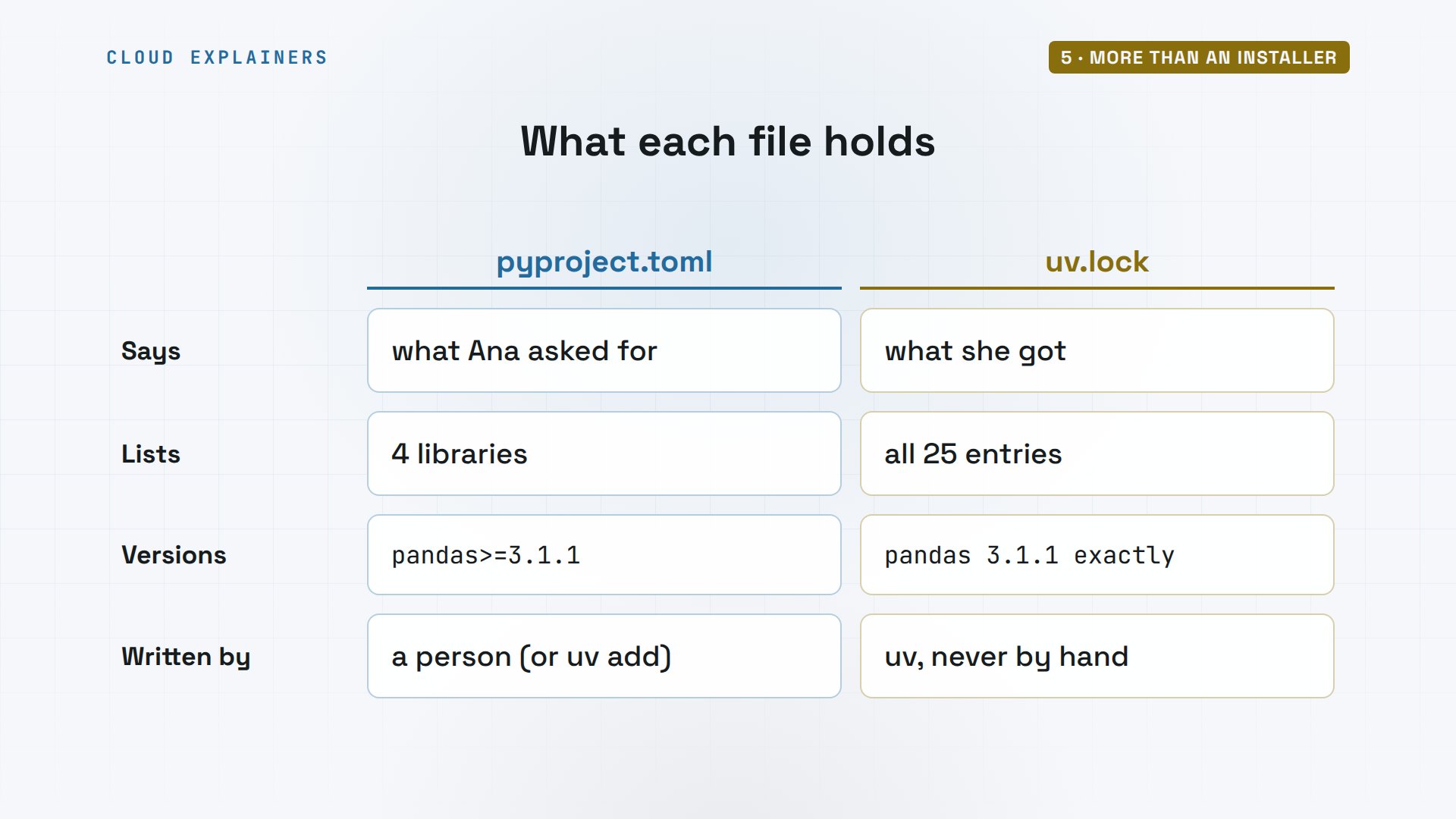
Two files now describe the project. pyproject.toml lists what Ana asked for: four libraries, each at least the version she got. uv.lock pins 25 entries: every package, and the project itself, each at one exact version, like pandas 3.1.1.
cat pyproject.toml[project]
name = "shop"
version = "0.1.0"
requires-python = ">=3.12"
dependencies = [
    "flask>=3.1.3",
    "matplotlib>=3.11.2",
    "pandas>=3.1.1",
    "requests>=2.34.2",
]
grep -c '^name = ' uv.lock25
grep -A2 '^name = "pandas"' uv.lockname = "pandas"
version = "3.1.1"
source = { registry = "https://pypi.org/simple" }
Why two files? The project file is what you want, in words a person writes. The lock file is what you got, down to the last package, so a teammate, or a server, gets the exact same set. With pip alone, one requirements file has to do both jobs, or you add pip-tools, an extra tool that writes the exact versions for you.
uv run runs her script inside the environment, without activating anything. And it can fetch Python itself: uv python install 3.13 downloads a Python Ubuntu 24.04 doesn't ship, and the project runs on it. Ubuntu's own python3 is still 3.12, untouched.
uv run app.pyEarl Grey    6.50
Sencha       8.00
Chai         5.75
average: $6.75
uv python install 3.13Downloading cpython-3.13.18-linux-aarch64-gnu (download) (28.1MiB)
 Downloaded cpython-3.13.18-linux-aarch64-gnu (download)
Installed Python 3.13.18 in 717ms
 + cpython-3.13.18-linux-aarch64-gnu (python3.13)
uv run --python 3.13 python --versionUsing CPython 3.13.18
Removed virtual environment at: .venv
Creating virtual environment at: .venv
Downloading numpy (15.0MiB)
Downloading pandas (10.9MiB)
Downloading kiwisolver (1.2MiB)
Downloading fonttools (5.2MiB)
Downloading matplotlib (10.2MiB)
Downloading pillow (6.2MiB)
 Downloaded kiwisolver
 Downloaded fonttools
 Downloaded pillow
 Downloaded matplotlib
 Downloaded pandas
 Downloaded numpy
Installed 24 packages in 33ms
Python 3.13.18
python3 --versionPython 3.12.3
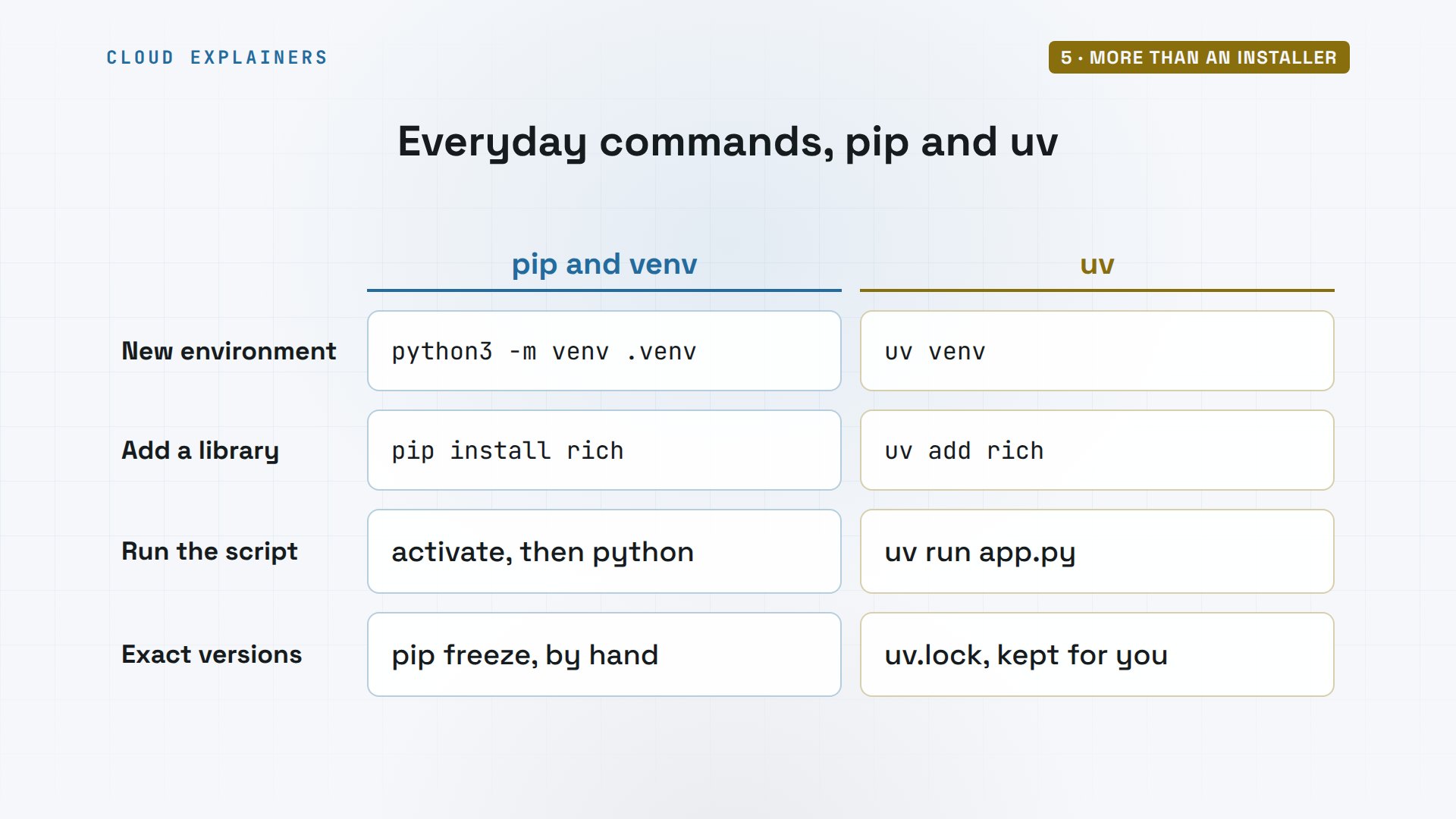
Put the everyday commands side by side. To make an environment: python3 dash m venv, or uv venv. To add a library: pip install, or uv add, which also records it. To run: activate, then python, or just uv run. And saving exact versions: pip freeze by hand, or the lock file uv keeps for you.
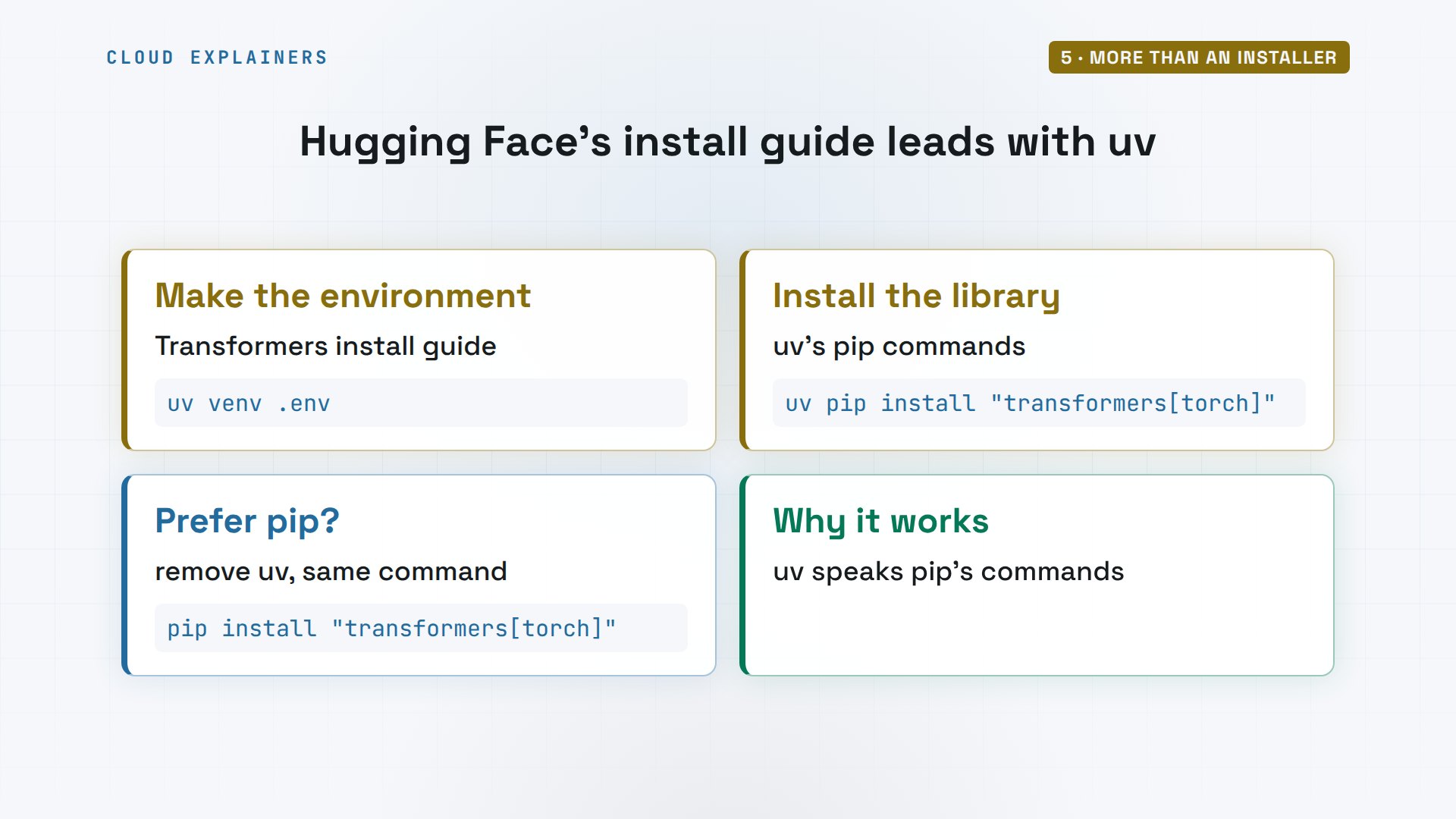
Real teams already work this way. The AI company Hugging Face writes the install guide for Transformers, one of the most used AI libraries, and it shows uv commands first: a uv command to make the environment, then uv pip install. And it adds: if you prefer pip, just remove uv from the commands, because uv speaks pip's language.
The trap
Now the trap from the start. Ana activates the environment, as she always did with venv. She types pip install rich, and gets an error about an externally managed environment. which pip shows why: that was Ubuntu's own pip. And python dash m pip says the environment has no pip at all.
source .venv/bin/activate
(shop) ana@laptop:~/shop$ pip install richerror: externally-managed-environment

× This environment is externally managed
╰─> To install Python packages system-wide, try apt install
    python3-xyz, where xyz is the package you are trying to
    install.

    If you wish to install a non-Debian-packaged Python package,
    create a virtual environment using python3 -m venv path/to/venv.
    Then use path/to/venv/bin/python and path/to/venv/bin/pip. Make
    sure you have python3-full installed.

    If you wish to install a non-Debian packaged Python application,
    it may be easiest to use pipx install xyz, which will manage a
    virtual environment for you. Make sure you have pipx installed.

    See /usr/share/doc/python3.12/README.venv for more information.

note: If you believe this is a mistake, please contact your Python installation or OS distribution provider. You can override this, at the risk of breaking your Python installation or OS, by passing --break-system-packages.
hint: See PEP 668 for the detailed specification.
(shop) ana@laptop:~/shop$ which pip/usr/bin/pip
(shop) ana@laptop:~/shop$ python -m pip --version/home/ana/shop/.venv/bin/python: No module named pip
Here's what happened. uv makes environments without pip inside, because it does that job itself. So the shell looked in the environment's bin folder, found no pip, and kept searching, down to Ubuntu's system pip. And Ubuntu doesn't let pip change its own Python.
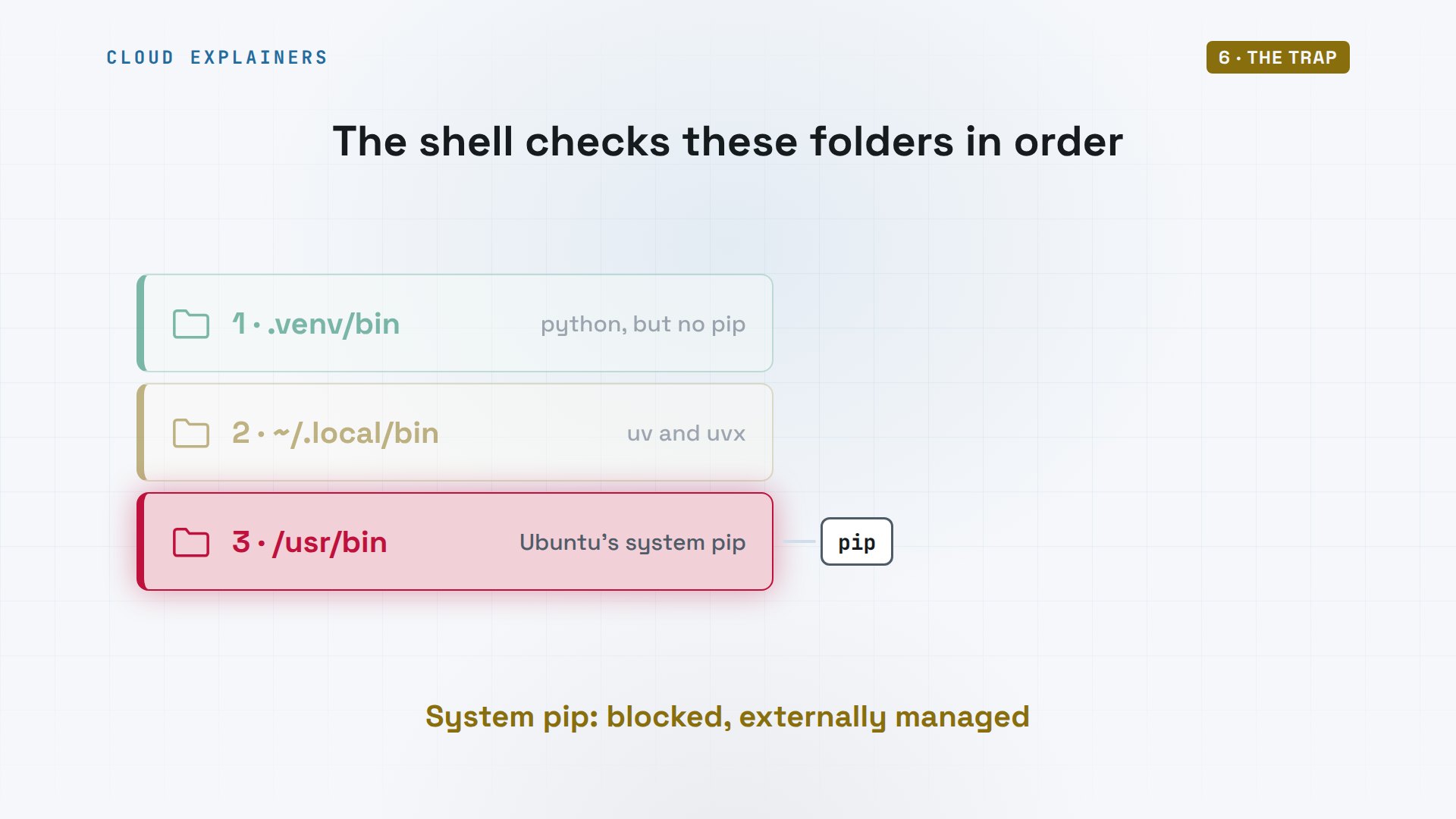
So the pip Ana typed never reached her project. It ran Ubuntu's own Python, outside dot venv, and Ubuntu blocked it. In a uv environment, the way into dot venv is through uv. Use uv add, or uv pip install.
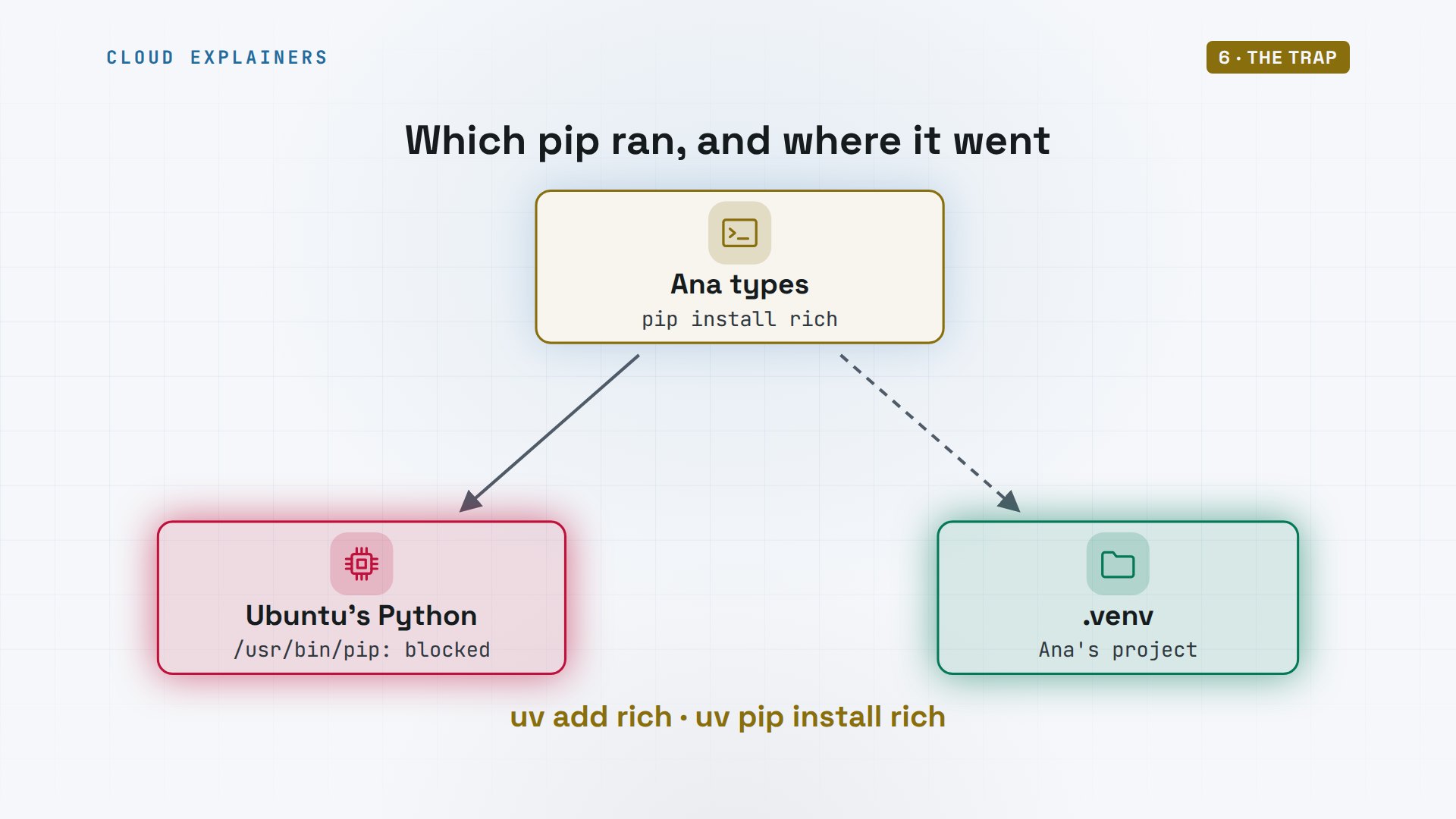
The fix: use uv's command. In a project, uv add rich installs it and records it. Outside any environment, uv refuses and asks for one, where plain pip would aim at the system Python. And if a tool you use really needs pip inside, uv venv dash dash seed puts it there.
(shop) ana@laptop:~/shop$ uv add richResolved 29 packages in 605ms
Downloading pygments (1.2MiB)
 Downloaded pygments
Prepared 4 packages in 144ms
Installed 4 packages in 7ms
 + markdown-it-py==4.2.0
 + mdurl==0.1.2
 + pygments==2.21.0
 + rich==15.0.0
(shop) ana@laptop:~/shop$ deactivate
cd ~ && uv pip install richerror: No virtual environment found; run `uv venv` to create an environment, or pass `--system`
       to install into a non-virtual environment
uv venv --seed -q seeded && ls seeded/binactivate      activate.fish  activate.xsh      pip	pydoc.bat  python3.13
activate.bat  activate.nu    activate_this.py  pip3	python
activate.csh  activate.ps1   deactivate.bat    pip3.13	python3
Which one to use
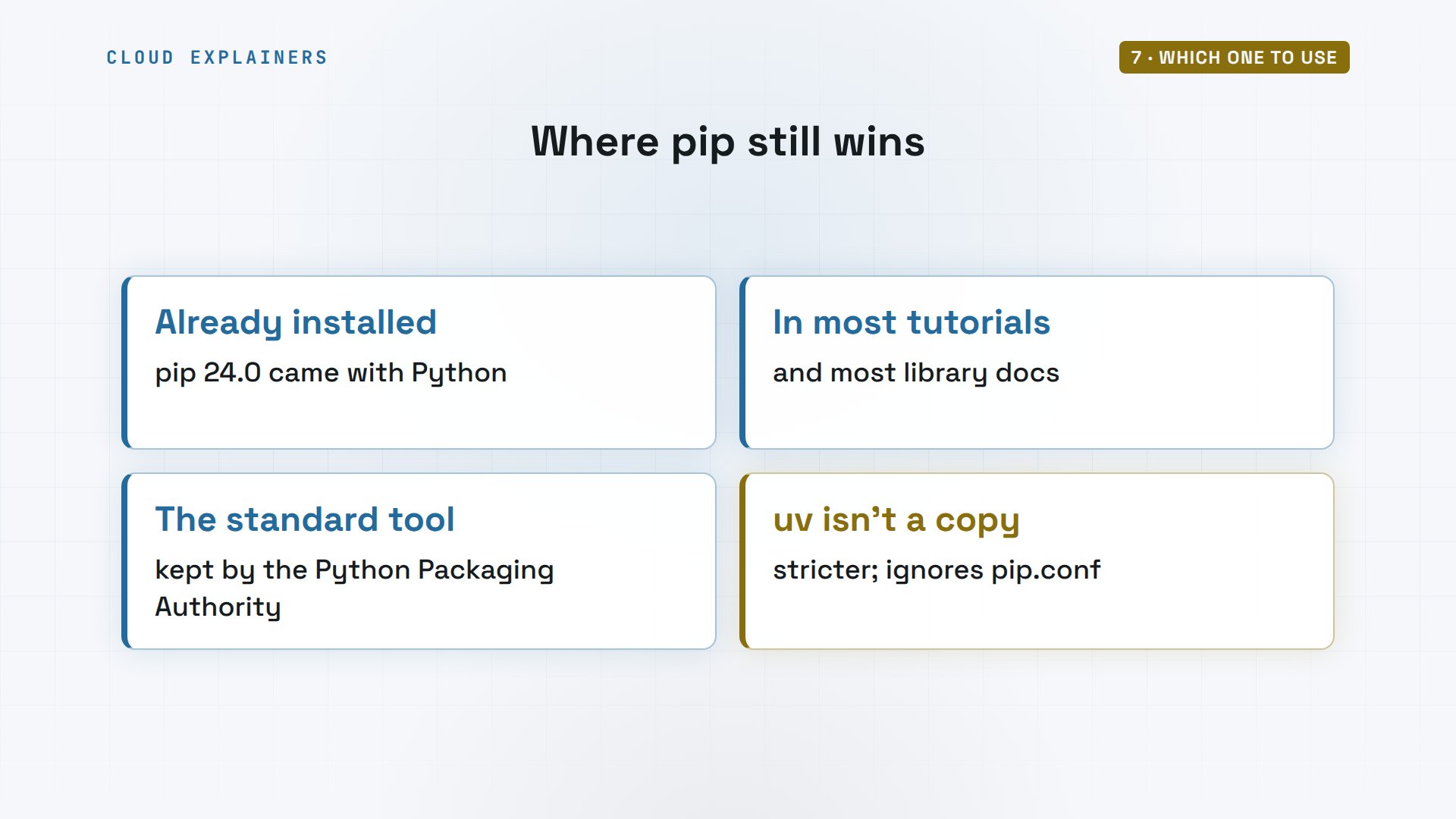
So does pip still win anywhere? Yes. It's already installed wherever Python is. Most tutorials and library docs show pip commands. It's the standard tool, kept by the Python Packaging Authority. And uv is not an exact copy: it's stricter, and it ignores pip's settings file.
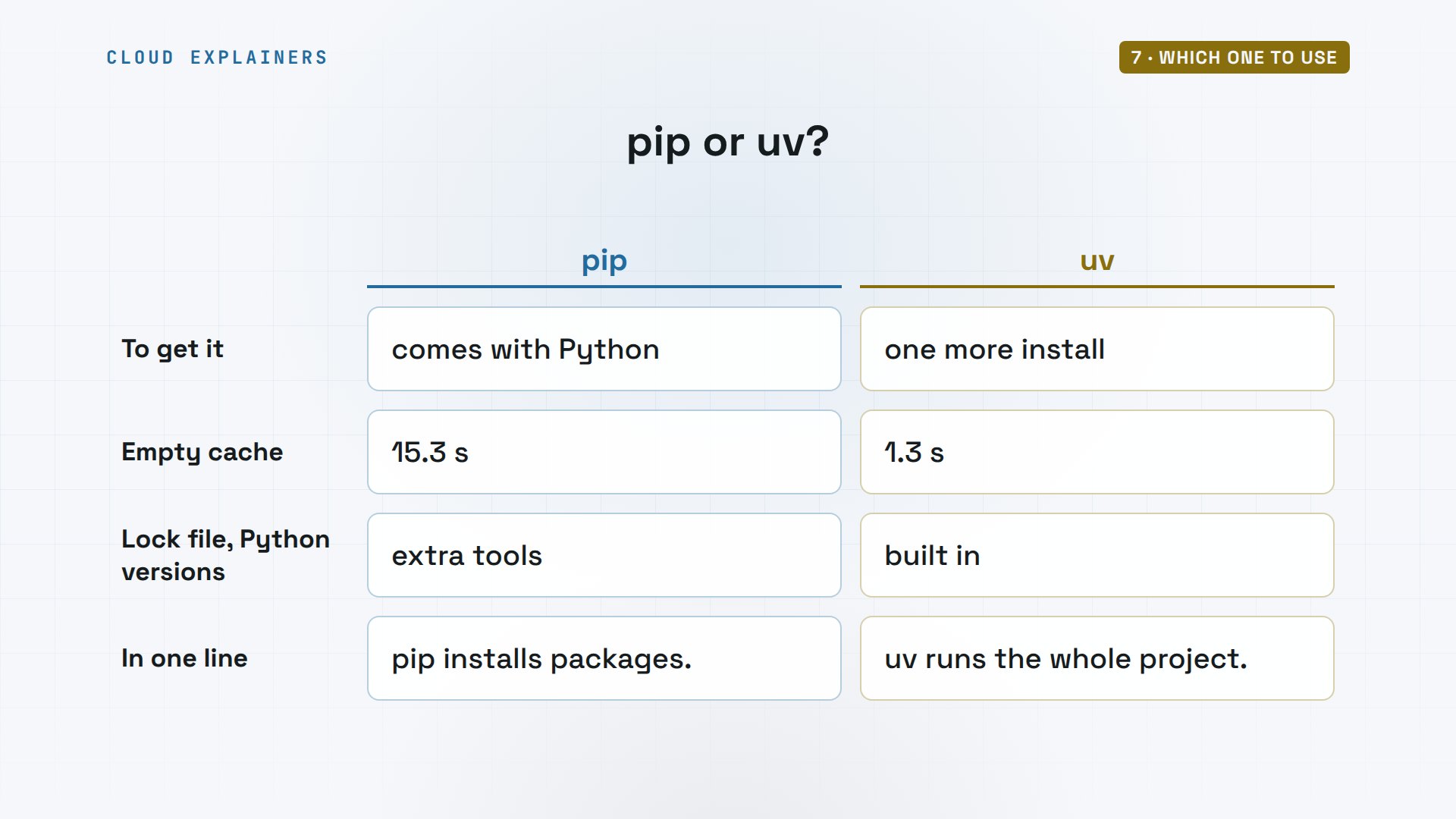
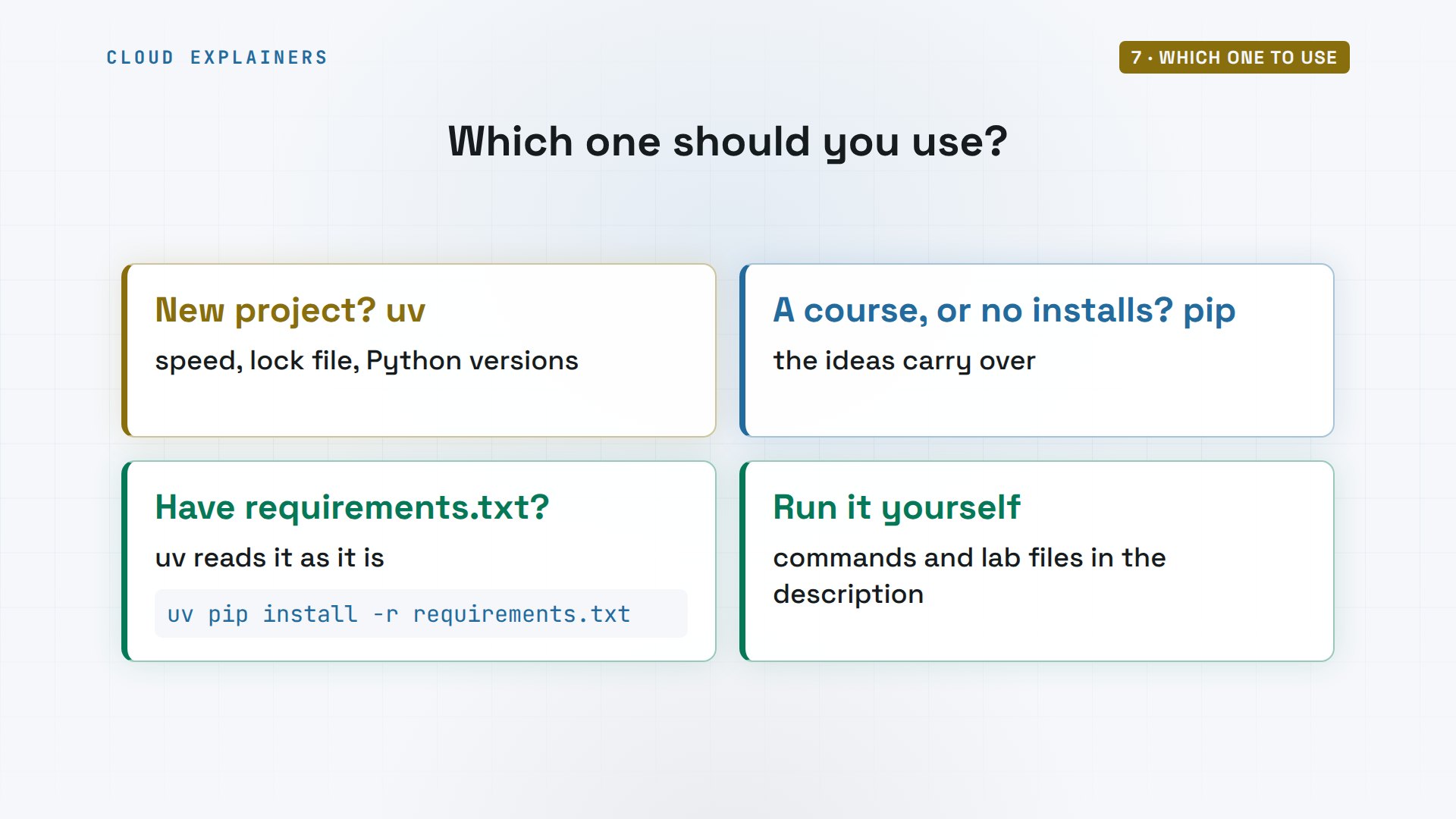
Here's the choice in one table. pip comes with Python; uv is one more install. With an empty cache, 15.3 seconds against 1.3. Lock files and Python versions: pip needs extra tools, uv has them built in. In one line: pip installs packages. uv runs the whole project.
So, to the forum question. Starting a new project? uv earns its place. Following a course, or on a machine where you can't install anything? pip is fine, and everything you learn carries over. Already have a requirements file? uv reads it as it is. Every command from this video, with the lab files, is linked in the description.
Recap
So: same packages, same PyPI. uv was 12 times faster cold, because it downloads in parallel and links from its cache. It runs the whole project, and in its environments, use uv's commands, not pip.
If this helped you choose, a like helps YouTube show it to more beginners, and subscribing brings you the next measured comparison.
Every command and output in this video came from a real run, on Ubuntu 24.04.5 LTS, with Python 3.12.3, pip 24.0 and uv 0.13.7. Thanks for watching Cloud Explainers.
Sources
- The question we open with, discuss.python.org, "Starting a new Python project, do I need all these tools?" (December 2025)
- uv documentation (a single tool to replace pip, pip-tools, pipx, poetry, pyenv, twine, virtualenv; written in Rust)
- uv docs, compatibility with pip (virtual environments by default, bytecode compilation, pip.conf)
- uv docs, installation (the standalone installer)
- uv docs, license (Apache-2.0 or MIT)
- Hugging Face Transformers, installation guide (uv venv, uv pip install, or remove uv to use pip)
- pip documentation, Python Packaging Authority
Demos: a stock Ubuntu 24.04 container on our own lab machine, standing in for a laptop, downloading real packages from PyPI; times are from one run and depend on the network; the tea shop and its prices are made up. Watch the full video on YouTube.
More videos
Python Automation: Full Tutorial for Beginners

How OAuth Login Works

Google AI Studio Will Finally Make Sense After This
What Happens When You Run a Docker Container
How to Fix Claude Code Billing Your API Key Instead of Your Plan
Why Passkeys Can't Be Phished Like Passwords
PowerShell vs Bash: Which One Should You Learn?
The Linux Roadmap for Beginners
Django vs FastAPI: Which One Should You Use?
Why SQLite Is the Most Used Database in the World
How a NoSQL Database Like MongoDB Works
How to Fix Python pip error: externally-managed-environment
How to Fix MySQL Too Many Connections Database Errors
Golang Concurrency Will Finally Make Sense After This
How Amazon S3 Works
How Kubernetes Works

How Git Works
How to Fix Docker Port Already Allocated Errors
How PostgreSQL Works

How to Fix Git Merge Conflicts
How to Fix No Space Left on Device in Linux
How the Internet Works
SQL vs NoSQL: When Each One Wins
How to Fix JWT Token Expired Errors (401 Unauthorized)

Claude API vs Claude Pro: Why Your Subscription Doesn't Include It

Why AI Agent Skills Beat Giant Prompts

Linux Cron Jobs Will Finally Make Sense After This

Security Logs Will Finally Make Sense After This

How to Fix a Security Leak: An API Key Pushed to GitHub

DNS Will Finally Make Sense After This

Never Ignore a Security Update

Two-Factor Authentication Will Finally Make Sense

Never Expose a Database to the Internet

SSH Keys vs Passwords: Which Is Safer for Security?

The 5 Levels of Linux Boot: From Power On to Login

The 5 Levels of Network Firewalls

Password Security: Why Hackers Crack Weak Passwords

Why Your Linux Server Runs Out of Memory

HTTP vs HTTPS: What Actually Changes on Your Network

Every Linux File Permission You Need to Know

Linux Processes vs Threads: When Each One Wins

The OSI Model Will Finally Make Sense After This

The 7 Levels of Git

Every Network Troubleshooting Command You Need

Hashing vs Encryption in Cybersecurity: When Each One Wins

Why the Internet Ran Out of IP Addresses

Linux Package Managers: apt vs Snap vs Flatpak

Why Python Is Slow (and When It Doesn't Matter)

TCP vs UDP: When Each One Wins

Stop Running Linux as Root (Do This Instead)

Linux Users and Groups Will Finally Make Sense

Why Phishing Beats Good Security (and How to Spot It)

The 7 Levels of Docker

AI Agents Will Finally Make Sense After This

Stop Using git push --force (Use This Instead)

Agent Skills vs MCP: When Each One Wins

Networking Will Finally Make Sense After This

Every Linux Command You Actually Need

The 7 Levels of Cybersecurity

Every System Design Concept You Need, in One Diagram
