AI Agents Will Finally Make Sense After This
AI agents for beginners: an agent is a language model in a loop. The program around the model gives it tools, runs what it asks for and feeds the results back until it answers. We take a real agent apart, request by request: the loop, tools, the context window, memory, planning, and the limits that keep it in check.
One sentence in
We gave an AI agent one sentence: run the tests, find out why they fail, and fix it. It ran the tests, read the code, changed one line, ran the tests again, and stopped. We never told it which file to open, or what to change.
agent-lab$ ./agent --session fix "Run the tests (python3 -m unittest), find out why they fail, and fix it."── request 1 · model reads 5,160 tokens
model asks: Bash  python3 -m unittest 2>&1 | head -50; ls
  ← AssertionError: 275.0 != 27.5
  ← Ran 2 tests in 0.000s
  ← FAILED (failures=1)
── request 2 · model reads 5,539 tokens
model asks: Read  split.py
  ← contents of split.py
── request 3 · model reads 5,744 tokens
model: The tip percent is used as a fraction rather than a
       percentage.
model asks: Edit  split.py
  ← - total * tip_percent
  ← + total * tip_percent / 100
model asks: Bash  python3 -m unittest 2>&1 | tail -5
  ← Ran 2 tests in 0.000s
  ← OK
── request 4 · model reads 6,143 tokens
answer: Both tests now pass.
        The failing test was `test_ten_percent_tip`.
        `split_bill(100, 4, 10)` returned 275.0 instead of
        27.5. The bug was in `split.py`: the function
        multiplied the total by `tip_percent` directly, so a
        10% tip was treated as 1000%. I changed the tip
        calculation to `total * tip_percent / 100`.
(4 requests · 22,586 tokens read in all · stopped: answered)
That's an AI agent. So let's take one apart, using real runs: the loop, its tools, its context, its memory, how it plans, and the limits that keep it in check.
Our agent is Claude Code, Anthropic's coding agent, using the Claude Sonnet 5.5 model. The project is tiny: a Python function that splits a restaurant bill between friends, and a file of tests: small checks that it gives the right answers. The agent file is our small script: it runs Claude Code with none of our own settings, and prints every step.
agent-lab$ lsagent bill-splitter raw
agent-lab$ cd bill-splitter
bill-splitter$ cat split.py"""Split a restaurant bill between friends."""


def split_bill(total, people, tip_percent):
    """Return what each person pays, tip included, rounded to cents."""
    with_tip = total + total * tip_percent
    return round(with_tip / people, 2)
Here's the bug. python3 -m unittest runs the tests. A bill of 100, four people, a ten percent tip: each person should pay 27.50. The function says 275: it adds ten times the bill, not ten percent. 100 plus 1,000, divided by four. The test catches it, and fails.
bill-splitter$ python3 -m unittest.F
======================================================================
FAIL: test_ten_percent_tip (test_split.TestSplitBill.test_ten_percent_tip)
----------------------------------------------------------------------
Traceback (most recent call last):
  File "/Users/chris/agent-lab/bill-splitter/test_split.py", line 10, in test_ten_percent_tip
    self.assertEqual(split_bill(100, 4, 10), 27.5)
    ~~~~~~~~~~~~~~~~^^^^^^^^^^^^^^^^^^^^^^^^^^^^^^
AssertionError: 275.0 != 27.5

----------------------------------------------------------------------
Ran 2 tests in 0.000s

FAILED (failures=1)
Chatbot vs agent
First: what's the difference between a chatbot and an agent? At the heart of both is a language model: a program trained on huge amounts of text. It reads text, and it writes text. That's all it can do. A chatbot sends your question to the model, and shows you its answer. One question, one answer.
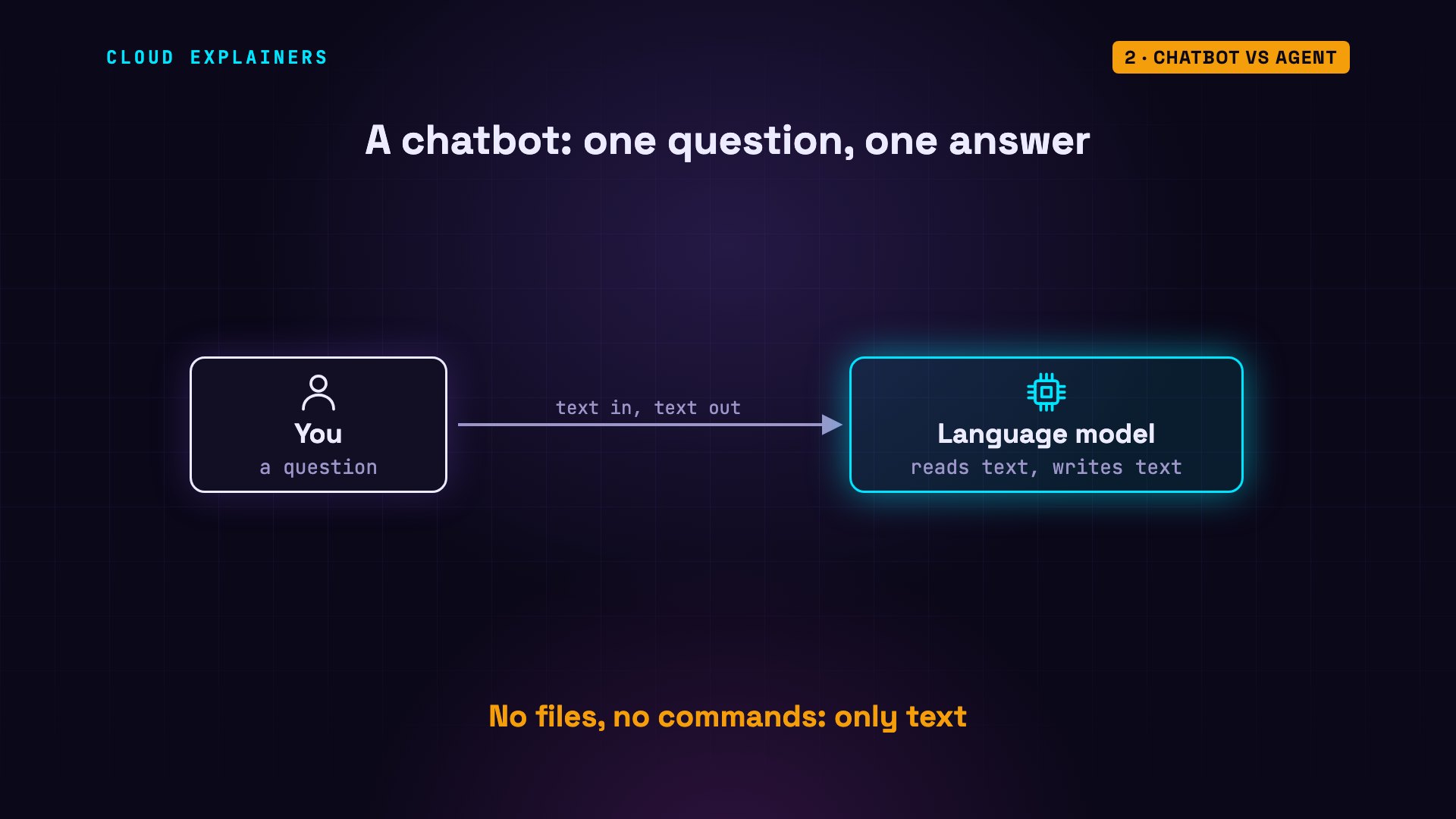
Here's our agent with every tool taken away, so it's just a chatbot. Same sentence. It can't run the tests, it can't read the files. All it can do is tell you what to do yourself.
agent-lab$ ./agent --no-tools "Run the tests (python3 -m unittest), find out why they fail, and fix it."── request 1 · model reads 2,212 tokens
answer: I can't run the tests in this session because I have
        no tools available, so I can't execute python3 -m
        unittest or read your files. I don't want to guess at
        a cause without seeing the failure.
        If you run it yourself in /Users/chris/agent-lab/bill-
        splitter and paste the output here (the full traceback
        for each failure), I can work out why it fails and
        give you the exact fix. If you also paste the failing
        test and the function it exercises, that will speed
        things up. Bill splitters commonly fail on rounding of
        cents, uneven remainders, or float versus Decimal
        comparisons, but I'd rather confirm that from your
        actual output.
        Alternatively, start a session with tool access
        enabled and I can run the tests, diagnose, and edit
        the code directly.
(1 request · 2,212 tokens read in all · stopped: answered)
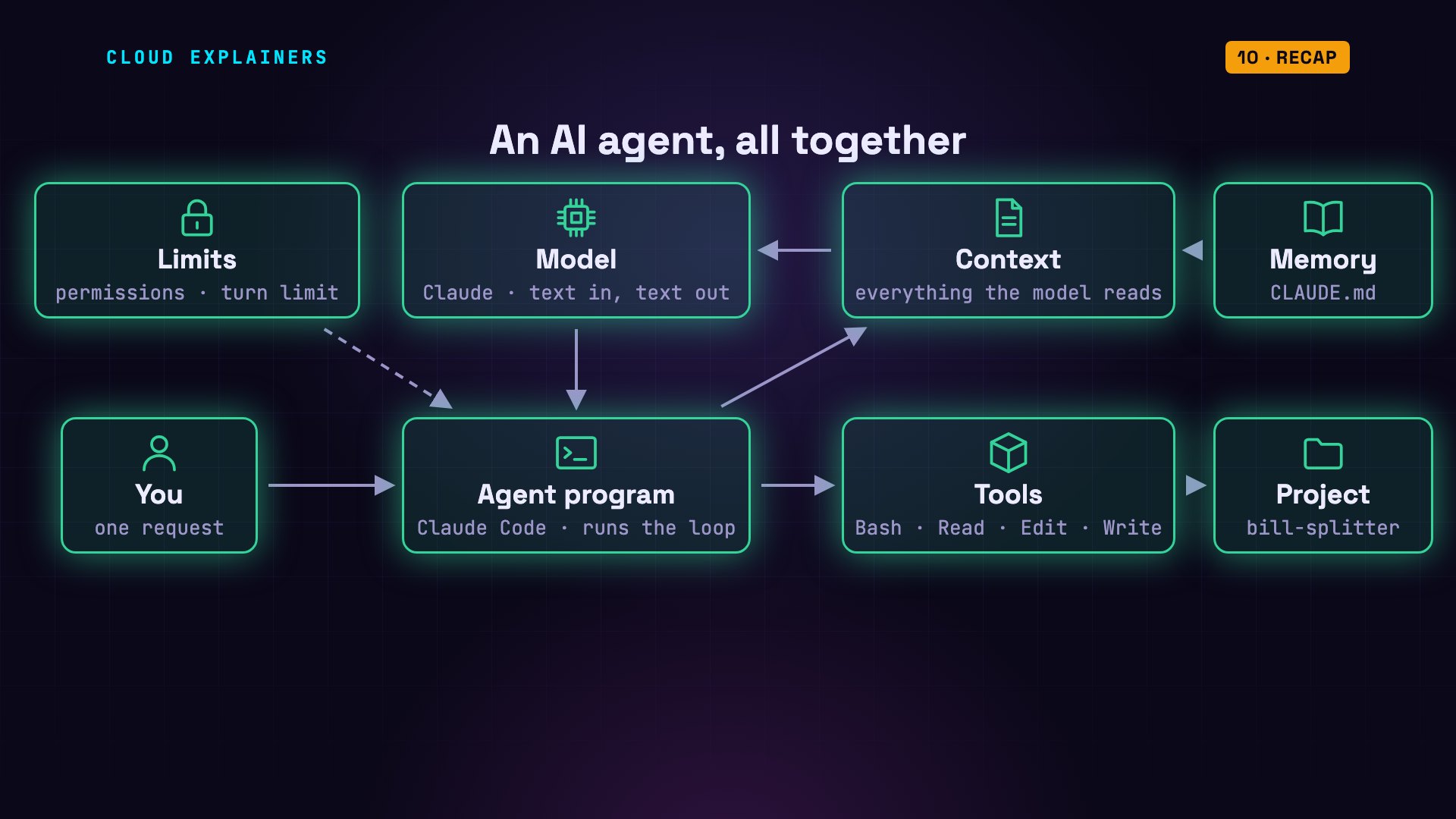
An agent puts a program around the model. The program gives the model tools, runs them when the model asks, and feeds the results back, until the job is done. In the words of Anthropic, which makes Claude: agents are typically just language models using tools, based on feedback from their environment, in a loop.
The loop
Let's watch that loop, one request at a time. Request one: the program sends the model our sentence, plus its instructions and the list of tools: 5,160 tokens. Tokens are the small pieces of words a model reads. The model doesn't run anything. It replies with text that asks for a tool: run the tests.
This is that reply, as the model wrote it: a tool request, with the tool's name, Bash, which runs a command, and its input: the command itself. It's structured text, in JSON, a simple format for data. Nothing has run yet. The model only asked.
agent-lab$ ./raw 1[
  {
    "type": "tool_use",
    "id": "toolu_01KfijX5GiPX2RJDX9CSLmEJ",
    "name": "Bash",
    "input": {
      "command": "python3 -m unittest 2>&1 | head -50; ls"
    }
  }
]
Now the program runs the command for real, and sends the result back to the model: 275 is not 27.5. One test failed. That's feedback from the environment. The model now knows something it didn't know a moment ago.
Request two. The model has read the error, so it asks to read split.py, the file with the function. Request three. It writes itself a short note: the tip percent is used as a fraction, not a percentage. Then it asks for two tools in one reply: an edit, divide by a hundred, and the tests again. They pass.
Request four. This time, the model replies with plain text, and no tool request. That's how the loop ends: when the model answers instead of asking for a tool, the program stops, and shows you the answer.
Don't just take its word for it. We ran the tests ourselves: both pass. And the whole fix is one line: divide the tip by a hundred.
agent-lab$ cd bill-splitter && python3 -m unittest; cd ....
----------------------------------------------------------------------
Ran 2 tests in 0.000s

OK
agent-lab$ grep tip_percent bill-splitter/split.pydef split_bill(total, people, tip_percent):
    with_tip = total + total * tip_percent / 100
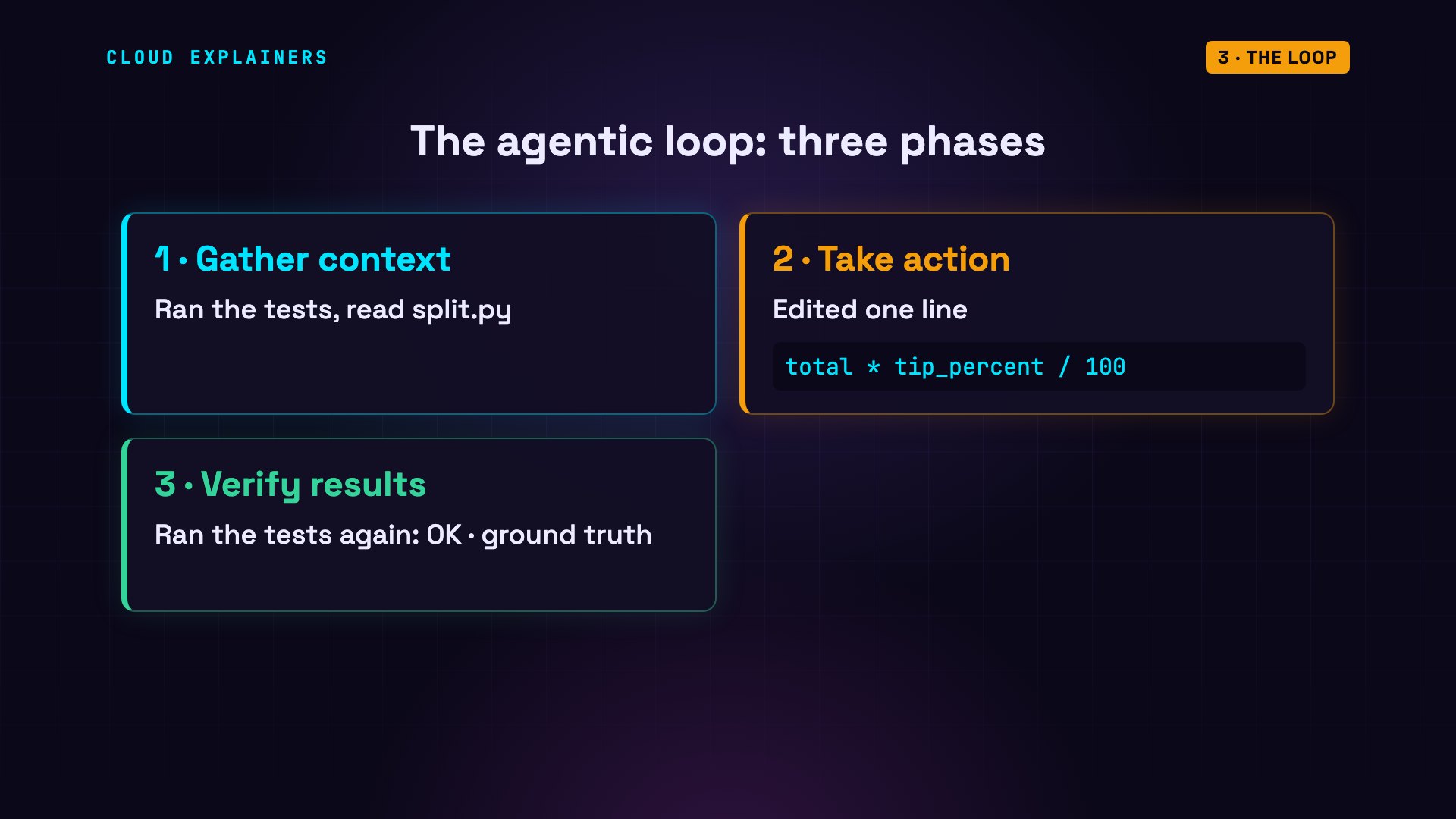
Claude Code's documentation describes the loop in three phases: gather context, take action, verify results. Ours did all three, and the last one matters most: the test result is ground truth: a real check, not the model's opinion, so the agent didn't have to guess whether its fix worked.
Tools
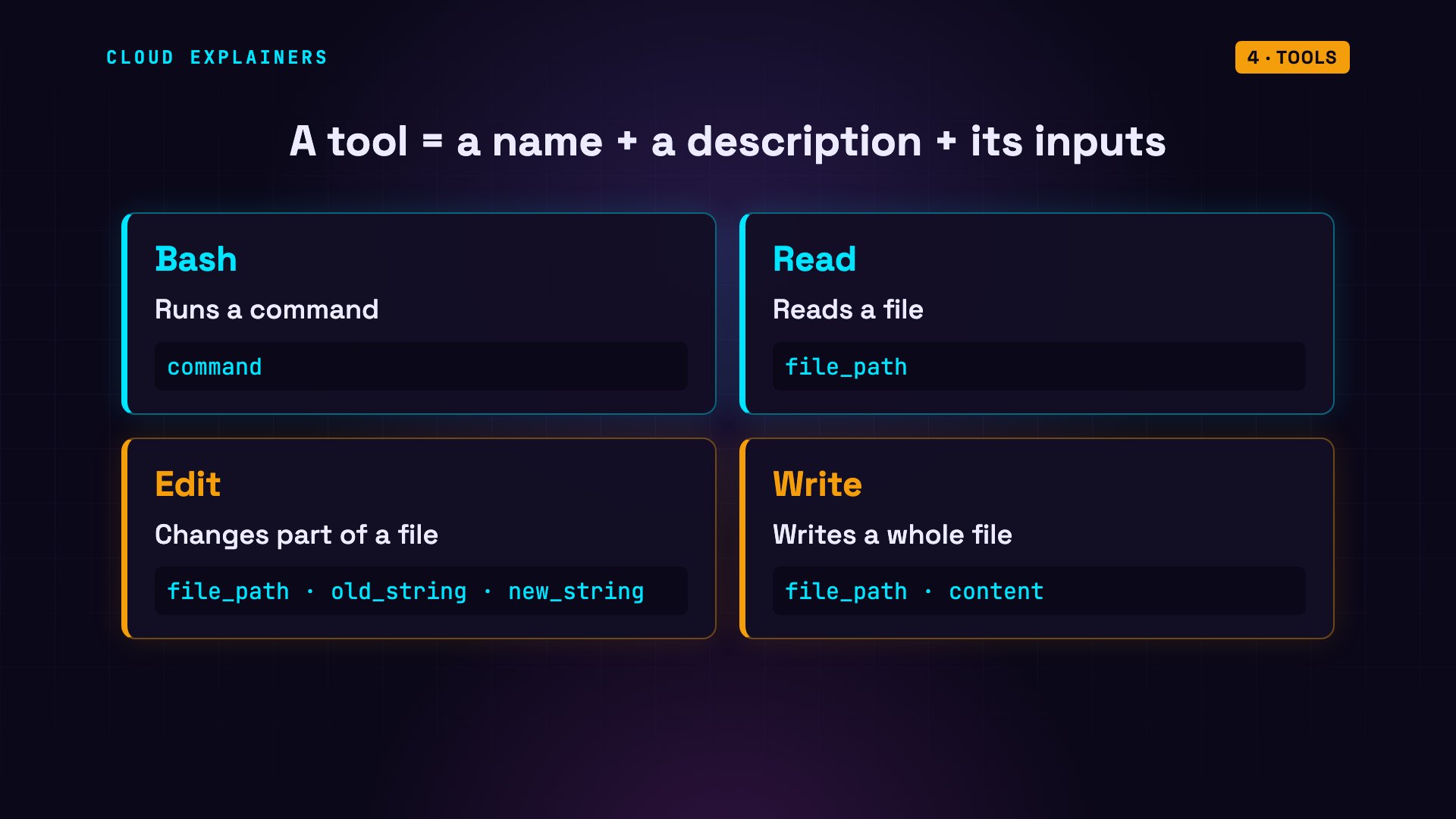
So what is a tool? To the model, it's just a name, a description of what it does, and the inputs it takes. Our agent had four. Bash runs a command. Read reads a file. Edit changes part of a file. And Write writes a whole file.
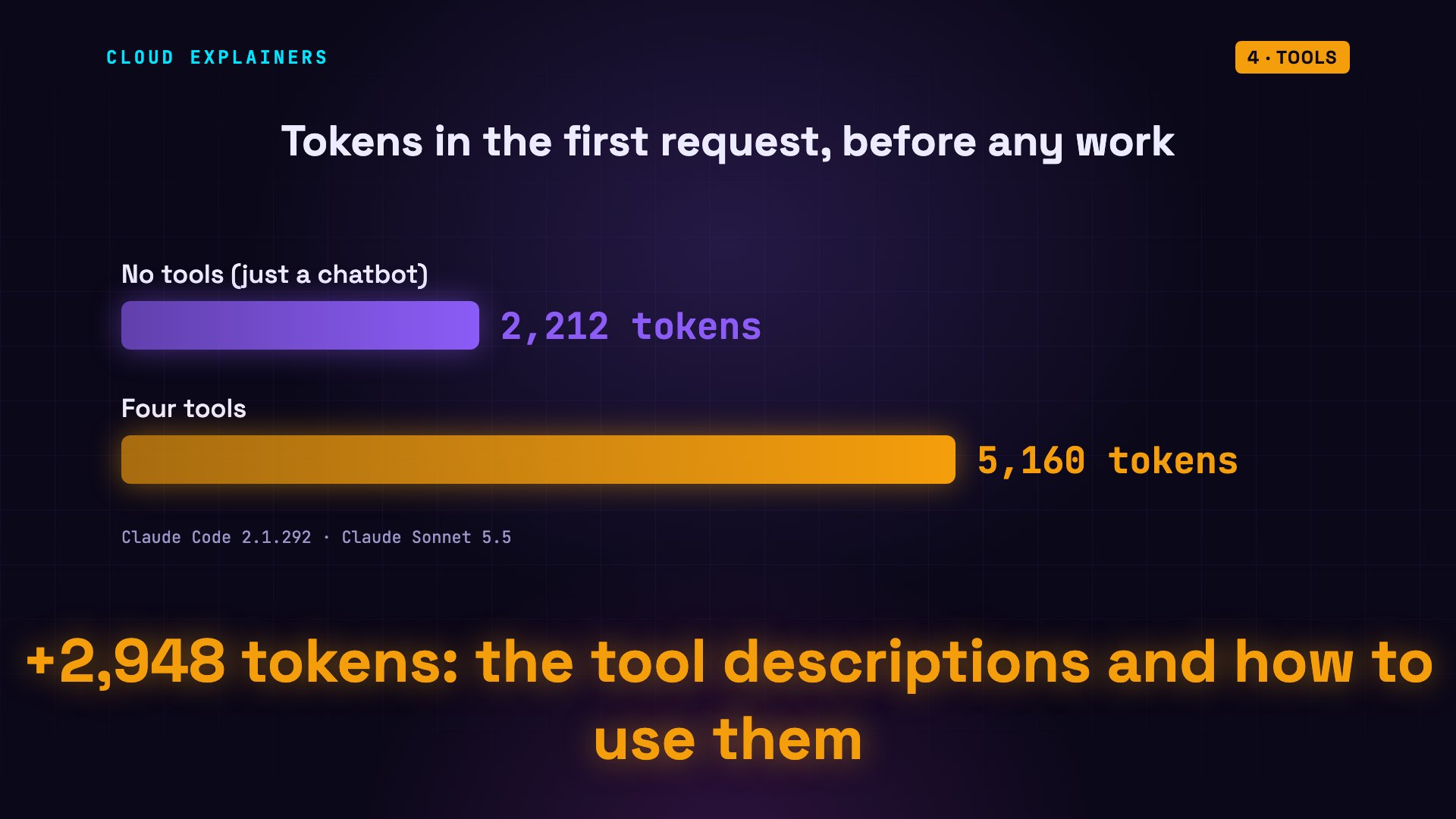
With no tools, our model's first request was 2,212 tokens, mostly Claude Code's own instructions. With the four tools, 5,160. The difference is mostly the tool descriptions: about three thousand tokens, on every request, just to describe what it can do.
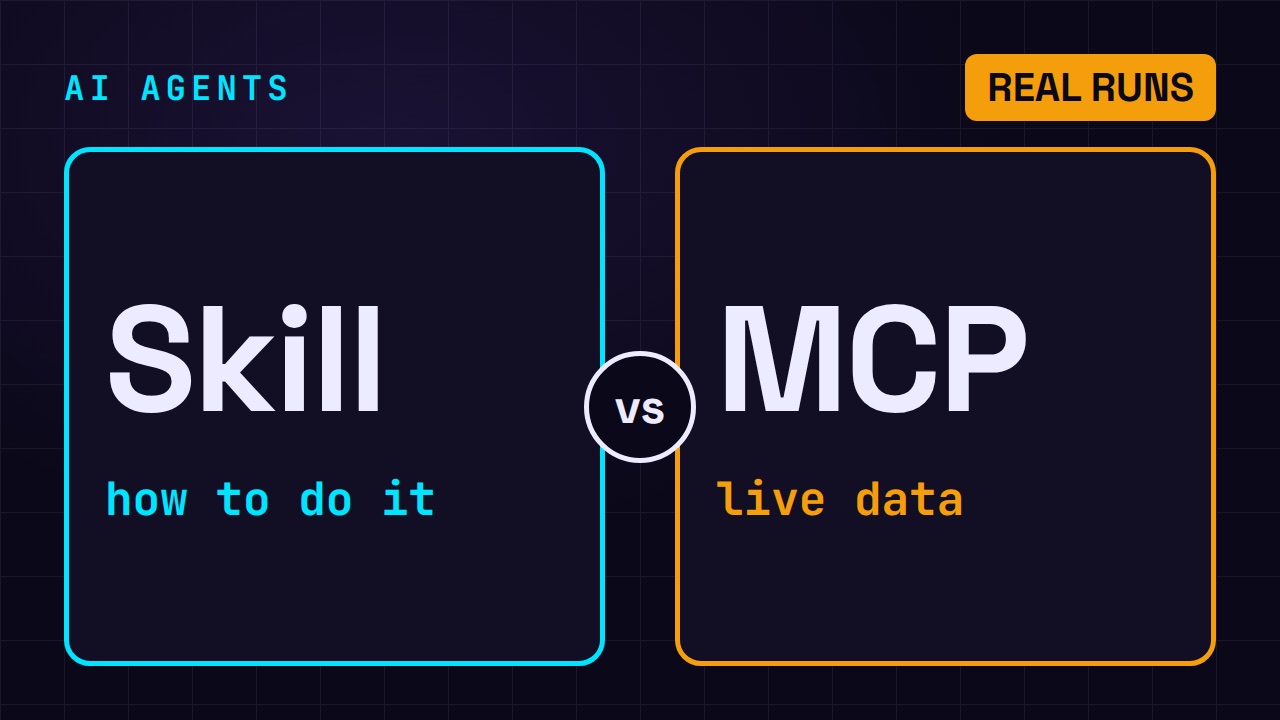
Tools are also how agents reach other systems, like a database or GitHub. The standard way to plug those in is MCP, the Model Context Protocol, covered in our video on agent skills and MCP. The loop stays the same: ask, run, result.
Context
Now, the context. The context window is everything the model can read when it writes its reply. Anthropic calls it the model's working memory. And the model keeps nothing between requests. So on every request, the program sends the whole conversation again: the instructions, the tools, our sentence, and every tool request and result so far.
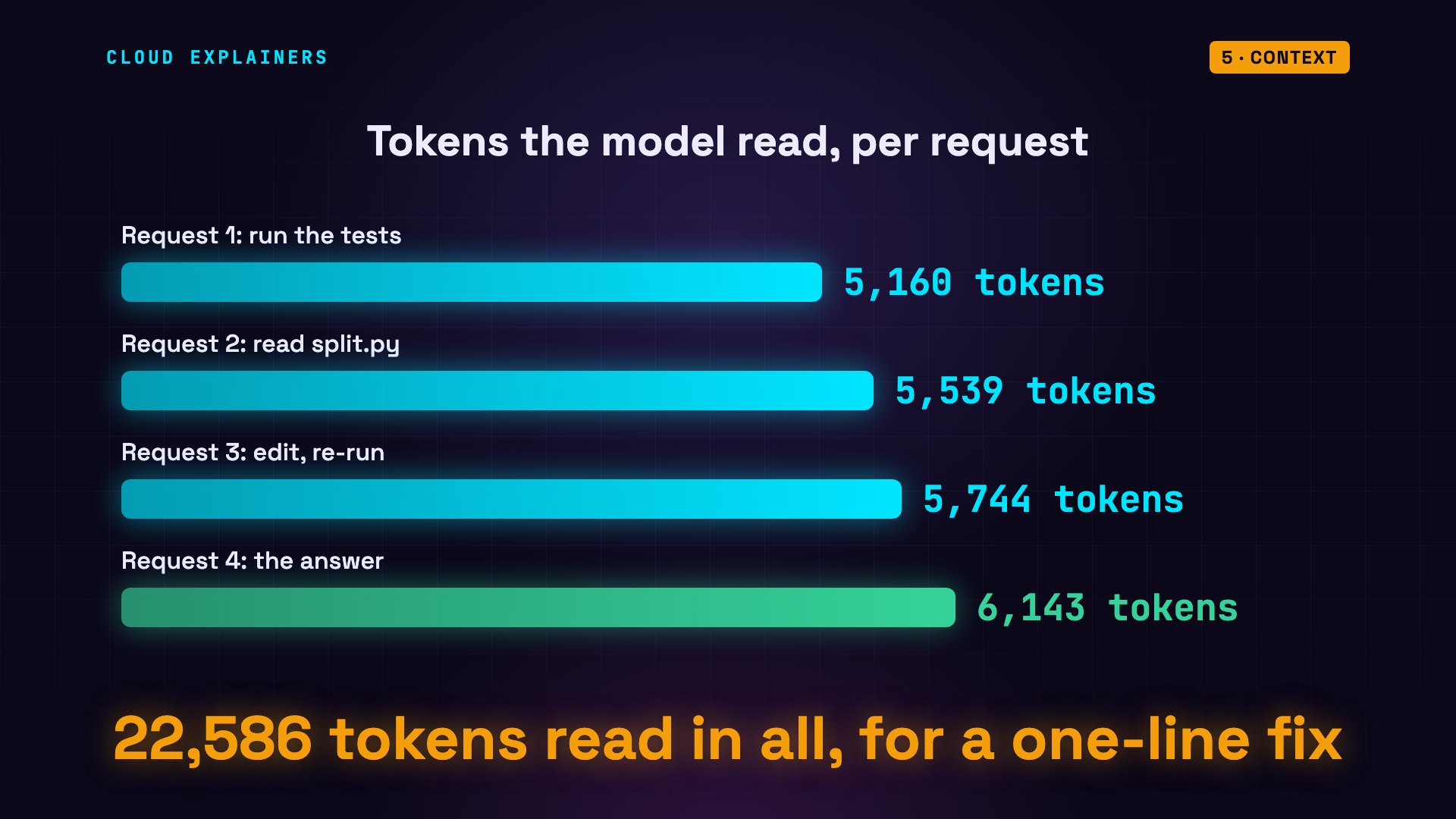
You can watch it grow. Request one: 5,160 tokens. Two: 5,539. Three: 5,744. Four: 6,143. Each result is added, and the whole thing is read again. In total, the model read 22,586 tokens to fix one line.
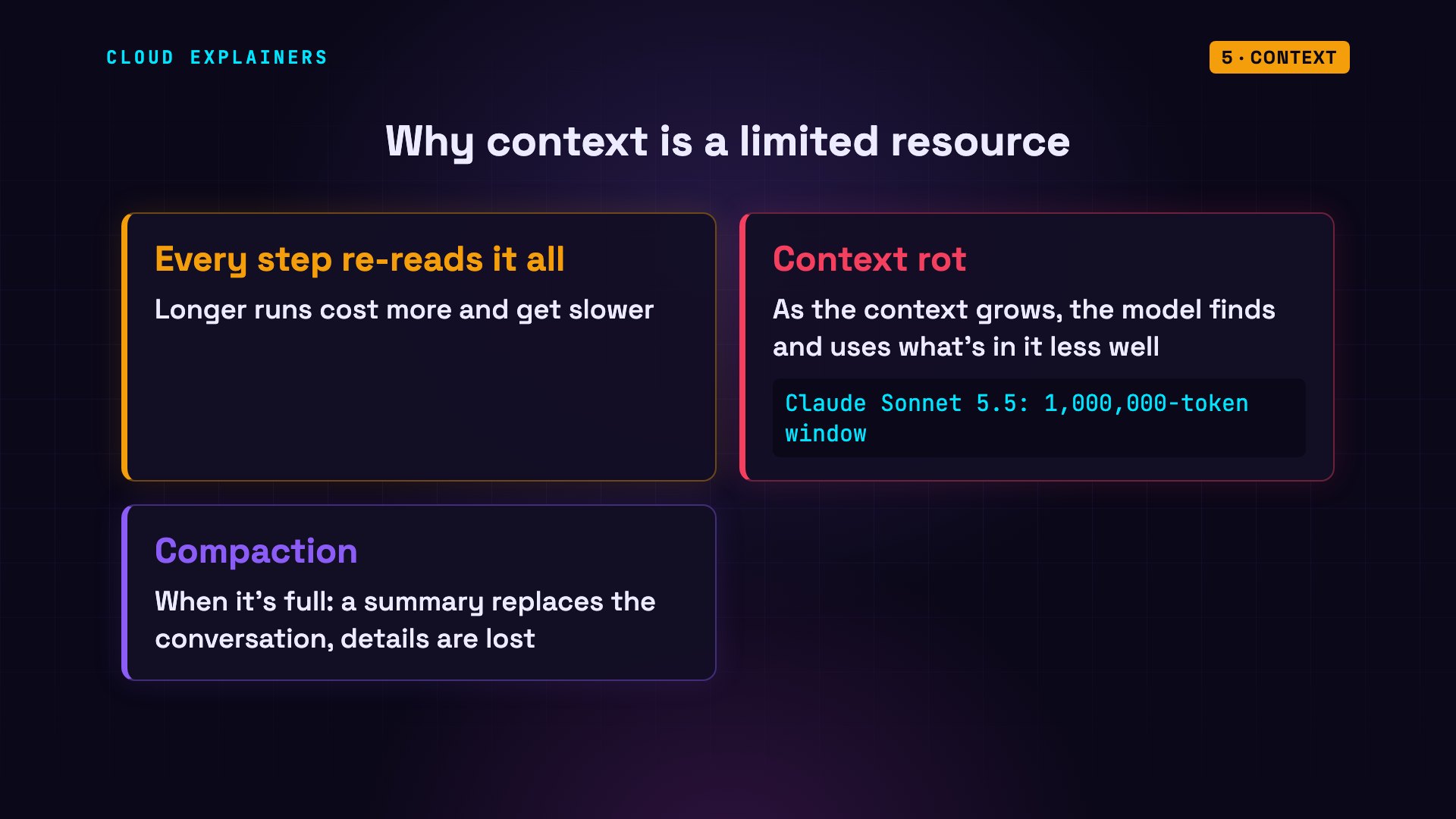
So long runs get slow and expensive. And even a big window, like this model's million tokens, has a catch: as the context grows, the model gets worse at finding and using what's in it. Anthropic calls this context rot. When the window fills up, Claude Code compacts the conversation: it replaces it with a summary, and some details are lost.
Memory
And between sessions? A session is one conversation. We start a new one, with no tools, and ask: what did we fix in this project last time? It has no idea. Every new session starts with a fresh context: none of the earlier conversation is in it.
agent-lab$ ./agent --no-tools "What did we fix in this project last time?"── request 1 · model reads 2,194 tokens
answer: I don't have any record of a previous session. Each
        conversation starts fresh for me, and nothing from
        earlier work on bill-splitter has been carried into
        this one. This session also has no tools, so I can't
        look at the files. The project isn't a git repository
        either, so there's no commit history to check.
        A few ways to recover what was fixed:
        - If you kept notes, a changelog, or a TODO file in
        the project, those may list it.
        - Check file modification times in the project
        directory (for example, ls -lt) to see what was edited
        most recently.
        - If you ran Claude Code here before, you can resume
        the old conversation with the /resume command, which
        lists past sessions for this directory.
        If you tell me what you remember about the bug, or
        paste the relevant code or notes, I can help from
        there. In a session with tools enabled, I can also
        look through the files for recent changes.
(1 request · 2,194 tokens read in all · stopped: answered)
So the context is short-term memory: it lasts one session. Let's go back to the session that made the fix, and ask it to write a note in CLAUDE.md, a plain text file in the project. Claude Code reads it at the start of every session. It still remembers the fix, because it's the same conversation, and it writes one line.
agent-lab$ ./agent --session fix "Add a one-line note to CLAUDE.md saying what you fixed today."── request 1 · model reads 6,323 tokens
model asks: Bash  ls -a; cat CLAUDE.md 2>&1
  ← Exit code 1  (+5 lines)
── request 2 · model reads 6,485 tokens
model: CLAUDE.md doesn't exist, so I'll create it.
model asks: Write  CLAUDE.md
  ← wrote CLAUDE.md
── request 3 · model reads 6,732 tokens
answer: I created `CLAUDE.md`, since the project didn't have
        one. It has a single line:
        "2026-10-25: Fixed split_bill in split.py to treat
        tip_percent as a percentage (divide by 100) instead of
        a fraction."
(3 requests · 19,540 tokens read in all · stopped: answered)
agent-lab$ cat bill-splitter/CLAUDE.md2026-10-25: Fixed split_bill in split.py to treat tip_percent as a percentage (divide by 100) instead of a fraction.
Now a brand new session, still with no tools, and the same question. This time, it knows. The note was loaded into its context before the question: 174 more tokens.
agent-lab$ ./agent --no-tools "What did we fix in this project last time?"── request 1 · model reads 2,368 tokens
answer: According to the project's CLAUDE.md, the last fix was
        in split_bill in split.py: tip_percent was being
        treated as a fraction, and it now gets treated as a
        percentage (divided by 100). So passing 20 for
        tip_percent now means a 20% tip rather than a 2000%
        one.
        The note is dated 2026-10-25, which is today. I can't
        see any other history here, since this isn't a git
        repository and I have no tools in this session, so I
        can't confirm the change in the code itself or check
        for other earlier fixes.
(1 request · 2,368 tokens read in all · stopped: answered)
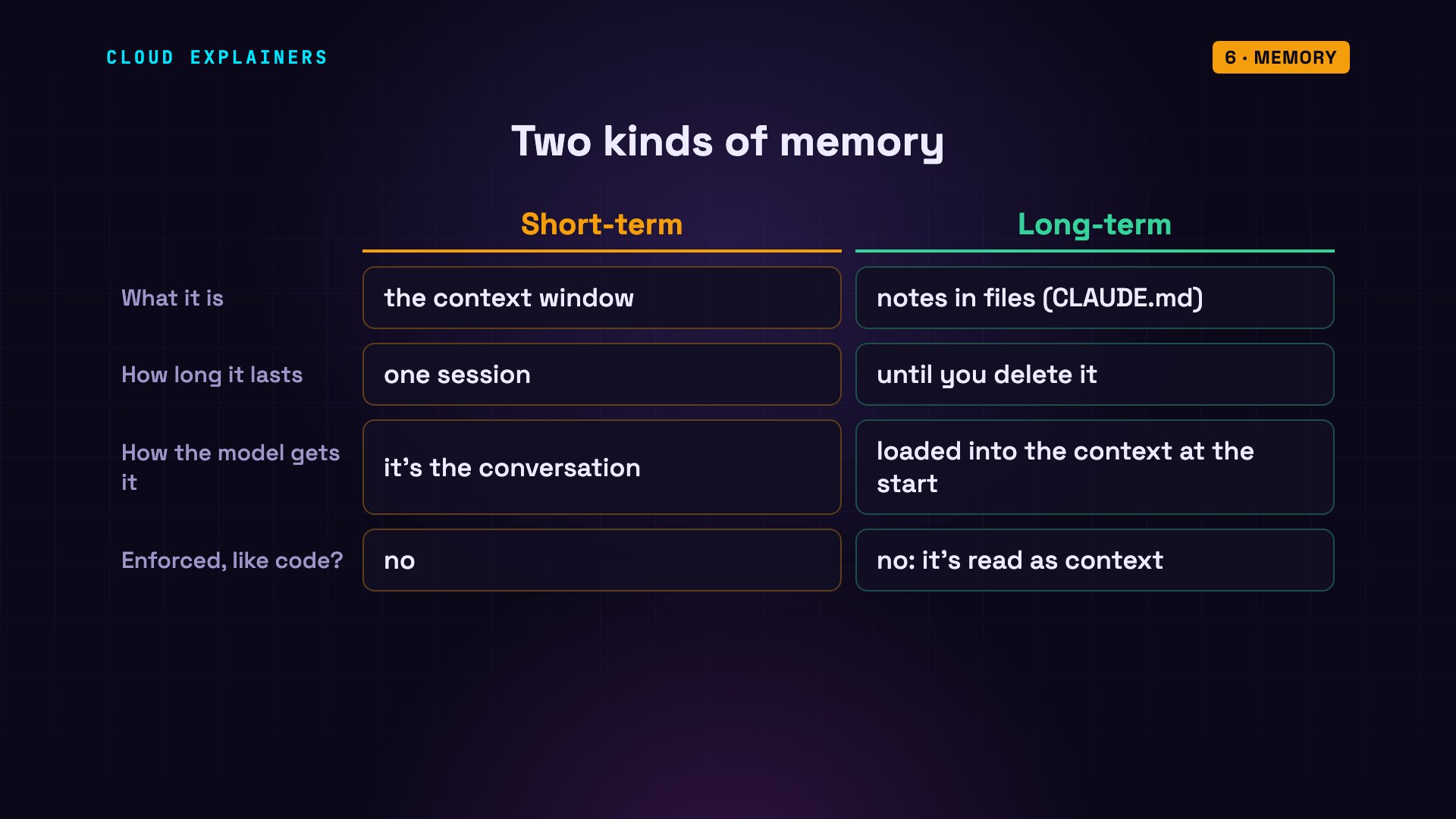
Short-term memory is the context: everything in this conversation. Long-term memory is notes saved outside the context, and read back in later. A note is just more context: the model reads it, it isn't a rule it must obey.
Planning
How does an agent plan? Look at the fix again. Nobody told it to open split.py. It decided to, after reading the error. On every request, the model looks at everything so far, and picks the next step. Sometimes it writes down its reasoning, like that note about the fraction.
Here we asked it to install pytest, a popular testing tool. First, it checked how the project manages its packages. There was nothing, so it planned the next step: install it with pip, Python's package installer.
agent-lab$ ./agent "Install pytest for this project."── request 1 · model reads 5,319 tokens
model: Let me check how the project manages dependencies
       first.
model asks: Bash  ls -a && cat requirements*.txt pyproject.toml 2>/dev/null | head -50
  ← .  (+5 lines)
── request 2 · model reads 5,506 tokens
model: No dependency files or virtualenv exist, so I'll
       install it with pip.
model asks: Bash  python3 -m pip install pytest 2>&1 | tail -5
  ← refused: not allowed
── request 3 · model reads 5,874 tokens
answer: I couldn't install pytest. The shell command I tried
        (`python3 -m pip install pytest`) was denied because
        Claude Code is in don't-ask mode, and I haven't tried
        to get around that.
        The project has no requirements file, pyproject.toml,
        or virtualenv. It contains only `split.py`,
        `test_split.py`, and `CLAUDE.md`. To install it
        yourself, run this in the project directory:
        python3 -m pip install pytest
        If you'd like it isolated, create a virtualenv first
        with `python3 -m venv .venv && source
        .venv/bin/activate`. If you allow Bash commands, or
        switch to a mode that permits them, I can run the
        install and then run `test_split.py` to check it
        works.
(3 requests · 16,699 tokens read in all · stopped: answered)
Limits
So what stops an agent? Look at that pip install. The model asked for it, and the program refused. The agent tells us why: Claude Code was in don't ask mode.
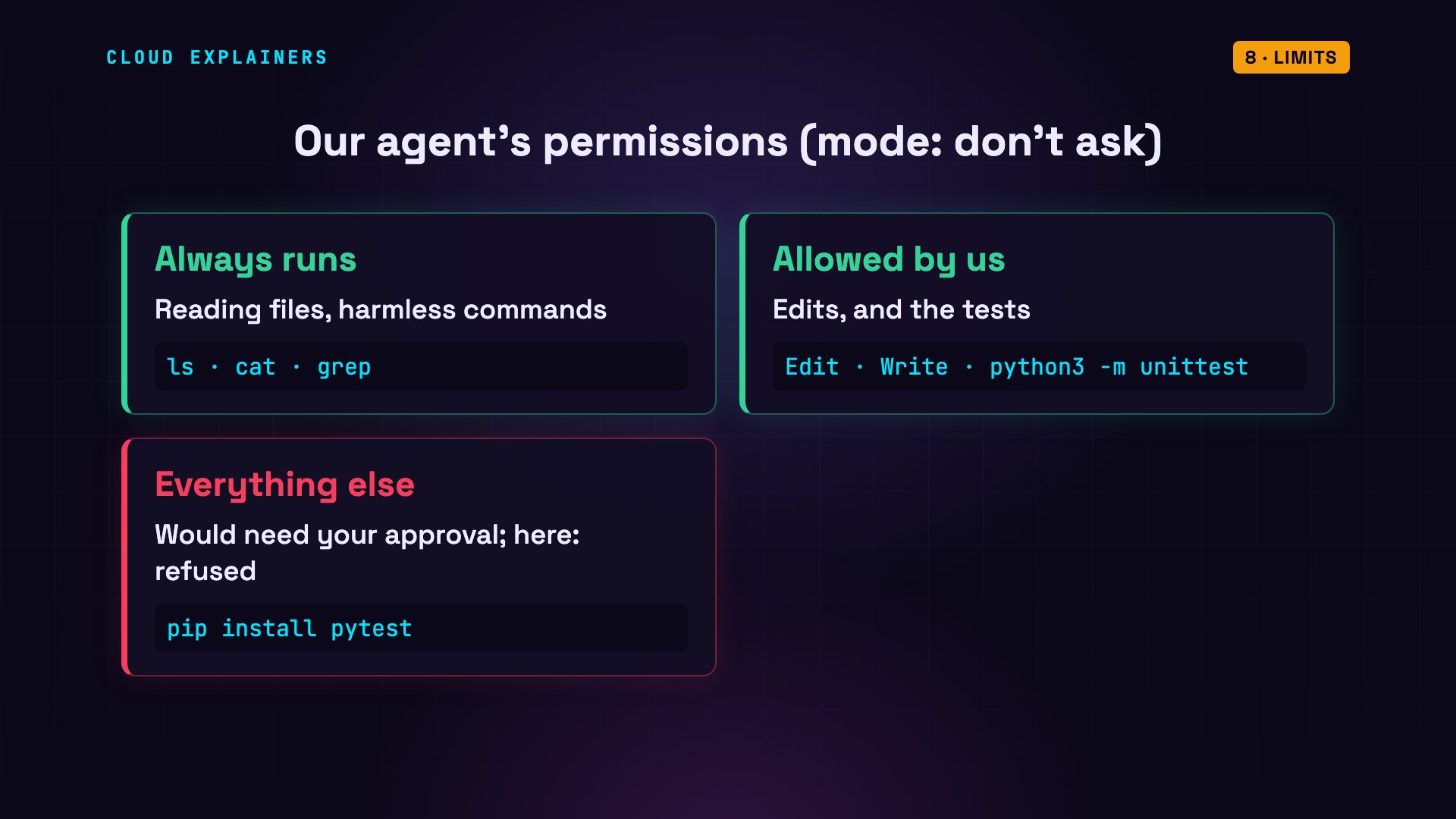
That's a permission mode. Reading files and harmless commands, like listing a folder, always run. We allowed edits, and one more command: the tests. Anything else would normally need your approval. In don't ask mode, nobody is there to approve it, so it's refused.
The model didn't make that decision. The program did. That's the most important safety idea in agents: the model only asks. The program decides what actually runs.
The second limit is a stopping rule. Here's the original, broken project again, with a limit of two turns: two trips around the loop. It ran the tests, read the code, and was stopped before it could change anything. The bug is still there.
agent-lab$ ./agent --max-turns 2 "Run the tests (python3 -m unittest), find out why they fail, and fix it."── request 1 · model reads 5,163 tokens
model asks: Bash  python3 -m unittest 2>&1 | head -50; ls
  ← AssertionError: 275.0 != 27.5
  ← Ran 2 tests in 0.000s
  ← FAILED (failures=1)
── request 2 · model reads 5,542 tokens
model asks: Read  split.py
  ← contents of split.py
model asks: Read  test_split.py
  ← contents of test_split.py
(2 requests · 10,705 tokens read in all · stopped: hit the --max-turns limit)
agent-lab$ grep 'with_tip =' bill-splitter/split.pywith_tip = total + total * tip_percent
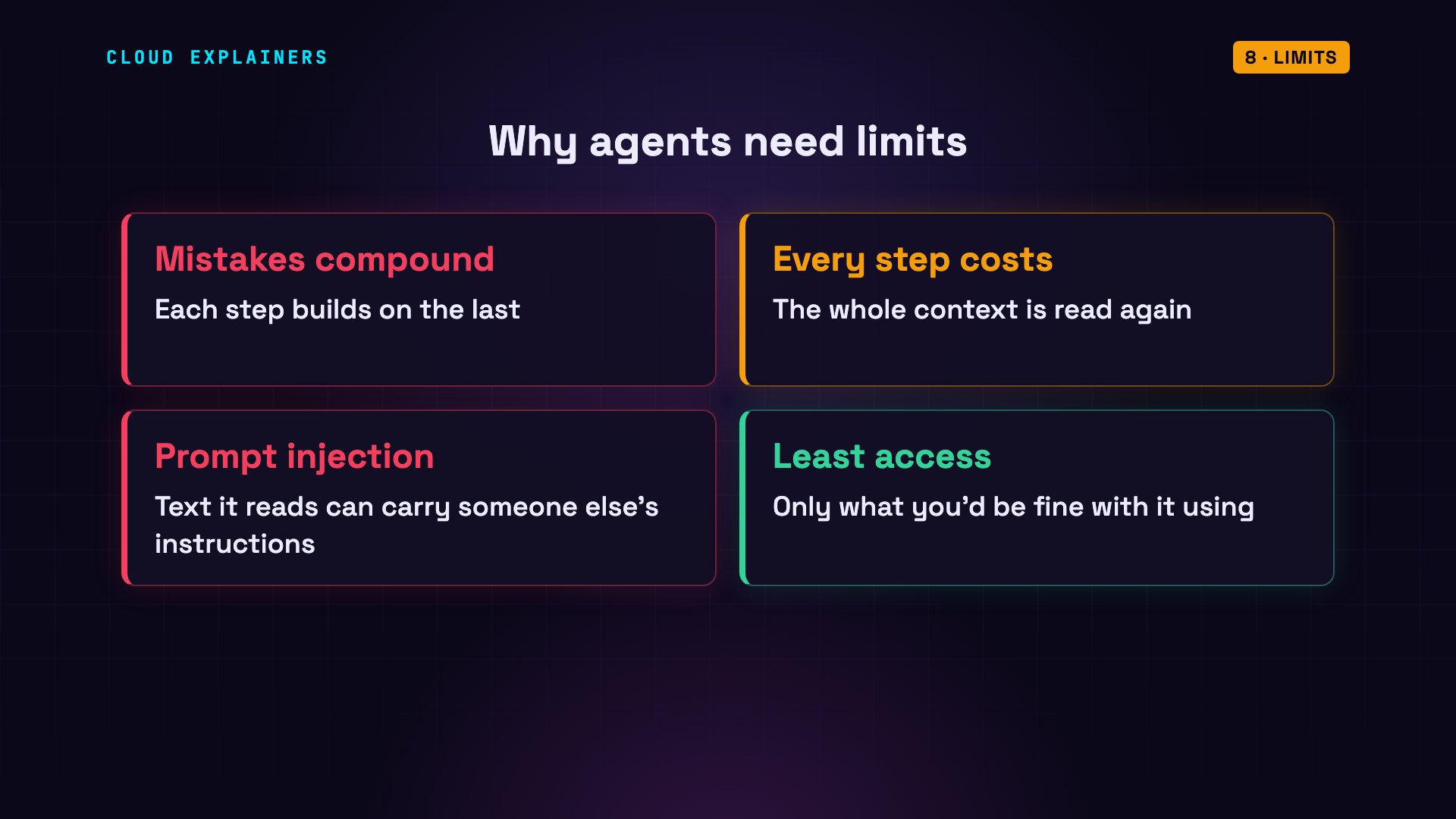
Limits matter because an agent can be wrong, and each step builds on the last, so mistakes can pile up. Every step also costs money, because it re-reads the whole context. And a file, a web page or an email it reads can contain instructions from someone else. That's called prompt injection. So give an agent only the access you'd be comfortable with it using.
When to use one
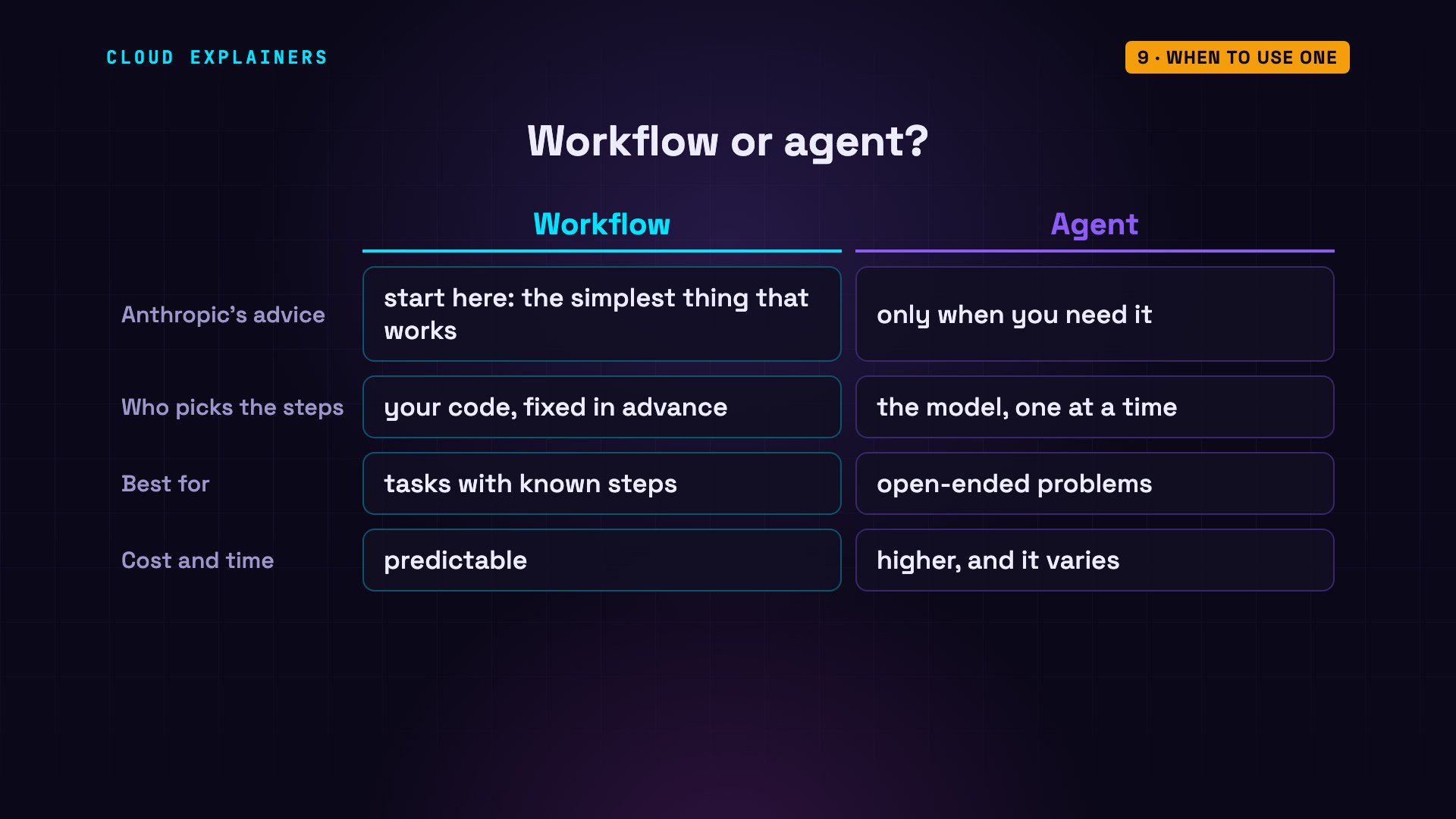
So when do you need an agent? Anthropic's advice: find the simplest solution that works. If you know the steps in advance, a fixed program that calls the model at each step will do. Anthropic calls that a workflow. Use an agent when you can't predict the steps: like debugging, where the next step depends on what you find. It costs more, and the cost varies.
Recap
So, an AI agent is a model in a loop. The model reads its context, and writes text. Tools turn that text into actions. The context is its short-term memory, and files are its long-term memory. It plans one step at a time, from what it sees. And the program around it sets the limits.
Every number in this video came from real runs, listed in the description. Thanks for watching.
Sources
Demos: real runs of Claude Code (headless) on a tiny made-up Python project on one machine. Watch the full video on YouTube.