Proxmox vs ESXi for Your Homelab: When Each One Wins
Proxmox or ESXi for a homelab? We installed both on the same small server and ran the same steps: ESXi's installer stopped on a network card Proxmox drives fine, ESXi kept a 40 GB disk all to itself while Proxmox left 12 GB for VMs, a Proxmox container started in under three seconds, and the free ESXi refused to create a VM through its API. Then when each one wins.
One network card, two installers
You want to turn one spare computer into a homelab, and you're stuck between Proxmox and ESXi. So you boot the ESXi installer, and it stops cold: no network adapters were detected, and without one it won't install. That's what Ana got, on the small server in her basement.
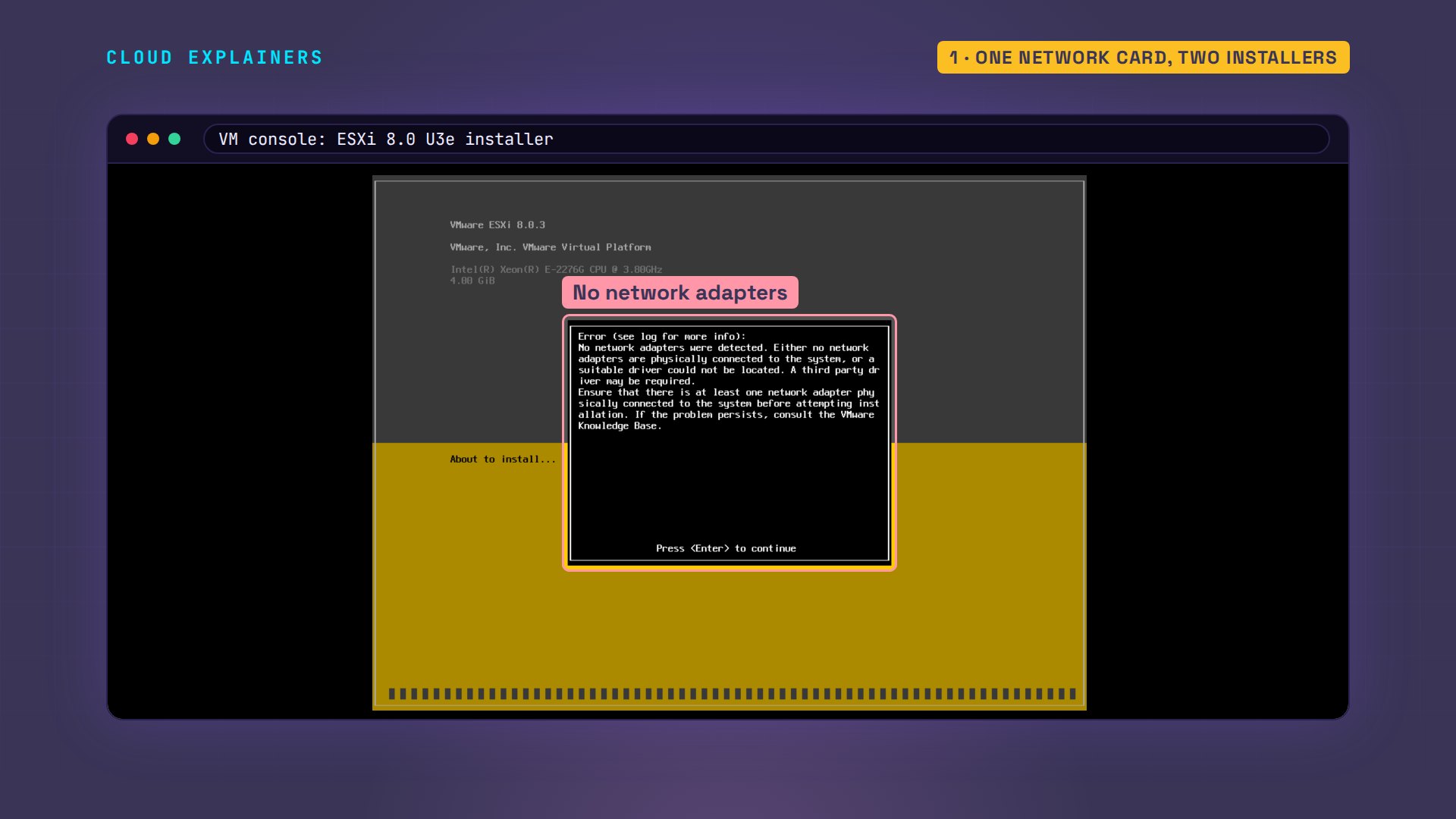
Now Proxmox, on the same computer with the same card. Its hardware list shows the card, with a Linux driver already loaded. The card works fine. It just isn't on ESXi's list. By the end, you'll know which one wins for your machine, and the one thing to check before you choose.
lspci -k -s 02:00.002:00.0 Ethernet controller: Advanced Micro Devices, Inc. [AMD] 79C97x [PCnet32 LANCE] (rev 10)
	DeviceName: Ethernet1
	Subsystem: Advanced Micro Devices, Inc. [AMD] PCnet - Fast 79C971
	Kernel driver in use: pcnet32
	Kernel modules: pcnet32
What a hypervisor is
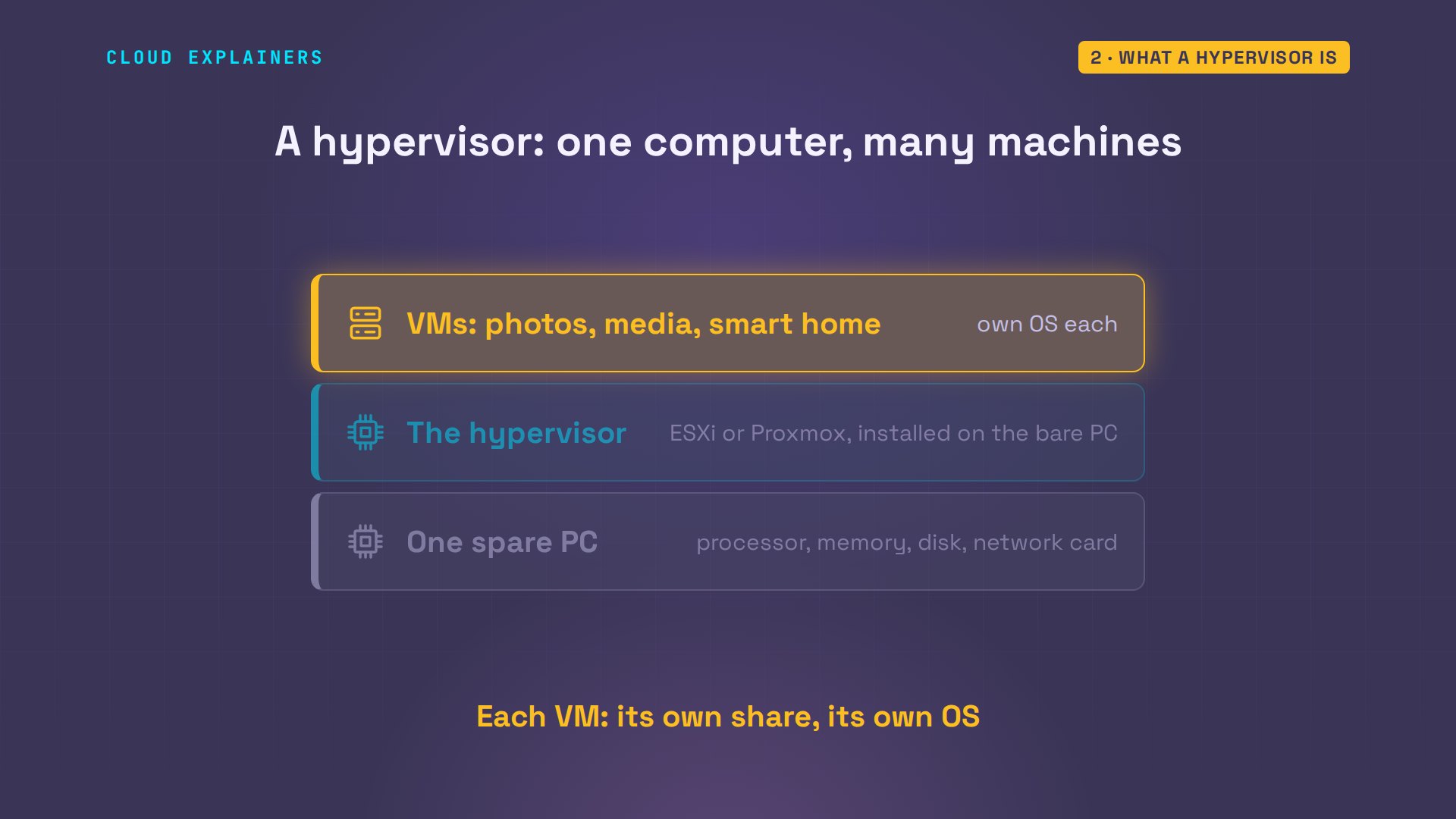
So what are these two? Both are hypervisors. You install one on a bare computer, and it splits that computer into many virtual ones, called virtual machines, or VMs. Each gets its own share of the processor, memory and disk, and runs its own operating system.
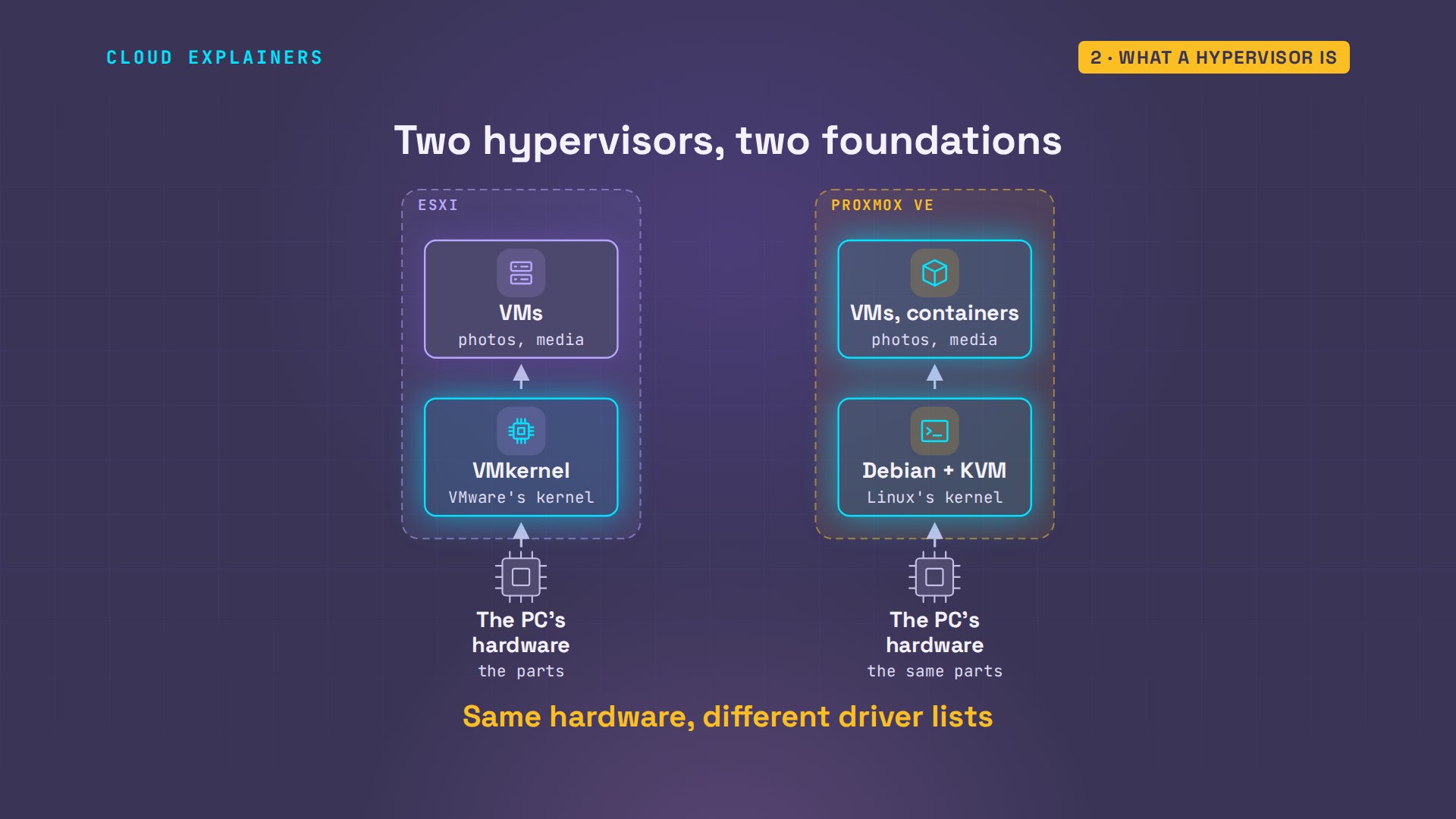
Here's the easiest way to picture the difference. ESXi is like a games console: polished, the same everywhere, but it only takes the parts on its maker's list. Proxmox is like a PC: it takes nearly any part you plug in, and you're the one who tinkers with it.
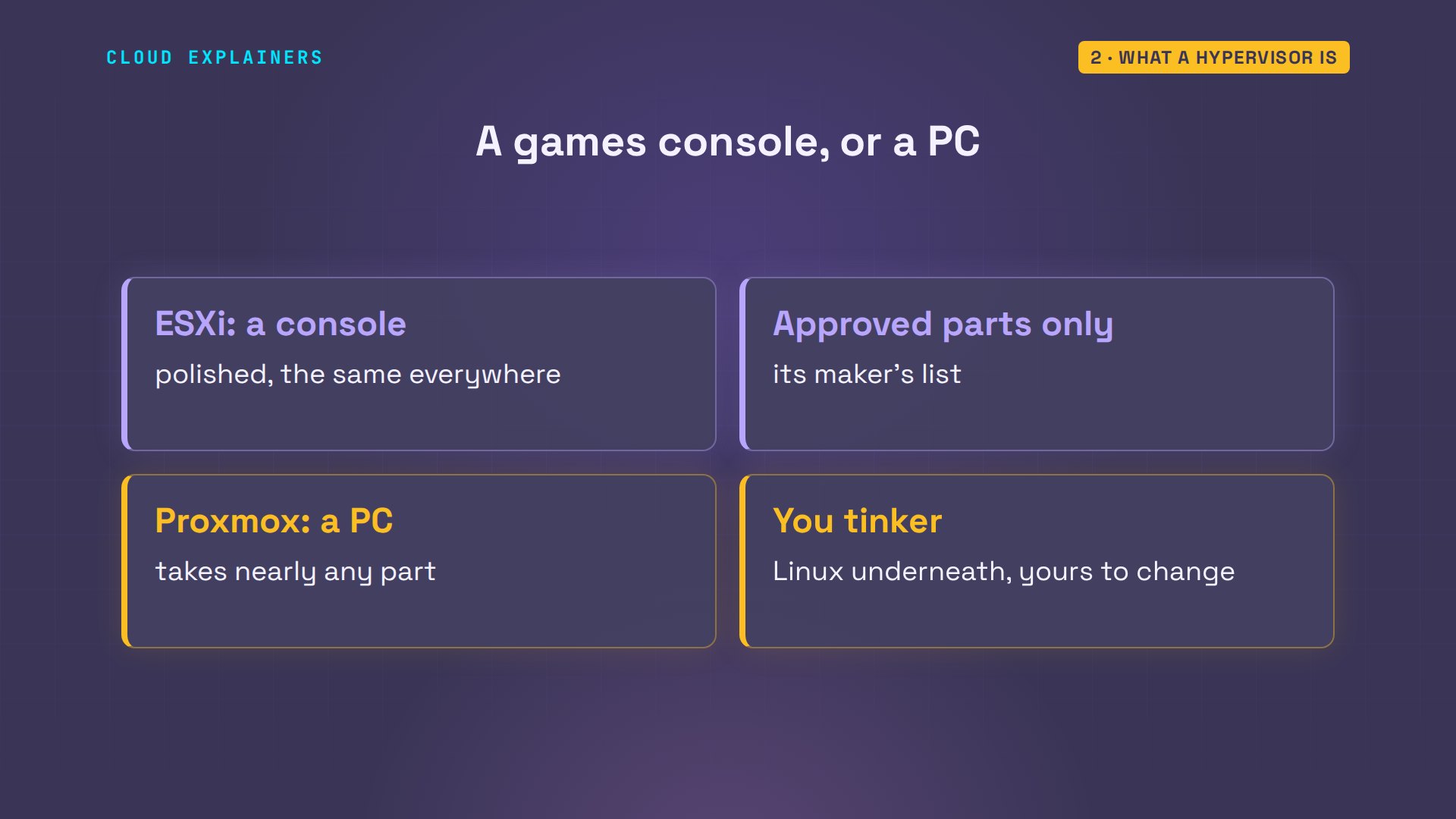
That comes from what's underneath. ESXi runs VMware's own kernel, the core of the operating system, with only the drivers VMware puts on its list. Proxmox is built on Debian, a popular free version of Linux. It adds KVM, the hypervisor built into Linux. So Proxmox gets every driver Linux has. It can also run containers, which are lighter than VMs. We'll get to those soon. Almost everything that follows comes from that one difference.
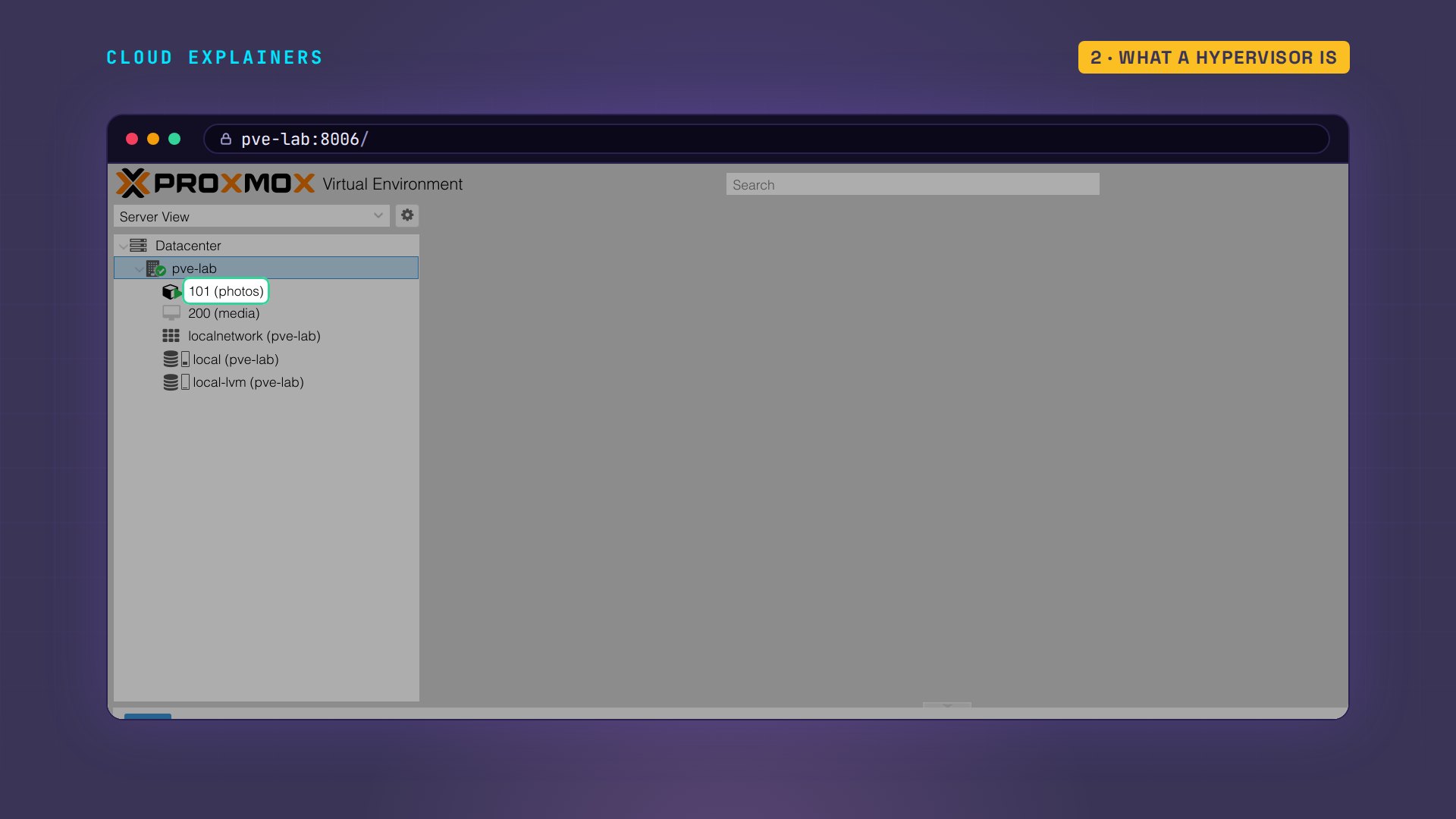
Day to day, you run both from a web browser on your laptop. ESXi's page is the Host Client, at the server's address. Proxmox's is the same address with colon 8006 on the end. That number is the port: it tells the browser which program on the server to talk to. And when you need it, both let you type commands directly, in what's called a shell.
Will it install?
So the first question is whether your network card is on ESXi's list. You can look it up in Broadcom's compatibility guide. Broadcom is the company that now owns VMware. We'll come back to that guide at the end. For her tests, Ana swaps in a card VMware supports, and ESXi finds it straight away. Server cards are usually on the list; the chips in many home PCs and mini PCs often aren't.
[root@esxi-lab:~] esxcli --formatter=csv --format-param=fields="Name,Driver,Description" network nic listName,Driver,Description,
vmnic0,nvmxnet3,VMware Inc. vmxnet3 Virtual Ethernet Controller,
Where the VMs go
Your virtual machines need somewhere to live. Ana gave each hypervisor a single 40 GB disk. Take a guess: after ESXi installed itself, how much room did it leave for virtual machines? None. ESXi 8 sets aside up to 128 GB of its boot disk for itself, so on a 40 GB disk, it keeps every bit of it.
[root@esxi-lab:~] df -hFilesystem  Size   Used Available Use% Mounted on
VMFSOS     31.8G   2.7G     29.1G   8% /vmfs/volumes/OSDATA-6afe4959-35fba41b-018a-000c29f6fd54
vfat        4.0G 259.0M      3.7G   6% /vmfs/volumes/BOOTBANK1
vfat        4.0G  64.0K      4.0G   0% /vmfs/volumes/BOOTBANK2
Proxmox, on the same size of disk, made a storage area called local-lvm, with 12 GB ready for virtual machines. Same disk, and room to start straight away.
pvesm statusName             Type     Status     Total (KiB)      Used (KiB) Available (KiB)        %
local             dir     active        18232596         4466488        12814608   24.50%
local-lvm     lvmthin     active        11493376               0        11493376    0.00%
On ESXi, the fix is a second disk, so Ana adds a 60 GB one to the box. In the Host Client, the rest takes a few clicks. Here are the same steps as commands. First Ana marks out the whole disk as one section, called a partition, then formats it with VMFS, ESXi's own file system. Then a datastore called datastore1 appears. A datastore is ESXi's word for a place VMs live, and this one has about 60 GB ready. So with ESXi, plan for two disks: one for ESXi, one for the VMs.
[root@esxi-lab:~] partedUtil setptbl /vmfs/devices/disks/mpx.vmhba1:C0:T1:L0 gpt "1 2048 125829086 AA31E02A400F11DB9590000C2911D1B8 0"gpt
0 0 0 0
1 2048 125829086 AA31E02A400F11DB9590000C2911D1B8 0
[root@esxi-lab:~] vmkfstools -C vmfs6 -S datastore1 /vmfs/devices/disks/mpx.vmhba1:C0:T1:L0:1Successfully created new volume: 6afe5099-82350b6c-344a-000c29f6fd54
create fs deviceName:'/vmfs/devices/disks/mpx.vmhba1:C0:T1:L0:1', fsShortName:'vmfs6', fsName:'datastore1'
deviceFullPath:/dev/disks/mpx.vmhba1:C0:T1:L0:1 deviceFile:mpx.vmhba1:C0:T1:L0:1
ATS on device /dev/disks/mpx.vmhba1:C0:T1:L0:1: not supported
.
Checking if remote hosts are using this device as a valid file system. This may take a few seconds...
Creating vmfs6 file system on "mpx.vmhba1:C0:T1:L0:1" with blockSize 1048576, unmapGranularity 1048576, unmapPriority default and volume label "datastore1".
[root@esxi-lab:~] df -h | grep -E 'Filesystem|VMFS-6'Filesystem  Size   Used Available Use% Mounted on
VMFS-6     59.8G   1.4G     58.3G   2% /vmfs/volumes/datastore1
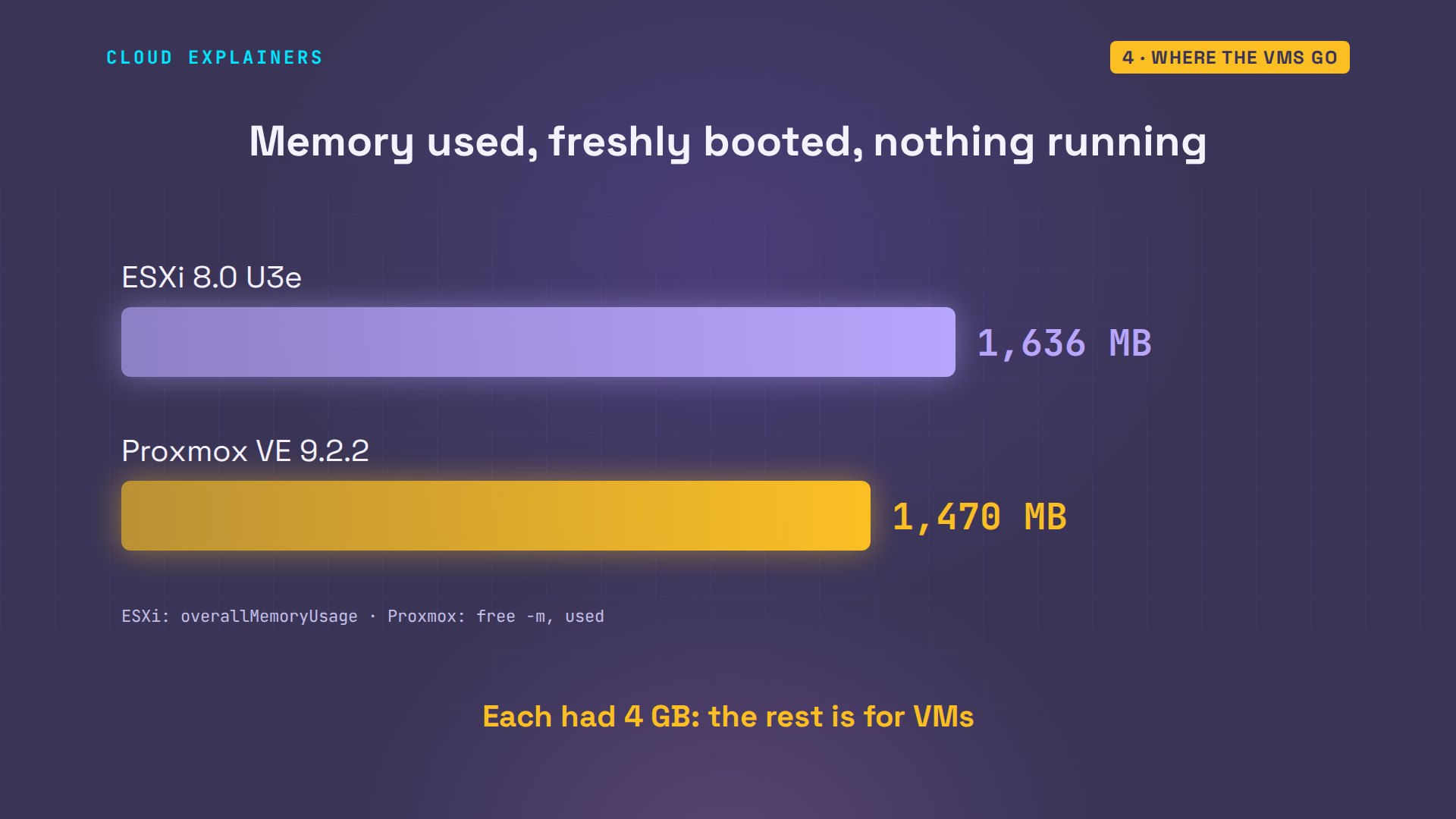
What about memory? Freshly booted, with nothing running, ESXi used 1.6 GB of its 4 GB of memory, and Proxmox 1.4. Neither is lighter in a way you'll notice: the rest goes to your virtual machines either way.
What it costs
Now money. Both are free for a homelab, with strings attached. The latest ESXi 8 comes with its free license already built in. It lets each VM use up to eight virtual processors, which is plenty for a homelab.
[root@esxi-lab:~] vim-cmd vimsvc/license --show | grep -E 'name:|vsmp'name: vSphere 8 Hypervisor [feature] = vsmp:8 ("Up to 8-way virtual SMP")
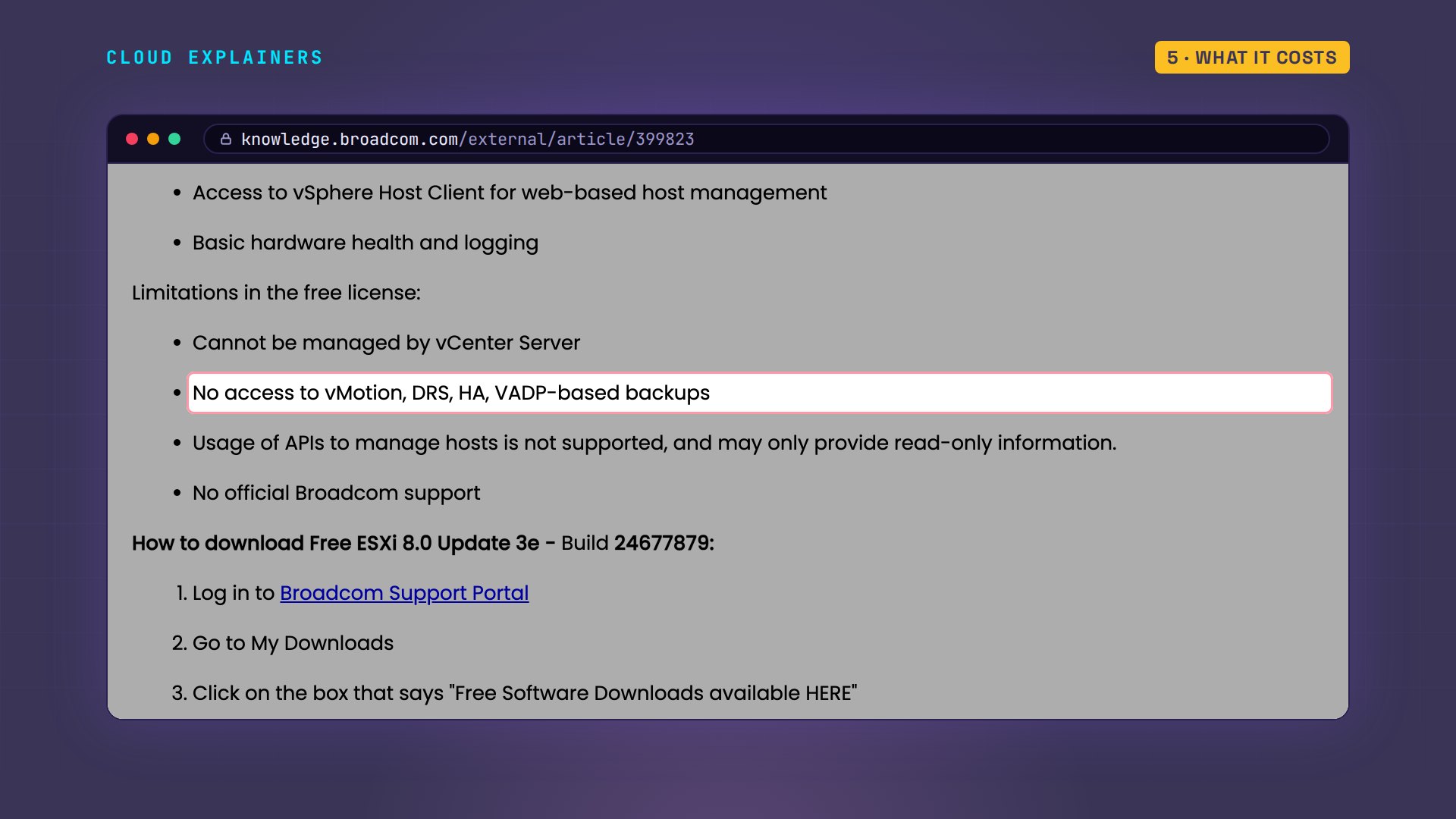
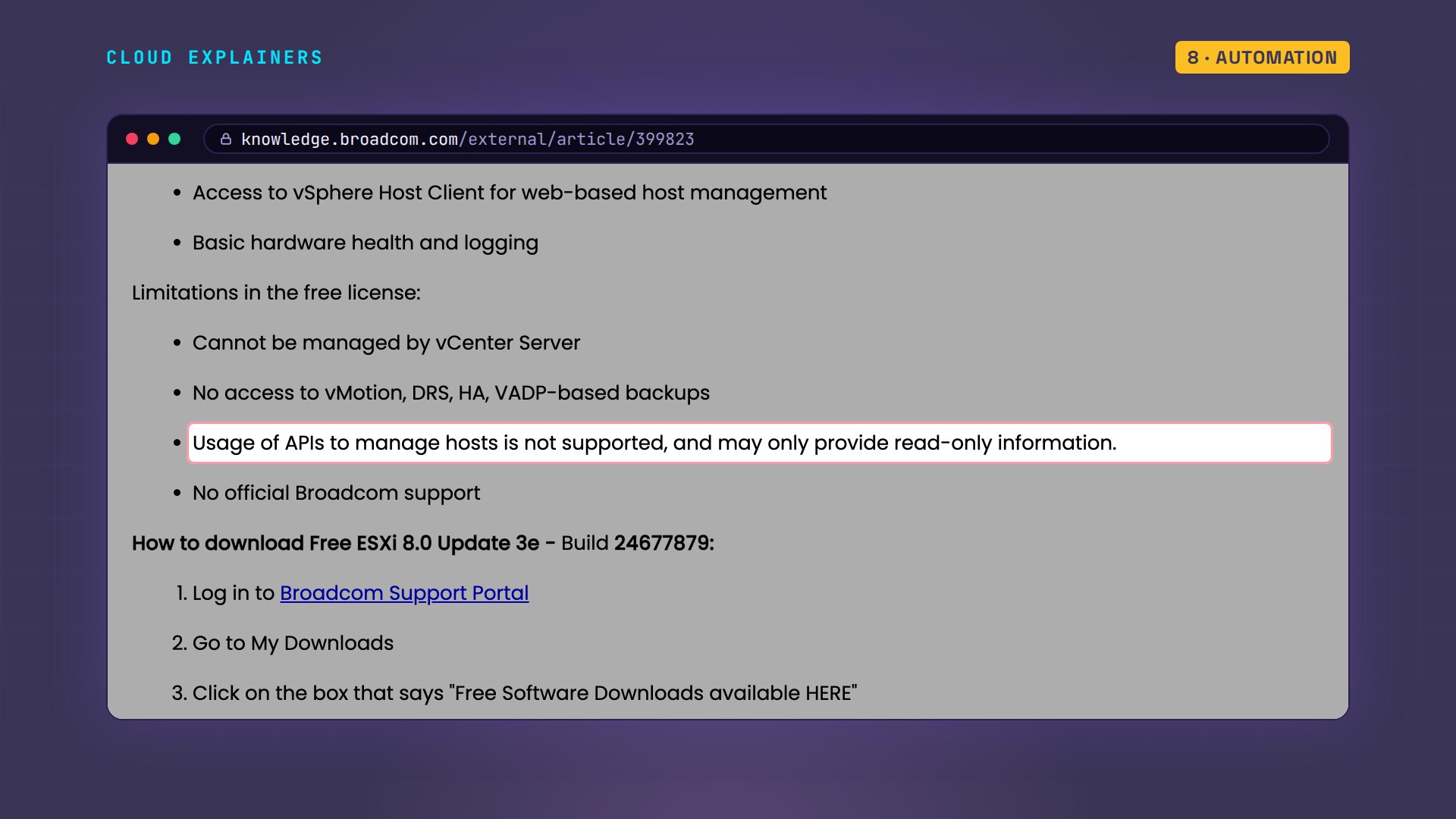
Broadcom's own article says who it's for: home labs, and testing. And the strings. There's no vCenter, VMware's tool for managing many servers together. There are no backups through VMware's backup tools. And there's no official support.
Proxmox is open source, and free too. But its first update fails with an error, 401 Unauthorized, which means the update server won't let it in. A new install downloads its updates from the enterprise repository, the update server for paying subscribers.
apt updateHit:1 http://security.debian.org/debian-security trixie-security InRelease
Hit:2 http://deb.debian.org/debian trixie InRelease
Hit:3 http://deb.debian.org/debian trixie-updates InRelease
Err:4 https://enterprise.proxmox.com/debian/ceph-squid trixie InRelease
  401  Unauthorized [IP: 66.70.154.82 443]
Err:5 https://enterprise.proxmox.com/debian/pve trixie InRelease
  401  Unauthorized [IP: 66.70.154.82 443]
Reading package lists...

WARNING: apt does not have a stable CLI interface. Use with caution in scripts.

Error: Failed to fetch https://enterprise.proxmox.com/debian/ceph-squid/dists/trixie/InRelease  401  Unauthorized [IP: 66.70.154.82 443]
Error: The repository 'https://enterprise.proxmox.com/debian/ceph-squid trixie InRelease' is not signed.
Error: Failed to fetch https://enterprise.proxmox.com/debian/pve/dists/trixie/InRelease  401  Unauthorized [IP: 66.70.154.82 443]
Error: The repository 'https://enterprise.proxmox.com/debian/pve trixie InRelease' is not signed.
Proxmox's own wiki gives the fix: without a subscription key, switch to the no-subscription repository. It's meant for testing, not for a business's live servers, which is exactly what a homelab is.
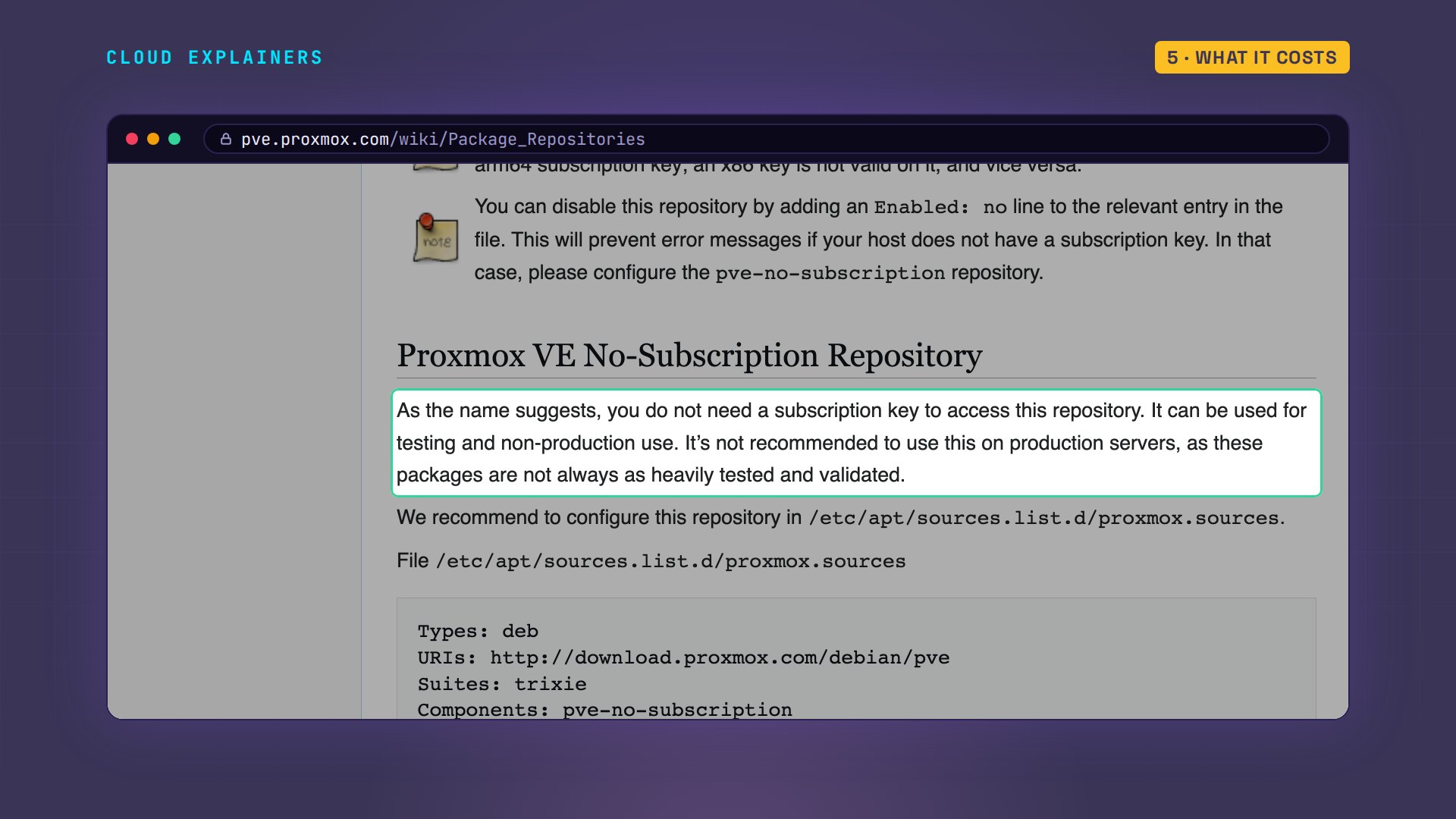
So Ana turns the enterprise source off with one line, enabled: no, and adds a file for the no-subscription repository.
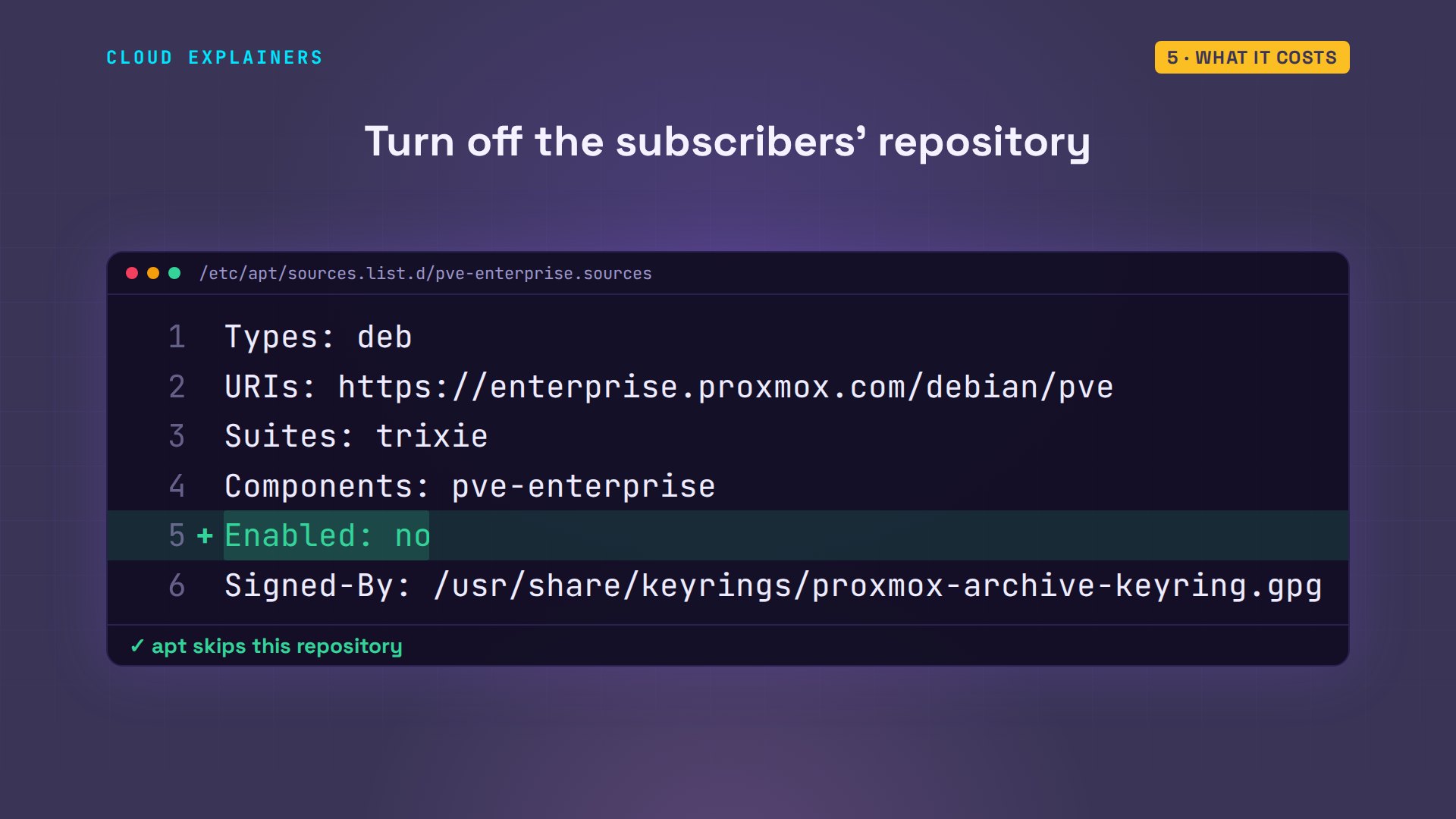
Here's the new file. Now the update works: no errors, and 212 updates waiting. That's the other side of a free Proxmox: you keep a Linux server patched yourself.
cat /etc/apt/sources.list.d/proxmox.sourcesTypes: deb
URIs: http://download.proxmox.com/debian/pve
Suites: trixie
Components: pve-no-subscription
Signed-By: /usr/share/keyrings/proxmox-archive-keyring.gpg
apt updateHit:1 http://deb.debian.org/debian trixie InRelease
Hit:2 http://security.debian.org/debian-security trixie-security InRelease
Hit:3 http://deb.debian.org/debian trixie-updates InRelease
Get:4 http://download.proxmox.com/debian/pve trixie InRelease [4,357 B]
Get:5 http://download.proxmox.com/debian/pve trixie/pve-no-subscription amd64 Packages [445 kB]
Fetched 449 kB in 1s (882 kB/s)
Reading package lists...
Building dependency tree...
Reading state information...
212 packages can be upgraded. Run 'apt list --upgradable' to see them.

WARNING: apt does not have a stable CLI interface. Use with caution in scripts.
Containers
Here's something ESXi can't do at all. Proxmox runs containers next to virtual machines. A container is a small Linux system that shares the host's kernel instead of booting its own. Ana makes one for her photo library. How long until it's running? Under three seconds: 2.7 seconds, to be exact.
pct create 101 local:vztmpl/debian-13-standard_13.6-1_amd64.tar.zst --hostname photos --memory 512 --rootfs local-lvm:4 --net0 name=eth0,bridge=vmbr0,ip=dhcp --unprivileged 1 --features nesting=1 >/dev/null && echo createdcreated
time pct start 101real 0m2.744s user 0m0.810s sys 0m0.162s
And inside, it uses 35 MB of memory. A full virtual machine boots a whole operating system and needs hundreds. On a small homelab box, that's the difference between three services and ten.
pct exec 101 -- free -mtotal used free shared buff/cache available Mem: 512 35 401 0 75 476 Swap: 512 0 512
Backups
If your homelab's disk died tonight, what would you still have? On Proxmox, backups are built in: one command backs up the running container, in 11 seconds, to a 160 MB file. Here it went to the same disk. For real safety, point it at a second disk or a network share, and set it to run every night in the web page.
vzdump 101 --storage local --mode snapshot --compress zstd 2>&1 | grep -E 'Finished Backup|archive file size|Backup job finished'INFO: archive file size: 160MB
INFO: Finished Backup of VM 101 (00:00:11)
INFO: Backup job finished successfully
ls -lh /var/lib/vz/dump/ | grep tar-rw-r--r-- 1 root root 161M Nov 18 20:28 vzdump-lxc-101-2026_11_18-20_28_23.tar.zst
ESXi can't run containers, so there Ana runs her photo library as a full VM, and takes a snapshot of it. But look where it went: right next to the VM's own disk, on the same datastore. A snapshot lets you undo a change. It isn't a backup: if that disk dies, both are gone. And as we saw, the free license blocks the backup tools that would copy it somewhere safe.
[root@esxi-lab:~] vim-cmd vmsvc/snapshot.create 1 before-updateCreate Snapshot:
[root@esxi-lab:~] ls /vmfs/volumes/datastore1/photos/ | grep -E 'vmdk|vmsn'photos-000001-sesparse.vmdk
photos-000001.vmdk
photos-Snapshot1.vmsn
photos-flat.vmdk
photos.vmdk
Automation
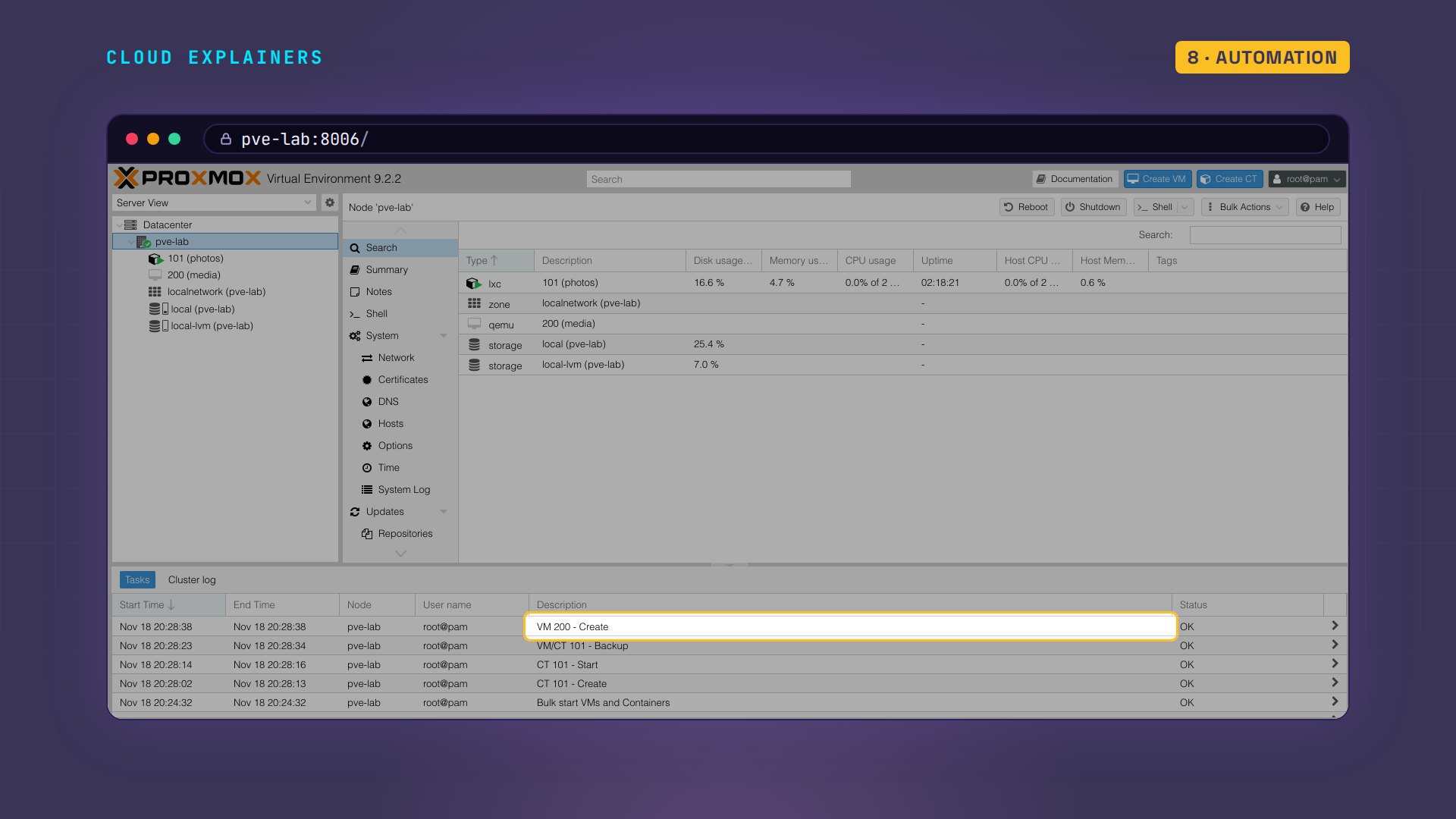
Homelabs are where people learn automation: scripts and tools that build machines for you. Ana asks both to create a VM through their API, the interface that programs use. For ESXi she uses VMware's own Python library. For Proxmox, she uses curl, a tool that sends web requests. She signs in with a token she made in the web page: a kind of password for scripts. ESXi answers, and even reports its version, then refuses the change: the current license prohibits it. Proxmox accepts, and VM 200 exists.
python3 esxi_api.py esxi-labConnected: VMware ESXi 8.0.3 build-24677879
Creating VM media ...
Refused: Current license or ESXi version prohibits execution of the requested operation.
curl -sk -H "Authorization: PVEAPIToken=$TOKEN" -d vmid=200 -d name=media -d memory=1024 https://pve-lab:8006/api2/json/nodes/pve-lab/qemu{"data":"UPID:pve-lab:00000A63:00006573:6AFE50C6:qmcreate:200:root@pam!ana:"}
That's by design. Broadcom's article says it: with the free license, APIs may only provide read-only information. So Terraform and Ansible, popular tools that build servers from code, can look at a free ESXi host, but not build anything on it.
Here's Proxmox's web page after all that: the container, the VM the script made, and every task in the log at the bottom.
When each one wins
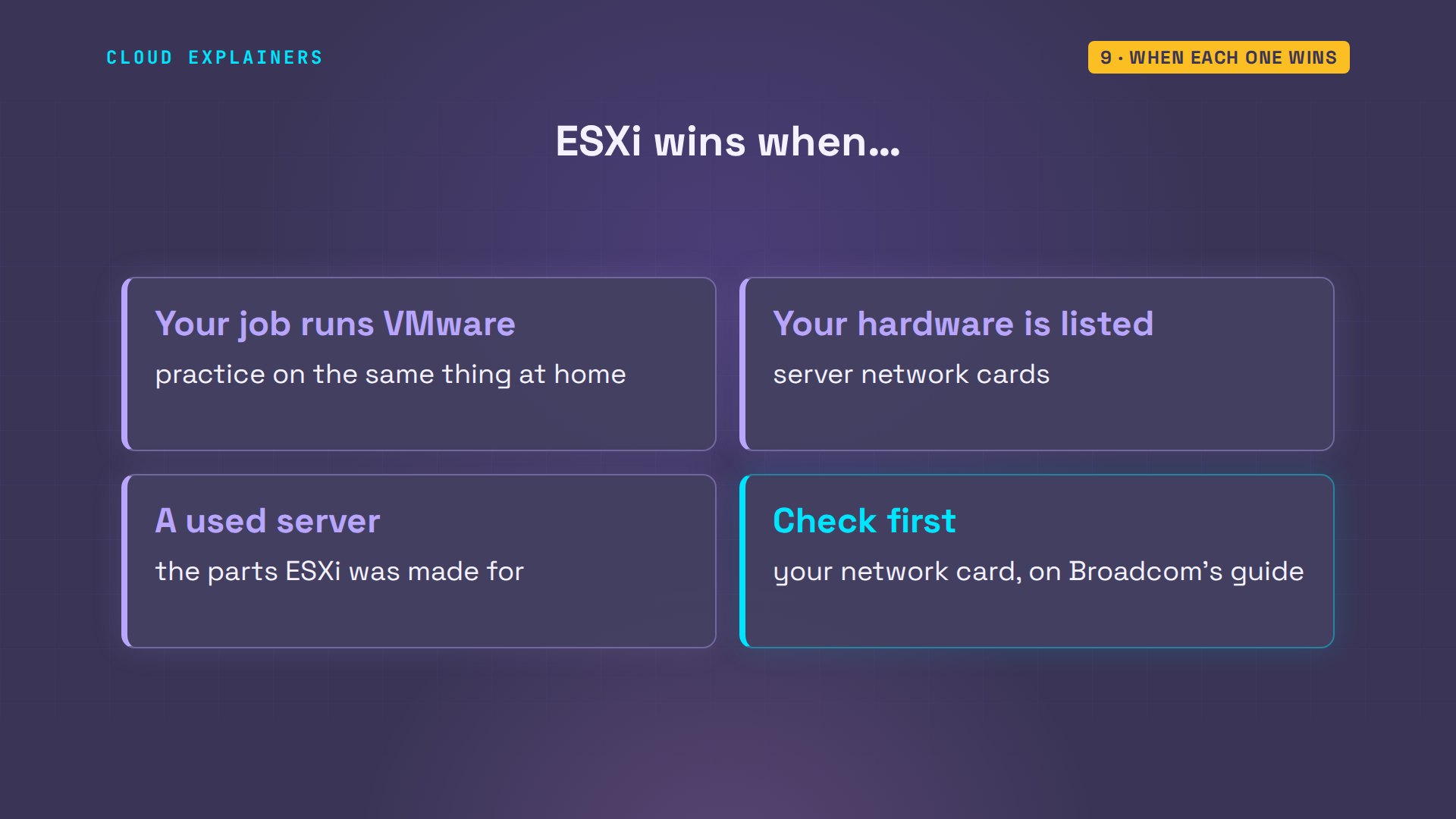
So when does ESXi win? When your job runs VMware, and you want to practice on the same thing at home. And when your hardware is on its list, like a used server. That's the one thing to check before you choose: look up your network card on Broadcom's compatibility guide.
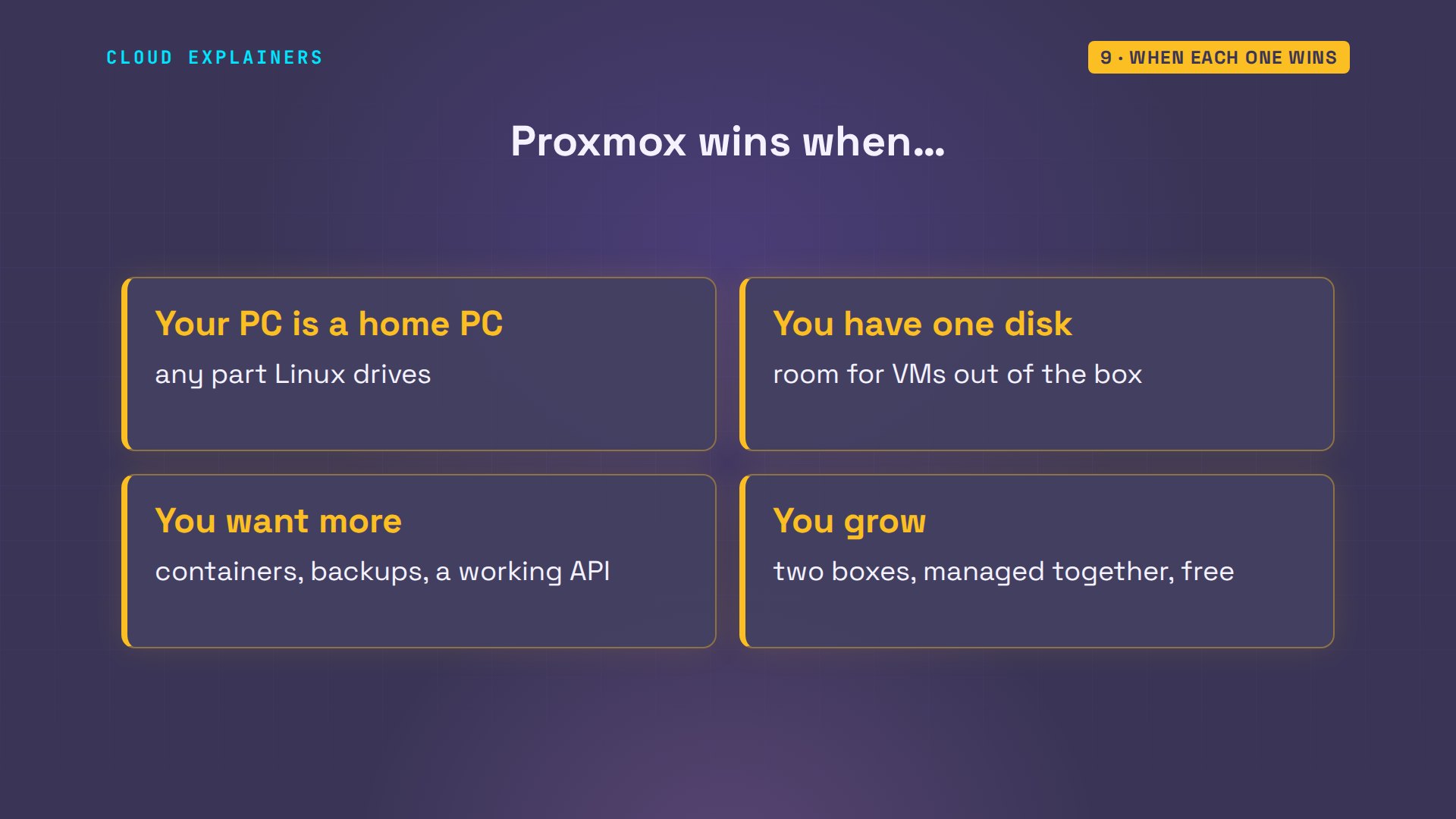
Proxmox wins nearly everywhere else: a mini PC or an old desktop with one disk. It also wins if you want containers, built-in backups, or scripts that build machines. And if you add a second box later, Proxmox can join the two into a cluster, managed from one web page, for free.
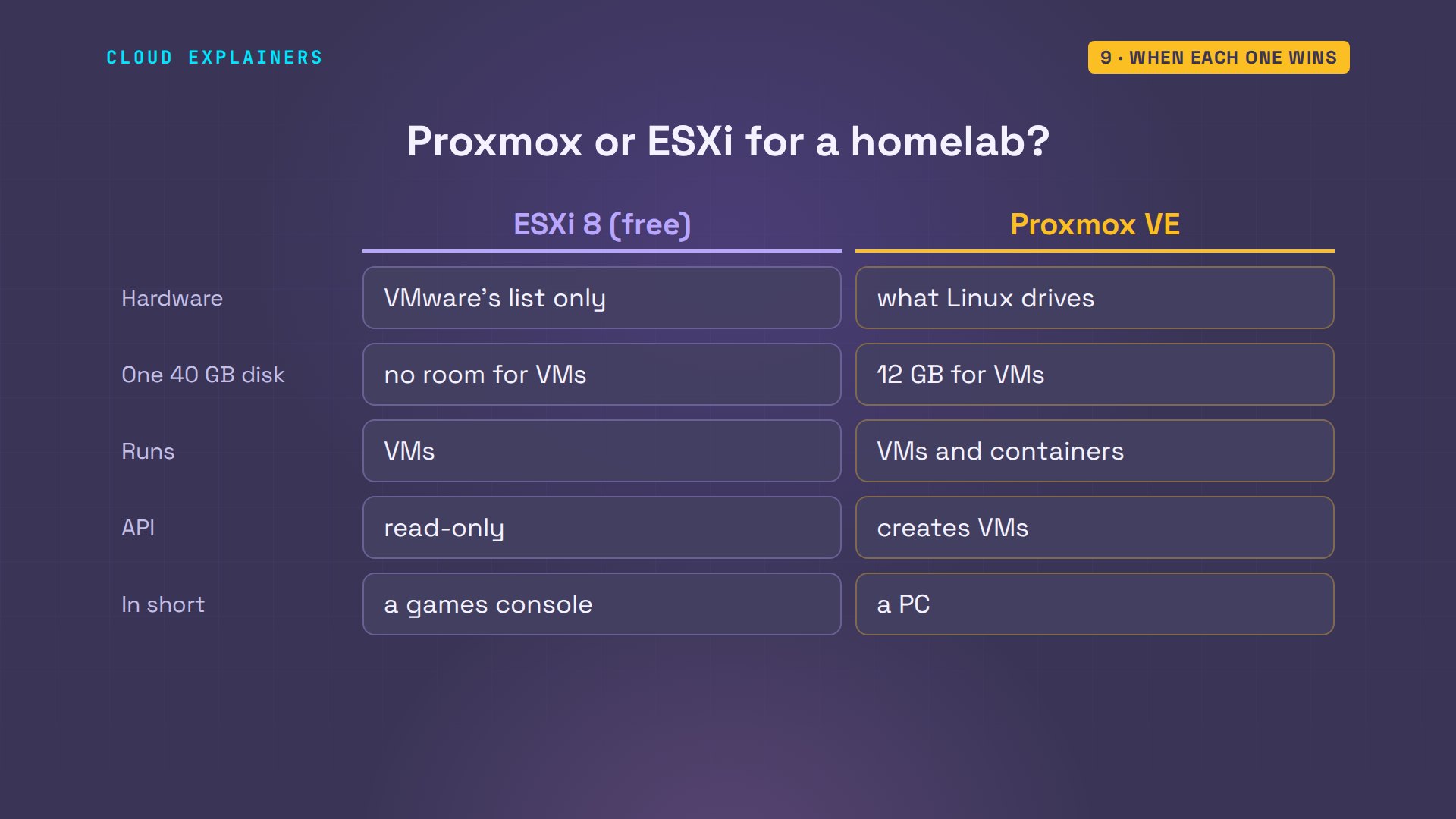
Here it all is on one page. Pause here if you want to check your own machine against it.
Recap
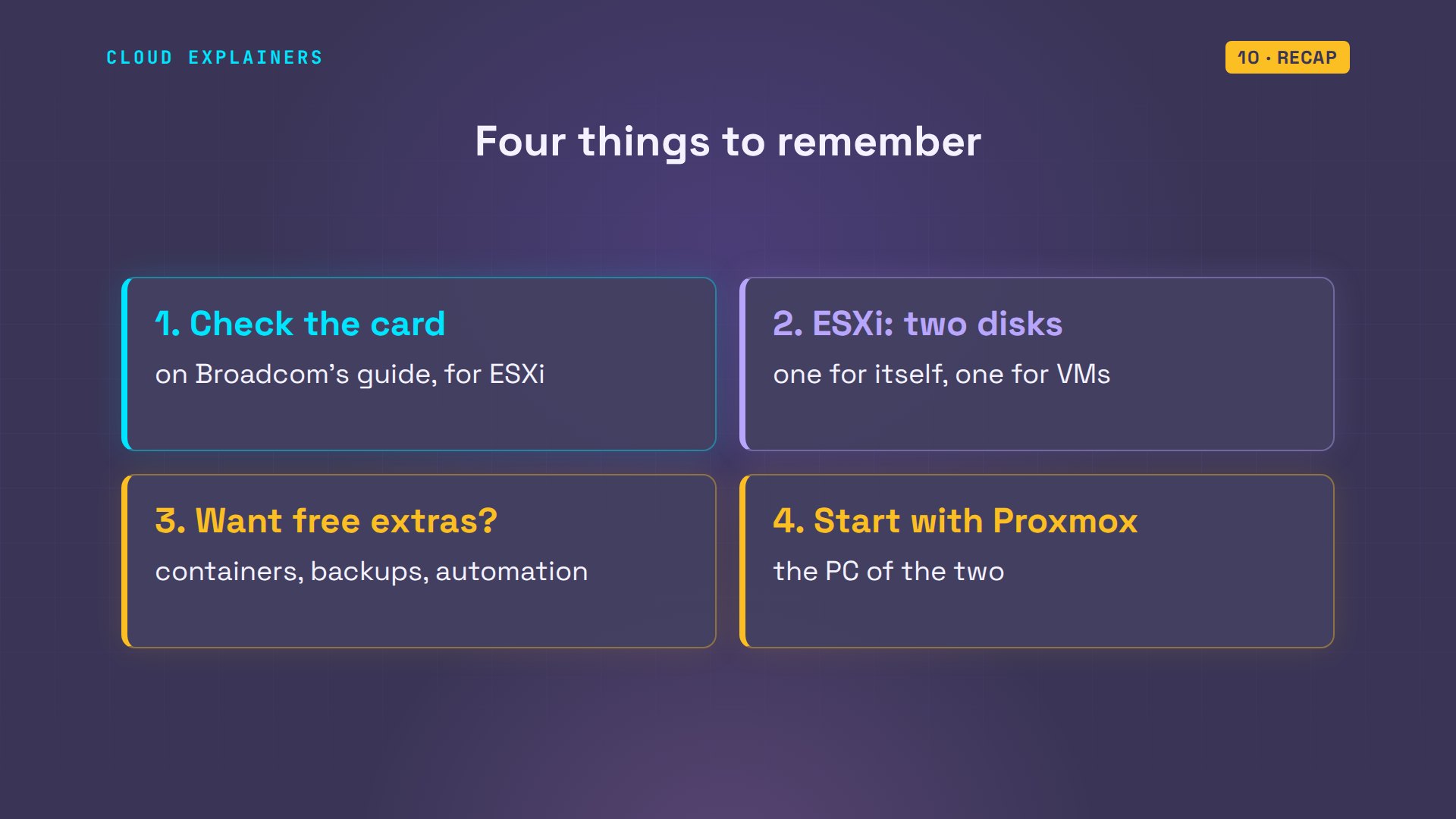
So: check the network card. Give ESXi two disks, one for itself and one for VMs. And if you want containers, backups or automation for free, start with Proxmox.
If this saved you an evening of reinstalling, a like helps YouTube show it to more beginners, and subscribing brings you the next homelab one.
Everything you saw ran for real, on two hypervisors in our lab. The lab files and every command are linked in the description. Thanks for watching Cloud Explainers.
Sources
- Broadcom KB 399823, VMware ESXi 8.0 Update 3e now available as a Free Hypervisor (home labs, 8 vCPUs per VM, no vCenter, no VADP-based backups, read-only APIs, no official support)
- Proxmox VE wiki, Package Repositories (enterprise repository needs a subscription key; no-subscription repository)
- Proxmox VE Administration Guide (KVM virtual machines, LXC containers, vzdump backups, REST API)
- Broadcom KB 372207, ESXi 8.0 system storage changes (boot banks, ESX-OSData up to 128 GB, a local datastore only from the space left)
- Broadcom Compatibility Guide (hardware and I/O devices supported by ESXi)
Demos: ESXi 8.0 Update 3e and Proxmox VE run as nested virtual machines on our own lab server; Ana's basement homelab is made up. Watch the full video on YouTube.
More videos
How to Fix Python ModuleNotFoundError: No Module Named
Golang Pointers in 5 Minutes
How to Fix a Kubernetes Pod Stuck in CrashLoopBackOff
How to Fix a Homelab ESXi Host Not Responding
PostgreSQL: Full Tutorial for Beginners
How a Load Balancer Works with HAProxy

How Python Virtual Environments Work
How to Fix Cloudflare Tunnel Errors in a Homelab
How to Fix API CORS Errors: No 'Access-Control-Allow-Origin'

How Authenticator App Login Codes Work (TOTP)
Git and GitHub: Full Tutorial for Beginners
How a Homelab Hypervisor Works (VMware ESXi)
How to Fix Kubernetes ImagePullBackOff Errors
How to Fix DNS 'Temporary Failure in Name Resolution' on Linux
How to Fix AWS CLI 'Unable to Locate Credentials'
PostgreSQL UUID vs Auto Increment: Which Primary Key Should You Use?
Kubernetes: Full Tutorial for Beginners

How TCP Sockets Work

How to Fix PostgreSQL 'Could Not Connect to Server'
Claude Code Hooks Will Finally Make Sense After This
DevOps with Ansible Will Finally Make Sense After This
How SNMP Network Monitoring Works
How to Fix GitHub 'Permission Denied (publickey)' Errors
Docker: Full Tutorial for Beginners
How to Fix PostgreSQL 'Password Authentication Failed'
Why One Linux Server Handles More Users Than You Think

How to Fix Network 'Connection Refused' Errors
DevOps Pipelines: Jenkins vs GitHub Actions
Linux Nginx Reverse Proxy: Full Tutorial for Beginners
Every Networking Term a Beginner Needs in 12 Minutes
How to Fix Docker 'Permission Denied' on docker.sock
How to Fix Git 'Updates Were Rejected' When You Push
How to Fix nginx 502 Bad Gateway Errors on Linux
How to Fix Linux apt 'Could Not Get Lock' Errors (Ubuntu)

How Email Works on the Internet (SMTP) in 10 Minutes
The Python Roadmap for Beginners

Golang REST API with Gin: Full Tutorial for Beginners
How a WireGuard VPN Network Works
Linux Makefiles Will Finally Make Sense After This

SAML vs OAuth vs OpenID Connect: What's the Difference?
How to Fix Python cron Jobs That Never Run
Linux Bash Scripting: Full Tutorial for Beginners
How PXE Network Boot Works
How Active Directory Works
How to Fix a Linux systemd Service That Won't Start
Linux Logs: syslog vs journald
JWT vs Session Cookies: Which One Should You Use?
Docker vs Docker Compose: Which One Should You Use?
How to Fix Docker Compose Containers That Can't Talk to Each Other
Django Full Tutorial for Beginners
How Linux systemd Works

How to Fix 'Windows Cannot Access' Network Share Errors (SMB)
REST vs gRPC: Which One Should You Use?
How to Fix SSL Certificate Chain Errors (Missing Intermediate)
Every Python Concept for Beginners in 10 Minutes
Every SQL Join Type in 10 Minutes
Why OpenRouter Free Models Hit Their Limit So Fast
Why Your Gemini API Free Tier Runs Out So Fast
OpenRouter Will Finally Make Sense After This
How Redis Caching Works
Gemini API vs Vertex AI: Which One Should You Use?
How to Fix a Leaked Gemini API Key
Why Golang Uses Goroutines Instead of Threads
How to Fix Gemini API Error 429: Resource Exhausted
Claude Token Pricing Will Finally Make Sense After This
Why Python Web Scraping Returns Nothing (and the Fix)
Python uv vs pip: Which One Should You Use?
Python Automation: Full Tutorial for Beginners
How OAuth Login Works

Google AI Studio Will Finally Make Sense After This
What Happens When You Run a Docker Container
How to Fix Claude Code Billing Your API Key Instead of Your Plan
Why Passkeys Can't Be Phished Like Passwords
PowerShell vs Bash: Which One Should You Learn?
The Linux Roadmap for Beginners
Django vs FastAPI: Which One Should You Use?
Why SQLite Is the Most Used Database in the World
How a NoSQL Database Like MongoDB Works
How to Fix Python pip error: externally-managed-environment
How to Fix MySQL Too Many Connections Database Errors
Golang Concurrency Will Finally Make Sense After This
How Amazon S3 Works
How Kubernetes Works
How Git Works
How to Fix Docker Port Already Allocated Errors
How PostgreSQL Works
How to Fix Git Merge Conflicts
How to Fix No Space Left on Device in Linux
How the Internet Works
SQL vs NoSQL: When Each One Wins
How to Fix JWT Token Expired Errors (401 Unauthorized)
Claude API vs Claude Pro: Why Your Subscription Doesn't Include It

Why AI Agent Skills Beat Giant Prompts

Linux Cron Jobs Will Finally Make Sense After This

Security Logs Will Finally Make Sense After This
How to Fix a Security Leak: An API Key Pushed to GitHub
DNS Will Finally Make Sense After This
Never Ignore a Security Update
Two-Factor Authentication Will Finally Make Sense
Never Expose a Database to the Internet
SSH Keys vs Passwords: Which Is Safer for Security?
The 5 Levels of Linux Boot: From Power On to Login
The 5 Levels of Network Firewalls
Password Security: Why Hackers Crack Weak Passwords
Why Your Linux Server Runs Out of Memory
HTTP vs HTTPS: What Actually Changes on Your Network

Every Linux File Permission You Need to Know
Linux Processes vs Threads: When Each One Wins
The OSI Model Will Finally Make Sense After This

The 7 Levels of Git
Every Network Troubleshooting Command You Need
Hashing vs Encryption in Cybersecurity: When Each One Wins
Why the Internet Ran Out of IP Addresses
Linux Package Managers: apt vs Snap vs Flatpak
Why Python Is Slow (and When It Doesn't Matter)
TCP vs UDP: When Each One Wins
Stop Running Linux as Root (Do This Instead)
Linux Users and Groups Will Finally Make Sense

Why Phishing Beats Good Security (and How to Spot It)
The 7 Levels of Docker

AI Agents Will Finally Make Sense After This
Stop Using git push --force (Use This Instead)
Agent Skills vs MCP: When Each One Wins
Networking Will Finally Make Sense After This
Every Linux Command You Actually Need
The 7 Levels of Cybersecurity
Every System Design Concept You Need, in One Diagram