Agent Skills vs MCP: When Each One Wins
Agent Skills vs MCP for beginners: MCP gives an AI agent access (live data and actions in other systems); a skill gives it know-how (how your team does a task). We prove both on a real agent, measure what each one costs in the context window, and end with three questions that tell you which to use.
Two problems
Ask an AI agent which orders are late, and it can't tell you. It has never seen your orders.
kettle-and-bean$ ./agent "Which of our orders are late right now?"[loaded skill: run]
I can't look through your project, so I can't tell you which orders are late. Bash is disabled in this session, and I have no other tool that can list or read files. I haven't seen any of your order data.

You have two ways to get an answer:

1. Tell me where the orders live, such as a file path, a database, or an export. If you paste the data here, I can work out which orders are late. I'd also need to know what "late" means for you, for example a due date that has passed and the order isn't shipped or delivered.
2. Re-enable file or shell access and ask again. I'd then find the orders data in `/Users/chris/kettle-and-bean/plain` and check each order's due date against today, 2026-10-24.
(first request: 6,573 tokens)
Give it the data, and ask it to write to a customer whose order is late. It writes a polite email, with a blank for the name, and none of your shop's rules.
kettle-and-bean$ ./agent --mcp "Write a reply to the customer of order 1042."[MCP tool: orders > get_order(order_id=1042)]
Here's a draft reply for Ben:

Subject: Update on your Grinder order #1042

Hi Ben,

Thank you for your patience, and I'm sorry your Grinder hasn't arrived yet. It was promised for October 19, so it's now five days late, and that's not the experience we want you to have.

I checked on it, and your order is in transit. I don't have a firm new delivery date to give you yet, and I'd rather not guess. If it hasn't arrived within a few days, reply here and I'll look into it with the carrier right away.

Thanks again for your understanding. If there's anything else I can do in the meantime, just let me know.

Best,
[Your name]
Kettle and Bean

The order record only shows that it's in transit and five days late. It doesn't show a tracking number, a new estimated delivery date, or any compensation. If you want to offer a discount or a shipping refund, or include tracking details, tell me and I'll add them.
(first request: 7,219 tokens)
Those are two different problems, and there are two different fixes: MCP, and skills. People mix them up, because both give an agent new abilities. By the end of this video, you'll know exactly what each one does, and when each one wins.
Everything here is a real run. Our agent is Claude Code, Anthropic's coding agent, working for a made-up coffee shop called Kettle & Bean. agent is a small script that runs it with none of our own settings or add-ons, and prints every tool it uses.
kettle-and-bean$ lsagent		mcp.json	plain		shop
github.json	orders-server	requests
What an agent sees
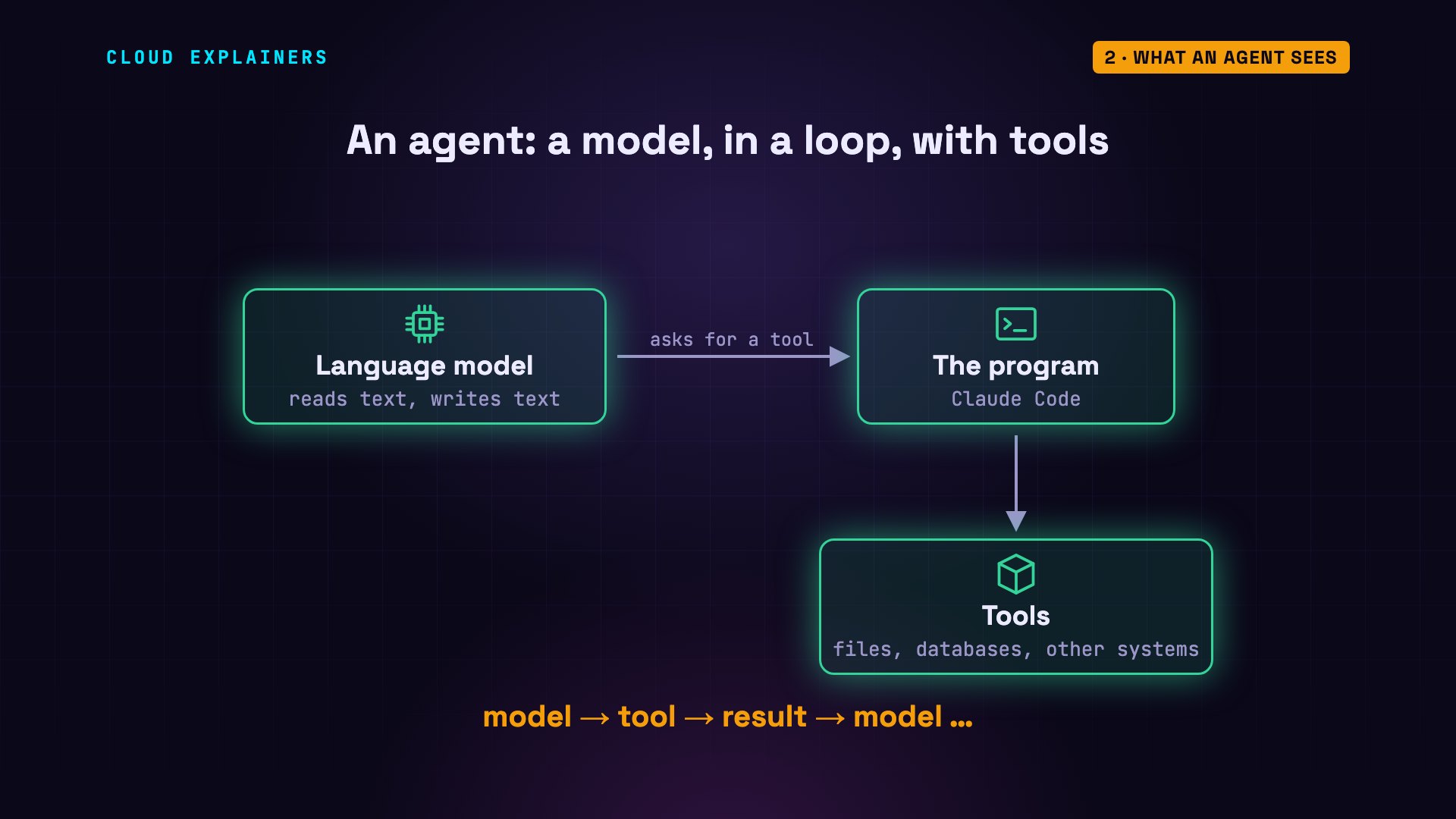
First, what is an agent? At its heart is a language model: it reads text, and writes text. On its own, it can't open a file or a database. The program around it gives it tools. When the model asks for a tool, the program runs it, and hands the result back. That loop is an agent.
Everything the model knows in that moment has to fit in its context window: the text it reads on every request. It's measured in tokens, small pieces of words. Before we even ask a question, our agent's first request is already 6,570 tokens: its instructions, and the descriptions of its tools.
kettle-and-bean$ ./agent "Reply with just: ok"ok
(first request: 6,570 tokens)
Keep that number in mind. More text means every request costs more, and leaves less room for the actual work. Both MCP and skills add text to it, and how much they add is one of the biggest differences between them.
MCP: access
Let's start with MCP, the Model Context Protocol. It's an open standard for connecting agents to other systems. An MCP server is a small program that sits in front of a system, like our orders database, and offers tools. The agent asks the server what tools it has, and calls them, using JSON-RPC: messages in JSON, a simple text format for data, each with a method name and parameters.
Here's our orders server, written in Python. grep pulls out just the lines that matter. Two functions, each marked as a tool, each with a one-line description. The description matters: it's what the model reads to decide when to use the tool.
kettle-and-bean$ grep -A2 '@mcp.tool' orders-server/server.py@mcp.tool()
def find_late_orders() -> list[dict]:
    """List orders that are past their promised delivery date and not delivered yet."""
--
@mcp.tool()
def get_order(order_id: int) -> dict:
    """Get one order by its number."""
This is the request an agent sends to ask for the tools: method, tools slash list. In the current version of the protocol, from July 2026, each request also says which version it speaks, so there's no separate handshake first. And the server answers with its two tools. The rest of the command is plumbing: it hands the file to our server, and prints the answer neatly.
kettle-and-bean$ cat requests/list.json | jq .{
  "jsonrpc": "2.0",
  "id": 1,
  "method": "tools/list",
  "params": {
    "_meta": {
      "io.modelcontextprotocol/protocolVersion": "2026-07-28",
      "io.modelcontextprotocol/clientCapabilities": {}
    }
  }
}
kettle-and-bean$ (cat requests/list.json; sleep 1) | docker run -i --rm orders-mcp | jq '.result.tools[] | {name, description}'{
  "name": "find_late_orders",
  "description": "List orders that are past their promised delivery date and not delivered yet."
}
{
  "name": "get_order",
  "description": "Get one order by its number."
}
Calling a tool is one more request: tools slash call, find late orders. The server runs the function, and sends back real data: two late orders, 1042 and 1043. Each one says who it's for, and how many days late it is.
kettle-and-bean$ (cat requests/call.json; sleep 1) | docker run -i --rm orders-mcp | jq -c '.result.structuredContent.result[] | {id, customer, days_late}'{"id":1042,"customer":"Ben","days_late":5}
{"id":1043,"customer":"Chloe","days_late":1}
Now we connect the server to the agent, and ask the same question as before. The agent chose the find late orders tool by itself, and answered from the real data: Ben's grinder is 5 days late, and Chloe's decaf, 1 day.
kettle-and-bean$ ./agent --mcp "Which of our orders are late right now?"[MCP tool: orders > find_late_orders()]
Two orders are late right now:

- Order 1042: Ben's Grinder. It was promised for 2026-10-19 and is 5 days late. It's in transit.
- Order 1043: Chloe's Decaf 500 g. It was promised for 2026-10-23 and is 1 day late. It's in transit.

Both have shipped but haven't been delivered. Order 1042 is the more urgent one. I can pull the full details on either order if you'd like.
(first request: 7,215 tokens)
Where does an MCP server run? Ours runs on the same computer as the agent, in Docker, which runs a program in its own sealed box, and they talk through the program's input and output. Many servers run remotely instead: a company hosts one for its service, and the agent connects over HTTP, usually after you sign in and approve what it may do.
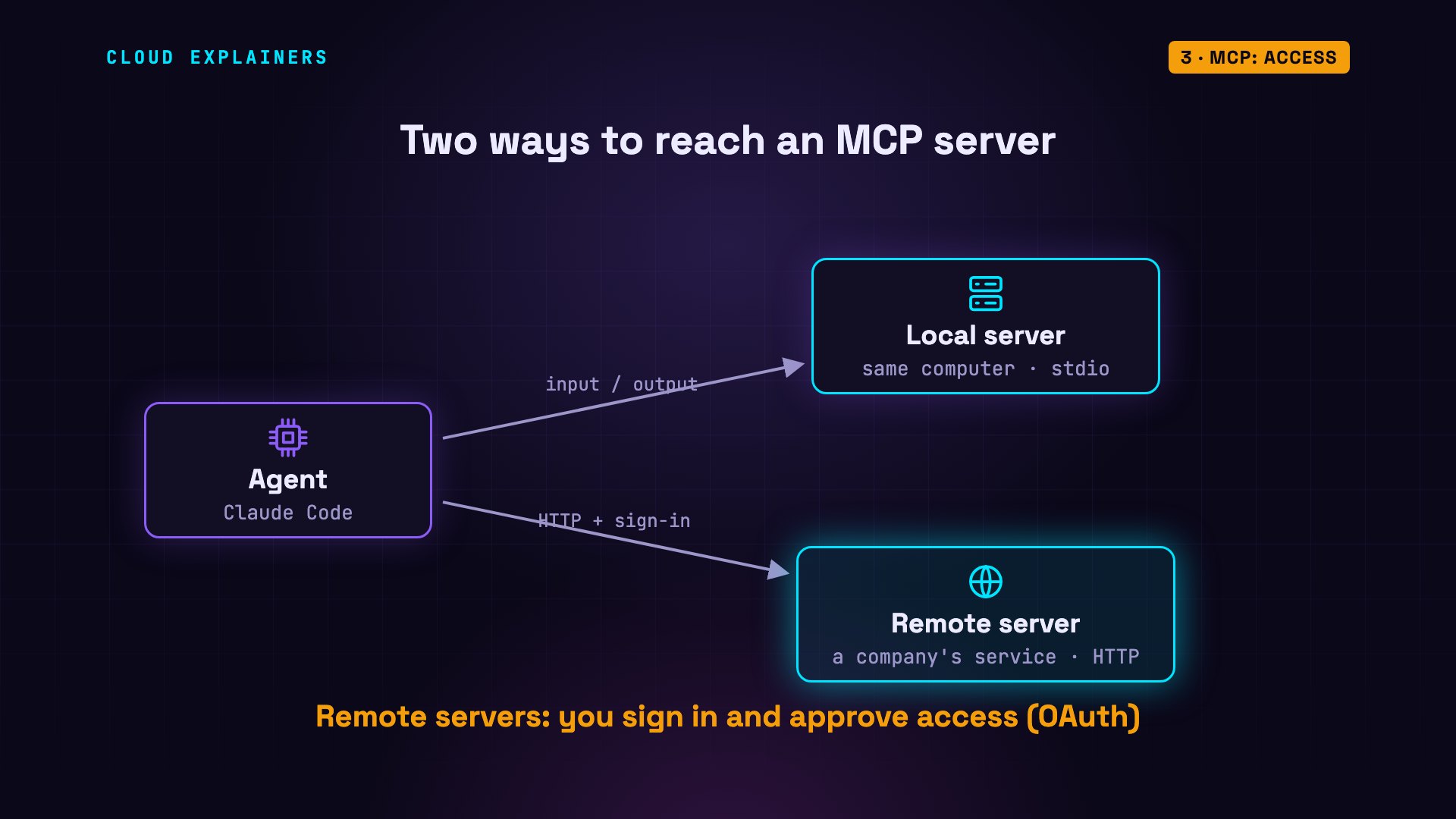
That's what MCP is for. It gives an agent access: data it could never see, and actions in systems it could never reach.
Skills: know-how
But access isn't everything. Here's that email again: it has the data, but it leaves a blank to fill in, offers no discount, and says nothing about how our shop handles a late order. The agent can't know our shop's way of doing things. Nobody told it.
That's what a skill is for. A skill is a folder with one required file, SKILL.md. At the top: a short name and a description of when to use it. Below that: plain instructions, written like you'd brief a new colleague. It's an open format, created by Anthropic, and many other agents can read it too.
kettle-and-bean$ find shop -type fshop/.claude/skills/late-order-reply/SKILL.md
kettle-and-bean$ cat shop/.claude/skills/late-order-reply/SKILL.md---
name: late-order-reply
description: How Kettle & Bean support writes to a customer whose order is late. Use when replying to a customer about a late or delayed order.
---

# Replying to a customer about a late order

1. Look up the order first. Use the customer's first name and the item.
2. Say sorry once, in one sentence.
3. Never promise a delivery date. Say we will email them as soon as the courier updates the tracking.
4. If the order is 3 or more days late, give the code LATE10 (10% off their next order). Under 3 days: no code.
5. Keep it under 80 words. Sign it: Sam, Kettle & Bean support.
Our skill is five rules. Look up the order first. Say sorry once. Never promise a delivery date. Give the code LATE10, ten percent off, only if the order is three or more days late. And sign it: Sam, Kettle & Bean support.
Same request, with the skill in the agent's folder. The agent loaded the skill by itself, because the request matched its description. Then it used the MCP tool to get the order. Ben is 5 days late, so he gets the code, there's no promised date, and Sam signs it.
kettle-and-bean$ ./agent --mcp --skill "Write a reply to the customer of order 1042."[loaded skill: late-order-reply]
[MCP tool: orders > get_order(order_id=1042)]
Here's a reply for Ben's order 1042. It's 5 days late, so it includes the LATE10 code.

Hi Ben,

I'm sorry your Grinder hasn't arrived yet. It's still in transit, and I'll email you as soon as the courier updates the tracking. To make up for the wait, here's LATE10 for 10% off your next order.

Sam, Kettle & Bean support
(first request: 7,273 tokens)
And for Chloe, whose order is only one day late: no code. The agent followed the rule, not just a template.
kettle-and-bean$ ./agent --mcp --skill "Write a reply to the customer of order 1043."[loaded skill: late-order-reply]
[MCP tool: orders > get_order(order_id=1043)]
Hi Chloe,

I'm sorry your Decaf 500 g hasn't arrived yet. It's one day past its promised date and still in transit. We'll email you as soon as the courier updates the tracking.

Thanks for your patience.

Sam, Kettle & Bean support
(first request: 7,275 tokens)
How did the agent know to open the skill? At the start, it had read only this: the name, and one description. Our request, write to a customer about a late order, matched the description, so it read the rest. That makes the description the most important line you'll write. A vague one, like helps with emails, would rarely get picked.
So a skill gives an agent know-how: how your team does a task. MCP brought the facts. The skill brought the method.
What each one costs
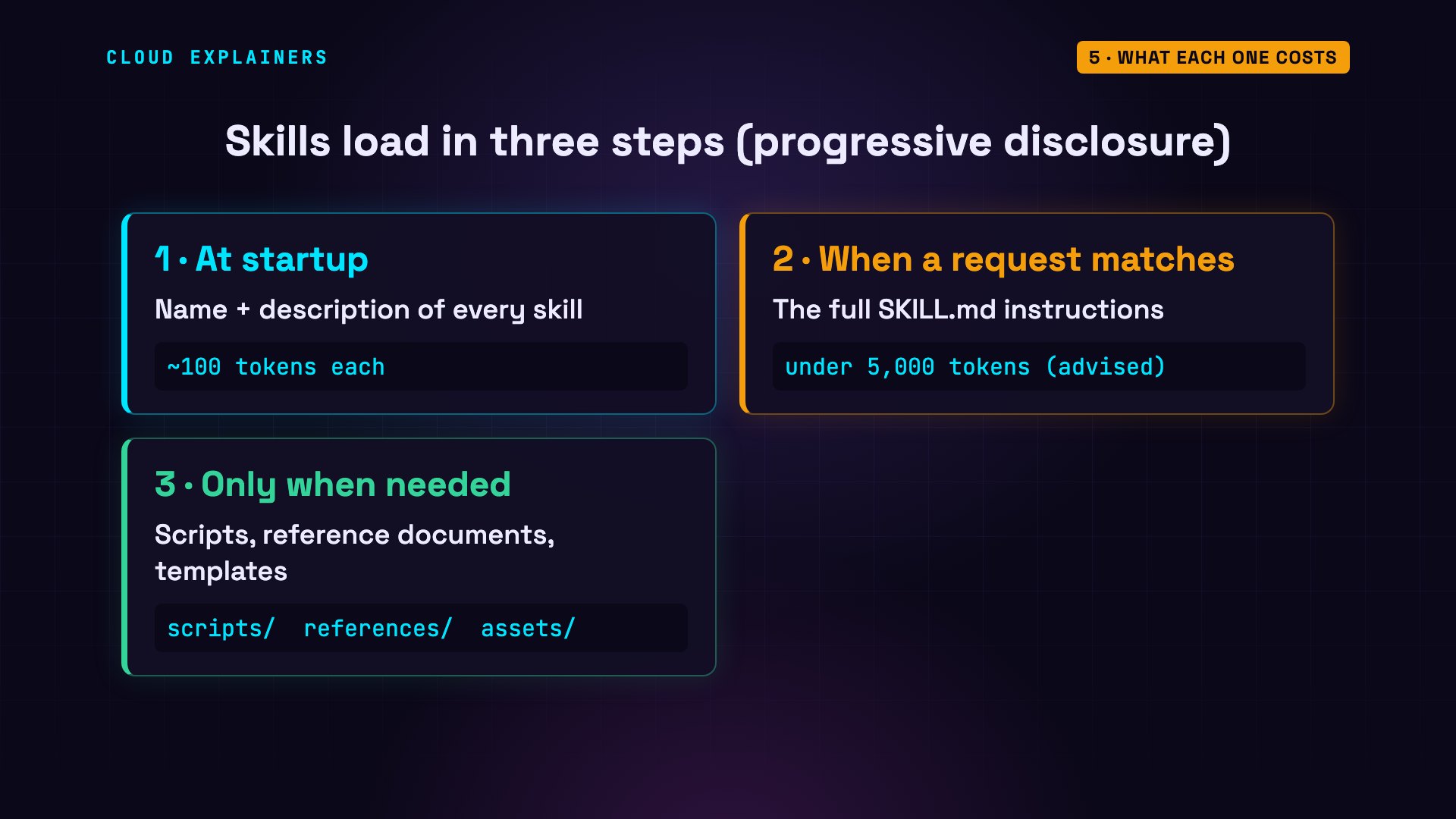
Now the context window. Skills load in three steps. At the start, the agent reads only each skill's name and description: about a hundred tokens. When a request matches, it reads the full SKILL.md. And extra files, like scripts or reference documents, only when the instructions call for them.
MCP tools are different. A tool's definition describes every input it takes, so it's long. This long command just starts GitHub's official MCP server, and asks for its tools. It has 46, and their names, descriptions and inputs add up to 49,409 characters. That's all text the model may have to read.
kettle-and-bean$ (cat requests/list.json; sleep 2) | docker run -i --rm -e GITHUB_PERSONAL_ACCESS_TOKEN=demo ghcr.io/github/github-mcp-server stdio 2>/dev/null | jq '.result.tools | length'46
kettle-and-bean$ (cat requests/list.json; sleep 2) | docker run -i --rm -e GITHUB_PERSONAL_ACCESS_TOKEN=demo ghcr.io/github/github-mcp-server stdio 2>/dev/null | jq -c '[.result.tools[] | {name, description, inputSchema}]' | wc -c49409
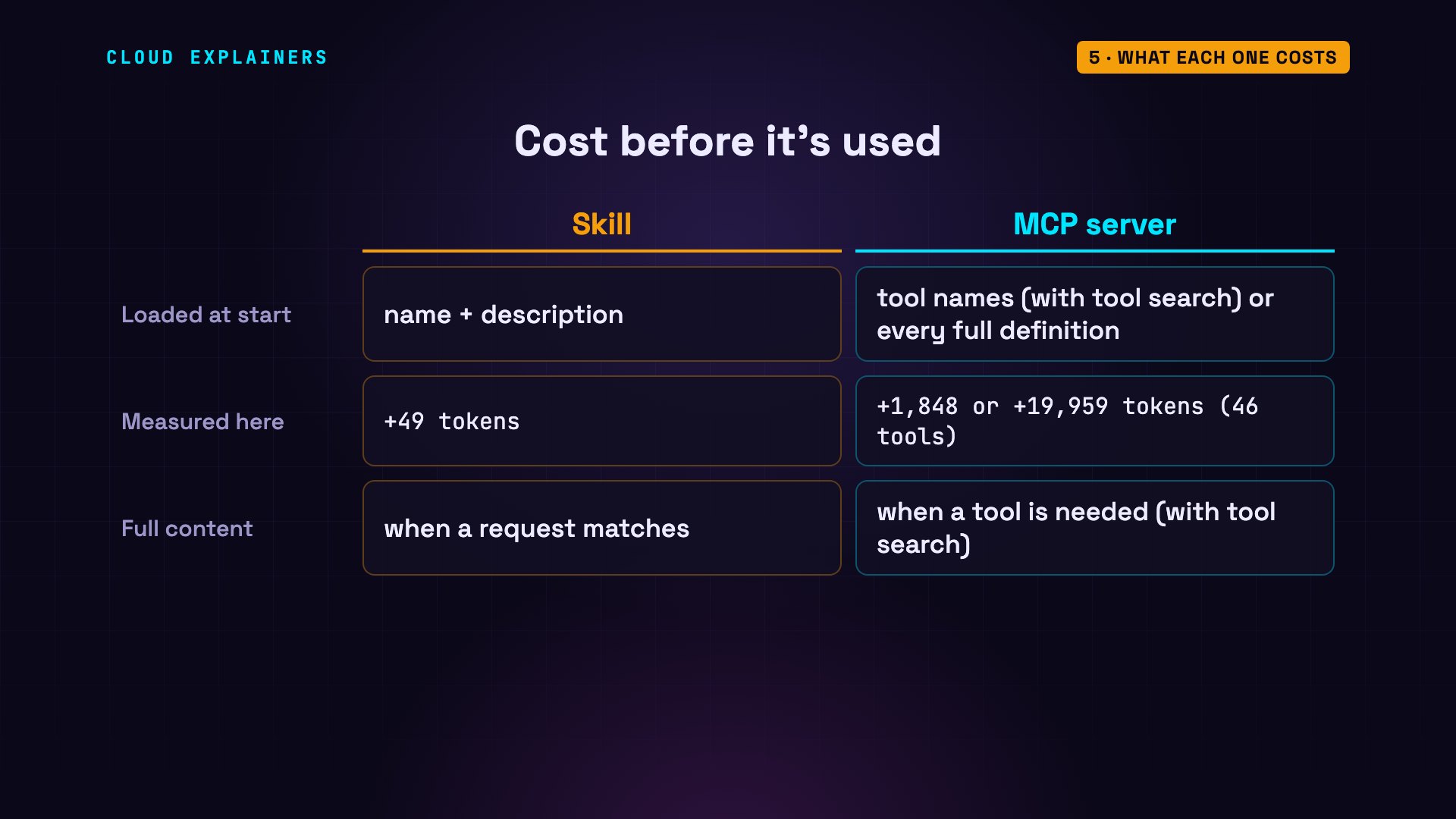
Here's what each one added to our agent's first request, before it answered anything. The skill: 49 tokens. Our two-tool orders server: 644. GitHub's server, with every definition loaded up front: 19,959 tokens, on every request. So agents borrowed the skill trick. Our agent now loads only the tool names at the start, and searches for a tool's full definition when it needs it: 1,848 tokens.
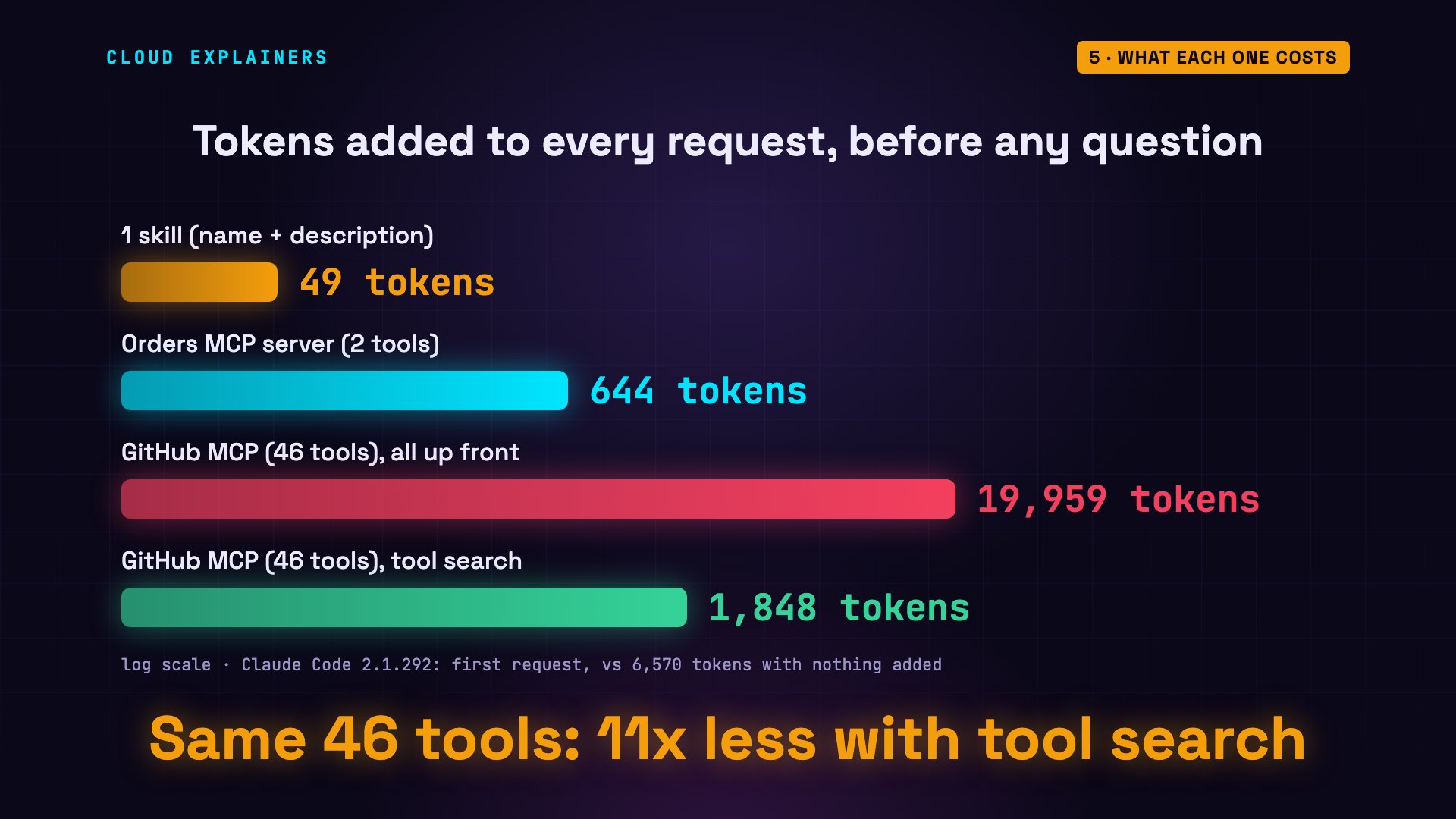
So with a modern agent, connecting a big MCP server is no longer the problem it was. But not every agent searches for tools, and a skill is still the lightest thing you can add: 49 tokens, until the moment it's used.
When MCP wins
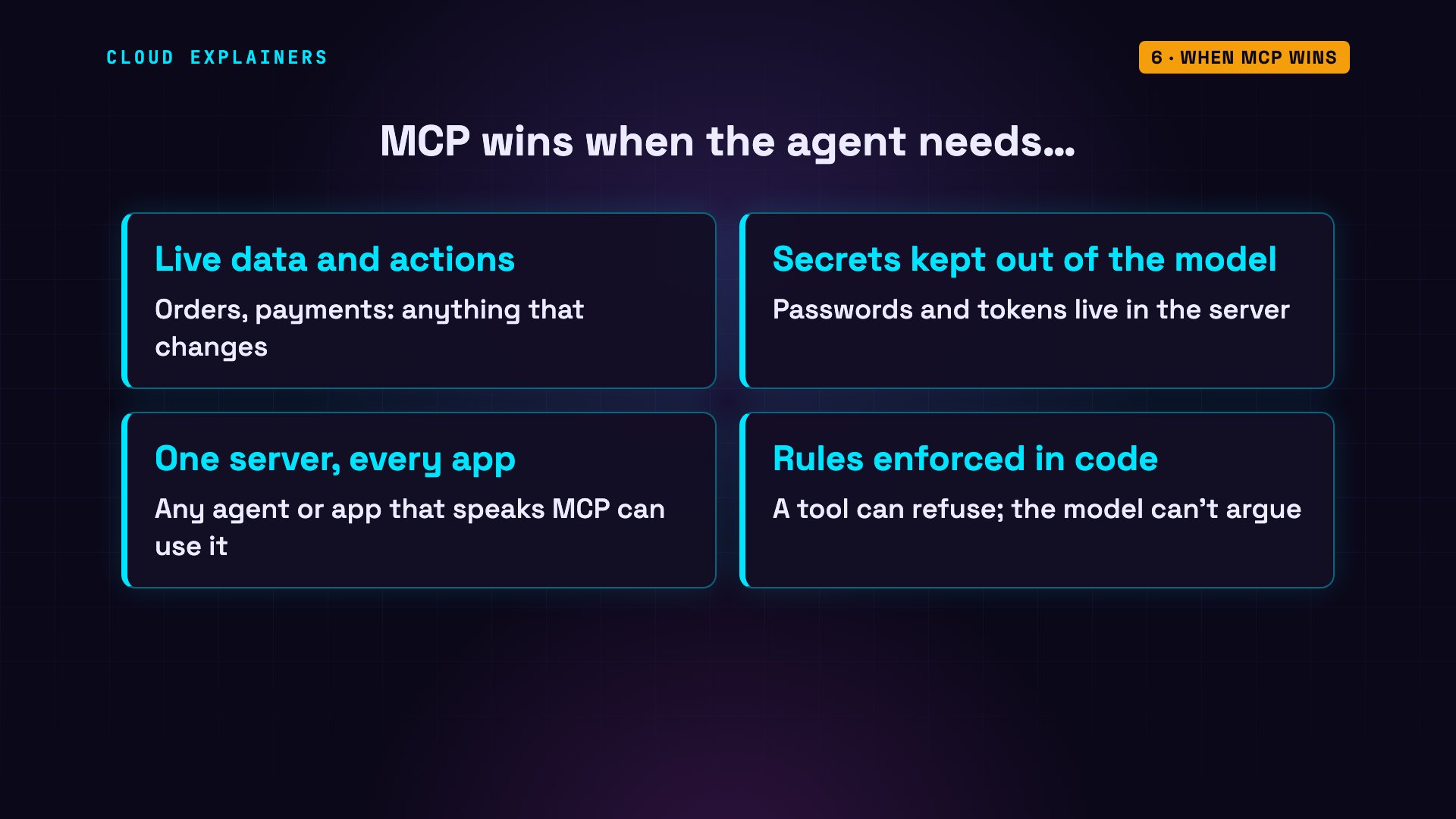
So when does MCP win? First, live data, and actions in other systems: orders, payments, anything that changes. Second, secrets: a password or a token lives in the server, never in the model's text. Third, one server works with every app that speaks MCP. And fourth, rules in code: a tool can refuse a refund over a limit, and the model can't argue.
When skills win
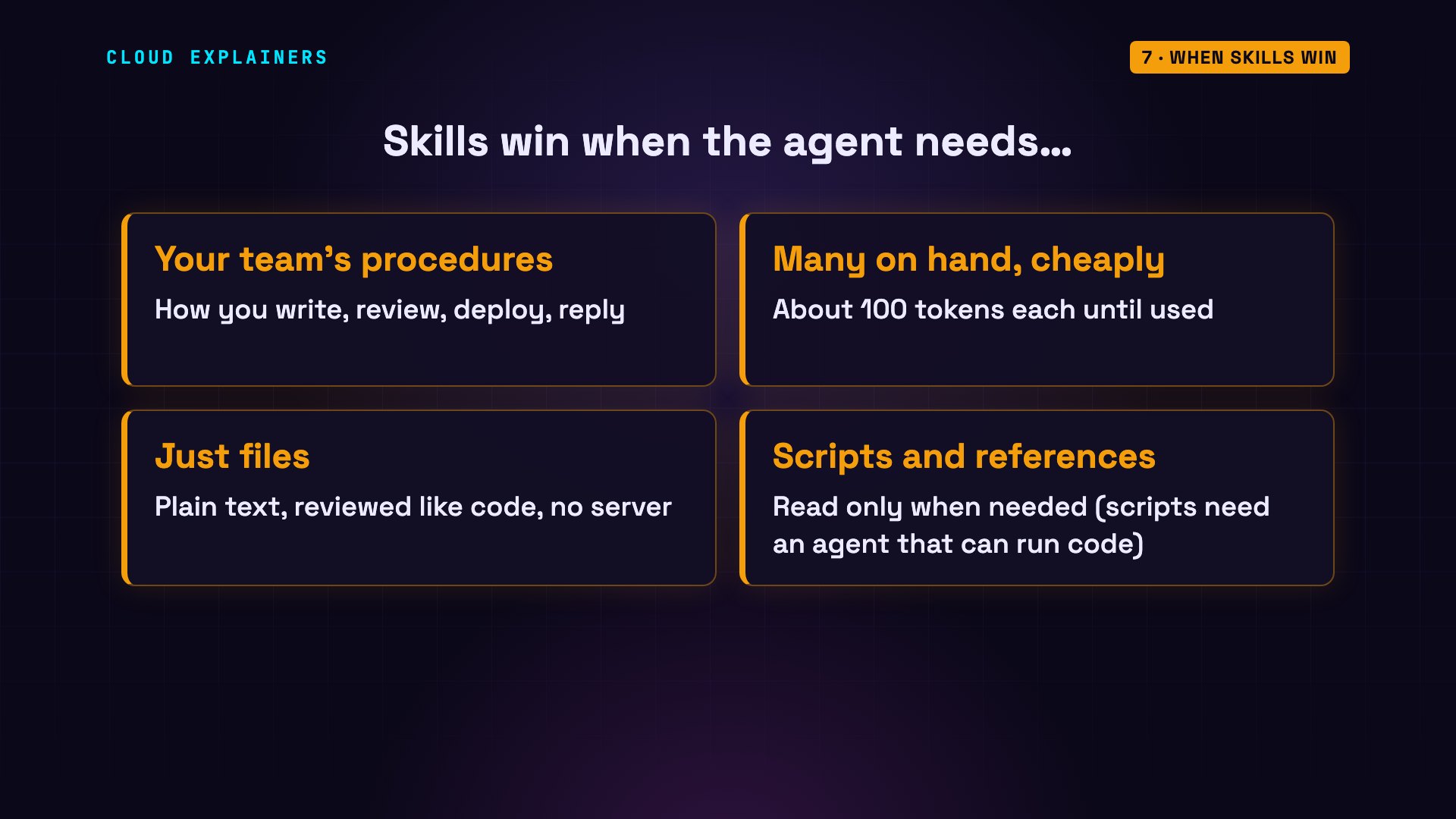
And when do skills win? First, procedures: how your team writes, reviews, deploys or replies. Second, they're cheap to keep: dozens of skills cost little until one is used. Third, a skill is just files, reviewed like any code, with no server to run. And fourth, a skill can bundle scripts and reference documents, read only when needed.
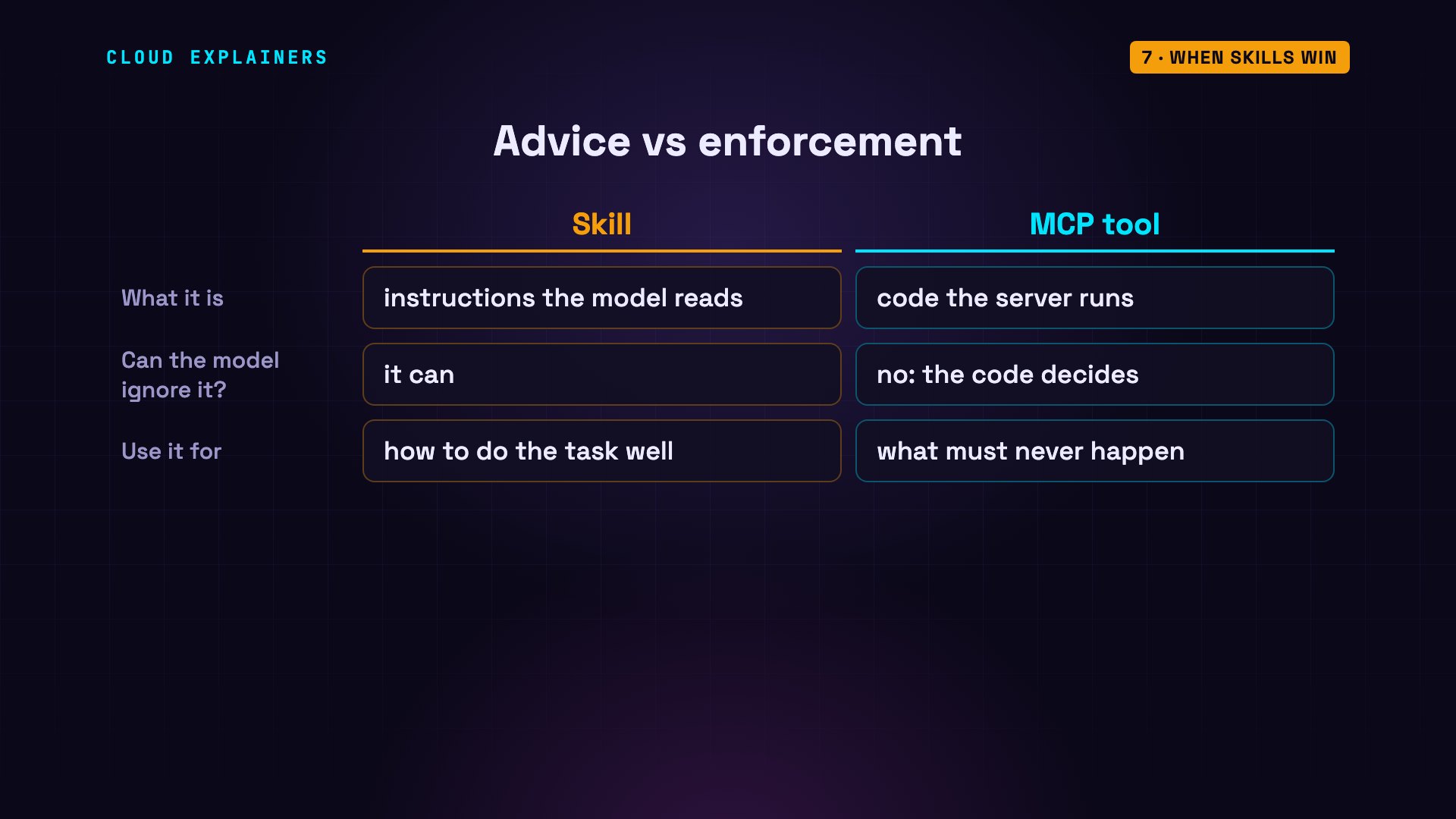
One limit to remember: a skill is advice. The model followed ours every time we ran it, but nothing forces it to. Anything that must never happen belongs in code, in a tool, not in a paragraph of instructions.
Better together
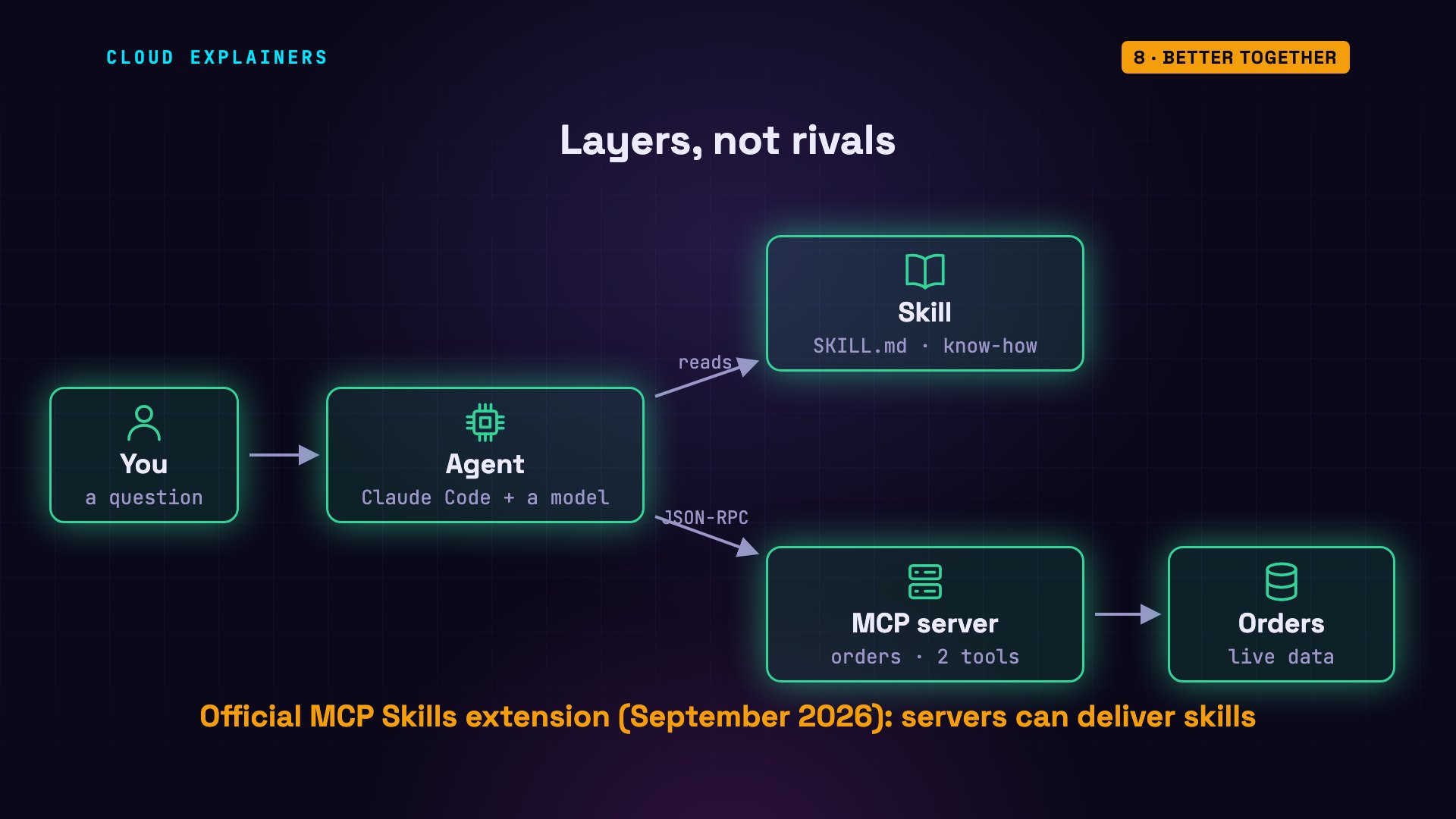
Notice that our best answer used both. The skill said how, and the MCP tool supplied the facts. They're layers, not rivals. And they're growing together: since September 2026, an official MCP extension lets a server deliver skills too, so the instructions for using a service can come from the service itself.
How to choose
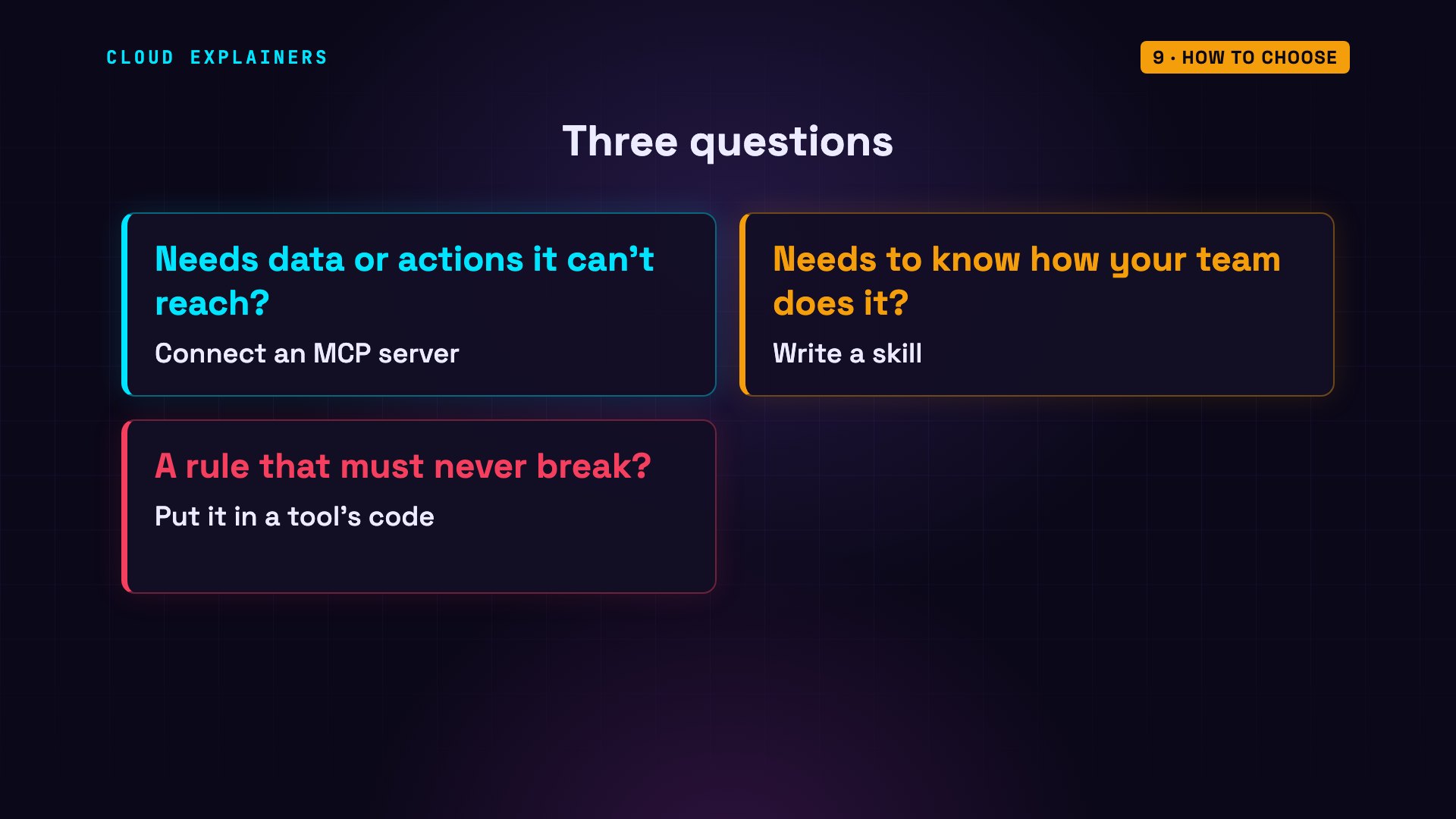
So here's how to choose. Ask three questions. Does the agent need data or actions it can't reach? Connect an MCP server. Does it need to know how your team does the task? Write a skill. Is there a rule that must never be broken? Put it in a tool's code. Most real agents need all three.
Every answer and every number in this video came from a real run, and the description lists exactly what we ran. Thanks for watching.
Sources
Demos: real runs of Claude Code (headless) against a made-up coffee shop's MCP server in Docker on one machine. Kettle & Bean, its orders and customers are invented. GitHub's MCP server was started only to list its tools, with a fake token. Watch the full video on YouTube.