
Linux Cron Jobs Will Finally Make Sense After This
Cron for complete beginners, on a real job that fails in silence: Ana's nightly backup works when she runs it by hand, but under cron no backup appears and nothing says why. We see how cron wakes every minute and reads crontabs, take a crontab line apart (minute, hour, day, month, weekday, command), find the job in cron's journal with its 'No MTA installed, discarding output' line, log the output to find the real error (command not found), compare cron's small environment with a login shell's, fix the PATH, see why a % sign cuts a cron command in half and escape it, and check whose clock cron uses.
A backup that never ran
Your cron job works when you run it by hand, but when cron runs it, nothing happens, and nothing tells you why. Ana's tea shop server should back up its orders every night at 2:30. By hand, the backup works. Left to cron, no backup ever appears. By the end of this video, you'll know how cron runs a job, why this one failed in silence, and the fixes that make it work.
Everything here ran for real, on a small Ubuntu 24.04 server in our lab, with the real cron. So we don't have to wait until 2:30 in the morning, each test is set for a minute or two ahead.
Here's Ana's script. It goes into the shop's folder, asks a small tool called shop-export for the orders, and packs them into a file named with today's date. She runs it by hand, and it works: one backup.
cat backup.sh#!/bin/bash
# Back up the shop's orders. Ana runs this every night at 2:30.
set -euo pipefail
cd ~/shop
shop-export > orders.csv
tar -czf ~/backups/orders-$(date +%F-%H%M).tar.gz orders.csv
echo "backup done: $(ls ~/backups | tail -n 1)"
./backup.shbackup done: orders-2026-11-01-0305.tar.gz
What cron is
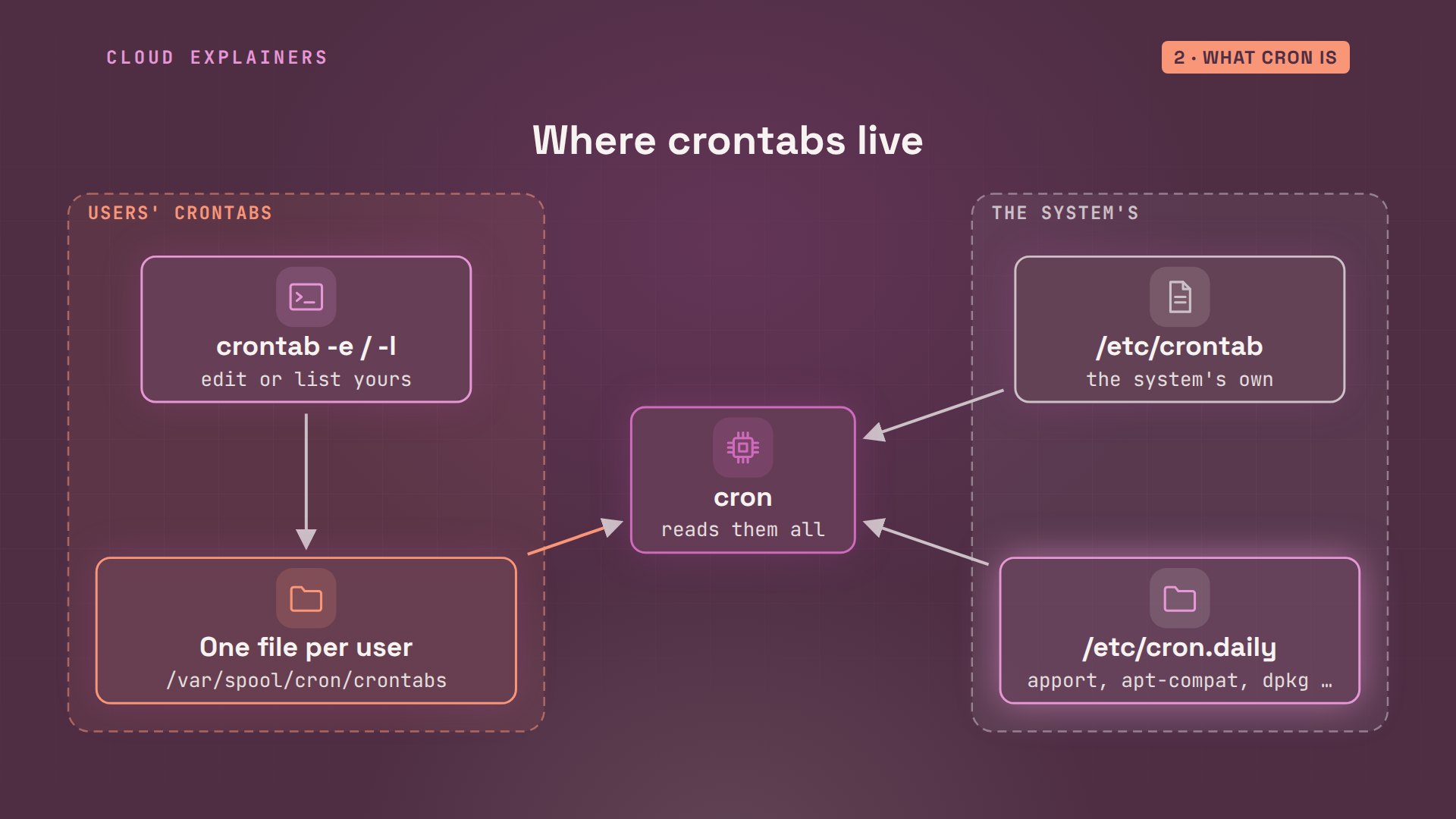
So what is cron? It's a program that runs in the background on almost every Linux server. Once a minute it wakes up, reads every crontab, the tables of scheduled jobs, and starts each job whose time has come. Then it goes back to sleep until the next minute.
Every user can have a crontab of their own. You edit yours with crontab -e, and list it with crontab -l. Cron keeps them in /var/spool/cron/crontabs, one file per user. The system has its own as well: /etc/crontab, and folders like /etc/cron.daily, where packages put jobs of their own.
Reading a schedule
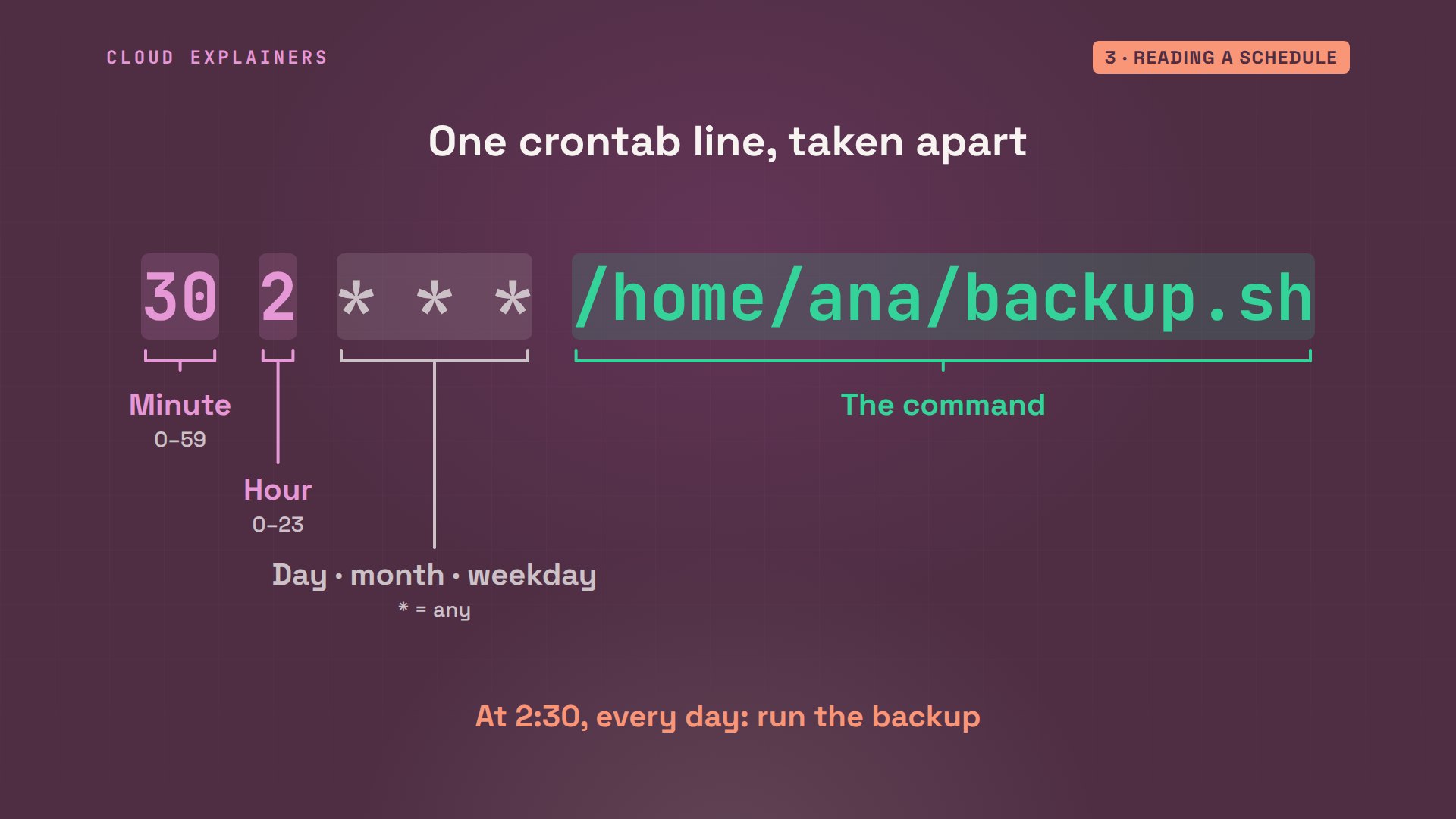
Each line of a crontab is one job: five fields for when, then the command. Minute: 30. Hour: 2, on a 24-hour clock. Then the day of the month, the month, and the day of the week. A star means any. So this reads: at 2:30, every day, run Ana's backup.
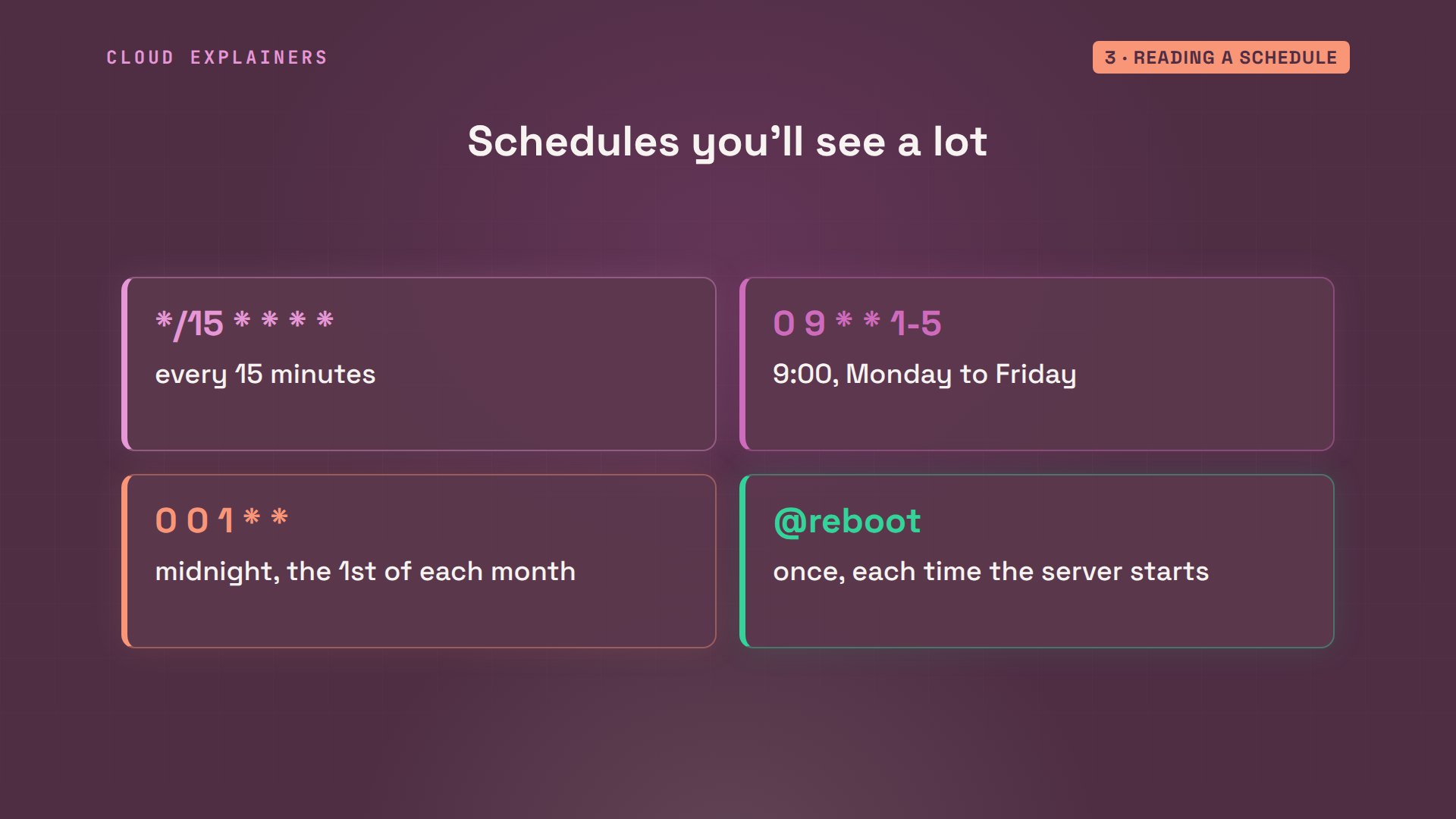
A few more you'll see a lot. Star slash fifteen in the minute field: every fifteen minutes. Zero nine, star, star, one to five: nine in the morning, Monday to Friday. Zero, zero, one: midnight on the first of each month. And at reboot: once, each time the server starts.
Ana's account has no crontab yet. In crontab -e she'd type one line in an editor. Here she writes it in a file instead. crontab with the file's name replaces her whole crontab with it, just like saving in the editor. For our test, the time is 3:06: minute 6, hour 3.
crontab -lno crontab for ana
cat cron.txt6 3 * * * /home/ana/backup.sh
crontab cron.txt
Where the error went
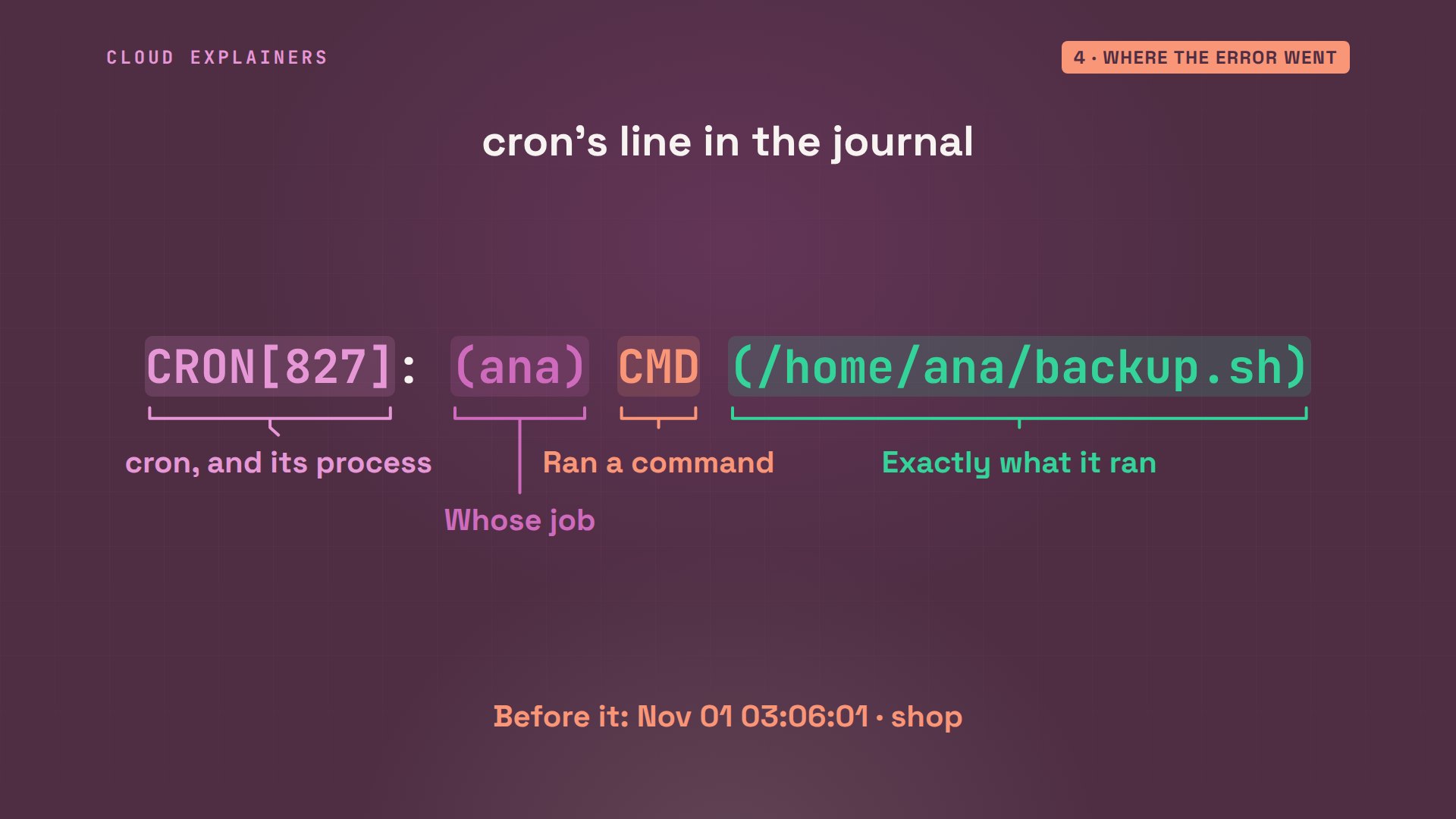
3:06 comes and goes. Still one backup: the one she made herself. No error on screen, no message, nothing. But cron keeps a diary in the system journal, the log where background programs write. journalctl -u cron shows only cron's lines. At 3:06, for Ana, CMD: the command it ran. So the job did run. Then one more line: No MTA installed, discarding output.
date; ls backupsSun Nov  1 03:06:08 UTC 2026
orders-2026-11-01-0305.tar.gz
journalctl -u cron --no-pager | grep -v pam_unixNov 01 03:06:01 shop CRON[827]: (ana) CMD (/home/ana/backup.sh)
Nov 01 03:06:01 shop CRON[826]: (CRON) info (No MTA installed, discarding output)
Take that first line apart. After the date, time and machine, CRON, with the number of the process it started. In brackets, whose job it was: Ana's. CMD means it ran a command, and the last part is exactly what it ran. So the clock, the schedule and the file name were all right.
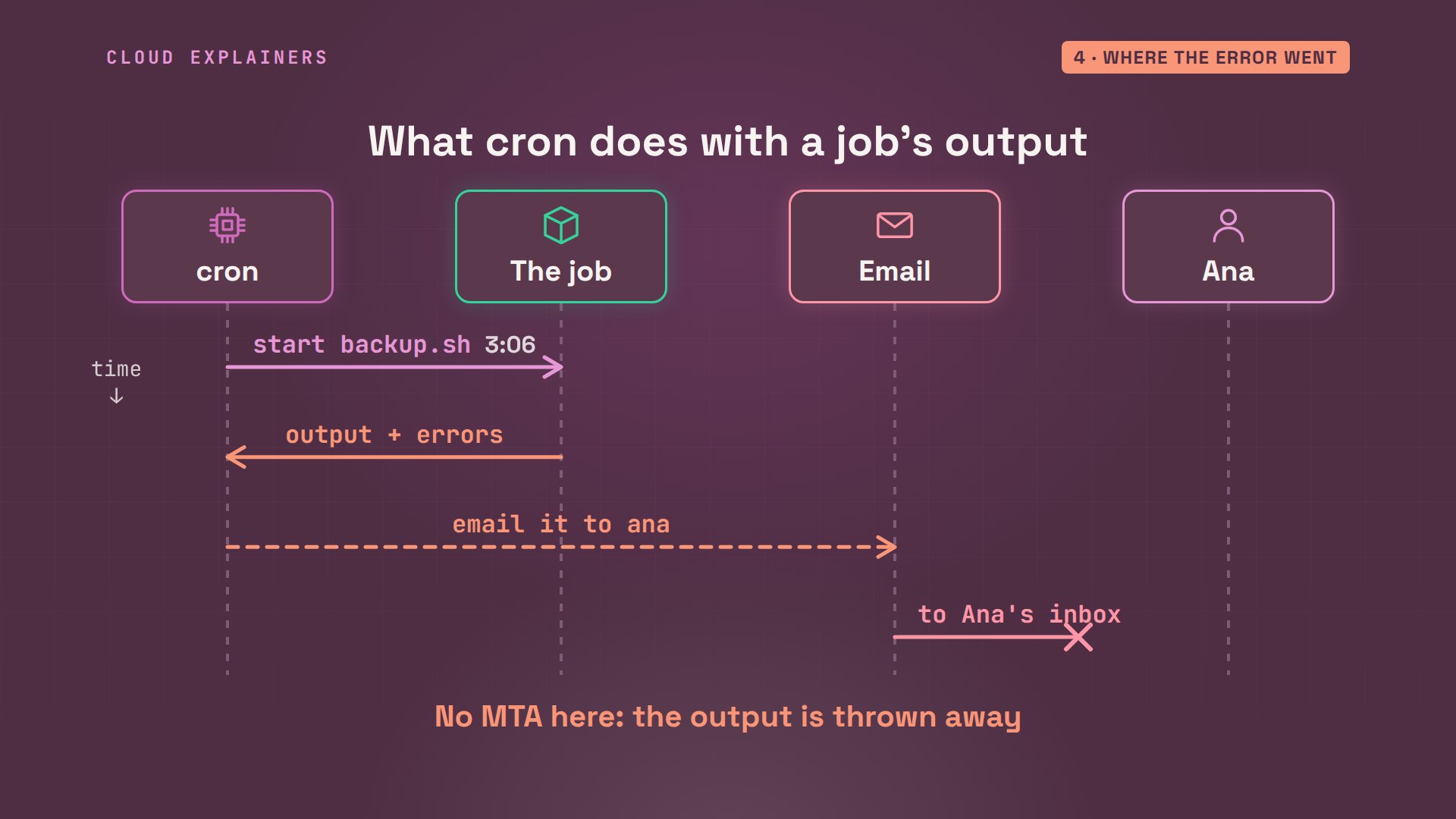
Here's what that means. Cron starts the job, and catches everything it prints, error messages too. Then it emails all of it to the job's owner. Sending email needs a mail program, an MTA, and a fresh Ubuntu server doesn't have one. So cron threw the error away. That's why cron jobs fail in silence.
Fix one: send the output to a file. Two greater-than signs add it to the end of backup.log. A program has two outputs: normal messages, and error messages. 2>&1 sends the errors to the same file. A second line saves cron's environment to a file, so we can see what the job sees. At the next run, the log has the answer. Line 5: shop-export, command not found.
cat cron.txt7 3 * * * /home/ana/backup.sh >> /home/ana/backup.log 2>&1
7 3 * * * env > /home/ana/cron-env.txt
crontab cron.txt
cat backup.log/home/ana/backup.sh: line 5: shop-export: command not found
Cron's small world
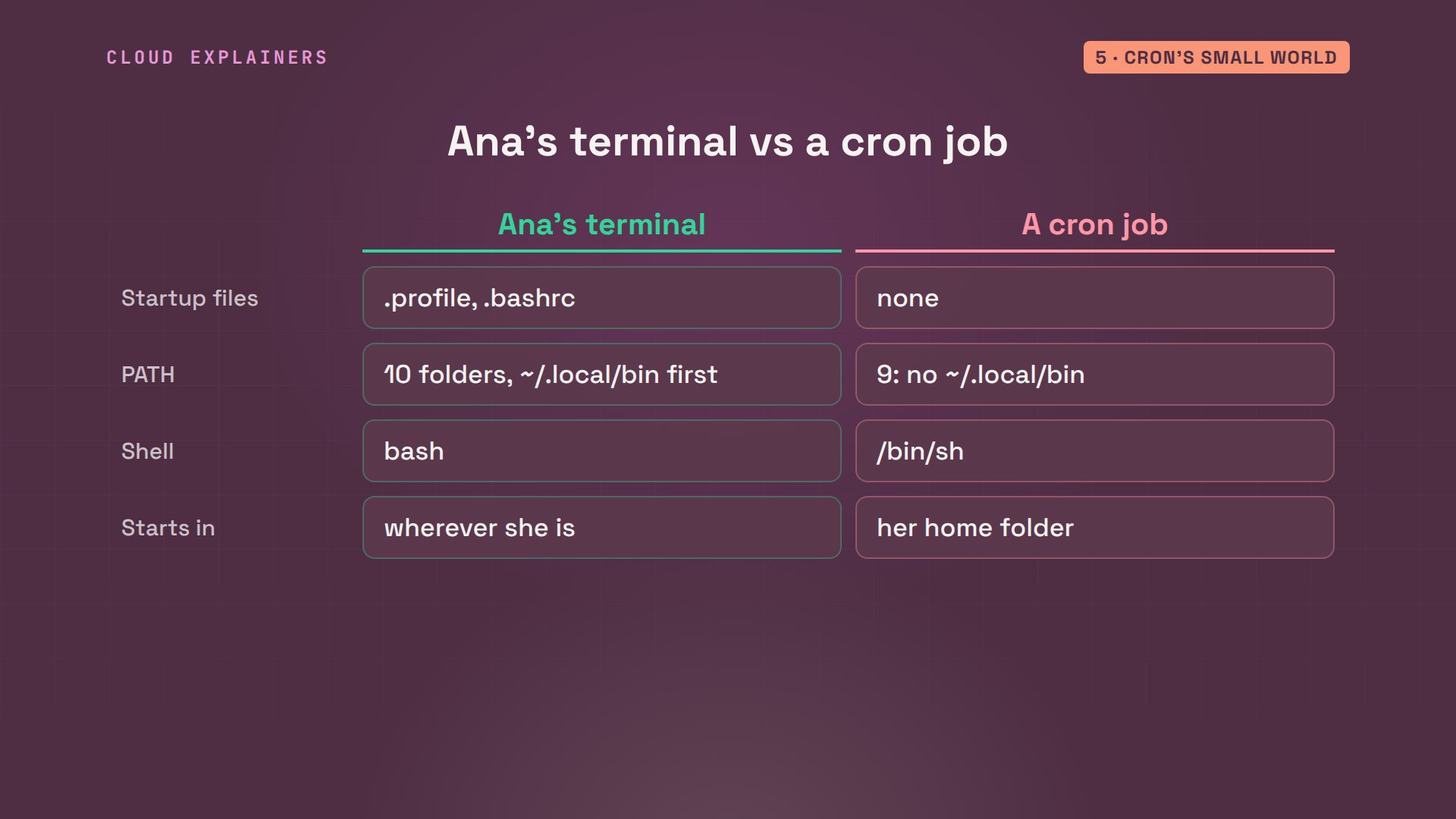
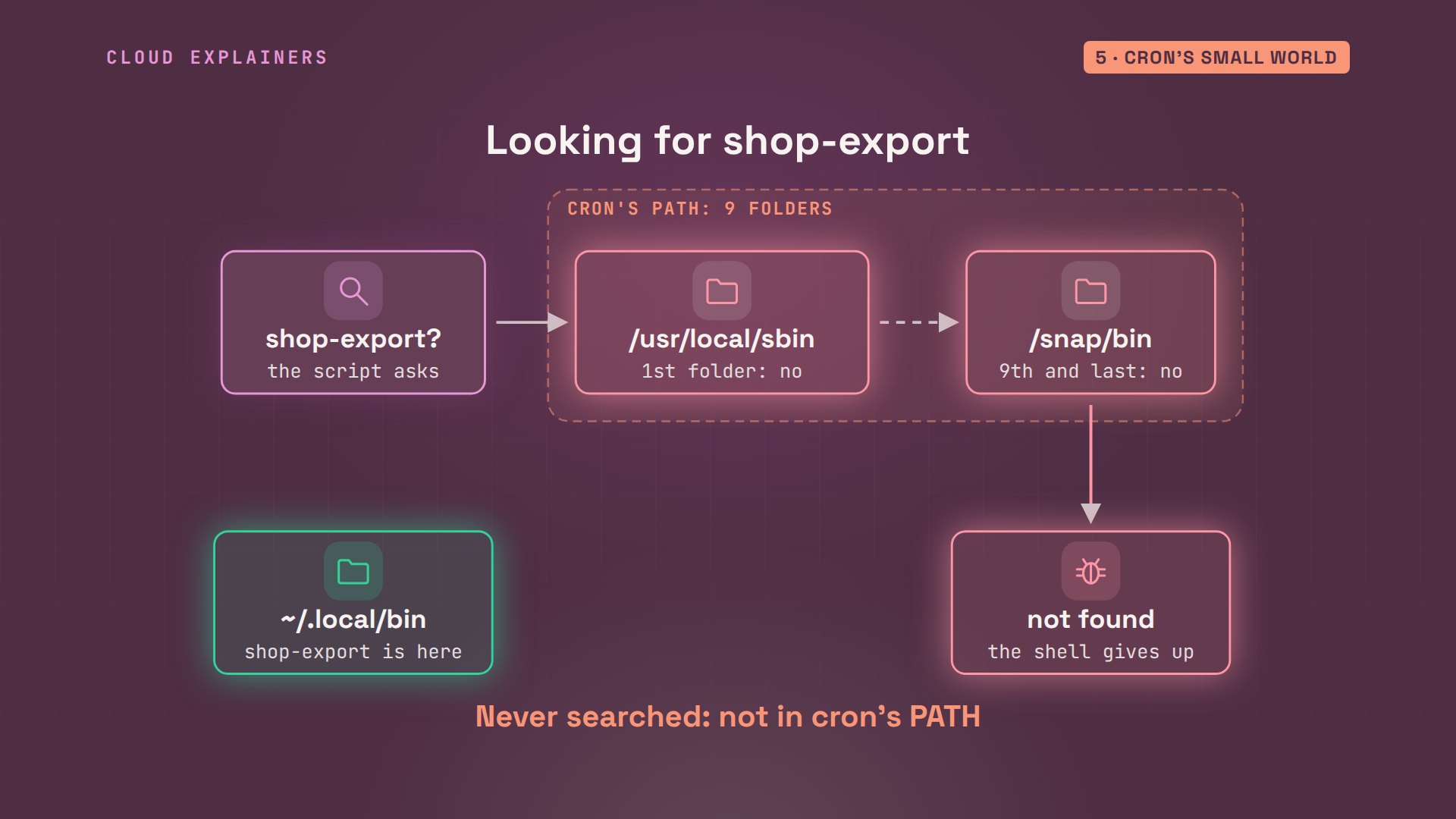
But Ana just ran that same tool by hand. Here's everything cron gave the job: a home folder, a user name, a shell, and a PATH of 9 folders. PATH is the list of folders the shell searches when you type a command's name. Ana's own PATH starts with ~/.local/bin, where shop-export lives. Cron's doesn't have it.
cat cron-env.txtHOME=/home/ana
LOGNAME=ana
PATH=/usr/local/sbin:/usr/local/bin:/usr/sbin:/usr/bin:/sbin:/bin:/usr/games:/usr/local/games:/snap/bin
LANG=C.UTF-8
SHELL=/bin/sh
PWD=/home/ana
echo $PATH/home/ana/.local/bin:/usr/local/sbin:/usr/local/bin:/usr/sbin:/usr/bin:/sbin:/bin:/usr/games:/usr/local/games:/snap/bin
Why the difference? When Ana logs in, her shell reads startup files like.profile and.bashrc, and Ubuntu's.profile adds that folder to her PATH. Cron reads none of them. It starts every job in a small, plain shell, from her home folder, with only 6 settings.
So when the script says shop-export, the shell looks through cron's folders, one by one. Not here. Not here either. It runs out of places to look, and gives up: command not found. The tool was there all along, in a folder cron never searched.
Fix two: give cron the PATH the job needs, on a line at the top of the crontab. Every job below it gets that list. Write the folders out in full: cron doesn't understand shortcuts like a tilde or dollar PATH on that line. At the next run: backup done. Two backups now, and cron made the second one.
cat cron.txtPATH=/home/ana/.local/bin:/usr/local/bin:/usr/bin:/bin
8 3 * * * /home/ana/backup.sh >> /home/ana/backup.log 2>&1
crontab cron.txt
cat backup.log/home/ana/backup.sh: line 5: shop-export: command not found
backup done: orders-2026-11-01-0308.tar.gz
ls backupsorders-2026-11-01-0305.tar.gz orders-2026-11-01-0308.tar.gz
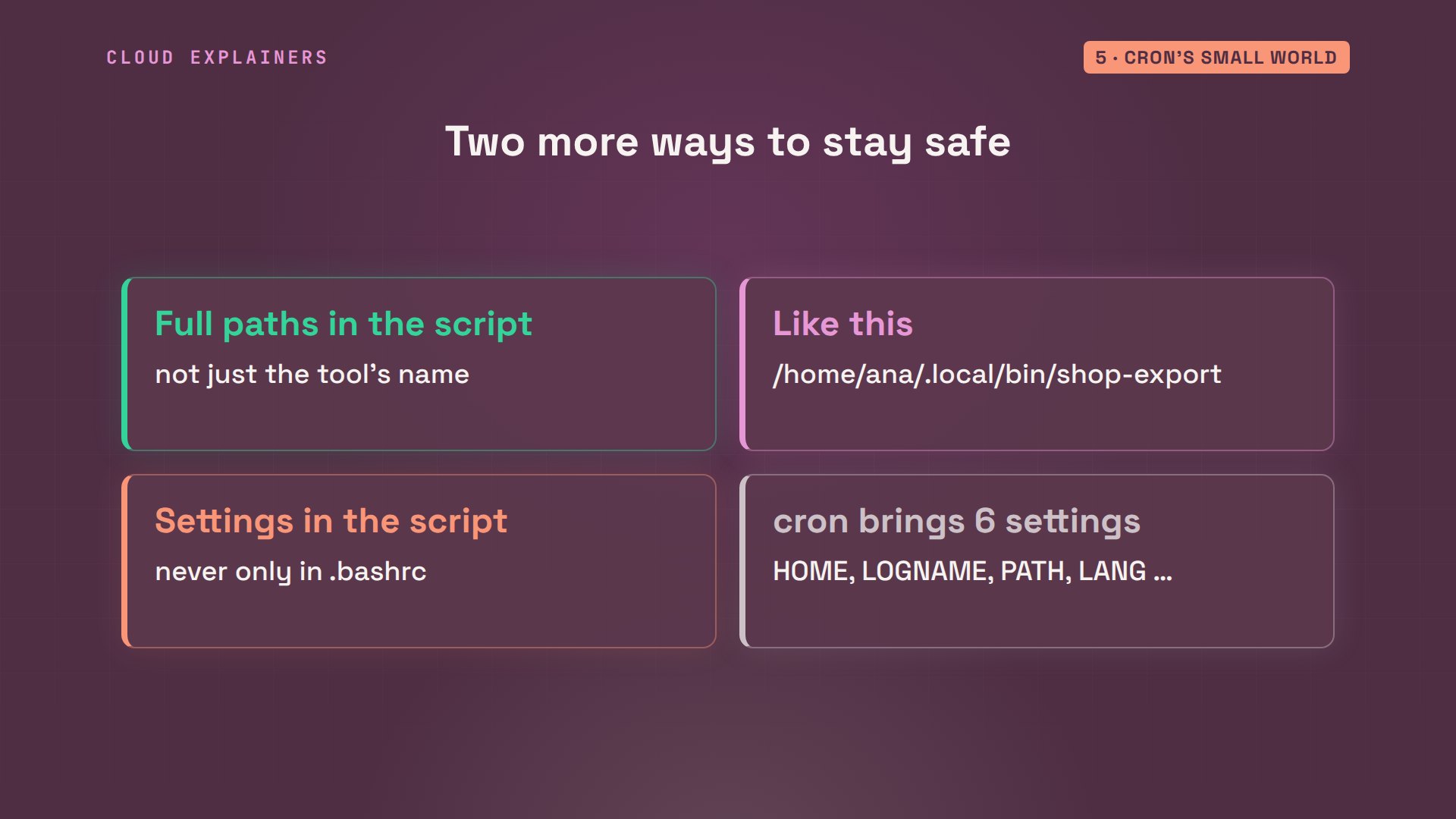
The other way works too: call tools by their full path in the script, like slash home slash ana slash dot local slash bin slash shop export. And if a script needs any other setting from your startup files, a password variable, a folder, set it in the script or the crontab, because cron won't bring it along.
The percent sign
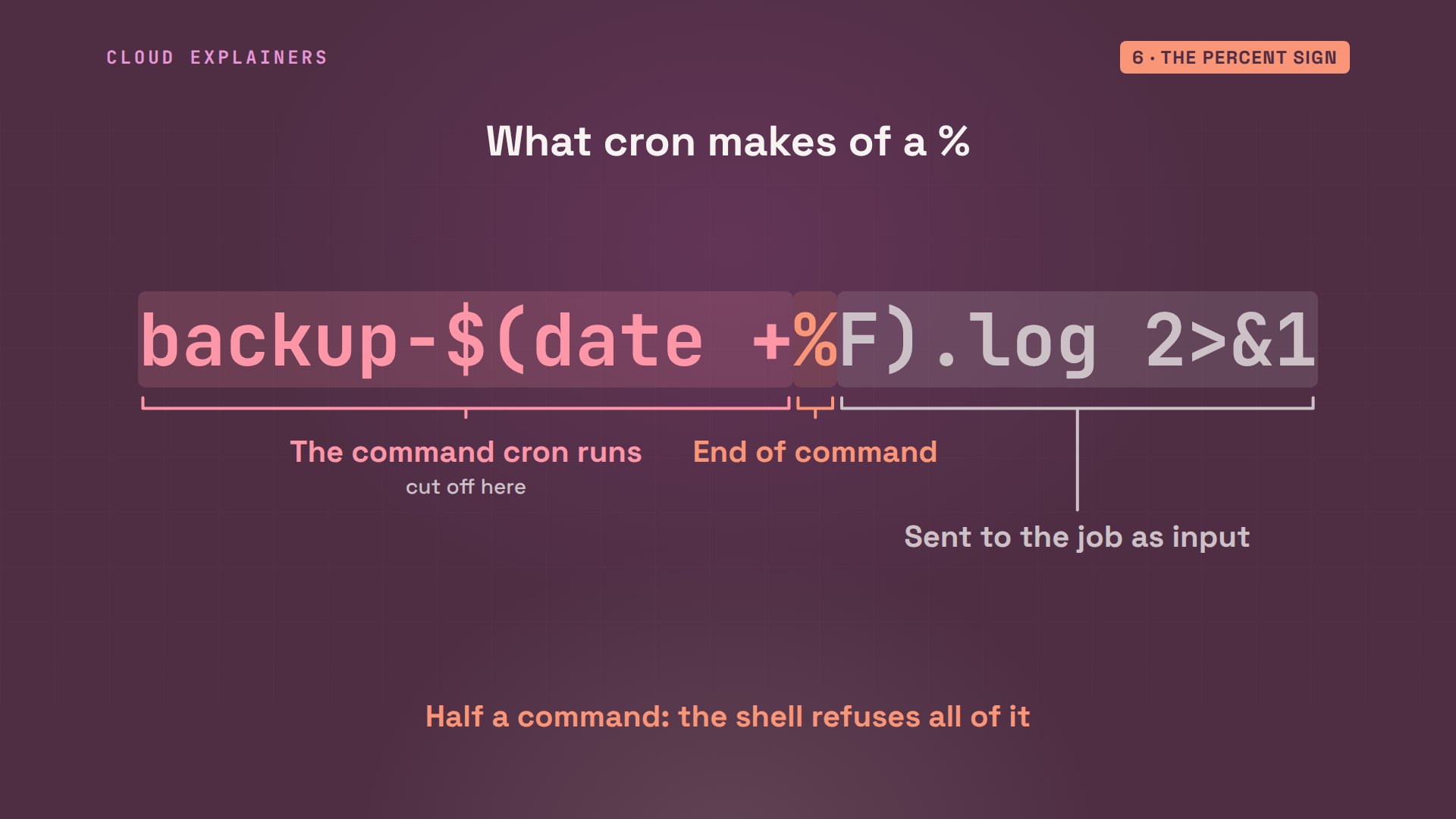
Now Ana wants one log file per day, so she adds the date to its name, the same way her script does. At 3:09: no daily log, and no new backup. The journal shows the command cron ran. It stops at date plus. The rest is gone, and the error went nowhere: no MTA, again.
cat cron.txtPATH=/home/ana/.local/bin:/usr/local/bin:/usr/bin:/bin
9 3 * * * /home/ana/backup.sh >> /home/ana/logs/backup-$(date +%F).log 2>&1
crontab cron.txt
ls logs backupsbackups:
orders-2026-11-01-0305.tar.gz  orders-2026-11-01-0308.tar.gz

logs:
journalctl -u cron --no-pager | grep -v pam_unix | tail -n 2Nov 01 03:09:01 shop CRON[1037]: (ana) CMD (/home/ana/backup.sh >> /home/ana/logs/backup-$(date +)
Nov 01 03:09:02 shop CRON[1036]: (CRON) info (No MTA installed, discarding output)
In a crontab, a percent sign ends the command. Cron runs everything before it, and passes everything after it to the job as input, as if someone typed it. So the shell got a command that ends halfway through, and refused to run any of it.
Fix three: put a backslash before every percent sign in a crontab line. Now cron passes it along as a plain percent. At 3:10, the daily log is there, and it says backup done.
cat cron.txtPATH=/home/ana/.local/bin:/usr/local/bin:/usr/bin:/bin
10 3 * * * /home/ana/backup.sh >> /home/ana/logs/backup-$(date +\%F).log 2>&1
crontab cron.txt
ls logsbackup-2026-11-01.log
cat logs/backup-*.logbackup done: orders-2026-11-01-0310.tar.gz
Time traps
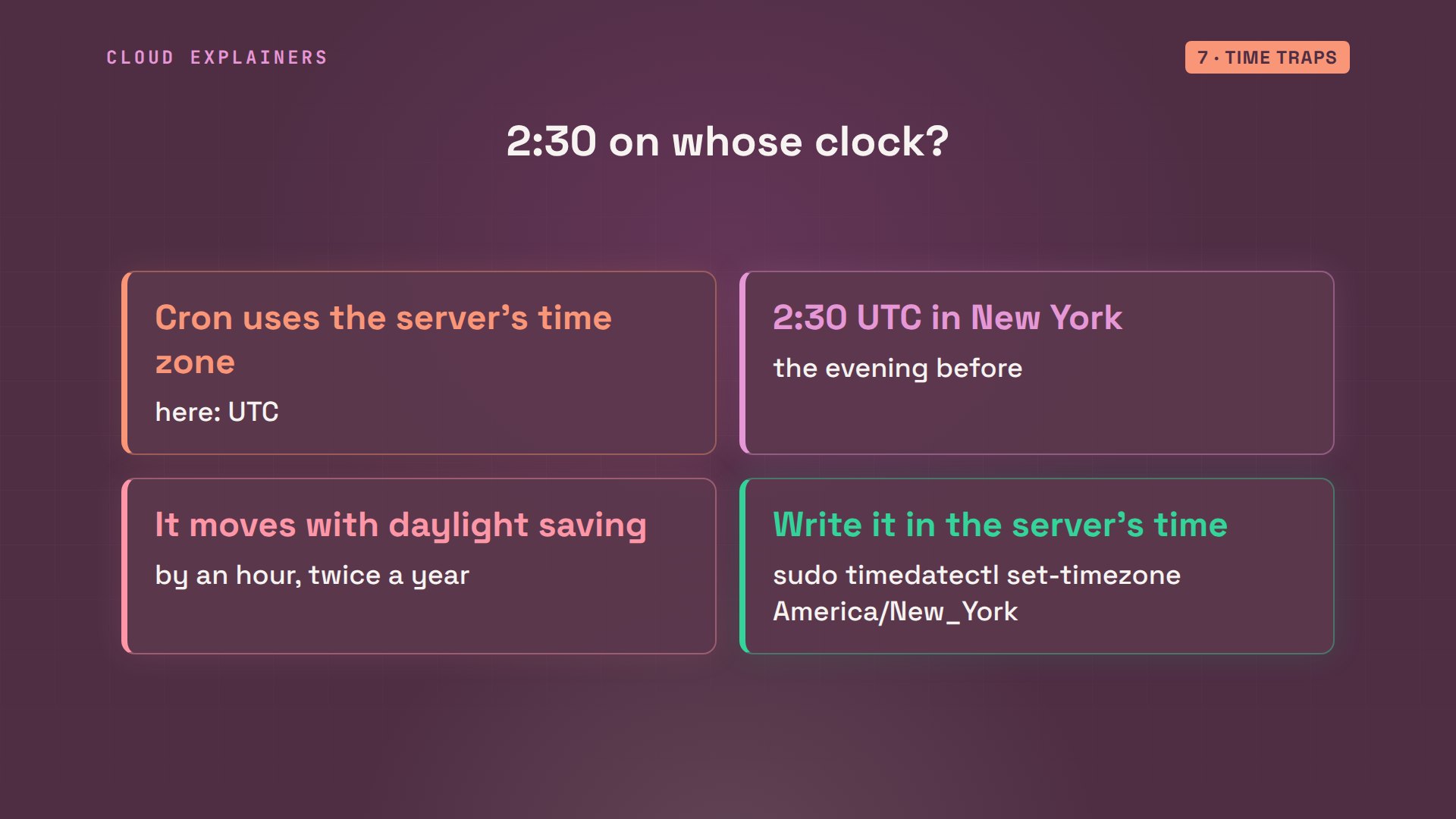
One last trap: 2:30 on whose clock? Cron uses the server's time zone, and this server, like most cloud servers, runs on UTC, the world's reference time. When it was 3:10 on the server, it was 11:10 in New York.
timedatectl | grep 'Time zone'Time zone: Etc/UTC (UTC, +0000)
date; TZ=America/New_York dateSun Nov  1 03:10:09 UTC 2026
Sat Oct 31 23:10:09 EDT 2026
So for Ana in New York, a backup at 2:30 UTC runs in the evening, while customers are still ordering, and it moves by an hour when daylight saving time starts or ends. Either write the schedule in the server's time, or set the server's time zone with timedatectl.
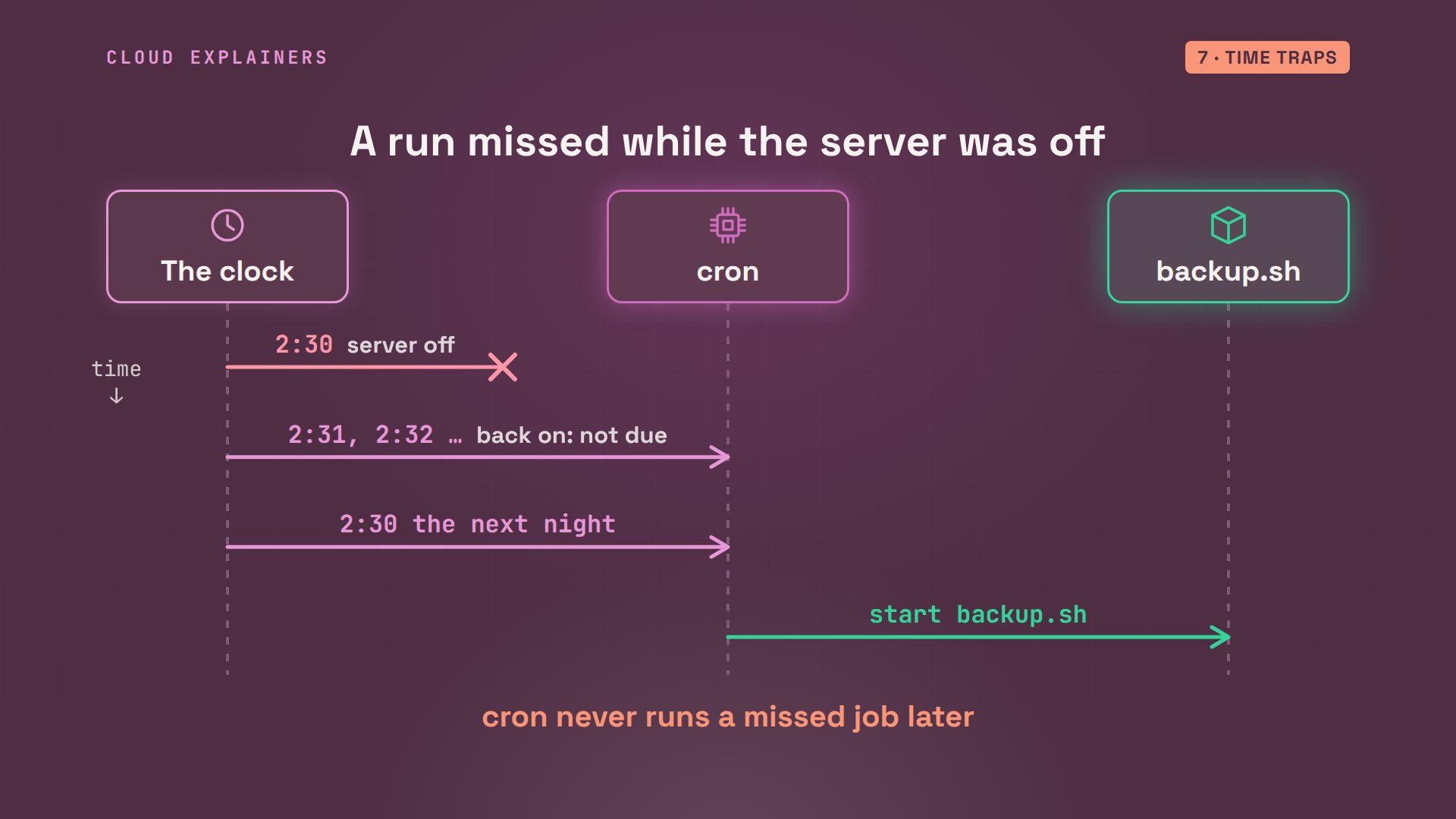
And a clock trap of a different kind: if the server is switched off at 2:30, cron doesn't catch up when it starts again. It only looks at the minute it's in, so that night's backup simply never happens, and cron waits for the next 2:30.
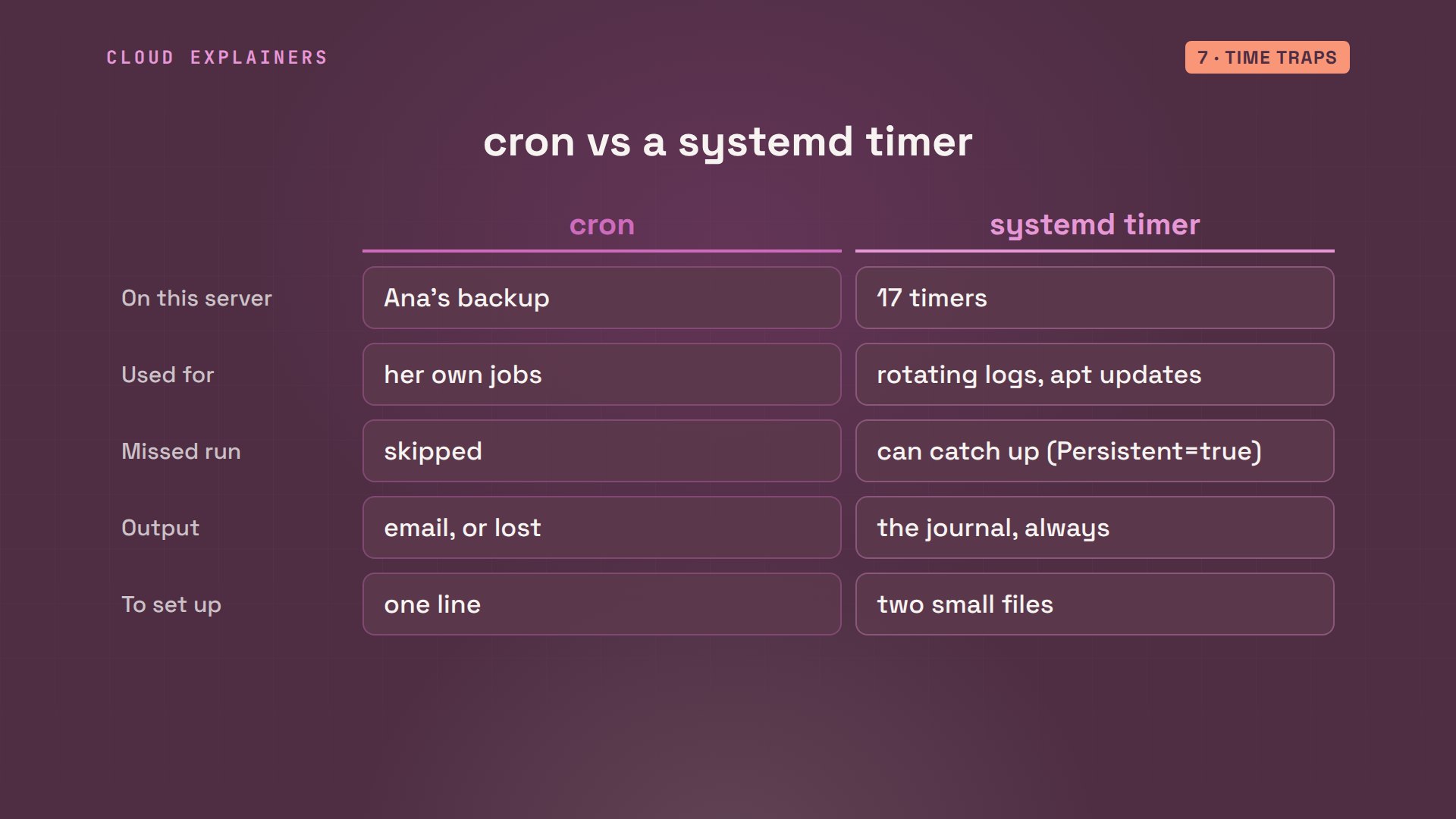
That's one reason many Linux systems also use systemd timers, Linux's other built-in scheduler. On this very server, 17 timers are set up, including the ones that rotate logs and check for updates. A timer can catch up on a missed run, and its output goes to the journal by itself. Cron is still the quickest: one line, and it's scheduled.
Recap
Before you trust a cron job: send its output to a log, give it a PATH, or use full paths, escape every percent sign, and check whose clock it runs on. Then, the morning after, look for the file it should have made. A backup nobody checks isn't a backup yet.
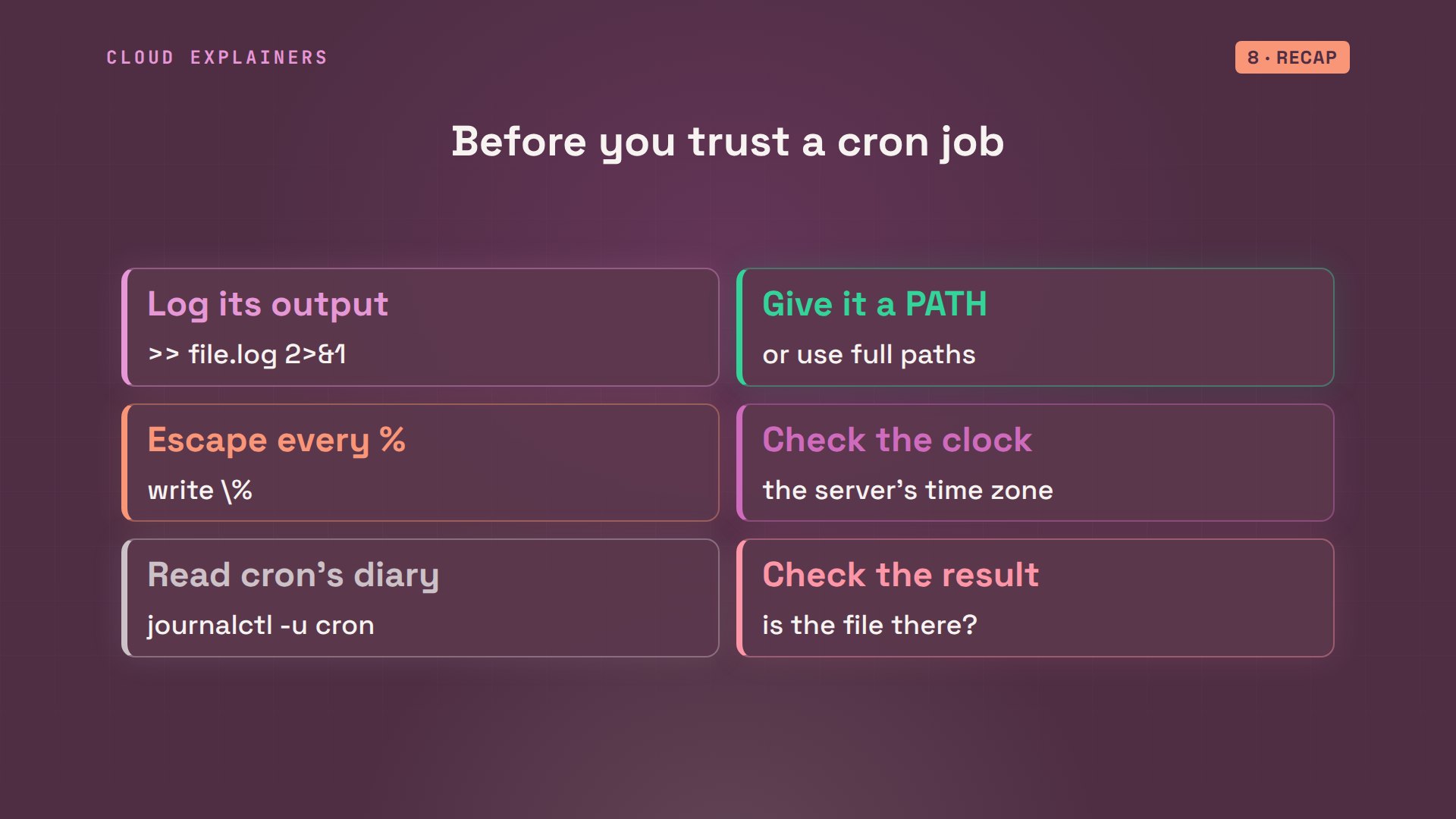
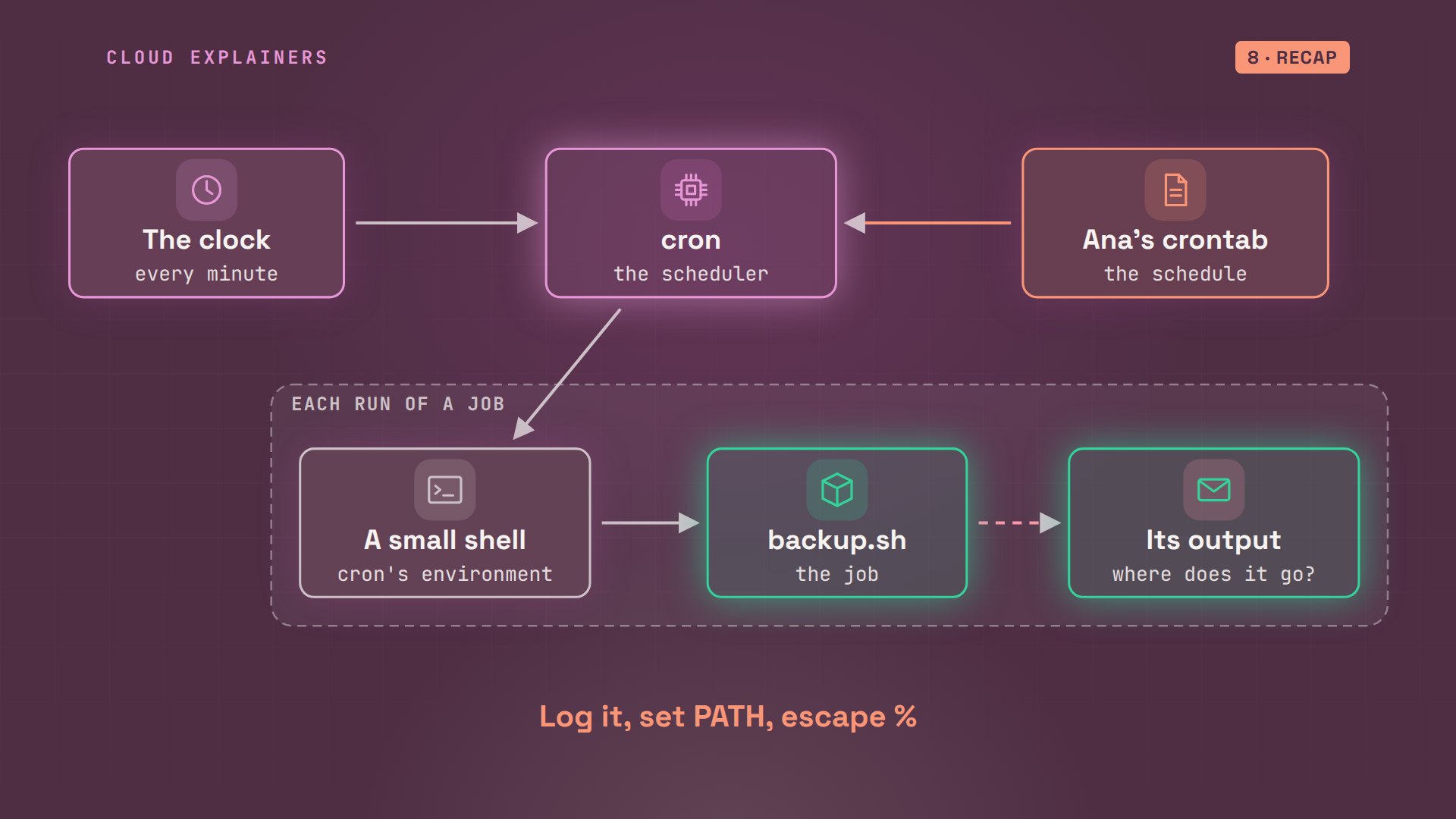
Let's recap. Cron wakes every minute, reads the crontabs, and starts each job that's due. It runs the job in a small world: a short PATH, a plain shell, none of your startup files. Whatever the job prints goes to email, and with no mail program, it's lost. Log the output, set the PATH, escape the percent signs, and the silence turns into a line you can read.
If watching a silent cron job finally explain itself was useful, subscribing is a small way to help more beginners find demos like this.
Every command, time and log line in this video came from a real run in our lab. Thanks for watching Cloud Explainers.
Sources
Demos: real output from an Ubuntu container on a private network on our own machine; each cron run was the real cron daemon at a real time, set a minute or two ahead instead of 2:30. Watch the full video on YouTube.
More videos

Security Logs Will Finally Make Sense After This
How to Fix a Security Leak: An API Key Pushed to GitHub
DNS Will Finally Make Sense After This
Never Ignore a Security Update
Two-Factor Authentication Will Finally Make Sense
Never Expose a Database to the Internet
SSH Keys vs Passwords: Which Is Safer for Security?
The 5 Levels of Linux Boot: From Power On to Login
The 5 Levels of Network Firewalls
Password Security: Why Hackers Crack Weak Passwords
Why Your Linux Server Runs Out of Memory
HTTP vs HTTPS: What Actually Changes on Your Network

Every Linux File Permission You Need to Know
Linux Processes vs Threads: When Each One Wins

The OSI Model Will Finally Make Sense After This

The 7 Levels of Git
Every Network Troubleshooting Command You Need
Hashing vs Encryption in Cybersecurity: When Each One Wins

Why the Internet Ran Out of IP Addresses

Linux Package Managers: apt vs Snap vs Flatpak
Why Python Is Slow (and When It Doesn't Matter)
TCP vs UDP: When Each One Wins

Stop Running Linux as Root (Do This Instead)

Linux Users and Groups Will Finally Make Sense

Why Phishing Beats Good Security (and How to Spot It)

The 7 Levels of Docker

AI Agents Will Finally Make Sense After This
Stop Using git push --force (Use This Instead)
Agent Skills vs MCP: When Each One Wins

Networking Will Finally Make Sense After This

Every Linux Command You Actually Need

The 7 Levels of Cybersecurity

Every System Design Concept You Need, in One Diagram
