
How to Fix No Space Left on Device in Linux
How to fix 'No space left on device' in Linux, for beginners, on a real server whose disk fills up: Ana's tea shop can't save orders. We find which disk is full with df -h (and why Used plus Avail doesn't add up), find what filled it with du and find, hit the classic trap where deleting a big log frees nothing because the app still has it open (lsof +L1 finds it, a restart frees it), clear apt's cache, then fix a disk that has space left but no inodes (df -i, du --inodes, find -mtime -delete), and stop it coming back with logrotate.
Nothing will save
Your Linux server says no space left on device, and suddenly nothing will save. Ana's tea shop server just refused a new order, and even a one-line note won't save.
curl -s -d tea=sencha localhost:8080/ordercould not save the order: No space left on device
echo "order more sencha" > todo.txt-bash: echo: write error: No space left on device
By the end, you'll know how to find what filled a disk and free it safely, plus the two cases where the usual cleanup fails: a deleted file that still takes space, and a disk with space left that still says it's full.
What the error means
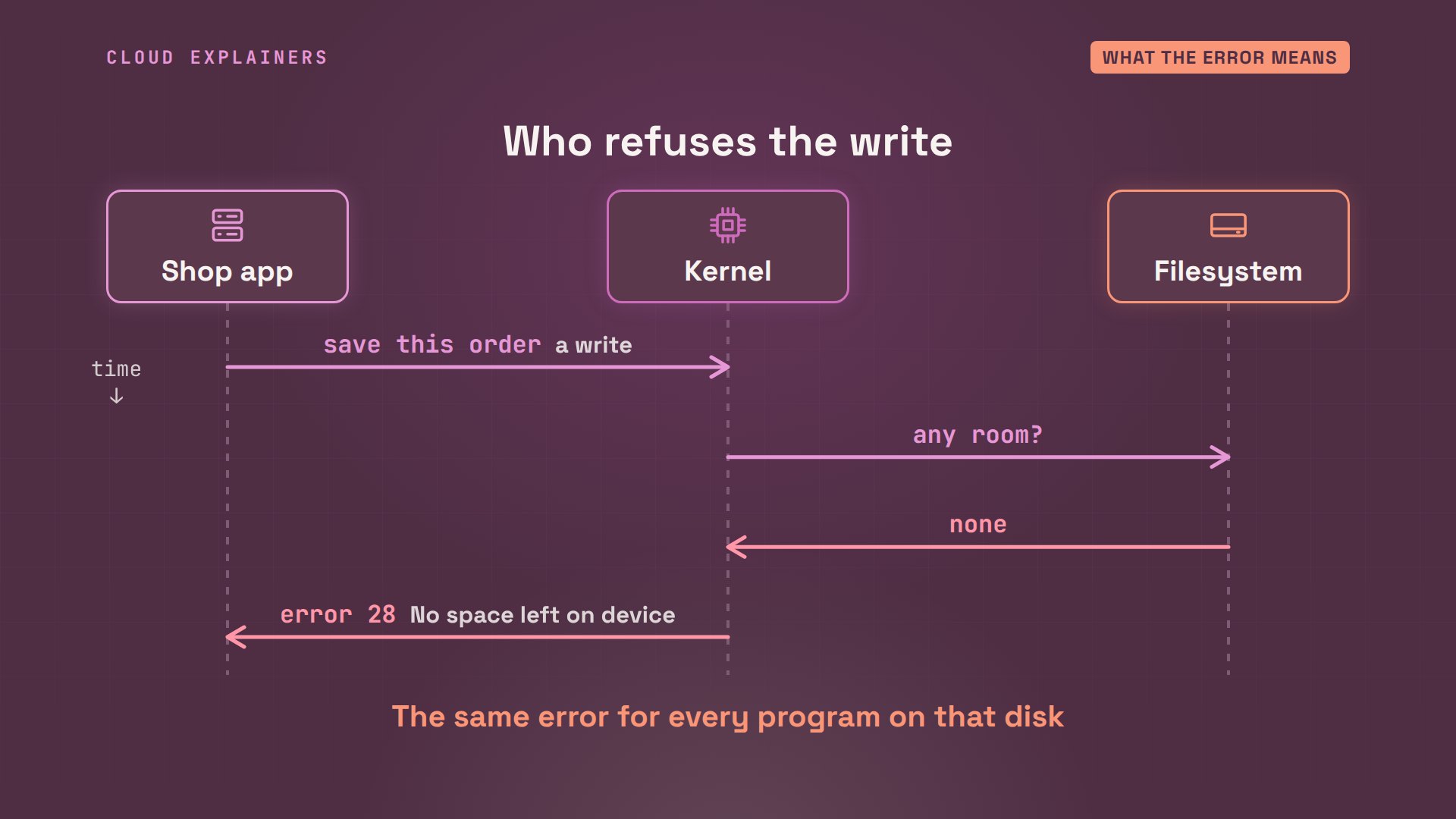
So what does the error mean? A program never writes to the disk itself. It asks the Linux kernel, the core of the system, to save some data. The kernel checks the filesystem, the way the disk is organised, and when there's no room, it refuses with error number 28: No space left on device.
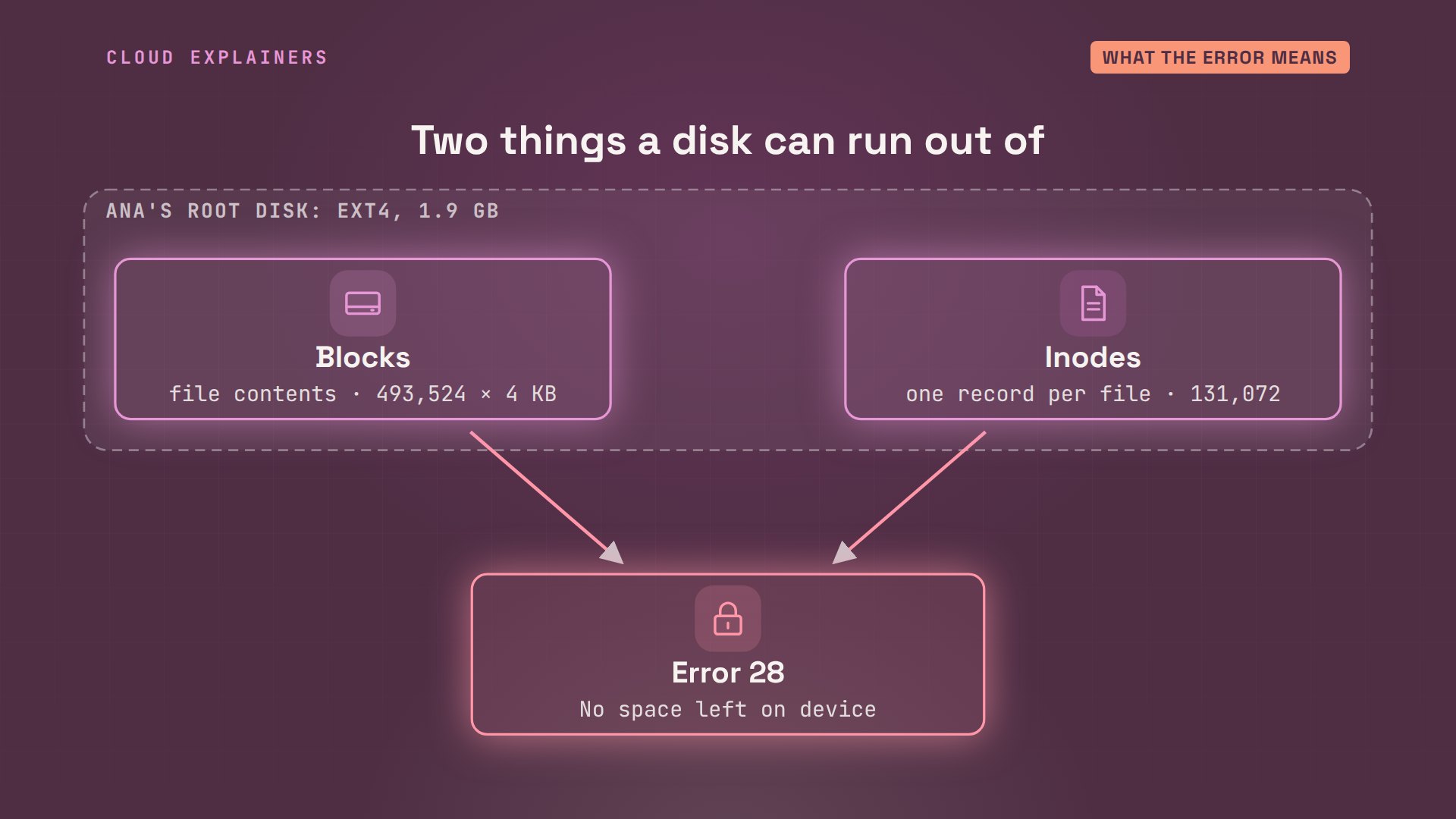
And a filesystem can run out of two different things. Blocks are the space that holds what's inside files: 493,524 blocks of 4 KB on this disk. Inodes are records, one per file, with its owner, its size, and where its blocks are. This disk has 131,072. Every file needs an inode, and almost every file needs blocks. Run out of either one, and you get error 28.
Step 1: which disk
Step one: which disk is full? df, short for disk free, lists each filesystem and its size. The tmpfs lines live in memory. The one that matters is mounted at slash, the root disk: 100% used.
df -hFilesystem                      Size  Used Avail Use% Mounted on
/dev/ubuntu-vg/containers_shop  1.9G  1.8G     0 100% /
none                            492K  4.0K  488K   1% /dev
tmpfs                           1.0M     0  1.0M   0% /dev/lxd
tmpfs                           100K     0  100K   0% /dev/.lxd-mounts
tmpfs                            12G     0   12G   0% /dev/shm
tmpfs                           4.7G  196K  4.7G   1% /run
tmpfs                           5.0M     0  5.0M   0% /run/lock
tmpfs                           2.4G   12K  2.4G   1% /run/user/1001
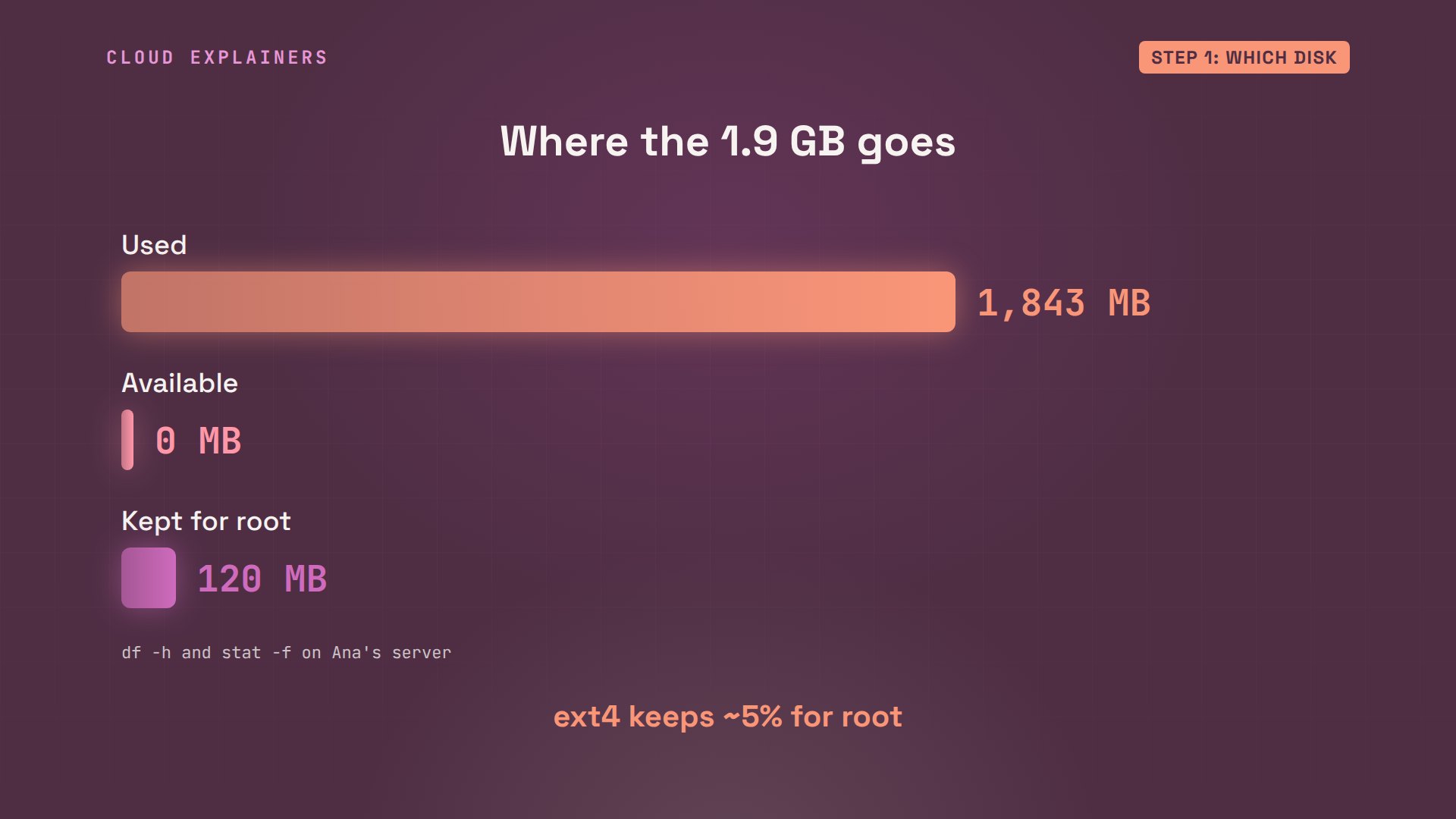
Read its line from left to right. The root disk, mounted at slash, holds 1.9 GB. 1.8 GB are used, zero are available, so it's 100% full.
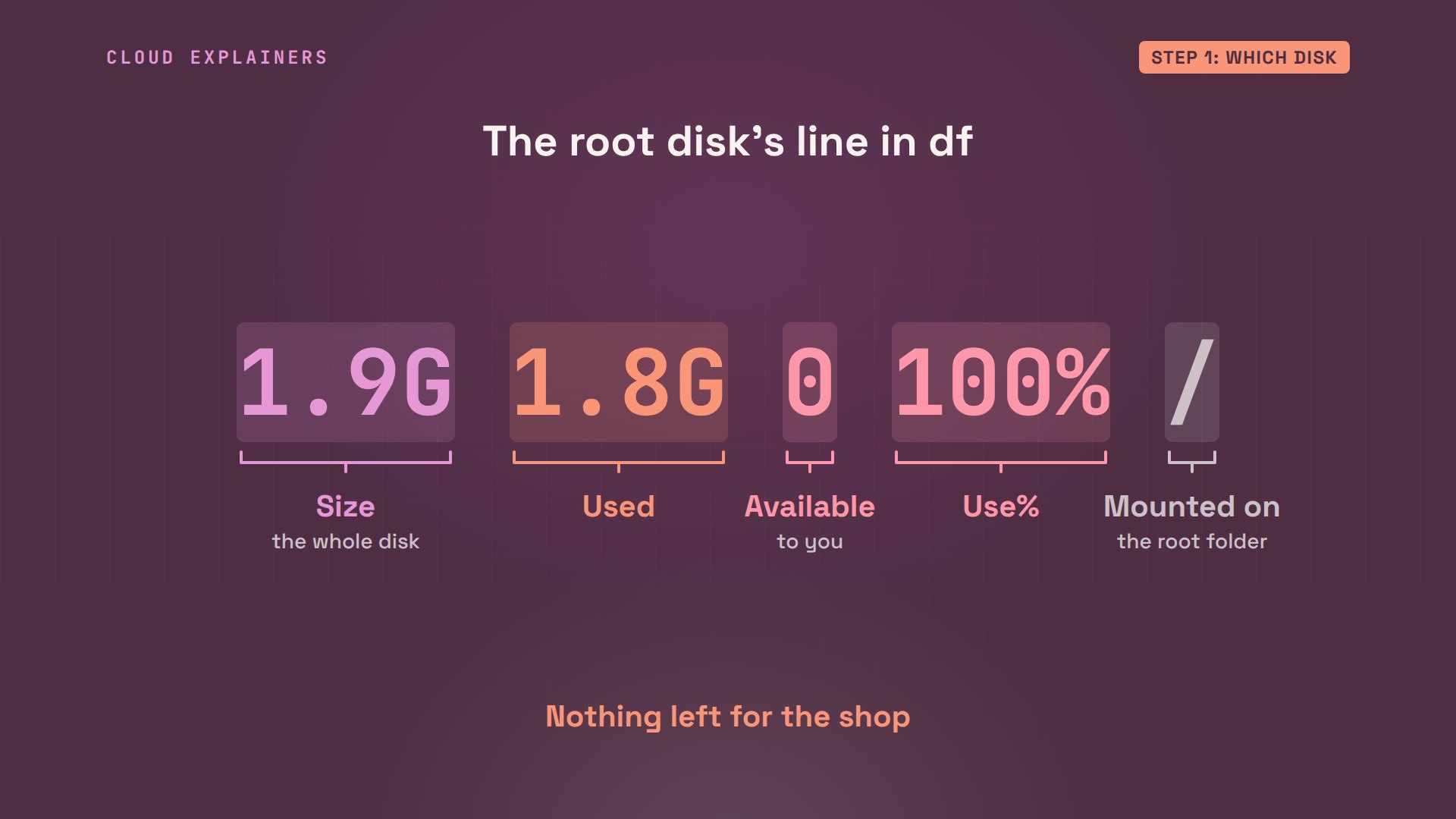
But 1.8 and zero don't add up to 1.9, and that's on purpose. ext4, Ubuntu's usual filesystem, keeps about 5% back for root, the administrator account: about 120 MB here, so an admin can still log in and clean up.
Step 2: what fills it
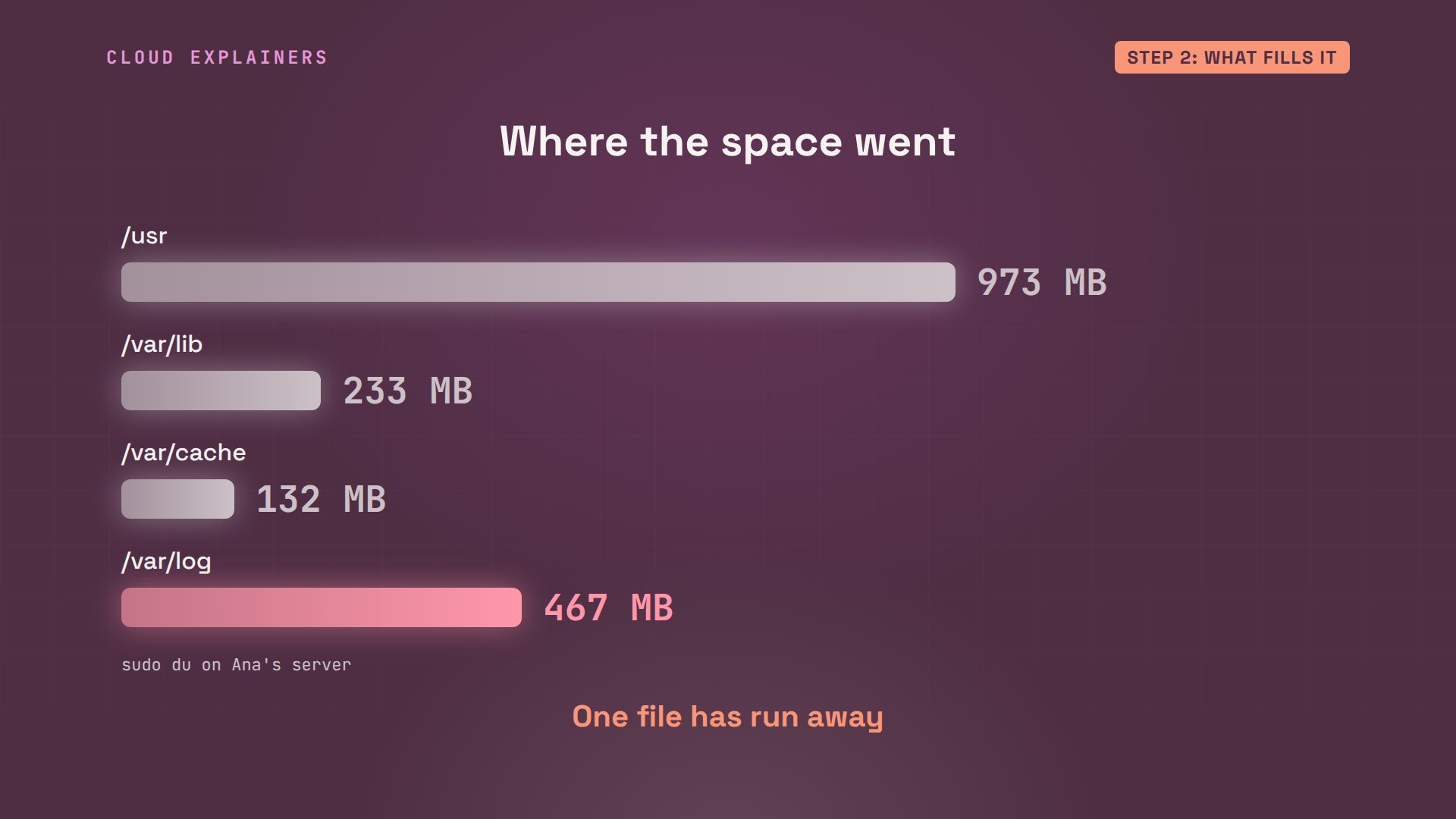
Step two: what is filling it? du, short for disk usage, adds up the size of each folder. Dash x stays on this one disk, dash h prints readable sizes, dash d1 goes one folder deep. sort dash h puts the biggest last, and tail keeps only the last four lines.
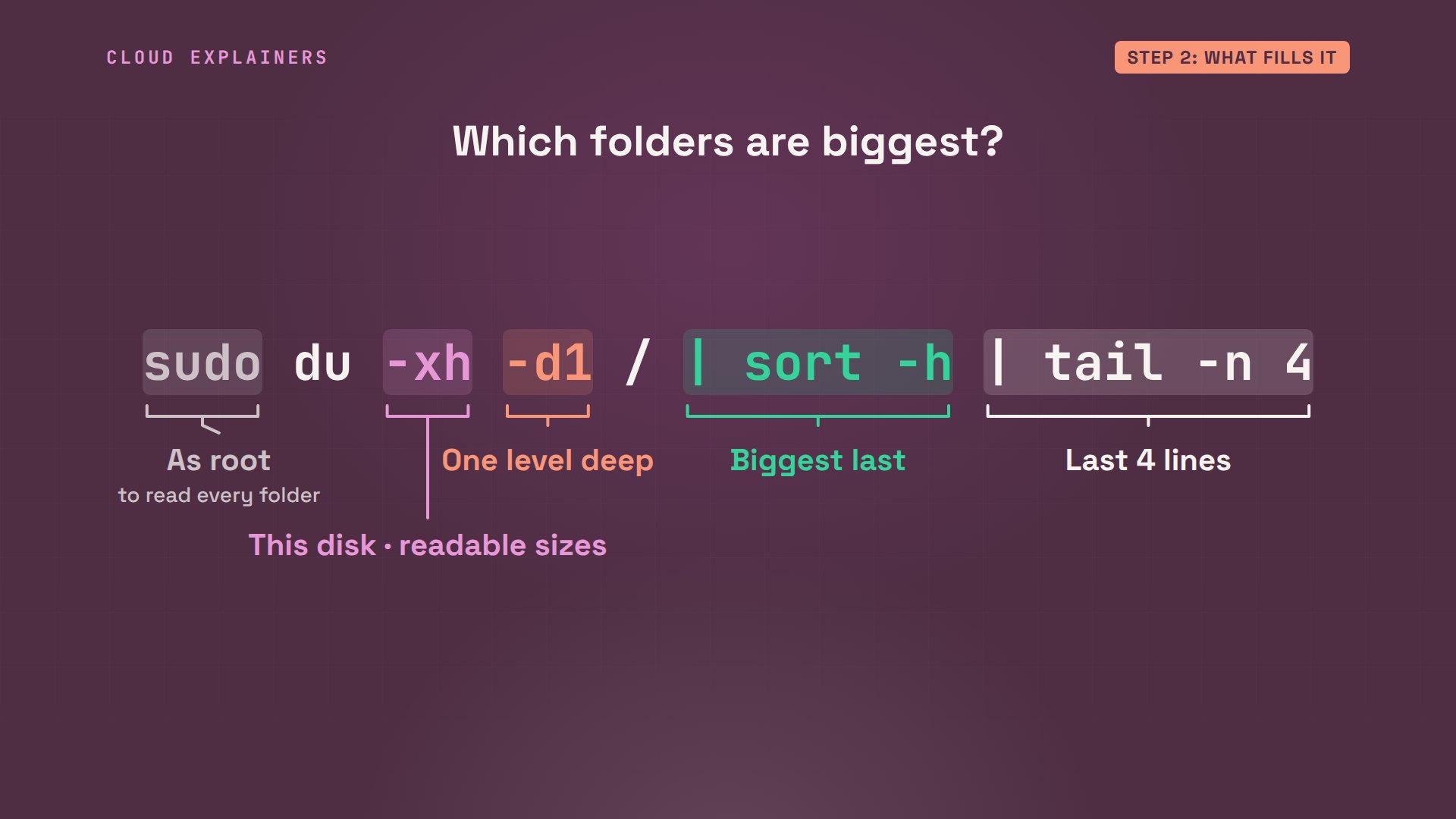
Ana runs it on the whole disk. /usr, the programs, 973 MB: normal. /var, where programs keep their data, and their logs, 832 MB. One level down, /var/log alone holds 467 MB.
sudo du -xh -d1 / | sort -h | tail -n 45.9M	/etc
832M	/var
973M	/usr
1.8G	/
sudo du -xh -d1 /var | sort -h | tail -n 4132M	/var/cache
233M	/var/lib
467M	/var/log
832M	/var
Side by side, it's clear. The programs, the shop's data, the apt cache. And the logs: 467 MB, on a small shop's server. A log folder that size usually means one file has run away.
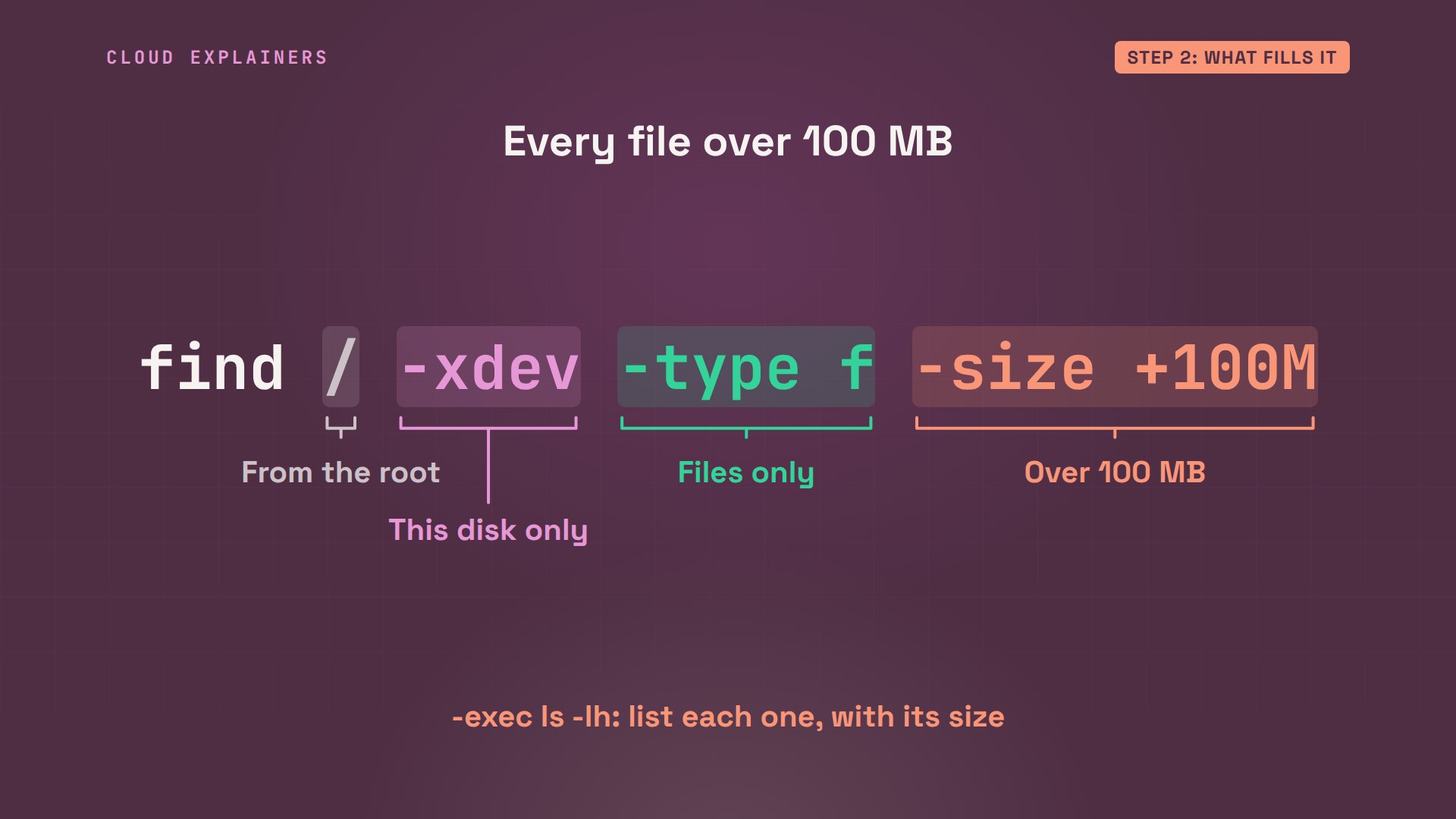
To go straight to the culprit, use the find command. Start at slash, dash xdev stays on this disk, dash type f means files only, and dash size plus 100M means bigger than 100 MB. Then ls dash lh lists each one with its size.
There's one: the shop's request log, 459 MB. tail prints its last three lines: every page view is logged, and the very last line stops halfway: the disk filled up in the middle of writing it.
sudo find / -xdev -type f -size +100M -exec ls -lh {} +-rw-r--r-- 1 shop shop 459M Nov 2 17:45 /var/log/shop/access.log
sudo tail -n 3 /var/log/shop/access.log198.51.100.59 - - [10/Oct/2026:09:58:58 +0000] "GET /cart HTTP/1.1" 200 agent="Mozilla/5.0 (X11; Linux x86_64)" ms=14
198.51.100.162 - - [10/Oct/2026:09:58:58 +0000] "GET / HTTP/1.1" 200 agent="Mozilla/5.0 (X11; Linux x86_64)" ms=17
198.51.10
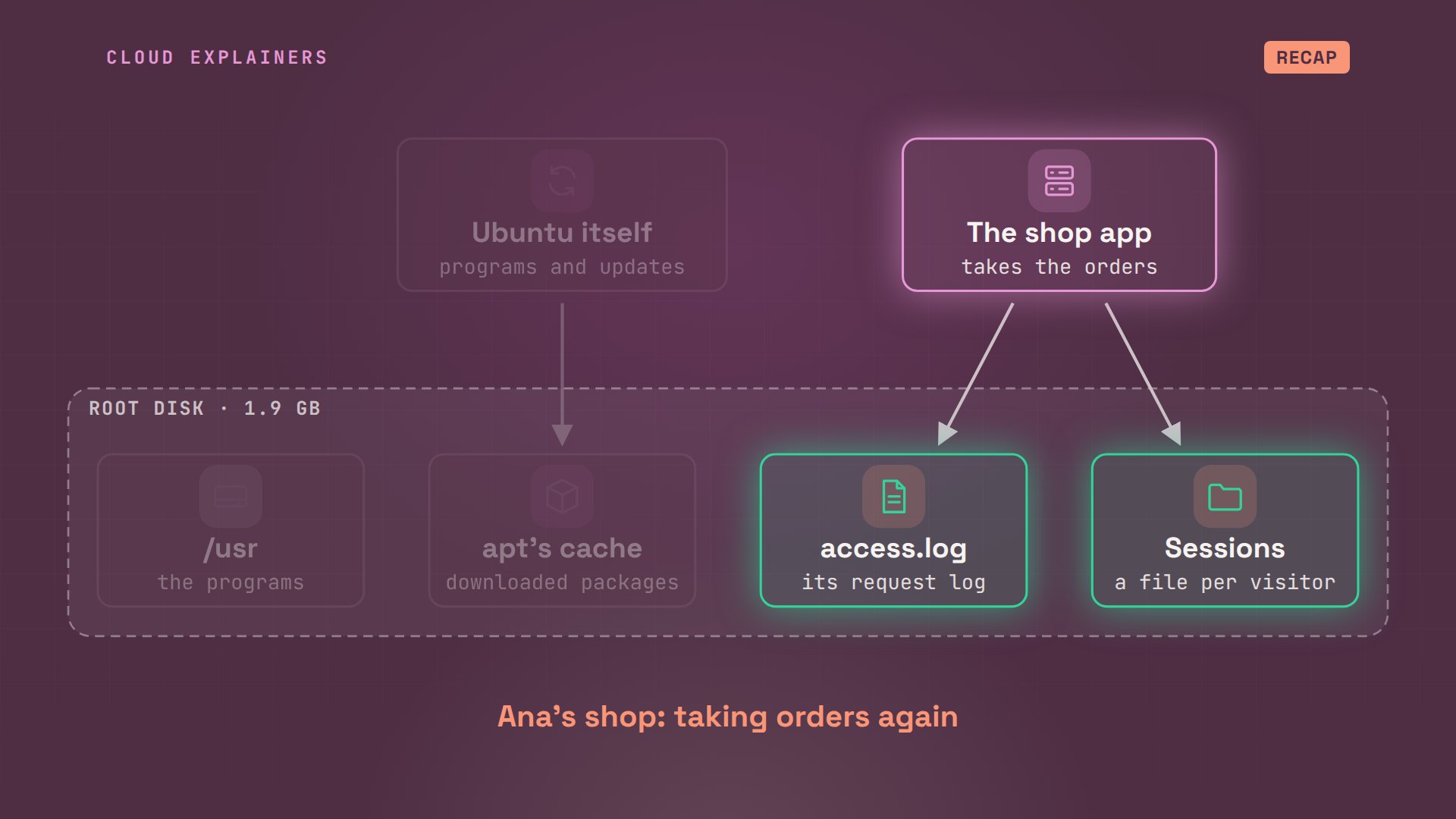
On the map: the shop app writes a line for every visit, and nothing ever trims the file. In our lab we filled it on purpose, in seconds; on a real server it builds up over weeks. The obvious fix is to delete it.
The deleted log
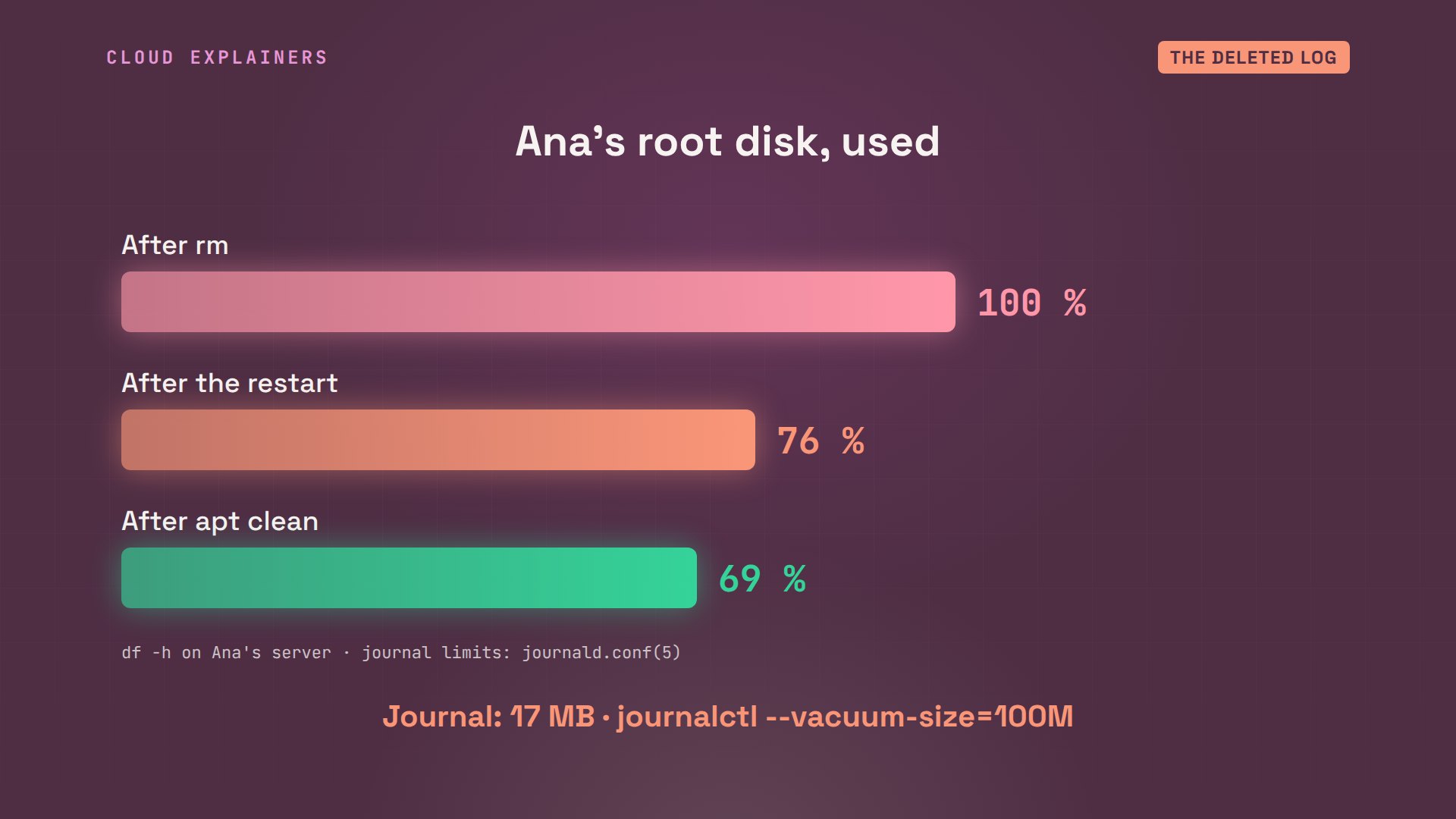
Ana deletes it with rm. Then she checks df again. Still 100%. The file is gone from its folder, but not one byte came back.
sudo rm /var/log/shop/access.log
df -h /Filesystem                      Size  Used Avail Use% Mounted on
/dev/ubuntu-vg/containers_shop  1.9G  1.8G     0 100% /
Here's why. A file is really three parts: a name, inside a folder, an inode, its record, and the blocks that hold its contents. rm only removes the name. Linux frees the inode and the blocks once no program has the file open, and the shop app still does: it opened its log once, when it started, and it's still writing to it.
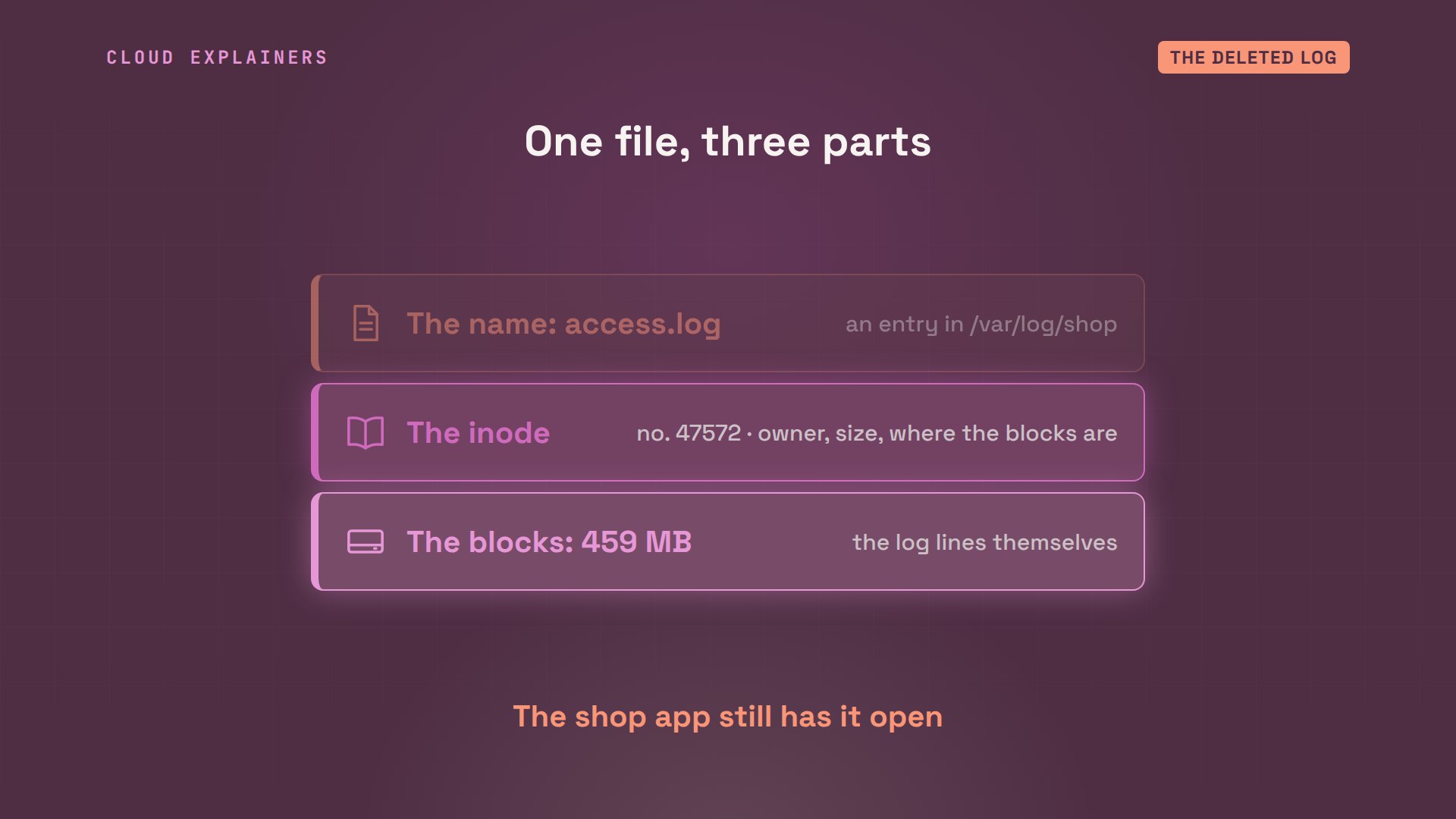
To find files like this, ask lsof, which lists open files. Plus L1 shows the ones with no name left. There it is: python3, the shop app, run by the shop user, holding the access log, about 458 MB, marked deleted.
sudo lsof +L1COMMAND PID USER   FD   TYPE DEVICE  SIZE/OFF NLINK  NODE NAME
python3 762 shop    3w   REG  252,4 480526336     0 47572 /var/log/shop/access.log (deleted)
So Ana restarts the app with systemctl, the tool that manages services. It closes the old file and opens a new, empty log. Now Linux frees the space: the disk drops to 76%, and the order saves.
sudo systemctl restart shop
df -h /Filesystem                      Size  Used Avail Use% Mounted on
/dev/ubuntu-vg/containers_shop  1.9G  1.4G  451M  76% /
curl -s -d tea=sencha localhost:8080/orderorder saved: sencha
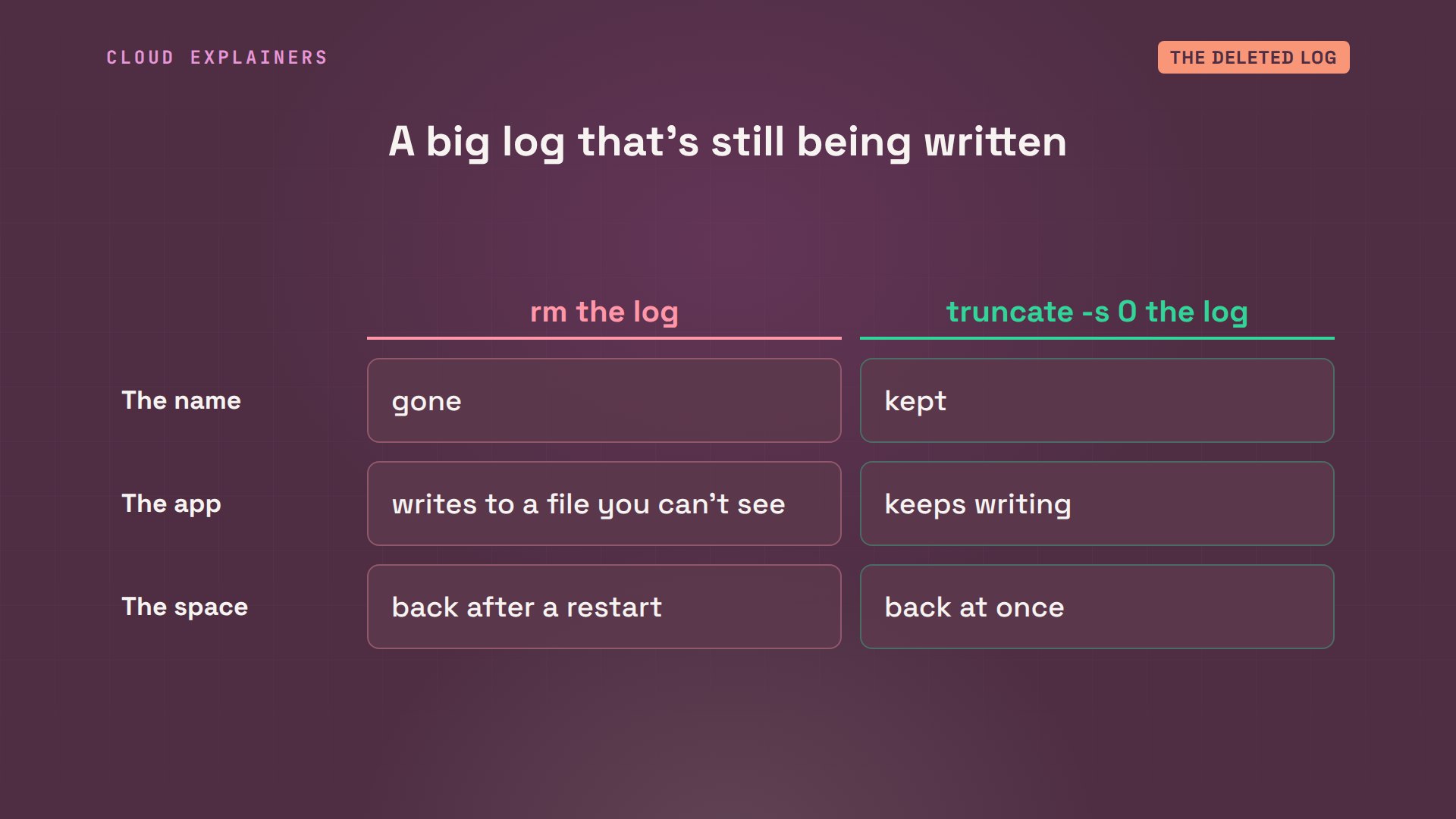
Next time, don't delete a log that a program is writing. Empty it instead, with truncate -s 0: the name stays, the app keeps writing, and the space comes back at once. Or, if you already deleted it, restart the program that holds it.
One more safe cleanup: apt keeps every package it downloads, 113 MB here. sudo apt clean empties that cache; apt downloads again whenever it needs to. The disk is now at 69%.
sudo du -sh /var/cache/apt /var/log/journal113M	/var/cache/apt
17M	/var/log/journal
sudo apt clean
df -h /Filesystem                      Size  Used Avail Use% Mounted on
/dev/ubuntu-vg/containers_shop  1.9G  1.3G  563M  69% /
Here's what came back. 100% after the rm, 76% after the restart, 69% after apt clean. The journal, where Linux keeps its own logs, was only 17 MB here, but it can grow to a tenth of a disk, and journalctl --vacuum-size trims it.
Space left, still full
Now a second way to fill a disk. The shop saves a tiny session file for every visitor, and never deletes them. We made a month of visitors' files in our lab, in a few seconds. Then the shop tries to save an order.
The same error again. But df says the disk is only 88% used, with 234 MB free. So what ran out?
curl -s -d tea=matcha localhost:8080/ordercould not save the order: No space left on device
df -h /Filesystem                      Size  Used Avail Use% Mounted on
/dev/ubuntu-vg/containers_shop  1.9G  1.6G  234M  88% /
Remember the second thing a disk can run out of: inodes, one for every file. df -i counts those instead of space.
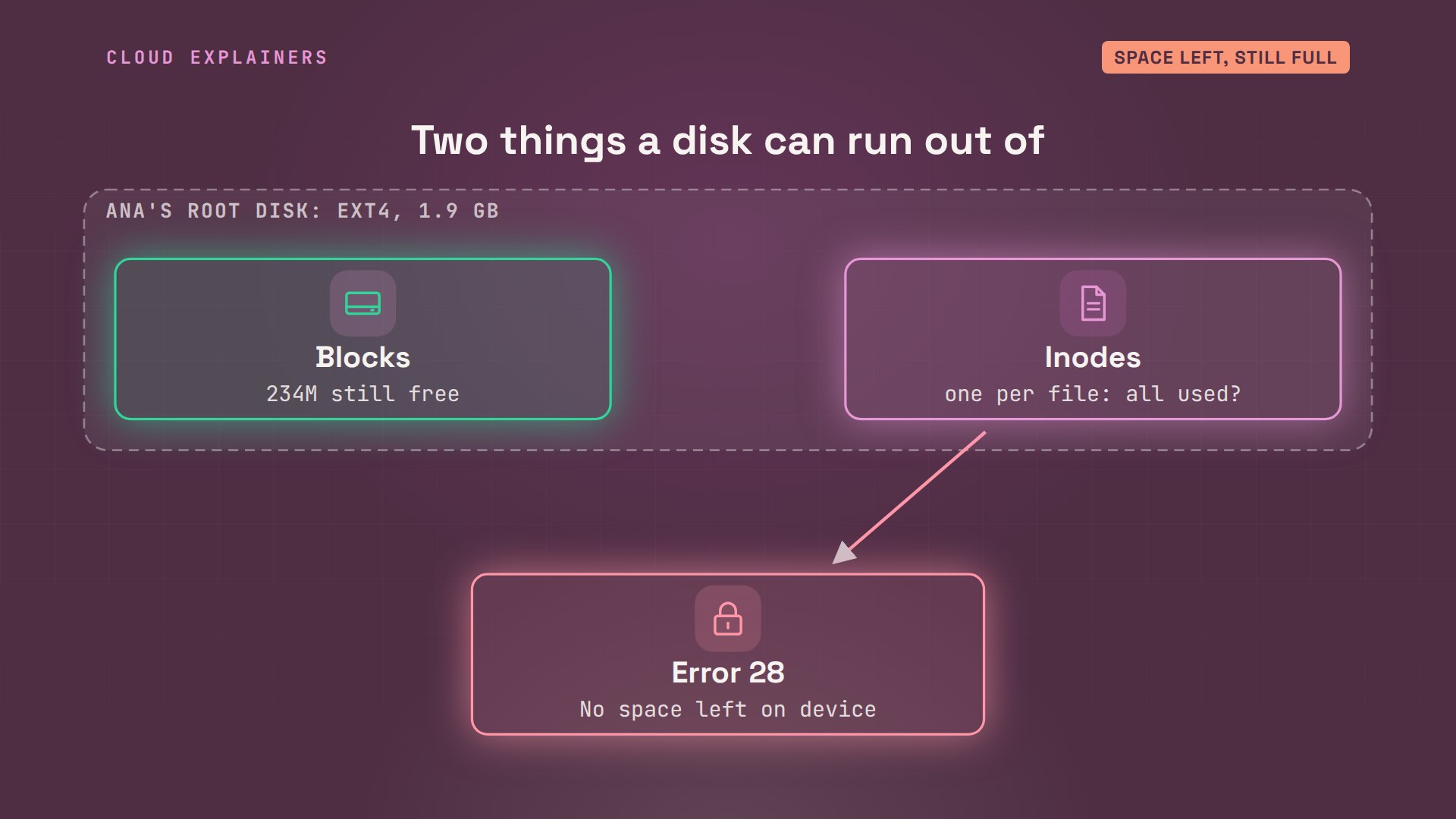
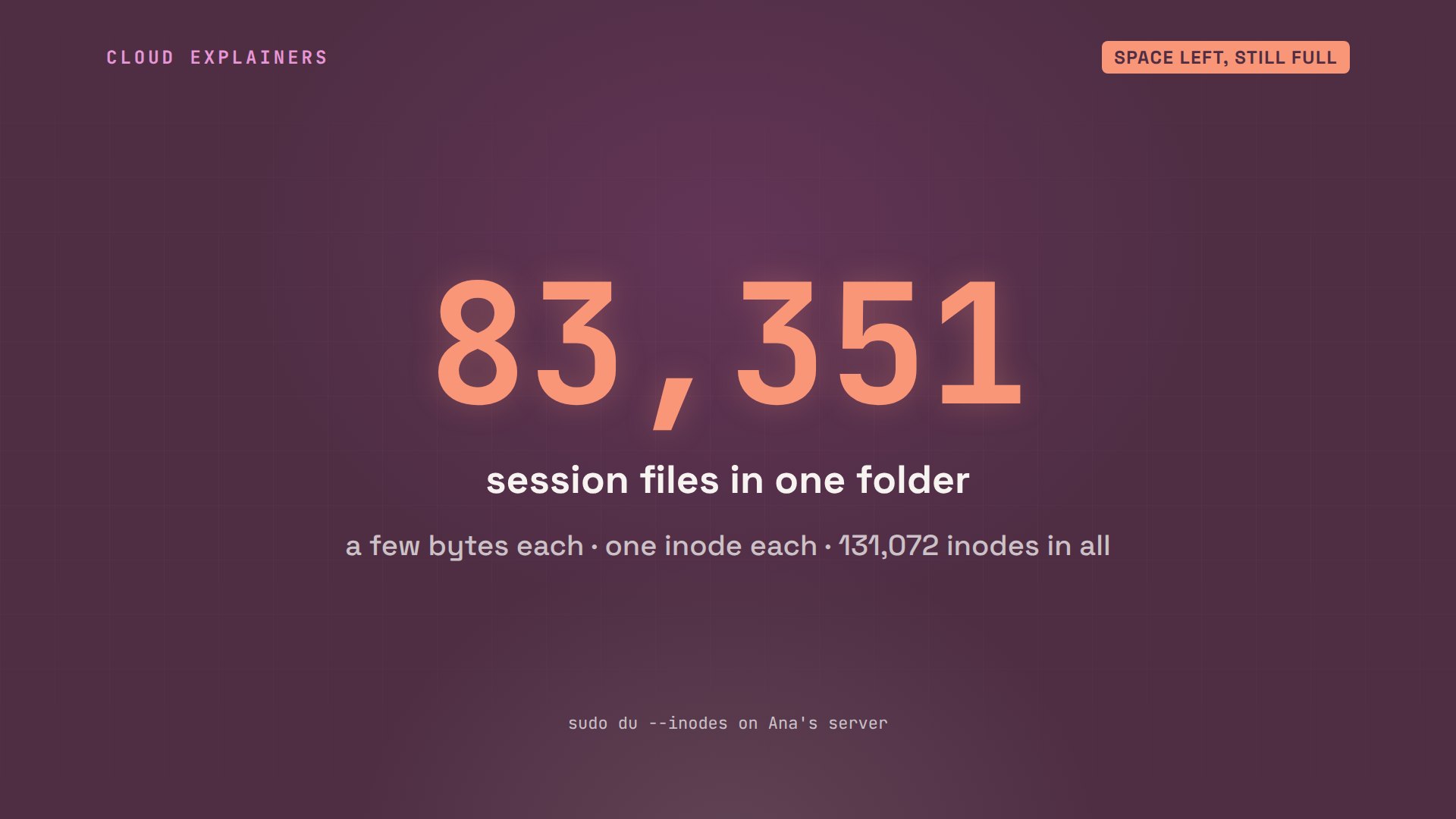
All 131,072 are used. du --inodes, with the same options as before, counts files per folder instead of bytes: 83,351 of them are the shop's sessions.
df -i /Filesystem                     Inodes  IUsed IFree IUse% Mounted on
/dev/ubuntu-vg/containers_shop 131072 131072     0  100% /
sudo du --inodes -xd1 /var/lib/shop | sort -n83351	/var/lib/shop/sessions
83353	/var/lib/shop
83,351 tiny files. Each one is only a few bytes, but each takes a whole inode, and the inodes ran out long before the space did. Small files, not big ones, filled this disk.
Most are old. find lists the ones not changed in more than a week, and wc -l counts them: 61,232. The same find with -delete removes them. Inodes in use drop to 54%, and the order saves.
sudo find /var/lib/shop/sessions -type f -mtime +7 | wc -l61232
sudo find /var/lib/shop/sessions -type f -mtime +7 -delete
df -i /Filesystem                     Inodes IUsed IFree IUse% Mounted on
/dev/ubuntu-vg/containers_shop 131072 69840 61232   54% /
curl -s -d tea=matcha localhost:8080/orderorder saved: matcha
Stop it coming back
Now stop it coming back. For the log, Ubuntu already runs logrotate every day. Ana gives it a rule for the shop: start a new log each day, or as soon as it passes 50 MB when logrotate runs, keep seven old ones, compressed, and copytruncate: copy the log, then empty it in place, so the app keeps writing and no space hides in a deleted file.
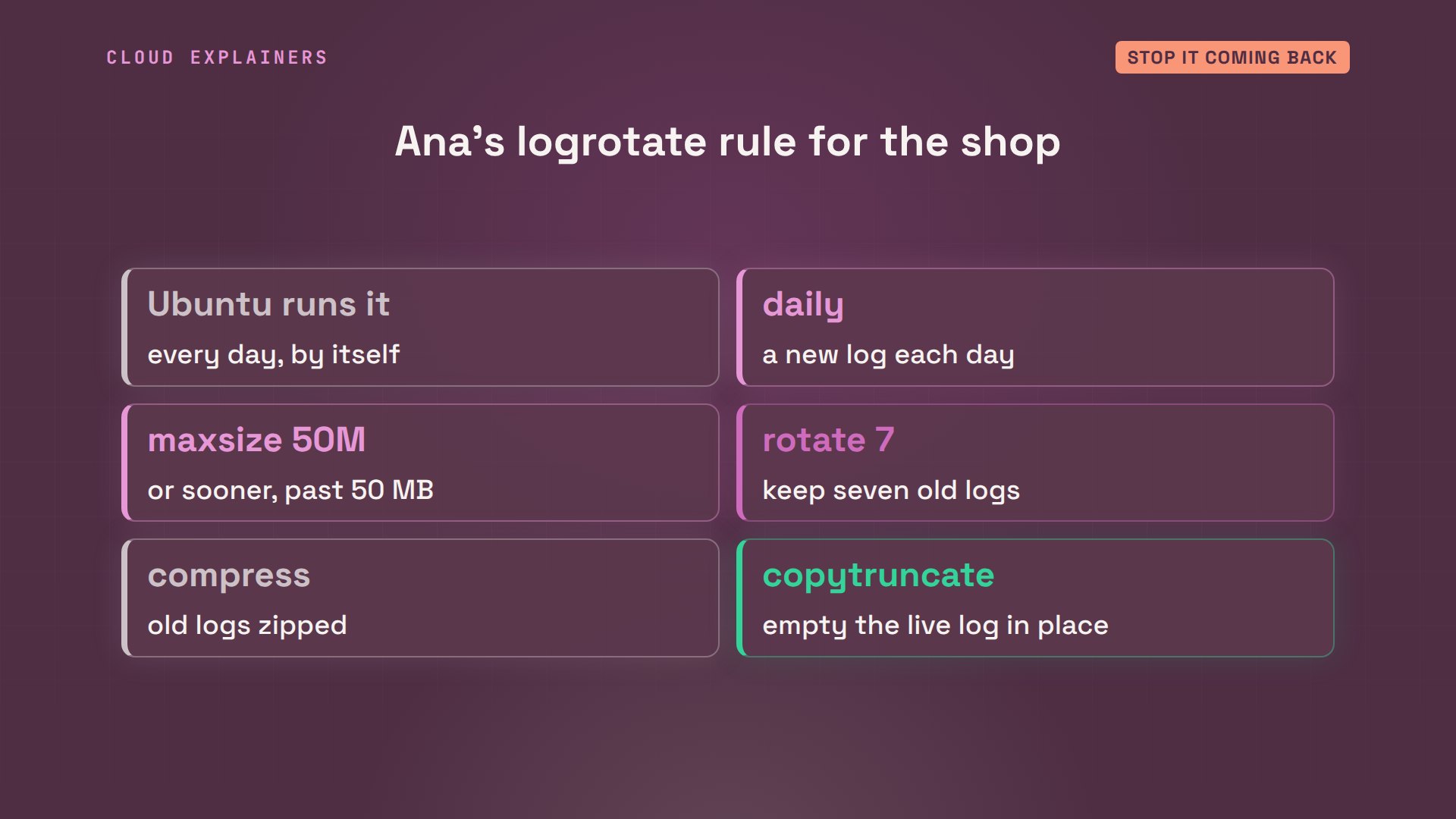
Here's the rule, and one forced run to test it. The live log is now empty, and the old lines sit beside it, compressed.
cat /etc/logrotate.d/shop/var/log/shop/*.log {
    daily
    maxsize 50M
    rotate 7
    compress
    missingok
    notifempty
    copytruncate
}
sudo logrotate -f /etc/logrotate.d/shop
ls -lh /var/log/shoptotal 4.0K
-rw-r--r-- 1 shop shop   0 Nov  2 17:45 access.log
-rw-r--r-- 1 shop shop 161 Nov  2 17:45 access.log.1.gz
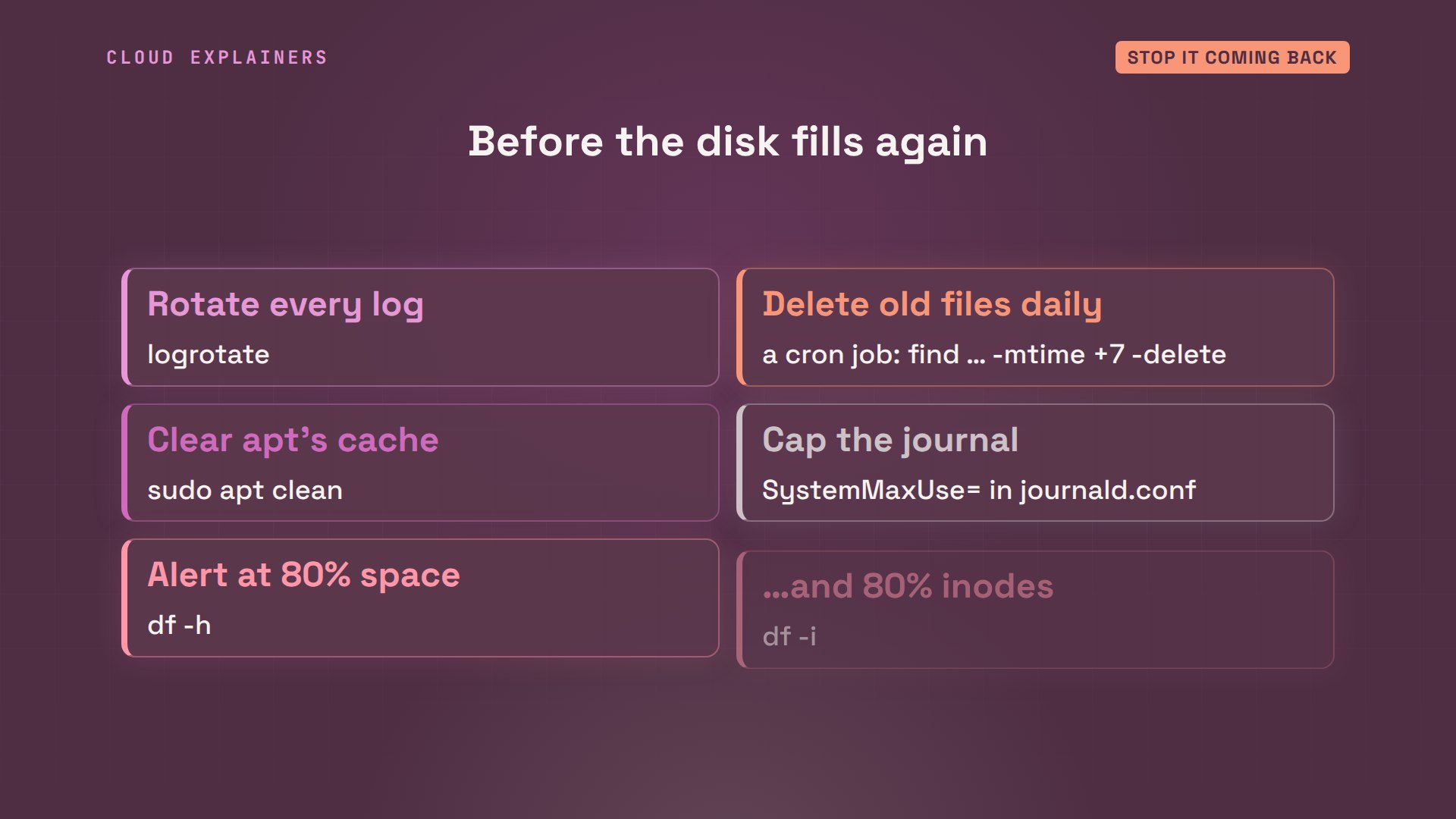
And the rest of the checklist. Delete old session files every day, with the same find. Run apt clean now and then. Cap the journal in journald.conf. And get a warning before the disk is full: alert at 80%, for space and for inodes.
Recap
Let's recap. No space left on device means blocks or inodes ran out. df -h and df -i tell you which disk, and which one. du and find show what filled it. A deleted file that's still open keeps its space: lsof finds it, a restart frees it. And logrotate and a daily cleanup keep Ana's shop taking orders.
If this got a full disk working again for you, subscribing helps a small channel bring more demos like it to beginners.
Every command and number in this video came from a real run in our lab. Thanks for watching Cloud Explainers.
Sources
Demos: real output from an Ubuntu container on our own machine, with a real 2 GB disk. We filled it on purpose: the log and the session files were written by small scripts in seconds, standing in for weeks of visitors. Watch the full video on YouTube.
More videos
How the Internet Works
SQL vs NoSQL: When Each One Wins

How to Fix JWT Token Expired Errors (401 Unauthorized)

Claude API vs Claude Pro: Why Your Subscription Doesn't Include It

Why AI Agent Skills Beat Giant Prompts

Linux Cron Jobs Will Finally Make Sense After This

Security Logs Will Finally Make Sense After This

How to Fix a Security Leak: An API Key Pushed to GitHub

DNS Will Finally Make Sense After This

Never Ignore a Security Update

Two-Factor Authentication Will Finally Make Sense

Never Expose a Database to the Internet

SSH Keys vs Passwords: Which Is Safer for Security?

The 5 Levels of Linux Boot: From Power On to Login

The 5 Levels of Network Firewalls

Password Security: Why Hackers Crack Weak Passwords

Why Your Linux Server Runs Out of Memory

HTTP vs HTTPS: What Actually Changes on Your Network

Every Linux File Permission You Need to Know

Linux Processes vs Threads: When Each One Wins

The OSI Model Will Finally Make Sense After This

The 7 Levels of Git

Every Network Troubleshooting Command You Need

Hashing vs Encryption in Cybersecurity: When Each One Wins

Why the Internet Ran Out of IP Addresses

Linux Package Managers: apt vs Snap vs Flatpak

Why Python Is Slow (and When It Doesn't Matter)

TCP vs UDP: When Each One Wins

Stop Running Linux as Root (Do This Instead)

Linux Users and Groups Will Finally Make Sense

Why Phishing Beats Good Security (and How to Spot It)

The 7 Levels of Docker

AI Agents Will Finally Make Sense After This

Stop Using git push --force (Use This Instead)

Agent Skills vs MCP: When Each One Wins

Networking Will Finally Make Sense After This

Every Linux Command You Actually Need

The 7 Levels of Cybersecurity

Every System Design Concept You Need, in One Diagram
