
Why Your Gemini API Free Tier Runs Out So Fast
The Gemini API free tier runs out fast because it is small (20 requests a day on Gemini 3.6 Flash in our project), because tools and agents turn one question into several requests, because chats resend the whole conversation so tokens run out first, and because every script on the project shares one counter. We measured each for real, then made the same job fit in one request.
Out after a handful
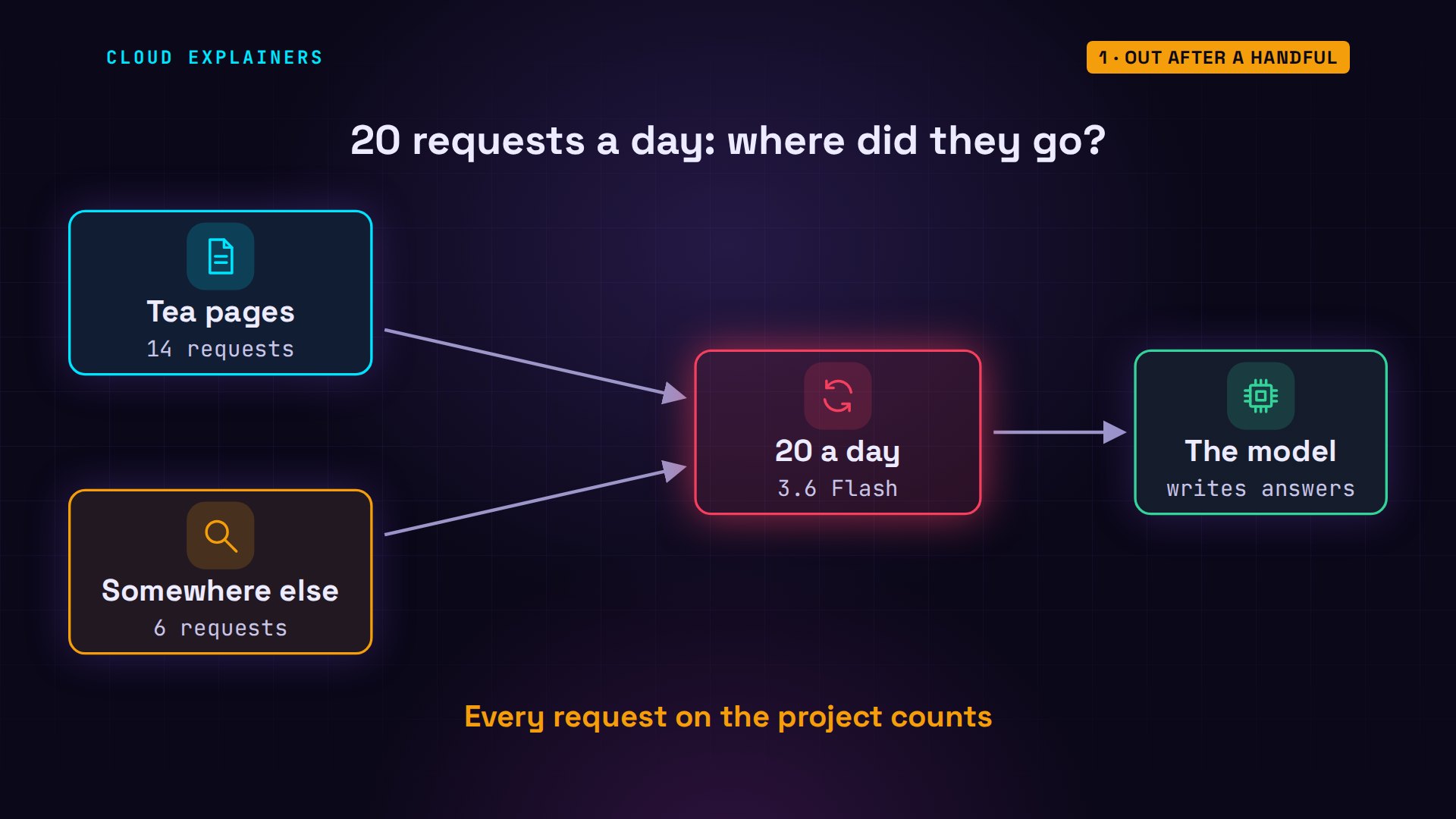
You've sent only a handful of requests to the Gemini API's free tier, and it already says you've run out. Ana's tea shop script hit it today. It wrote 14 tea pages, and then stopped: 429, resource exhausted.
python describe.py1 Sencha done
2 Assam done
3 Earl Grey done
4 Darjeeling done
5 Jasmine done
6 Genmaicha done
7 Oolong done
8 Rooibos done
9 Chamomile done
10 Peppermint done
11 Hojicha done
12 Lapsang done
13 Ceylon done
14 Matcha done
15 Gyokuro: error 429 RESOURCE_EXHAUSTED
429 is the code an API sends for too many requests. jq, a tool for reading JSON, prints the message that came with it. The limit is 20 requests a day, for Gemini 3.6 Flash. But the script got only 14 answers before the refusal.
jq -r .error.message error.jsonYou exceeded your current quota, please check your plan and billing details. For more information on this error, head to: https://aistudio.google.com/docs/rate-limits. To monitor your current usage, head to: https://ai.dev/rate-limit.
* Quota exceeded for metric: generativelanguage.googleapis.com/generate_content_free_tier_requests, limit: 20, model: gemini-3.6-flash, description: Generate content requests per day limit exceeded on Free Tier. See https://aistudio.google.com/docs/rate-limits.
Please retry in 8h20m6.739569531s.
So where did the other 6 go? By the end, you'll know every place your free requests and tokens go, and how to make them last.
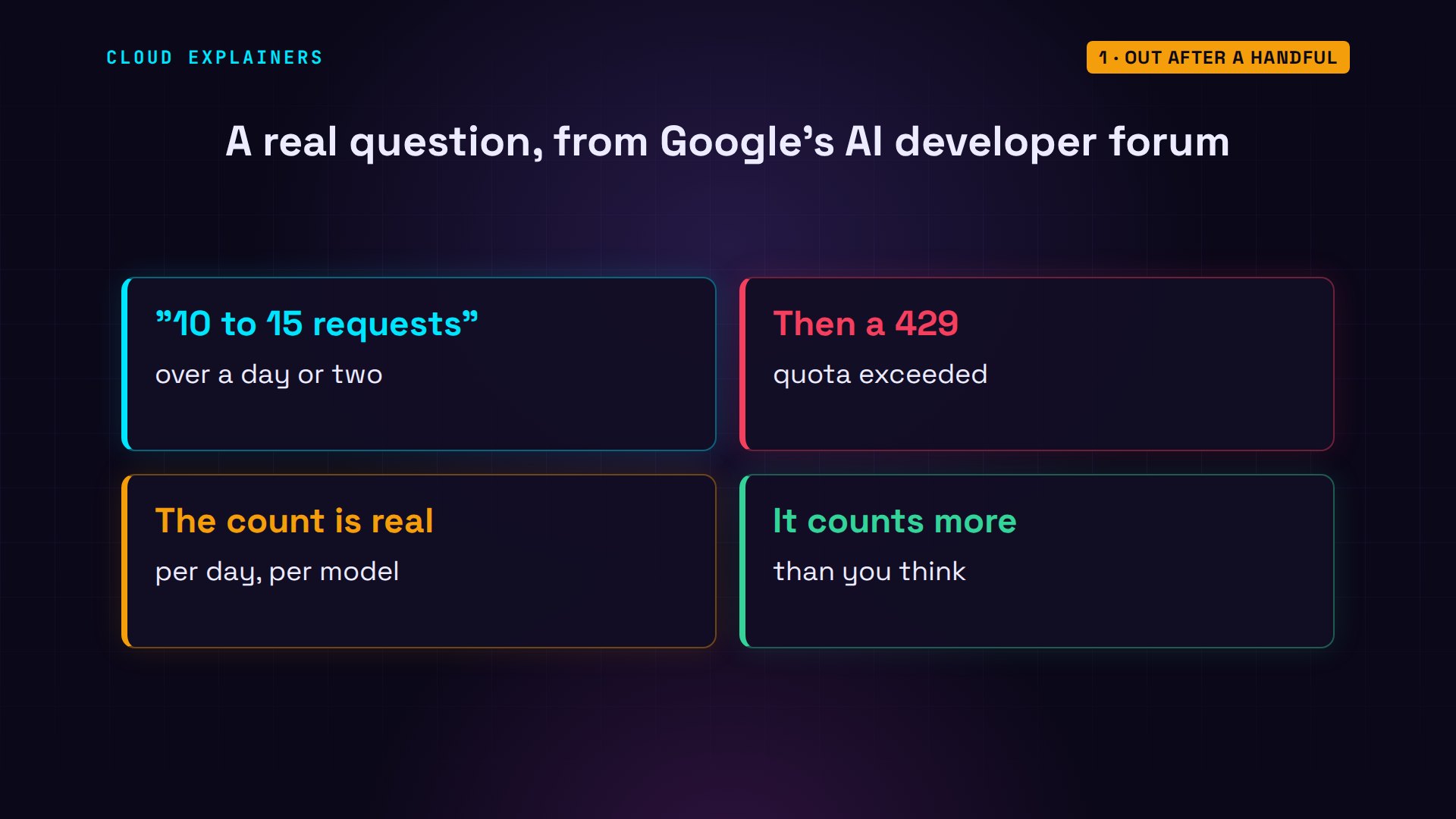
It's a common question on Google's AI developer forum. One developer wrote that after about ten to fifteen requests over a day or two, the free tier answered 429. The counting is real; it just counts more than you think.
How small the free tier is
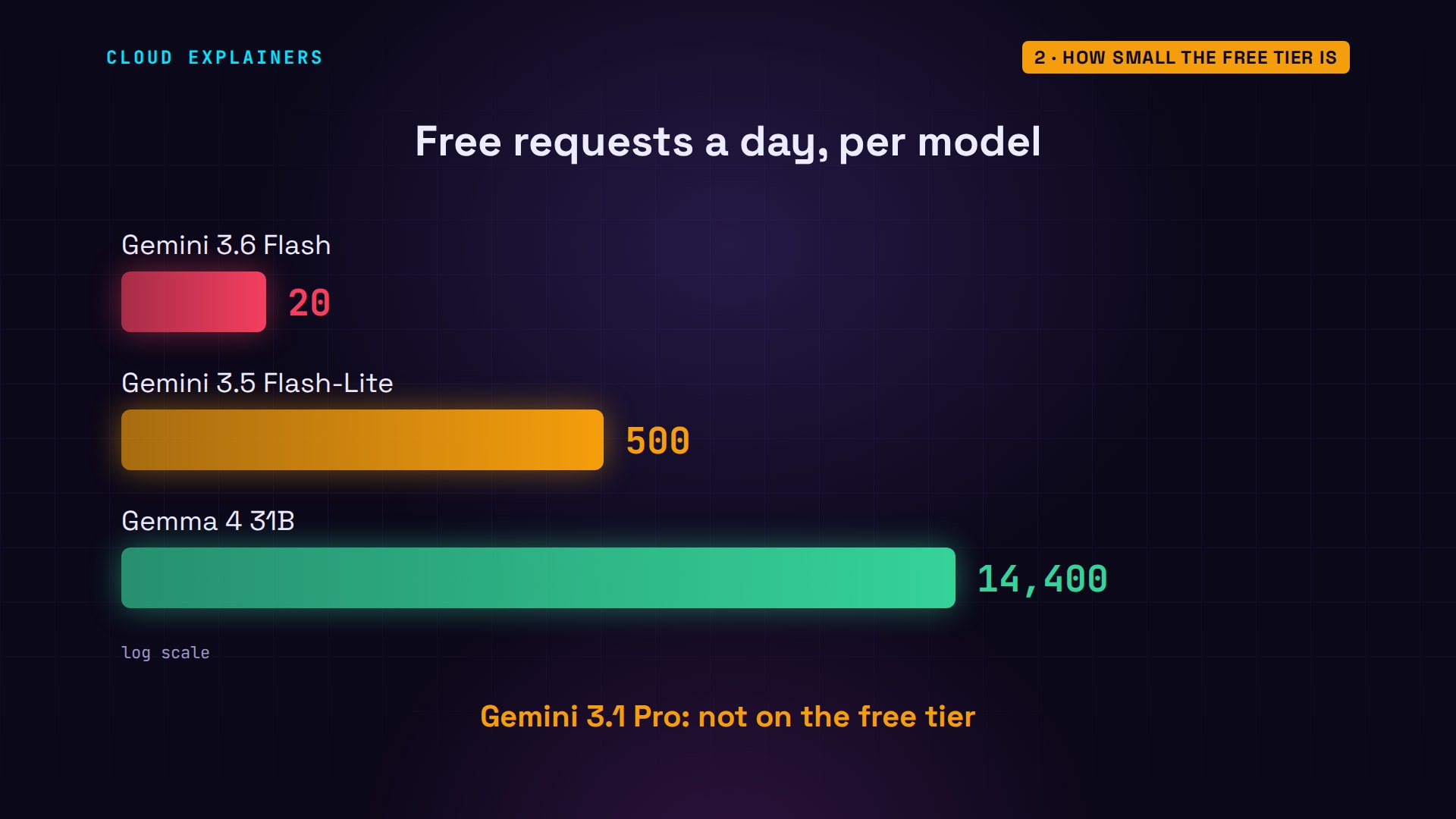
First, how much do you get? These are the free tier's daily limits for this project, read from its own quota list. Gemini 3.6 Flash: 20 a day. 3.5 Flash-Lite: 500. Gemma 4, an open model: 14,400. And Gemini 3.1 Pro isn't on the free tier at all.
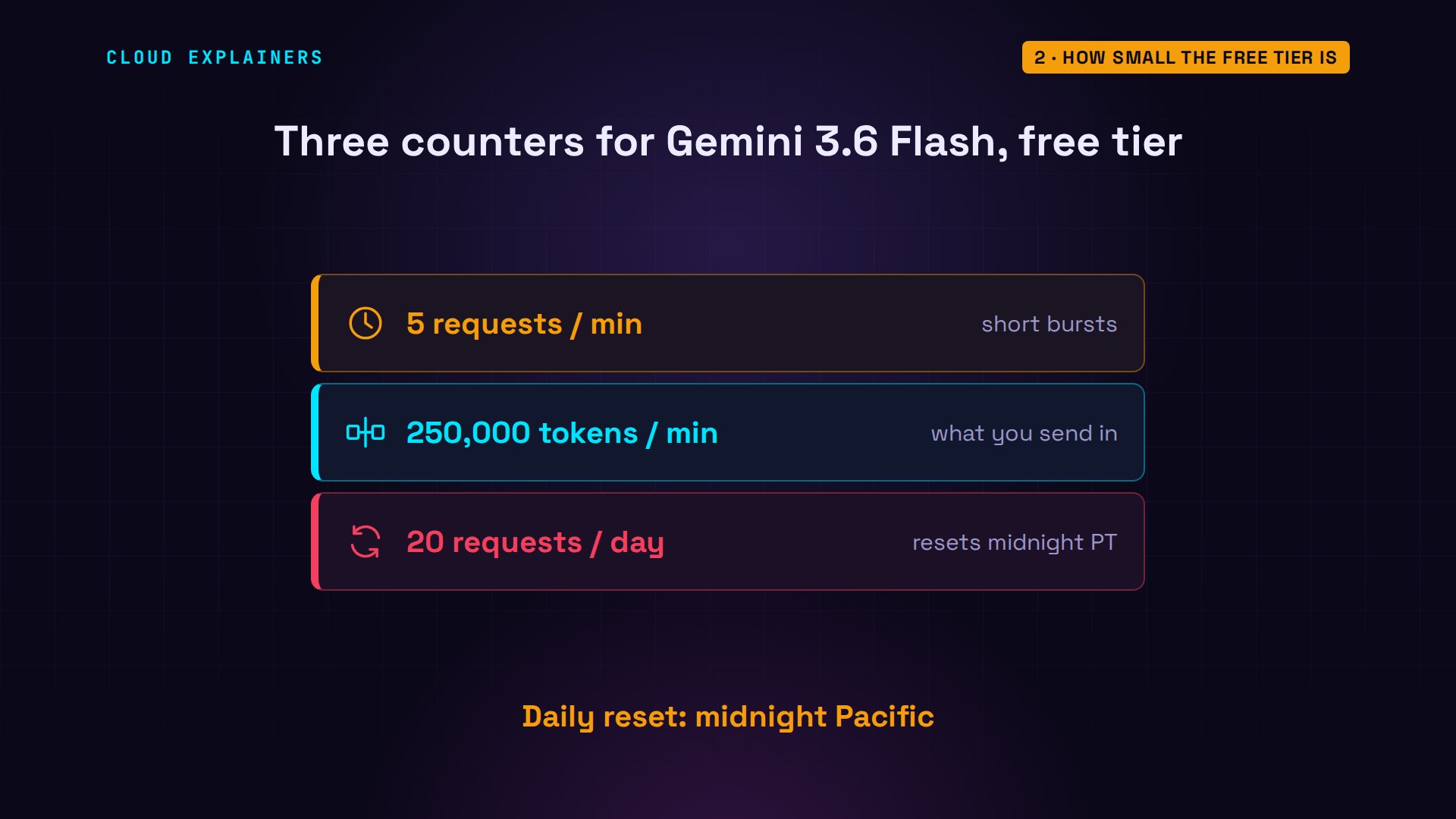
And each model has three counters. For 3.6 Flash: 5 requests a minute, 250,000 input tokens a minute, tokens being the pieces of words you send, and 20 requests a day. Google's docs add two rules: the counters belong to the project, not the key, and the daily one resets at midnight, Pacific time.
And Ana's tea page script was careful. It sends one request per tea, then sleeps 13 seconds, so it never passes 5 a minute. If the model is busy, it waits and tries the same tea again. A client error, like a 429, stops it and saves the error to a file. So the minute counter was never the problem.
sed -n 5,19p describe.pyfor n, tea in enumerate(open("teas.txt").read().splitlines(), 1):
    while True:
        try:
            client.models.generate_content(model="gemini-3.6-flash",
                contents=f"Two calm sentences for a shop page about {tea} tea.")
            break
        except genai.errors.ServerError as e:   # 503: the model is busy
            print(n, tea, f"busy ({e.code}), trying again")
            time.sleep(30)
        except genai.errors.ClientError as e:   # 4xx, like 429: stop here
            json.dump(e.details, open("error.json", "w"))
            exit(f"{n} {tea}: error {e.code} {e.status}")
    print(n, tea, "done")
    time.sleep(13)   # 5 requests a minute is the limit
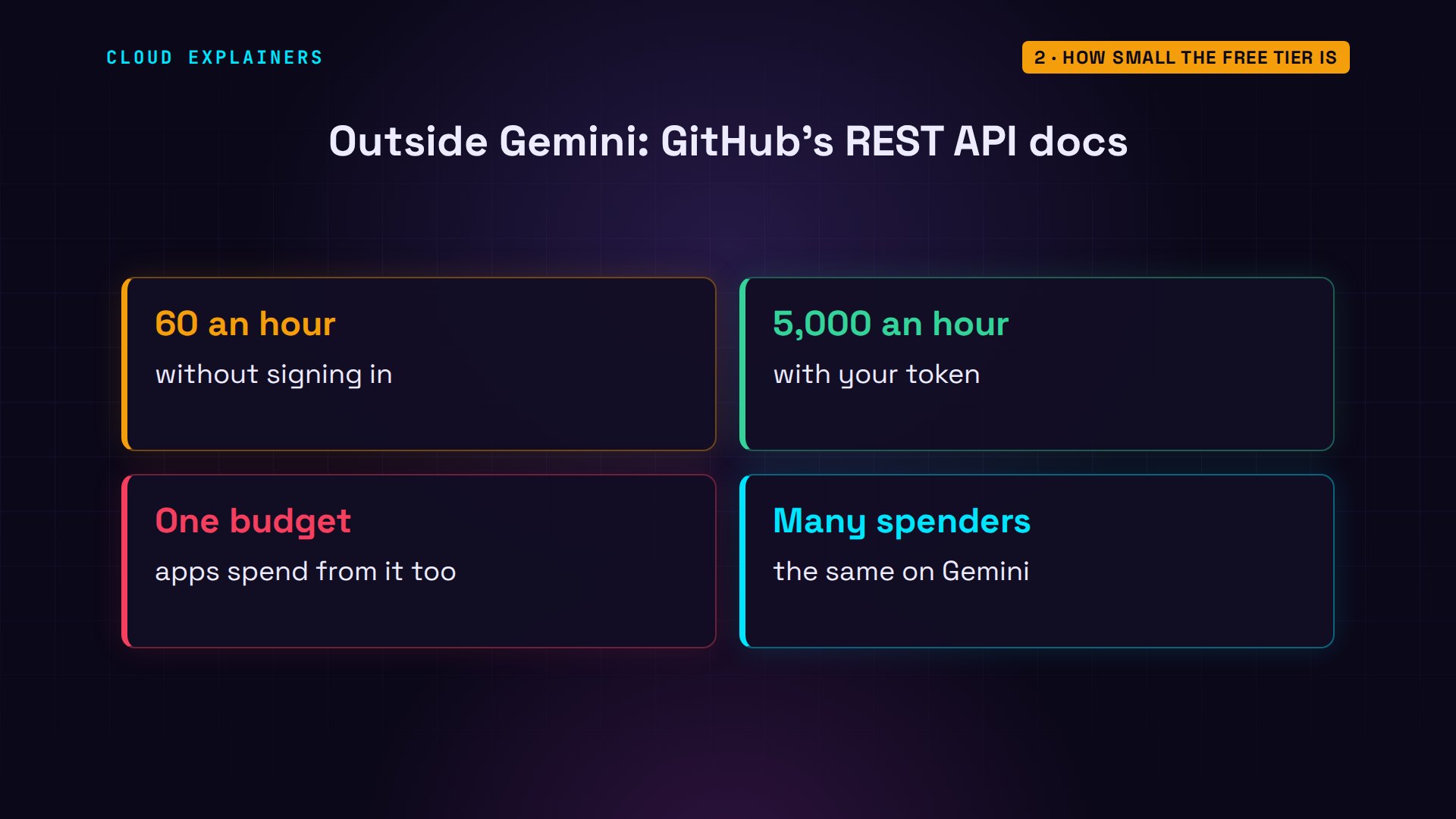
Free allowances are small on purpose. GitHub does the same with its API: sixty requests an hour if you don't sign in, five thousand with a token. And its docs warn that an app acting for you spends from that same budget. One budget, many spenders: that's the whole story of this video.
One question, many requests
The first place they went: one question. sed prints part of Ana's stock script. It gives the model two Python functions, called tools: one lists the shop's teas, one says how many tins of a tea are left. Then it asks one question: which teas are out of stock?
sed -n 10,21p agent.pydef teas() -> list[str]:
    """The names of every tea the shop sells."""
    return open("teas.txt").read().splitlines()

def stock(tea: str) -> int:
    """How many tins of one tea are in stock."""
    return {"Matcha": 0, "Gyokuro": 0}.get(tea, 12)

try:
    reply = client.models.generate_content(model="gemini-3.6-flash",
        contents="Which of our teas are out of stock?",
        config=types.GenerateContentConfig(tools=[teas, stock]))
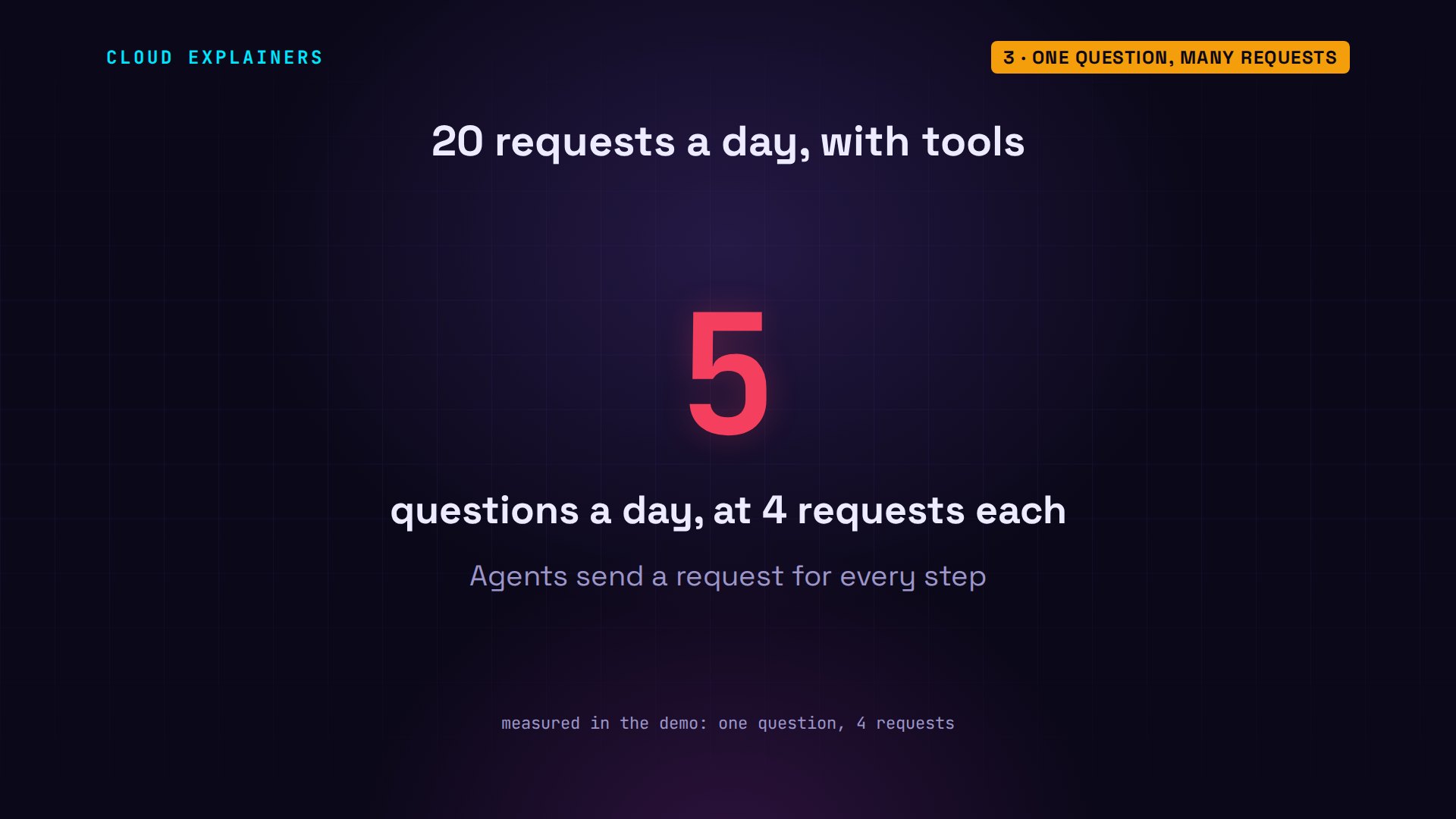
Three lines at the top count what actually leaves the laptop: every request the library sends goes on a list. One question. Guess first: how many requests did it take? 4. And the answer is right: Matcha and Gyokuro. That's 4 requests for one short answer.
sed -n 5,8p agent.pysent = []   # every request the library sends to the API
web = httpx.Client(event_hooks={"request": [sent.append]})
client = genai.Client(
    http_options=types.HttpOptions(httpx_client=web))
python agent.py 2>/dev/nullThe following teas are currently out of stock (0 tins in stock):

* **Matcha**
* **Gyokuro**
requests sent: 4
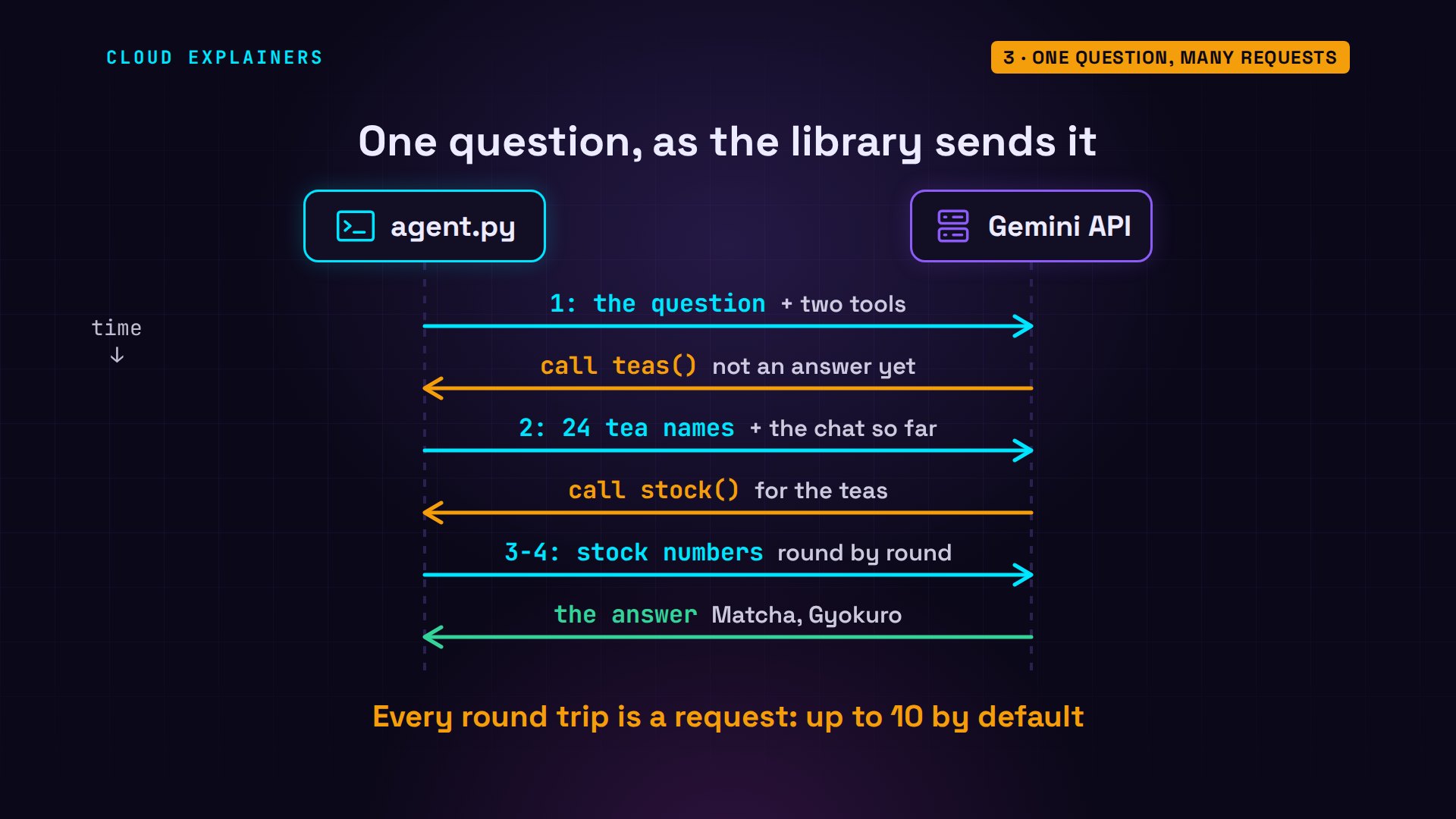
Here's why. The model can't run Python, so request one comes back with: please call teas. The library runs it, and request two sends the 24 names back. The model answers: now call stock, for the teas. The next requests carry those numbers back, round by round, until the model can answer: 4 requests in all. The library does all this by itself, up to ten calls by default.
So on this free tier, 20 requests a day is not 20 questions. With tools, it's closer to 5. Coding assistants and agents do this on every step, which is how a quiet afternoon can empty the counter.
Tokens run out first
The second way to run out isn't about requests at all. Ana has a supplier's catalog, 1,802 lines of tea lots, and a chat that asks four questions about it, this time on 3.5 Flash-Lite. The catalog goes in with the first question; the next three are one line each.
wc -l catalog.txt && head -3 catalog.txt1802 catalog.txt
Kettle Supply Co. wholesale catalog, lots on offer

Lot 0001: Chamomile, Darjeeling, first flush, harvested 2026-09-16, 35.65 dollars per kilo, 16 kilos available, moisture 3.3 percent.
sed -n 5,13p chat.pychat = client.chats.create(model="gemini-3.5-flash-lite")
catalog = open("catalog.txt").read()
questions = [catalog + "\nWhich Sencha lot is cheapest?",
             "And which was harvested first?",
             "Any Matcha under 30 a kilo?",
             "Which Assam lot has the most kilos?"]
for q in questions:
    try:
        reply = chat.send_message(q)
Question one sends 96,660 tokens. Question two, a single line, sends 98,594. Then question 3: 429. Only 3 requests, and this model allows fifteen a minute.
python chat.py96,660 tokens sent
98,594 tokens sent
error 429 RESOURCE_EXHAUSTED
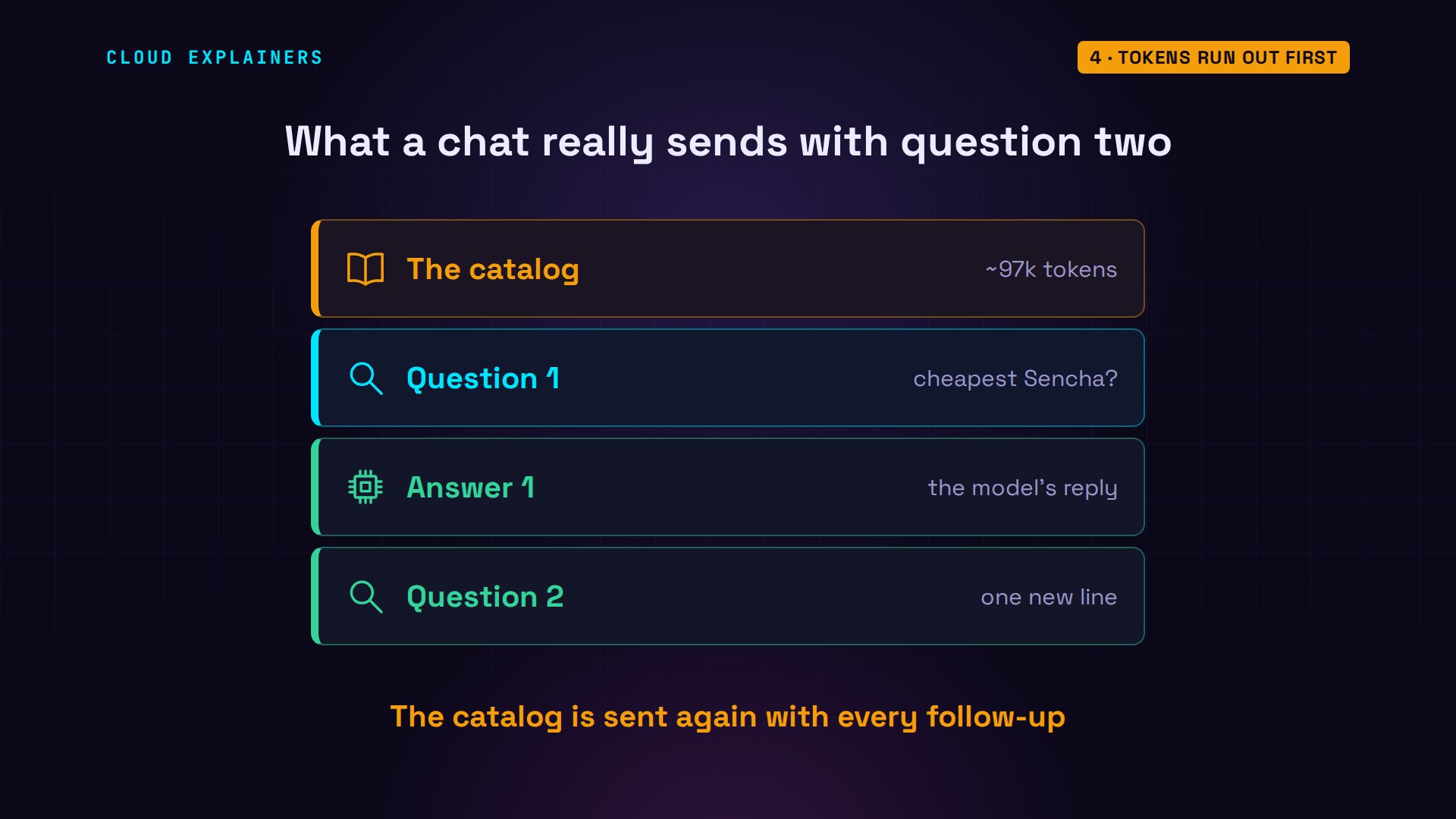
Why was a one-line question so big? Because the API remembers nothing between requests. A chat sends the whole conversation every time: the catalog, the first question and its answer, then the new line. Every follow-up pays for the catalog again.
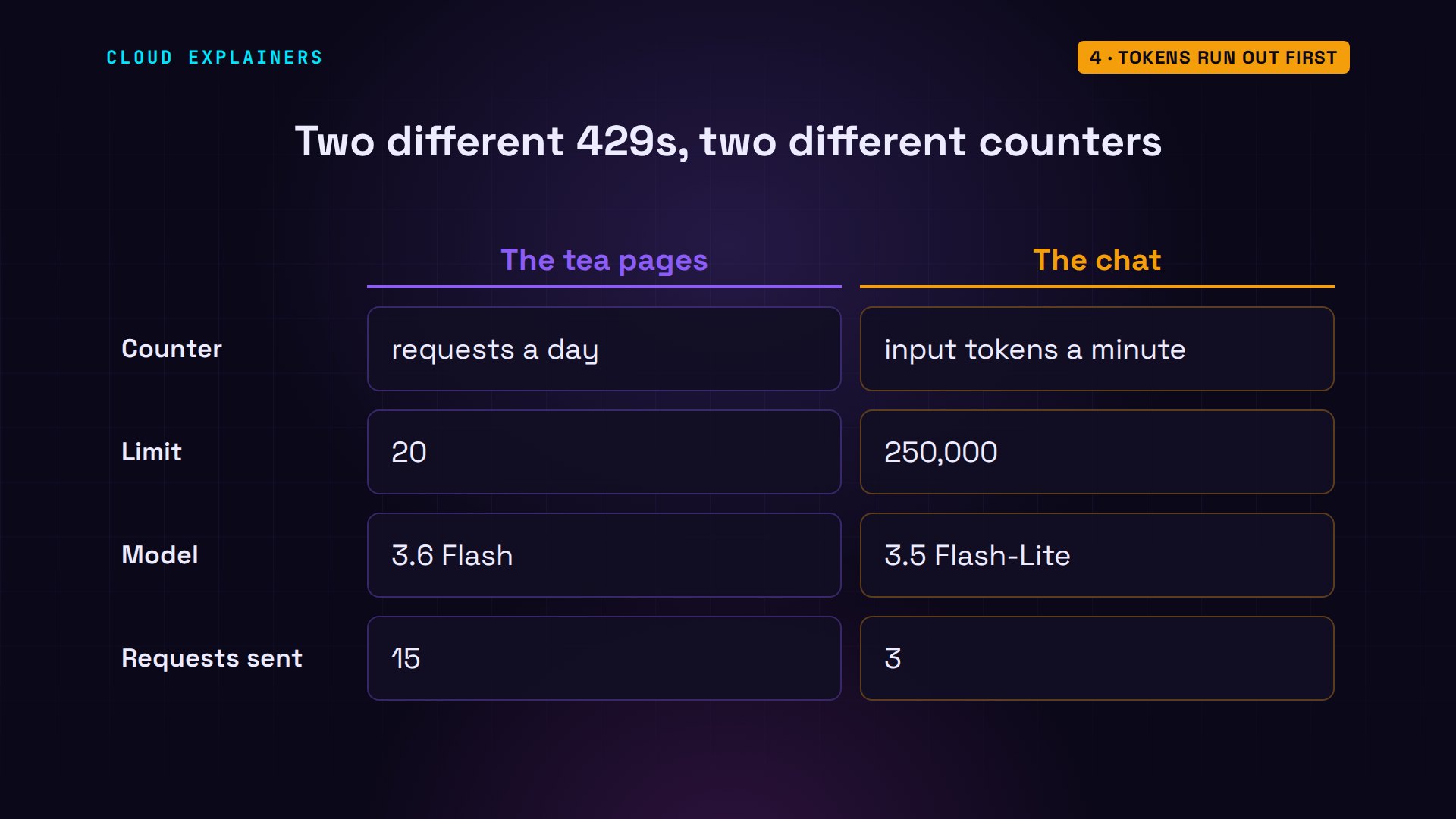
The message names a different counter: input tokens, 250,000 a minute. The first two questions had already sent 195,254, so one more catalog-sized request didn't fit.
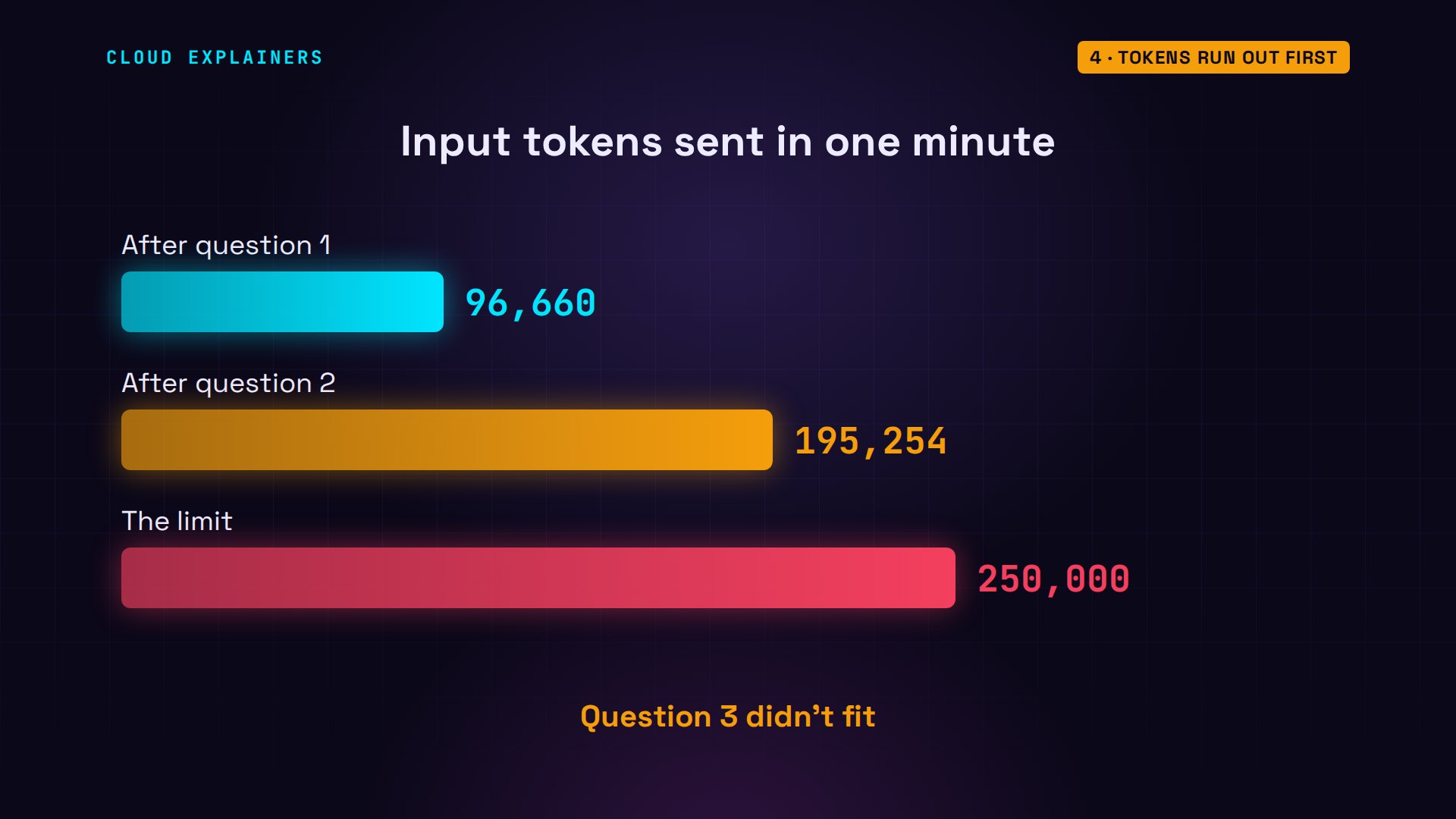
Here's that minute as a running total. After question one: 96,660. After question two: 195,254. Question 3 would have added about a hundred thousand more, past the 250,000 line, so the API refused it before the model read a word.
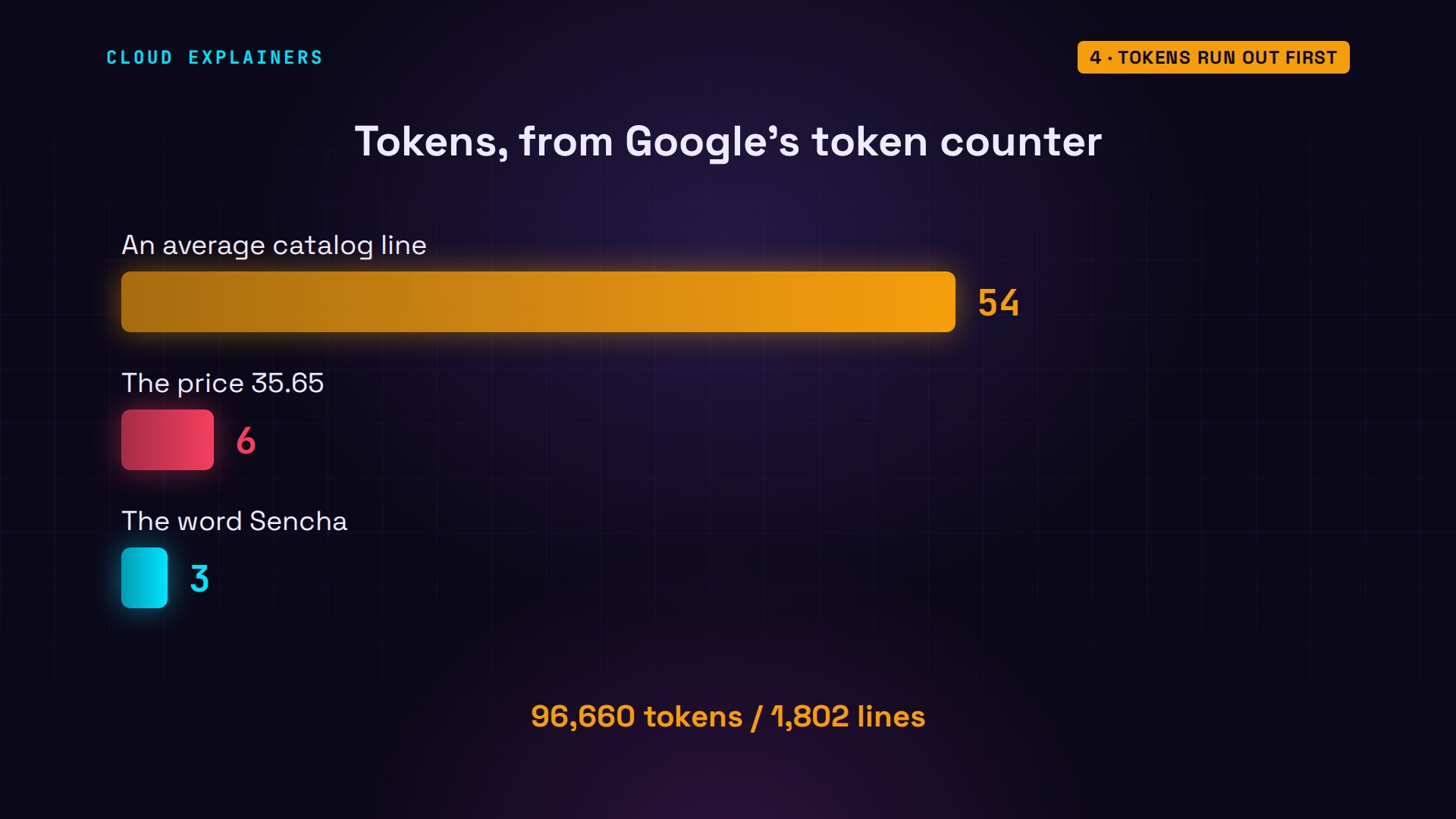
Why is the catalog so heavy? It's 1,802 lines, and each line is full of names, dates and prices, about 54 tokens a line. Numbers cost more than you'd expect: Google's token counter puts the price 35.65 at 6 tokens, twice the word Sencha.
Where the twenty went
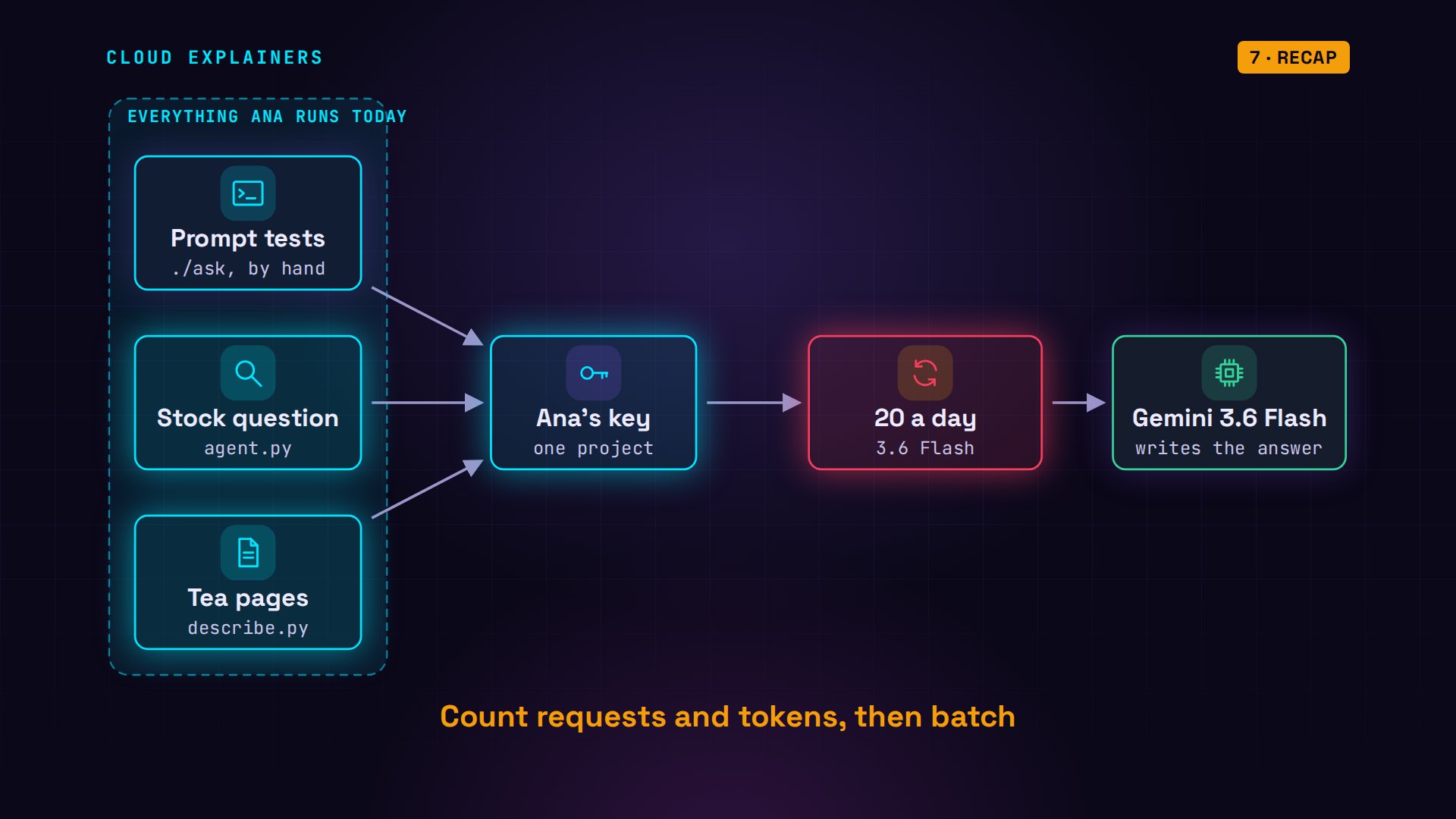
Now back to Ana's missing 6. Before the tea pages, she tested her prompt twice by hand: two requests. Then she asked her stock question: 4 more. The tea page script got what was left: 14. 2 plus 4 plus 14 is 20, exactly the daily limit.
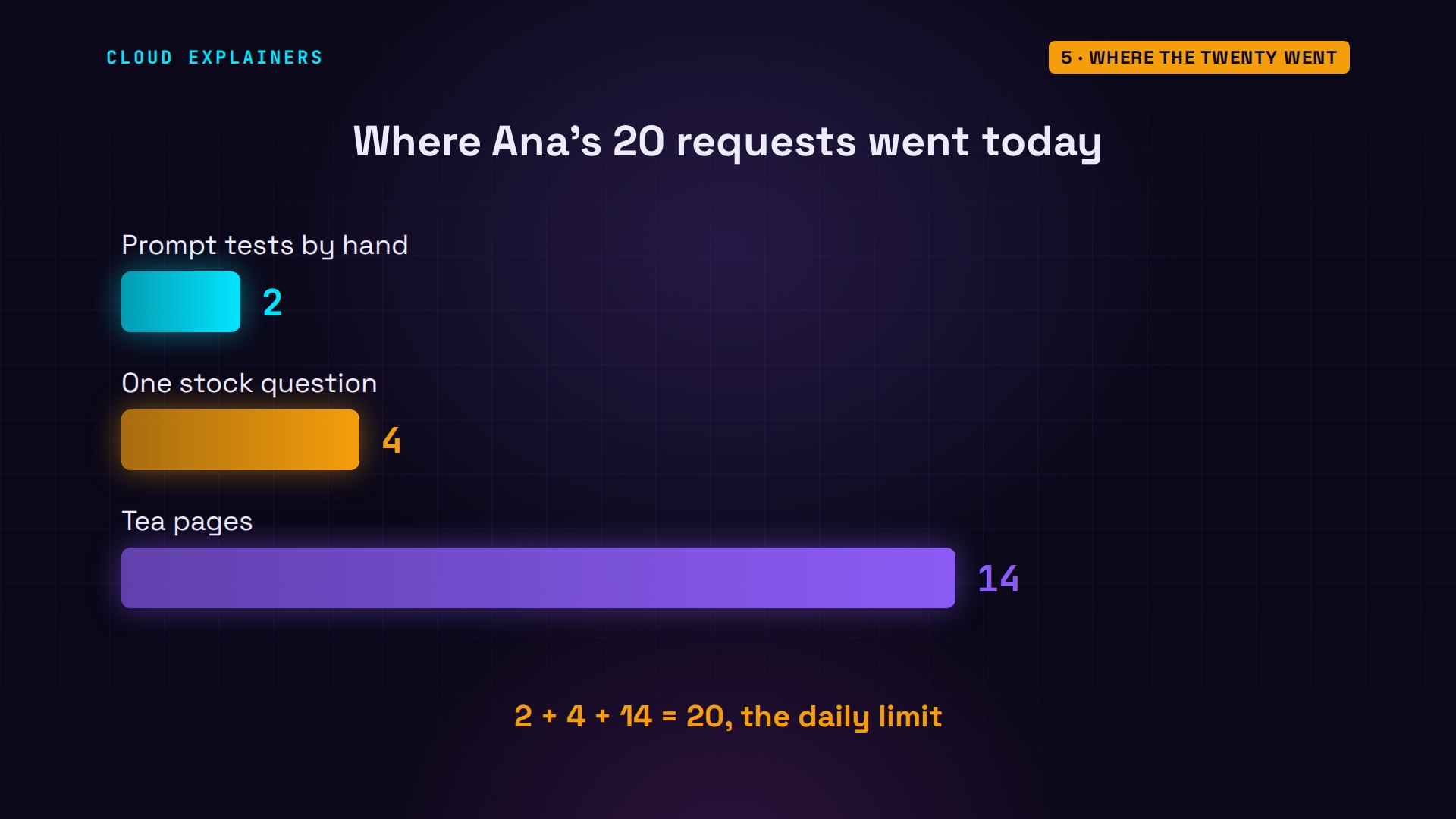
Three scripts, one key, one project, so one counter for the day. Each script looked fine on its own. Together they spent the day's budget before lunch.
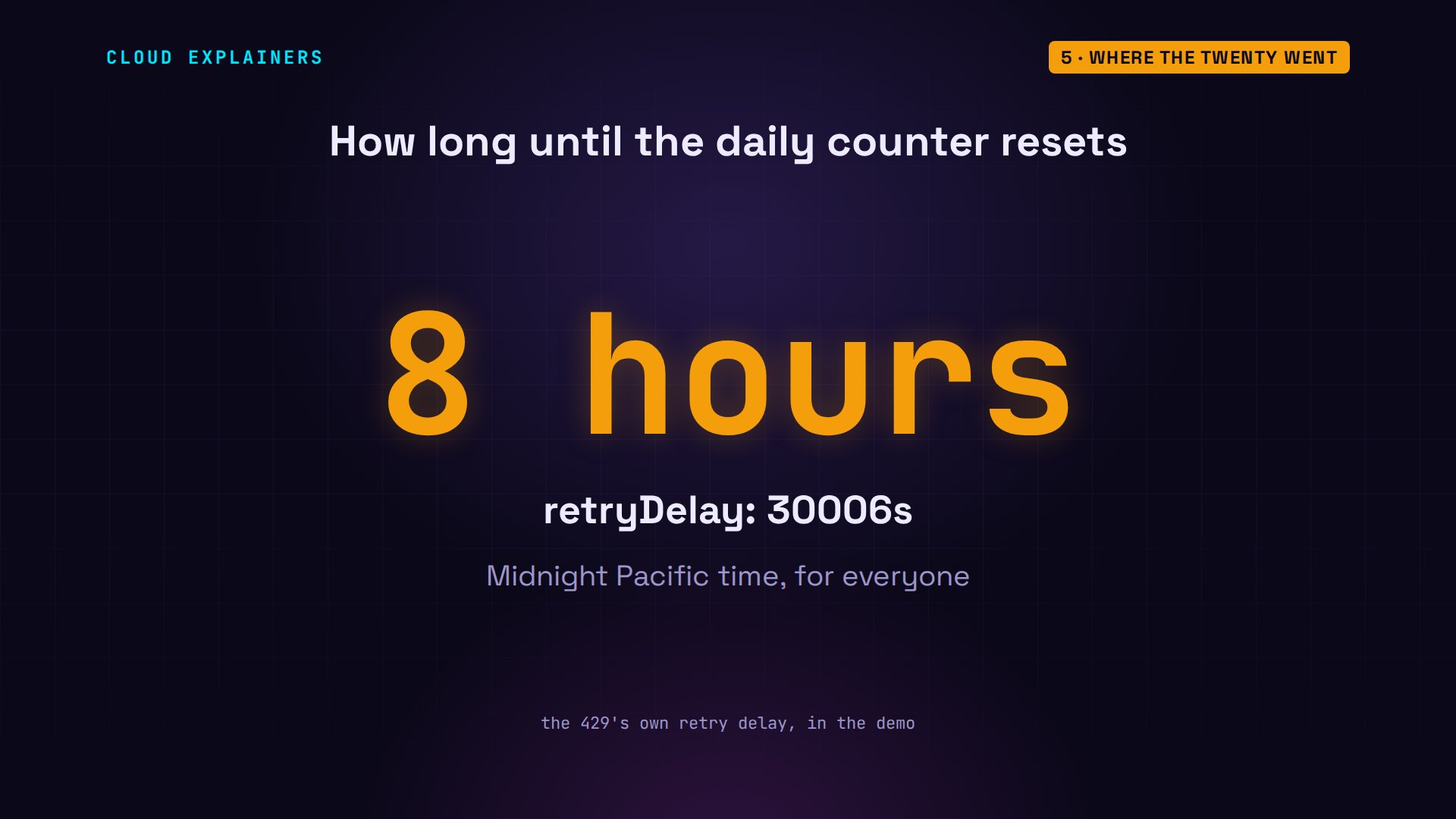
And waiting a minute won't help. The error's retry delay, which jq can read from the file, says 30006 seconds: about 8 hours. That lands on midnight in California, when the daily counters reset, wherever you live.
Make it last
So how do you make a free day last? Ask for many things in one request. Ana's batch script sends all 24 tea names at once, and asks for a list back, one page per tea, in a fixed shape the code can read.
sed -n 16,21p batch.pymodel = os.environ.get("MODEL", "gemini-3.6-flash")
prompt = "For each tea, two calm sentences for a shop page.\n" + teas
config = types.GenerateContentConfig(
    response_mime_type="application/json", response_schema=list[Page])
reply = client.models.generate_content(
    model=model, contents=prompt, config=config)
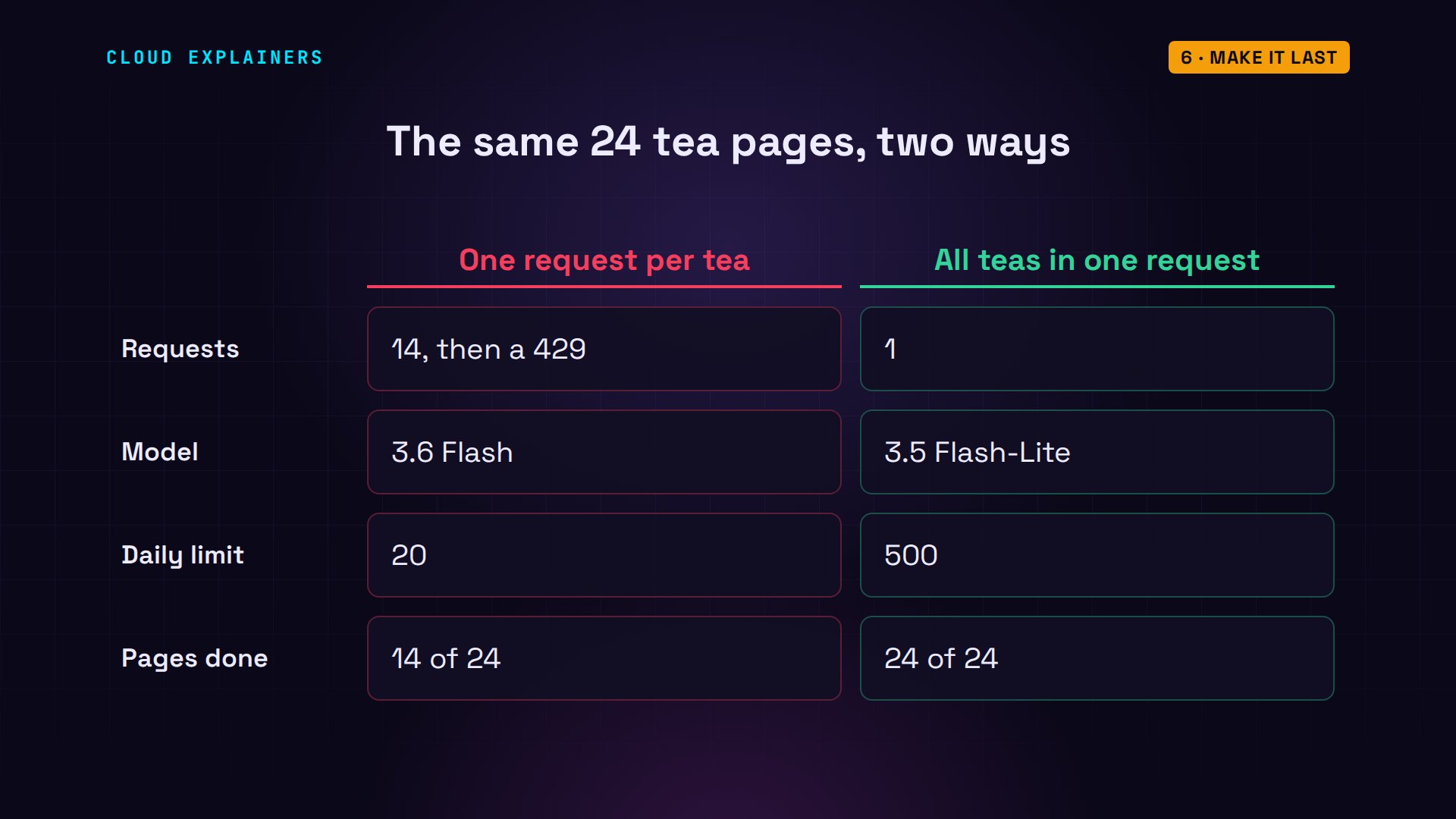
So she runs it on a model with a counter of its own: 3.5 Flash-Lite, which allows 500 a day. 24 tea pages. How many requests? One. The same job that took 14 requests, and still wasn't finished. All the pages came back in a single reply.
MODEL=gemini-3.5-flash-lite python batch.py24 descriptions. The first: Sencha - Bright grassy notes awaken the senses wi ...
requests sent: 1
Side by side: one request per tea used 14 of the day's 20 and stopped. One request for every tea used one, on a model with twenty-five times the daily allowance.
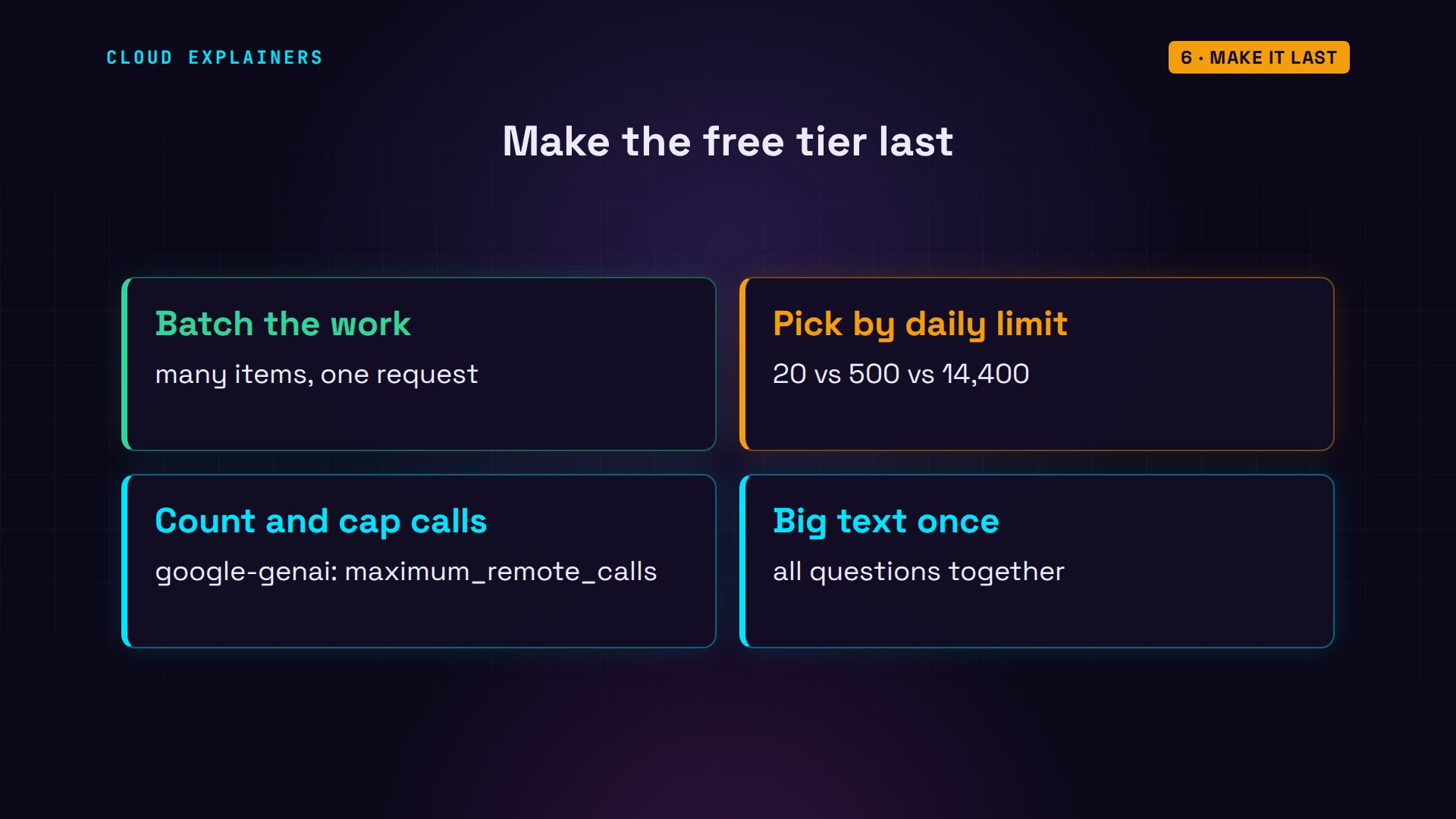
Four habits make the free tier last. Put many items in one request. Pick the model by its daily limit, not by its name. Count what your tools and libraries really send, and cap them: the library has a setting for the most calls it makes. And send a big document once, with all your questions together.
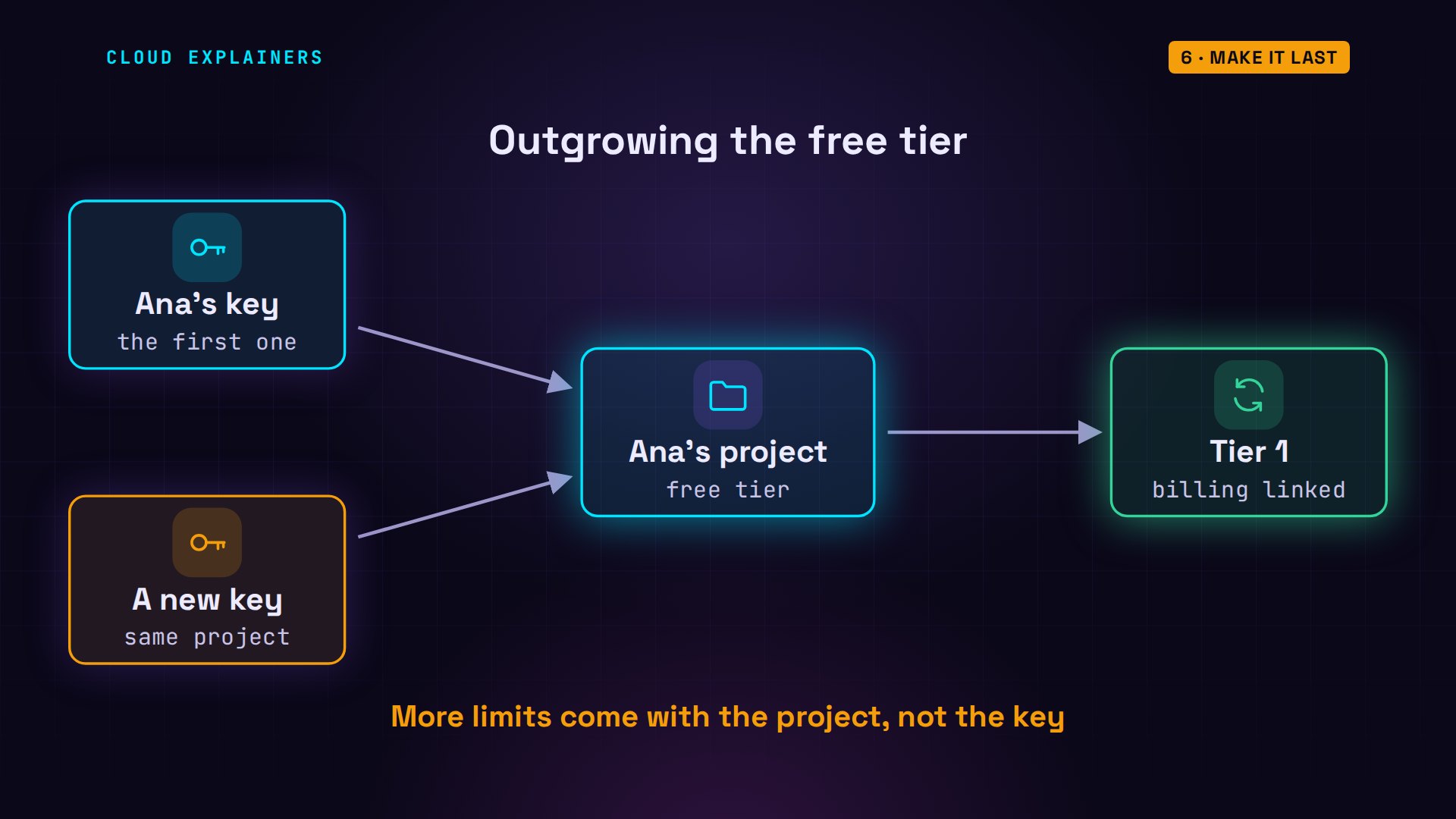
And when your app really needs more, a new key won't help, because the counters belong to the project. Linking a billing account moves the project to tier one, with much higher limits, and you pay for what you use.
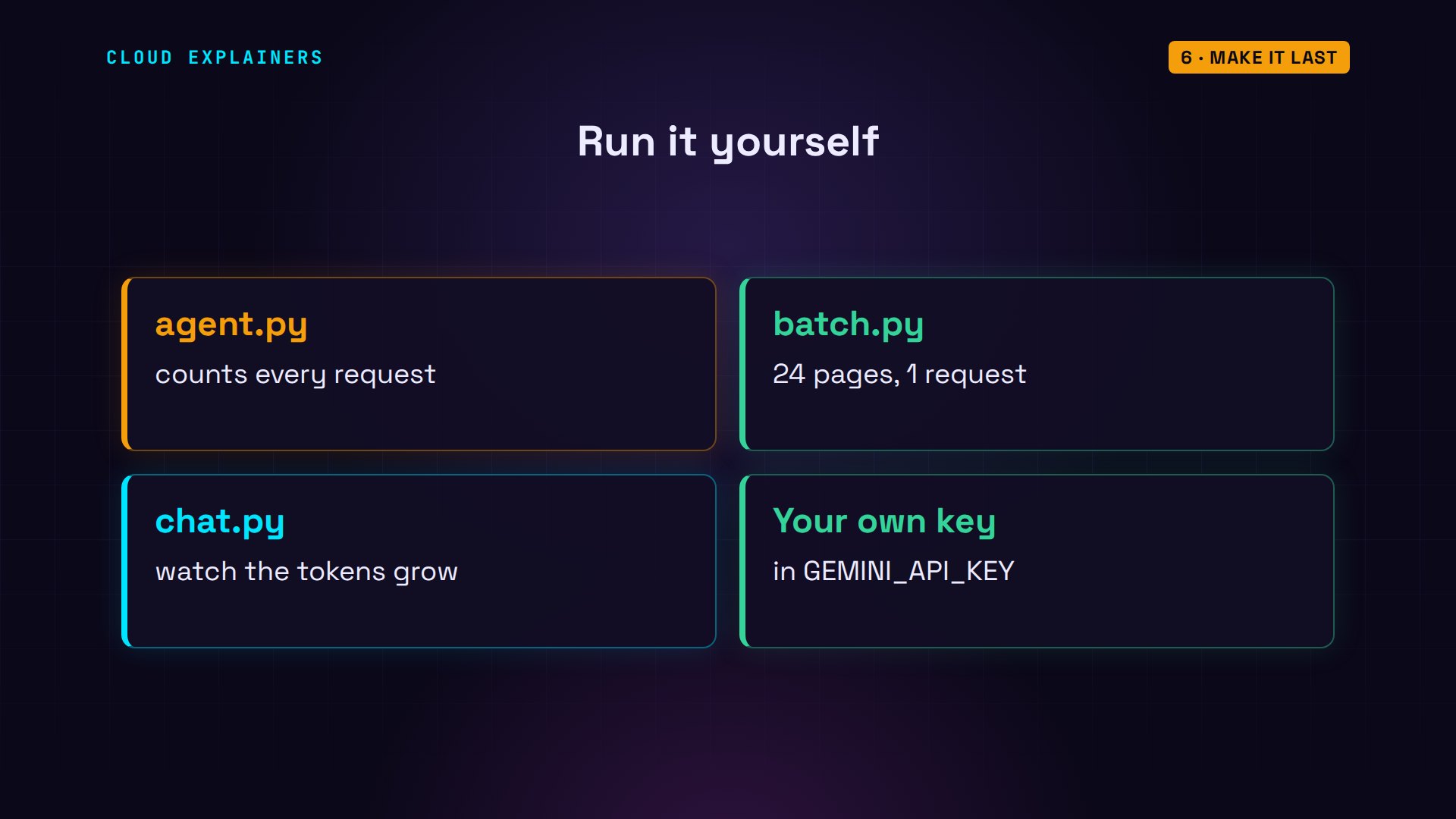
Every command and the lab files, the request counter included, are linked in the description, ready to try with your own key.
Recap
So: the free tier is small, 20 a day on Flash. Tools turn one question into several requests. Chats resend everything, so tokens run out first. And it's one counter for the whole project.
If this helped you find your missing requests, subscribing helps more beginners find these videos.
Every request here went to the real Gemini API, on the free tier. Thanks for watching Cloud Explainers.
Sources
- Gemini API rate limits (RPM, TPM input, RPD; per project, not per API key; RPD resets at midnight Pacific; usage tiers)
- Your project's active limits
- Gemini API function calling (the model asks your code to call a function, over several turns)
- Gemini API tokens (counting tokens, multi-turn usage)
- Google AI Developers Forum, Incorrect Quota Usage Reporting for Gemini Free Tier
- GitHub Docs, Rate limits for the REST API (60 an hour unauthenticated, 5,000 with a token; apps share your budget)
- Google Gen AI SDK for Python (google-genai; automatic function calling, maximum_remote_calls, default 10)
Demos: one container on our own Mac standing in for Ana's laptop, sending real requests with the key of a throwaway Google Cloud project made for this video (never shown); the tea shop and its catalog are made up. Watch the full video on YouTube.
More videos

Linux Makefiles Will Finally Make Sense After This

SAML vs OAuth vs OpenID Connect: What's the Difference?

How to Fix Python cron Jobs That Never Run

Linux Bash Scripting: Full Tutorial for Beginners

How PXE Network Boot Works

How Active Directory Works

How to Fix a Linux systemd Service That Won't Start

Linux Logs: syslog vs journald

JWT vs Session Cookies: Which One Should You Use?

Docker vs Docker Compose: Which One Should You Use?

How to Fix Docker Compose Containers That Can't Talk to Each Other

Django Full Tutorial for Beginners

How Linux systemd Works

How to Fix 'Windows Cannot Access' Network Share Errors (SMB)

REST vs gRPC: Which One Should You Use?

How to Fix SSL Certificate Chain Errors (Missing Intermediate)

Every Python Concept for Beginners in 10 Minutes

Every SQL Join Type in 10 Minutes

Why OpenRouter Free Models Hit Their Limit So Fast

OpenRouter Will Finally Make Sense After This

How Redis Caching Works

Gemini API vs Vertex AI: Which One Should You Use?

How to Fix a Leaked Gemini API Key

Why Golang Uses Goroutines Instead of Threads

How to Fix Gemini API Error 429: Resource Exhausted

Claude Token Pricing Will Finally Make Sense After This

Why Python Web Scraping Returns Nothing (and the Fix)

Python uv vs pip: Which One Should You Use?

Python Automation: Full Tutorial for Beginners

How OAuth Login Works

Google AI Studio Will Finally Make Sense After This

What Happens When You Run a Docker Container

How to Fix Claude Code Billing Your API Key Instead of Your Plan

Why Passkeys Can't Be Phished Like Passwords

PowerShell vs Bash: Which One Should You Learn?

The Linux Roadmap for Beginners

Django vs FastAPI: Which One Should You Use?

Why SQLite Is the Most Used Database in the World

How a NoSQL Database Like MongoDB Works

How to Fix Python pip error: externally-managed-environment

How to Fix MySQL Too Many Connections Database Errors

Golang Concurrency Will Finally Make Sense After This

How Amazon S3 Works

How Kubernetes Works

How Git Works

How to Fix Docker Port Already Allocated Errors

How PostgreSQL Works

How to Fix Git Merge Conflicts

How to Fix No Space Left on Device in Linux

How the Internet Works

SQL vs NoSQL: When Each One Wins

How to Fix JWT Token Expired Errors (401 Unauthorized)

Claude API vs Claude Pro: Why Your Subscription Doesn't Include It

Why AI Agent Skills Beat Giant Prompts

Linux Cron Jobs Will Finally Make Sense After This

Security Logs Will Finally Make Sense After This

How to Fix a Security Leak: An API Key Pushed to GitHub

DNS Will Finally Make Sense After This

Never Ignore a Security Update

Two-Factor Authentication Will Finally Make Sense

Never Expose a Database to the Internet

SSH Keys vs Passwords: Which Is Safer for Security?

The 5 Levels of Linux Boot: From Power On to Login

The 5 Levels of Network Firewalls

Password Security: Why Hackers Crack Weak Passwords

Why Your Linux Server Runs Out of Memory

HTTP vs HTTPS: What Actually Changes on Your Network

Every Linux File Permission You Need to Know

Linux Processes vs Threads: When Each One Wins

The OSI Model Will Finally Make Sense After This

The 7 Levels of Git

Every Network Troubleshooting Command You Need

Hashing vs Encryption in Cybersecurity: When Each One Wins

Why the Internet Ran Out of IP Addresses

Linux Package Managers: apt vs Snap vs Flatpak

Why Python Is Slow (and When It Doesn't Matter)

TCP vs UDP: When Each One Wins

Stop Running Linux as Root (Do This Instead)

Linux Users and Groups Will Finally Make Sense

Why Phishing Beats Good Security (and How to Spot It)

The 7 Levels of Docker

AI Agents Will Finally Make Sense After This

Stop Using git push --force (Use This Instead)

Agent Skills vs MCP: When Each One Wins

Networking Will Finally Make Sense After This

Every Linux Command You Actually Need

The 7 Levels of Cybersecurity

Every System Design Concept You Need, in One Diagram
