How to Fix GitHub 'Permission Denied (publickey)' Errors
git clone or git push says 'git@github.com: Permission denied (publickey).' even on a public repository. We made it happen for real, on github.com and on our own Git server set up the same way, and fixed every common cause: no SSH key at all, a key GitHub doesn't have on file, a private key ssh ignores because its permissions are too open, sudo using root's keys, a key saved under another name (fixed with ~/.ssh/config), and your username instead of git@.
Permission denied (publickey)
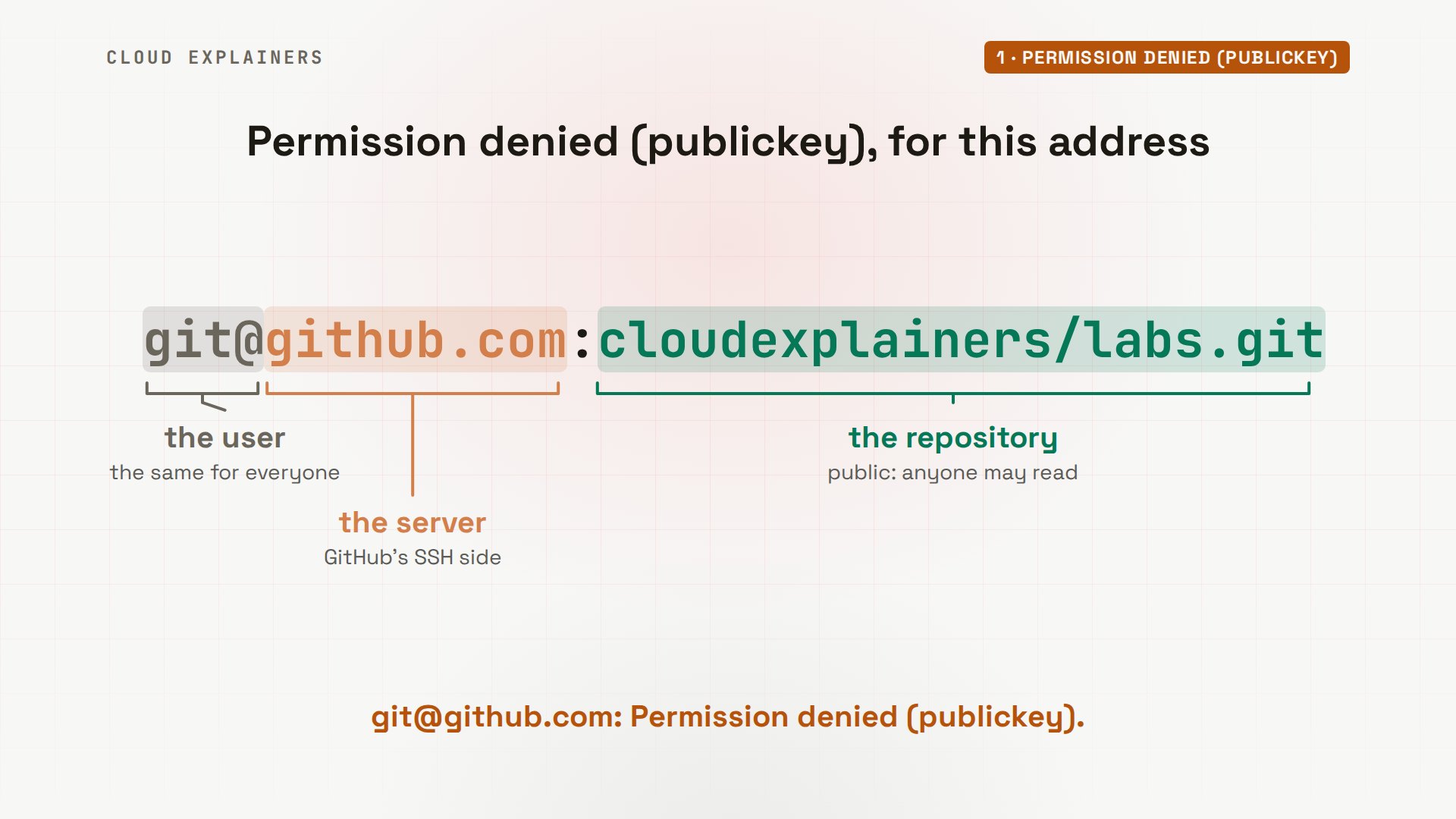
You ran git clone, and GitHub said: Permission denied, publickey. The address you copied names a user, git, a server, github.com, and a repository. And this repository is public.
Over HTTPS, the very same clone downloads all of it, no questions asked. So what, exactly, was denied? And why can a key that's sitting right there on a laptop still be ignored?
git clone git@github.com:cloudexplainers/labs.gitCloning into 'labs'...
The authenticity of host 'github.com (140.82.113.4)' can't be established.
ED25519 key fingerprint is SHA256:+DiY3wvvV6TuJJhbpZisF/zLDA0zPMSvHdkr4UvCOqU.
This key is not known by any other names.
Are you sure you want to continue connecting (yes/no/[fingerprint])? yes

Warning: Permanently added 'github.com' (ED25519) to the list of known hosts.
git@github.com: Permission denied (publickey).
fatal: Could not read from remote repository.

Please make sure you have the correct access rights
and the repository exists.
git clone https://github.com/cloudexplainers/labs.gitCloning into 'labs'...
remote: Enumerating objects: 1064, done.
remote: Counting objects: 100% (1064/1064), done.
remote: Compressing objects: 100% (843/843), done.
remote: Total 1064 (delta 178), reused 978 (delta 92), pack-reused 0 (from 0)
Receiving objects: 100% (1064/1064), 323.79 KiB | 4.69 MiB/s, done.
Resolving deltas: 100% (178/178), done.
What was denied
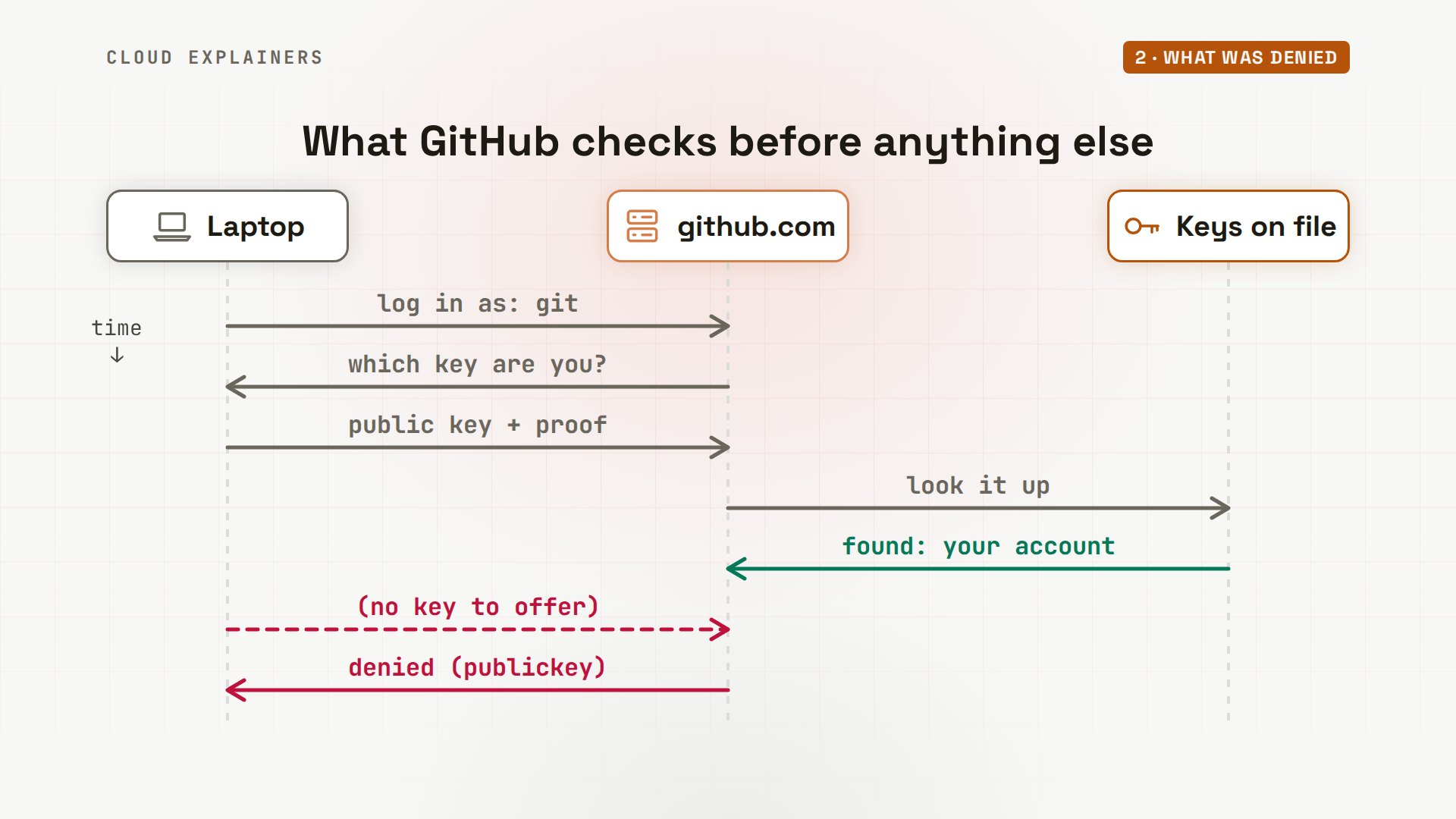
Over SSH, everyone connects to GitHub as the same user: git, the word before the at sign. So GitHub tells people apart by their key. Your computer has to offer a public key, and prove it holds the private key that matches. GitHub looks the public key up in its list, and that's your account. Ana's laptop, like many new ones, has no key at all, so it has nothing to offer. And publickey, in brackets, is the only way in GitHub accepts. Denied doesn't mean this repository is off limits. It means: I don't know who you are.
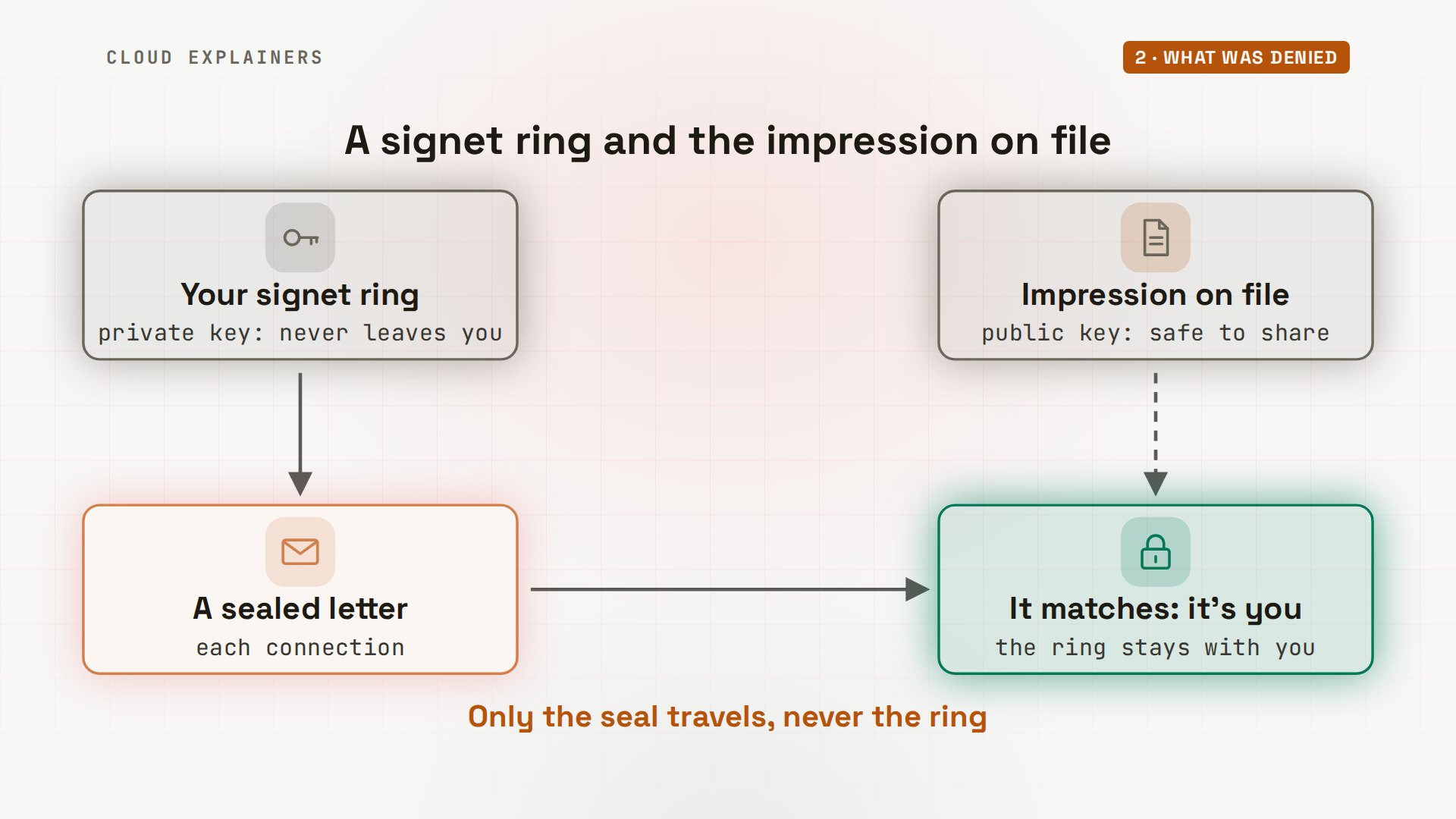
Think of a signet ring and a wax seal. The club keeps an impression of your seal on file: that's the public key, and anyone may see it. The ring never leaves your finger: that's the private key. Press the ring into a letter's wax, and it matches the impression, so the club knows the letter is yours, without ever holding your ring.
The fix: a key, and its public half on file
The fix is two steps: make a key, then put its public half on file. To show both steps on a real account list, we use our own Git server, set up like GitHub's: user git, keys only, same error. Step one: ssh-keygen, type ed25519, and dash C adds a label, so you can tell your keys apart. Press Enter to keep the usual file name. A passphrase is optional; GitHub recommends one. Two files appear: the private key, and the public key, ending in.pub.
git clone git@git-server:sailing-club/results.gitCloning into 'results'...
git@git-server: Permission denied (publickey).
fatal: Could not read from remote repository.

Please make sure you have the correct access rights
and the repository exists.
ssh-keygen -t ed25519 -C "ana@sailing-club"Generating public/private ed25519 key pair.
Enter file in which to save the key (/home/ana/.ssh/id_ed25519):
Enter passphrase (empty for no passphrase):
Enter same passphrase again:
Your identification has been saved in /home/ana/.ssh/id_ed25519
Your public key has been saved in /home/ana/.ssh/id_ed25519.pub
The key fingerprint is:
SHA256:MNRLjg9lqBg1HYg6HDQxLx/fZxWCIgNw9b9ACKZV6HA ana@sailing-club
The key's randomart image is:
+--[ED25519 256]--+
|+*B*=oo+.. .     |
|.*E+.*o.= . .    |
|o*.=+.** . .     |
|o.= +.++o .      |
| . . ..+So       |
|       .+.       |
|        .        |
|                 |
|                 |
+----[SHA256]-----+
Ana has a key now. She runs the same clone. Guess first: does it work? No. Same error. ssh -v prints what it tries, and grep keeps only the lines that matter: this time ssh offers her new public key, and the server says no, because that key isn't on its list. A key on your laptop isn't enough. GitHub has to have its public half.
git clone git@git-server:sailing-club/results.gitCloning into 'results'...
git@git-server: Permission denied (publickey).
fatal: Could not read from remote repository.

Please make sure you have the correct access rights
and the repository exists.
ssh -v -T git@git-server 2>&1 | grep -E 'Offering|Authentications that|denied'debug1: Authentications that can continue: publickey
debug1: Offering public key: /home/ana/.ssh/id_ed25519 ED25519 SHA256:MNRLjg9lqBg1HYg6HDQxLx/fZxWCIgNw9b9ACKZV6HA
debug1: Authentications that can continue: publickey
git@git-server: Permission denied (publickey).
Step two. cat prints the public key: one line, starting with its type, ending with the comment Ana gave it. This is the impression of her seal: safe to copy. The file without.pub is the ring, and never leaves the laptop.
cat ~/.ssh/id_ed25519.pubssh-ed25519 AAAAC3NzaC1lZDI1NTE5AAAAIDzO2VkvLiJO2jR9X5KU68uDHIMOMaEsM5NoKW9DwgRa ana@sailing-club
On GitHub, the steps are in its own docs: your profile picture, Settings, SSH and GPG keys, New SSH key, and paste the whole line into the Key field. On our server, we added the same line to its list.
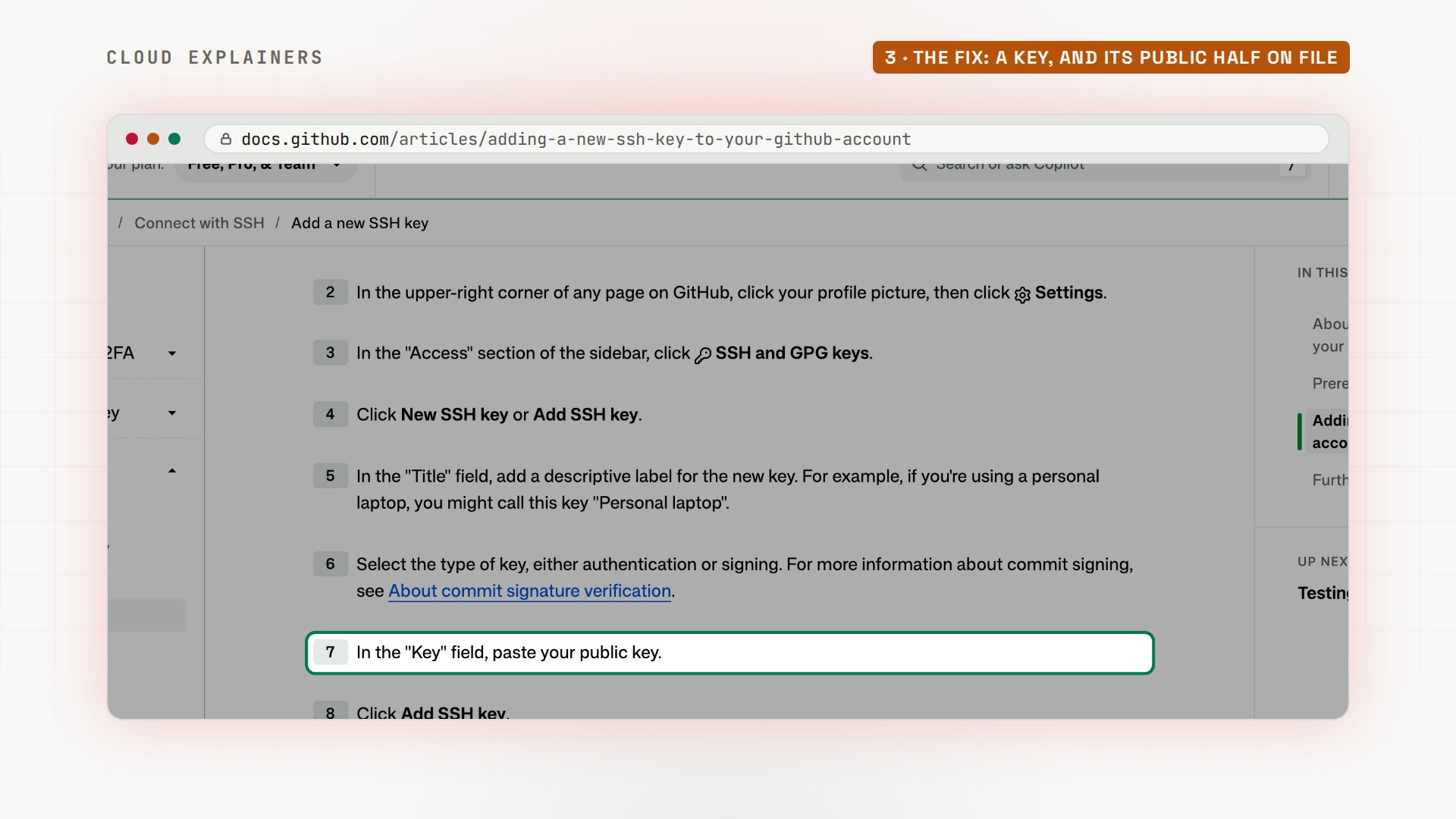
Now the test greets Ana by name: the key is how the server knows it's her. The clone works, and so does a push of the race three results.
ssh -T git@git-serverHi ana! You've successfully authenticated, but git-server does not provide shell access.
git clone git@git-server:sailing-club/results.gitCloning into 'results'...
remote: Enumerating objects: 6, done.
remote: Counting objects: 100% (6/6), done.
remote: Compressing objects: 100% (3/3), done.
remote: Total 6 (delta 0), reused 0 (delta 0), pack-reused 0
Receiving objects: 100% (6/6), done.
git pushEnumerating objects: 5, done.
Counting objects: 100% (5/5), done.
Delta compression using up to 10 threads
Compressing objects: 100% (2/2), done.
Writing objects: 100% (3/3), 300 bytes | 300.00 KiB/s, done.
Total 3 (delta 0), reused 0 (delta 0), pack-reused 0
To git-server:sailing-club/results.git
   084ae67..6b1060e  main -> main
Test it without Git
Whenever you hit this error, test the login on its own, without Git: ssh -T git@github.com. Here it is on GitHub, from before Ana made her key: the same answer. Add -v, and ssh lists every key file it looked for. Each one ends in type -1: ssh's way of saying that file doesn't exist. So ssh tried no key at all, and GitHub ran out of ways to let it in.
ssh -T git@github.comgit@github.com: Permission denied (publickey).
ssh -v -T git@github.com 2>&1 | grep -E 'identity file|Authentications that|No more|denied'debug1: identity file /home/ana/.ssh/id_rsa type -1
debug1: identity file /home/ana/.ssh/id_rsa-cert type -1
debug1: identity file /home/ana/.ssh/id_ecdsa type -1
debug1: identity file /home/ana/.ssh/id_ecdsa-cert type -1
debug1: identity file /home/ana/.ssh/id_ecdsa_sk type -1
debug1: identity file /home/ana/.ssh/id_ecdsa_sk-cert type -1
debug1: identity file /home/ana/.ssh/id_ed25519 type -1
debug1: identity file /home/ana/.ssh/id_ed25519-cert type -1
debug1: identity file /home/ana/.ssh/id_ed25519_sk type -1
debug1: identity file /home/ana/.ssh/id_ed25519_sk-cert type -1
debug1: identity file /home/ana/.ssh/id_xmss type -1
debug1: identity file /home/ana/.ssh/id_xmss-cert type -1
debug1: identity file /home/ana/.ssh/id_dsa type -1
debug1: identity file /home/ana/.ssh/id_dsa-cert type -1
debug1: Authentications that can continue: publickey
debug1: No more authentication methods to try.
git@github.com: Permission denied (publickey).
The very first time, ssh also asked whether to trust github.com, and showed a fingerprint: a short checksum of the server's own key. Before you type yes, compare it with the list GitHub publishes. Here it matches the Ed25519 line, character for character.
A key ssh ignores
Now the key that's right there, and still ignored. A private key copied from another computer, or out of a zip file, often ends up readable by everyone. chmod sets who may read a file, and we do that on purpose: chmod 644. The next pull prints a big warning: unprotected private key file. This private key will be ignored, and so: permission denied.
chmod 644 ~/.ssh/id_ed25519
git pull@@@@@@@@@@@@@@@@@@@@@@@@@@@@@@@@@@@@@@@@@@@@@@@@@@@@@@@@@@@
@         WARNING: UNPROTECTED PRIVATE KEY FILE!          @
@@@@@@@@@@@@@@@@@@@@@@@@@@@@@@@@@@@@@@@@@@@@@@@@@@@@@@@@@@@
Permissions 0644 for '/home/ana/.ssh/id_ed25519' are too open.
It is required that your private key files are NOT accessible by others.
This private key will be ignored.
Load key "/home/ana/.ssh/id_ed25519": bad permissions
git@git-server: Permission denied (publickey).
fatal: Could not read from remote repository.

Please make sure you have the correct access rights
and the repository exists.
ls dash l shows why: r, w for Ana, then r, and r again: her group and every other user can read it. chmod 600 gives it back to Ana alone, and the pull works.
ls -l ~/.ssh/id_ed25519-rw-r--r-- 1 ana ana 411 Nov 16 18:07 /home/ana/.ssh/id_ed25519
chmod 600 ~/.ssh/id_ed25519
git pullAlready up to date.
sudo and Git
What if you add sudo? Plenty of people type sudo git pull out of habit. Guess first: whose keys does ssh use now? Root's. sudo runs the command as root, the administrator account, with its own home folder and its own keys. Root has never connected before, so ssh asks about the server's fingerprint again, then: permission denied. Root's.ssh folder has no key at all.
sudo git pull[sudo] password for ana:
The authenticity of host 'git-server (172.19.0.2)' can't be established.
ED25519 key fingerprint is SHA256:/kDOs/jaGvchmdmXV/BH+VDxqIXP+UhfC2okUWgJzO4.
This key is not known by any other names.
Are you sure you want to continue connecting (yes/no/[fingerprint])? yes

Warning: Permanently added 'git-server' (ED25519) to the list of known hosts.
git@git-server: Permission denied (publickey).
fatal: Could not read from remote repository.

Please make sure you have the correct access rights
and the repository exists.
sudo ls -a /root/.ssh. .. known_hosts
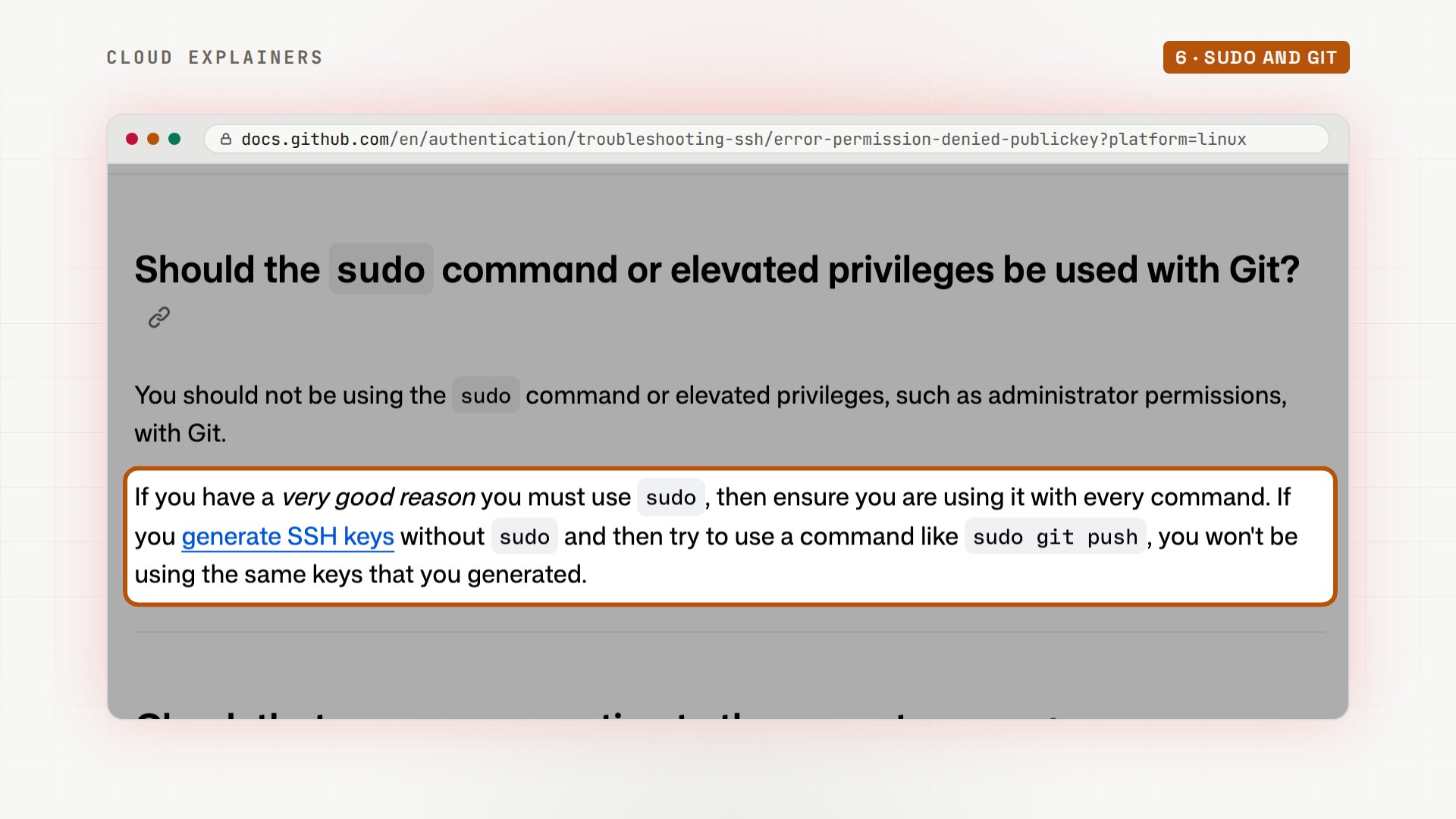
GitHub's troubleshooting page says it plainly: don't use sudo with Git. Keys made without sudo aren't the keys sudo git push uses. If a folder needs root, fix the folder's owner with chown instead.
A key under another name
Ben, another volunteer, gets his own account on the club laptop. At ssh-keygen's file question, he types a name: sailing. That saves the key as sailing, in the folder he's in, not in.ssh. We put his public key on file. Still denied. ssh -v, filtered by grep, shows why: ssh only looks for its usual names, and sailing isn't one of them.
ssh-keygen -t ed25519 -C "ben@sailing-club"Generating public/private ed25519 key pair.
Enter file in which to save the key (/home/ben/.ssh/id_ed25519): sailing
Enter passphrase (empty for no passphrase):
Enter same passphrase again:
Your identification has been saved in sailing
Your public key has been saved in sailing.pub
The key fingerprint is:
SHA256:KqdZtd7ccDu4jj0Vn1aSFxSJaOFDDCDOxIM91IqP1PA ben@sailing-club
The key's randomart image is:
+--[ED25519 256]--+
|    =+....ooo ooo|
|   o+=..  o+ . o |
|    =o+   .o   ..|
|   o E      o o o|
|  . o   S    o = |
|   . . o .  . +  |
|    . + . .o..   |
|     * . =o+..   |
|    o   o.*oo.   |
+----[SHA256]-----+
git clone git@git-server:sailing-club/results.gitCloning into 'results'...
git@git-server: Permission denied (publickey).
fatal: Could not read from remote repository.

Please make sure you have the correct access rights
and the repository exists.
ssh -v -T git@git-server 2>&1 | grep -E 'identity file|denied'debug1: identity file /home/ben/.ssh/id_rsa type -1
debug1: identity file /home/ben/.ssh/id_rsa-cert type -1
debug1: identity file /home/ben/.ssh/id_ecdsa type -1
debug1: identity file /home/ben/.ssh/id_ecdsa-cert type -1
debug1: identity file /home/ben/.ssh/id_ecdsa_sk type -1
debug1: identity file /home/ben/.ssh/id_ecdsa_sk-cert type -1
debug1: identity file /home/ben/.ssh/id_ed25519 type -1
debug1: identity file /home/ben/.ssh/id_ed25519-cert type -1
debug1: identity file /home/ben/.ssh/id_ed25519_sk type -1
debug1: identity file /home/ben/.ssh/id_ed25519_sk-cert type -1
debug1: identity file /home/ben/.ssh/id_xmss type -1
debug1: identity file /home/ben/.ssh/id_xmss-cert type -1
debug1: identity file /home/ben/.ssh/id_dsa type -1
debug1: identity file /home/ben/.ssh/id_dsa-cert type -1
git@git-server: Permission denied (publickey).
Ben moves both files into.ssh, and copies a block from a guide into the file.ssh slash config: for the host git-server, IdentityFile names the private key to offer. Denied again, and this time ssh says: no such identity, id ed25519. The guide's file name isn't his. One word to change: IdentityFile, sailing.
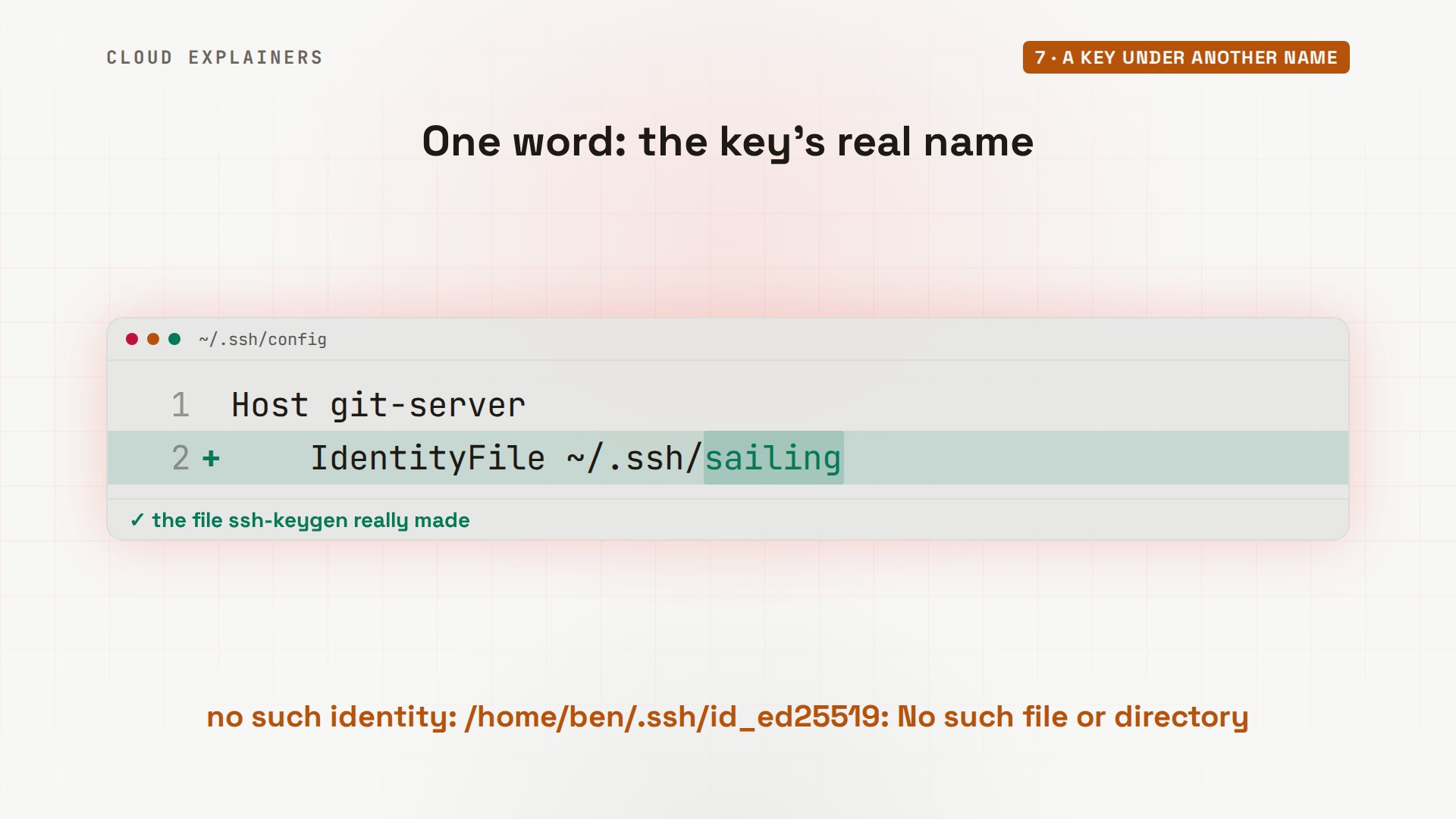
The test greets Ben by name, and his clone works. For GitHub, the same block starts with Host github.com.
ssh -T git@git-serverHi ben! You've successfully authenticated, but git-server does not provide shell access.
git clone git@git-server:sailing-club/results.gitCloning into 'results'...
remote: Enumerating objects: 9, done.
remote: Counting objects: 100% (9/9), done.
remote: Compressing objects: 100% (5/5), done.
remote: Total 9 (delta 1), reused 0 (delta 0), pack-reused 0
Receiving objects: 100% (9/9), done.
Resolving deltas: 100% (1/1), done.
Always the git user
One last trap: putting your own user name before the at sign. Ben tries ben at git-server: denied, even with the right key.
ssh -T ben@git-serverben@git-server: Permission denied (publickey).
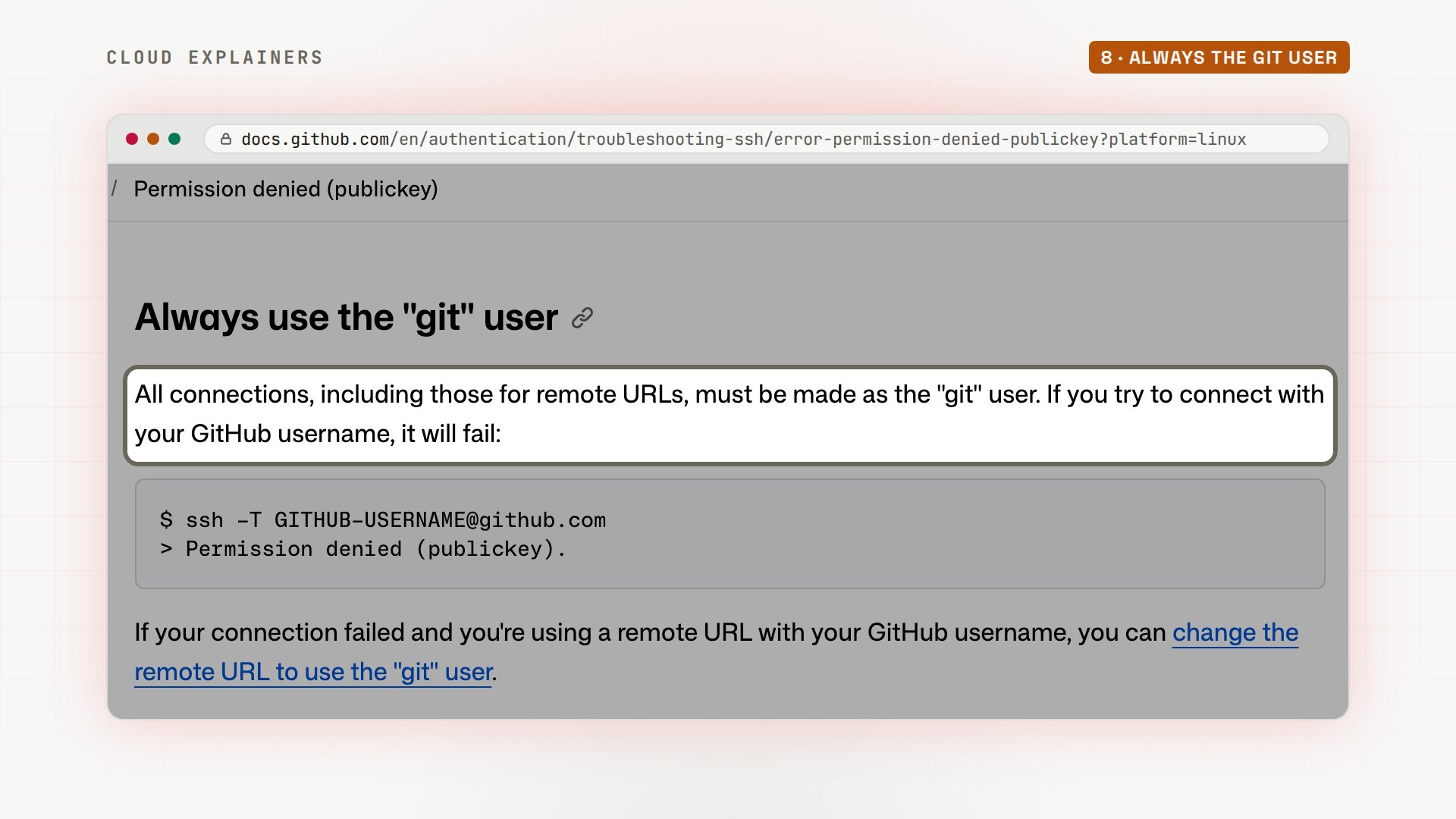
GitHub's docs say every connection must be made as the user git: one shared account for everyone, and your key, not the address, says which person you are.
Recap
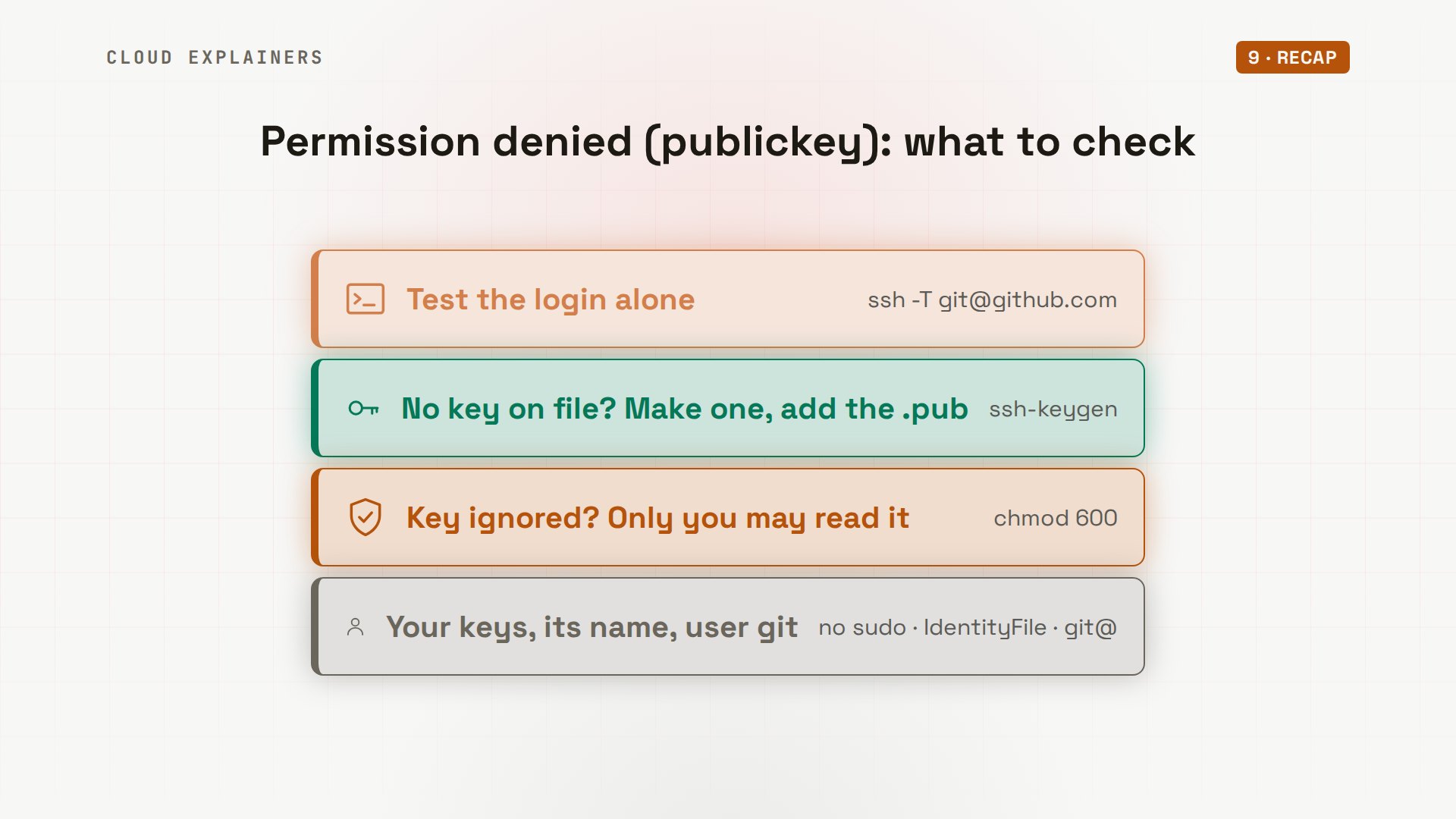
So: run ssh -T git@github.com. No key? Make one, and add the.pub line to GitHub. Key ignored? chmod 600 on the private key. Not using sudo, the right file name, and always git, before the at sign.
If GitHub greets you by name now, a like helps YouTube show this to more beginners, and subscribing brings more errors like this one, fixed for real.
Every error in this video happened for real, on github.com and on our own Git server, and every command and the lab files are linked in the description. Thanks for watching Cloud Explainers.
Sources
- GitHub Docs, Error: Permission denied (publickey) (sudo, the git user)
- GitHub Docs, Testing your SSH connection
- GitHub Docs, Generating a new SSH key
- GitHub Docs, Adding a new SSH key to your GitHub account
- GitHub Docs, GitHub's SSH key fingerprints
- ssh(1), ssh_config(5) (IdentityFile, Host), ssh-keygen(1)
Demos: containers on our own Mac, real connections to github.com (no key, nothing created on GitHub) and our own Git server set up like GitHub's SSH side; the sailing club and its volunteers are made up. Every error and fix was real. Watch the full video on YouTube.
More videos
DevOps with Ansible Will Finally Make Sense After This
How SNMP Network Monitoring Works
How to Fix PostgreSQL 'Password Authentication Failed'
Why One Linux Server Handles More Users Than You Think
How to Fix Network 'Connection Refused' Errors
DevOps Pipelines: Jenkins vs GitHub Actions
Every Networking Term a Beginner Needs in 12 Minutes
How to Fix Docker 'Permission Denied' on docker.sock
How to Fix Git 'Updates Were Rejected' When You Push
How to Fix nginx 502 Bad Gateway Errors on Linux
How to Fix Linux apt 'Could Not Get Lock' Errors (Ubuntu)
How Email Works on the Internet (SMTP) in 10 Minutes

The Python Roadmap for Beginners

Golang REST API with Gin: Full Tutorial for Beginners
How a WireGuard VPN Network Works

Linux Makefiles Will Finally Make Sense After This

SAML vs OAuth vs OpenID Connect: What's the Difference?
How to Fix Python cron Jobs That Never Run
Linux Bash Scripting: Full Tutorial for Beginners
How PXE Network Boot Works
How Active Directory Works
How to Fix a Linux systemd Service That Won't Start
Linux Logs: syslog vs journald
JWT vs Session Cookies: Which One Should You Use?
Docker vs Docker Compose: Which One Should You Use?
How to Fix Docker Compose Containers That Can't Talk to Each Other

Django Full Tutorial for Beginners

How Linux systemd Works

How to Fix 'Windows Cannot Access' Network Share Errors (SMB)
REST vs gRPC: Which One Should You Use?
How to Fix SSL Certificate Chain Errors (Missing Intermediate)
Every Python Concept for Beginners in 10 Minutes
Every SQL Join Type in 10 Minutes
Why OpenRouter Free Models Hit Their Limit So Fast
Why Your Gemini API Free Tier Runs Out So Fast
OpenRouter Will Finally Make Sense After This
How Redis Caching Works
Gemini API vs Vertex AI: Which One Should You Use?
How to Fix a Leaked Gemini API Key
Why Golang Uses Goroutines Instead of Threads
How to Fix Gemini API Error 429: Resource Exhausted
Claude Token Pricing Will Finally Make Sense After This
Why Python Web Scraping Returns Nothing (and the Fix)
Python uv vs pip: Which One Should You Use?

Python Automation: Full Tutorial for Beginners
How OAuth Login Works

Google AI Studio Will Finally Make Sense After This
What Happens When You Run a Docker Container
How to Fix Claude Code Billing Your API Key Instead of Your Plan
Why Passkeys Can't Be Phished Like Passwords
PowerShell vs Bash: Which One Should You Learn?
The Linux Roadmap for Beginners
Django vs FastAPI: Which One Should You Use?
Why SQLite Is the Most Used Database in the World
How a NoSQL Database Like MongoDB Works
How to Fix Python pip error: externally-managed-environment
How to Fix MySQL Too Many Connections Database Errors
Golang Concurrency Will Finally Make Sense After This
How Amazon S3 Works
How Kubernetes Works
How Git Works
How to Fix Docker Port Already Allocated Errors
How PostgreSQL Works
How to Fix Git Merge Conflicts
How to Fix No Space Left on Device in Linux
How the Internet Works
SQL vs NoSQL: When Each One Wins
How to Fix JWT Token Expired Errors (401 Unauthorized)
Claude API vs Claude Pro: Why Your Subscription Doesn't Include It
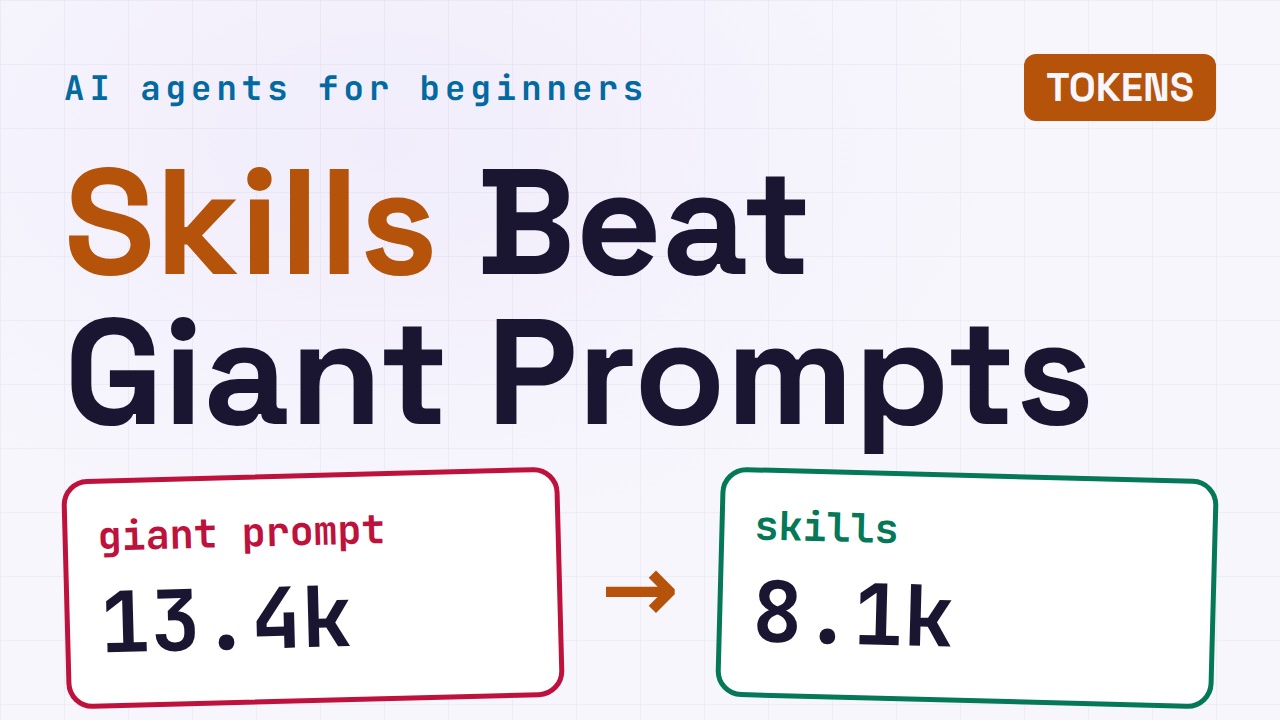
Why AI Agent Skills Beat Giant Prompts

Linux Cron Jobs Will Finally Make Sense After This
Security Logs Will Finally Make Sense After This
How to Fix a Security Leak: An API Key Pushed to GitHub
DNS Will Finally Make Sense After This
Never Ignore a Security Update
Two-Factor Authentication Will Finally Make Sense
Never Expose a Database to the Internet
SSH Keys vs Passwords: Which Is Safer for Security?
The 5 Levels of Linux Boot: From Power On to Login
The 5 Levels of Network Firewalls
Password Security: Why Hackers Crack Weak Passwords
Why Your Linux Server Runs Out of Memory
HTTP vs HTTPS: What Actually Changes on Your Network

Every Linux File Permission You Need to Know
Linux Processes vs Threads: When Each One Wins
The OSI Model Will Finally Make Sense After This
The 7 Levels of Git
Every Network Troubleshooting Command You Need
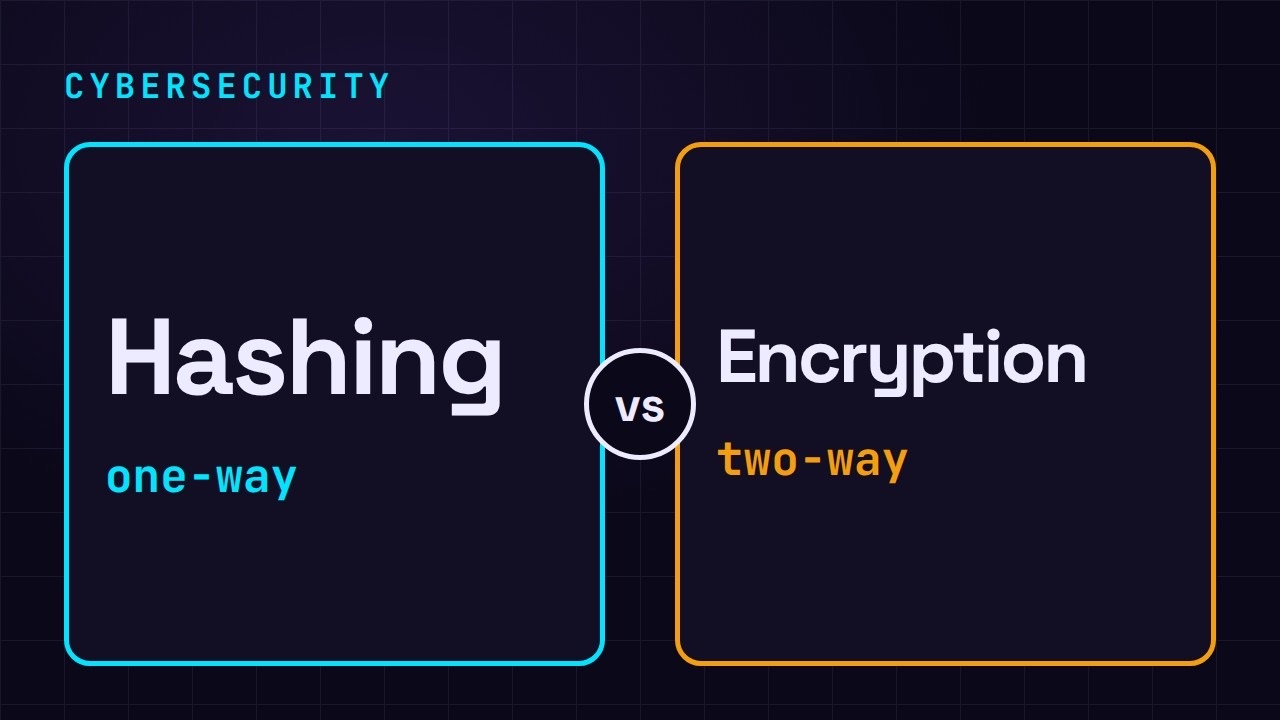
Hashing vs Encryption in Cybersecurity: When Each One Wins
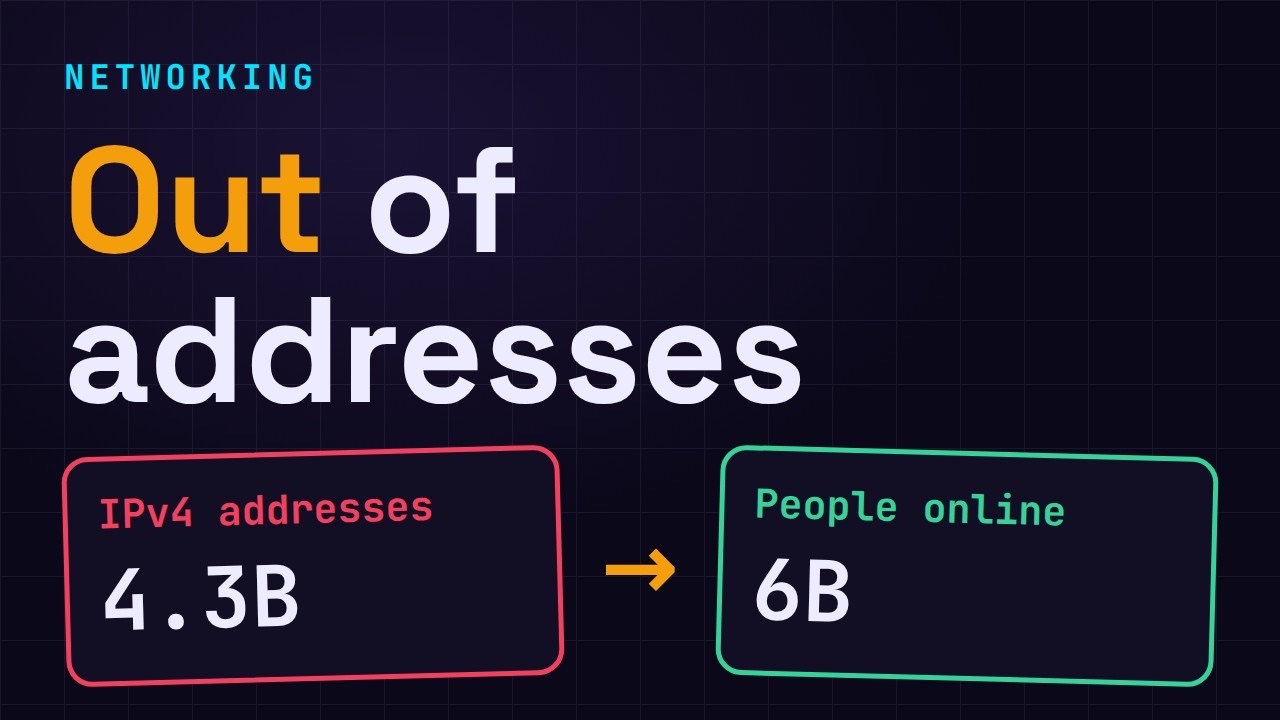
Why the Internet Ran Out of IP Addresses
Linux Package Managers: apt vs Snap vs Flatpak
Why Python Is Slow (and When It Doesn't Matter)
TCP vs UDP: When Each One Wins
Stop Running Linux as Root (Do This Instead)
Linux Users and Groups Will Finally Make Sense
Why Phishing Beats Good Security (and How to Spot It)
The 7 Levels of Docker

AI Agents Will Finally Make Sense After This
Stop Using git push --force (Use This Instead)
Agent Skills vs MCP: When Each One Wins

Networking Will Finally Make Sense After This

Every Linux Command You Actually Need
The 7 Levels of Cybersecurity
Every System Design Concept You Need, in One Diagram