
Docker vs Docker Compose: Which One Should You Use?
Docker runs containers; Docker Compose tells Docker what to run, from one file. We started the same small tea shop (a Python app and PostgreSQL) both ways, for real: by hand with docker commands, then with docker compose. What Compose adds (a network with names, start order, health checks, only changing what changed), what down keeps, where plain docker is simpler, and which one to pick.
One shop, two ways to start it
Your app and its database run in two containers, and every tutorial starts that pair a different way. Some type docker run, some type docker compose. Here's Ana's tea shop by hand: the database, a network, then the app, with every setting typed out. And the same shop with Compose: one short command.
docker run -d --name db -e POSTGRES_PASSWORD=tea-lab-only -v dbdata:/var/lib/postgresql postgres:18-alpinebe01785e244b4fe499c3c6c7a4ac1a7782e5f0b5e677ffa899b60b529a264507
docker network create shop-net685f3c3de940a5aab6c5e2a57b6fe822bed678a81e899edc21c4425bcf31f08f
docker run -d --name app --network shop-net -p 8080:8000 -e DB_HOST=db -e DB_PASSWORD=tea-lab-only shop-app7e98a160772acce78db3d5ee074ade192c0bc1234a9b1a4c2228bb17dc2acf0d
docker compose up -dContainer shop-db-1 Recreate Container shop-db-1 Recreated Container shop-db-1 Starting Container shop-db-1 Started Container shop-db-1 Waiting Container shop-db-1 Healthy Container shop-app-1 Starting Container shop-app-1 Started
Docker runs containers. Compose is a tool that tells Docker what to run, from one file. They aren't rivals. By the end you'll know which one to reach for, why Ana's app crashed even with Compose, and what happens to her orders when she tears it all down.
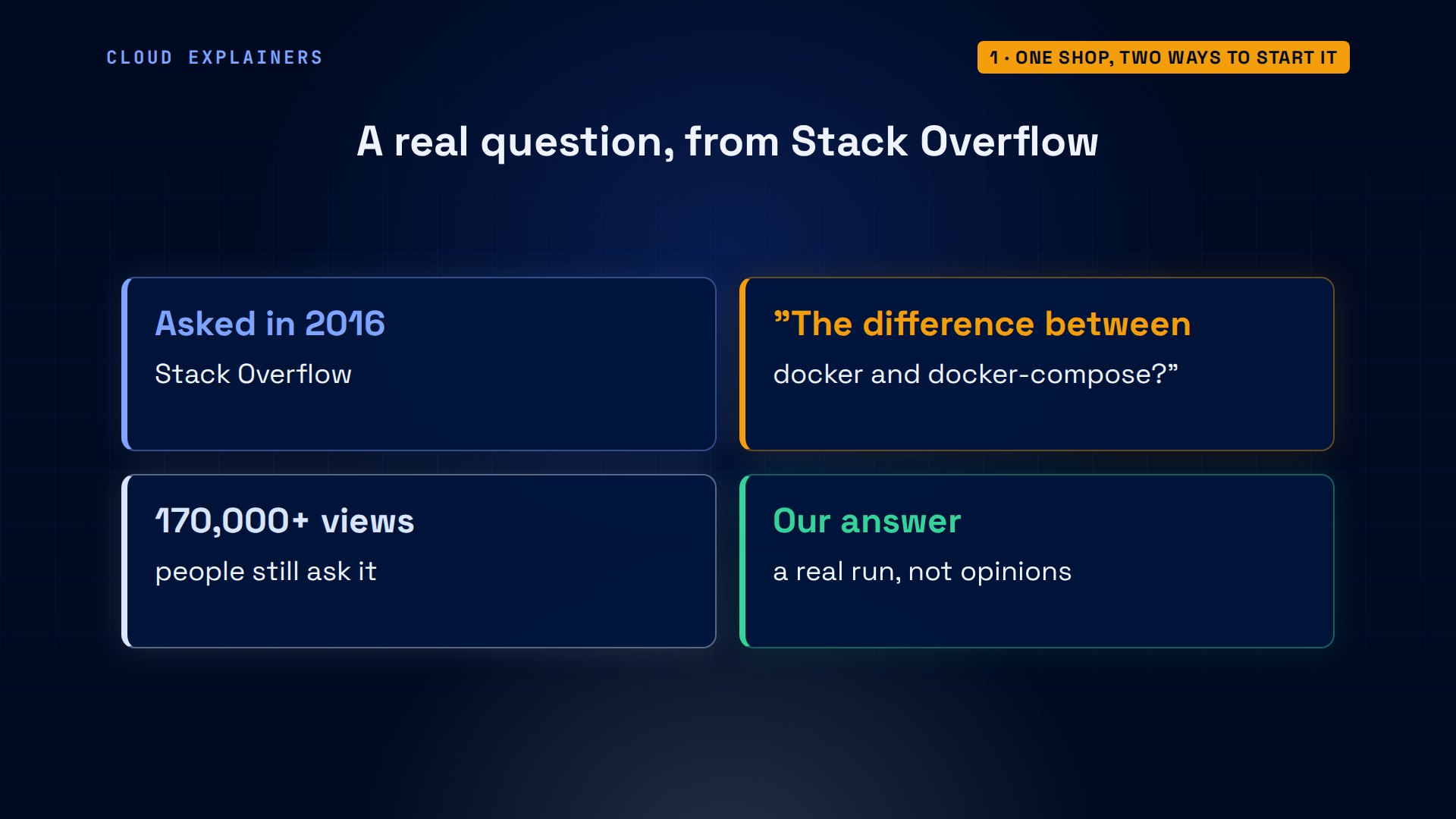
Someone asked exactly this on Stack Overflow in 2016: what's the difference between docker and docker compose? It has been viewed more than a hundred and seventy thousand times. Let's answer it with a real run.
Starting it by hand
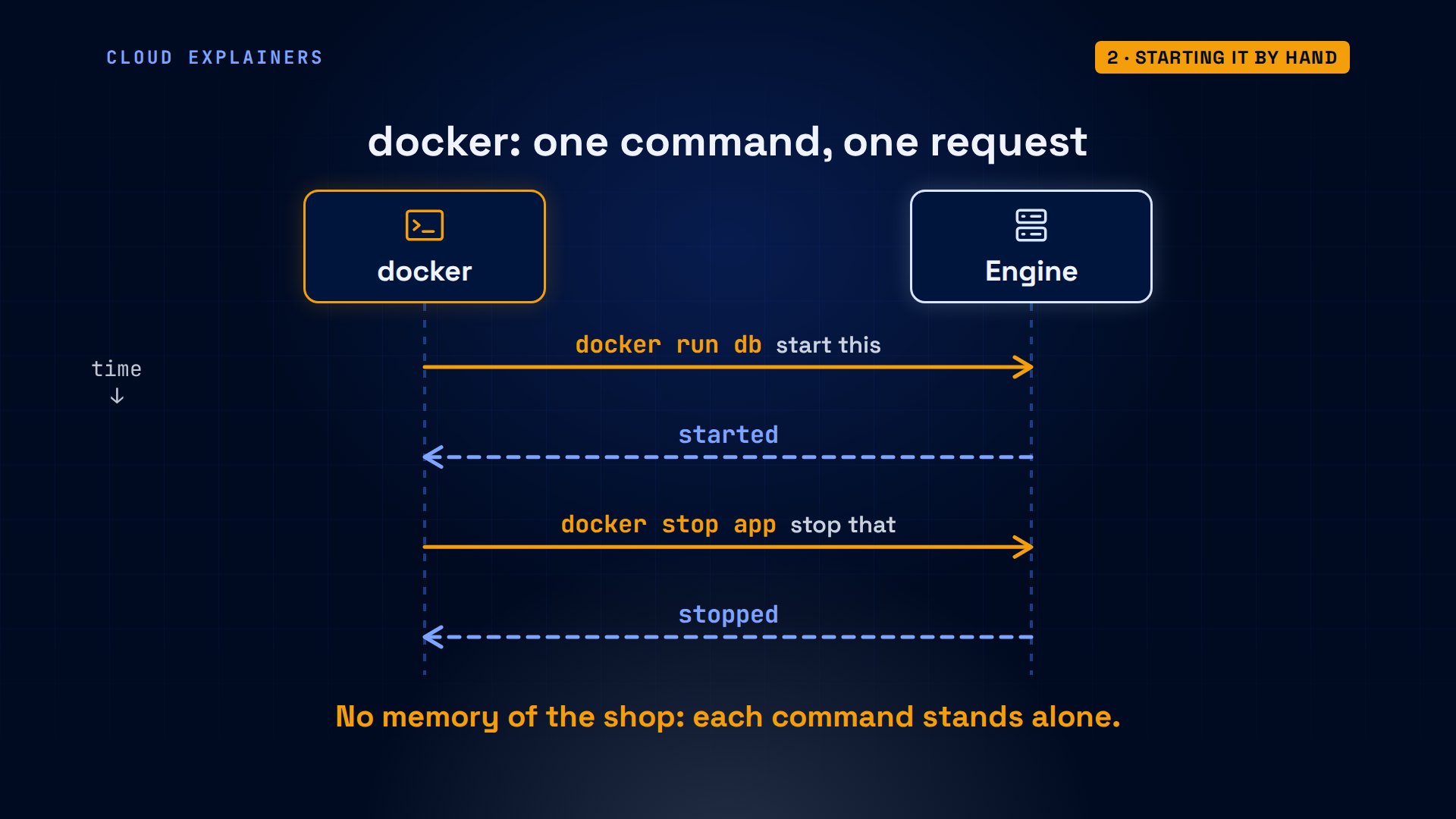
What does docker do on its own? A background program, the Docker Engine, runs every container. The docker command is only a client: each command sends one request, start this, stop that, and then it's done. It remembers nothing about her shop.
By hand, Ana builds her app's image, then starts the database: a name, a password, a volume for its files, and the image. Then the app: its port, and where to find the database, the host called db.
docker build -q -t shop-app .sha256:c25c61591130ba4dee6660c1e9057f50cf7e0d2f2b88e5031cae4cfb10169119
docker run -d --name app -p 8080:8000 -e DB_HOST=db -e DB_PASSWORD=tea-lab-only shop-app8b3c96d61b99756930c24fa0bade75ab76cc02af4e88c4dce8ab289fd63b925d
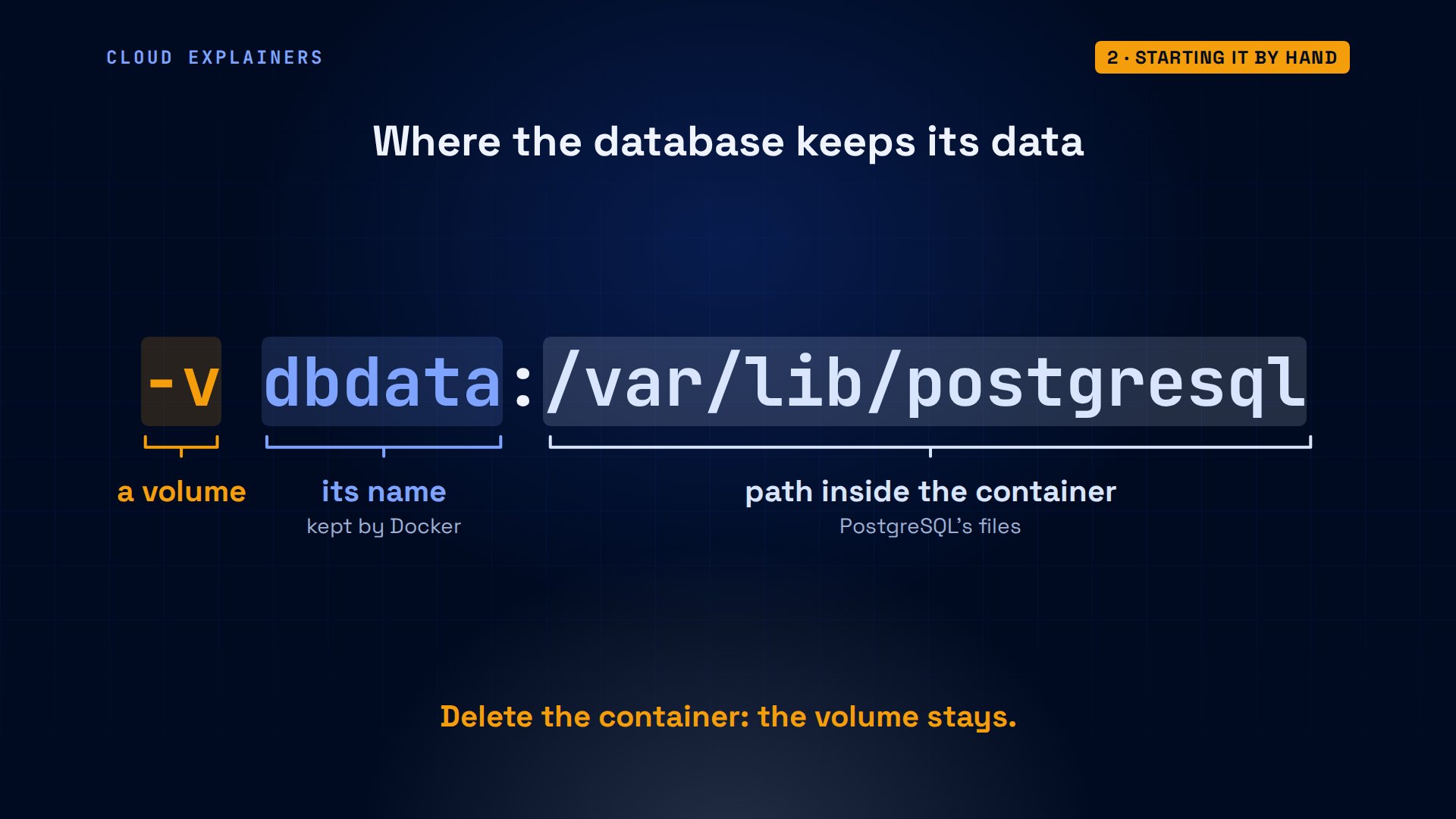
One of those settings matters later. Dash v, dbdata, colon, then a path. It gives the database a named volume, dbdata, mounted where PostgreSQL keeps its files. A container can be deleted and made again; the volume, and the orders in it, stay until someone deletes the volume itself.
Both containers started. Guess first: can the app reach the database by its name? No. The app exited, and its log says: name or service not known.
docker ps -a --format 'table {{.Names}}\t{{.Status}}'NAMES     STATUS
app       Exited (1) 2 seconds ago
db        Up 7 seconds
docker logs app 2>&1 | tail -1psycopg.OperationalError: [Errno -2] Name or service not known
Why? Plain docker run puts containers on Docker's default network, and there, Docker's docs say, containers can only reach each other by IP address. A network you create yourself has a built-in name lookup, so db becomes a name the app can find.
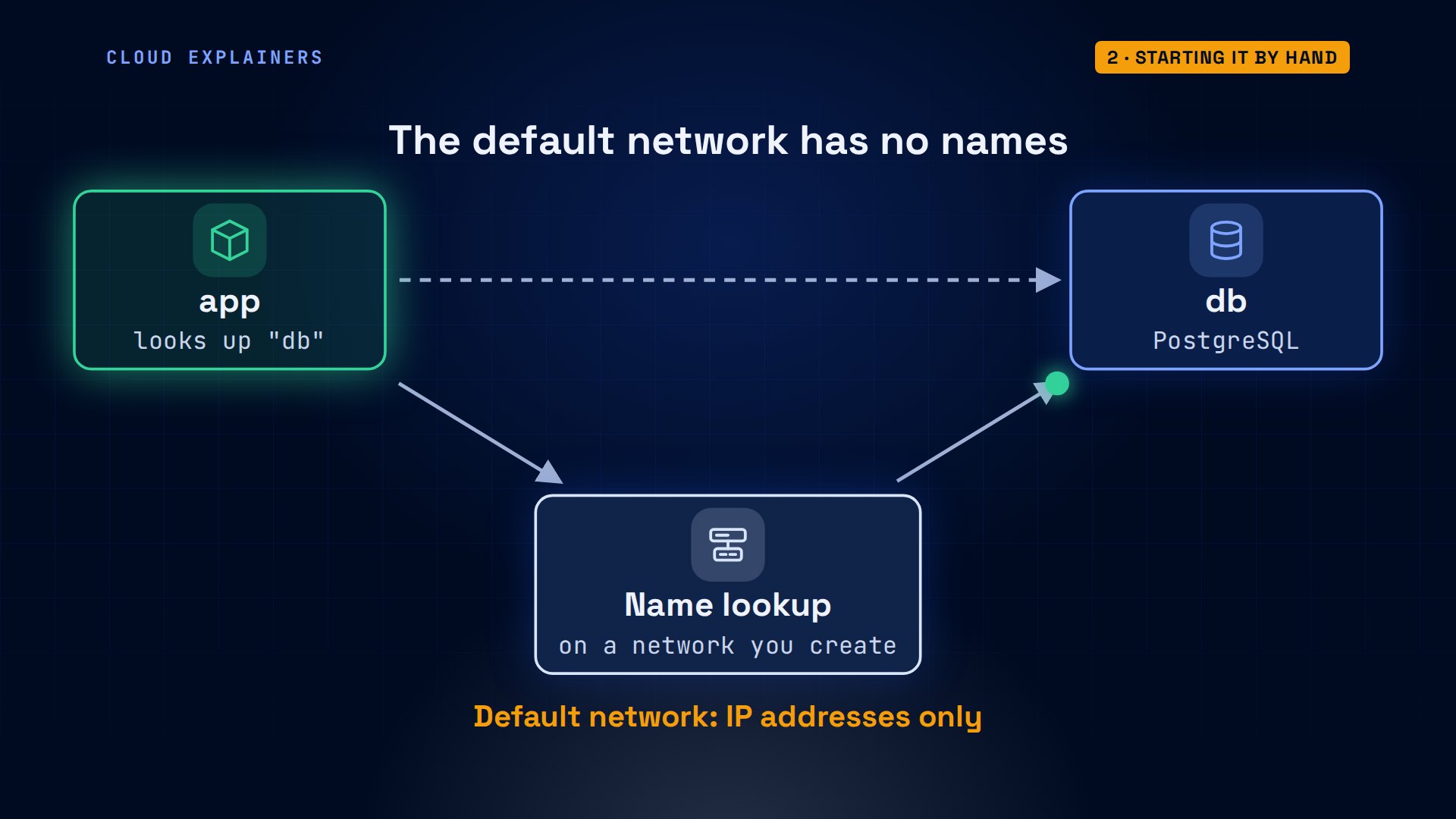
So Ana creates a network, plugs the database into it, removes the broken app, and runs it again on that network.
docker network connect shop-net db
docker rm appapp
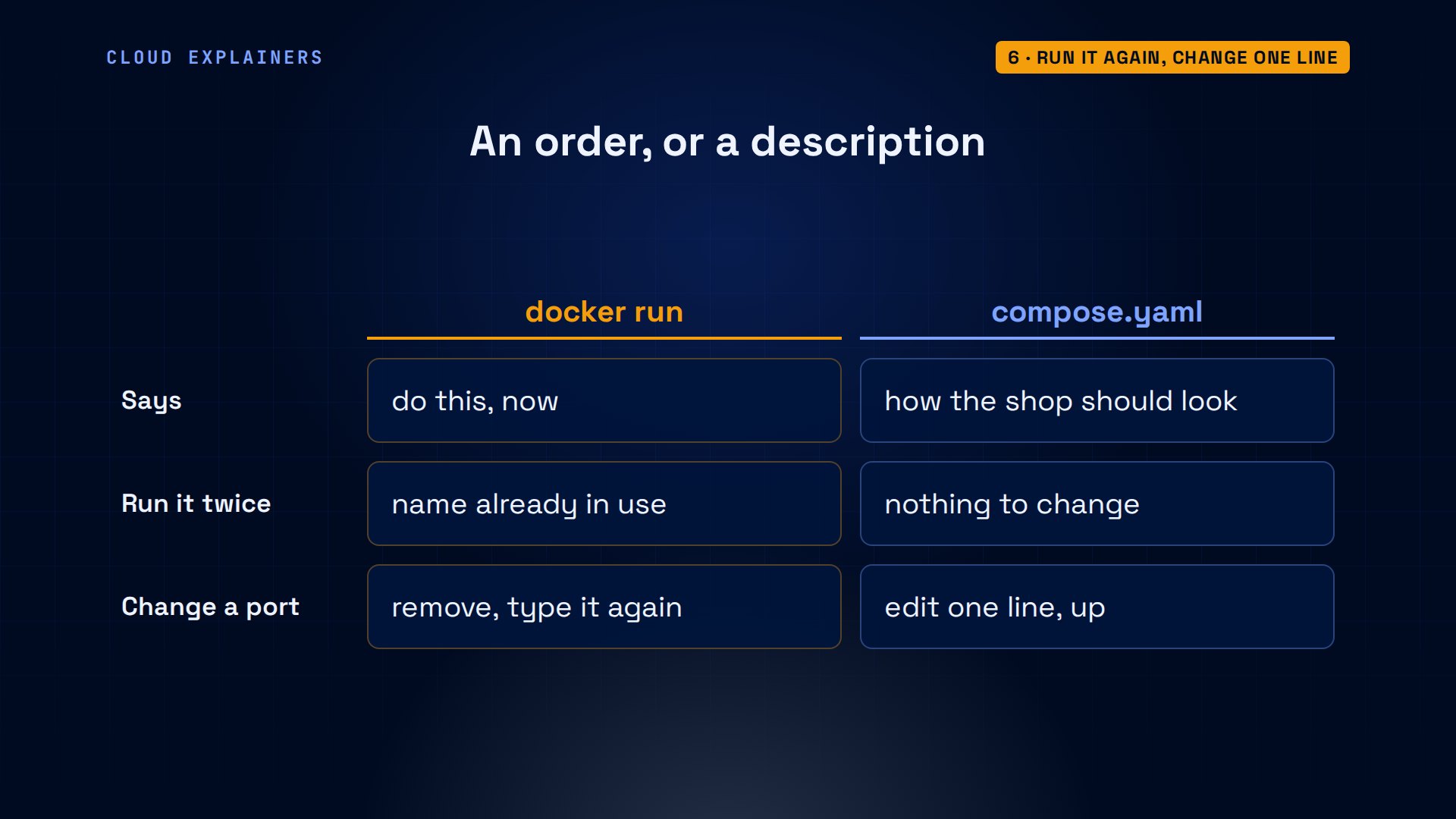
Now the shop answers: zero orders. Three test orders later, three. And if she types the database command again? A conflict: that name is already in use.
curl localhost:8080Ana's tea shop: 0 orders
for i in 1 2 3; do curl -s -X POST localhost:8080/order; doneorder 1 saved
order 2 saved
order 3 saved
curl localhost:8080Ana's tea shop: 3 orders
docker run -d --name db -e POSTGRES_PASSWORD=tea-lab-only -v dbdata:/var/lib/postgresql postgres:18-alpinedocker: Error response from daemon: Conflict. The container name "/db" is already in use by container "be01785e244b4fe499c3c6c7a4ac1a7782e5f0b5e677ffa899b60b529a264507". You have to remove (or rename) that container to be able to reuse that name.

Run 'docker run --help' for more information
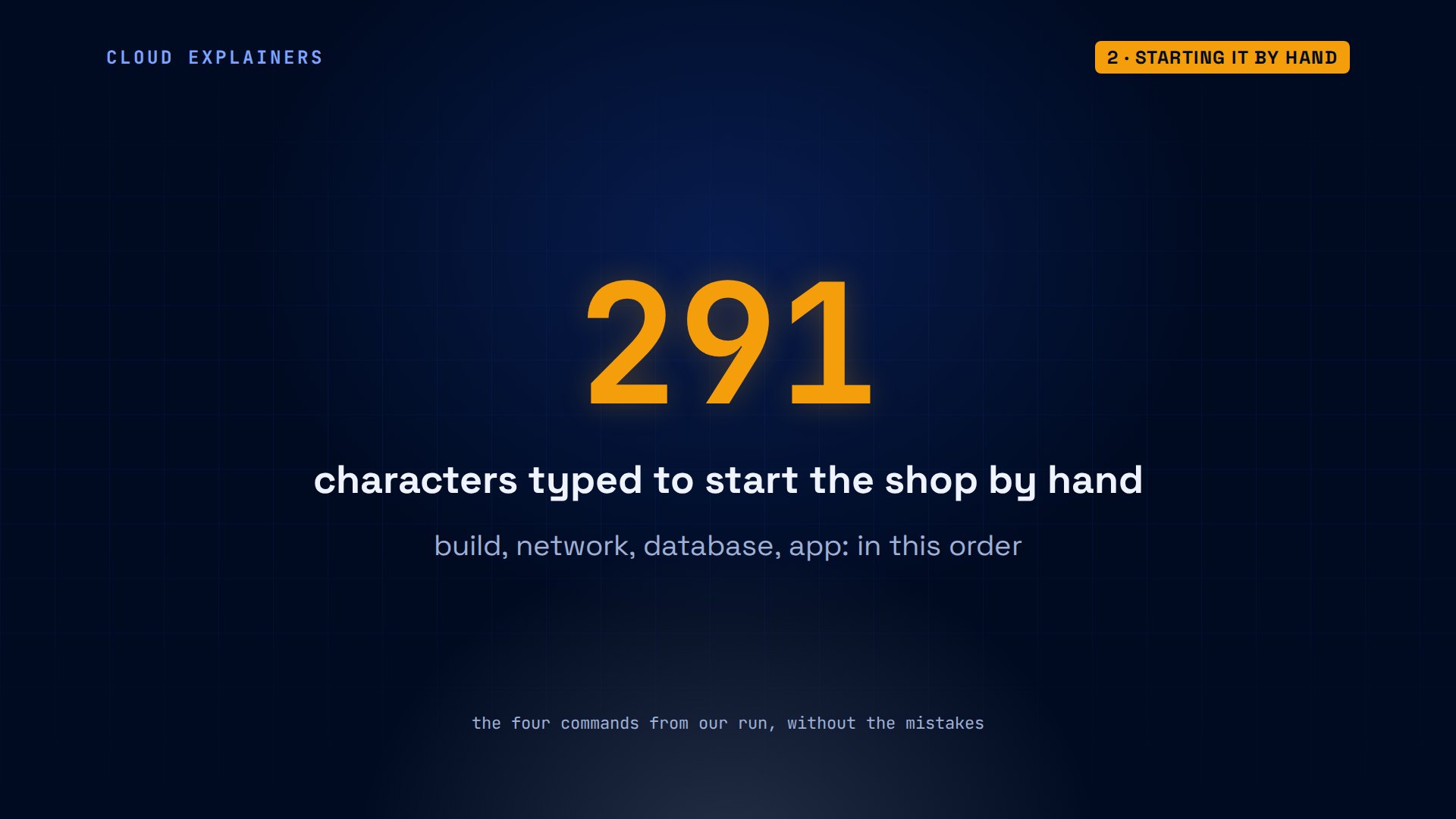
Count what it takes to start one small shop by hand, done right the first time: four commands, 291 characters, typed the same way, in the same order, on every laptop that runs it.
The same shop in one file
Compose moves all of that into a file. compose.yaml lists two services, db and app, with the same image, password, volume and port she typed by hand. depends_on says: start the database first.
cat compose.yamlservices:
  db:
    image: postgres:18-alpine
    environment:
      POSTGRES_PASSWORD: tea-lab-only
    volumes:
      - dbdata:/var/lib/postgresql
  app:
    image: shop-app
    ports:
      - "8080:8000"
    environment:
      DB_HOST: db
      DB_PASSWORD: tea-lab-only
    depends_on:
      - db
volumes:
  dbdata:
Compose is part of the docker command itself: docker compose, with a space. Old tutorials write it with a dash: that's version one, written in Python, no longer supported, and not even installed here. One command, and Compose makes the network, the volume, and both containers.
docker compose versionDocker Compose version 2.40.3+ds1-0ubuntu1~24.04.1
docker-compose version-bash: docker-compose: command not found
docker compose up -dNetwork shop_default Creating Network shop_default Created Volume shop_dbdata Creating Volume shop_dbdata Created Container shop-db-1 Creating Container shop-db-1 Created Container shop-app-1 Creating Container shop-app-1 Created Container shop-db-1 Starting Container shop-db-1 Started Container shop-app-1 Starting Container shop-app-1 Started
So one file became four things on the same engine: a network named after the project, a volume for the database, and two containers, started in order. Ana didn't type a single docker run.
Started is not ready
But the app exited again. Not a name problem this time: connection refused. Compose did start the database first. So why?
docker compose ps -a --format 'table {{.Service}}\t{{.Status}}'SERVICE   STATUS
app       Exited (1) 2 seconds ago
db        Up 3 seconds
docker compose logs app | tail -2app-1  | psycopg.OperationalError: connection failed: connection to server at "172.19.0.2", port 5432 failed: Connection refused
app-1  | 	Is the server running on that host and accepting TCP/IP connections?
Started isn't ready. A brand-new PostgreSQL spends a few seconds setting up its files before it accepts connections. depends_on, on its own, only waits for the container to be running. Docker's docs say it plainly: Compose doesn't wait until a container is ready.
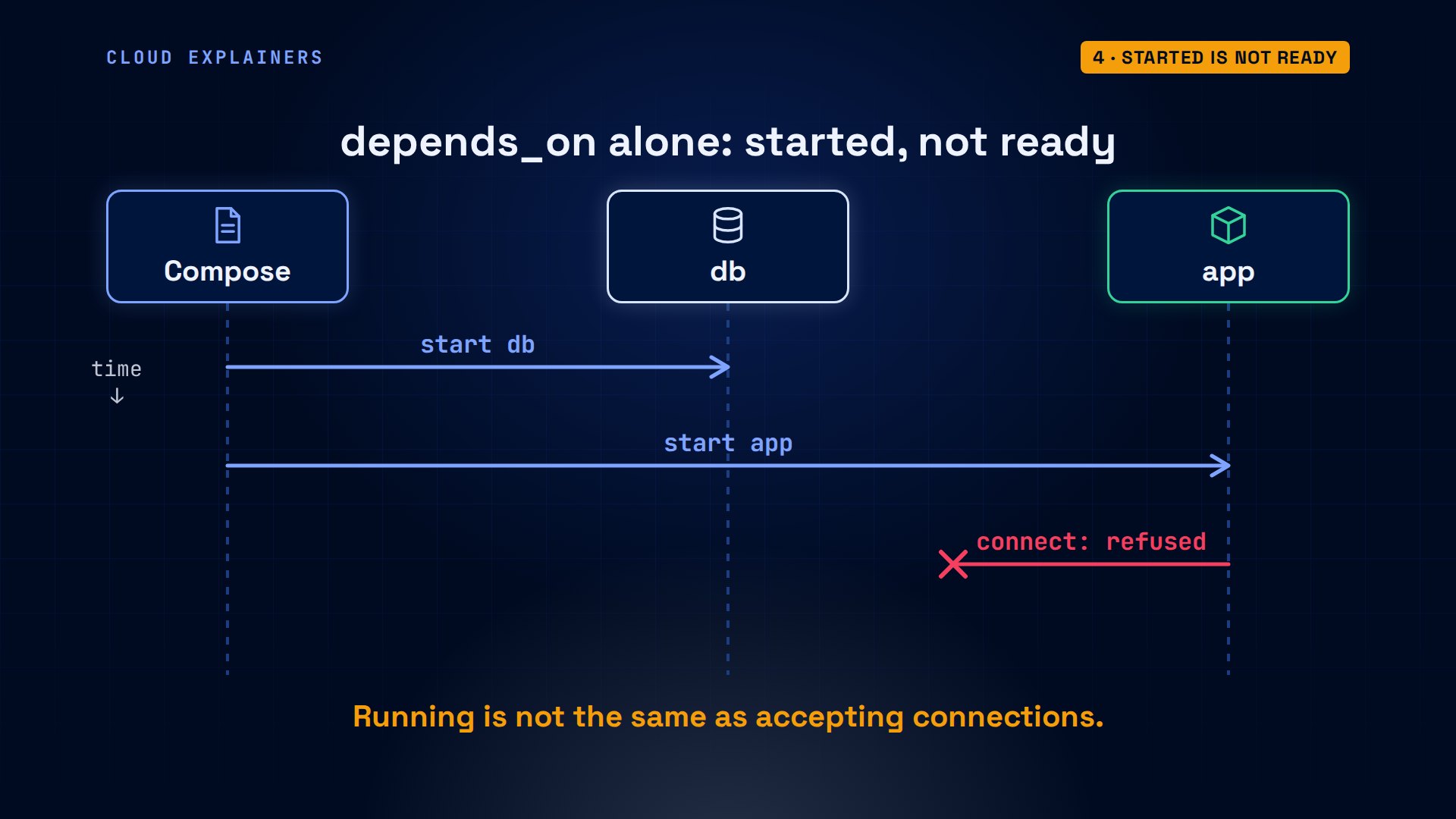
So Ana adds a health check: pg_isready, every two seconds. And the app now waits for the condition service_healthy.
cat compose.yamlservices:
  db:
    image: postgres:18-alpine
    environment:
      POSTGRES_PASSWORD: tea-lab-only
    volumes:
      - dbdata:/var/lib/postgresql
    healthcheck:
      test: pg_isready -U postgres
      interval: 2s
  app:
    image: shop-app
    ports:
      - "8080:8000"
    environment:
      DB_HOST: db
      DB_PASSWORD: tea-lab-only
    depends_on:
      db:
        condition: service_healthy
volumes:
  dbdata:
Now Compose keeps asking the database: are you ready? While PostgreSQL is still setting up, the answer is no, and Compose waits. Once the answer is yes, the database counts as healthy, and only then does Compose start the app.
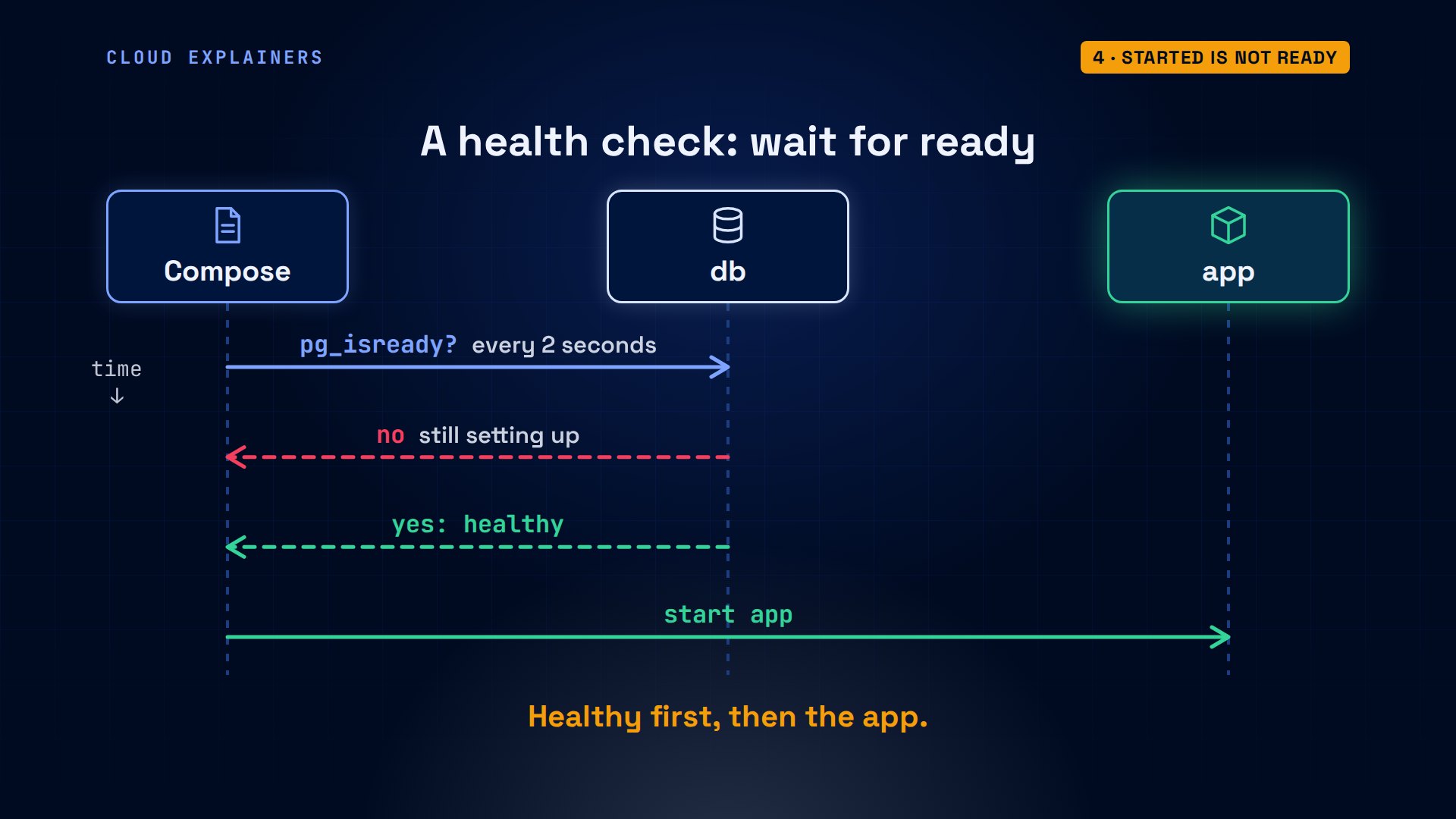
This time Compose waits: database healthy, then the app starts. Zero orders, three test orders, three.
curl localhost:8080Ana's tea shop: 0 orders
for i in 1 2 3; do curl -s -X POST localhost:8080/order; doneorder 1 saved
order 2 saved
order 3 saved
curl localhost:8080Ana's tea shop: 3 orders
Is it a different Docker?
So is Compose a different Docker? No. Plain docker ps lists both containers, named after the folder, shop, then the service, then a number. Compose only adds a label with its project name, so it can find them again.
docker ps --format 'table {{.Names}}\t{{.Image}}\t{{.Status}}'NAMES        IMAGE                STATUS
shop-db-1    postgres:18-alpine   Up 3 seconds (healthy)
shop-app-1   shop-app             Up Less than a second
docker inspect shop-app-1 --format '{{index .Config.Labels "com.docker.compose.project"}}'shop
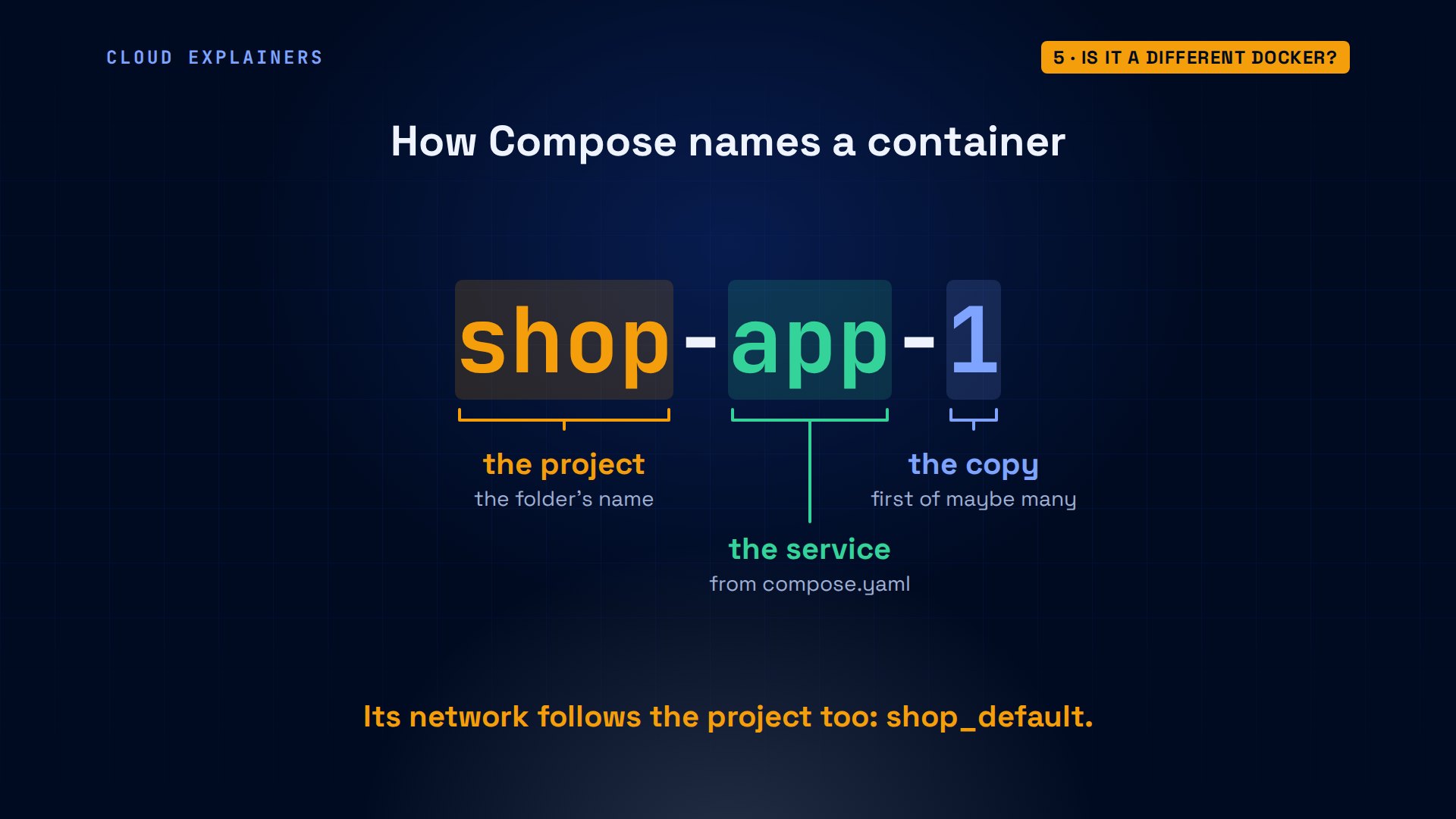
Every name Compose gives follows one pattern: the project, which is the folder's name, then the service from the file, then a number, because a service can run more than one copy.
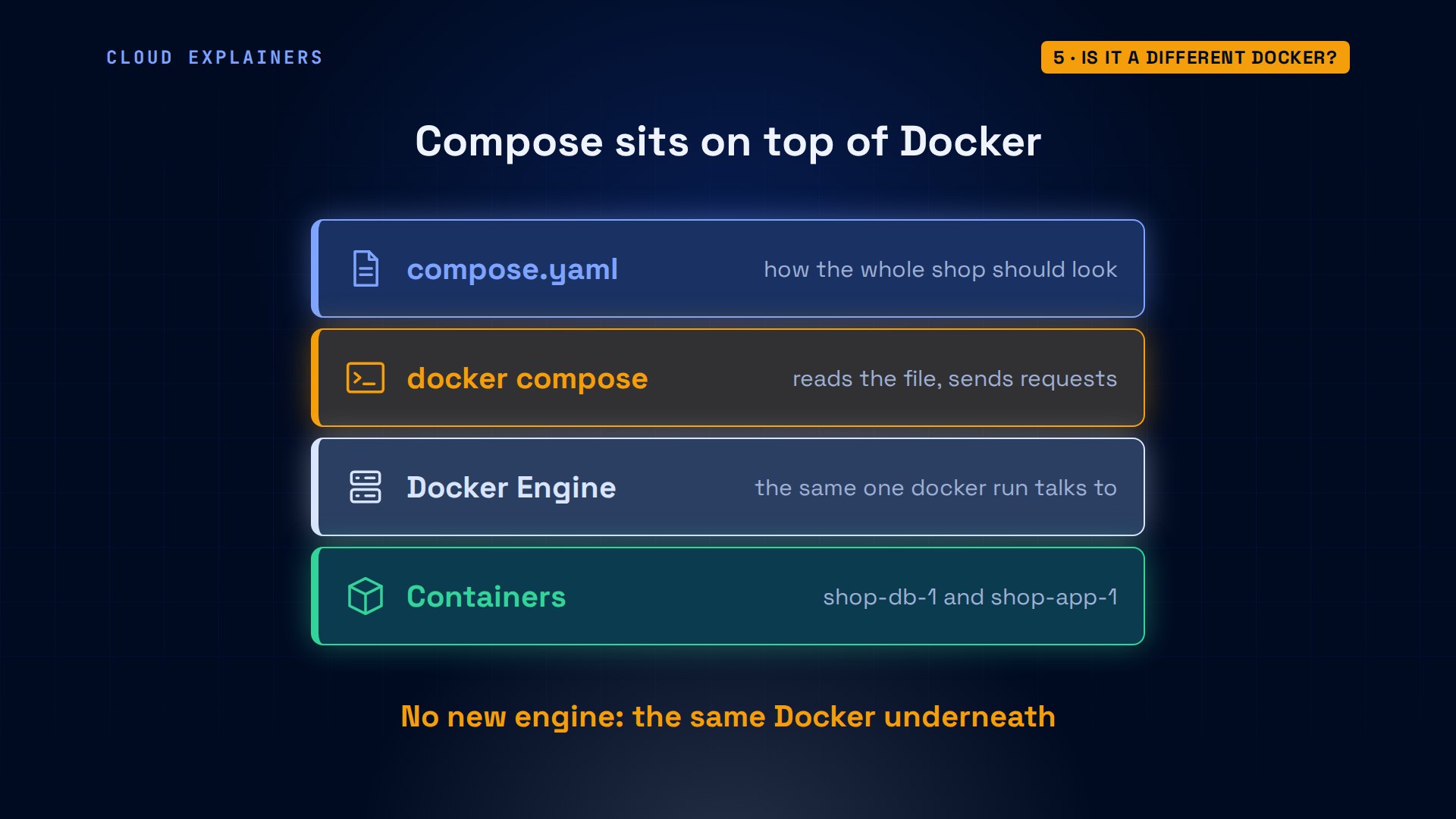
So the layers look like this. compose.yaml at the top. The docker compose plugin reads it and sends the same kind of requests you'd send by hand to the same Docker Engine, which runs the containers.
And the network she had to make by hand? Compose made one for the project, shop_default, and every service registers its name there. Asked from inside the app, db answers with its address, 172.19.0.2.
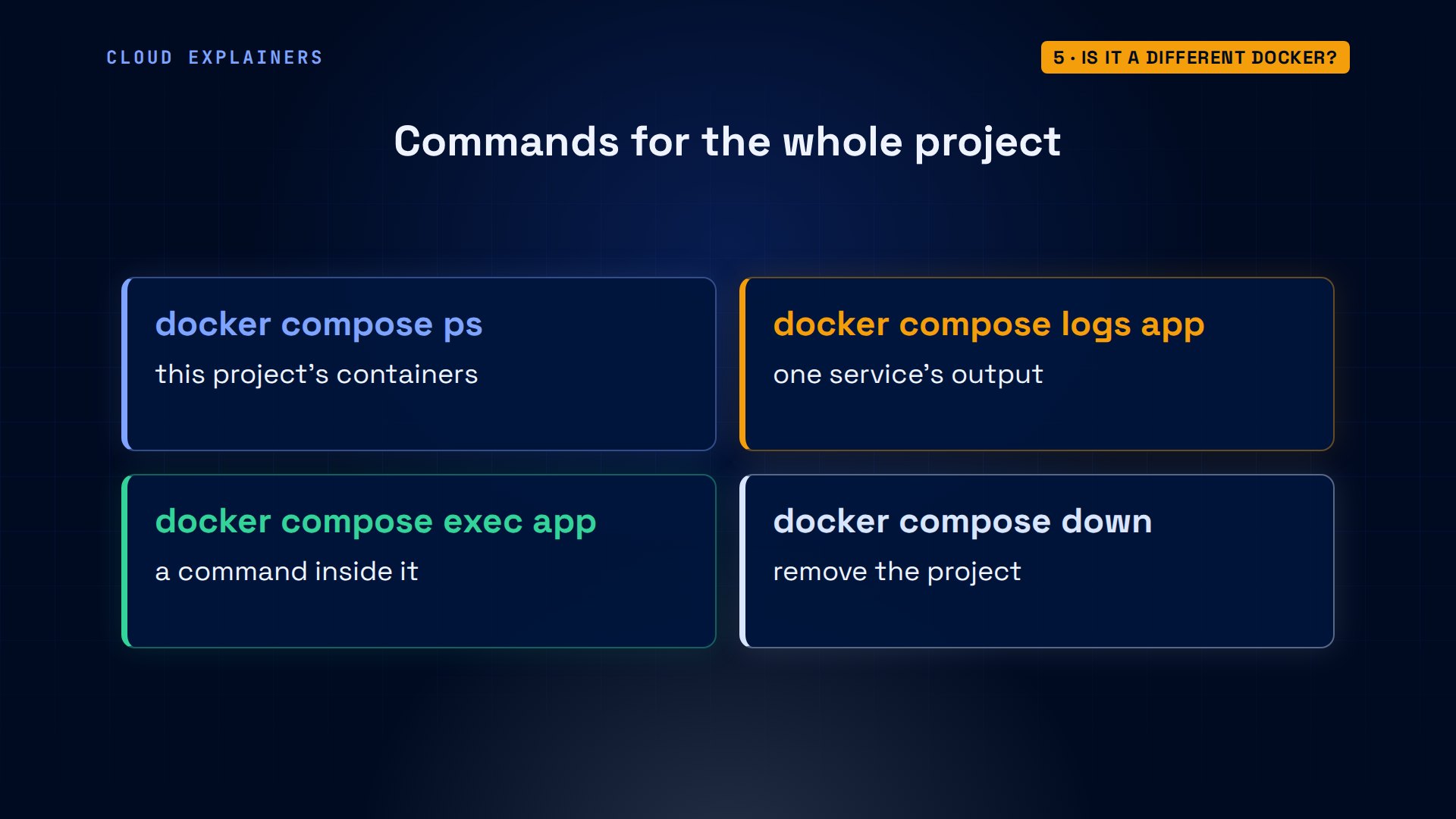
The project also gets its own commands. docker compose ps lists only this project's containers. logs shows a service's output, exec runs a command inside one, and down removes the project. By hand, you track every container name yourself.
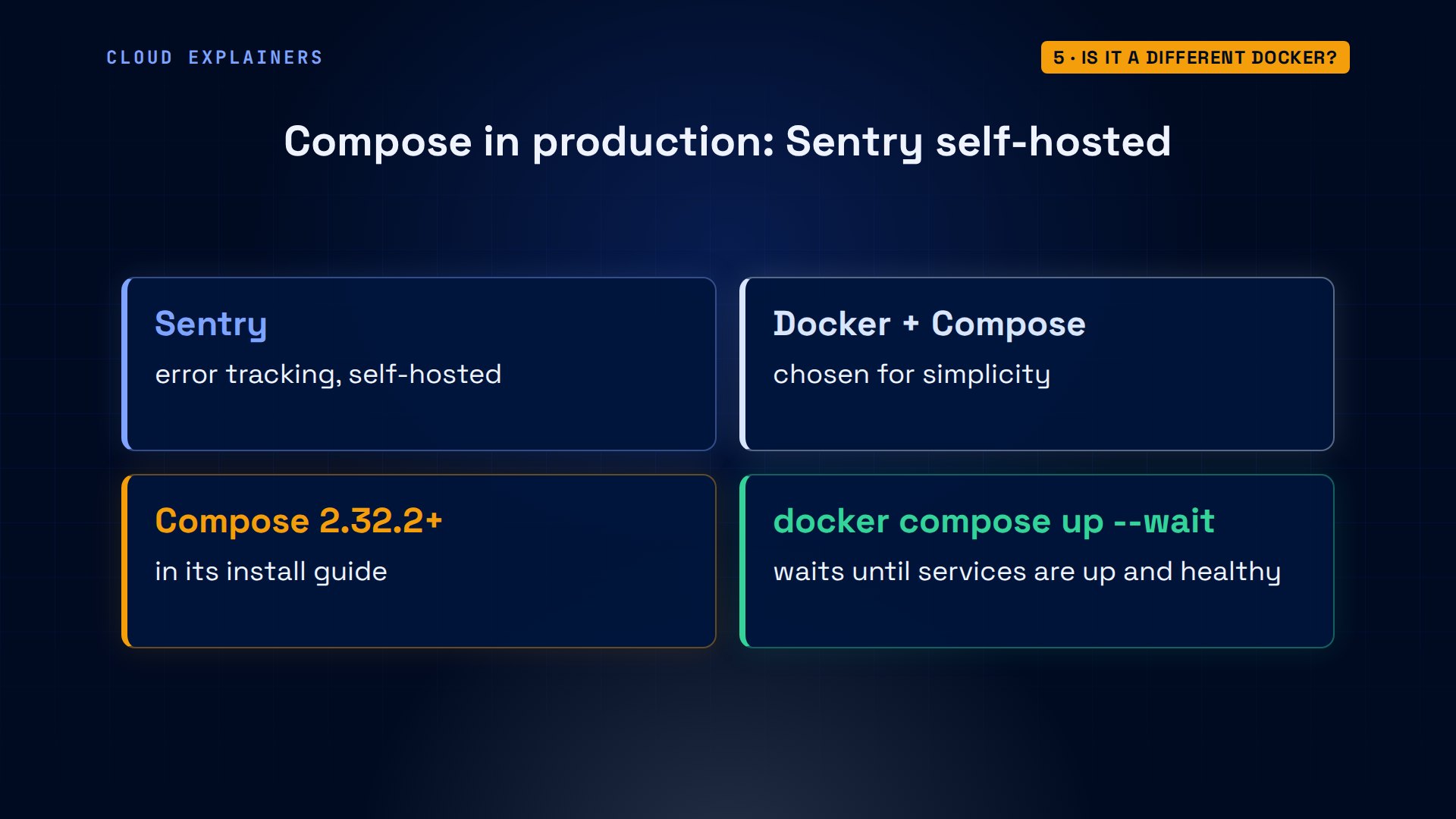
This isn't only for small shops. Sentry, the error-tracking company, ships its self-hosted version as a Docker Compose project. Its install guide asks for Compose 2.32.2 or newer, and starts everything with one command: docker compose up, wait.
Run it again, change one line
By hand, running a command twice gave a conflict. So what if Ana runs compose up again, with nothing changed? Both containers: running. Nothing was restarted.
docker compose up -dContainer shop-db-1 Running Container shop-app-1 Running Container shop-db-1 Waiting Container shop-db-1 Healthy
Next, Ana wants the shop on a different port. A port line has two sides: 8080 is the door on her laptop, 8000 is where the app listens inside its container. She only needs to change the laptop side.
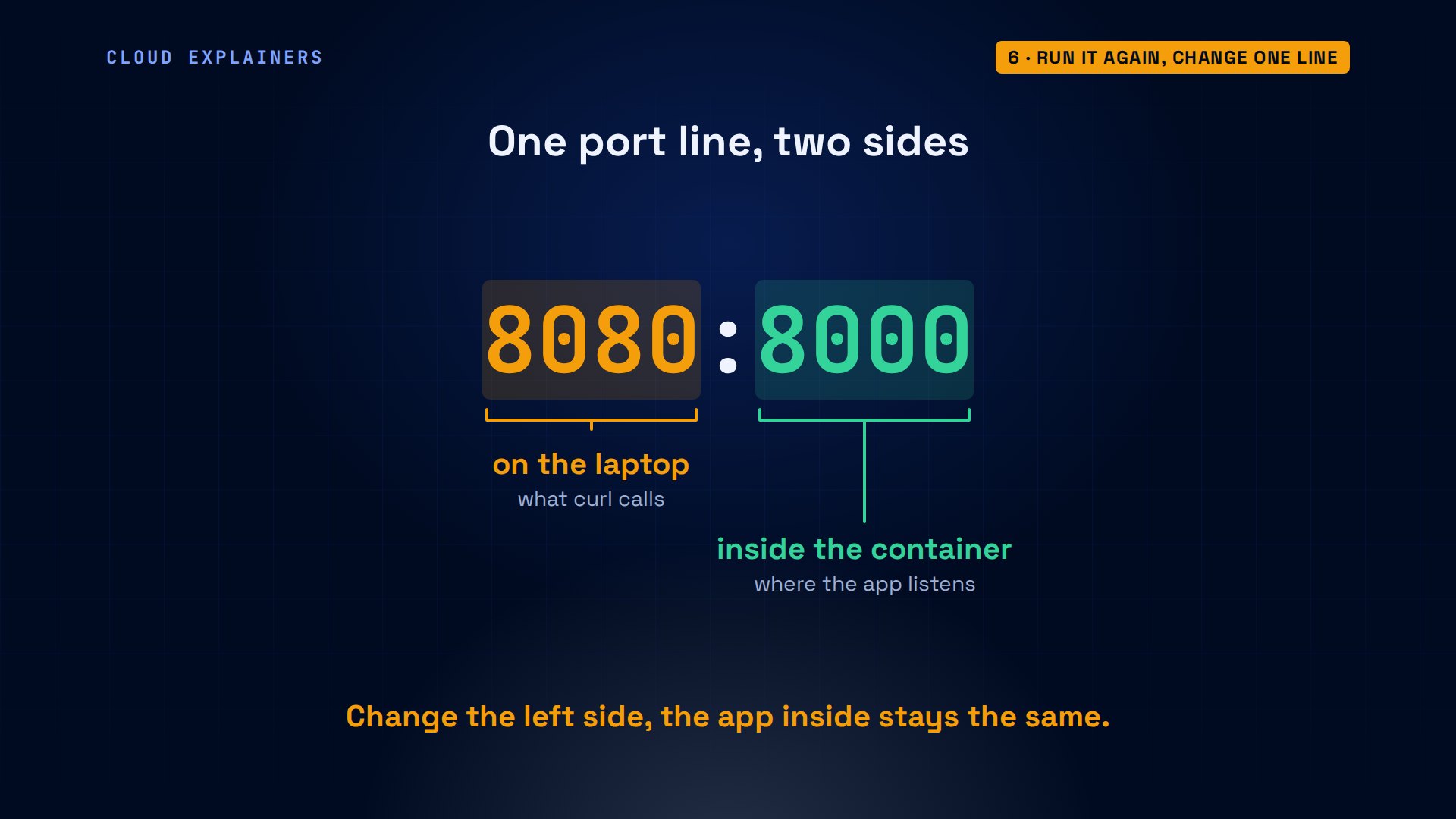
So she moves the shop to port 8081, one line in the file, and runs the same command. The database keeps running. Only the app is recreated, and it still has three orders.
sed -i 's/8080:8000/8081:8000/' compose.yaml && grep 8081 compose.yaml- "8081:8000"
docker compose up -dContainer shop-db-1 Running Container shop-app-1 Recreate Container shop-app-1 Recreated Container shop-db-1 Waiting Container shop-db-1 Healthy Container shop-app-1 Starting Container shop-app-1 Started
curl localhost:8081Ana's tea shop: 3 orders
That's the real difference. A docker run command says: do this, now. A compose file says: this is how the shop should look. Each up compares the file with what's running, and changes only what's different.
Tearing it all down
Done for the day, Ana runs compose down. It stops and removes both containers, and the network. Guess first: are her three orders gone? No.
docker compose downContainer shop-app-1 Stopping Container shop-app-1 Stopped Container shop-app-1 Removing Container shop-app-1 Removed Container shop-db-1 Stopping Container shop-db-1 Stopped Container shop-db-1 Removing Container shop-db-1 Removed Network shop_default Removing Network shop_default Removed
Why not? down removes what Compose can rebuild in a second from the file: the containers and the network. It keeps what it can't rebuild: the named volume holding PostgreSQL's files, and the three orders inside them.
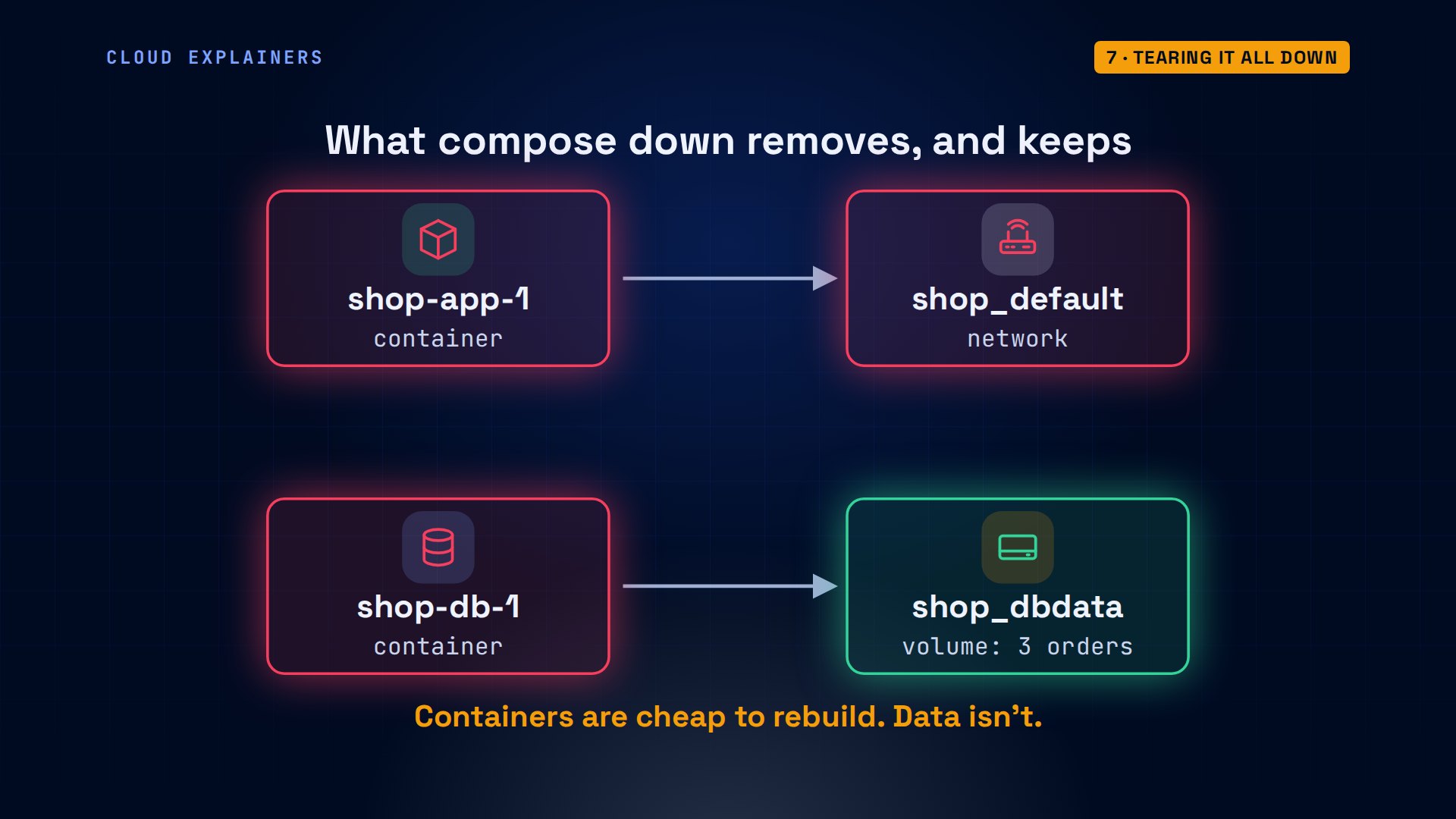
No containers left, but the volume, shop_dbdata, is still there. Up again, and the shop still has three orders. Only down with dash v removes the volume too.
docker ps -a --format '{{.Names}}' | wc -l0
docker volume ls --format '{{.Name}}'shop_dbdata
docker compose up -dNetwork shop_default Creating Network shop_default Created Container shop-db-1 Creating Container shop-db-1 Created Container shop-app-1 Creating Container shop-app-1 Created Container shop-db-1 Starting Container shop-db-1 Started Container shop-db-1 Waiting Container shop-db-1 Healthy Container shop-app-1 Starting Container shop-app-1 Started
curl localhost:8081Ana's tea shop: 3 orders
docker compose down -vContainer shop-app-1 Stopping Container shop-app-1 Stopped Container shop-app-1 Removing Container shop-app-1 Removed Container shop-db-1 Stopping Container shop-db-1 Stopped Container shop-db-1 Removing Container shop-db-1 Removed Volume shop_dbdata Removing Network shop_default Removing Volume shop_dbdata Removed Network shop_default Removed
Where plain docker is simpler
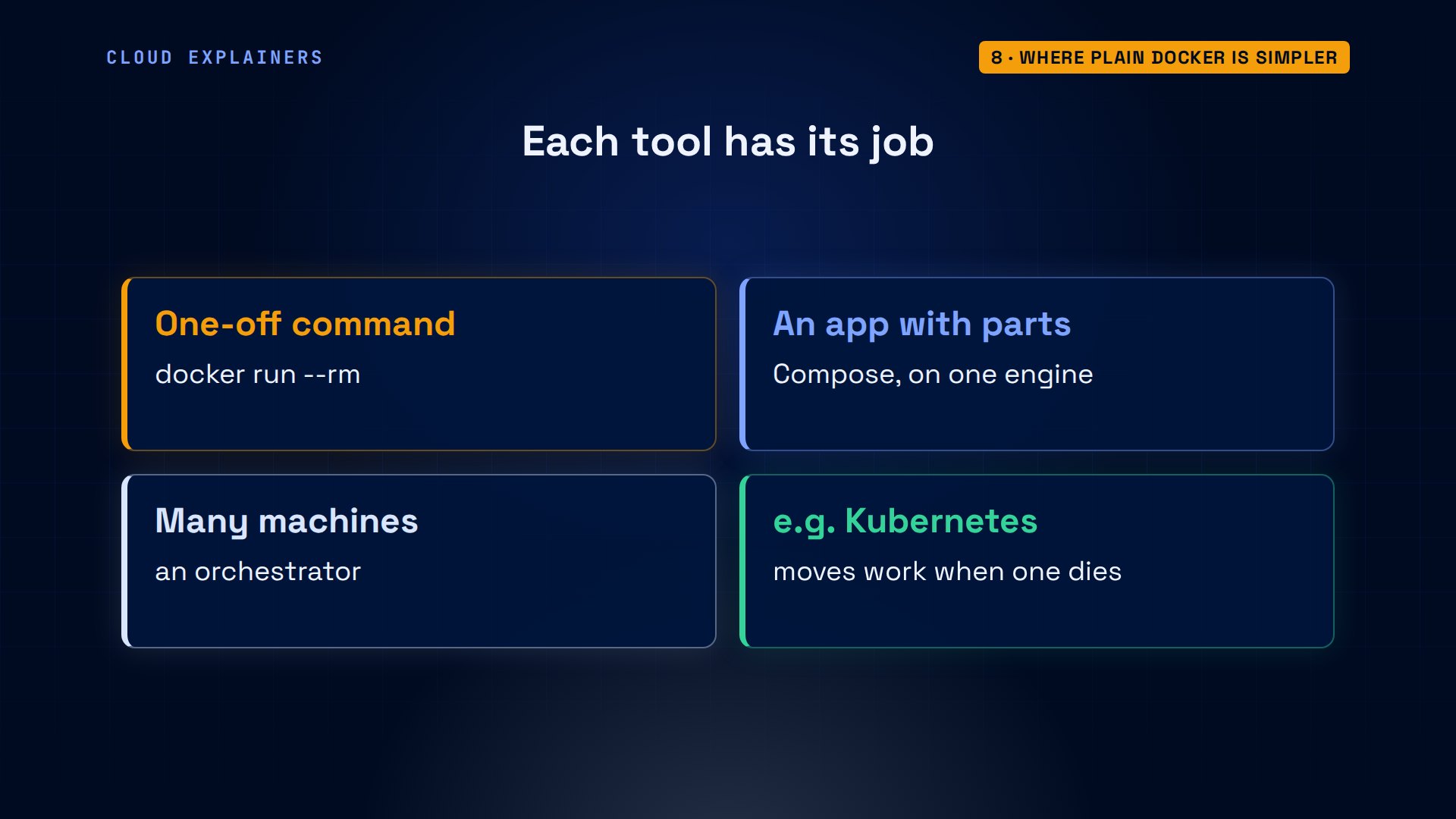
So is Compose always better? No. For a one-off command, plain docker is simpler: run a container, get the answer, and dash dash rm deletes it afterwards. No file needed.
docker run --rm python:3.13-slim python --versionPython 3.13.18
And Compose has a boundary: it runs everything on the one Docker Engine it talks to. Spreading containers across many machines, and moving them when a machine dies, is a job for an orchestrator such as Kubernetes.
Which one to pick
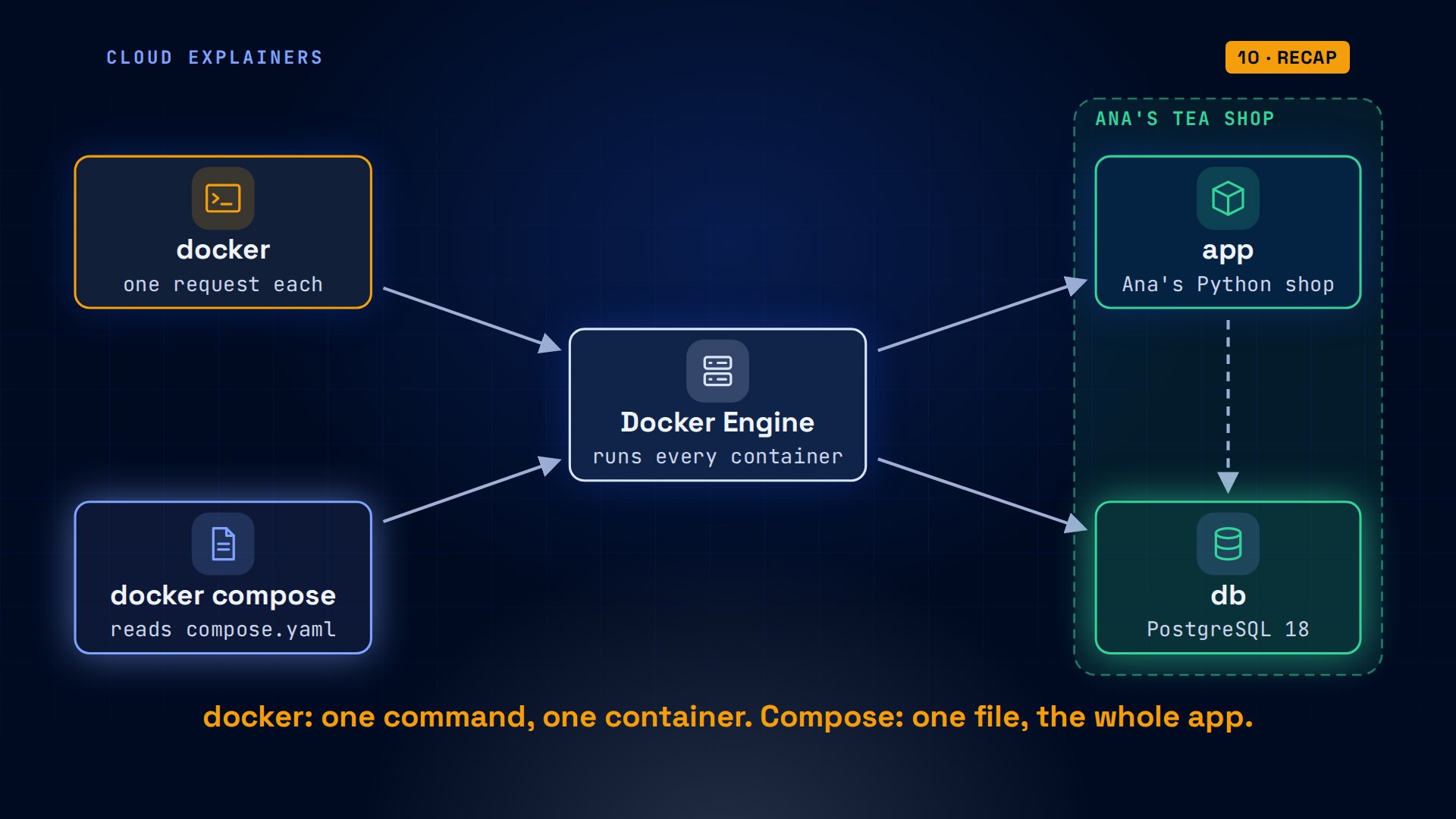
So which one should you use? With plain docker, the settings live in commands you retype, you make the network yourself, and running twice is a conflict. With Compose, the settings live in a file, the network comes with it, and up changes only what's different. In one line: docker is one command, one container; Compose is one file, the whole app.
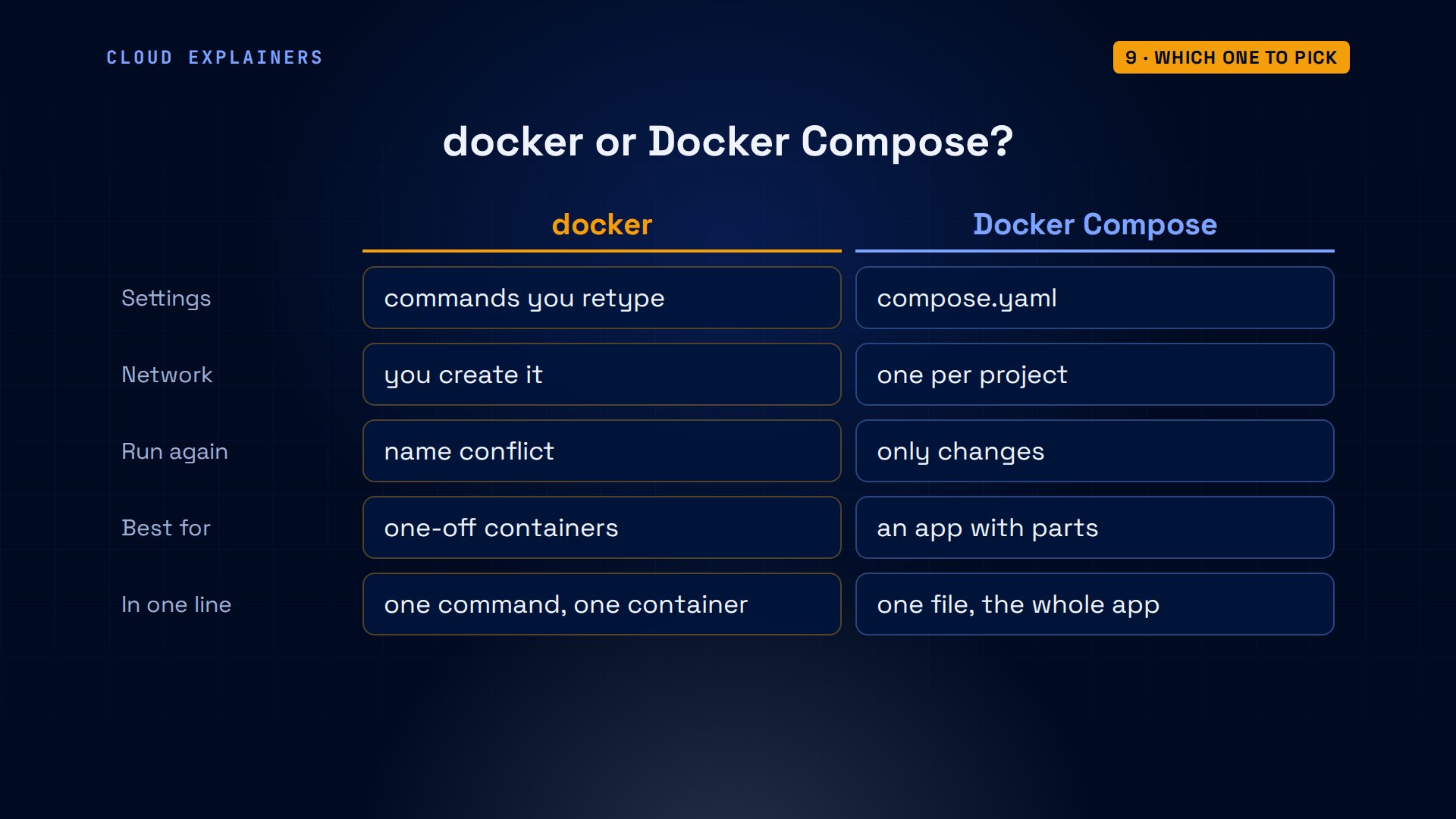
Use plain docker to try an image, build one, or run a one-off tool. Use Compose as soon as your app has two parts that talk to each other: the file becomes the setup, and anyone on your team starts it with one command. Underneath, it's the same Docker.
Every command and the lab files, compose.yaml included, are linked in the description, so you can run the tea shop both ways yourself.
Recap
So: docker sends one request at a time and remembers nothing. Compose keeps the whole shop in one file, makes its network, waits for the health checks you add, and down keeps your volumes. Same engine underneath.
If this cleared up docker versus Compose for you, a like helps other beginners find it, and subscribing brings you the next one.
Every container here ran for real on one small Ubuntu laptop. Thanks for watching Cloud Explainers.
Sources
- Docker docs, Docker Compose overview ("a tool for defining and running multi-container applications")
- Docker docs, History and development of Docker Compose (v1 in Python, invoked with docker-compose; v2 in Go, invoked with docker compose; v2 and v5 are the supported versions)
- Docker docs, Bridge network driver (on the default bridge, containers reach each other by IP address only; user-defined bridges resolve names)
- Docker docs, Networking in Compose (one network per app, named after the project plus _default, services reachable by name)
- Docker docs, Control startup order (Compose waits until a dependency is running, not ready; condition: service_healthy)
- Docker docs, docker compose up (recreates containers only when their configuration or image changed)
- Docker docs, docker compose down (removes containers and the default network; named volumes only with --volumes)
- Sentry, Self-Hosted Sentry (Docker and Docker Compose; Compose 2.32.2 or newer; docker compose up --wait)
- Stack Overflow, What is the difference between docker and docker-compose (2016)
Demos: one container on our own Mac standing in for Ana's Ubuntu laptop, with Docker running inside it; the tea shop is made up. Watch the full video on YouTube.
More videos

Linux Makefiles Will Finally Make Sense After This

SAML vs OAuth vs OpenID Connect: What's the Difference?

How to Fix Python cron Jobs That Never Run

Linux Bash Scripting: Full Tutorial for Beginners

How PXE Network Boot Works

How Active Directory Works

How to Fix a Linux systemd Service That Won't Start

Linux Logs: syslog vs journald

JWT vs Session Cookies: Which One Should You Use?

How to Fix Docker Compose Containers That Can't Talk to Each Other

Django Full Tutorial for Beginners

How Linux systemd Works

How to Fix 'Windows Cannot Access' Network Share Errors (SMB)

REST vs gRPC: Which One Should You Use?

How to Fix SSL Certificate Chain Errors (Missing Intermediate)

Every Python Concept for Beginners in 10 Minutes

Every SQL Join Type in 10 Minutes

Why OpenRouter Free Models Hit Their Limit So Fast

Why Your Gemini API Free Tier Runs Out So Fast

OpenRouter Will Finally Make Sense After This

How Redis Caching Works

Gemini API vs Vertex AI: Which One Should You Use?

How to Fix a Leaked Gemini API Key

Why Golang Uses Goroutines Instead of Threads

How to Fix Gemini API Error 429: Resource Exhausted

Claude Token Pricing Will Finally Make Sense After This

Why Python Web Scraping Returns Nothing (and the Fix)

Python uv vs pip: Which One Should You Use?

Python Automation: Full Tutorial for Beginners

How OAuth Login Works

Google AI Studio Will Finally Make Sense After This

What Happens When You Run a Docker Container

How to Fix Claude Code Billing Your API Key Instead of Your Plan

Why Passkeys Can't Be Phished Like Passwords

PowerShell vs Bash: Which One Should You Learn?

The Linux Roadmap for Beginners

Django vs FastAPI: Which One Should You Use?

Why SQLite Is the Most Used Database in the World

How a NoSQL Database Like MongoDB Works

How to Fix Python pip error: externally-managed-environment

How to Fix MySQL Too Many Connections Database Errors

Golang Concurrency Will Finally Make Sense After This

How Amazon S3 Works

How Kubernetes Works

How Git Works

How to Fix Docker Port Already Allocated Errors

How PostgreSQL Works

How to Fix Git Merge Conflicts

How to Fix No Space Left on Device in Linux

How the Internet Works

SQL vs NoSQL: When Each One Wins

How to Fix JWT Token Expired Errors (401 Unauthorized)

Claude API vs Claude Pro: Why Your Subscription Doesn't Include It

Why AI Agent Skills Beat Giant Prompts

Linux Cron Jobs Will Finally Make Sense After This

Security Logs Will Finally Make Sense After This

How to Fix a Security Leak: An API Key Pushed to GitHub

DNS Will Finally Make Sense After This

Never Ignore a Security Update

Two-Factor Authentication Will Finally Make Sense

Never Expose a Database to the Internet

SSH Keys vs Passwords: Which Is Safer for Security?

The 5 Levels of Linux Boot: From Power On to Login

The 5 Levels of Network Firewalls

Password Security: Why Hackers Crack Weak Passwords

Why Your Linux Server Runs Out of Memory

HTTP vs HTTPS: What Actually Changes on Your Network

Every Linux File Permission You Need to Know

Linux Processes vs Threads: When Each One Wins

The OSI Model Will Finally Make Sense After This

The 7 Levels of Git

Every Network Troubleshooting Command You Need

Hashing vs Encryption in Cybersecurity: When Each One Wins

Why the Internet Ran Out of IP Addresses

Linux Package Managers: apt vs Snap vs Flatpak

Why Python Is Slow (and When It Doesn't Matter)

TCP vs UDP: When Each One Wins

Stop Running Linux as Root (Do This Instead)

Linux Users and Groups Will Finally Make Sense

Why Phishing Beats Good Security (and How to Spot It)

The 7 Levels of Docker

AI Agents Will Finally Make Sense After This

Stop Using git push --force (Use This Instead)

Agent Skills vs MCP: When Each One Wins

Networking Will Finally Make Sense After This

Every Linux Command You Actually Need

The 7 Levels of Cybersecurity

Every System Design Concept You Need, in One Diagram
