
How to Fix JWT Token Expired Errors (401 Unauthorized)
How to fix a JWT "token expired" error (401 Unauthorized), for beginners, in a real lab: Ana's shop API works, then refuses the same request five minutes later. We decode her token to find the exp claim, show why it can't just be edited, fix it with a refresh token and one retry, and then fix the stranger case where a brand-new token is refused at once: a server clock six minutes fast.
The token that stopped working
Your API request worked a few minutes ago, and now it gets 401 Unauthorized: token expired. Here's Ana, asking her kettle shop's API for today's orders, with her token attached. It works. About five minutes later, the very same command gets this: 401, and token expired.
date +%T21:36:03
TOKEN=$(shop token)
curl -si api/orders -H "Authorization: Bearer $TOKEN"HTTP/1.1 200 OK
Server: shop-api
Date: Sun, 01 Nov 2026 21:36:03 GMT
Content-Type: application/json
Content-Length: 189

{"user": "ana", "orders": [{"id": 1041, "item": "Copper kettle", "total": 89.0}, {"id": 1042, "item": "Glass kettle", "total": 54.0}, {"id": 1043, "item": "Travel kettle", "total": 32.5}]}
date +%T21:41:41
curl -si api/orders -H "Authorization: Bearer $TOKEN"HTTP/1.1 401 Unauthorized
Server: shop-api
Date: Sun, 01 Nov 2026 21:41:41 GMT
WWW-Authenticate: Bearer error="invalid_token", error_description="The access token expired"
Content-Type: application/json
Content-Length: 63

{"error": "token_expired", "message": "Signature has expired"}
Nothing in her request changed. Only the time did. The token carries its own end time, and the API checks it on every request. So the fix isn't to silence the error. It's to get a fresh token at the right moment, automatically. And when even a brand-new token is refused, look at a clock.
What's inside a JWT
Her token is a JWT, a JSON Web Token. It looks like random letters, but split it at its dots and you get three parts: a header, a payload, and a signature.
echo $TOKEN | tr . '\n'eyJhbGciOiJIUzI1NiIsInR5cCI6IkpXVCJ9
eyJzdWIiOiJhbmEiLCJpYXQiOjE3OTM1Njg5NjMsImV4cCI6MTc5MzU2OTI2M30
s_QDCMqQki0CzI9R7jn0ptGTqAQM9SlO1bGR_lmfG4w
The first two parts are only encoded, not encrypted: anyone who has the token can read them. The signature is different. It's made with a secret only the shop's servers know, and it proves the first two parts haven't been changed.
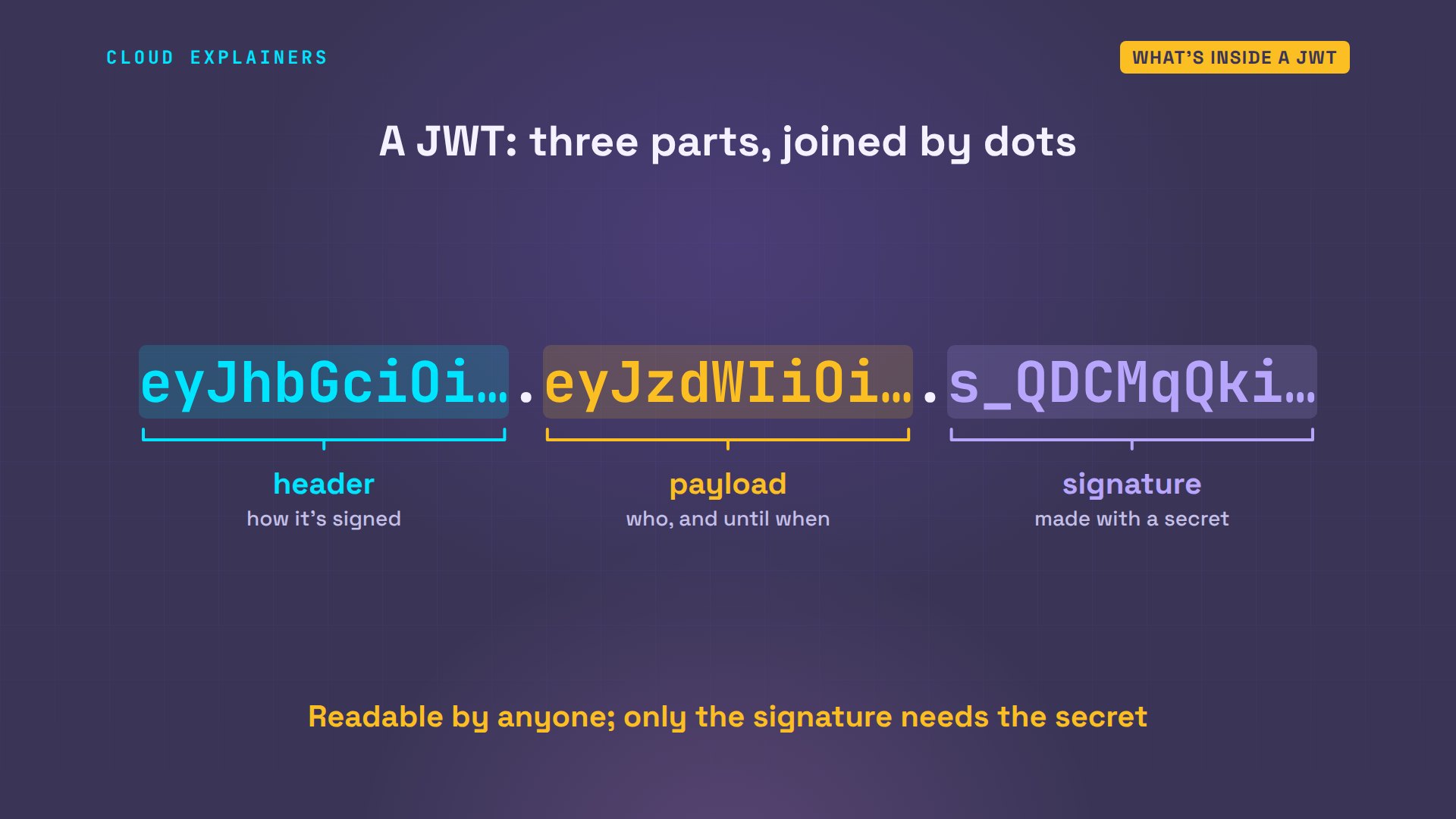
jq can decode them. The header says how it was signed: HS256, with a secret the login server shares with the API. The payload says who the token is for, Ana, and holds two times: iat, issued at, and exp, the expiry.
echo $TOKEN | cut -d. -f1 | jq -R '@base64d | fromjson'{
  "alg": "HS256",
  "typ": "JWT"
}
echo $TOKEN | cut -d. -f2 | jq -R '@base64d | fromjson'{
  "sub": "ana",
  "iat": 1793568963,
  "exp": 1793569263
}
Those times are Unix time: the number of seconds since the start of 1970. exp is exactly three hundred seconds after iat: the login server made this token to last five minutes.
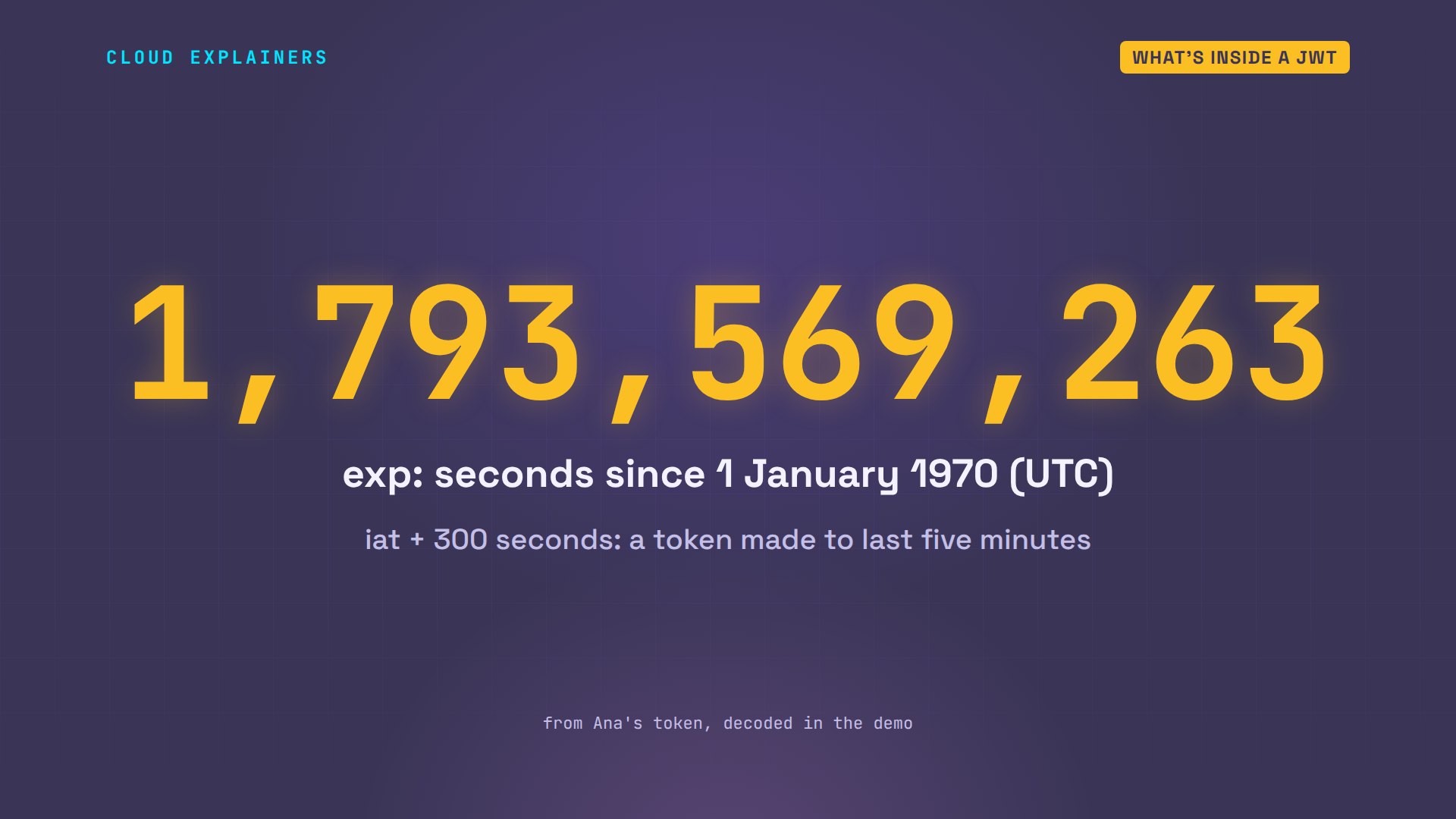
date turns exp into a clock time: 21:41:03. And the time now, in the same seconds, is 38 seconds past it: more than the API's grace period of 30 seconds.
date -d @1793569263 +%T21:41:03
date +%s1793569301
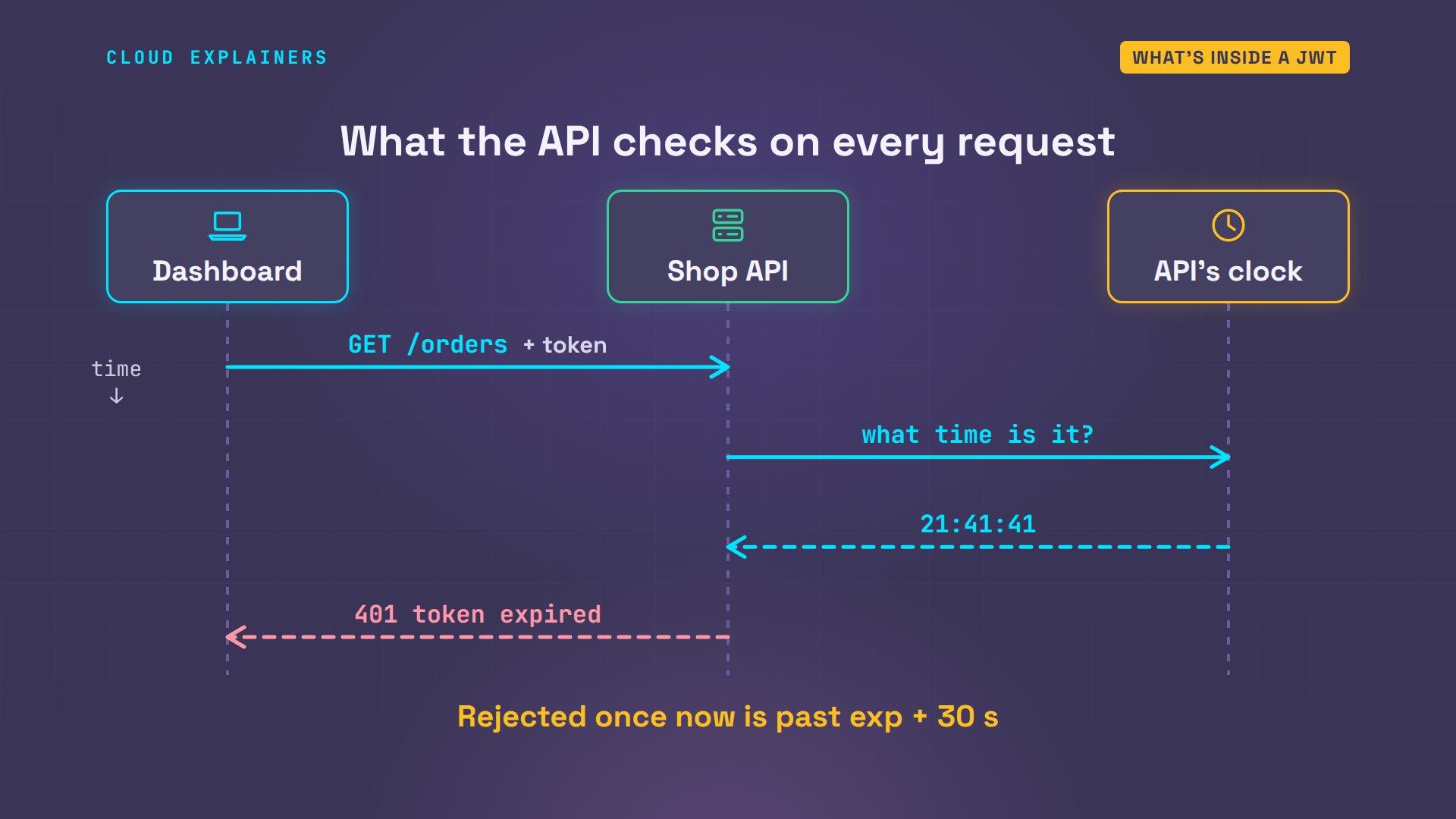
Here's what the API does with every request. It checks the signature with the shared secret. Then it asks its own clock for the time, and compares it with exp. Past exp, plus a small grace period of 30 seconds, the answer is 401 Unauthorized: token expired.
Why tokens expire on purpose
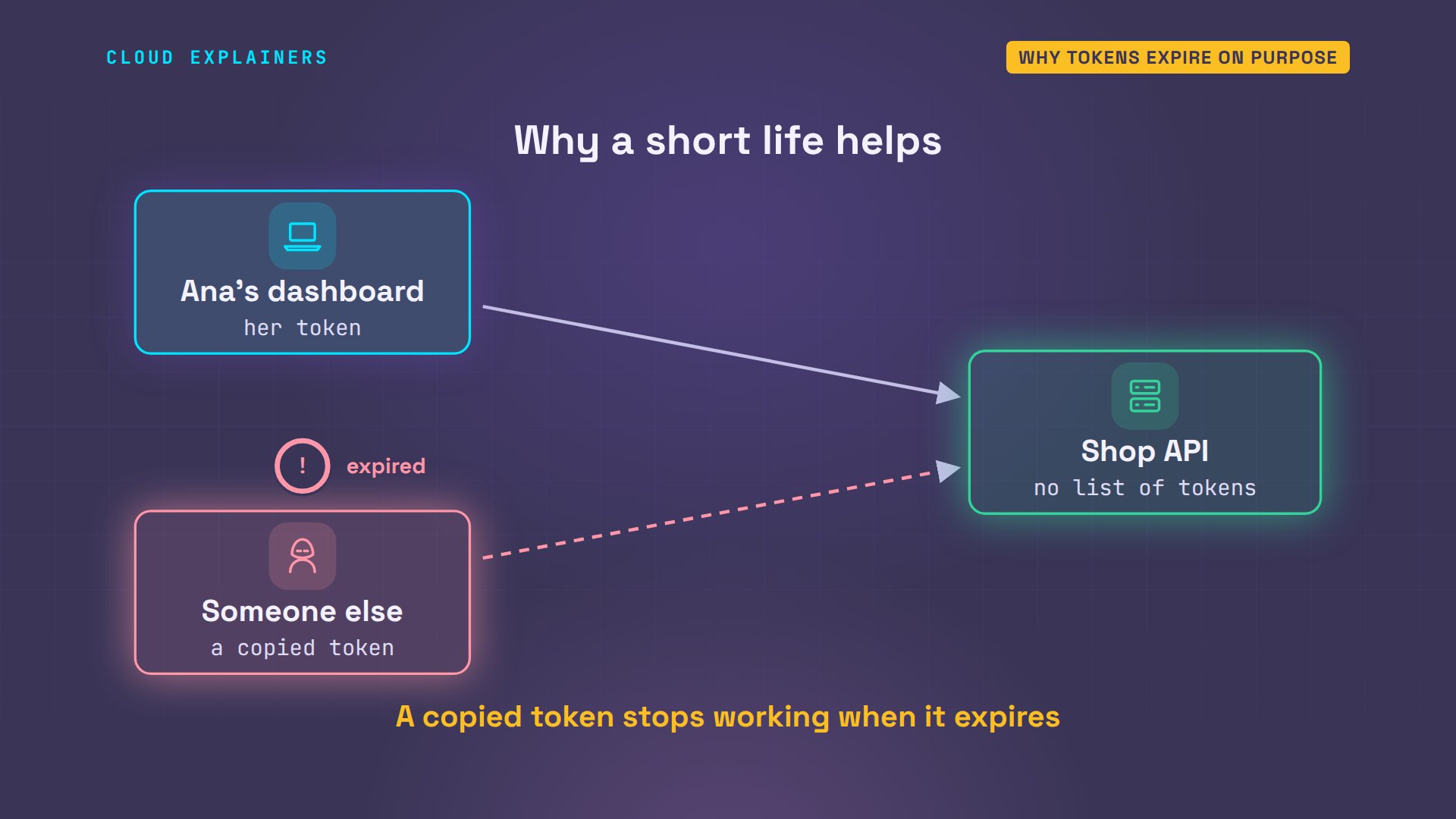
Why build an end into it at all? The API doesn't look tokens up anywhere. It trusts any token with a valid signature. So if one leaks, in a log file or a screenshot, whoever has it can use it, and the server has no list to cross it off. A short life limits the damage: minutes, not months.
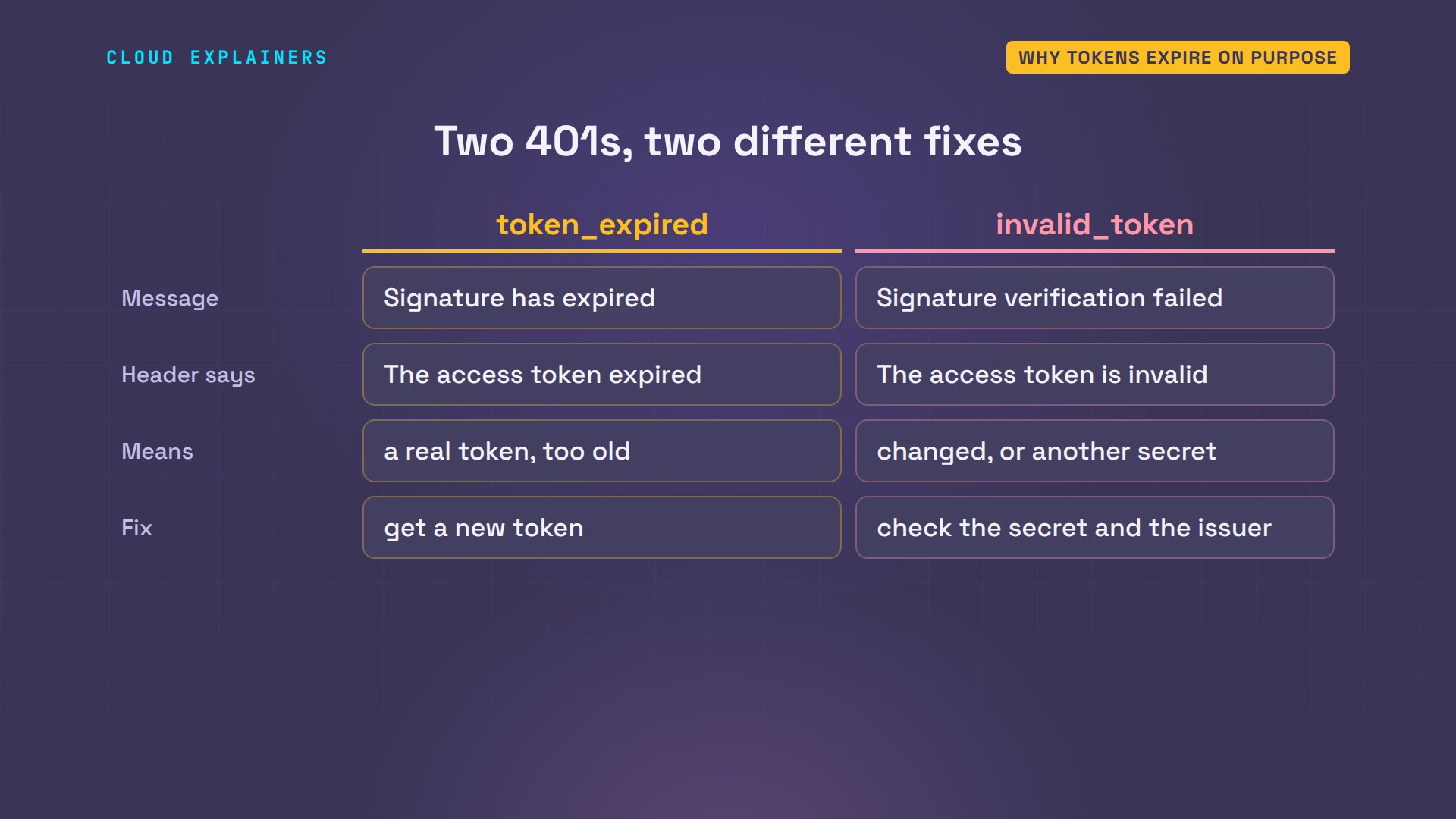
So can't the dashboard just move exp later? Our own demo script, jwt-extend, adds an hour to exp and keeps the old signature. The payload now says an hour later. The API refuses it, with a different error: signature verification failed.
FAKE=$(jwt-extend $TOKEN 3600)
echo $FAKE | cut -d. -f2 | jq -R '@base64d | fromjson'{
  "sub": "ana",
  "iat": 1793568963,
  "exp": 1793572863
}
curl -si api/orders -H "Authorization: Bearer $FAKE"HTTP/1.1 401 Unauthorized
Server: shop-api
Date: Sun, 01 Nov 2026 21:41:41 GMT
WWW-Authenticate: Bearer error="invalid_token", error_description="The access token is invalid"
Content-Type: application/json
Content-Length: 71

{"error": "invalid_token", "message": "Signature verification failed"}
Changing a single character breaks the signature, and only the shop's servers can sign a new one. So read the error before you fix it. Token expired means a real token that's too old: get a new one. Invalid signature means the token was changed, or signed with a different secret.
Fix 1: refresh the token
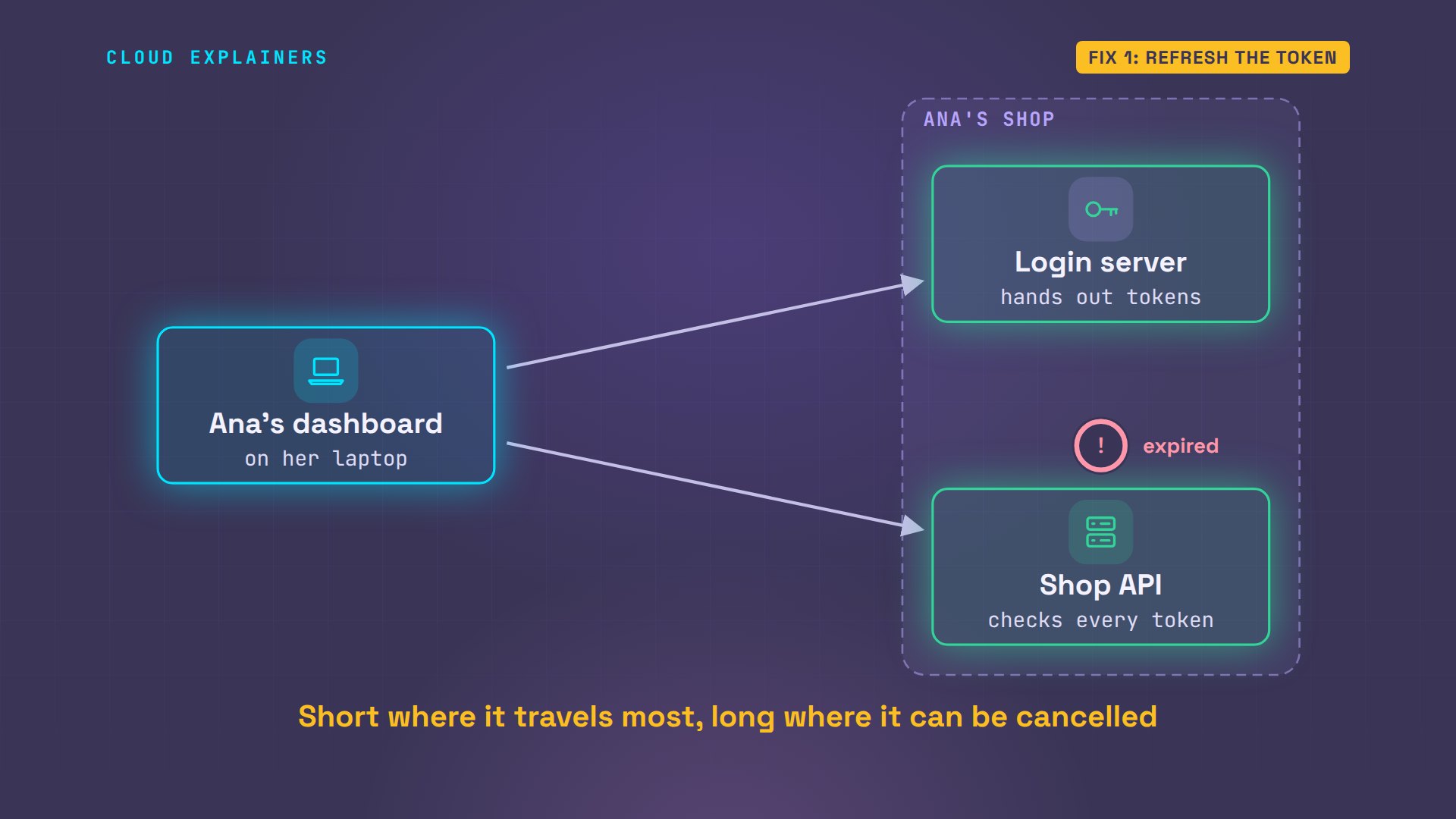
The usual fix is a second token. When Ana logged in, the login server gave her two: the short access token she sends with every request, and a refresh token that lasts much longer, seven days here. The login server keeps a list of refresh tokens, so it can cancel one.
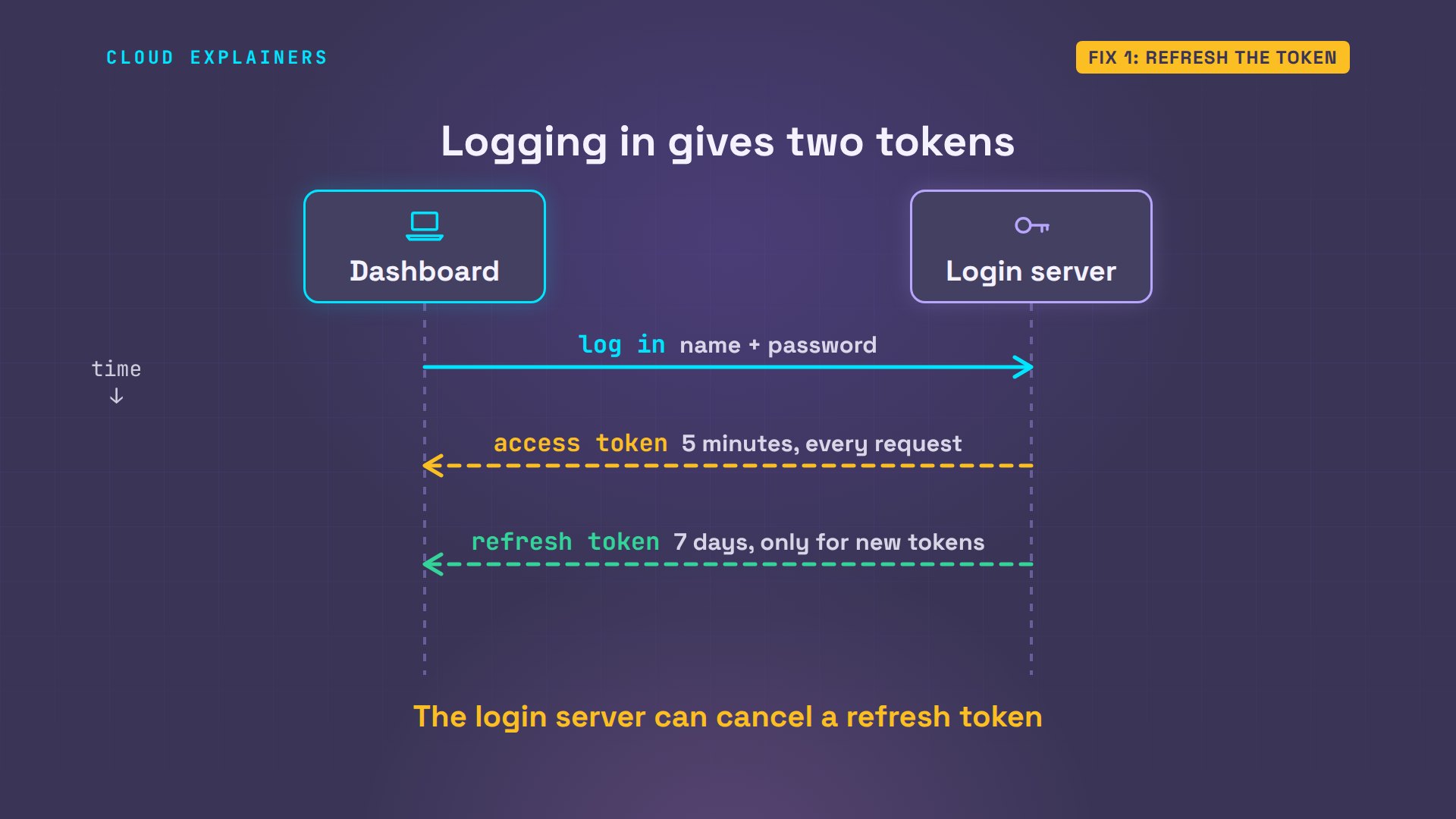
Her dashboard saved both in a file. The access token, which expires in three hundred seconds, and the refresh token, a random string that means nothing without the login server's list.
jq . ~/.shop/tokens.json{
  "access_token": "eyJhbGciOiJIUzI1NiIsInR5cCI6IkpXVCJ9.eyJzdWIiOiJhbmEiLCJpYXQiOjE3OTM1Njg5NjMsImV4cCI6MTc5MzU2OTI2M30.s_QDCMqQki0CzI9R7jn0ptGTqAQM9SlO1bGR_lmfG4w",
  "expires_in": 300,
  "refresh_token": "XPaTpXd1xdkukXfFEKJ1P1MPPHaZaXIn"
}
The two tokens travel to different places. The access token goes to the API with every request, so it's the one most likely to leak, and it dies in minutes. The refresh token only ever goes to the login server, which can check its list and cancel it. That's why it can safely live for days.
So when a request fails with token expired, the dashboard doesn't stop, and doesn't ask Ana for her password. It sends the refresh token to the login server, gets a new access token, and repeats the request, once.
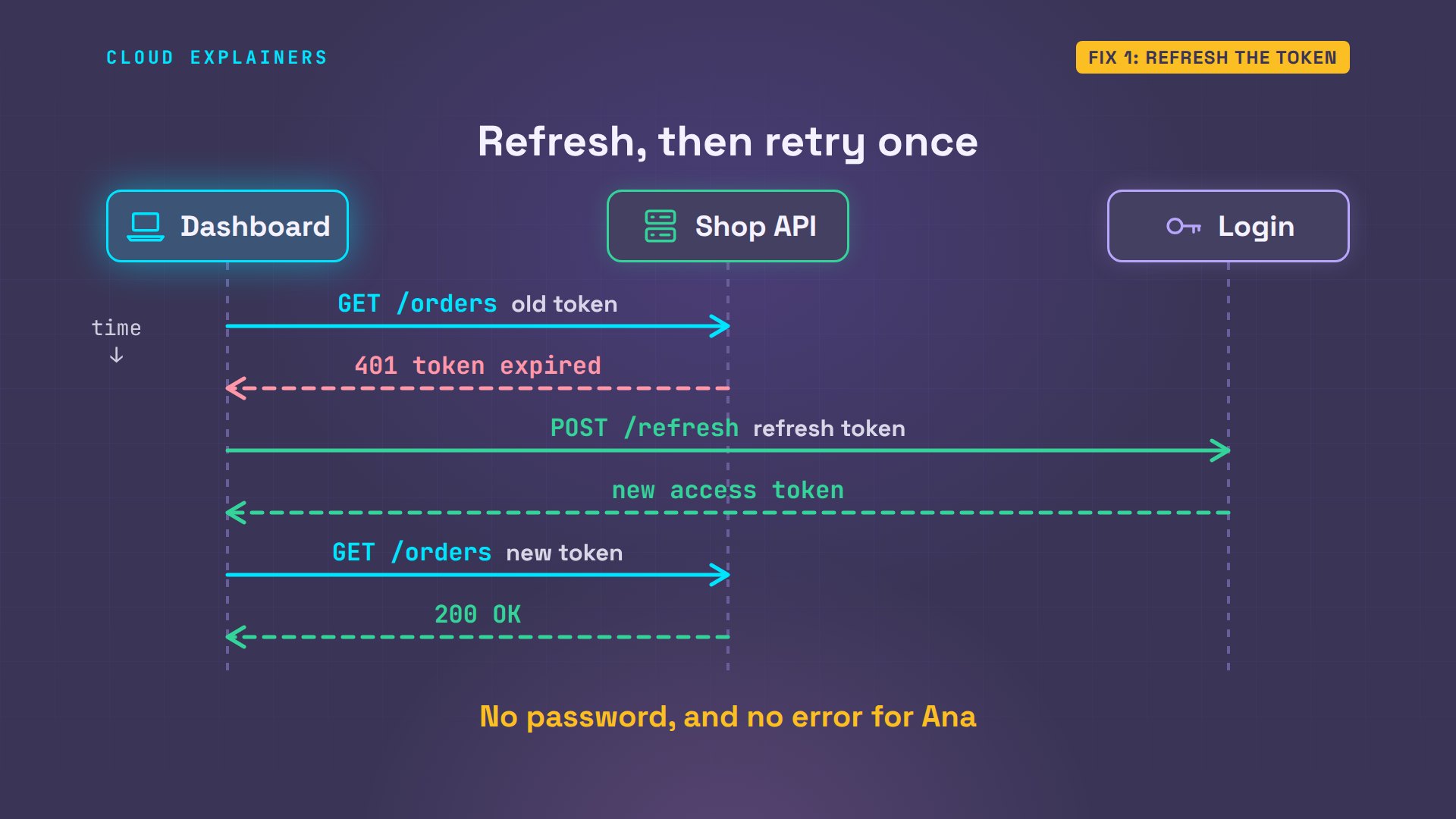
Here it is for real. The first request gets 401. The refresh brings a new token, and the repeat returns her three orders. The next command uses the new token straight away: one request, no refresh.
shop ordersGET /orders      -> 401 token_expired
POST /refresh    -> 200 new access token
GET /orders      -> 200 OK
  #1041  Copper kettle  $89.00
  #1042  Glass kettle   $54.00
  #1043  Travel kettle  $32.50
shop ordersGET /orders      -> 200 OK
  #1041  Copper kettle  $89.00
  #1042  Glass kettle   $54.00
  #1043  Travel kettle  $32.50
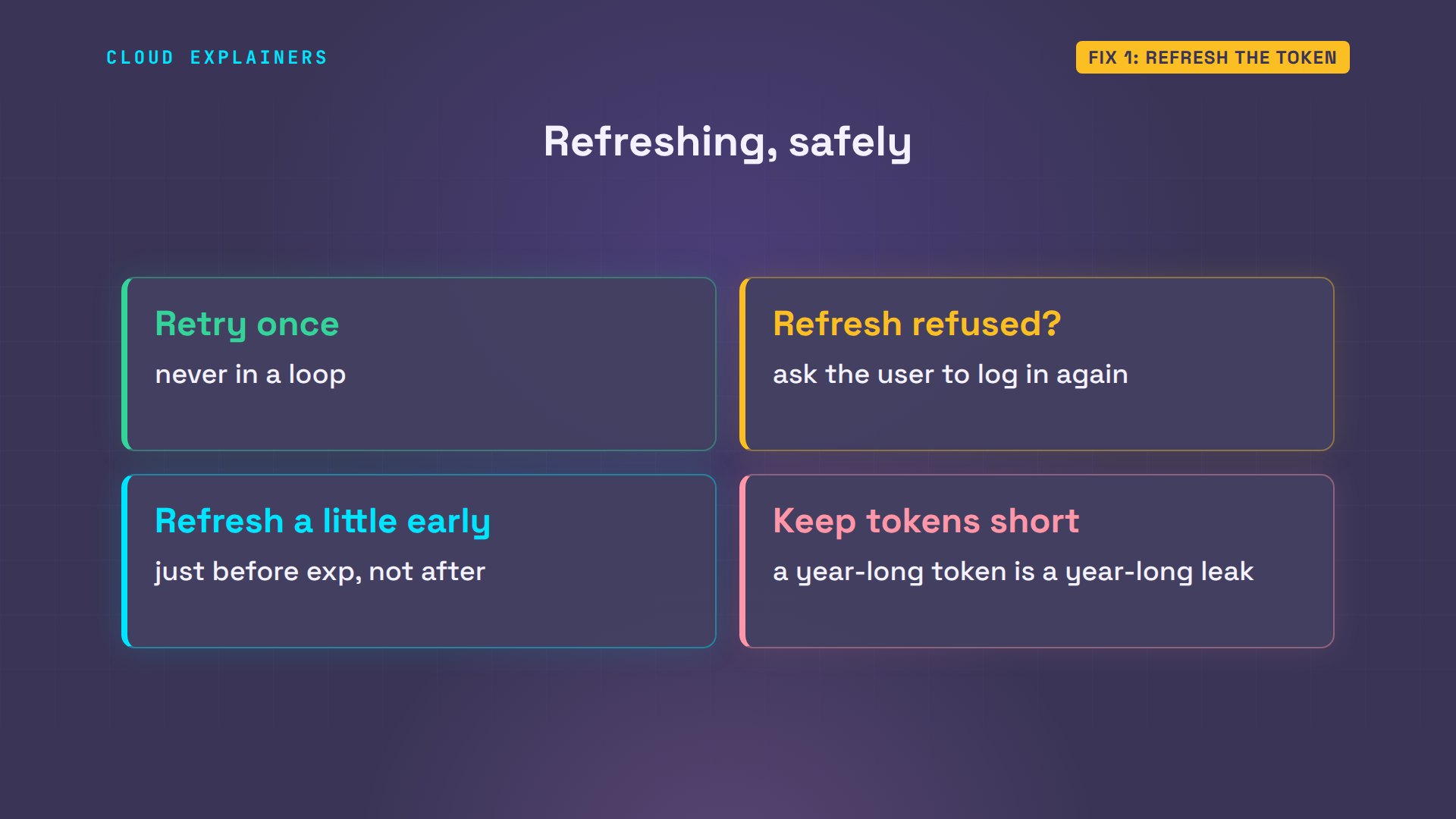
A few rules keep this safe. Retry once, never in a loop. If the refresh token is refused too, ask the user to log in again. Many apps refresh a little early, just before exp, so no request carries a token about to run out. And don't make access tokens last a year: that turns the error off, and turns a leaked token into a key that works for a year.
Fix 2: when a new token fails
Now a stranger case. The shop moves its API to a new server, and Ana logs in fresh: a token good for five minutes. The first request: token expired. The dashboard refreshes, and the brand-new token is refused too.
shop login anaPassword:
Logged in. Access token expires in 300 s.
shop ordersGET /orders      -> 401 token_expired
POST /refresh    -> 200 new access token
GET /orders      -> 401 token_expired
Still 401 after a refresh: Signature has expired
A token that's expired the moment it's made points at a clock. Every web server stamps its answers with its own time, in a header called Date. Ana's laptop and the login server agree. The API's clock is six minutes ahead. In our lab we set it fast on purpose, the way a server's clock drifts when its time sync is off.
date -u -R; curl -si login/ | grep Date; curl -si api/orders | grep DateSun, 01 Nov 2026 21:41:45 +0000
Date: Sun, 01 Nov 2026 21:41:45 GMT
Date: Sun, 01 Nov 2026 21:47:45 GMT
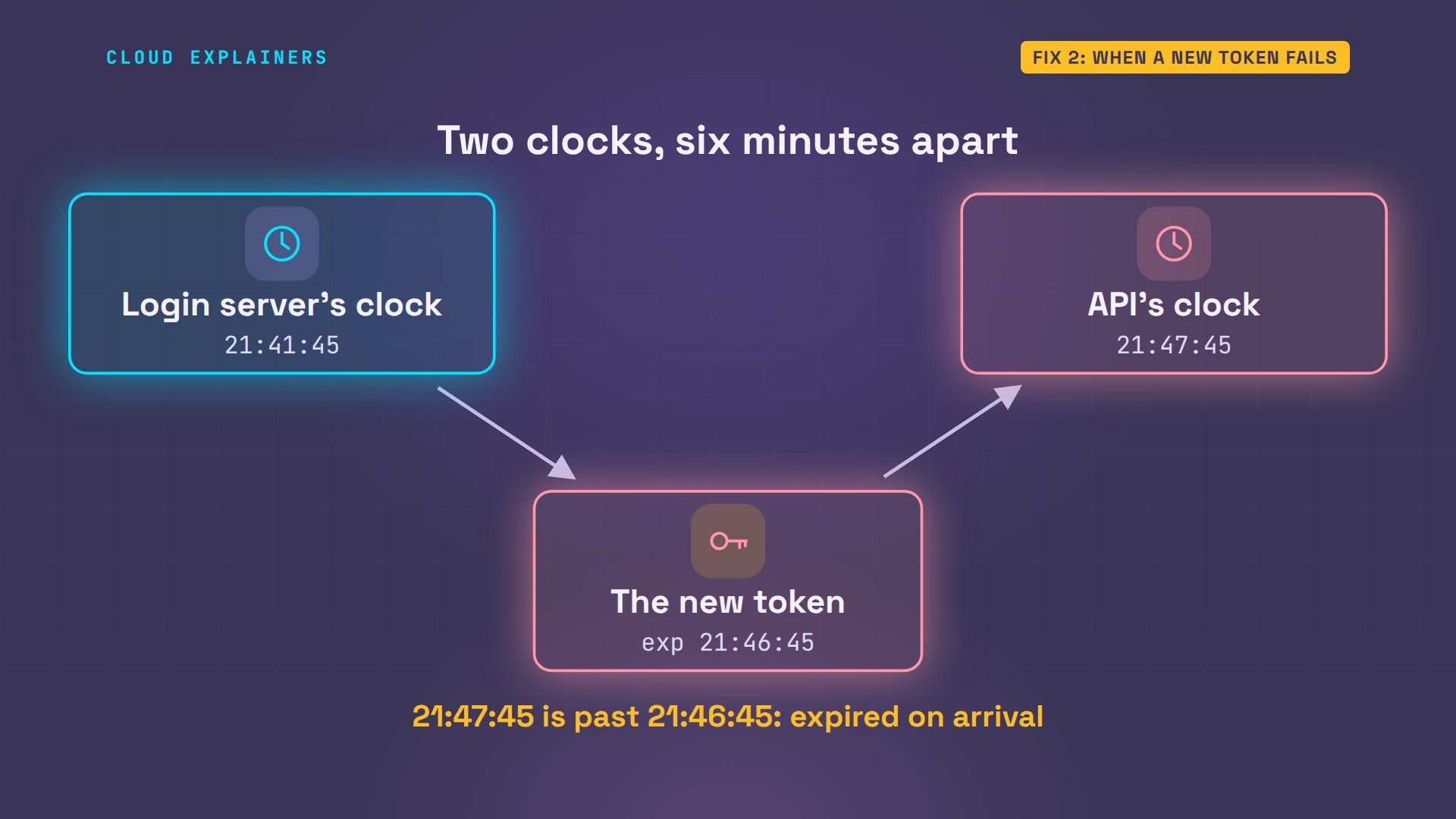
Here's why that breaks every token. The login server reads its clock, and writes an expiry five minutes later. The API reads its own clock, six minutes ahead. By the API's clock, that expiry is already a minute in the past when the token arrives. A refresh can't help: every new token is born expired.
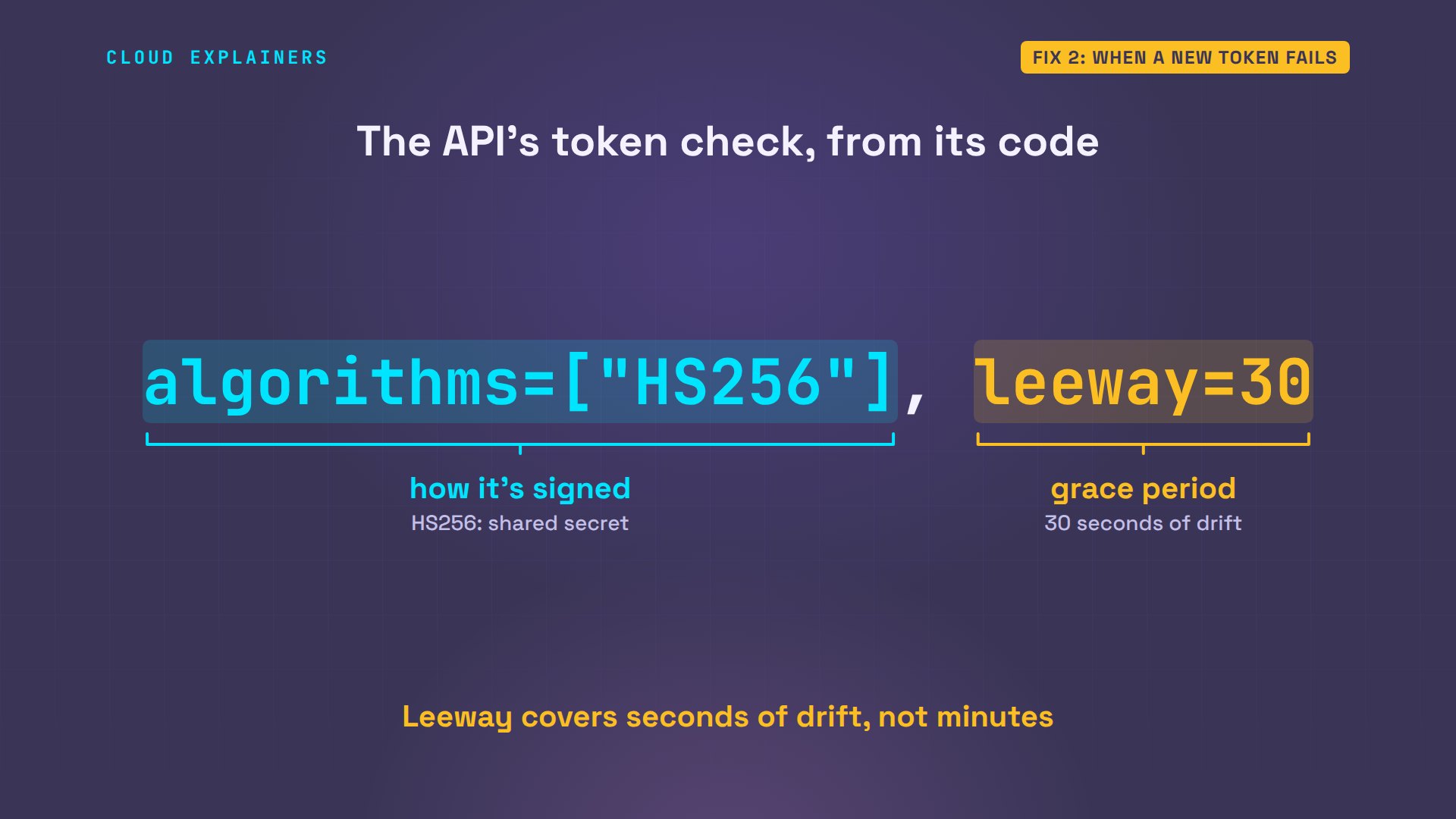
That's what the grace period is for, in small doses. On the API server, one line sets it: leeway, 30 seconds. It hides a few seconds of drift between machines. Six minutes is far past it, as it should be. Stretching the leeway would only hide the real fault.
The fix is the clock. Servers keep time with NTP, the network time protocol: each one asks a time server for the right time, again and again. A server whose clock wanders usually has time sync turned off, or blocked by a firewall.
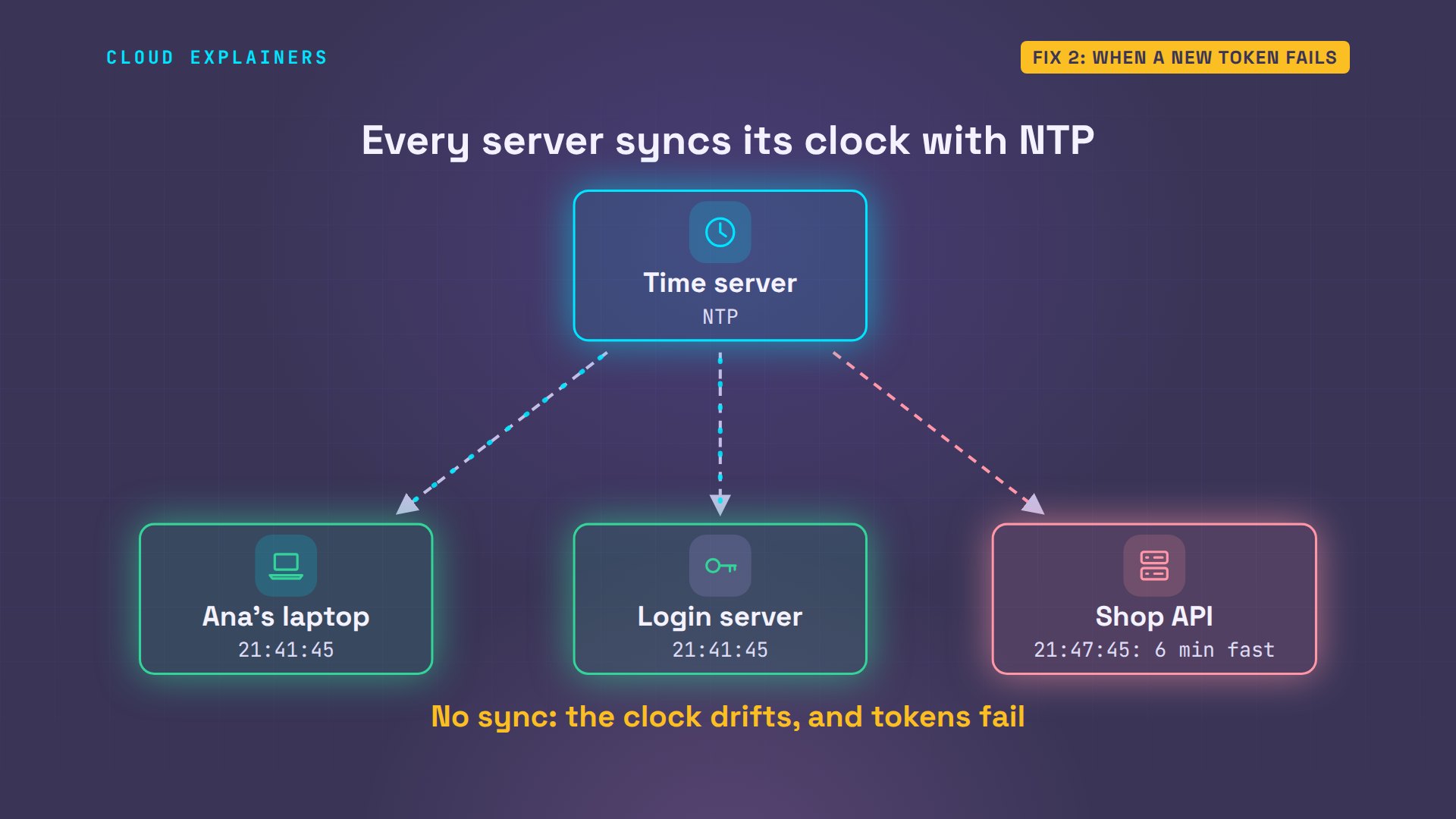
Once the API's clock is right, all three clocks agree, and Ana's request goes through on the first try.
date -u -R; curl -si login/ | grep Date; curl -si api/orders | grep DateSun, 01 Nov 2026 21:41:48 +0000
Date: Sun, 01 Nov 2026 21:41:48 GMT
Date: Sun, 01 Nov 2026 21:41:48 GMT
shop ordersGET /orders      -> 200 OK
  #1041  Copper kettle  $89.00
  #1042  Glass kettle   $54.00
  #1043  Travel kettle  $32.50
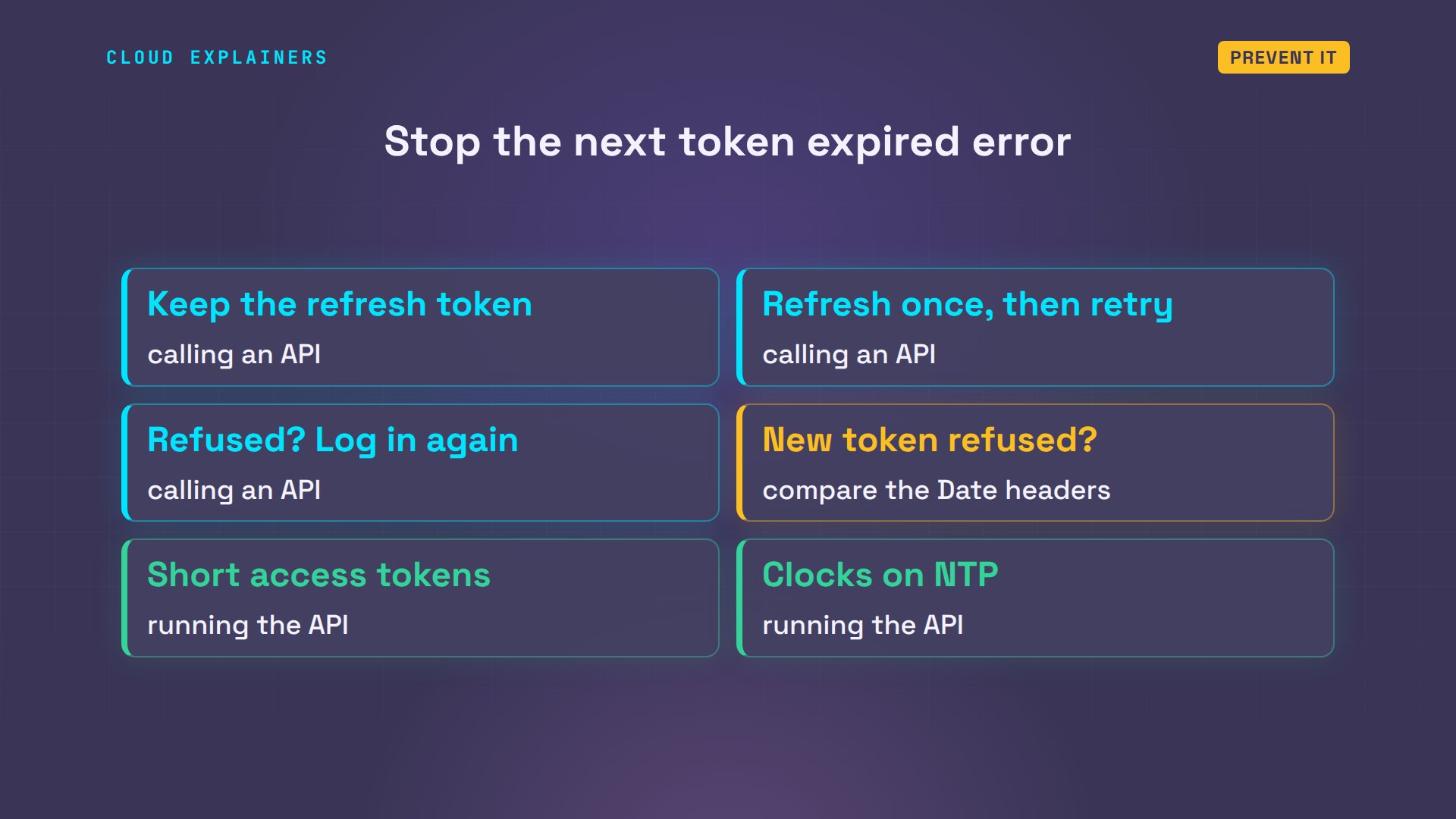
Prevent it
So which side are you on? If you're calling an API, keep the refresh token, refresh once on token expired, and log in again when that fails. If a brand-new token is refused, compare the Date headers. If you run the API, keep access tokens short, give out refresh tokens you can cancel, keep every server's clock synced, and allow a few seconds of leeway, not minutes.
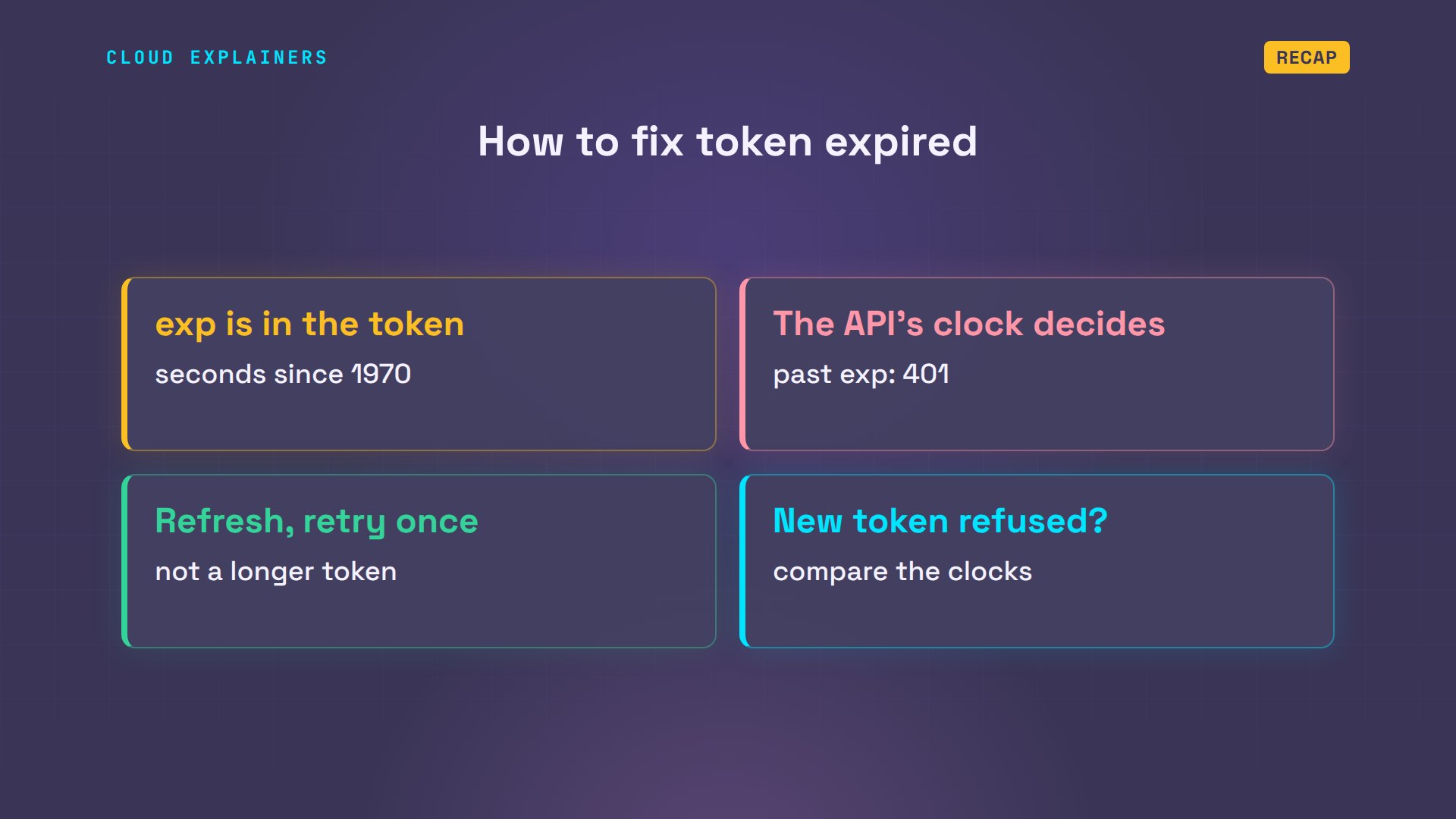
Recap
Let's recap. A JWT carries its own expiry, exp, in seconds since 1970. The API compares it with its own clock, and says 401 once it's past. The fix is a refresh token and one retry, not a longer token. And if a brand-new token is refused, compare the servers' clocks.
If seeing the token actually run out made this click, subscribing helps a small channel make more fixes like it.
Every command, time and number in this video came from a real run in our lab. Thanks for watching Cloud Explainers.
Sources
Demos: real output from three containers on a private network on our own machine. The API server's clock was set six minutes fast on purpose with libfaketime. Watch the full video on YouTube.
More videos

Claude API vs Claude Pro: Why Your Subscription Doesn't Include It

Why AI Agent Skills Beat Giant Prompts

Linux Cron Jobs Will Finally Make Sense After This

Security Logs Will Finally Make Sense After This

How to Fix a Security Leak: An API Key Pushed to GitHub

DNS Will Finally Make Sense After This

Never Ignore a Security Update

Two-Factor Authentication Will Finally Make Sense

Never Expose a Database to the Internet

SSH Keys vs Passwords: Which Is Safer for Security?

The 5 Levels of Linux Boot: From Power On to Login

The 5 Levels of Network Firewalls

Password Security: Why Hackers Crack Weak Passwords

Why Your Linux Server Runs Out of Memory

HTTP vs HTTPS: What Actually Changes on Your Network

Every Linux File Permission You Need to Know

Linux Processes vs Threads: When Each One Wins

The OSI Model Will Finally Make Sense After This

The 7 Levels of Git

Every Network Troubleshooting Command You Need

Hashing vs Encryption in Cybersecurity: When Each One Wins

Why the Internet Ran Out of IP Addresses

Linux Package Managers: apt vs Snap vs Flatpak

Why Python Is Slow (and When It Doesn't Matter)

TCP vs UDP: When Each One Wins

Stop Running Linux as Root (Do This Instead)

Linux Users and Groups Will Finally Make Sense

Why Phishing Beats Good Security (and How to Spot It)

The 7 Levels of Docker

AI Agents Will Finally Make Sense After This

Stop Using git push --force (Use This Instead)

Agent Skills vs MCP: When Each One Wins

Networking Will Finally Make Sense After This

Every Linux Command You Actually Need

The 7 Levels of Cybersecurity

Every System Design Concept You Need, in One Diagram
