
How OAuth Login Works
How OAuth login works, step by step: what really happens when you click Sign in with Google. The site sends your browser to the sign-in service, you sign in there (never at the site), a one-time code comes back through the browser, and the site swaps it, server to server, for an ID token (who you are, OpenID Connect) and an access token (what it may do, OAuth 2.0). Shown for real in our lab with Keycloak playing Google's part and a real Chromium browser.
Sign in with Google
You click Sign in with Google on a new site, and you're in. You never typed your Google password there. So what did the site get instead, and how does it know it's you? Here's that click in a real browser, driven from a terminal so we can see every step: the browser makes 7 trips, across two different sites, and then: welcome, Ana.
browser signin https://shop.testbrowser: opened shop.test
  200  GET   shop.test/
browser: clicks "Sign in with Kettle ID"
  302  GET   shop.test/login
  200  GET   id.test/realms/kettle/protocol/openid-connect/auth
browser: now on id.test's own sign-in page
browser: types ana's user name and password there
  302  POST  id.test/realms/kettle/login-actions/authenticate
  200  GET   id.test/realms/kettle/login-actions/required-action
page:    Grant Access to Ana's Tea Shop
         Do you grant these access privileges? Email address, User profile
browser: clicks Yes
  302  POST  id.test/realms/kettle/login-actions/consent
  200  GET   shop.test/callback
browser: back at shop.test/callback with state=hEnAxB..., code=340dd2...
page:    Welcome, Ana. Signed in as ana@kettle.test
Here, a sign-in service called Kettle ID plays Google's part, and Ana's tea shop is the new site. We'll follow every one of those trips, and see what the shop gets instead of a password. One puzzle to hold on to: the key piece comes back through the browser, where it could leak. So why is it useless to anyone who steals it?
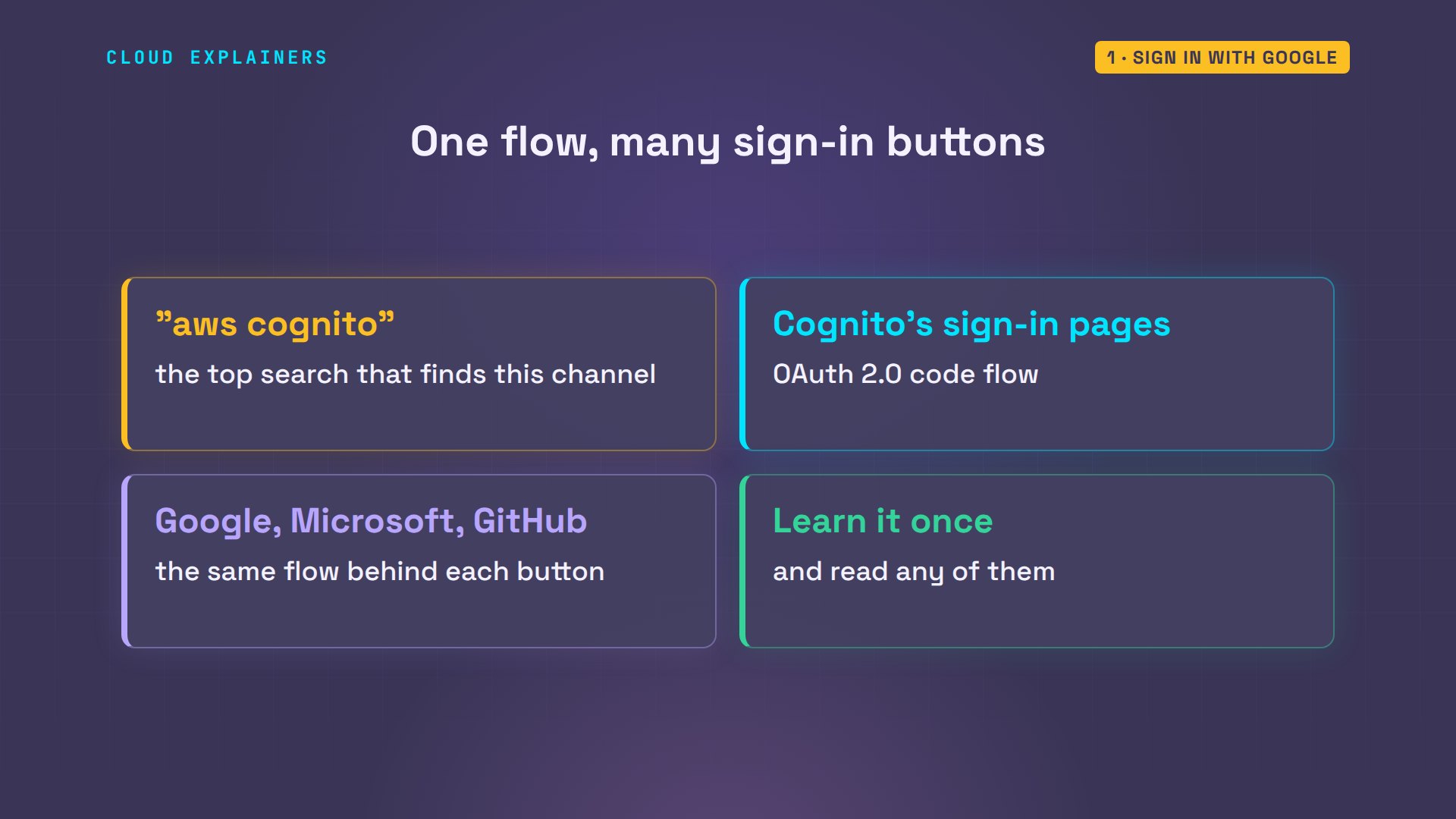
The search that brings the most viewers to this channel is AWS Cognito, Amazon's sign-in service. Its sign-in pages run this same flow. So do Sign in with Google, Microsoft and GitHub. Learn it once, and you can read all of them.
Who's who in a sign-in
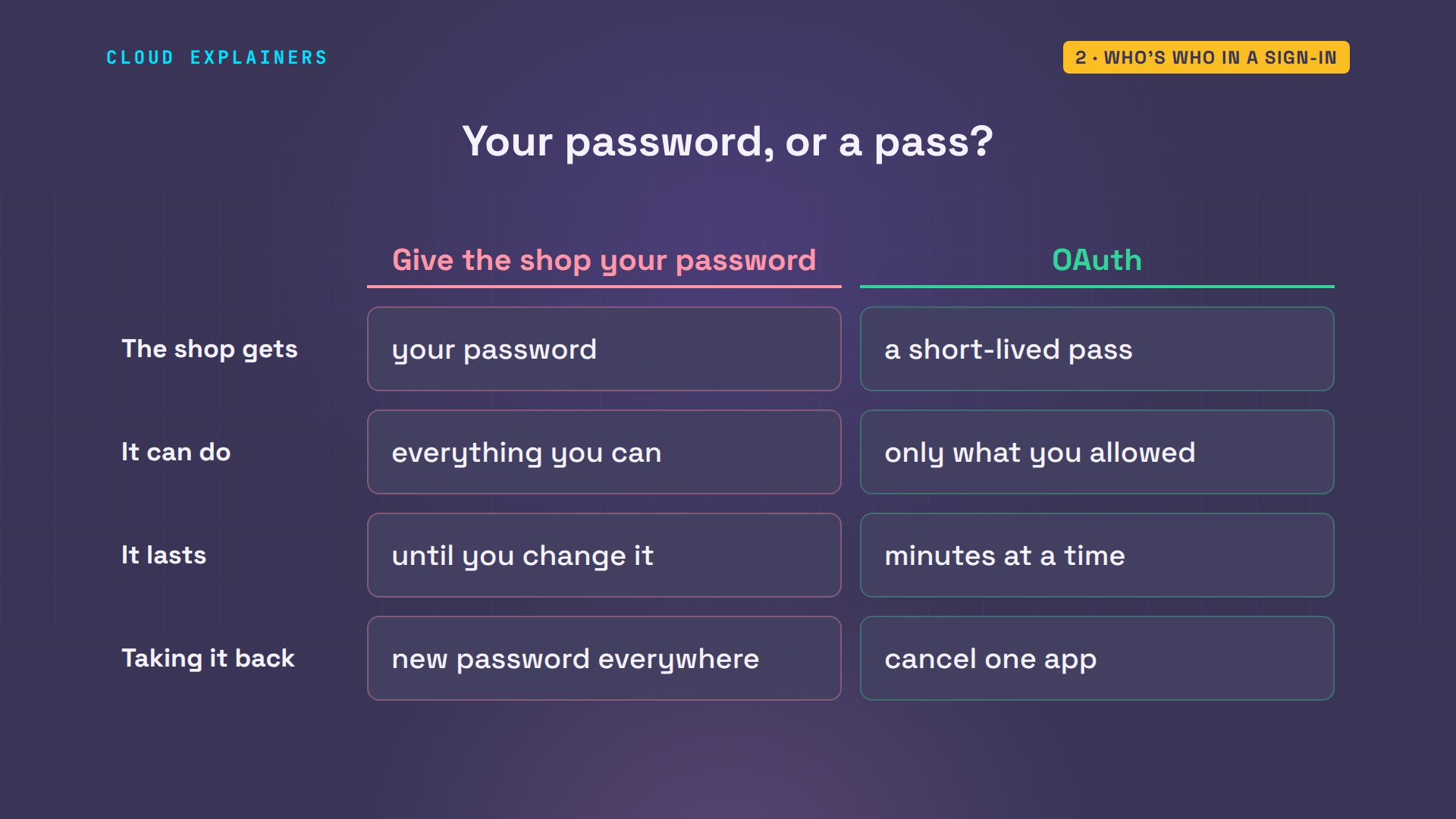
Why not just give the shop your password? Compare the two. With your password, the shop gets the key to your whole account; with OAuth, a short-lived pass. Your password lets it do everything you can; the pass, only what you allowed. A password works until you change it; a pass, for minutes at a time. And taking it back means a new password everywhere, or cancelling one app.
A sign-in like this has four parts. You, with your browser. The app you're signing in to, here the tea shop: OAuth calls it the client. The sign-in service, Kettle ID, the only one that knows your password: the authorization server. And an API, a way for programs to ask for data, holding your details, which the app may ask for, with your permission.
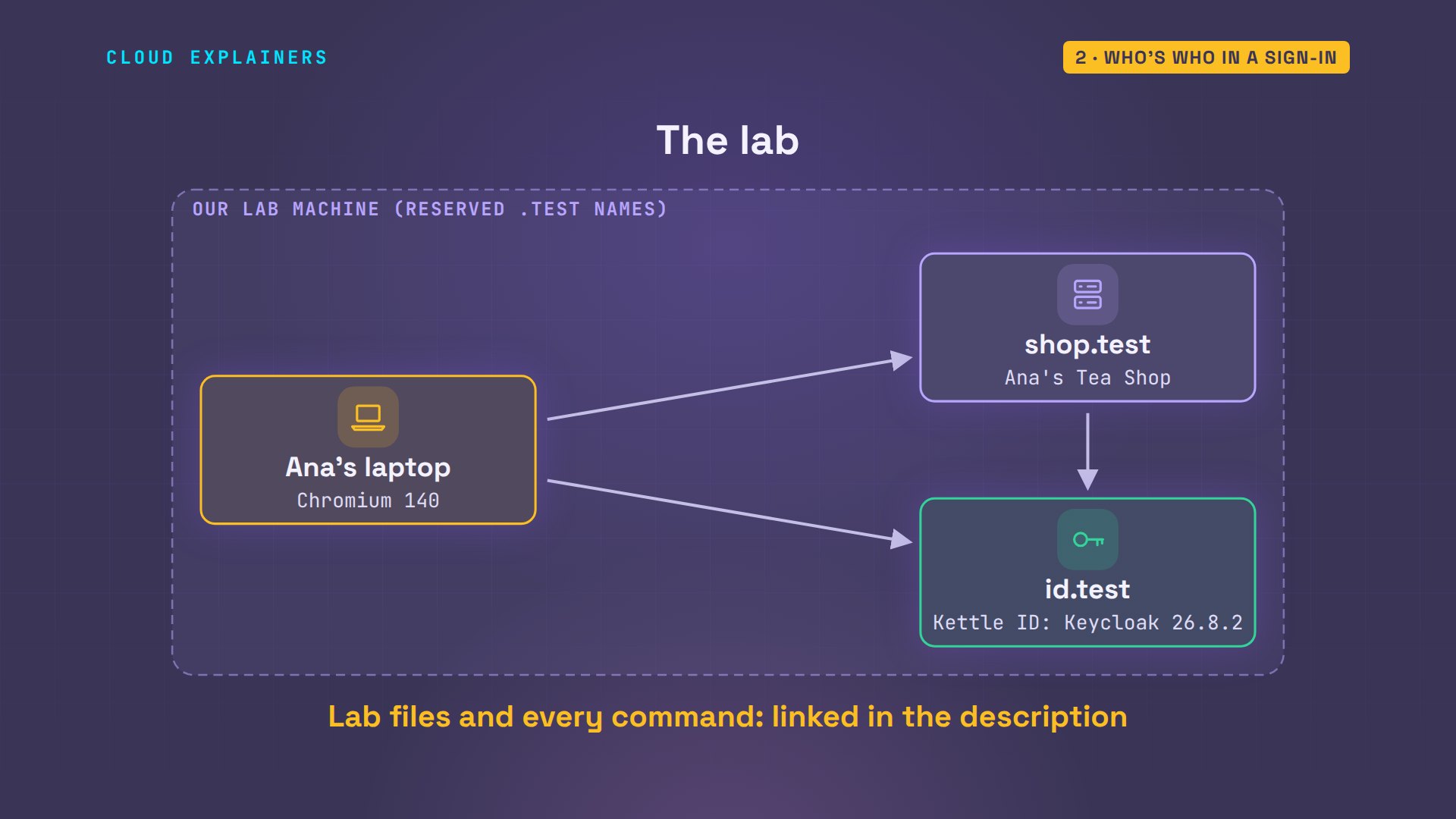
Our lab has three machines, with made-up names. Ana's laptop runs a real Chromium browser. Her tea shop runs at shop.test. And Kettle ID runs at id.test: that's Keycloak, a real open-source sign-in server. The lab files and every command are linked in the description.
The trip through the browser
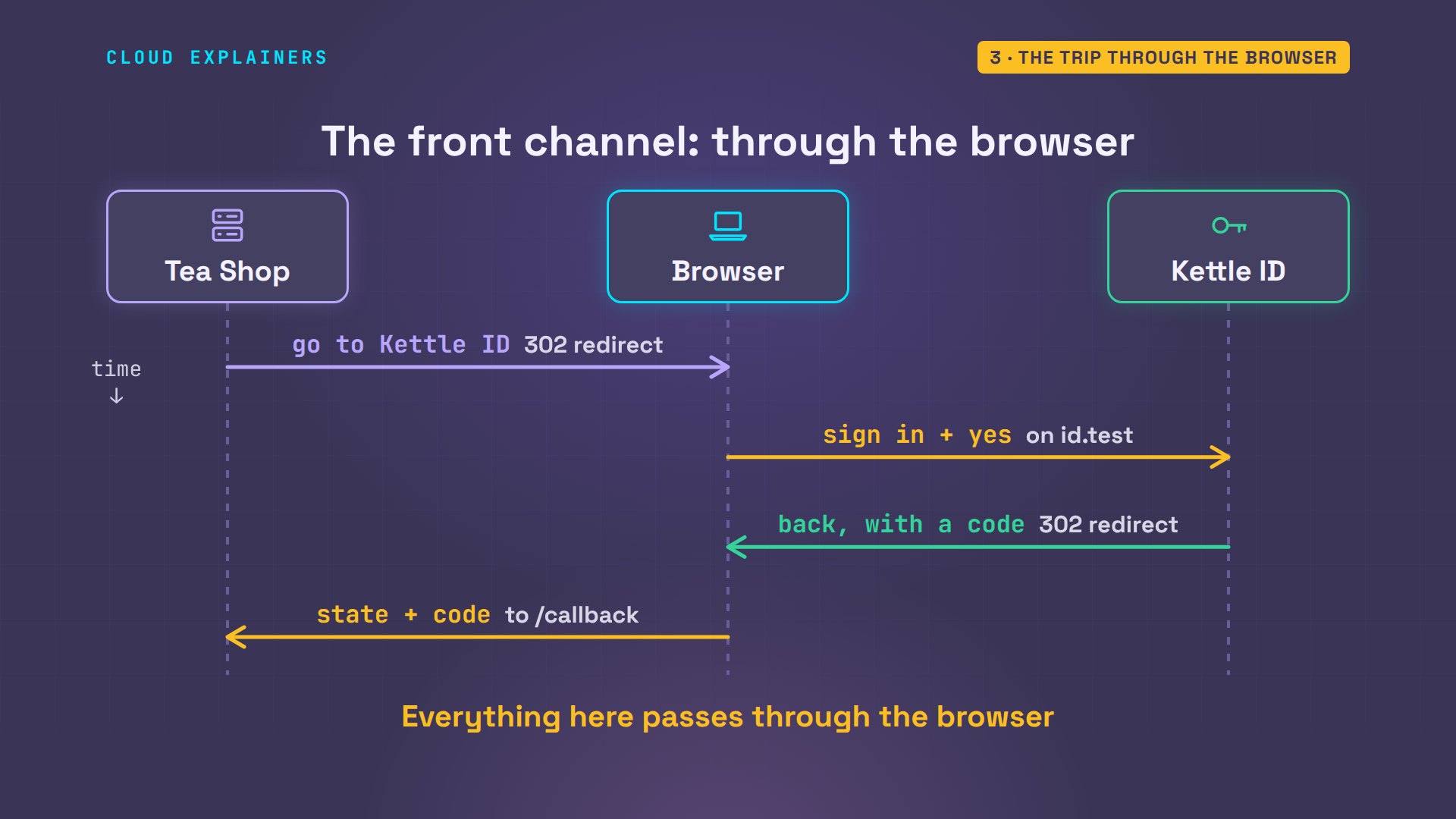
What happens when Ana clicks the button? Does the shop show her a password box? No. It answers with a redirect, an order to the browser: go to Kettle ID, and take this with you. Here it is, split up, one piece per line.
curl -s -o /dev/null -w '%{redirect_url}\n' https://shop.test/login | tr '?&' '\n\n'https://id.test/realms/kettle/protocol/openid-connect/auth
response_type=code
client_id=tea-shop
redirect_uri=https%3A%2F%2Fshop.test%2Fcallback
scope=openid+profile+email
state=H3mk-6IoSjWu8lrUeFdjJg
nonce=_iNcjrbo363cxOX5gw5ItA
code_challenge=QXu6LTbm0rAEK3_lIfzyTj_uBXvdx989De8eJheHzlo
code_challenge_method=S256
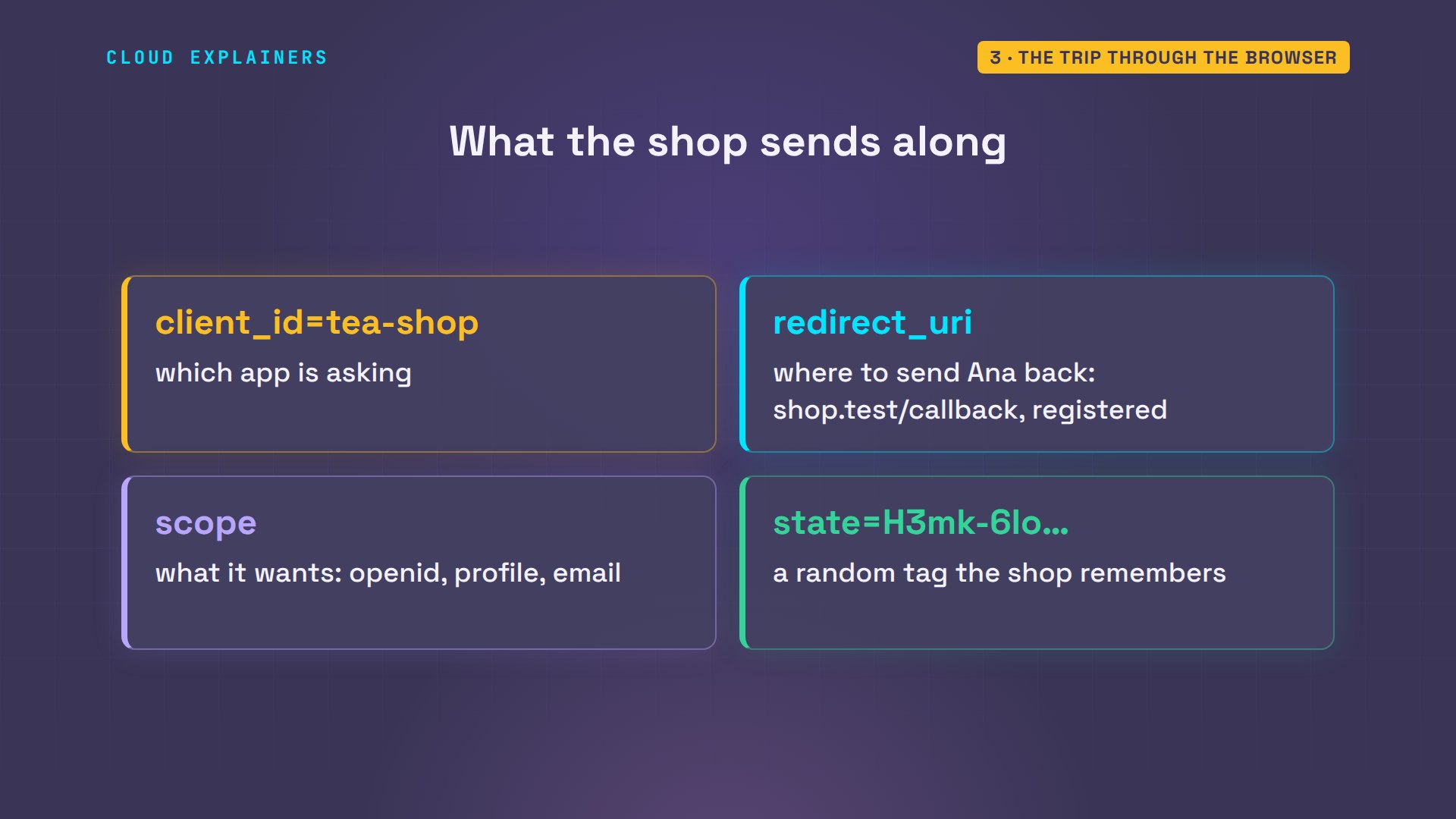
Four pieces matter. The client ID says which app is asking. The redirect URI, the return address, says where to send Ana back, and Kettle ID only accepts addresses the shop registered in advance. The scope says what the shop wants: who she is, her profile and her email. And the state is a random tag the shop remembers, to match the answer to this exact click.
Now the browser is on id.test, Kettle ID's own page, and that's where Ana types her password. The shop never sees this page. Then Kettle ID asks her one question: may Ana's Tea Shop see your profile and email address? She clicks yes.
Before we look: what do you think Kettle ID sends back to the shop? Ana's password? Her profile? A token? Or something else? Pick one before the answer.
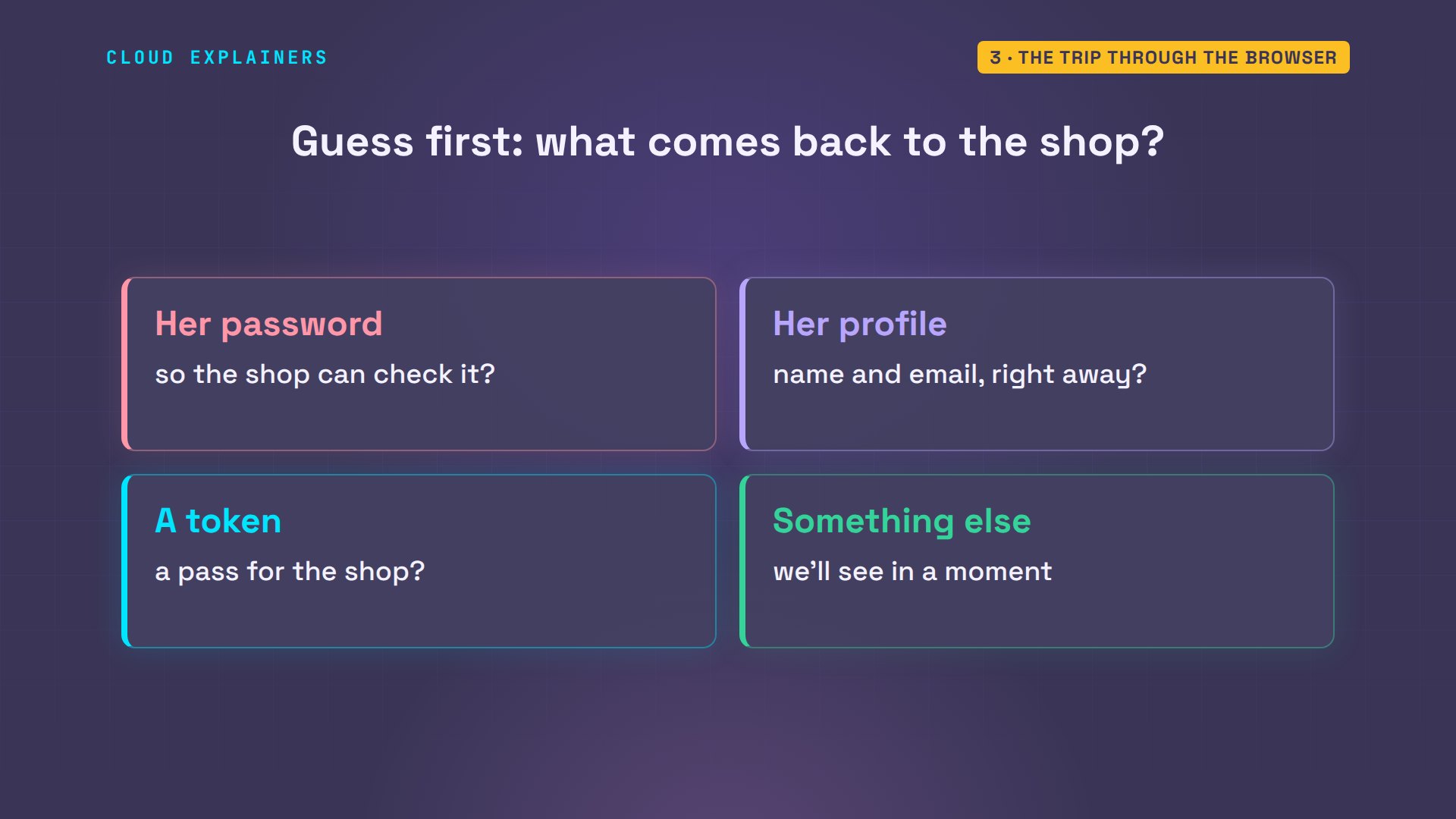
Something else: a code. Kettle ID sends the browser straight back to the shop's callback address, with the state it was given, and a one-time code. The code isn't a pass yet. On its own, it signs nobody in.
So far, every message went through Ana's browser. The shop sent her to Kettle ID. She signed in there and said yes. Kettle ID sent her back, carrying the code. That's the front channel: easy, but anything that can see the browser's addresses, like its history or an add-on, could see the code.
Swapping the code for tokens
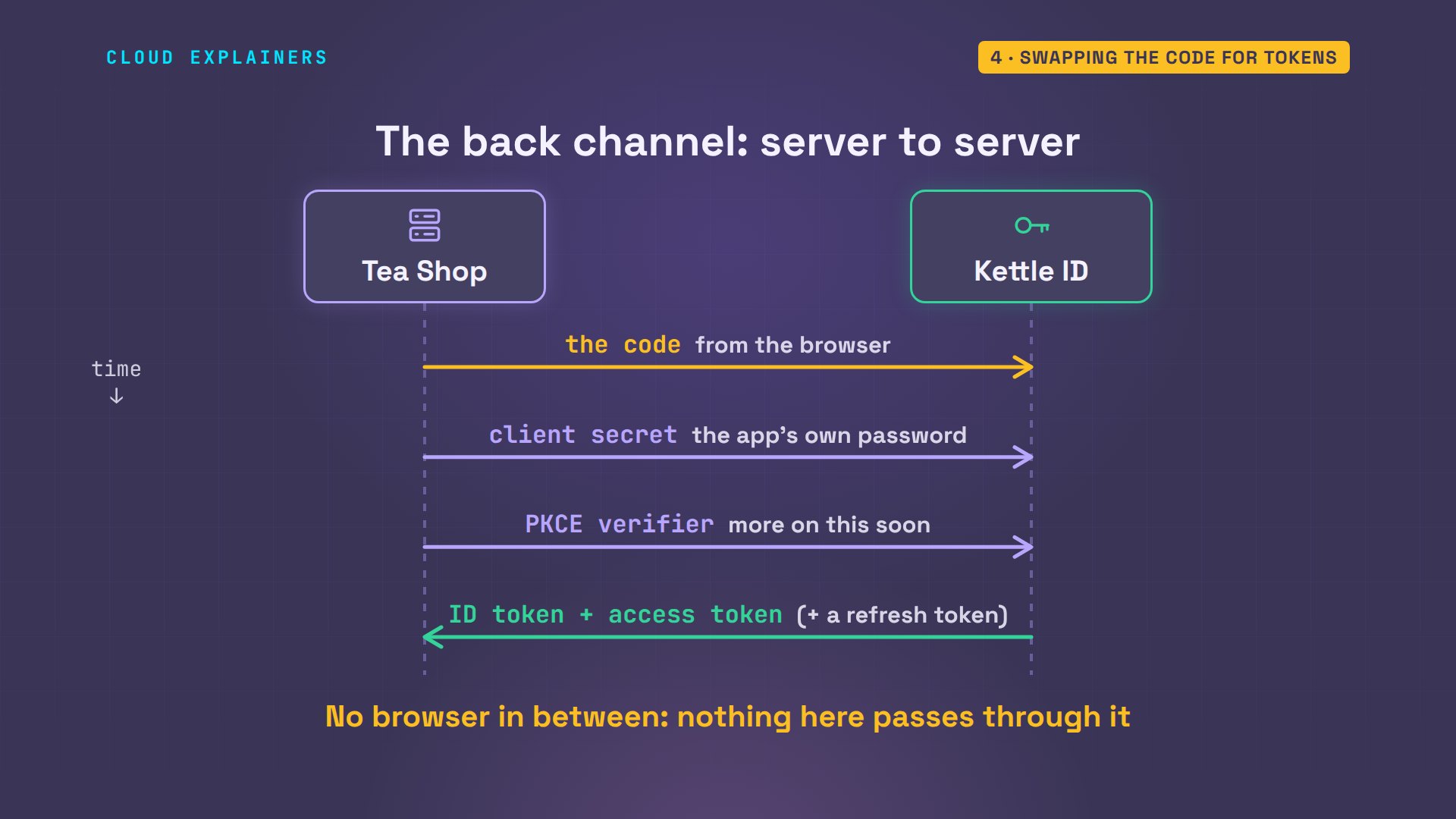
How does a code turn into a pass? The next trip skips the browser. The shop's server calls Kettle ID directly and hands over three things: the code, its client secret, a password for the app itself, and a PKCE verifier, a one-time secret the shop made at the start. Kettle ID answers with an ID token and an access token, plus a refresh token for later.
Here's the shop's own log of that sign-in. The state matched. The code came in. The swap worked: an ID token and an access token. Now search the log for the word password: zero. The shop never had it.
tail -n 5 /srv/log/shop.log17:58:56 login: sent the browser to id.test (state hEnAxB..., PKCE challenge 9M-0QH...)
17:58:56 callback: state matched; got a one-time code (340dd2...)
17:58:56 token: sent the code + client secret + PKCE verifier; got 200 with an ID token and an access token
17:58:56 id token: signature valid, issuer id.test/realms/kettle, audience tea-shop, nonce matched
17:58:56 user API: 200, Ana Reyes <ana@kettle.test> (asked with the access token)
grep -ci password /srv/log/shop.log0
Why two main tokens? They have different readers. The ID token is for the shop itself: it says who signed in. That part comes from OpenID Connect, a layer built on top of OAuth. The access token is for the API: it says what the shop may do. That's plain OAuth.
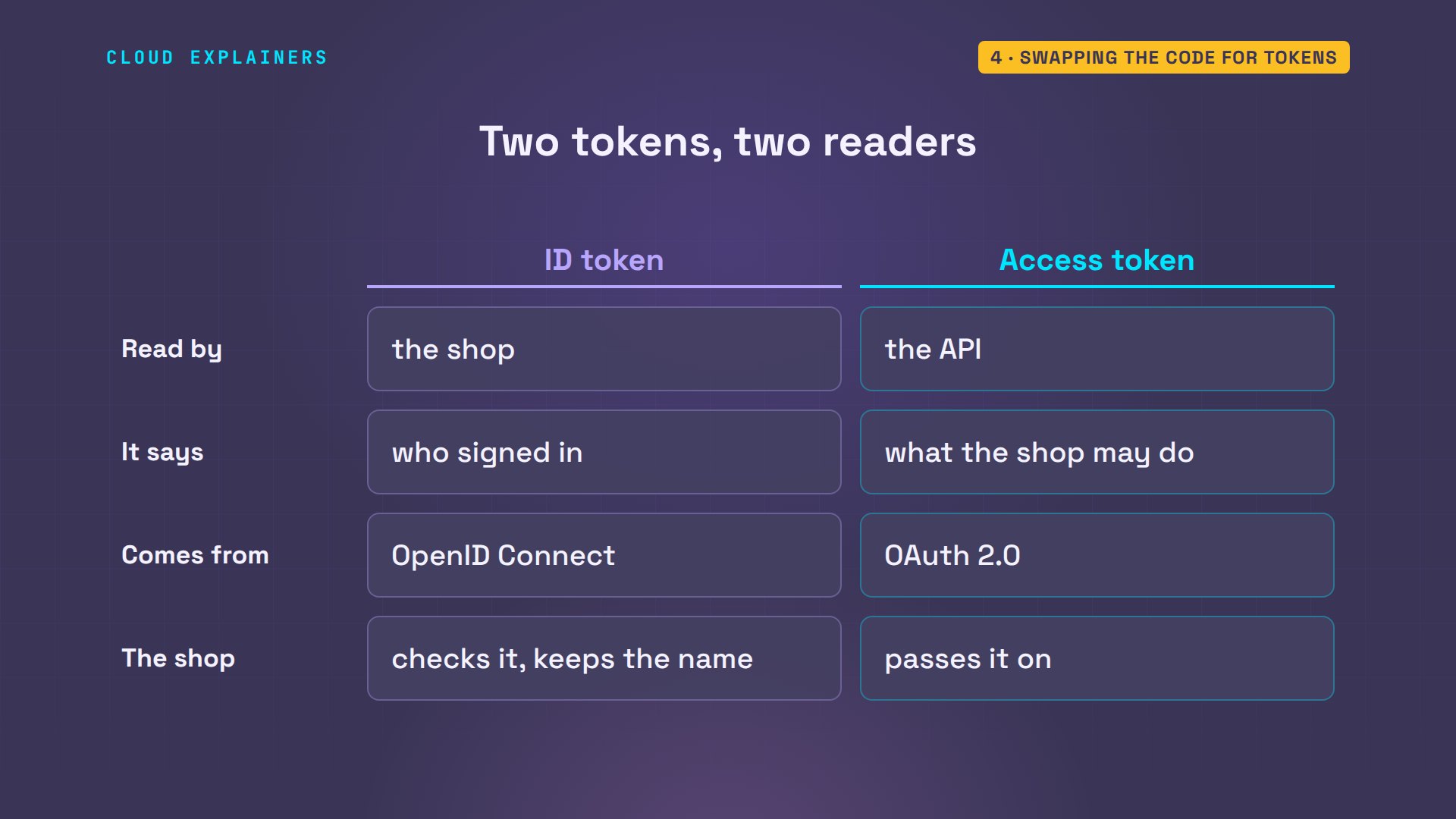
Open the ID token, and it's a short list of facts. Who issued it: Kettle ID. Who it's for: the tea shop. A user ID that never changes, an expiry time, the nonce, a random value the shop sent at the start, and Ana's name and email.
jq '{iss, aud, sub, exp, nonce, name, email}' /srv/data/id_token.json{
  "iss": "https://id.test/realms/kettle",
  "aud": "tea-shop",
  "sub": "704f29bc-52f4-4b74-92d4-a34f2d837a8d",
  "exp": 1793988236,
  "nonce": "AptuG1mNQQ42d8x1aMrpvQ",
  "name": "Ana Reyes",
  "email": "ana@kettle.test"
}
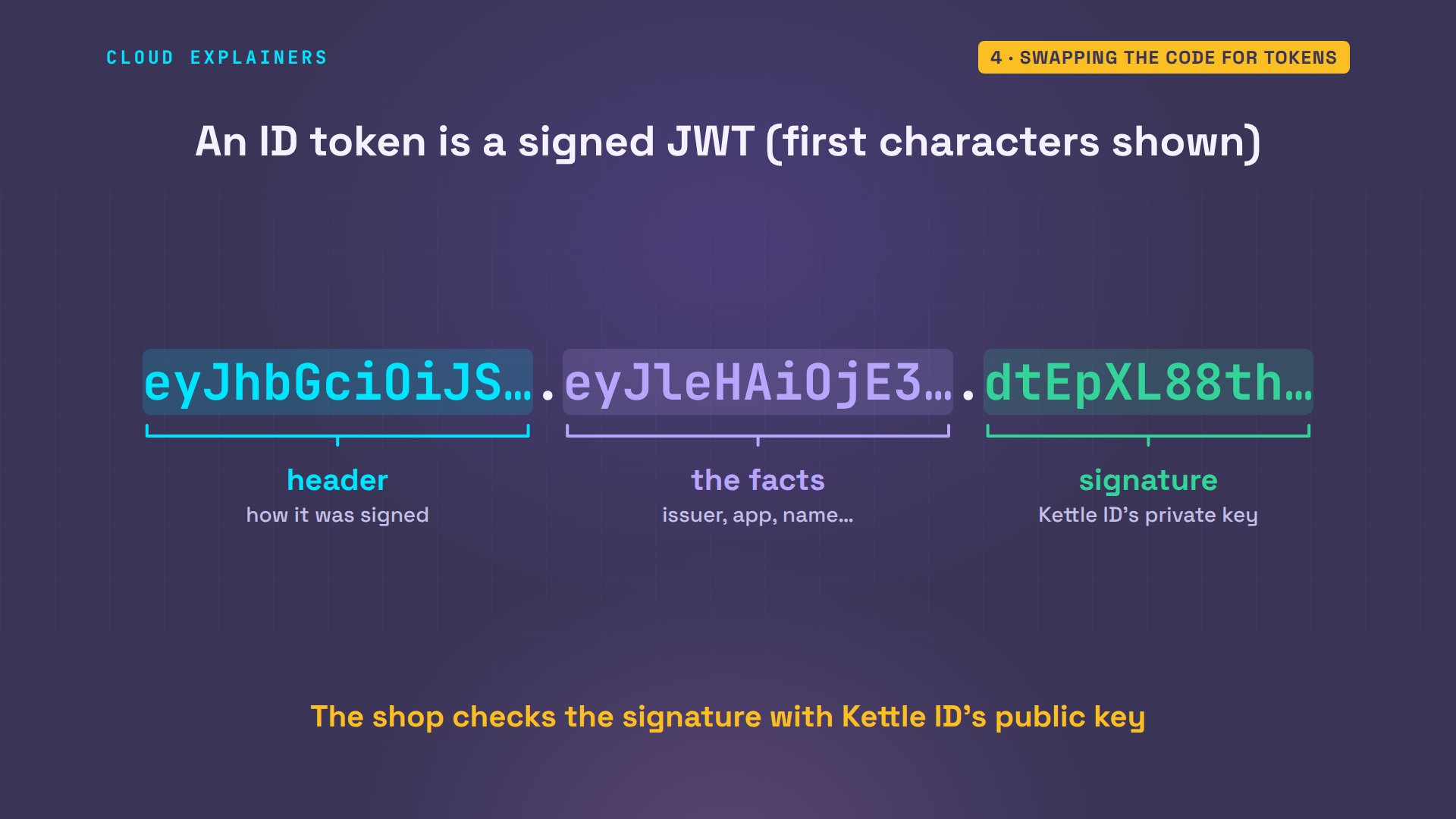
On the wire, the ID token is a JWT: three parts joined by dots. A header, the facts we just read, and a signature, made with Kettle ID's private key, like a wax seal only Kettle ID owns. Anyone can check the seal with Kettle ID's public key, so a forged or edited token fails.
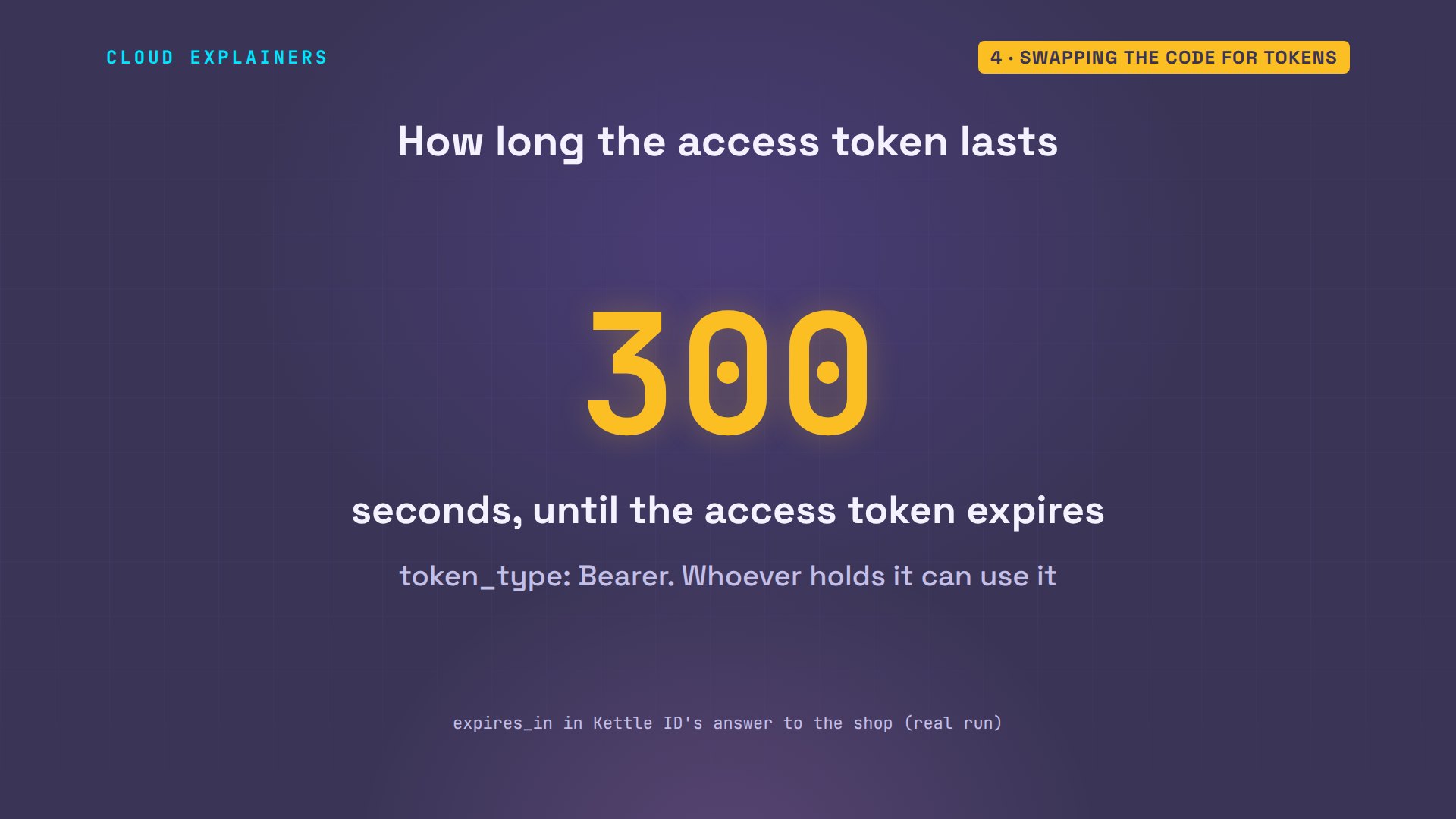
The access token is short-lived. Kettle ID's answer says it expires in 300 seconds: five minutes. It's a bearer token: whoever holds it can use it, like cash, so it shouldn't last long.
With that token, the shop asks Kettle ID's user API about Ana. The token goes in a header: 1,087 characters of it. The answer: 200, OK, and her details. The same question with no token: 401, not allowed.
shop-api meGET https://id.test/realms/kettle/protocol/openid-connect/userinfo
Authorization: Bearer eyJhbGciOiJS... (1,087 characters)
-> 200
{
 "sub": "704f29bc-52f4-4b74-92d4-a34f2d837a8d",
 "email_verified": true,
 "name": "Ana Reyes",
 "preferred_username": "ana",
 "given_name": "Ana",
 "family_name": "Reyes",
 "email": "ana@kettle.test"
}
shop-api me --no-tokenGET https://id.test/realms/kettle/protocol/openid-connect/userinfo
(no Authorization header)
-> 401
WWW-Authenticate: Bearer realm="kettle"
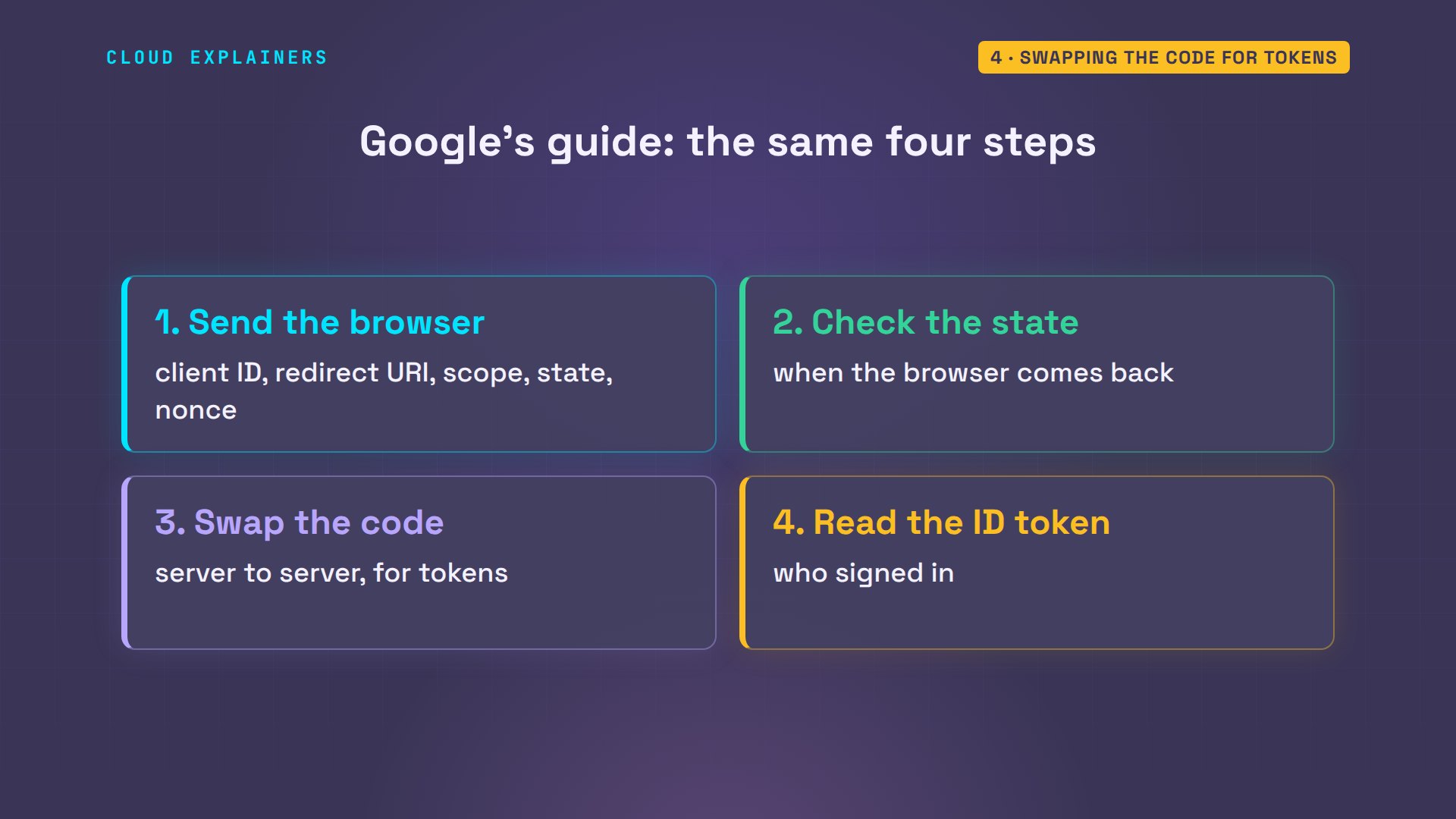
This is how Sign in with Google works too. Google's developer guide lists the same steps: send the browser to Google with a client ID, a redirect URI, a scope, a state and a nonce; check the state when it comes back; swap the code on Google's server; and read who signed in from the ID token.
Why a stolen code is worthless
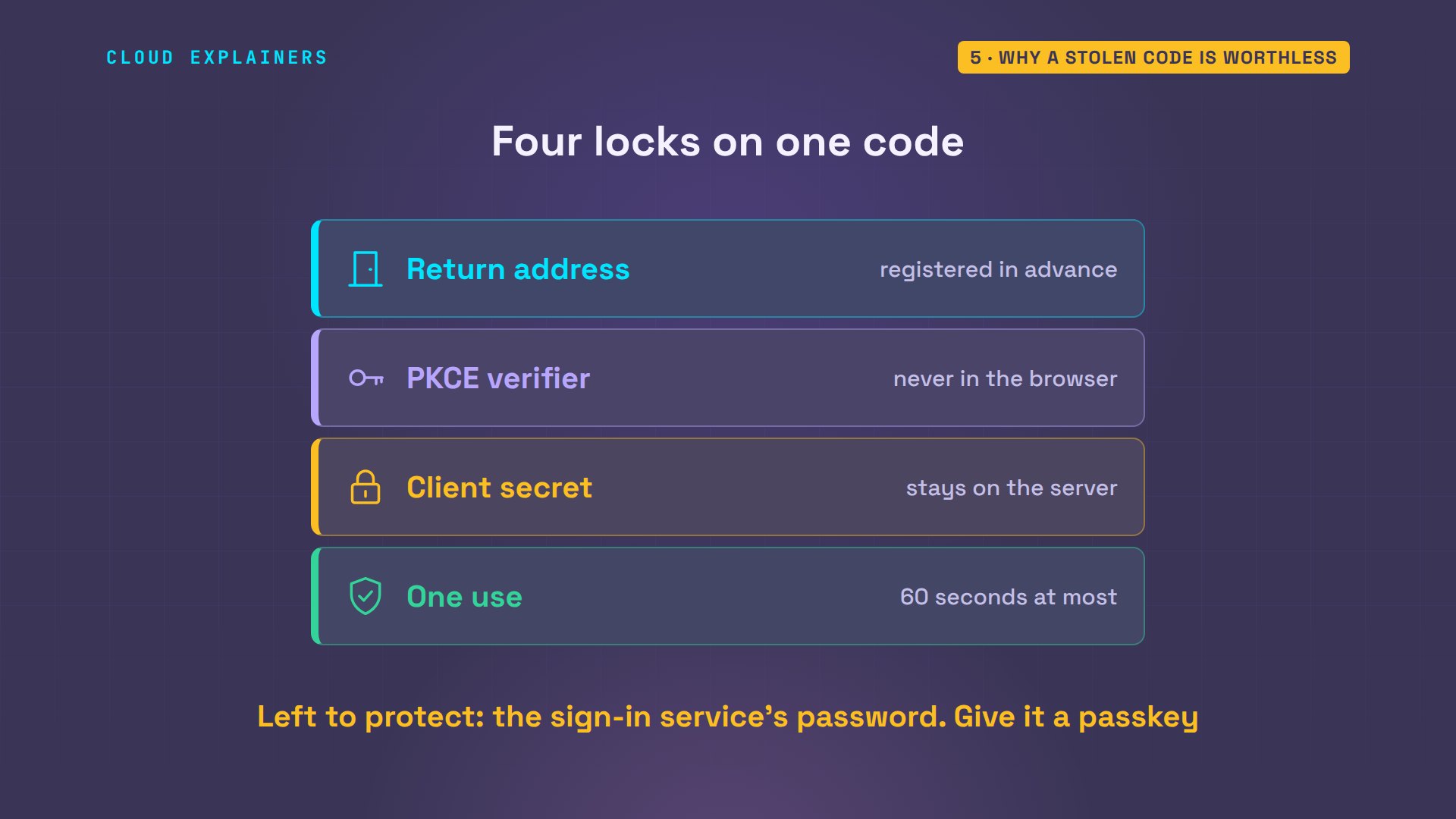
Back to our puzzle. The code rode through the browser, so it could leak: into a log, a browser add-on, or a bad app on a phone. So why is a stolen code worthless? Because Kettle ID puts four locks on it.
Lock one: the return address. Suppose a request asks Kettle ID to send the code somewhere else. Guess first: will it? No. Invalid parameter: redirect URI. The code only ever goes to an address the shop registered.
KETTLE=https://id.test/realms/kettle/protocol/openid-connect
browser open "$KETTLE/auth?client_id=tea-shop&response_type=code&redirect_uri=https://other-site.test/callback"browser: opened id.test/realms/kettle/protocol/openid-connect/auth
  400  GET   id.test/realms/kettle/protocol/openid-connect/auth
page:    We are sorry...
page:    Invalid parameter: redirect_uri
Lock two is PKCE, made for exactly this. Before the trip, the shop made a random secret, the verifier, and sent only a scrambled fingerprint of it, its SHA-256 hash, called the code challenge. To swap the code, you must show the verifier itself. Someone who copied the code from the browser never saw it, so their swap fails.
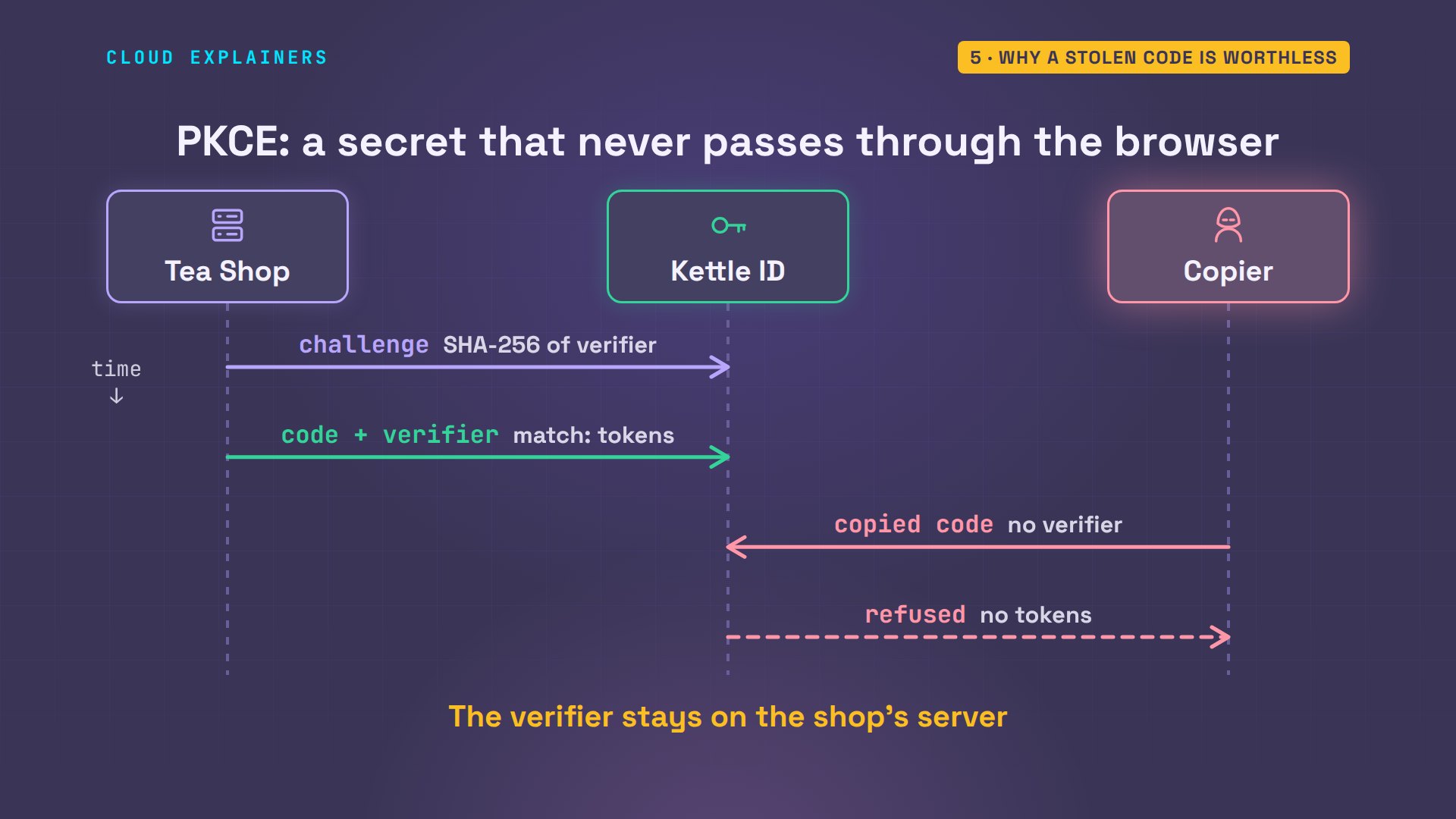
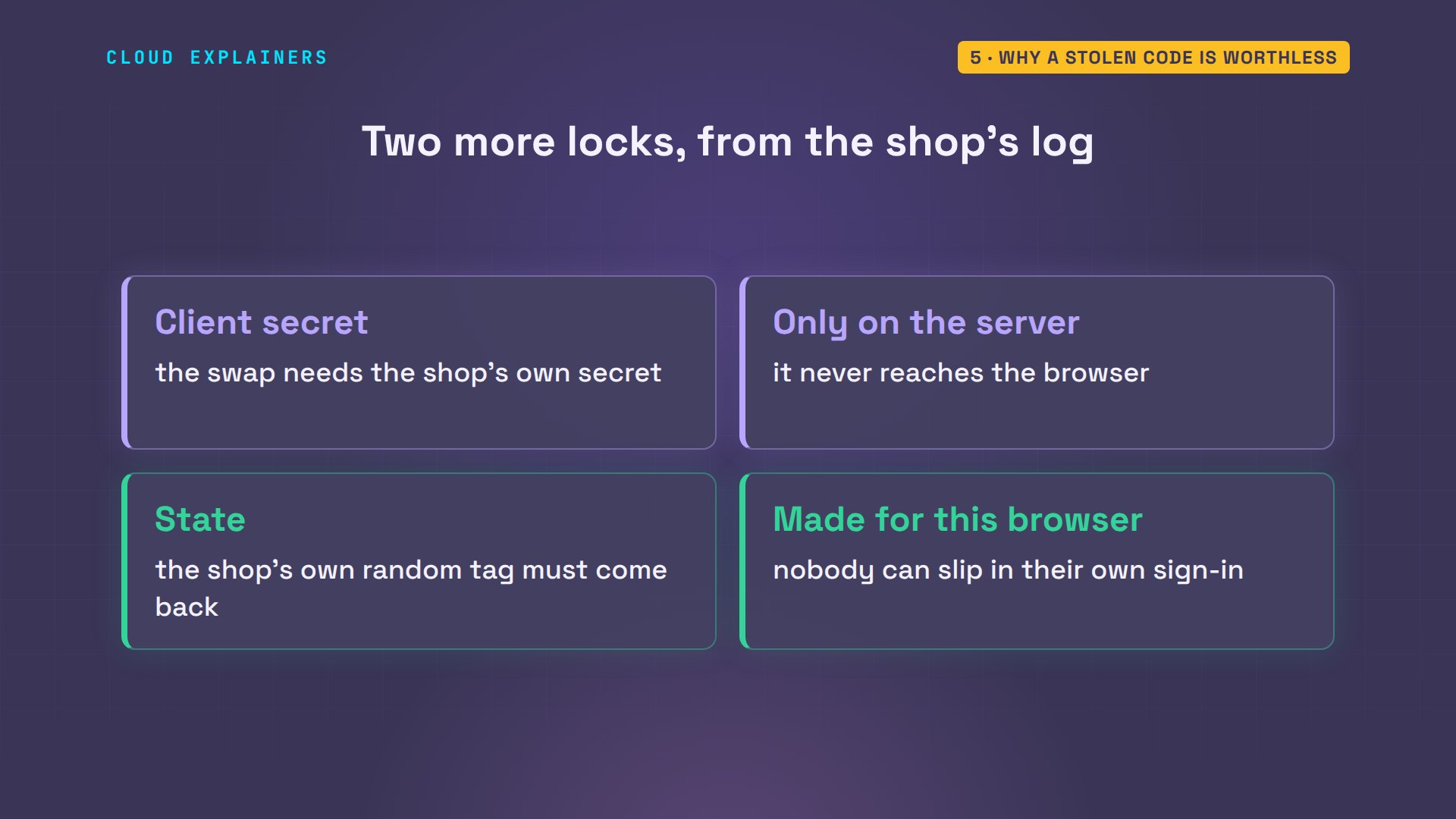
Lock three, the client secret: the swap also needs the shop's own secret, which never leaves its server. And the state: the shop only accepts a code that comes back with the random tag it made for this browser, so nobody can slip their own sign-in into Ana's session.
The last lock: a code works once, here for 60 seconds at most. The shop has already used this code once. What happens if it's sent again? Code not valid. And Kettle ID goes further: now even the access token from the first swap is refused. The OAuth standard says a reused code should cancel what it gave out.
shop-token --againPOST https://id.test/realms/kettle/protocol/openid-connect/token
  code 340dd2... (already used once), client secret, PKCE verifier
-> 400 {"error":"invalid_grant","error_description":"Code not valid"}
shop-api meGET https://id.test/realms/kettle/protocol/openid-connect/userinfo
Authorization: Bearer eyJhbGciOiJS... (1,087 characters)
-> 401
WWW-Authenticate: Bearer realm="kettle", error="invalid_token", error_description="user_session_not_found"
So that's the answer to our puzzle. Codes only go to the shop's own address. A stolen one needs a verifier and a secret the thief never saw, and works once. What's left to protect is your password at the sign-in service: give that one a passkey or a second step.
Recap
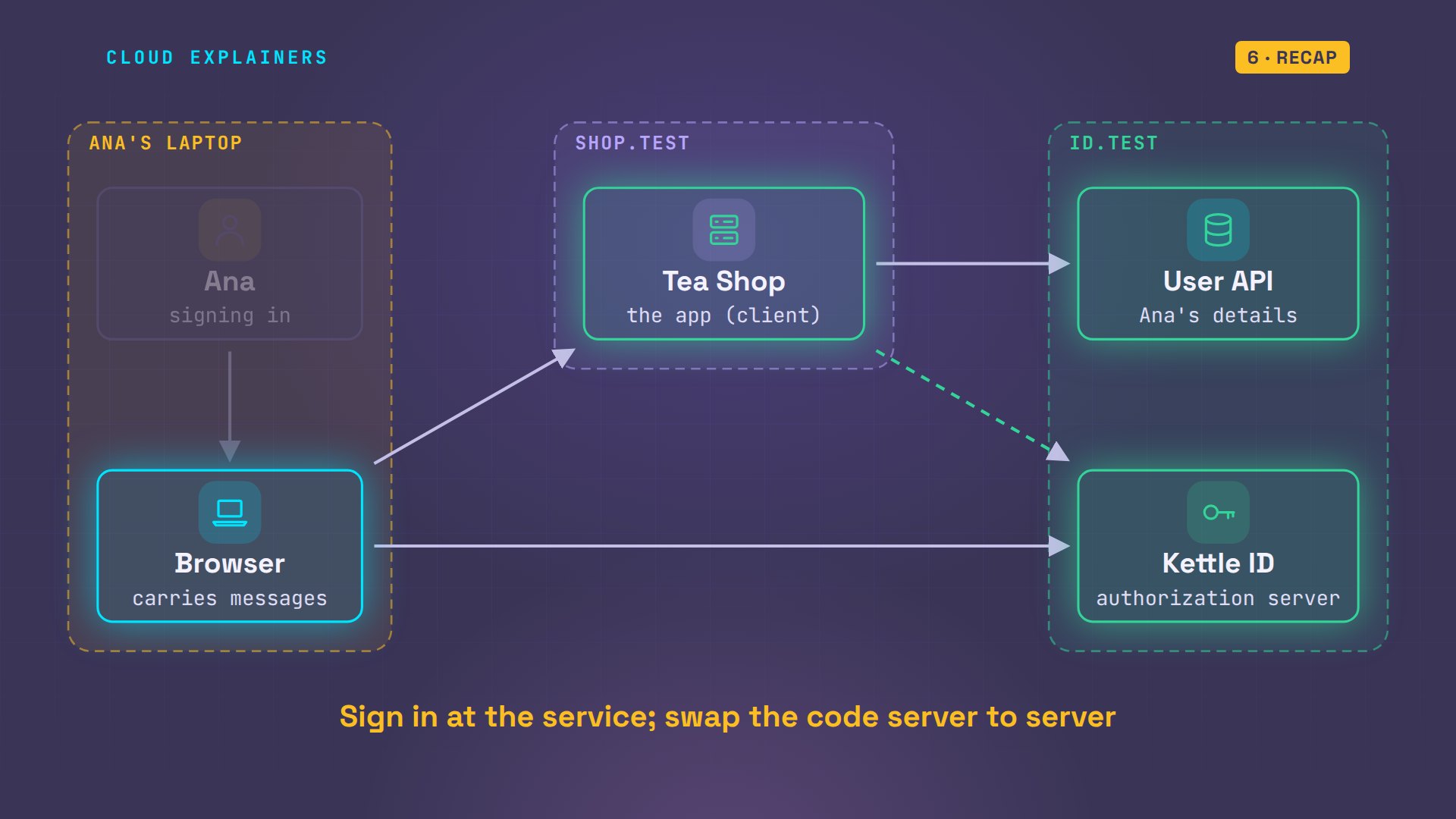
So: the app sends you to the sign-in service, you sign in there, never at the app, a one-time code comes back through the browser, and the app swaps it, server to server, for tokens.
If following the code through every step made OAuth click, subscribing is an easy way to catch the next one.
Every command and output here came from a real run: Keycloak 26.8.2, Chromium 140, and a small shop app. Thanks for watching Cloud Explainers.
Sources
- IETF, RFC 6749, The OAuth 2.0 Authorization Framework (roles, authorization code grant; a reused code must be denied and should revoke tokens issued from it, section 4.1.2)
- IETF, RFC 7636, Proof Key for Code Exchange (PKCE)
- OpenID Foundation, OpenID Connect Core 1.0 (ID token, nonce)
- Google for Developers, OpenID Connect (Sign in with Google, authenticating the user)
- AWS, Amazon Cognito user pool endpoints and managed login (OAuth 2.0 authorize and token endpoints)
- Keycloak, the open-source sign-in server the lab uses
Demos: three containers on our own lab machine, standing in for a laptop, a shop and a sign-in service, with the reserved .test domain; the tea shop and Kettle ID are made up. Watch the full video on YouTube.
More videos
Python Automation: Full Tutorial for Beginners
Google AI Studio Will Finally Make Sense After This
What Happens When You Run a Docker Container
How to Fix Claude Code Billing Your API Key Instead of Your Plan
Why Passkeys Can't Be Phished Like Passwords
PowerShell vs Bash: Which One Should You Learn?
The Linux Roadmap for Beginners
Django vs FastAPI: Which One Should You Use?
Why SQLite Is the Most Used Database in the World
How a NoSQL Database Like MongoDB Works
How to Fix Python pip error: externally-managed-environment
How to Fix MySQL Too Many Connections Database Errors
Golang Concurrency Will Finally Make Sense After This
How Amazon S3 Works
How Kubernetes Works
How Git Works
How to Fix Docker Port Already Allocated Errors
How PostgreSQL Works
How to Fix Git Merge Conflicts
How to Fix No Space Left on Device in Linux
How the Internet Works
SQL vs NoSQL: When Each One Wins
How to Fix JWT Token Expired Errors (401 Unauthorized)

Claude API vs Claude Pro: Why Your Subscription Doesn't Include It

Why AI Agent Skills Beat Giant Prompts

Linux Cron Jobs Will Finally Make Sense After This

Security Logs Will Finally Make Sense After This

How to Fix a Security Leak: An API Key Pushed to GitHub

DNS Will Finally Make Sense After This

Never Ignore a Security Update

Two-Factor Authentication Will Finally Make Sense

Never Expose a Database to the Internet

SSH Keys vs Passwords: Which Is Safer for Security?

The 5 Levels of Linux Boot: From Power On to Login

The 5 Levels of Network Firewalls

Password Security: Why Hackers Crack Weak Passwords

Why Your Linux Server Runs Out of Memory

HTTP vs HTTPS: What Actually Changes on Your Network

Every Linux File Permission You Need to Know

Linux Processes vs Threads: When Each One Wins

The OSI Model Will Finally Make Sense After This

The 7 Levels of Git

Every Network Troubleshooting Command You Need

Hashing vs Encryption in Cybersecurity: When Each One Wins

Why the Internet Ran Out of IP Addresses

Linux Package Managers: apt vs Snap vs Flatpak

Why Python Is Slow (and When It Doesn't Matter)

TCP vs UDP: When Each One Wins

Stop Running Linux as Root (Do This Instead)

Linux Users and Groups Will Finally Make Sense

Why Phishing Beats Good Security (and How to Spot It)

The 7 Levels of Docker

AI Agents Will Finally Make Sense After This

Stop Using git push --force (Use This Instead)

Agent Skills vs MCP: When Each One Wins

Networking Will Finally Make Sense After This

Every Linux Command You Actually Need

The 7 Levels of Cybersecurity

Every System Design Concept You Need, in One Diagram
