
How to Fix Git 'Updates Were Rejected' When You Push
git push says '! [rejected] ... (fetch first)' or '(non-fast-forward)': updates were rejected. On a real Git server and two laptops we made it happen for real and fixed it: why the server refuses (a non-fast-forward would lose someone's commit), why git status still said 'ahead by 1', why plain git pull stops with 'Need to specify how to reconcile divergent branches', and the fix: git pull --rebase, then push. Plus the two other common cases: after an amend (git push --force-with-lease) and a new repository created with a README (refusing to merge unrelated histories).
Updates were rejected
You typed git push, and Git said: updates were rejected. Here's the same push from the same laptop, a minute later: accepted, and nothing lost: cat prints both files, with Ben's Friday show and Ana's tour times, on the radio station's website. So what changed?
git pushTo git-server:station.git
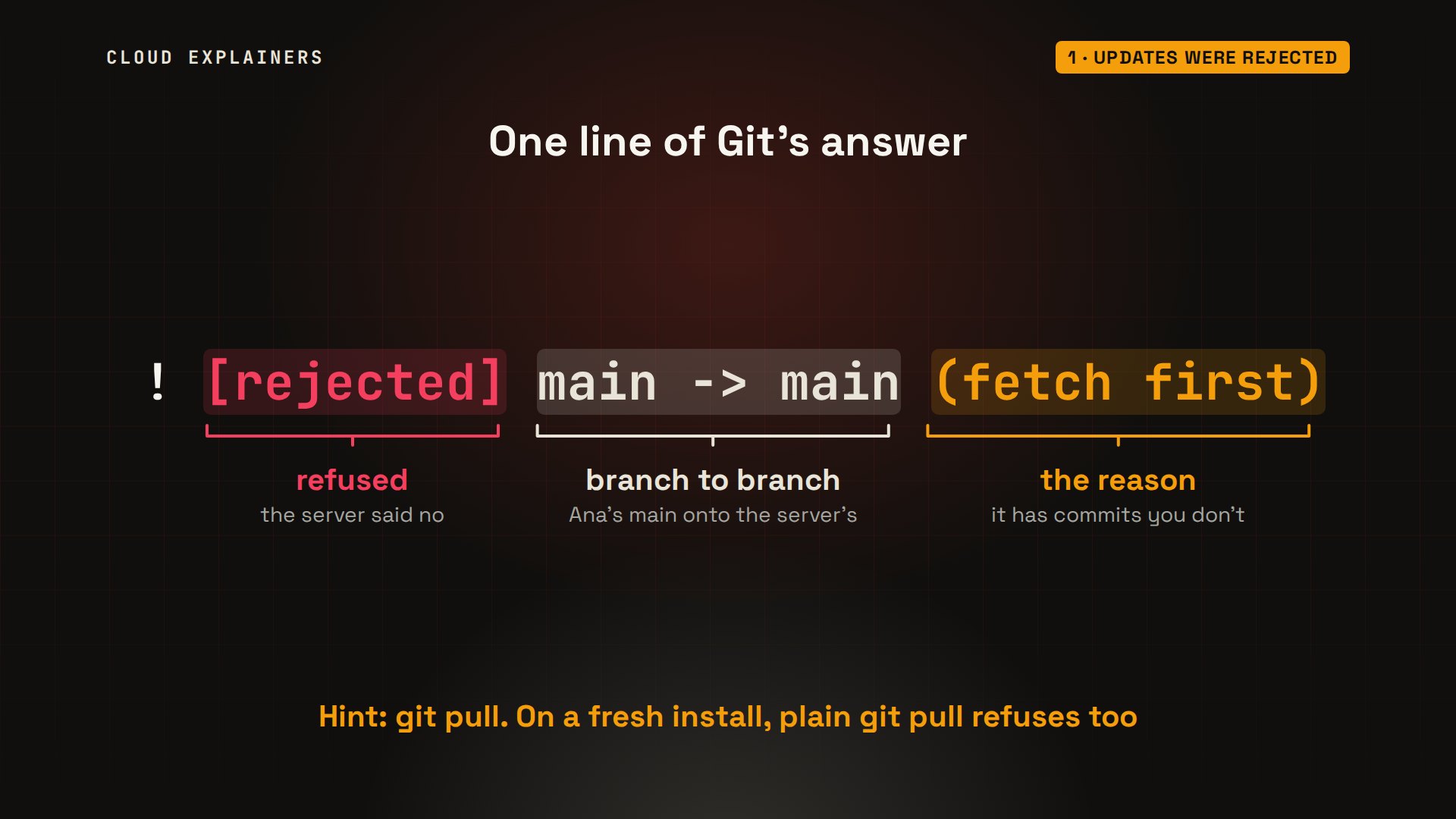
 ! [rejected]        main -> main (fetch first)
error: failed to push some refs to 'git-server:station.git'
hint: Updates were rejected because the remote contains work that you do not
hint: have locally. This is usually caused by another repository pushing to
hint: the same ref. If you want to integrate the remote changes, use
hint: 'git pull' before pushing again.
hint: See the 'Note about fast-forwards' in 'git push --help' for details.
git pushEnumerating objects: 5, done.
Counting objects: 100% (5/5), done.
Delta compression using up to 10 threads
Compressing objects: 100% (3/3), done.
Writing objects: 100% (3/3), 367 bytes | 367.00 KiB/s, done.
Total 3 (delta 0), reused 0 (delta 0), pack-reused 0
To git-server:station.git
   c26da60..221f69e  main -> main
cat schedule.html about.html<h1>Station schedule</h1>
<p>Mon 7pm: Local Bands</p>
<p>Wed 8pm: Jazz Hour</p>
<p>Fri 9pm: Night Folk</p>
<h1>About the station</h1>
<p>Run by volunteers since 1998.</p>
<p>Studio tours: Saturdays at 11.</p>
A minute earlier, the same push got this. Rejected. Main to main: Ana's branch, onto the server's. And the reason: fetch first. The server has work her laptop doesn't. The hint says git pull, but on a fresh install, plain git pull refuses too.
Why the server refuses
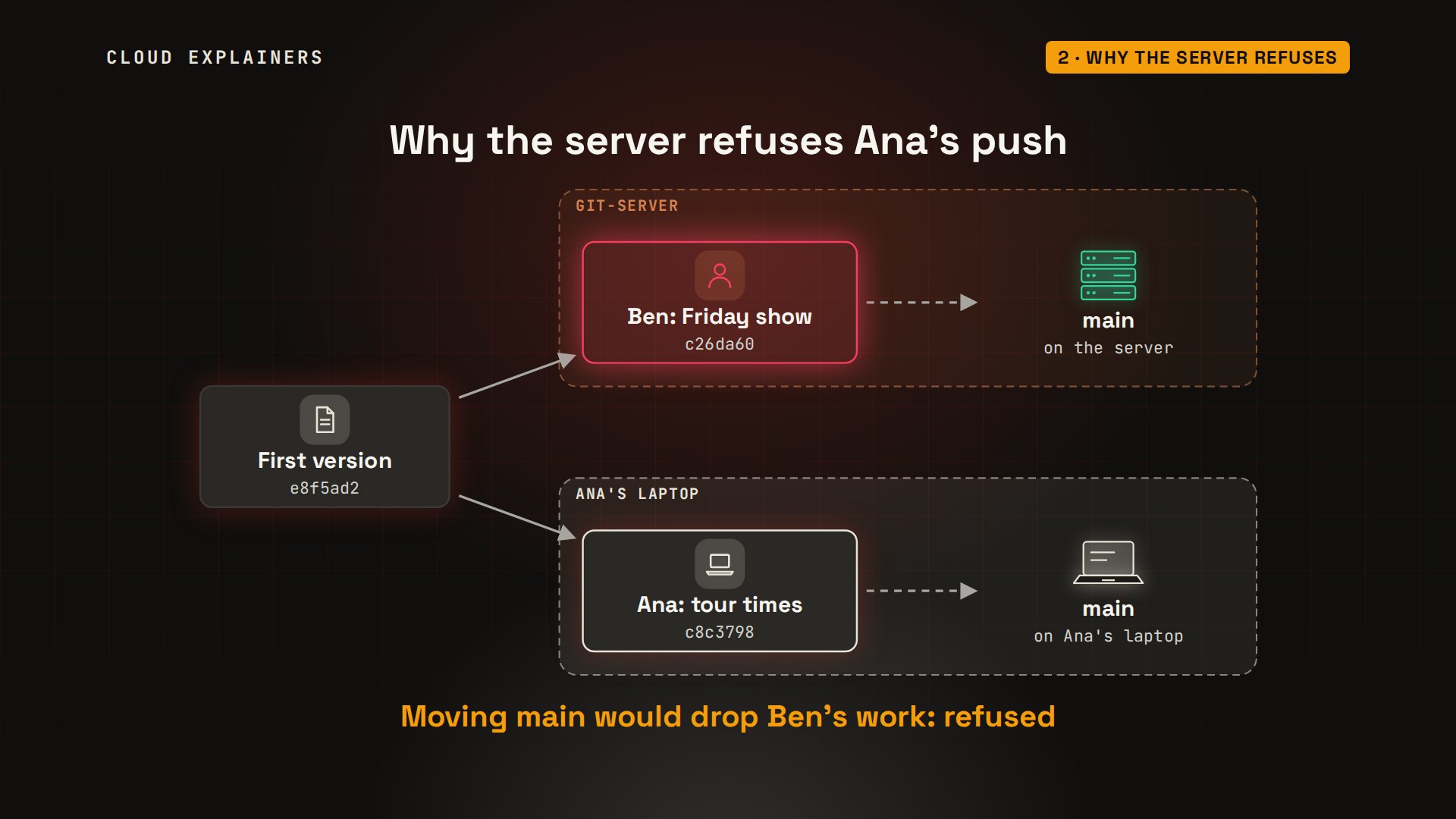
Here's what happened. Ana and Ben started from the same first version. Ben added the Friday show and pushed it, so the server's main branch now ends at Ben's commit. Ana added the tour times on her laptop, on top of the old version. A push asks the server: move main to my commit. But Ana's commit doesn't contain Ben's. Moving main there would drop Ben's work from the branch, so the server refuses.
The quick fix: pull with rebase, then push
The usual fix is one command before the push: git pull --rebase. It fetches Ben's commit, then lifts Ana's commit off and replays it on top. Her commit gets a new ID, because its parent changed. git log draws the history, one commit per line with its short ID: one straight line again. Now the push only adds a commit, and the server accepts it.
git pull --rebaseSuccessfully rebased and updated refs/heads/main.
git log --oneline --graph* 221f69e (HEAD -> main) Add studio tour times
* c26da60 (origin/main) Add the Friday folk show
* e8f5ad2 First version of the site
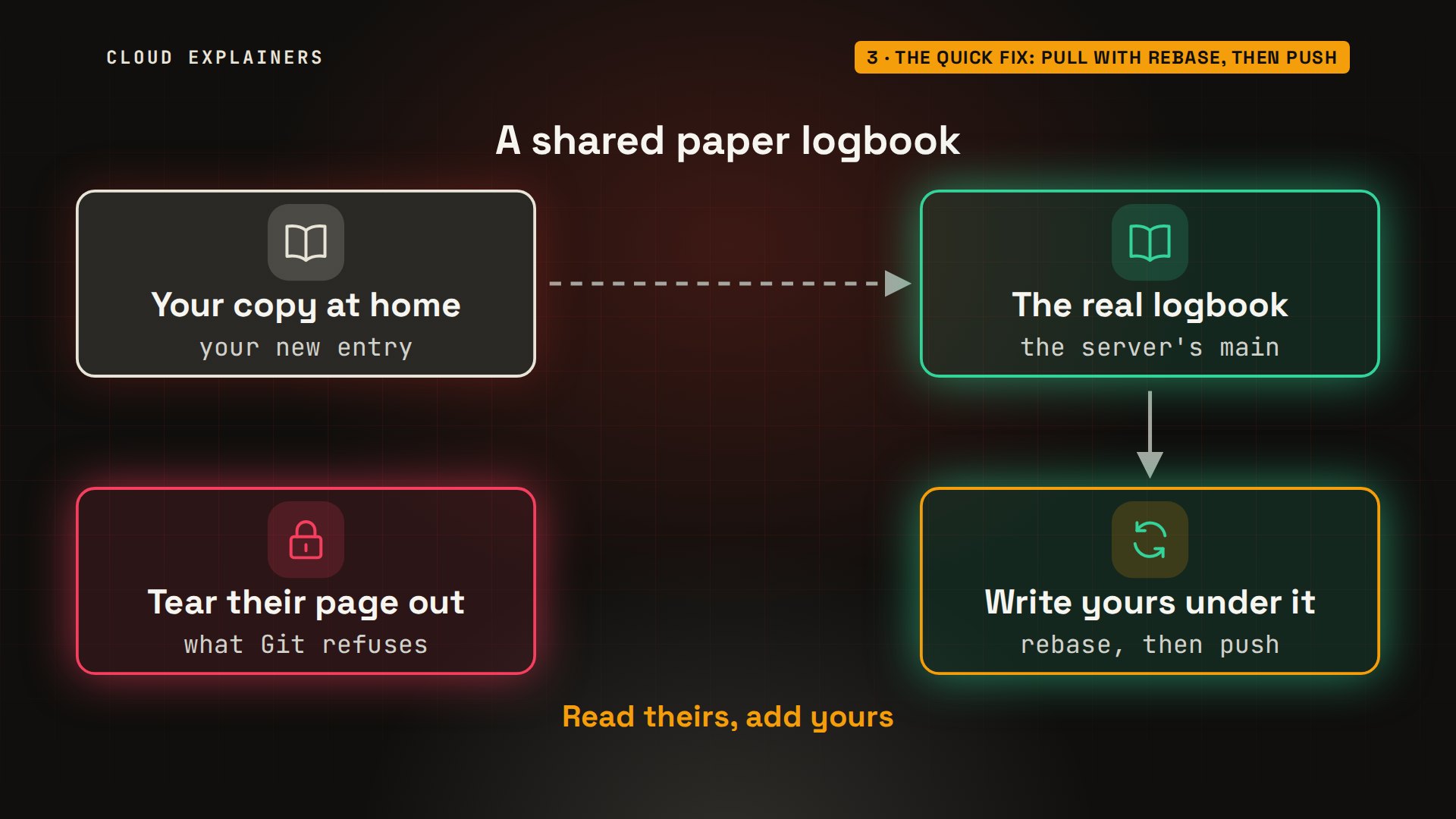
Think of a shared paper logbook. You wrote your entry on a copy at home. Meanwhile, someone wrote on the next line of the real book. You don't tear their page out. You read their line, then write yours under it. That's a rebase, then a push.
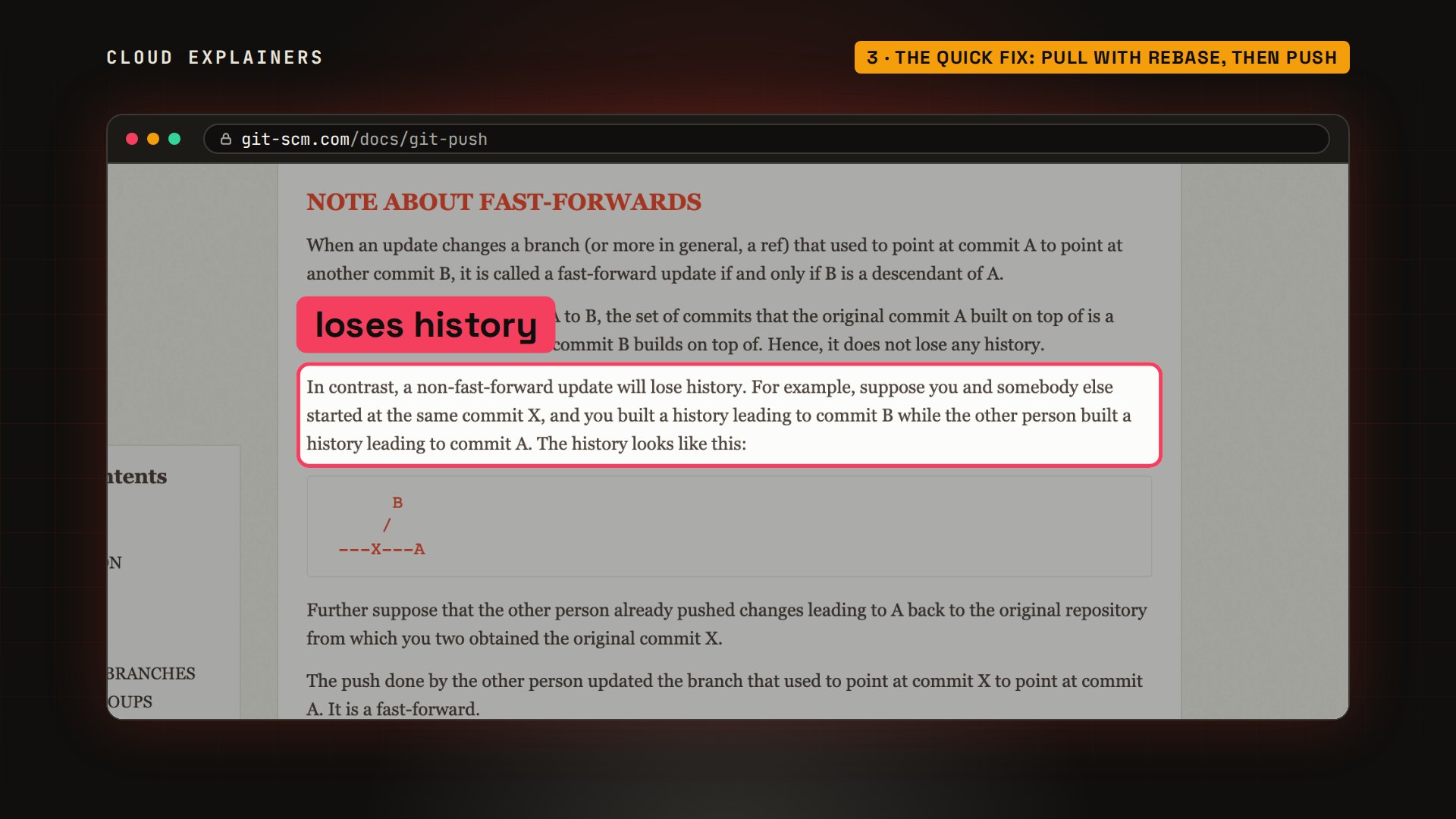
Git's own manual names the rule. A push that only adds commits on top is a fast-forward, and it loses nothing. A non-fast-forward update will lose history, so by default, Git refuses it. Every rejection hint in this video points to this note.
What your laptop didn't know
Back to the moment of the rejection. Ana asks git status. Guess first: what does it say? Ahead by one commit. Nothing about Ben. Your laptop only knows what the server had at your last fetch or pull, and git status never asks the server.
git statusOn branch main
Your branch is ahead of 'origin/main' by 1 commit.
  (use "git push" to publish your local commits)

nothing to commit, working tree clean
git fetch downloads what the server has, without changing Ana's files. Now status tells the truth: diverged, one commit each. And the graph shows the fork: Ben's commit on origin main, Ana's on her own main, both growing from the first version.
git fetchremote: Enumerating objects: 5, done.
remote: Counting objects: 100% (5/5), done.
remote: Compressing objects: 100% (3/3), done.
remote: Total 3 (delta 1), reused 0 (delta 0), pack-reused 0
Unpacking objects: 100% (3/3), 313 bytes | 313.00 KiB/s, done.
From git-server:station
   e8f5ad2..c26da60  main       -> origin/main
git statusOn branch main
Your branch and 'origin/main' have diverged,
and have 1 and 1 different commits each, respectively.
  (use "git pull" if you want to integrate the remote branch with yours)

nothing to commit, working tree clean
git log --oneline --graph --all* c8c3798 (HEAD -> main) Add studio tour times
| * c26da60 (origin/main) Add the Friday folk show
|/
* e8f5ad2 First version of the site
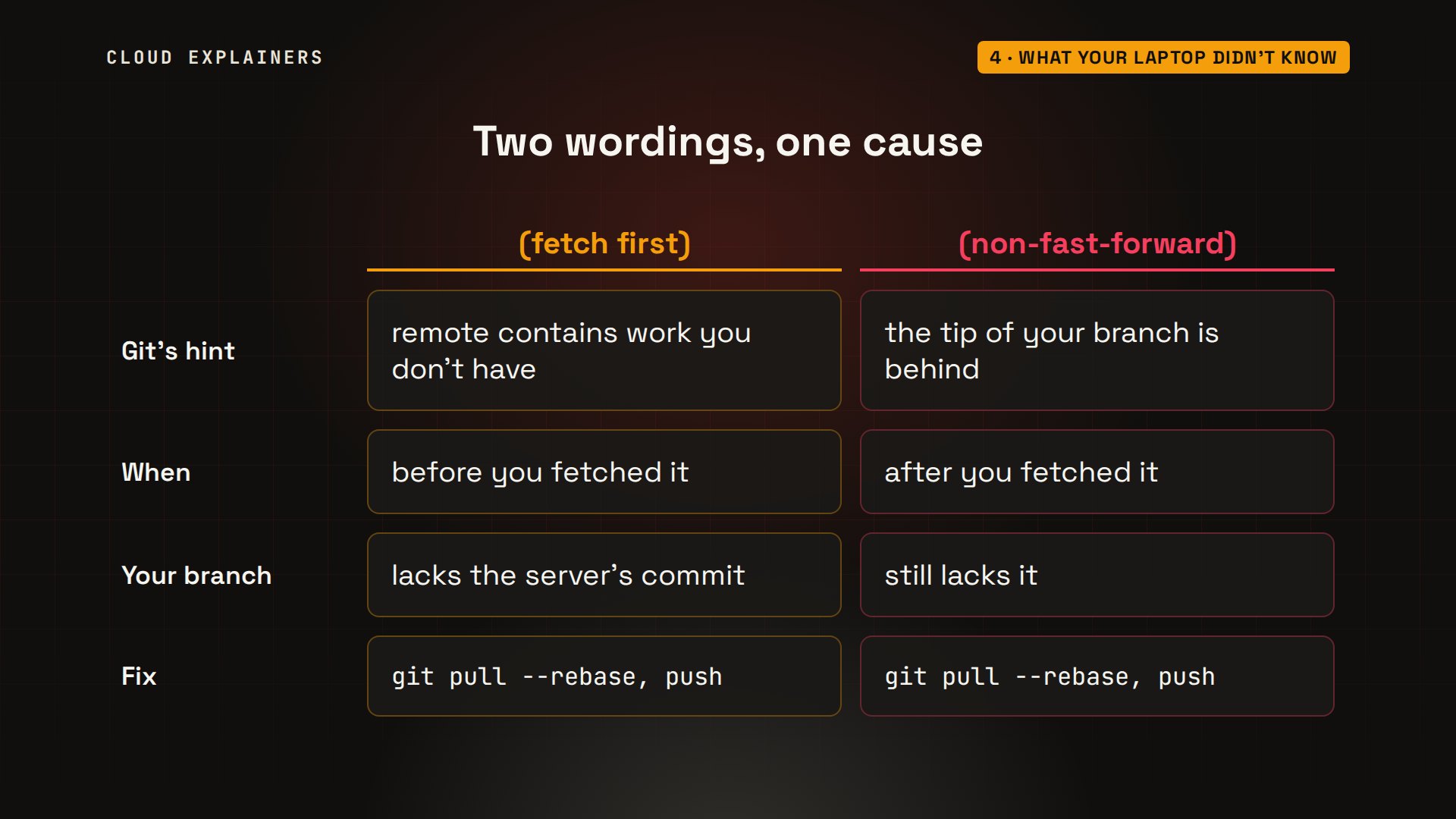
Pushing now gives a second wording: non-fast-forward, the tip of your branch is behind. Fetch first means Git hadn't seen the server's new commit yet. Non-fast-forward means it has, and your branch still doesn't include it. Same cause, same fix.
After you rewrote a pushed commit
Another way to get rejected: rewriting a commit you already pushed. Ana changes eleven to eleven A M, and fixes her last commit: dash dash amend replaces it, and no edit keeps its message. That makes a new commit to replace the one on the server, so status says diverged, and the push is rejected again. Here, a pull is the wrong fix: it would try to combine the old commit with its own replacement. Instead: git push --force-with-lease.
git commit -a --amend --no-edit[main 7abbfb8] Add studio tour times
 Date: Sat Nov 14 14:13:27 2026 +0000
 1 file changed, 1 insertion(+)
git statusOn branch main
Your branch and 'origin/main' have diverged,
and have 1 and 1 different commits each, respectively.
  (use "git pull" if you want to integrate the remote branch with yours)

nothing to commit, working tree clean
git pushTo git-server:station.git
 ! [rejected]        main -> main (non-fast-forward)
error: failed to push some refs to 'git-server:station.git'
hint: Updates were rejected because the tip of your current branch is behind
hint: its remote counterpart. If you want to integrate the remote changes,
hint: use 'git pull' before pushing again.
hint: See the 'Note about fast-forwards' in 'git push --help' for details.
Force with lease replaces the server's commit only if the server still has exactly what Ana last saw: origin main, as her last fetch or push recorded it. Here it does, so the push goes through: forced update. If Ben had pushed in the meantime, it would refuse, where a plain force would wipe out his commit: tearing his page out of the logbook. Use it only on commits nobody else has built on.
git push --force-with-leaseEnumerating objects: 5, done.
Counting objects: 100% (5/5), done.
Delta compression using up to 10 threads
Compressing objects: 100% (3/3), done.
Writing objects: 100% (3/3), 371 bytes | 371.00 KiB/s, done.
Total 3 (delta 0), reused 0 (delta 0), pack-reused 0
To git-server:station.git
 + 221f69e...7abbfb8 main -> main (forced update)
Why plain git pull refused
So why did plain git pull refuse? Git can join the two lines in two ways, and recent versions won't pick one for you. It stops with: need to specify how to reconcile divergent branches, and lists three settings. Nothing was changed. It's a question, not a failure.
git pullhint: You have divergent branches and need to specify how to reconcile them.
hint: You can do so by running one of the following commands sometime before
hint: your next pull:
hint:
hint:   git config pull.rebase false  # merge
hint:   git config pull.rebase true   # rebase
hint:   git config pull.ff only       # fast-forward only
hint:
hint: You can replace "git config" with "git config --global" to set a default
hint: preference for all repositories. You can also pass --rebase, --no-rebase,
hint: or --ff-only on the command line to override the configured default per
hint: invocation.
fatal: Need to specify how to reconcile divergent branches.
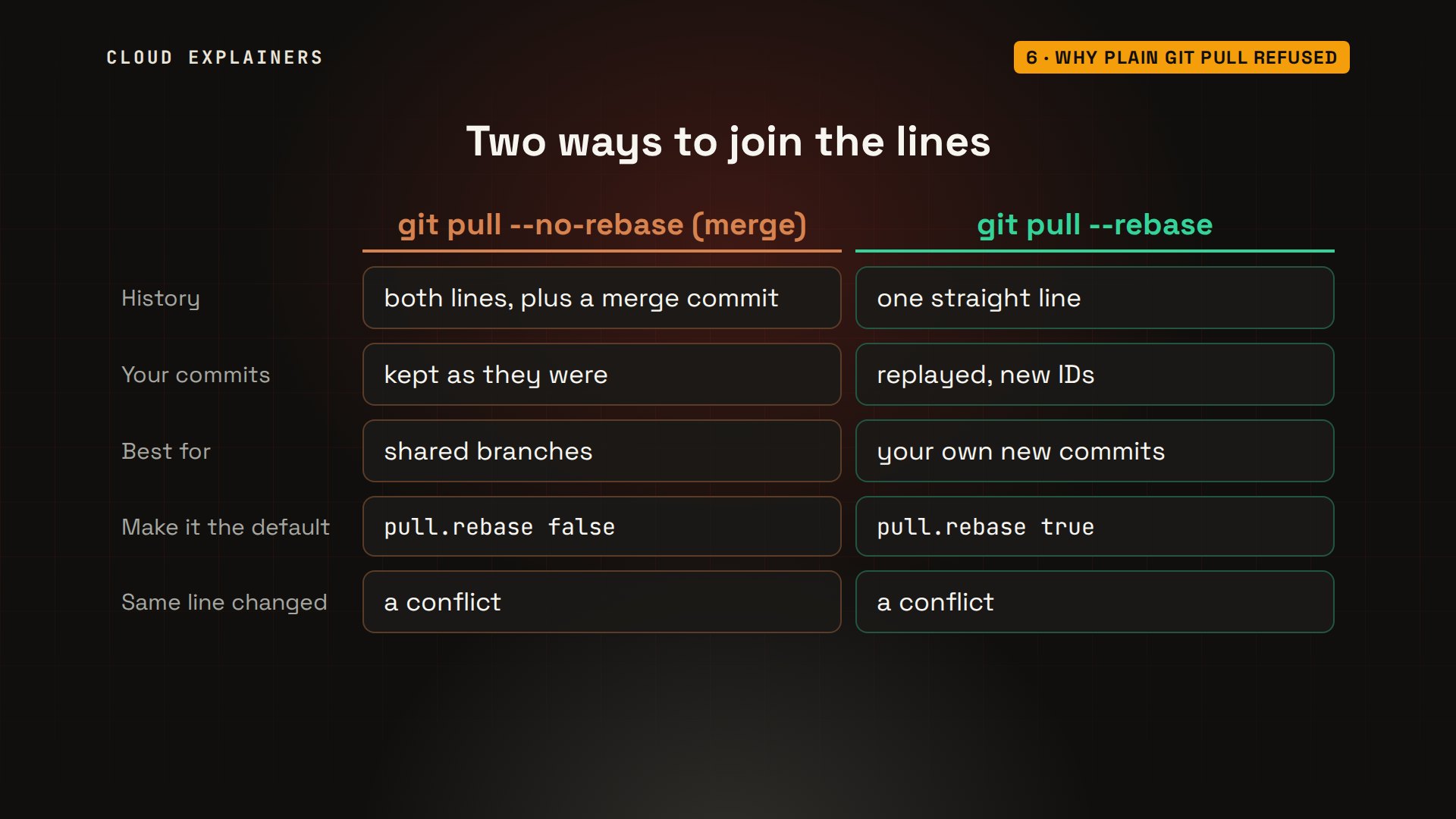
The two ways. Merge keeps both lines and ties them together with an extra merge commit. Rebase replays your commits on top, for a straight line. For a few commits of your own that nobody else has yet, rebase is the tidy choice, so Ana makes it her default, once: git config dash dash global pull dot rebase true. And if you both changed the same line, either way stops at a conflict, which our merge conflicts video fixes step by step.
A new repository with a README
One more, very common on a first push. Ana starts a new playlist project on her laptop, with its own first commit, and adds the server as origin, the usual name for it. The empty repository on the server was created with a README, as hosting sites offer. So the first push, with dash U to remember origin for next time, is rejected: fetch first. And a pull that merges stops with: refusing to merge unrelated histories, because the two first commits share no parent at all.
git push -u origin mainTo git-server:playlist.git
 ! [rejected]        main -> main (fetch first)
error: failed to push some refs to 'git-server:playlist.git'
hint: Updates were rejected because the remote contains work that you do not
hint: have locally. This is usually caused by another repository pushing to
hint: the same ref. If you want to integrate the remote changes, use
hint: 'git pull' before pushing again.
hint: See the 'Note about fast-forwards' in 'git push --help' for details.
git pull --no-rebase origin mainwarning: no common commits
remote: Enumerating objects: 3, done.
remote: Counting objects: 100% (3/3), done.
remote: Total 3 (delta 0), reused 0 (delta 0), pack-reused 0
Unpacking objects: 100% (3/3), 197 bytes | 197.00 KiB/s, done.
From git-server:playlist
 * branch            main       -> FETCH_HEAD
 * [new branch]      main       -> origin/main
fatal: refusing to merge unrelated histories
Ana's pull now rebases, the default she set earlier. It replays her playlist commit on top of the README, so both files are there, and the push goes through. git pull dash dash allow unrelated histories also works, joining the two with a merge commit, but on a brand-new project, rebase keeps the history one straight line.
git pull origin mainFrom git-server:playlist
 * branch            main       -> FETCH_HEAD
Successfully rebased and updated refs/heads/main.
lsREADME.md tracks.txt
git push -u origin mainEnumerating objects: 4, done.
Counting objects: 100% (4/4), done.
Delta compression using up to 10 threads
Compressing objects: 100% (2/2), done.
Writing objects: 100% (3/3), 294 bytes | 294.00 KiB/s, done.
Total 3 (delta 0), reused 0 (delta 0), pack-reused 0
To git-server:playlist.git
   e022c62..67dd5a3  main -> main
branch 'main' set up to track 'origin/main'.
Recap
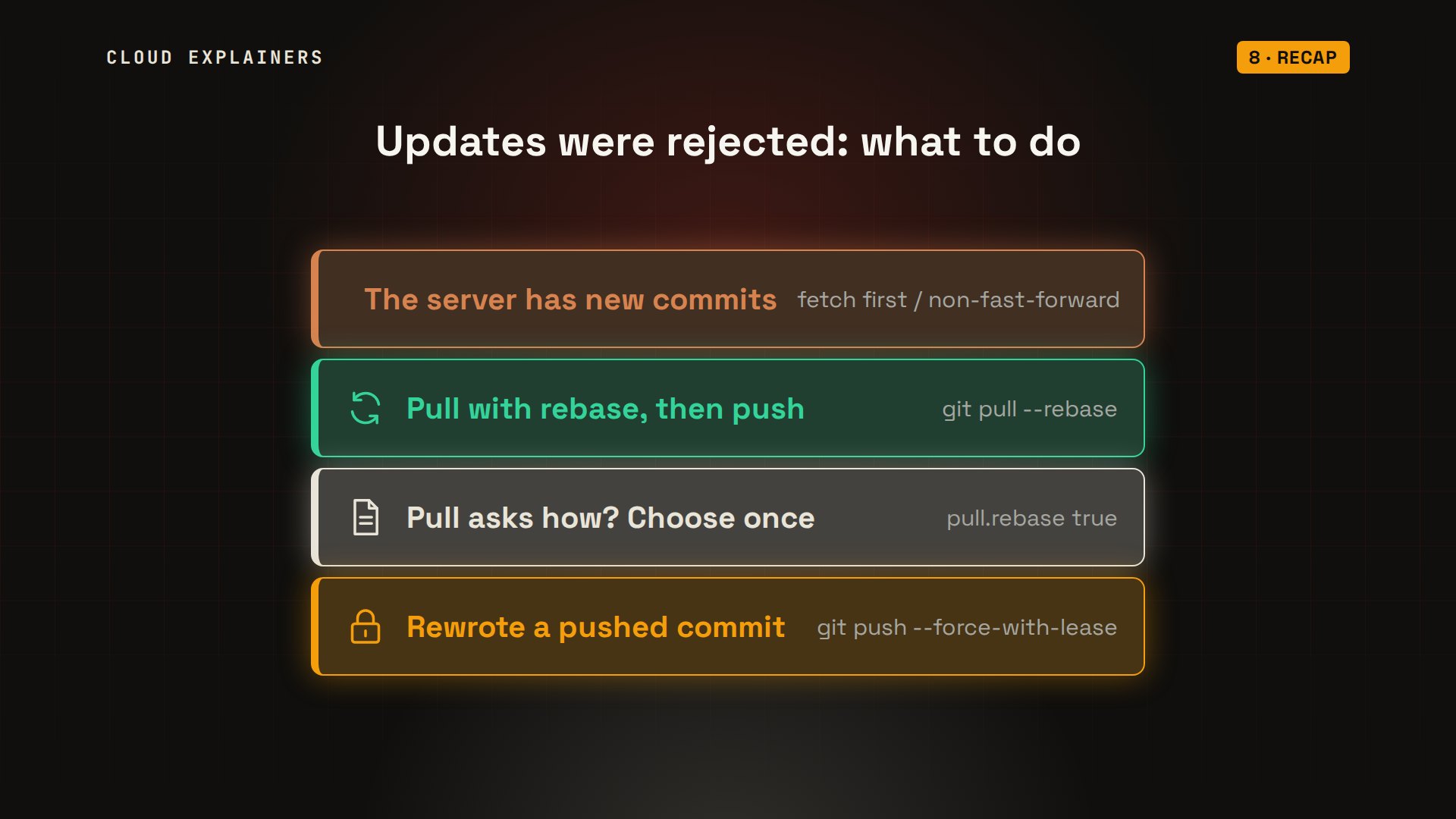
So, updates were rejected: the server has commits you don't. Pull with rebase, then push. If plain pull asks how, set pull.rebase true. If you rewrote a pushed commit, force with lease, never a plain force.
If your push went through, a like helps the next stuck beginner find this, and subscribing brings more fixes like this one, tried for real.
Every rejection in this video happened on a real Git server and two real laptops, and every command and the lab files are linked in the description. Thanks for watching Cloud Explainers.
Sources
Demos: containers on our own Mac, with our own Git server standing in for GitHub; the radio station and its volunteers are made up. Every push, pull and rejection was real. Watch the full video on YouTube.
More videos
Every Networking Term a Beginner Needs in 12 Minutes
How to Fix Docker 'Permission Denied' on docker.sock
How to Fix nginx 502 Bad Gateway Errors on Linux
How to Fix Linux apt 'Could Not Get Lock' Errors (Ubuntu)
How Email Works on the Internet (SMTP) in 10 Minutes
The Python Roadmap for Beginners

Golang REST API with Gin: Full Tutorial for Beginners
How a WireGuard VPN Network Works

Linux Makefiles Will Finally Make Sense After This

SAML vs OAuth vs OpenID Connect: What's the Difference?

How to Fix Python cron Jobs That Never Run

Linux Bash Scripting: Full Tutorial for Beginners

How PXE Network Boot Works

How Active Directory Works

How to Fix a Linux systemd Service That Won't Start

Linux Logs: syslog vs journald

JWT vs Session Cookies: Which One Should You Use?

Docker vs Docker Compose: Which One Should You Use?

How to Fix Docker Compose Containers That Can't Talk to Each Other

Django Full Tutorial for Beginners

How Linux systemd Works

How to Fix 'Windows Cannot Access' Network Share Errors (SMB)

REST vs gRPC: Which One Should You Use?

How to Fix SSL Certificate Chain Errors (Missing Intermediate)

Every Python Concept for Beginners in 10 Minutes

Every SQL Join Type in 10 Minutes

Why OpenRouter Free Models Hit Their Limit So Fast

Why Your Gemini API Free Tier Runs Out So Fast

OpenRouter Will Finally Make Sense After This

How Redis Caching Works

Gemini API vs Vertex AI: Which One Should You Use?

How to Fix a Leaked Gemini API Key

Why Golang Uses Goroutines Instead of Threads

How to Fix Gemini API Error 429: Resource Exhausted

Claude Token Pricing Will Finally Make Sense After This

Why Python Web Scraping Returns Nothing (and the Fix)

Python uv vs pip: Which One Should You Use?

Python Automation: Full Tutorial for Beginners

How OAuth Login Works

Google AI Studio Will Finally Make Sense After This

What Happens When You Run a Docker Container

How to Fix Claude Code Billing Your API Key Instead of Your Plan

Why Passkeys Can't Be Phished Like Passwords

PowerShell vs Bash: Which One Should You Learn?

The Linux Roadmap for Beginners

Django vs FastAPI: Which One Should You Use?

Why SQLite Is the Most Used Database in the World

How a NoSQL Database Like MongoDB Works

How to Fix Python pip error: externally-managed-environment

How to Fix MySQL Too Many Connections Database Errors

Golang Concurrency Will Finally Make Sense After This

How Amazon S3 Works

How Kubernetes Works

How Git Works

How to Fix Docker Port Already Allocated Errors

How PostgreSQL Works

How to Fix Git Merge Conflicts

How to Fix No Space Left on Device in Linux

How the Internet Works

SQL vs NoSQL: When Each One Wins

How to Fix JWT Token Expired Errors (401 Unauthorized)

Claude API vs Claude Pro: Why Your Subscription Doesn't Include It

Why AI Agent Skills Beat Giant Prompts

Linux Cron Jobs Will Finally Make Sense After This

Security Logs Will Finally Make Sense After This

How to Fix a Security Leak: An API Key Pushed to GitHub

DNS Will Finally Make Sense After This

Never Ignore a Security Update

Two-Factor Authentication Will Finally Make Sense

Never Expose a Database to the Internet

SSH Keys vs Passwords: Which Is Safer for Security?

The 5 Levels of Linux Boot: From Power On to Login

The 5 Levels of Network Firewalls

Password Security: Why Hackers Crack Weak Passwords

Why Your Linux Server Runs Out of Memory

HTTP vs HTTPS: What Actually Changes on Your Network

Every Linux File Permission You Need to Know

Linux Processes vs Threads: When Each One Wins

The OSI Model Will Finally Make Sense After This

The 7 Levels of Git

Every Network Troubleshooting Command You Need

Hashing vs Encryption in Cybersecurity: When Each One Wins

Why the Internet Ran Out of IP Addresses

Linux Package Managers: apt vs Snap vs Flatpak

Why Python Is Slow (and When It Doesn't Matter)

TCP vs UDP: When Each One Wins

Stop Running Linux as Root (Do This Instead)

Linux Users and Groups Will Finally Make Sense

Why Phishing Beats Good Security (and How to Spot It)

The 7 Levels of Docker

AI Agents Will Finally Make Sense After This

Stop Using git push --force (Use This Instead)

Agent Skills vs MCP: When Each One Wins

Networking Will Finally Make Sense After This

Every Linux Command You Actually Need

The 7 Levels of Cybersecurity

Every System Design Concept You Need, in One Diagram
