How to Fix Kubernetes ImagePullBackOff Errors
ImagePullBackOff means the node that should run your pod couldn't pull its image, and is waiting longer before each new try. On a real three-node Kubernetes cluster we read the reason with kubectl describe pod and fix each common cause: an image only on your laptop, the :latest pull policy trap, a private registry without a pull secret, a tag that was never pushed, a misspelled registry, and an image built for the wrong processor.
The image is right there
Your pod says ImagePullBackOff. And the image is right there: you built it, docker images lists it, and docker run runs it. Ana did exactly that for her taco truck's menu. She gives the same image to Kubernetes, and her pods never start. Kubernetes isn't being stubborn. It's looking somewhere else. So why can't Kubernetes pull an image that's sitting on this laptop? By the end, you'll know the five usual reasons, and the fix for each.
kubectl get podsNAME  READY  STATUS  RESTARTS  AGE
menu-d5f57d998-8sc6x  0/1  ImagePullBackOff  0  13s
menu-d5f57d998-x6md2  0/1  ErrImagePull  0  13s
docker images menui Info → U In Use IMAGE ID DISK USAGE CONTENT SIZE EXTRA menu:latest c79f0c23d490 73.9MB 17.4MB
curl -s localhost:8080Ana's Tacos, menu 1.0
1. Carnitas
2. Al pastor
3. Black bean
served by 0fb56c3e8fe4
kubectl apply -f deployment.yamldeployment.apps/menu created
Read the reason first
This one status has five common causes, and one command tells you which you have: kubectl describe pod. Look at the last lines, the events. They show what the node tried, in its own words. The node is the machine that runs your pod. Here it tried docker.io, slash library, slash menu, with the tag latest. docker.io is Docker Hub, the public registry, and library is where it keeps its official images. Ana never typed Docker Hub, or latest. Kubernetes filled them in, and Docker Hub has no image called menu. The line says pull access denied, and that it may require authorization, but here, the image just isn't there. Each cause leaves its own words in that line. One of them even fails with the right name, the right password, and an image that really exists.
kubectl describe pod menu-d5f57d998-x6md2 | tail -n 5Normal Pulling 13s kubelet spec.containers{menu}: Pulling image "menu" Warning Failed 13s kubelet spec.containers{menu}: Failed to pull image "menu": failed to pull and unpack image "docker.io/library/menu:latest": failed to resolve reference "docker.io/library/menu:latest": pull access denied, repository does not exist or may require authorization: server message: insufficient_scope: authorization failed Warning Failed 13s kubelet spec.containers{menu}: Error: ErrImagePull Normal BackOff 12s kubelet spec.containers{menu}: Back-off pulling image "menu" Warning Failed 12s kubelet spec.containers{menu}: Error: ImagePullBackOff
kubectl describe pod menu-d5f57d998-x6md2 | grep 'Failed to pull'Failed to pull image "menu": failed to pull and unpack image "docker.io/library/menu:latest": failed to resolve reference "docker.io/library/menu:latest": pull access denied, repository does not exist or may require authorization: server message: insufficient_scope: authorization failed
Who pulls the image
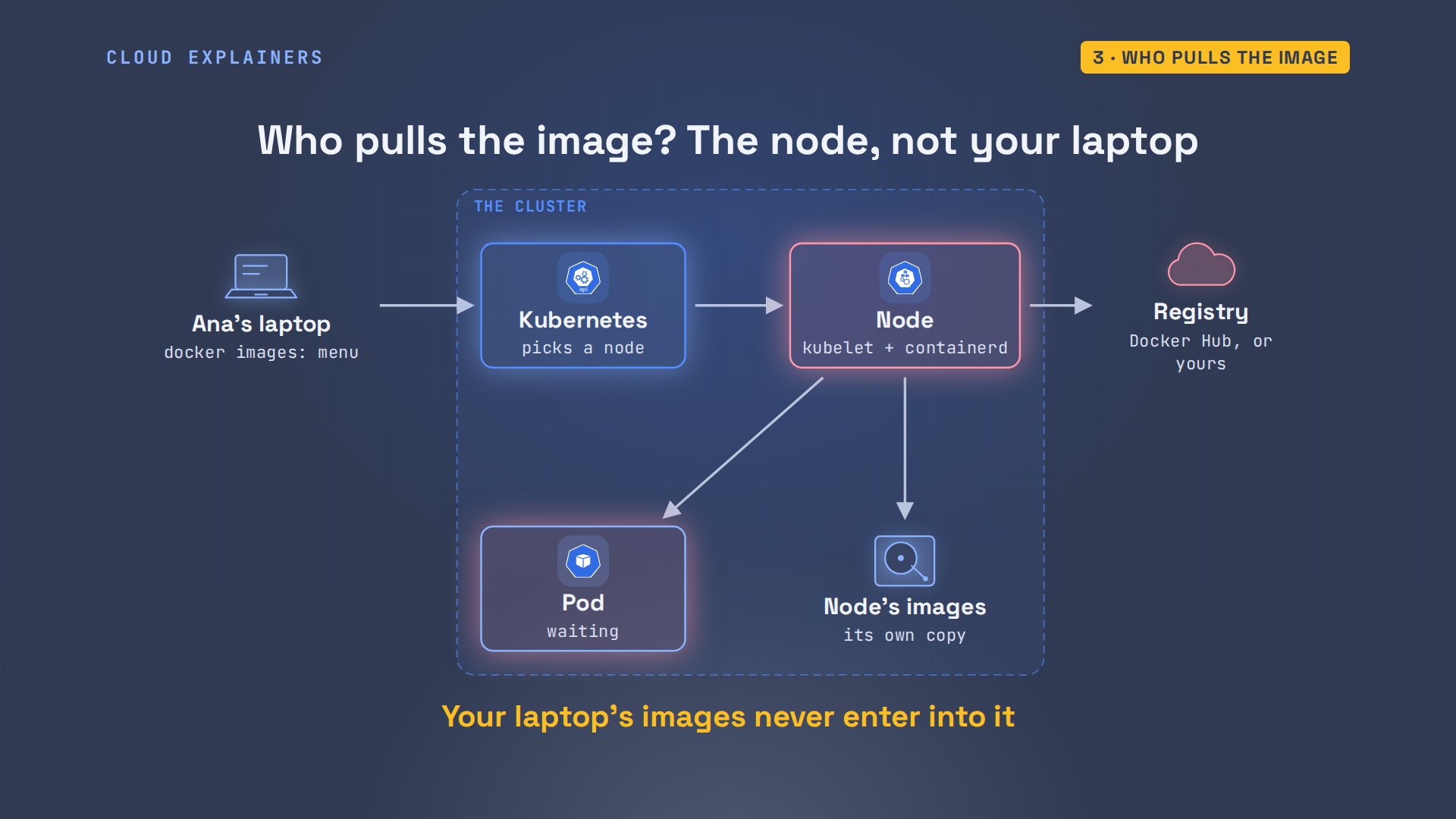
Here's why the laptop's copy doesn't count. When you apply a deployment, Kubernetes picks a node to run each pod, and that node's own software pulls the image. Each node keeps its own images. If it doesn't have this one, it asks a registry, a server that stores images, like Docker Hub. If that pull fails, the status says ErrImagePull. While the pod waits to try again, it says ImagePullBackOff. Your laptop's images never come into it.
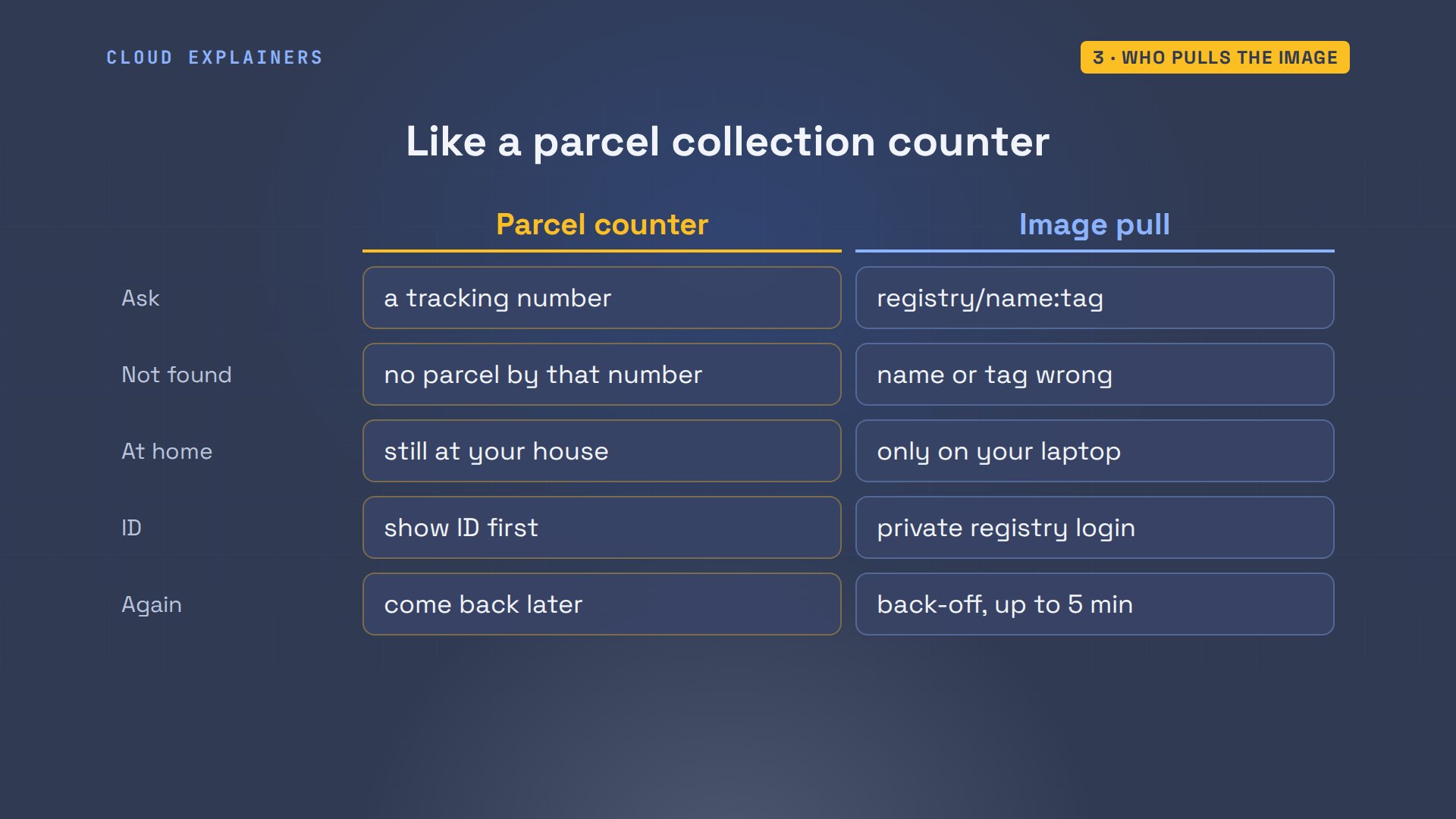
Think of a parcel collection counter. You give a tracking number, and the clerk checks the shelves in the back. No parcel with that number? That's a name or tag that doesn't exist. The parcel is still at your house? That's an image only on your laptop. The clerk wants ID first? That's a private registry. And each time you're turned away, you're told to come back a little later than the time before.
Only on your laptop
First cause: the image only exists on Ana's laptop. So can she copy it onto the nodes herself? Her cluster runs on this laptop, using a tool called kind. Each node is its own container, with its own images, so it can't see the laptop's copy. But kind load copies an image into every node. The image is now on the nodes: on a node, crictl lists its own images, and this one has menu, latest. Guess first: will her pods start? No. Still ImagePullBackOff.
kind load docker-image menu --name tacoImage: "menu" with ID "sha256:c79f0c23d490" not yet present on node "taco-worker2", loading...
Image: "menu" with ID "sha256:c79f0c23d490" not yet present on node "taco-control-plane", loading...
Image: "menu" with ID "sha256:c79f0c23d490" not yet present on node "taco-worker", loading...
docker exec taco-worker crictl images | grep menudocker.io/library/menu latest b3e2ffd09f81b 17.4MB
kubectl get podsNAME  READY  STATUS  RESTARTS  AGE
menu-d5f57d998-8sc6x  0/1  ImagePullBackOff  0  42s
menu-d5f57d998-x6md2  0/1  ImagePullBackOff  0  42s
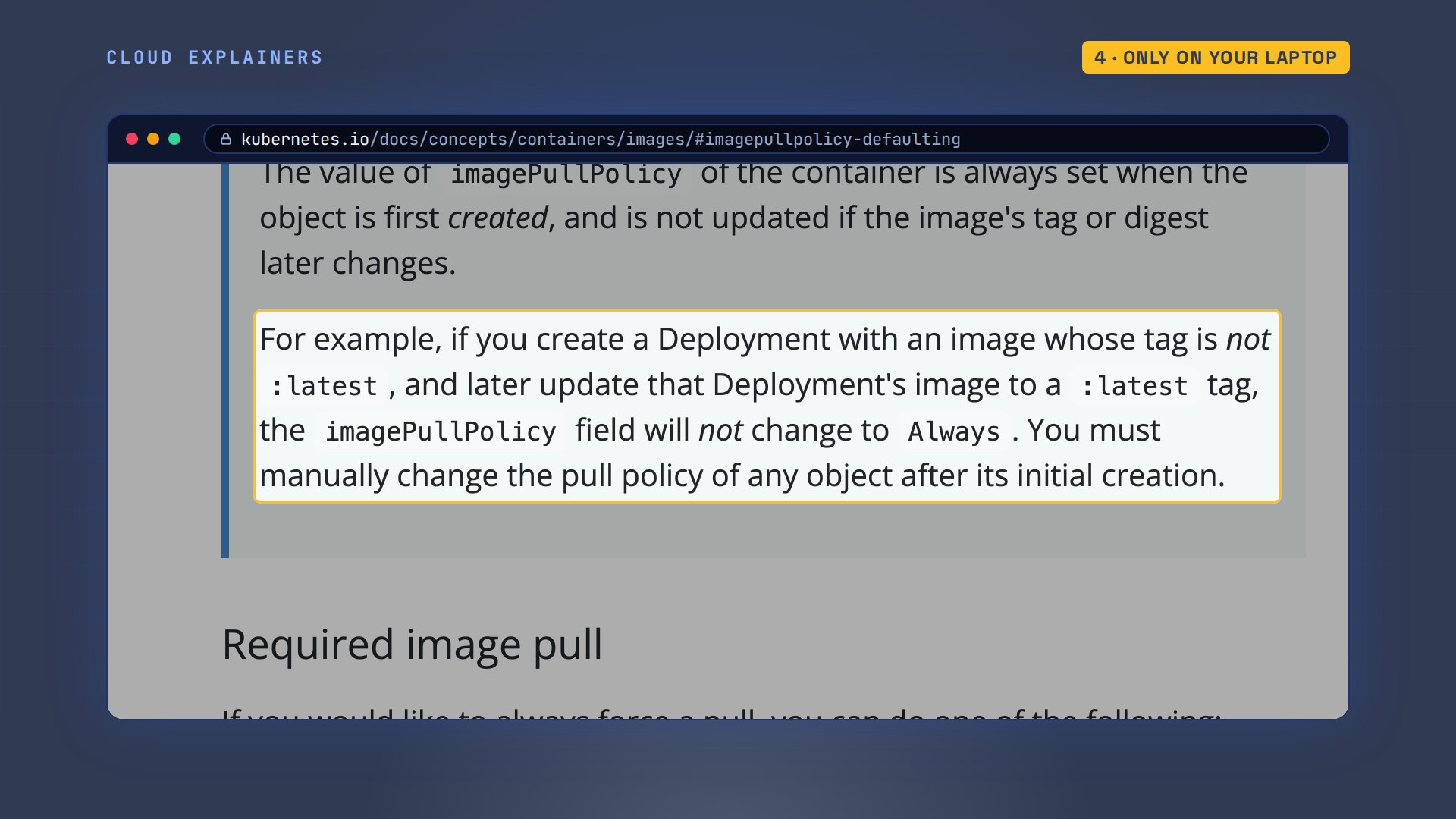
The reason is the pull policy: the setting that tells a node when to ask the registry. Remember the tag latest that Kubernetes filled in? Because of it, Kubernetes set the policy to Always. The docs give the rule. No tag, or the tag latest, means Always: the node asks the registry every time, even when it has a copy. So Ana's node ignored the copy she loaded, and asked Docker Hub again. Any other tag means IfNotPresent: use the copy if there is one. And the policy is set once, when the deployment is first made. If you change the tag later, the policy stays Always, so you have to set the pull policy in the file yourself.
Her deployment says it too. This command prints just that one setting, the one Kubernetes wrote and kept: Always.
kubectl get deployment menu -o jsonpath='{..imagePullPolicy}{"\n"}'Always
So Ana fixes both in the file: a version tag, one point zero, and the policy, written out: IfNotPresent.
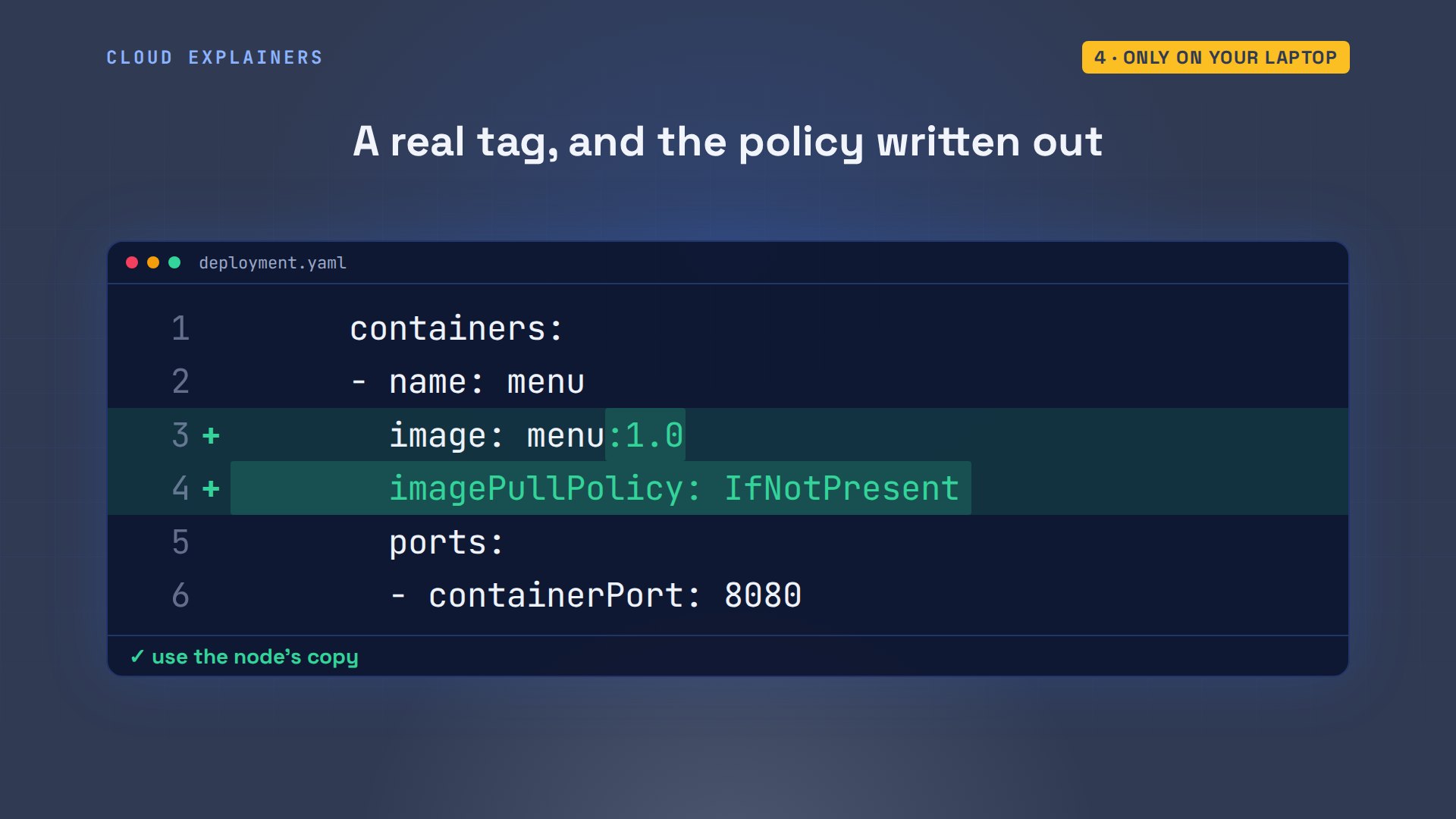
She tags the image one point zero, loads it, and applies. Rolled out, two pods running. But kind load is a shortcut for clusters on your own machine. A real cluster's nodes pull from a registry.
docker tag menu menu:1.0
kind load docker-image menu:1.0 --name tacoImage: "menu:1.0" with ID "sha256:c79f0c23d490" not yet present on node "taco-worker2", loading...
Image: "menu:1.0" with ID "sha256:c79f0c23d490" not yet present on node "taco-control-plane", loading...
Image: "menu:1.0" with ID "sha256:c79f0c23d490" not yet present on node "taco-worker", loading...
kubectl apply -f deployment.yamldeployment.apps/menu configured
kubectl rollout status deployment menu --timeout=120sWaiting for deployment "menu" rollout to finish: 1 out of 2 new replicas have been updated...
Waiting for deployment "menu" rollout to finish: 1 old replicas are pending termination...
deployment "menu" successfully rolled out
kubectl get podsNAME  READY  STATUS  RESTARTS  AGE
menu-85fd778f55-8md29  1/1  Running  0  2s
menu-85fd778f55-pfwfm  1/1  Running  0  2s
A private registry
So the truck gets its own registry, a private one that asks for a password. Ana signs in with docker login, tags the image with the registry's name, and pushes it. She points the deployment at the registry's copy, and applies it. She's signed in, so guess first: can the nodes pull it? No.
docker login registry.taco.lanUsername: Password:

WARNING! Your credentials are stored unencrypted in '/home/ana/.docker/config.json'.
Configure a credential helper to remove this warning. See
https://docs.docker.com/go/credential-store/
Login Succeeded
docker tag menu:1.0 registry.taco.lan/menu:1.0
docker push -q registry.taco.lan/menu:1.0registry.taco.lan/menu:1.0
grep image: deployment.yamlimage: registry.taco.lan/menu:1.0
kubectl apply -f deployment.yamldeployment.apps/menu configured
kubectl get podsNAME  READY  STATUS  RESTARTS  AGE
menu-85fd778f55-8md29  1/1  Running  0  18s
menu-85fd778f55-pfwfm  1/1  Running  0  18s
menu-95db47759-4kxzp  0/1  ImagePullBackOff  0  15s
Notice the two old pods are still running: a failed update leaves the last working version in place. The new pod's reason: no basic auth credentials. The node asked without a password.
kubectl get podsNAME  READY  STATUS  RESTARTS  AGE
menu-85fd778f55-8md29  1/1  Running  0  18s
menu-85fd778f55-pfwfm  1/1  Running  0  18s
menu-95db47759-4kxzp  0/1  ImagePullBackOff  0  15s
kubectl describe pod menu-95db47759-4kxzp | grep 'Failed to pull'Failed to pull image "registry.taco.lan/menu:1.0": failed to pull and unpack image "registry.taco.lan/menu:1.0": failed to resolve reference "registry.taco.lan/menu:1.0": pull access denied, repository does not exist or may require authorization: authorization failed: no basic auth credentials
docker login saved the password on Ana's laptop, in a file in her home folder. The nodes never see that file. At the parcel counter, it's like Ana showing her ID, then sending someone else to collect. To give the nodes the password, you store it in the cluster as a secret: a place in the cluster for storing passwords. You name that secret in the deployment, under imagePullSecrets, and the node sends it with each pull.
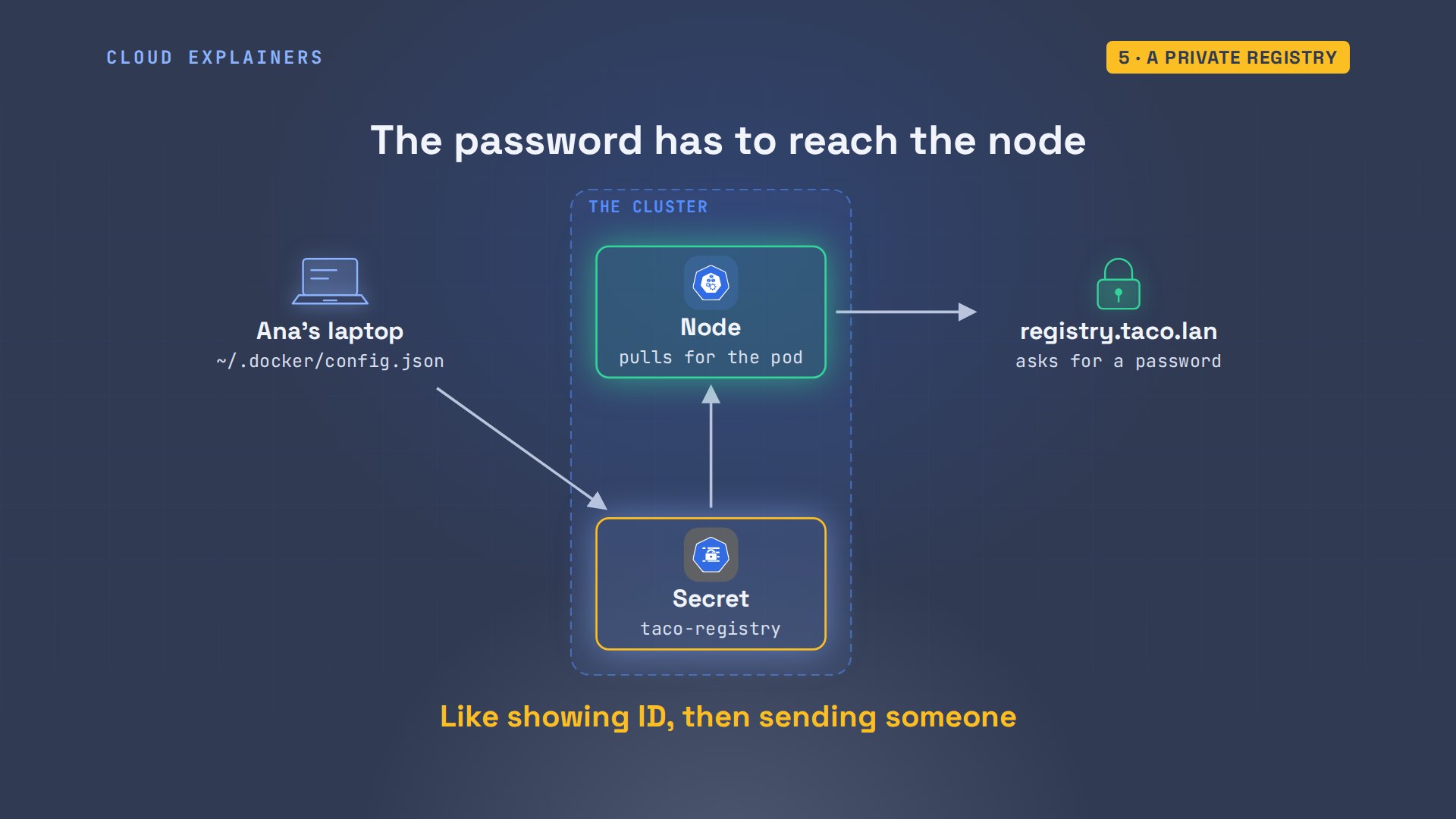
One command makes the secret, packing in the login file that docker login saved. Two lines in the deployment name it. Apply, and both pods run the registry's image.
kubectl create secret docker-registry taco-registry --from-file=.dockerconfigjson=$HOME/.docker/config.jsonsecret/taco-registry created
grep -A1 imagePullSecrets deployment.yamlimagePullSecrets: - name: taco-registry
kubectl apply -f deployment.yamldeployment.apps/menu configured
kubectl rollout status deployment menu --timeout=120sWaiting for deployment "menu" rollout to finish: 1 out of 2 new replicas have been updated...
Waiting for deployment "menu" rollout to finish: 1 old replicas are pending termination...
deployment "menu" successfully rolled out
kubectl get podsNAME  READY  STATUS  RESTARTS  AGE
menu-9d9fbd5fb-vf8bv  1/1  Running  0  2s
menu-9d9fbd5fb-wfljb  1/1  Running  0  2s
Retries, and a missing tag
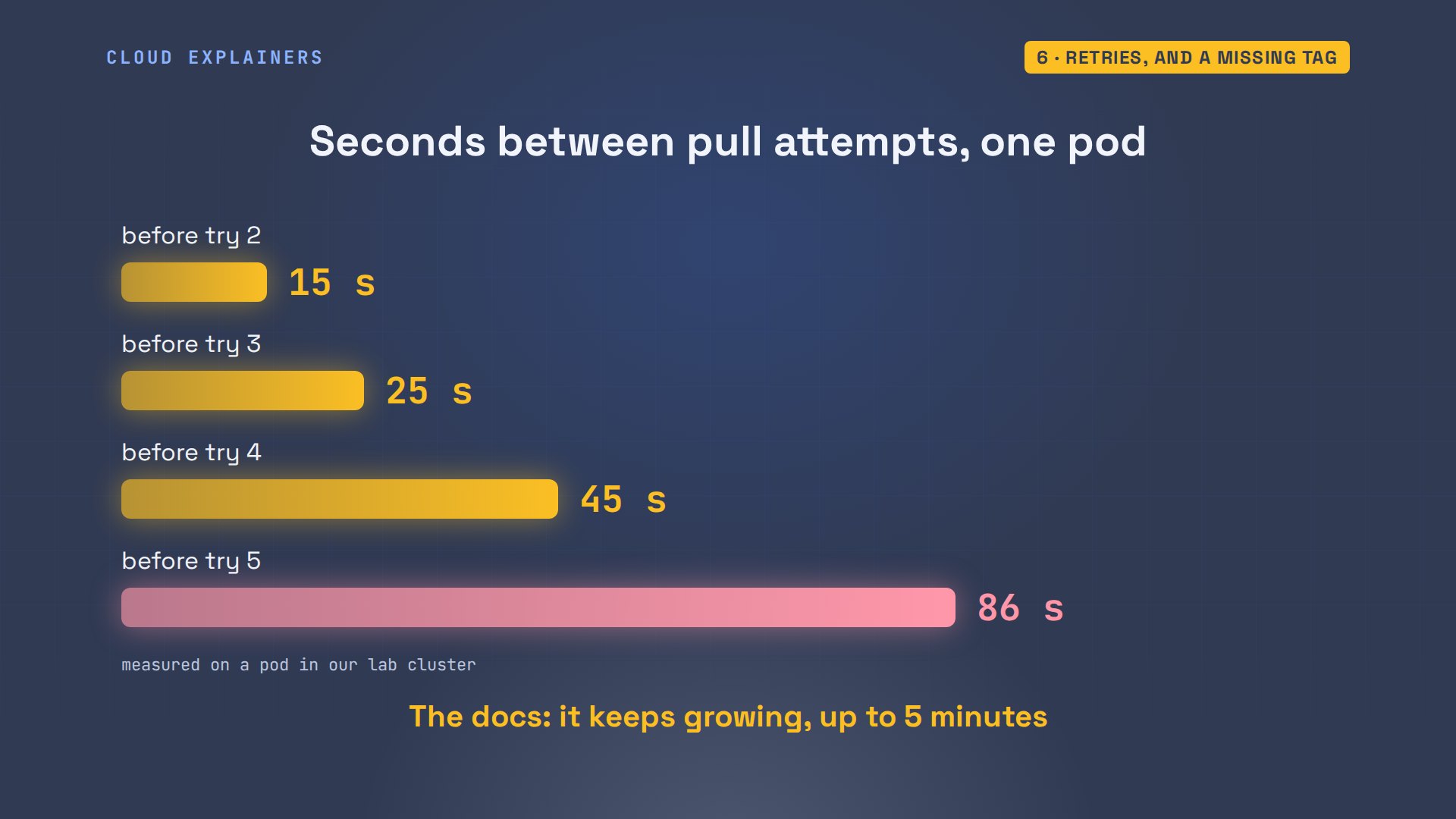
Once you fix the cause, do you have to delete the stuck pod? No. It keeps retrying by itself. We timed one pod. The first gap between tries was 15 seconds, then 25, 45, 86. It keeps growing, up to five minutes between tries. So after a fix, give the pod a few minutes. It finds the image on its own.
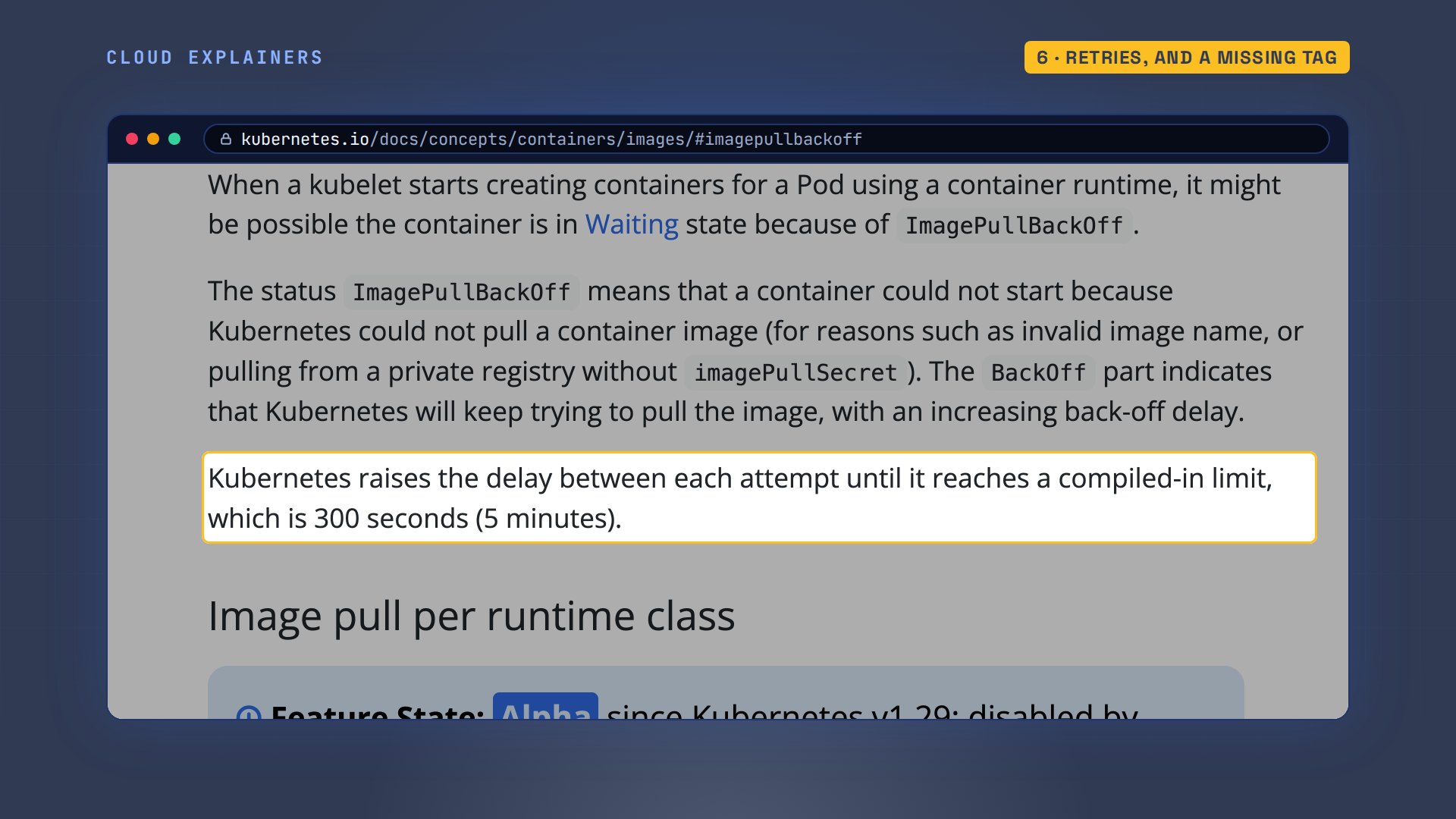
The Kubernetes docs say the same: back off means it keeps trying, with a delay that grows to three hundred seconds.
So what if the tag in the file was never pushed? Ana adds a fish taco: version one point one. She builds it, points the deployment at it, and forgets to push. The reason ends in not found: the registry has no image with that tag. She runs docker push, and does nothing else. 13 seconds later, at its next try, the waiting pod pulls it and runs.
docker build -q -t registry.taco.lan/menu:1.1 appsha256:1234e9c65c78
grep image: deployment.yamlimage: registry.taco.lan/menu:1.1
kubectl apply -f deployment.yamldeployment.apps/menu configured
kubectl describe pod menu-5dc898b969-nghgw | grep 'Failed to pull'Failed to pull image "registry.taco.lan/menu:1.1": rpc error: code = NotFound desc = failed to pull and unpack image "registry.taco.lan/menu:1.1": failed to resolve reference "registry.taco.lan/menu:1.1": registry.taco.lan/menu:1.1: not found
docker push -q registry.taco.lan/menu:1.1registry.taco.lan/menu:1.1
kubectl get podsNAME  READY  STATUS  RESTARTS  AGE
menu-5dc898b969-jws6s  1/1  Running  0  1s
menu-5dc898b969-nghgw  1/1  Running  0  15s
A typo in the registry's own name looks different. registy: the R before the Y is missing. The node can't even find that server: no such host. That points at the name, or at the node's network, if it can't look up the server's address.
grep image: deployment.yamlimage: registy.taco.lan/menu:1.1
kubectl describe pod menu-59cdd5b655-p994g | grep 'Failed to pull'Failed to pull image "registy.taco.lan/menu:1.1": failed to pull and unpack image "registy.taco.lan/menu:1.1": failed to resolve reference "registy.taco.lan/menu:1.1": failed to do request: Head "https://registy.taco.lan/v2/menu/manifests/1.1": dial tcp: lookup registy.taco.lan on 192.168.65.254:53: no such host
Built for another processor
Remember the failure with the right name, the right password, and an image that really exists? Here it is: version two. The name is right, the tag was pushed, the secret is in place. And it fails: no match for platform in manifest. The manifest is the image's list of builds, one for each type of processor. Ana built this one only for amd64: that's Intel and AMD processors. And her nodes are arm64, the kind of chip in Apple silicon Macs and many cloud servers. So the list has nothing these nodes can run.
docker buildx build -q --platform linux/amd64 -t registry.taco.lan/menu:2.0 --push appsha256:7b1015d5b64e
kubectl apply -f deployment.yamldeployment.apps/menu configured
kubectl describe pod menu-5ffd9bbb9f-mjhkr | grep 'Failed to pull'Failed to pull image "registry.taco.lan/menu:2.0": rpc error: code = NotFound desc = failed to pull and unpack image "registry.taco.lan/menu:2.0": no match for platform in manifest: not found
kubectl get nodes -L kubernetes.io/archNAME  STATUS  ROLES  AGE  VERSION  ARCH
taco-control-plane  Ready  control-plane  2m  v1.37.0  arm64
taco-worker  Ready  <none>  106s  v1.37.0  arm64
taco-worker2  Ready  <none>  106s  v1.37.0  arm64
The fix is to build for both. One image name holds a version for each processor, and every node pulls the one it can run. The waiting pods pick it up, and the menu says two point zero. It happens the other way round too: an image built only on an Apple silicon Mac is ARM only, and Intel nodes can't use it.
docker buildx build -q --platform linux/amd64,linux/arm64 -t registry.taco.lan/menu:2.0 --push appsha256:19dcf9617bda
kubectl get podsNAME  READY  STATUS  RESTARTS  AGE
menu-5ffd9bbb9f-k8xkp  1/1  Running  0  2s
menu-5ffd9bbb9f-mjhkr  1/1  Running  0  18s
kubectl exec deploy/menu -- wget -qO- 127.0.0.1:8080Ana's Tacos, menu 2.0
1. Carnitas
2. Al pastor
3. Black bean
4. Fish
served by menu-5ffd9bbb9f-mjhkr
Recap
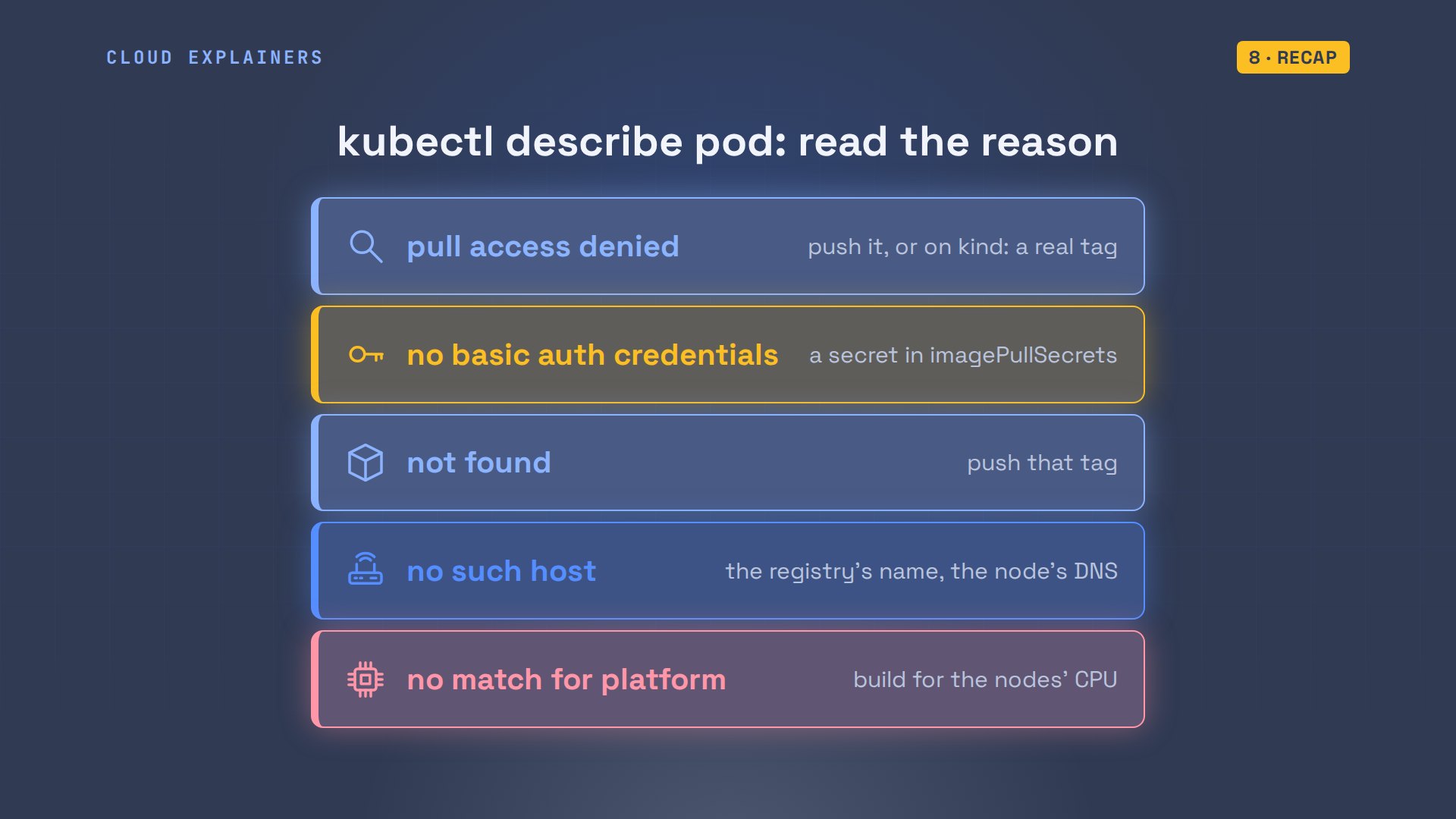
Read the reason. Pull access denied: push the image, or on kind, load it with a real tag. No basic auth: add a pull secret. Not found: push the tag. No such host: check the name. No match for platform: build for the nodes.
If your pods are running again, a like helps the next stuck beginner find this, and subscribing brings more fixes like this one, run on a real cluster.
Every error in this video came from a real cluster, and every command and the lab files are linked in the description. Thanks for watching Cloud Explainers.
Sources
Demos: a container on our own Mac standing in for a laptop, running a real kind cluster and our own private registry; the taco truck is made up. Every error was the real cluster's. Watch the full video on YouTube.
More videos
How to Fix Python ModuleNotFoundError: No Module Named
Golang Pointers in 5 Minutes
How to Fix a Kubernetes Pod Stuck in CrashLoopBackOff
How to Fix a Homelab ESXi Host Not Responding
PostgreSQL: Full Tutorial for Beginners
How a Load Balancer Works with HAProxy

How Python Virtual Environments Work
How to Fix Cloudflare Tunnel Errors in a Homelab
How to Fix API CORS Errors: No 'Access-Control-Allow-Origin'
How Authenticator App Login Codes Work (TOTP)
Git and GitHub: Full Tutorial for Beginners
How a Homelab Hypervisor Works (VMware ESXi)
How to Fix DNS 'Temporary Failure in Name Resolution' on Linux
How to Fix AWS CLI 'Unable to Locate Credentials'
Proxmox vs ESXi for Your Homelab: When Each One Wins
PostgreSQL UUID vs Auto Increment: Which Primary Key Should You Use?
Kubernetes: Full Tutorial for Beginners
How TCP Sockets Work
How to Fix PostgreSQL 'Could Not Connect to Server'
Claude Code Hooks Will Finally Make Sense After This
DevOps with Ansible Will Finally Make Sense After This
How SNMP Network Monitoring Works
How to Fix GitHub 'Permission Denied (publickey)' Errors
Docker: Full Tutorial for Beginners
How to Fix PostgreSQL 'Password Authentication Failed'
Why One Linux Server Handles More Users Than You Think
How to Fix Network 'Connection Refused' Errors
DevOps Pipelines: Jenkins vs GitHub Actions
Linux Nginx Reverse Proxy: Full Tutorial for Beginners
Every Networking Term a Beginner Needs in 12 Minutes
How to Fix Docker 'Permission Denied' on docker.sock
How to Fix Git 'Updates Were Rejected' When You Push
How to Fix nginx 502 Bad Gateway Errors on Linux
How to Fix Linux apt 'Could Not Get Lock' Errors (Ubuntu)
How Email Works on the Internet (SMTP) in 10 Minutes
The Python Roadmap for Beginners
Golang REST API with Gin: Full Tutorial for Beginners
How a WireGuard VPN Network Works
Linux Makefiles Will Finally Make Sense After This
SAML vs OAuth vs OpenID Connect: What's the Difference?
How to Fix Python cron Jobs That Never Run
Linux Bash Scripting: Full Tutorial for Beginners
How PXE Network Boot Works
How Active Directory Works
How to Fix a Linux systemd Service That Won't Start
Linux Logs: syslog vs journald
JWT vs Session Cookies: Which One Should You Use?
Docker vs Docker Compose: Which One Should You Use?
How to Fix Docker Compose Containers That Can't Talk to Each Other
Django Full Tutorial for Beginners
How Linux systemd Works

How to Fix 'Windows Cannot Access' Network Share Errors (SMB)
REST vs gRPC: Which One Should You Use?
How to Fix SSL Certificate Chain Errors (Missing Intermediate)
Every Python Concept for Beginners in 10 Minutes
Every SQL Join Type in 10 Minutes
Why OpenRouter Free Models Hit Their Limit So Fast
Why Your Gemini API Free Tier Runs Out So Fast
OpenRouter Will Finally Make Sense After This
How Redis Caching Works
Gemini API vs Vertex AI: Which One Should You Use?
How to Fix a Leaked Gemini API Key
Why Golang Uses Goroutines Instead of Threads
How to Fix Gemini API Error 429: Resource Exhausted
Claude Token Pricing Will Finally Make Sense After This
Why Python Web Scraping Returns Nothing (and the Fix)
Python uv vs pip: Which One Should You Use?
Python Automation: Full Tutorial for Beginners
How OAuth Login Works

Google AI Studio Will Finally Make Sense After This
What Happens When You Run a Docker Container
How to Fix Claude Code Billing Your API Key Instead of Your Plan
Why Passkeys Can't Be Phished Like Passwords
PowerShell vs Bash: Which One Should You Learn?
The Linux Roadmap for Beginners
Django vs FastAPI: Which One Should You Use?
Why SQLite Is the Most Used Database in the World
How a NoSQL Database Like MongoDB Works
How to Fix Python pip error: externally-managed-environment
How to Fix MySQL Too Many Connections Database Errors
Golang Concurrency Will Finally Make Sense After This
How Amazon S3 Works
How Kubernetes Works
How Git Works
How to Fix Docker Port Already Allocated Errors
How PostgreSQL Works
How to Fix Git Merge Conflicts
How to Fix No Space Left on Device in Linux
How the Internet Works
SQL vs NoSQL: When Each One Wins
How to Fix JWT Token Expired Errors (401 Unauthorized)
Claude API vs Claude Pro: Why Your Subscription Doesn't Include It
Why AI Agent Skills Beat Giant Prompts

Linux Cron Jobs Will Finally Make Sense After This
Security Logs Will Finally Make Sense After This
How to Fix a Security Leak: An API Key Pushed to GitHub
DNS Will Finally Make Sense After This
Never Ignore a Security Update
Two-Factor Authentication Will Finally Make Sense
Never Expose a Database to the Internet
SSH Keys vs Passwords: Which Is Safer for Security?
The 5 Levels of Linux Boot: From Power On to Login
The 5 Levels of Network Firewalls
Password Security: Why Hackers Crack Weak Passwords
Why Your Linux Server Runs Out of Memory
HTTP vs HTTPS: What Actually Changes on Your Network
Every Linux File Permission You Need to Know
Linux Processes vs Threads: When Each One Wins
The OSI Model Will Finally Make Sense After This
The 7 Levels of Git
Every Network Troubleshooting Command You Need
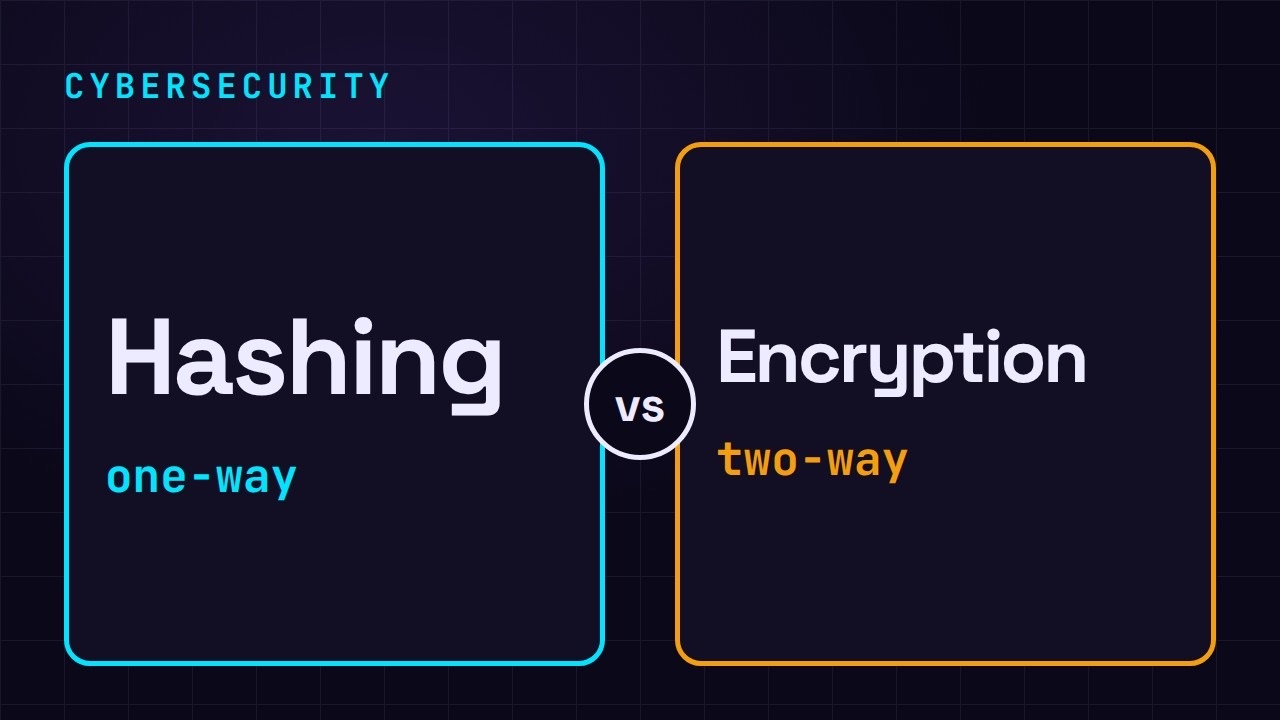
Hashing vs Encryption in Cybersecurity: When Each One Wins
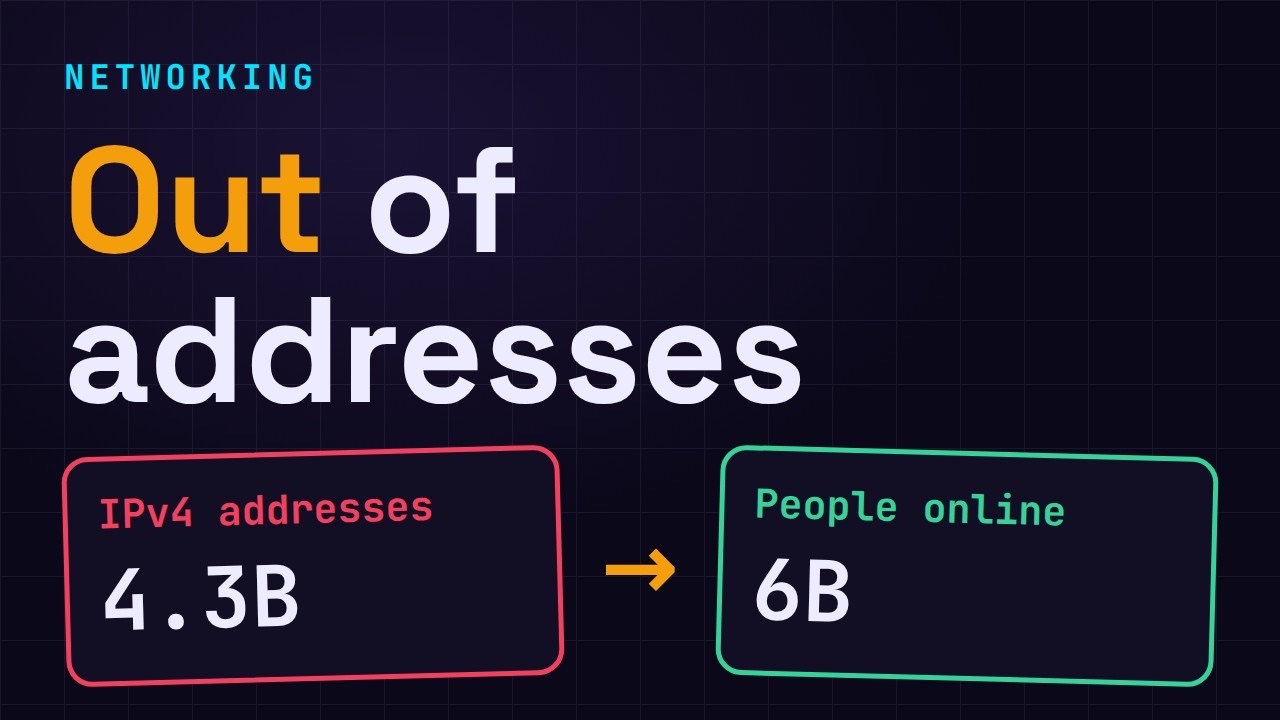
Why the Internet Ran Out of IP Addresses
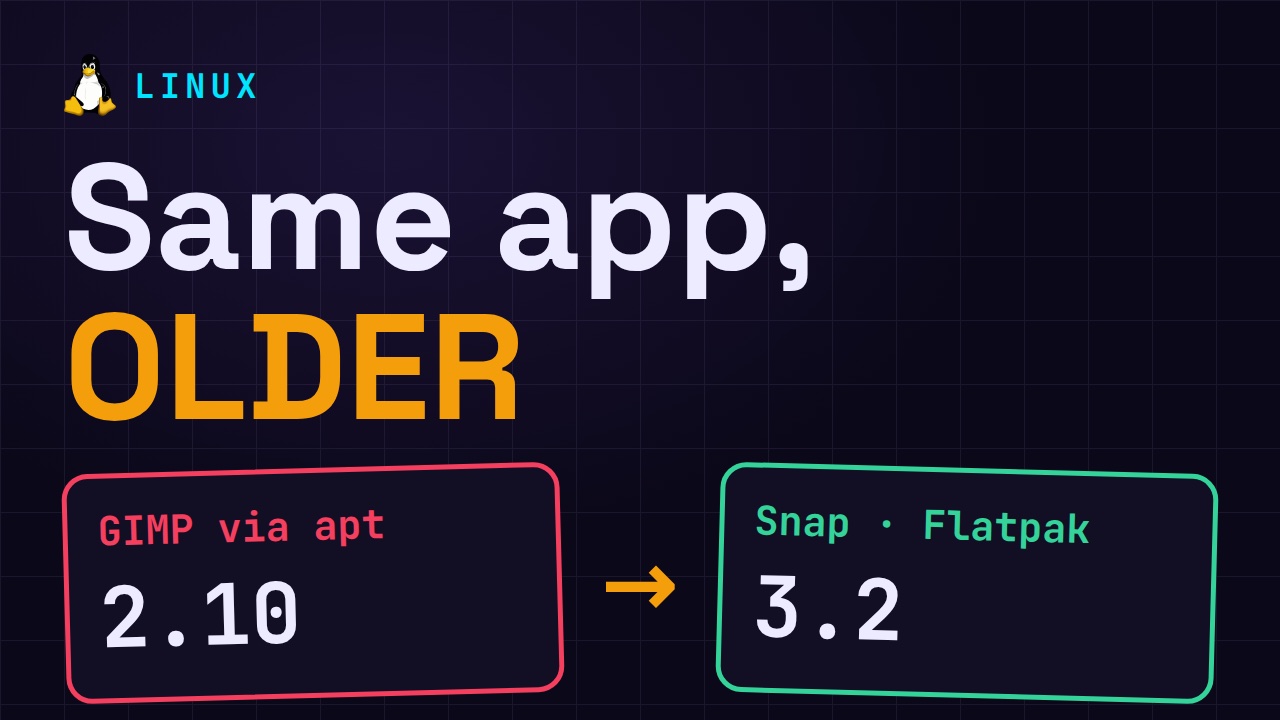
Linux Package Managers: apt vs Snap vs Flatpak
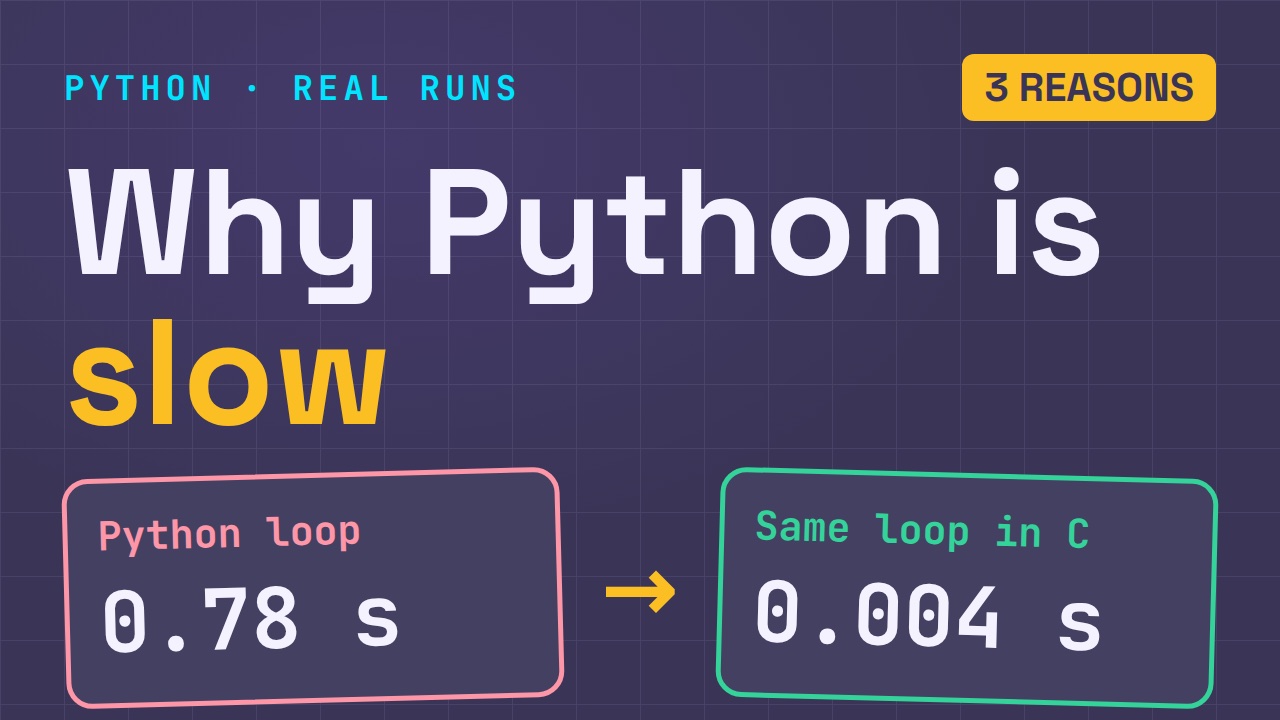
Why Python Is Slow (and When It Doesn't Matter)
TCP vs UDP: When Each One Wins
Stop Running Linux as Root (Do This Instead)
Linux Users and Groups Will Finally Make Sense
Why Phishing Beats Good Security (and How to Spot It)
The 7 Levels of Docker
AI Agents Will Finally Make Sense After This
Stop Using git push --force (Use This Instead)
Agent Skills vs MCP: When Each One Wins
Networking Will Finally Make Sense After This
Every Linux Command You Actually Need
The 7 Levels of Cybersecurity
Every System Design Concept You Need, in One Diagram