
Why Python Is Slow (and When It Doesn't Matter)
Why Python is slower than C, measured: the interpreter, every number being an object, and the GIL. Then how real Python code goes fast (built-ins, NumPy, PyPy, processes), and why for code that mostly waits, like most web apps, Python's speed barely matters.
The problem
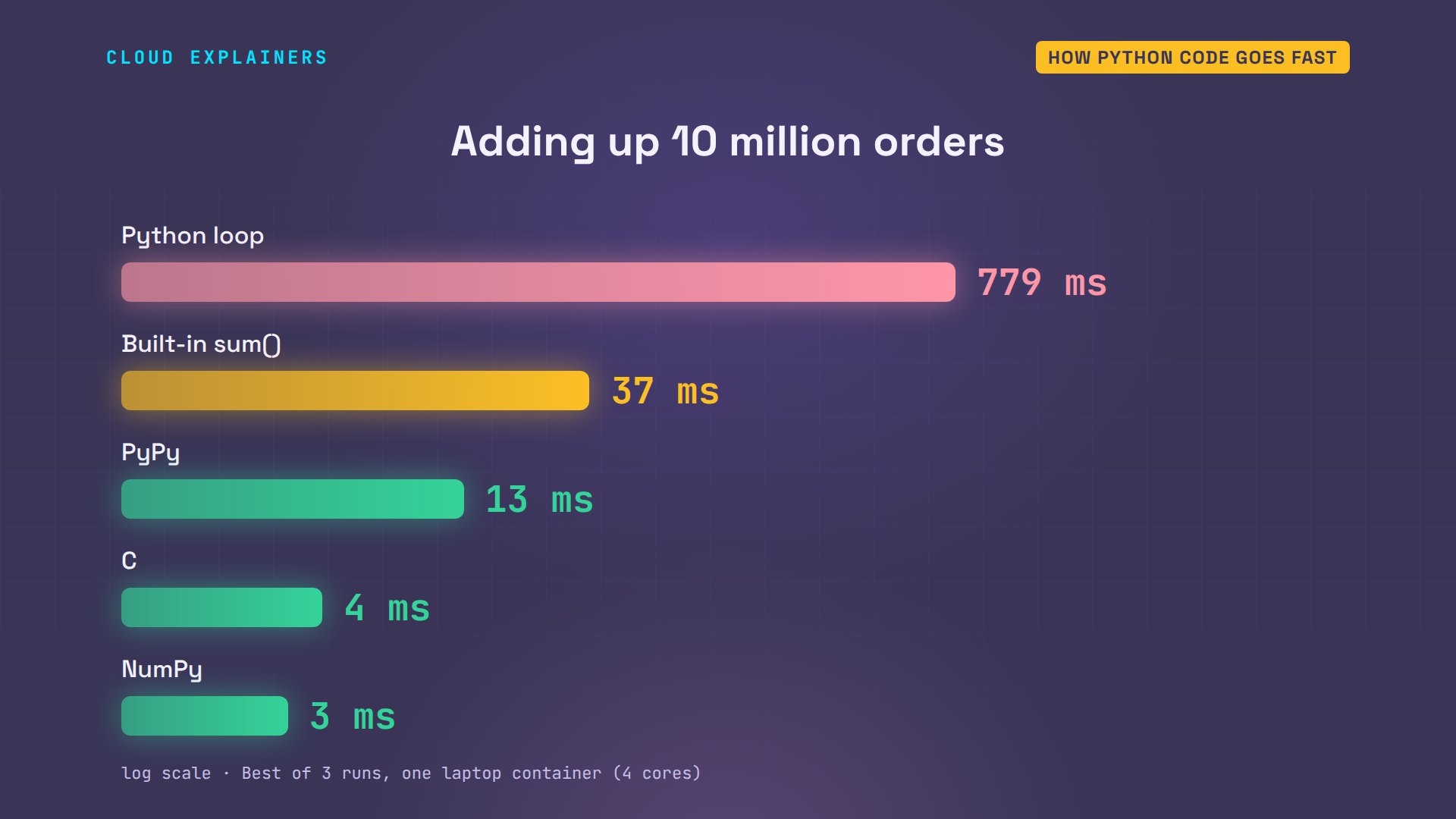
Why is Python slow, and when does it actually matter? Ana runs a small online coffee shop, and she wants the total of ten million orders. A plain Python loop takes about eight tenths of a second. The same loop in C takes four thousandths. That's about 195 times faster.
python3 loop.pyorders: 10,000,000
total:  245,000,000 dollars
python loop: 0.779 s
gcc -O2 -o loop loop.c
./looptotal:  245000000 dollars
C loop: 0.0040 s
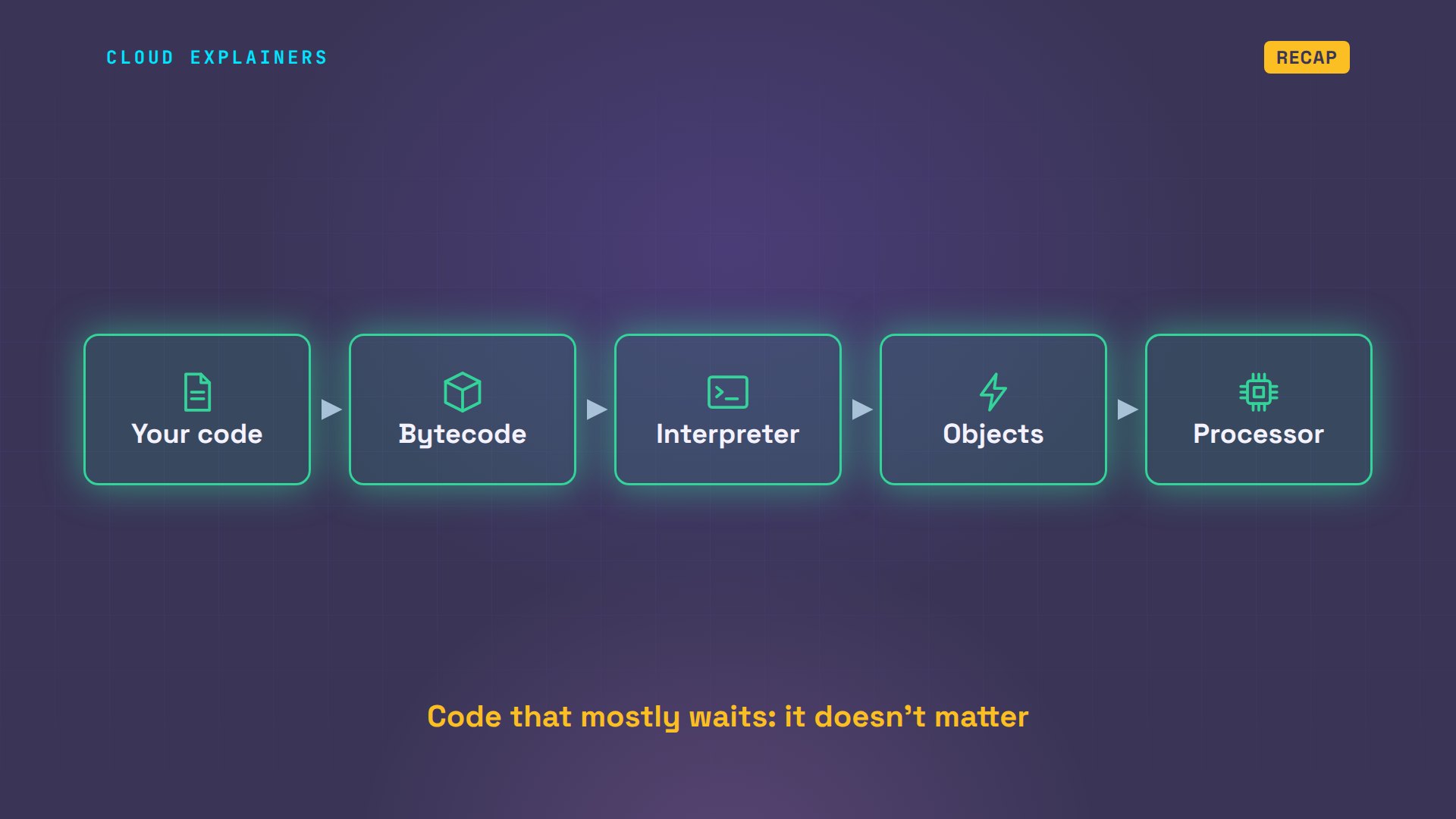
Same computer, same total, same idea. So where does the time go? Here's how Python runs a line of code. Your code becomes bytecode. The interpreter reads it. It works on objects, and finally the processor does the math. We'll find three reasons along this path, see how real programs get around them, and why, for most of Ana's coffee shop, it doesn't matter at all.
Reason 1: the interpreter
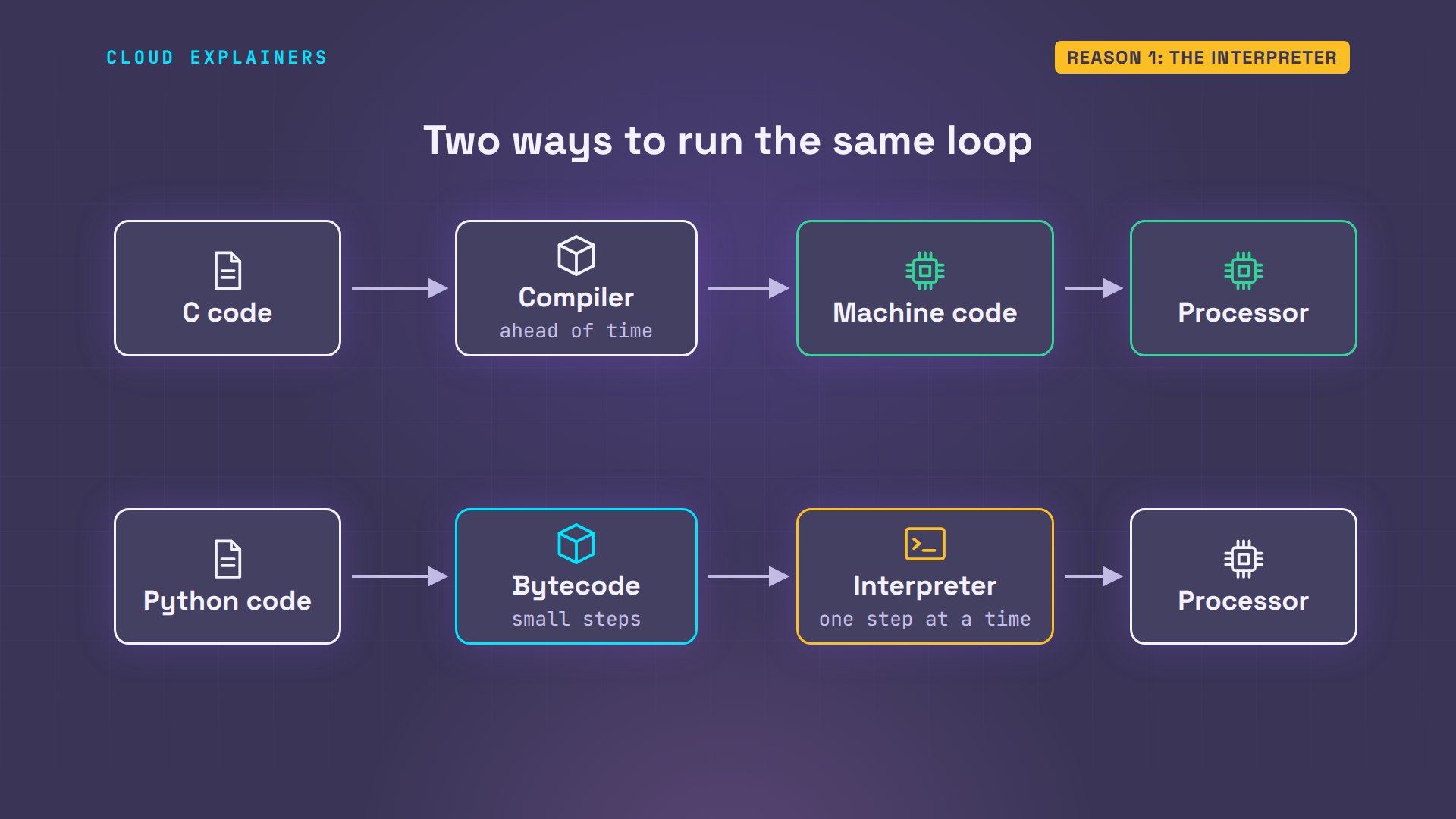
Reason one is how the code runs. A C program is compiled ahead of time: a compiler turns it into machine code, the instructions your processor runs directly. Python works differently. It first turns your code into bytecode, a list of small, simple steps. Then a program called the interpreter reads those steps, one at a time, and carries out each one.
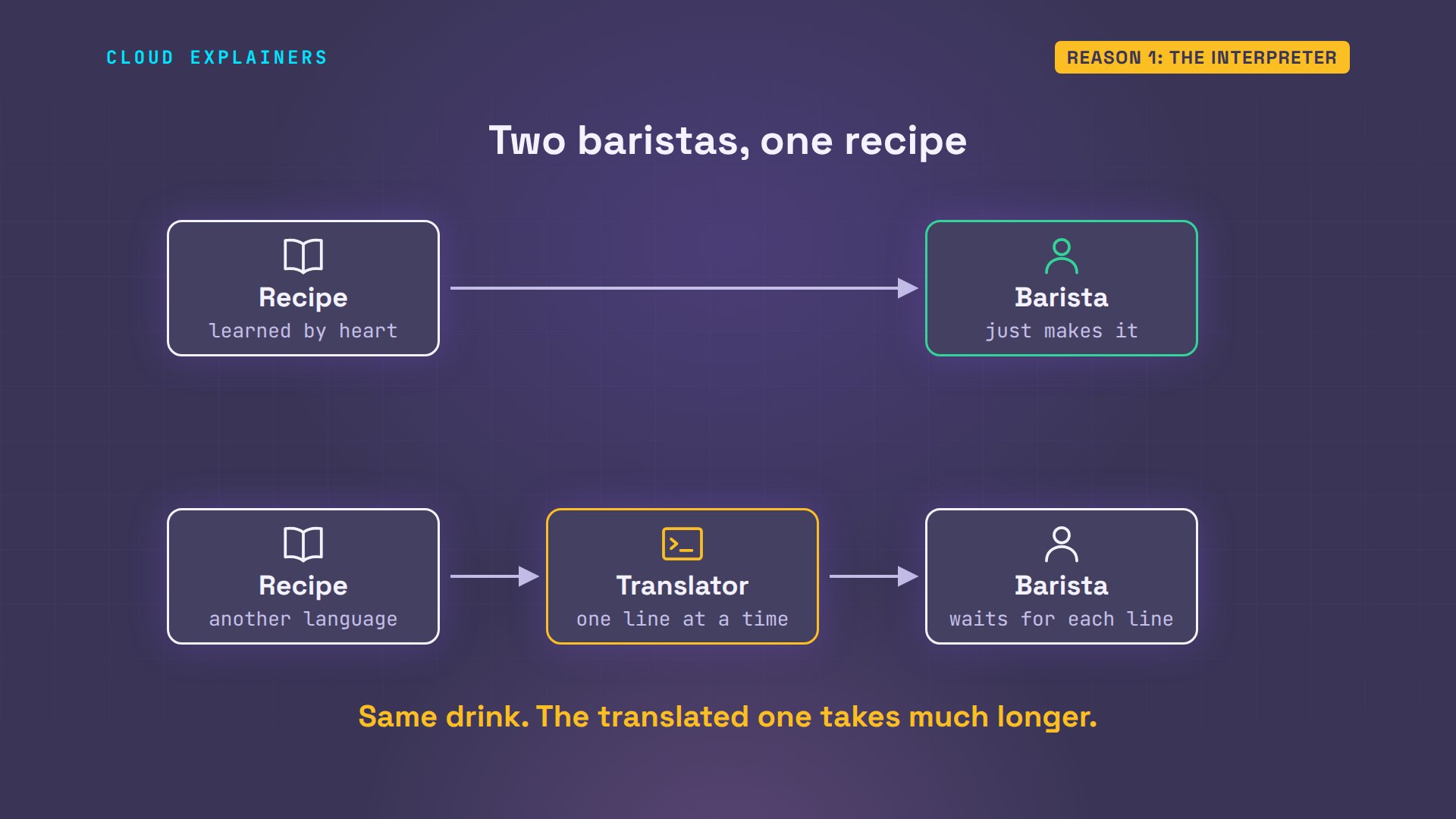
Think of Ana's coffee bar. A compiled program is a barista who learned the recipe by heart: they just make the drink. An interpreted program is a barista who gets the recipe in another language, with a translator reading it out one line at a time, every time, even for the hundredth latte of the day. Both drinks come out the same. One takes much longer.
Here are the real steps for one line of Ana's loop: total plus equals p. Load the two values. Add them. Store the result. For every step, the interpreter fetches the instruction, checks what it's working with, and jumps to the code that handles it. That's extra work around every addition, ten million times. In C, the addition is just a few processor instructions.
python3 bytecode.py3 RESUME 0 4 LOAD_FAST_LOAD_FAST 1 (total, p) BINARY_OP 13 (+=) STORE_FAST 0 (total) 5 LOAD_FAST 0 (total) RETURN_VALUE
Reason 2: everything is an object
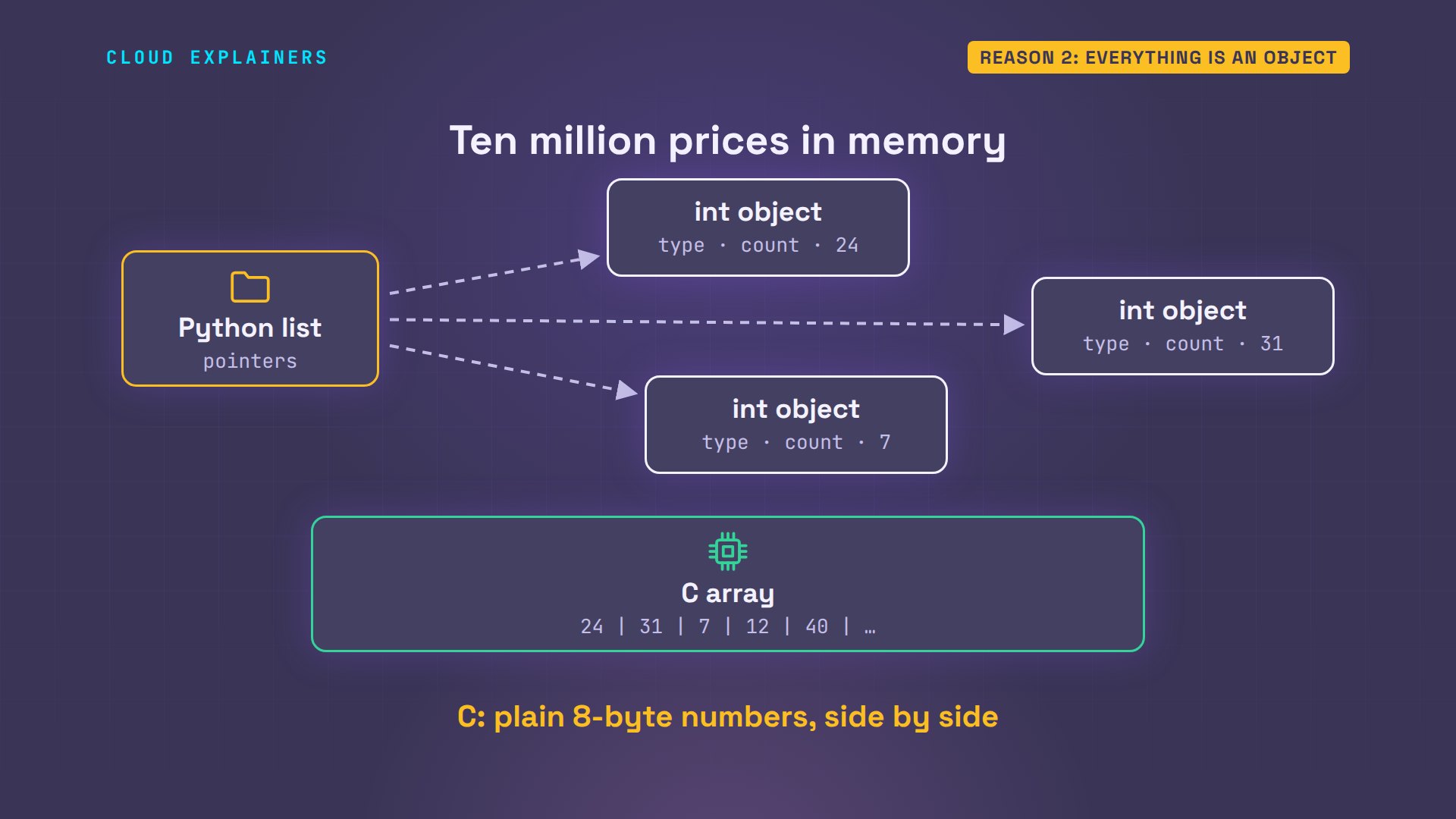
Reason two is about memory. In Python, even the number 42 is a full object. Besides the value, it carries its type, and a counter Python uses to know when the object can be freed. Twenty-eight bytes in all. In C, the same number takes eight.
python3 sizes.pyvalue:          42
type:           int
size in memory: 28 bytes
same number in C (long long): 8 bytes
And Ana's list of ten million prices doesn't hold the numbers themselves. It holds ten million pointers: addresses of number objects stored somewhere else in memory. So for every order, Python follows the pointer, checks the object's type, finds out how that type adds, and makes a new object for the running total. A C array is just the numbers, side by side, so the processor can stream straight through them.
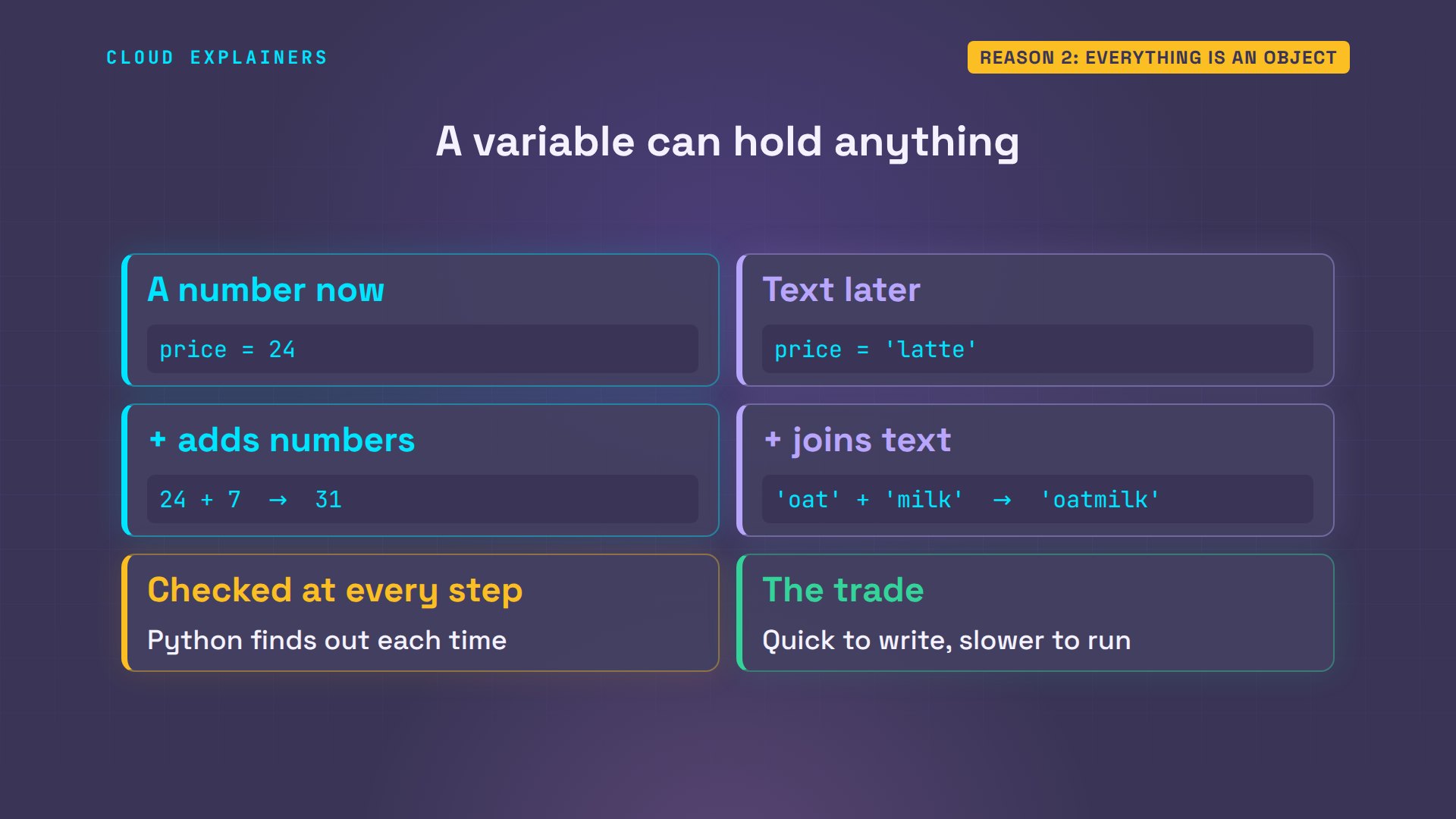
Why check the type every time? Because a Python variable can hold anything. A number now, text later. And plus means different things for each: add the numbers, or join the text. Python can't know ahead of time which one it'll get, so it finds out at every single step. That flexibility is what makes Python quick to write, and slower to run.
Reason 3: the GIL
Reason three is the global interpreter lock, or GIL. A thread is one line of work inside a program, like one barista in Ana's coffee bar. The lock is like a single cash register: in standard Python, only the thread holding it can run Python code. The others wait their turn. The lock keeps Python's memory bookkeeping simple and safe, but it means more threads don't make heavy number crunching any faster.
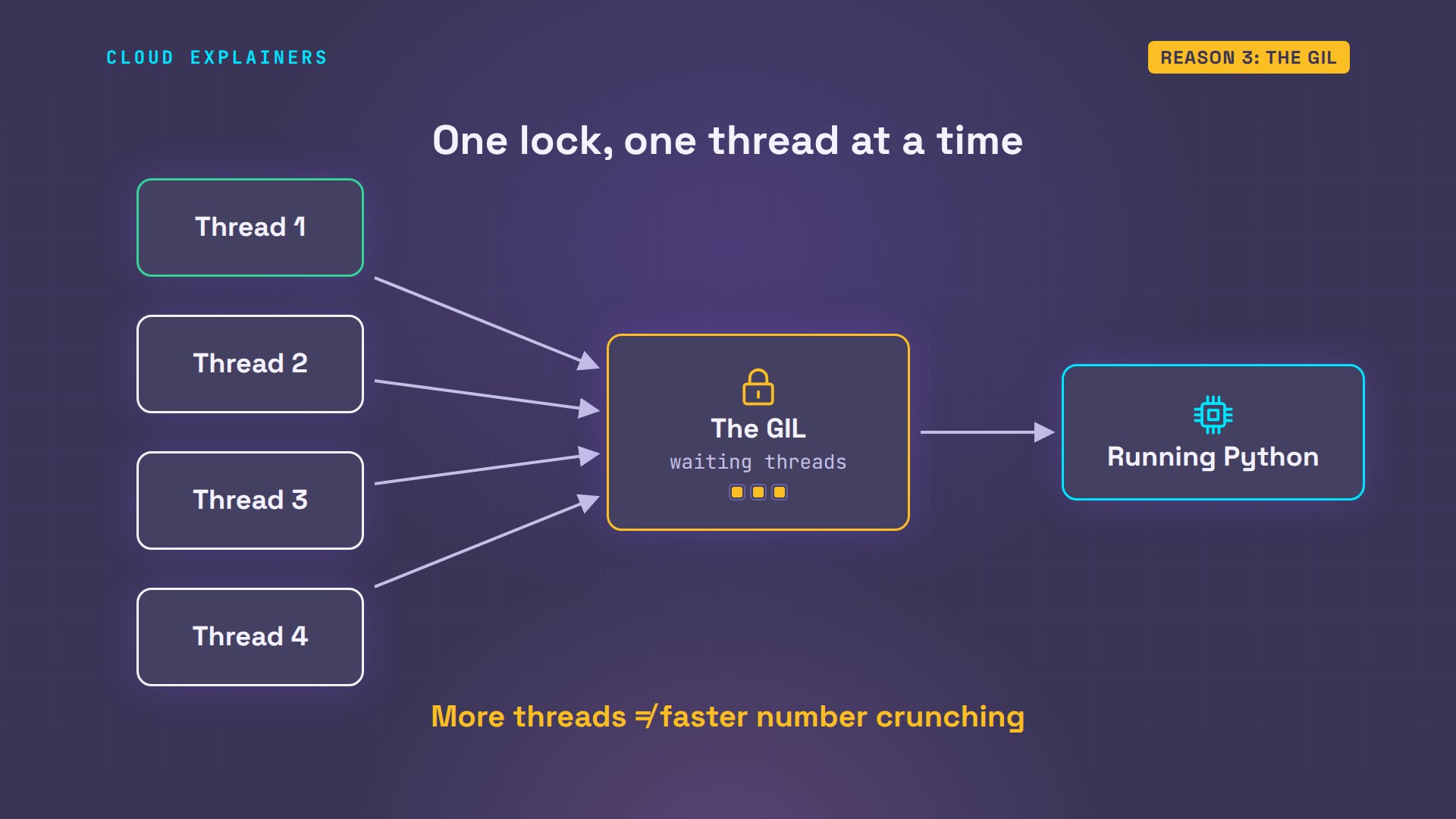
Let's measure it. The laptop has four processor cores, four workers inside the chip, and we split one counting job four ways. One thread: about eight tenths of a second. Four threads: about nine tenths, slightly slower. Now four processes. A process is a separate running copy of the program, with its own interpreter and its own lock: two tenths of a second, about four times faster.
python3 threads.py1 thread:    0.81 s
4 threads:   0.92 s
4 processes: 0.20 s
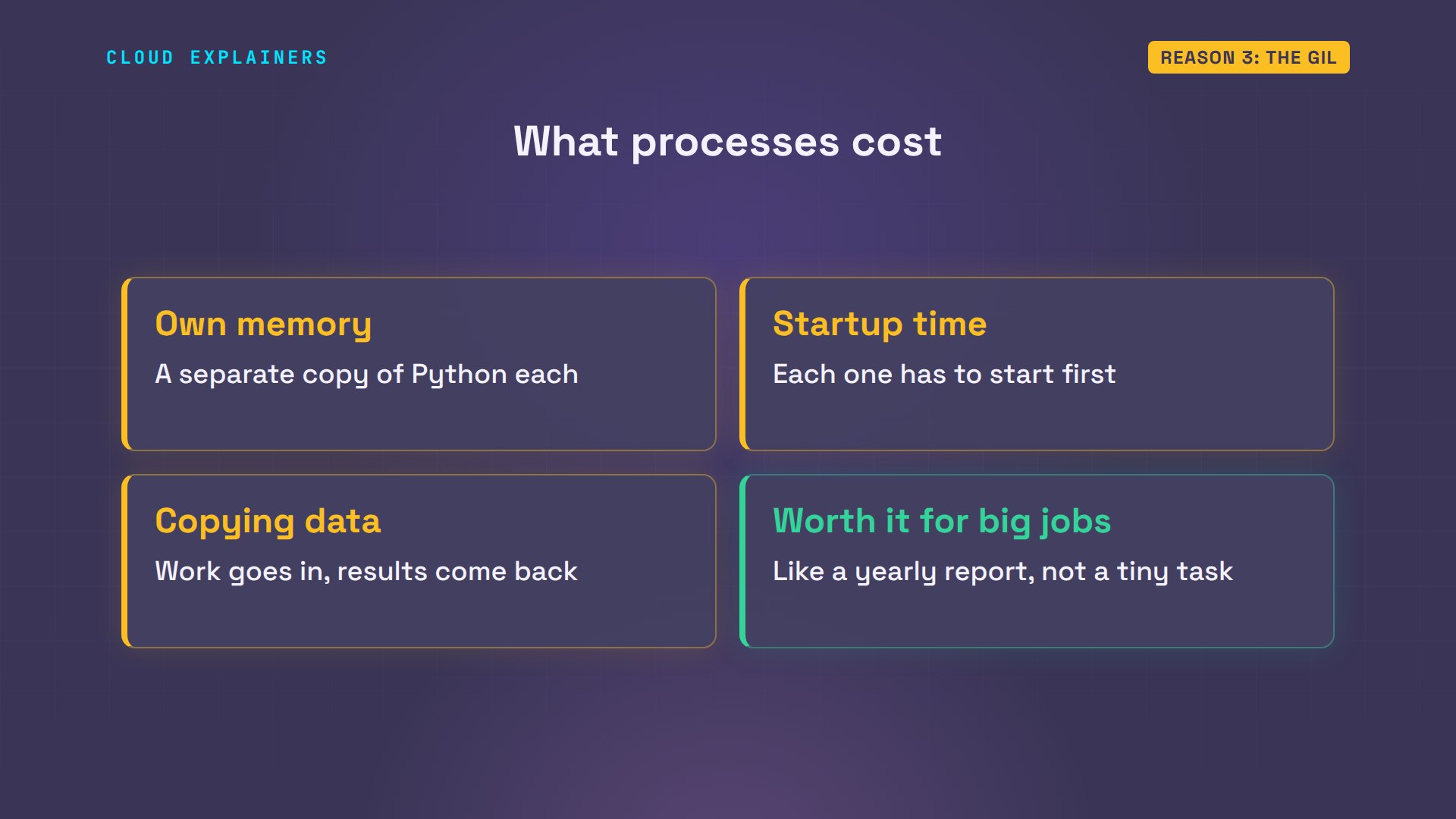
Processes aren't free, though. Each one is a separate copy of Python with its own memory, it takes time to start, and the data has to be copied between them. So processes pay off for big jobs, like Ana's yearly report, not for tiny ones.
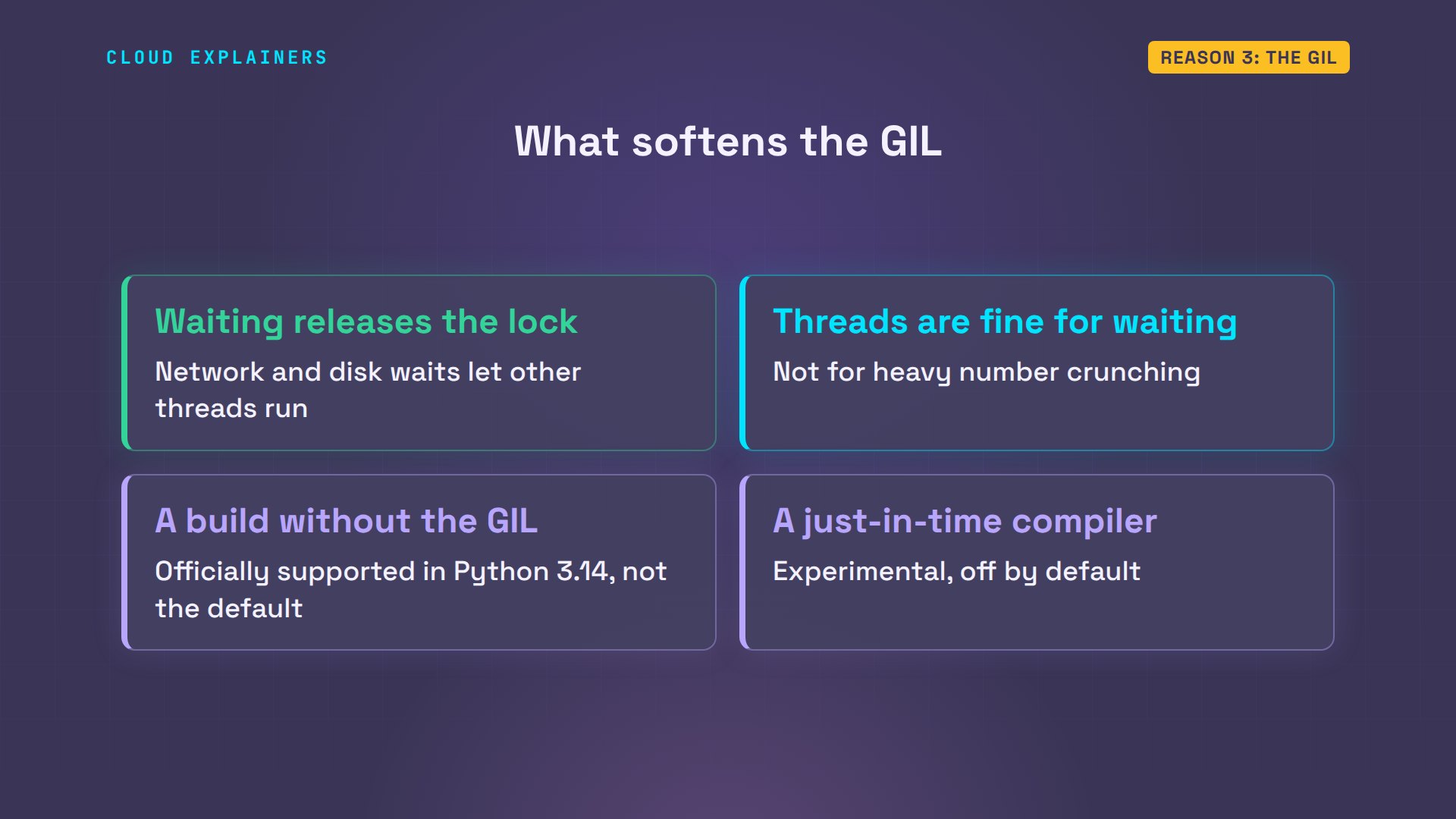
Two things soften this. Waiting doesn't count: while a thread waits for the network or a disk, it lets go of the lock, so threads are fine for waiting. And Python itself is changing. Python 3.14 made a build without the GIL officially supported, though it isn't the default yet, and newer versions include an experimental just-in-time compiler, which turns busy parts of the bytecode into machine code while the program runs.
How Python code goes fast
So how do real Python programs go fast? Mostly, by not looping in Python. Python's built-in sum runs the same loop inside the interpreter's own C code: about twenty times faster. NumPy, the most popular add-on library for numbers, goes further. It stores the prices like C does, as plain eight-byte numbers side by side: about three thousandths of a second.
python3 builtin.pytotal:  245,000,000 dollars
built-in sum(): 0.037 s
python3 numpy_sum.pytotal:  245,000,000 dollars
numpy sum: 0.0032 s
Or change the interpreter. PyPy is another Python, with a just-in-time compiler: it watches which loops run often, and turns them into machine code while the program runs. Ana's loop file, unchanged: thirteen thousandths of a second, about 60 times faster than standard Python.
pypy3 loop.pyorders: 10,000,000
total:  245,000,000 dollars
python loop: 0.013 s
Here are all five, side by side, on a scale where each line is ten times more than the last. The plain loop, built-in sum, PyPy, C, and NumPy. The fast ones all do the same thing: they take the per-step work out of the loop, and let machine code do the adding.
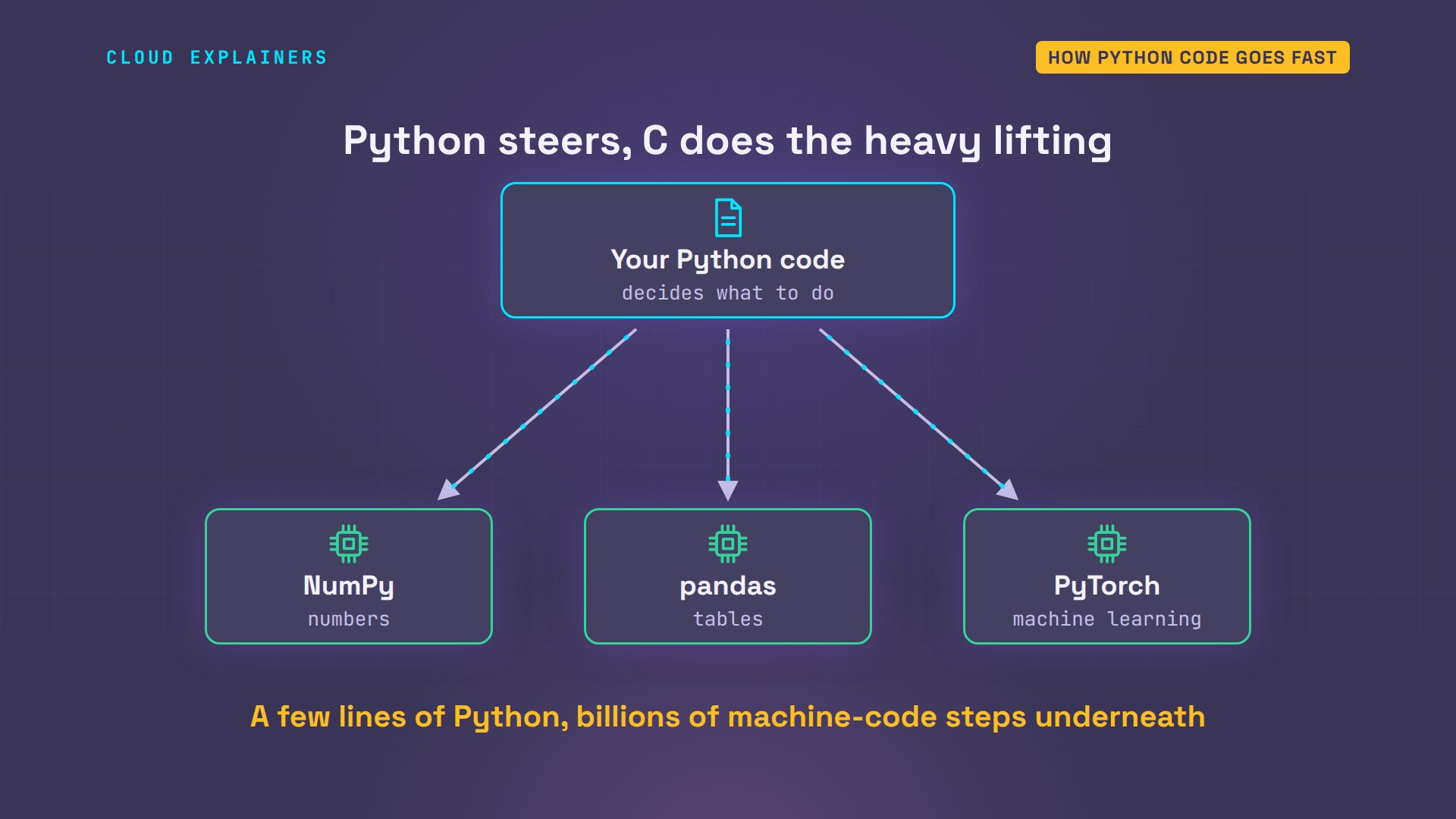
That's how most heavy Python code works. Python is the steering wheel: it decides what to do. Libraries written in C or C plus plus are the engine: NumPy for numbers, pandas for tables, PyTorch for machine learning. The slow interpreter runs a few lines, and the fast engine does billions of steps underneath.
When it doesn't matter
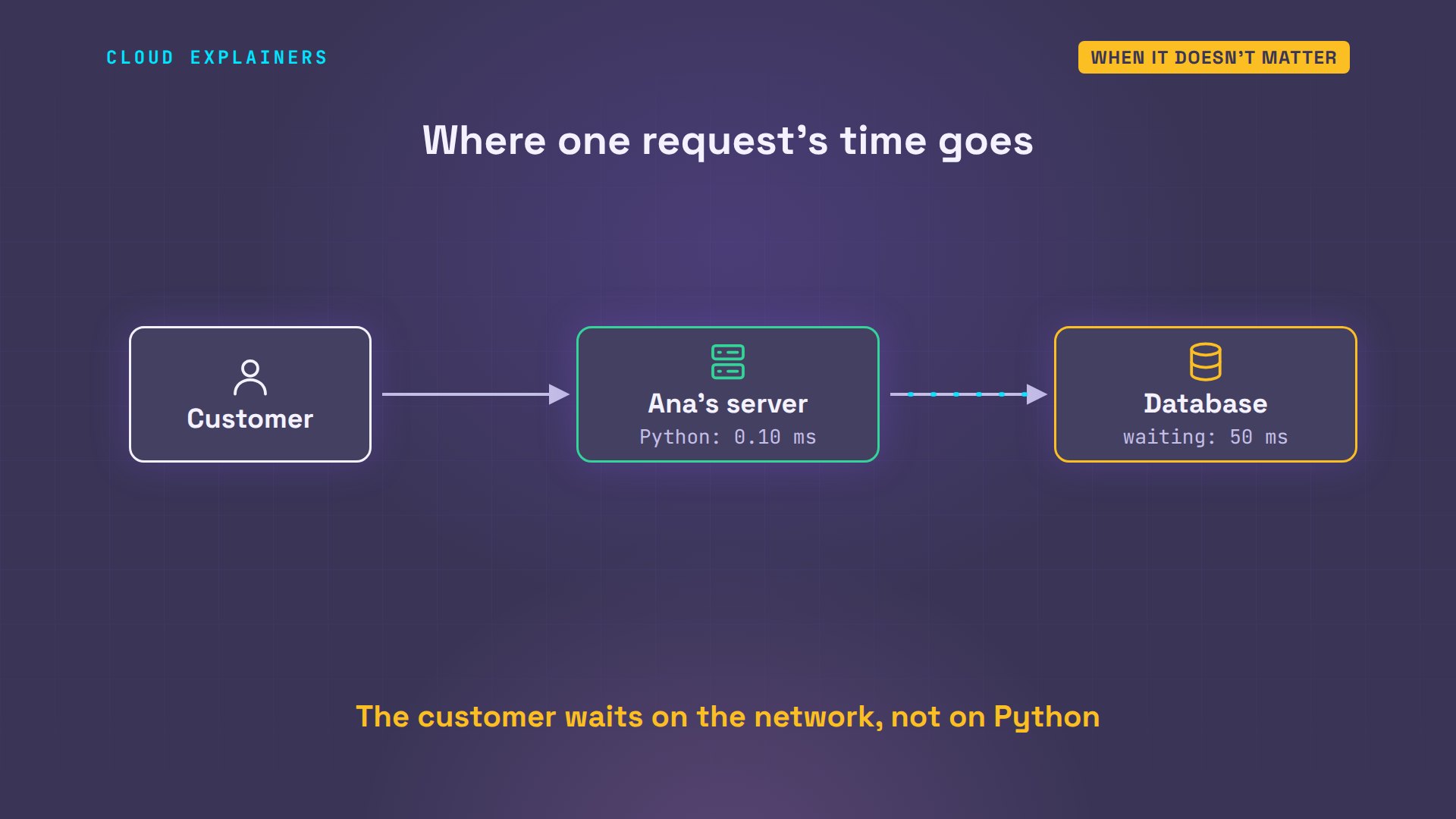
Now the most important part. Most of Ana's coffee shop is a website. When a customer opens their orders page, the server asks the database, and waits for the answer. In our test, we made the database fifty milliseconds away, like a server across a network. Waiting: fifty milliseconds. Python running: one tenth of a millisecond. Python's own code is two tenths of one percent of the time.
python3 web_request.pywaiting for the database: 50.2 ms
python code running:      0.10 ms
share of time in python:  0.2%
So picture the request. The customer asks. The server passes the question to the database, and almost all the time goes into that trip and the wait. Make Python ten times faster, and this page still loads in about fifty milliseconds. The customer is waiting on the network, not on Python.
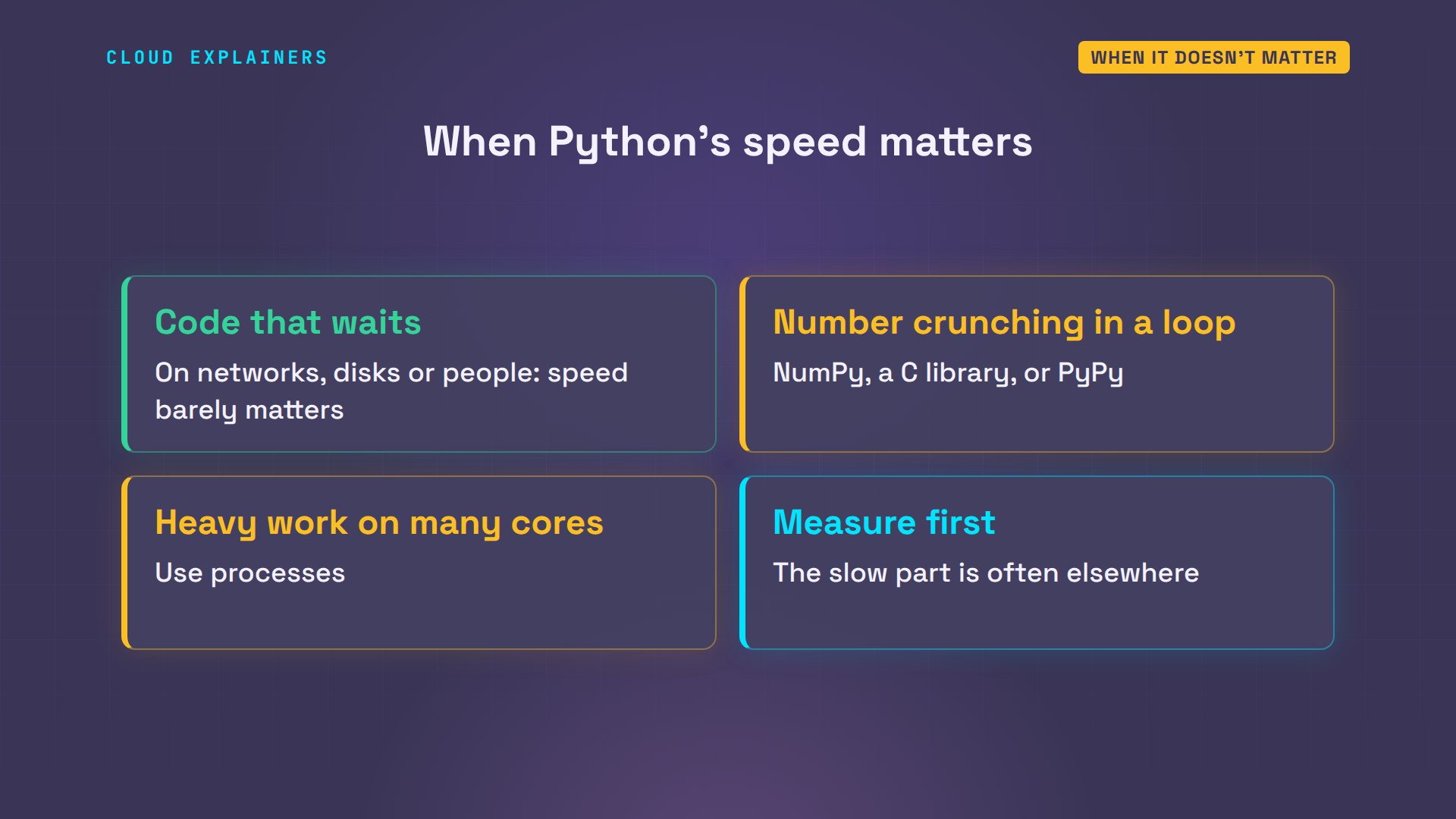
So here's the rule of thumb. Code that waits on networks, disks or people? Python's speed barely matters. Number crunching in a loop? Use NumPy or another library written in C, or try PyPy. Heavy work on many cores? Use processes. And measure before you change anything: the slow part is often not where you'd guess.
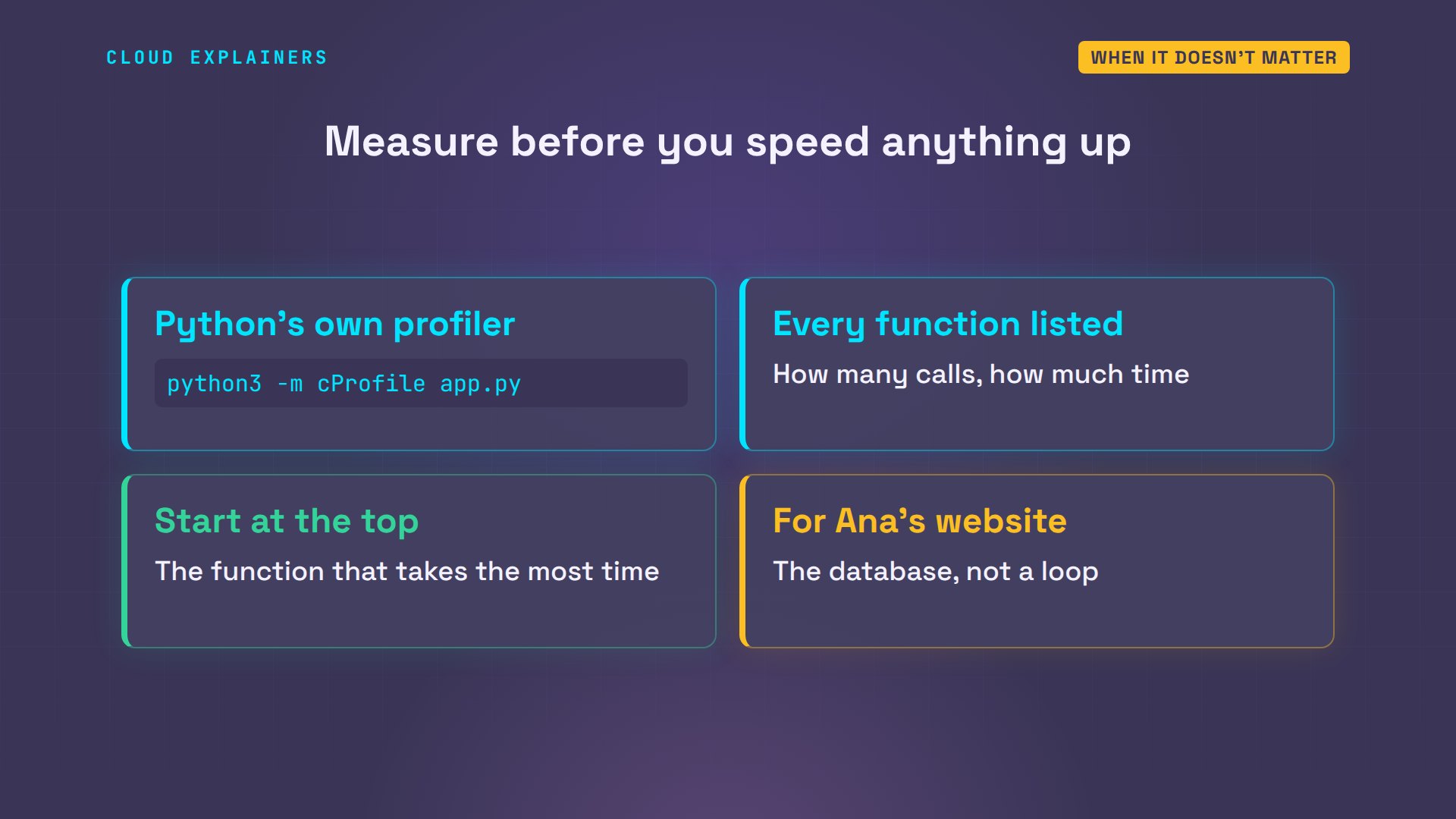
How do you measure? Python comes with a profiler called c Profile. Run your program through it, and it lists every function with how many times it ran and how long it took. Start with the function at the top of that list. For Ana's website, it would point at the database, long before any Python loop.
Recap
So, why is Python slow? The interpreter does extra work around every step. Every number is a full object, checked at every step. And the GIL lets one thread run Python at a time. Real programs go fast by moving loops into C, with built-ins and the NumPy library, or with PyPy and processes. And for code that mostly waits, like Ana's website, it doesn't matter.
Which part of your own code do you think is the slowest? Measure it, then tell me in the comments what you found.
Sources
Demos: real runs on one test container; the database round trip is simulated with a 50 ms wait. Watch the full video on YouTube.
More videos
TCP vs UDP: When Each One Wins

Stop Running Linux as Root (Do This Instead)

Linux Users and Groups Will Finally Make Sense

Why Phishing Beats Good Security (and How to Spot It)
The 7 Levels of Docker

AI Agents Will Finally Make Sense After This
Stop Using git push --force (Use This Instead)
Agent Skills vs MCP: When Each One Wins

Networking Will Finally Make Sense After This

Every Linux Command You Actually Need

The 7 Levels of Cybersecurity

Every System Design Concept You Need, in One Diagram
