Every PostgreSQL Setting to Change After You Install It
After you install PostgreSQL, eight settings decide whether your app can connect, how it uses your server's memory, and whether one forgotten transaction can freeze your page. On a real Ubuntu server (4.0Gi of memory, PostgreSQL 16.15) we change each one with ALTER SYSTEM, show which need a restart, and measure the difference: a sort that spills to disk, an index build, a slow query in the log, and a locked row released by a timeout.
Over 350 settings
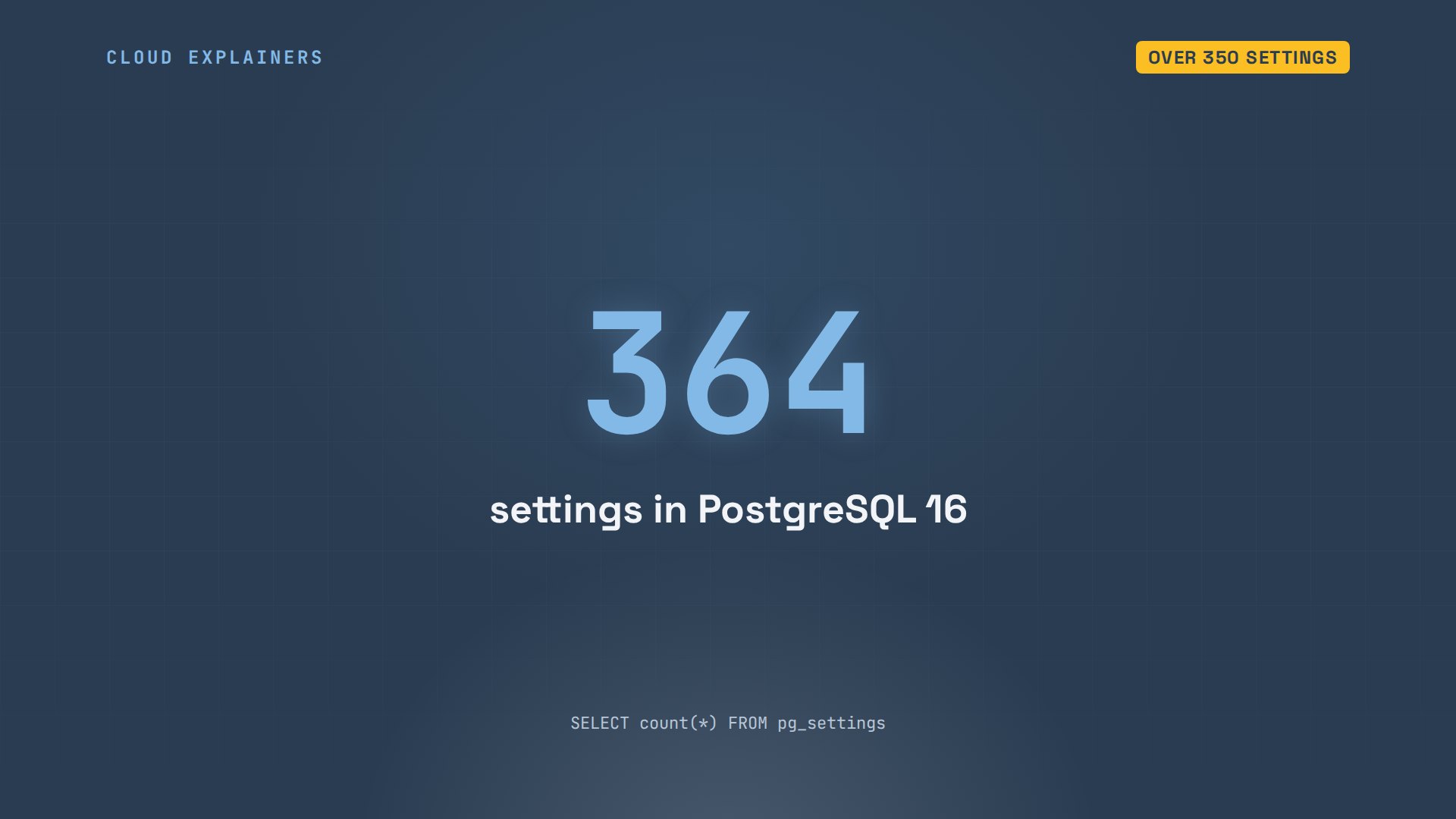
You've installed PostgreSQL, and it works, but its settings are sized for a tiny test machine. PostgreSQL 16 has 364 settings. You don't need to touch them all. You need to change eight. Leave them alone, and your app can't connect, big queries crawl, and one forgotten transaction can freeze every order.
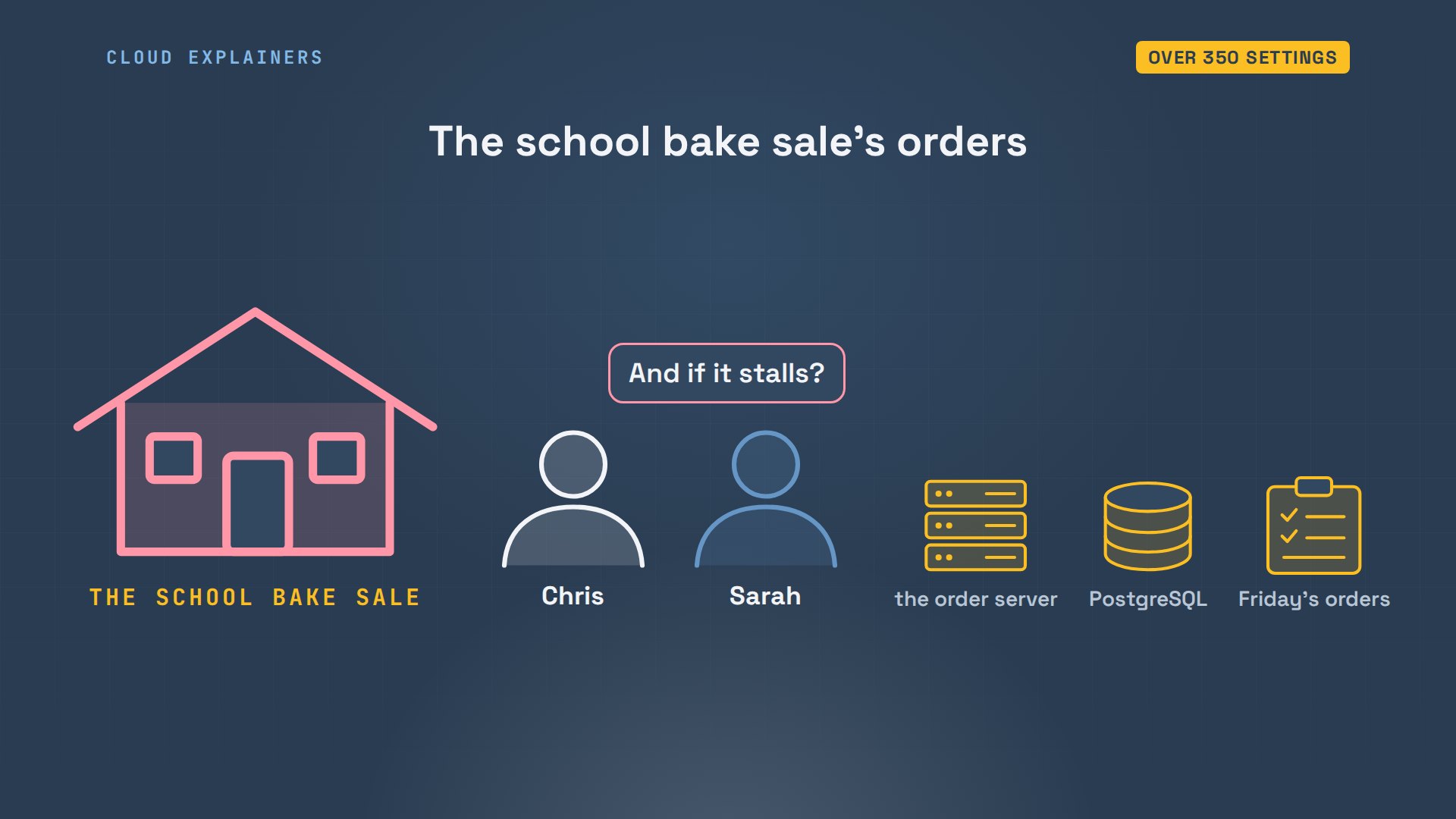
Chris runs the online orders for his school's bake sale, and Sarah, the treasurer, checks them from the same small server. Orders open Friday at eight, and if the database stalls, Friday's orders stall with it.
How a setting changes
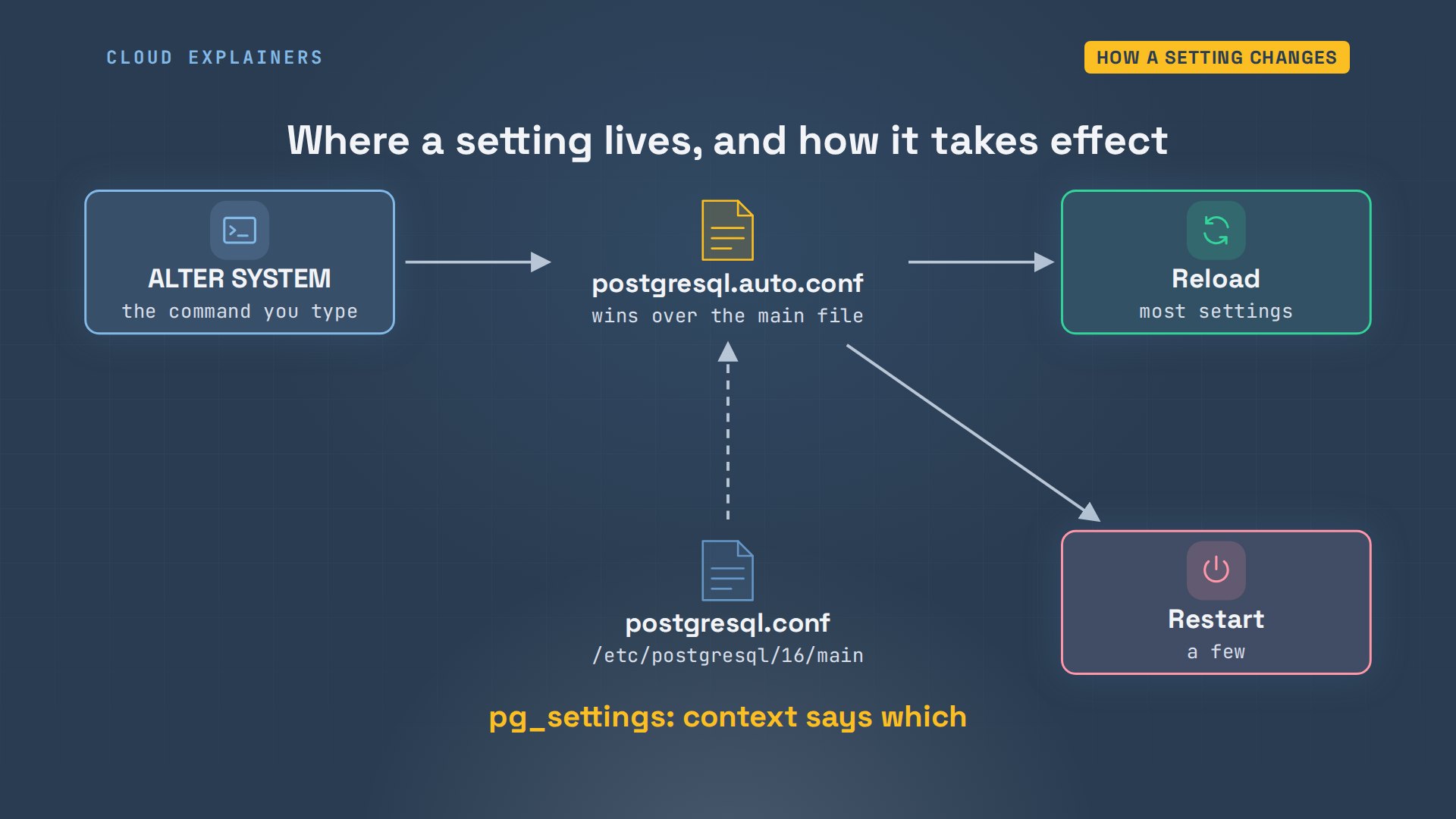
Before we change anything, here's the trap: some settings work the moment you reload, and some do nothing at all until you restart. You type ALTER SYSTEM, and PostgreSQL saves the value in its own file, postgresql.auto.conf. That file wins over the main config file. A reload is like a dimmer you can turn any time. A restart is like wiring you change with the power off. The context column of pg_settings tells you which.
Here are the eight on Chris's new server, with their defaults, from pg_settings, a built-in table that lists every setting. Its context column says how a change takes effect. Postmaster, the name of PostgreSQL's main process, means a restart. User and superuser mean a reload is enough. Chris's server has 4 gigabytes of memory, and the defaults assume much less.
sudo -u postgres psql -c "SELECT name, setting, unit, context FROM pg_settings WHERE name IN ('listen_addresses','shared_buffers','effective_cache_size','work_mem','maintenance_work_mem','log_min_duration_statement','idle_in_transaction_session_timeout') ORDER BY name;"name | setting | unit | context -------------------------------------+-----------+------+------------ effective_cache_size | 524288 | 8kB | user idle_in_transaction_session_timeout | 0 | ms | user listen_addresses | localhost | | postmaster log_min_duration_statement | -1 | ms | superuser maintenance_work_mem | 65536 | kB | user shared_buffers | 16384 | 8kB | postmaster work_mem | 4096 | kB | user (7 rows)
free -htotal used free shared buff/cache available Mem: 4.0Gi 139Mi 3.1Gi 89Mi 899Mi 3.9Gi
listen_addresses
Setting one: listen addresses. The order page runs on its own server, and connects to the database over the network. It fails at once: connection refused. On the database server, listen addresses says localhost, so PostgreSQL only answers programs on the same machine. That's a safe default, and the most common first surprise.
psql -h bakesale-db -U bakesale bakesale -c "SELECT 1;"psql: error: connection to server at "bakesale-db" (10.236.135.167), port 5432 failed: Connection refused
	Is the server running on that host and accepting TCP/IP connections?
sudo -u postgres psql -c "SHOW listen_addresses;"listen_addresses ------------------ localhost (1 row)
Chris sets it to a star, which means every network address on the server. He reloads, and pending restart says true: the new value is waiting, because this one needs a restart. After the restart, it listens everywhere. Who may actually log in is the next setting's job.
sudo -u postgres psql -c "ALTER SYSTEM SET listen_addresses = '*';"ALTER SYSTEM
sudo -u postgres psql -c "SELECT name, setting, pending_restart FROM pg_settings WHERE name = 'listen_addresses';"name | setting | pending_restart ------------------+-----------+----------------- listen_addresses | localhost | t (1 row)
sudo systemctl restart postgresql
sudo -u postgres psql -c "SHOW listen_addresses;"listen_addresses ------------------ * (1 row)
pg_hba.conf
Setting two isn't in postgresql.conf at all. It's a file of its own, pg_hba.conf, the list of who may connect, from where, and how they prove it. Now the order server reaches PostgreSQL, and is turned away: no pg_hba.conf entry for this host. Ubuntu's file only lets in connections from the server itself.
psql -h bakesale-db -U bakesale bakesale -c "SELECT 1;"psql: error: connection to server at "bakesale-db" (10.236.135.167), port 5432 failed: FATAL:  no pg_hba.conf entry for host "10.236.135.211", user "bakesale", database "bakesale", SSL encryption
connection to server at "bakesale-db" (10.236.135.167), port 5432 failed: FATAL:  no pg_hba.conf entry for host "10.236.135.211", user "bakesale", database "bakesale", no encryption
sudo grep -Ev '^#|^$' /etc/postgresql/16/main/pg_hba.conflocal  all  postgres  peer
local  all  all  peer
host  all  all  127.0.0.1/32  scram-sha-256
host  all  all  ::1/128  scram-sha-256
local  replication  all  peer
host  replication  all  127.0.0.1/32  scram-sha-256
host  replication  all  ::1/128  scram-sha-256
Chris adds one line for the order server, and reloads: this file needs no restart. And the order page connects: six hundred thousand orders, from years of bake sales.
echo 'host bakesale bakesale 10.236.135.211/32 scram-sha-256' | sudo tee -a /etc/postgresql/16/main/pg_hba.confhost bakesale bakesale 10.236.135.211/32 scram-sha-256
sudo -u postgres psql -c "SELECT pg_reload_conf();"pg_reload_conf ---------------- t (1 row)
psql -h bakesale-db -U bakesale bakesale -c "SELECT count(*) FROM orders;"count -------- 600000 (1 row)
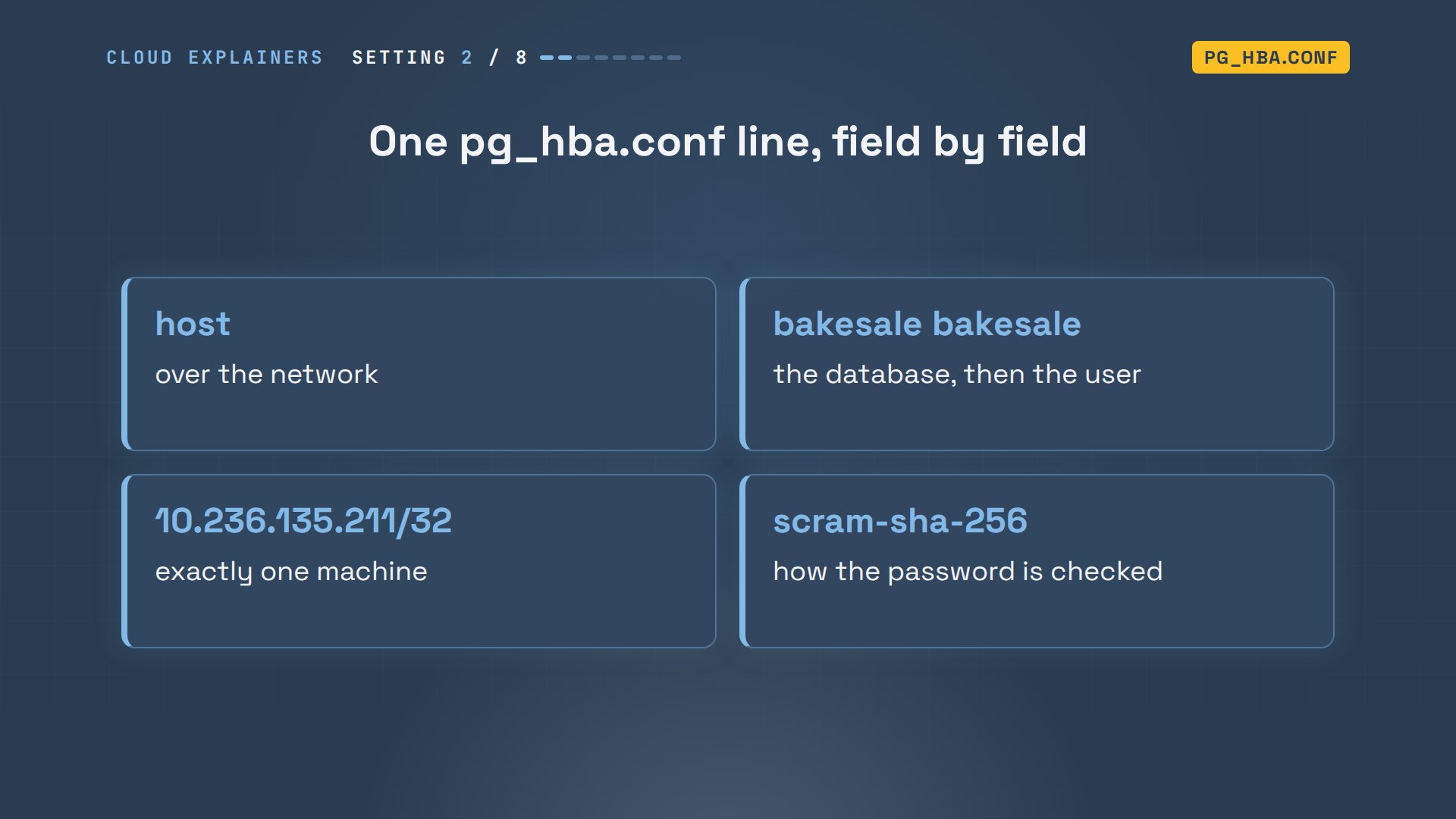
Read the line left to right. Host means a connection over the network. Then the database, and the user. Then the one address allowed, slash thirty two meaning exactly that one machine. And scram, how the password is checked. Anything not on a line is turned away.
shared_buffers
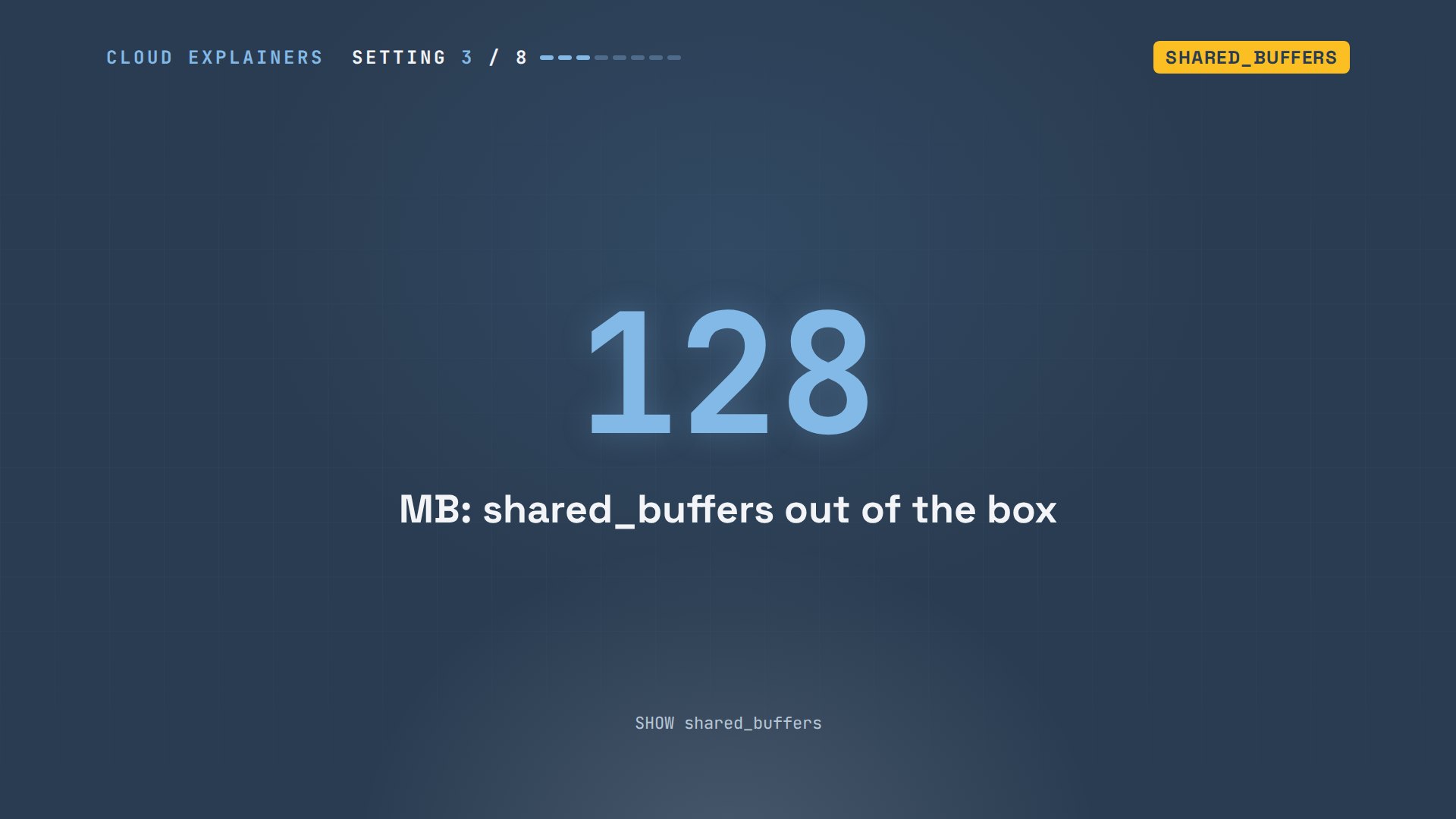
Setting three: shared buffers, PostgreSQL's own memory for the pages of your tables it has read. The default is a hundred and twenty eight megabytes. Guess first: on a server with 4 gigabytes, how much should it get? About a quarter: one gigabyte. That's PostgreSQL's own advice for a server that mostly runs the database.
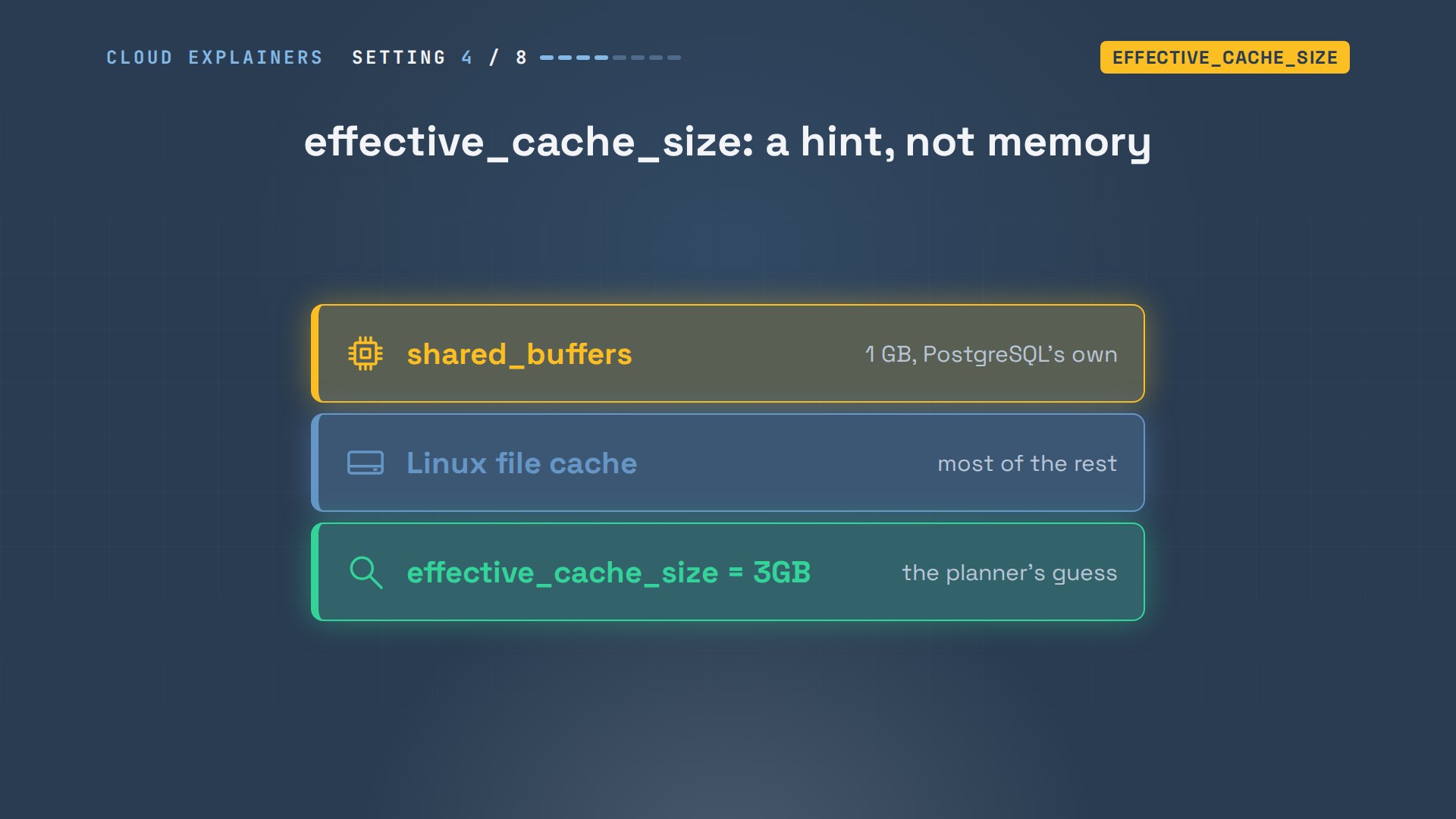
Why not all of it? Because shared buffers is PostgreSQL's own cache, and Linux's file cache sits behind it as a second, bigger one. PostgreSQL leans on both. Chris sets one gigabyte, restarts, because this is a postmaster setting, and checks it.
effective_cache_size
Setting four rode along in the same command: effective cache size. It allocates nothing. It's a hint to the planner, the part that picks how to run each query. It tells the planner how much of your data is probably cached already: shared buffers plus the Linux file cache. The default guesses four gigabytes, which is this whole server, with nothing left for anything else. Chris sets three, about three quarters of his memory, so the planner's guess matches the real machine.
work_mem
Setting five: work mem. Every sort gets a small slice of memory, four megabytes by default. When a sort doesn't fit, PostgreSQL writes it to disk, and that's where big reports slow down. Chris sorts every order by family, and explain analyze shows how it ran: an external merge, using 22 megabytes of disk, in 0.5 seconds.
sudo -u postgres psql bakesale -c "EXPLAIN (ANALYZE, COSTS OFF, TIMING OFF) SELECT family, item, total FROM orders ORDER BY family, total DESC;"QUERY PLAN ------------------------------------------------------- Sort Key: family, total DESC Sort Method: external merge Disk: 22176kB Execution Time: 474.421 ms
With work mem at 128 megabytes for this one session, the same sort runs in memory, a quicksort, in 0.4 seconds, about a quarter faster, with no temporary files. But the limit is per sort, per connection, so one busy query can use it several times over, and a hundred connections can use it a hundred times. So for the whole server, Chris sets a modest 16 megabytes, and raises it only in the session of a big report like this one.
sudo -u postgres psql bakesale -c "SET work_mem = '128MB';" -c "EXPLAIN (ANALYZE, COSTS OFF, TIMING OFF) SELECT family, item, total FROM orders ORDER BY family, total DESC;"SET
                      QUERY PLAN
-------------------------------------------------------
   Sort Method: quicksort  Memory: 56605kB
 Execution Time: 354.692 ms
sudo -u postgres psql -c "ALTER SYSTEM SET work_mem = '16MB';" -c "SELECT pg_reload_conf();"ALTER SYSTEM
 pg_reload_conf
----------------
 t
(1 row)
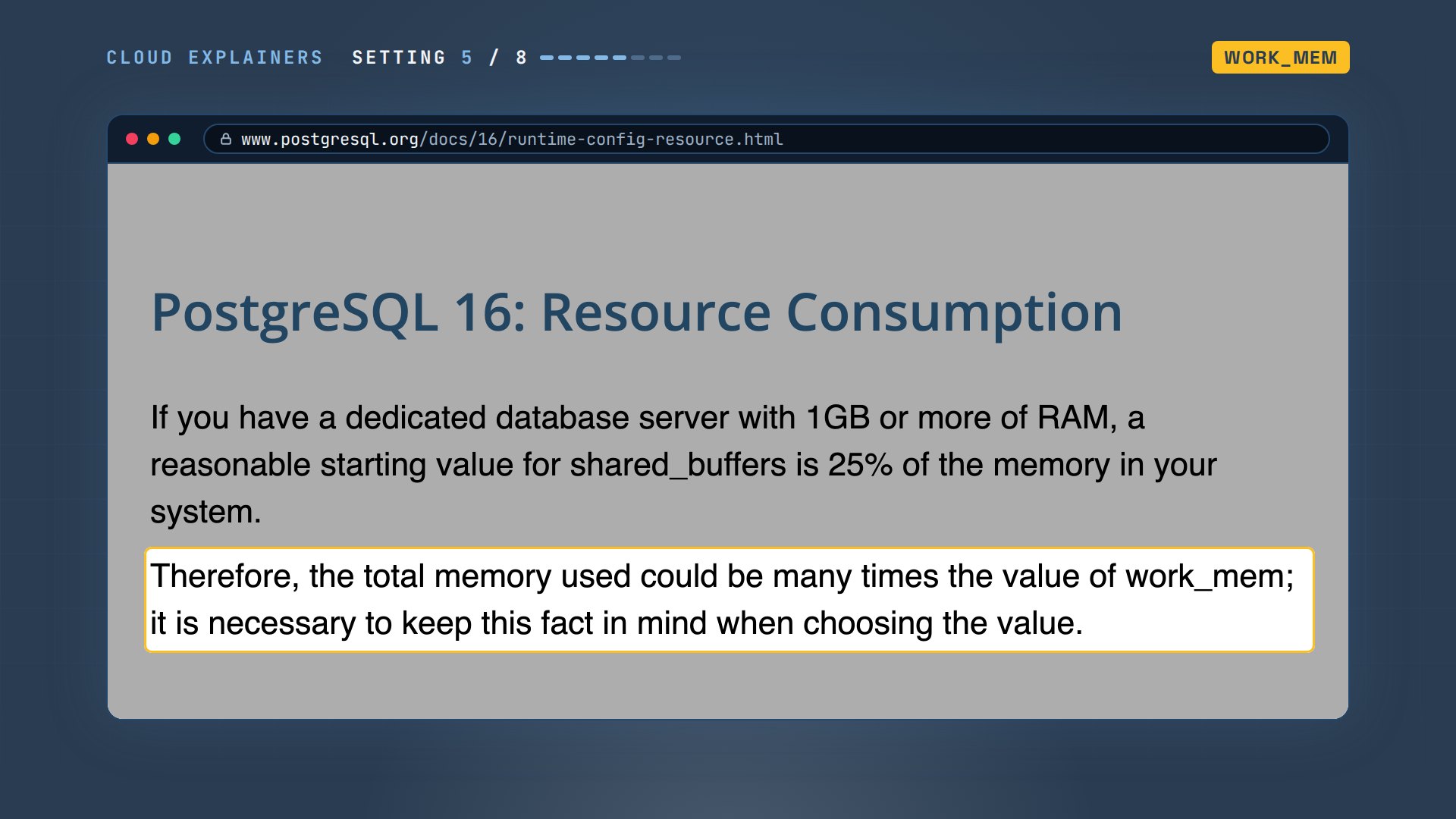
PostgreSQL's own documentation puts it plainly: the total memory used could be many times the value of work mem.
maintenance_work_mem
Setting six, maintenance work mem, is the same idea for building indexes and for vacuum, the clean-up PostgreSQL runs in the background. Only a few of those run at once, so it can be bigger. Chris raises it from sixty four to two hundred and fifty six megabytes. Honestly, on six hundred thousand rows, the index built in about a second either way. It pays off as tables grow into the millions.
sudo -u postgres psql bakesale -c '\timing on' -c 'CREATE INDEX orders_family_idx ON orders (family, item, total);'Timing is on.
CREATE INDEX
Time: 932.301 ms
sudo -u postgres psql -c "ALTER SYSTEM SET maintenance_work_mem = '256MB';" -c "SELECT pg_reload_conf();"ALTER SYSTEM
 pg_reload_conf
----------------
 t
(1 row)
sudo -u postgres psql bakesale -c '\timing on' -c 'CREATE INDEX orders_family_idx ON orders (family, item, total);'Timing is on.
CREATE INDEX
Time: 1035.047 ms (00:01.035)
log_min_duration_statement
Setting seven: log min duration statement. By default, PostgreSQL logs no slow queries at all. Chris sets two hundred and fifty milliseconds: any query slower than that goes in the log, with its time and its text. From the order server, a report that counts every different order note takes 2.1 seconds. And there it is in the log, waiting to be fixed with an index, before Friday finds it for him.
sudo -u postgres psql -c "ALTER SYSTEM SET log_min_duration_statement = '250ms';" -c "SELECT pg_reload_conf();"ALTER SYSTEM
 pg_reload_conf
----------------
 t
(1 row)
psql -h bakesale-db -U bakesale bakesale -c "\timing on" -c "SELECT count(DISTINCT (family, note)) FROM orders;"Timing is on.
 count
--------
 600000
(1 row)

Time: 2104.470 ms (00:02.104)
sudo tail -n 1 /var/log/postgresql/postgresql-16-main.log2026-11-27 03:36:44.549 UTC [3390] bakesale@bakesale LOG: duration: 2104.310 ms statement: SELECT count(DISTINCT (family, note)) FROM orders;
idle_in_transaction_session_timeout
And setting eight is the one that breaks Friday morning. Sarah opens P S Q L on the order server, starts a transaction, marks order forty two as paid, and goes to lunch without typing commit. Her change is still open, and it holds a lock on that order's row.
psql -h bakesale-db -U bakesale bakesalepsql (16.15 (Ubuntu 16.15-0ubuntu0.24.04.1))
SSL connection (protocol: TLSv1.3, cipher: TLS_AES_256_GCM_SHA384, compression: off)
Type "help" for help.
bakesale=> BEGIN;BEGIN
bakesale=*> UPDATE orders SET status = 'paid' WHERE id = 42;UPDATE 1
Guess first: when the order page updates order forty two, what happens? It waits. And waits. On the database, pg stat activity shows Sarah's session: idle in transaction, holding the lock, with nobody there. Chris presses Ctrl+C. On Friday, that would be a customer's page, frozen.
psql -h bakesale-db -U bakesale bakesale -c "UPDATE orders SET status = 'picked up' WHERE id = 42;"
sudo -u postgres psql -P pager=off -c "SELECT pid, usename, state, now() - state_change AS for, left(query, 48) AS query FROM pg_stat_activity WHERE datname = 'bakesale' ORDER BY state;"pid | usename | state | for | query ------+----------+---------------------+-----------------+-------------------------------------------------- 3396 | bakesale | active | 00:00:08.113704 | UPDATE orders SET status = 'picked up' WHERE id 3395 | bakesale | idle in transaction | 00:00:11.149643 | UPDATE orders SET status = 'paid' WHERE id = 42; (2 rows)
^CCancel request sent
ERROR:  canceling statement due to user request
CONTEXT:  while updating tuple (0,42) in relation "orders"
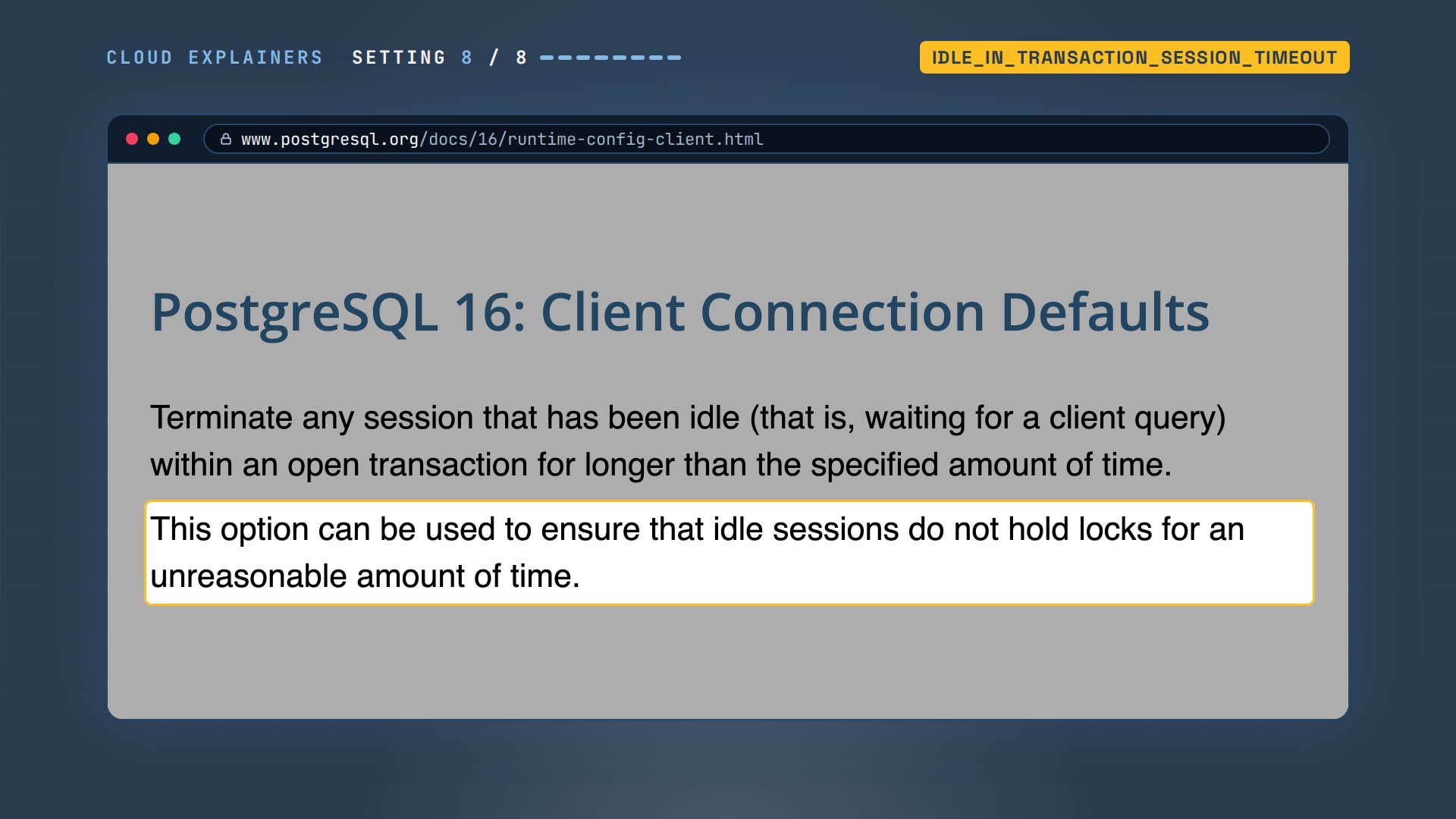
Setting eight, idle in transaction session timeout, exists for exactly this. It ends a session that sits inside an open transaction for too long, so that idle sessions don't hold locks for an unreasonable amount of time.
On a real server, five minutes is a good start. For this demo, Chris uses ten seconds. Sarah does it again. The order page's update waits, and after 10 seconds, it goes through. Sarah's forgotten session was ended, and her own window says so when she comes back.
sudo -u postgres psql -c "ALTER SYSTEM SET idle_in_transaction_session_timeout = '10s';" -c "SELECT pg_reload_conf();"ALTER SYSTEM
 pg_reload_conf
----------------
 t
(1 row)
psql -h bakesale-db -U bakesale bakesale -c "UPDATE orders SET status = 'picked up' WHERE id = 42;"UPDATE 1
bakesale=*> SELECT status FROM orders WHERE id = 42;FATAL:  terminating connection due to idle-in-transaction timeout
SSL connection has been closed unexpectedly
The connection to the server was lost. Attempting reset: Succeeded.
SSL connection (protocol: TLSv1.3, cipher: TLS_AES_256_GCM_SHA384, compression: off)
Two to leave alone
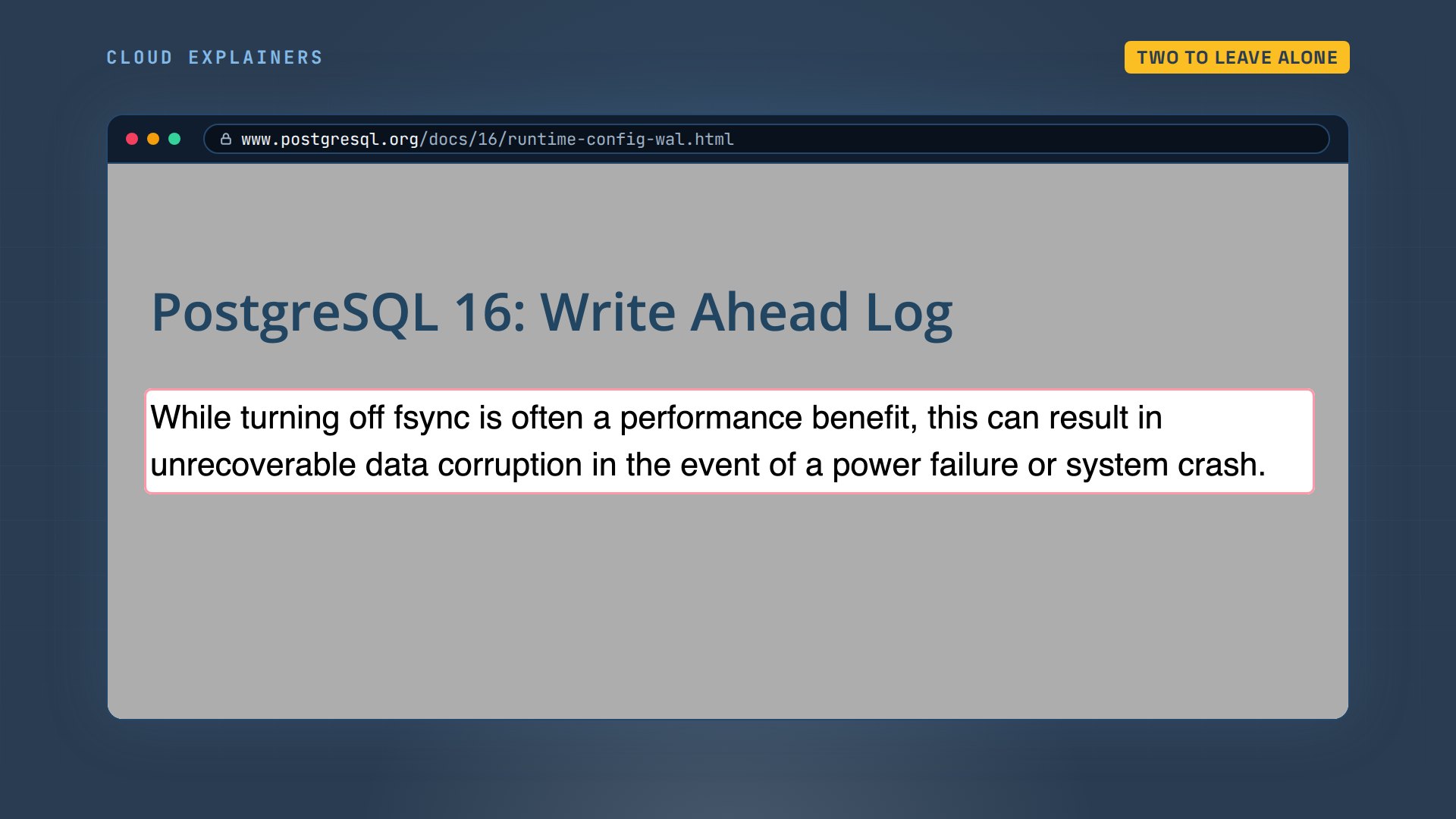
Two settings you'll see in tuning guides, and should leave alone: F sync and full page writes. Turning them off makes writes faster, and a power cut can then corrupt the whole database. The documentation says unrecoverable. Leave both on.
Recap
Friday, eight o'clock. Chris's own changes are all in one file, postgresql.auto.conf, easy to read back and easy to undo. And the order page counts what came in: new, paid, and picked up.
sudo -u postgres cat /var/lib/postgresql/16/main/postgresql.auto.conf# Do not edit this file manually!
# It will be overwritten by the ALTER SYSTEM command.
listen_addresses = '*'
shared_buffers = '1GB'
effective_cache_size = '3GB'
work_mem = '16MB'
maintenance_work_mem = '256MB'
log_min_duration_statement = '250ms'
idle_in_transaction_session_timeout = '10s'
psql -h bakesale-db -U bakesale bakesale -c "SELECT status, count(*) FROM orders GROUP BY status ORDER BY status;"status | count -----------+-------- new | 199999 paid | 200000 picked up | 200001 (3 rows)
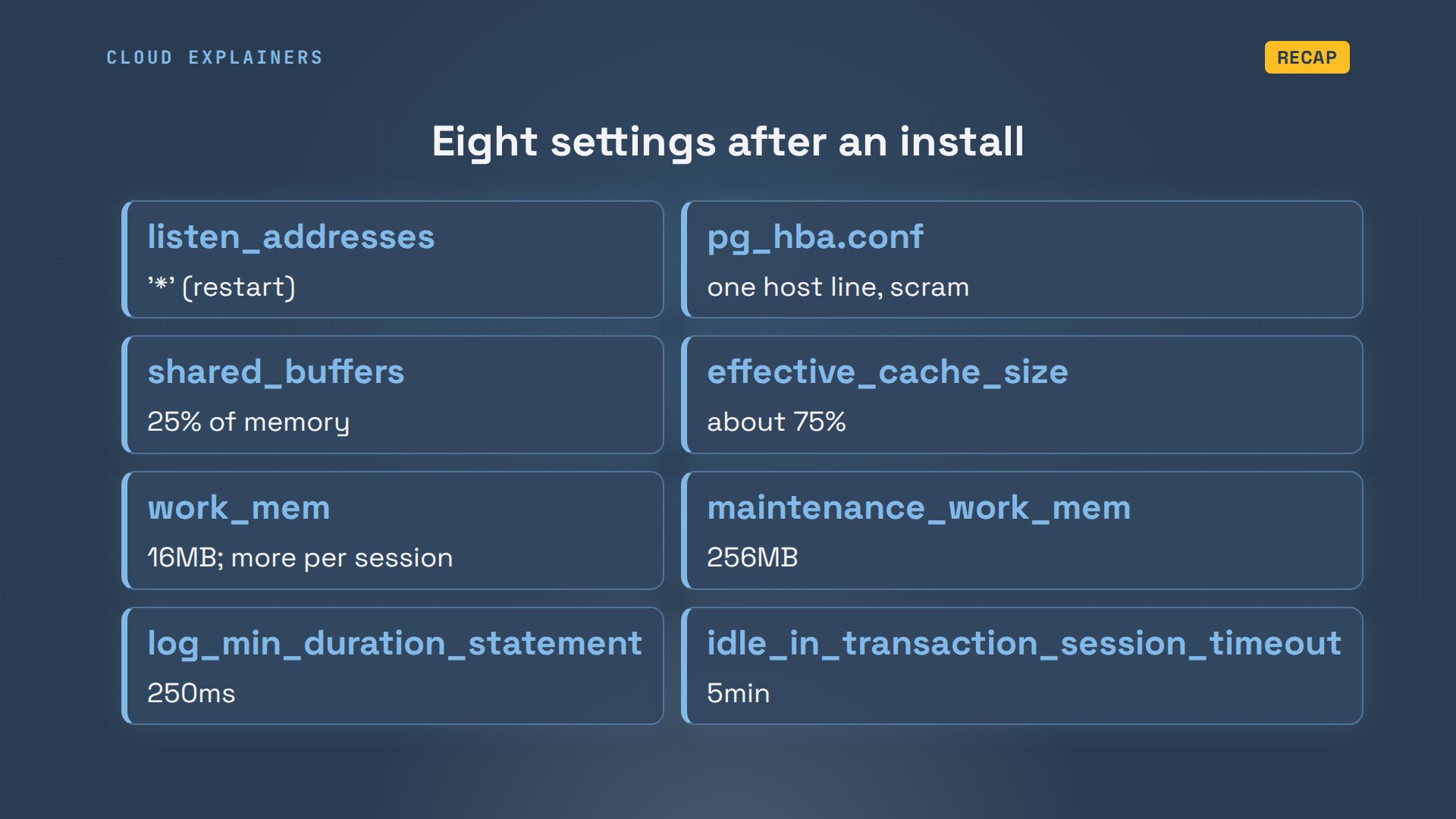
So: two settings so your app can connect, four that size the memory, and two that log slow queries and stop forgotten transactions.
If your database is ready for its own Friday morning now, subscribing brings the next one, tested on a real server.
Every number in this video came from a real Ubuntu server, and the commands and lab files are linked in the description. Thanks for watching Cloud Explainers.
Sources
- PostgreSQL 16, Connections and Authentication: listen_addresses
- PostgreSQL 16, The pg_hba.conf File
- PostgreSQL 16, Resource Consumption: shared_buffers (25% on a dedicated server), work_mem, maintenance_work_mem
- PostgreSQL 16, Query Planning: effective_cache_size
- PostgreSQL 16, Error Reporting and Logging: log_min_duration_statement
- PostgreSQL 16, Client Connection Defaults: idle_in_transaction_session_timeout
- PostgreSQL 16, Write Ahead Log: fsync, full_page_writes
- PostgreSQL 16, ALTER SYSTEM
- PostgreSQL 16, pg_settings (context, pending_restart)
Demos: two containers on our own lab server standing in for a school bake sale's database and order servers; the bake sale and its people are made up. Every number was real. Watch the full video on YouTube.
More videos

What Happens When You Install Docker on Ubuntu

How to Fix Python 'Address Already in Use' Errors
Golang Interfaces and Mocks in 5 Minutes

How to Fix Git 'Detached HEAD' State

Linux Firewall with ufw: Full Tutorial for Beginners
Golang defer Statements in 5 Minutes

How to Fix OAuth 'invalid_grant' Errors

The SQL Roadmap for Beginners
Golang make() for Slices and Maps in 5 Minutes
How to Fix Network 'No Route to Host' Errors on Linux

How to Fix Linux 'Too Many Open Files' Errors

Every Django Concept a Beginner Needs to Know
SSH on Linux: Full Tutorial for Beginners

Golang for range Loops in 5 Minutes

SQL Databases: SQLite vs PostgreSQL
The Django Roadmap for Beginners

Golang Structs in 5 Minutes

Redis: Full Tutorial for Beginners

Golang context.Context in 5 Minutes
How to Fix MySQL Database Error 1045: Access Denied for User
Golang Method Receivers in 5 Minutes
How to Fix Python SSL: CERTIFICATE_VERIFY_FAILED Errors

How to Fix Django Static Files Not Loading in Production

OpenRouter vs Direct API Keys: Which One Should You Use?
Golang if err != nil Checks in 5 Minutes

How to Fix Golang 'go.mod File Not Found' Errors

MCP Servers: Full Tutorial for Beginners

Golang Error Return Values in 5 Minutes

How to Fix Python ModuleNotFoundError: No Module Named
Golang Pointers in 5 Minutes
How to Fix a Kubernetes Pod Stuck in CrashLoopBackOff
How to Fix a Homelab ESXi Host Not Responding
PostgreSQL: Full Tutorial for Beginners
How a Load Balancer Works with HAProxy

How Python Virtual Environments Work
How to Fix Cloudflare Tunnel Errors in a Homelab
How to Fix API CORS Errors: No 'Access-Control-Allow-Origin'

How Authenticator App Login Codes Work (TOTP)

Git and GitHub: Full Tutorial for Beginners

How a Homelab Hypervisor Works (VMware ESXi)

How to Fix Kubernetes ImagePullBackOff Errors

How to Fix DNS 'Temporary Failure in Name Resolution' on Linux
How to Fix AWS CLI 'Unable to Locate Credentials'
Proxmox vs ESXi for Your Homelab: When Each One Wins
PostgreSQL UUID vs Auto Increment: Which Primary Key Should You Use?
Kubernetes: Full Tutorial for Beginners

How TCP Sockets Work

How to Fix PostgreSQL 'Could Not Connect to Server'
Claude Code Hooks Will Finally Make Sense After This
DevOps with Ansible Will Finally Make Sense After This
How SNMP Network Monitoring Works
How to Fix GitHub 'Permission Denied (publickey)' Errors

Docker: Full Tutorial for Beginners
How to Fix PostgreSQL 'Password Authentication Failed'
Why One Linux Server Handles More Users Than You Think

How to Fix Network 'Connection Refused' Errors
DevOps Pipelines: Jenkins vs GitHub Actions
Linux Nginx Reverse Proxy: Full Tutorial for Beginners

Every Networking Term a Beginner Needs in 12 Minutes
How to Fix Docker 'Permission Denied' on docker.sock

How to Fix Git 'Updates Were Rejected' When You Push

How to Fix nginx 502 Bad Gateway Errors on Linux

How to Fix Linux apt 'Could Not Get Lock' Errors (Ubuntu)

How Email Works on the Internet (SMTP) in 10 Minutes

The Python Roadmap for Beginners

Golang REST API with Gin: Full Tutorial for Beginners

How a WireGuard VPN Network Works

Linux Makefiles Will Finally Make Sense After This

SAML vs OAuth vs OpenID Connect: What's the Difference?

How to Fix Python cron Jobs That Never Run

Linux Bash Scripting: Full Tutorial for Beginners

How PXE Network Boot Works

How Active Directory Works

How to Fix a Linux systemd Service That Won't Start
Linux Logs: syslog vs journald
JWT vs Session Cookies: Which One Should You Use?
Docker vs Docker Compose: Which One Should You Use?

How to Fix Docker Compose Containers That Can't Talk to Each Other

Django Full Tutorial for Beginners

How Linux systemd Works

How to Fix 'Windows Cannot Access' Network Share Errors (SMB)
REST vs gRPC: Which One Should You Use?

How to Fix SSL Certificate Chain Errors (Missing Intermediate)

Every Python Concept for Beginners in 10 Minutes

Every SQL Join Type in 10 Minutes
Why OpenRouter Free Models Hit Their Limit So Fast
Why Your Gemini API Free Tier Runs Out So Fast

OpenRouter Will Finally Make Sense After This
How Redis Caching Works
Gemini API vs Vertex AI: Which One Should You Use?

How to Fix a Leaked Gemini API Key

Why Golang Uses Goroutines Instead of Threads
How to Fix Gemini API Error 429: Resource Exhausted

Claude Token Pricing Will Finally Make Sense After This
Why Python Web Scraping Returns Nothing (and the Fix)
Python uv vs pip: Which One Should You Use?

Python Automation: Full Tutorial for Beginners

How OAuth Login Works

Google AI Studio Will Finally Make Sense After This
What Happens When You Run a Docker Container

How to Fix Claude Code Billing Your API Key Instead of Your Plan
Why Passkeys Can't Be Phished Like Passwords
PowerShell vs Bash: Which One Should You Learn?

The Linux Roadmap for Beginners
Django vs FastAPI: Which One Should You Use?

Why SQLite Is the Most Used Database in the World
How a NoSQL Database Like MongoDB Works

How to Fix Python pip error: externally-managed-environment
How to Fix MySQL Too Many Connections Database Errors
Golang Concurrency Will Finally Make Sense After This
How Amazon S3 Works
How Kubernetes Works

How Git Works
How to Fix Docker Port Already Allocated Errors
How PostgreSQL Works
How to Fix Git Merge Conflicts

How to Fix No Space Left on Device in Linux
How the Internet Works
SQL vs NoSQL: When Each One Wins
How to Fix JWT Token Expired Errors (401 Unauthorized)
Claude API vs Claude Pro: Why Your Subscription Doesn't Include It

Why AI Agent Skills Beat Giant Prompts

Linux Cron Jobs Will Finally Make Sense After This

Security Logs Will Finally Make Sense After This

How to Fix a Security Leak: An API Key Pushed to GitHub
DNS Will Finally Make Sense After This
Never Ignore a Security Update
Two-Factor Authentication Will Finally Make Sense
Never Expose a Database to the Internet
SSH Keys vs Passwords: Which Is Safer for Security?

The 5 Levels of Linux Boot: From Power On to Login
The 5 Levels of Network Firewalls

Password Security: Why Hackers Crack Weak Passwords

Why Your Linux Server Runs Out of Memory
HTTP vs HTTPS: What Actually Changes on Your Network

Every Linux File Permission You Need to Know
Linux Processes vs Threads: When Each One Wins

The OSI Model Will Finally Make Sense After This

The 7 Levels of Git
Every Network Troubleshooting Command You Need
Hashing vs Encryption in Cybersecurity: When Each One Wins

Why the Internet Ran Out of IP Addresses

Linux Package Managers: apt vs Snap vs Flatpak
Why Python Is Slow (and When It Doesn't Matter)
TCP vs UDP: When Each One Wins

Stop Running Linux as Root (Do This Instead)

Linux Users and Groups Will Finally Make Sense

Why Phishing Beats Good Security (and How to Spot It)

The 7 Levels of Docker

AI Agents Will Finally Make Sense After This

Stop Using git push --force (Use This Instead)
Agent Skills vs MCP: When Each One Wins

Networking Will Finally Make Sense After This

Every Linux Command You Actually Need
The 7 Levels of Cybersecurity

Every System Design Concept You Need, in One Diagram