The SQL Roadmap for Beginners
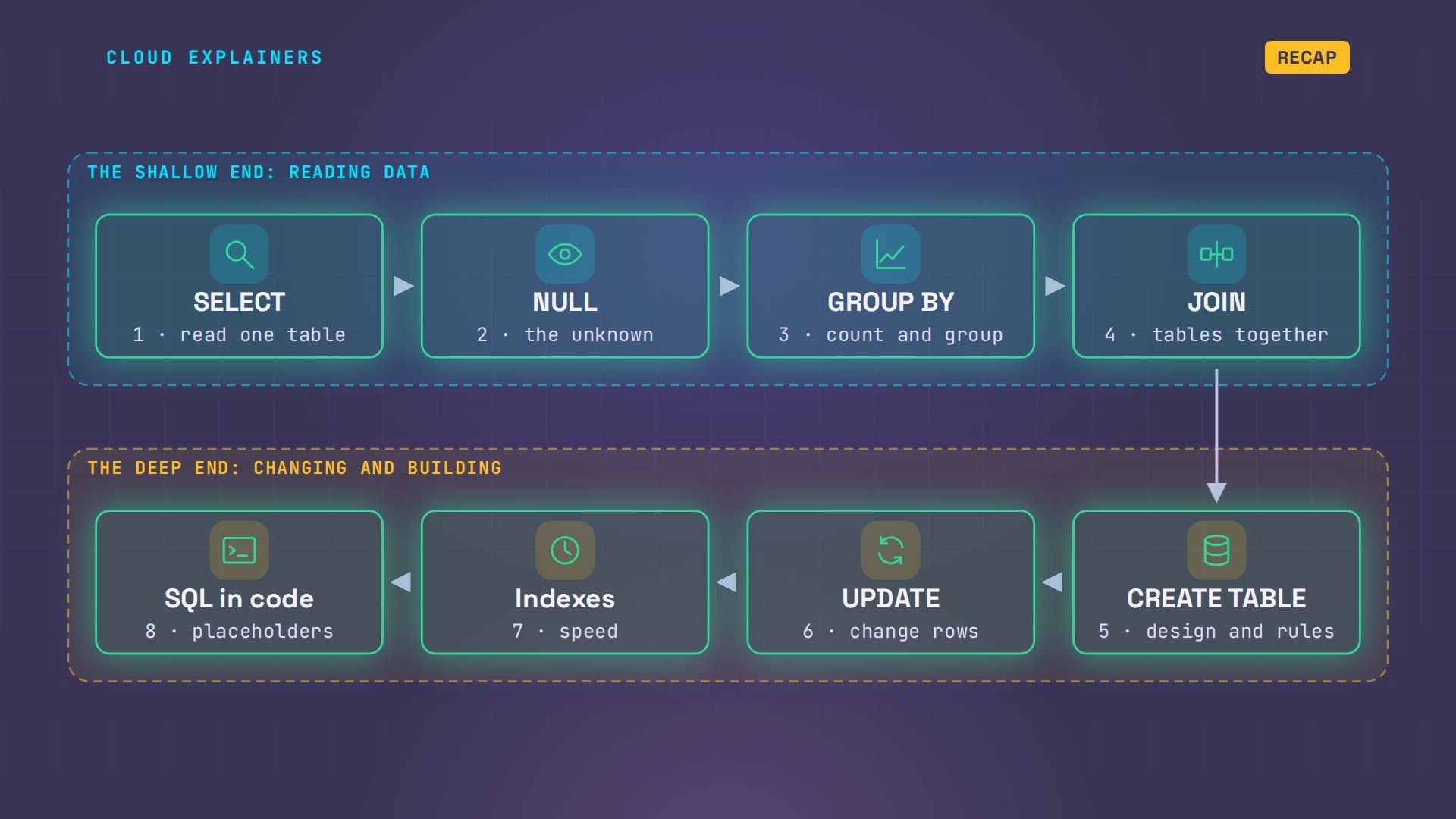
A SQL roadmap for beginners: eight stages in the order that keeps each one from surprising you, from SELECT and quotes to NULL, counting with GROUP BY, joins, designing tables with rules, changing data safely inside a transaction, indexes, and placeholders in your own code. We run every stage for real on one small book club database in PostgreSQL on Ubuntu.
Where you'll end up
You want to learn SQL, and every list of topics you find is a hundred items long. Here's the short version: eight stages, in order. Linda keeps her book club's lending records in a database. This one query asks it a real question: how many books has each member borrowed? It reads two tables, and lists all twelve members, even Rob, with zero. Rob joined last month and has borrowed nothing. He says he's pacing himself. By the end, you'll write that query yourself. And you'll know the one missing word that can wreck a whole table.
club=> SELECT m.name, count(l.id) AS borrowed FROM members m LEFT JOIN loans l ON l.member_id = m.id GROUP BY m.name ORDER BY borrowed DESC;name | borrowed -------+---------- Grace | 7 Omar | 6 Ruth | 5 Linda | 5 Lena | 4 Nadia | 4 Priya | 4 Paul | 3 Sam | 2 Hugo | 0 Ellen | 0 Rob | 0 (12 rows)
The order
It takes eight stages, and learning them is like learning to swim. You float in the shallow end before you swim lengths, and you dive in only once you can do both. The first four stages only read data, so nothing you type there can break anything. The next four change data and build tables: the deep end, where that missing word lives.
Stage 1: SELECT
Stage one is reading one table. Linda wants a simple answer first: which of the club's books are older than 1900? A database keeps data in tables, a bit like spreadsheets: each row is one thing, and each column is one fact about it. Linda uses PostgreSQL, a popular free database. She types into psql, its command-line tool. Typing backslash d t lists her tables: members, books, and loans. Loans gets a new row every time someone borrows a book. SELECT picks the columns: title, author and year. FROM says which table: books. WHERE keeps only the books from before 1900. And ORDER BY sorts them, oldest first. Five books.
club=> \dtList of relations Schema | Name | Type | Owner --------+---------+-------+------- public | books | table | linda public | loans | table | linda public | members | table | linda (3 rows)
club=> SELECT title, author, year FROM books WHERE year < 1900 ORDER BY year;title | author | year ---------------------+-----------------+------ Pride and Prejudice | Jane Austen | 1813 Frankenstein | Mary Shelley | 1818 Moby-Dick | Herman Melville | 1851 Middlemarch | George Eliot | 1871 Dracula | Bram Stoker | 1897 (5 rows)
Here's the first wall almost everyone hits. Linda asks for Ursula K. Le Guin's books, with the name in double quotes, and PostgreSQL says: column Ursula K. Le Guin does not exist. In SQL, double quotes mean a name, like a column's. Text goes in single quotes. Swap them, and there are her three books.
club=> SELECT title, year FROM books WHERE author = "Ursula K. Le Guin";ERROR:  column "Ursula K. Le Guin" does not exist
LINE 1: SELECT title, year FROM books WHERE author = "Ursula K. Le G...
                                                     ^
club=> SELECT title, year FROM books WHERE author = 'Ursula K. Le Guin';title | year ---------------------------+------ A Wizard of Earthsea | 1968 The Left Hand of Darkness | 1969 The Dispossessed | 1974 (3 rows)
Stage 2: NULL
Stage two is one word: NULL. A loan that hasn't come back has no return date yet. That empty spot is NULL, which means unknown. So which loans are still out? Linda asks for the loans whose return date equals NULL. Guess first: how many does she get? None. Zero rows, even though three books are out right now.
club=> SELECT book_id, member_id FROM loans WHERE returned_on = NULL;book_id | member_id ---------+----------- (0 rows)
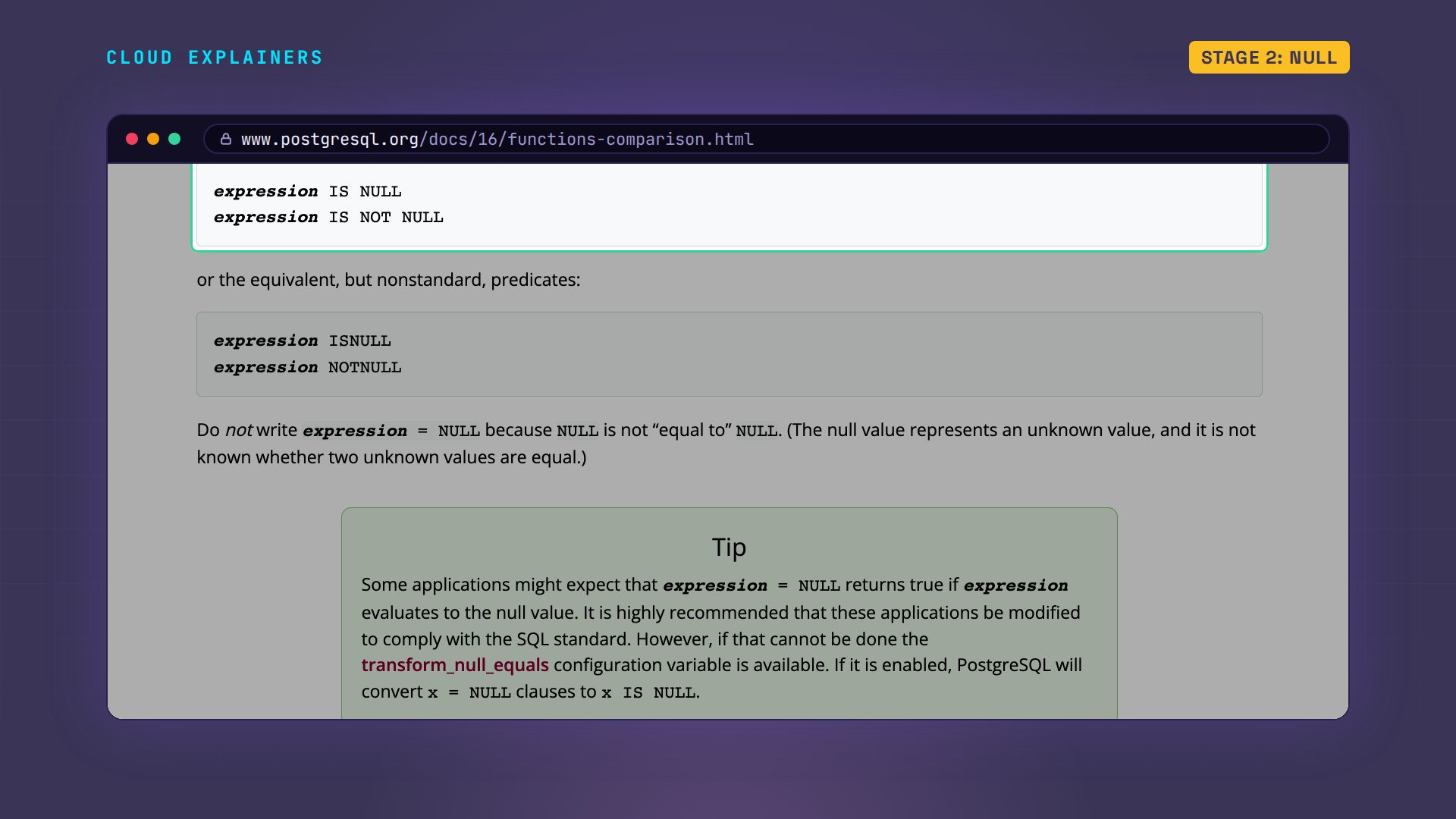
NULL isn't a value, so it's never equal to anything, not even to another NULL. PostgreSQL's own manual says it plainly: don't write equals NULL. Write IS NULL.
With IS NULL, there they are: three loans still out. But which books, and who has them? Those names live in other tables, and that's stage four.
club=> SELECT book_id, member_id, borrowed_on FROM loans WHERE returned_on IS NULL;book_id | member_id | borrowed_on ---------+-----------+------------- 8 | 6 | 2026-06-22 11 | 9 | 2026-09-01 21 | 5 | 2026-11-01 (3 rows)
Stage 3: counting
Remember the question from the start: how many books has each member borrowed? That's a count, and stage three is counting. count(*) counts rows. The star means every row. GROUP BY makes one group for each member, so you get one count per member. AS gives the count a name, and DESC sorts biggest first: member five has borrowed seven books. Now Linda adds the borrow date to the list, and PostgreSQL refuses: the column must appear in the GROUP BY clause. Each group becomes one row, but a member has many borrow dates. Which one should it show? PostgreSQL won't guess.
club=> SELECT member_id, count(*) AS loan_count FROM loans GROUP BY member_id ORDER BY loan_count DESC;member_id | loan_count -----------+------------ 5 | 7 4 | 6 1 | 5 7 | 5 9 | 4 3 | 4 10 | 4 6 | 3 8 | 2 (9 rows)
club=> SELECT member_id, borrowed_on, count(*) FROM loans
  GROUP BY member_id;ERROR:  column "loans.borrowed_on" must appear in the GROUP BY clause or be used in an aggregate function
LINE 1: SELECT member_id, borrowed_on, count(*) FROM loans
                          ^
To filter the groups themselves, use HAVING. WHERE picks rows before they're grouped. HAVING picks groups after. Notice count(*) is written out again: HAVING can't use the name loan_count we gave it. Four members have borrowed five books or more. But Linda sees member numbers, not names.
club=> SELECT member_id, count(*) AS loan_count FROM loans GROUP BY member_id HAVING count(*) >= 5 ORDER BY loan_count DESC;member_id | loan_count -----------+------------ 5 | 7 4 | 6 7 | 5 1 | 5 (4 rows)
Stage 4: joins
Stage four is joins, the heart of SQL. Every table should have a primary key: an id that names each row. A loan row doesn't copy Grace's name or a book's title. It holds two ids. The member id points at a row in members, and the book id points at a row in books. Those are foreign keys. A join follows them, and puts the matching rows side by side.
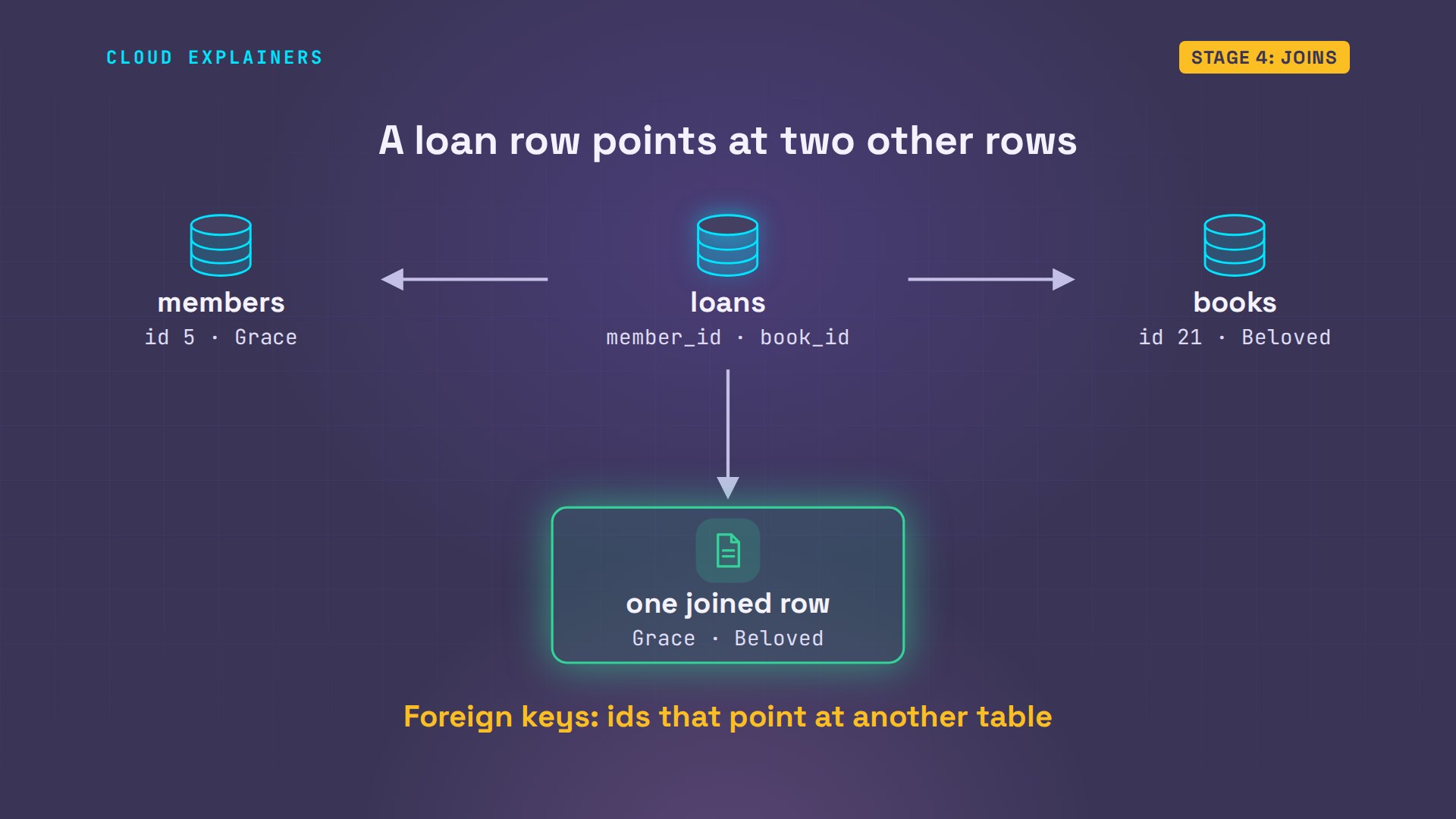
Linda joins members to loans on the member's id, and gets names. The m and the l are short nicknames for the two tables, so m dot name means the name column in members. But look at how many rows came back: nine. The club has twelve members. A plain JOIN keeps only rows that match on both sides, and Rob, Hugo and Ellen have never borrowed a thing.
club=> SELECT m.name, count(*) AS borrowed FROM members m JOIN loans l ON l.member_id = m.id GROUP BY m.name ORDER BY borrowed DESC;name | borrowed -------+---------- Grace | 7 Omar | 6 Linda | 5 Ruth | 5 Nadia | 4 Priya | 4 Lena | 4 Paul | 3 Sam | 2 (9 rows)
LEFT JOIN keeps every member, even the ones with no loans. Where no loan matches, the loan columns are just NULL. Twelve rows. Guess first: with count(*), what does Rob get? One. count(*) counts rows, and Rob's row is there, full of NULLs. Count the loan id instead, which skips NULLs, and Rob gets his zero. That's the query from the start.
club=> SELECT m.name, count(*) AS borrowed FROM members m LEFT JOIN loans l ON l.member_id = m.id GROUP BY m.name ORDER BY borrowed DESC;name | borrowed -------+---------- Grace | 7 Omar | 6 Ruth | 5 Linda | 5 Lena | 4 Nadia | 4 Priya | 4 Paul | 3 Sam | 2 Hugo | 1 Ellen | 1 Rob | 1 (12 rows)
And the three books still out? Start from loans, which holds both ids, join the other two tables, and let WHERE keep the rows with no return date. Grace has Beloved, Paul has had Brave New World since June, and Nadia has The Grapes of Wrath. That's the shallow end: reading, NULL, counting and joining.
club=> SELECT m.name, b.title, l.borrowed_on FROM loans l JOIN members m ON m.id = l.member_id JOIN books b ON b.id = l.book_id WHERE l.returned_on IS NULL;name | title | borrowed_on -------+---------------------+------------- Grace | Beloved | 2026-11-01 Paul | Brave New World | 2026-06-22 Nadia | The Grapes of Wrath | 2026-09-01 (3 rows)
Stage 5: designing tables
Stage five is the deep end: building your own tables. The club wants book reviews. But what stops someone saving six stars, or a review of a book that doesn't exist? Linda's CREATE TABLE gives each column a type, like a whole number or text. Each review gets an id that numbers itself, and the primary key keeps it unique. NOT NULL means every review needs a book and a member. REFERENCES means they must really exist. And a CHECK rule says stars must run from one to five. Six stars? Refused. Book ninety-nine? Refused too: there's no book ninety-nine for the foreign key to point at. A rule in the table stops bad rows from every program, not just the careful ones.
club=> CREATE TABLE reviews (
  id        integer GENERATED ALWAYS AS IDENTITY PRIMARY KEY,
  book_id   integer NOT NULL REFERENCES books (id),
  member_id integer NOT NULL REFERENCES members (id),
  stars     integer NOT NULL CHECK (stars BETWEEN 1 AND 5)
);CREATE TABLE
club=> INSERT INTO reviews (book_id, member_id, stars) VALUES (17, 1, 6);ERROR:  new row for relation "reviews" violates check constraint "reviews_stars_check"
DETAIL:  Failing row contains (1, 17, 1, 6).
club=> INSERT INTO reviews (book_id, member_id, stars) VALUES (99, 1, 5);ERROR:  insert or update on table "reviews" violates foreign key constraint "reviews_book_id_fkey"
DETAIL:  Key (book_id)=(99) is not present in table "books".
Stage 6: changing data
Stage six changes rows. INSERT adds a row: Rob, member 2, finally borrows Dune, book 17, dated current_date, which simply means today. UPDATE changes rows. Paul brings back Brave New World. His loan's id is 23, so Linda sets the return date where id is 23. UPDATE 1: one row changed. DELETE removes rows, and obeys WHERE the same way. That WHERE is the word that matters.
club=> INSERT INTO loans (book_id, member_id, borrowed_on)
  VALUES (17, 2, current_date);INSERT 0 1
club=> UPDATE loans SET returned_on = current_date WHERE id = 23;UPDATE 1
Here's what a missing WHERE can do. To stay safe, Linda first types BEGIN. That starts a transaction: nothing she changes is final until she says so, and her prompt gains a star to remind her. Then she runs that UPDATE without its WHERE. UPDATE 41. Every loan the club ever made is returned today, and the database says zero books are out. ROLLBACK undoes all of it. Three books out again. When a change looks right, COMMIT saves it. So before an UPDATE or DELETE you're not sure of, type BEGIN first.
club=> BEGIN;BEGIN
club=*> UPDATE loans SET returned_on = current_date;UPDATE 41
club=*> SELECT count(*) FROM loans WHERE returned_on IS NULL;count ------- 0 (1 row)
club=*> ROLLBACK;ROLLBACK
club=> SELECT count(*) FROM loans WHERE returned_on IS NULL;count ------- 3 (1 row)
Stage 7: indexes
Stage seven is speed. Forty loans come back instantly, but a real app can have millions of rows. So Linda makes a practice table of a million made-up loans, and looks up all the loans for one member. She puts EXPLAIN ANALYZE in front of the query. It shows how PostgreSQL found the rows: a sequential scan. It read all million rows to find twelve loans, in about 11 milliseconds. That sounds quick, but a busy app runs lookups like this thousands of times a second. An index is a sorted list of one column that points straight at the matching rows. Linda adds one on the member id column, and the same lookup takes eight hundredths of a millisecond. That's about 100 times faster.
club=> CREATE TABLE practice_loans AS
  SELECT g AS id,
         (random() * 99999)::int + 1 AS member_id,
         date '2020-01-01' + (random() * 2000)::int AS borrowed_on
  FROM generate_series(1, 1000000) g;SELECT 1000000
Time: 249.217 ms
club=> EXPLAIN (ANALYZE, COSTS OFF, TIMING OFF) SELECT * FROM practice_loans WHERE member_id = 4242;QUERY PLAN ------------------------------------------------------------------- Gather (actual rows=12 loops=1) Workers Planned: 2 Workers Launched: 2 -> Parallel Seq Scan on practice_loans (actual rows=4 loops=3) Filter: (member_id = 4242) Rows Removed by Filter: 333329 Planning Time: 0.021 ms Execution Time: 11.310 ms (8 rows) Time: 11.442 ms
club=> CREATE INDEX ON practice_loans (member_id);CREATE INDEX
Time: 132.923 ms
club=> EXPLAIN (ANALYZE, COSTS OFF, TIMING OFF) SELECT * FROM practice_loans WHERE member_id = 4242;QUERY PLAN ---------------------------------------------------------------------------------- Bitmap Heap Scan on practice_loans (actual rows=12 loops=1) Recheck Cond: (member_id = 4242) Heap Blocks: exact=12 -> Bitmap Index Scan on practice_loans_member_id_idx (actual rows=12 loops=1) Index Cond: (member_id = 4242) Planning Time: 0.062 ms Execution Time: 0.080 ms (7 rows) Time: 0.236 ms
Stage 8: SQL in your code
Stage eight is SQL in your own code, because most SQL runs inside programs, not psql. Linda's sign-up script talks to PostgreSQL through a Python library called psycopg. Searching the file with grep shows its one line of SQL: it pastes the new member's name straight into the query itself. Rosa Diaz signs up fine. Then Pat O'Brien, and the apostrophe in his name ends the quoted text early: syntax error at or near Brien. A name that breaks the query is a bug. A name written on purpose to change the query is an attack, called SQL injection.
grep -n execute add_member.py7:cur.execute(f"INSERT INTO members (name) VALUES ('{name}')")
python3 add_member.py 'Rosa Diaz'Added Rosa Diaz
python3 add_member.py "Pat O'Brien"Traceback (most recent call last):
  File "/home/linda/club/add_member.py", line 7, in <module>
    cur.execute(f"INSERT INTO members (name) VALUES ('{name}')")
psycopg2.errors.SyntaxError: syntax error at or near "Brien"
LINE 1: INSERT INTO members (name) VALUES ('Pat O'Brien')
                                                  ^
The fix is one line. Put a placeholder, percent s, in the query, and hand the name over separately. The library sends the name as data, never as part of the SQL, so no name can change the query.
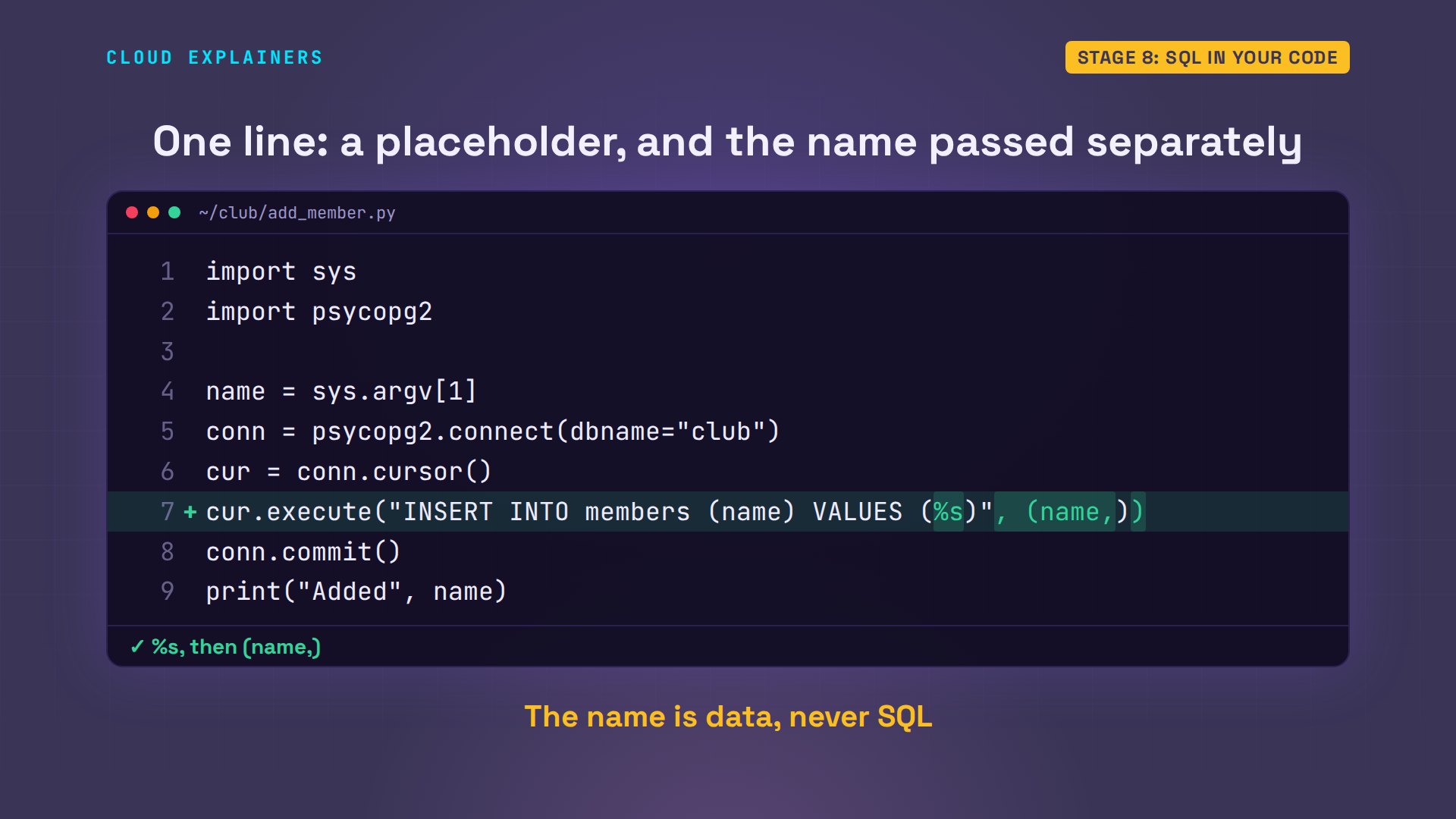
Pat O'Brien is in, apostrophe and all.
python3 add_member.py "Pat O'Brien"Added Pat O'Brien
psql club -c "SELECT id, name FROM members WHERE id > 12;"id | name ----+------------- 13 | Rosa Diaz 14 | Pat O'Brien (2 rows)
What can wait
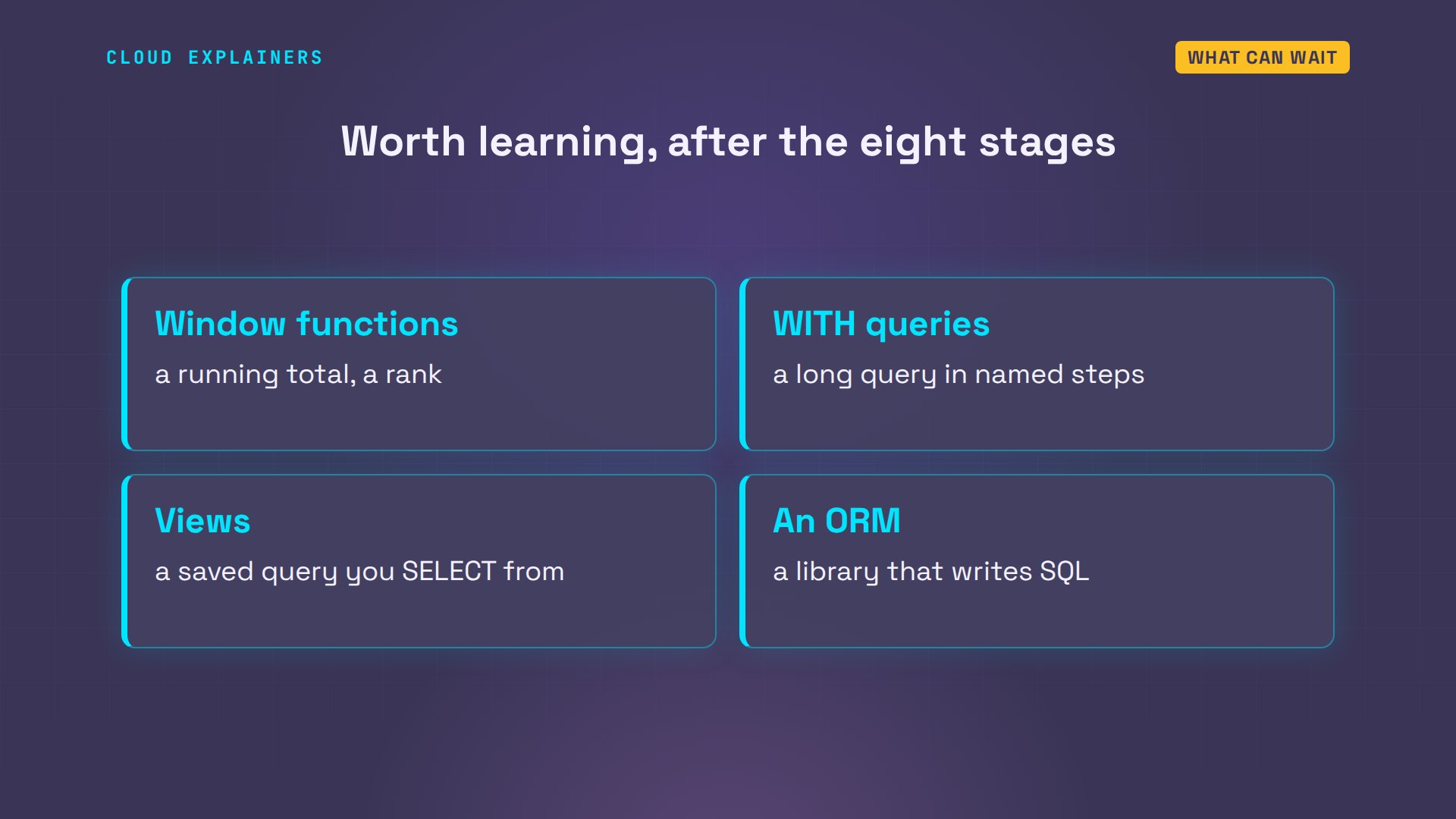
And what can wait? Window functions, for running totals and rankings. WITH queries, for breaking a big query into steps. Views, for saving a query under a name. And an ORM, a library that writes SQL for you. They all sit on these eight stages. An ORM still sends SQL, and when it's slow or wrong, you'll read that SQL to find out why.
Can you change the order? A little. Indexes and placeholders can come as soon as you write a program that uses a database. But stages one to four lean on each other. And the basics, from SELECT to joins, work the same in MySQL and SQLite.
Recap
Eight stages: read, handle NULL, count and join in the shallow end, then design tables, change rows safely, add indexes, and use placeholders in your code.
If this gave your SQL learning an order, a like helps YouTube show it to more beginners, and subscribing brings the next one to you.
All the lab files and commands are linked in the description. Thanks for watching Cloud Explainers.
Sources
- PostgreSQL 16 documentation, Queries (SELECT, WHERE, ORDER BY)
- PostgreSQL 16 documentation, Lexical Structure (identifiers in double quotes, string constants in single quotes)
- PostgreSQL 16 documentation, Comparison Functions and Operators (IS NULL)
- PostgreSQL 16 documentation, Aggregate Functions and GROUP BY/HAVING
- PostgreSQL 16 documentation, Joined Tables
- PostgreSQL 16 documentation, Constraints
- PostgreSQL 16 documentation, Transactions
- PostgreSQL 16 documentation, Indexes and EXPLAIN
- psycopg2 documentation, Passing parameters to SQL queries
Demos: a container on our own Mac standing in for a laptop; the book club and its members are made up, the books are real novels. Every command, error and number was real. Watch the full video on YouTube.
More videos
Every PostgreSQL Setting to Change After You Install It
What Happens When You Install Docker on Ubuntu
How to Fix Python 'Address Already in Use' Errors
Golang Interfaces and Mocks in 5 Minutes
How to Fix Git 'Detached HEAD' State
Linux Firewall with ufw: Full Tutorial for Beginners
Golang defer Statements in 5 Minutes
How to Fix OAuth 'invalid_grant' Errors
Golang make() for Slices and Maps in 5 Minutes
How to Fix Network 'No Route to Host' Errors on Linux
How to Fix Linux 'Too Many Open Files' Errors
Every Django Concept a Beginner Needs to Know
SSH on Linux: Full Tutorial for Beginners

Golang for range Loops in 5 Minutes
SQL Databases: SQLite vs PostgreSQL
The Django Roadmap for Beginners
Golang Structs in 5 Minutes
Redis: Full Tutorial for Beginners
Golang context.Context in 5 Minutes
How to Fix MySQL Database Error 1045: Access Denied for User
Golang Method Receivers in 5 Minutes
How to Fix Python SSL: CERTIFICATE_VERIFY_FAILED Errors
How to Fix Django Static Files Not Loading in Production
OpenRouter vs Direct API Keys: Which One Should You Use?
Golang if err != nil Checks in 5 Minutes

How to Fix Golang 'go.mod File Not Found' Errors

MCP Servers: Full Tutorial for Beginners
Golang Error Return Values in 5 Minutes
How to Fix Python ModuleNotFoundError: No Module Named
Golang Pointers in 5 Minutes
How to Fix a Kubernetes Pod Stuck in CrashLoopBackOff
How to Fix a Homelab ESXi Host Not Responding
PostgreSQL: Full Tutorial for Beginners
How a Load Balancer Works with HAProxy

How Python Virtual Environments Work
How to Fix Cloudflare Tunnel Errors in a Homelab
How to Fix API CORS Errors: No 'Access-Control-Allow-Origin'
How Authenticator App Login Codes Work (TOTP)
Git and GitHub: Full Tutorial for Beginners
How a Homelab Hypervisor Works (VMware ESXi)
How to Fix Kubernetes ImagePullBackOff Errors
How to Fix DNS 'Temporary Failure in Name Resolution' on Linux
How to Fix AWS CLI 'Unable to Locate Credentials'
Proxmox vs ESXi for Your Homelab: When Each One Wins
PostgreSQL UUID vs Auto Increment: Which Primary Key Should You Use?
Kubernetes: Full Tutorial for Beginners

How TCP Sockets Work

How to Fix PostgreSQL 'Could Not Connect to Server'
Claude Code Hooks Will Finally Make Sense After This
DevOps with Ansible Will Finally Make Sense After This
How SNMP Network Monitoring Works
How to Fix GitHub 'Permission Denied (publickey)' Errors
Docker: Full Tutorial for Beginners
How to Fix PostgreSQL 'Password Authentication Failed'
Why One Linux Server Handles More Users Than You Think
How to Fix Network 'Connection Refused' Errors
DevOps Pipelines: Jenkins vs GitHub Actions
Linux Nginx Reverse Proxy: Full Tutorial for Beginners
Every Networking Term a Beginner Needs in 12 Minutes
How to Fix Docker 'Permission Denied' on docker.sock
How to Fix Git 'Updates Were Rejected' When You Push
How to Fix nginx 502 Bad Gateway Errors on Linux
How to Fix Linux apt 'Could Not Get Lock' Errors (Ubuntu)

How Email Works on the Internet (SMTP) in 10 Minutes
The Python Roadmap for Beginners

Golang REST API with Gin: Full Tutorial for Beginners
How a WireGuard VPN Network Works
Linux Makefiles Will Finally Make Sense After This
SAML vs OAuth vs OpenID Connect: What's the Difference?
How to Fix Python cron Jobs That Never Run
Linux Bash Scripting: Full Tutorial for Beginners
How PXE Network Boot Works
How Active Directory Works
How to Fix a Linux systemd Service That Won't Start
Linux Logs: syslog vs journald
JWT vs Session Cookies: Which One Should You Use?
Docker vs Docker Compose: Which One Should You Use?
How to Fix Docker Compose Containers That Can't Talk to Each Other
Django Full Tutorial for Beginners
How Linux systemd Works

How to Fix 'Windows Cannot Access' Network Share Errors (SMB)
REST vs gRPC: Which One Should You Use?
How to Fix SSL Certificate Chain Errors (Missing Intermediate)
Every Python Concept for Beginners in 10 Minutes
Every SQL Join Type in 10 Minutes
Why OpenRouter Free Models Hit Their Limit So Fast
Why Your Gemini API Free Tier Runs Out So Fast
OpenRouter Will Finally Make Sense After This
How Redis Caching Works
Gemini API vs Vertex AI: Which One Should You Use?
How to Fix a Leaked Gemini API Key
Why Golang Uses Goroutines Instead of Threads
How to Fix Gemini API Error 429: Resource Exhausted
Claude Token Pricing Will Finally Make Sense After This
Why Python Web Scraping Returns Nothing (and the Fix)
Python uv vs pip: Which One Should You Use?
Python Automation: Full Tutorial for Beginners
How OAuth Login Works

Google AI Studio Will Finally Make Sense After This
What Happens When You Run a Docker Container
How to Fix Claude Code Billing Your API Key Instead of Your Plan
Why Passkeys Can't Be Phished Like Passwords
PowerShell vs Bash: Which One Should You Learn?
The Linux Roadmap for Beginners
Django vs FastAPI: Which One Should You Use?
Why SQLite Is the Most Used Database in the World
How a NoSQL Database Like MongoDB Works
How to Fix Python pip error: externally-managed-environment
How to Fix MySQL Too Many Connections Database Errors
Golang Concurrency Will Finally Make Sense After This
How Amazon S3 Works
How Kubernetes Works
How Git Works
How to Fix Docker Port Already Allocated Errors
How PostgreSQL Works
How to Fix Git Merge Conflicts
How to Fix No Space Left on Device in Linux
How the Internet Works
SQL vs NoSQL: When Each One Wins
How to Fix JWT Token Expired Errors (401 Unauthorized)
Claude API vs Claude Pro: Why Your Subscription Doesn't Include It
Why AI Agent Skills Beat Giant Prompts

Linux Cron Jobs Will Finally Make Sense After This
Security Logs Will Finally Make Sense After This
How to Fix a Security Leak: An API Key Pushed to GitHub
DNS Will Finally Make Sense After This
Never Ignore a Security Update
Two-Factor Authentication Will Finally Make Sense
Never Expose a Database to the Internet
SSH Keys vs Passwords: Which Is Safer for Security?
The 5 Levels of Linux Boot: From Power On to Login
The 5 Levels of Network Firewalls
Password Security: Why Hackers Crack Weak Passwords
Why Your Linux Server Runs Out of Memory
HTTP vs HTTPS: What Actually Changes on Your Network

Every Linux File Permission You Need to Know
Linux Processes vs Threads: When Each One Wins
The OSI Model Will Finally Make Sense After This
The 7 Levels of Git
Every Network Troubleshooting Command You Need
Hashing vs Encryption in Cybersecurity: When Each One Wins
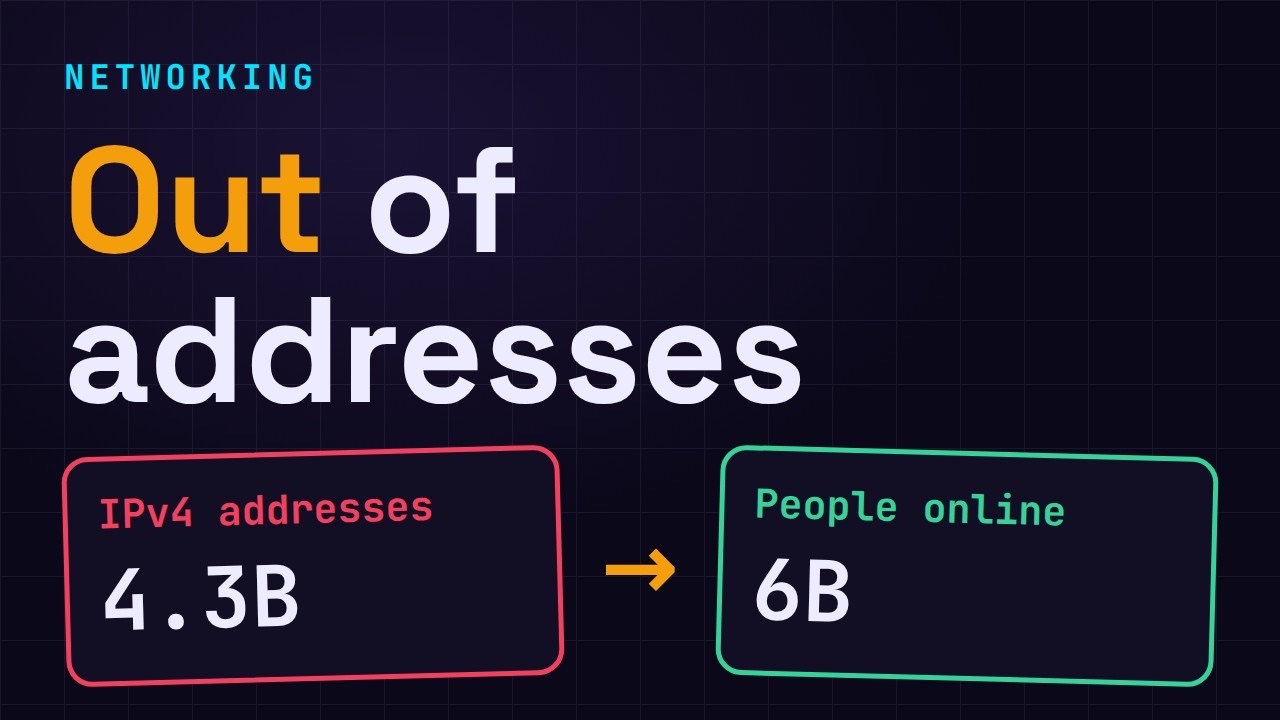
Why the Internet Ran Out of IP Addresses
Linux Package Managers: apt vs Snap vs Flatpak
Why Python Is Slow (and When It Doesn't Matter)
TCP vs UDP: When Each One Wins
Stop Running Linux as Root (Do This Instead)
Linux Users and Groups Will Finally Make Sense
Why Phishing Beats Good Security (and How to Spot It)
The 7 Levels of Docker

AI Agents Will Finally Make Sense After This
Stop Using git push --force (Use This Instead)
Agent Skills vs MCP: When Each One Wins
Networking Will Finally Make Sense After This
Every Linux Command You Actually Need
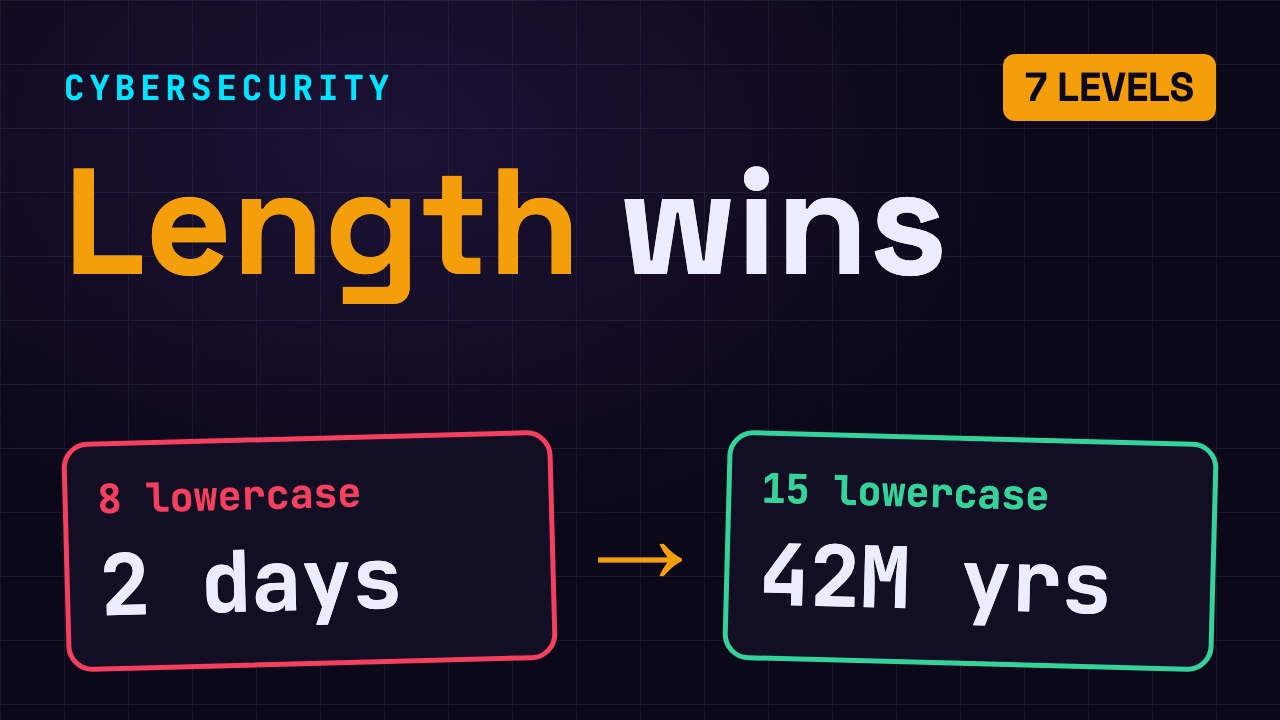
The 7 Levels of Cybersecurity
Every System Design Concept You Need, in One Diagram