DevOps Pipelines: Jenkins vs GitHub Actions
Jenkins or GitHub Actions? We push the same small project to both and watch what happens: GitHub starts in 4.1 seconds but can't reach a staging server on a private office network, while Jenkins, polling every minute, takes 59 seconds and deploys. Then a change both catch, a self-hosted runner that gives GitHub Actions a way into the office, a three-version test matrix, and what each one costs you to run.
The same push, twice
You need a pipeline that tests and deploys your code, and everyone says Jenkins or GitHub Actions. Most people guess the hosted one, GitHub Actions, wins: nothing to run, and it starts in seconds. Ana keeps a dog grooming salon's booking site. She pushes the same code to the office Git server, which Jenkins watches, and to GitHub.
git remote -vgithub	https://github.com/cloudexplainers/grooming-salon-ci.git (fetch)
github	https://github.com/cloudexplainers/grooming-salon-ci.git (push)
office	git://gitserver/salon.git (fetch)
office	git://gitserver/salon.git (push)
git push -q office main
git push -q github main
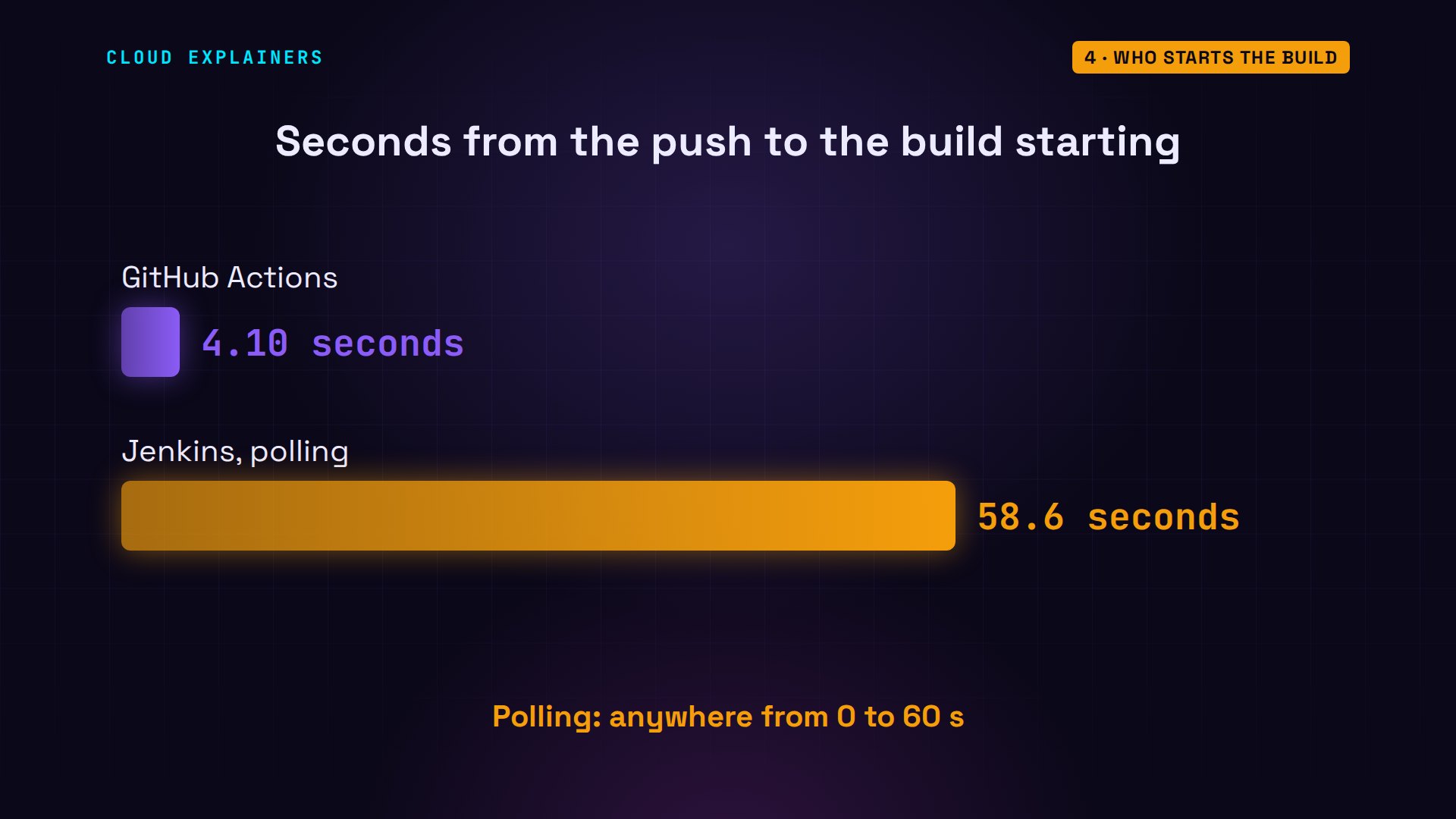
GitHub started its job in 4.1 seconds. Jenkins took 59. Then GitHub's deploy timed out: it couldn't reach staging, the salon's test copy of the site. Jenkins deployed fine. GitHub's runner did nothing wrong. It just isn't in Ana's building.
gh run view 43741177768 --log-failed | cut -f3- | cut -d' ' -f2- | grep -E '^curl:|error'curl: (28) Failed to connect to 10.42.0.20 port 8000 after 5002 ms: Timeout was reached
##[error]Process completed with exit code 28.
curl -sn http://jenkins:8080/job/salon/1/consoleText | grep -E '^Started|passed|failed|deployed|Finished'Started by an SCM change
2 passed in 0.00s
staging: deployed
Finished: SUCCESS
What a pipeline is
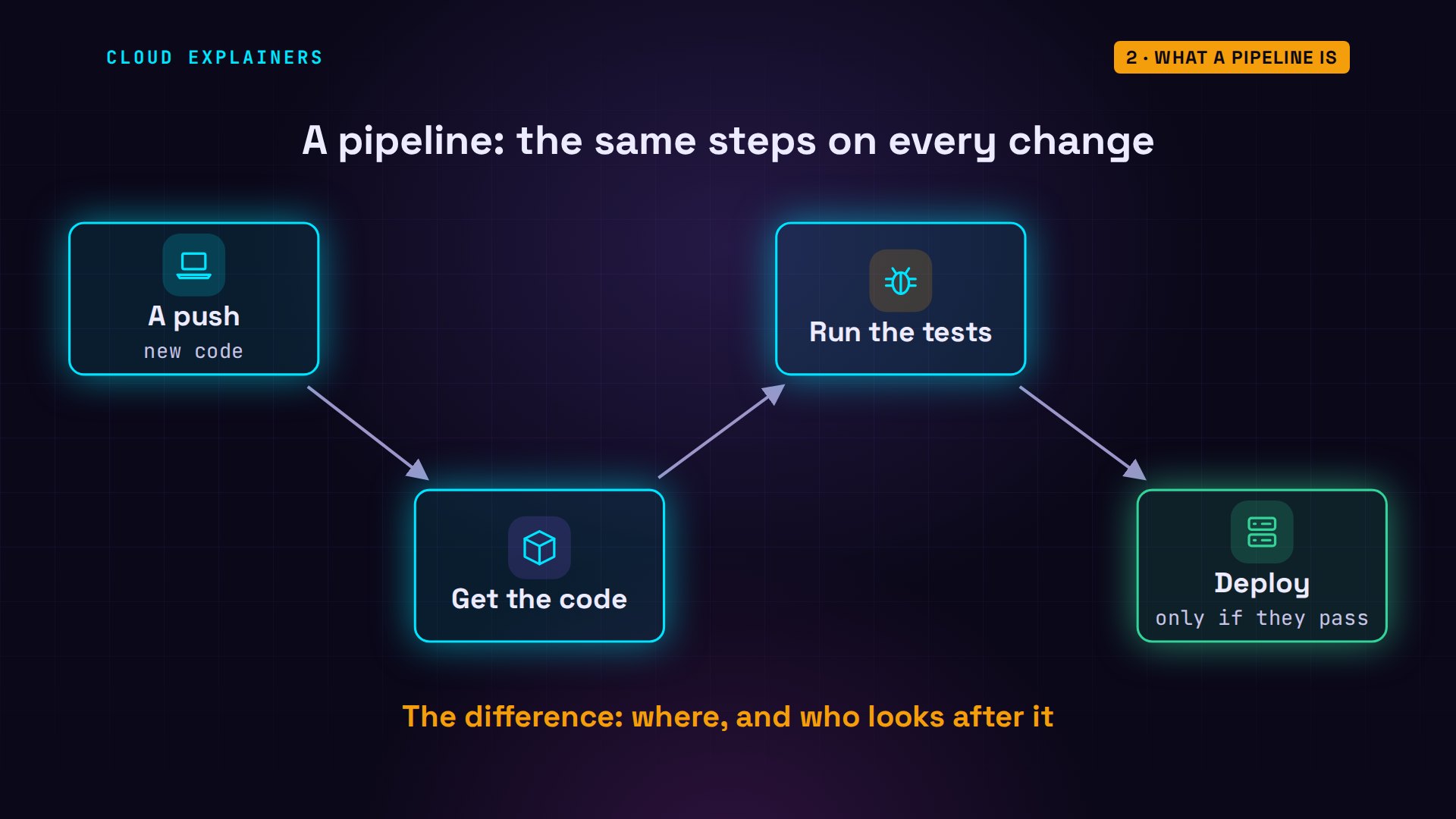
So what is a pipeline? A list of steps a machine runs every time your code changes: get the code, run the tests, and if they pass, deploy it. Both tools run that list; they differ in where the machine is, and who looks after it. And there is a way to get the best of both. We'll build it before the end.
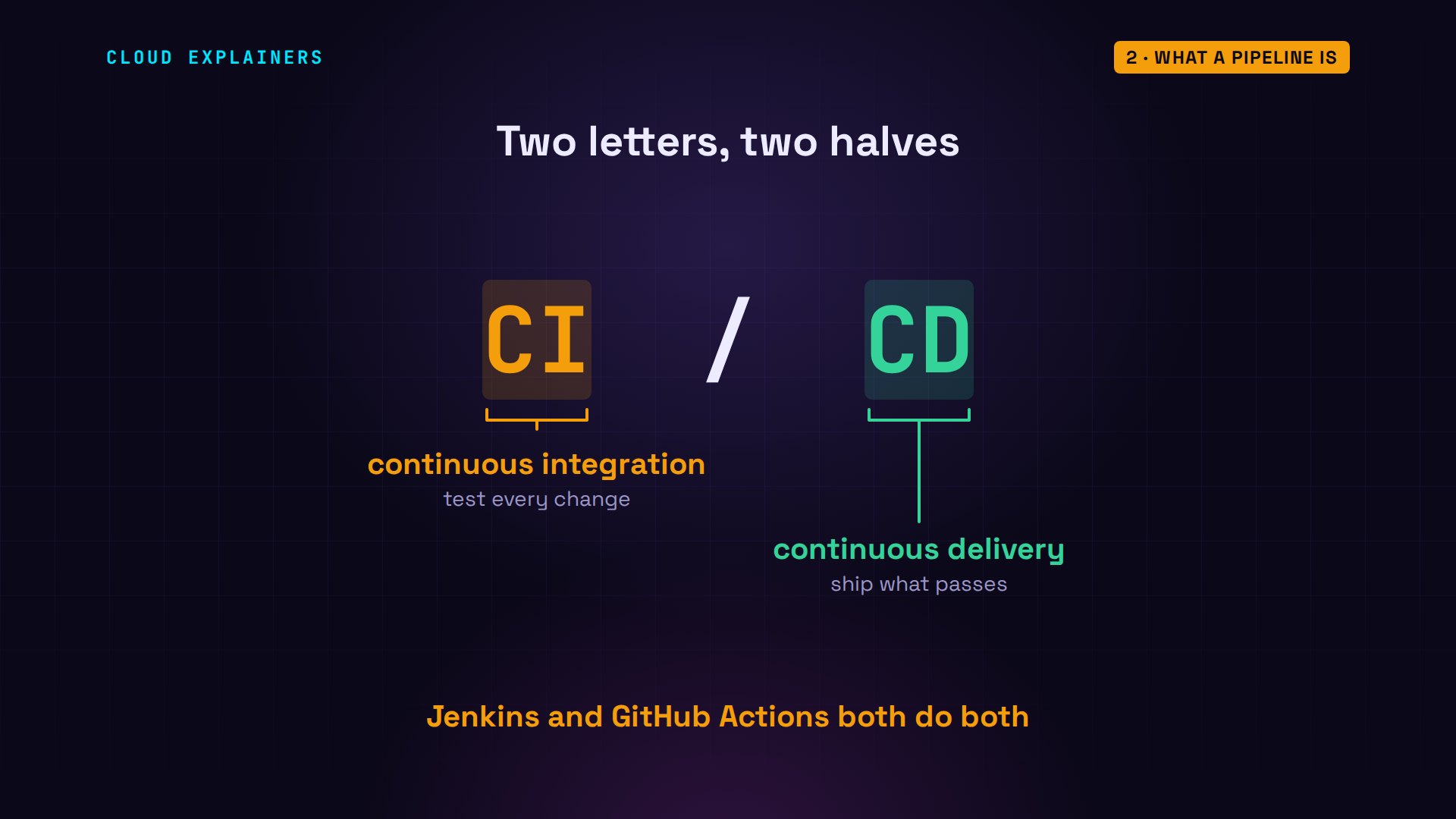
You'll see two letters for this everywhere: CI/CD. CI, continuous integration, means every change gets built and tested as soon as it's pushed. CD, continuous delivery, means a change that passes can go out on its own, here, to the staging server.
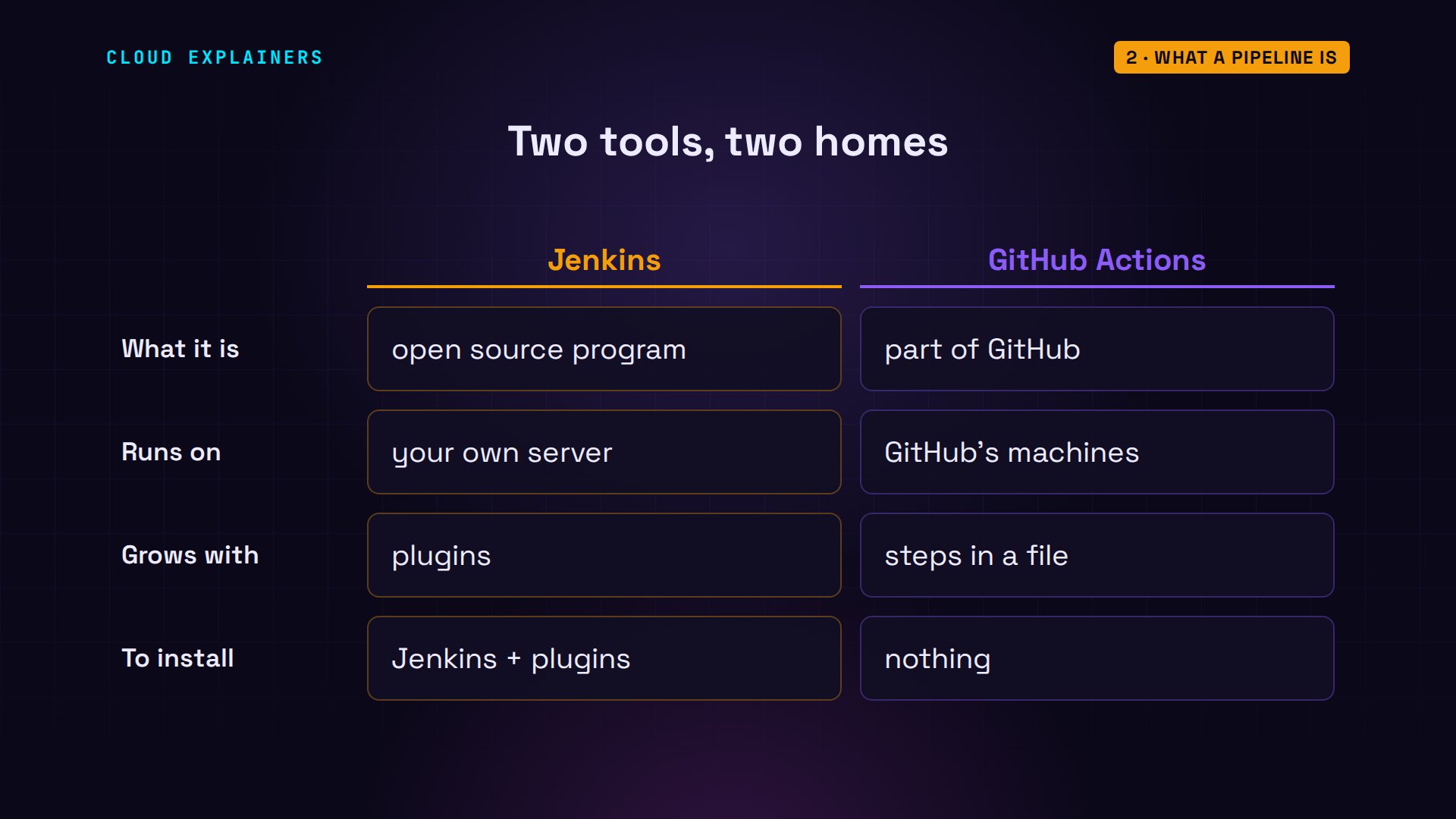
The two tools come from different places. Jenkins is an open source program you install on your own server, and plugins let it run almost anything. GitHub Actions is built into GitHub itself, so if your code already lives there, there is nothing to install.
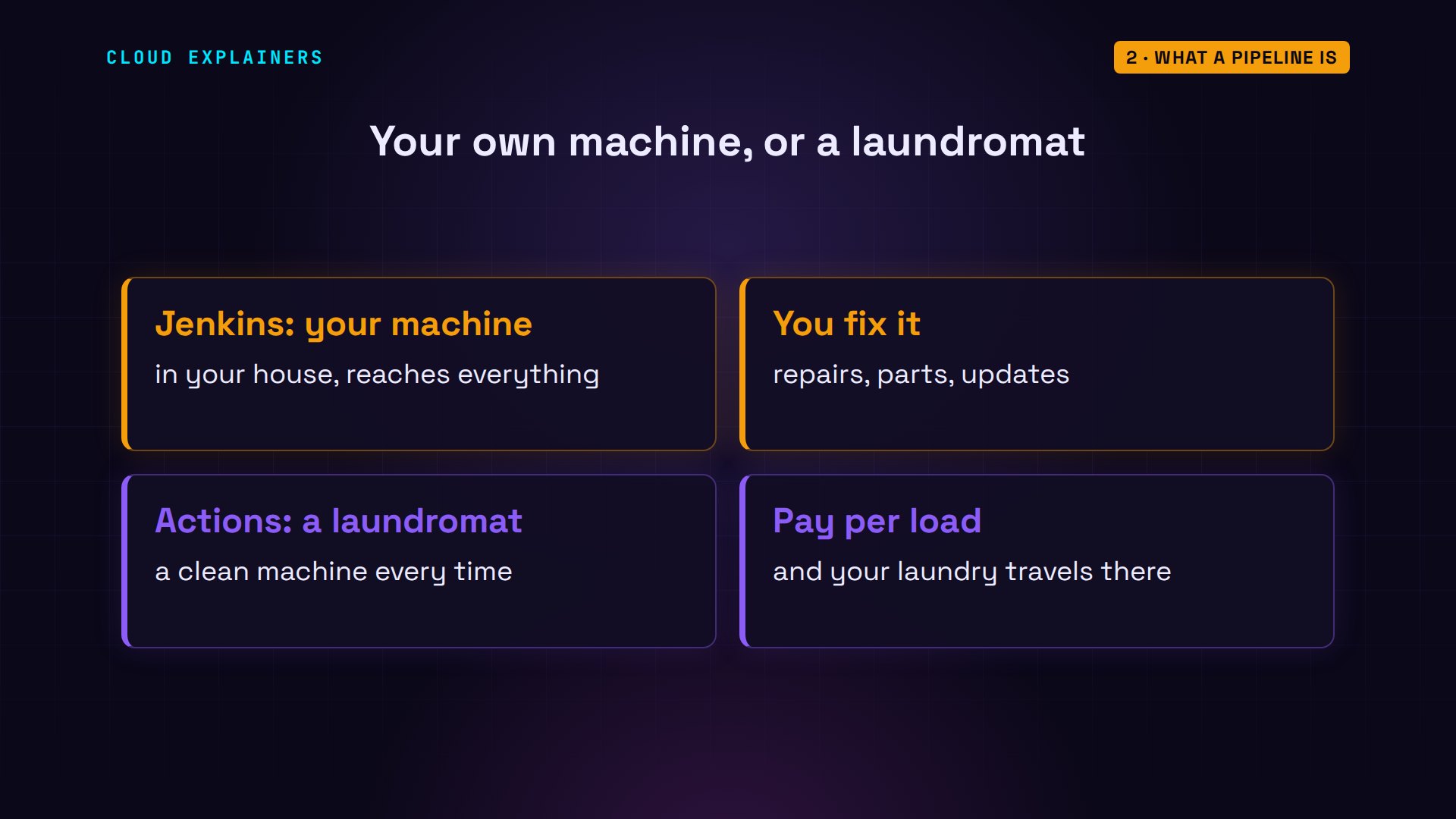
Think of laundry. Jenkins is a washing machine you own: it sits in your house, it can reach everything in it, and when it breaks, you fix it. GitHub Actions is a laundromat: a clean machine every time, someone else repairs it, and you pay per load. But your laundry has to travel there.
Two files, one plan
Both pipelines are a file in the project, next to the code, so a change to the pipeline is saved and reviewed like any other change. Jenkins reads the Jenkinsfile: stages, each with steps. Agent any means: any machine Jenkins has. And pollSCM, poll source control, tells Jenkins to ask the Git server for new commits, every minute.
cat Jenkinsfilepipeline {
    agent any
    triggers { pollSCM('* * * * *') }
    stages {
        stage('Test') {
            steps {
                sh 'echo "$(nproc) CPUs"'
                sh 'python3 -m pytest -q'
            }
        }
        stage('Deploy') {
            steps { sh 'curl -fsS --connect-timeout 5 http://10.42.0.20:8000/deploy' }
        }
    }
}
GitHub reads YAML files from the workflows folder: jobs, each with steps. On push means: run on every push. And runs-on picks the machine: a fresh Ubuntu machine GitHub lends for this one job, so the file sets up Python itself, because the machine starts with nothing of Ana's.
cat .github/workflows/ci.ymlname: ci
on: push
jobs:
  test-and-deploy:
    runs-on: ubuntu-24.04
    steps:
      - uses: actions/checkout@v7
      - uses: actions/setup-python@v7
        with:
          python-version: "3.12"
      - run: echo "$(nproc) CPUs, $(uptime -p)"
      - run: pip install pytest
      - run: python -m pytest -q
      - run: curl -fsS --connect-timeout 5 http://10.42.0.20:8000/deploy
Who starts the build
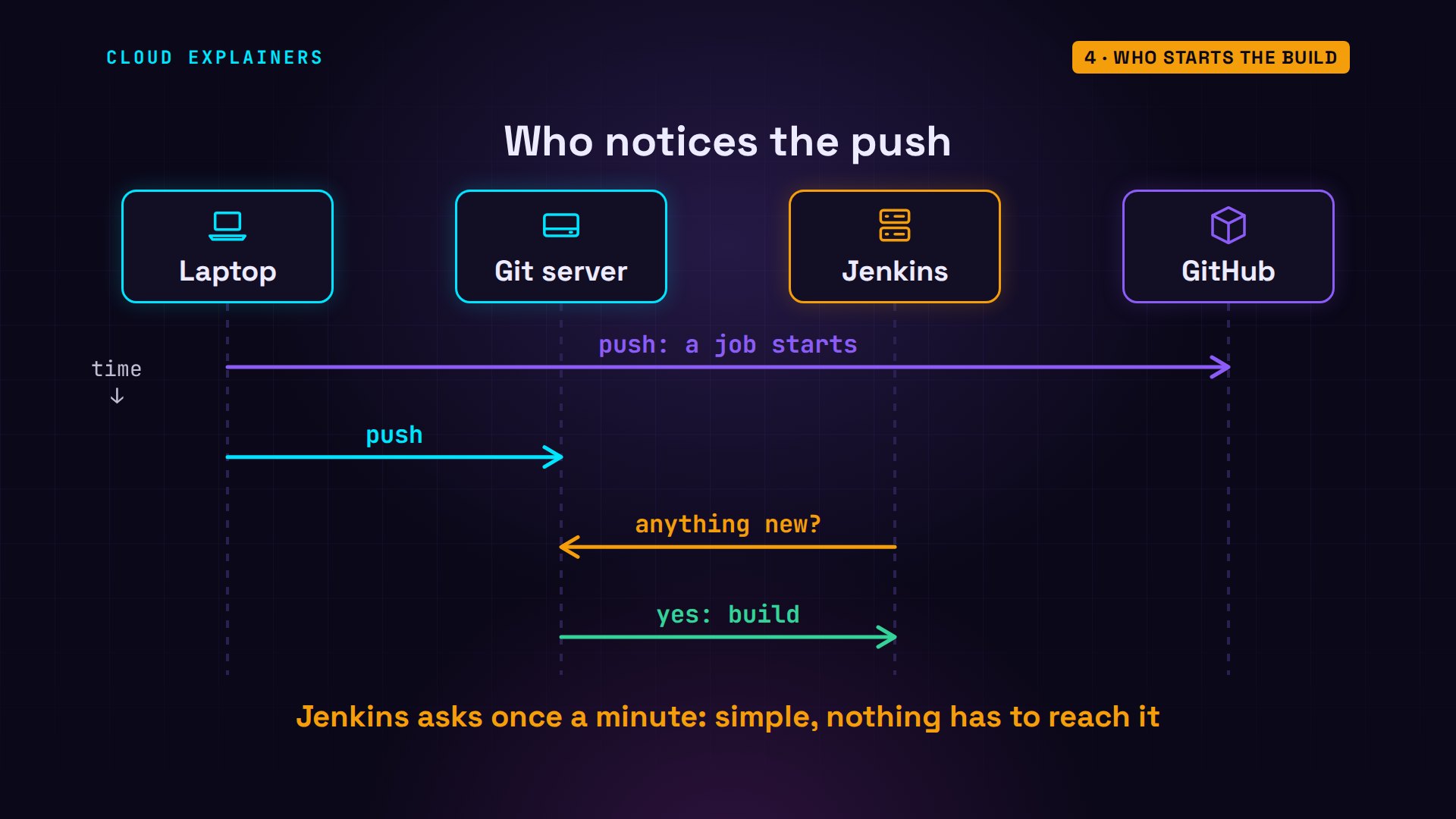
That's the first real difference: who notices the push. GitHub holds the code, so it sees every push the moment it lands. Jenkins lives somewhere else, so it has to ask: anything new? Once a minute. Polling isn't wrong: it's simple, and it works even when the Git server can't reach Jenkins at all.
In Ana's run, that meant 4.1 seconds against 59. It changes from push to push, anywhere up to a minute. A webhook, where the Git server calls Jenkins straight away, removes the wait, but it's one more thing to set up and keep working.
Where the job runs
The bigger difference is where the work happens. Jenkins runs in Ana's office network, next to the Git server and the staging server, so it deploys directly. GitHub's runner, the machine that runs each job, is in GitHub's cloud. It can reach the internet, but the office network is private: nothing outside can connect in. That's the timeout we saw.
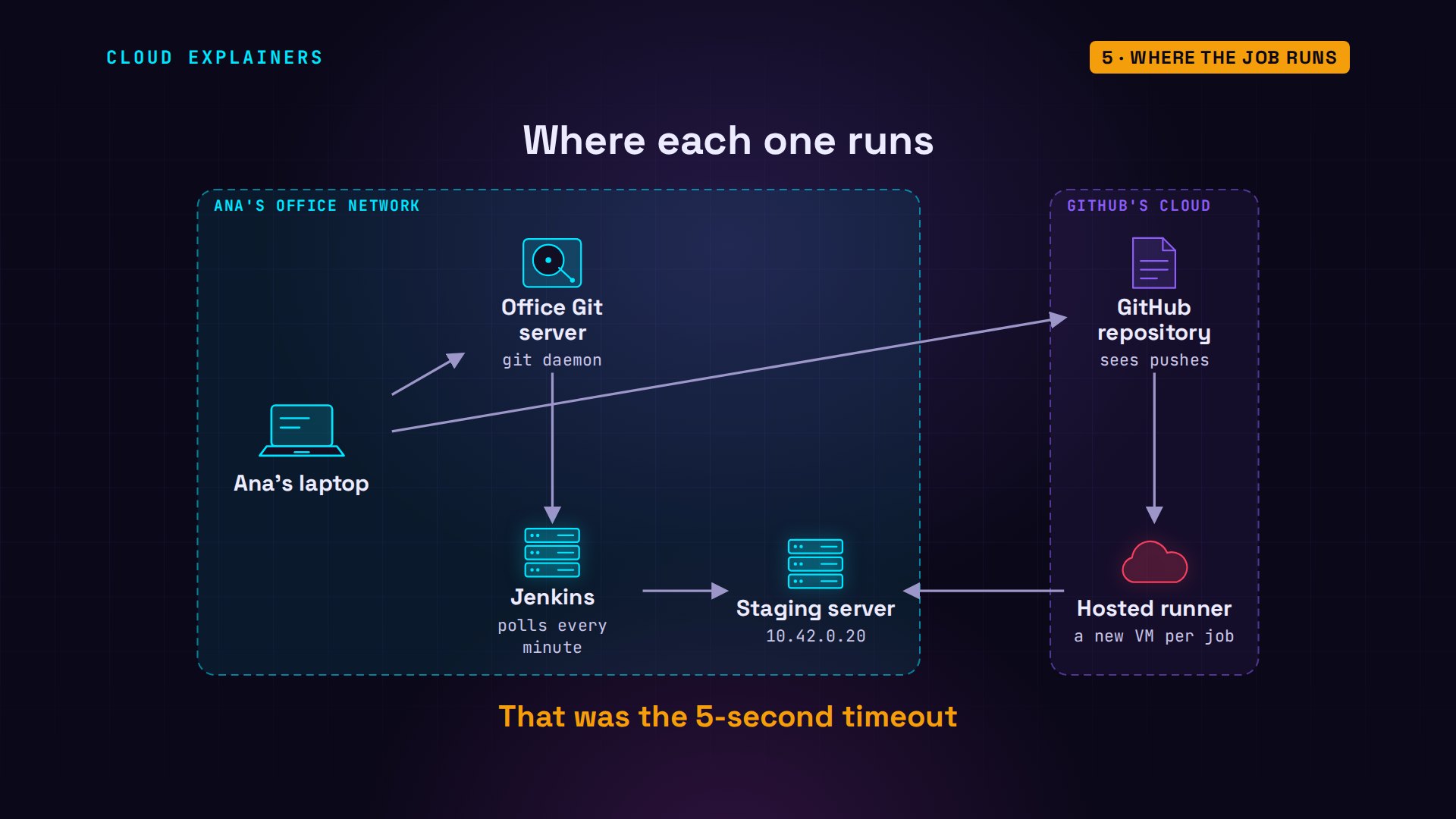
And that cloud machine is brand new for every job. GitHub's own documentation says it plainly: each hosted runner is a new virtual machine.
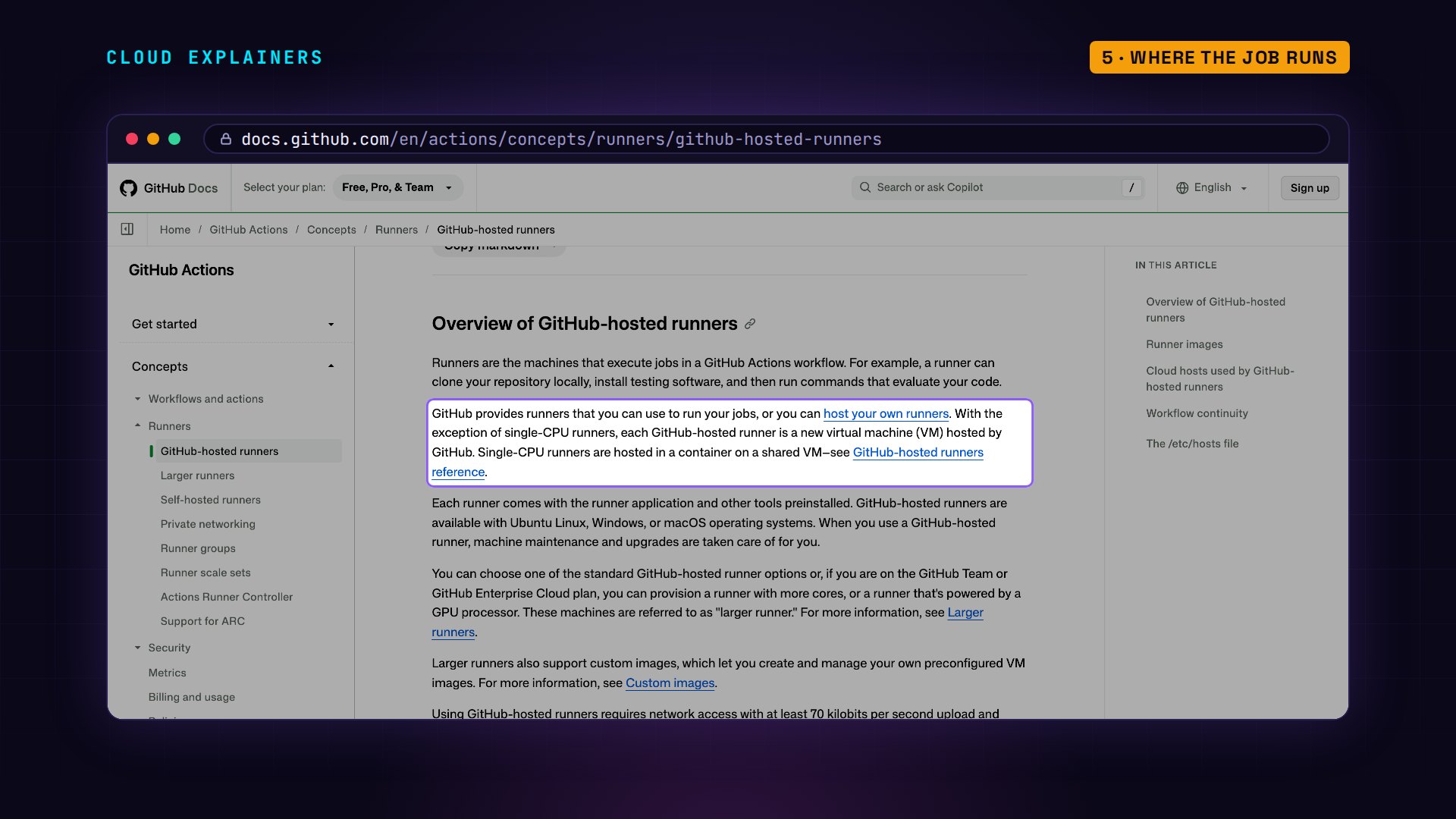
Ana's run printed it: 2 CPUs, up zero minutes. Started for her job, thrown away after it. Nothing is left over from last time, so every run installs Python and pytest again, unless a cache step saves the downloads and brings them back next time. Jenkins runs on whatever machine you give it, 10 CPUs here, with Python installed once, by Ana.
gh run view 43741177768 --log | cut -f3- | cut -d' ' -f2- | grep -E '^[0-9]+ CPUs'2 CPUs, up 0 minutes
curl -sn http://jenkins:8080/job/salon/1/consoleText | grep -E '^[0-9]+ CPUs'10 CPUs
A change the tests catch
Now a change the tests don't expect. Someone edits one line, so the last slot of the day disappears. The test still says an empty day has eight free slots. Ana pushes to both. Which one catches it?
git diffdiff --git a/slots.py b/slots.py
index 41b372d..642355b 100644
--- a/slots.py
+++ b/slots.py
@@ -5,4 +5,4 @@ OPEN, CLOSE = 9, 17          # the salon opens 9:00, last slot starts 16:00

 def free_slots(booked):
     """Hours still free today, given the hours already booked."""
-    return [h for h in range(OPEN, CLOSE) if h not in booked]
+    return [h for h in range(OPEN, CLOSE - 1) if h not in booked]
Both. The same test fails on both machines, with the same message: seven slots, where it expected eight. That part doesn't change between tools. The tests are yours; the pipeline only decides where they run.
curl -sn http://jenkins:8080/job/salon/2/consoleText | grep -E '^(E +assert|FAILED|[0-9]+ failed|Finished)'E       assert 7 == 8
FAILED test_slots.py::test_empty_day_has_eight_slots - assert 7 == 8
1 failed, 1 passed in 0.00s
Finished: FAILURE
gh run view 43741281007 --log-failed | cut -f3- | cut -d' ' -f2- | grep -E '^(E +assert|FAILED|[0-9]+ failed)'E       assert 7 == 8
FAILED test_slots.py::test_empty_day_has_eight_slots - assert 7 == 8
1 failed, 1 passed in 0.01s
Getting both
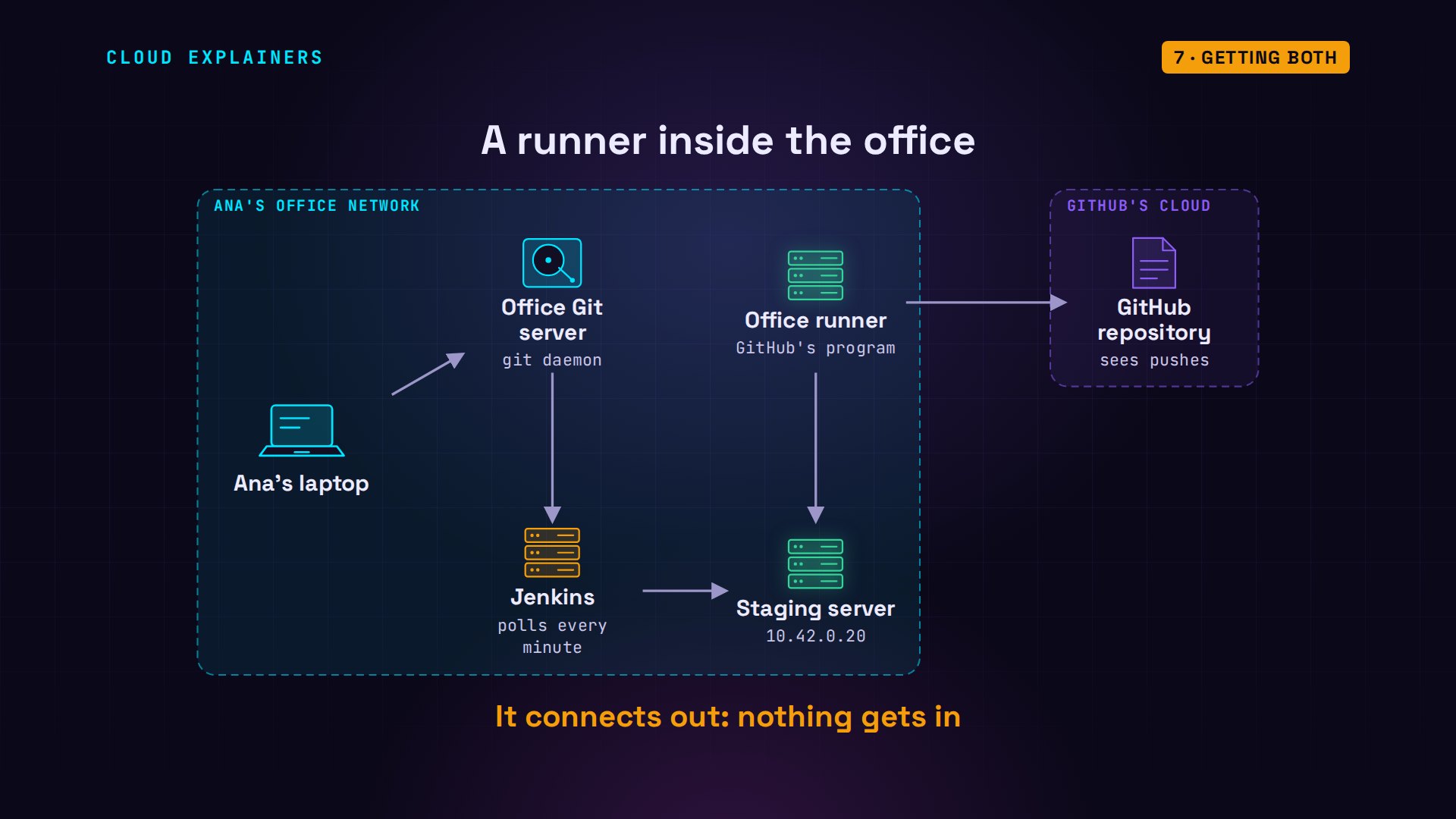
So can Ana keep GitHub's workflow and still deploy into her office? Yes: with a self-hosted runner. It's GitHub's own runner program, installed on a machine inside the office. It connects out to GitHub and asks for work, so nothing has to get in. Deploy jobs run there; tests stay on GitHub's machines.
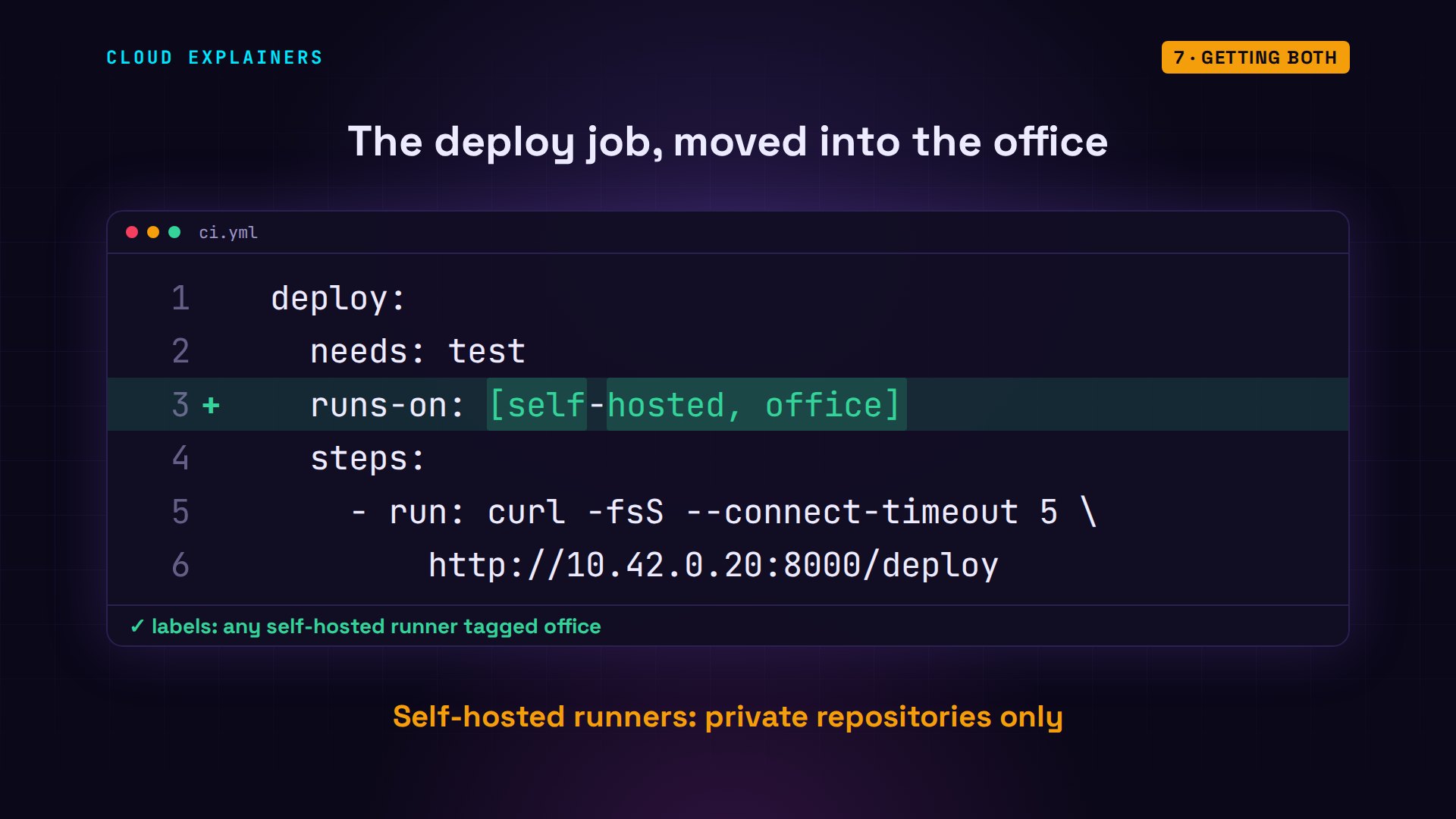
In the workflow, the deploy job gets its own lines, and runs-on names the office runner instead of a GitHub machine. One caution from GitHub's own docs: use self-hosted runners with private repositories. Workflows can run on a pull request, someone's proposed change, so on a public one, a stranger's code could run on your office machine.
While she's there, Ana adds one thing GitHub makes easy: testing on three Python versions, with a matrix: one job, copied once for each version. Three versions. How much longer does the run take?
git diffdiff --git a/.github/workflows/ci.yml b/.github/workflows/ci.yml
index 490f04c..73f5d15 100644
--- a/.github/workflows/ci.yml
+++ b/.github/workflows/ci.yml
@@ -1,14 +1,21 @@
 name: ci
 on: push
 jobs:
-  test-and-deploy:
+  test:
     runs-on: ubuntu-24.04
+    strategy:
+      matrix:
+        python: ["3.11", "3.12", "3.13"]
     steps:
       - uses: actions/checkout@v7
       - uses: actions/setup-python@v7
         with:
-          python-version: "3.12"
+          python-version: ${{ matrix.python }}
       - run: echo "$(nproc) CPUs, $(uptime -p)"
       - run: pip install pytest
       - run: python -m pytest -q
+  deploy:
+    needs: test
+    runs-on: [self-hosted, office]
+    steps:
       - run: curl -fsS --connect-timeout 5 http://10.42.0.20:8000/deploy
diff --git a/slots.py b/slots.py
index 642355b..41b372d 100644
--- a/slots.py
+++ b/slots.py
@@ -5,4 +5,4 @@ OPEN, CLOSE = 9, 17          # the salon opens 9:00, last slot starts 16:00

 def free_slots(booked):
     """Hours still free today, given the hours already booked."""
-    return [h for h in range(OPEN, CLOSE - 1) if h not in booked]
+    return [h for h in range(OPEN, CLOSE) if h not in booked]
About the same. Each version got its own fresh machine, all starting together, done in 10 to 18 seconds. Then deploy ran on the office runner, and this time staging answered: deployed. On Jenkins, three Python versions means three Pythons installed on your servers, and kept up to date.
gh run view 43741375602✓ main ci · 43741375602
Triggered via push less than a minute ago

JOBS
✓ test (3.13) in 18s (ID 132895080520)
✓ test (3.12) in 16s (ID 132895080735)
✓ test (3.11) in 10s (ID 132895080857)
✓ deploy in 2s (ID 132895177637)

For more information about a job, try: gh run view --job=<job-id>
View this run on GitHub: https://github.com/cloudexplainers/grooming-salon-ci/actions/runs/43741375602
gh run view 43741375602 --log | cut -f3- | cut -d' ' -f2- | grep -E '^staging:'staging: deployed
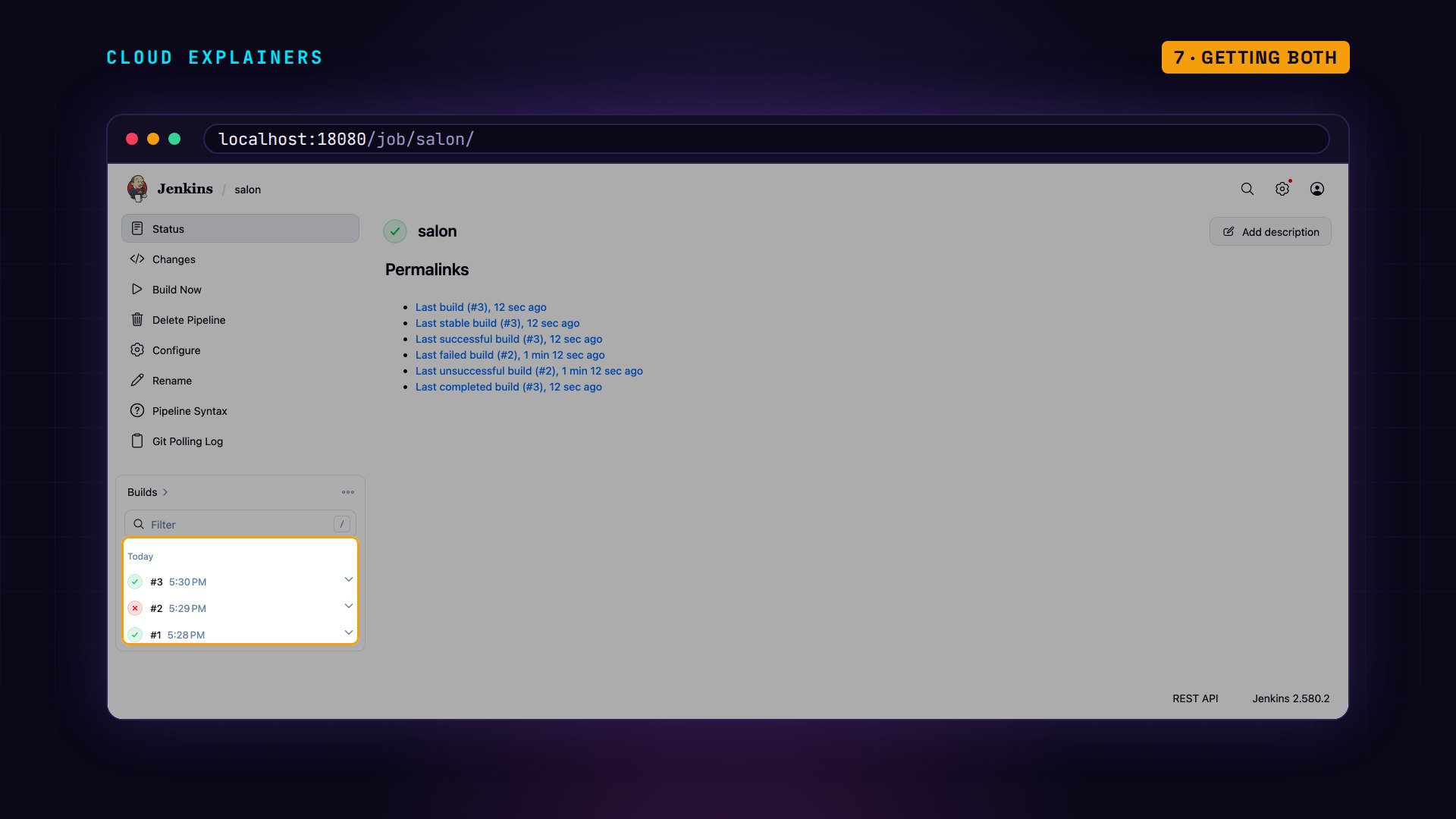
Jenkins built the same three pushes, one build each. Its page keeps the history: build one green, build two red, build three green again.
What each one costs
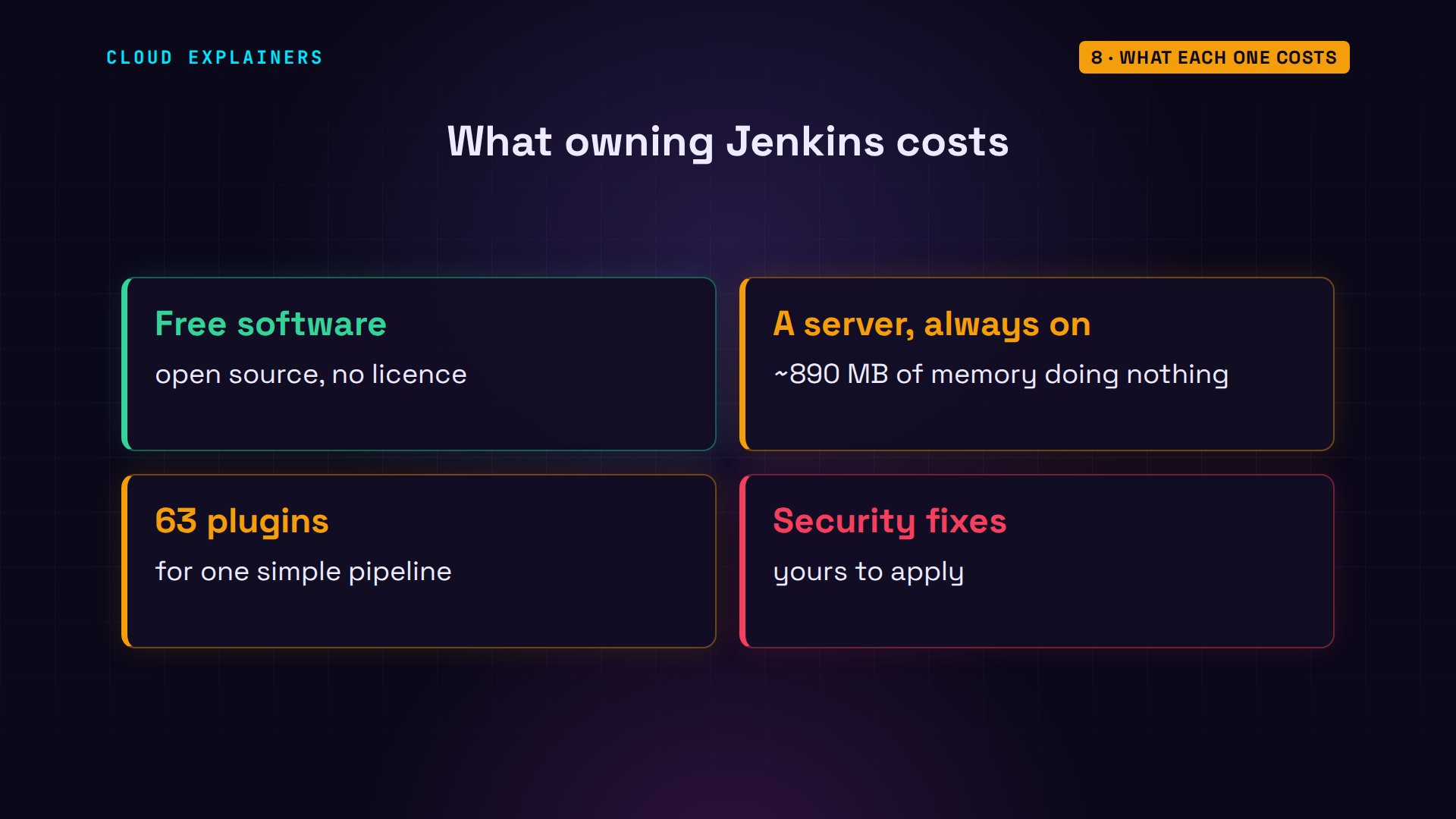
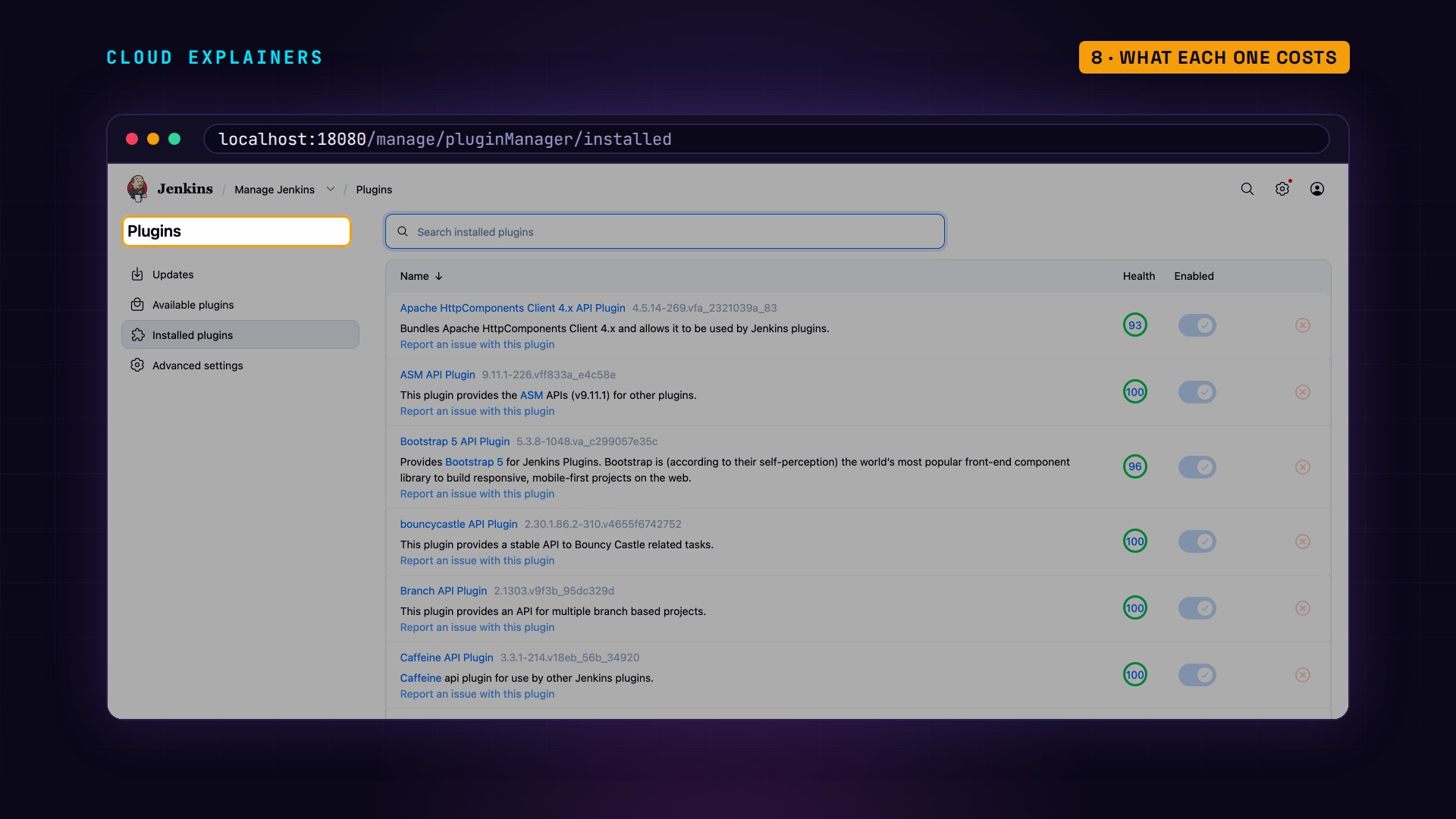
Now cost. Jenkins itself is free, open source software. But it needs a server that's always on: ours used about 890 megabytes of memory, doing nothing. And this one simple pipeline needed 63 plugins, the add-ons that give Jenkins Git and pipelines, each one something to keep updated. Jenkins publishes security warnings for itself and its plugins, and on your server, applying the fixes is your job. That's the washing machine you own.
Each of those shows up on this page, with its own version to watch.
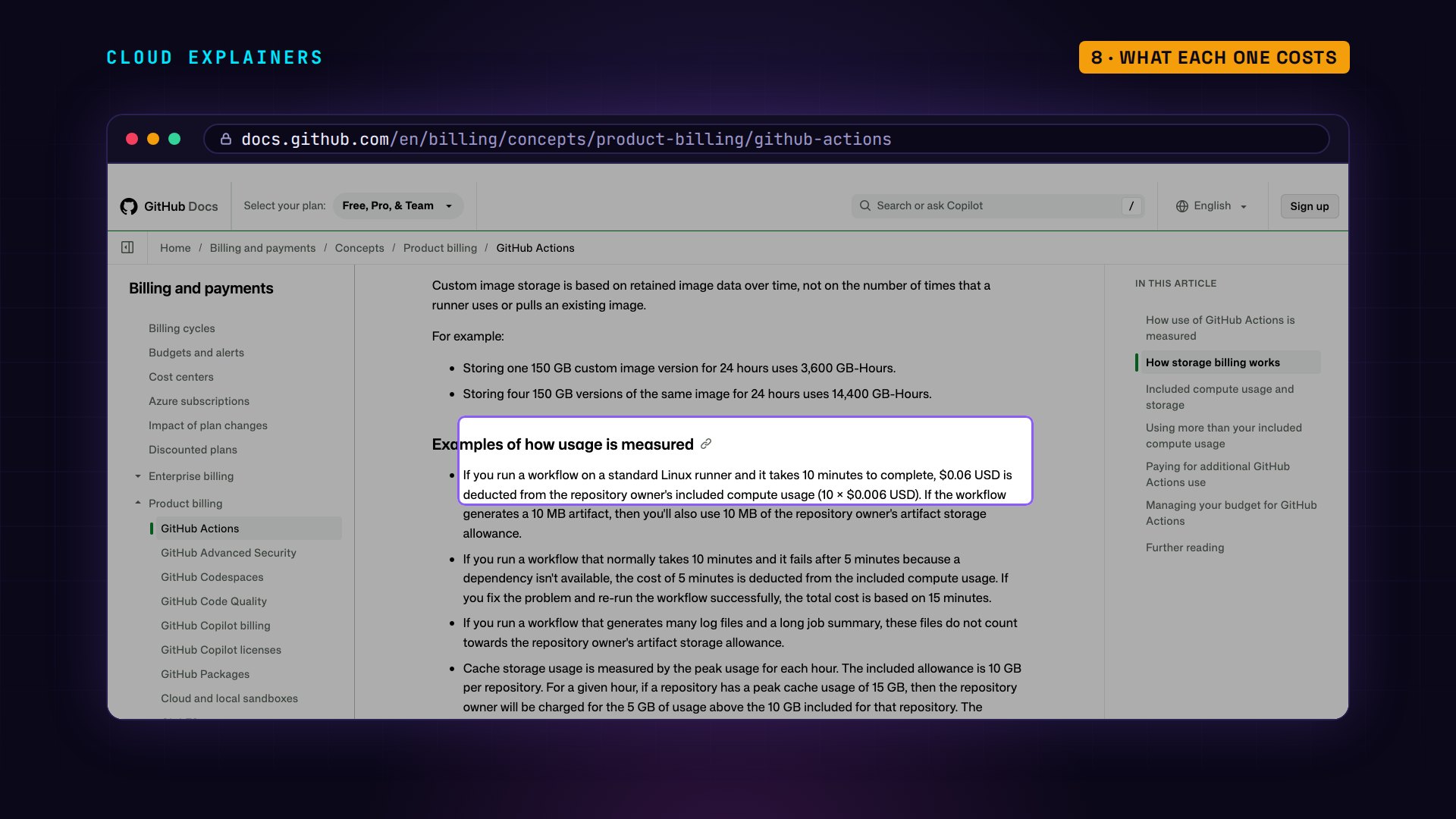
GitHub Actions is the laundromat. On public repositories, standard runners are free. On private ones, each plan includes some usage, and after that a standard Linux runner costs six dollars for every thousand minutes. A failed run counts too: you pay for the minutes it ran. You pay per load.
Which one to pick
Where does Jenkins still win? When builds need machines GitHub doesn't rent, when code must never leave the building, when builds run so long or so often that per-minute pricing adds up, and when a team already has years of Jenkins jobs that work.
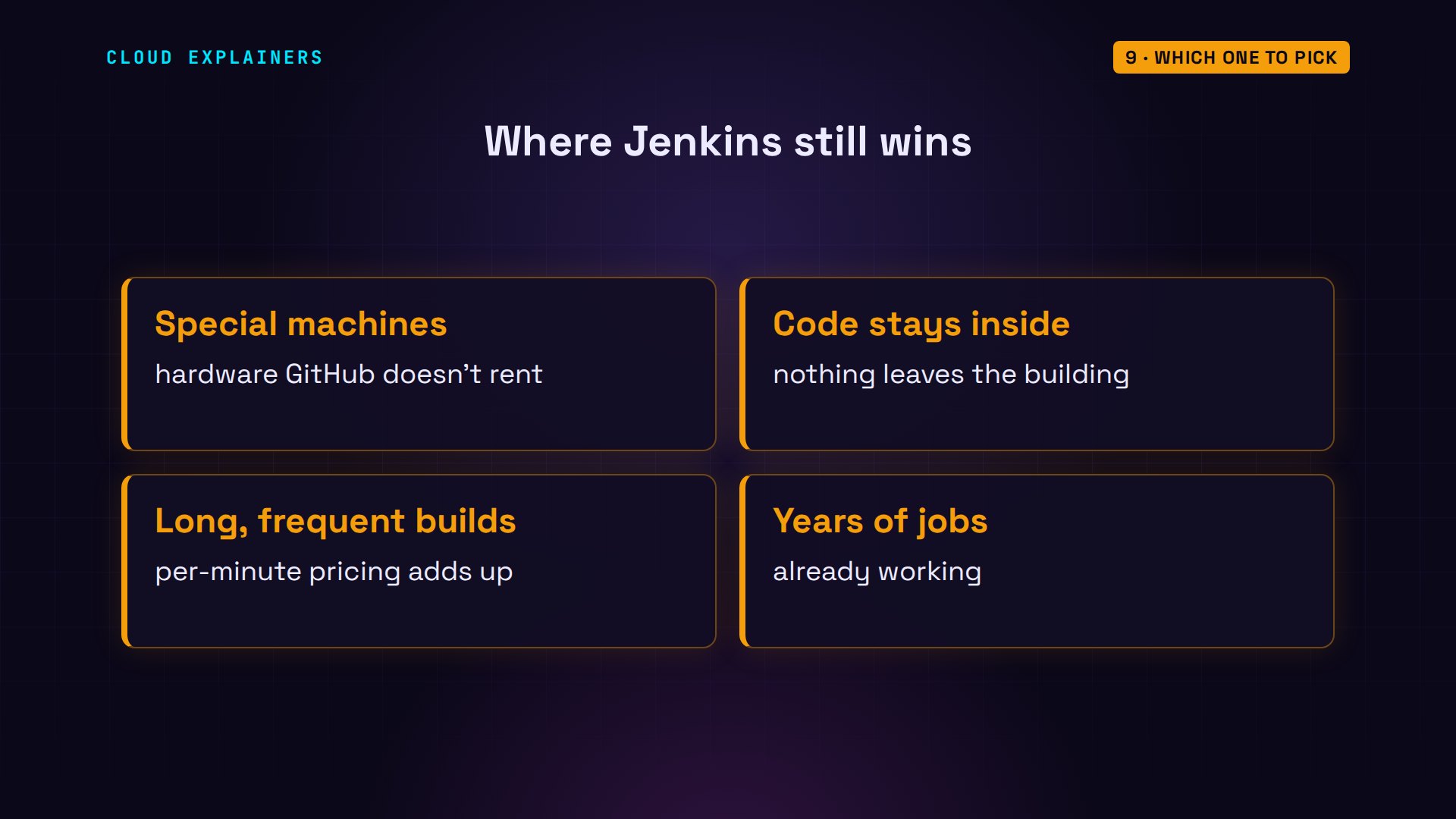
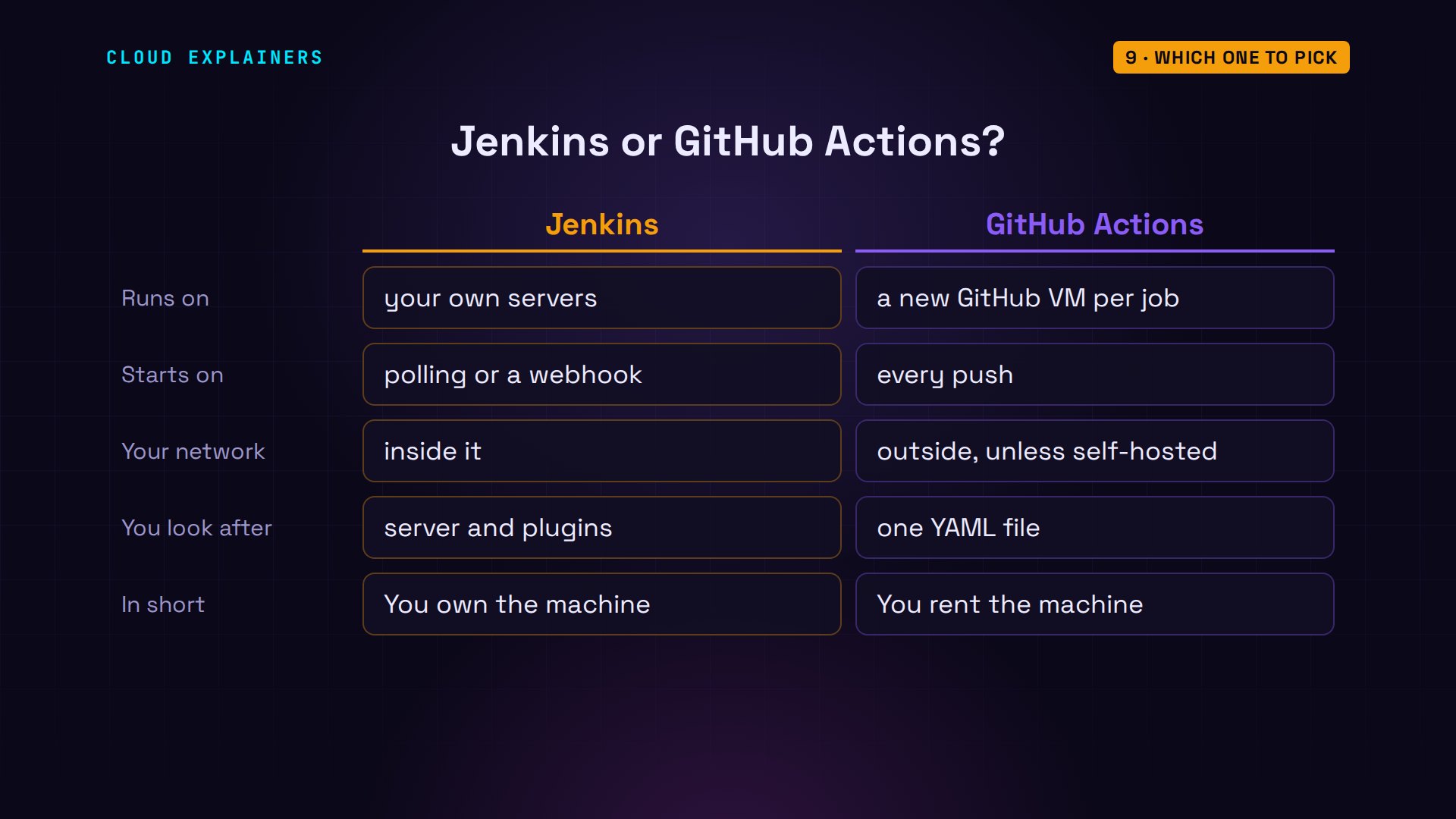
So which one? If your code is already on GitHub and deploys to the cloud, start with GitHub Actions: there's nothing to run, and a self-hosted runner covers the odd job inside. If one of those four fits you, Jenkins is still a solid choice. In short: with Jenkins you own the machine. With Actions, you rent it.
Recap
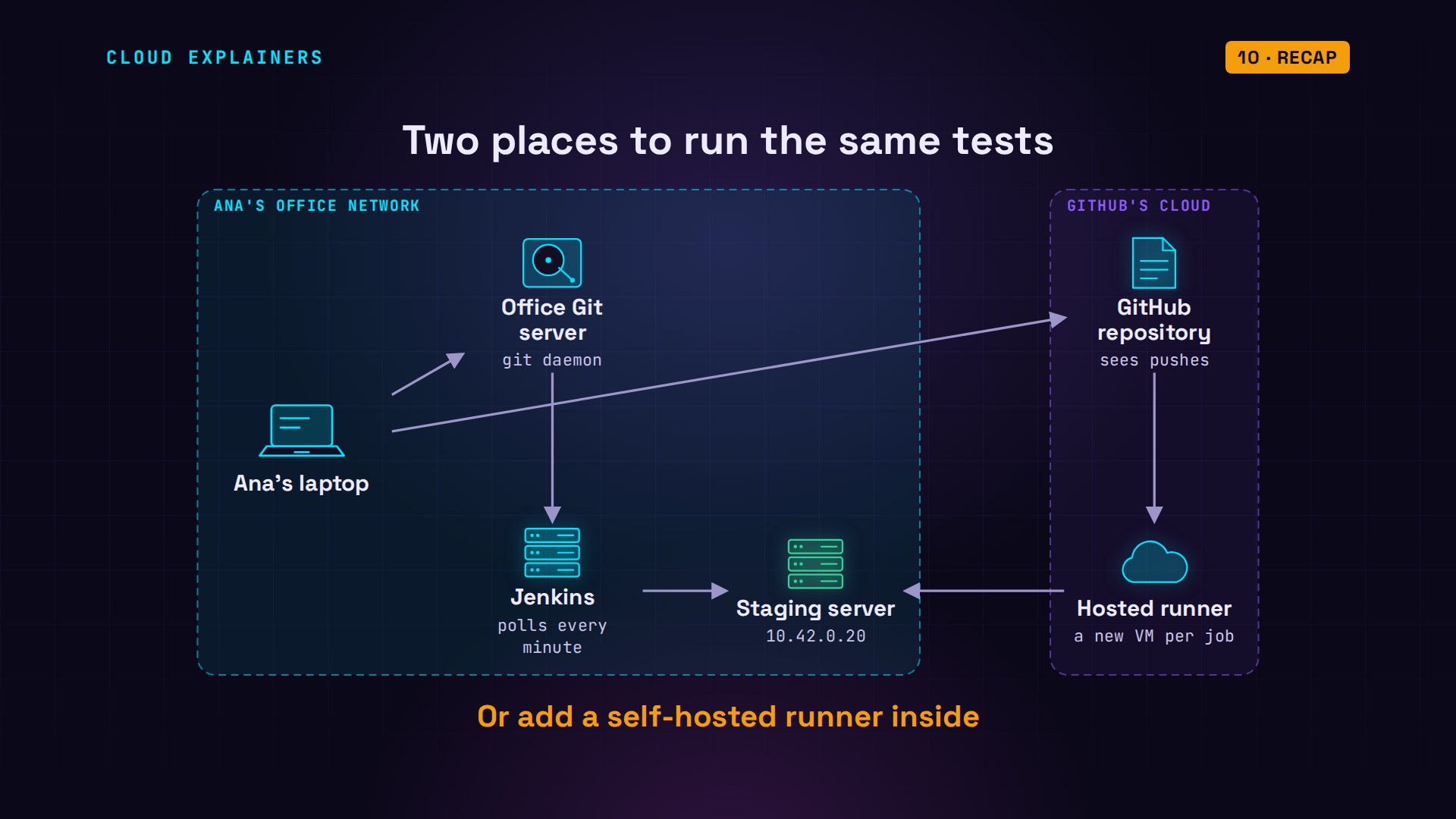
Same tests, two places to run them. Jenkins: your server, inside your network, yours to maintain. GitHub Actions: a fresh machine for every job, started by every push, outside your network unless you add a runner.
If this made the choice easier, a like helps YouTube show it to more beginners, and subscribing brings you the next one.
Every run you saw was real: Jenkins in our lab, and GitHub Actions on GitHub. The lab files and every command are linked in the description. Thanks for watching Cloud Explainers.
Sources
- GitHub Docs, GitHub-hosted runners (each hosted runner is a new virtual machine)
- GitHub Docs, GitHub Actions billing (free in public repositories; standard Linux runner per-minute rate)
- GitHub Docs, self-hosted runners
- GitHub Docs, workflow syntax (on, jobs, runs-on, needs)
- GitHub Docs, running variations of jobs with a matrix
- Jenkins Pipeline syntax (agent, stages, steps, triggers, pollSCM)
- Jenkins LTS changelog (2.580.2)
- Jenkins security advisories
- GitHub Docs, self-hosted runner security (use with private repositories)
Demos: Jenkins, a Git server, a staging server and a self-hosted runner in Docker on our own Mac, standing in for an office network; GitHub Actions ran for real in a private lab repository. The salon is made up; 10.42.0.0/24 is a private address range. Watch the full video on YouTube.
More videos
DevOps with Ansible Will Finally Make Sense After This
How SNMP Network Monitoring Works
How to Fix GitHub 'Permission Denied (publickey)' Errors
How to Fix PostgreSQL 'Password Authentication Failed'
Why One Linux Server Handles More Users Than You Think

How to Fix Network 'Connection Refused' Errors
Every Networking Term a Beginner Needs in 12 Minutes
How to Fix Docker 'Permission Denied' on docker.sock
How to Fix Git 'Updates Were Rejected' When You Push
How to Fix nginx 502 Bad Gateway Errors on Linux
How to Fix Linux apt 'Could Not Get Lock' Errors (Ubuntu)

How Email Works on the Internet (SMTP) in 10 Minutes
The Python Roadmap for Beginners

Golang REST API with Gin: Full Tutorial for Beginners
How a WireGuard VPN Network Works

Linux Makefiles Will Finally Make Sense After This

SAML vs OAuth vs OpenID Connect: What's the Difference?
How to Fix Python cron Jobs That Never Run
Linux Bash Scripting: Full Tutorial for Beginners
How PXE Network Boot Works
How Active Directory Works
How to Fix a Linux systemd Service That Won't Start
Linux Logs: syslog vs journald
JWT vs Session Cookies: Which One Should You Use?
Docker vs Docker Compose: Which One Should You Use?
How to Fix Docker Compose Containers That Can't Talk to Each Other

Django Full Tutorial for Beginners
How Linux systemd Works

How to Fix 'Windows Cannot Access' Network Share Errors (SMB)
REST vs gRPC: Which One Should You Use?

How to Fix SSL Certificate Chain Errors (Missing Intermediate)
Every Python Concept for Beginners in 10 Minutes
Every SQL Join Type in 10 Minutes
Why OpenRouter Free Models Hit Their Limit So Fast
Why Your Gemini API Free Tier Runs Out So Fast
OpenRouter Will Finally Make Sense After This
How Redis Caching Works
Gemini API vs Vertex AI: Which One Should You Use?
How to Fix a Leaked Gemini API Key
Why Golang Uses Goroutines Instead of Threads
How to Fix Gemini API Error 429: Resource Exhausted

Claude Token Pricing Will Finally Make Sense After This
Why Python Web Scraping Returns Nothing (and the Fix)
Python uv vs pip: Which One Should You Use?

Python Automation: Full Tutorial for Beginners
How OAuth Login Works

Google AI Studio Will Finally Make Sense After This
What Happens When You Run a Docker Container
How to Fix Claude Code Billing Your API Key Instead of Your Plan
Why Passkeys Can't Be Phished Like Passwords
PowerShell vs Bash: Which One Should You Learn?
The Linux Roadmap for Beginners
Django vs FastAPI: Which One Should You Use?

Why SQLite Is the Most Used Database in the World
How a NoSQL Database Like MongoDB Works
How to Fix Python pip error: externally-managed-environment
How to Fix MySQL Too Many Connections Database Errors
Golang Concurrency Will Finally Make Sense After This
How Amazon S3 Works
How Kubernetes Works

How Git Works
How to Fix Docker Port Already Allocated Errors
How PostgreSQL Works
How to Fix Git Merge Conflicts
How to Fix No Space Left on Device in Linux
How the Internet Works
SQL vs NoSQL: When Each One Wins
How to Fix JWT Token Expired Errors (401 Unauthorized)
Claude API vs Claude Pro: Why Your Subscription Doesn't Include It
Why AI Agent Skills Beat Giant Prompts

Linux Cron Jobs Will Finally Make Sense After This

Security Logs Will Finally Make Sense After This
How to Fix a Security Leak: An API Key Pushed to GitHub
DNS Will Finally Make Sense After This
Never Ignore a Security Update
Two-Factor Authentication Will Finally Make Sense
Never Expose a Database to the Internet
SSH Keys vs Passwords: Which Is Safer for Security?
The 5 Levels of Linux Boot: From Power On to Login
The 5 Levels of Network Firewalls
Password Security: Why Hackers Crack Weak Passwords
Why Your Linux Server Runs Out of Memory
HTTP vs HTTPS: What Actually Changes on Your Network

Every Linux File Permission You Need to Know
Linux Processes vs Threads: When Each One Wins
The OSI Model Will Finally Make Sense After This

The 7 Levels of Git
Every Network Troubleshooting Command You Need
Hashing vs Encryption in Cybersecurity: When Each One Wins
Why the Internet Ran Out of IP Addresses
Linux Package Managers: apt vs Snap vs Flatpak
Why Python Is Slow (and When It Doesn't Matter)
TCP vs UDP: When Each One Wins

Stop Running Linux as Root (Do This Instead)

Linux Users and Groups Will Finally Make Sense

Why Phishing Beats Good Security (and How to Spot It)

The 7 Levels of Docker

AI Agents Will Finally Make Sense After This

Stop Using git push --force (Use This Instead)
Agent Skills vs MCP: When Each One Wins
Networking Will Finally Make Sense After This

Every Linux Command You Actually Need
The 7 Levels of Cybersecurity
Every System Design Concept You Need, in One Diagram