
Why SQLite Is the Most Used Database in the World
Why SQLite is the most used database in the world, for beginners, shown on a real Ubuntu laptop: Ana's tea shop keeps its stock in SQLite. There's no server to run, the whole database is one file, the library is small and a lookup takes microseconds, a crash in the middle of a write changes nothing, and it's public domain. Then its one real limit: one writer at a time, with a real "database is locked" error, and when to pick PostgreSQL or MySQL instead.
The database you never installed
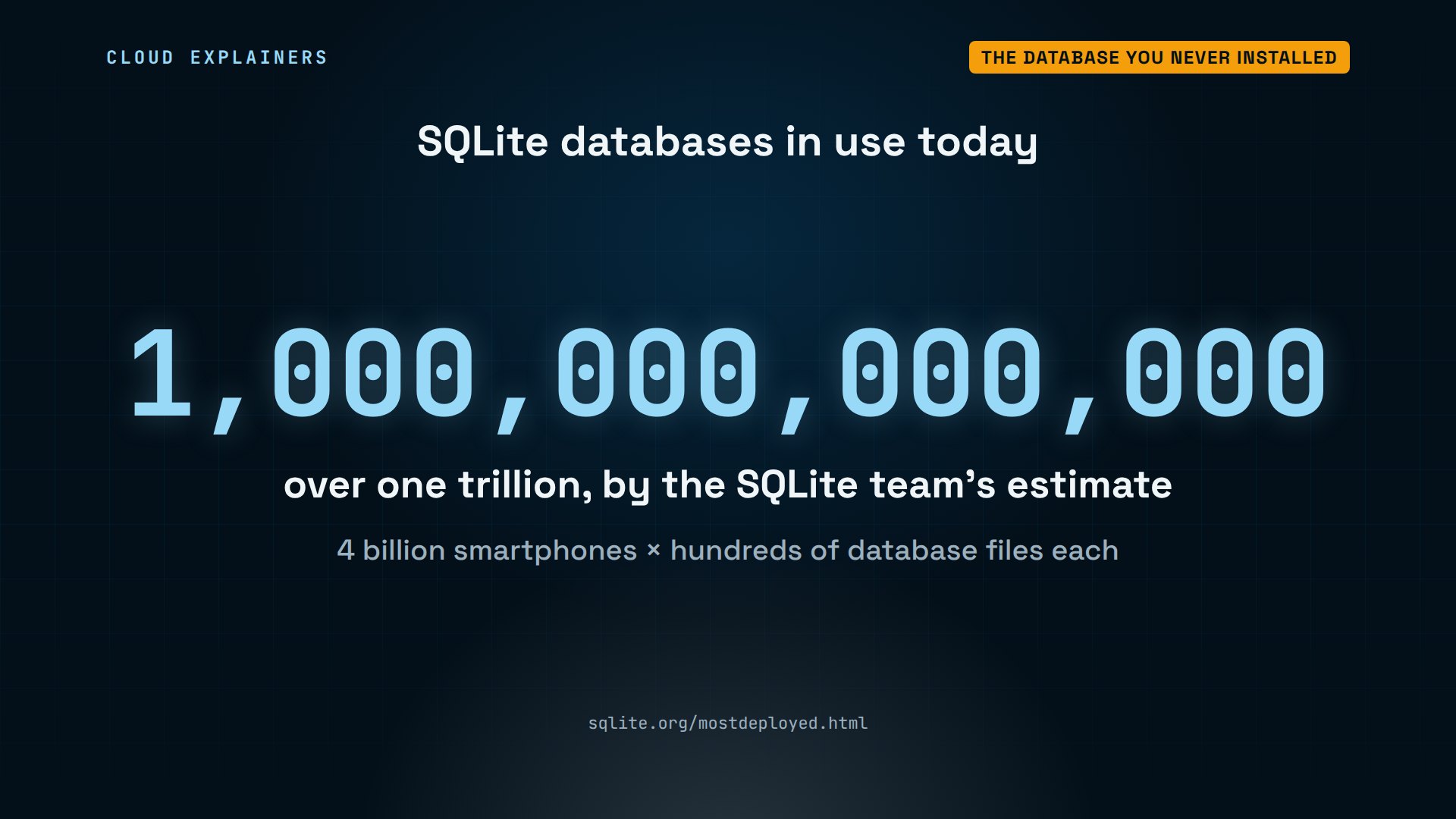
Your phone has hundreds of databases on it, and you never installed a database server. They're SQLite databases, and by the SQLite team's estimate, more than a trillion of them are in use.
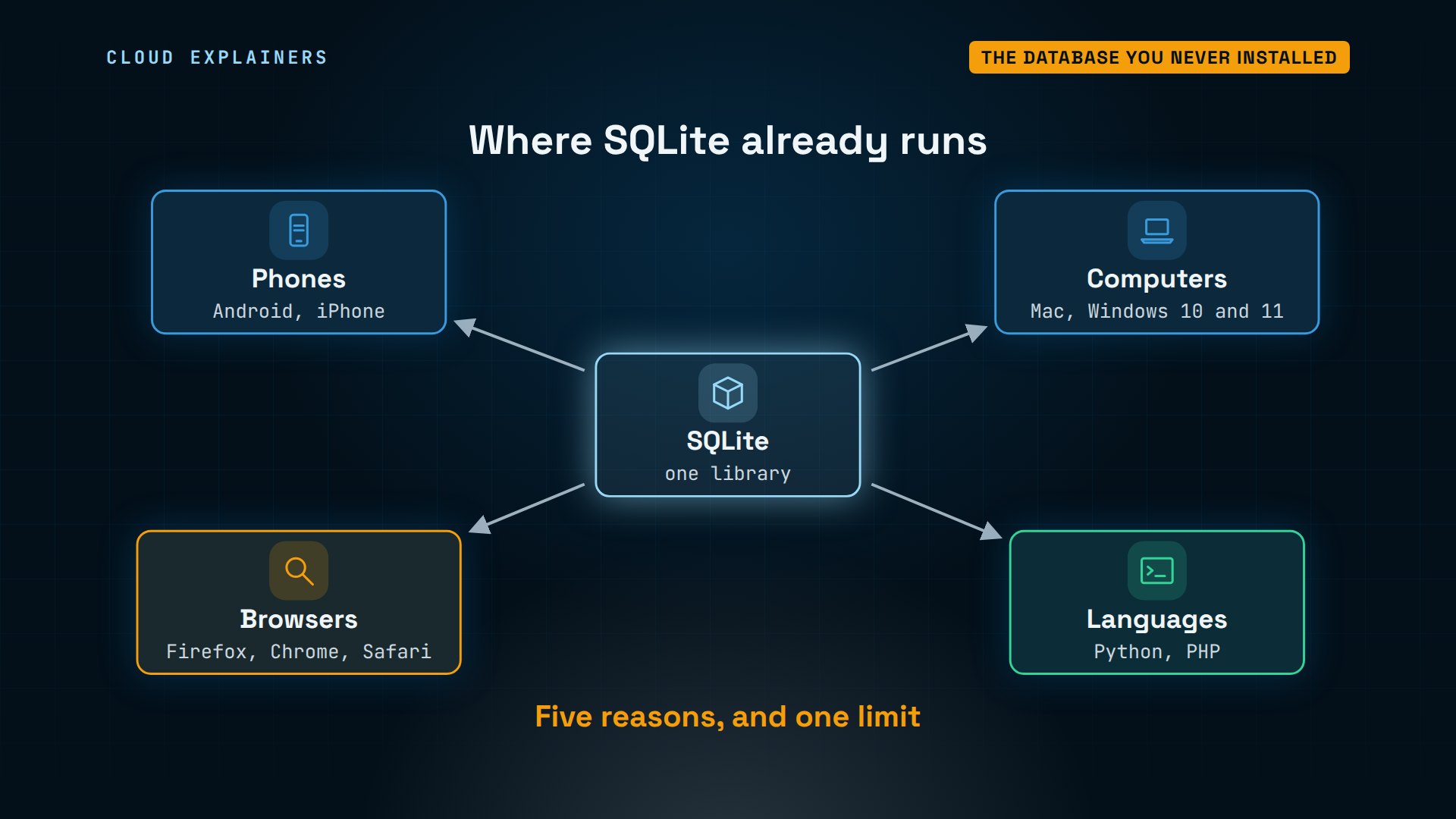
It's in every Android phone and iPhone, every Mac and Windows computer, the big web browsers, and Python. So why does a database most people never hear about win? There are five reasons, and one of them is also its biggest limit. Ana will hit that limit for real near the end.
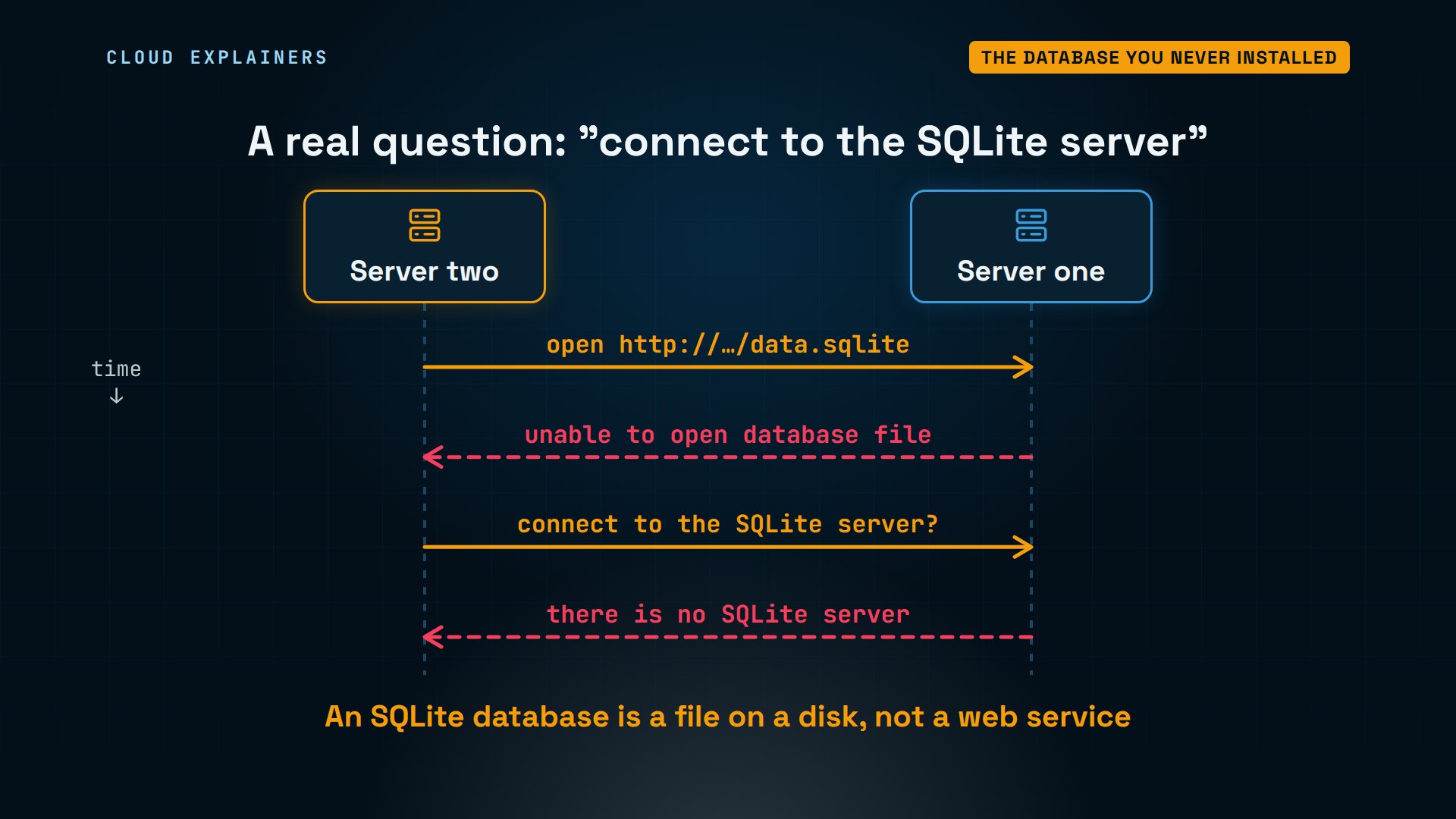
Here's a real question from Stack Overflow. Someone kept an SQLite database on one web server, and tried to open it from a second server, by its web address. It failed: unable to open database file. So they asked how to connect to the SQLite server. The surprise is, there is no SQLite server: the database is just a file on a computer's own disk, not a service at a web address. And that's reason one.
Reason 1: there's no server
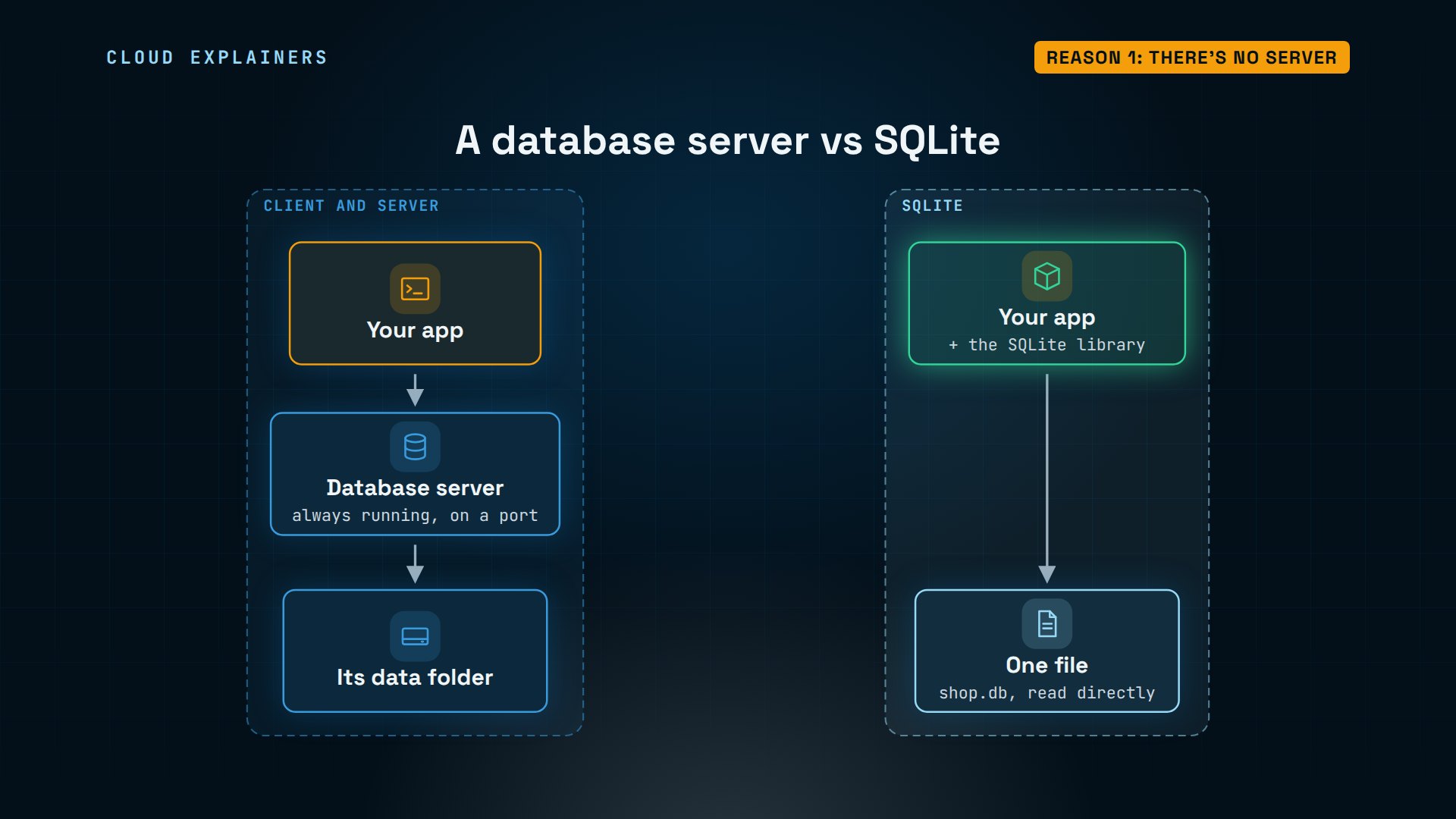
What does a database server do? PostgreSQL and MySQL are servers: a separate program that runs all the time, listens on a network port, and answers your app's questions. SQLite isn't a program you run. It's a library: code inside your app, that reads and writes one file on disk, directly.
Ana runs a small tea shop. On her laptop, she makes a table called teas, like a sheet in a spreadsheet, for her stock list, adds three teas, and reads them back. There was no install step, no user, no password, and no port.
sqlite3 shop.db "CREATE TABLE teas (name TEXT, price REAL, stock INTEGER);"
sqlite3 shop.db "INSERT INTO teas VALUES ('Sencha', 6.5, 40), ('Earl Grey', 5.0, 25), ('Oolong', 7.0, 12);"
sqlite3 -table shop.db "SELECT * FROM teas;"+-----------+-------+-------+
|   name    | price | stock |
+-----------+-------+-------+
| Sencha    | 6.5   | 40    |
| Earl Grey | 5.0   | 25    |
| Oolong    | 7.0   | 12    |
+-----------+-------+-------+
Now, what's running on this laptop? The ps command lists every running program: just three: a placeholder from our lab, the shell she's typing in, and ps itself. No database server, and no MySQL or PostgreSQL installed. The whole database is this one file, shop.db: eight thousand one hundred ninety-two bytes.
ps -ePID TTY TIME CMD 1 ? 00:00:00 sleep 14 pts/0 00:00:00 bash 27 pts/0 00:00:00 ps
dpkg -l | grep -ci -e mysql -e postgres -e mariadb0
ls -l shop.db-rw-r--r-- 1 ana ana 8192 Nov 5 14:28 shop.db
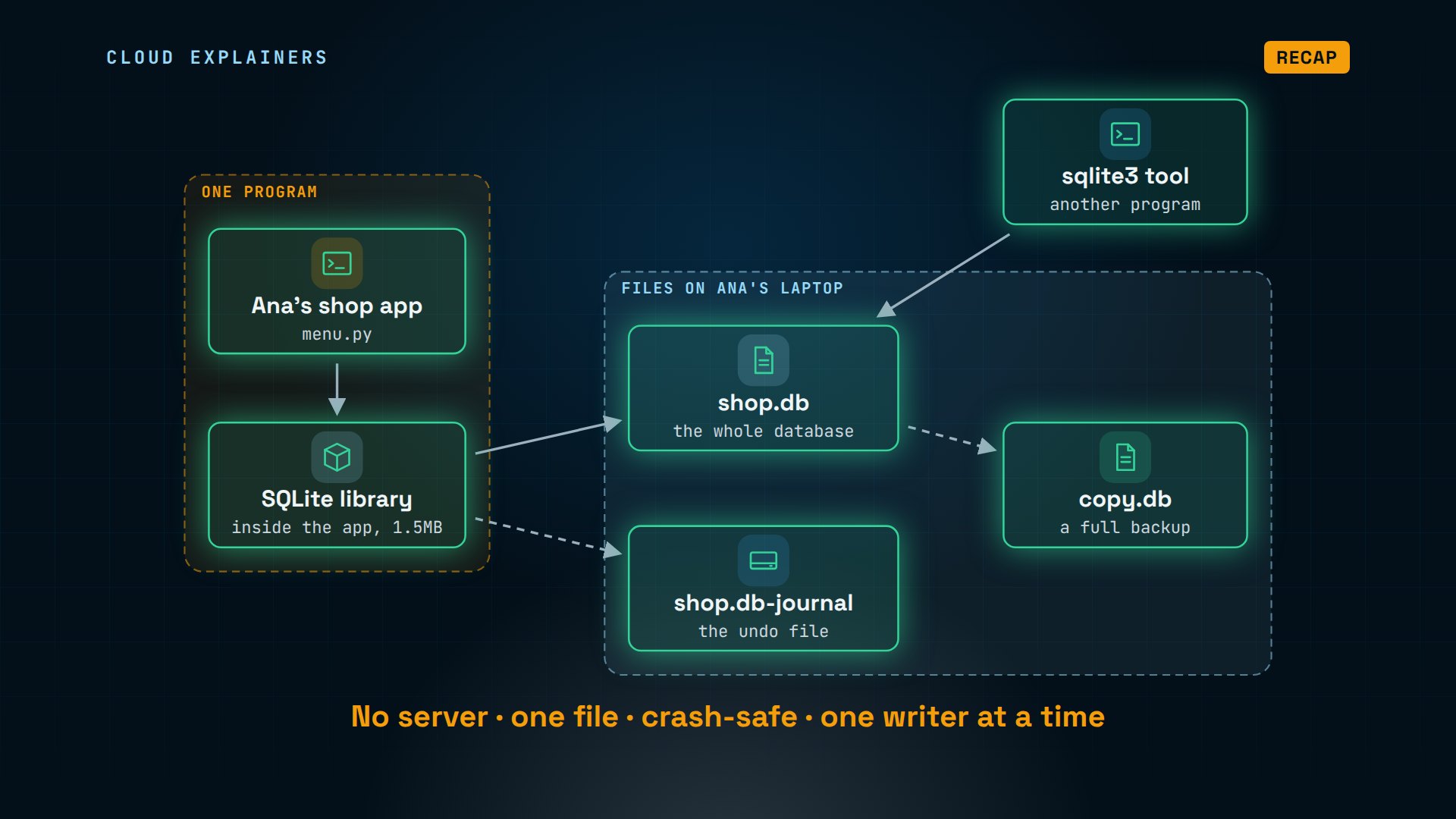
So Ana's whole setup is this: her shop app, with the SQLite library inside it, and one file. Nothing to start, nothing to keep running, nothing to configure. That's why a phone app can just bring its own database along.
Reason 2: the database is one file
So what is that file, really? The file command recognises it: an SQLite 3 database, last written by SQLite version 3.45.1. And its first bytes spell it out: SQLite format 3.
file shop.dbshop.db: SQLite 3.x database, last written using SQLite version 3045001, file counter 2, database pages 2, cookie 0x1, schema 4, UTF-8, version-valid-for 2
head -c 15 shop.db; echoSQLite format 3
Any program with the library can open it. Ana's menu script is five lines of Python. It imports sqlite3, which comes with Python itself, connects to shop.db, and prints the prices. There's no driver to install, and no server address.
cat menu.pyimport sqlite3

db = sqlite3.connect("shop.db")
for name, price in db.execute("SELECT name, price FROM teas"):
    print(f"{name:<10} ${price:.2f}")
python3 menu.pySencha     $6.50
Earl Grey  $5.00
Oolong     $7.00
So the database travels like a document. Ana's app opens it, the sqlite3 tool opens the same file, and copy.db is a full backup she can keep anywhere. The format is the same on every computer, 32-bit or 64-bit, any processor, any operating system, so a file from a phone opens on a laptop as is.
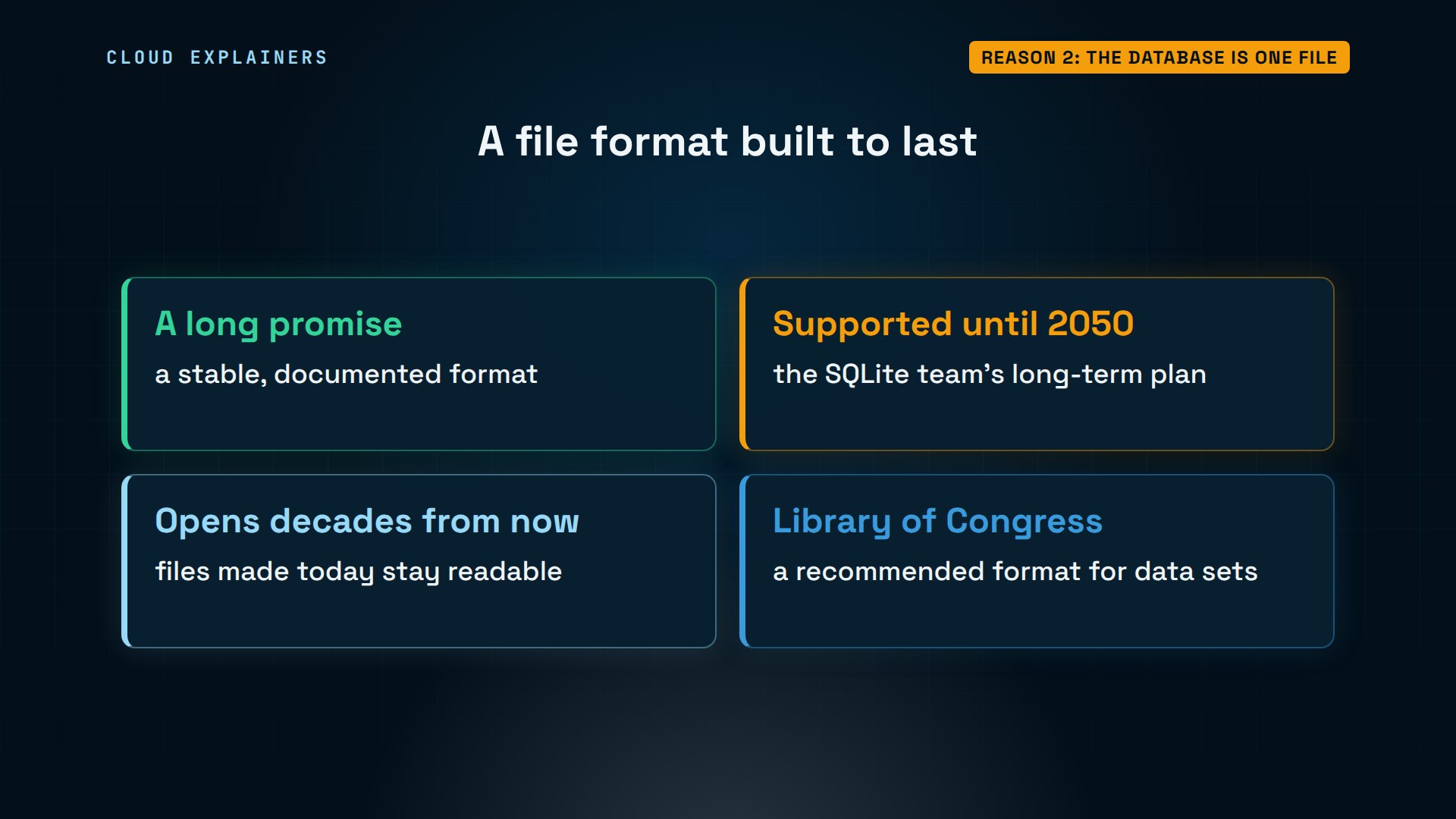
And that file format is a long promise. The SQLite team plans to support it until 2050, and says files made today will still open decades from now. The US Library of Congress even lists SQLite as a recommended format for keeping data sets.
Reason 3: small and fast
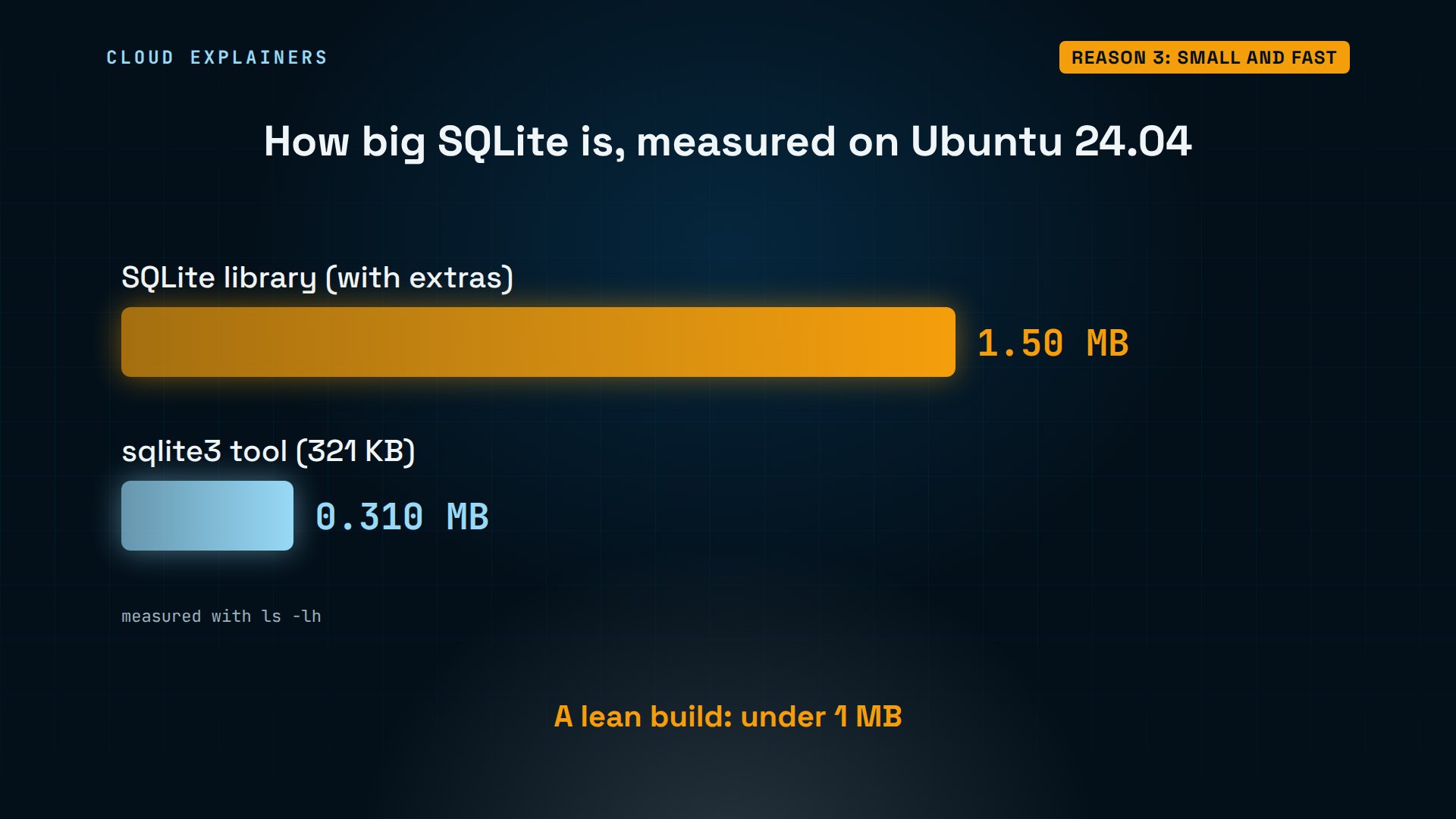
How big is it? On Ubuntu, the whole library is 1.5 megabytes, with extras like full-text search built in. The command-line tool on top is about a third of a megabyte, 321 kilobytes. A lean build is under one megabyte, small enough for TV sets and car dashboards.
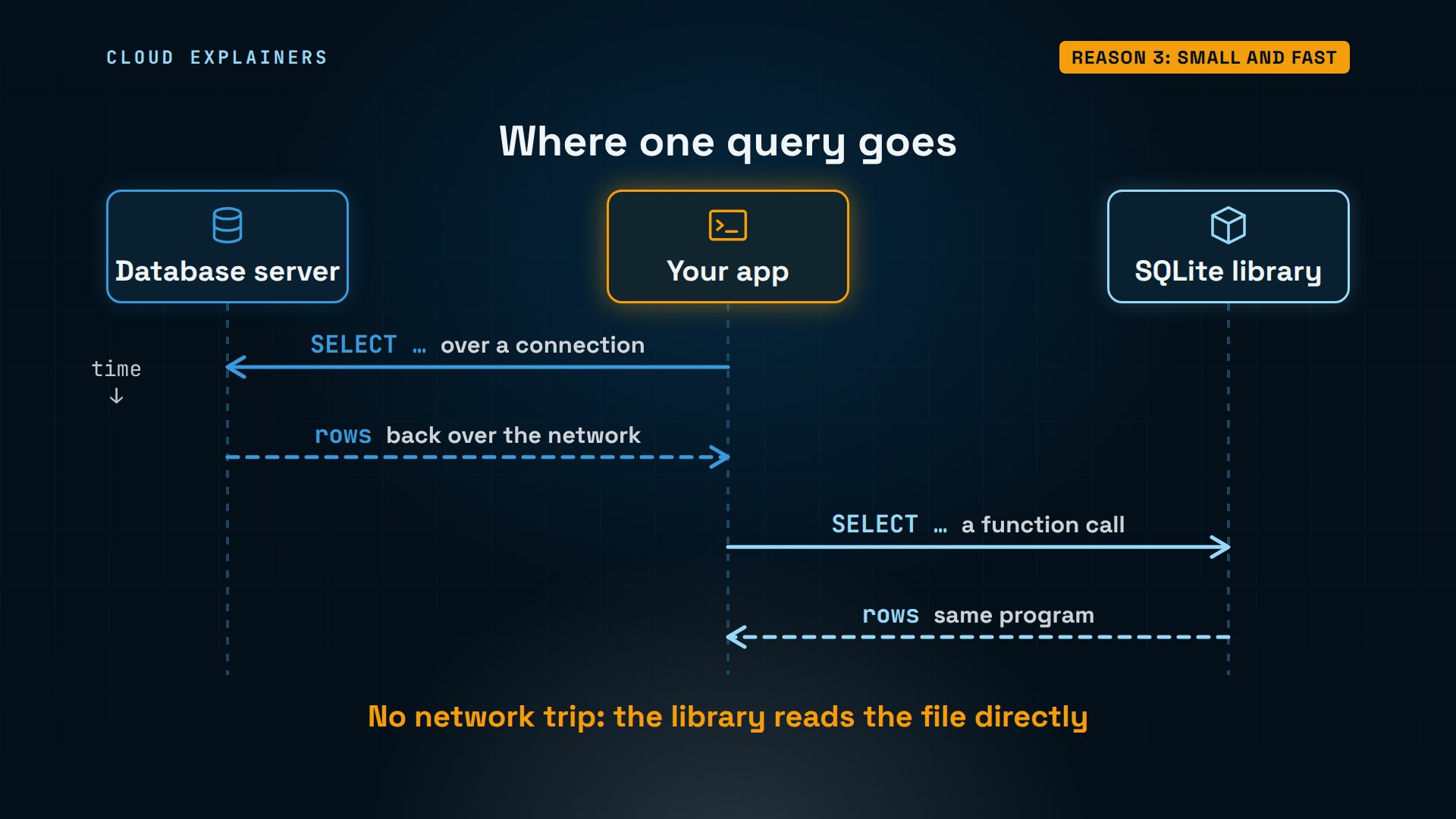
Being inside your app also makes it fast. With a server, every query is a trip: your app sends it over a connection, the server works on it, and the rows come back. With SQLite, a query is a function call inside your own program, with no network in between.
Let's measure it. Ana's order table holds a hundred thousand orders, and her script looks up a hundred thousand of them, at random. Before we run it, guess: how long will that take? 1.10 seconds in total. About 11.0 microseconds per lookup, and that includes Python's own overhead.
ls -lh orders.db-rw-r--r-- 1 ana ana 1.8M Nov 5 14:28 orders.db
python3 lookups.py100,000 lookups in 1.10 seconds
11.0 microseconds each
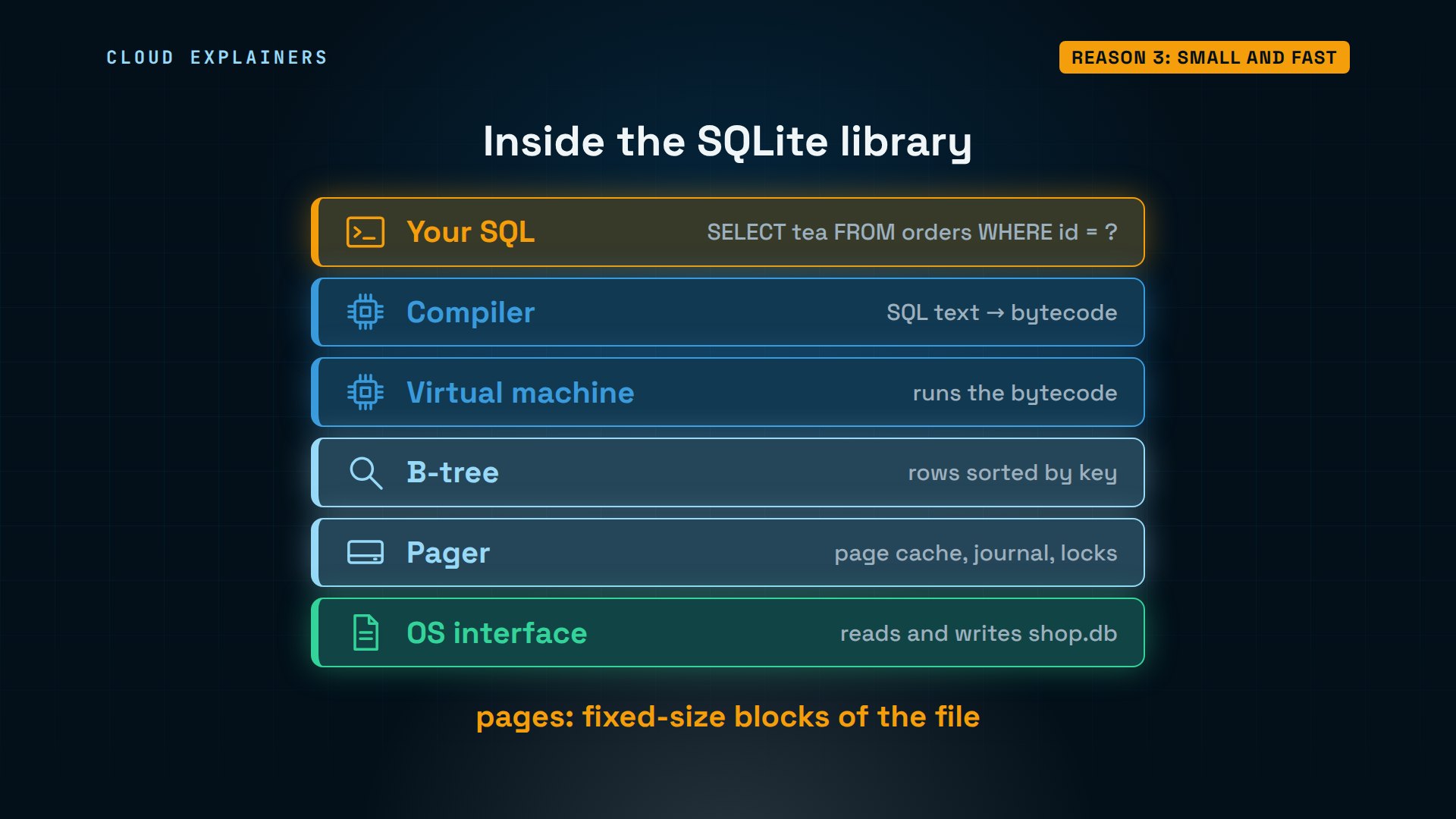
How can something this small be a full SQL database? Here's what's inside the library. Your SQL text is compiled into bytecode, a small program, and a virtual machine runs it. A B-tree keeps the rows sorted by key, like the index of a book, so finding order number 50,000 takes a few page reads, not a read of the whole file. Pages are the fixed-size blocks the file is split into. The pager caches those pages, and handles the journal and the locks that keep the file safe. And the bottom layer reads the file through the operating system.
Reason 4: a crash can't half-save
What happens if a program dies in the middle of a write? Ana's restock script adds 100 to each tea's stock, all in one transaction. After two of the three teas, we kill it from a second window, with pkill -9, which ends it instantly, like a crash or a pulled plug. Notice the extra file while it ran: shop.db-journal.
sqlite3 -table shop.db "SELECT name, stock FROM teas;"+-----------+-------+
|   name    | stock |
+-----------+-------+
| Sencha    | 40    |
| Earl Grey | 25    |
| Oolong    | 12    |
+-----------+-------+
python3 restock.pyrestocked Sencha
restocked Earl Grey
pkill -9 -f restock.py
ls -l shop.db*-rw-r--r-- 1 ana ana 8192 Nov  5 14:28 shop.db
-rw-r--r-- 1 ana ana 4616 Nov  5 14:29 shop.db-journal
The script was killed after two teas. Guess: did two teas get restocked and one not? The stock is 40, 25 and 12, exactly what it was before the script started. All or nothing. The integrity check, a built-in test for a damaged file, says ok. Run the script to the end, and all three go up by 100.
python3 restock.pyrestocked Sencha
restocked Earl Grey
Killed
sqlite3 -table shop.db "SELECT name, stock FROM teas;"+-----------+-------+
|   name    | stock |
+-----------+-------+
| Sencha    | 40    |
| Earl Grey | 25    |
| Oolong    | 12    |
+-----------+-------+
sqlite3 shop.db "PRAGMA integrity_check;"ok
python3 restock.pyrestocked Sencha
restocked Earl Grey
restocked Oolong
done
sqlite3 -table shop.db "SELECT name, stock FROM teas;"+-----------+-------+
|   name    | stock |
+-----------+-------+
| Sencha    | 140   |
| Earl Grey | 125   |
| Oolong    | 112   |
+-----------+-------+
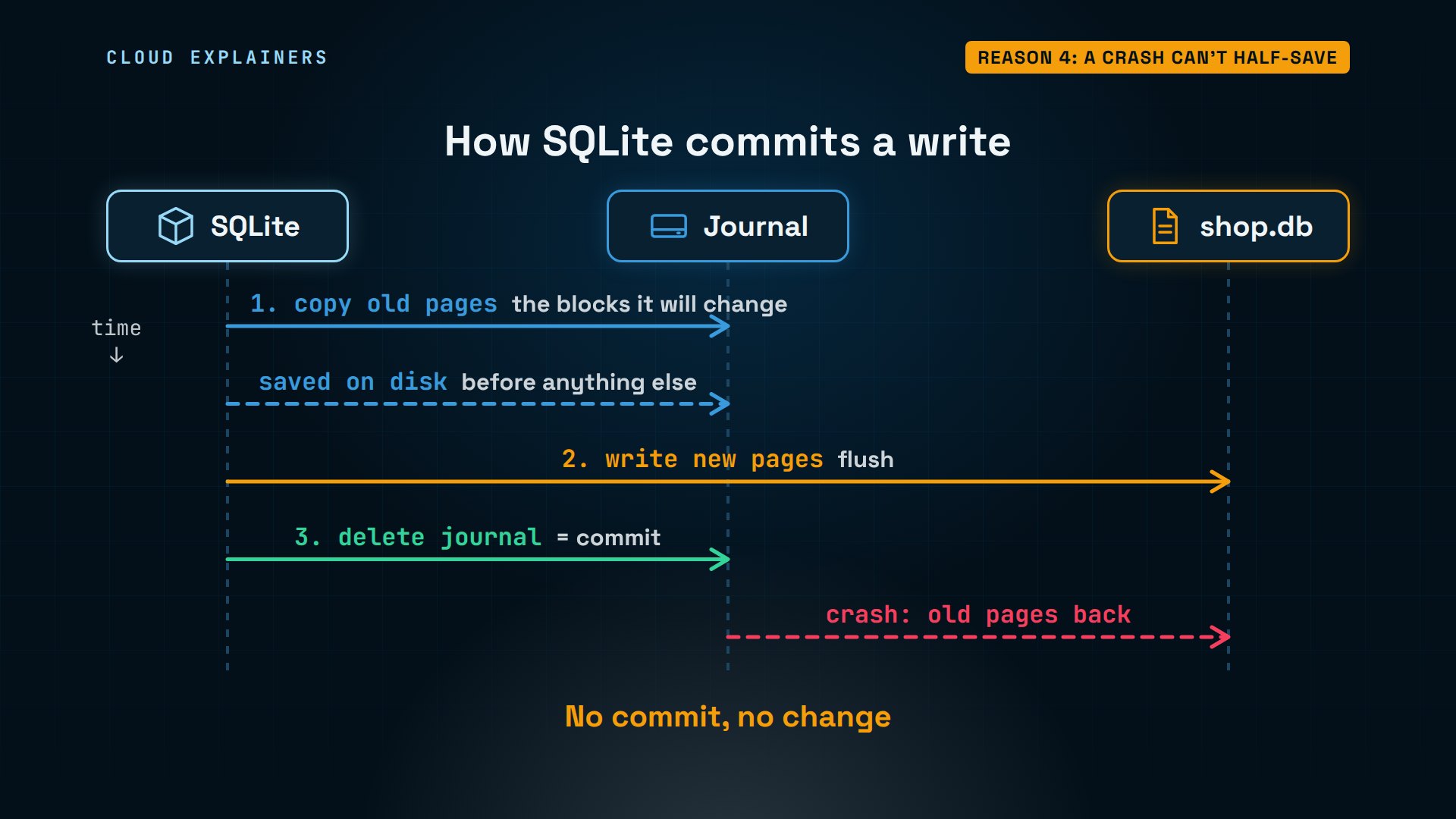
How does it manage that? A write happens in a fixed order. First, SQLite copies the original pages, the blocks it's about to change, into the journal, the undo file, and makes sure they're saved on disk. Only then does it overwrite those pages in shop.db. With the new pages safely in shop.db, deleting the journal is the commit. If a crash hits before that, the next program to open the database finds the journal and puts the old pages back. Here, the restock script died before the commit, so nothing changed.
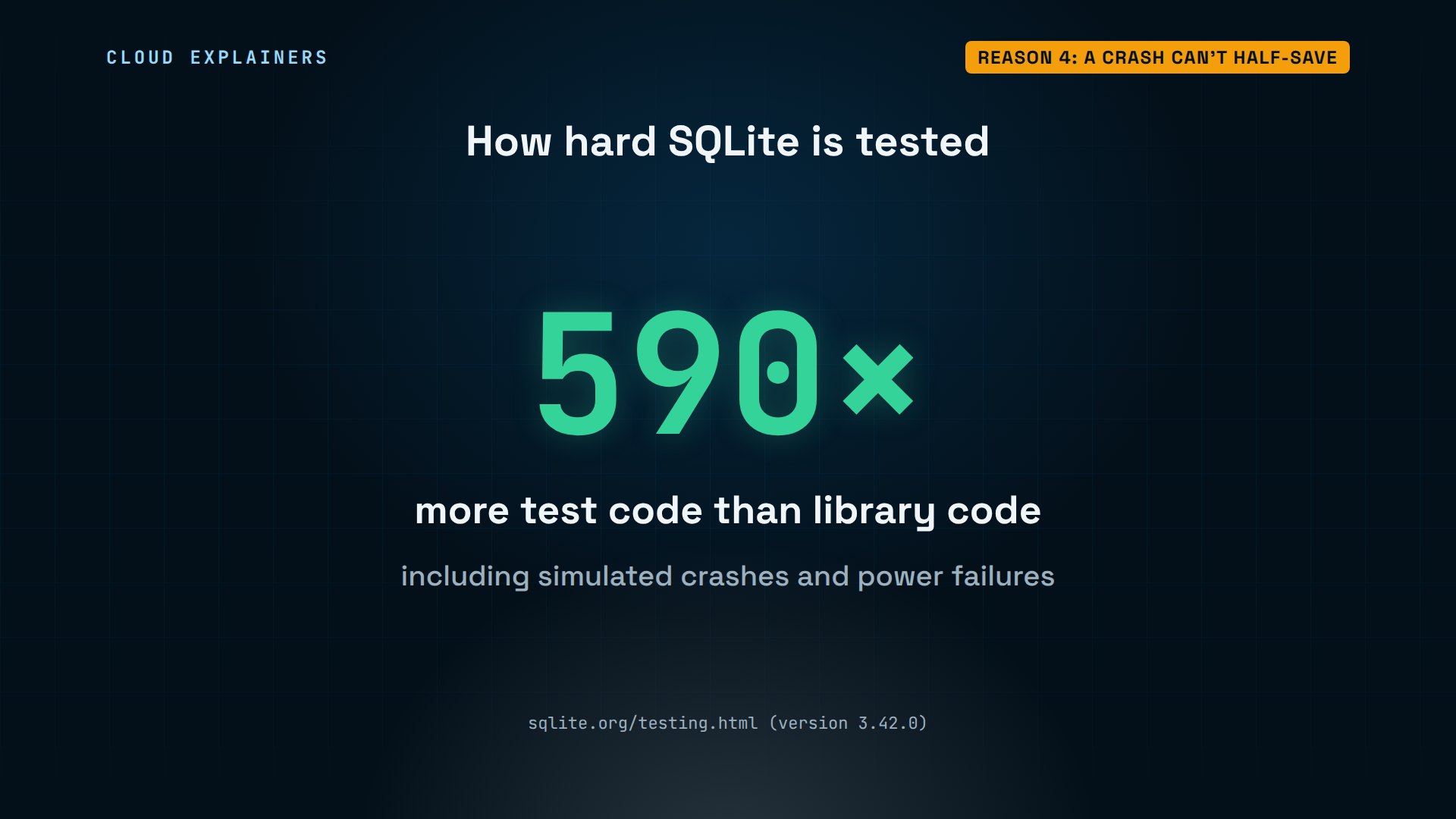
And the code behind that is tested hard. The SQLite project has 590 times more test code than code in the library itself, including tests that simulate crashes and power failures in the middle of a write.
Reason 5: free for anyone
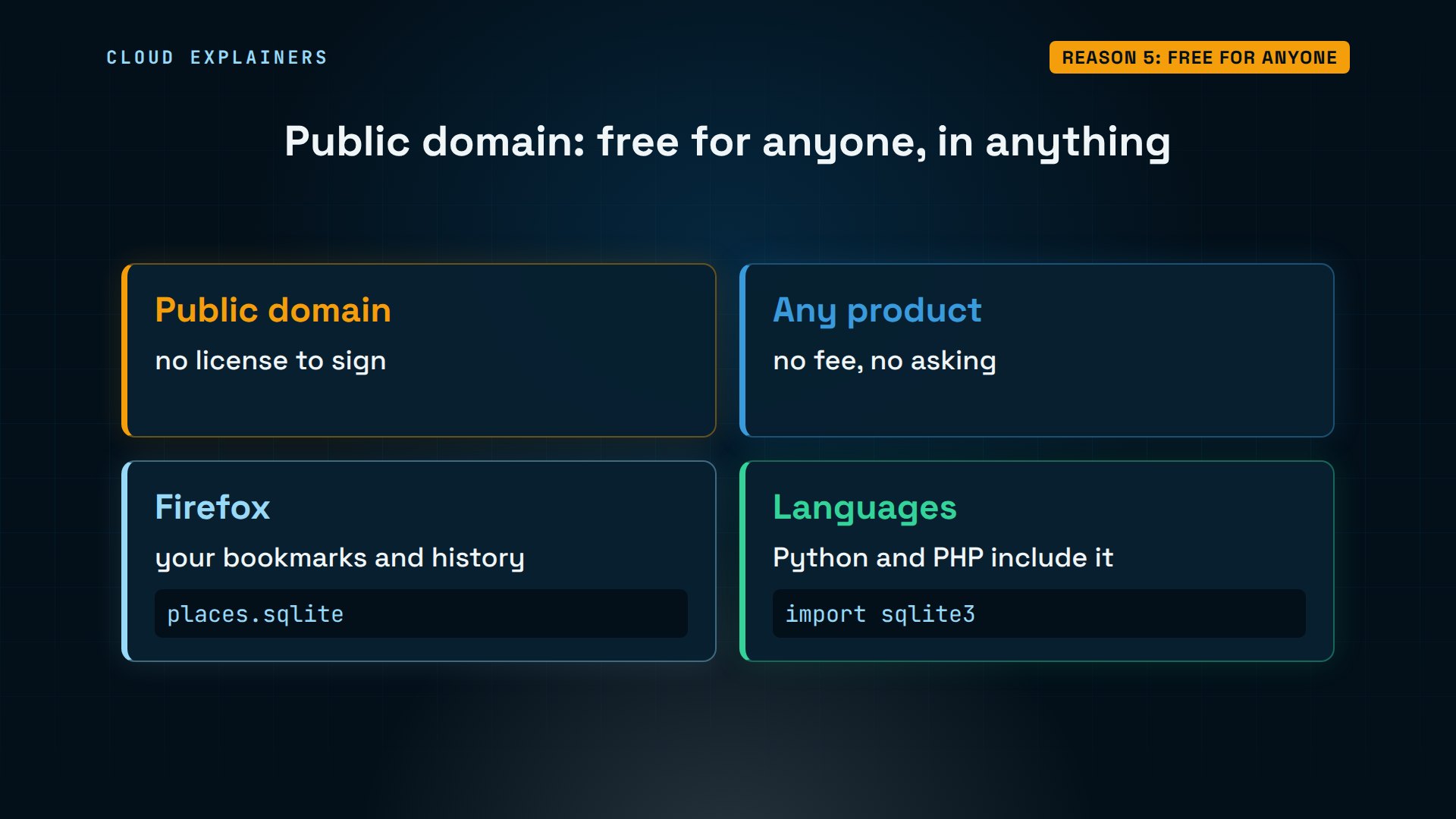
Why can every company ship it? Because there's no license to sign. SQLite is in the public domain: anyone can use it, in any product, without paying or asking. Mozilla's Firefox, for example, keeps your bookmarks and history in one file, places.sqlite, in your Firefox profile. And Python and PHP ship it with the language.
The one job it's wrong for
So what's the limit we promised? In a second window, Ana opens the database and starts a write with BEGIN IMMEDIATE, which takes the write lock. She changes Sencha's price, but hasn't committed yet. Now the first window tries to add a tea. Error: database is locked. Reading still works: three teas. SQLite allows any number of readers, but only one writer at a time.
sqlite3 shop.dbSQLite version 3.45.1 2024-01-30 16:01:20
Enter ".help" for usage hints.
sqlite> BEGIN IMMEDIATE;
sqlite> UPDATE teas SET price = 7.5 WHERE name = 'Sencha';
sqlite3 shop.db "INSERT INTO teas VALUES ('Rooibos', 4.5, 30);"Error: stepping, database is locked (5)
sqlite3 shop.db "SELECT count(*) FROM teas;"3
Let's read that error. Stepping means SQLite was running the insert. Database is locked: another connection holds the write lock. And 5 is the code for busy, the same busy code any program using SQLite gets, whatever language it's written in.
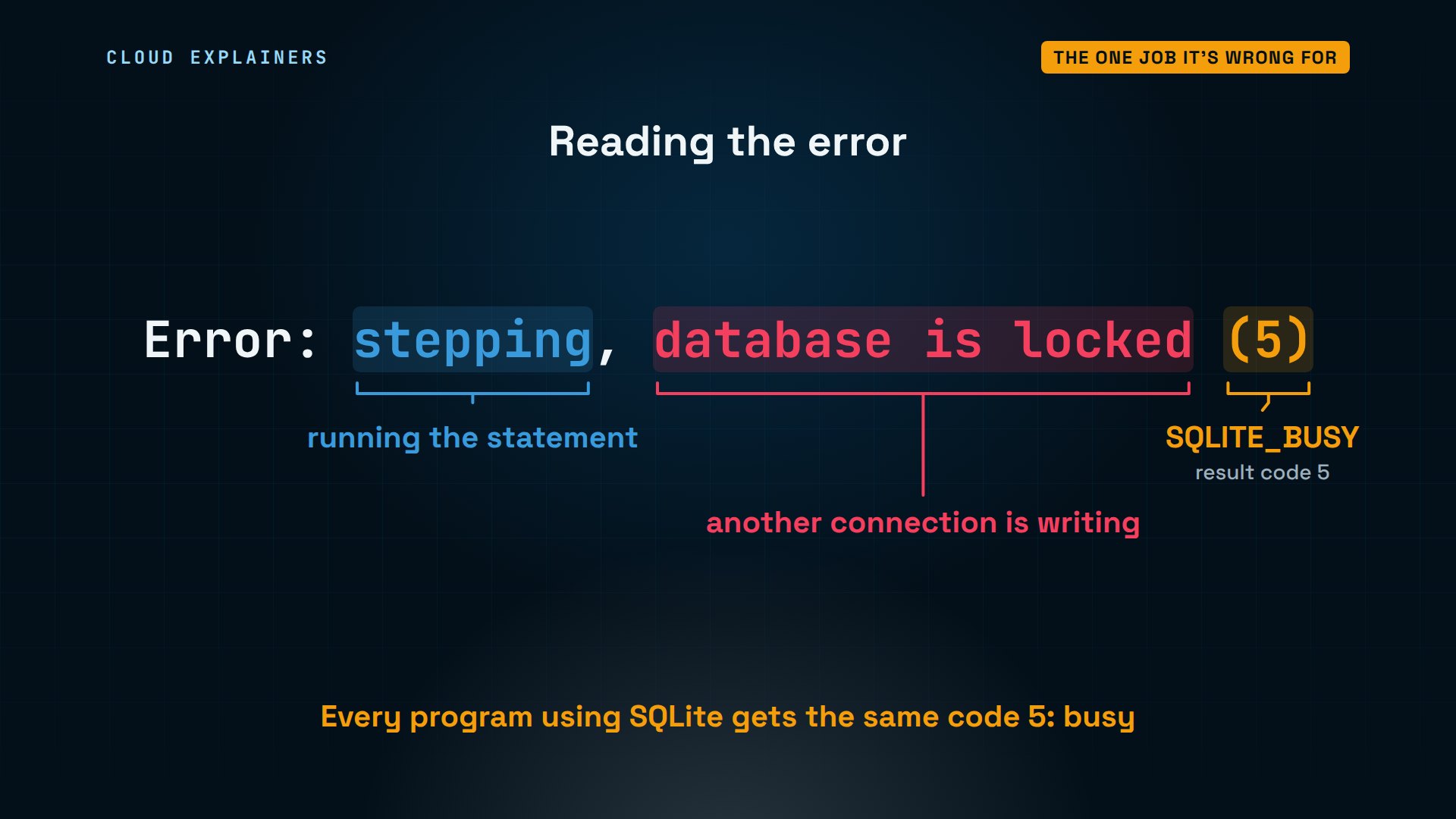
Writes usually take milliseconds, so writers just take turns. With a five-second timeout, this insert waits for its turn instead of failing. The moment the other window commits, it goes through: four teas.
sqlite3 -cmd ".timeout 5000" shop.db "INSERT INTO teas VALUES ('Rooibos', 4.5, 30);"
sqlite> COMMIT;
sqlite3 shop.db "SELECT count(*) FROM teas;"4
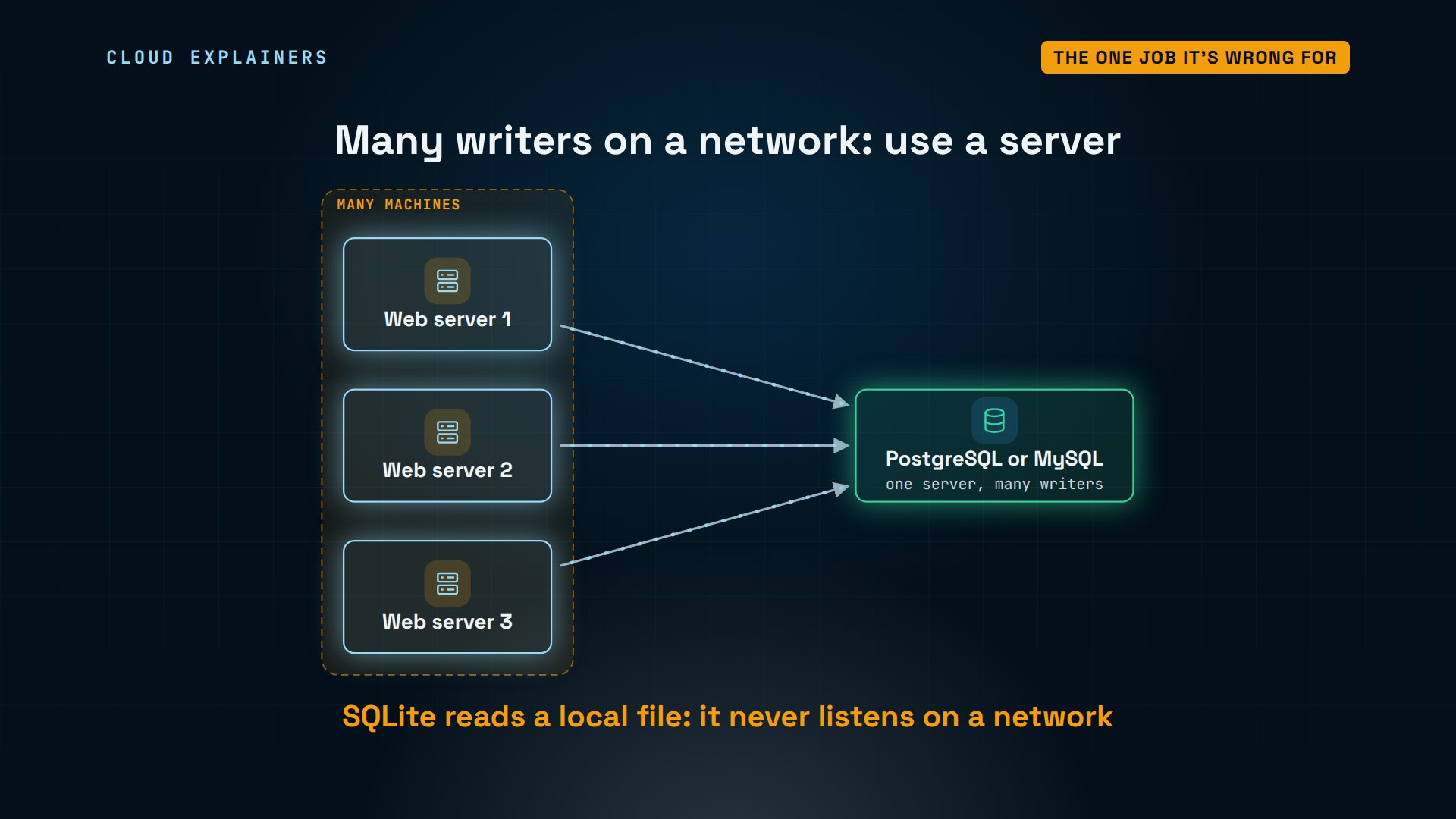
So when is SQLite the wrong choice? When many machines must write to the same data over a network, or lots of users write at the same instant. Then you want a database server, like PostgreSQL or MySQL: it listens on the network, and handles many writers. That's why the Stack Overflow question from the start had no easy answer: SQLite never listens on a network.
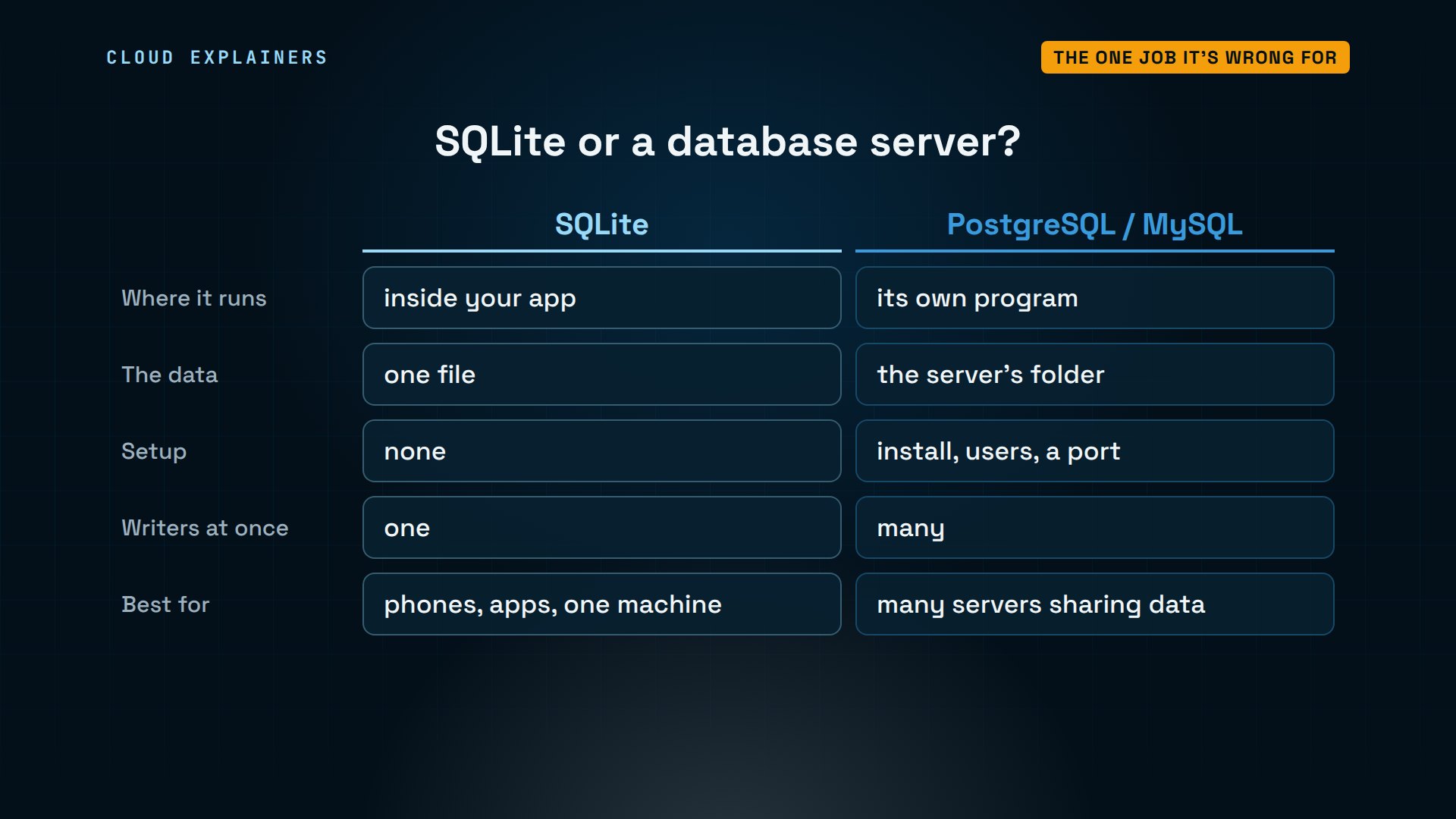
Here's the choice in one table. SQLite lives inside your app, as one file, with no setup, for one writer at a time. A server is its own program, with users and a port, for many writers. Phones, desktop apps, and a website on one machine: SQLite. Many servers sharing data: a database server.
Recap
So: no server, one file, small and fast, safe when a program crashes, and free for anyone. That's why it's in nearly every device. Just remember: only one program can write at a time.
If SQLite makes sense now, a like helps YouTube show this to more beginners, and subscribing brings the next database demo to you.
Every command and output in this video came from a real run, on Ubuntu 24.04.5 LTS, with SQLite 3.45.1. Thanks for watching Cloud Explainers.
Sources
- SQLite, Most Widely Deployed and Used Database Engine
- SQLite, Appropriate Uses For SQLite
- SQLite, Long Term Support (support until 2050)
- SQLite, a Library of Congress recommended storage format
- SQLite, Size Of The SQLite Library
- SQLite, How SQLite Is Tested (590 times as much test code, version 3.42.0)
- SQLite, Atomic Commit In SQLite (the rollback journal)
- SQLite, File Locking And Concurrency (one writer at a time)
- SQLite Is Public Domain
- Firefox source docs, Places architecture (all of it in a places.sqlite file, using SQLite)
- The question we open with, Stack Overflow, "PDO connect to SQLite server on different server" (2013)
Demos: a stock Ubuntu 24.04 container on our own lab machine, standing in for a laptop; the tea shop and its stock are made up. Watch the full video on YouTube.
More videos
How a NoSQL Database Like MongoDB Works
How to Fix Python pip error: externally-managed-environment
How to Fix MySQL Too Many Connections Database Errors
Golang Concurrency Will Finally Make Sense After This
How Amazon S3 Works
How Kubernetes Works
How Git Works
How to Fix Docker Port Already Allocated Errors
How PostgreSQL Works
How to Fix Git Merge Conflicts
How to Fix No Space Left on Device in Linux
How the Internet Works
SQL vs NoSQL: When Each One Wins
How to Fix JWT Token Expired Errors (401 Unauthorized)

Claude API vs Claude Pro: Why Your Subscription Doesn't Include It

Why AI Agent Skills Beat Giant Prompts

Linux Cron Jobs Will Finally Make Sense After This

Security Logs Will Finally Make Sense After This

How to Fix a Security Leak: An API Key Pushed to GitHub

DNS Will Finally Make Sense After This

Never Ignore a Security Update

Two-Factor Authentication Will Finally Make Sense

Never Expose a Database to the Internet

SSH Keys vs Passwords: Which Is Safer for Security?

The 5 Levels of Linux Boot: From Power On to Login

The 5 Levels of Network Firewalls

Password Security: Why Hackers Crack Weak Passwords

Why Your Linux Server Runs Out of Memory

HTTP vs HTTPS: What Actually Changes on Your Network

Every Linux File Permission You Need to Know

Linux Processes vs Threads: When Each One Wins

The OSI Model Will Finally Make Sense After This

The 7 Levels of Git

Every Network Troubleshooting Command You Need

Hashing vs Encryption in Cybersecurity: When Each One Wins

Why the Internet Ran Out of IP Addresses

Linux Package Managers: apt vs Snap vs Flatpak

Why Python Is Slow (and When It Doesn't Matter)

TCP vs UDP: When Each One Wins

Stop Running Linux as Root (Do This Instead)

Linux Users and Groups Will Finally Make Sense

Why Phishing Beats Good Security (and How to Spot It)

The 7 Levels of Docker

AI Agents Will Finally Make Sense After This

Stop Using git push --force (Use This Instead)

Agent Skills vs MCP: When Each One Wins

Networking Will Finally Make Sense After This

Every Linux Command You Actually Need

The 7 Levels of Cybersecurity

Every System Design Concept You Need, in One Diagram
