
Why the Internet Ran Out of IP Addresses
Why the internet ran out of IPv4 addresses, for complete beginners: an IPv4 address is a 32-bit number, so there can only ever be about 4.3 billion; IANA's own list shows a big share was reserved or handed out early; and the free supply ran out in 2011. Then the tricks that kept the internet growing (home NAT, carrier-grade NAT, paying for addresses), proven on a real lab network where two homes share one public address, and the real fix: IPv6, its 128-bit addresses, and why the switch is only about half done.
Out of addresses
The internet ran out of addresses in 2011. Every device online needs an IP address, so other machines can find it. The original kind, IPv4, has only about 4.3 billion of them. Today, about 6 billion people use the internet, most of them with a phone, a laptop, and more. So how is everyone still online? Ana and her neighbour Ben, two homes on one street, will show us: why we ran out, the tricks that kept the internet working, and the real fix.
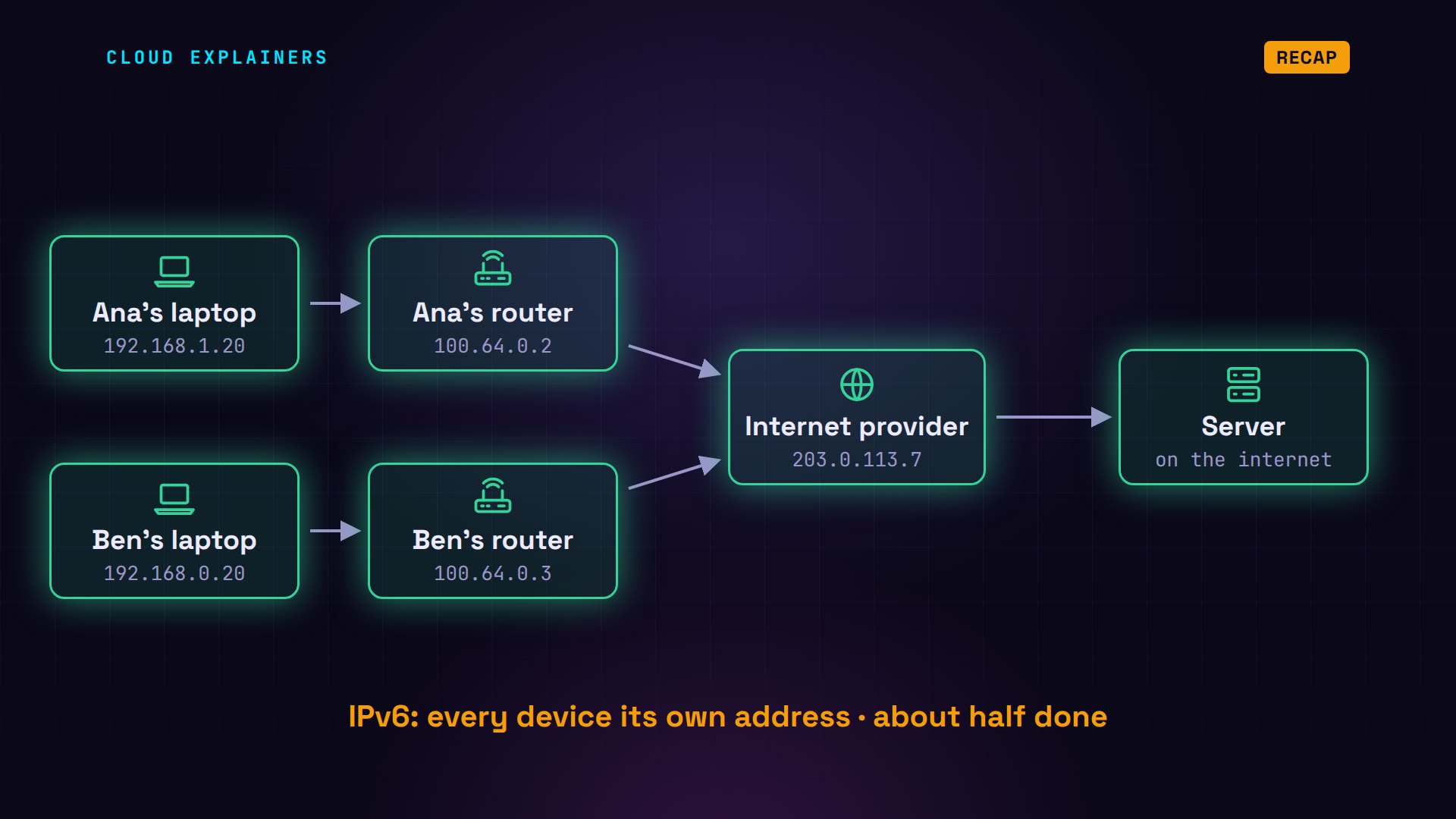
Like in the first two episodes, this network is real, built with Docker inside one computer. Ana's laptop and her home router. Ben's laptop and his router. The internet provider they both use, and a server out on the internet. Every address in the lab comes from ranges set aside for testing, so nothing here touches the real internet.
An address is a number
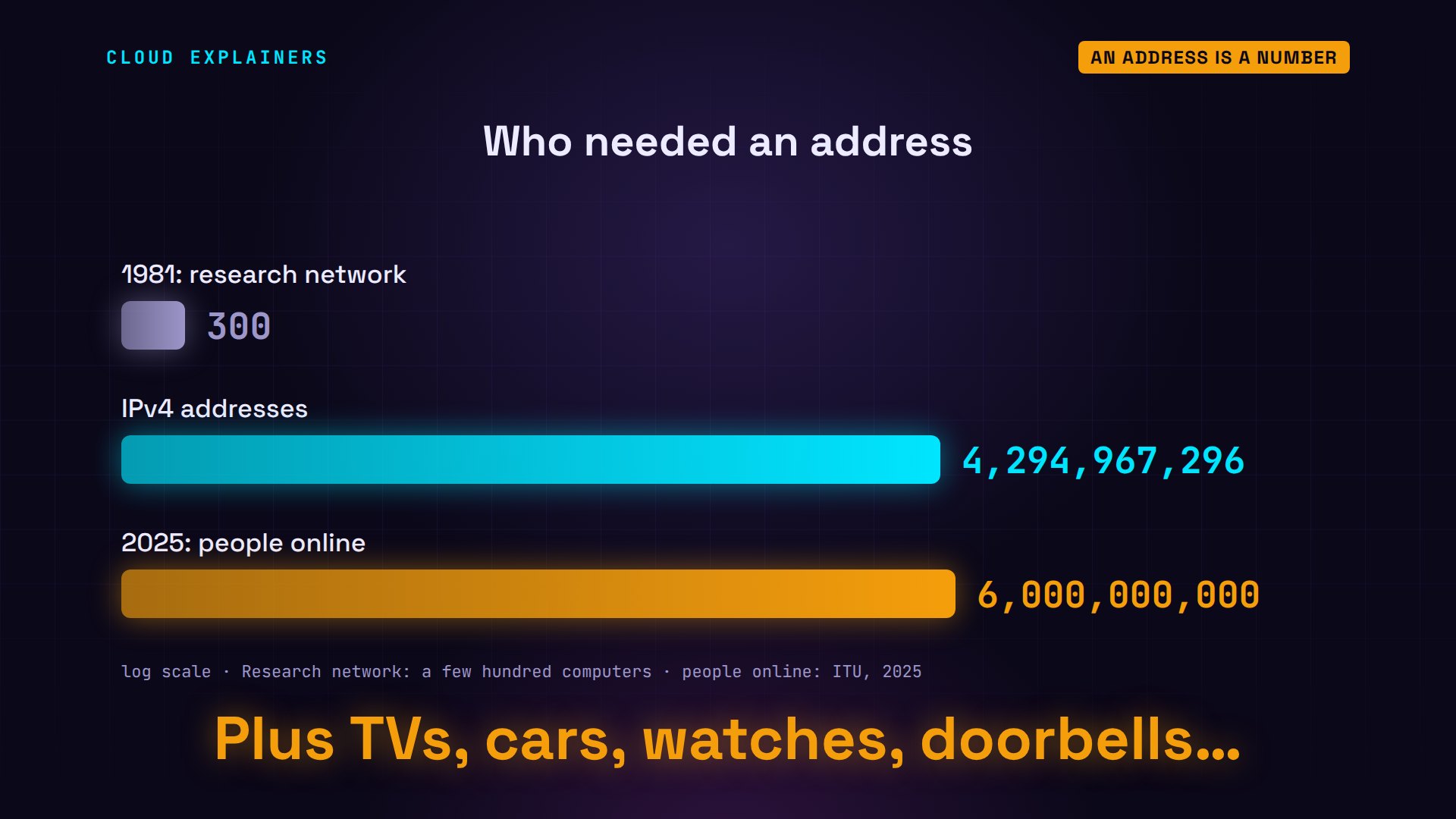
An IP address looks like four numbers with dots, like Ana's laptop: 192.168.1.20. But a computer stores it as one number, written in 32 bits: the ones and zeros on screen. Each of the four parts is 8 of those bits. Each bit is a 0 or a 1, so every extra bit doubles the count: 32 bits can make 2 to the power of 32 different numbers. That's 4,294,967,296, every IPv4 address there can ever be.
python3 bits.py 192.168.1.2011000000.10101000.00000001.00010100
32 bits
python3 -c 'print(2**32)'4294967296
IPv4 was written down in 1981, for a research network of a few hundred computers. Four billion seemed endless. Nobody planned for a phone in every pocket, or for TVs, cars, watches and doorbells that are online too.
Where the addresses went
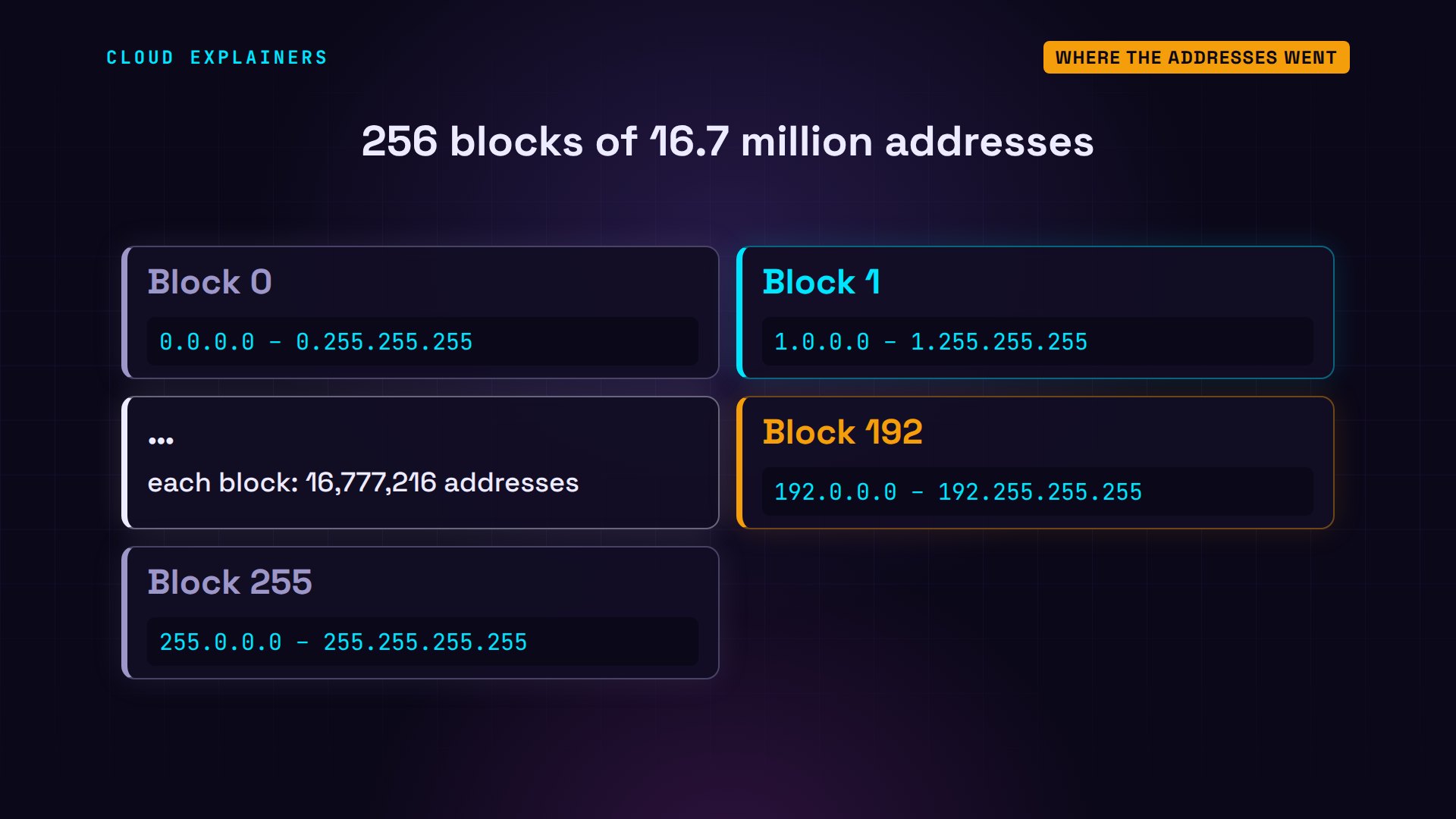
The addresses were handed out in big blocks. IANA, the Internet Assigned Numbers Authority, splits them by their first number into 256 blocks, each holding about 16.7 million addresses. Ana's laptop starts with 192, so it sits in block 192.
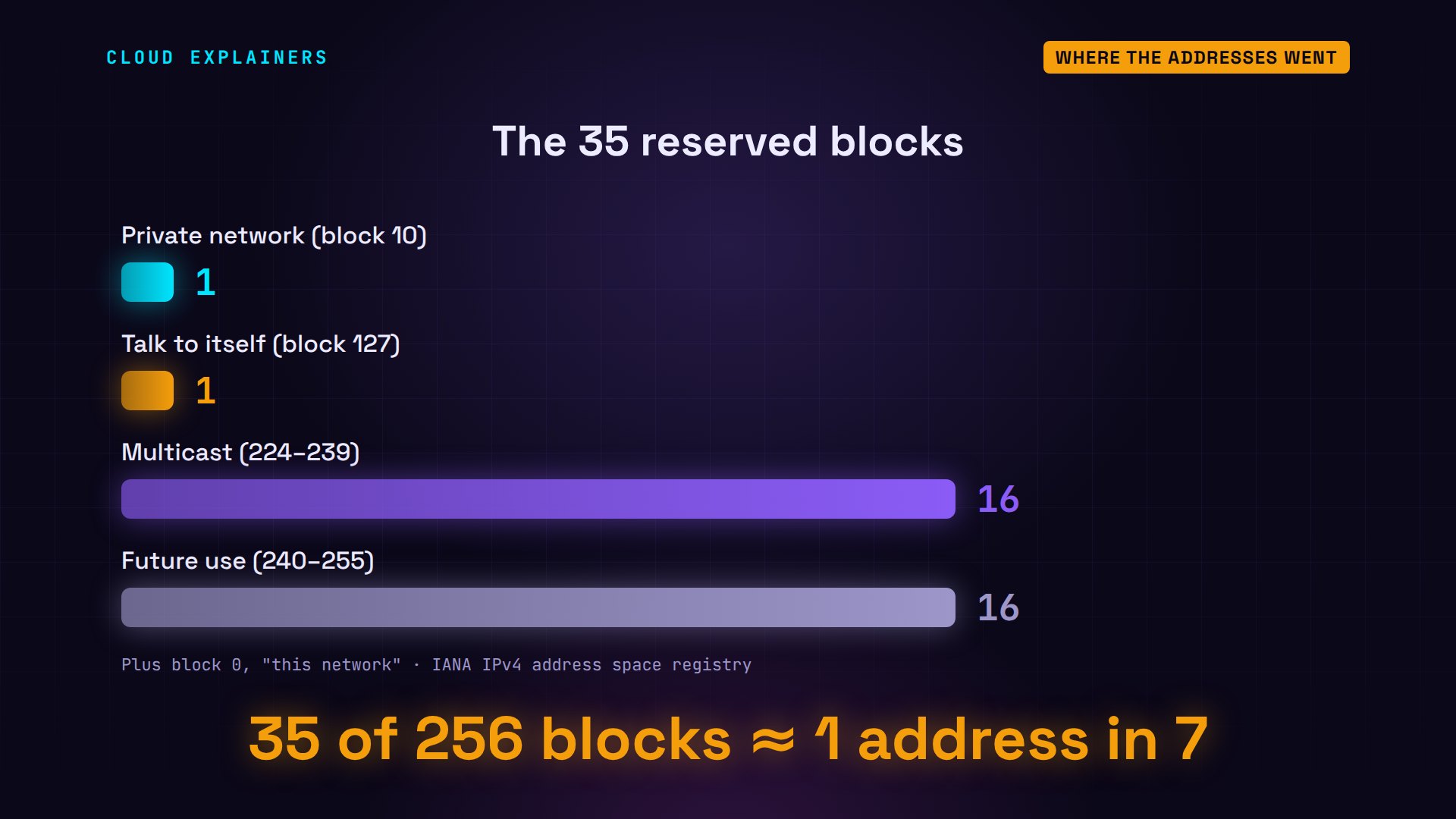
This is IANA's own list of all 256 blocks, downloaded while we made this video, counted by a small program. 35 blocks are reserved: never for public use. 92 are legacy blocks, given out directly in the early days. And 129 went to the five regional registries, which hand addresses to internet providers in each part of the world.
python3 blocks.py ipv4-address-space.csv256 blocks of 16,777,216 addresses
ALLOCATED  129  to the 5 regional registries
LEGACY      92  given out directly, early on
RESERVED    35  never for public use
last block given out: 2011-02
Reserved blocks have other jobs. Block 10 is for private networks, like the ones inside homes and offices. Block 127, all 16.7 million addresses, exists so a computer can talk to itself. And 32 more blocks were kept for multicast, sending to groups, and for a future use that never came. That's about one address in seven, gone before anyone was online.
Legacy blocks went to whoever asked early, often companies and universities. In the same list, where /8 means one whole block: block 17 went to Apple in 1992, and block 19 to Ford in 1995. That's 16.7 million addresses each, for one company.
grep -E '^0(17|19)/8' ipv4-address-space.csv | cut -d, -f1-3017/8,Apple Computer Inc.,1992-07
019/8,Ford Motor Company,1995-05
Running out
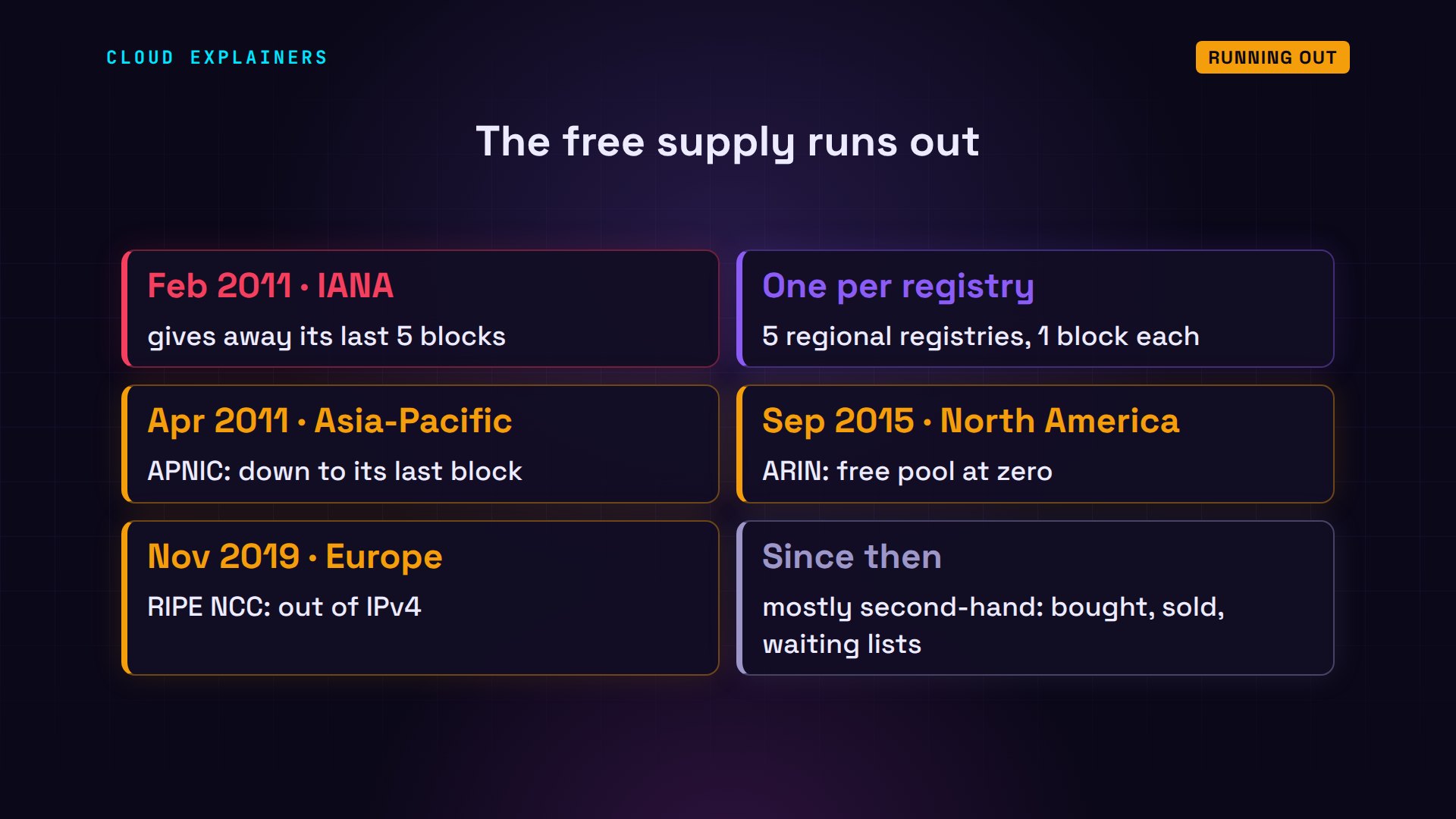
Then everyone came online. On 3 February 2011, IANA gave away its last five blocks, one to each regional registry. The registries ran dry one by one. Asia and the Pacific was down to its last block in April 2011. North America ran out in September 2015, and Europe in November 2019. Since then, a company that needs IPv4 addresses mostly gets them second-hand.
What sharing costs
Sharing has a price. Ana starts a small web server on her laptop, to share holiday photos. Can the server out on the internet reach it? All it knows is 203.0.113.7, and that address belongs to the provider, which has no idea which of its customers should get the visit. Couldn't connect.
python3 web.py 8000 "Photos from Ana's laptop"listening on port 8000
curl -4 -sS -m 5 http://203.0.113.7:8000curl: (7) Failed to connect to 203.0.113.7 port 8000 after 0 ms: Couldn't connect to server
That's the downside of sharing: nobody outside can start a connection to your device. Games, video calls and home cameras need a helper: a server in the middle that both sides connect out to. And when a website blocks one shared address to stop one bad customer, it blocks every home behind it.
Trick two: pay for them
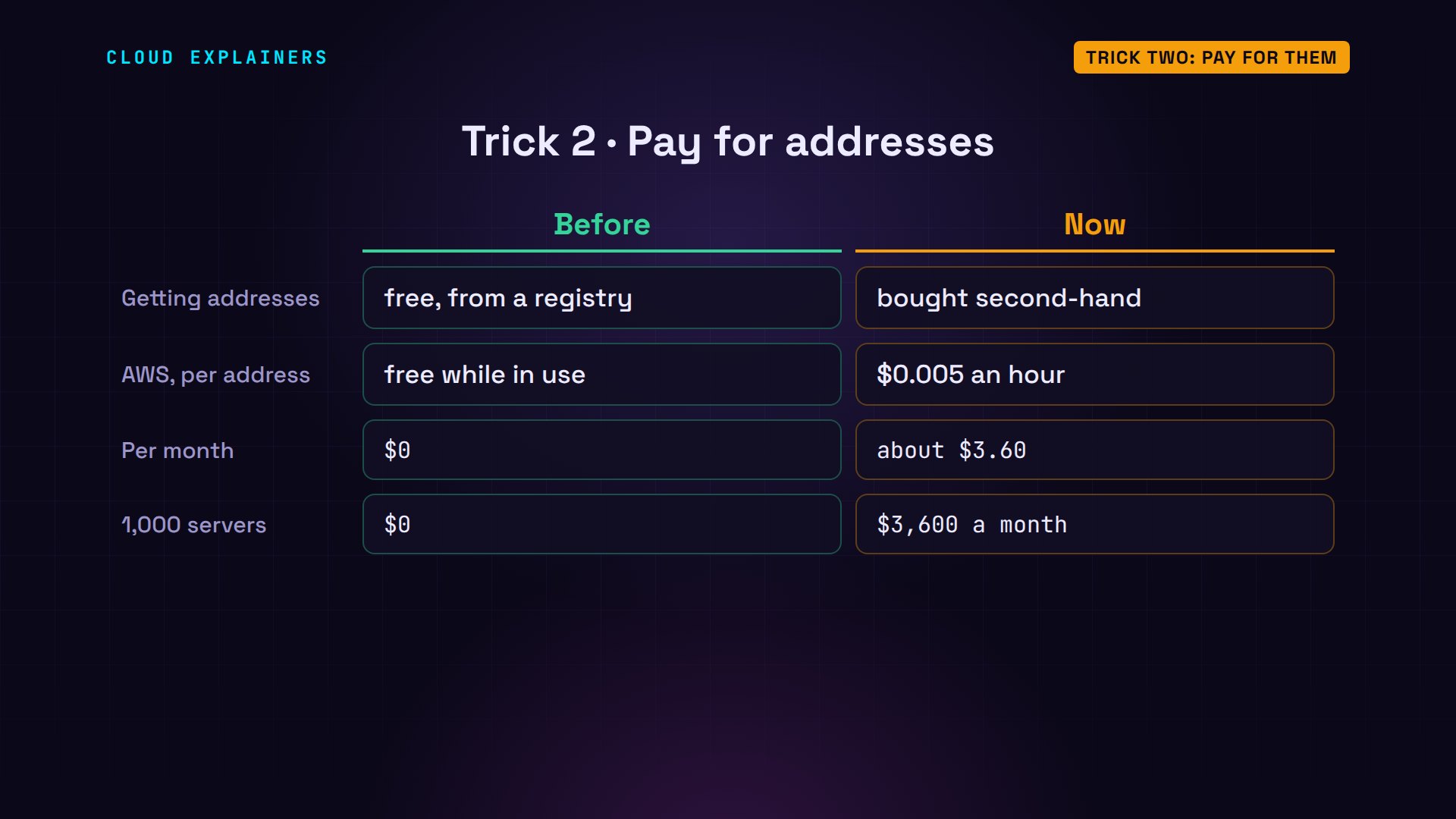
The second trick is money. Anything in short supply gets a price, and IPv4 addresses are now bought and sold between companies. Even clouds charge for them. Since February 2024, Amazon Web Services charges half a cent an hour for every public IPv4 address: about $3.60 a month each. A thousand servers, each with a public address, cost $3,600 a month just for their addresses.
The real fix: IPv6
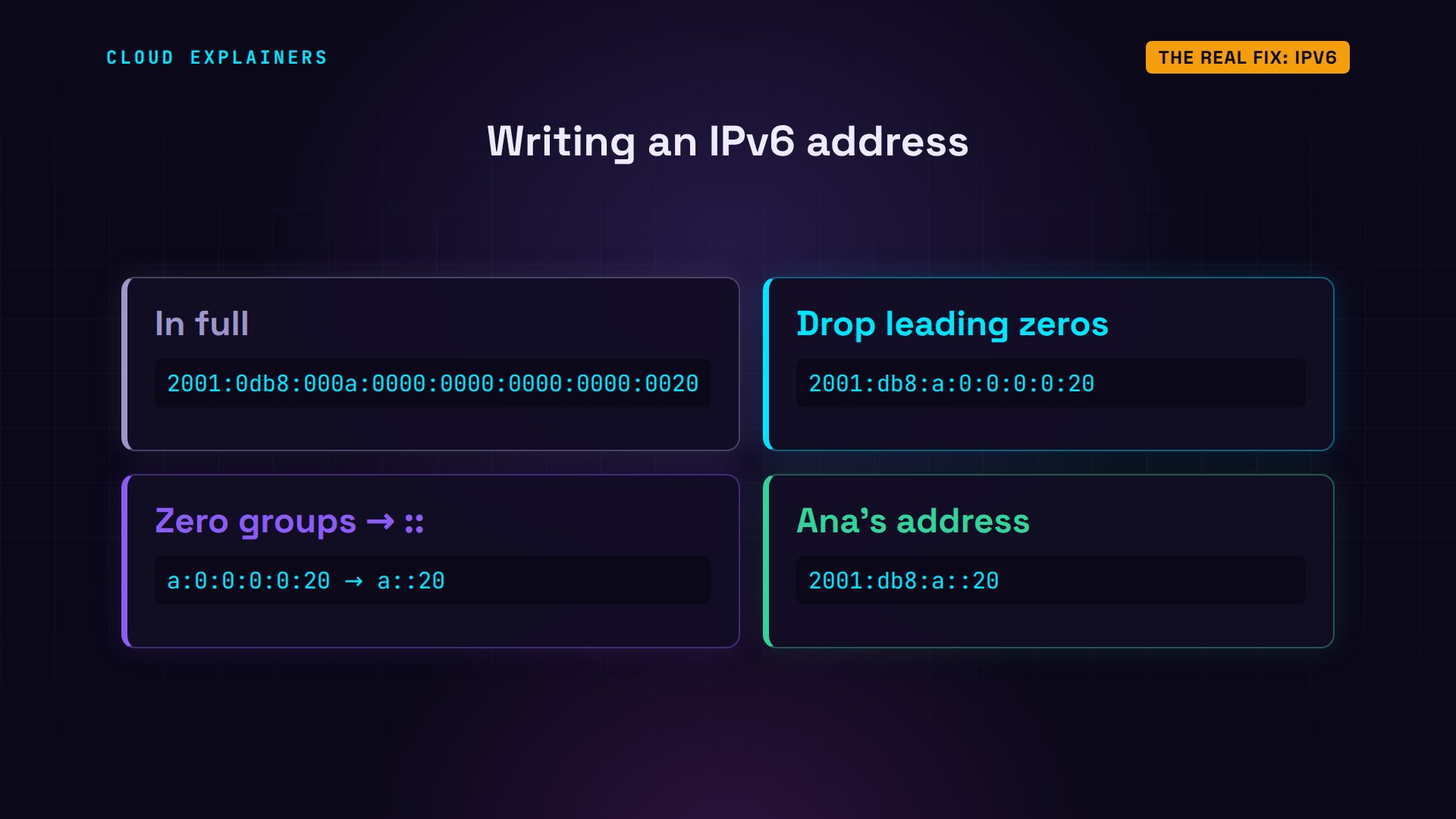
Sharing and paying only stretch IPv4. The real fix is a bigger number. IPv6 addresses are 128 bits long, written as eight groups of four hexadecimal digits, 0 to 9 and A to F, with colons. Here's Ana's new IPv6 address, written out in full. And 2 to the power of 128 is this 39-digit number: about 340 undecillion. For every single IPv4 address, IPv6 has about 79 octillion.
python3 bits.py 2001:db8:a::202001:0db8:000a:0000:0000:0000:0000:0020
128 bits
python3 -c 'print(2**128)'340282366920938463463374607431768211456
Long addresses get a short form. Leading zeros in a group can be dropped, and one run of all-zero groups becomes a double colon. So Ana's address is written 2001:db8:a::20.
Ana's home now has IPv6. Her laptop has two addresses: the private IPv4 one, and an IPv6 one that's public, its very own. She visits the server over IPv6, and then over IPv4. Over IPv6, the server sees Ana's own address: no translation, no sharing. Over IPv4, it still sees the shared one.
hostname -I192.168.1.20 2001:db8:a::20
curl -6 -s -m 10 server.exampleHello from the server
curl -4 -s -m 10 server.exampleHello from the server
python3 web.py 80 Hello from the serverlistening on port 80
visit from 2001:db8:a::20
visit from 203.0.113.7
And now the server can reach Ana's photo server directly, at her own address. It answers. And Ana's laptop saw the visit come straight from the server's own address.
curl -6 -s -m 5 'http://[2001:db8:a::20]:8000'Photos from Ana's laptop
python3 web.py 8000 "Photos from Ana's laptop"listening on port 8000
visit from 2001:db8:200::10
Reachable doesn't mean open to everyone. Home routers usually run a firewall: answers to Ana's own requests come in, and connections nobody asked for are blocked, unless she allows them. Our small lab has no firewall, which is why the server's visit got through.
Why the switch is slow
So why don't we all just switch? Because IPv6 isn't an upgrade that fits into IPv4. It's a separate language: a device that only speaks IPv4 can't talk to one that only speaks IPv6. So networks run both side by side, for years. That's called dual stack, and it's what Ana's laptop does.
Ben's router is older, and only speaks IPv4. So his laptop has just one address. Ask for the server over IPv6, and it fails: there's no way out. For IPv6 to work, every step on the way has to support it: the device, the home router, the provider, and the website.
hostname -I192.168.0.20
curl -6 -sS -m 5 server.examplecurl: (7) Failed to connect to server.example port 80 after 0 ms: Couldn't connect to server
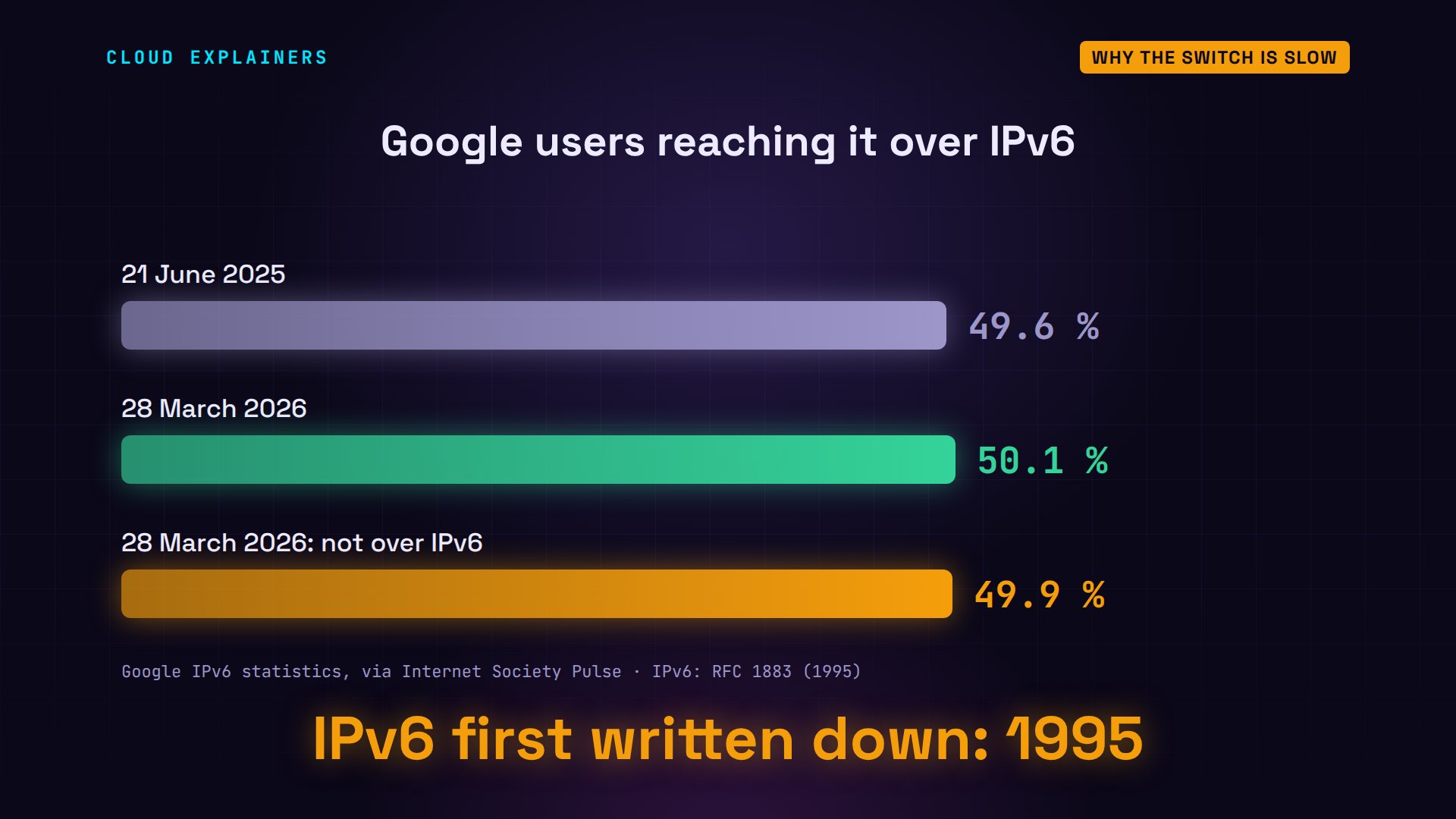
Step by step, it's happening. Google measures how many of its users reach it over IPv6. On 28 March 2026, it passed half for the first time: 50.1%. Some countries are far ahead, others barely started, and roughly thirty years after IPv6 was first written down, half the internet still needs IPv4's tricks.
Recap
Back to the street where Ana and Ben live. IPv4 has about 4.3 billion addresses, and a big share was reserved or handed out early. When the supply ran out, providers made many homes share one address, and addresses started to cost money. IPv6 gives every device its own address again, and the switch is about half done.
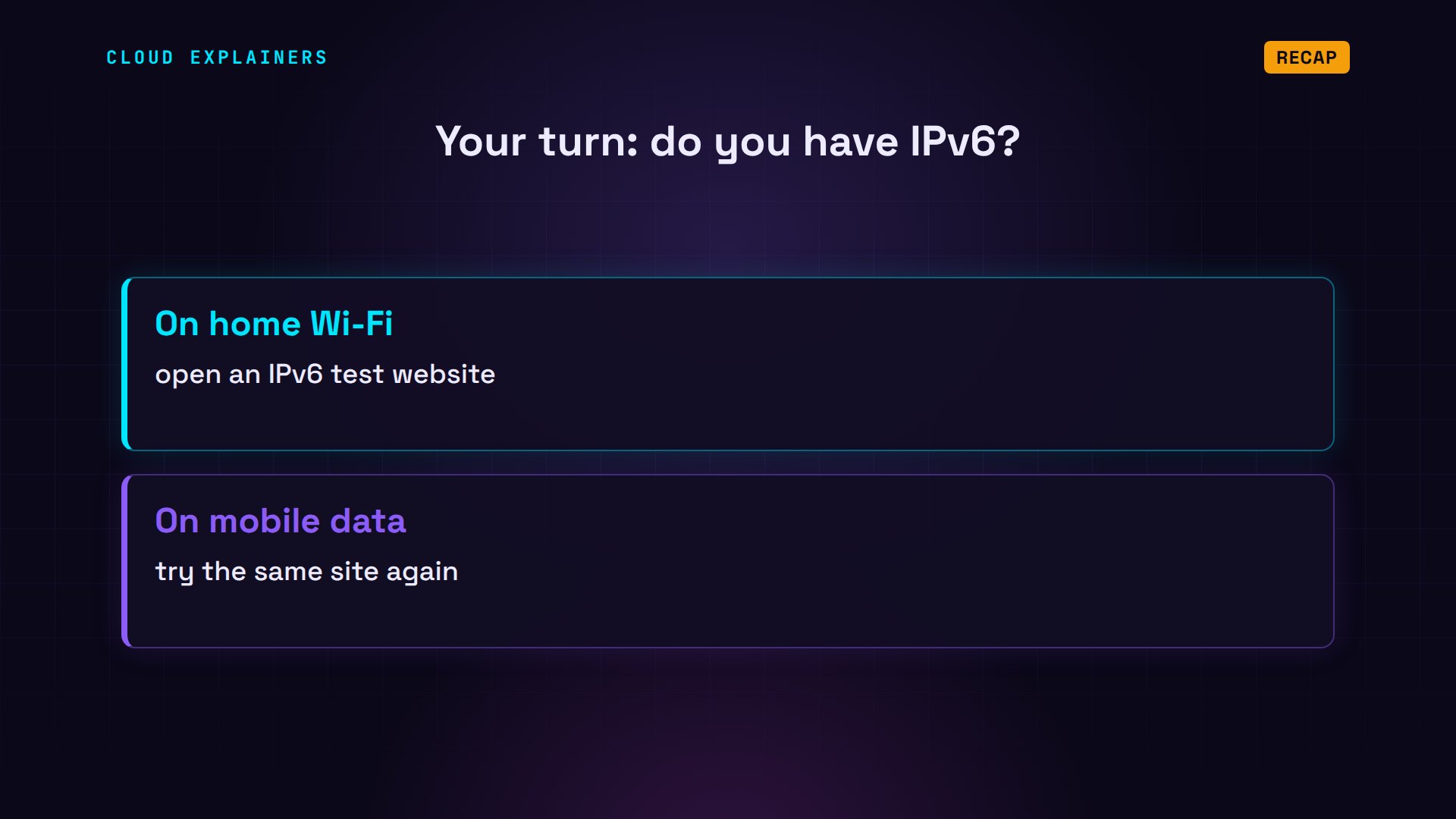
A question for the comments: does your home internet have IPv6? Open an IPv6 test website on your phone, on Wi-Fi and then on mobile data, and tell me in the comments what you found.
Every result in this video came from a real run of this small lab. This was episode three of Networking for Beginners. Next time: every network troubleshooting command you need.
Sources
- RFC 791, Internet Protocol (IPv4, 1981)
- IANA IPv4 address space registry
- NRO, IPv4 free pool depleted (3 February 2011)
- APNIC IPv4 address pool reaches final /8 (15 April 2011)
- ARIN IPv4 free pool reaches zero (24 September 2015)
- RIPE NCC has run out of IPv4 addresses (25 November 2019)
- RFC 1918, private address ranges
- RFC 6598, shared address space for carrier-grade NAT (100.64.0.0/10)
- RFC 8200, IPv6
- RFC 5952, writing IPv6 addresses
- AWS, public IPv4 address charge
- Internet Society Pulse, IPv6 reaches a majority (Google statistics)
- ITU Facts and Figures 2025
Demos: real output from a small lab network built with Docker containers on one machine, using only private and reserved test addresses (192.168.x.x, the 100.64.0.0/10 shared range, 203.0.113.x and the IPv6 documentation range 2001:db8::/32). The lab has no route to the real internet; the web server and the address tools are small programs written for this video. IANA's block list was downloaded from iana.org during the run. Watch the full video on YouTube.
More videos
Every Network Troubleshooting Command You Need
Hashing vs Encryption in Cybersecurity: When Each One Wins
Linux Package Managers: apt vs Snap vs Flatpak
Why Python Is Slow (and When It Doesn't Matter)
TCP vs UDP: When Each One Wins
Stop Running Linux as Root (Do This Instead)
Linux Users and Groups Will Finally Make Sense
Why Phishing Beats Good Security (and How to Spot It)
The 7 Levels of Docker
AI Agents Will Finally Make Sense After This
Stop Using git push --force (Use This Instead)
Agent Skills vs MCP: When Each One Wins
Networking Will Finally Make Sense After This

Every Linux Command You Actually Need

The 7 Levels of Cybersecurity

Every System Design Concept You Need, in One Diagram
