
Stop Running Linux as Root (Do This Instead)
Why you shouldn't work as root on Linux, and what to do instead, for complete beginners: what root is (user 0, which skips the permission checks), how a root shell turns one typo into lost files, the root-owned files it leaves in your home folder, using sudo for one command at a time, the 'sudo echo' append trap (two arrows into a file) and sudo tee, and why Ubuntu locks the root account. Every command runs for real on Ubuntu 24.04.
One command, as root
Ana is cleaning up. She thinks she's in her old downloads folder. Three files. She types rm -rf star: delete everything here. No question. No warning. Gone. And they weren't her files. They were Ben's, in the team folder.
ls -ltotal 12
-rw-rw-r-- 1 ben ben 6 Oct 26 21:58 budget.csv
-rw-rw-r-- 1 ben ben 6 Oct 26 21:58 notes.md
-rw-rw-r-- 1 ben ben 6 Oct 26 21:58 plan.txt
rm -rf *
ls -ltotal 0
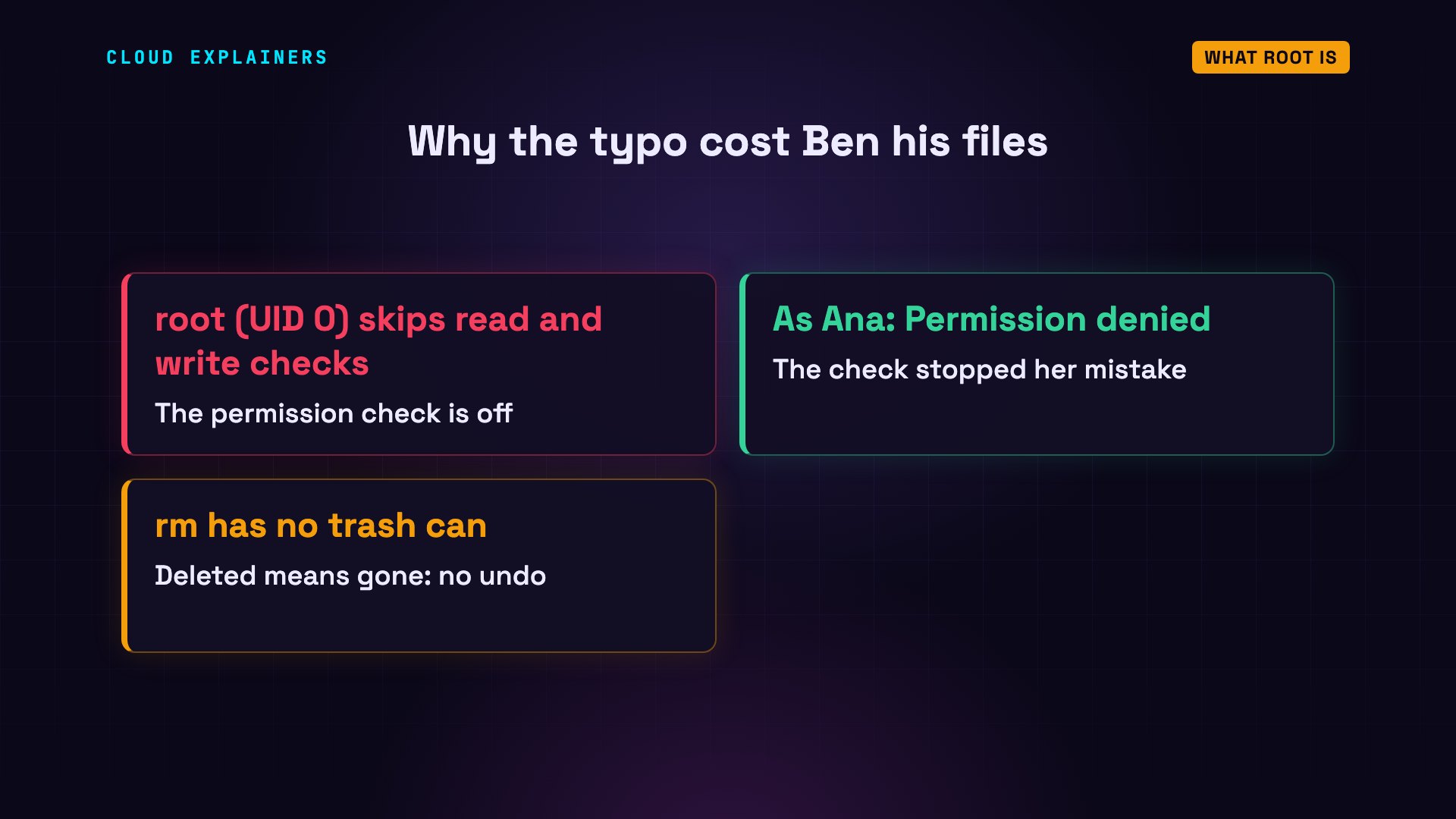
Look at the prompt: Ana was working as root. Here's the very same command, typed as Ana herself. Linux refuses, three times: permission denied. Nothing is lost.
rm -rf *rm: cannot remove 'budget.csv': Permission denied
rm: cannot remove 'notes.md': Permission denied
rm: cannot remove 'plan.txt': Permission denied
So why is working as root a bad habit, and what should you do instead? Here's the path. What root really is. The mess it leaves in your own home folder. The fix: sudo, one command at a time. One sudo trap. Your safety net, back. And why Ubuntu locks root. Every command runs for real, on Ubuntu 24.04. This is episode three of Linux for Beginners.
What root is
Part one: what root is.
Rewind to that morning. id shows Ana as herself: user 1000. Then she types sudo -i, and her password. -i opens a new shell, logged in as root. Now id says user zero: root, the administrator.
iduid=1000(ana) gid=1000(ana) groups=1000(ana),27(sudo)
sudo -i[sudo] password for ana:
iduid=0(root) gid=0(root) groups=0(root)
And the prompt changed. Before: ana, ending in a dollar sign. Now: root, ending in a hash sign. A hash at the end of the prompt means: careful, you are root. Everything Ana types from now on runs as root, until she types exit.
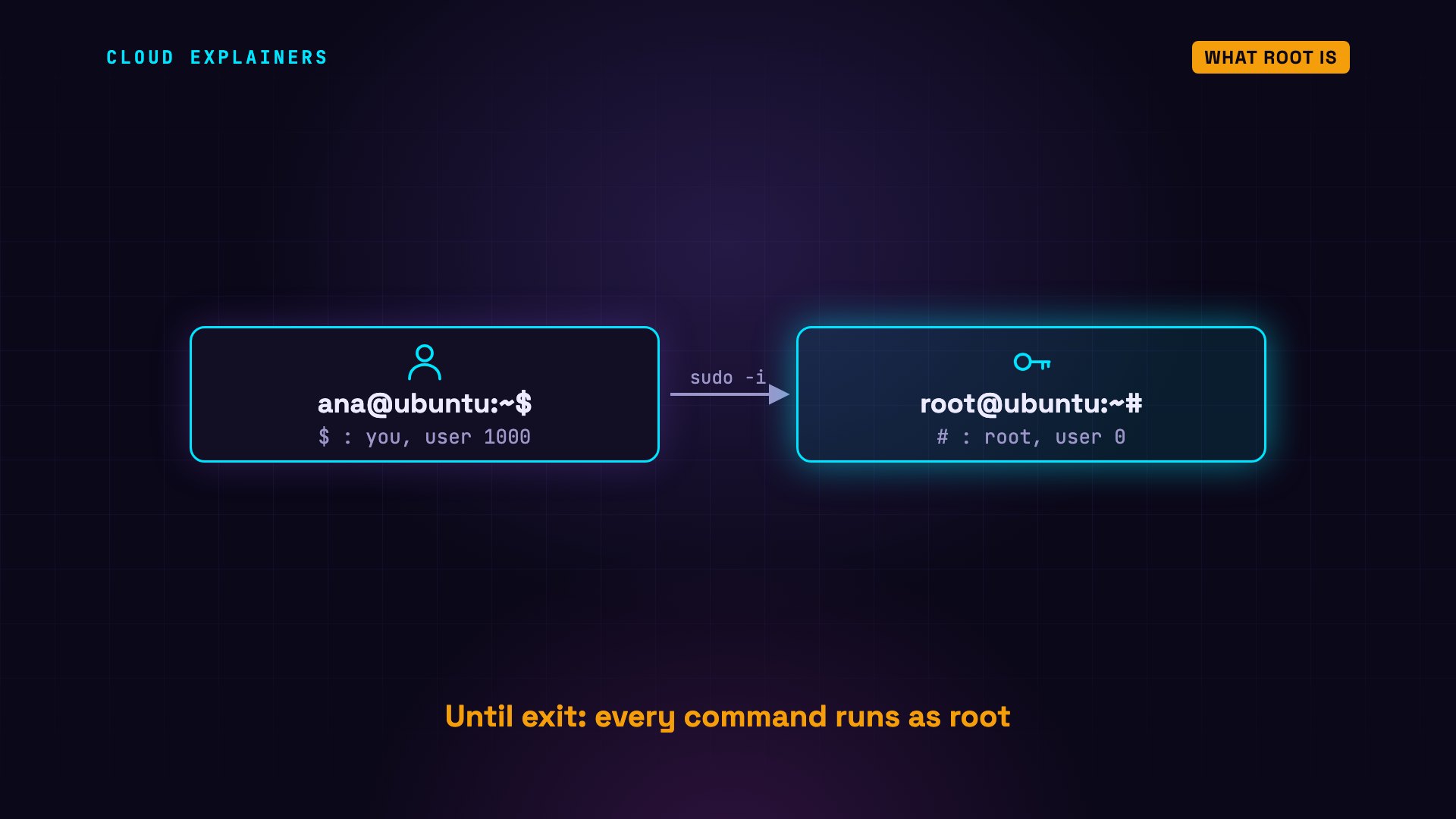
Every program inherits the user of the shell that starts it. ps lists the programs running in this terminal. sudo, which opened the shell: root. The shell: root. ps itself: root. Whatever Ana runs here, a script, an installer, or a typo, runs as root.
ps -o user,pid,commUSER         PID COMMAND
root          94 sudo
root          95 bash
root         102 ps
And root skips the read and write checks you met in episode two. As Ana, the check stopped her mistake. As root, nothing did. And rm has no trash can, so there's no undo.
Root's files in your home
Part two: the mess root leaves in your home folder.
Still in her root shell, Ana goes to her own home folder, and starts a to-do list. Then she types exit, and she's back to being Ana.
cd /home/ana
echo 'renew the certificates' > todo.txt
exitlogout
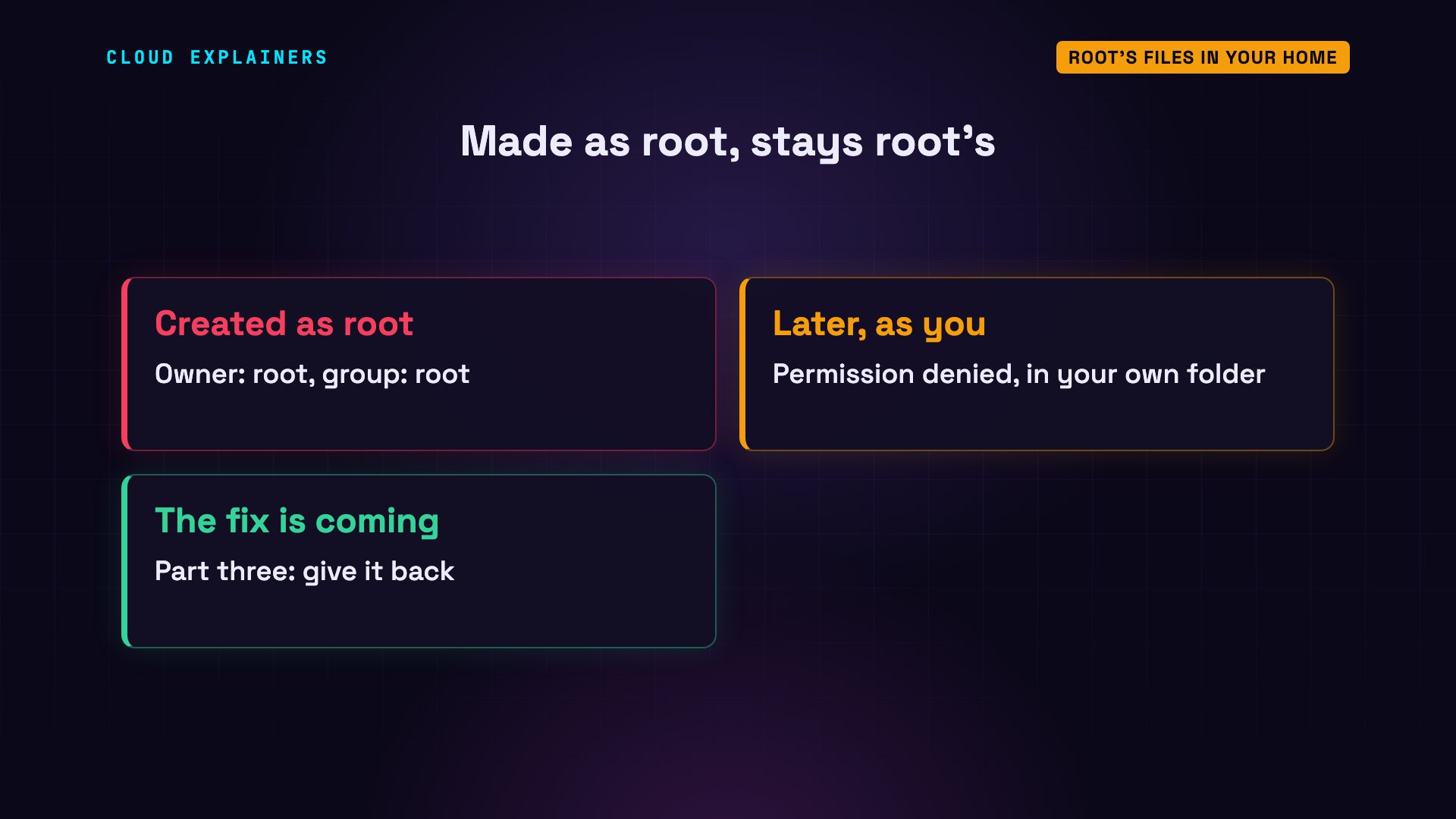
She adds a line to her list: permission denied. In her own home folder. ls -l shows why: the file belongs to root, because root created it. And only the owner may write: r, w for root, just r for everyone else.
echo 'update the docs' >> todo.txtbash: todo.txt: Permission denied
ls -l todo.txt-rw-r--r-- 1 root root 23 Oct 26 21:58 todo.txt
It's one of the most common root messes. Anything created as root stays root's: a file, a folder, a project's packages. Later, your everyday commands fail in your own folder.
Do this instead: sudo
Part three: what to do instead.
Don't open a root shell. Stay yourself, and put sudo in front of the one command that needs root. sudo runs just that command as root. When it finishes, you're you again: a dollar sign, all day.
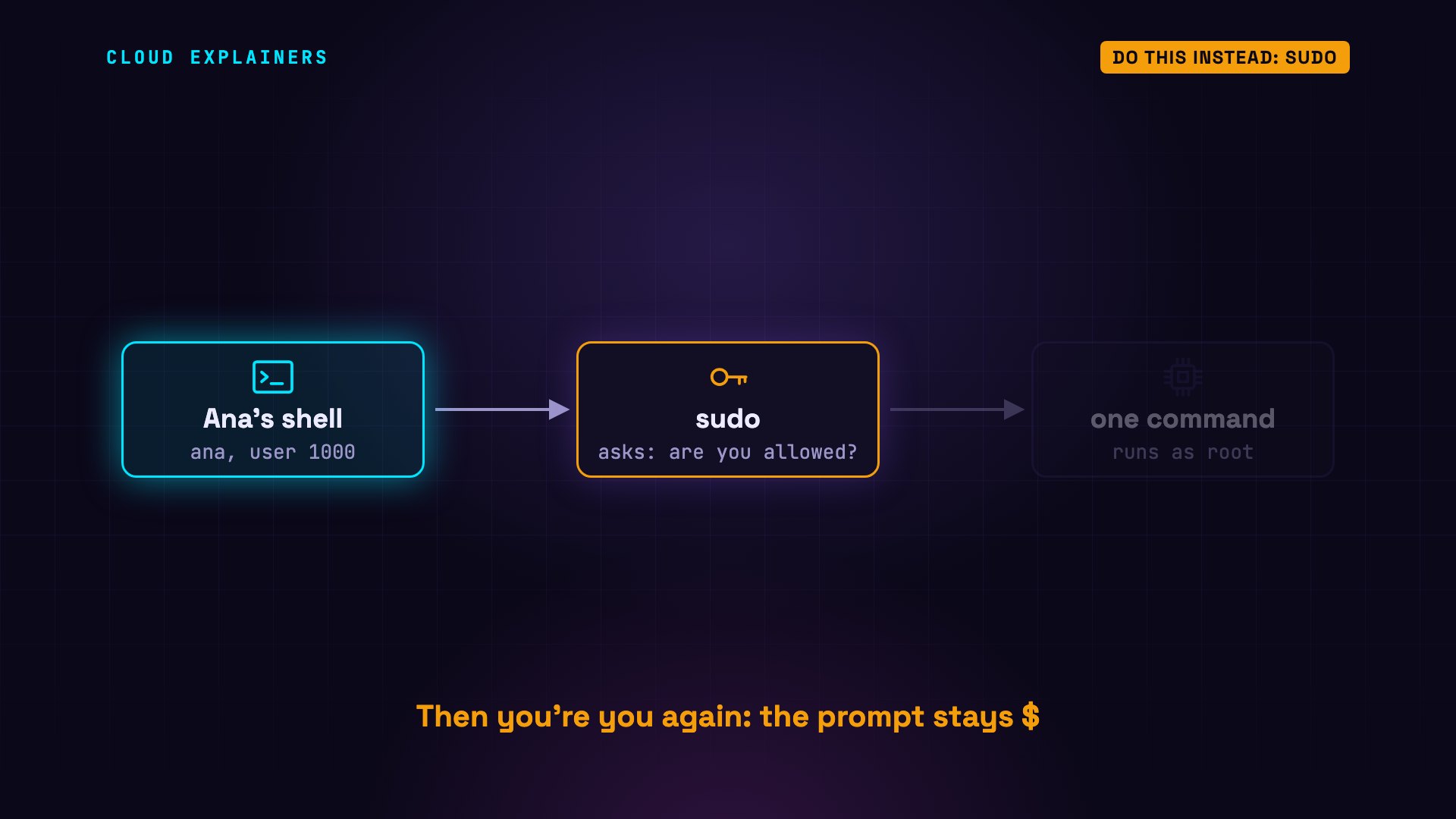
Watch. sudo -k makes sudo forget her password, so we can see it ask. sudo id asks for her password, then runs id as root: user zero. The very next command, a plain id, is Ana again: user 1000.
sudo -k
sudo id[sudo] password for ana:
uid=0(root) gid=0(root) groups=0(root)
iduid=1000(ana) gid=1000(ana) groups=1000(ana),27(sudo)
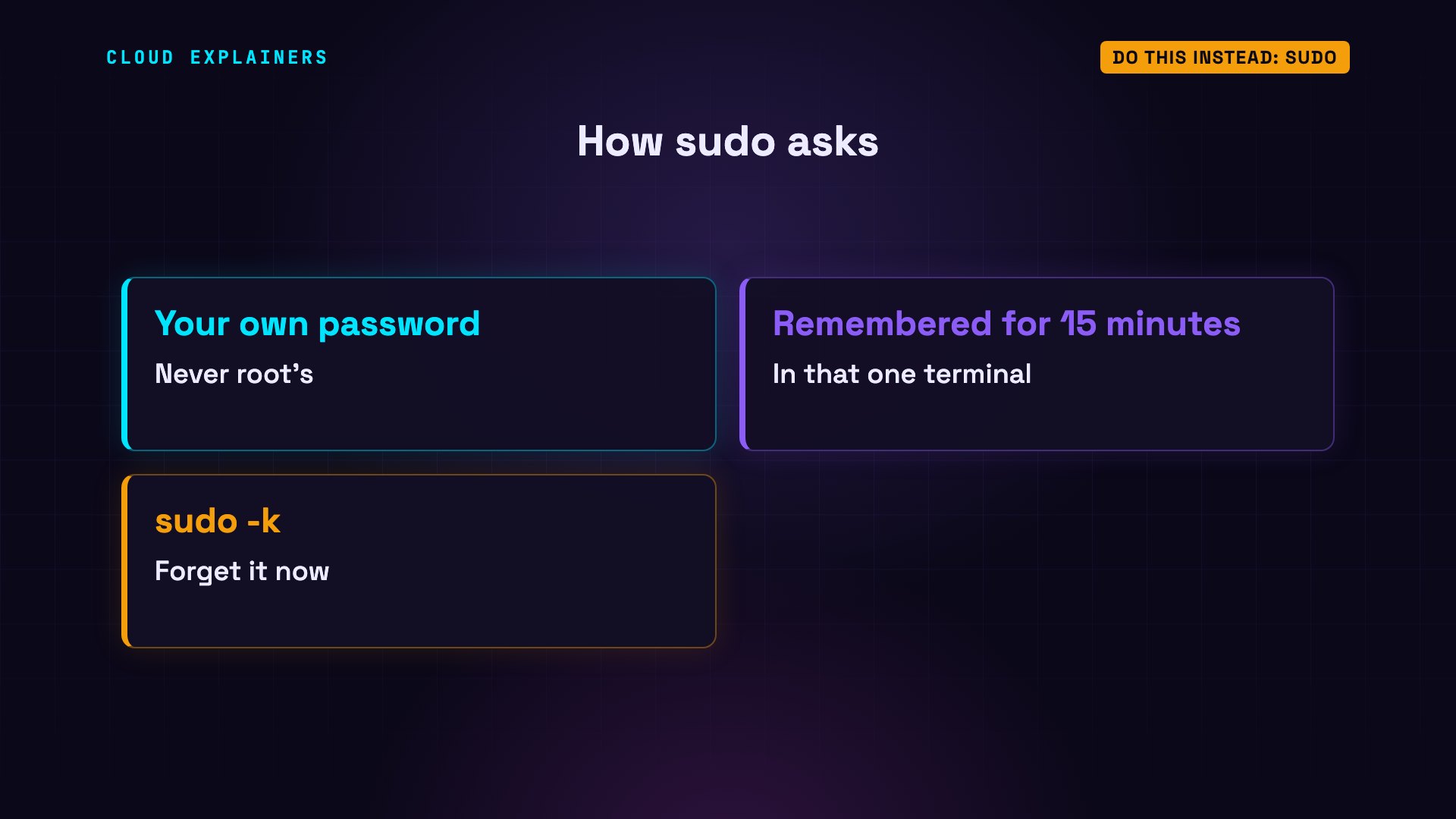
Notice whose password it asked for: her own, not root's. Ubuntu then remembers it for 15 minutes, in that one terminal. sudo -k makes it forget sooner.
Now Ana fixes her to-do list. sudo chown, change owner, gives the file back to ana, and to her group, ana. No password this time: she typed it a moment ago. ls -l now says ana, ana. Her line goes in, and the list has both lines.
sudo chown ana:ana todo.txt
ls -l todo.txt-rw-r--r-- 1 ana ana 23 Oct 26 21:58 todo.txt
echo 'update the docs' >> todo.txt
cat todo.txtrenew the certificates
update the docs
The redirect trap
Part four: one sudo trap.
Ana wants to add a line to a system file: /etc/hosts, the machine's own list of names and addresses. She types sudo echo, the line, then two arrows, which mean append to this file. Permission denied. With sudo!
cat /etc/hosts127.0.0.1	localhost
::1	localhost ip6-localhost ip6-loopback
fe00::	ip6-localnet
ff00::	ip6-mcastprefix
ff02::1	ip6-allnodes
ff02::2	ip6-allrouters
172.17.0.2	ubuntu
sudo echo '192.0.2.10 fileserver' >> /etc/hostsbash: /etc/hosts: Permission denied
Look at who complained: bash, Ana's own shell. The arrows aren't part of the command. Ana's shell handles them first, and opens the file as Ana, before sudo even starts. sudo only runs echo as root, and echo doesn't need it.
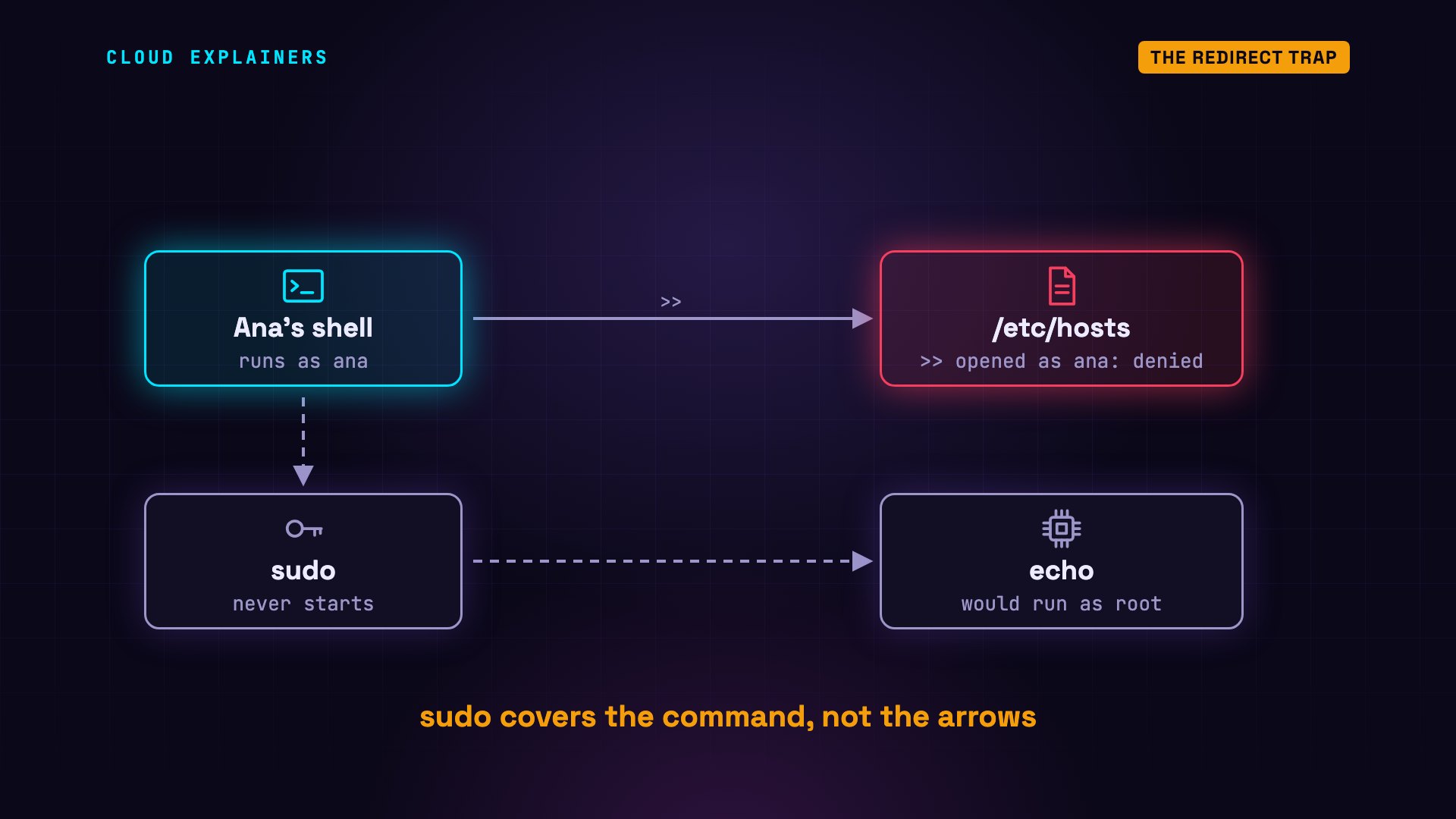
The fix: let a program that runs as root do the writing. tee writes what it receives into a file, and -a means append. Now sudo runs tee as root, and tee opens the file. tee also prints the line, and tail confirms it's now the last line of /etc/hosts.
echo '192.0.2.10 fileserver' | sudo tee -a /etc/hosts192.0.2.10 fileserver
tail -n 1 /etc/hosts192.0.2.10 fileserver
The safety net
Part five: your safety net, back.
Ben puts his files back. Later, Ana is back in the team folder, working as herself. Linux runs its check. The folder belongs to root and the group team. Ana is neither, so everyone else's letters decide: r, dash, x. No write. The same mistake: three times, permission denied, and all three files are still there.
ls -ld /srv/teamdrwxrwxr-x 2 root team 4096 Oct 26 21:58 /srv/team
ls -ltotal 12
-rw-rw-r-- 1 ben ben 6 Oct 26 21:58 budget.csv
-rw-rw-r-- 1 ben ben 6 Oct 26 21:58 notes.md
-rw-rw-r-- 1 ben ben 6 Oct 26 21:58 plan.txt
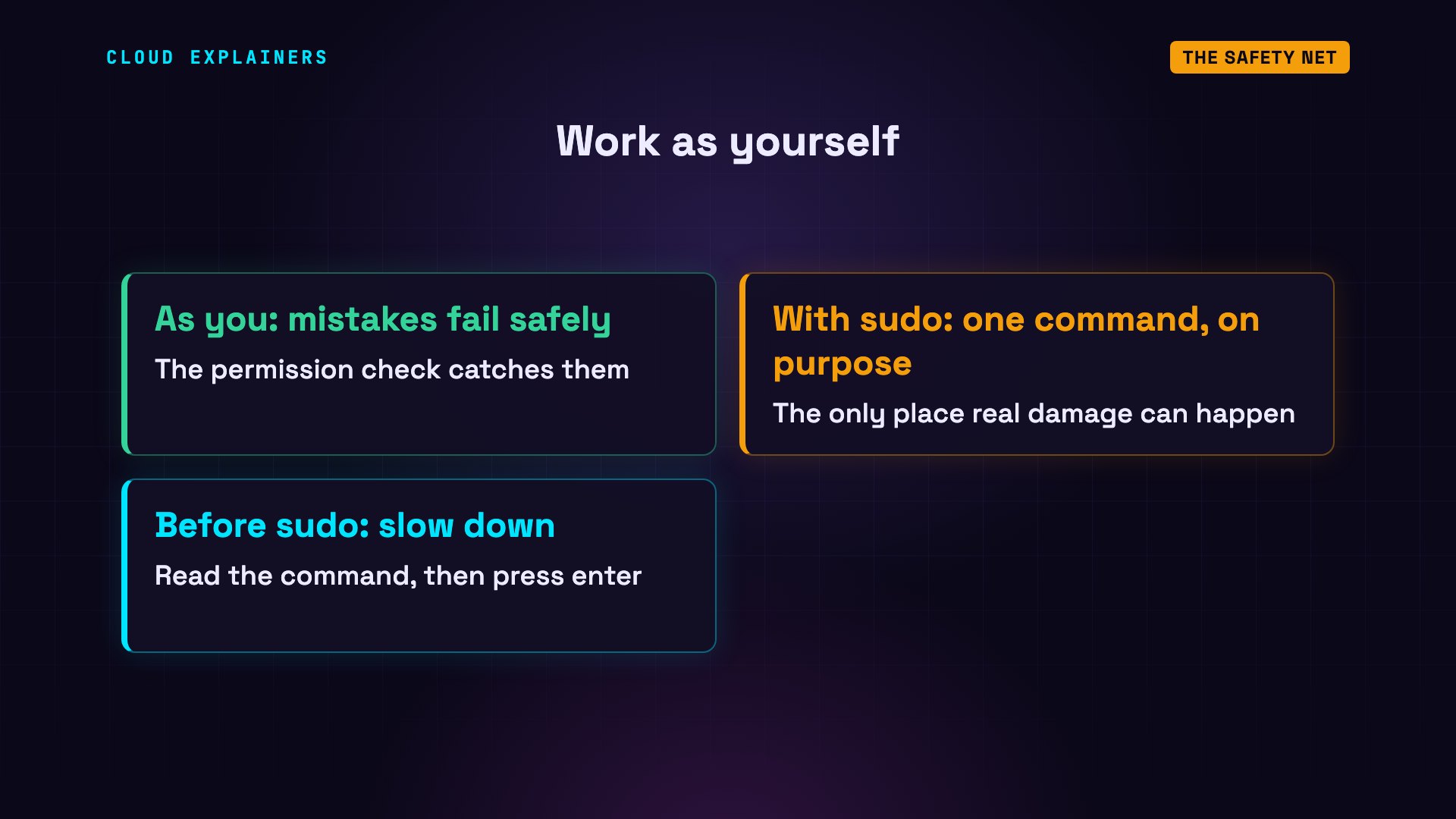
That's the point of working as yourself. Everyday mistakes hit the permission check, and fail safely. Only the commands you mark with sudo can do real damage, so that's where you slow down, and read the command before you press enter.
Why root is locked
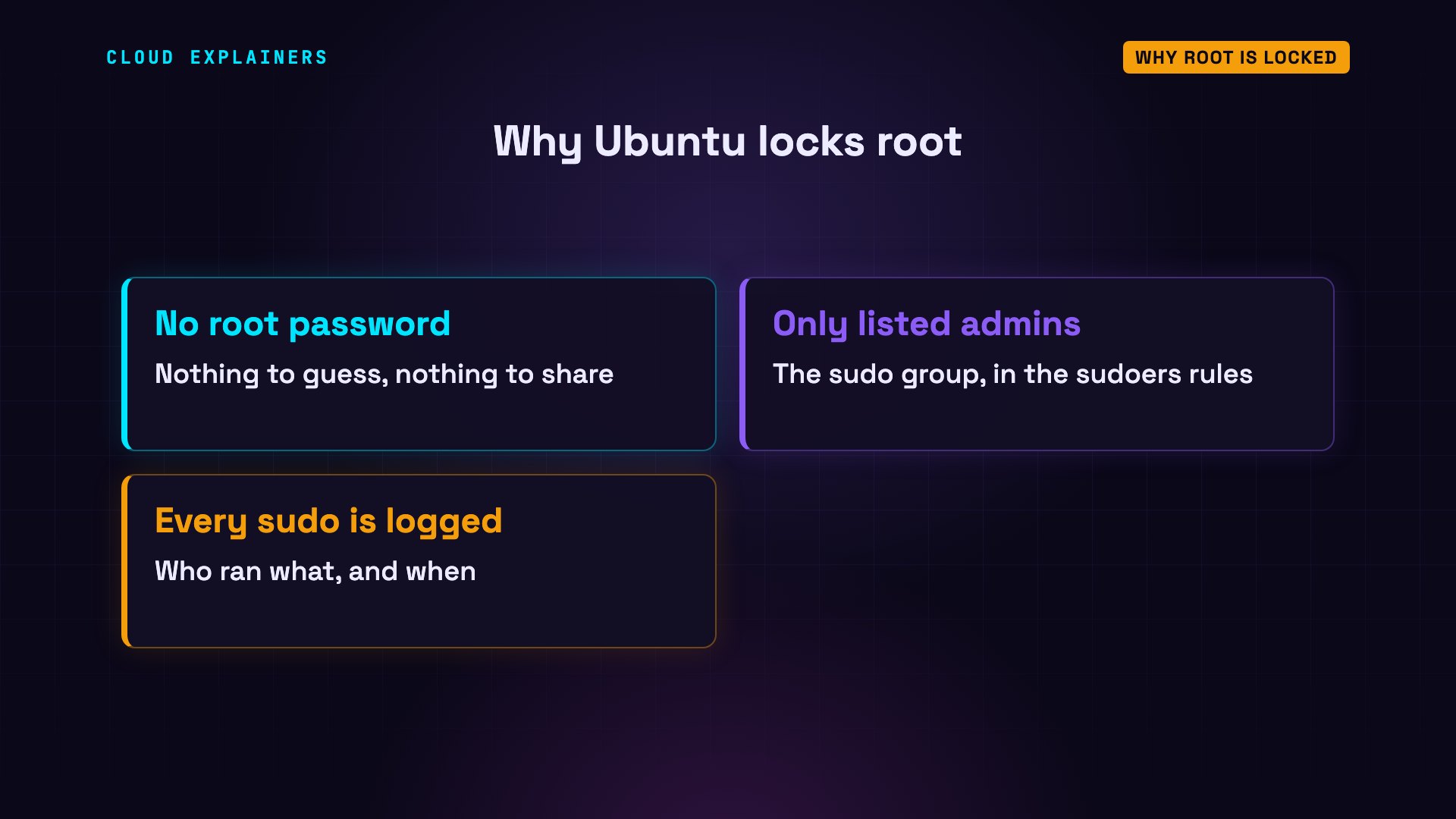
Part six: why Ubuntu locks root.
su dash tries to log in as root directly, and asks for root's password. Nothing works, not even Ana's: authentication failure. passwd -S shows why: the L means root's password is locked. Ubuntu does this on purpose: root gets a password that no input can ever match.
su -Password:
su: Authentication failure
sudo passwd -S rootroot L 2026-09-30 0 99999 7 -1
So the way to root is sudo, and sudo checks a list of rules. On Ubuntu, one rule says members of the sudo group may run anything. Here, that's just Ana. Ben isn't in it, so when he tries sudo, he's refused: he's not in the sudoers file, sudo's list of rules.
grep sudo /etc/groupsudo:x:27:ana
sudo id[sudo] password for ben:
ben is not in the sudoers file.
That's safer three ways. No root password to guess, or share. Only people on the list can act as root. And sudo logs each command with the name of who ran it.
Recap
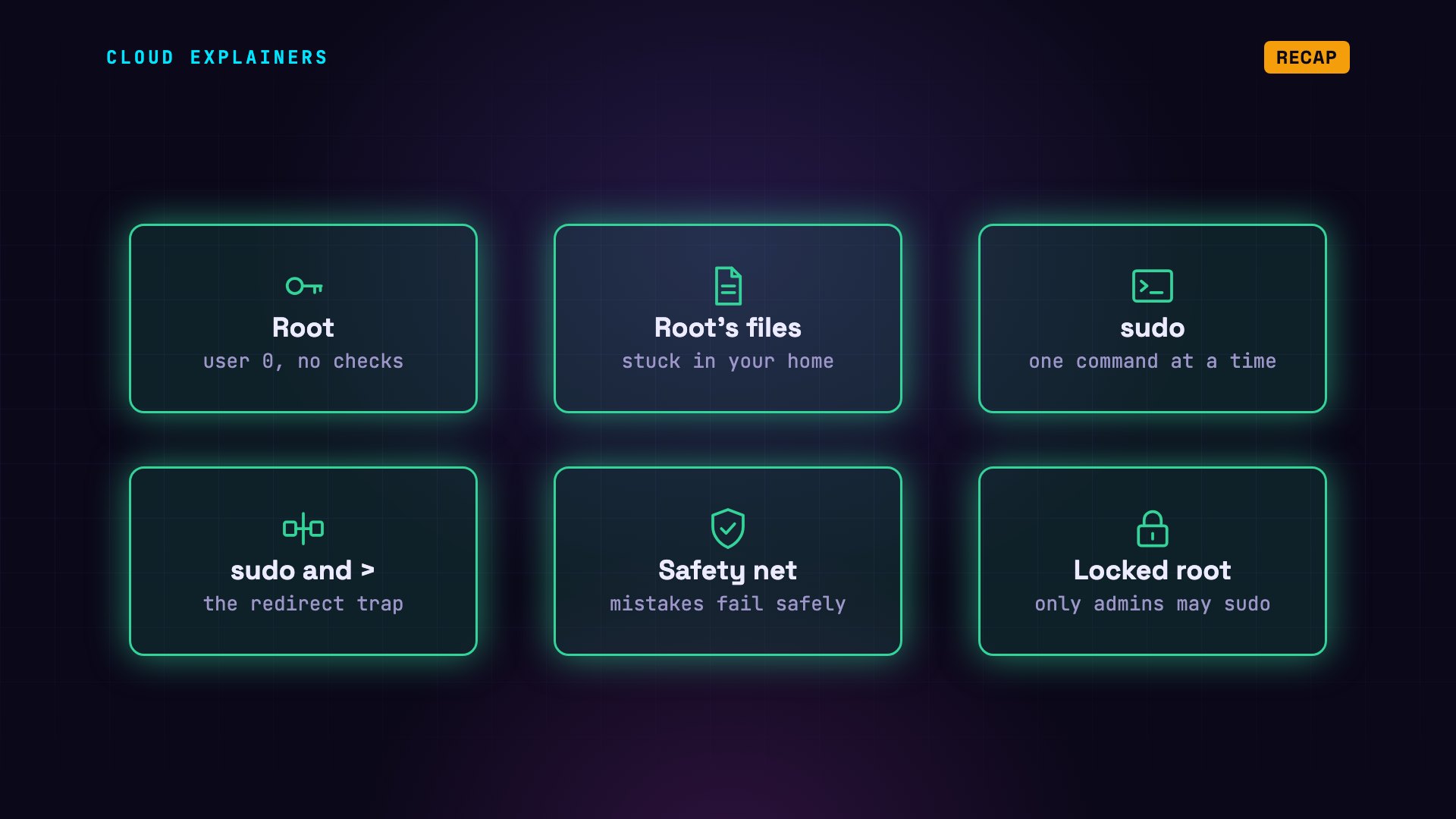
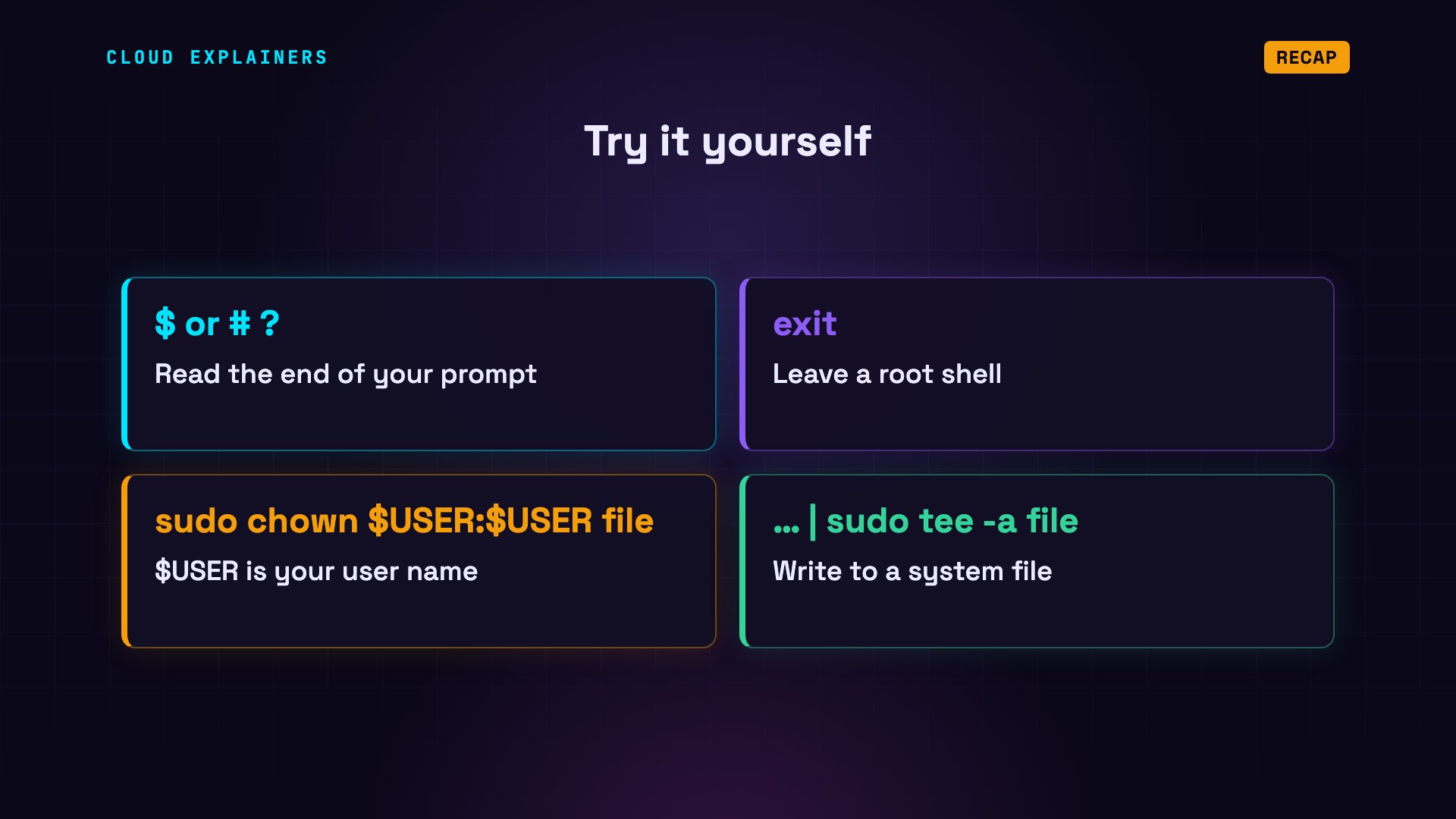
So: root is user zero, and it skips the permission checks. In a root shell, every typo runs as root. Files it creates stay root's. Instead, work as yourself, and put sudo in front of the one command that needs it. Write system files with sudo tee. Your mistakes then fail safely. And let Ubuntu keep root locked.
Try it on your own machine. Look at your prompt: a dollar sign is you, a hash sign is root. In a root shell? Type exit. A file in your home that says root? sudo chown gives it back. And to write a system file, pipe into sudo tee.
This was episode three of Linux for Beginners. Next: installing software, with apt, Snap and Flatpak.
Sources
Demos: real output from terminal sessions (ana and ben) on one Ubuntu 24.04 test machine. The accounts, passwords, files and the team folder were created for the demo, and the rm -rf ran only inside that test machine; every command and its output is real. Watch the full video on YouTube.
More videos
Linux Users and Groups Will Finally Make Sense

Why Phishing Beats Good Security (and How to Spot It)

The 7 Levels of Docker

AI Agents Will Finally Make Sense After This
Stop Using git push --force (Use This Instead)
Agent Skills vs MCP: When Each One Wins

Networking Will Finally Make Sense After This

Every Linux Command You Actually Need

The 7 Levels of Cybersecurity

Every System Design Concept You Need, in One Diagram
