
How Linux systemd Works
systemd is the first program Linux starts, and it decides what runs at boot and after a crash. We started a small tea-shop app by hand and lost it in a reboot, then turned it into a systemd service and rebooted for real: PID 1, the unit file section by section, why start isn't enable, boot targets, automatic restarts, and how a cgroup lets systemd stop every process a service started.
Gone after a reboot
You start your app by hand on a Linux server, and it works, until the server reboots and the app never comes back. Here's Ana's tea shop. She starts it by hand, the page answers, and then she reboots. After the reboot: nothing is listening, and no Python is running at all.
nohup python3 app.py > shop.log 2>&1 &[1] 121
curl -s localhost:8080Ana's Tea Shop: 12 teas in stock
sudo reboot[sudo] password for ana:
curl -sS localhost:8080curl: (7) Failed to connect to localhost port 8080 after 0 ms: Couldn't connect to server
ps -C python3PID TTY TIME CMD
The program that decides what runs on a Linux machine, at boot and after a crash, is systemd. By the end you'll know how it starts things, why starting a service isn't enough, and why one of Ana's processes survives her kill command, but can't survive systemd.
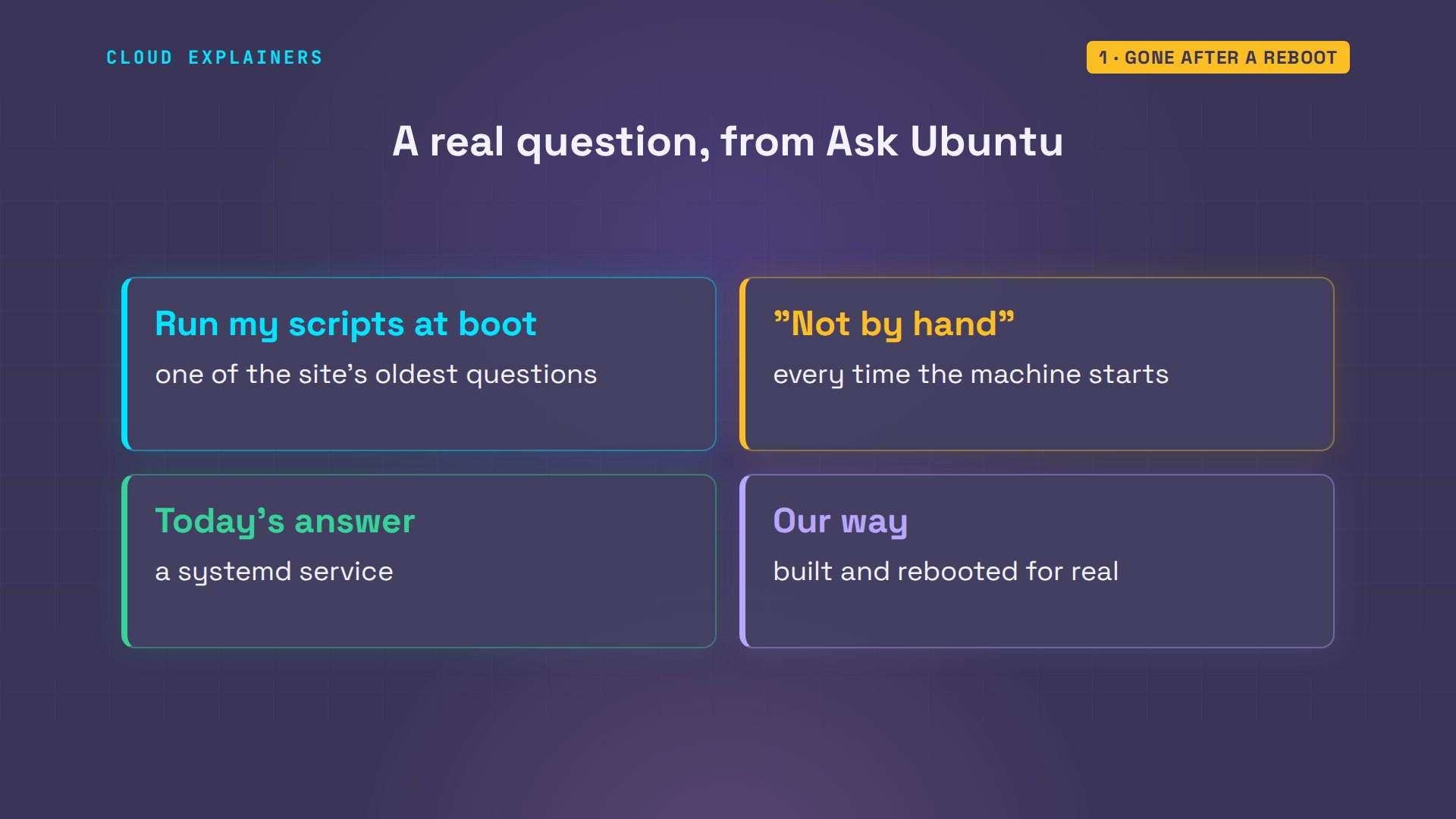
It's one of the oldest questions on Ask Ubuntu: how do I run my scripts when the machine starts, so I don't have to start them by hand every time? Today's answer is a systemd service, so let's build one for Ana's shop, one piece at a time.
Who starts everything?
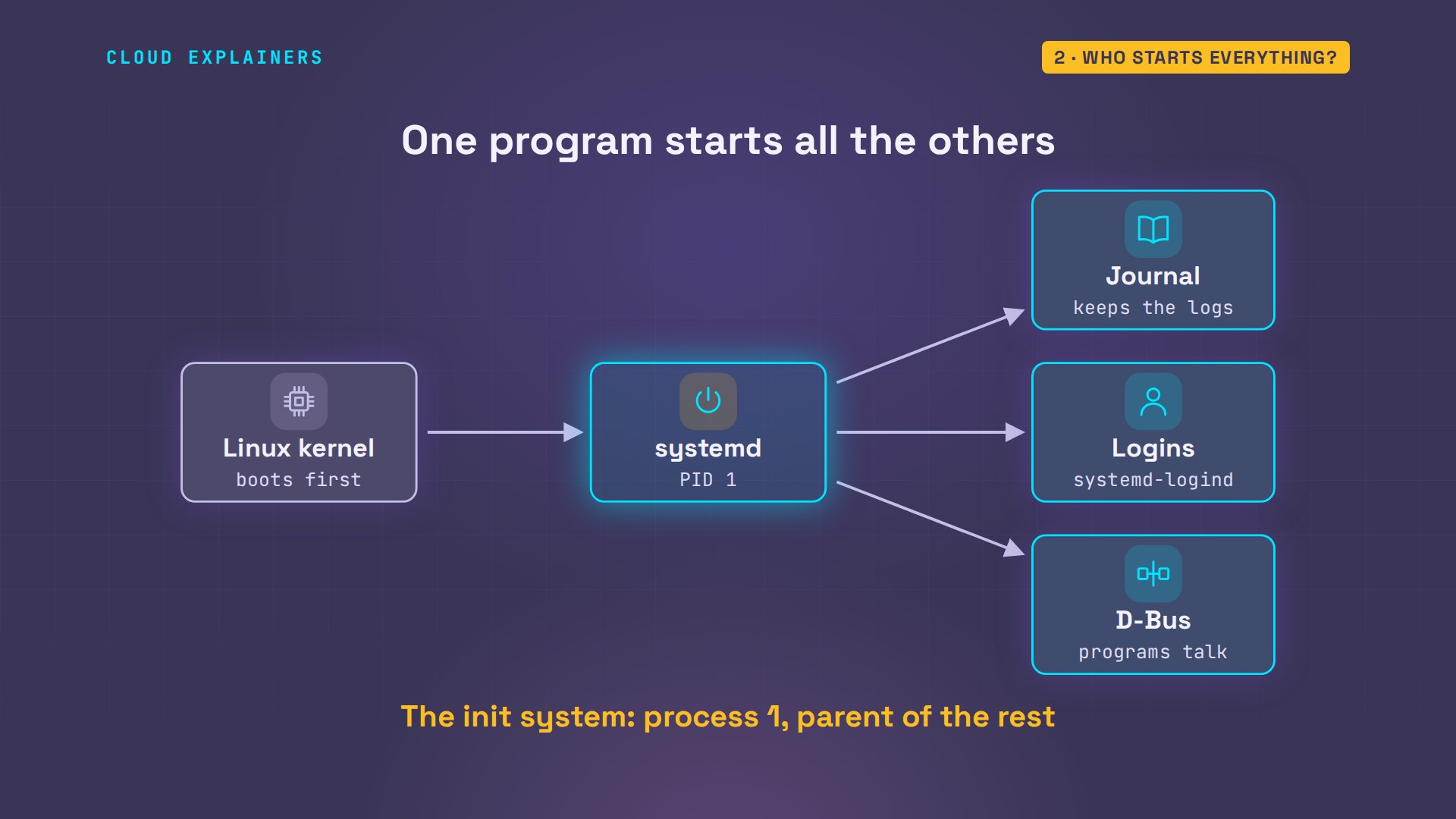
So who starts everything? Ask Linux about process number one, the first program the kernel runs. It's systemd, started at the moment of that reboot. And it's already running services of its own: the journal that keeps logs, logins, and D-Bus, which lets programs talk to each other.
ps -p 1 -o pid,lstart,commPID STARTED COMMAND 1 Mon Nov 9 01:32:54 2026 systemd
systemctl list-units --type=service --state=running --no-legend --plaindbus.service             loaded active running D-Bus System Message Bus
systemd-journald.service loaded active running Journal Service
systemd-logind.service   loaded active running User Login Management
That's the shape of every Linux machine. The kernel starts exactly one program, PID 1. On Ubuntu, Fedora, Debian and most others, that's systemd, and everything else is started by it, or by something it started. It's called the init system: the first process, and the parent of the rest.
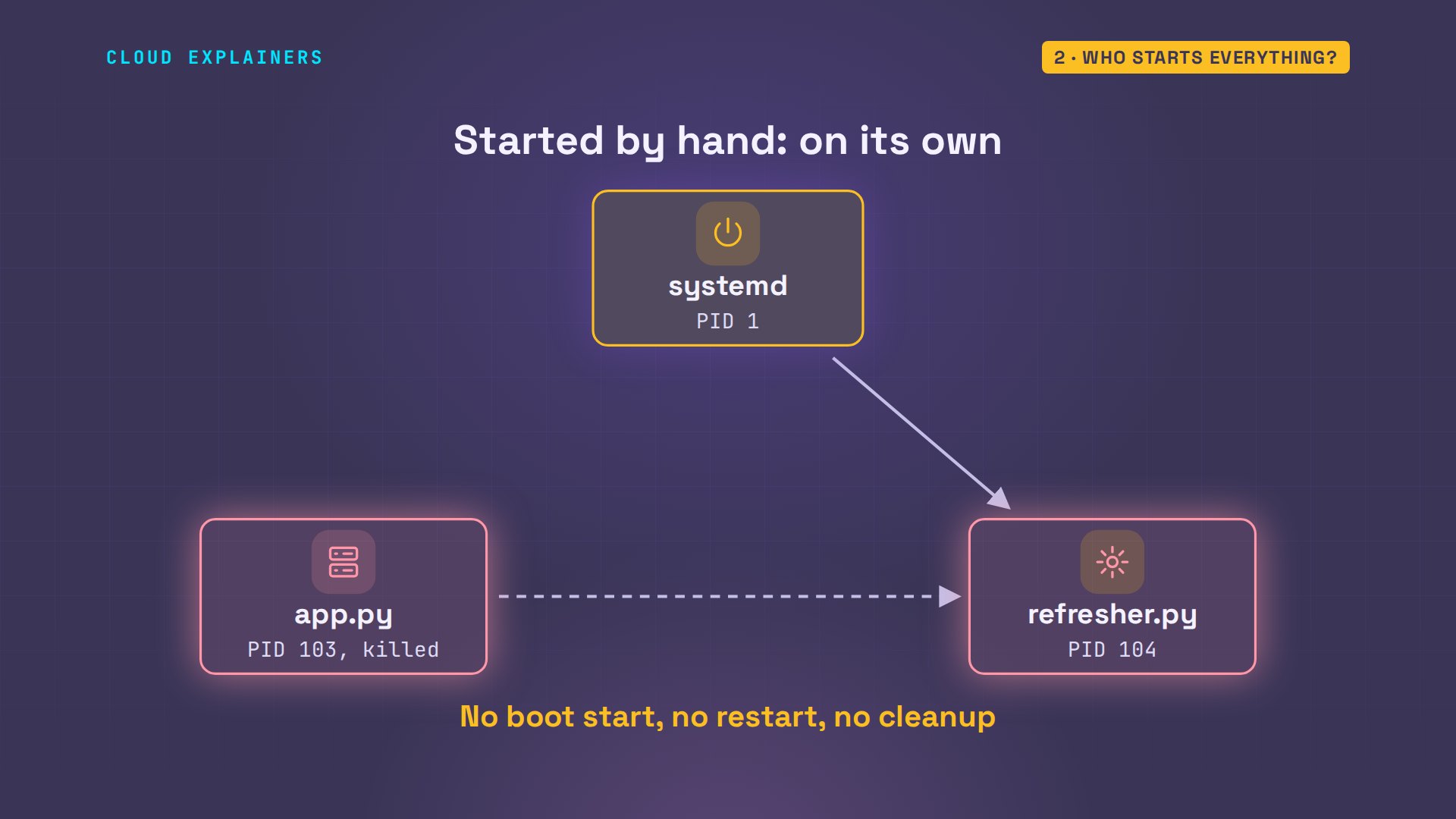
Here's what that means for Ana. She starts the shop by hand again. The app starts a helper that refreshes the stock list, so the helper's parent is the app. She kills the app. Guess first: does the helper die with it? No. It's still running, and its new parent is process one.
nohup python3 app.py > shop.log 2>&1 &[1] 103
ps -o pid,ppid,args -C python3PID PPID COMMAND 103 87 python3 app.py 104 103 python3 refresher.py
kill 103
ps -o pid,ppid,args -C python3PID PPID COMMAND 104 1 python3 refresher.py [1]+ Terminated nohup python3 app.py > shop.log 2>&1
When a parent dies, Linux hands its children to PID 1, so systemd adopts the helper. But nothing records that it belonged to the tea shop. A program started by hand is on its own: no start at boot, no restart after a crash, and leftovers nobody cleans up.
A unit file: the recipe
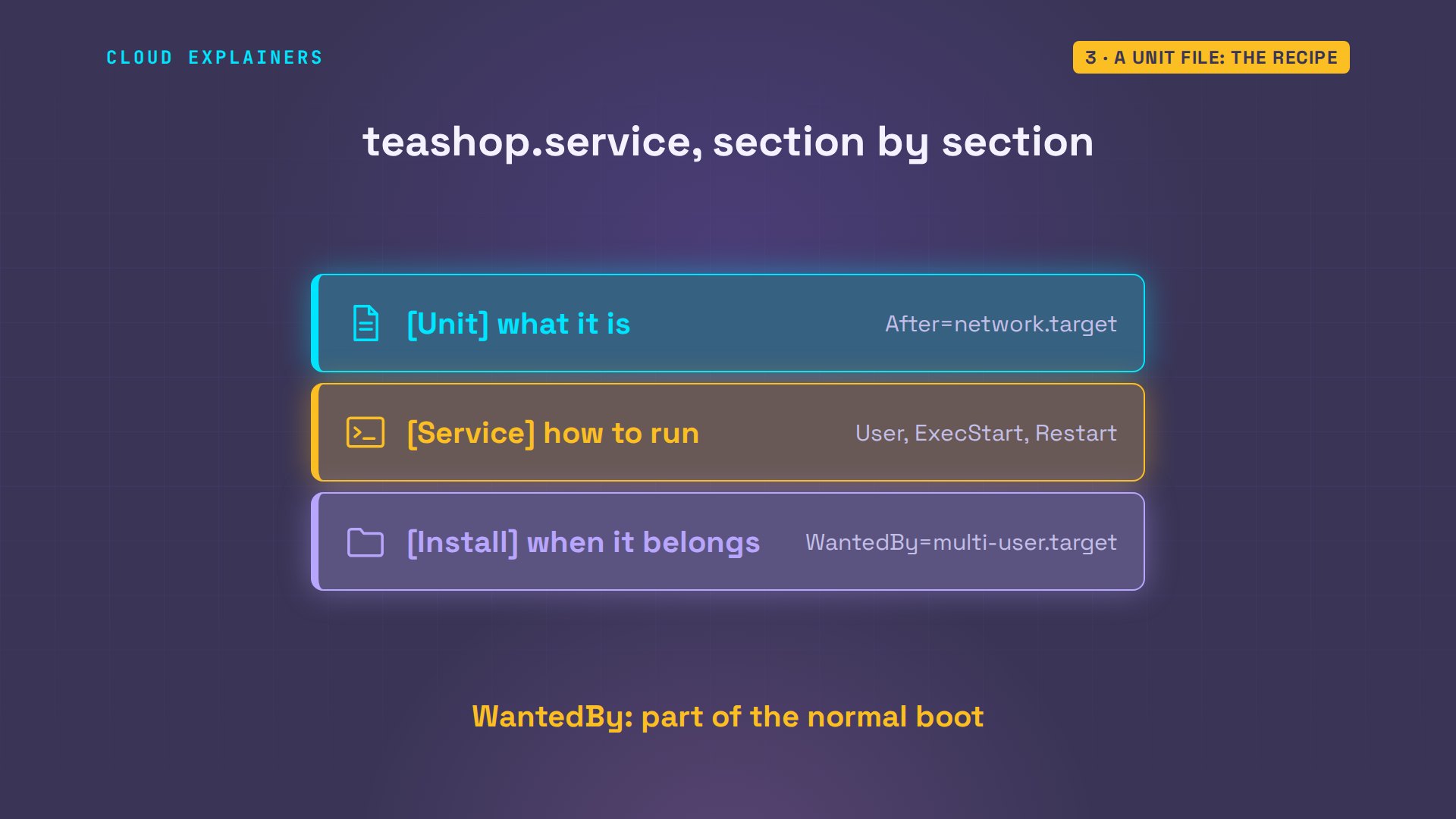
So how do you hand a program to systemd? You write a unit file: a short text file in the systemd system folder, named after the service. Ana's is called teashop.service, twelve lines in three sections.
cat /etc/systemd/system/teashop.service[Unit]
Description=Ana's tea shop
After=network.target

[Service]
User=ana
WorkingDirectory=/home/ana/teashop
ExecStart=/usr/bin/python3 app.py
Restart=on-failure

[Install]
WantedBy=multi-user.target
Unit says what it is, and what it waits for: start after the network is up. Service says how to run it: as her own user, not root, from her folder, with this exact command, and restart it if it fails. Install says when it belongs: as part of the normal boot, the multi-user target.
systemd reads unit files into memory, so after adding one, Ana tells it to re-read them. Then she starts the service, and asks for its status. Active, running. A main PID, and under it a C group holding both processes: the app and its helper. And the shop answers.
sudo systemctl daemon-reload[sudo] password for ana:
sudo systemctl start teashop
systemctl status teashop --no-pager● teashop.service - Ana's tea shop
     Loaded: loaded (/etc/systemd/system/teashop.service; disabled; preset: enabled)
     Active: active (running) since Mon 2026-11-09 01:33:02 UTC; 1s ago
   Main PID: 138 (python3)
      Tasks: 2 (limit: 9563)
     Memory: 12.1M (peak: 12.1M)
        CPU: 21ms
     CGroup: /system.slice/teashop.service
             ├─138 /usr/bin/python3 app.py
             └─139 python3 refresher.py

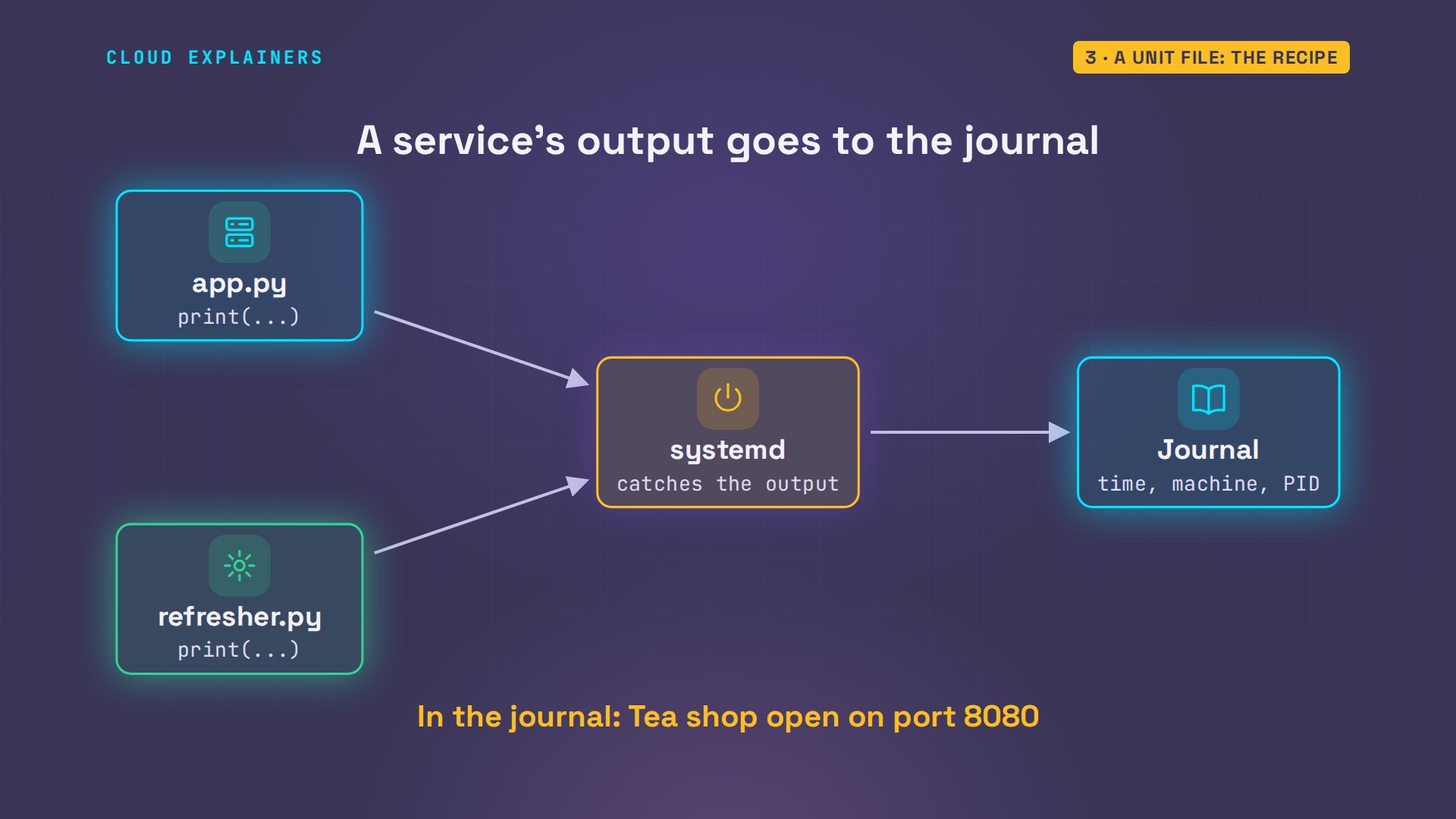
Nov 09 01:33:02 shop python3[138]: Tea shop open on port 8080
Nov 09 01:33:02 shop python3[139]: stock list refreshed
curl -s localhost:8080Ana's Tea Shop: 12 teas in stock
Where did the app's own words go? When Ana ran it by hand, its output went to a file she picked. As a service, systemd catches everything the app prints and hands it to the journal, stamped with the time, the machine and the process ID. The last lines of the status are those journal lines: tea shop open, stock list refreshed.
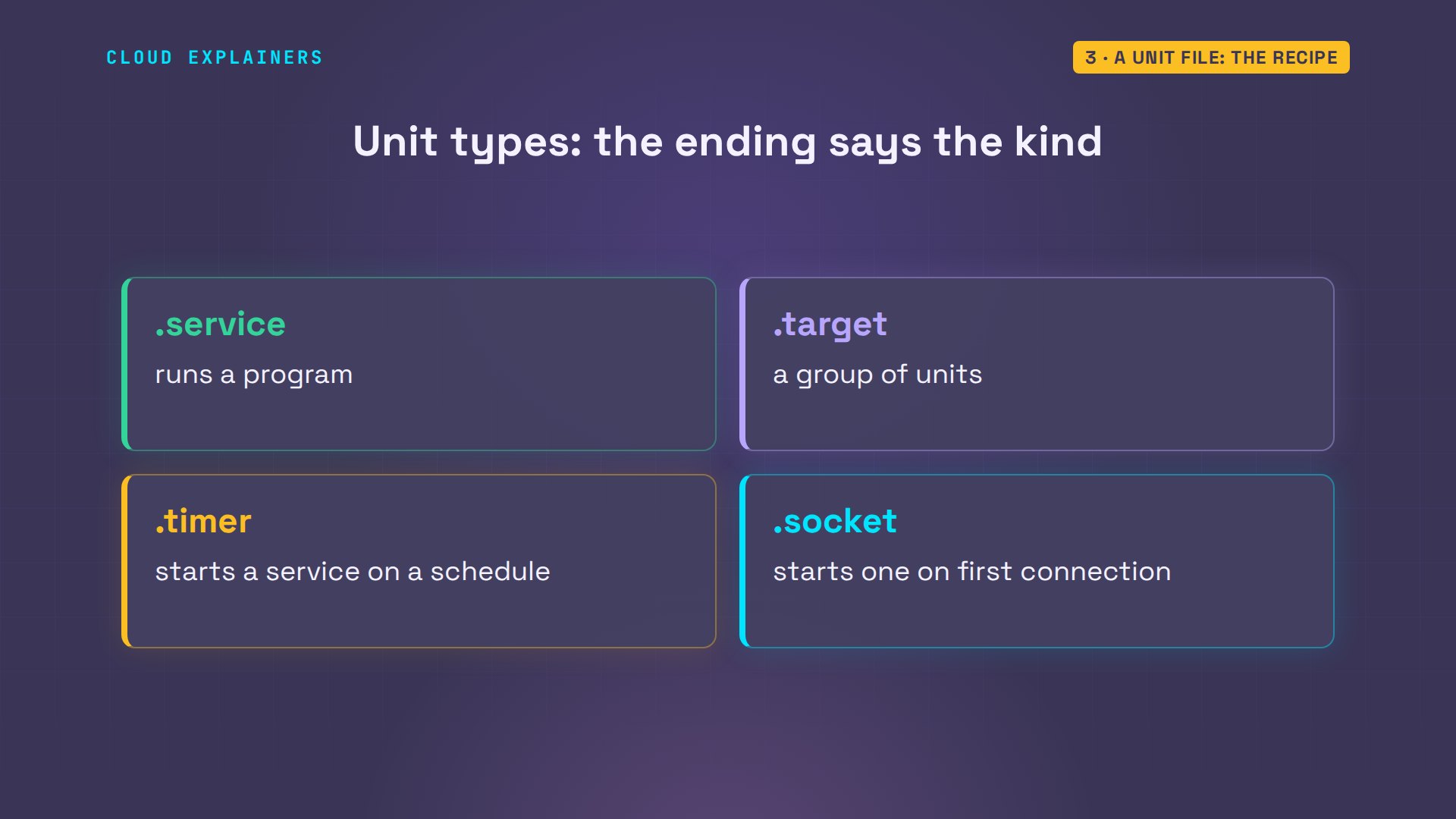
Services are one kind of unit. The name's ending says the kind. Dot service runs a program. Dot target groups other units, like the boot we'll meet in a moment. Dot timer runs a service on a schedule, and dot socket starts one when the first connection arrives. systemctl handles them all the same way.
Started is not enabled
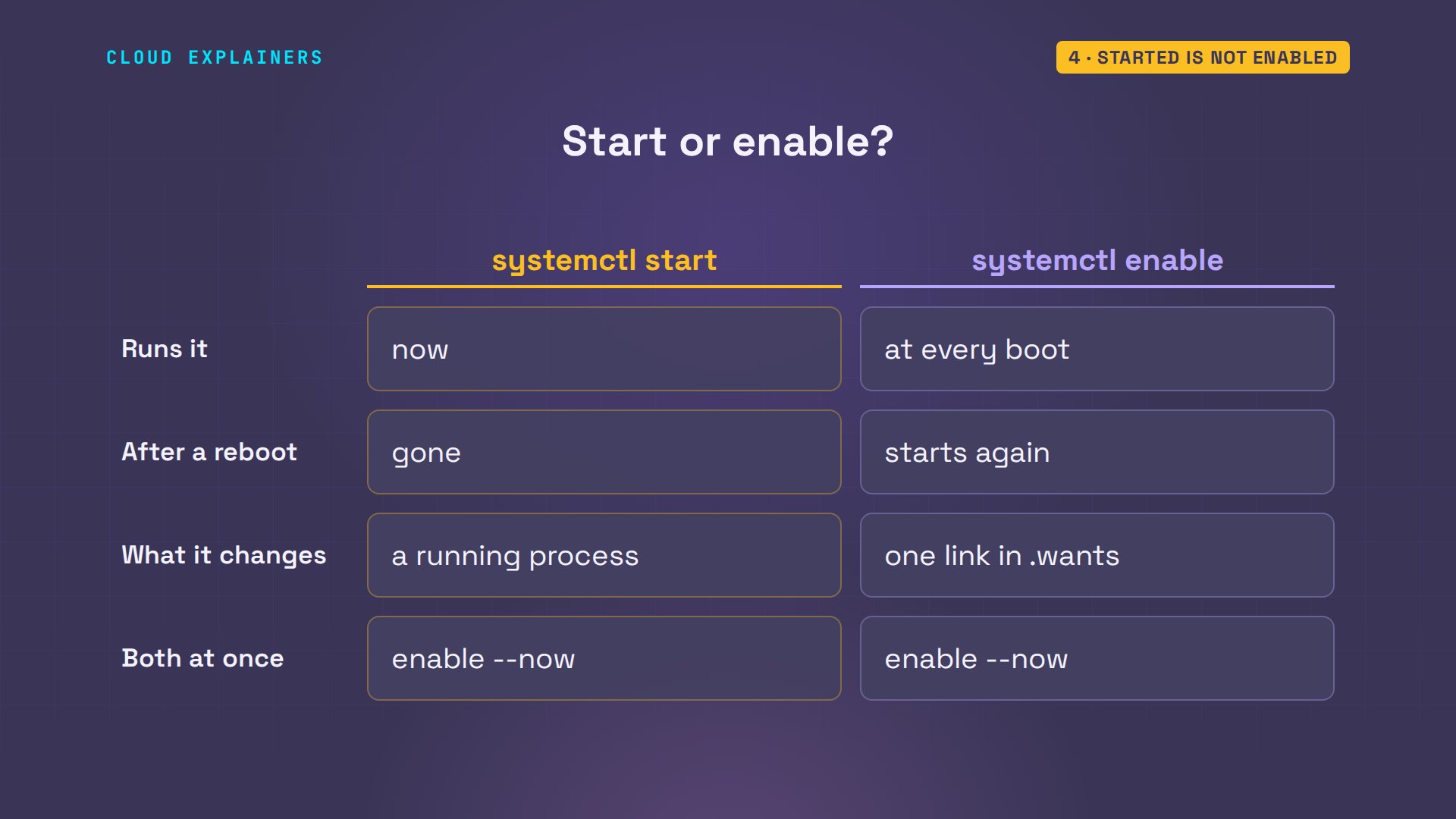
But that status said one more word: disabled. Ana started the shop, she didn't enable it, and those are two different things in systemd. Guess first: after a reboot, is it running? No. After the reboot, nothing answers, and systemd says the shop is inactive.
systemctl is-enabled teashopdisabled
sudo reboot
curl -sS localhost:8080curl: (7) Failed to connect to localhost port 8080 after 0 ms: Couldn't connect to server
systemctl is-active teashopinactive
Enable is its own step. It creates one link: the unit file now also appears in a folder called multi-user target dot wants. One more reboot, and this time the shop answers by itself.
sudo systemctl enable teashop[sudo] password for ana:
Created symlink /etc/systemd/system/multi-user.target.wants/teashop.service → /etc/systemd/system/teashop.service.
sudo reboot
curl -s localhost:8080Ana's Tea Shop: 12 teas in stock
So start means now: run it until it stops or the machine goes down. Enable means at every boot, and it doesn't start anything right away. Most of the time you want both, and enable with dash dash now does both in one command.
What happens at boot
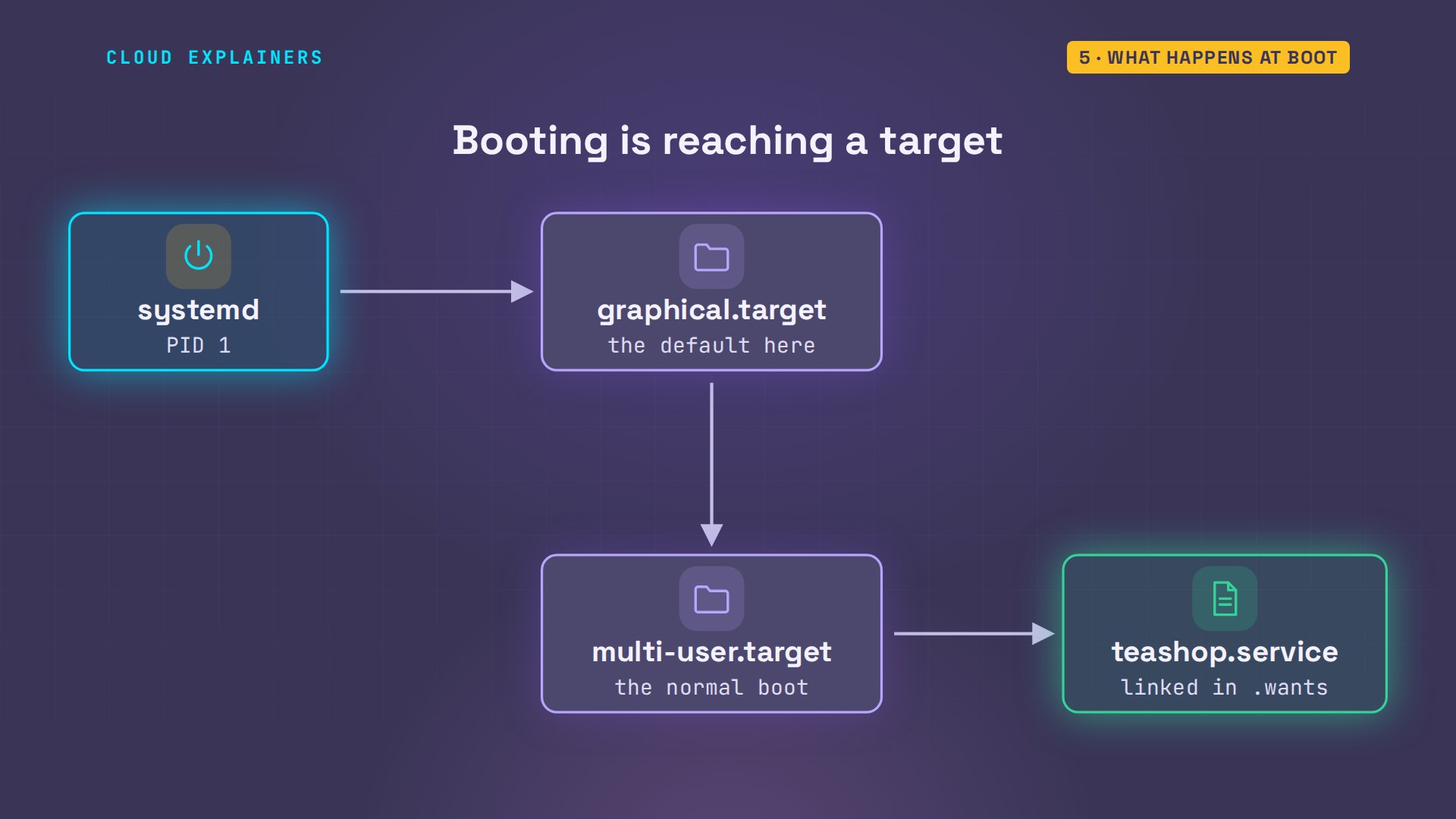
What does that link do at boot? A target is a goal: a group of units that should be running. systemd heads for the default target, graphical here, which pulls in the multi-user target, which wants every unit linked in its folder, the tea shop included.
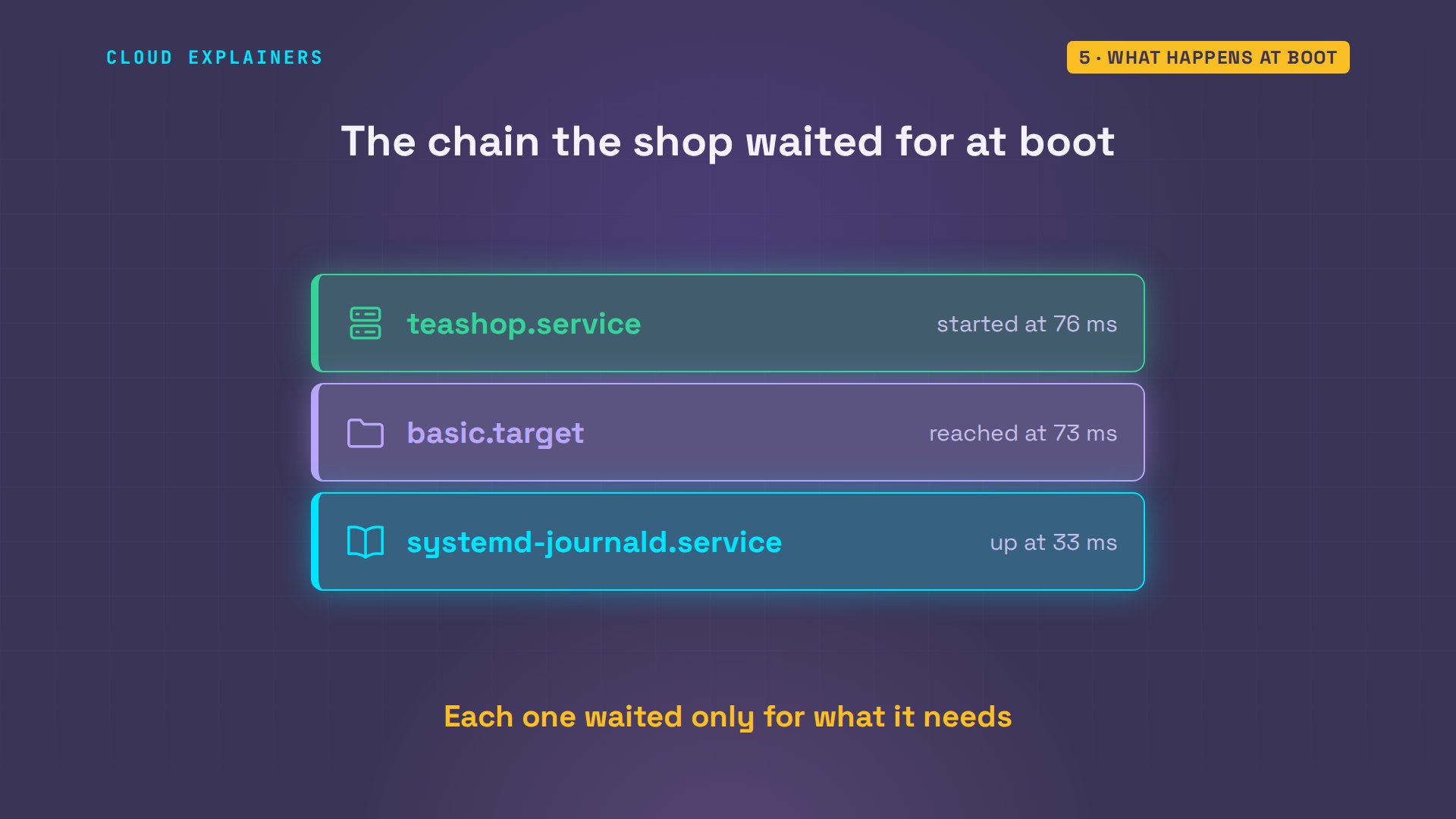
And it's fast. systemd-analyze shows the chain the shop waited for at boot. The journal was up 33 milliseconds after systemd started, the basic target next, and the tea shop at 76 milliseconds. A small container boots quickly; a real server takes seconds, but the order works the same way.
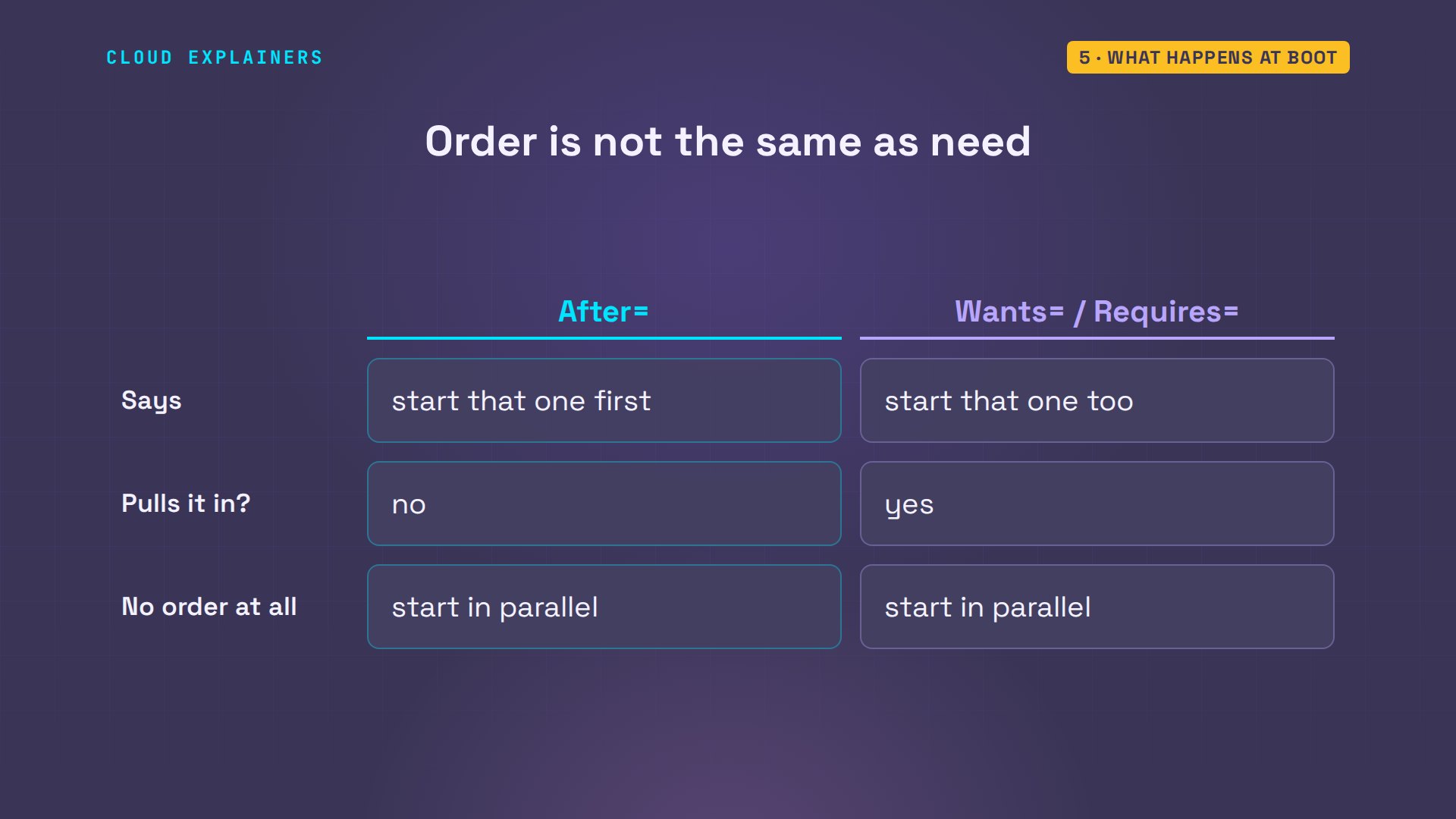
Order and need are two separate things in a unit file. After equals network target says: start that one first, if both are starting. It doesn't pull the network in. Wants and Requires do that: start that one too. And units with no order between them start at the same time, which is a big part of why systemd boots quickly.
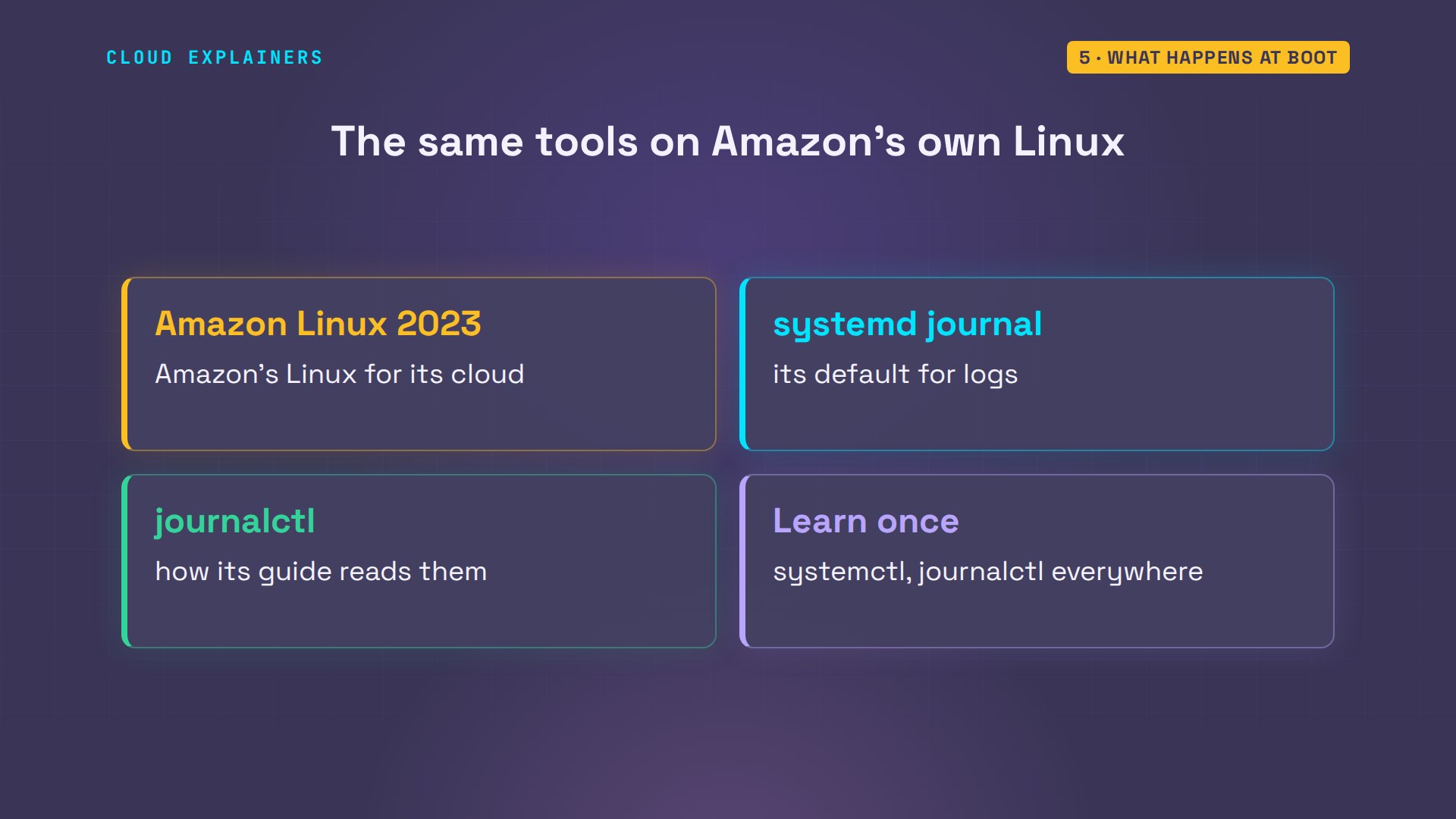
This isn't only Ubuntu. Amazon Linux 2023, the Linux Amazon makes for its own cloud servers, keeps its logs in the systemd journal by default, and its user guide tells you to read them with journalctl. Learn these commands once, and they work on most Linux servers you'll meet.
When the app crashes
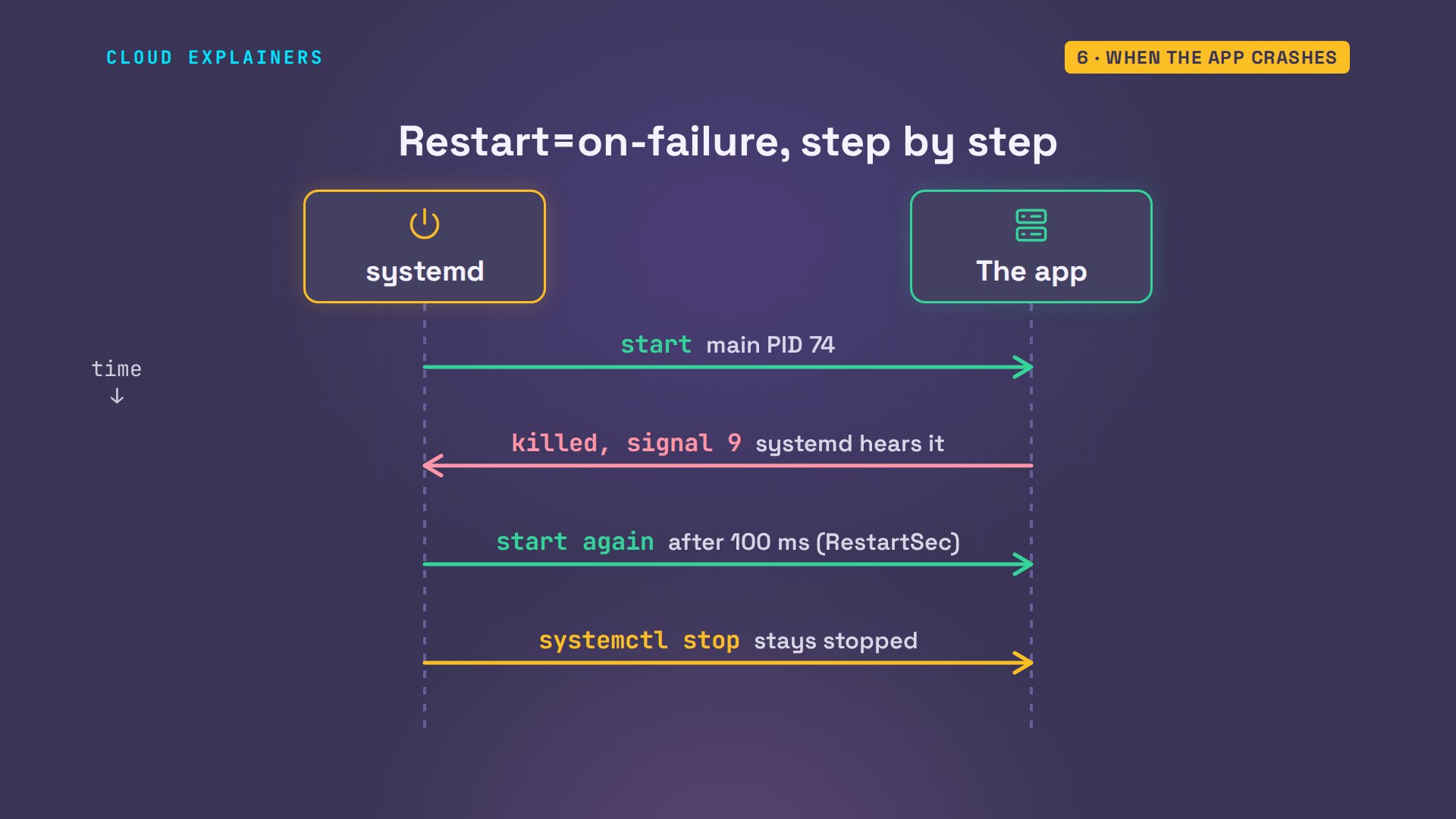
What if the shop crashes? Ana looks up its main PID and kills it with kill -9, which a program can't catch, like a hard crash. Two seconds later: a different main PID, and a restart count of one. The journal shows why: killed by signal nine, a restart scheduled, started again, and the shop answers.
systemctl show teashop -p MainPIDMainPID=74
sudo kill -9 74[sudo] password for ana:
systemctl show teashop -p MainPID -p NRestartsMainPID=111
NRestarts=1
sudo journalctl -u teashop --no-pager -n 6 -o catteashop.service: Main process exited, code=killed, status=9/KILL
teashop.service: Failed with result 'signal'.
teashop.service: Scheduled restart job, restart counter is at 1.
Started teashop.service - Ana's tea shop.
Tea shop open on port 8080
stock list refreshed
curl -s localhost:8080Ana's Tea Shop: 12 teas in stock
That's the Restart line from the unit file at work. systemd is the app's parent, so it hears the moment the app dies. With restart on failure, a crash, a kill -9, or an error exit gets a fresh start, a tenth of a second later by default. A clean stop with systemctl stop does not.
Stop means all of it
Now, that helper that survived Ana's kill. Here's the trick: systemd puts every process a service starts into a control group, a C group: a named box the kernel keeps track of. Here's the shop's box: the app, and its helper. Ana stops the service, and there's no Python left at all.
systemd-cgls -u teashop.service --no-pagerUnit teashop.service (/system.slice/teashop.service):
├─111 /usr/bin/python3 app.py
└─112 python3 refresher.py
sudo systemctl stop teashop
ps -C python3PID TTY TIME CMD
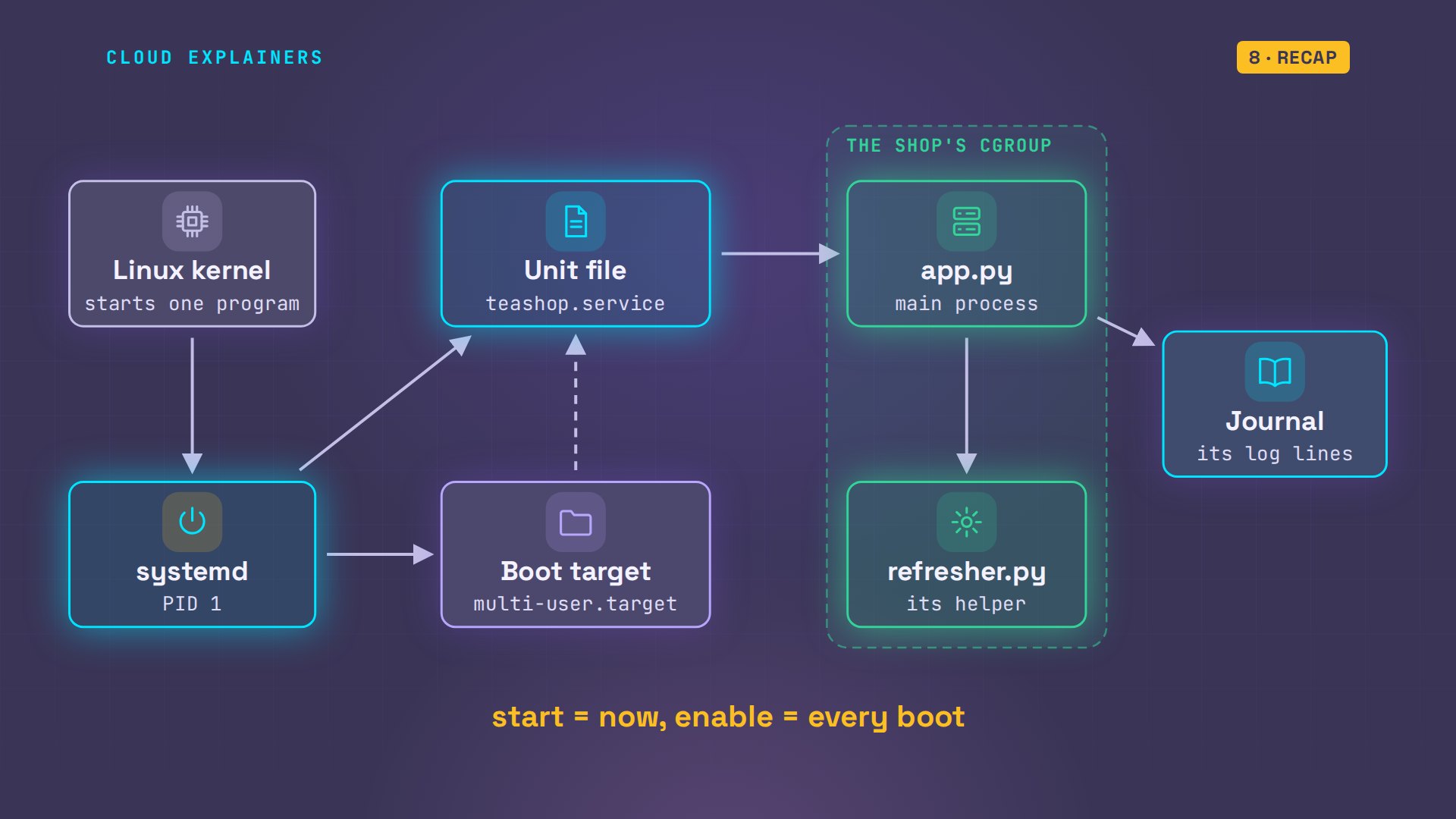
That's the answer to the question from the start. A kill reaches one process, and its children get handed to PID 1. A C group can't be escaped that way: whatever a service starts stays in its box, so stop, restart and crash cleanup catch every process, the helper too.
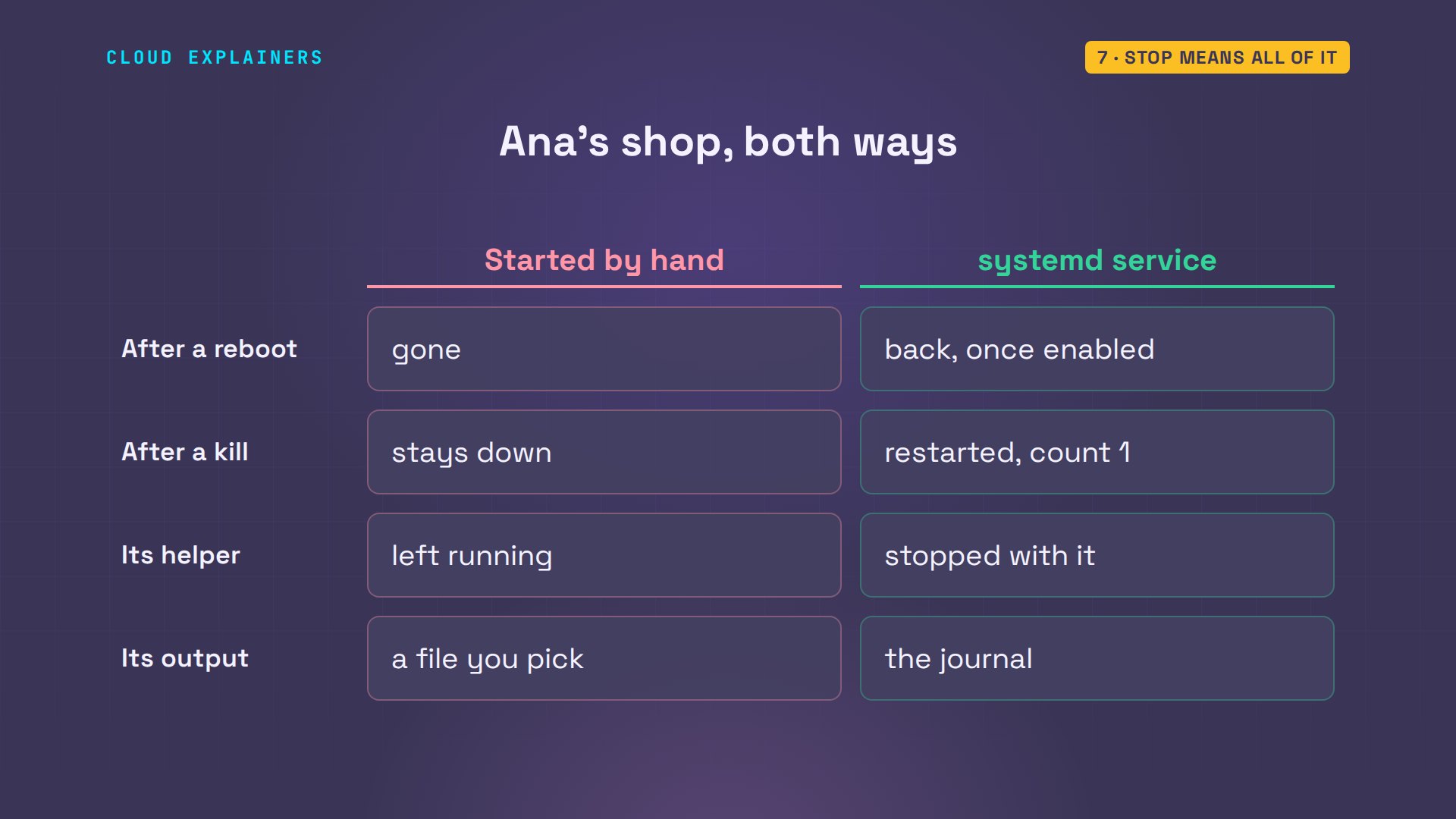
So here's Ana's shop both ways, from this one run. After a reboot, the hand-started shop was gone; the service came back once enabled. After a kill, the hand-started app stayed down; the service restarted itself. The helper outlived Ana's kill, but stopped with the service. And the service's output landed in the journal.
Recap
Every command and the lab files are linked in the description, so you can build this service yourself.
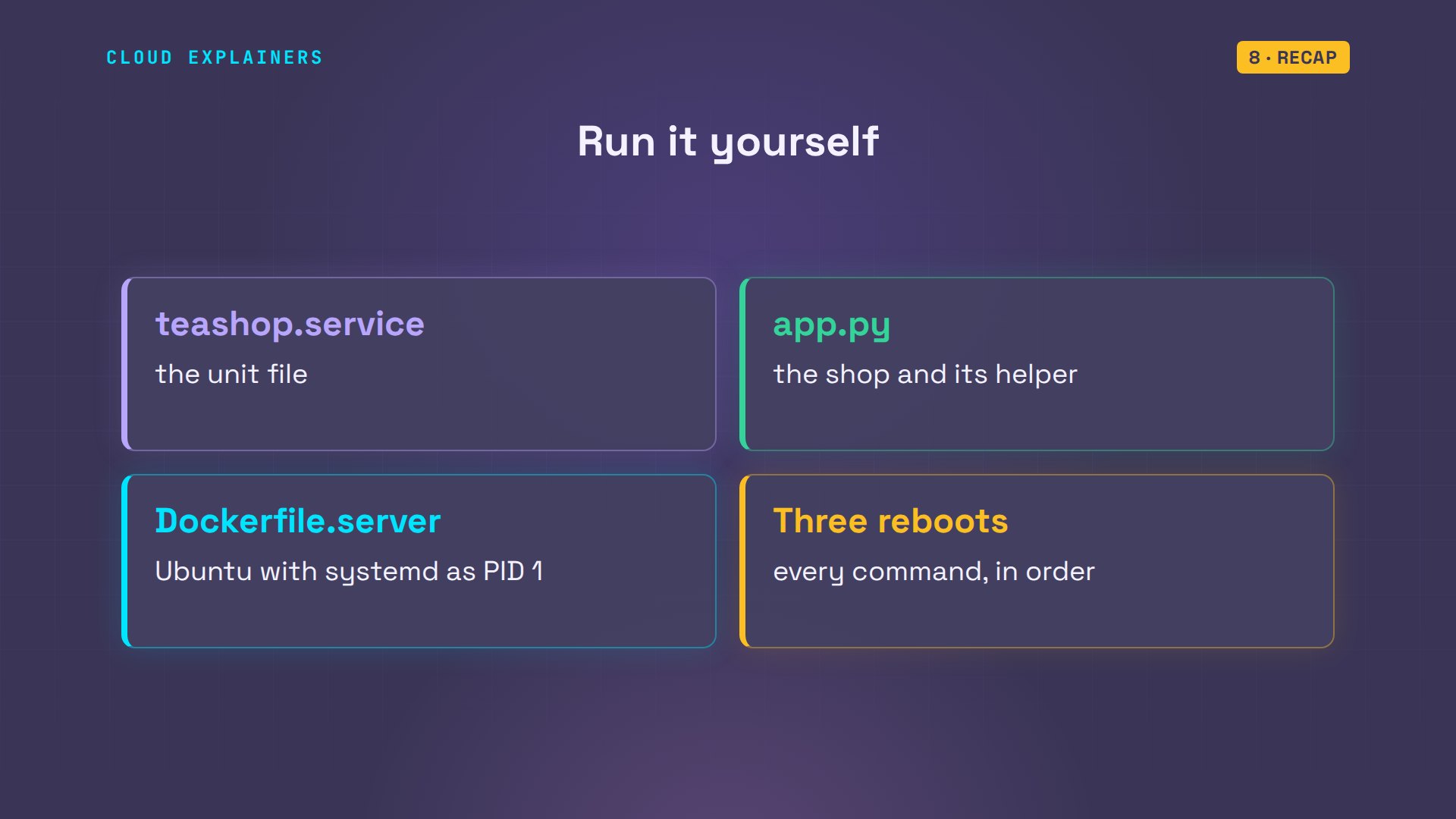
So: systemd is PID 1. A unit file says what to run and when. Start is now, enable is every boot, and the C group lets systemd stop all of it.
If Ana's shop made systemd click for you, a like helps YouTube show it to more beginners, and subscribing brings the next Linux demo straight to you.
Every command here ran for real, on a small Ubuntu server we rebooted three times. Thanks for watching Cloud Explainers.
Sources
- systemd.unit, the [Unit] and [Install] sections (After= orders, Wants=/Requires= pull units in; WantedBy= and the .wants/ folder that enable links into)
- systemd.service (ExecStart=, User=, Restart=on-failure and when it applies, RestartSec= default 100 ms)
- systemd.kill (KillMode=control-group: stopping a unit kills every process left in its control group)
- systemctl (start, enable, enable --now, status, is-enabled, daemon-reload)
- bootup (the default target, multi-user.target and graphical.target)
- Amazon Linux 2023 user guide, systemd journal replaces rsyslog (the default for AL2023 is the systemd journal, read with journalctl)
- Ask Ubuntu, How to run scripts on start up? (question 814)
Demos: a container on our own Mac standing in for Ana's server; the tea shop is made up. Watch the full video on YouTube.
More videos

Linux Makefiles Will Finally Make Sense After This

SAML vs OAuth vs OpenID Connect: What's the Difference?

How to Fix Python cron Jobs That Never Run

Linux Bash Scripting: Full Tutorial for Beginners

How PXE Network Boot Works

How Active Directory Works

How to Fix a Linux systemd Service That Won't Start

Linux Logs: syslog vs journald

JWT vs Session Cookies: Which One Should You Use?

Docker vs Docker Compose: Which One Should You Use?

How to Fix Docker Compose Containers That Can't Talk to Each Other

Django Full Tutorial for Beginners

How to Fix 'Windows Cannot Access' Network Share Errors (SMB)

REST vs gRPC: Which One Should You Use?

How to Fix SSL Certificate Chain Errors (Missing Intermediate)

Every Python Concept for Beginners in 10 Minutes

Every SQL Join Type in 10 Minutes

Why OpenRouter Free Models Hit Their Limit So Fast

Why Your Gemini API Free Tier Runs Out So Fast

OpenRouter Will Finally Make Sense After This

How Redis Caching Works

Gemini API vs Vertex AI: Which One Should You Use?

How to Fix a Leaked Gemini API Key

Why Golang Uses Goroutines Instead of Threads

How to Fix Gemini API Error 429: Resource Exhausted

Claude Token Pricing Will Finally Make Sense After This

Why Python Web Scraping Returns Nothing (and the Fix)

Python uv vs pip: Which One Should You Use?

Python Automation: Full Tutorial for Beginners

How OAuth Login Works

Google AI Studio Will Finally Make Sense After This

What Happens When You Run a Docker Container

How to Fix Claude Code Billing Your API Key Instead of Your Plan

Why Passkeys Can't Be Phished Like Passwords

PowerShell vs Bash: Which One Should You Learn?

The Linux Roadmap for Beginners

Django vs FastAPI: Which One Should You Use?

Why SQLite Is the Most Used Database in the World

How a NoSQL Database Like MongoDB Works

How to Fix Python pip error: externally-managed-environment

How to Fix MySQL Too Many Connections Database Errors

Golang Concurrency Will Finally Make Sense After This

How Amazon S3 Works

How Kubernetes Works

How Git Works

How to Fix Docker Port Already Allocated Errors

How PostgreSQL Works

How to Fix Git Merge Conflicts

How to Fix No Space Left on Device in Linux

How the Internet Works

SQL vs NoSQL: When Each One Wins

How to Fix JWT Token Expired Errors (401 Unauthorized)

Claude API vs Claude Pro: Why Your Subscription Doesn't Include It

Why AI Agent Skills Beat Giant Prompts

Linux Cron Jobs Will Finally Make Sense After This

Security Logs Will Finally Make Sense After This

How to Fix a Security Leak: An API Key Pushed to GitHub

DNS Will Finally Make Sense After This

Never Ignore a Security Update

Two-Factor Authentication Will Finally Make Sense

Never Expose a Database to the Internet

SSH Keys vs Passwords: Which Is Safer for Security?

The 5 Levels of Linux Boot: From Power On to Login

The 5 Levels of Network Firewalls

Password Security: Why Hackers Crack Weak Passwords

Why Your Linux Server Runs Out of Memory

HTTP vs HTTPS: What Actually Changes on Your Network

Every Linux File Permission You Need to Know

Linux Processes vs Threads: When Each One Wins

The OSI Model Will Finally Make Sense After This

The 7 Levels of Git

Every Network Troubleshooting Command You Need

Hashing vs Encryption in Cybersecurity: When Each One Wins

Why the Internet Ran Out of IP Addresses

Linux Package Managers: apt vs Snap vs Flatpak

Why Python Is Slow (and When It Doesn't Matter)

TCP vs UDP: When Each One Wins

Stop Running Linux as Root (Do This Instead)

Linux Users and Groups Will Finally Make Sense

Why Phishing Beats Good Security (and How to Spot It)

The 7 Levels of Docker

AI Agents Will Finally Make Sense After This

Stop Using git push --force (Use This Instead)

Agent Skills vs MCP: When Each One Wins

Networking Will Finally Make Sense After This

Every Linux Command You Actually Need

The 7 Levels of Cybersecurity

Every System Design Concept You Need, in One Diagram
