MCP Servers: Full Tutorial for Beginners
A full MCP tutorial for beginners: build a Model Context Protocol server in Python for a used car lot, and connect it to Claude Code. We install uv and the MCP Python SDK, fix the FastMCP import from older guides, write a tool, talk to the server by hand in JSON-RPC, test it in the MCP Inspector, let Claude call it, fix a server that won't start, keep a tool that changes data behind a permission, send error messages the model can read, add a resource and a prompt, and serve it over HTTP, safely.
A car lot's own AI helper
You want an AI assistant to use your own data and tools, and you don't know how to plug them in. By the end, you'll have built an MCP server that does it. At a used car lot, a customer wants a blue hatchback under nine thousand dollars. Rob asks Claude, which has never seen this lot's cars.
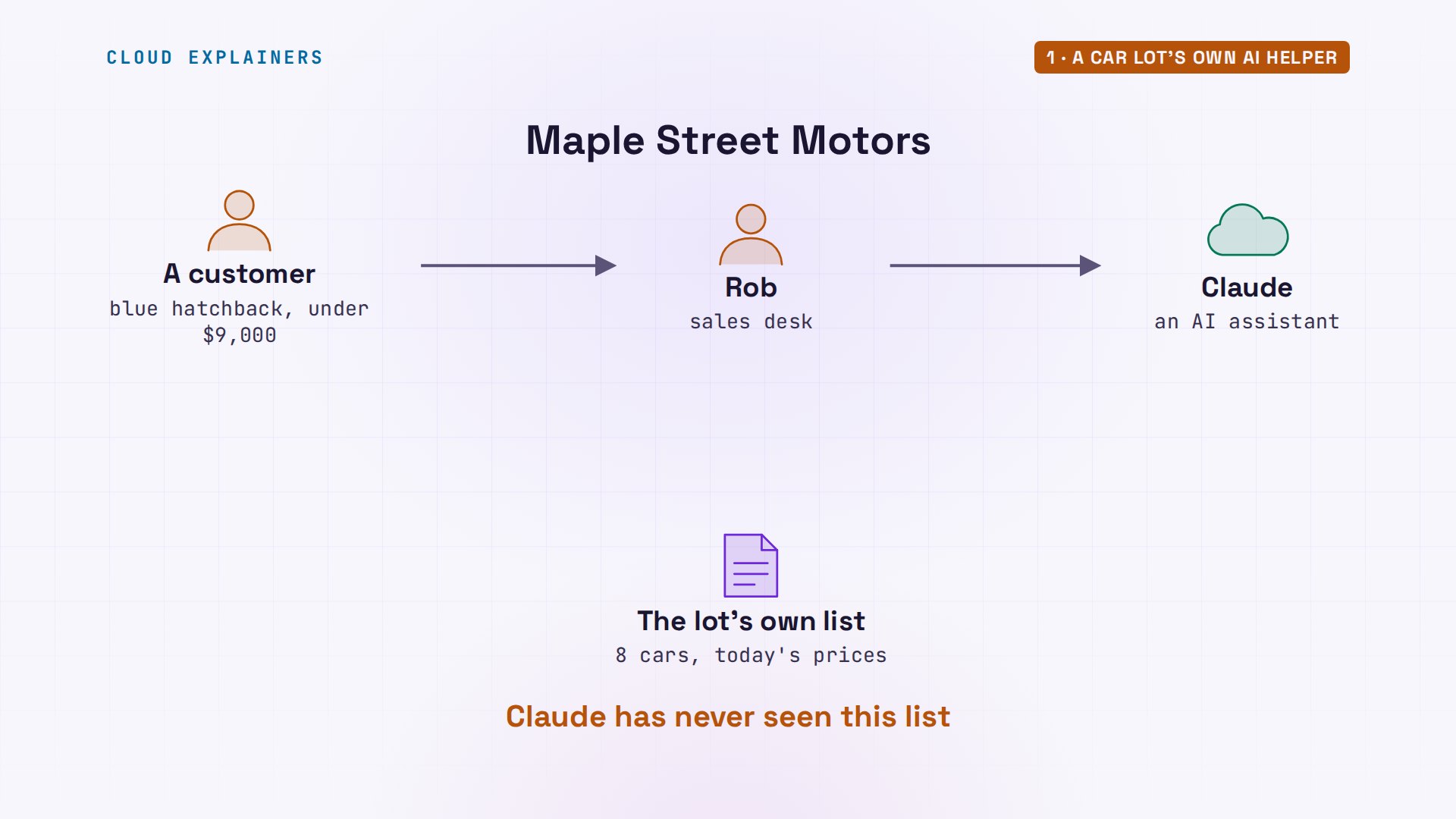
Claude calls search_cars, a tool on a small server, and answers from the lot's list: a Honda Fit at eight thousand four hundred, and a Mazda 3. Rob still has to do the test drive himself. So what stops it from selling a car by itself?
./ask "A customer wants a blue hatchback under 9000 dollars. What do we have? Answer in two sentences."car-lot server: connected
-> search_cars body=hatchback color=blue max_price=9000
<- A12 2017 Honda Fit $8,400; D21 2015 Mazda 3 $8,900
Claude: We have two blue hatchbacks under $9,000: a 2017 Honda Fit (stock A12)
        with 61,200 miles for $8,400, and a 2015 Mazda 3 (stock D21) with
        89,500 miles for $8,900. The Fit costs less and has fewer miles, so
        it's probably the better pick unless the customer prefers the Mazda.
What MCP is
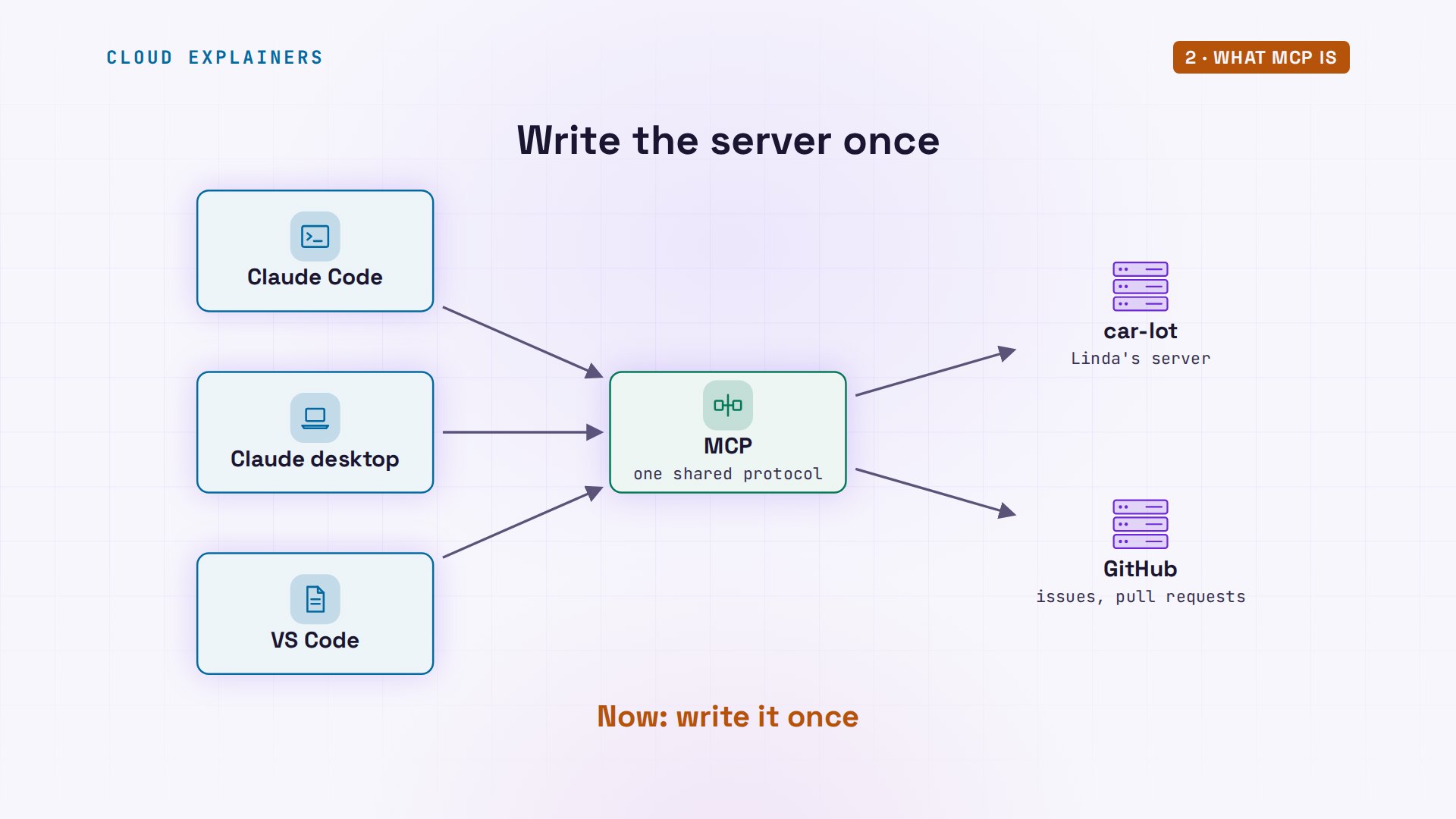
Linda looks after the lot's computers, and her server speaks MCP, short for Model Context Protocol: an open standard for connecting AI apps to outside data and tools. Before it, every AI app had its own way to plug things in, so a tool built for one app didn't work in another. With MCP, Linda writes her car lot server once, and any app that speaks MCP can use it: Claude Code, Claude's desktop app, VS Code, and many more. GitHub, for example, publishes an official MCP server, so AI apps can read its issues and pull requests.
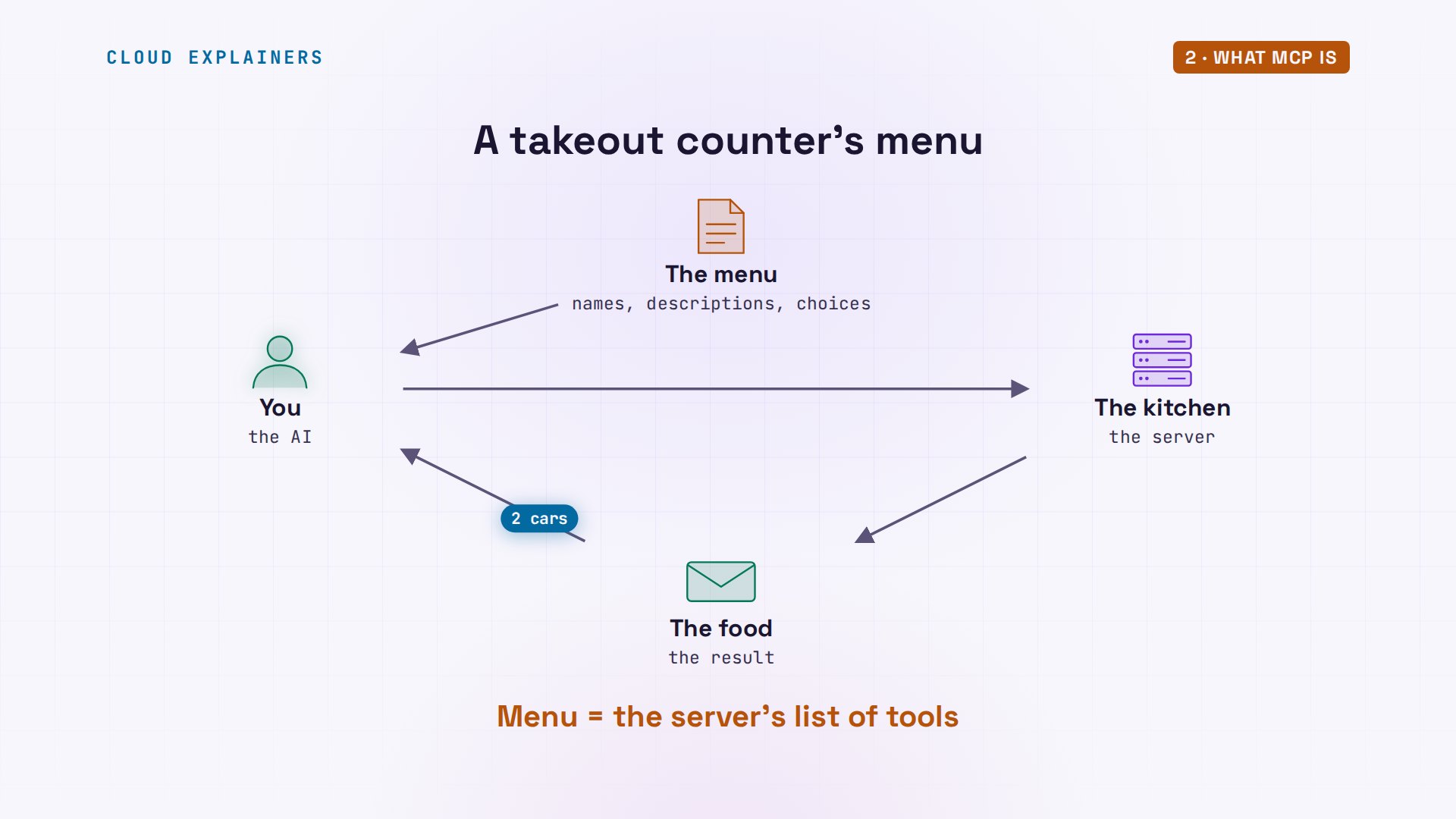
Think of the menu at a takeout counter. It lists every dish by name, with a short description, and the choices you make, like the size. You order by name, the kitchen cooks it, and hands the food back. An MCP server works the same way. It hands the AI a menu of tools, each with a description and its inputs. The AI orders one, the server runs it, and the result goes back.
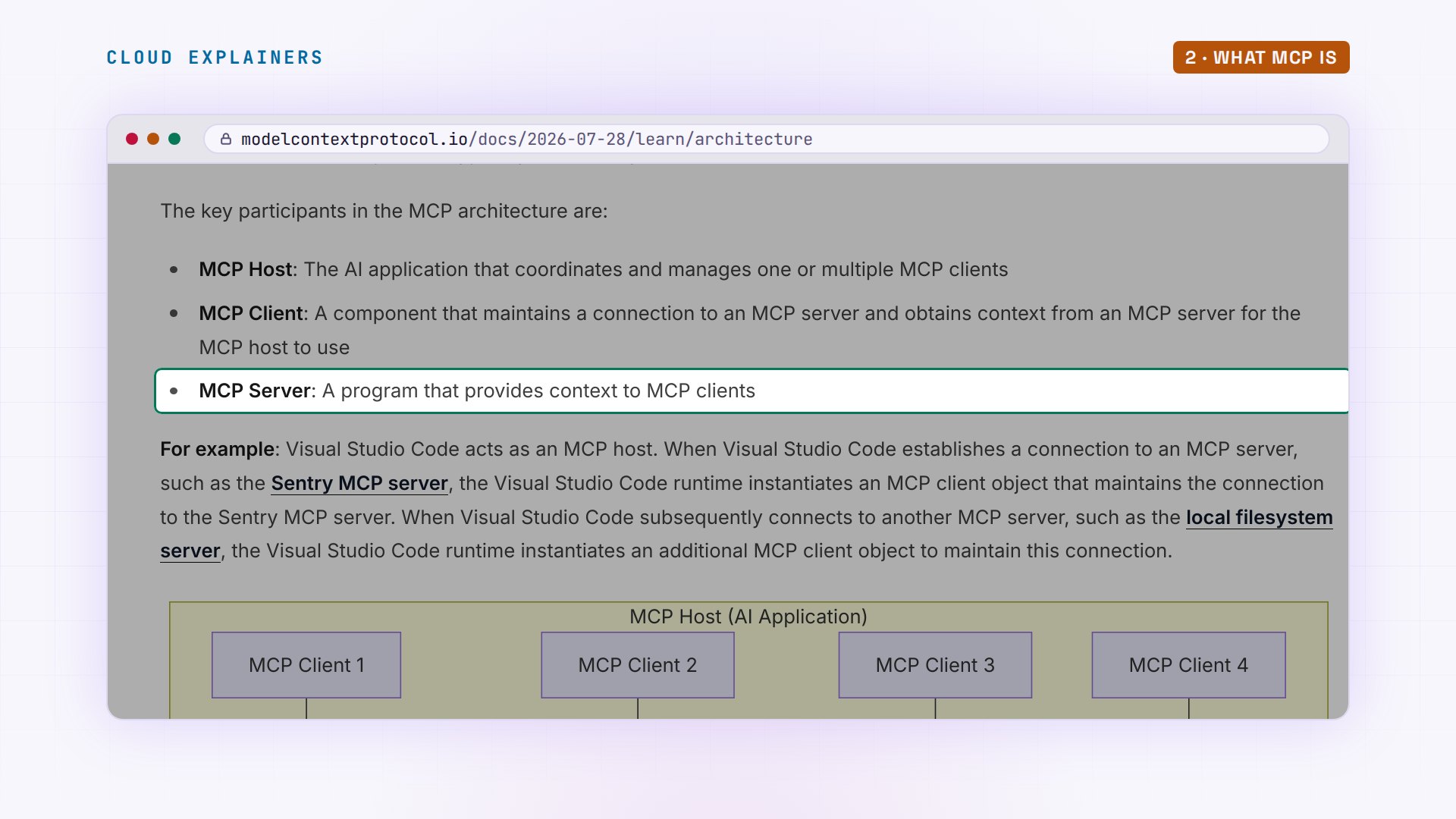
The official docs name three parts. The host is the AI app you use, like Claude Code. Inside it, a client keeps one connection to one server. And the server is the program that provides context: the data and actions the AI can use. For us, that's Linda's car lot server.
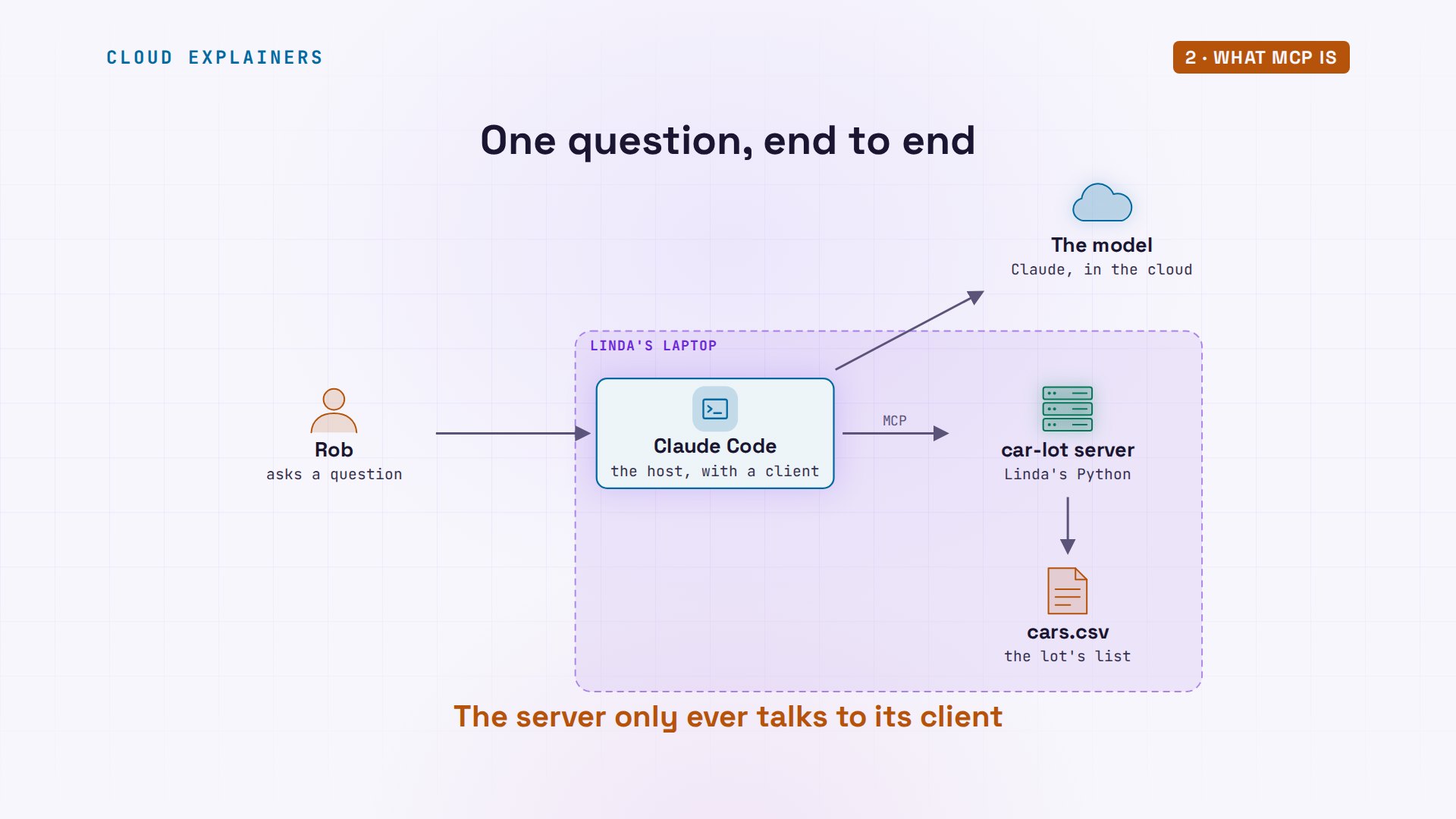
Here's one question, end to end. Rob types it into Claude Code, the host: an app on the laptop. The model is Claude itself, running in Anthropic's cloud. Claude Code sends it the question, with the menu of tools. The model decides to call search_cars. Claude Code's client sends that call to the server. The server reads cars.csv, and sends two cars back. Claude Code passes them to the model, which writes the answer. The server and the file are on the same laptop as Claude Code. And the server never talks to the model: it only ever answers its client.
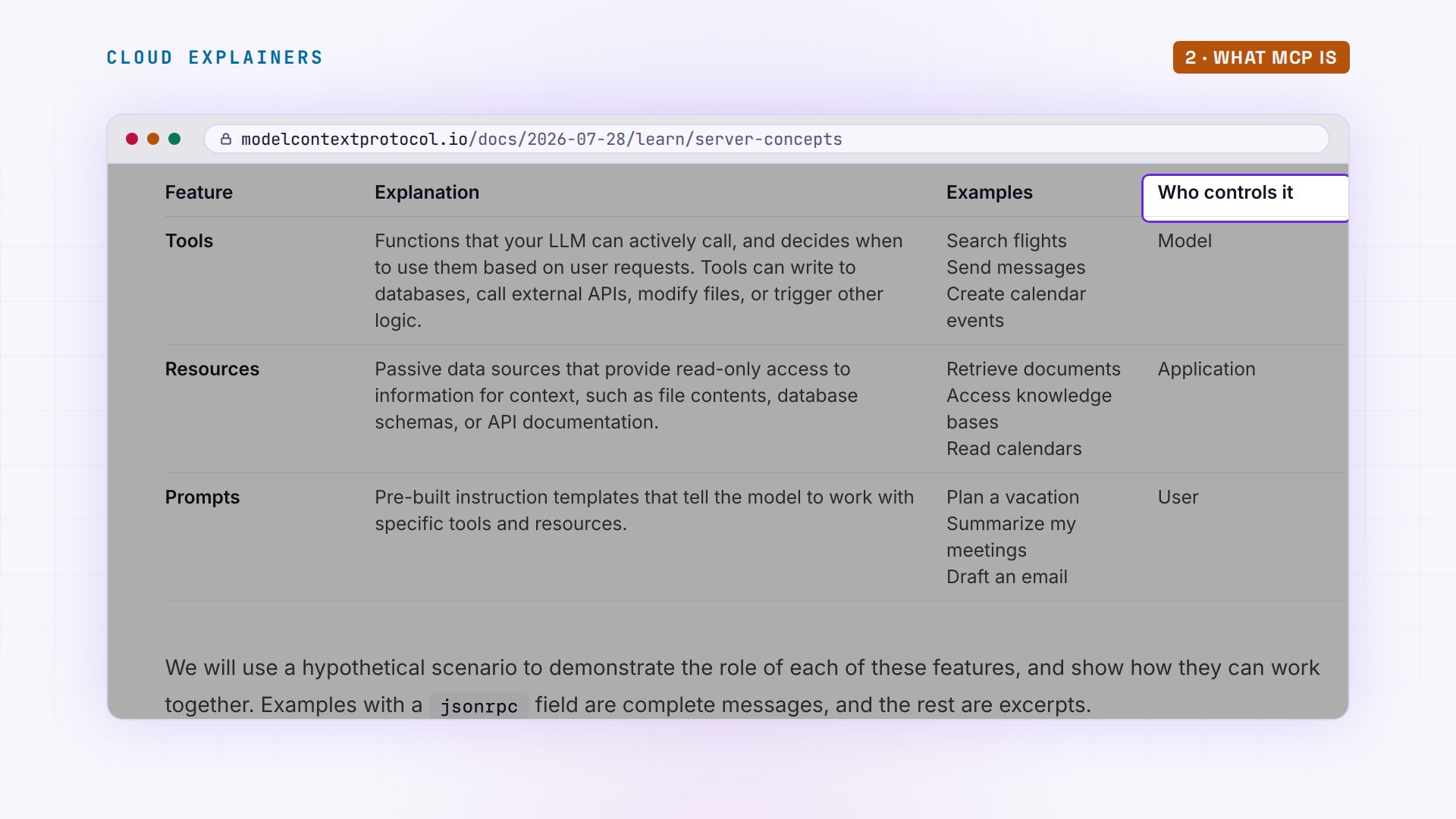
A server can offer three kinds of things. Tools are functions the model decides to call, like searching cars. Resources are data the app can read and attach, like one car's full record. And prompts are ready-made instructions that you, the user, pick. The last column says who controls each one. We'll build all three, starting with a tool.
Setting up with uv
Linda builds the server on the lot's office PC, which runs Ubuntu. She'll use Python, and uv, a fast tool that installs Python packages and manages a project. Right now uv isn't there: command not found. One line from uv's own website installs it. It says to run one more command, so the shell can find it, and uv dash dash version answers 0.13.9.
uv --version-bash: uv: command not found
curl -LsSf https://astral.sh/uv/install.sh | shdownloading uv 0.13.9 aarch64-unknown-linux-gnu
installing to /home/linda/.local/bin
  uv
  uvx
everything's installed!

To add $HOME/.local/bin to your PATH, either restart your shell or run:

    source $HOME/.local/bin/env (sh, bash, zsh)
    source $HOME/.local/bin/env.fish (fish)
source $HOME/.local/bin/env
uv --versionuv 0.13.9 (aarch64-unknown-linux-gnu)
uv init dash dash bare car-lot makes a new project folder with a single file in it. Then, inside it, uv add mcp installs the official MCP Python SDK, the code library for building servers, with its C L I extra: a command-line tool for testing. uv made a virtual environment, a private folder of packages for this project, and installed 36 packages in it. One of them is MCP itself, version 2.3.0.
uv init --bare car-lotInitialized project `car-lot` at `/home/linda/car-lot`
cd car-lot
uv add "mcp[cli]"Using CPython 3.12.3 interpreter at: /usr/bin/python3
Creating virtual environment at: .venv
Resolved 40 packages in 310ms
Prepared 36 packages in 280ms
Installed 36 packages in 24ms
 + annotated-doc==0.0.7
 + annotated-types==0.8.0
 + anyio==4.16.0
 + attrs==26.1.0
 + cffi==2.1.1
 + click==8.5.1
 + cryptography==50.0.2
 + h11==0.16.0
 + httpcore2==2.16.2
 + httpx2==2.16.2
 + idna==3.20
 + jsonschema==4.26.0
 + jsonschema-specifications==2025.9.1
 + markdown-it-py==4.3.0
 + mcp==2.3.0
 + mcp-types==2.3.0
 + mdurl==0.1.2
 + opentelemetry-api==1.45.2
 + pycparser==3.12
 + pydantic==2.14.4
 + pydantic-core==2.50.5
 + pygments==2.21.0
 + pyjwt==2.15.1
 + python-dotenv==1.2.4
 + python-multipart==0.0.34
 + referencing==0.37.0
 + rich==15.0.0
 + rpds-py==2026.9.1
 + shellingham==1.5.4
 + sse-starlette==3.7.0
 + starlette==1.10.0
 + truststore==0.10.5
 + typer==0.29.2
 + typing-extensions==4.16.0
 + typing-inspection==0.4.5
 + uvicorn==0.54.0
That single file, pyproject.toml, now lists MCP as what this project needs. And here's the lot's data, cars.csv, which Rob exports from the dealership's spreadsheet, copied into the folder. Eight cars, each with a stock number, body style, colour, miles, price, and whether it's still for sale. The Chevy Sonic, F09, is already sold.
cat pyproject.toml[project]
name = "car-lot"
version = "0.1.0"
requires-python = ">=3.12"
dependencies = [
    "mcp[cli]>=2.3.0",
]
cat cars.csvstock,year,make,model,body,color,miles,price,status
A12,2017,Honda,Fit,hatchback,blue,61200,8400,for sale
B07,2016,Ford,Focus,hatchback,red,74800,7900,for sale
C03,2019,Toyota,Corolla,sedan,blue,48100,12900,for sale
D21,2015,Mazda,3,hatchback,blue,89500,8900,for sale
E15,2018,Hyundai,Tucson,suv,silver,66300,14500,for sale
F09,2014,Chevrolet,Sonic,hatchback,blue,102400,6200,sold
G04,2020,Kia,Soul,hatchback,white,39800,13900,for sale
H11,2016,Subaru,Outback,wagon,green,97100,10500,for sale
Your first tool
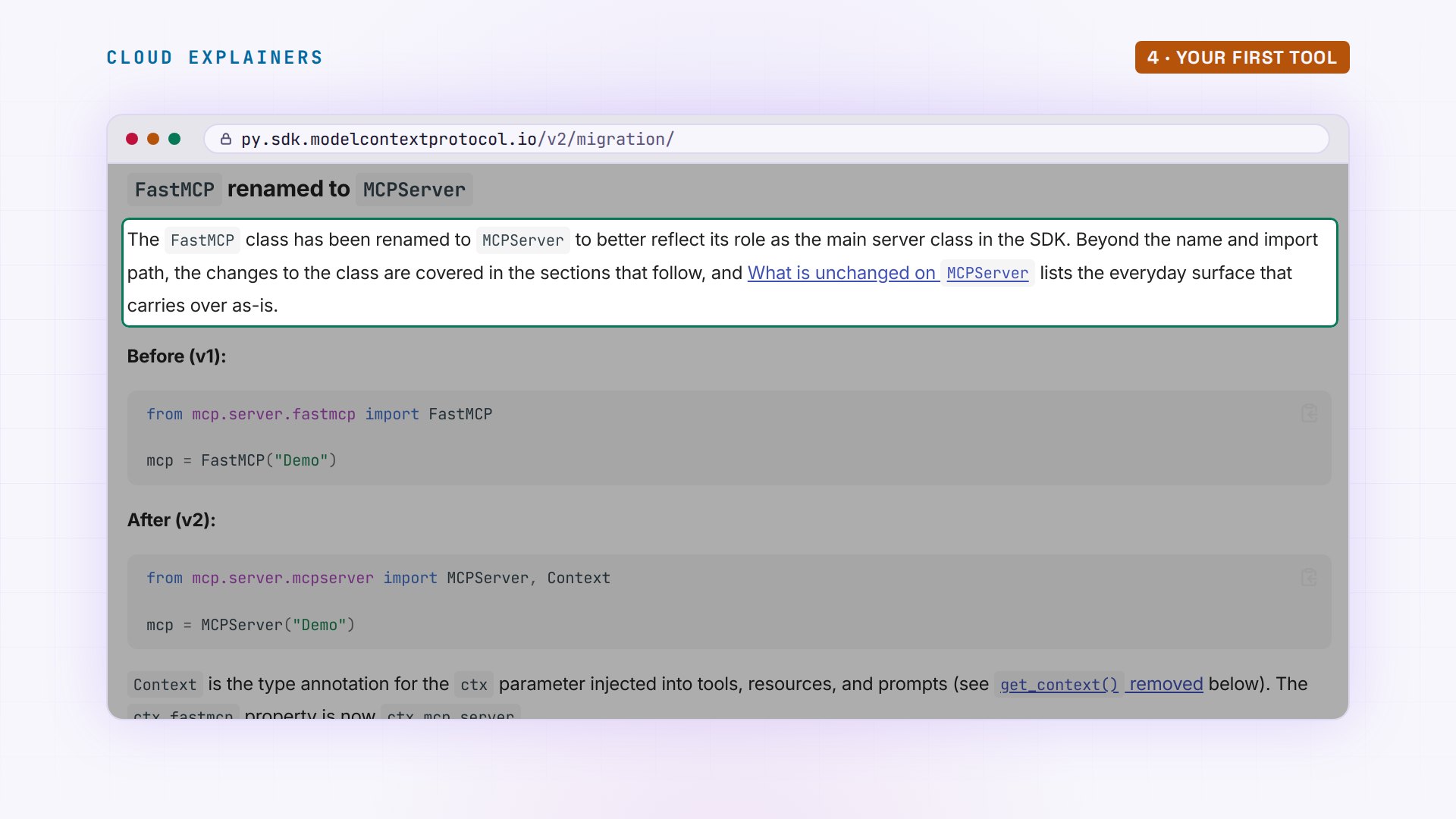
Linda starts from a guide she found online. Its first lines import FastMCP. She runs it with uv run server.py, which runs Python inside the project's environment, and gets an error: no module named mcp dot server dot fast MCP. But read on: the message says why. This is MCP version 2, where FastMCP was renamed to MCPServer.
head -6 server.pyimport csv
from pathlib import Path

from mcp.server.fastmcp import FastMCP

mcp = FastMCP("car-lot")
uv run server.pyTraceback (most recent call last):
  File "/home/linda/car-lot/server.py", line 4, in <module>
    from mcp.server.fastmcp import FastMCP
  File "/home/linda/car-lot/.venv/lib/python3.12/site-packages/mcp/server/fastmcp.py", line 16, in <module>
    raise ModuleNotFoundError(_MESSAGE, name=__name__)
ModuleNotFoundError: No module named 'mcp.server.fastmcp'. This is mcp 2.x, where FastMCP was renamed to MCPServer (from mcp.server.mcpserver import MCPServer) and other APIs changed; see the migration guide at https://py.sdk.modelcontextprotocol.io/v2/migration/#fastmcp-renamed-to-mcpserver or pin 'mcp<2' to keep running v1 code.
The SDK's migration guide shows the change, before and after. Many guides online still show the old lines, so whenever you see FastMCP with the current SDK, this is why.
With those two lines changed to MCPServer, here's the whole server. It makes an MCPServer named car-lot. A small function, load, reads cars.csv into a list. Then the important part: the line at mcp dot tool, with its brackets. A line like this, starting with an at sign, is called a decorator. It sits above an ordinary Python function, and puts search_cars on the menu. The function keeps the cars that are for sale, with the right body and colour, at or under the price. And the last line, mcp dot run, starts the server.
cat server.pyimport csv
from pathlib import Path

from mcp.server.mcpserver import MCPServer

mcp = MCPServer("car-lot")
CARS = Path(__file__).parent / "cars.csv"


def load():
    with open(CARS) as f:
        return list(csv.DictReader(f))


@mcp.tool()
def search_cars(body: str, color: str, max_price: int) -> list[dict]:
    """Find cars for sale by body style (hatchback, sedan, suv, wagon),
    colour, and the most the customer will pay, in dollars."""
    return [c for c in load()
            if c["status"] == "for sale" and c["body"] == body
            and c["color"] == color and int(c["price"]) <= max_price]


if __name__ == "__main__":
    mcp.run()
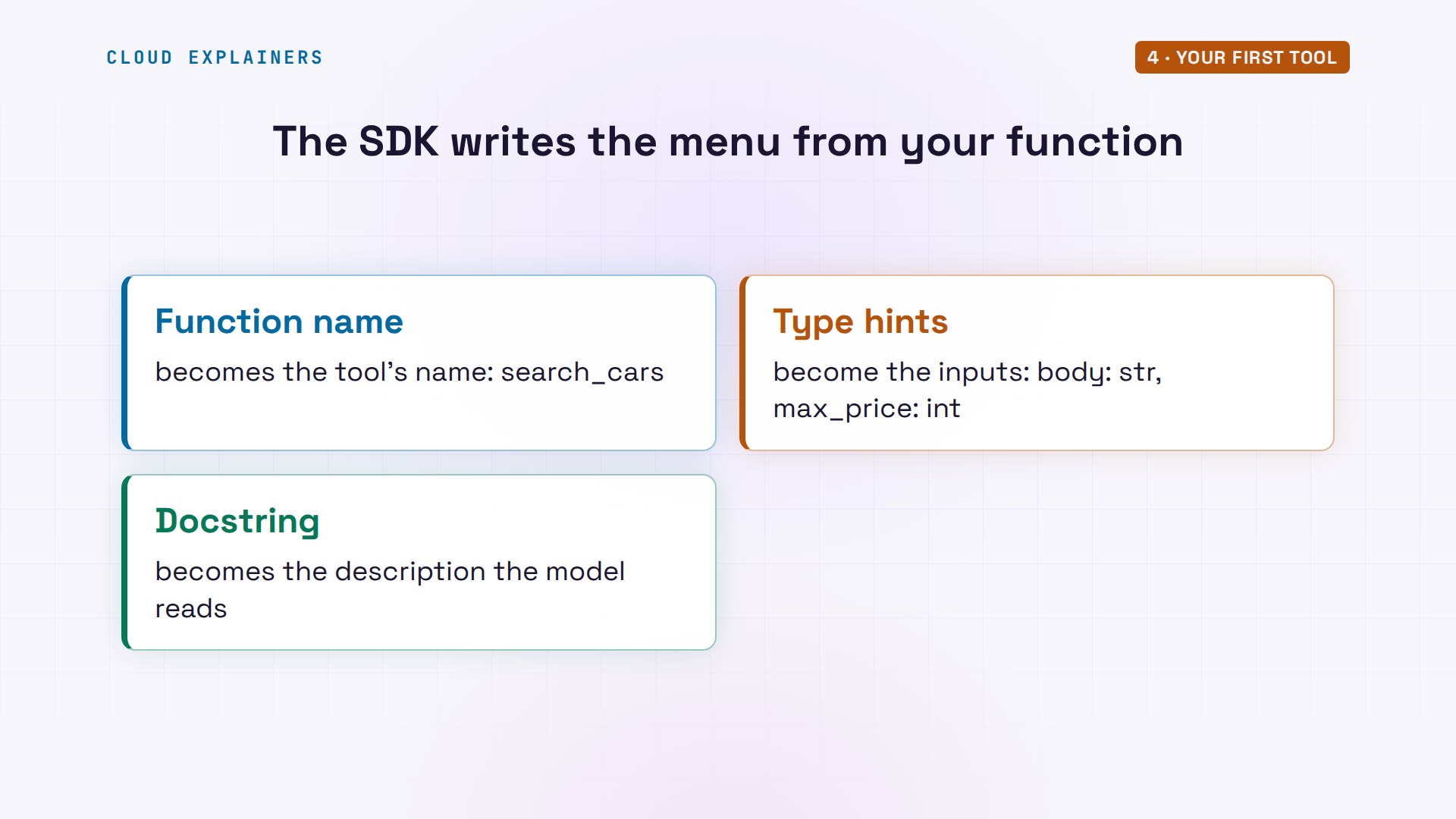
How does the menu get written? The SDK reads the function itself. Its name becomes the tool's name. The type hints, the little labels like str and int after each input's name, become the inputs and their types. And the docstring, the text in triple quotes, becomes the description: the words the model reads to decide when to use it. So write it for someone who has never seen your code.
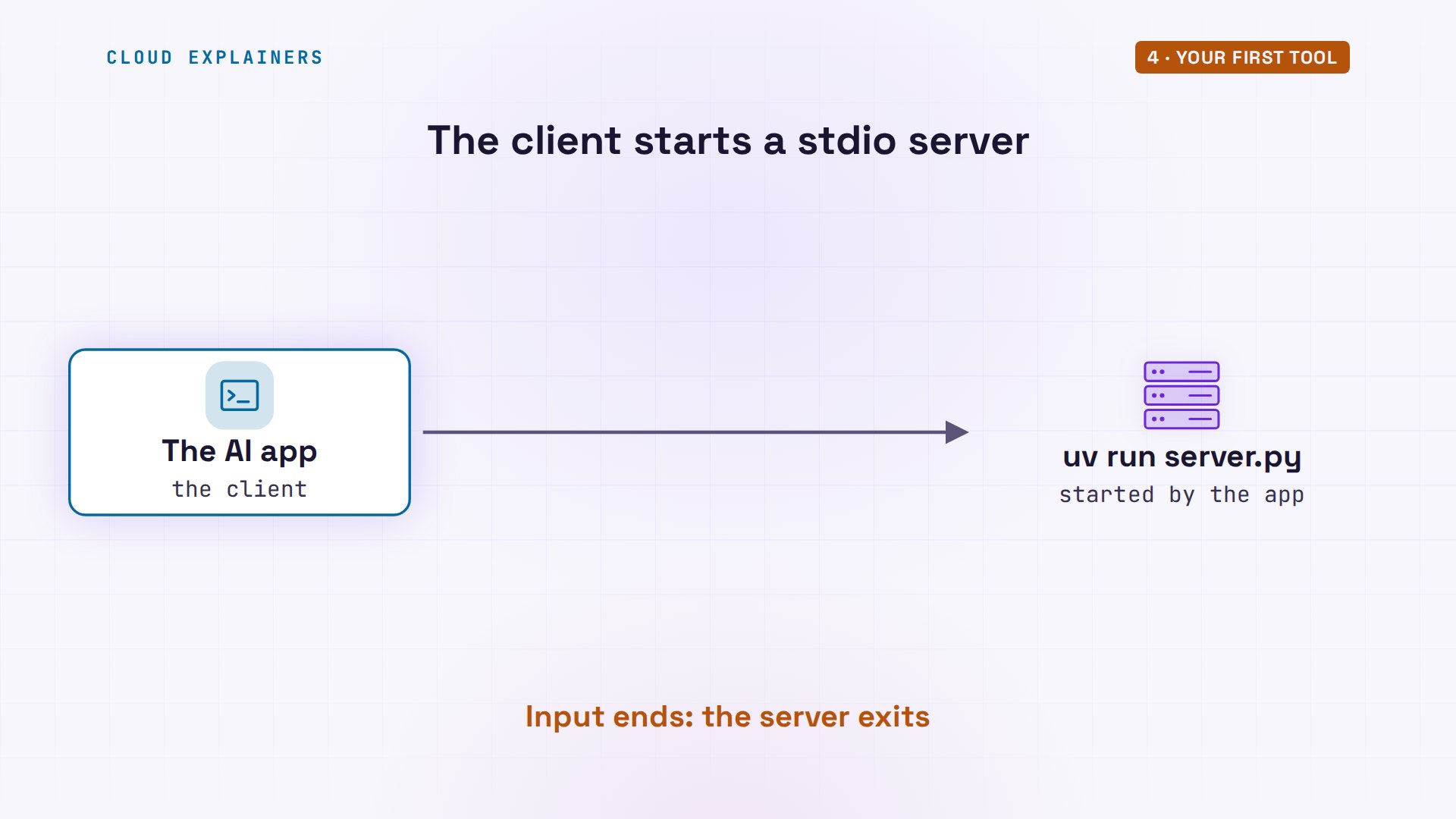
Now, uv run server.py. And nothing at all happens. No message, and no prompt. That's normal. This server talks through standard input and output: what you type into a program, and what it prints. It's waiting for a client to write to it. Control D ends its input, and it exits.
uv run server.py
^D
Who starts it, then? With this kind of server, called a stdio server, short for standard input and output, the client does. An AI app runs the same command, uv run server.py, as a program of its own. It writes requests into the server's input, and reads answers from its output. When the app closes, the input ends, and the server exits with it. You never start it by hand in daily use.
What travels over the wire
You'll rarely write these messages yourself, but the day a server misbehaves, knowing what travels between the app and the server is how you find out why. A client writes messages in a format called JSON-RPC, one per line. It's an old, simple standard: a request names a method, and every answer carries either a result or an error. First, initialize: the client says who it is, and which version of MCP it speaks. The server answers with its name and what it offers. The client says initialized, asks for tools/list, and later sends tools/call, with a tool's name and its inputs.
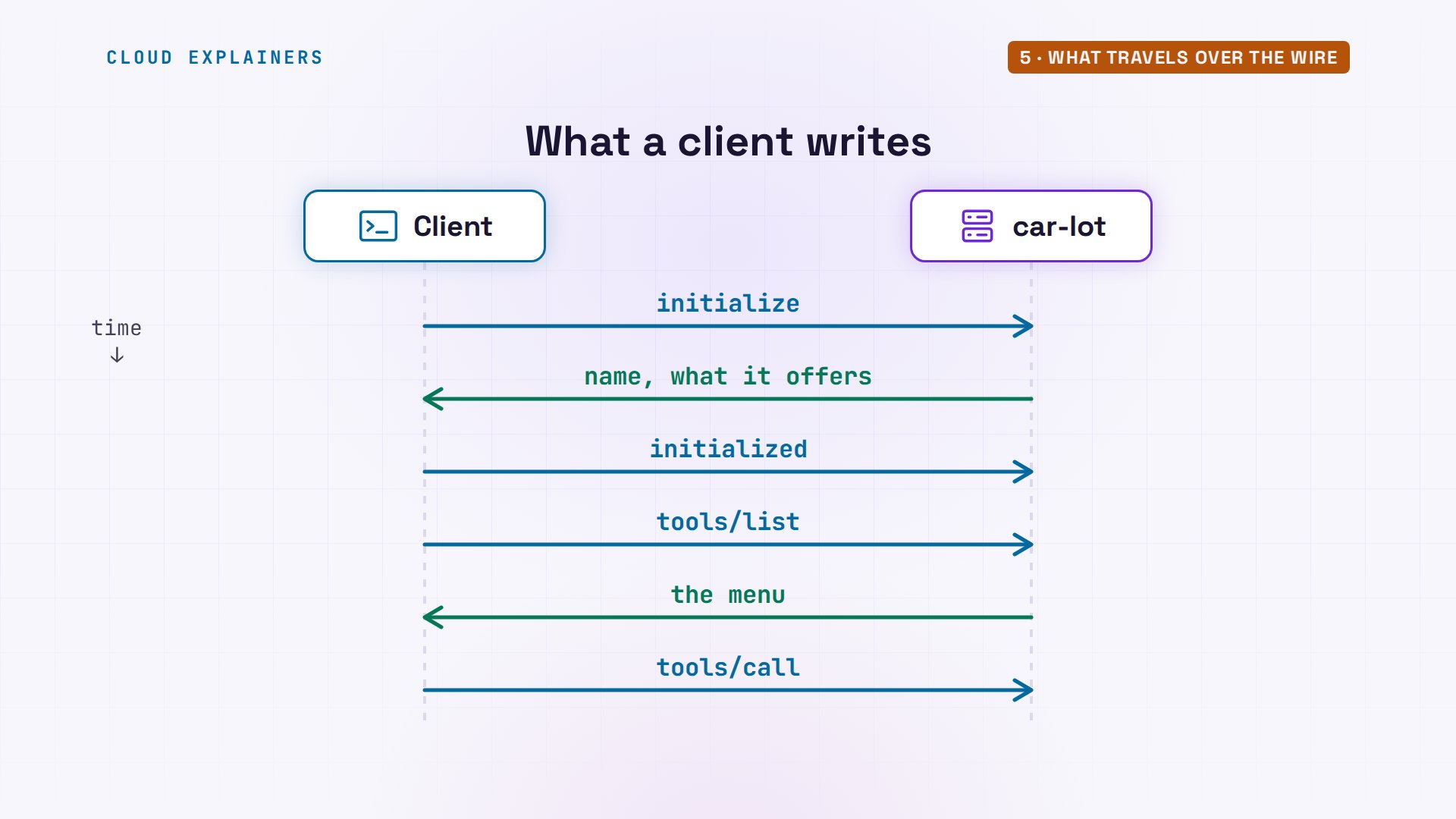
Linda writes the first three into a file, hello.jsonl: JSON Lines, one message per line. Each request has an id, a method and its params, and the answer carries the same id, so the client knows which question it belongs to. The middle line has no id: it's a notification, and needs no answer.
cat hello.jsonl{"jsonrpc":"2.0","id":1,"method":"initialize","params":{"protocolVersion":"2025-11-25","capabilities":{},"clientInfo":{"name":"by-hand","version":"1"}}}
{"jsonrpc":"2.0","method":"notifications/initialized"}
{"jsonrpc":"2.0","id":2,"method":"tools/list"}
Then she pipes the file into the server: each vertical bar sends one program's output into the next. cat prints the file, and sleep 1 keeps the server's input open for one more second, because the server stops as soon as its input ends. And jq, a small JSON tool, lays the answers out. Answer 1: the server's name, car-lot. Answer 2 is the menu. One tool, search_cars, with its description, and an input schema built from her type hints. max_price must be an integer.
(cat hello.jsonl; sleep 1) | uv run server.py | jq{
  "jsonrpc": "2.0",
  "id": 1,
  "result": {
    "capabilities": {
      "prompts": {
        "listChanged": false
      },
      "resources": {
        "listChanged": false,
        "subscribe": false
      },
      "tools": {
        "listChanged": false
      }
    },
    "protocolVersion": "2025-11-25",
    "serverInfo": {
      "name": "car-lot",
      "version": ""
    }
  }
}
{
  "jsonrpc": "2.0",
  "id": 2,
  "result": {
    "tools": [
      {
        "description": "Find cars for sale by body style (hatchback, sedan, suv, wagon),\n    colour, and the most the customer will pay, in dollars.",
        "inputSchema": {
          "properties": {
            "body": {
              "title": "Body",
              "type": "string"
            },
            "color": {
              "title": "Color",
              "type": "string"
            },
            "max_price": {
              "title": "Max Price",
              "type": "integer"
            }
          },
          "required": [
            "body",
            "color",
            "max_price"
          ],
          "type": "object",
          "title": "search_carsArguments"
        },
        "name": "search_cars",
        "outputSchema": {
          "properties": {
            "result": {
              "items": {
                "additionalProperties": true,
                "type": "object"
              },
              "title": "Result",
              "type": "array"
            }
          },
          "required": [
            "result"
          ],
          "type": "object",
          "title": "search_carsOutput"
        }
      }
    ]
  }
}
The menu also says what comes back. Her function returns a list of dictionaries, so the SDK added an output schema: a result that is a list of objects. When the tool runs, the answer comes in two forms: text for the model to read, and the same data as structured JSON, for programs that want exact fields.
But what if a client sends a wrong input? A second file, call.jsonl, has the same first two lines, then a tools/call. Its max_price is the word cheap. Does the server crash? It doesn't. It checked the input against the schema, logged that it rejected max_price, and sent back a normal answer, flagged as an error, with the reason: input should be a valid integer.
tail -1 call.jsonl{"jsonrpc":"2.0","id":2,"method":"tools/call","params":{"name":"search_cars","arguments":{"body":"hatchback","color":"blue","max_price":"cheap"}}}
(cat call.jsonl; sleep 1) | uv run server.py | jq{
  "jsonrpc": "2.0",
  "id": 1,
  "result": {
    "capabilities": {
      "prompts": {
        "listChanged": false
      },
      "resources": {
        "listChanged": false,
        "subscribe": false
      },
      "tools": {
        "listChanged": false
      }
    },
    "protocolVersion": "2025-11-25",
    "serverInfo": {
      "name": "car-lot",
      "version": ""
    }
  }
}
[11/22/26 14:01:33] INFO     Tool 'search_cars' rejected           server.py:450
                             arguments: ['max_price']
{
  "jsonrpc": "2.0",
  "id": 2,
  "result": {
    "content": [
      {
        "text": "Error executing tool search_cars: 1 validation error for search_carsArguments\nmax_price\n  Input should be a valid integer, unable to parse string as an integer [type=int_parsing, input_value='cheap', input_type=str]\n    For further information visit https://errors.pydantic.dev/2.14/v/int_parsing",
        "type": "text"
      }
    ],
    "isError": true
  }
}
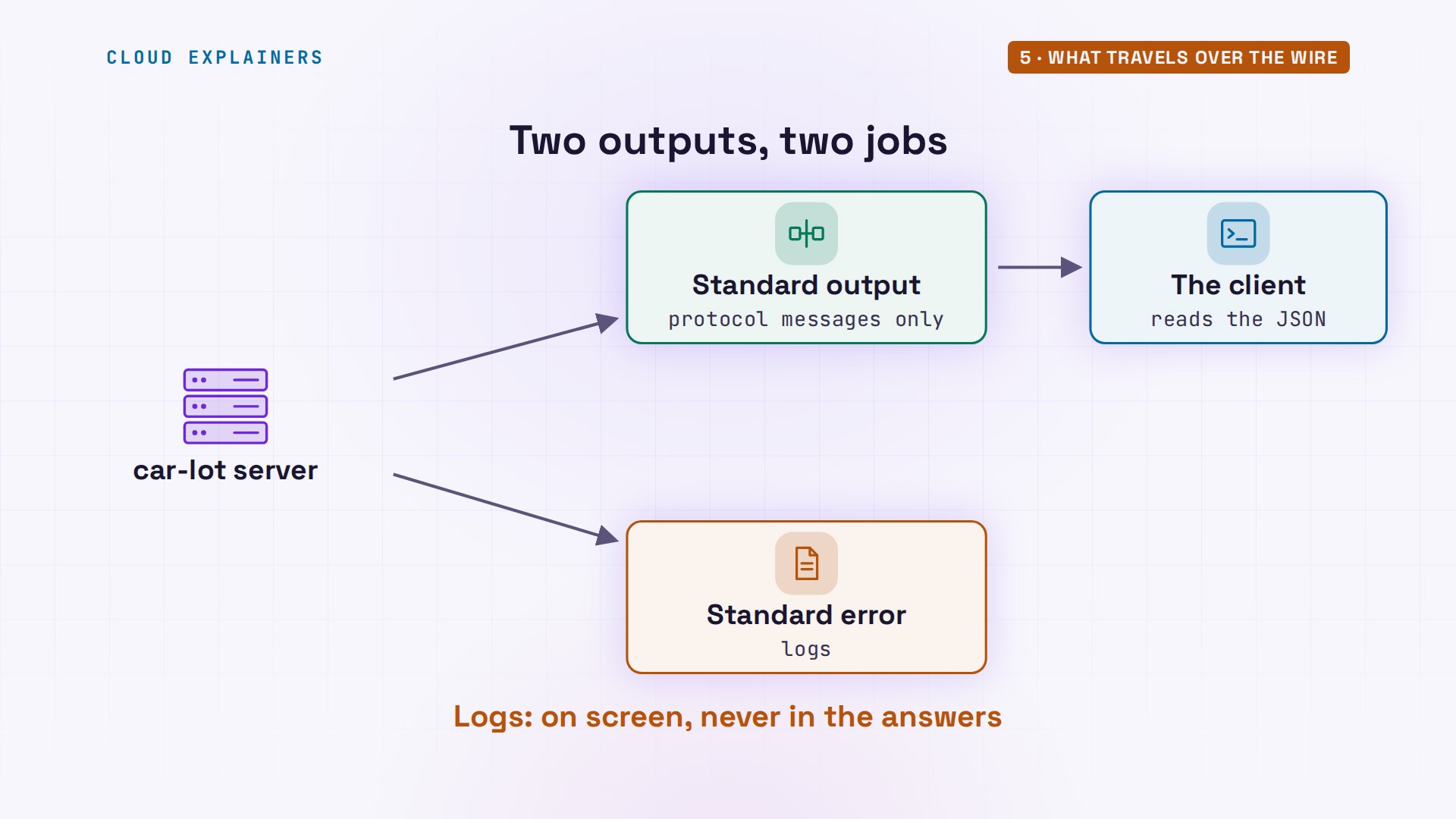
Notice where that log line went. A server like this has two outputs. Standard output carries only protocol messages, the JSON the client reads. Logs go to standard error, which the client keeps out of the conversation. That's why the log appeared on the screen, but not inside jq's answers.
Testing with the MCP Inspector
Typing JSON by hand gets old fast. The MCP Inspector is the official tool for testing a server. Linda copies the project folder to her laptop, where she also has Claude Code. The Inspector runs with npx, which comes with Node.js: npx, then the Inspector's package, then the command that starts her server. It prints an address, and opens as a web page.
lsask		pyproject.toml	show_calls.py
cars.csv	server.py	uv.lock
npx @modelcontextprotocol/inspector uv run server.pyStarting MCP inspector...

MCP Inspector Web is up and running at:
   http://127.0.0.1:6274?MCP_INSPECTOR_API_TOKEN=...

   Sandbox (MCP Apps): http://127.0.0.1:6275/sandbox

   Auth token: ...
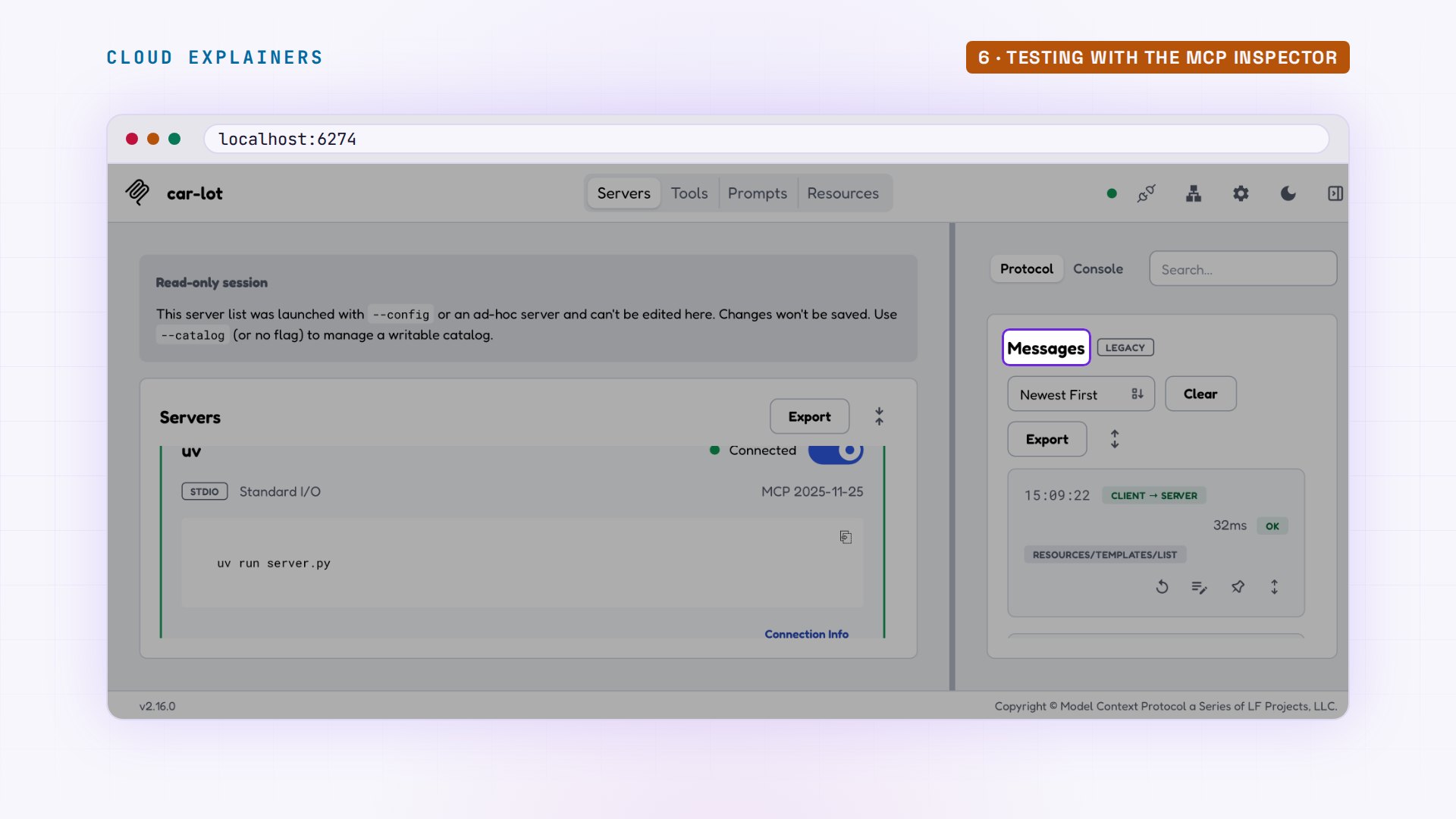
Flip the switch to connect. The Inspector ran uv run server.py itself, and it's connected, using the version of MCP dated 2025-11-25. That's the protocol's version, not the Python package's. On the right, it lists every message it sent: initialized, then the tools, prompts and resources lists.
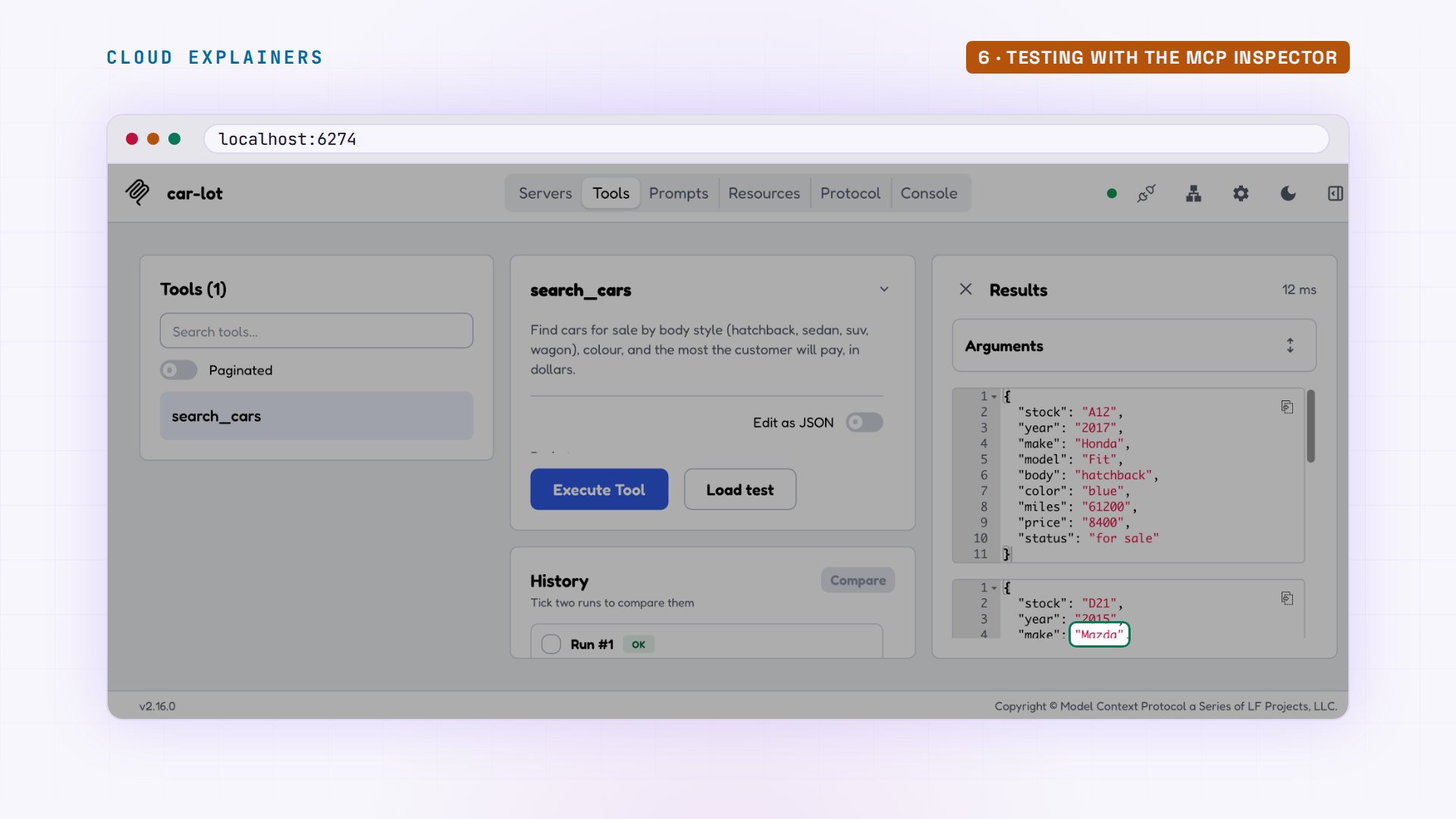
On the Tools tab, the Inspector reads the same menu. search_cars, its description, and one box for each input, built from the schema. Body: hatchback. Colour: blue. Max price: nine thousand. Execute tool, and the results come back: the Honda Fit and the Mazda 3, as JSON. The Sonic isn't there: it's sold. Check every tool here before you hand it to an AI. If it's wrong in the Inspector, it'll be wrong in Claude too.
Connecting it to Claude Code
This is the moment from the start. First, Claude Code has to know the server exists. Linda's laptop has Claude Code, version 2.1.311. claude mcp add, scope project, car-lot, then two dashes, which mean everything after is the command that starts the server. It writes a file named dot mcp dot json into the project folder: the server's name, and how to start it. Anyone who opens this folder in Claude Code gets the same server, after approving it once.
claude --version2.1.311 (Claude Code)
claude mcp add --scope project car-lot -- uv run server.pyAdded stdio MCP server car-lot with command: uv run server.py to project config
File modified: ~/car-lot/.mcp.json
cat .mcp.json{
  "mcpServers": {
    "car-lot": {
      "type": "stdio",
      "command": "uv",
      "args": [
        "run",
        "server.py"
      ],
      "env": {}
    }
  }
}
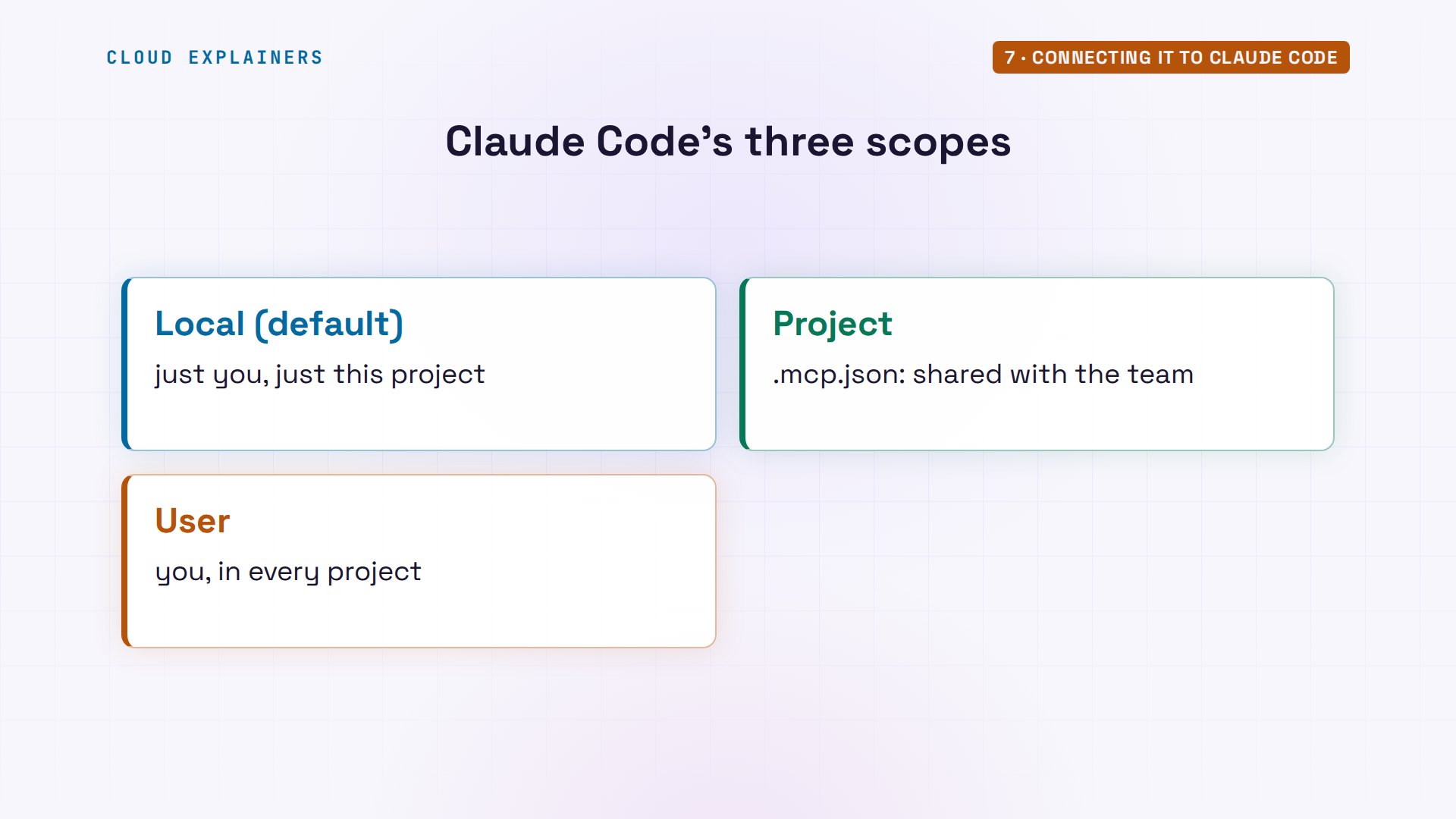
Project is one of three scopes. Local, the default, keeps a server private to you, in this one project. Project writes dot mcp dot json, so it can go into Git and the whole team gets it. And user makes a server yours in every project on this computer. Local and user are kept in your home folder, not in the project.
To show each step, Linda uses a small script called ask. It runs Claude Code with one question and no chat window, using only this folder's servers, and prints each call to the car lot server, and the answer. Notice one setting: only search_cars may run by itself. Any other tool has to be allowed first.
cat ask#!/bin/bash
# ./ask "question": Claude Code answers one question, with no chat window,
# using only this folder's MCP servers (.mcp.json). search_cars may run;
# any other tool must be allowed first: ./ask --allow mark_sold "question"
allow="mcp__car-lot__search_cars"
if [ "$1" = "--allow" ]; then allow="$allow mcp__car-lot__$2"; shift 2; fi
claude -p "$1" --mcp-config .mcp.json --strict-mcp-config \
  --setting-sources project --allowedTools $allow \
  --output-format stream-json --verbose </dev/null | python3 show_calls.py
Now Rob's question. A blue hatchback under nine thousand dollars. The server connected. Claude chose search_cars by itself, and filled in hatchback, blue and nine thousand, from Rob's own words. Two cars came back, and Claude wrote the answer from them, right down to the miles.
How did it pick the right tool? Claude never saw Linda's code. It saw the menu: the tool's name, its description, and its inputs. It matched Rob's words to them. That's why the description matters so much. A vague one, like search, gives the model nothing to go on.
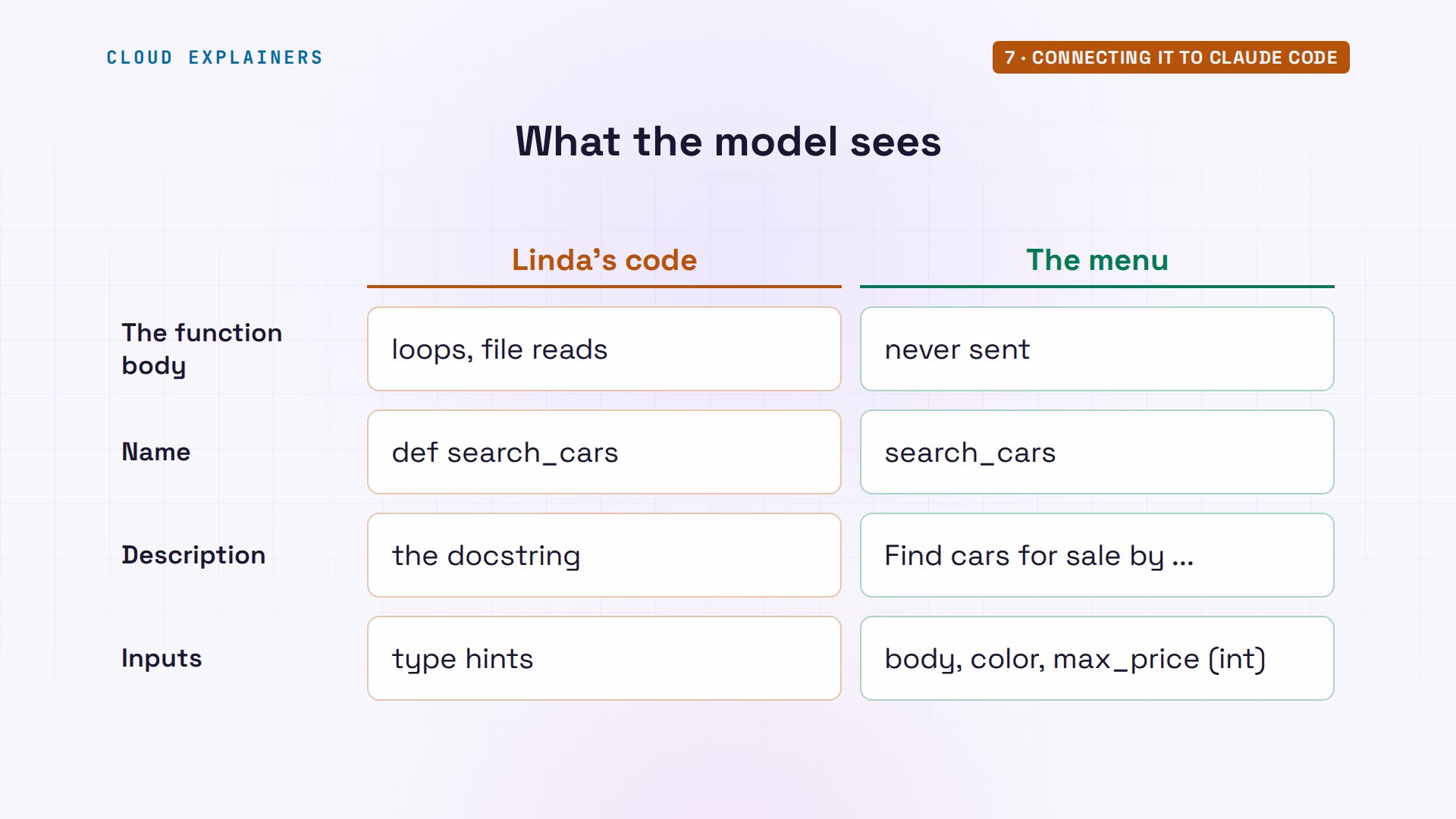
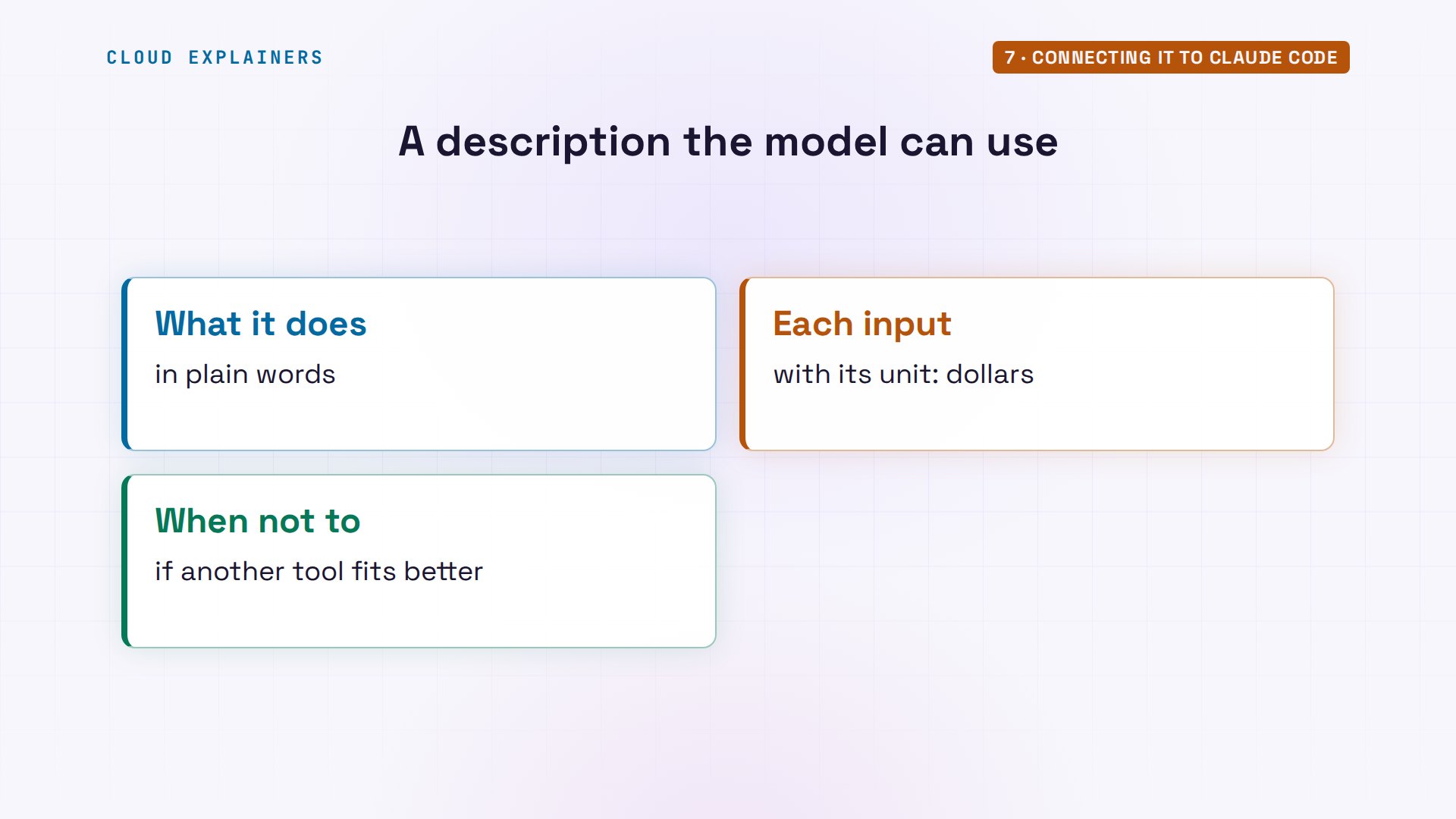
Three rules make a description the model can use. Say what the tool does, in plain words. Say what each input means, with its unit: dollars, not just price. And say when not to use it, if another tool fits better. Linda's says it finds cars for sale, by body, colour and the most the customer will pay, in dollars.
When the server won't start
What happens when the server can't even start? Linda adds a second tool, mark_sold, so Rob can mark a car sold from Claude. It finds the car by its stock number, and writes the new status back to cars.csv. sed prints those few lines of the file. She saves it, and asks Claude about the Honda.
sed -n '24,27p' server.py@mcp.tool
def mark_sold(stock: str) -> str:
    """Mark one car as sold, by its stock number (like A12)."""
    cars = load()
And this time: car-lot server, failed. Claude says it can't check, because the server didn't connect. When an AI app says a server failed, it often won't tell you why. So run the exact command it runs, yourself: uv run server.py.
./ask "Is the Honda Fit, A12, still for sale? One sentence."car-lot server: failed
Claude: I can't tell you right now because the car-lot server, which holds the
        inventory, failed to connect this session; reconnect or restart it and
        I'll check A12.
uv run server.pyTraceback (most recent call last):
  File "~/car-lot/server.py", line 24, in <module>
    @mcp.tool
     ^^^^^^^^
  File "~/car-lot/.venv/lib/python3.15/site-packages/mcp/server/mcpserver/server.py", line 720, in tool
    raise TypeError(
        "The @tool decorator was used incorrectly. Did you forget to call it? Use @tool() instead of @tool"
    )
TypeError: The @tool decorator was used incorrectly. Did you forget to call it? Use @tool() instead of @tool
There it is: TypeError, on line 24. The at tool decorator was used incorrectly. Did you forget to call it? Calling it means adding the round brackets, the parentheses, and she'd typed at mcp dot tool without them. Python stopped before the server ever started, so Claude Code had nothing to talk to. Add the brackets, and it starts again.
sed -n '24,27p' server.py@mcp.tool()
def mark_sold(stock: str) -> str:
    """Mark one car as sold, by its stock number (like A12)."""
    cars = load()
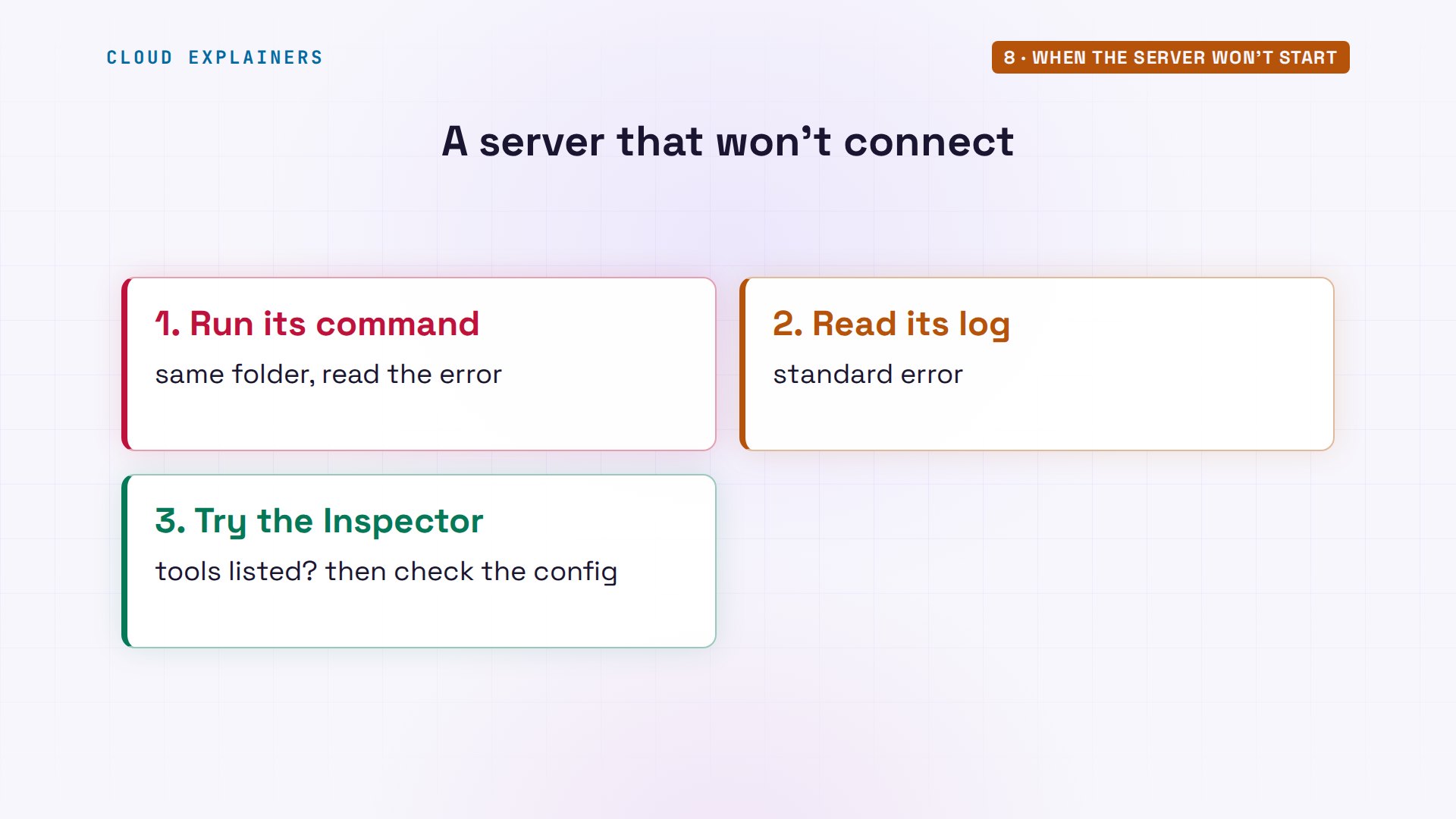
So when a server won't connect, check three things, in order. First, run the exact command from the config yourself, in the same folder, and read the error. Second, read its log output: anything a server logs goes to standard error. And third, connect with the Inspector. If the Inspector can list your tools, the server is fine, and the problem is in the app's config.
Tools that change things
Now the question from the start. Linda asks Claude to mark A12 as sold. Claude decides to call mark_sold. Does it just run? No. Claude requested permission, but it hasn't been granted. In the chat window, Claude Code would stop and ask you, right here. With no window to ask in, it says no.
./ask "Mark A12 as sold. One sentence."car-lot server: connected
-> mark_sold stock=A12
<- error: Claude requested permissions to use mcp__car-lot__mark_sold, but you
          haven't granted it yet.
Claude: A12 isn't marked as sold yet because the permission request for the
        car-lot `mark_sold` tool was declined, so approve it and I'll try
        again.
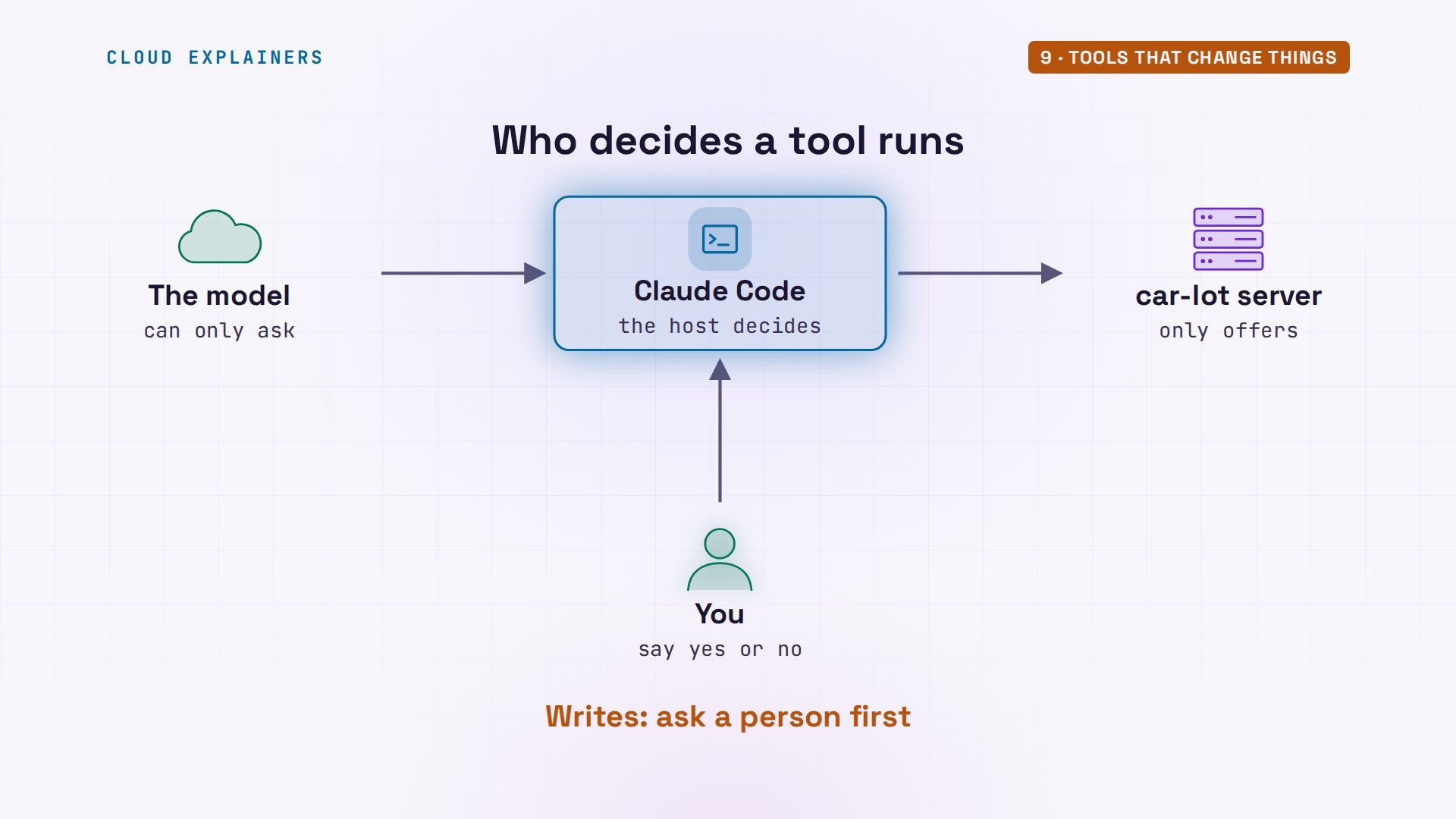
So who decides? The server only offers its tools. The model can only ask to use one. The host, Claude Code, decides whether the call runs, using your permission settings. Allow read-only tools ahead of time, and keep anything that changes data behind a yes from a person.
Linda says yes. In her ask script, that's the dash dash allow option. In the chat window, she'd just answer yes. The same request runs: A12 is marked sold. And grep, which finds the line with A12, shows the file agrees. In cars.csv, the Honda Fit's status now says sold.
./ask --allow mark_sold "Mark A12 as sold. One sentence."car-lot server: connected
-> mark_sold stock=A12
<- A12 is marked sold
Claude: A12 is now marked as sold.
grep A12 cars.csvA12,2017,Honda,Fit,hatchback,blue,61200,8400,sold
Errors the model can read
What if the stock number doesn't exist? Her tool raises a ValueError: no car with stock number Z99. But Claude got only this: error executing tool mark_sold. No reason at all. So Claude can only guess that the number may be wrong, or that the server has a problem.
./ask --allow mark_sold "Mark Z99 as sold. One sentence."car-lot server: connected
-> mark_sold stock=Z99
<- error: Error executing tool mark_sold
Claude: I couldn't mark Z99 as sold because the car-lot tool returned an error
        with no details, so the stock number may not exist or the server may
        be having trouble.
That's on purpose. Version 2 of the Python SDK hides the text of an unexpected Python error from the model, because it could hold something private, like a file path or a password. For an error you expect, raise ToolError instead. Its message goes to the model.
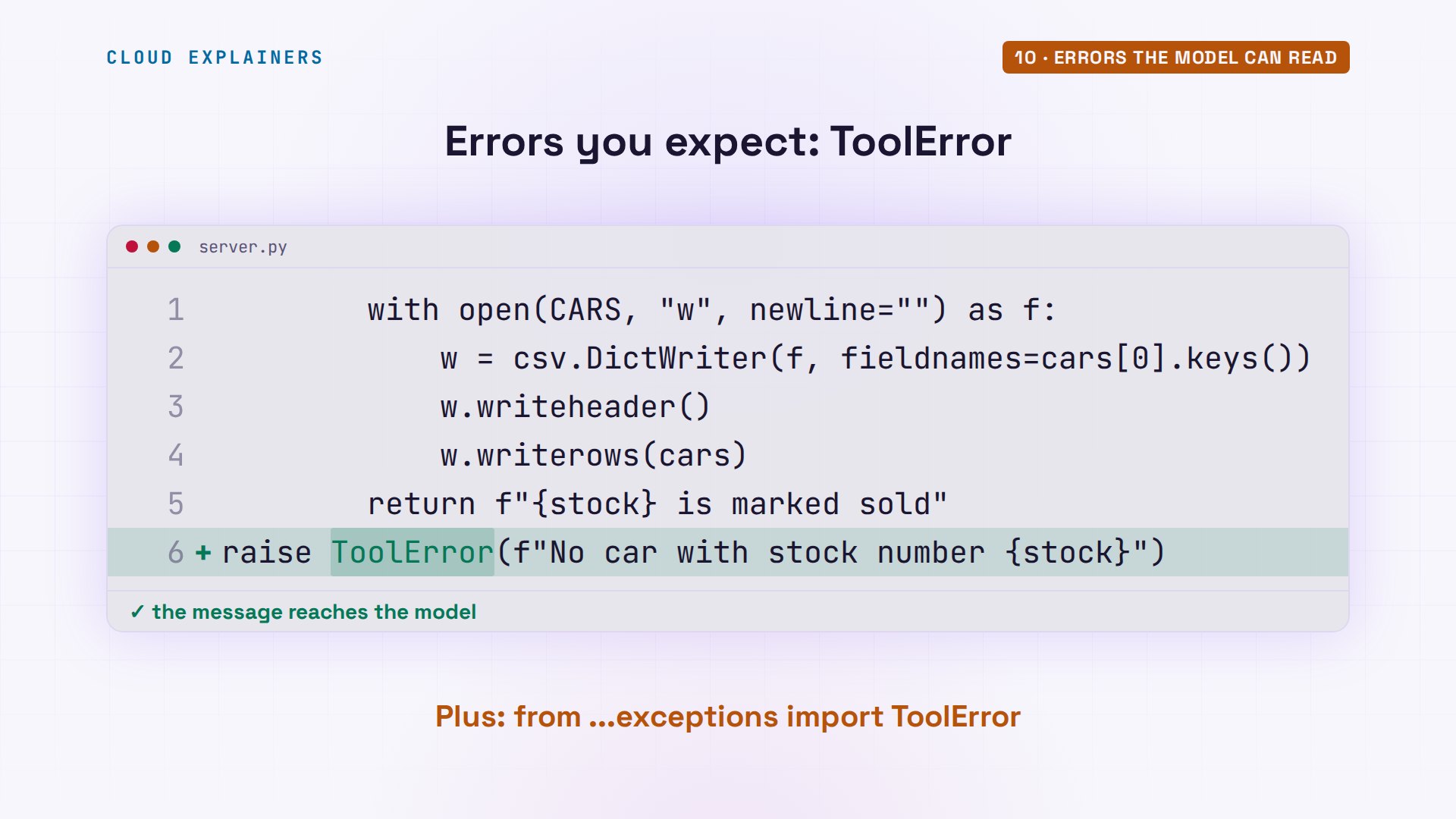
Linda imports ToolError, and raises it instead. Then the same request. Now the error carries the reason: no car with stock number Z99. And Claude can say something useful: the lot has no such car, so check the number.
sed -n '5p;37p' server.pyfrom mcp.server.mcpserver.exceptions import ToolError
    raise ToolError(f"No car with stock number {stock}")
./ask --allow mark_sold "Mark Z99 as sold. One sentence."car-lot server: connected
-> mark_sold stock=Z99
<- error: Error executing tool mark_sold: No car with stock number Z99
Claude: I couldn't mark Z99 as sold because the lot has no car with that stock
        number, so please check the number.
Resources and prompts
Rob also writes a short ad for every car he lists. For that, the other two things a server offers fit better than a tool. A resource is read-only data with an address you choose. lot, colon slash slash, cars, slash, then a stock number in curly braces, a placeholder, returns that car's full record. And a prompt is a ready-made request: write_listing asks for a short, honest ad for one car, with the year, the miles and the price. Again, sed just prints those lines.
sed -n '40,57p' server.py@mcp.resource("lot://cars/{stock}")
def car(stock: str) -> dict:
    """One car's full record, by its stock number."""
    for c in load():
        if c["stock"] == stock:
            return c
    raise ResourceNotFoundError(f"No car with stock number {stock}")


@mcp.prompt()
def write_listing(stock: str) -> str:
    """Write a short, honest ad for one car."""
    return (f"Read lot://cars/{stock} and write a three-sentence ad for it. "
            "Mention the year, the miles and the price. No hype.")


if __name__ == "__main__":
    mcp.run()
In Claude Code, a server's prompts show up as slash commands. Linda types slash, mcp, car-lot and write_listing, joined by double underscores, the way Claude Code names them, and then D21. Claude follows the prompt: it reads the resource for D21, and writes the ad from that record: the year, the miles and the price. Tools for the model, resources to read, prompts for you.
./ask "/mcp__car-lot__write_listing D21"car-lot server: connected
-> reads lot://cars/D21
<- {"stock": "D21", "year": "2015", "make": "Mazda", "model": "3",
   "body": "hatchback", "color": "blue", "miles": "89500", "price":
   "8900", "status": "for sale"}
Claude: This 2015 Mazda 3 hatchback in blue has 89,500 miles on it. It's
        practical and economical, with a flexible hatchback cargo area for
        everyday errands and commuting. The price is $8,900, and it's on the
        lot now as stock D21.
Serving it over the network
So far, the server has run on the same machine as its client, talking through standard input and output. But Rob works at the sales desk PC, and the cars live on the office PC. For that, MCP has a second way to talk: streamable HTTP. The server runs on its own, and clients reach it over the network at one web address.
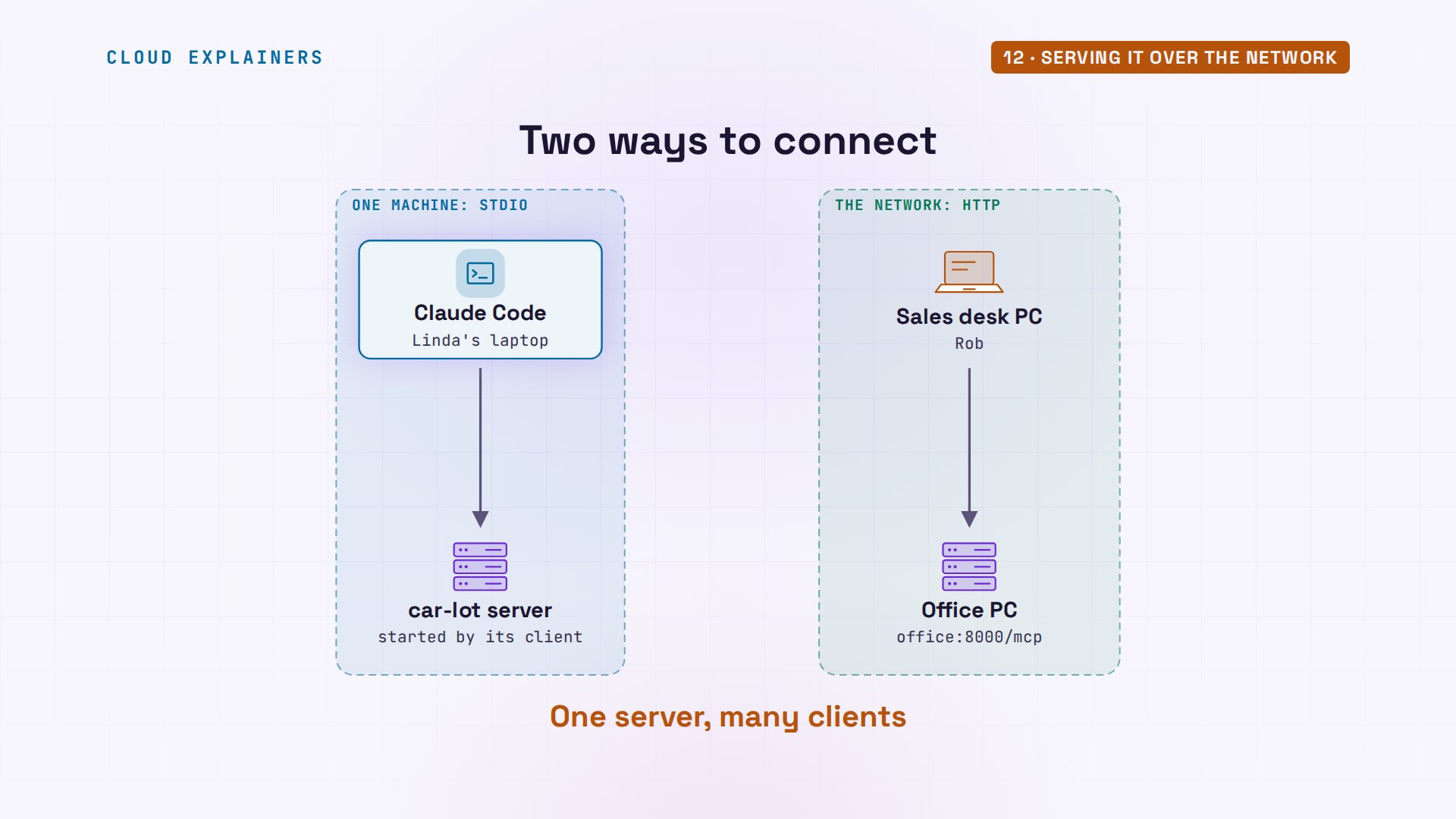
On the office PC, Linda makes a copy called web.py, and changes one line, which diff shows: mcp dot run, with transport streamable HTTP. She starts it, and it says: Uvicorn running on 127.0.0.1, port 8000. A port is the numbered door a server listens on, and Uvicorn is the small web server inside.
diff server.py web.py57c57
<     mcp.run()
---
>     mcp.run(transport="streamable-http")
uv run web.pyINFO:     Started server process [284]
INFO:     Waiting for application startup.
[11/22/26 14:02:21] INFO     StreamableHTTP       streamable_http_manager.py:162
                             session manager
                             started
INFO:     Application startup complete.
INFO:     Uvicorn running on http://127.0.0.1:8000
An HTTP server is added to an app by its address instead of a command. In Claude Code, that's claude mcp add, dash dash transport http, a name, and the URL. For a first test from another PC, the Inspector's command line mode is quicker, so that's what Rob uses.
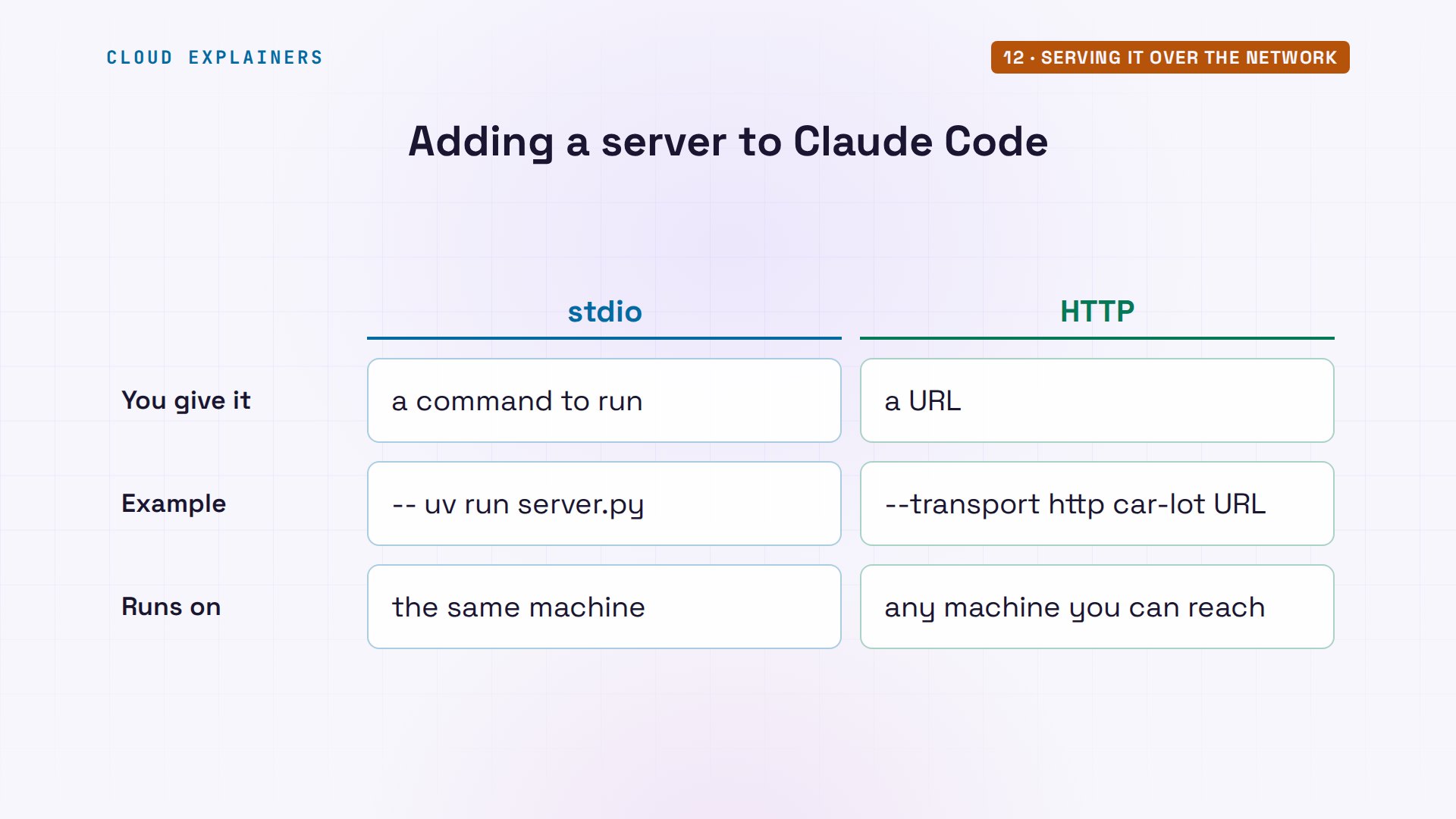
On the sales desk PC, Rob points the Inspector's command line mode at office, port 8000, slash mcp, where this server listens by default, and asks for the tools list. Connection refused. 127.0.0.1 means this machine only. The server answers the office PC itself, and nobody else.
npx @modelcontextprotocol/inspector --cli http://office:8000/mcp --transport http --method tools/list{"error":{"code":"unreachable","message":"fetch failed","cause":"connect ECONNREFUSED 172.21.0.2:8000"}}
So Linda stops it, and in the same mcp dot run line adds host equals 0.0.0.0: every network this PC is on. Now it's running on 0.0.0.0, port 8000. And from the sales desk, the Inspector lists both tools: search_cars and mark_sold.
diff server.py web.py57c57
<     mcp.run()
---
>     mcp.run(transport="streamable-http", host="0.0.0.0")
uv run web.pyINFO:     Started server process [295]
INFO:     Waiting for application startup.
[11/22/26 14:02:22] INFO     StreamableHTTP       streamable_http_manager.py:162
                             session manager
                             started
INFO:     Application startup complete.
INFO:     Uvicorn running on http://0.0.0.0:8000
npx @modelcontextprotocol/inspector --cli http://office:8000/mcp --transport http --method tools/list | jq -r '.tools[].name'search_cars
mark_sold
Keeping it safe
And that's the next problem. Rob calls mark_sold for B07, the red Ford, and it's done. No password, and no question. Anyone on this network can now sell a car.
npx @modelcontextprotocol/inspector --cli http://office:8000/mcp --transport http --method tools/call --tool-name mark_sold --tool-arg stock=B07{
  "content": [
    {
      "type": "text",
      "text": "B07 is marked sold"
    }
  ],
  "structuredContent": {
    "result": "B07 is marked sold"
  },
  "isError": false
}
The office PC's log shows how it went. Each connection got a session ID. The Inspector's messages arrived as POST requests to slash mcp, from the sales desk's address. Each POST carried one message, and when Rob was done, a DELETE ended the session. Nothing in there asks who Rob is.
[11/22/26 14:02:23] INFO     Created new          streamable_http_manager.py:325
                             transport with
                             session ID:
                             65ab19b9a2c243faba8e
                             e8787c0b47b0
INFO:     172.21.0.3:54260 - "POST /mcp HTTP/1.1" 200 OK
INFO:     172.21.0.3:54266 - "POST /mcp HTTP/1.1" 202 Accepted
INFO:     172.21.0.3:54260 - "GET /mcp HTTP/1.1" 200 OK
INFO:     172.21.0.3:54266 - "POST /mcp HTTP/1.1" 200 OK
                    INFO     Terminating session:         streamable_http.py:855
                             65ab19b9a2c243faba8ee8787c0b
                             47b0
INFO:     172.21.0.3:54274 - "DELETE /mcp HTTP/1.1" 200 OK
                    INFO     Created new          streamable_http_manager.py:325
                             transport with
                             session ID:
                             c64ba629c9dc4e338db7
                             cfa961118c01
INFO:     172.21.0.3:54304 - "POST /mcp HTTP/1.1" 200 OK
INFO:     172.21.0.3:54320 - "POST /mcp HTTP/1.1" 202 Accepted
INFO:     172.21.0.3:54304 - "GET /mcp HTTP/1.1" 200 OK
INFO:     172.21.0.3:54320 - "POST /mcp HTTP/1.1" 200 OK
INFO:     172.21.0.3:54326 - "POST /mcp HTTP/1.1" 200 OK
                    INFO     Terminating session:         streamable_http.py:855
                             c64ba629c9dc4e338db7cfa96111
                             8c01
INFO:     172.21.0.3:54320 - "DELETE /mcp HTTP/1.1" 200 OK
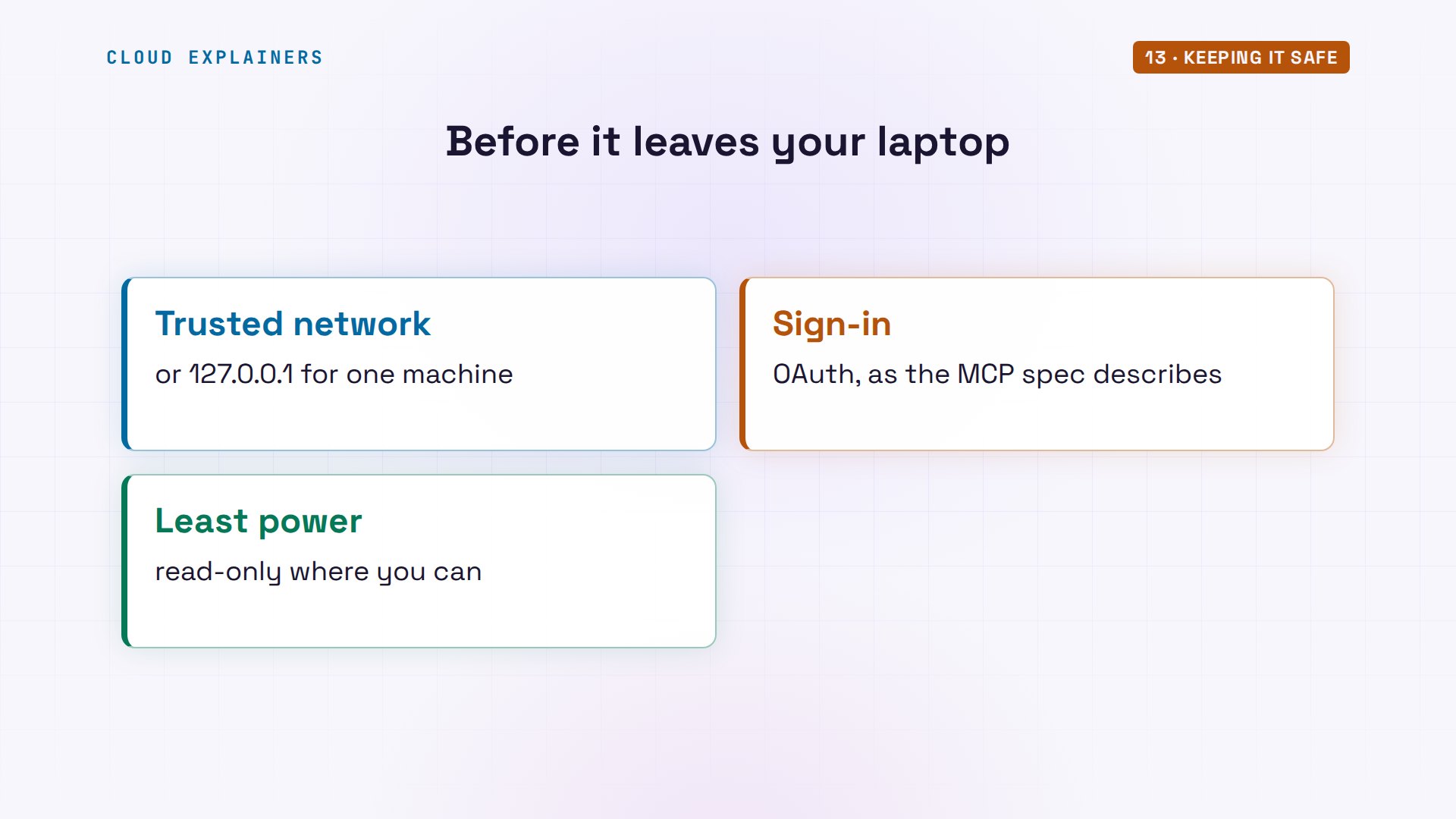
So keep a server like this on a network you trust, or on 127.0.0.1 when only one machine needs it. A server anyone on the internet can reach needs a sign-in. MCP's own specification uses OAuth for that, the same sign-in standard behind buttons like Sign in with Google, and the Python SDK supports it. And give each tool the least power it needs. A search that only reads is far safer than a tool that writes.
Where to go next
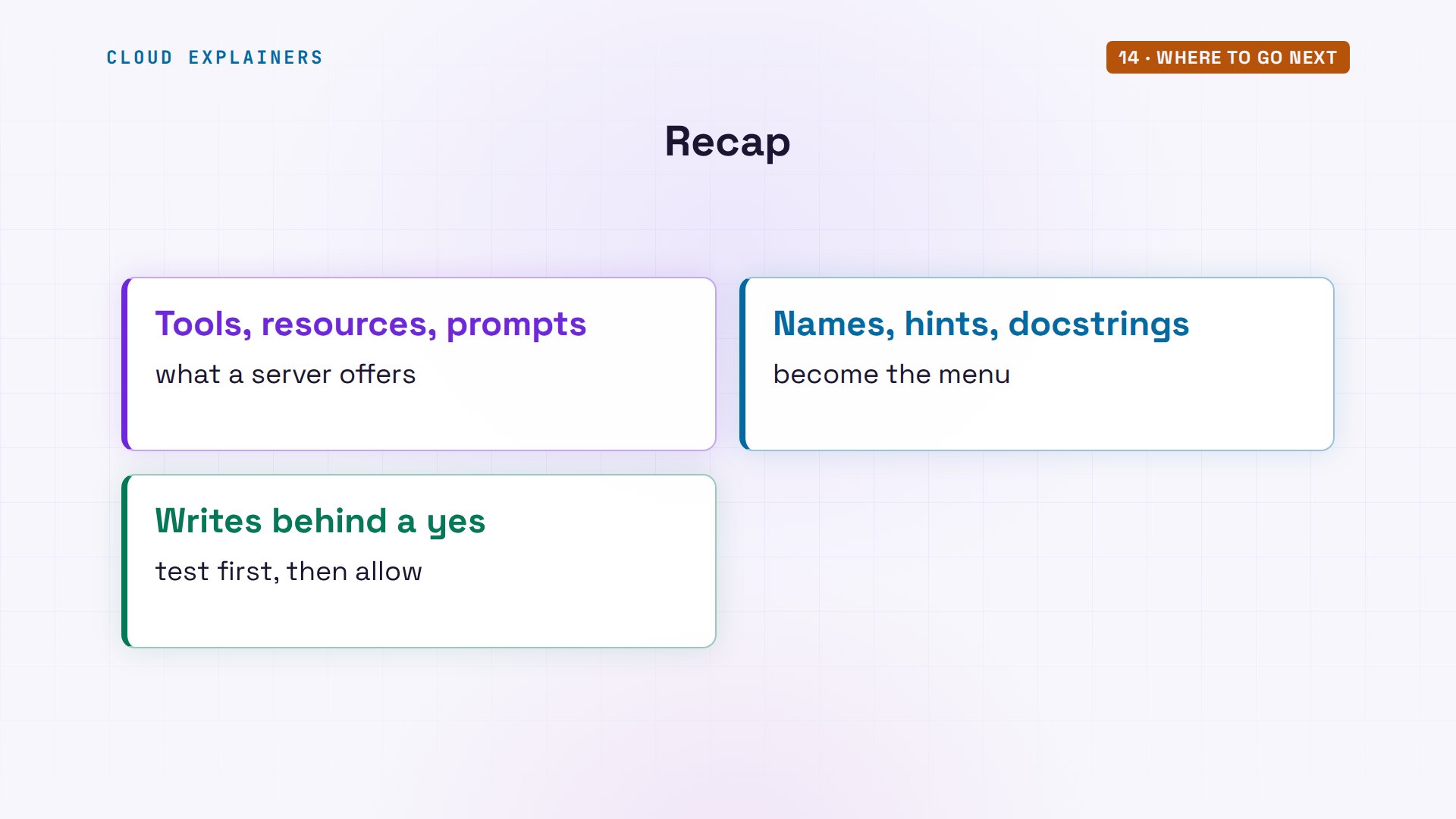
To recap: a server offers tools, resources and prompts. The SDK writes the menu from your function names, type hints and docstrings. Test it in the Inspector, connect it to your AI app, and keep anything that writes behind a yes.
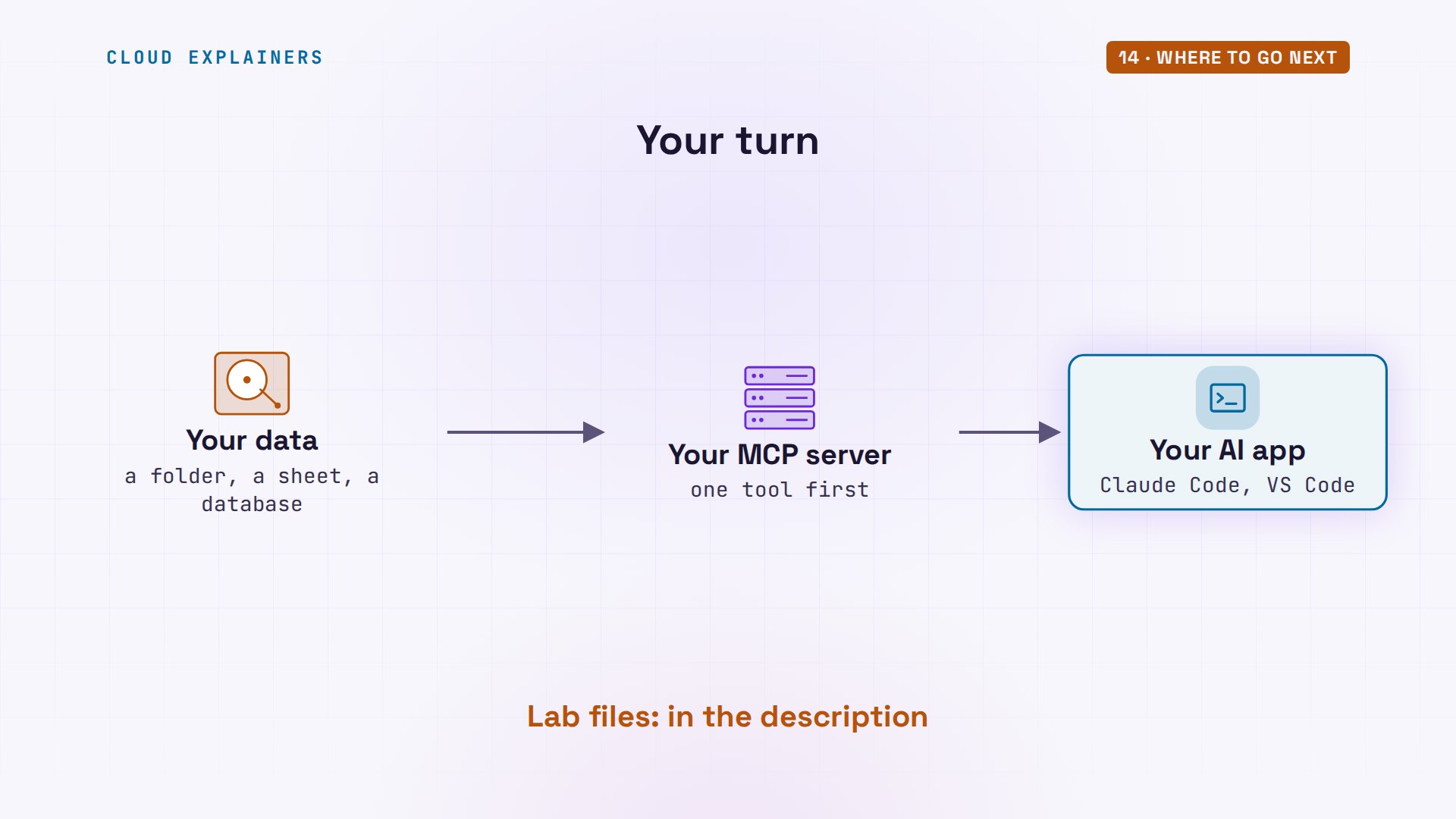
Next, try one small tool on your own data: a folder of notes, a spreadsheet, a database. Not a Python person? There are official SDKs for TypeScript, C#, Go, Rust, Ruby and more, with the same ideas. Every command and the lab files are linked in the description.
If this got your first MCP server running, a like helps, and subscribing brings you the next one. Thanks for watching Cloud Explainers.
Sources
- MCP architecture (host, client, server; transports)
- MCP server concepts (tools, resources, prompts)
- Build an MCP server
- MCP specification (JSON-RPC messages, lifecycle, authorization)
- MCP Python SDK v2 migration (FastMCP renamed to MCPServer)
- MCP Python SDK
- MCP Inspector
- Claude Code and MCP (claude mcp add, scopes, prompts as commands)
- uv installation
- GitHub's MCP server
Demos: two containers on our own Mac standing in for a car lot's office and sales desk PCs, plus Claude Code on the Mac itself; the car lot, its cars and its people are made up. Every command and output was real. Watch the full video on YouTube.
More videos
Every PostgreSQL Setting to Change After You Install It
What Happens When You Install Docker on Ubuntu
How to Fix Python 'Address Already in Use' Errors
Golang Interfaces and Mocks in 5 Minutes
How to Fix Git 'Detached HEAD' State
Linux Firewall with ufw: Full Tutorial for Beginners
Golang defer Statements in 5 Minutes
How to Fix OAuth 'invalid_grant' Errors

The SQL Roadmap for Beginners
Golang make() for Slices and Maps in 5 Minutes
How to Fix Network 'No Route to Host' Errors on Linux
How to Fix Linux 'Too Many Open Files' Errors
Every Django Concept a Beginner Needs to Know
SSH on Linux: Full Tutorial for Beginners

Golang for range Loops in 5 Minutes
SQL Databases: SQLite vs PostgreSQL
The Django Roadmap for Beginners
Golang Structs in 5 Minutes
Redis: Full Tutorial for Beginners
Golang context.Context in 5 Minutes
How to Fix MySQL Database Error 1045: Access Denied for User
Golang Method Receivers in 5 Minutes
How to Fix Python SSL: CERTIFICATE_VERIFY_FAILED Errors
How to Fix Django Static Files Not Loading in Production
OpenRouter vs Direct API Keys: Which One Should You Use?
Golang if err != nil Checks in 5 Minutes

How to Fix Golang 'go.mod File Not Found' Errors
Golang Error Return Values in 5 Minutes
How to Fix Python ModuleNotFoundError: No Module Named
Golang Pointers in 5 Minutes
How to Fix a Kubernetes Pod Stuck in CrashLoopBackOff
How to Fix a Homelab ESXi Host Not Responding
PostgreSQL: Full Tutorial for Beginners
How a Load Balancer Works with HAProxy

How Python Virtual Environments Work
How to Fix Cloudflare Tunnel Errors in a Homelab
How to Fix API CORS Errors: No 'Access-Control-Allow-Origin'

How Authenticator App Login Codes Work (TOTP)
Git and GitHub: Full Tutorial for Beginners
How a Homelab Hypervisor Works (VMware ESXi)
How to Fix Kubernetes ImagePullBackOff Errors
How to Fix DNS 'Temporary Failure in Name Resolution' on Linux
How to Fix AWS CLI 'Unable to Locate Credentials'
Proxmox vs ESXi for Your Homelab: When Each One Wins
PostgreSQL UUID vs Auto Increment: Which Primary Key Should You Use?
Kubernetes: Full Tutorial for Beginners

How TCP Sockets Work

How to Fix PostgreSQL 'Could Not Connect to Server'
Claude Code Hooks Will Finally Make Sense After This
DevOps with Ansible Will Finally Make Sense After This
How SNMP Network Monitoring Works
How to Fix GitHub 'Permission Denied (publickey)' Errors
Docker: Full Tutorial for Beginners
How to Fix PostgreSQL 'Password Authentication Failed'
Why One Linux Server Handles More Users Than You Think
How to Fix Network 'Connection Refused' Errors
DevOps Pipelines: Jenkins vs GitHub Actions
Linux Nginx Reverse Proxy: Full Tutorial for Beginners
Every Networking Term a Beginner Needs in 12 Minutes
How to Fix Docker 'Permission Denied' on docker.sock
How to Fix Git 'Updates Were Rejected' When You Push
How to Fix nginx 502 Bad Gateway Errors on Linux
How to Fix Linux apt 'Could Not Get Lock' Errors (Ubuntu)
How Email Works on the Internet (SMTP) in 10 Minutes
The Python Roadmap for Beginners
Golang REST API with Gin: Full Tutorial for Beginners
How a WireGuard VPN Network Works

Linux Makefiles Will Finally Make Sense After This
SAML vs OAuth vs OpenID Connect: What's the Difference?
How to Fix Python cron Jobs That Never Run
Linux Bash Scripting: Full Tutorial for Beginners
How PXE Network Boot Works
How Active Directory Works
How to Fix a Linux systemd Service That Won't Start
Linux Logs: syslog vs journald
JWT vs Session Cookies: Which One Should You Use?
Docker vs Docker Compose: Which One Should You Use?
How to Fix Docker Compose Containers That Can't Talk to Each Other
Django Full Tutorial for Beginners
How Linux systemd Works

How to Fix 'Windows Cannot Access' Network Share Errors (SMB)
REST vs gRPC: Which One Should You Use?
How to Fix SSL Certificate Chain Errors (Missing Intermediate)
Every Python Concept for Beginners in 10 Minutes
Every SQL Join Type in 10 Minutes
Why OpenRouter Free Models Hit Their Limit So Fast
Why Your Gemini API Free Tier Runs Out So Fast
OpenRouter Will Finally Make Sense After This
How Redis Caching Works
Gemini API vs Vertex AI: Which One Should You Use?
How to Fix a Leaked Gemini API Key
Why Golang Uses Goroutines Instead of Threads
How to Fix Gemini API Error 429: Resource Exhausted
Claude Token Pricing Will Finally Make Sense After This
Why Python Web Scraping Returns Nothing (and the Fix)
Python uv vs pip: Which One Should You Use?
Python Automation: Full Tutorial for Beginners
How OAuth Login Works

Google AI Studio Will Finally Make Sense After This
What Happens When You Run a Docker Container
How to Fix Claude Code Billing Your API Key Instead of Your Plan
Why Passkeys Can't Be Phished Like Passwords
PowerShell vs Bash: Which One Should You Learn?
The Linux Roadmap for Beginners
Django vs FastAPI: Which One Should You Use?
Why SQLite Is the Most Used Database in the World
How a NoSQL Database Like MongoDB Works
How to Fix Python pip error: externally-managed-environment
How to Fix MySQL Too Many Connections Database Errors
Golang Concurrency Will Finally Make Sense After This
How Amazon S3 Works
How Kubernetes Works
How Git Works
How to Fix Docker Port Already Allocated Errors
How PostgreSQL Works
How to Fix Git Merge Conflicts
How to Fix No Space Left on Device in Linux
How the Internet Works
SQL vs NoSQL: When Each One Wins
How to Fix JWT Token Expired Errors (401 Unauthorized)
Claude API vs Claude Pro: Why Your Subscription Doesn't Include It
Why AI Agent Skills Beat Giant Prompts

Linux Cron Jobs Will Finally Make Sense After This
Security Logs Will Finally Make Sense After This
How to Fix a Security Leak: An API Key Pushed to GitHub
DNS Will Finally Make Sense After This
Never Ignore a Security Update
Two-Factor Authentication Will Finally Make Sense
Never Expose a Database to the Internet
SSH Keys vs Passwords: Which Is Safer for Security?
The 5 Levels of Linux Boot: From Power On to Login
The 5 Levels of Network Firewalls
Password Security: Why Hackers Crack Weak Passwords
Why Your Linux Server Runs Out of Memory
HTTP vs HTTPS: What Actually Changes on Your Network

Every Linux File Permission You Need to Know
Linux Processes vs Threads: When Each One Wins
The OSI Model Will Finally Make Sense After This
The 7 Levels of Git
Every Network Troubleshooting Command You Need
Hashing vs Encryption in Cybersecurity: When Each One Wins
Why the Internet Ran Out of IP Addresses
Linux Package Managers: apt vs Snap vs Flatpak
Why Python Is Slow (and When It Doesn't Matter)
TCP vs UDP: When Each One Wins
Stop Running Linux as Root (Do This Instead)
Linux Users and Groups Will Finally Make Sense
Why Phishing Beats Good Security (and How to Spot It)
The 7 Levels of Docker
AI Agents Will Finally Make Sense After This
Stop Using git push --force (Use This Instead)
Agent Skills vs MCP: When Each One Wins
Networking Will Finally Make Sense After This
Every Linux Command You Actually Need
The 7 Levels of Cybersecurity
Every System Design Concept You Need, in One Diagram