
Why Passkeys Can't Be Phished Like Passwords
Why passkeys can't be phished like passwords: a fake sign-in page can collect a password and a six-digit code and use them on the real site within seconds, but a passkey signs a challenge for one address, and the browser writes the page's real address (the origin) into the signed data. Shown on a real Chromium browser with a passkey for Ana's lab shop: the shop stores only a public key, the signed data names https://shop.test, and another site asking for the shop's passkey gets a SecurityError from the browser.
The fake login page
You type your password and your code into a login page, and it turns out to be fake. It looked exactly like your shop's sign-in. Within seconds, someone else is signed in as you, with the password and the six-digit code you just typed.
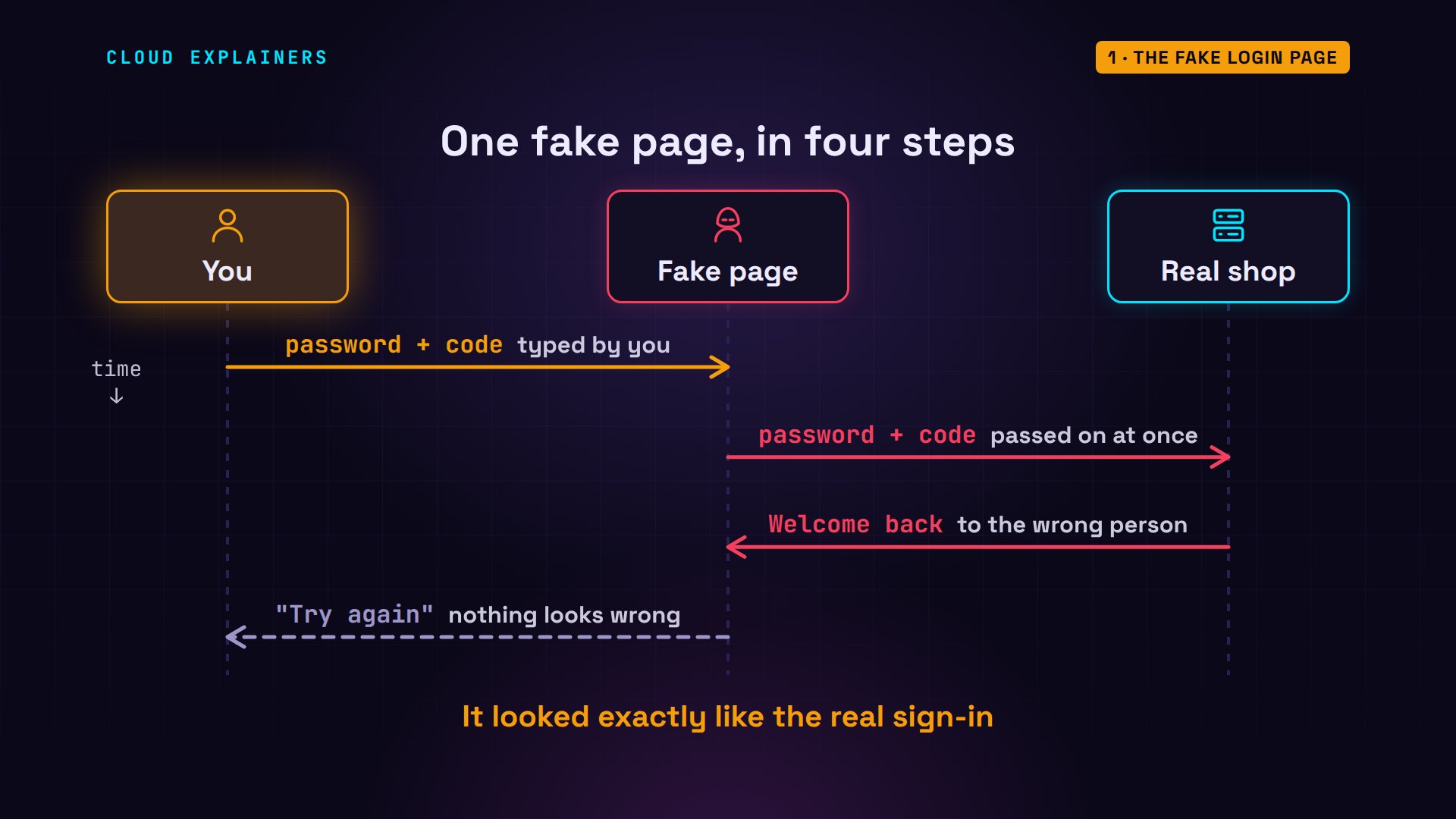
Put a passkey on that same fake page, and there's nothing to type, and nothing it can take. Here's the puzzle: the fake page can copy every pixel of the real one. You can't tell them apart. So how can a passkey? Hold that question; we'll answer it with one line of real data.
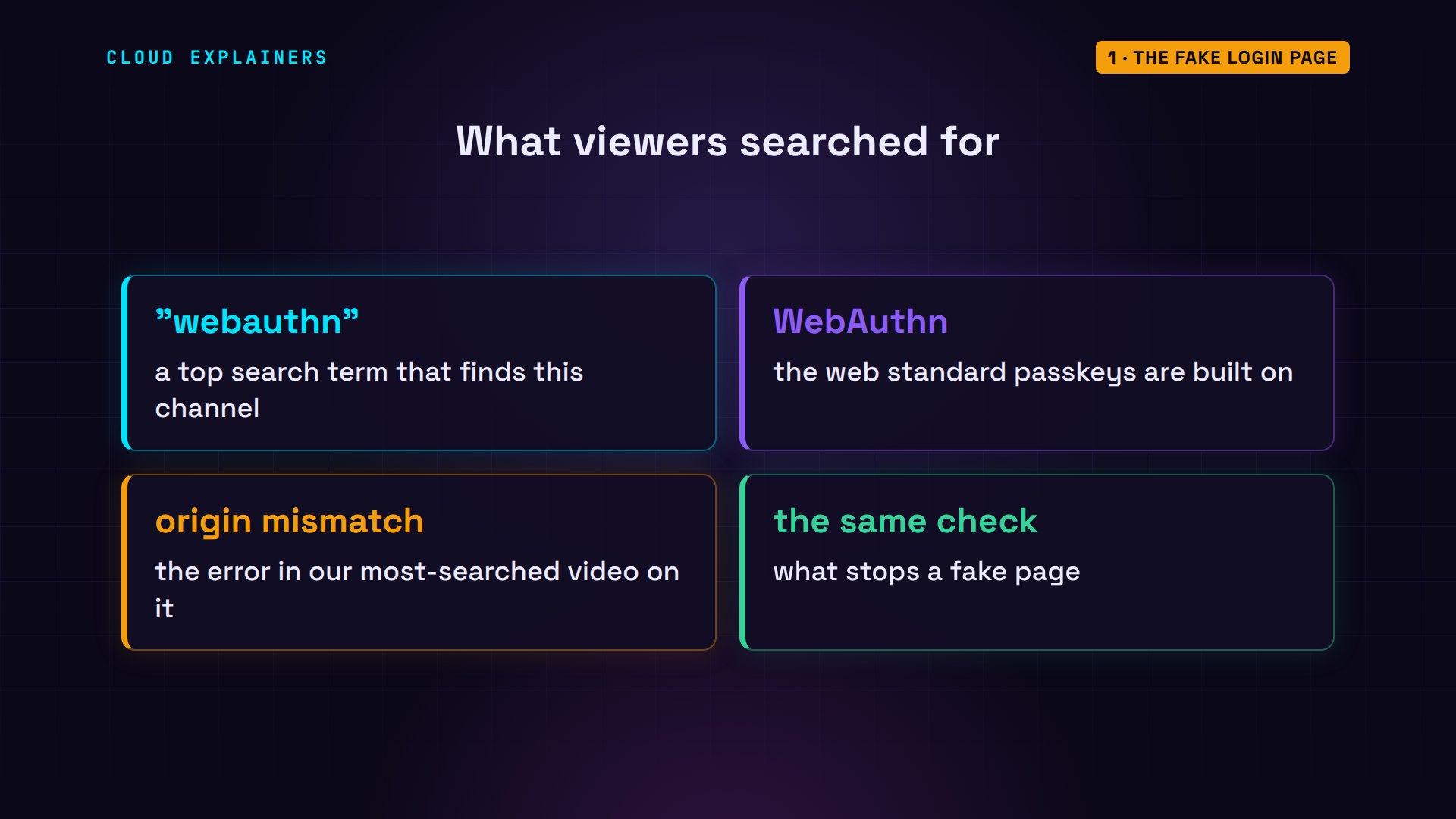
Viewers find this channel by searching WebAuthn, the standard passkeys are built on. Our most-searched video on it is about an origin mismatch error. That error, and the reason passkeys stop fake pages, are the same check.
What a password gives away
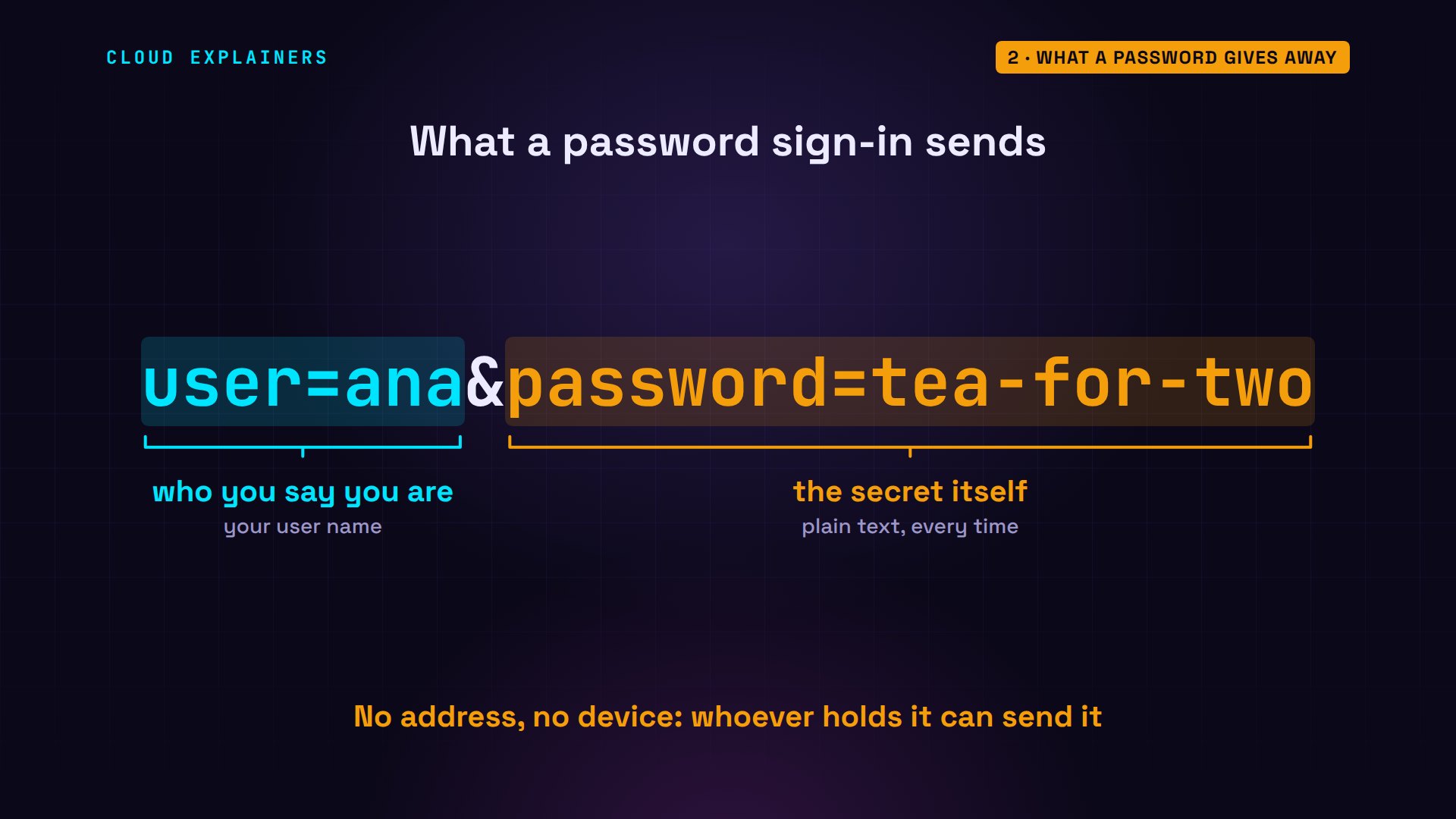
Why does a fake page work so well on passwords? Look at what a sign-in actually sends: your user name, and the password itself, as text. The shop only checks that the text matches. Nothing in it says where you typed it, or who's sending it now.
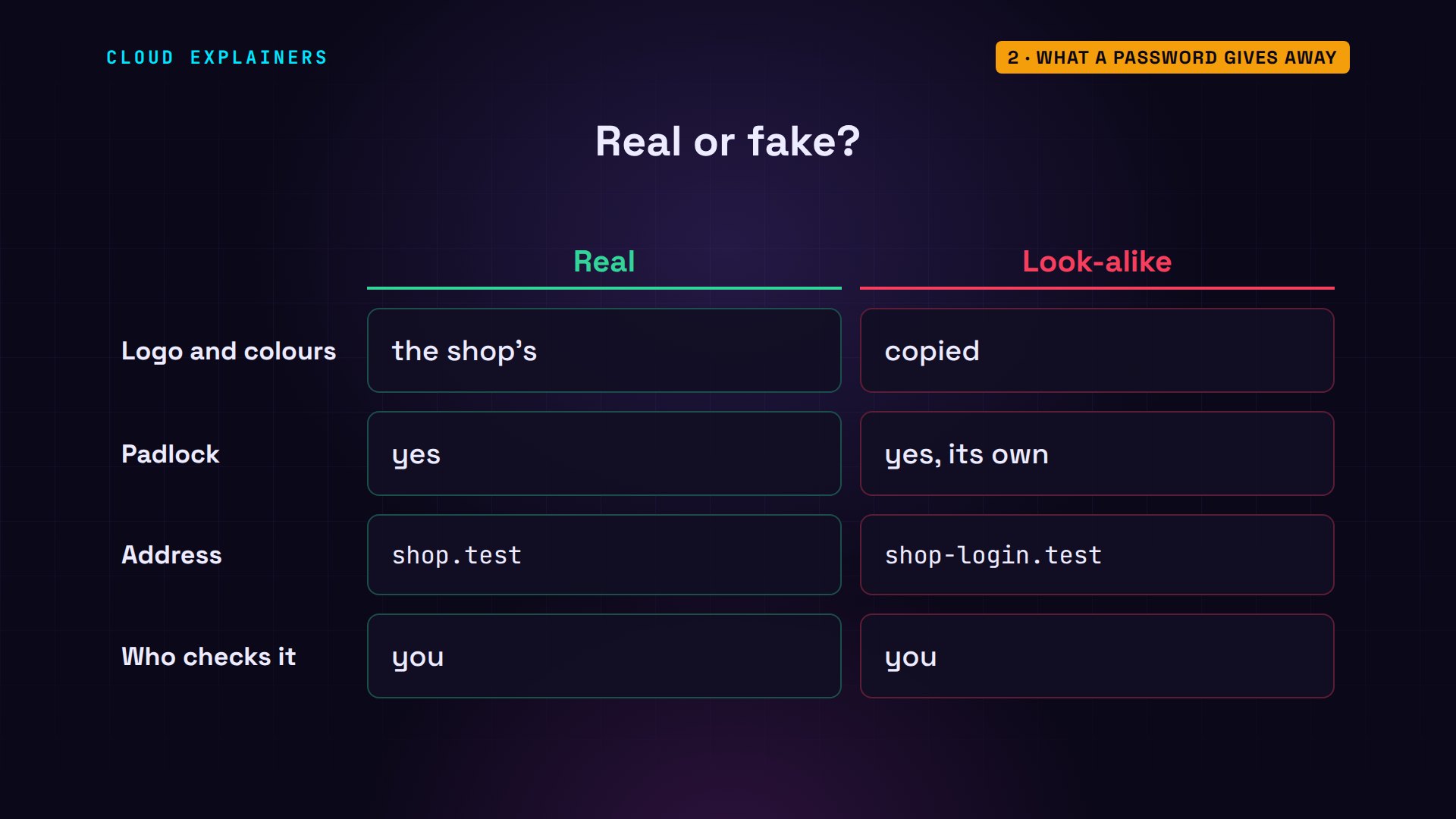
And telling the pages apart is up to you. The fake one can copy the logo, the colours, even the padlock: a fake site can get its own certificate for its own name. The only honest difference is the address, a few letters, read by a person in a hurry.
Here's what happens behind the Sign in button, in our lab. Ana's laptop sends her name and password to her shop with curl, a tool that does what the button does: welcome back, ana. One wrong letter, and it's refused. That's the whole test: the right text, from anywhere.
curl -s -d user=ana -d password=tea-for-two https://shop.test/loginWelcome back, ana
curl -s -d user=ana -d password=tea-for-tree https://shop.test/loginWrong user name or password
On the shop's server, the log line has her name and a network address. Nothing in it says which page the password was typed into.
tail -n 1 /srv/log/site.log00:31:19 password sign-in OK: ana from 172.18.0.4
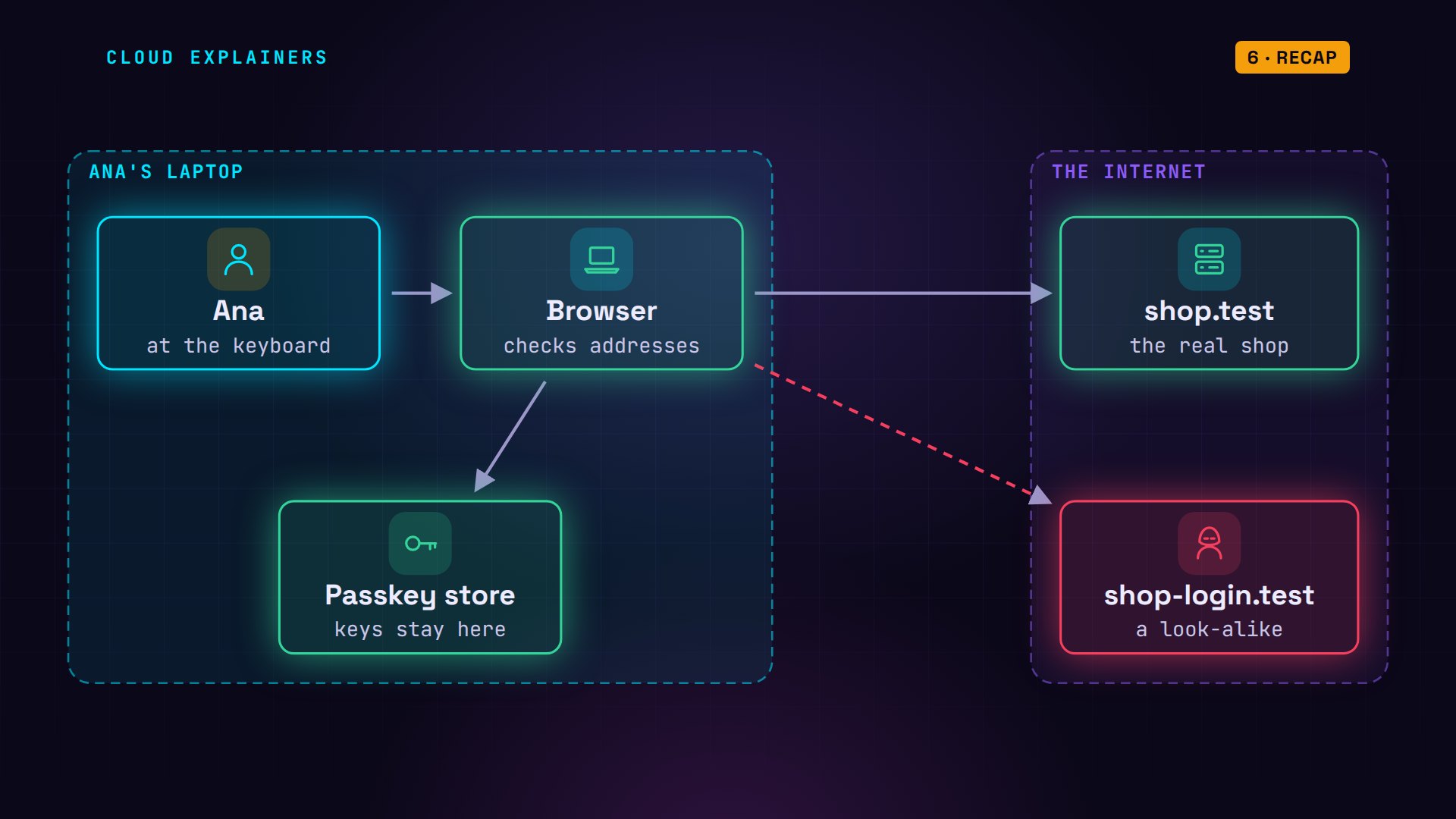
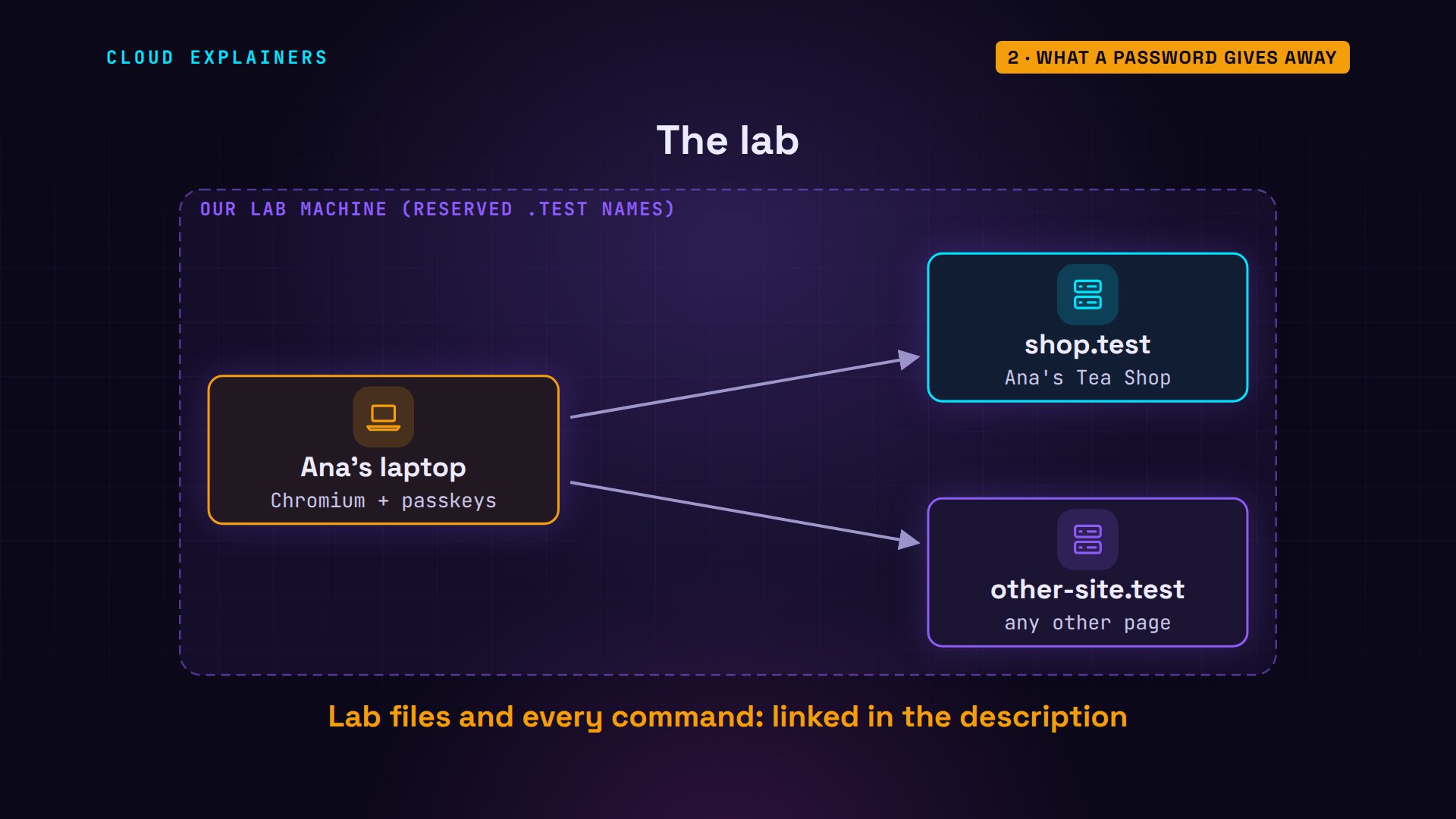
Our lab has three machines. Ana's laptop runs a real Chromium browser. Her shop runs at shop.test, and one more web site, other-site.test, stands in for any page that isn't the shop. Every command and the lab files are linked in the description.
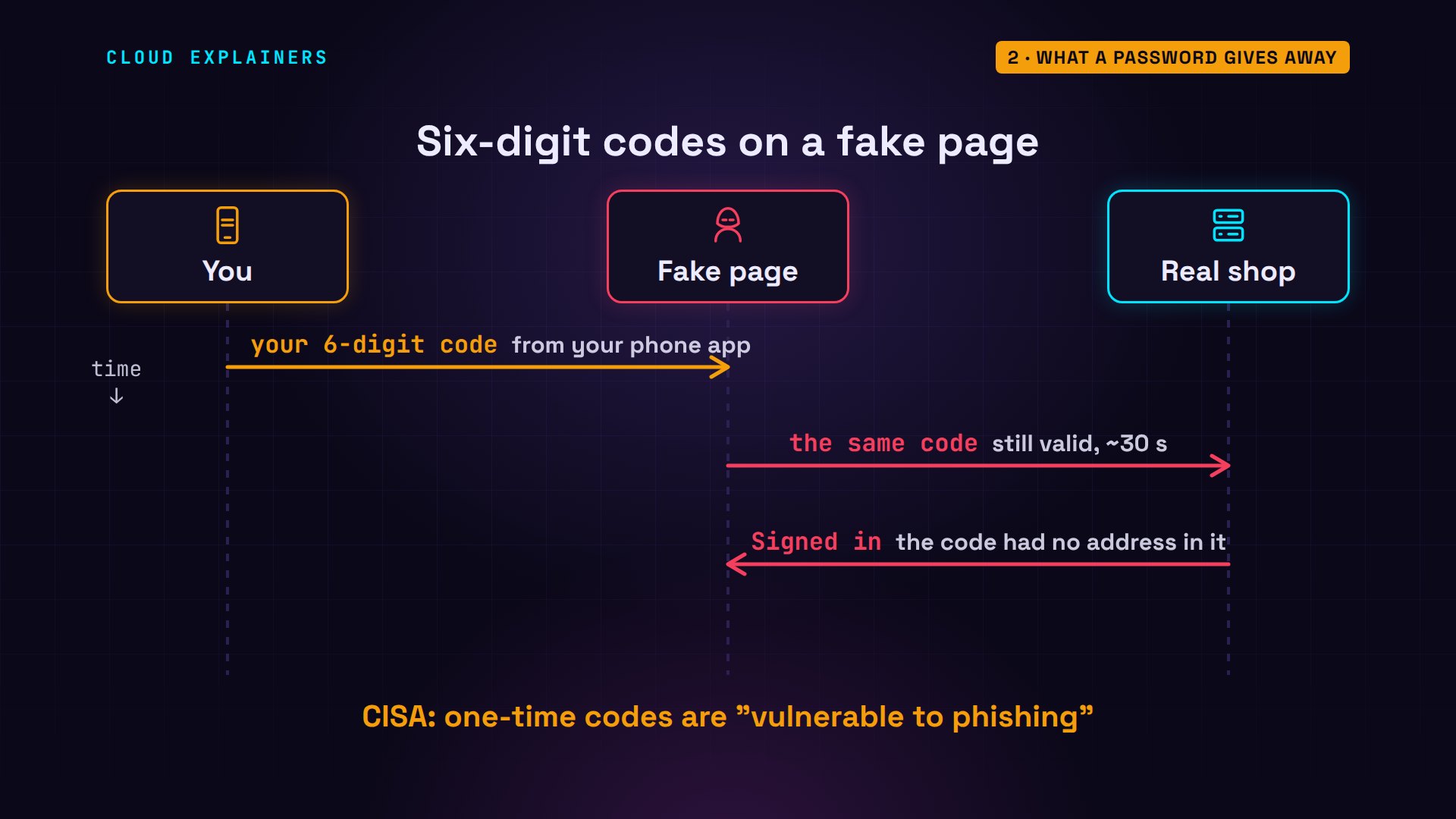
What about six-digit codes? They stop someone who only has your old password. But on a fake page, you type the code too, and a code works for any sender for about 30 seconds. Plenty of time to pass it on. The US security agency CISA lists these codes as open to phishing.
What a passkey is
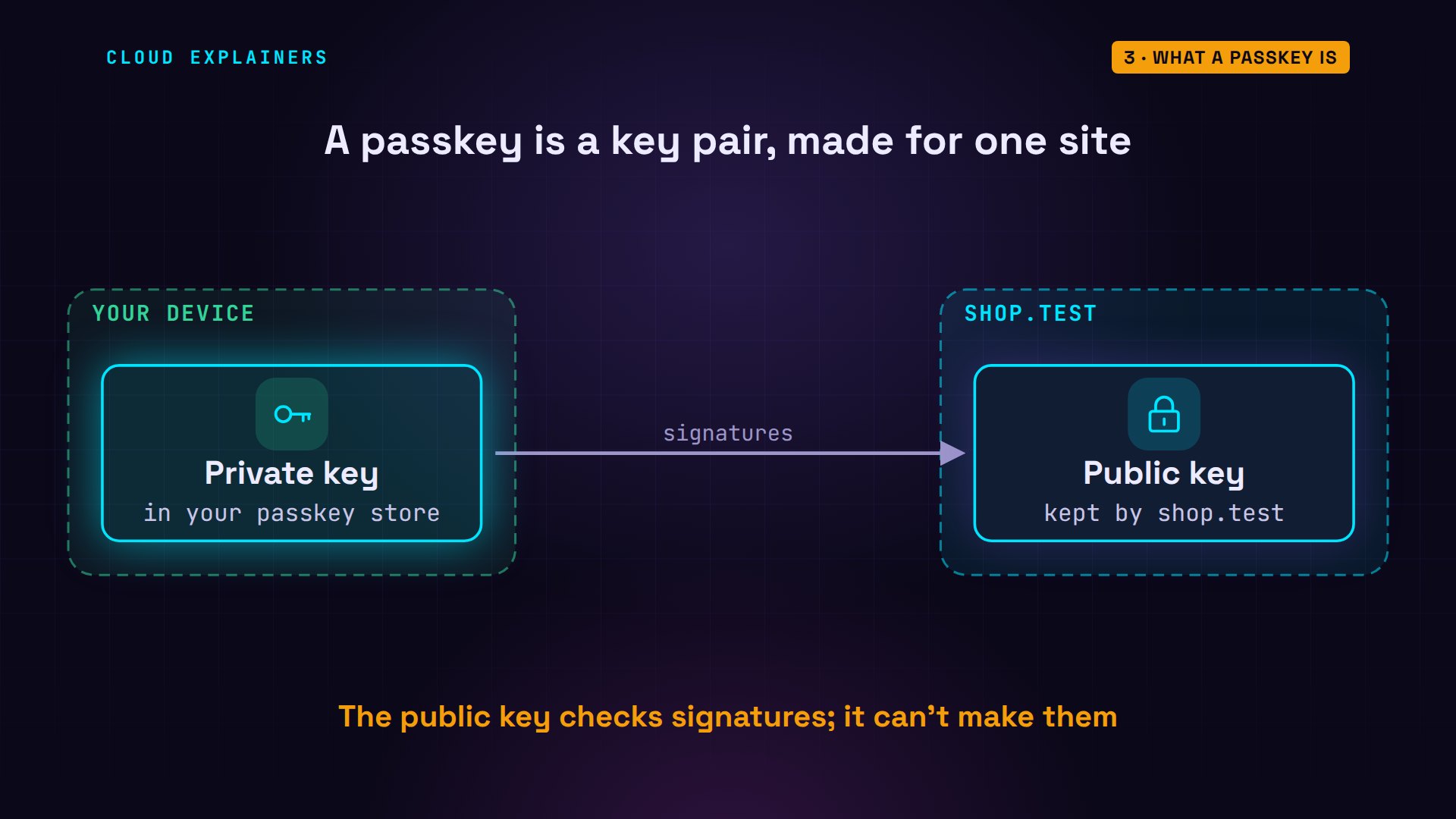
So what is a passkey, if it isn't a secret you type? It's a pair of keys, made on your device for one site. The private key stays in your passkey store, on your phone or laptop. Signing is like stamping with a seal only the private key has. The site gets only the public key, which can check that stamp, but can never make one.
Ana adds one. Her passkey store starts empty. It's a software store, standing in for the one on her phone, inside a real Chromium browser, the open-source core of Chrome, run by a small script. She opens the shop's add-a-passkey page: saved. Now the store holds one passkey, labelled with its site: shop.test.
browser passkeys0 passkey(s) in this store
browser signup https://shop.testbrowser: opened https://shop.test/signup?user=ana
page:    Passkey saved for shop.test
browser passkeys1 passkey(s) in this store
  site: shop.test   user: ana
Before we look: what do you guess the shop saved for it? A copy of the key? A new password? Your fingerprint? Or something else?
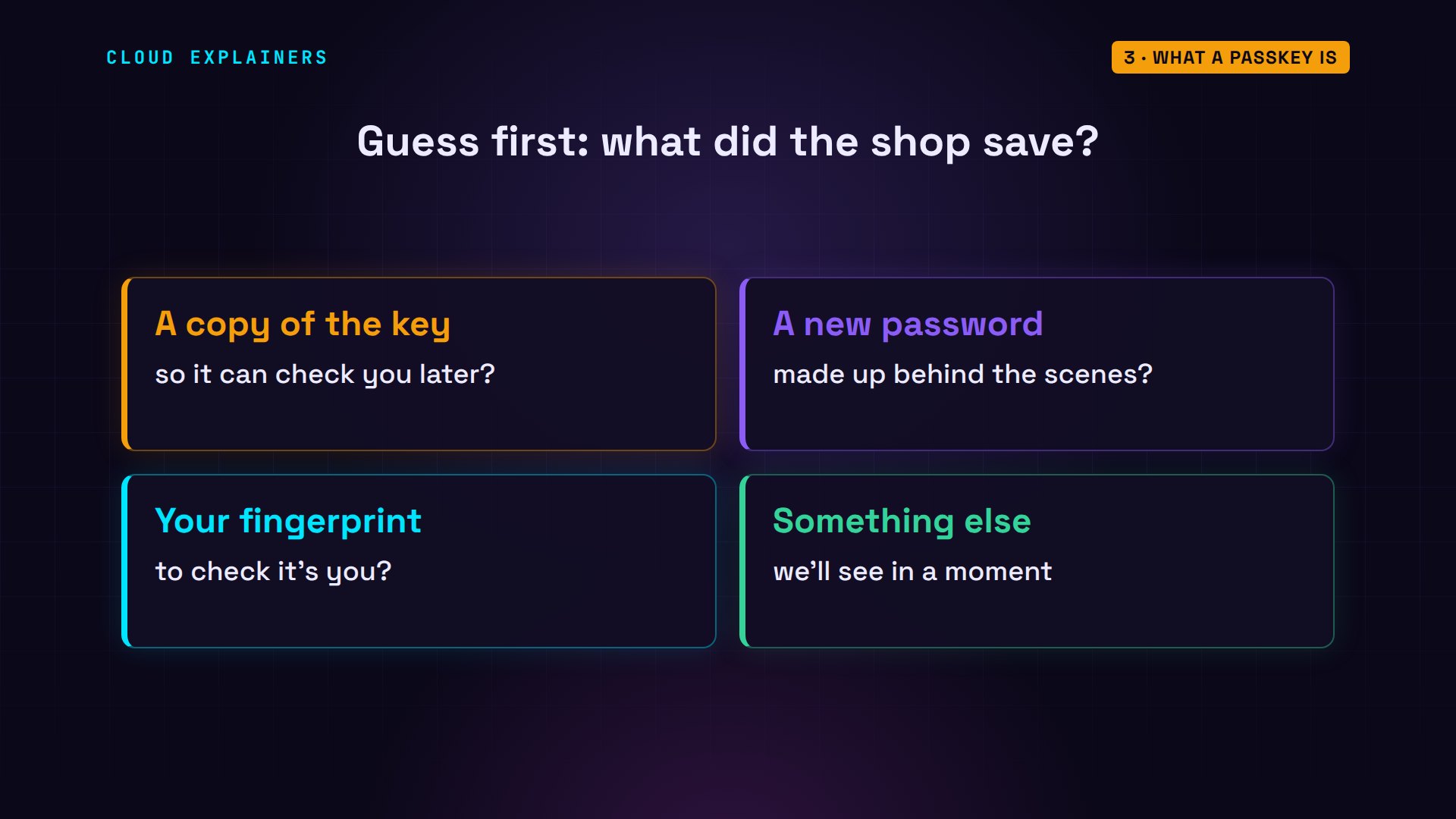
Neither. The log says: public key only. In Ana's account file, her old password is a scrambled hash, which thieves who copied this file could try to crack. The passkey is just a public key: copy it all you like, it can't sign anything.
tail -n 1 /srv/log/site.log00:31:20 passkey added: ana (stored: public key only)
jq .ana /srv/data/users.json{
  "id": "GyFvanKO_IEU7QUh6rJsFA",
  "salt": "vp0vUGPmzdYTZW8frHTuiw",
  "pw": "mWvKL4BQaG4GfqU-j04A8wbj4Efib_QQXpvDypzoGQM",
  "passkeys": [
    {
      "credential_id": "kleLCmDPMS3l09ALkX-B7L0xk_xEdbgRIYBs7hF3u60",
      "public_key": "pQECAyYgASFYIFhx5pfCl2rHHfSbbTq61nDpmjqLD1dOigqJiSwaEiLnIlggSVLW1vKd2v0V7X9vaIhrtfX5WW4fK5gH9DFfo0V8RhQ",
      "sign_count": 1
    }
  ]
}
Signing in is a short conversation. The shop sends a challenge: 64 random bytes, good for one use. The browser asks the passkey store to sign it, for shop.test. The shop checks the signature with the public key it kept. Nothing you could type, and nothing worth stealing in transit.
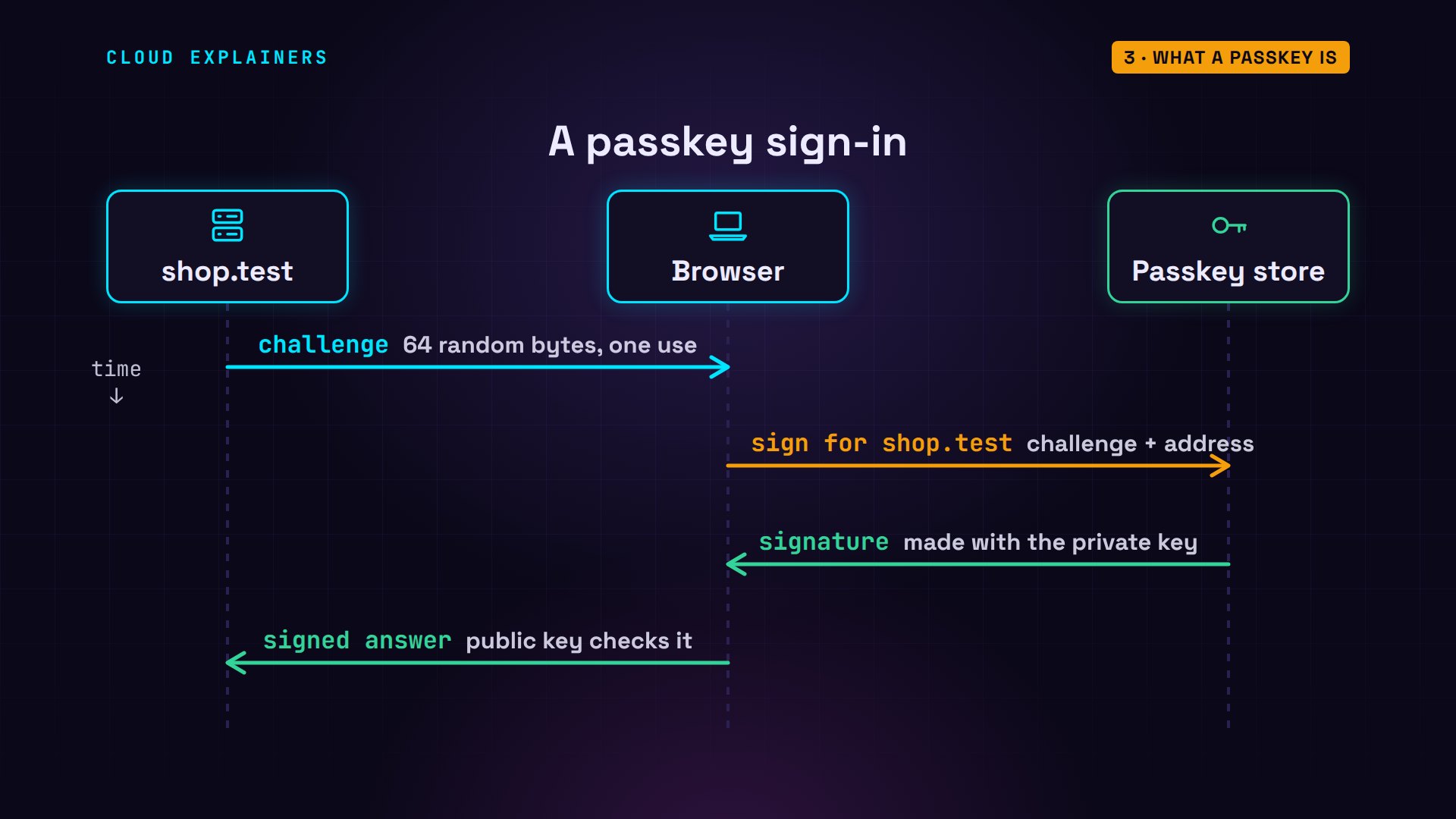
Ana signs in: welcome back. The shop's log lists what it checked: the origin, that's the page's address, https colon slash slash shop.test; the challenge it sent; and the signature.
tail -n 1 /srv/log/site.log00:31:20 passkey sign-in OK: ana (origin https://shop.test, challenge matched, signature valid)
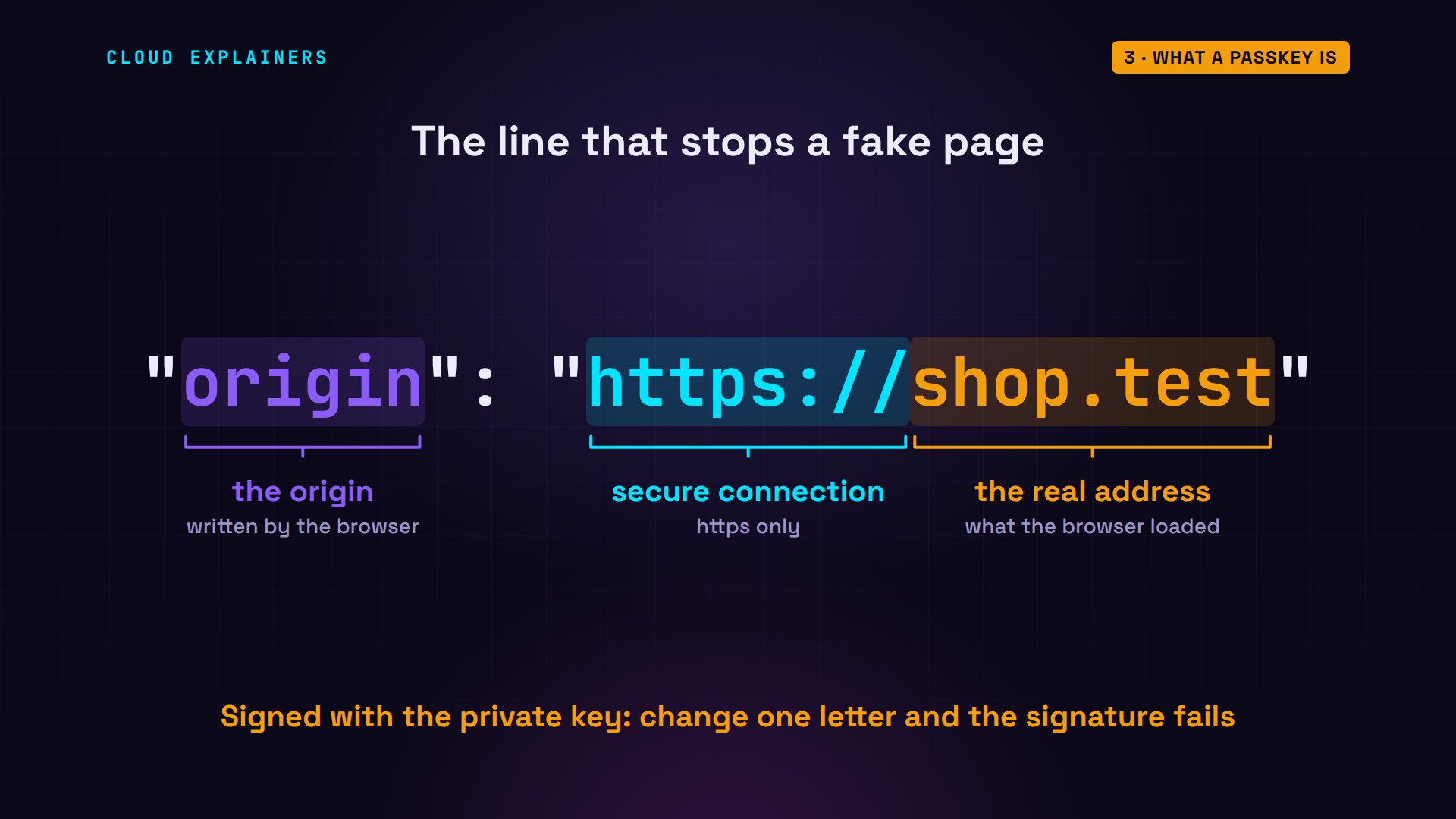
Here's the data the passkey actually signed. Its type, the shop's challenge, and the origin: the address the browser had really loaded.
browser signin https://shop.test --show-signedbrowser: opened https://shop.test/signin
page:    Welcome back, ana
signed data:
{
 "type": "webauthn.get",
 "challenge": "_H0r1o9ymX3ZgzjNPoXTm5XQdKERs95EwjVx8fVfJNM3FKoPsMJJd_lNv4kTrnmoMRsMVlgjVX3ylzQgAC_EWA",
 "origin": "https://shop.test",
 "crossOrigin": false,
 "other_keys_can_be_added_here": "do not compare clientDataJSON against a template. See https://goo.gl/yabPex"
}
That one line is the answer to our puzzle. The browser writes it, not the page. It's the exact address in the address bar, and it's inside the signature, so no one can change it afterwards without breaking it.
Why the fake page gets nothing
So how does a passkey tell a perfect copy from the real shop? It never looks at the page. The browser knows which address it really loaded, and it lets a page use only the passkeys made for that address. On shop-login.test, Ana's passkey for shop.test simply isn't offered.
Let's test the browser. Our lab's other site, other-site.test, asks for the shop's passkey by name. Before we run it: will it get one? No. A security error, before the passkey store is even asked: a page may only ask for passkeys of its own address, which the error calls the relying party. Asking for its own instead: the store has none for it, so the request just runs out.
browser signin https://other-site.test --ask-for shop.testbrowser: opened https://other-site.test/signin?ask=shop.test
browser: SecurityError: The relying party ID is not a registrable domain suffix of, nor equal to the current domain. Subsequently, an attempt to fetch the .well-known/webauthn resource of the claimed RP ID failed.
browser signin https://other-site.testbrowser: opened https://other-site.test/signin
browser: NotAllowedError: The operation either timed out or was not allowed. See: https://www.w3.org/TR/webauthn-2/#sctn-privacy-considerations-client.
The error mentions one more check. A site can let other addresses it owns use its passkeys, by listing them in a file on its own server. The browser looked for that file on shop.test, found nothing, and said no. Only the shop decides, never the page asking.
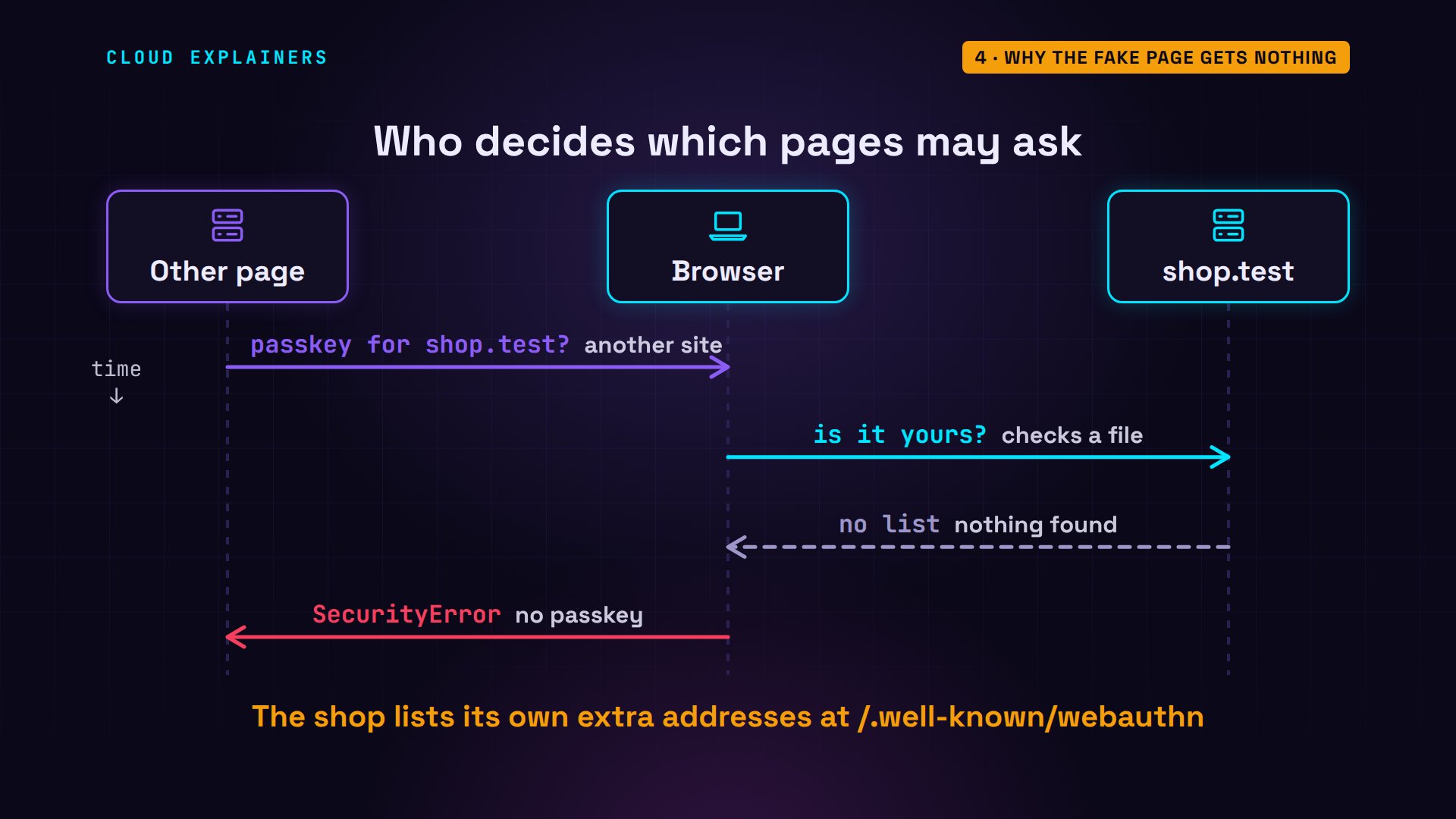
And the shop? Its log ends with Ana's own sign-ins. The other site's tries never reached it: no signature was made, so there was nothing to send.
tail -n 2 /srv/log/site.log00:31:20 passkey sign-in OK: ana (origin https://shop.test, challenge matched, signature valid)
00:31:20 passkey sign-in OK: ana (origin https://shop.test, challenge matched, signature valid)
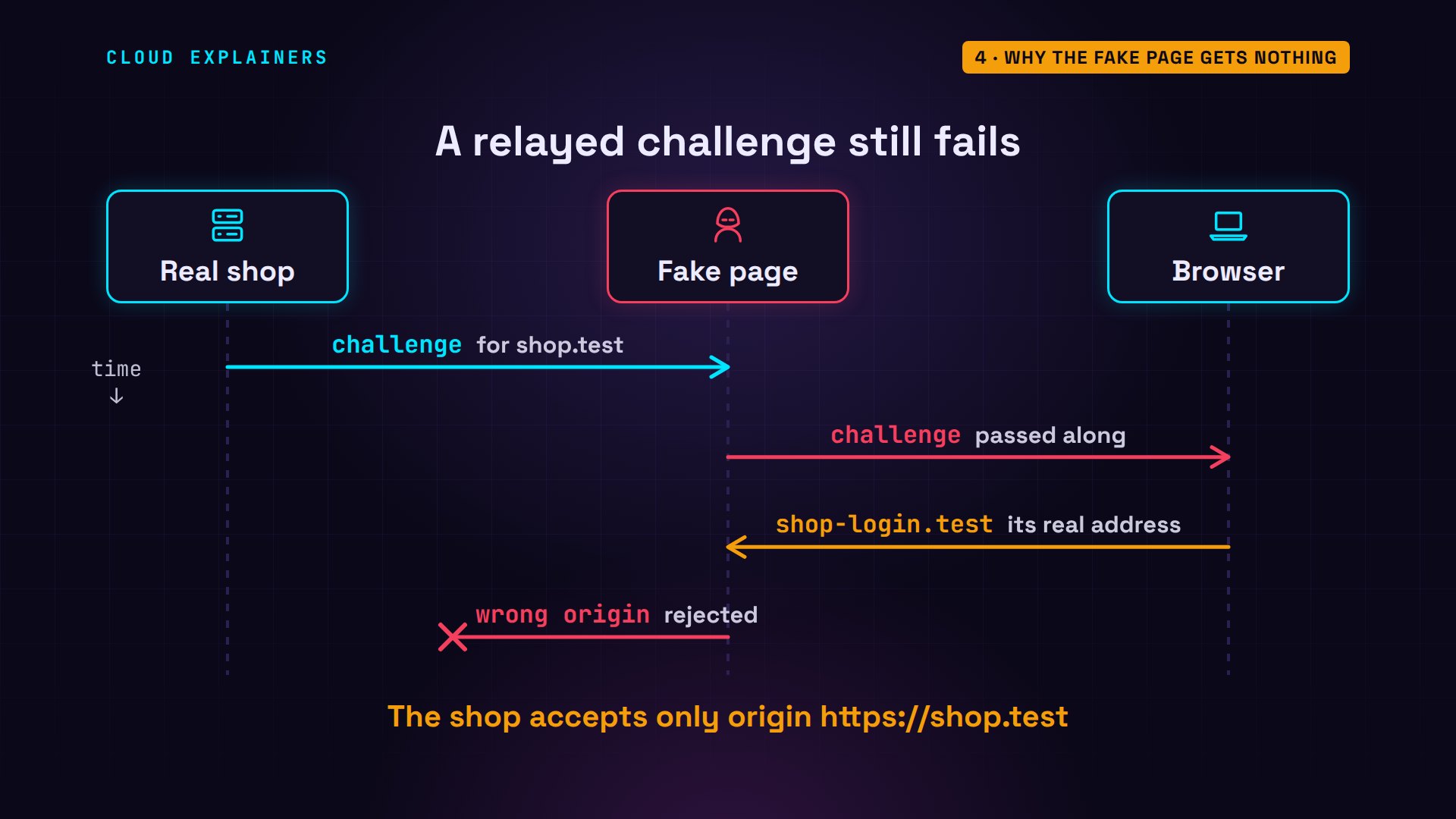
What if a fake page passes the real shop's challenge along, the way it passed the code along? Your browser still writes the address it's really on, shop-login.test, into the signed data, if it would sign at all. The shop expects its own origin, so it rejects it.
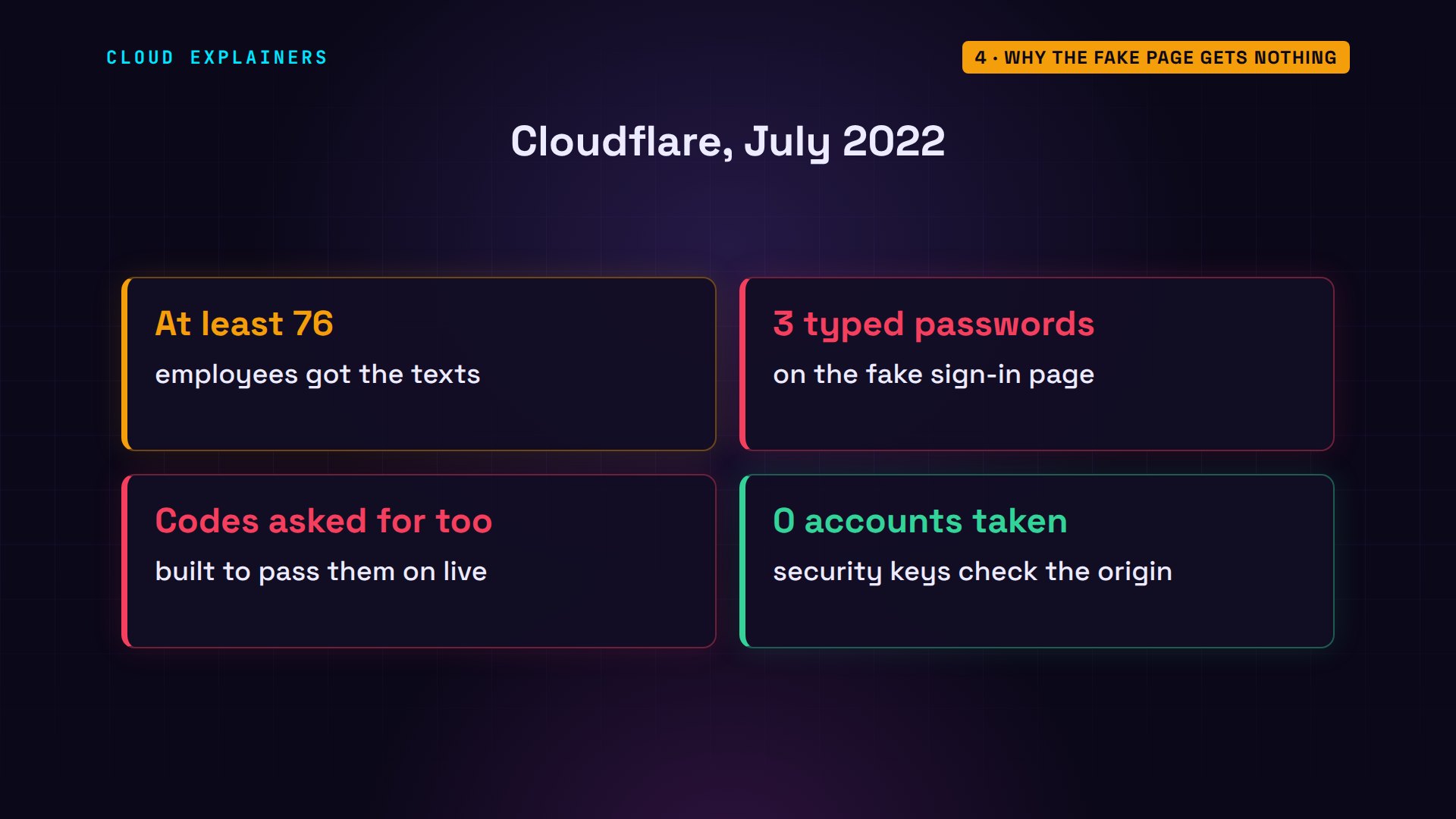
A real company faced exactly this. In July 2022, at least 76 Cloudflare employees got text messages pointing to a fake sign-in page. Three typed their passwords, and the page asked for a one-time code and passed it on, live. Nobody got in: every employee signs in with a hardware security key, which uses the same origin check as a passkey.
What passkeys don't fix
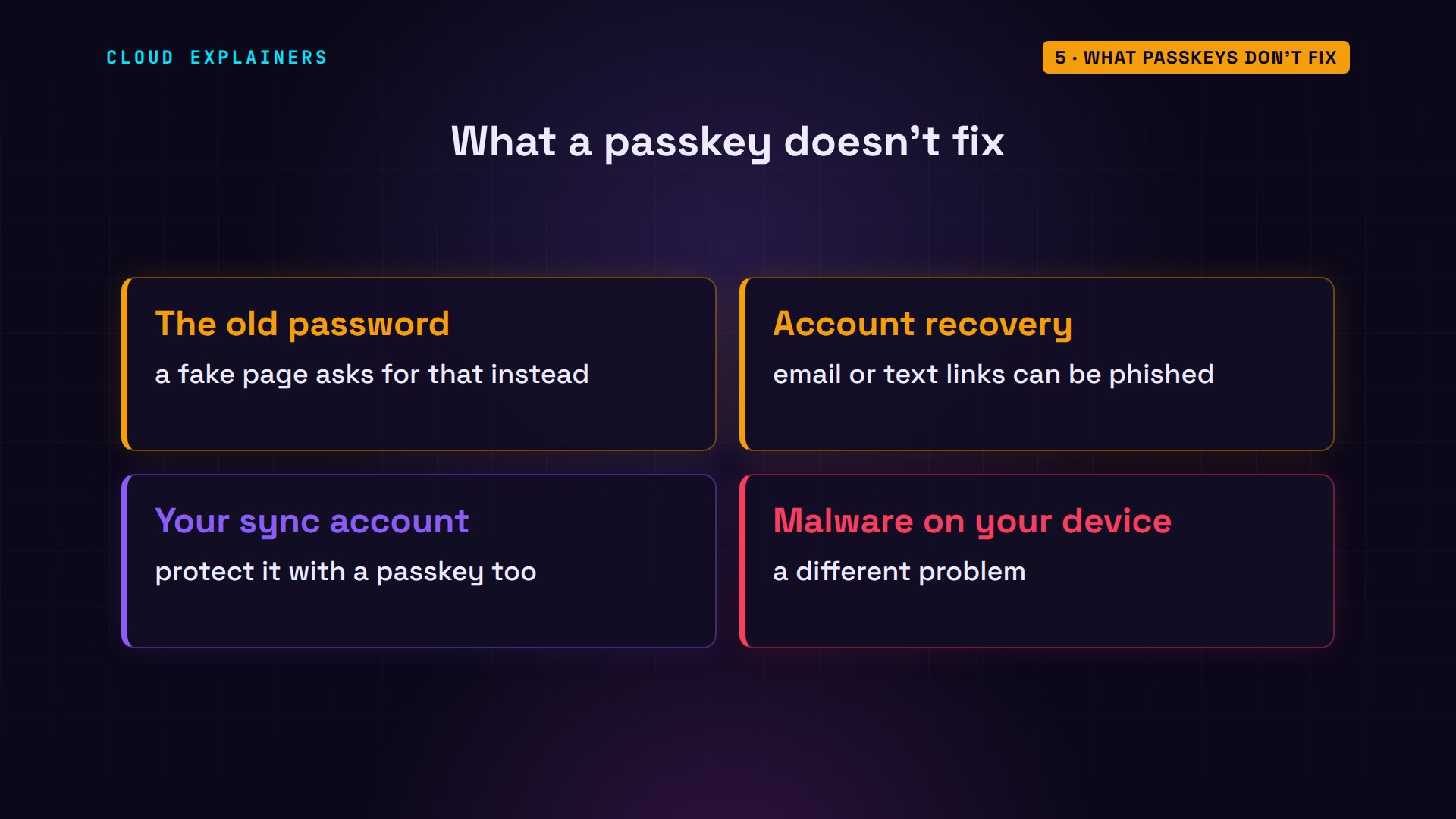
Does a passkey make you safe from every scam? No. If your account still takes a password, a fake page can just ask for that instead. Account recovery by email or text can be phished too. Synced passkeys are only as safe as the account that syncs them, and nothing here helps against malware already on your device.
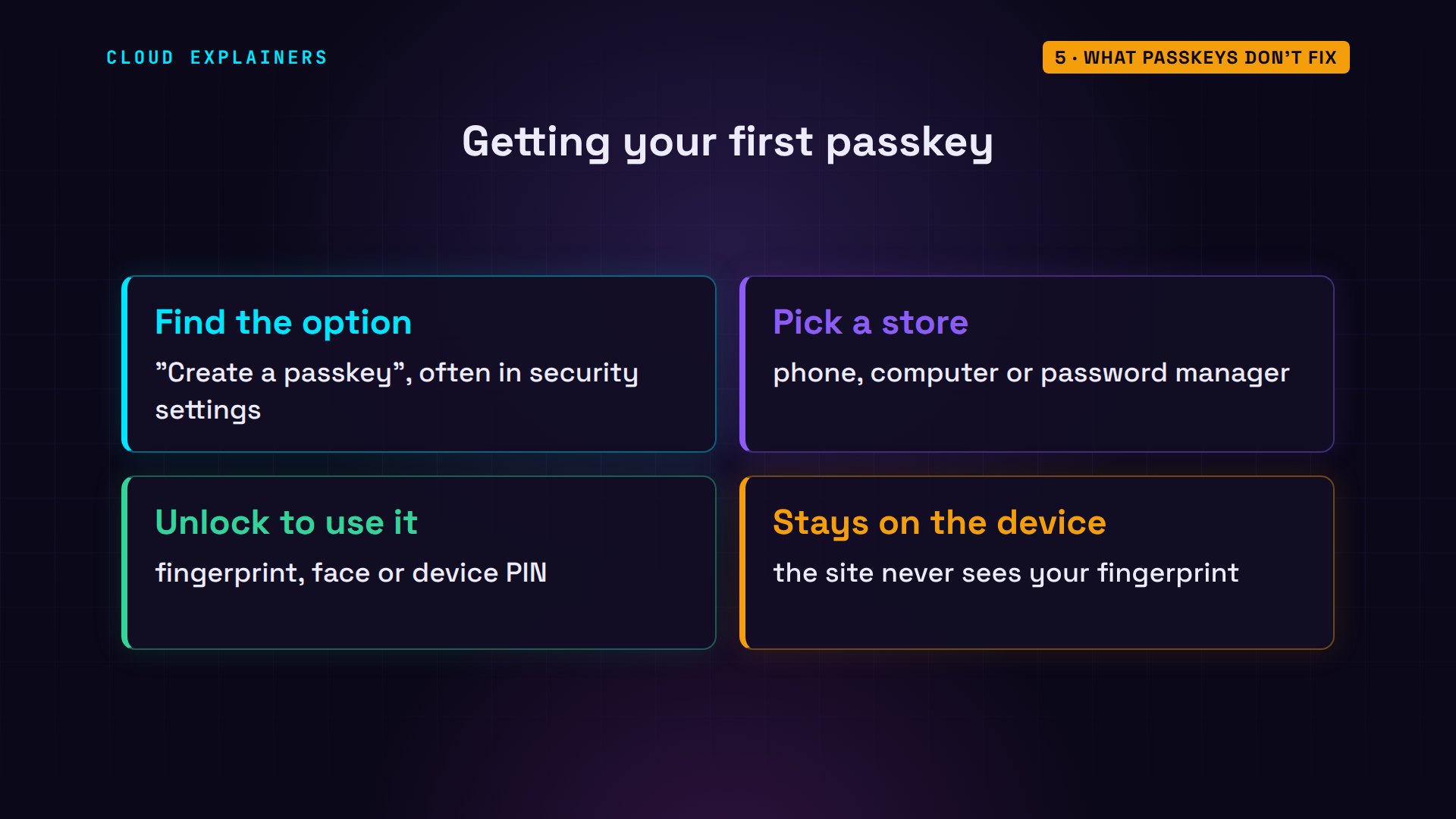
Where do you get one? Sites that support passkeys offer to create one, often in their security settings. Your phone, your computer, or your password manager stores it. Signing in then asks for your fingerprint, your face or your device PIN, and that check stays on your device: the site never sees it.
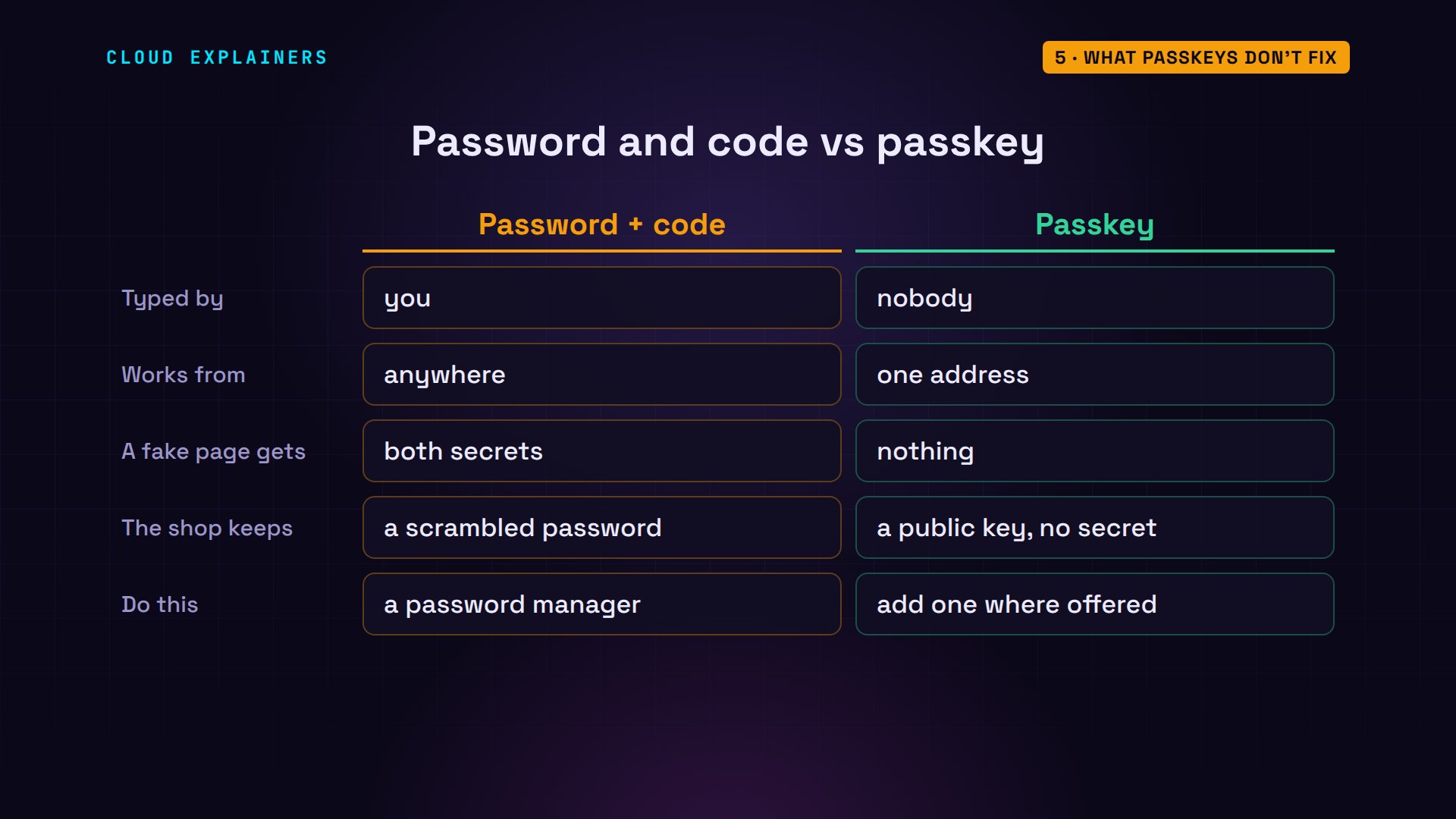
Side by side. Who types it: you, or nobody. Where it works: anywhere, or one address. What a fake page gets: both secrets, or nothing. What the shop keeps: a hash to crack, or a public key. So where a site offers a passkey, add one, and keep a password manager for the rest: it also fills only on the saved site.
Recap
So: a password is text, and anyone holding it can send it. A passkey signs, and the browser puts the real address inside the signature. A fake page gets nothing to send.
If watching the browser say no made passkeys click for you, subscribing brings the next security episode your way.
Every command and output here came from a real run: Chromium 140, and a shop server checking passkeys with py_webauthn. Thanks for watching Cloud Explainers.
Sources
- Cloudflare, The mechanics of a sophisticated phishing scam and how we stopped it (9 August 2022)
- W3C, Web Authentication Level 3 (credentials scoped to a Relying Party; the client writes the origin; the Relying Party verifies the origin and the RP ID hash)
- FIDO Alliance, Passkeys ("Passkeys are phishing resistant and secure by design")
- CISA, Implementing Phishing-Resistant MFA (one-time codes and push are vulnerable to phishing)
- py_webauthn, the server library the lab uses
- Chrome DevTools Protocol, WebAuthn domain (virtual authenticator)
Demos: three containers on our own lab machine, standing in for a laptop, a shop and another web site, with the reserved .test domain; the tea shop is made up. Watch the full video on YouTube.
More videos
What Happens When You Run a Docker Container
How to Fix Claude Code Billing Your API Key Instead of Your Plan
PowerShell vs Bash: Which One Should You Learn?

The Linux Roadmap for Beginners
Django vs FastAPI: Which One Should You Use?
Why SQLite Is the Most Used Database in the World
How a NoSQL Database Like MongoDB Works
How to Fix Python pip error: externally-managed-environment
How to Fix MySQL Too Many Connections Database Errors
Golang Concurrency Will Finally Make Sense After This
How Amazon S3 Works
How Kubernetes Works
How Git Works
How to Fix Docker Port Already Allocated Errors
How PostgreSQL Works
How to Fix Git Merge Conflicts
How to Fix No Space Left on Device in Linux
How the Internet Works
SQL vs NoSQL: When Each One Wins
How to Fix JWT Token Expired Errors (401 Unauthorized)

Claude API vs Claude Pro: Why Your Subscription Doesn't Include It

Why AI Agent Skills Beat Giant Prompts

Linux Cron Jobs Will Finally Make Sense After This

Security Logs Will Finally Make Sense After This

How to Fix a Security Leak: An API Key Pushed to GitHub

DNS Will Finally Make Sense After This

Never Ignore a Security Update

Two-Factor Authentication Will Finally Make Sense

Never Expose a Database to the Internet

SSH Keys vs Passwords: Which Is Safer for Security?

The 5 Levels of Linux Boot: From Power On to Login

The 5 Levels of Network Firewalls

Password Security: Why Hackers Crack Weak Passwords

Why Your Linux Server Runs Out of Memory

HTTP vs HTTPS: What Actually Changes on Your Network

Every Linux File Permission You Need to Know

Linux Processes vs Threads: When Each One Wins

The OSI Model Will Finally Make Sense After This

The 7 Levels of Git

Every Network Troubleshooting Command You Need

Hashing vs Encryption in Cybersecurity: When Each One Wins

Why the Internet Ran Out of IP Addresses

Linux Package Managers: apt vs Snap vs Flatpak

Why Python Is Slow (and When It Doesn't Matter)

TCP vs UDP: When Each One Wins

Stop Running Linux as Root (Do This Instead)

Linux Users and Groups Will Finally Make Sense

Why Phishing Beats Good Security (and How to Spot It)

The 7 Levels of Docker

AI Agents Will Finally Make Sense After This

Stop Using git push --force (Use This Instead)

Agent Skills vs MCP: When Each One Wins

Networking Will Finally Make Sense After This

Every Linux Command You Actually Need

The 7 Levels of Cybersecurity

Every System Design Concept You Need, in One Diagram
