
Redis: Full Tutorial for Beginners
Redis for complete beginners, on a real Ubuntu machine: installing Ubuntu's redis-server, redis-cli, keys and strings, INCR counters, keys that expire (EX and TTL), hashes, lists as a job queue with BRPOP between two PCs, sets and sorted sets, KEYS vs SCAN, surviving a restart and a kill -9 with snapshots and AOF, a Python cache with redis-py, maxmemory and eviction policies, and opening Redis to the network with bind, protected mode and a password.
A garage's job board
You keep hearing Redis is fast, and you don't know what it's for. Here's one job it does. Linda runs a small auto repair garage. In the workshop bay, Rob's PC waits for the next car. At the front desk, Linda queues job 1007, and it lands on Rob's screen the moment she does.
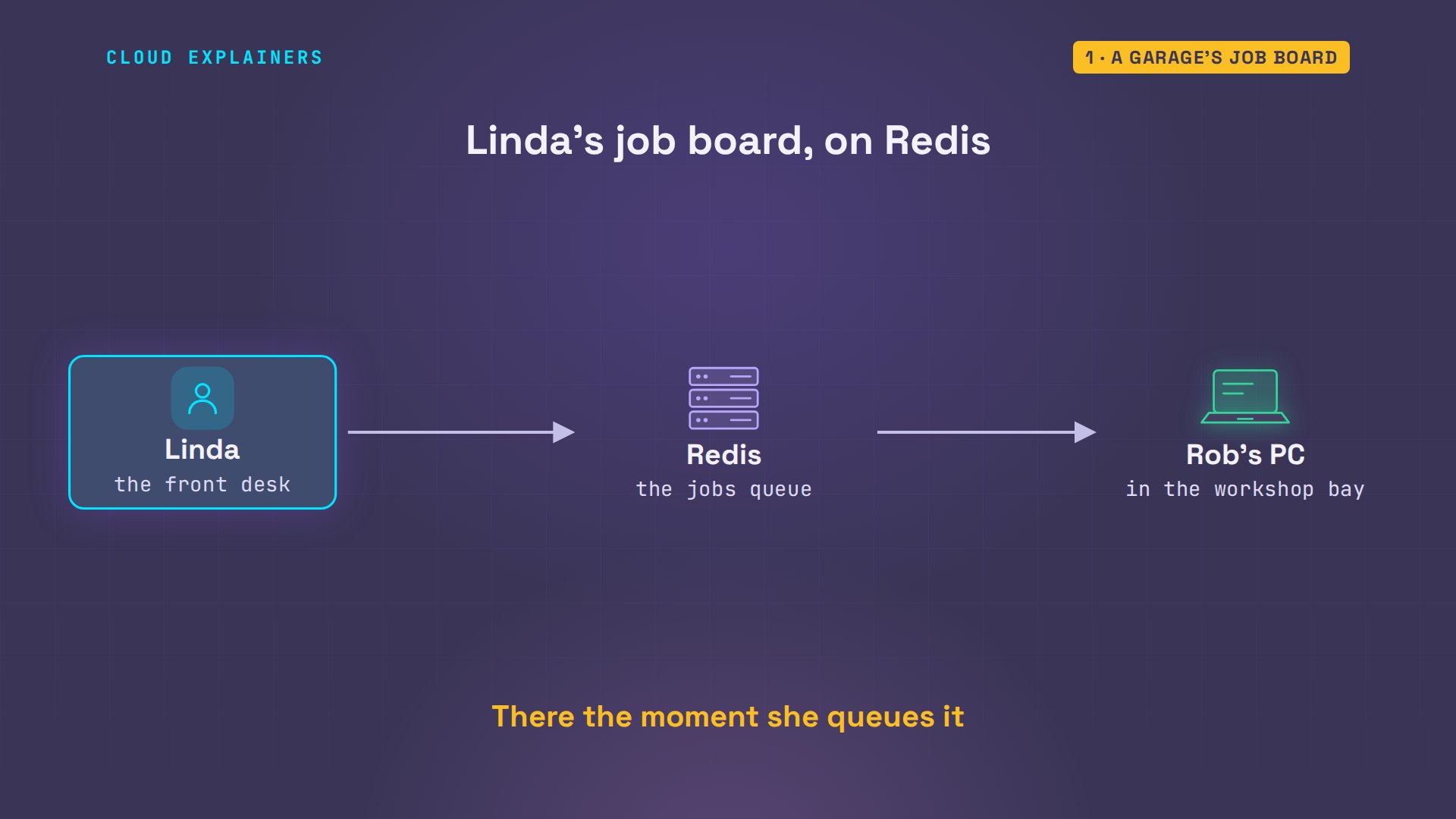
Rob didn't click or refresh anything: his screen just waited, details and all. You'll build it from an empty Ubuntu machine, make a slow query hundreds of times faster, survive a crash, and lock it down.
127.0.0.1:6379> HSET job:1007 car "2019 Ford F-150" owner Sam status waiting(integer) 3
127.0.0.1:6379> LPUSH jobs 1007(integer) 1
garage:6379> BRPOP jobs 01) "jobs"
2) "1007"
(5.10s)
garage:6379> HGETALL job:10071) "car"
2) "2019 Ford F-150"
3) "owner"
4) "Sam"
5) "status"
6) "waiting"
What Redis is
Think of the whiteboard behind the garage's front desk. Today's jobs, who's in which bay, which parts are on order. Anyone glances at it and knows in a second. The filing cabinet in the back holds every invoice for years: complete, but slow to dig through. Redis is the whiteboard. Your main database is the filing cabinet. Most apps use both.
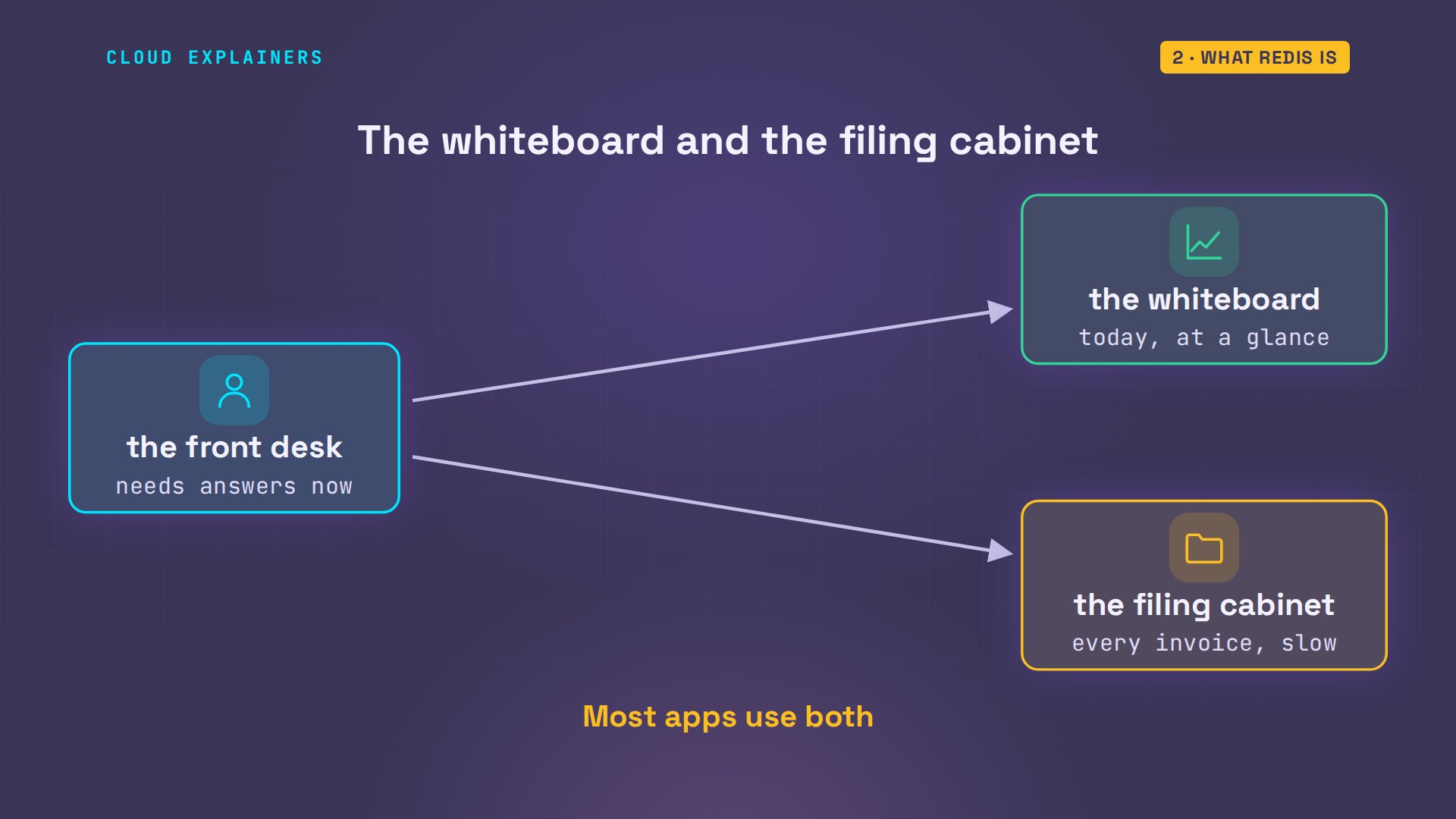
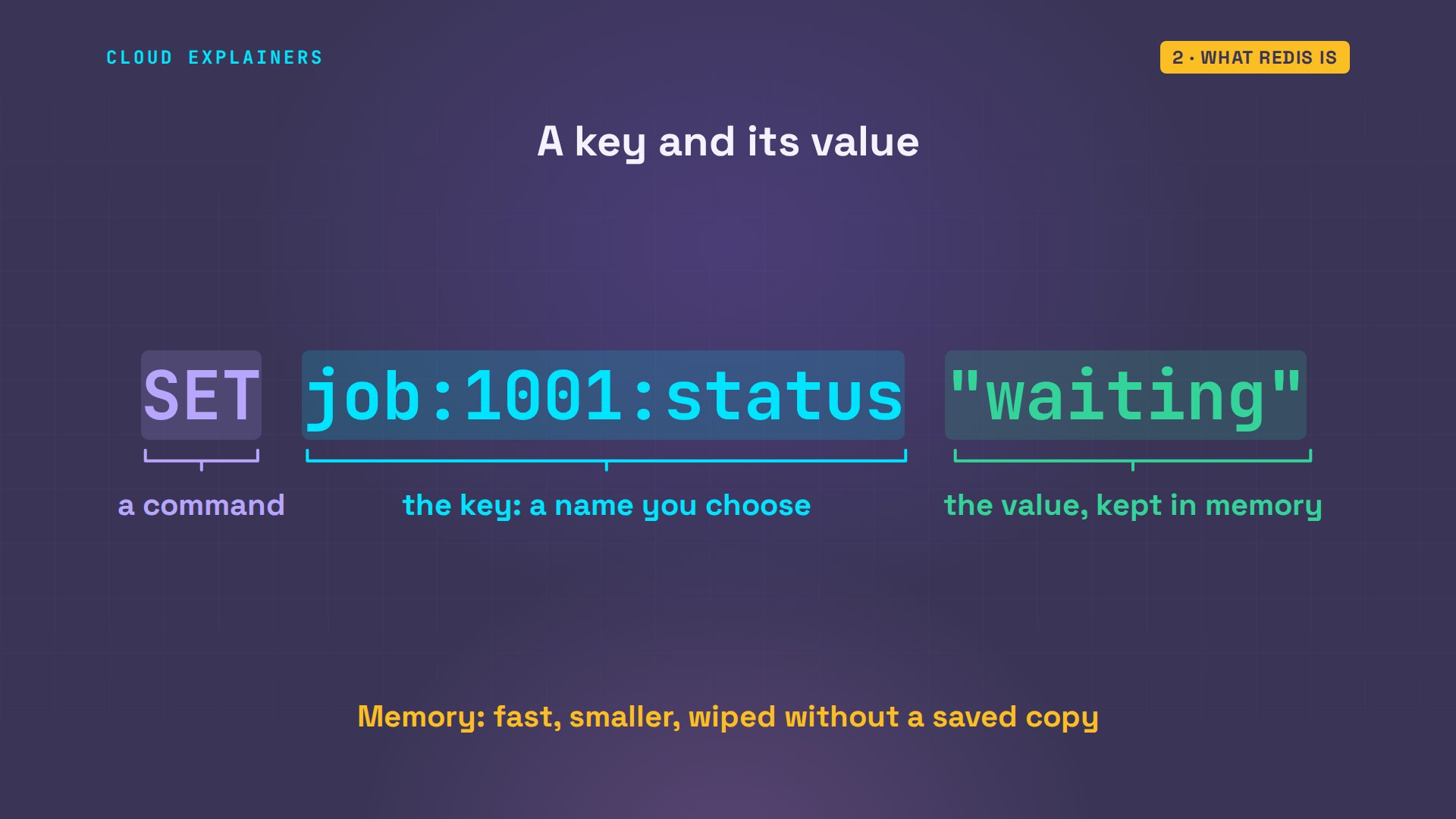
In computer terms, Redis keeps its data in the computer's memory, not on its disk. Every piece of data has a name, called a key, and you read and write it by that name. Memory is far faster than a disk, so answers come back in a fraction of a millisecond. The trade-off: memory is smaller, and it's wiped when the power goes. Redis can save a copy to disk to cover that, and you'll set that up later. It also runs your commands strictly one at a time, so two commands never trip over each other halfway through.
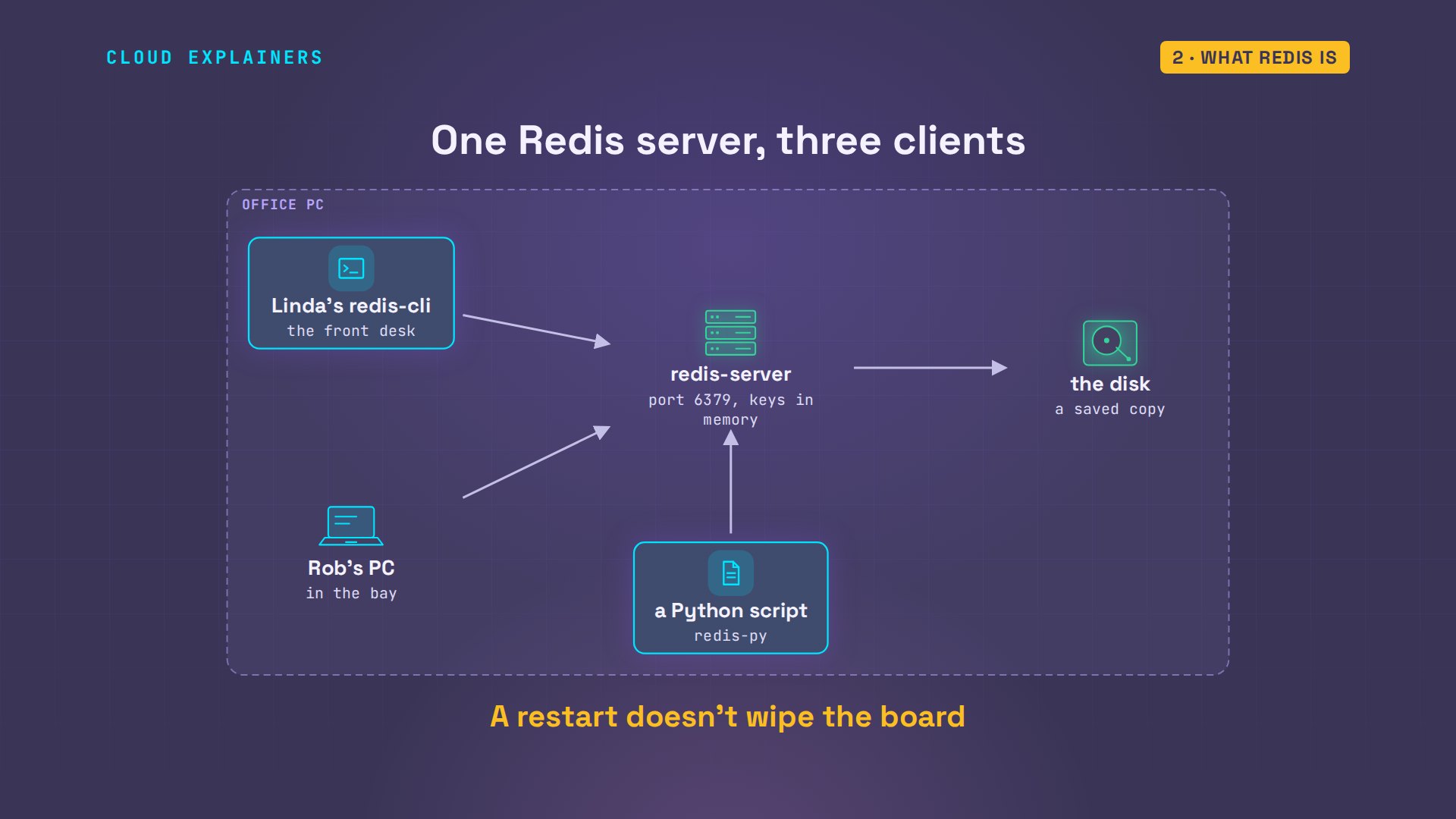
Here's what you'll set up. One Redis server on the garage's office PC. Linda's terminal, Rob's PC in the bay, and a small Python script all talk to it, on port 6379, the number Redis listens on. Inside, it keeps every key in memory, and from time to time writes a copy to disk, so a restart doesn't wipe the board.
Installing Redis
Linda's office PC is a fresh Ubuntu 24.04. No Redis yet: redis-cli isn't found. So she installs Ubuntu's package, redis-server. It brings redis-tools along, which holds redis-cli, the command-line client. And it sets Redis up as a service, so it starts by itself whenever the PC does.
redis-cli ping-bash: redis-cli: command not found
sudo apt install -y redis-serverReading package lists... Done
Building dependency tree... Done
Reading state information... Done
The following additional packages will be installed:
  libatomic1 libjemalloc2 liblzf1 redis-tools
Suggested packages:
  ruby-redis
The following NEW packages will be installed:
  libatomic1 libjemalloc2 liblzf1 redis-server redis-tools
0 upgraded, 5 newly installed, 0 to remove and 2 not upgraded.
Need to get 0 B/1445 kB of archives.
After this operation, 7694 kB of additional disk space will be used.
debconf: delaying package configuration, since apt-utils is not installed

Selecting previously unselected package libatomic1:arm64.
(Reading database ... 7747 files and directories currently installed.)
Preparing to unpack .../libatomic1_14.2.0-4ubuntu2~24.04.1_arm64.deb ...
Progress: [  0%] [..........................................................] Progress: [  5%] [##........................................................] Unpacking libatomic1:arm64 (14.2.0-4ubuntu2~24.04.1) ...
Progress: [ 10%] [#####.....................................................] Selecting previously unselected package libjemalloc2:arm64.
Preparing to unpack .../libjemalloc2_5.3.0-2build1_arm64.deb ...
Progress: [ 14%] [########..................................................] Unpacking libjemalloc2:arm64 (5.3.0-2build1) ...
Progress: [ 19%] [###########...............................................] Selecting previously unselected package liblzf1:arm64.
Preparing to unpack .../liblzf1_3.6-4_arm64.deb ...
Progress: [ 24%] [#############.............................................] Unpacking liblzf1:arm64 (3.6-4) ...
Progress: [ 29%] [################..........................................] Selecting previously unselected package redis-tools.
Preparing to unpack .../redis-tools_5%3a7.0.15-1ubuntu0.24.04.5_arm64.deb ...
Progress: [ 33%] [###################.......................................] Unpacking redis-tools (5:7.0.15-1ubuntu0.24.04.5) ...
Progress: [ 38%] [######################....................................] Selecting previously unselected package redis-server.
Preparing to unpack .../redis-server_5%3a7.0.15-1ubuntu0.24.04.5_arm64.deb ...
Progress: [ 43%] [########################..................................] Unpacking redis-server (5:7.0.15-1ubuntu0.24.04.5) ...
Progress: [ 48%] [###########################...............................] Setting up libjemalloc2:arm64 (5.3.0-2build1) ...
Progress: [ 52%] [##############################............................] Progress: [ 57%] [#################################.........................] Setting up liblzf1:arm64 (3.6-4) ...
Progress: [ 62%] [###################################.......................] Progress: [ 67%] [######################################....................] Setting up libatomic1:arm64 (14.2.0-4ubuntu2~24.04.1) ...
Progress: [ 71%] [#########################################.................] Progress: [ 76%] [############################################..............] Setting up redis-tools (5:7.0.15-1ubuntu0.24.04.5) ...
Progress: [ 81%] [##############################################............] Progress: [ 86%] [#################################################.........] Setting up redis-server (5:7.0.15-1ubuntu0.24.04.5) ...
Progress: [ 90%] [####################################################......] Created symlink /etc/systemd/system/redis.service → /usr/lib/systemd/system/redis-server.service.
Created symlink /etc/systemd/system/multi-user.target.wants/redis-server.service → /usr/lib/systemd/system/redis-server.service.
Progress: [ 95%] [#######################################################...] Processing triggers for libc-bin (2.39-0ubuntu8.9) ...
First, Ubuntu's tool for background services, systemctl, says it's active. The version is 7.0.15, the one Ubuntu 24.04 ships. And redis-cli ping gets back PONG: the server is up and answering.
systemctl is-active redis-serveractive
redis-server --versionRedis server v=7.0.15 sha=00000000:0 malloc=jemalloc-5.3.0 bits=64 build=d064f9f48c901a92
redis-cli pingPONG
Keys, strings and counters
How do you put something in? Typing redis-cli on its own opens its prompt, showing where it's connected: 127.0.0.1, this machine, port 6379. SET stores a value under a key. Linda's key is job colon 1001 colon status. The colons mean nothing to Redis; they're a naming habit that keeps keys grouped and readable. GET reads it back. Ask for a key that doesn't exist, and Redis answers nil: nothing there, and no error. And SET on a key that exists replaces the value.
redis-cli
127.0.0.1:6379> SET job:1001:status waitingOK
127.0.0.1:6379> GET job:1001:status"waiting"
127.0.0.1:6379> GET job:1002:status(nil)
127.0.0.1:6379> SET job:1001:status "in bay 2"OK
127.0.0.1:6379> GET job:1001:status"in bay 2"
Redis can count, too. INCR adds one to a number, starting from zero if the key is missing: one, two, three cars today. It happens inside Redis in a single step, so two people pressing it at the same moment never lose a count. GET shows it in quotes, because Redis keeps it as a string of digits. DEL deletes a key, and EXISTS answers zero: it's gone.
127.0.0.1:6379> INCR cars:today(integer) 1
127.0.0.1:6379> INCR cars:today(integer) 2
127.0.0.1:6379> INCR cars:today(integer) 3
127.0.0.1:6379> GET cars:today"3"
127.0.0.1:6379> DEL job:1001:status(integer) 1
127.0.0.1:6379> EXISTS job:1001:status(integer) 0
One more string trick. Rob and Sam both want bay two. SET with NX only sets the key if it doesn't exist yet. Rob claims it first: OK. Sam's claim a moment later gets nil: the bay is taken, and nothing was overwritten. EX thirty makes the claim end by itself after thirty seconds, so a bay is never stuck if someone forgets to let go.
127.0.0.1:6379> SET bay:2 rob NX EX 30OK
127.0.0.1:6379> SET bay:2 sam NX EX 30(nil)
127.0.0.1:6379> GET bay:2"rob"
Keys that expire
Some data should go stale by itself. A customer asks for a brake quote, and Linda stores it with EX twenty: the key deletes itself after twenty seconds. TTL, time to live, shows the seconds left: 20. Twenty-one seconds later, TTL says minus two, which means the key no longer exists, and GET says nil. The day's car count has no expiry, so its TTL is minus one. Expiring keys are how Redis handles quotes, login sessions and cached pages.
127.0.0.1:6379> SET quote:1001 "brakes: $340" EX 20OK
127.0.0.1:6379> TTL quote:1001(integer) 20
127.0.0.1:6379> GET quote:1001"brakes: $340"
127.0.0.1:6379> TTL quote:1001(integer) -2
127.0.0.1:6379> GET quote:1001(nil)
127.0.0.1:6379> TTL cars:today(integer) -1
Counters and expiry together make a rate limit. Say the garage's website allows each visitor three quote requests a minute. Each request does INCR on that visitor's key, here quotes colon pat. When INCR answers one, the website's code knows this is the first request, so it sets EXPIRE sixty, so the count wipes itself a minute later. Two and three are fine. The fourth request gets four, over the limit, so the website's own code would turn it away. TTL shows how long until Pat can ask again.
127.0.0.1:6379> INCR quotes:pat(integer) 1
127.0.0.1:6379> EXPIRE quotes:pat 60(integer) 1
127.0.0.1:6379> INCR quotes:pat(integer) 2
127.0.0.1:6379> INCR quotes:pat(integer) 3
127.0.0.1:6379> INCR quotes:pat(integer) 4
127.0.0.1:6379> TTL quotes:pat(integer) 60
Hashes: one key, many fields
A job has more than a status. A hash keeps several fields under one key, like a small form. HSET job colon 1001 sets the car, the owner and the status in one go: three fields. HGET reads one field. HGETALL reads them all, as field, value, field, value. And HINCRBY adds to a number inside it: two hours of work so far.
127.0.0.1:6379> HSET job:1001 car "2015 Honda Civic" owner Pat status waiting(integer) 3
127.0.0.1:6379> HGET job:1001 car"2015 Honda Civic"
127.0.0.1:6379> HGETALL job:10011) "car"
2) "2015 Honda Civic"
3) "owner"
4) "Pat"
5) "status"
6) "waiting"
127.0.0.1:6379> HINCRBY job:1001 hours 2(integer) 2
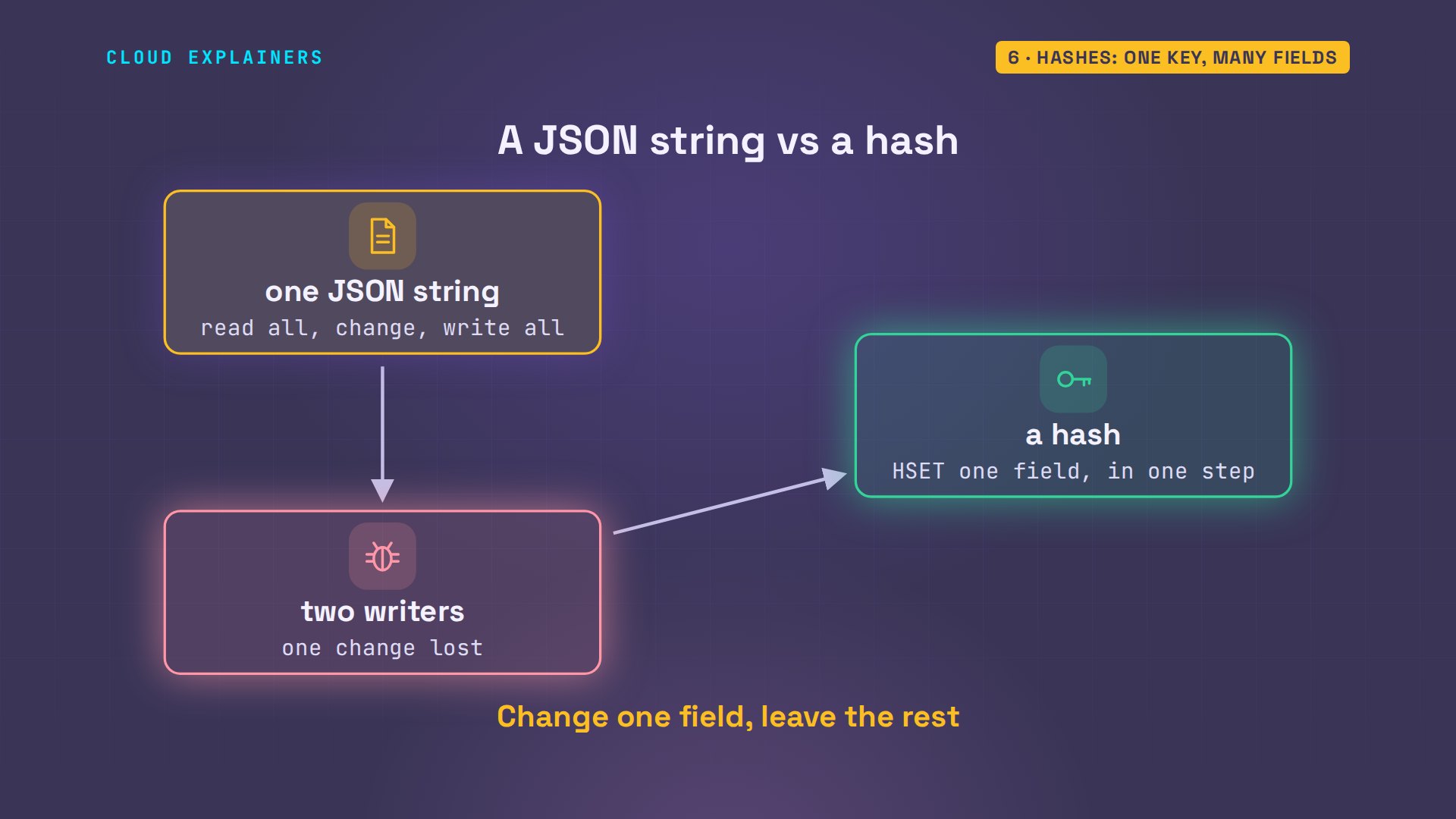
Why not store the whole job as one string of JSON? You can. But to change just the status, your program reads the whole string, changes it, and writes it all back. If Rob does the same at the same moment, one of the two changes is lost. With a hash, HSET changes one field, inside Redis, in one step. The other fields aren't touched.
Hashes and expiry together give you login sessions. When Linda signs in to the garage's booking site, it keeps her session in a hash: who she is, and her role. EXPIRE eighteen hundred gives it thirty minutes. Each time she clicks, the site can set that again, so she's signed out only after thirty quiet minutes, and Redis does the cleaning up.
127.0.0.1:6379> HSET session:7f3a9c user linda role front-desk(integer) 2
127.0.0.1:6379> EXPIRE session:7f3a9c 1800(integer) 1
127.0.0.1:6379> TTL session:7f3a9c(integer) 1800
127.0.0.1:6379> HGETALL session:7f3a9c1) "user"
2) "linda"
3) "role"
4) "front-desk"
Now Linda types GET job:1001, out of habit. Redis refuses with a wrong type error: this key holds a different kind of value. GET only reads plain strings. Each key holds one type of value, and each type has its own commands. When you're not sure what a key holds, TYPE tells you: hash.
127.0.0.1:6379> GET job:1001(error) WRONGTYPE Operation against a key holding the wrong kind of value
127.0.0.1:6379> TYPE job:1001hash
Lists: a queue of jobs
Cars waiting for a mechanic need an order. A list keeps its items in order. LPUSH adds job numbers to the left end: 1001, then 1002, then 1003. LRANGE shows a range of the list. Minus one means the last item, so zero to minus one shows it all, newest on the left. RPOP takes one off the right end: 1001, the first one in. Push on the left, pop on the right, and you have a first-in, first-out queue.
127.0.0.1:6379> LPUSH jobs 1001 1002 1003(integer) 3
127.0.0.1:6379> LRANGE jobs 0 -11) "1003"
2) "1002"
3) "1001"
127.0.0.1:6379> RPOP jobs"1001"
Two more list commands you'll use. LLEN counts what's waiting: two jobs left in the queue. And a list makes a short activity log. Linda pushes four events, then LTRIM zero two keeps only the newest three. Push and trim every time, and the log never grows past three lines.
127.0.0.1:6379> LLEN jobs(integer) 2
127.0.0.1:6379> LPUSH log "08:02 Civic in bay 1" "08:15 F-150 in bay 2" "08:40 RAV4 waiting" "09:05 Civic done"(integer) 4
127.0.0.1:6379> LTRIM log 0 2OK
127.0.0.1:6379> LRANGE log 0 -11) "09:05 Civic done"
2) "08:40 RAV4 waiting"
3) "08:15 F-150 in bay 2"
Now Rob opens his own window. BRPOP is the blocking version of RPOP, and the zero means wait as long as it takes. Two jobs are waiting, so he gets 1002, then 1003, right away. The third time, the list is empty, so his command waits. 6 seconds later, Linda pushes 1004, and Rob's command returns it at once. redis-cli also shows how long it waited. That's the job board from the start.
redis-cli
127.0.0.1:6379> BRPOP jobs 01) "jobs"
2) "1002"
127.0.0.1:6379> BRPOP jobs 01) "jobs"
2) "1003"
127.0.0.1:6379> BRPOP jobs 0
127.0.0.1:6379> LPUSH jobs 1004(integer) 1
1) "jobs"
2) "1004"
(6.12s)
A list keeps a job until someone takes it. Redis has a second way to pass messages, and it keeps nothing: publish and subscribe. Rob's window subscribes to a channel called garage colon ready. Linda publishes: job 1001, Civic ready for pickup. PUBLISH answers one: one listener got it, and it shows up in Rob's window at once. Then Rob closes his window, and Linda publishes again. Zero listeners, and that message is simply gone. So use publish and subscribe for live notices, and a list for work that mustn't be lost.
127.0.0.1:6379> SUBSCRIBE garage:readyReading messages... (press Ctrl-C to quit)
1) "subscribe"
2) "garage:ready"
3) (integer) 1
127.0.0.1:6379> PUBLISH garage:ready "job 1001: Civic ready for pickup"(integer) 1
1) "message"
2) "garage:ready"
3) "job 1001: Civic ready for pickup"
127.0.0.1:6379> PUBLISH garage:ready "job 1002: brakes done"(integer) 0
Sets and sorted sets
Job 1001 needs three parts, and some aren't on the shelf. Which ones does Linda have to order? A set is a bag of unique items, with no order. SADD puts brake pads, rotors and brake fluid into parts colon 1001. Another set holds what's on the shelf. Linda adds oil filter to the shelf a second time. Guess first: what does Redis answer? Zero. It was already there, and a set never holds the same item twice. SDIFF gives what the job needs, minus what's on the shelf: brake fluid and rotors, the parts to order. And SISMEMBER checks one item: zero, rotors aren't on the shelf.
127.0.0.1:6379> SADD parts:1001 "brake pads" rotors "brake fluid"(integer) 3
127.0.0.1:6379> SADD shelf "brake pads" "oil filter" "wiper blades"(integer) 3
127.0.0.1:6379> SADD shelf "oil filter"(integer) 0
127.0.0.1:6379> SDIFF parts:1001 shelf1) "brake fluid"
2) "rotors"
127.0.0.1:6379> SISMEMBER shelf rotors(integer) 0
A sorted set is a set where every item carries a score, and Redis keeps them in score order. ZADD records jobs finished this week: Rob four, Sam six, Maria three. When Rob finishes another, ZINCRBY adds one: five. ZREVRANGE lists them from the highest score down, with their scores: Sam, Rob, Maria. Leaderboards and anything ranked by a number fit here.
127.0.0.1:6379> ZADD done:week 4 rob 6 sam 3 maria(integer) 3
127.0.0.1:6379> ZINCRBY done:week 1 rob"5"
127.0.0.1:6379> ZREVRANGE done:week 0 -1 WITHSCORES1) "sam"
2) "6"
3) "rob"
4) "5"
5) "maria"
6) "3"
To see what's stored, KEYS star lists every key name. That's fine on Linda's handful of keys, but on a server with millions, it holds Redis up while it walks them all. SCAN does the same walk, but in small steps. Here it looks only for keys starting with job colon, about a hundred keys per step. It answers with a bookmark number and a batch of keys. You pass the bookmark back for the next batch, and a bookmark of zero means the walk is finished.
127.0.0.1:6379> KEYS *1) "shelf"
2) "session:7f3a9c"
3) "bay:2"
4) "job:1001"
5) "cars:today"
6) "parts:1001"
7) "log"
8) "quotes:pat"
9) "done:week"
127.0.0.1:6379> SCAN 0 MATCH job:* COUNT 1001) "0"
2) 1) "job:1001"
When Rob finishes job 1001, two things must change together: the job's status, and his count for the week. MULTI starts a transaction, and the prompt shows TX while it's open. Each command after it is QUEUED, not run yet. EXEC runs them all in one go, with no other client's command slipping in between, and returns both answers: Rob is up to six. One catch: if a command fails while it runs, the others still run. Redis has no rollback: what already ran stays done.
127.0.0.1:6379> MULTIOK
127.0.0.1:6379(TX)> HSET job:1001 status doneQUEUED
127.0.0.1:6379(TX)> ZINCRBY done:week 1 robQUEUED
127.0.0.1:6379(TX)> EXEC1) (integer) 0
2) "6"
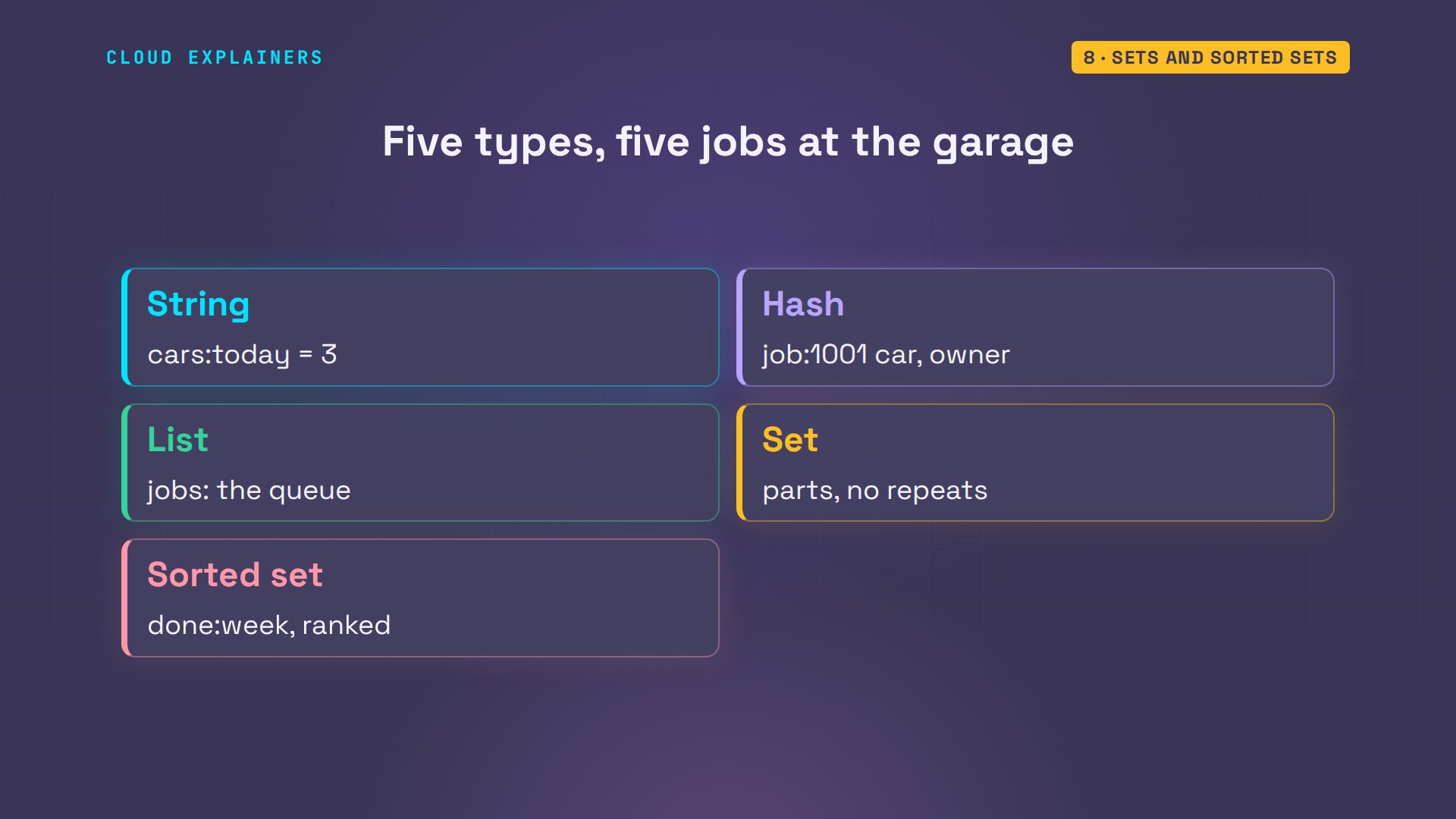
That's the five you'll use most. Strings for single values and counters. Hashes for objects with fields. Lists for queues. Sets for unique items. And sorted sets for rankings.
Surviving a restart and a crash
Everything so far lives in memory. So what happens when Redis stops? CONFIG GET save shows Ubuntu's snapshot rules. They come in pairs of seconds and changes. Save after an hour if one key changed. Save after five minutes if a hundred did. Save after one minute if ten thousand did. And appendonly is no: the second way of saving, a log of every write, is off.
127.0.0.1:6379> CONFIG GET save1) "save"
2) "3600 1 300 100 60 10000"
127.0.0.1:6379> CONFIG GET appendonly1) "appendonly"
2) "no"
Linda restarts Redis the normal way. The car count is still three: a clean shutdown writes a snapshot first.
sudo systemctl restart redis-server
redis-cli GET cars:today"3"
Now a crash. Linda saves job 1005, then kills Redis with kill dash nine, which stops it instantly, with no chance to save. Ubuntu's service manager, the one behind systemctl, starts it again by itself. Guess first: is job 1005 still there? No: nil. It was written after the last snapshot, and with only one change, the snapshot rule waits an hour. The car count survived, because it was in that snapshot.
redis-cli SET job:1005:status waitingOK
sudo kill -9 $(pidof redis-server)
systemctl is-active redis-serveractive
redis-cli GET job:1005:status(nil)
redis-cli GET cars:today"3"
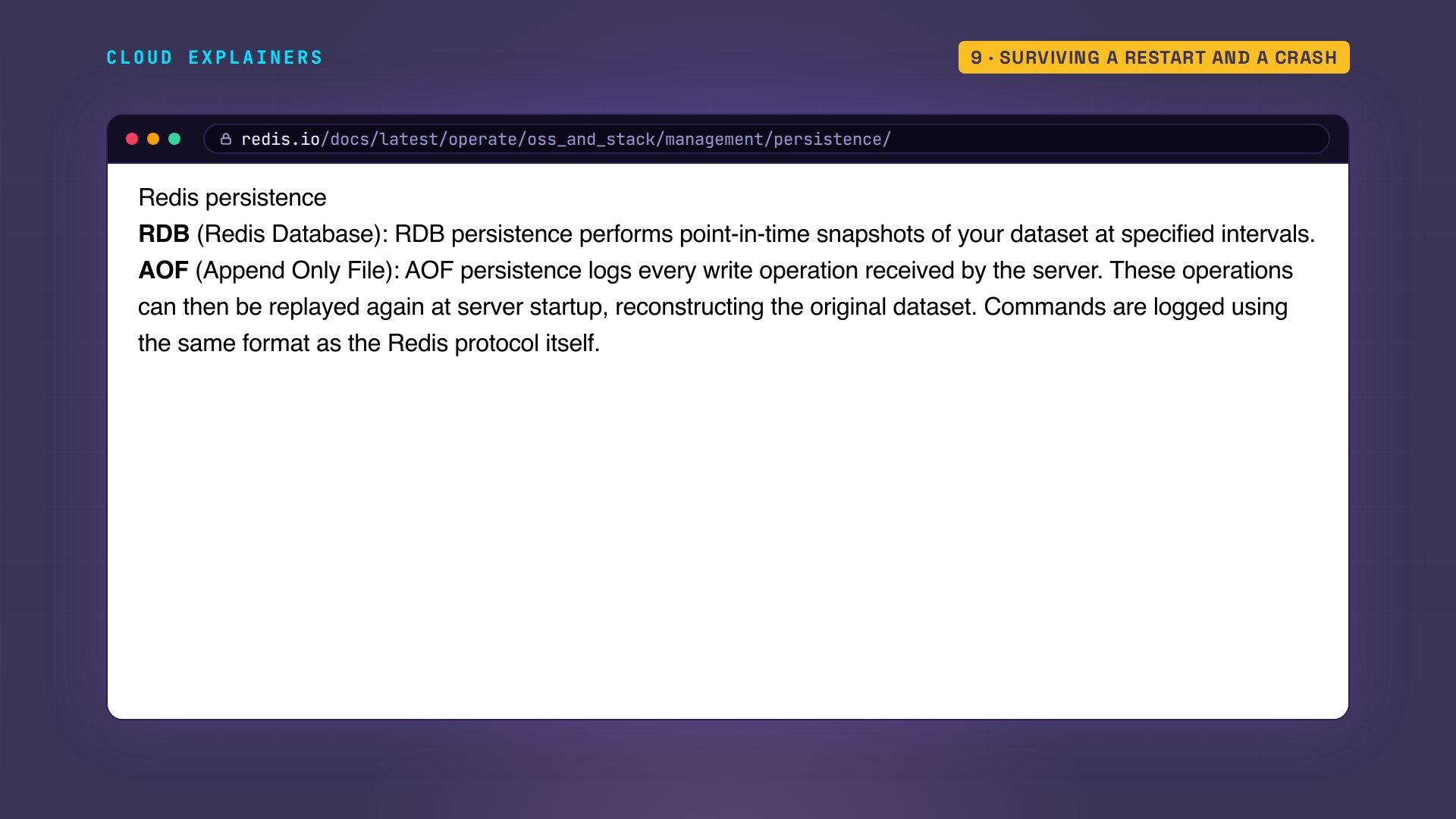
Redis's own docs name the two ways to save. RDB, the snapshots you just saw: a copy at intervals. And AOF, the append-only file: every write is logged as it arrives, and replayed when Redis starts.
Linda turns AOF on while Redis runs, with CONFIG SET, and also changes appendonly to yes in the config file, shown here with grep, so it stays on after a restart. Redis starts its log in the appendonly folder. Same test: save job 1006, kill dash nine. This time it comes back: waiting. By default Redis writes the log to disk once a second, so a power cut could cost you about the last second of writes.
redis-cli CONFIG SET appendonly yesOK
sudo grep -n '^appendonly' /etc/redis/redis.conf1379:appendonly yes
sudo ls /var/lib/redis/appendonlydirappendonly.aof.1.base.rdb appendonly.aof.1.incr.aof appendonly.aof.manifest
redis-cli SET job:1006:status waitingOK
sudo kill -9 $(pidof redis-server)
redis-cli GET job:1006:status"waiting"
Redis from Python
So far you've typed every command yourself. Now a program does it, and this is where that hundreds of times faster comes from. Linda makes a virtual environment, a private folder for this project's Python packages, and pip installs redis-py, the Python client, version 8.2.0.
python3 -m venv .venv
.venv/bin/pip install redisCollecting redis
  Downloading redis-8.2.0-py3-none-any.whl.metadata (18 kB)
Downloading redis-8.2.0-py3-none-any.whl (732 kB)
   ━━━━━━━━━━━━━━━━━━━━━━━━━━━━━━━━━━━━━━━━ 732.9/732.9 kB 18.4 MB/s eta 0:00:00
Installing collected packages: redis
Successfully installed redis-8.2.0
Her script connects to localhost, port 6379, and reads the car count and job 1001. Here's the surprise for most beginners: b, then three in quotes. Redis sends back raw bytes, and Python marks bytes with a b. Adding decode_responses equals True turns them into normal strings: a plain three, and job 1001's hash comes back as a Python dictionary, now readable.
cat jobs.pyimport redis

r = redis.Redis(host="localhost", port=6379)

print(r.get("cars:today"))
print(r.hgetall("job:1001"))
.venv/bin/python jobs.pyb'3'
{b'car': b'2015 Honda Civic', b'owner': b'Pat', b'status': b'done', b'hours': b'2'}
grep -n decode_responses jobs.py3:r = redis.Redis(host="localhost", port=6379, decode_responses=True)
.venv/bin/python jobs.py3
{'car': '2015 Honda Civic', 'owner': 'Pat', 'status': 'done', 'hours': '2'}
The most common job for Redis is a cache. The garage's old invoices sit in a SQLite database: two million lines. The average price of rotors means reading every one. So Linda's function checks Redis first. If the answer's there, it returns it. If not, it asks the database, saves the answer in Redis with ex equals six hundred, ten minutes, and returns it.
cat price.pyimport sqlite3
import time

import redis

r = redis.Redis(decode_responses=True)
db = sqlite3.connect("garage.db")


def average_price(part):
    key = f"price:{part}"
    cached = r.get(key)
    if cached is not None:
        return float(cached), "Redis"
    sql = "SELECT AVG(price) FROM invoice_lines WHERE part = ?"
    price = db.execute(sql, (part,)).fetchone()[0]
    r.set(key, price, ex=600)
    return price, "the database"


for _ in range(2):
    start = time.perf_counter()
    price, source = average_price("rotors")
    ms = (time.perf_counter() - start) * 1000
    print(f"rotors: ${price:.2f} from {source} in {ms:.1f} ms")
The first call takes 63 point 9 milliseconds, from the database. The second takes 0 point 1 milliseconds, from Redis. Run the script again, and both come from Redis, until the ten minutes are up and the next call asks the database again. That expiry is your safety net: if a price changes in the database, Redis shows the old one for ten minutes at most.
.venv/bin/python price.pyrotors: $93.43 from the database in 63.9 ms
rotors: $93.43 from Redis in 0.1 ms
.venv/bin/python price.pyrotors: $93.43 from Redis in 0.8 ms
rotors: $93.43 from Redis in 0.1 ms
redis-cli TTL price:rotors(integer) 600
Now the job board itself, in Python. Rob's worker script loops on BRPOP, the blocking pop, reads the car from each job's hash, and prints it. Linda adds two jobs from the front desk, and the worker prints both at once, in the order they were queued: the RAV4, then the Outback. It's the same blocking pop Rob's screen used at the start, now in a program.
cat worker.pyimport redis

r = redis.Redis(decode_responses=True)

print("waiting for jobs...", flush=True)
while True:
    _, job = r.brpop("jobs")  # waits until a job arrives
    car = r.hget(f"job:{job}", "car")
    print(f"job {job}: {car}", flush=True)
redis-cli LPUSH jobs 1008 1009(integer) 2
.venv/bin/python worker.pywaiting for jobs...
job 1008: 2021 Toyota RAV4
job 1009: 2017 Subaru Outback
When memory runs out
What happens when memory runs out? By default, Ubuntu's Redis has no limit: maxmemory is zero, and the policy is noeviction: when full, refuse new writes. Linda sets a tiny three megabyte limit to watch it happen. Her test script, photos.py, stores small photo thumbnails, one kilobyte each, ten thousand of them. It stops after 1,754: command not allowed when used memory is over maxmemory.
redis-cli CONFIG GET maxmemory1) "maxmemory"
2) "0"
redis-cli CONFIG GET maxmemory-policy1) "maxmemory-policy"
2) "noeviction"
redis-cli CONFIG SET maxmemory 3mbOK
cat photos.pyimport redis

r = redis.Redis(decode_responses=True)

saved = 0
try:
    for i in range(1, 10_001):
        r.set(f"photo:{i}", "x" * 1000)  # a 1 KB thumbnail
        saved += 1
except redis.exceptions.OutOfMemoryError as err:
    print(f"stopped after {saved} photos: {err}")
else:
    print(f"saved all {saved} photos")
print("keys in Redis:", r.dbsize())
.venv/bin/python photos.pystopped after 1754 photos: command not allowed when used memory > 'maxmemory'.
keys in Redis: 1766
Switch the policy to allkeys-lru, and Redis makes room by deleting the keys used least recently. Now all ten thousand photos go in, yet only 1,747 keys remain. Here's the catch: job 1001 and the car count are gone too. With this policy, any key can be deleted, not just the photos. So a Redis that's only a cache can use it, but one holding your queue and your counts should keep noeviction, with room to spare.
redis-cli CONFIG SET maxmemory-policy allkeys-lruOK
.venv/bin/python photos.pysaved all 10000 photos
keys in Redis: 1747
redis-cli EXISTS job:1001(integer) 0
redis-cli EXISTS cars:today(integer) 0
After the memory test, Linda removed the three megabyte limit and set the policy back to noeviction. To see how much memory your data uses, INFO memory has the answer. The used memory line shows the whole garage board takes about one point one megabytes. maxmemory zero means no limit, and the policy is noeviction again.
127.0.0.1:6379> INFO memory# Memory
used_memory:1181984
used_memory_human:1.13M
used_memory_rss:20029440
used_memory_rss_human:19.10M
used_memory_peak:2844392
used_memory_peak_human:2.71M
used_memory_peak_perc:41.55%
used_memory_overhead:913266
used_memory_startup:909008
used_memory_dataset:268718
used_memory_dataset_perc:98.44%
allocator_allocated:2138520
allocator_active:9633792
allocator_resident:12910592
total_system_memory:8319438848
total_system_memory_human:7.75G
used_memory_lua:31744
used_memory_vm_eval:31744
used_memory_lua_human:31.00K
used_memory_scripts_eval:0
number_of_cached_scripts:0
number_of_functions:0
number_of_libraries:0
used_memory_vm_functions:32768
used_memory_vm_total:64512
used_memory_vm_total_human:63.00K
used_memory_functions:200
used_memory_scripts:200
used_memory_scripts_human:200B
maxmemory:0
maxmemory_human:0B
maxmemory_policy:noeviction
allocator_frag_ratio:4.50
allocator_frag_bytes:7495272
allocator_rss_ratio:1.34
allocator_rss_bytes:3276800
rss_overhead_ratio:1.55
rss_overhead_bytes:7118848
mem_fragmentation_ratio:19.69
mem_fragmentation_bytes:19012200
mem_not_counted_for_evict:259
mem_replication_backlog:0
mem_total_replication_buffers:0
mem_clients_slaves:0
mem_clients_normal:3634
mem_cluster_links:0
mem_aof_buffer:320
mem_allocator:jemalloc-5.3.0
active_defrag_running:0
lazyfree_pending_objects:0
lazyfreed_objects:0
Other PCs and a password
Until now, every window ran on Linda's office PC. But Rob's real PC is out in the bay. He runs redis-cli with dash h garage, Linda's PC's name on the network. Connection refused. Linda checks the config file: bind 127.0.0.1. Out of the box, Redis only listens to the machine it runs on.
redis-cli -h garage pingCould not connect to Redis at garage:6379: Connection refused
sudo grep -n '^bind\|^protected-mode' /etc/redis/redis.conf87:bind 127.0.0.1 -::1
111:protected-mode yes
Linda changes bind to 0.0.0.0, every network the PC is on, and restarts Redis. Now Rob gets an answer, but it's a refusal: DENIED, Redis is running in protected mode, because no password is set. So even when it listens on the network, with no password it only answers its own machine.
sudo grep -n '^bind' /etc/redis/redis.conf87:bind 0.0.0.0
sudo systemctl restart redis-server
redis-cli -h garage ping(error) DENIED Redis is running in protected mode because protected mode is enabled and no password is set for the default user. In this mode connections are only accepted from the loopback interface. If you want to connect from external computers to Redis you may adopt one of the following solutions: 1) Just disable protected mode sending the command 'CONFIG SET protected-mode no' from the loopback interface by connecting to Redis from the same host the server is running, however MAKE SURE Redis is not publicly accessible from internet if you do so. Use CONFIG REWRITE to make this change permanent. 2) Alternatively you can just disable the protected mode by editing the Redis configuration file, and setting the protected mode option to 'no', and then restarting the server. 3) If you started the server manually just for testing, restart it with the '--protected-mode no' option. 4) Setup a an authentication password for the default user. NOTE: You only need to do one of the above things in order for the server to start accepting connections from the outside.
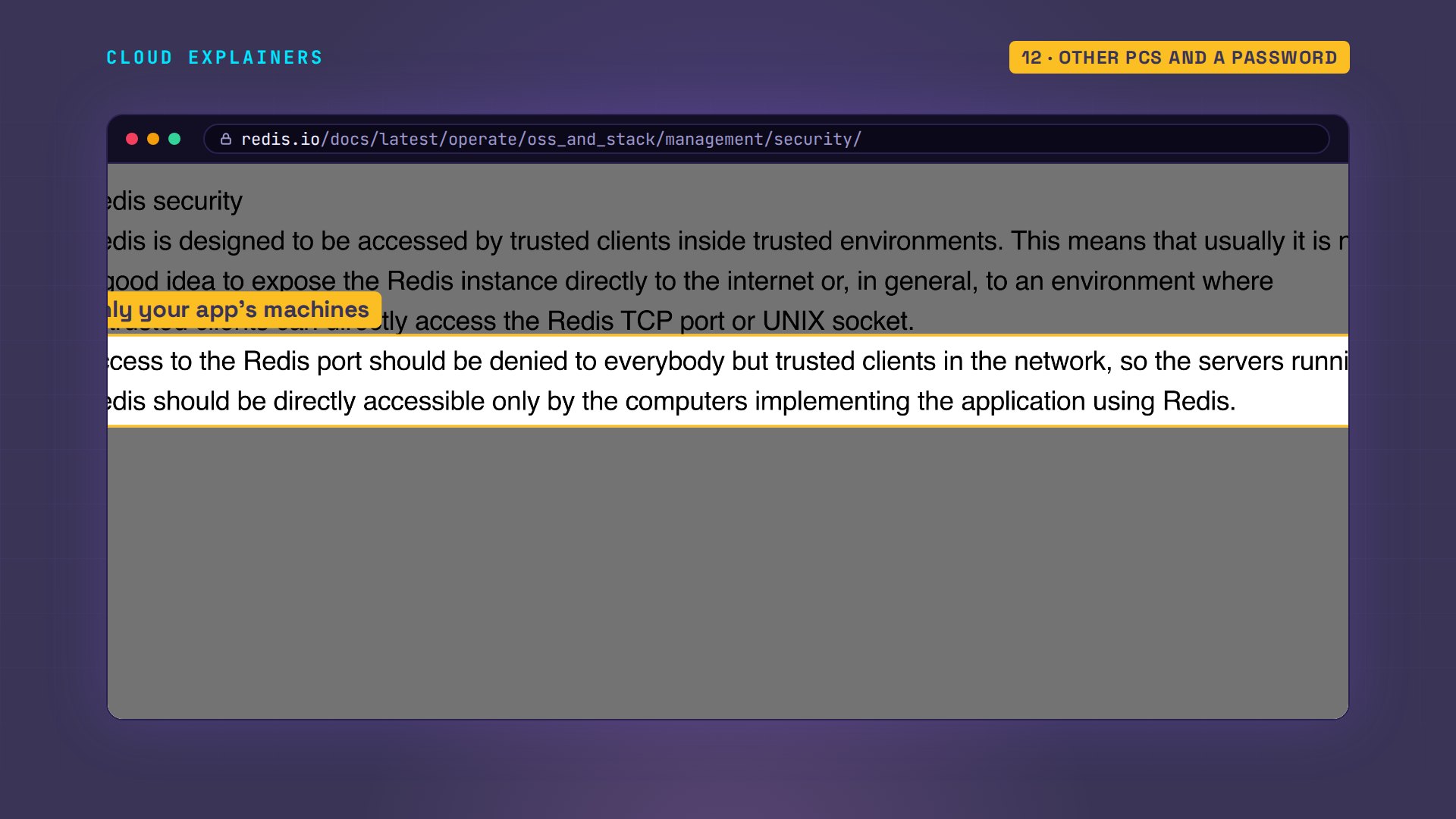
Redis's docs are blunt about this. It's designed for trusted clients inside trusted networks. Never put the Redis port on the internet: only the machines that run your app should be able to reach it.
So Linda sets a password with requirepass, in the same file, and restarts. Rob's plain ping now gets NOAUTH: authentication required. With dash dash askpass, redis-cli asks for the password without showing it, so it stays out of his screen and his shell history. And Rob's PING gets PONG.
sudo grep -n '^requirepass' /etc/redis/redis.conf1036:requirepass bay-7-rotors
sudo systemctl restart redis-server
redis-cli -h garage ping(error) NOAUTH Authentication required.
redis-cli -h garage --askpassPlease input password: ************
garage:6379> PINGPONG
One password lets Rob do anything, even delete every key. Redis also has users with their own permissions, called access control lists. Linda makes a user named bay. On switches it on. The greater-than sign sets its password. The tildes say which keys it may touch: jobs, and anything starting with job colon. And the pluses allow just three commands: BRPOP, HGETALL and PING. Rob signs in as bay. PING works. DEL jobs is refused: NOPERM, no permission to run that command. That's the user Rob's PC used in the opening.
127.0.0.1:6379> ACL SETUSER bay on >bay-only-9 ~jobs ~job:* +brpop +hgetall +pingOK
redis-cli -h garage --user bay --askpassPlease input password: **********
garage:6379> PINGPONG
garage:6379> DEL jobs(error) NOPERM this user has no permissions to run the 'del' command
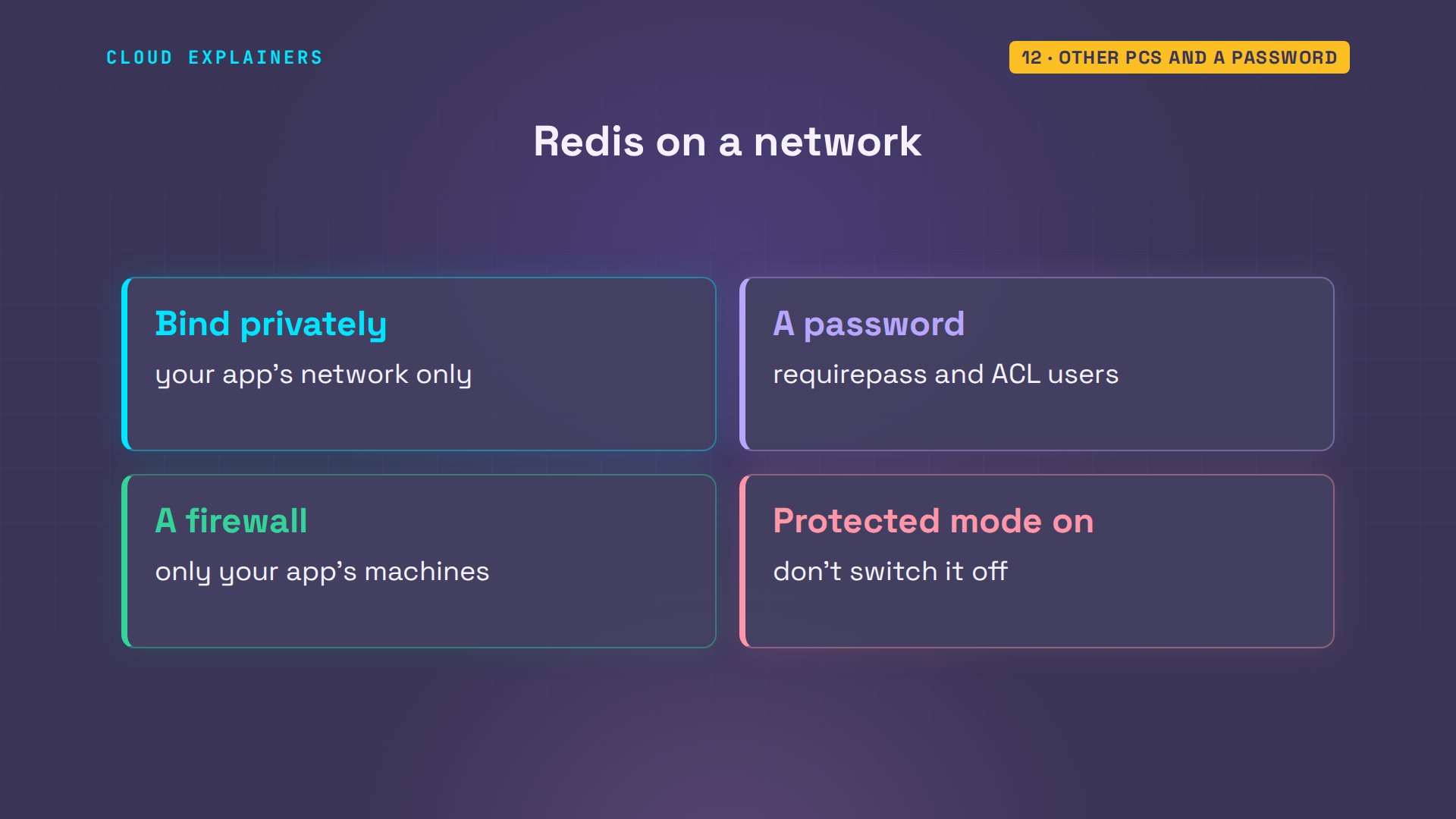
So, four rules for Redis on a network. Bind it to the private address your app uses, not the internet: Linda used 0.0.0.0 to keep the demo simple. Always set a password. Let the PC's firewall allow only your app's machines, which we didn't set up here. And never switch protected mode off just to make an error go away.
Recap
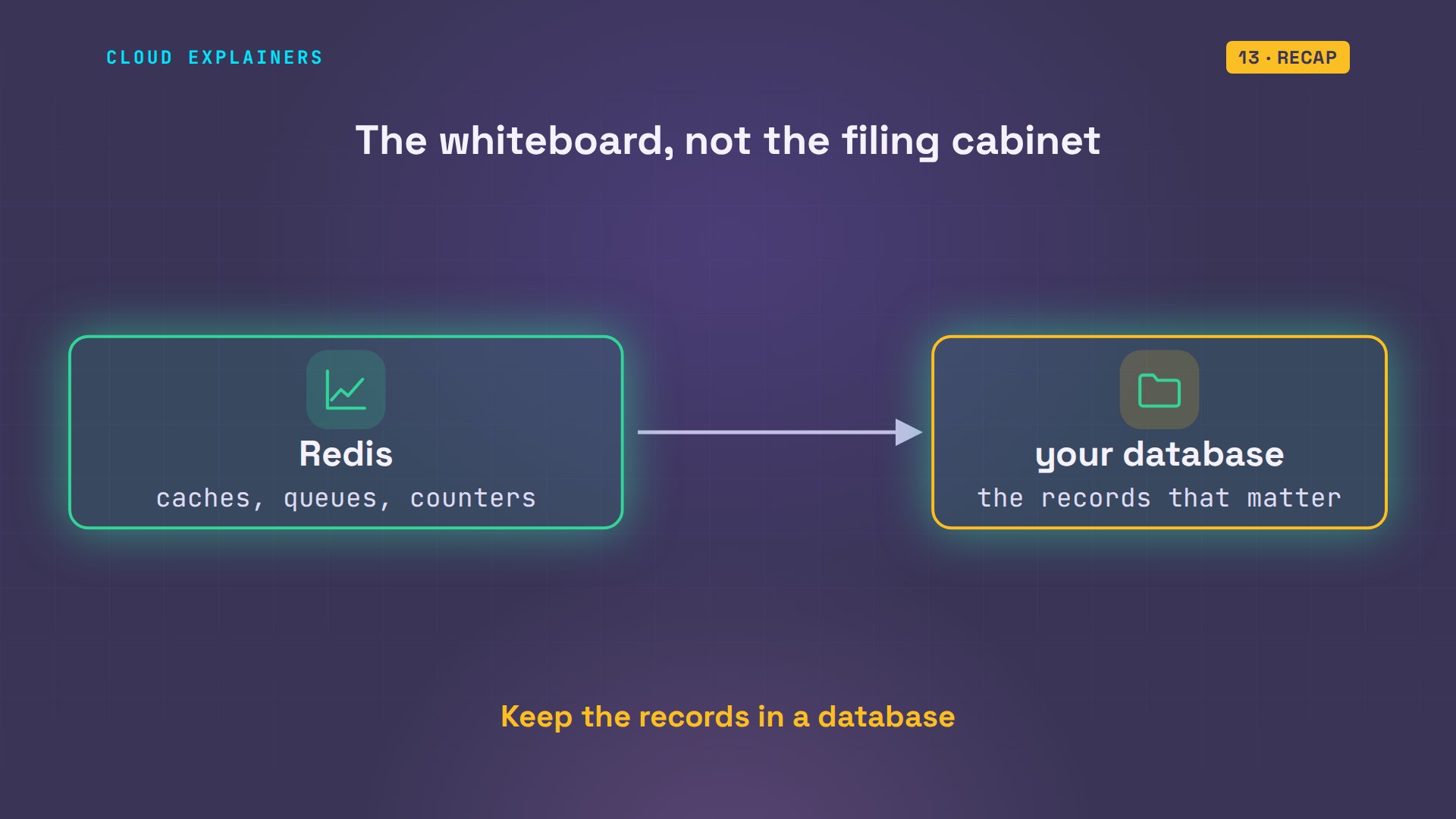
So when should you reach for Redis? As a cache in front of something slow. For queues, counters, rate limits, login sessions and leaderboards. Keep it as the whiteboard, not the filing cabinet: it has no queries that join tables, and everything has to fit in memory. Your important records still belong in a real database.
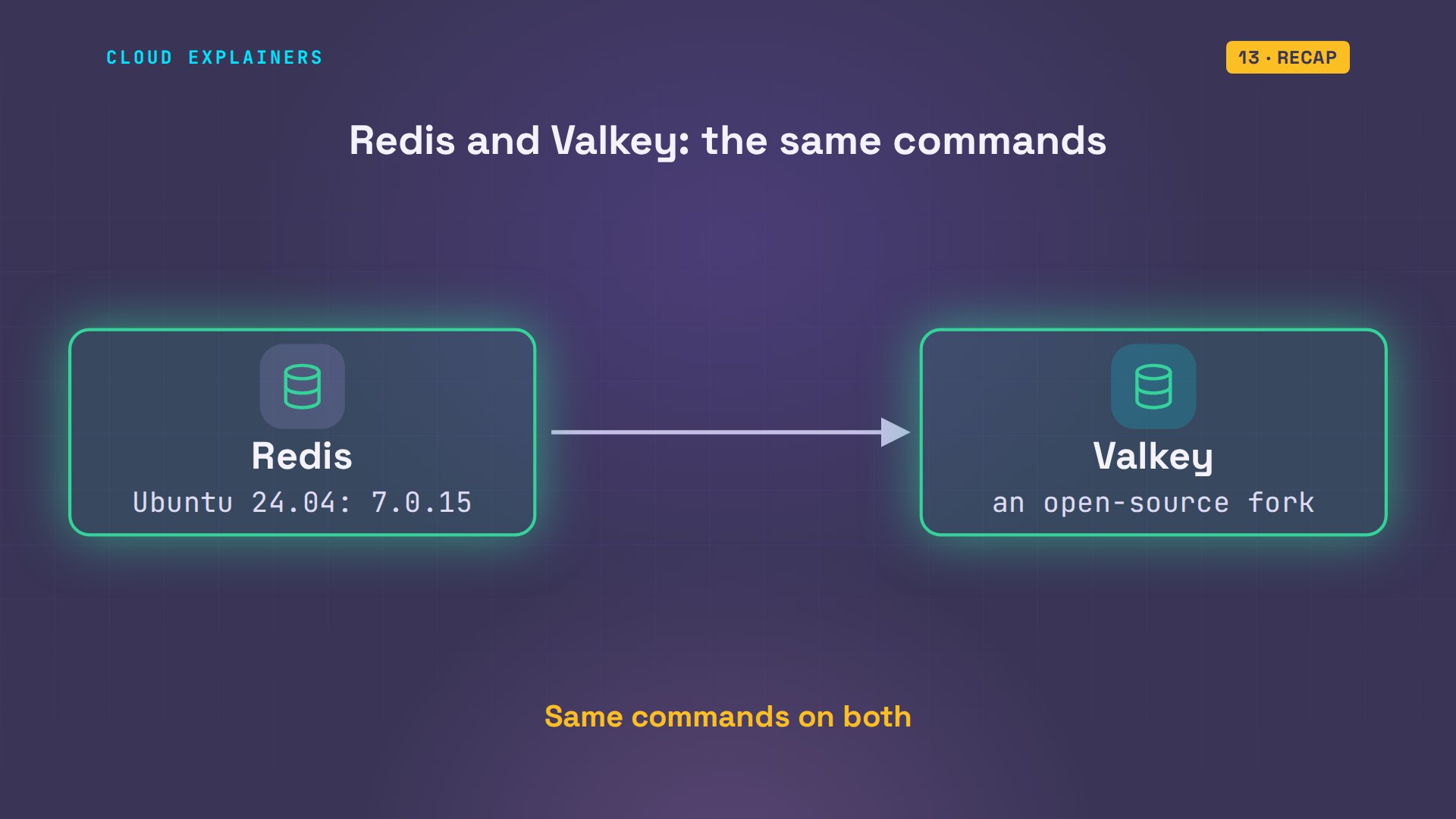
One last thing you'll run into. In 2024, Redis changed its license, and a group of its developers started Valkey. It's an open-source fork: an independent copy under a new name, and it speaks the same commands. Ubuntu 24.04 ships Redis 7.0.15, from before that change. Every command in this video works the same on both.
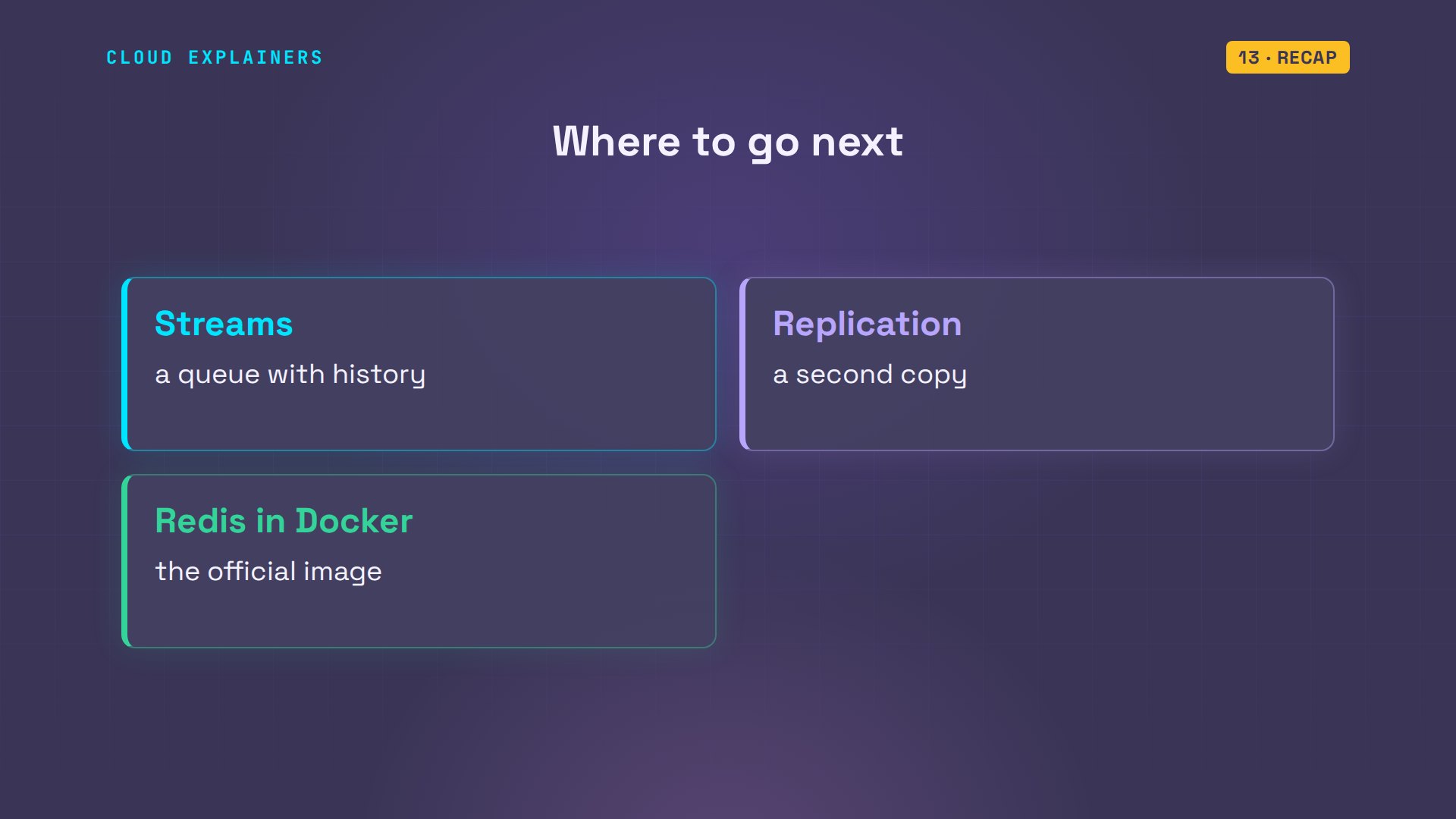
Where next? Streams, for a queue that keeps its history and tracks who read what. Replication, for a second Redis that keeps a copy. And running Redis in Docker, where the official image does the install for you.
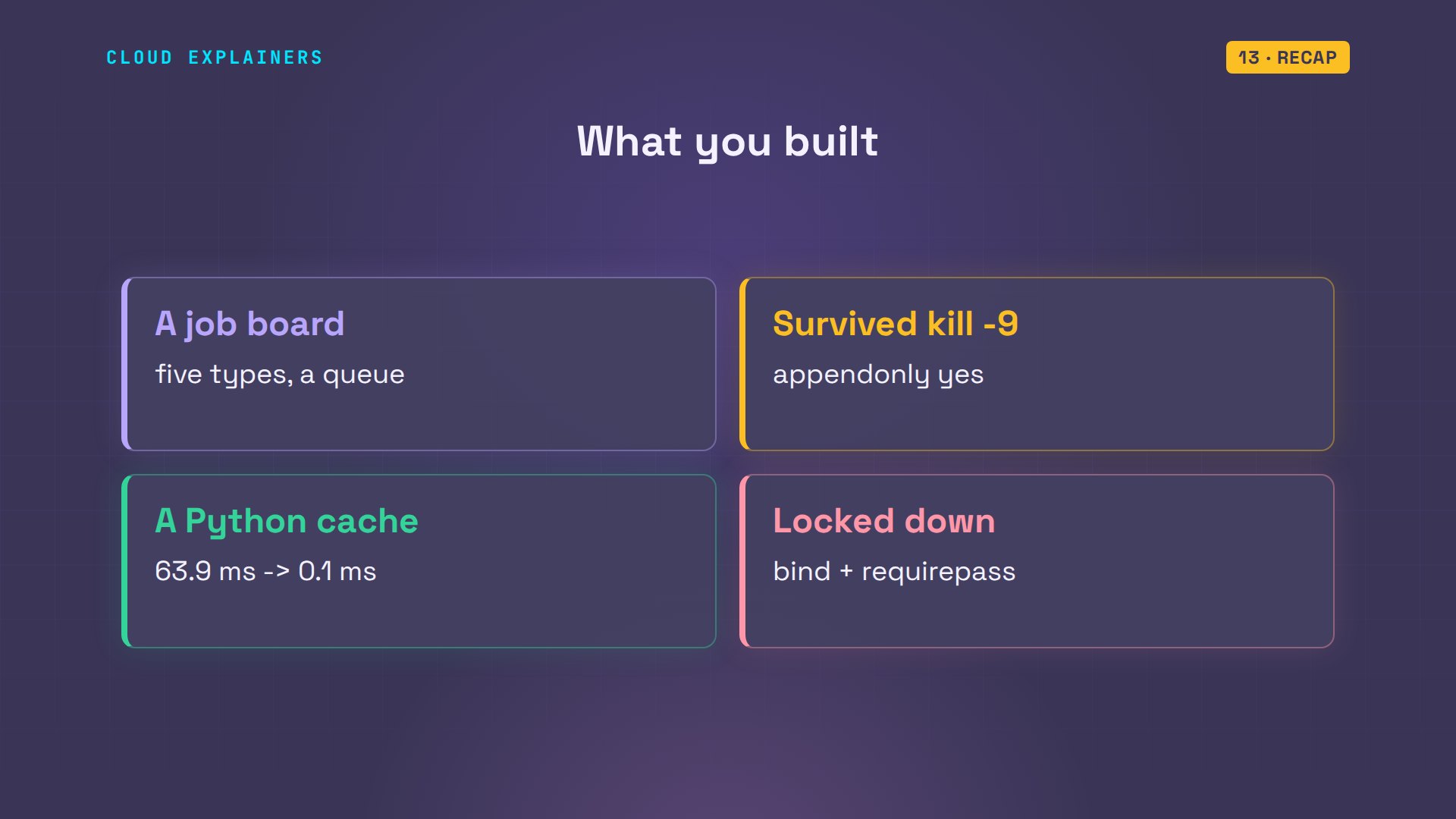
So: you built a job board on Redis, made it survive a crash, sped up a slow query from Python, and locked it behind a password.
If this tutorial saved you an afternoon, subscribing brings the next one.
All the lab files and commands are linked in the description. Thanks for watching Cloud Explainers.
Sources
Demos: two containers on our own Mac standing in for a garage's office PC and a workshop PC; the garage and its jobs are made up. Every command, reply and number was real. Watch the full video on YouTube.
More videos

Every PostgreSQL Setting to Change After You Install It

What Happens When You Install Docker on Ubuntu

How to Fix Python 'Address Already in Use' Errors

Golang Interfaces and Mocks in 5 Minutes

How to Fix Git 'Detached HEAD' State

Linux Firewall with ufw: Full Tutorial for Beginners
Golang defer Statements in 5 Minutes

How to Fix OAuth 'invalid_grant' Errors

The SQL Roadmap for Beginners
Golang make() for Slices and Maps in 5 Minutes

How to Fix Network 'No Route to Host' Errors on Linux

How to Fix Linux 'Too Many Open Files' Errors

Every Django Concept a Beginner Needs to Know
SSH on Linux: Full Tutorial for Beginners

Golang for range Loops in 5 Minutes

SQL Databases: SQLite vs PostgreSQL
The Django Roadmap for Beginners

Golang Structs in 5 Minutes

Golang context.Context in 5 Minutes
How to Fix MySQL Database Error 1045: Access Denied for User

Golang Method Receivers in 5 Minutes
How to Fix Python SSL: CERTIFICATE_VERIFY_FAILED Errors

How to Fix Django Static Files Not Loading in Production

OpenRouter vs Direct API Keys: Which One Should You Use?
Golang if err != nil Checks in 5 Minutes

How to Fix Golang 'go.mod File Not Found' Errors

MCP Servers: Full Tutorial for Beginners

Golang Error Return Values in 5 Minutes

How to Fix Python ModuleNotFoundError: No Module Named
Golang Pointers in 5 Minutes

How to Fix a Kubernetes Pod Stuck in CrashLoopBackOff
How to Fix a Homelab ESXi Host Not Responding

PostgreSQL: Full Tutorial for Beginners
How a Load Balancer Works with HAProxy

How Python Virtual Environments Work
How to Fix Cloudflare Tunnel Errors in a Homelab
How to Fix API CORS Errors: No 'Access-Control-Allow-Origin'

How Authenticator App Login Codes Work (TOTP)

Git and GitHub: Full Tutorial for Beginners

How a Homelab Hypervisor Works (VMware ESXi)

How to Fix Kubernetes ImagePullBackOff Errors

How to Fix DNS 'Temporary Failure in Name Resolution' on Linux

How to Fix AWS CLI 'Unable to Locate Credentials'

Proxmox vs ESXi for Your Homelab: When Each One Wins
PostgreSQL UUID vs Auto Increment: Which Primary Key Should You Use?
Kubernetes: Full Tutorial for Beginners

How TCP Sockets Work

How to Fix PostgreSQL 'Could Not Connect to Server'
Claude Code Hooks Will Finally Make Sense After This

DevOps with Ansible Will Finally Make Sense After This

How SNMP Network Monitoring Works
How to Fix GitHub 'Permission Denied (publickey)' Errors

Docker: Full Tutorial for Beginners
How to Fix PostgreSQL 'Password Authentication Failed'

Why One Linux Server Handles More Users Than You Think

How to Fix Network 'Connection Refused' Errors
DevOps Pipelines: Jenkins vs GitHub Actions
Linux Nginx Reverse Proxy: Full Tutorial for Beginners

Every Networking Term a Beginner Needs in 12 Minutes
How to Fix Docker 'Permission Denied' on docker.sock
How to Fix Git 'Updates Were Rejected' When You Push

How to Fix nginx 502 Bad Gateway Errors on Linux

How to Fix Linux apt 'Could Not Get Lock' Errors (Ubuntu)

How Email Works on the Internet (SMTP) in 10 Minutes

The Python Roadmap for Beginners

Golang REST API with Gin: Full Tutorial for Beginners
How a WireGuard VPN Network Works

Linux Makefiles Will Finally Make Sense After This

SAML vs OAuth vs OpenID Connect: What's the Difference?

How to Fix Python cron Jobs That Never Run

Linux Bash Scripting: Full Tutorial for Beginners
How PXE Network Boot Works

How Active Directory Works

How to Fix a Linux systemd Service That Won't Start
Linux Logs: syslog vs journald
JWT vs Session Cookies: Which One Should You Use?
Docker vs Docker Compose: Which One Should You Use?
How to Fix Docker Compose Containers That Can't Talk to Each Other

Django Full Tutorial for Beginners

How Linux systemd Works

How to Fix 'Windows Cannot Access' Network Share Errors (SMB)
REST vs gRPC: Which One Should You Use?

How to Fix SSL Certificate Chain Errors (Missing Intermediate)

Every Python Concept for Beginners in 10 Minutes

Every SQL Join Type in 10 Minutes

Why OpenRouter Free Models Hit Their Limit So Fast

Why Your Gemini API Free Tier Runs Out So Fast

OpenRouter Will Finally Make Sense After This
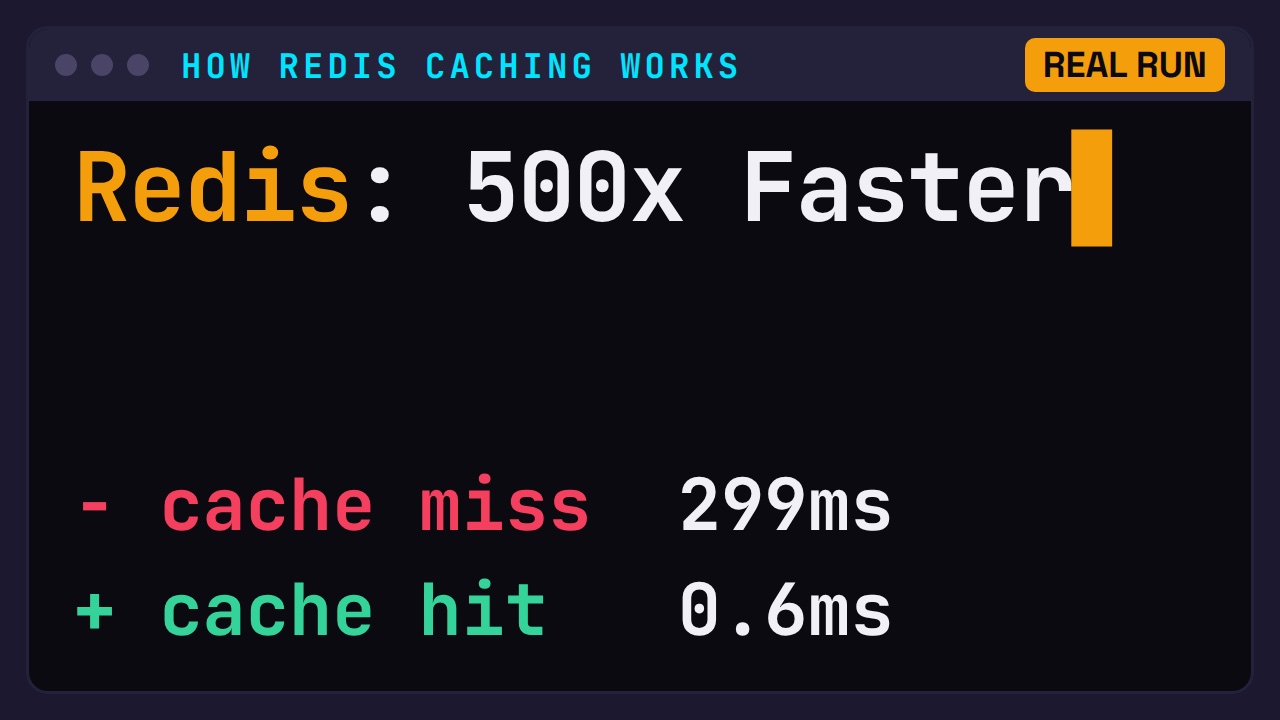
How Redis Caching Works
Gemini API vs Vertex AI: Which One Should You Use?
How to Fix a Leaked Gemini API Key

Why Golang Uses Goroutines Instead of Threads
How to Fix Gemini API Error 429: Resource Exhausted

Claude Token Pricing Will Finally Make Sense After This
Why Python Web Scraping Returns Nothing (and the Fix)

Python uv vs pip: Which One Should You Use?

Python Automation: Full Tutorial for Beginners

How OAuth Login Works

Google AI Studio Will Finally Make Sense After This
What Happens When You Run a Docker Container

How to Fix Claude Code Billing Your API Key Instead of Your Plan
Why Passkeys Can't Be Phished Like Passwords
PowerShell vs Bash: Which One Should You Learn?

The Linux Roadmap for Beginners
Django vs FastAPI: Which One Should You Use?

Why SQLite Is the Most Used Database in the World
How a NoSQL Database Like MongoDB Works

How to Fix Python pip error: externally-managed-environment
How to Fix MySQL Too Many Connections Database Errors

Golang Concurrency Will Finally Make Sense After This

How Amazon S3 Works
How Kubernetes Works

How Git Works
How to Fix Docker Port Already Allocated Errors
How PostgreSQL Works

How to Fix Git Merge Conflicts

How to Fix No Space Left on Device in Linux
How the Internet Works
SQL vs NoSQL: When Each One Wins
How to Fix JWT Token Expired Errors (401 Unauthorized)

Claude API vs Claude Pro: Why Your Subscription Doesn't Include It

Why AI Agent Skills Beat Giant Prompts

Linux Cron Jobs Will Finally Make Sense After This

Security Logs Will Finally Make Sense After This

How to Fix a Security Leak: An API Key Pushed to GitHub
DNS Will Finally Make Sense After This
Never Ignore a Security Update
Two-Factor Authentication Will Finally Make Sense
Never Expose a Database to the Internet
SSH Keys vs Passwords: Which Is Safer for Security?

The 5 Levels of Linux Boot: From Power On to Login
The 5 Levels of Network Firewalls
Password Security: Why Hackers Crack Weak Passwords
Why Your Linux Server Runs Out of Memory
HTTP vs HTTPS: What Actually Changes on Your Network

Every Linux File Permission You Need to Know
Linux Processes vs Threads: When Each One Wins

The OSI Model Will Finally Make Sense After This

The 7 Levels of Git
Every Network Troubleshooting Command You Need
Hashing vs Encryption in Cybersecurity: When Each One Wins

Why the Internet Ran Out of IP Addresses

Linux Package Managers: apt vs Snap vs Flatpak

Why Python Is Slow (and When It Doesn't Matter)

TCP vs UDP: When Each One Wins

Stop Running Linux as Root (Do This Instead)

Linux Users and Groups Will Finally Make Sense

Why Phishing Beats Good Security (and How to Spot It)

The 7 Levels of Docker

AI Agents Will Finally Make Sense After This

Stop Using git push --force (Use This Instead)

Agent Skills vs MCP: When Each One Wins

Networking Will Finally Make Sense After This

Every Linux Command You Actually Need

The 7 Levels of Cybersecurity

Every System Design Concept You Need, in One Diagram