Golang make() for Slices and Maps in 5 Minutes
Go's make() for beginners, in five minutes, on a real Go program: why writing to a map that was only declared panics with 'assignment to entry in nil map', how make builds a real map, what make's length and capacity mean for slices, the make-then-append bug that leaves zeros in front, and how much a capacity up front saves when appending thousands of items.
Reading works, writing panics
Your Go program just crashed, and the error says: assignment to entry in nil map. Trish runs an apple orchard. She uses a Go map to count the bins of each apple variety. She asks it how many Gala bins so far, and it answers zero. Then she adds fourteen, and the program crashes. Asking was fine. Adding was not. The fix is one built-in function, make. And for slices, Go's lists, make also decides whether your program wastes time copying the whole list, again and again.
sed -n '6,10p' main.govar bins map[string]int fmt.Println("Gala bins so far:", bins["Gala"]) bins["Gala"] += 14 fmt.Println("Gala bins:", bins["Gala"])
go run .Gala bins so far: 0
panic: assignment to entry in nil map

goroutine 1 [running]:
main.main()
    /home/trish/harvest/main.go:9 +0xa4
exit status 2
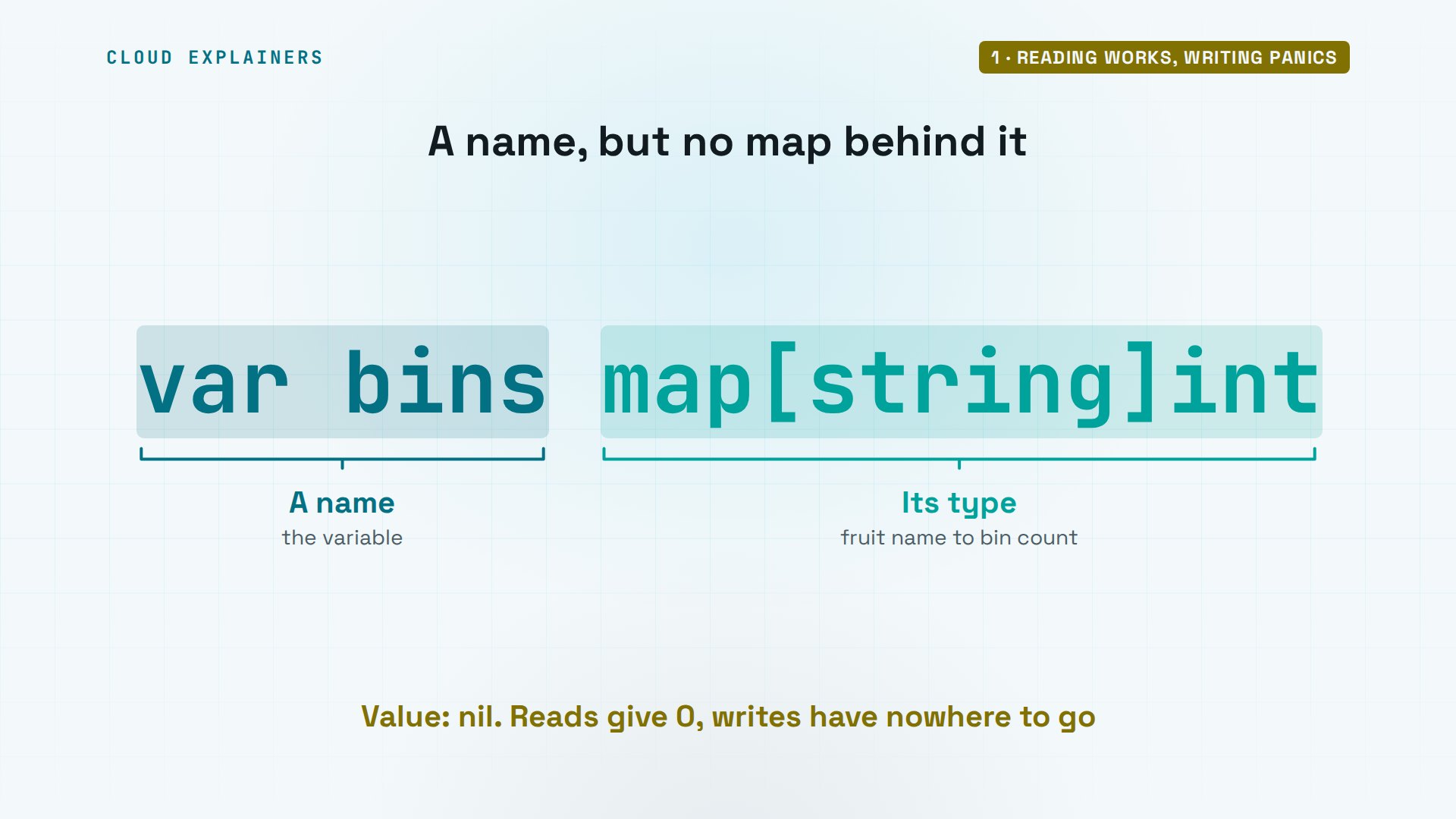
Here's why. Look at the line that declares bins. It gives Trish a name, but no map behind it. Its value is nil, Go's word for nothing there yet. Reading a key from a nil map is allowed. You just get the starting value for an int, which is zero. But adding an entry needs somewhere to put it, and there's nowhere.
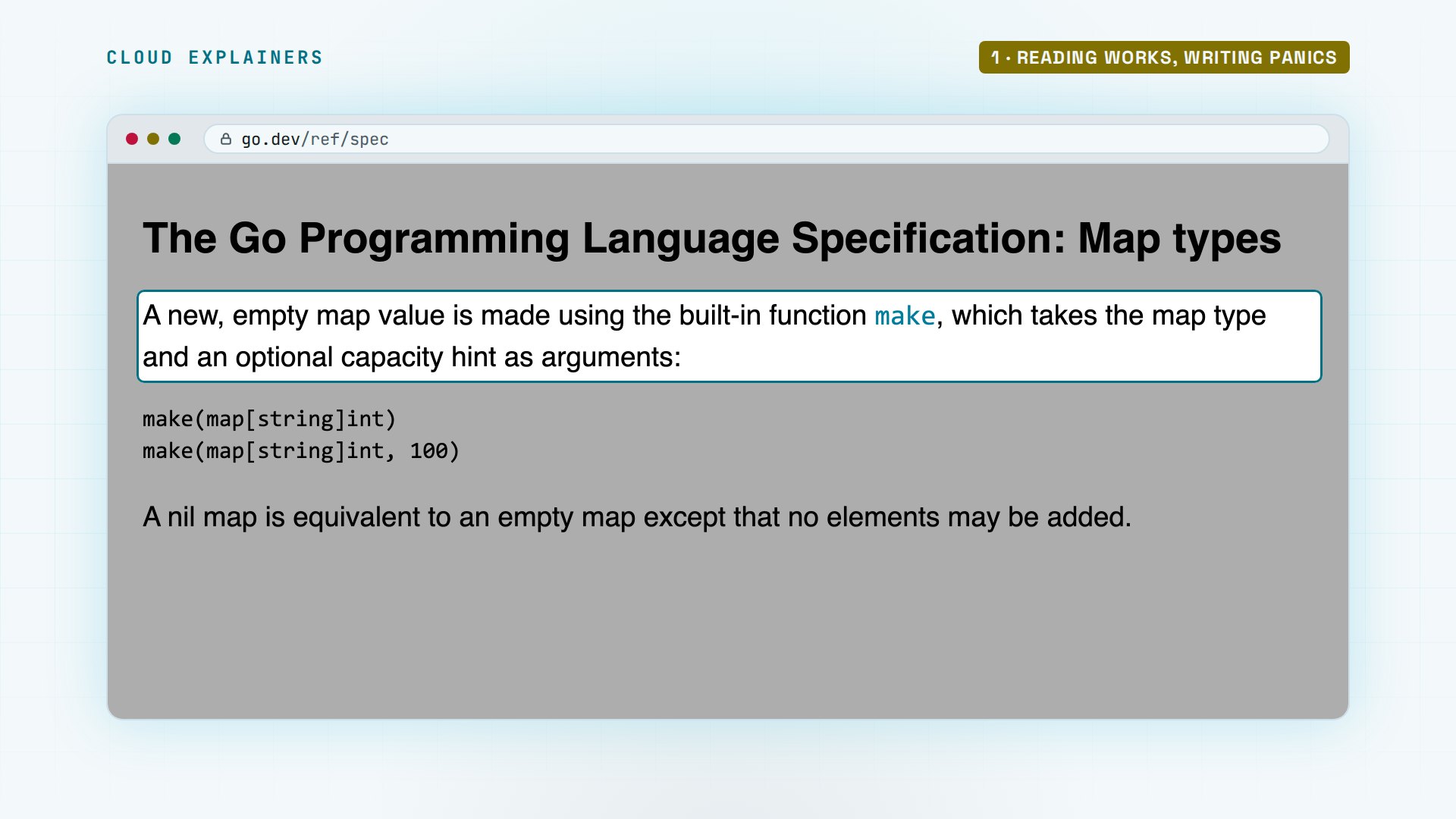
The Go spec, the official rulebook for the language, says it in one line: a nil map is like an empty map, except that no elements may be added. And the line above it names the fix: a new, empty map is made with the built-in function make.
make for maps
So Trish changes one line. Instead of declaring an empty name, she asks make for a map: make, then the map's type, map of string to int. The colon-equals sign declares bins and gives it the new map in one step.
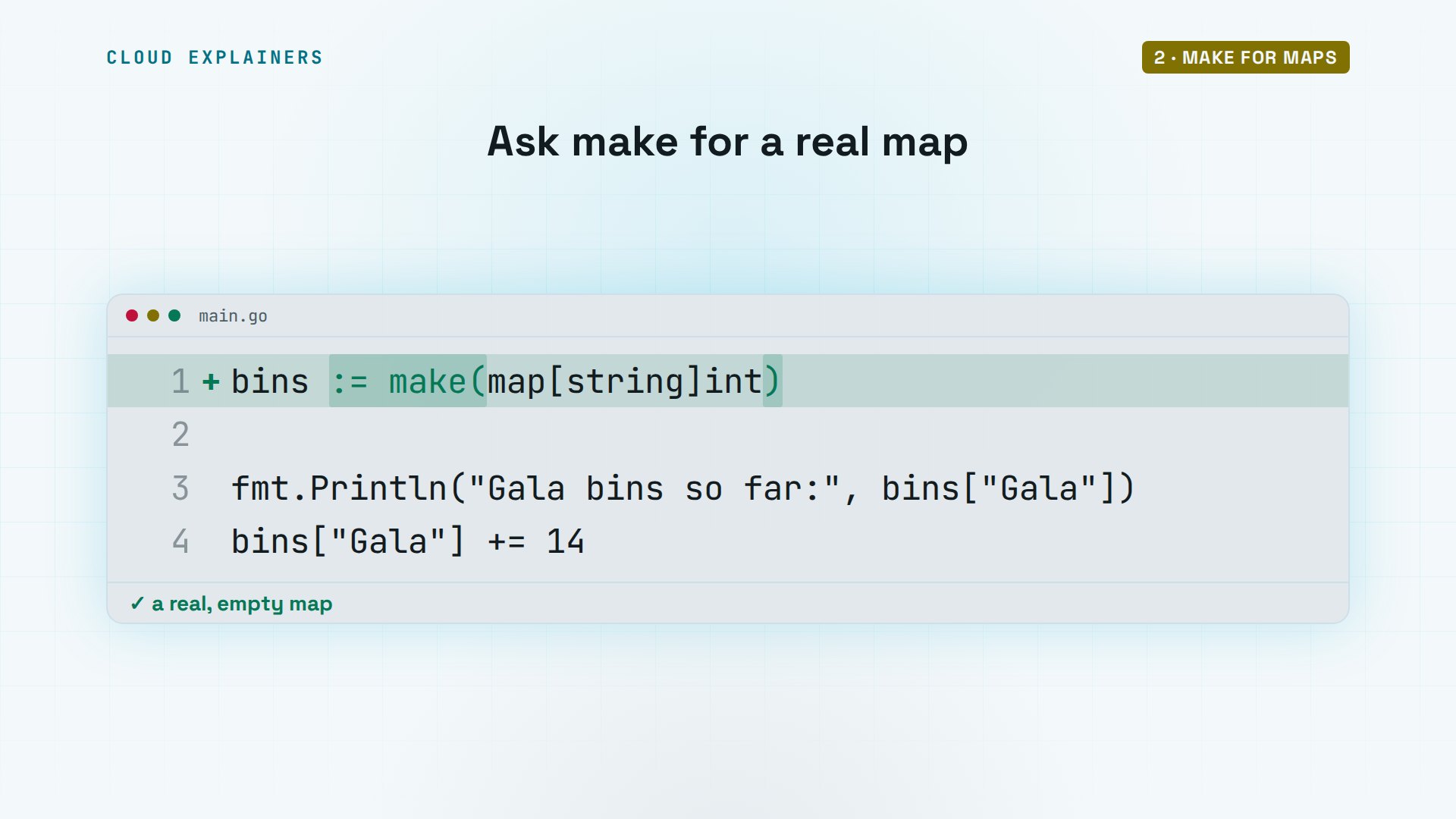
Now she adds three loads: fourteen Gala, nine Fuji, then eleven more Gala. The map holds two varieties: Fuji nine, Gala twenty-five. One make, and every write just works.
sed -n '6,12p' main.gobins := make(map[string]int) fmt.Println("Gala bins so far:", bins["Gala"]) bins["Gala"] += 14 bins["Fuji"] += 9 bins["Gala"] += 11 fmt.Println("bins:", bins, "varieties:", len(bins))
go run .Gala bins so far: 0
bins: map[Fuji:9 Gala:25] varieties: 2
make for slices: length
Now a trap. Make builds slices too, Go's lists, and this one catches people all the time. Trish wants the bins picked in each of her three rows. She knows there are three, so she calls make with the type, a slice of ints, and the number three. Then she appends each row's count: fourteen, nine, eleven. Append adds a value to the end and hands back the longer slice, so she stores it back. Guess first: how many numbers print? Six. Three zeros, then her three counts.
sed -n '8,12p' main.goperRow := make([]int, 3) for _, n := range picked { perRow = append(perRow, n) } fmt.Println(perRow, "len", len(perRow))
go run .[0 0 0 14 9 11] len 6
Picture the end of an orchard row. Calling make with the number three sets out three crates, and counts them as already filled, each one holding a zero. That count is the length. Append never fills those crates. It always puts the next load after the last counted one, in crate four.
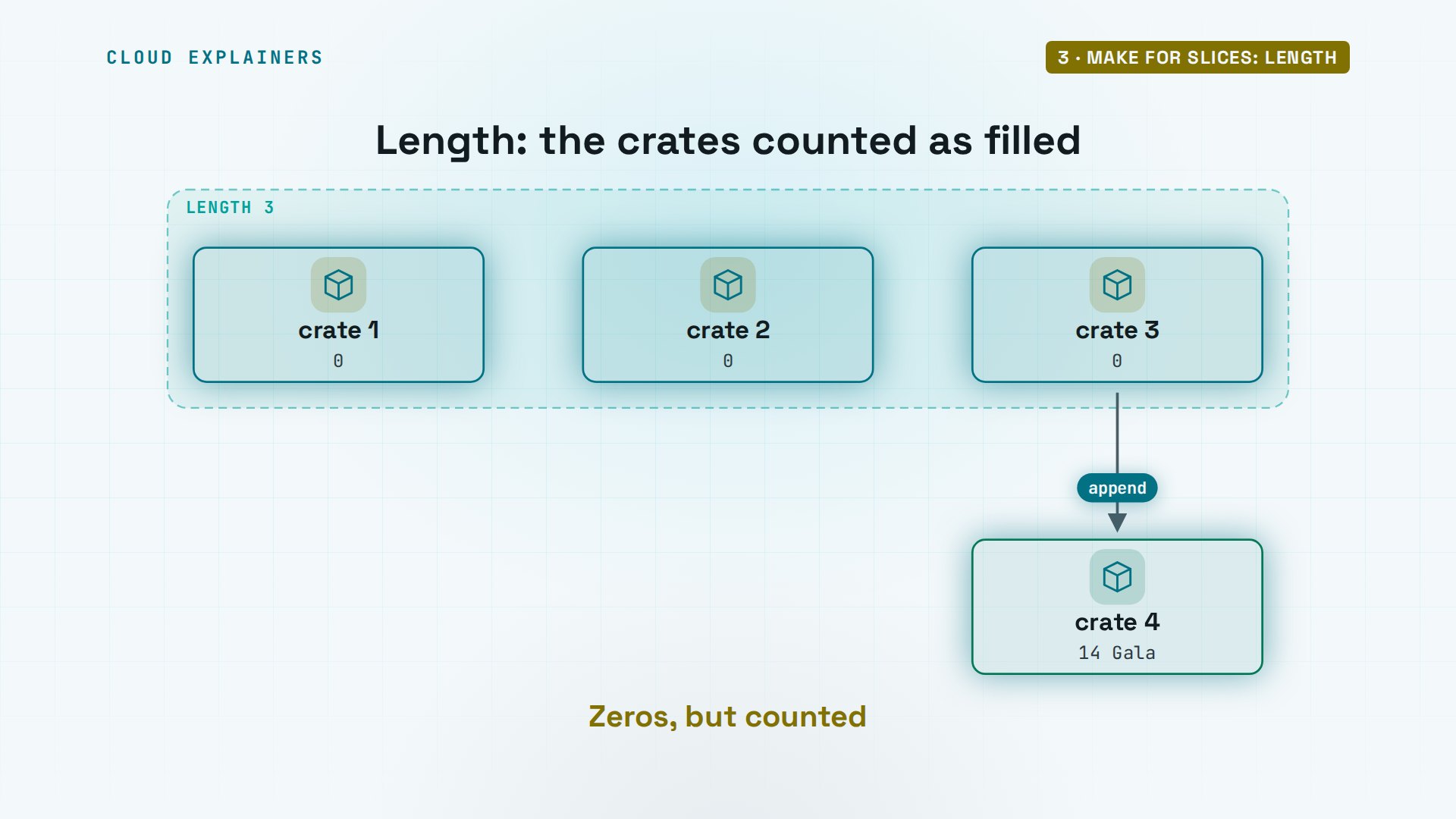
The fix is a second number: make with zero, then three. Zero is the length, so none are counted yet. Three is the capacity: three empty crates set out and waiting. Now append fills crate one first, and the slice holds just fourteen, nine and eleven.
sed -n '8,8p' main.goperRow := make([]int, 0, 3)
go run .[14 9 11] len 3 cap 3
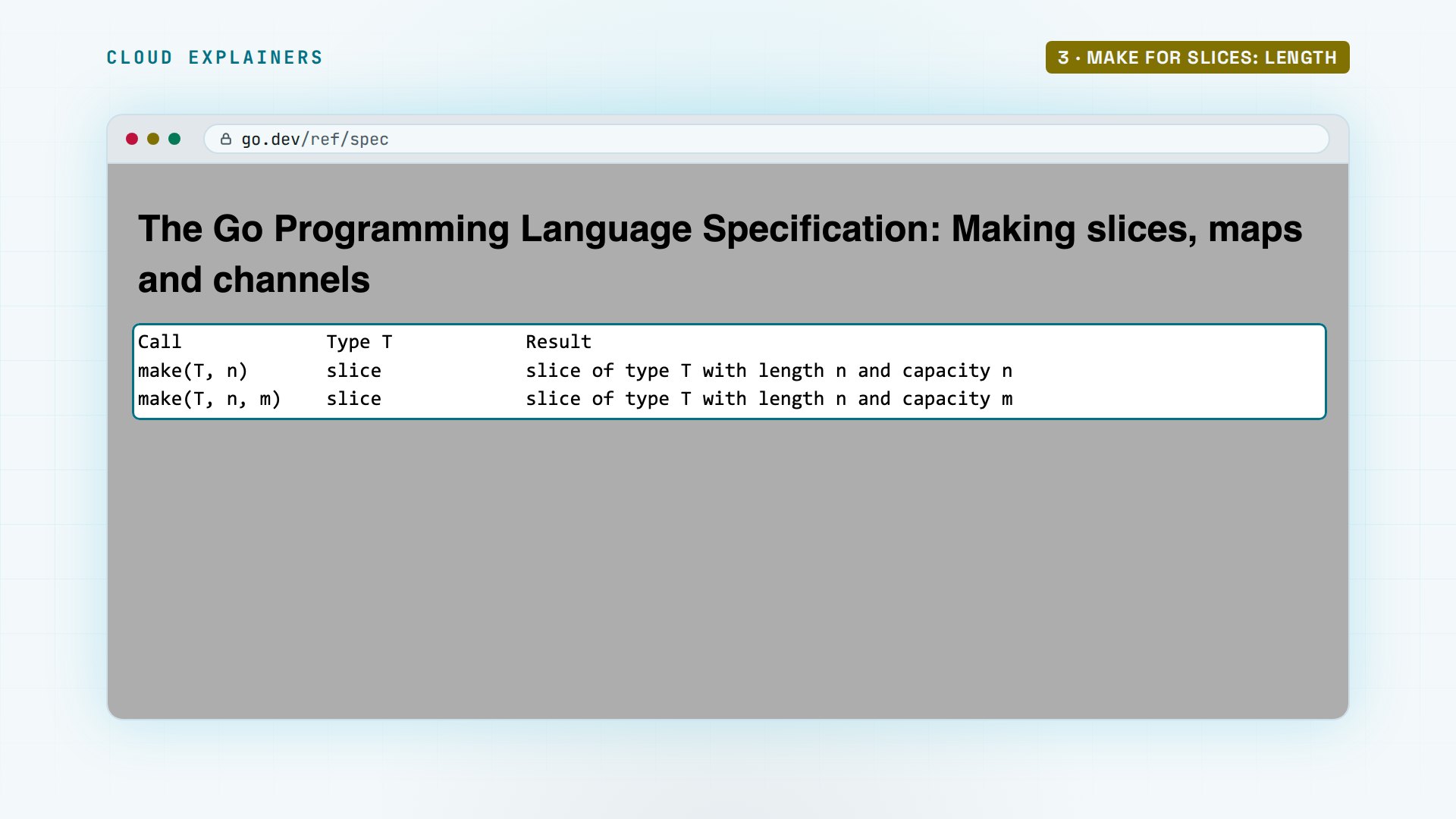
The spec's table says the same. With one number, the length and the capacity are both that number. With two, the first is the length, the second the capacity.
Capacity: room to grow
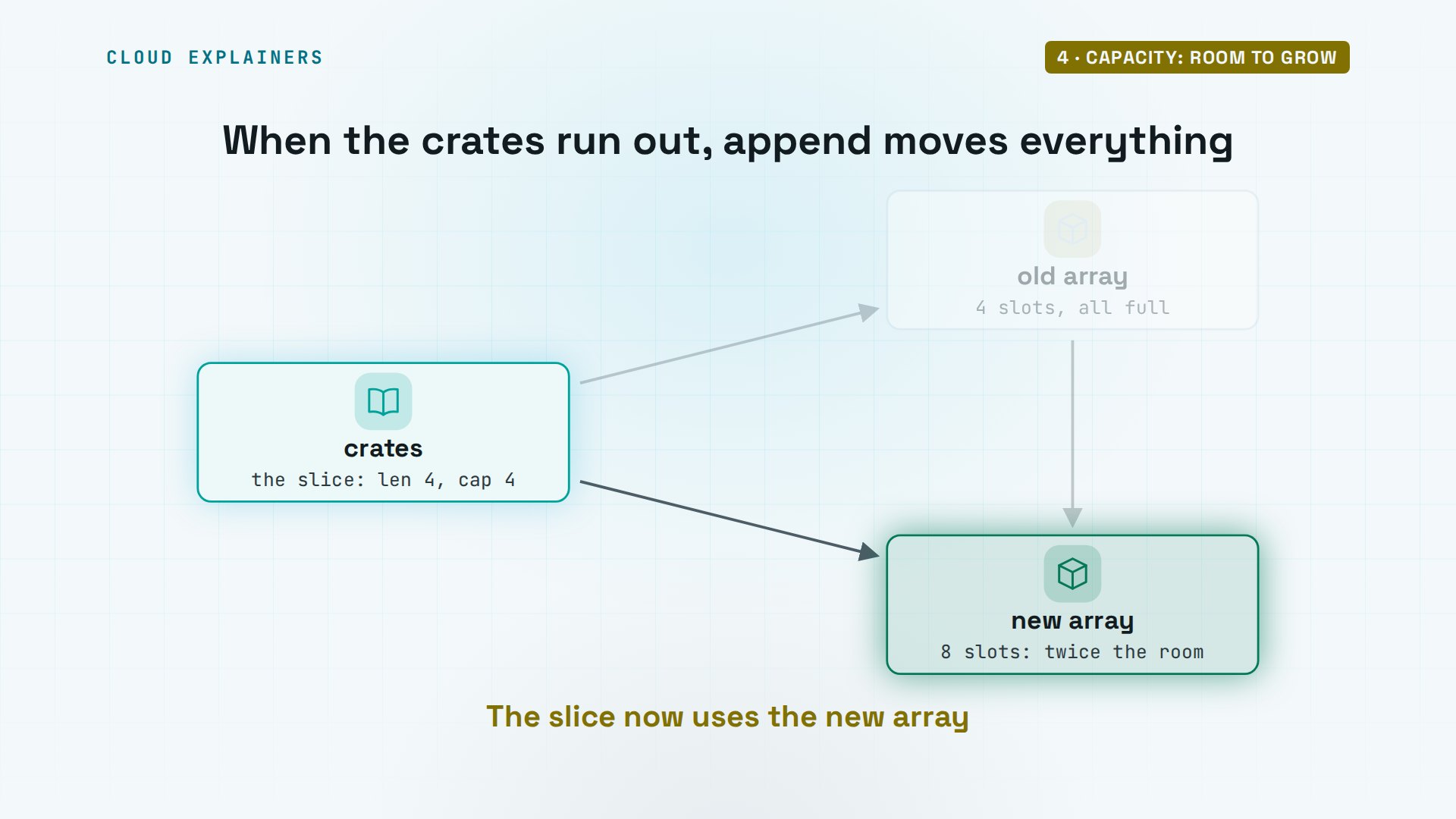
So why set out crates at all? Trish starts a slice with no make, just declared. Unlike a nil map, a nil slice is fine to append to. Append sets out the crates for you. Go calls that row of crates an array, and the slice sits on top of it. She appends twenty bins, one at a time, and prints a line each time the capacity changes. The capacity went from zero to four, then eight, sixteen and thirty-two, doubled each time it filled up.
sed -n '6,15p' main.govar crates []int // nil: no array behind it yet fmt.Println("nil?", crates == nil, "len", len(crates), "cap", cap(crates)) for bin := 1; bin <= 20; bin++ { before := cap(crates) crates = append(crates, bin) if cap(crates) != before { fmt.Println("len", len(crates), "cap", cap(crates), "<- new, bigger array") } }
go run .nil? true len 0 cap 0
len 1 cap 4 <- new, bigger array
len 5 cap 8 <- new, bigger array
len 9 cap 16 <- new, bigger array
len 17 cap 32 <- new, bigger array
Each of those lines is a move. When every crate in the array is full, append can't squeeze in one more. It gets a new, bigger array, copies every bin across, and the slice points to the new one. For a few bins that's nothing. For thousands, it adds up.
Trish measures it with Go's benchmark tool. It adds ten thousand bins two ways: once growing from nothing, and once with make and the full capacity up front. It runs each version thousands of times, and counts every time it asks for new memory. Growing from nothing asked for new memory 18 times. Each time meant a new array and a full copy. That took about 19 microseconds. With make, it asked once, in about 4 microseconds. Four times faster on her laptop.
sed -n '10,16p' main.gofunc grow(n int) []int {
    var s []int
    for i := range n {
        s = append(s, i)
    }
    return s
}
go test -bench . -benchmem -cpu 1goos: linux
goarch: arm64
pkg: harvest
BenchmarkGrow          83251         19006 ns/op      357624 B/op         18 allocs/op
BenchmarkPresized     283748          4227 ns/op       81920 B/op          1 allocs/op
PASS
ok      harvest 2.783s
Recap
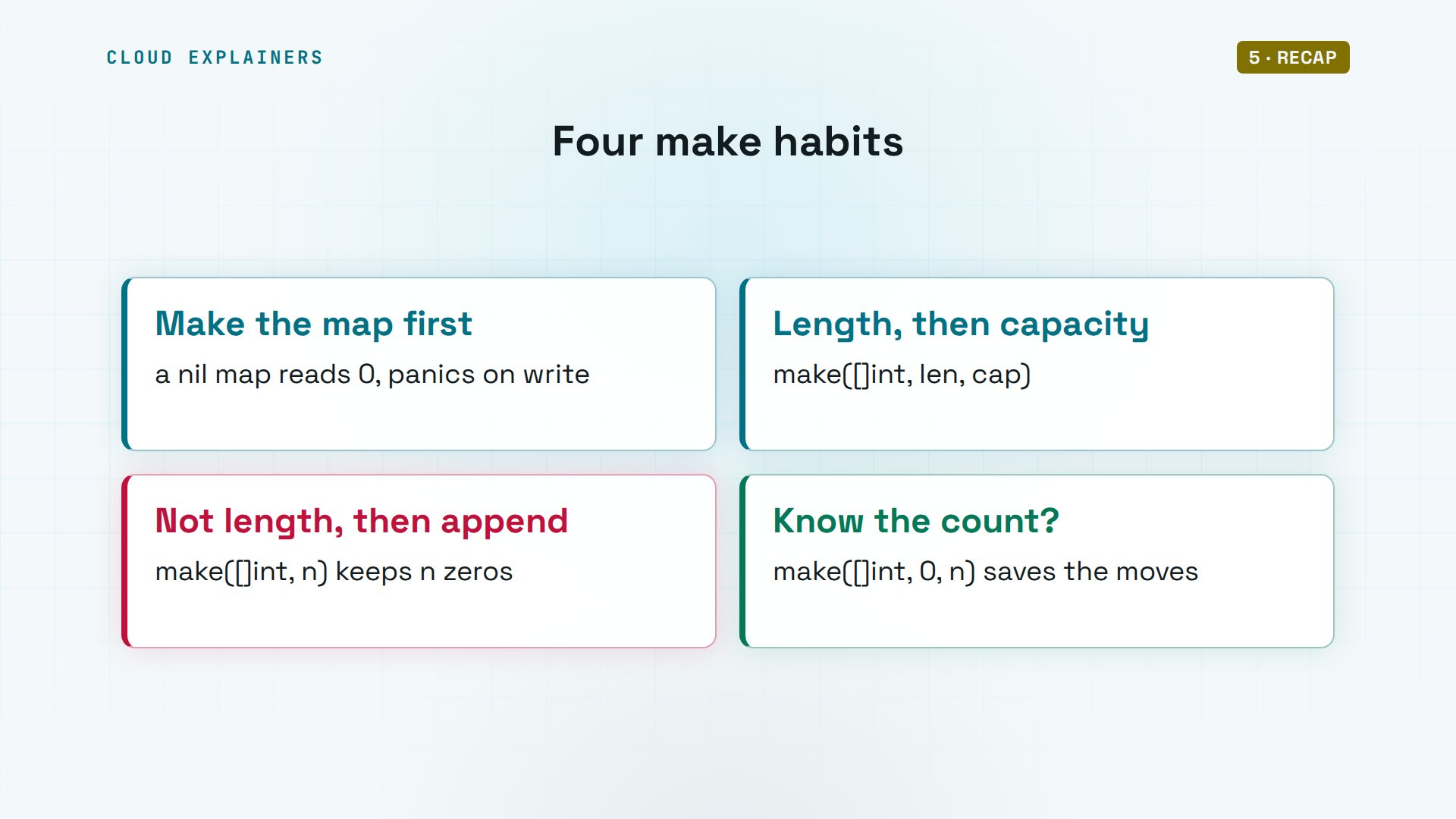
So: a declared map is nil, fine to read, a panic to write. Make it first. For slices, make's first number is the length, the second the capacity. Never give it a length and then append on top. And when you know the count, give it the capacity.
If make makes sense now, a like helps YouTube show this to more beginners, and subscribing brings the next Go idiom: defer.
All the lab files and commands are linked in the description. Thanks for watching Cloud Explainers.
Sources
Demos: one container on our own Mac standing in for a laptop; the orchard and its harvest are made up. Every command, output and number was real. Watch the full video on YouTube.
More videos
Every PostgreSQL Setting to Change After You Install It
What Happens When You Install Docker on Ubuntu
How to Fix Python 'Address Already in Use' Errors
Golang Interfaces and Mocks in 5 Minutes
How to Fix Git 'Detached HEAD' State
Linux Firewall with ufw: Full Tutorial for Beginners
Golang defer Statements in 5 Minutes
How to Fix OAuth 'invalid_grant' Errors

The SQL Roadmap for Beginners
How to Fix Network 'No Route to Host' Errors on Linux
How to Fix Linux 'Too Many Open Files' Errors

Every Django Concept a Beginner Needs to Know
SSH on Linux: Full Tutorial for Beginners

Golang for range Loops in 5 Minutes
SQL Databases: SQLite vs PostgreSQL
The Django Roadmap for Beginners
Golang Structs in 5 Minutes
Redis: Full Tutorial for Beginners

Golang context.Context in 5 Minutes
How to Fix MySQL Database Error 1045: Access Denied for User
Golang Method Receivers in 5 Minutes
How to Fix Python SSL: CERTIFICATE_VERIFY_FAILED Errors
How to Fix Django Static Files Not Loading in Production
OpenRouter vs Direct API Keys: Which One Should You Use?
Golang if err != nil Checks in 5 Minutes

How to Fix Golang 'go.mod File Not Found' Errors

MCP Servers: Full Tutorial for Beginners
Golang Error Return Values in 5 Minutes
How to Fix Python ModuleNotFoundError: No Module Named
Golang Pointers in 5 Minutes
How to Fix a Kubernetes Pod Stuck in CrashLoopBackOff
How to Fix a Homelab ESXi Host Not Responding
PostgreSQL: Full Tutorial for Beginners
How a Load Balancer Works with HAProxy

How Python Virtual Environments Work
How to Fix Cloudflare Tunnel Errors in a Homelab
How to Fix API CORS Errors: No 'Access-Control-Allow-Origin'
How Authenticator App Login Codes Work (TOTP)
Git and GitHub: Full Tutorial for Beginners
How a Homelab Hypervisor Works (VMware ESXi)
How to Fix Kubernetes ImagePullBackOff Errors
How to Fix DNS 'Temporary Failure in Name Resolution' on Linux
How to Fix AWS CLI 'Unable to Locate Credentials'
Proxmox vs ESXi for Your Homelab: When Each One Wins
PostgreSQL UUID vs Auto Increment: Which Primary Key Should You Use?
Kubernetes: Full Tutorial for Beginners

How TCP Sockets Work
How to Fix PostgreSQL 'Could Not Connect to Server'
Claude Code Hooks Will Finally Make Sense After This
DevOps with Ansible Will Finally Make Sense After This
How SNMP Network Monitoring Works
How to Fix GitHub 'Permission Denied (publickey)' Errors
Docker: Full Tutorial for Beginners
How to Fix PostgreSQL 'Password Authentication Failed'
Why One Linux Server Handles More Users Than You Think
How to Fix Network 'Connection Refused' Errors
DevOps Pipelines: Jenkins vs GitHub Actions
Linux Nginx Reverse Proxy: Full Tutorial for Beginners
Every Networking Term a Beginner Needs in 12 Minutes
How to Fix Docker 'Permission Denied' on docker.sock
How to Fix Git 'Updates Were Rejected' When You Push
How to Fix nginx 502 Bad Gateway Errors on Linux
How to Fix Linux apt 'Could Not Get Lock' Errors (Ubuntu)

How Email Works on the Internet (SMTP) in 10 Minutes
The Python Roadmap for Beginners

Golang REST API with Gin: Full Tutorial for Beginners
How a WireGuard VPN Network Works

Linux Makefiles Will Finally Make Sense After This

SAML vs OAuth vs OpenID Connect: What's the Difference?
How to Fix Python cron Jobs That Never Run
Linux Bash Scripting: Full Tutorial for Beginners
How PXE Network Boot Works
How Active Directory Works

How to Fix a Linux systemd Service That Won't Start
Linux Logs: syslog vs journald
JWT vs Session Cookies: Which One Should You Use?
Docker vs Docker Compose: Which One Should You Use?
How to Fix Docker Compose Containers That Can't Talk to Each Other
Django Full Tutorial for Beginners
How Linux systemd Works

How to Fix 'Windows Cannot Access' Network Share Errors (SMB)
REST vs gRPC: Which One Should You Use?
How to Fix SSL Certificate Chain Errors (Missing Intermediate)
Every Python Concept for Beginners in 10 Minutes
Every SQL Join Type in 10 Minutes
Why OpenRouter Free Models Hit Their Limit So Fast
Why Your Gemini API Free Tier Runs Out So Fast
OpenRouter Will Finally Make Sense After This
How Redis Caching Works
Gemini API vs Vertex AI: Which One Should You Use?
How to Fix a Leaked Gemini API Key
Why Golang Uses Goroutines Instead of Threads
How to Fix Gemini API Error 429: Resource Exhausted
Claude Token Pricing Will Finally Make Sense After This
Why Python Web Scraping Returns Nothing (and the Fix)
Python uv vs pip: Which One Should You Use?
Python Automation: Full Tutorial for Beginners
How OAuth Login Works

Google AI Studio Will Finally Make Sense After This
What Happens When You Run a Docker Container
How to Fix Claude Code Billing Your API Key Instead of Your Plan
Why Passkeys Can't Be Phished Like Passwords
PowerShell vs Bash: Which One Should You Learn?
The Linux Roadmap for Beginners
Django vs FastAPI: Which One Should You Use?
Why SQLite Is the Most Used Database in the World
How a NoSQL Database Like MongoDB Works
How to Fix Python pip error: externally-managed-environment
How to Fix MySQL Too Many Connections Database Errors
Golang Concurrency Will Finally Make Sense After This
How Amazon S3 Works
How Kubernetes Works
How Git Works
How to Fix Docker Port Already Allocated Errors
How PostgreSQL Works
How to Fix Git Merge Conflicts
How to Fix No Space Left on Device in Linux
How the Internet Works
SQL vs NoSQL: When Each One Wins
How to Fix JWT Token Expired Errors (401 Unauthorized)
Claude API vs Claude Pro: Why Your Subscription Doesn't Include It
Why AI Agent Skills Beat Giant Prompts

Linux Cron Jobs Will Finally Make Sense After This

Security Logs Will Finally Make Sense After This
How to Fix a Security Leak: An API Key Pushed to GitHub
DNS Will Finally Make Sense After This
Never Ignore a Security Update
Two-Factor Authentication Will Finally Make Sense
Never Expose a Database to the Internet
SSH Keys vs Passwords: Which Is Safer for Security?
The 5 Levels of Linux Boot: From Power On to Login
The 5 Levels of Network Firewalls
Password Security: Why Hackers Crack Weak Passwords
Why Your Linux Server Runs Out of Memory
HTTP vs HTTPS: What Actually Changes on Your Network

Every Linux File Permission You Need to Know
Linux Processes vs Threads: When Each One Wins
The OSI Model Will Finally Make Sense After This
The 7 Levels of Git
Every Network Troubleshooting Command You Need
Hashing vs Encryption in Cybersecurity: When Each One Wins
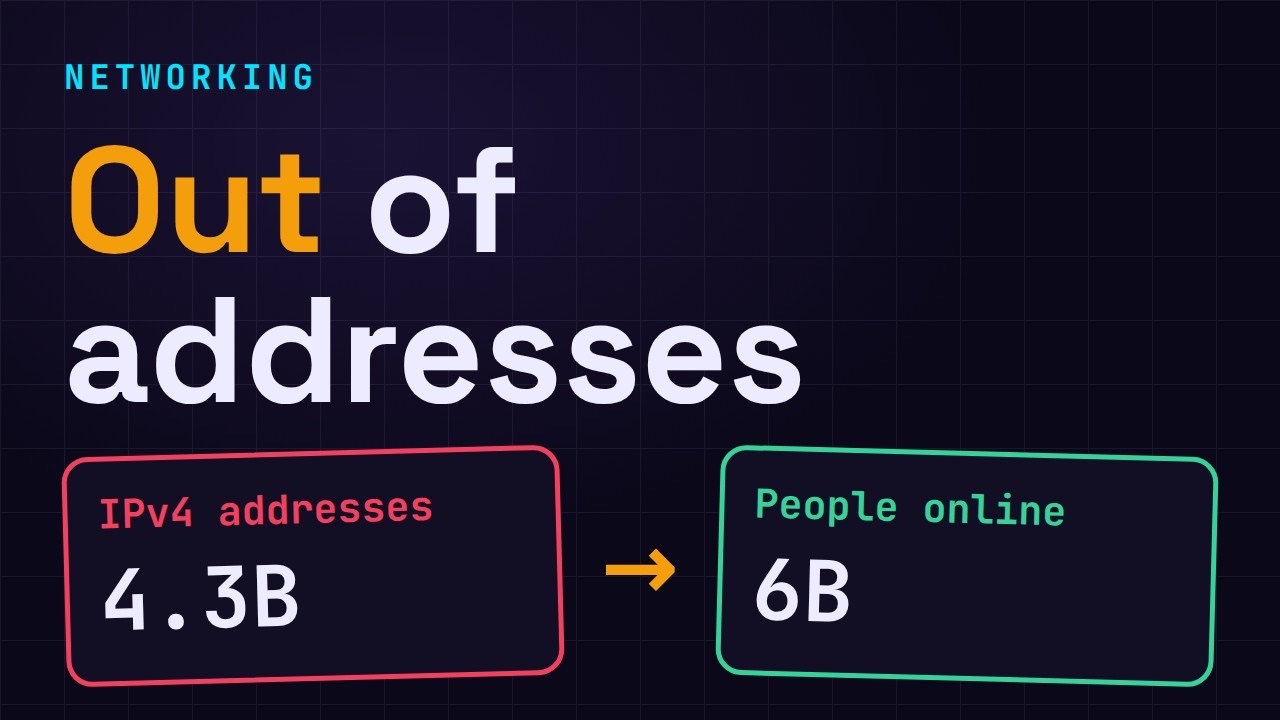
Why the Internet Ran Out of IP Addresses
Linux Package Managers: apt vs Snap vs Flatpak
Why Python Is Slow (and When It Doesn't Matter)
TCP vs UDP: When Each One Wins
Stop Running Linux as Root (Do This Instead)
Linux Users and Groups Will Finally Make Sense
Why Phishing Beats Good Security (and How to Spot It)
The 7 Levels of Docker

AI Agents Will Finally Make Sense After This
Stop Using git push --force (Use This Instead)
Agent Skills vs MCP: When Each One Wins
Networking Will Finally Make Sense After This

Every Linux Command You Actually Need
The 7 Levels of Cybersecurity
Every System Design Concept You Need, in One Diagram