
How to Fix a Leaked Gemini API Key
Leaked your Gemini API key on GitHub? Removing it from the code doesn't stop it. We fix a real leaked key in four steps, in the order Google recommends: make a new Gemini-only key, move the app to it, delete the leaked key, and check what it was used for, then lock the new key to the Gemini API and the server's IP address.
Your key is out
You pushed your Gemini API key to GitHub, and now anyone can copy it. Maybe you deleted it from the code an hour later. It's still in the history. Here's Ana's tea shop repo: a scanner called gitleaks finds her key in her very first commit, the first saved version of the code.
gitleaks git --redact -v○ │╲ │ ○ ○ ░ ░ gitleaks Finding: GEMINI_API_KEY="REDACTED" Secret: REDACTED RuleID: gcp-api-key Entropy: 4.643875 File: ask Line: 3 Commit: 5fa7bd4e57ed0ae4876ea75101d8b2fd2a7131ca Author: Ana Email: ana@tea-shop.test Date: 2026-11-07T12:21:44Z Fingerprint: 5fa7bd4e57ed0ae4876ea75101d8b2fd2a7131ca:ask:gcp-api-key:3 7:24AM INF 2 commits scanned. 7:24AM INF scanned ~1857 bytes (1.86 KB) in 33.2ms 7:24AM WRN leaks found: 1
A leaked key lets anyone send requests as your project, on your quota, your share of requests, and if billing is on, on your bill. The fix is four steps, in the right order. And one question most people never ask: what did someone do with the key while it was out? Google's own records answer it, at the end.
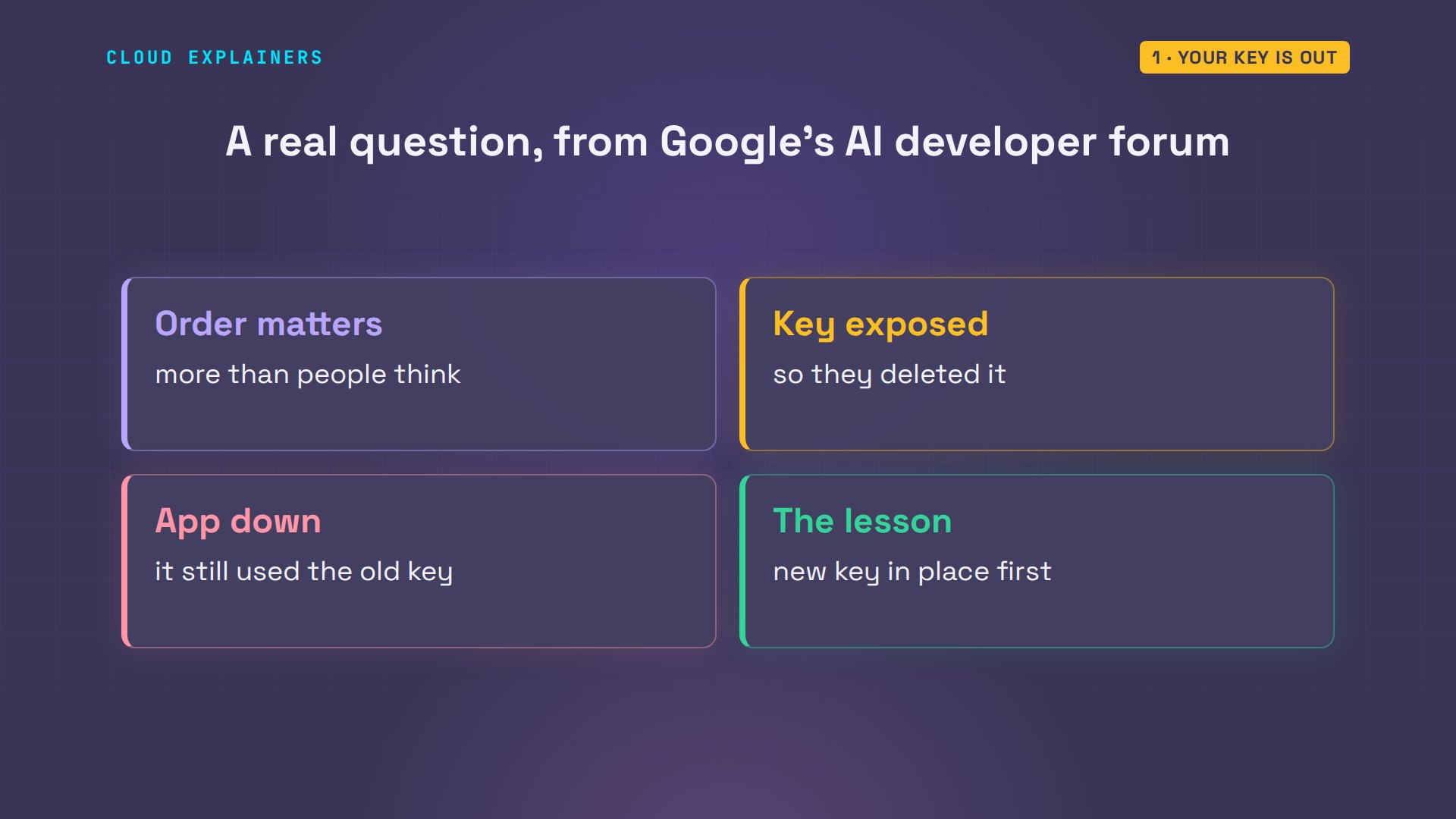
Order matters more than people think. On Google's AI developer forum, someone deleted a key that had been exposed, and their app went down, because it still pointed at the old key.
The quick fix
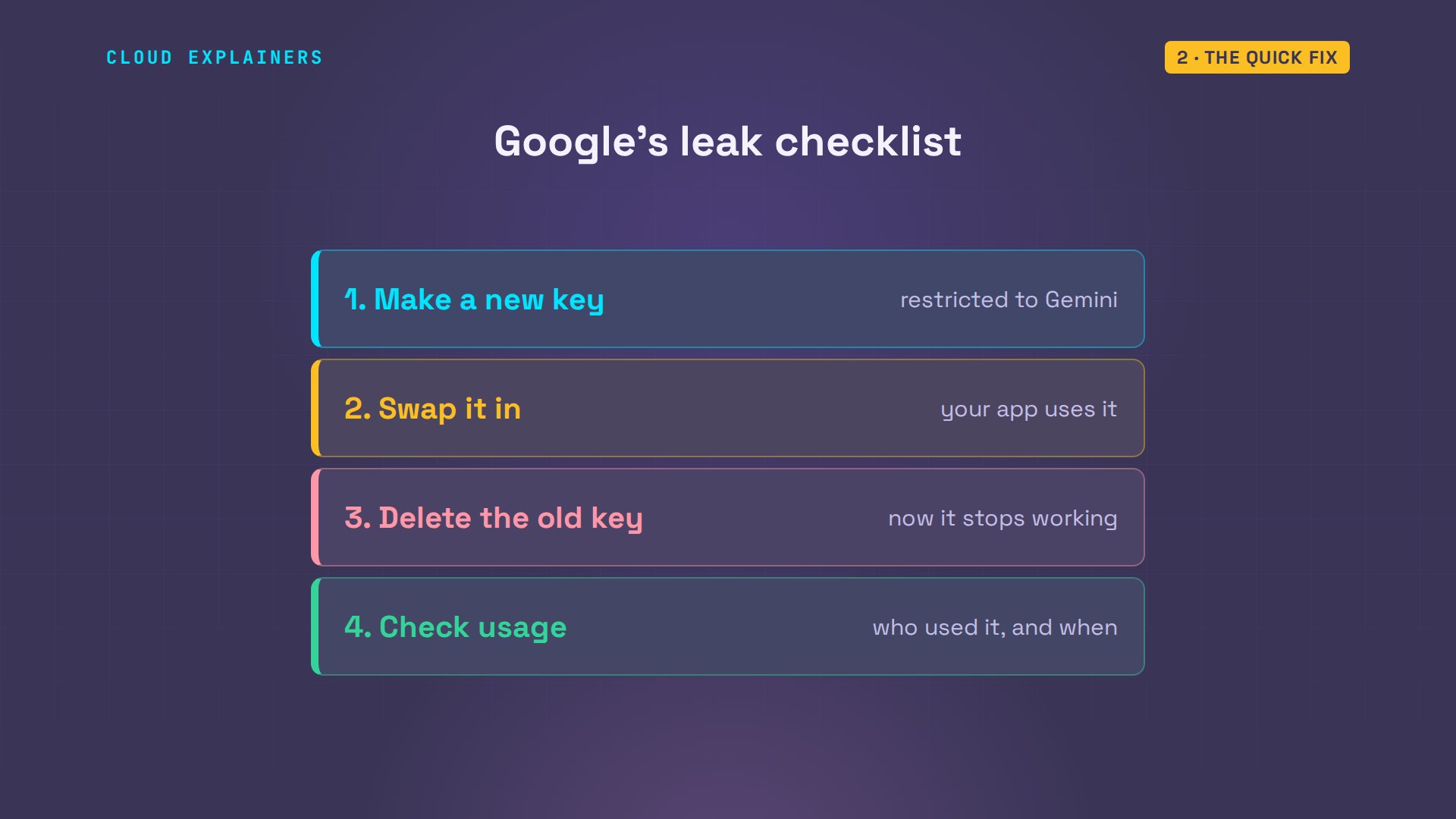
So here's the quick fix, from Google's own leak checklist. One: make a new key. Two: put it in your app. Three: delete the leaked one. Four: check what it was used for. Deleting the commit isn't on the list: the key works until it's deleted at Google.
What a leaked key lets anyone do
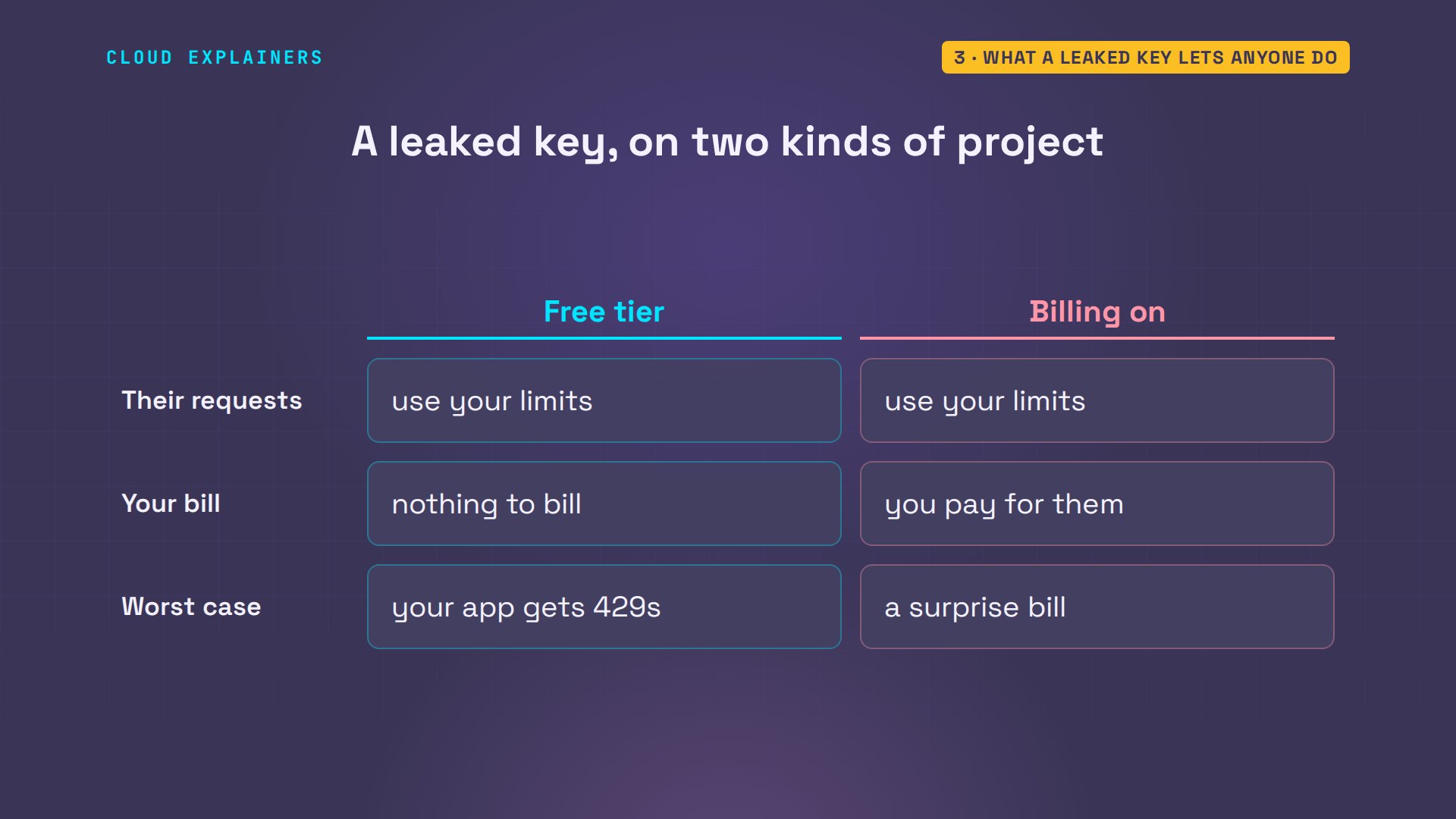
Why is a key so dangerous? An API key is how the Gemini API finds your project. It doesn't say who is calling. Whoever holds a copy gets the same answers, counted against your project's limits.
What that costs depends on the project. With no billing, the free tier, someone else can use up your limits, but there's nothing to bill. With billing on, every request they send is one you pay for.
Leaks get found fast. GitHub's secret scanning recognises Google API keys, and because Google is a scanning partner, GitHub reports them to Google. Google says it blocks known leaked keys from the Gemini API: they get a 403, your API key was reported as leaked. But don't wait for that. Other people run scanners too.
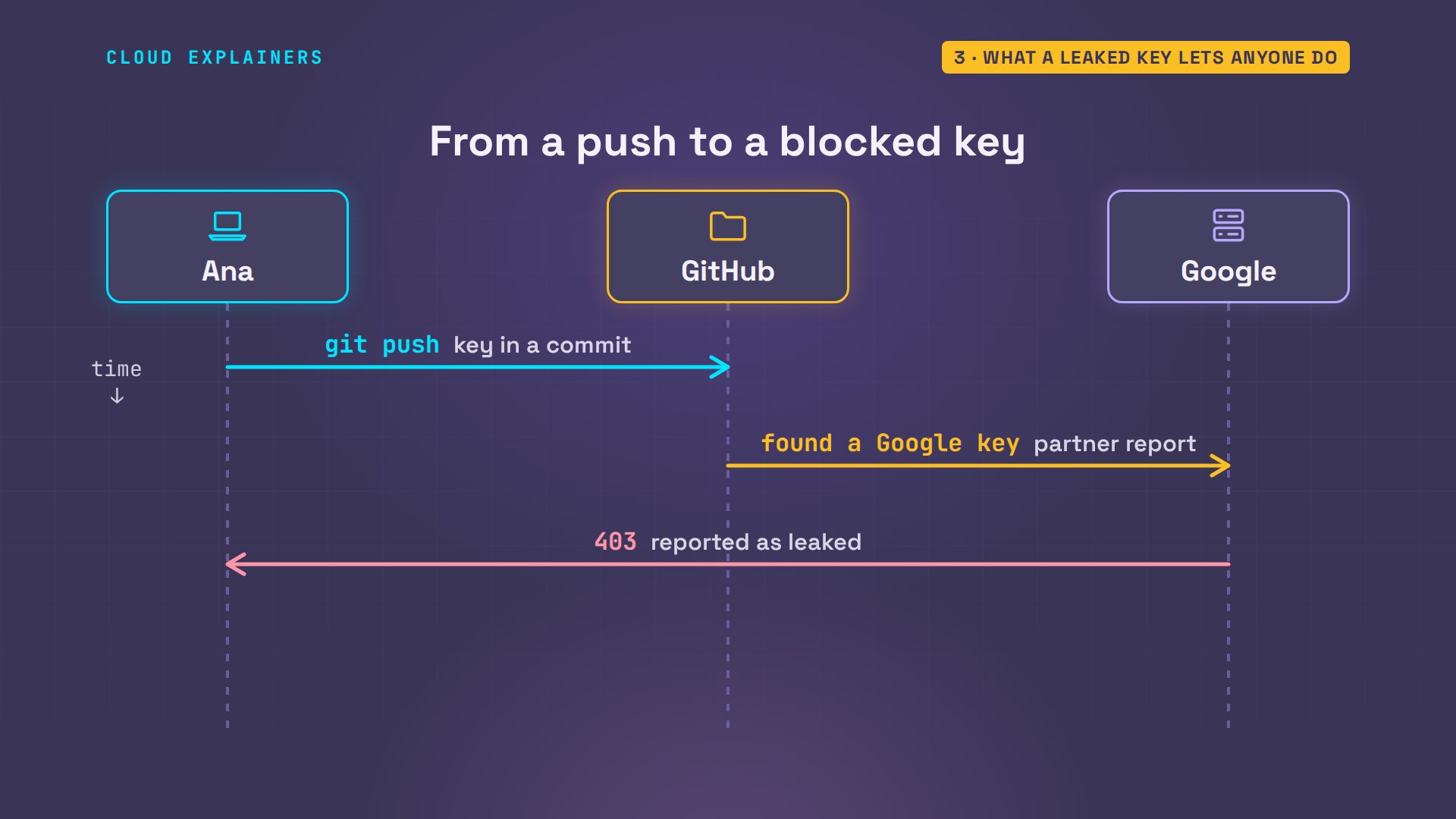
So why didn't deleting the line help? Ana's repo has two commits. gitleaks names the rule it matched, the file, and the commit: the first one.
git log --onelined3d76b3 (HEAD -> main) Read the key from .env
5fa7bd4 First version of the tea assistant
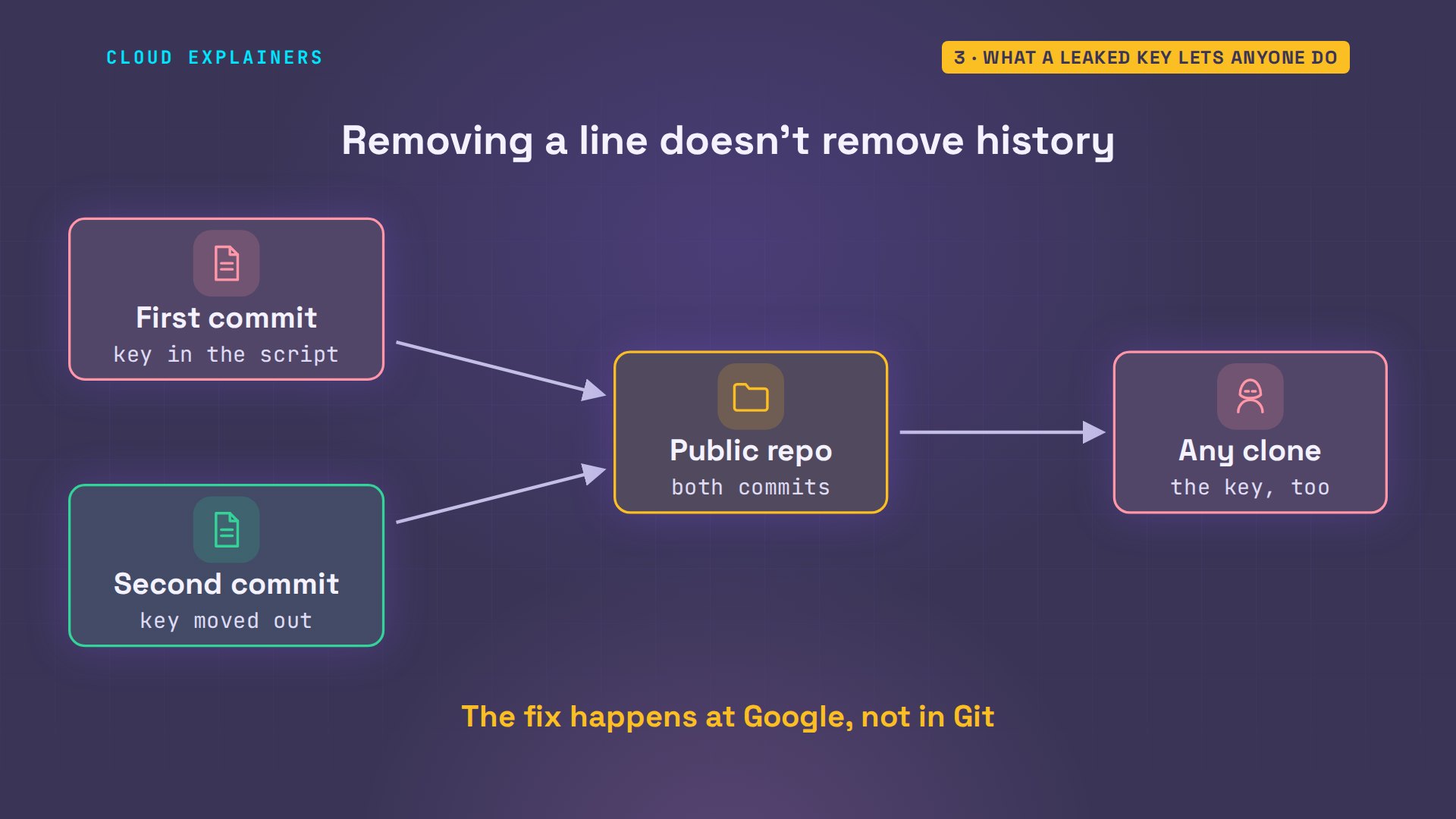
Git keeps every commit. The first version had the key typed into the ask script. The second moved it into a file Git ignores. But anyone who clones the repo, downloading a copy, gets both commits, and the first one still holds the key.
A new key, Gemini only
Step one. Ana's project has one key, restricted to one API: the Generative Language API, Gemini's official name. With gcloud, Google Cloud's command line, she makes a second key, shop-key-2. gcloud prints the whole new key, so that output goes nowhere. Only its I D is kept: that names the key, but can't call the API.
gcloud services api-keys list --format="table(displayName,restrictions.apiTargets[0].service)"DISPLAY_NAME  SERVICE
shop-key      generativelanguage.googleapis.com
NEW=$(gcloud services api-keys create --display-name=shop-key-2 --api-target=service=generativelanguage.googleapis.com --format="value(response.uid)" 2>/dev/null)
echo $NEW419116c7-9791-44c0-8156-caa9a6b474bc
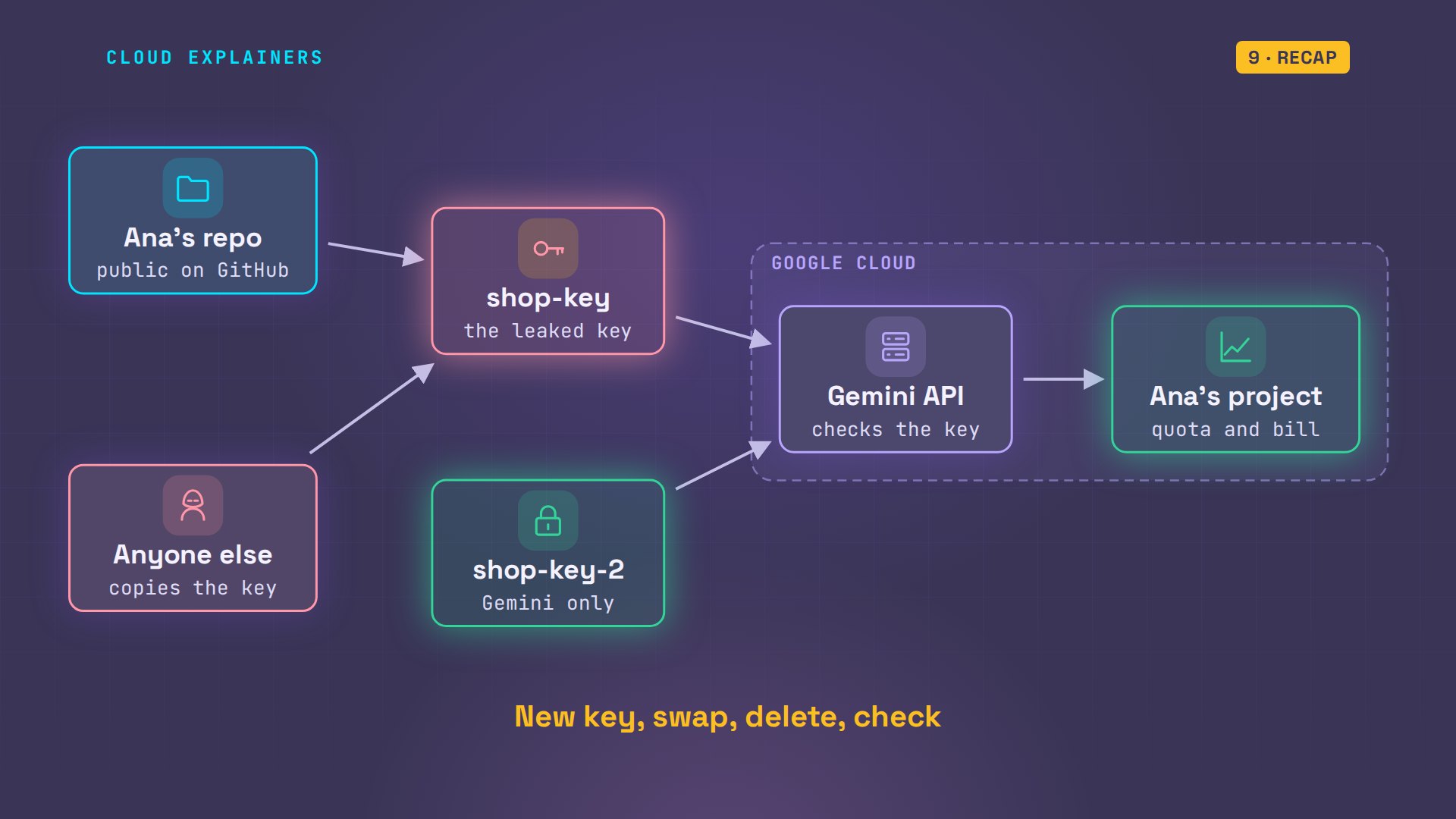
On the map, a second key now points at the same project. Both work for now. In AI Studio, a new key is an authorization key, tied to a service account, an identity for apps, and limited to Gemini from the start. Either way, the new key gets one job.
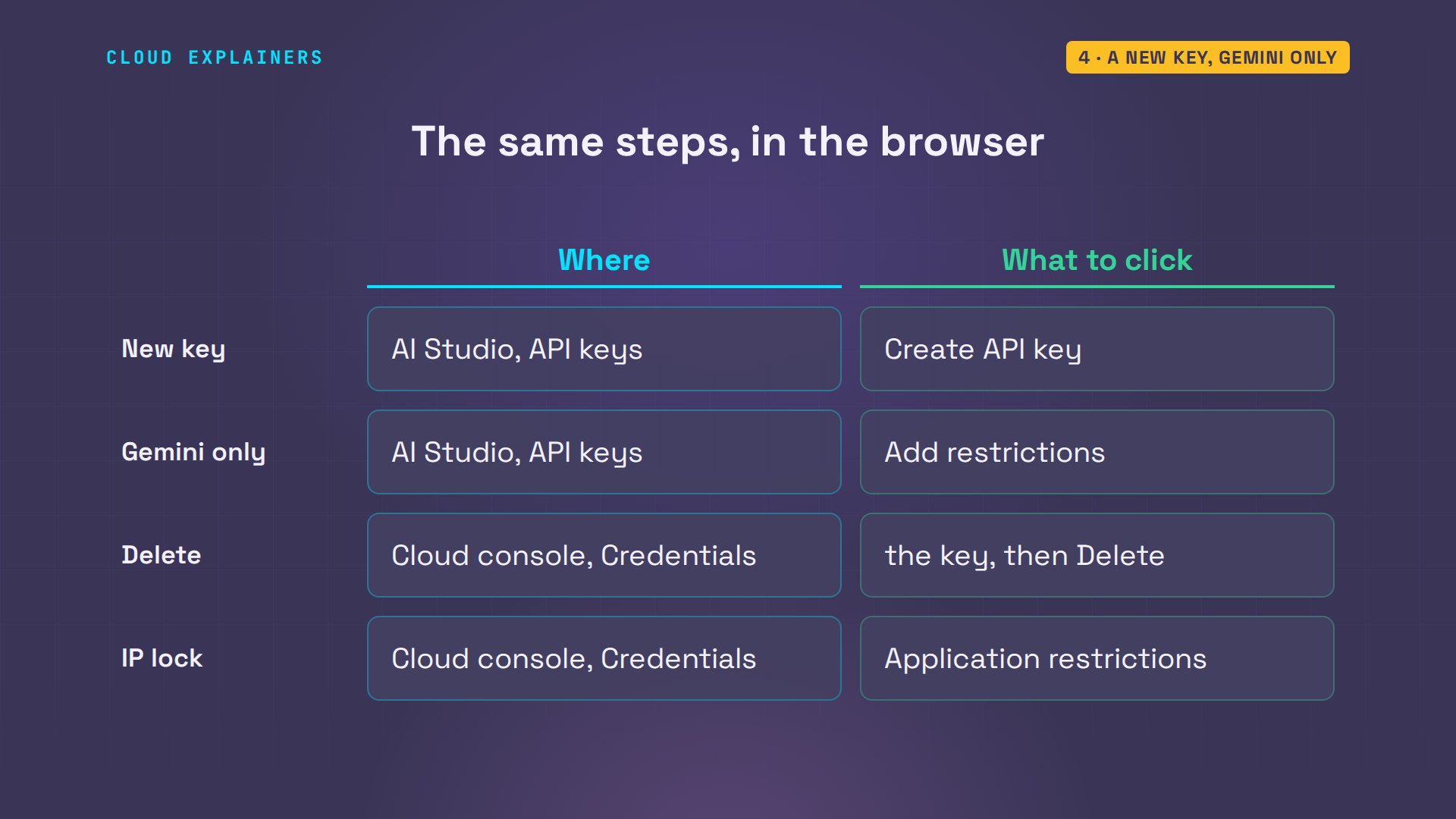
No command line? Every step here is also a button. In AI Studio's API keys page, Create API key makes the new one, and Add restrictions limits a key to Gemini. In the Google Cloud console, the Credentials page deletes a key, and sets the I P address lock.
Swap it in first
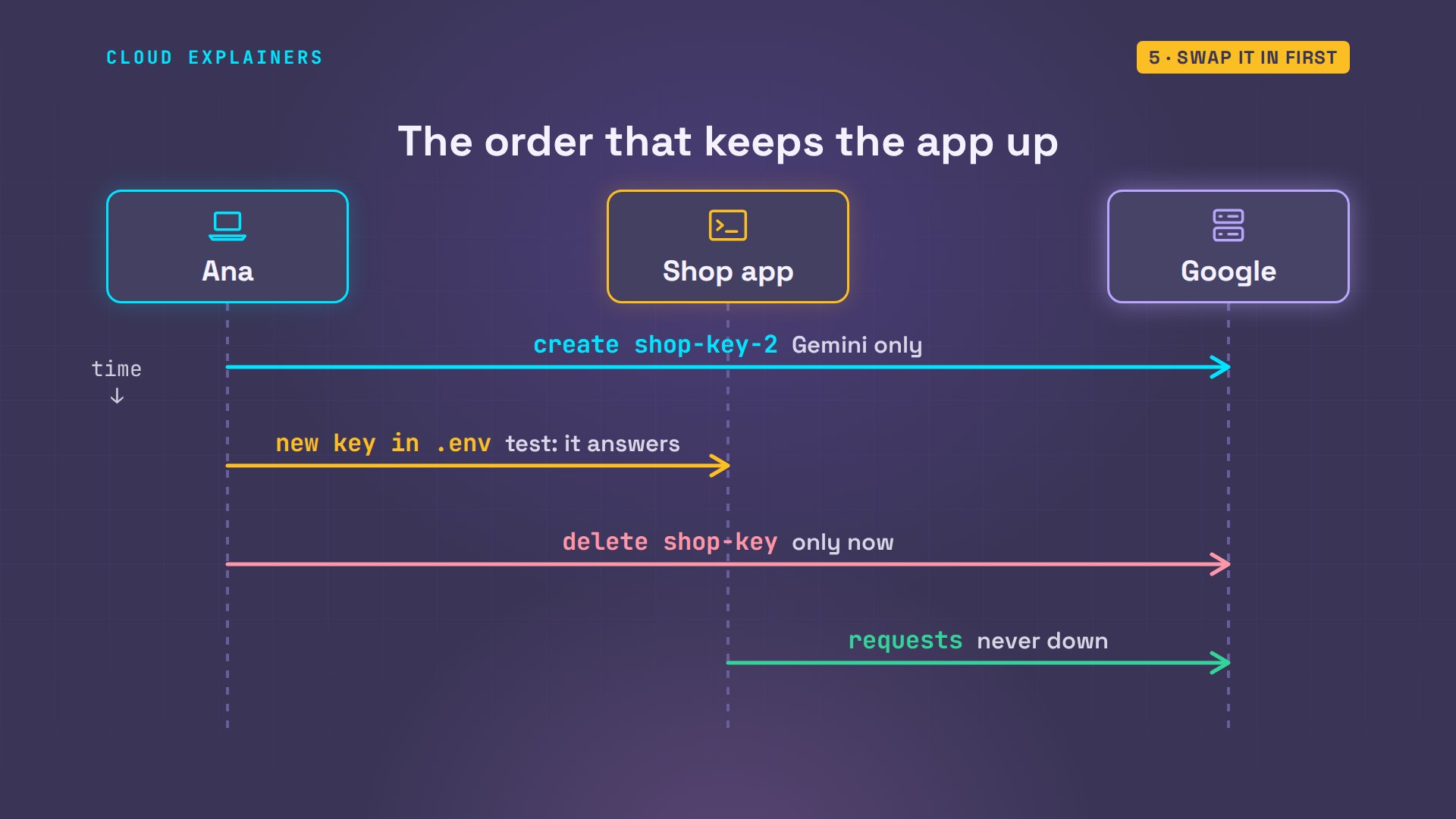
Step two, before anything is deleted: the app moves to the new key. She keeps a copy of the old.env to test with, writes the new key into.env without printing it, and checks that Git ignores both files. The shop answers on the new key.
cp .env .env.old
echo "GEMINI_API_KEY=$(gcloud services api-keys get-key-string $NEW --format='value(keyString)')" > .env
git check-ignore -v .env .env.old.gitignore:1:.env	.env
.gitignore:2:.env.*	.env.old
./ask "One calm sentence about Hojicha tea."Roasted to a warm, nutty perfection, hojicha offers a soothing and caffeine-gentle escape for the senses.
And the leaked key, gone from the code for a whole commit? It still answers too.
KEY_FILE=.env.old ./ask "One calm sentence about Genmaicha tea."Genmaicha combines the smooth, grassy notes of green tea with the warm, comforting aroma of toasted brown rice.
That's the forum's lesson as a picture. New key first, the app on the new key, and only then the old key deleted, so the app never goes down.
Delete the leaked key
Step three. She looks up the old key's I D, and asks Google to delete it. It was used this week. Guess first: will Google delete it? No. Active usage in the last seven days.
OLD=$(gcloud services api-keys list --filter='displayName~^shop-key$' --format="value(uid)")
gcloud services api-keys delete $OLD 2>&1 | grep -E "ERROR|displayName|deleteTime"ERROR: (gcloud.services.api-keys.delete) FAILED_PRECONDITION: Unable to delete key. Active usage in the last 7 days was detected for service(s): generativelanguage.googleapis.com. To override this protection and apply the change, set check_existing_usage to SKIP.
That's a safety catch, not an error. A key used this week is usually a key an app still needs: the forum's exact mistake. Ana's app already runs on the new key, so she tells gcloud to skip the check, and the key is deleted.
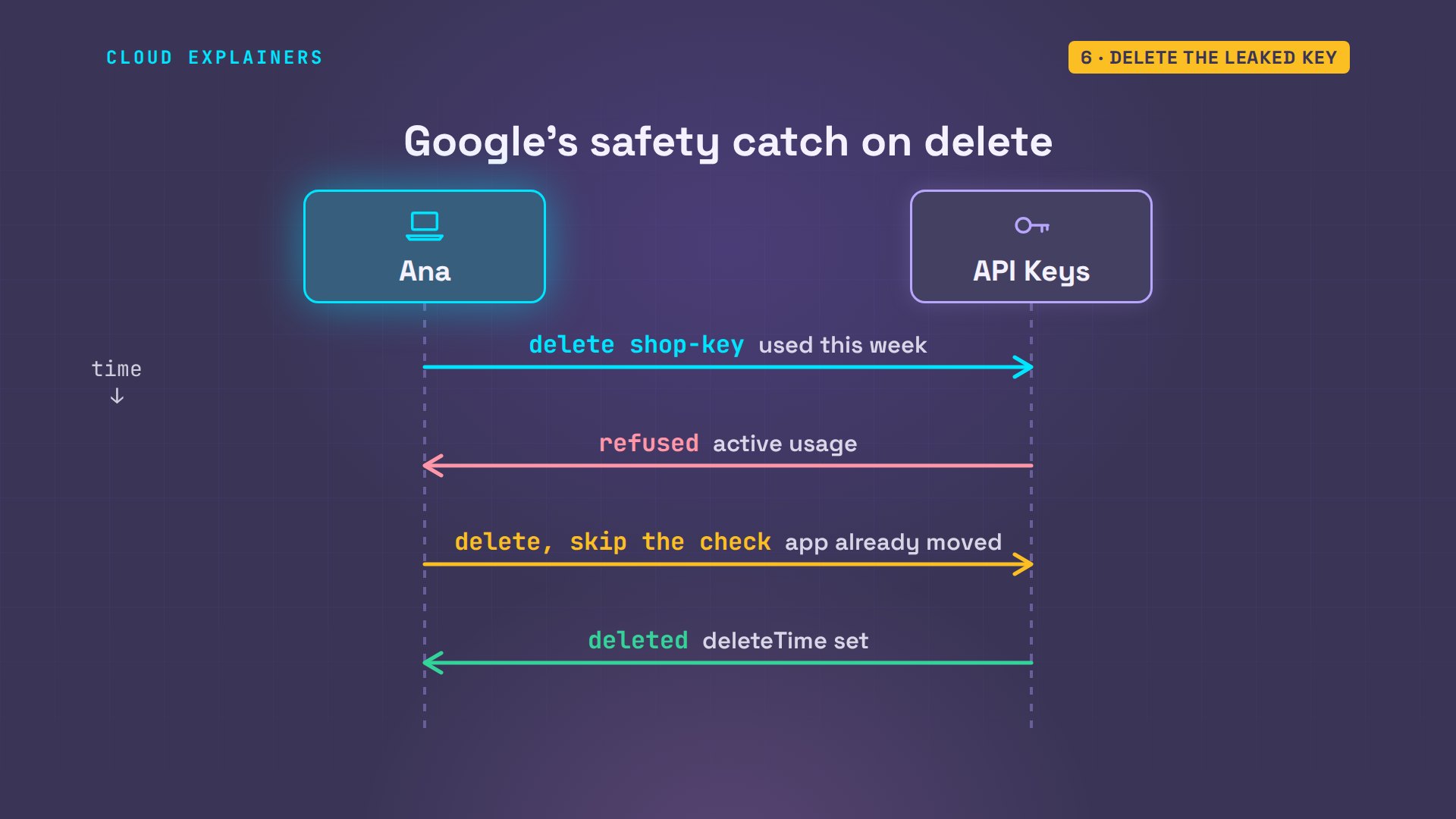
Here's that delete. So how soon does a deleted key stop working? Right away. The very next request with it gets 400, API key invalid. The new key still answers.
gcloud services api-keys delete $OLD --no-check-existing-usage 2>&1 | grep -E "ERROR|displayName|deleteTime""deleteTime":"2026-11-07T12:24:27.792472Z", "displayName":"shop-key",
KEY_FILE=.env.old ./ask "One calm sentence about Genmaicha tea."error 400 API_KEY_INVALID
./ask "One calm sentence about Silver Needle tea."Delicate and serene, Silver Needle tea offers a gentle infusion of subtle sweetness and soothing floral notes.
On the map, the leaked key is cut off at the API. Anyone holding a copy now gets the same 400, while the shop carries on with the new key.
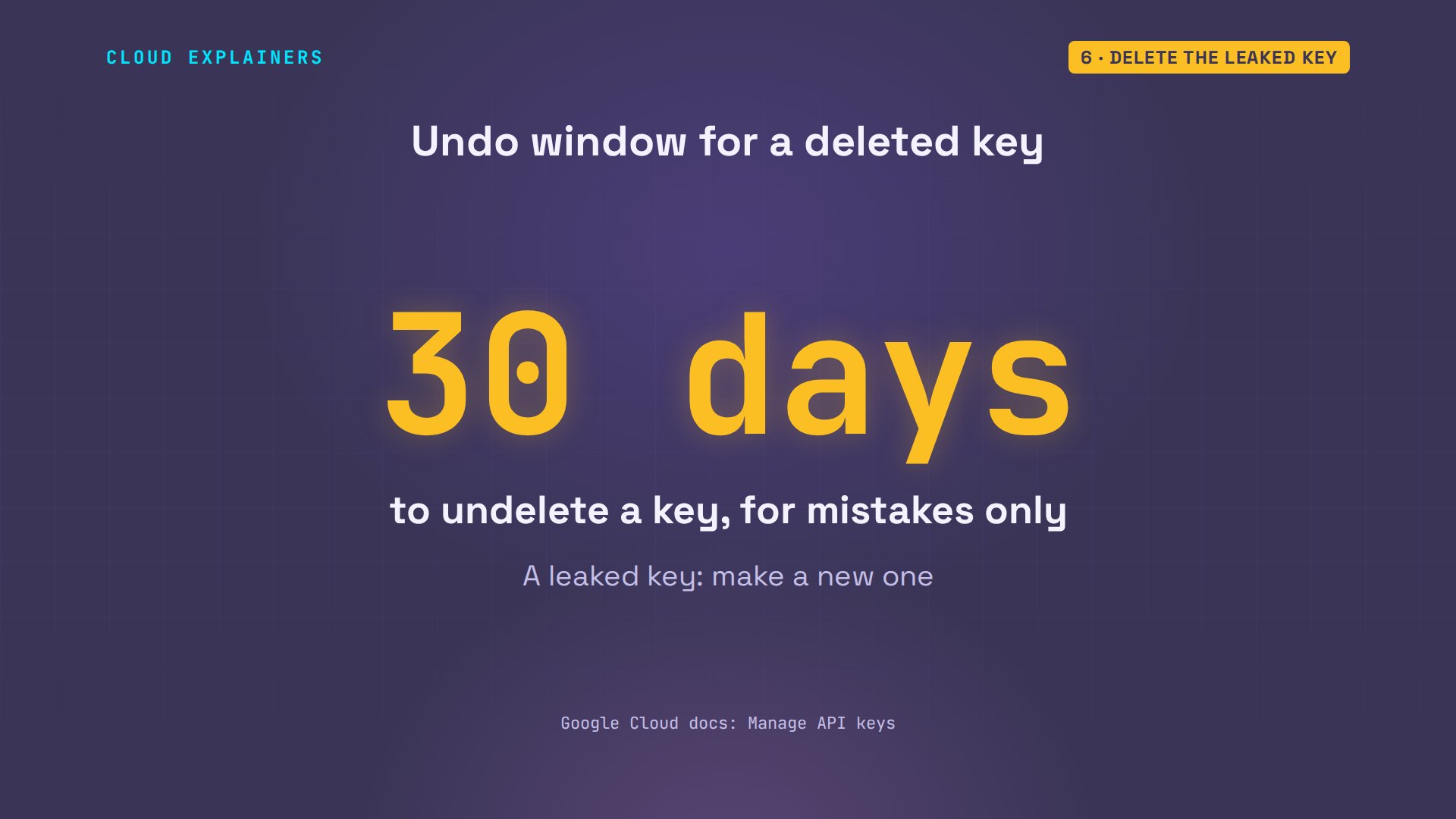
Deleted isn't gone for good, though. Google lets you undelete a key for thirty days. That's there for mistakes, like deleting the wrong key. Never undelete a leaked one: make a new key instead.
Lock the new key down
So how do you make the next leak matter less? Google already enforces one rule. Ana makes a test key with no restriction at all, and asks Gemini with it: 400, invalid. The Gemini API rejects unrestricted standard keys.
OPEN=$(gcloud services api-keys create --display-name=test-open --format="value(response.uid)" 2>/dev/null)
echo "GEMINI_API_KEY=$(gcloud services api-keys get-key-string $OPEN --format='value(keyString)')" > .env.open
KEY_FILE=.env.open ./ask "One calm sentence about Sencha tea."error 400 API_KEY_INVALID
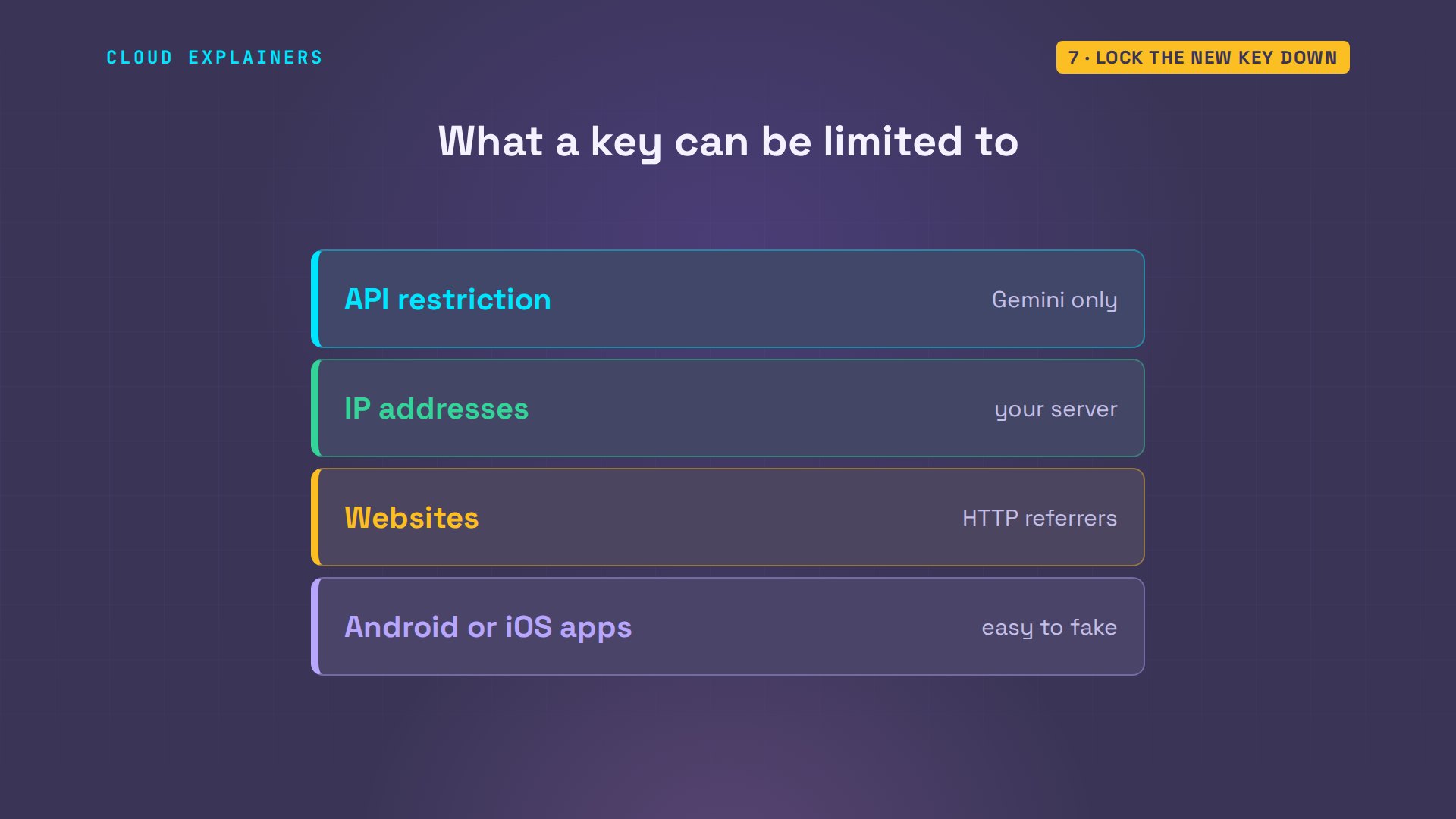
A key can carry two kinds of restriction. Which APIs it may call, and where it may be used from: I P addresses for a server, websites, or Android and iOS apps, only one of those at a time. Google recommends both: an API restriction, and one of the others.
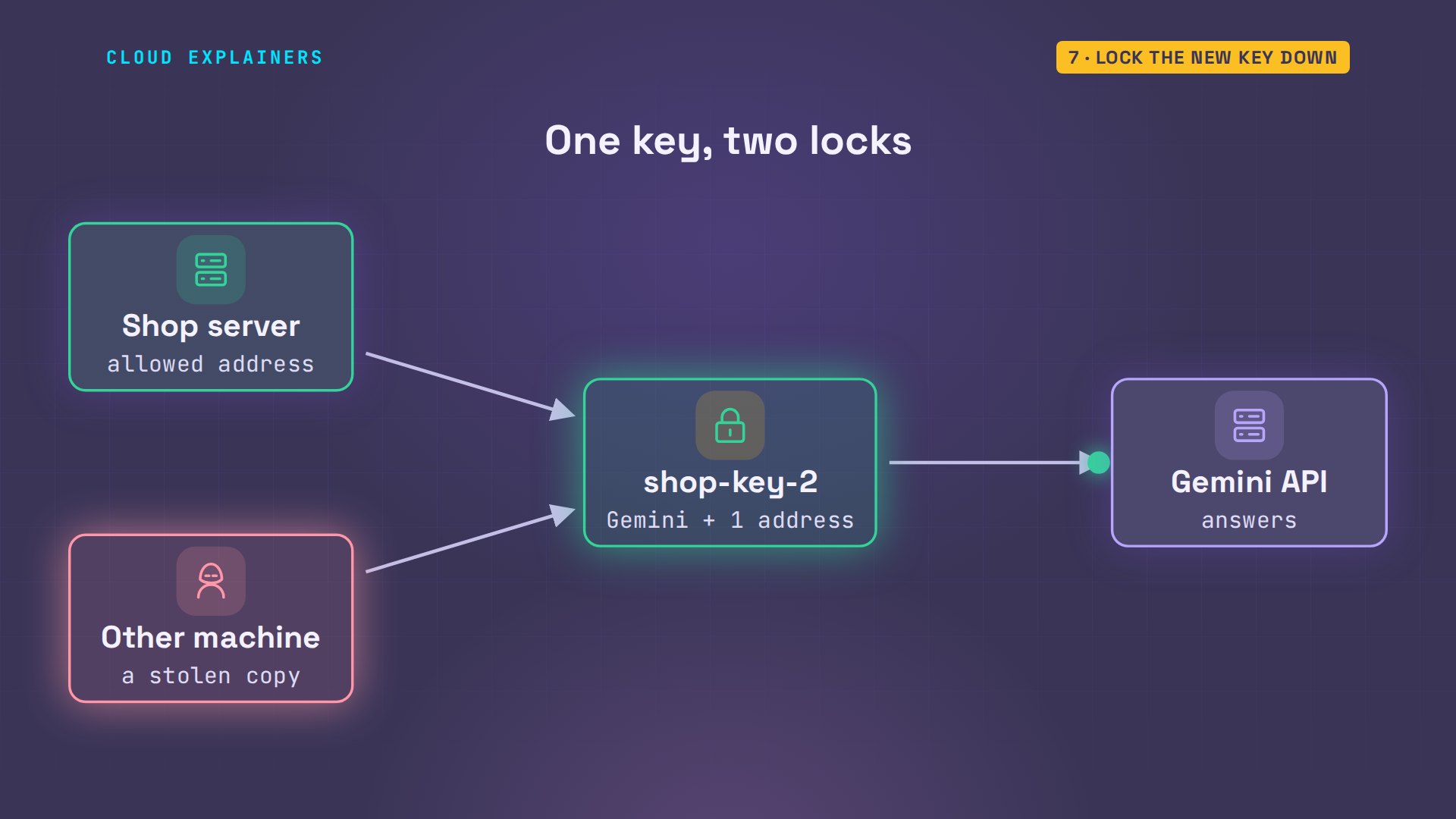
Ana's shop runs on a server, so she locks the new key to its address. A placeholder address, reserved for examples, stands in for it here. The key now lists both restrictions. Her laptop isn't that server, so the same ask gets 403: I P address blocked.
gcloud services api-keys update $NEW --api-target=service=generativelanguage.googleapis.com --allowed-ips=203.0.113.7 2>&1 | grep -E "ERROR|allowedIps|203""allowedIps":[ "203.0.113.7"
gcloud services api-keys describe $NEW --format="yaml(displayName,restrictions)"displayName: shop-key-2
restrictions:
  apiTargets:
  - service: generativelanguage.googleapis.com
  serverKeyRestrictions:
    allowedIps:
    - 203.0.113.7
./ask "One calm sentence about Sencha tea."error 403 API_KEY_IP_ADDRESS_BLOCKED
That's exactly what anyone with a stolen copy would get. With both restrictions, a leaked key is nearly useless: it calls only Gemini, and only from the shop's server.
What was it used for?
Step four, and the question from the start: what was the leaked key used for? Google's Cloud Monitoring counts every request the Gemini API answers, labelled with the key that sent it, and the answer code. So the record exists, even for a key you never watched.
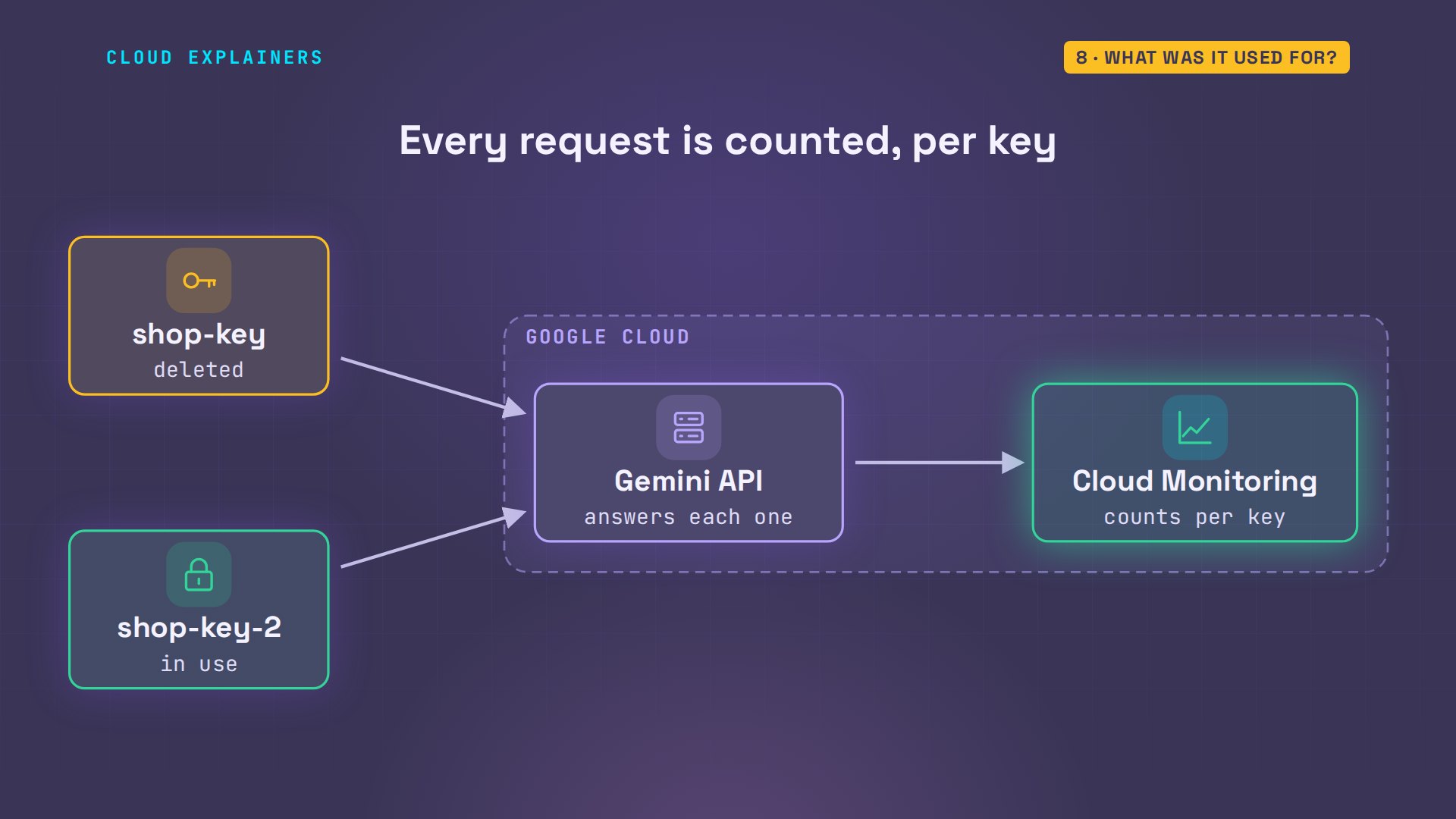
Ana's usage script, in the lab files, asks it for the last hour. shop-key: 6 answered requests. shop-key-2: 2.
./usageKEY          CODE   REQUESTS
shop-key     200    6
shop-key-2   200    2
test-open    400    1
unknown key  400    1
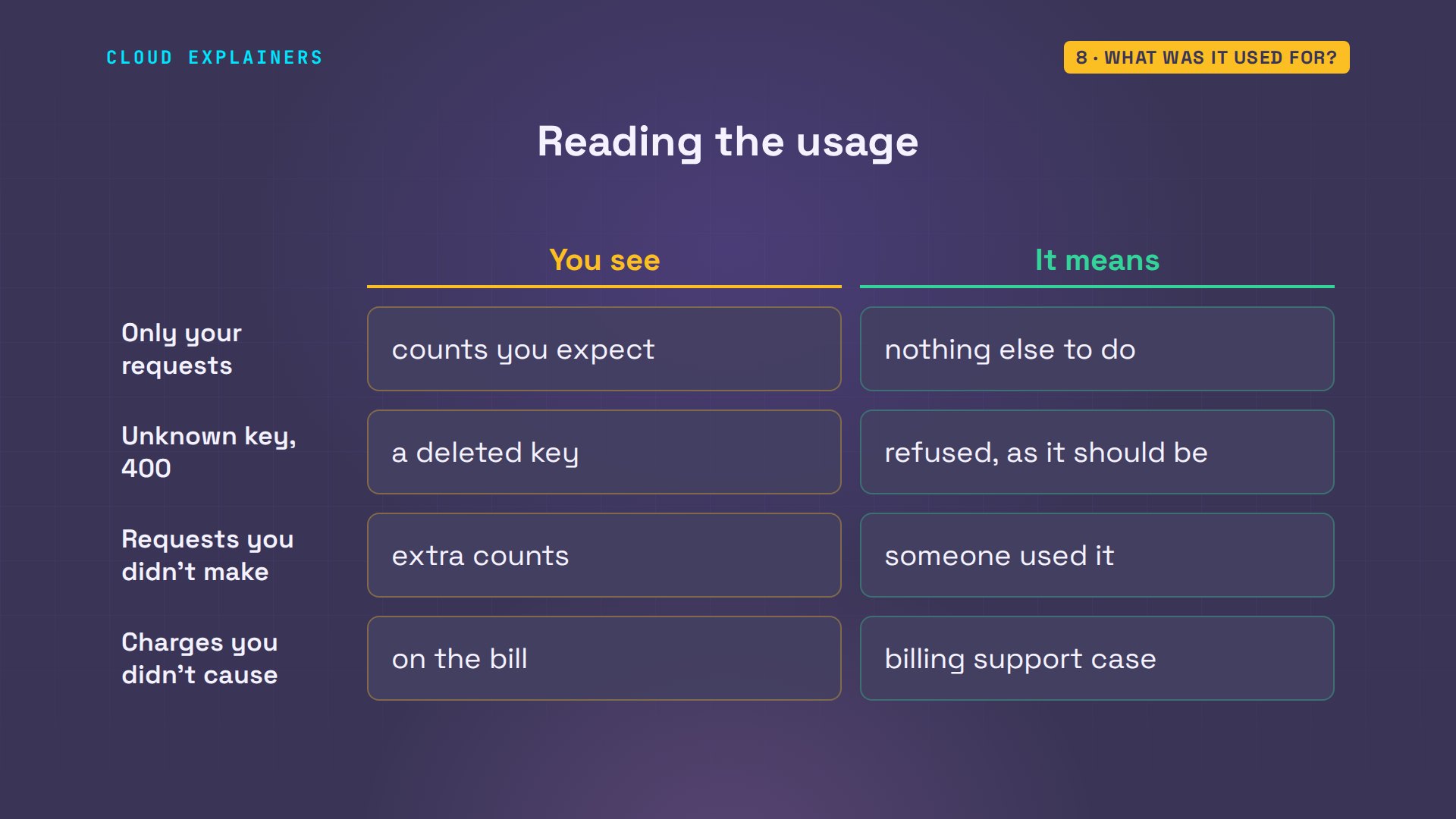
Every one of them is Ana's own. The 400 under unknown key is her test with the deleted key: a deleted key has no name to show. If a leaked key shows requests you didn't make, someone used it. With billing on, check the bill too, and open a billing support case for charges you didn't cause.
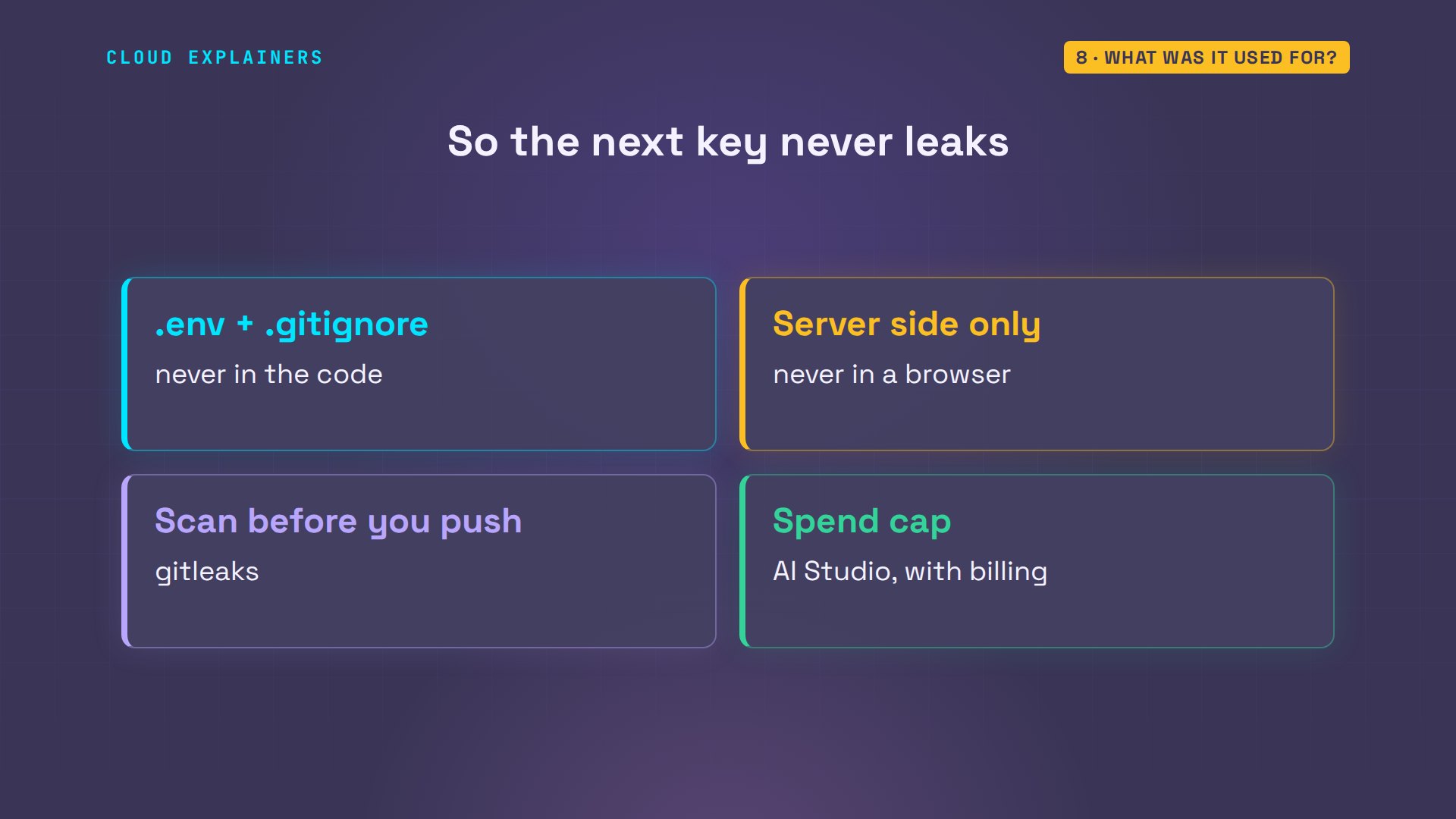
And so it doesn't happen again: keep keys in a file Git ignores, keep them out of any page that runs in a browser, scan with gitleaks before you push, and on a project with billing, set a spend cap in AI Studio.
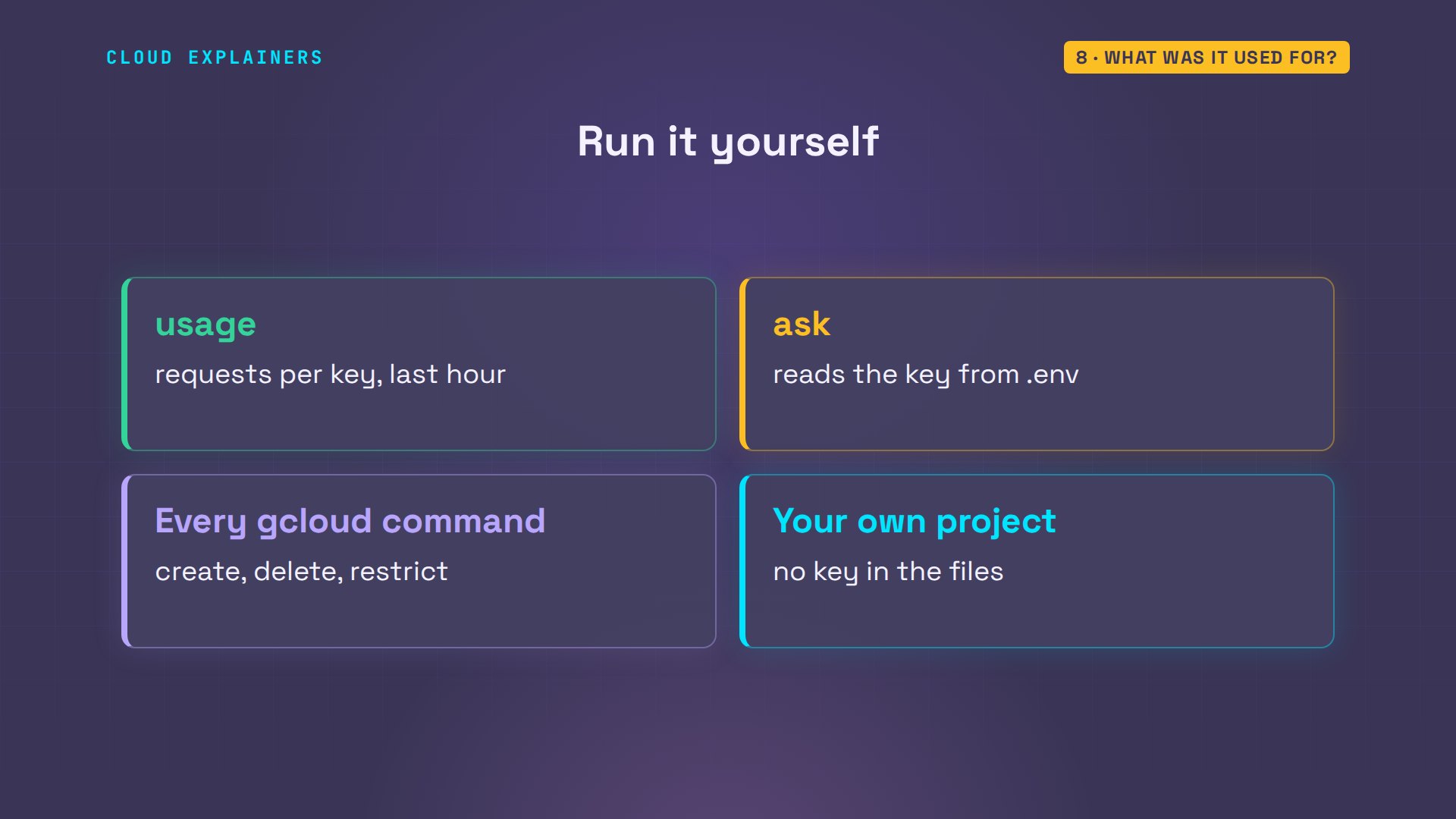
The usage script and every command are linked in the description, ready for your own project.
Recap
So: a new key, Gemini only. Your app on it. The leaked key deleted. Then check what it was used for.
If this got your key under control, subscribing helps other beginners find it, and a like helps YouTube show it to more of them.
Every key in this video was real, and every one of them is deleted. Thanks for watching Cloud Explainers.
Sources
- Gemini API keys (leak response checklist: new key, update your app, disable or delete the old key, audit usage; unrestricted standard keys are rejected; new AI Studio keys are auth keys since May 28, 2026)
- Gemini API troubleshooting (known leaked keys are blocked: 403 "Your API key was reported as leaked")
- Google Cloud, Manage API keys (API and application restrictions, IP addresses, one application restriction type at a time, undelete within 30 days)
- Gemini API billing (project spend caps in AI Studio)
- GitHub, Supported secret scanning patterns (Google API Key, google_api_key, partner pattern)
- Google AI Developers Forum, deployment stuck with a revoked Gemini API key reference (Nov 2026)
- gitleaks (open-source secret scanner)
Demos: one terminal on our own Mac standing in for Ana's laptop, in a throwaway Google Cloud project made for this video (no billing); nothing was pushed anywhere, and the tea shop is made up. Watch the full video on YouTube.
More videos

Linux Makefiles Will Finally Make Sense After This

SAML vs OAuth vs OpenID Connect: What's the Difference?

How to Fix Python cron Jobs That Never Run

Linux Bash Scripting: Full Tutorial for Beginners

How PXE Network Boot Works

How Active Directory Works

How to Fix a Linux systemd Service That Won't Start

Linux Logs: syslog vs journald

JWT vs Session Cookies: Which One Should You Use?

Docker vs Docker Compose: Which One Should You Use?

How to Fix Docker Compose Containers That Can't Talk to Each Other

Django Full Tutorial for Beginners

How Linux systemd Works

How to Fix 'Windows Cannot Access' Network Share Errors (SMB)

REST vs gRPC: Which One Should You Use?

How to Fix SSL Certificate Chain Errors (Missing Intermediate)

Every Python Concept for Beginners in 10 Minutes

Every SQL Join Type in 10 Minutes

Why OpenRouter Free Models Hit Their Limit So Fast

Why Your Gemini API Free Tier Runs Out So Fast

OpenRouter Will Finally Make Sense After This

How Redis Caching Works

Gemini API vs Vertex AI: Which One Should You Use?

Why Golang Uses Goroutines Instead of Threads

How to Fix Gemini API Error 429: Resource Exhausted

Claude Token Pricing Will Finally Make Sense After This

Why Python Web Scraping Returns Nothing (and the Fix)

Python uv vs pip: Which One Should You Use?

Python Automation: Full Tutorial for Beginners

How OAuth Login Works

Google AI Studio Will Finally Make Sense After This

What Happens When You Run a Docker Container

How to Fix Claude Code Billing Your API Key Instead of Your Plan

Why Passkeys Can't Be Phished Like Passwords

PowerShell vs Bash: Which One Should You Learn?

The Linux Roadmap for Beginners

Django vs FastAPI: Which One Should You Use?

Why SQLite Is the Most Used Database in the World

How a NoSQL Database Like MongoDB Works

How to Fix Python pip error: externally-managed-environment

How to Fix MySQL Too Many Connections Database Errors

Golang Concurrency Will Finally Make Sense After This

How Amazon S3 Works

How Kubernetes Works

How Git Works

How to Fix Docker Port Already Allocated Errors

How PostgreSQL Works

How to Fix Git Merge Conflicts

How to Fix No Space Left on Device in Linux

How the Internet Works

SQL vs NoSQL: When Each One Wins

How to Fix JWT Token Expired Errors (401 Unauthorized)

Claude API vs Claude Pro: Why Your Subscription Doesn't Include It

Why AI Agent Skills Beat Giant Prompts

Linux Cron Jobs Will Finally Make Sense After This

Security Logs Will Finally Make Sense After This

How to Fix a Security Leak: An API Key Pushed to GitHub

DNS Will Finally Make Sense After This

Never Ignore a Security Update

Two-Factor Authentication Will Finally Make Sense

Never Expose a Database to the Internet

SSH Keys vs Passwords: Which Is Safer for Security?

The 5 Levels of Linux Boot: From Power On to Login

The 5 Levels of Network Firewalls

Password Security: Why Hackers Crack Weak Passwords

Why Your Linux Server Runs Out of Memory

HTTP vs HTTPS: What Actually Changes on Your Network

Every Linux File Permission You Need to Know

Linux Processes vs Threads: When Each One Wins

The OSI Model Will Finally Make Sense After This

The 7 Levels of Git

Every Network Troubleshooting Command You Need

Hashing vs Encryption in Cybersecurity: When Each One Wins

Why the Internet Ran Out of IP Addresses

Linux Package Managers: apt vs Snap vs Flatpak

Why Python Is Slow (and When It Doesn't Matter)

TCP vs UDP: When Each One Wins

Stop Running Linux as Root (Do This Instead)

Linux Users and Groups Will Finally Make Sense

Why Phishing Beats Good Security (and How to Spot It)

The 7 Levels of Docker

AI Agents Will Finally Make Sense After This

Stop Using git push --force (Use This Instead)

Agent Skills vs MCP: When Each One Wins

Networking Will Finally Make Sense After This

Every Linux Command You Actually Need

The 7 Levels of Cybersecurity

Every System Design Concept You Need, in One Diagram
