
Never Ignore a Security Update
Why you should never ignore a security update, for complete beginners, on a real Ubuntu 24.04 server in our lab: Ana's shop server, left on the April 2024 versions of sudo, OpenSSL and OpenSSH. We read the login message that's easy to skip, take a package version apart, read the changelog of the regreSSHion fix (CVE-2024-6387), scan the server with Trivy, install the updates with apt, see which services restart, scan again, and turn automatic security updates back on.
The message it's easy to skip
Your server says 24 updates are waiting, 16 of them for security, and it's easy to close the window without reading it. Here's why you never should. We'll scan a real server for the holes those updates close, install them, and set it up so it never waits on you again.
ssh shopWelcome to Ubuntu 24.04.5 LTS (GNU/Linux 6.8.0-147-generic x86_64)

 * Documentation:  https://help.ubuntu.com
 * Management:     https://landscape.canonical.com
 * Support:        https://ubuntu.com/pro

 System information as of Sat Oct 31 01:09:44 UTC 2026

  System load:           3.93
  Usage of /:            65.5% of 192.69GB
  Memory usage:          0%
  Swap usage:            0%
  Processes:             35
  Users logged in:       0
  IPv4 address for eth0: 10.236.135.20
  IPv6 address for eth0: fd42:8488:b020:fd70:216:3eff:fe54:b6ef


Expanded Security Maintenance for Applications is not enabled.

24 updates can be applied immediately.
16 of these updates are standard security updates.
To see these additional updates run: apt list --upgradable

Enable ESM Apps to receive additional future security updates.
See https://ubuntu.com/esm or run: sudo pro status


Last login: Sat Oct 31 01:09:44 2026 from 10.236.135.19
To run a command as administrator (user "root"), use "sudo <command>".
See "man sudo_root" for details.
Everything here runs for real on two small Linux machines in our lab: the server behind Ana's online kettle shop, and her laptop. To stand in for a server nobody updated, we put three tools on it back to the versions Ubuntu 24.04 shipped with in April 2024: sudo, OpenSSL and OpenSSH. Nothing gets attacked. We only look for known problems, and fix them.
What is inside an update
Ana asks apt, Ubuntu's package manager, which updates are waiting. Three names stand out. sudo, the tool for admin commands. OpenSSL, the encryption library. And OpenSSH, the server she's logged in through right now. The grep part only keeps those three lines. Each line says where the update comes from, noble-security, Ubuntu's security channel for 24.04, and which old version it replaces.
apt list --upgradable 2>/dev/null | grep -E '^(sudo|openssh-server|openssl)/'openssh-server/noble-updates,noble-security 1:9.6p1-3ubuntu13.20 amd64 [upgradable from: 1:9.6p1-3ubuntu13]
openssl/noble-updates,noble-security 3.0.13-0ubuntu3.16 amd64 [upgradable from: 3.0.13-0ubuntu3]
sudo/noble-updates,noble-security 1.9.15p5-3ubuntu5.24.04.4 amd64 [upgradable from: 1.9.15p5-3ubuntu5]
Here's the new SSH version, taken apart. A Linux package version joins the author's version with the numbers of everyone who packaged it. The 1 and colon is an epoch, a counter that rarely changes. 9.6p1 is OpenSSH's own version. Dash 3 is the packaging from Debian, the Linux system Ubuntu is built on, and ubuntu13 is Ubuntu's own changes. The last part, dot 20, counts the fixes Ubuntu has added since 24.04 came out.
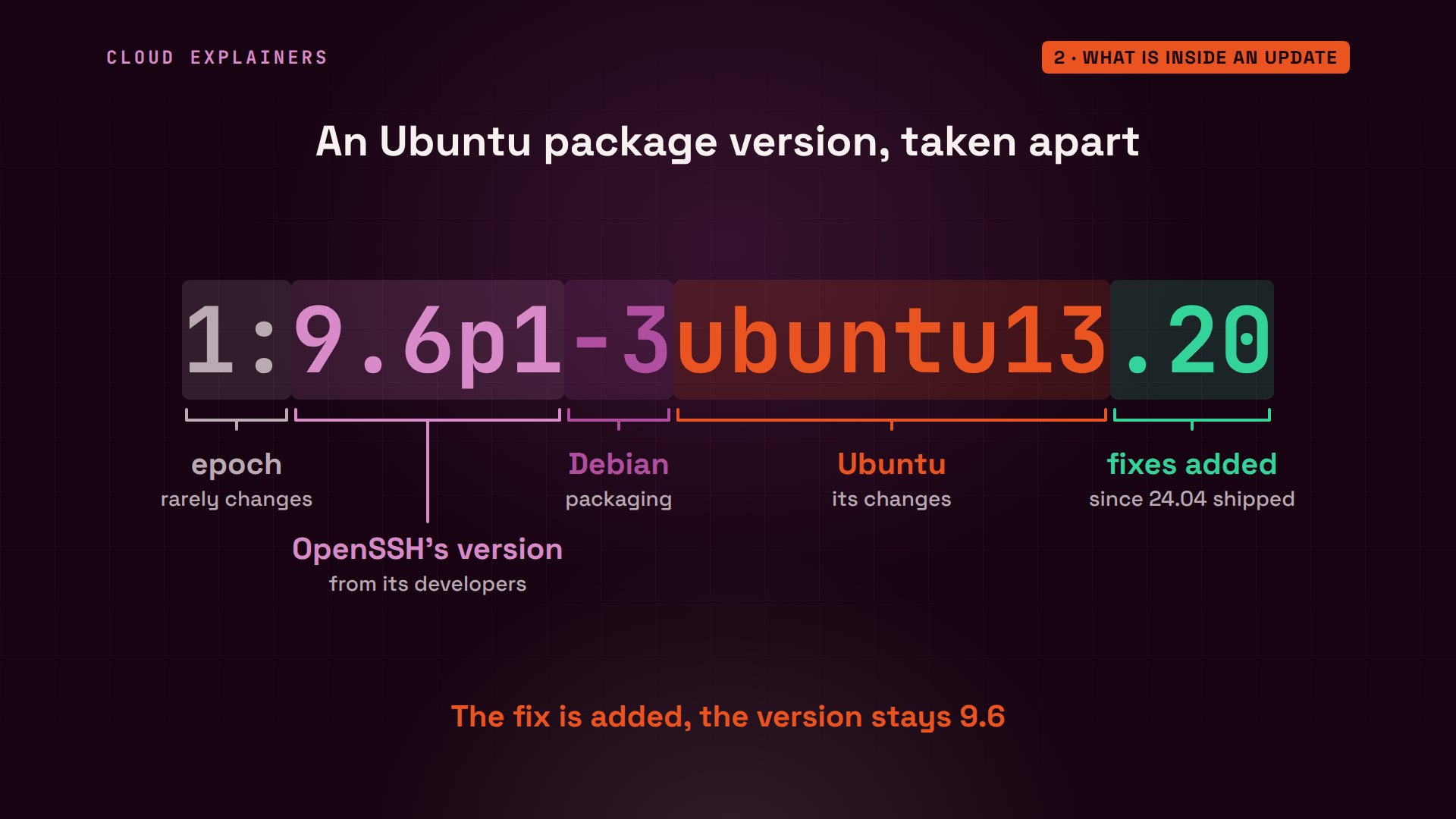
That's why a security update is safe to install. Ana's server reports OpenSSH 9.6p1, and nothing after the 13: the April 2024 version. After the update it will still say 9.6p1, with the fixes added on top. Ubuntu copies each fix into the version you already run, and keeps the change as small as it can.
ssh -VOpenSSH_9.6p1 Ubuntu-3ubuntu13, OpenSSL 3.0.13 30 Jan 2024
So what's inside one of those fixes? The changelog, which apt can show, has Ubuntu's own notes for every update. Fix number 3, from 2024, says security update, remote code execution, and gives the bug an ID, CVE-2024-6387.
apt changelog openssh-server 2>/dev/null | grep -m1 -B2 -A4 'signal handler'openssh (1:9.6p1-3ubuntu13.3) noble-security; urgency=medium

  * SECURITY UPDATE: remote code execution via signal handler race
    condition (LP: #2070497)
    - debian/patches/CVE-2024-6387.patch: don't log in sshsigdie() in log.c.
    - CVE-2024-6387
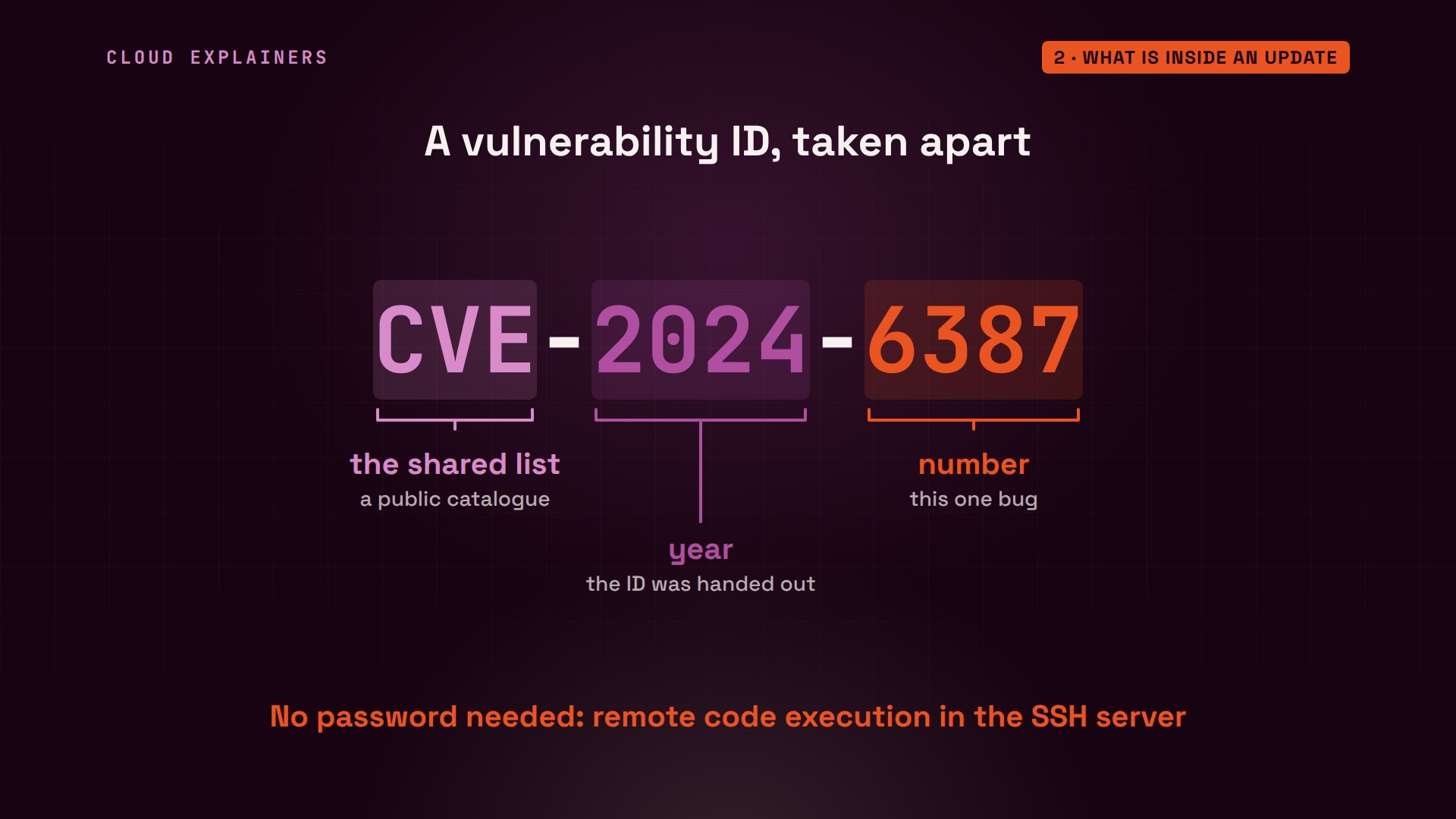
CVE stands for Common Vulnerabilities and Exposures: one shared list, so everyone means the same bug. 2024 is the year the number was handed out, and 6387 is the bug's own number. Researchers at Qualys found this one in OpenSSH and called it regreSSHion. Remote code execution means someone on the network, with no password, could, with enough tries, run their own commands on the server.
Scanning Ana's server
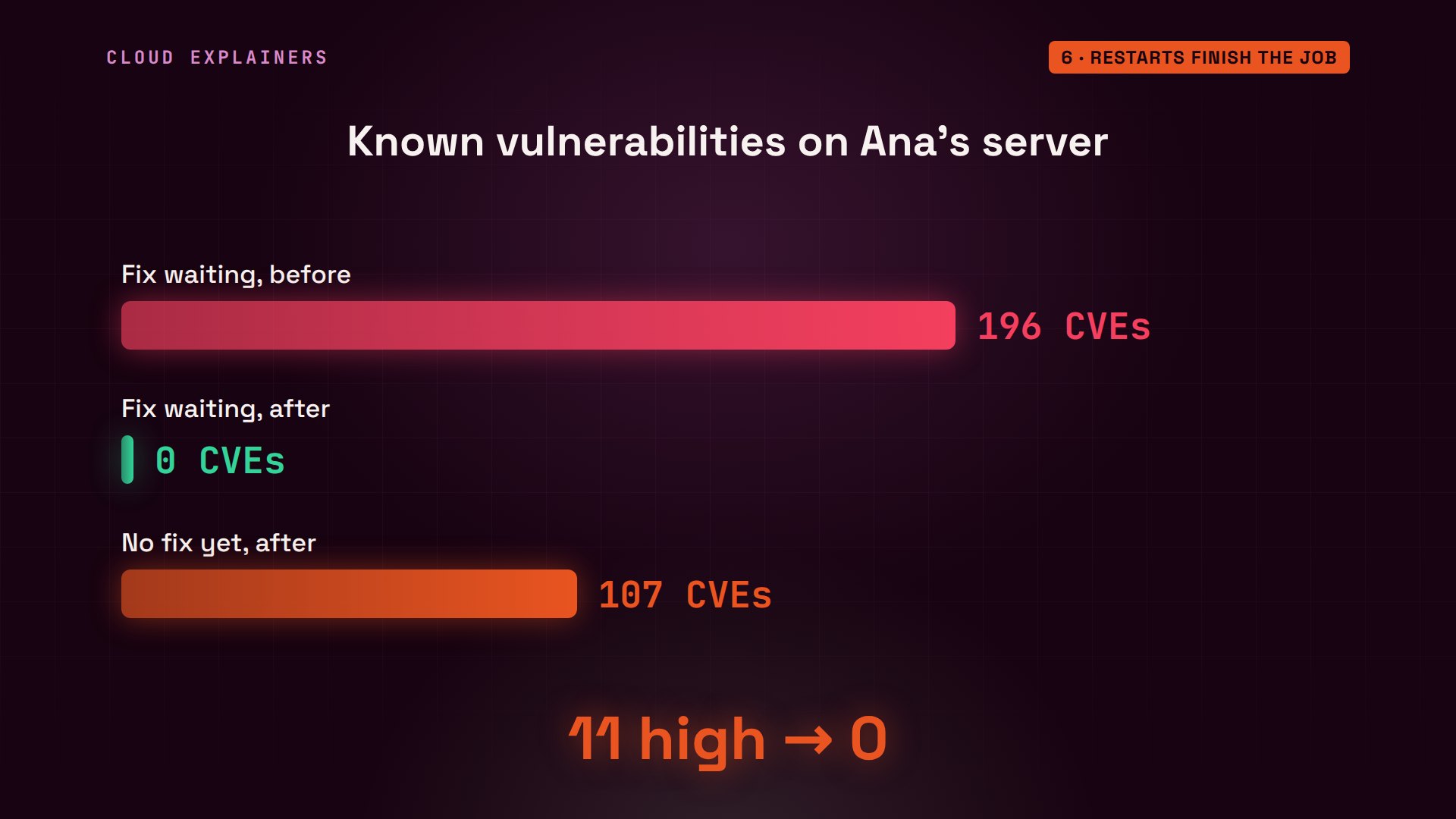
How many known holes does Ana's server have? Trivy, a free scanner, compares every installed package with a database of known vulnerabilities. We ask only for the ones that already have a fix waiting. The answer: 196.
trivy rootfs --ignore-unfixed / | grep TotalTotal: 196 (UNKNOWN: 0, LOW: 72, MEDIUM: 113, HIGH: 11, CRITICAL: 0)
196 known vulnerabilities, each with a fix already published, sitting on a server whose owner just didn't install it. They're known weak spots, not signs of a break-in. Most are rated low or medium. 11 are rated high.

Here are the 11 high ones. The SSH bug we just met, in all three OpenSSH packages. Two bugs in OpenSSL. And three in sudo, two of them from 2025, which could let an ordinary user on the server act as root, the all-powerful admin account.
trivy rootfs --ignore-unfixed -s HIGH,CRITICAL -f template -t @short.tpl /libbrotli1  CVE-2026-111497  fixed in 1.1.0-2ubuntu0.1
libssl3t64  CVE-2026-45447  fixed in 3.0.13-0ubuntu3.11
libssl3t64  CVE-2026-84782  fixed in 3.0.13-0ubuntu3.16
openssh-client  CVE-2024-6387  fixed in 1:9.6p1-3ubuntu13.3
openssh-server  CVE-2024-6387  fixed in 1:9.6p1-3ubuntu13.3
openssh-sftp-server  CVE-2024-6387  fixed in 1:9.6p1-3ubuntu13.3
openssl  CVE-2026-45447  fixed in 3.0.13-0ubuntu3.11
openssl  CVE-2026-84782  fixed in 3.0.13-0ubuntu3.16
sudo  CVE-2025-32462  fixed in 1.9.15p5-3ubuntu5.24.04.1
sudo  CVE-2025-32463  fixed in 1.9.15p5-3ubuntu5.24.04.1
sudo  CVE-2026-35535  fixed in 1.9.15p5-3ubuntu5.24.04.2
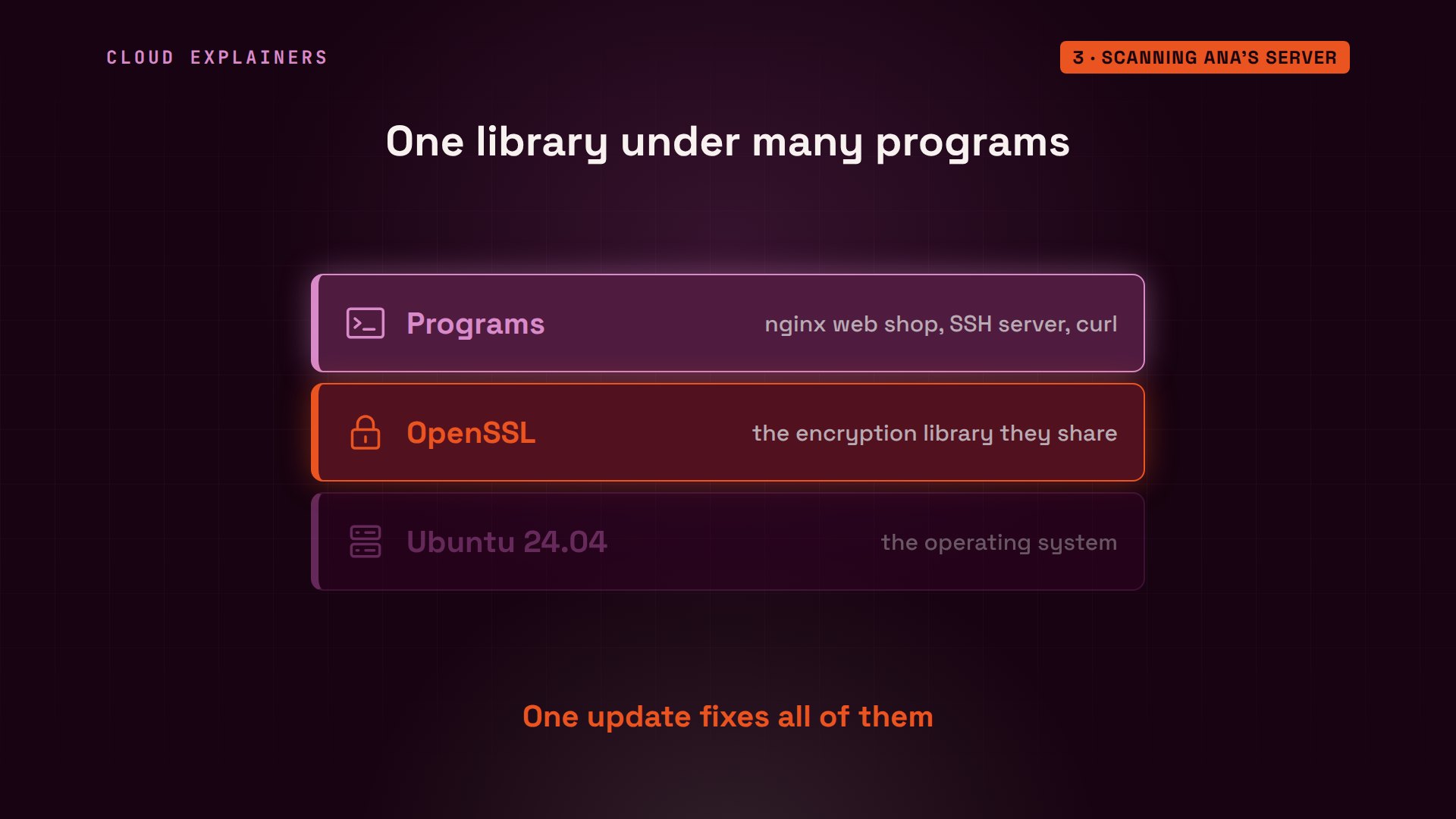
Why does one library matter so much? OpenSSL sits underneath every program on the server that encrypts something: the web shop, the SSH server, and download tools like curl. A hole in that one layer is a hole in all of them. The good news: one update fixes them all at once.
Why waiting is risky
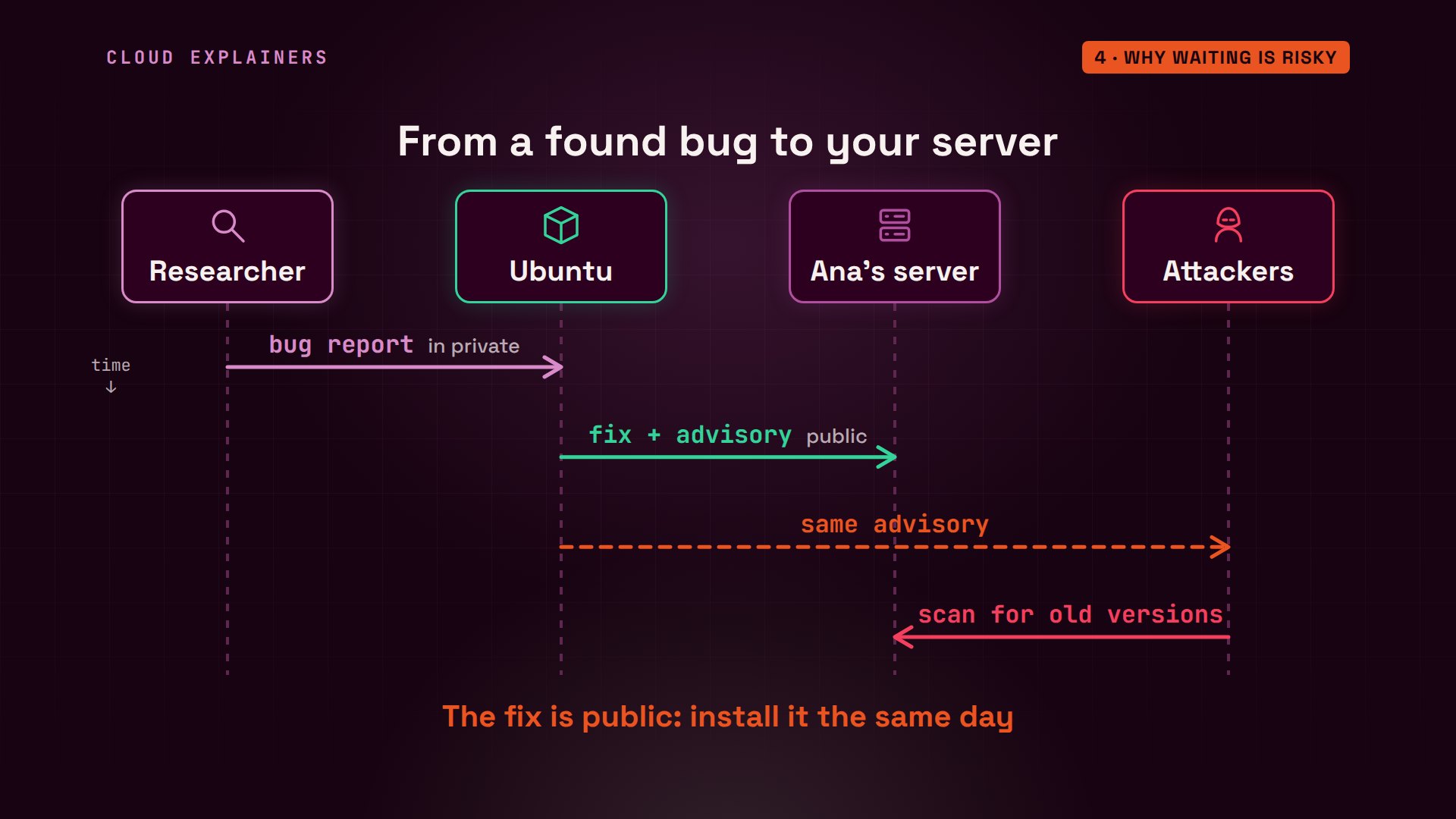
Here's why waiting is the risky part. A researcher finds a bug and tells the developers privately. They make a fix, and Ubuntu publishes it along with an advisory: which versions are affected, and how bad it is. Ana's server could install it that day. But attackers read the same advisory, and their scanners look for servers still running the old version.
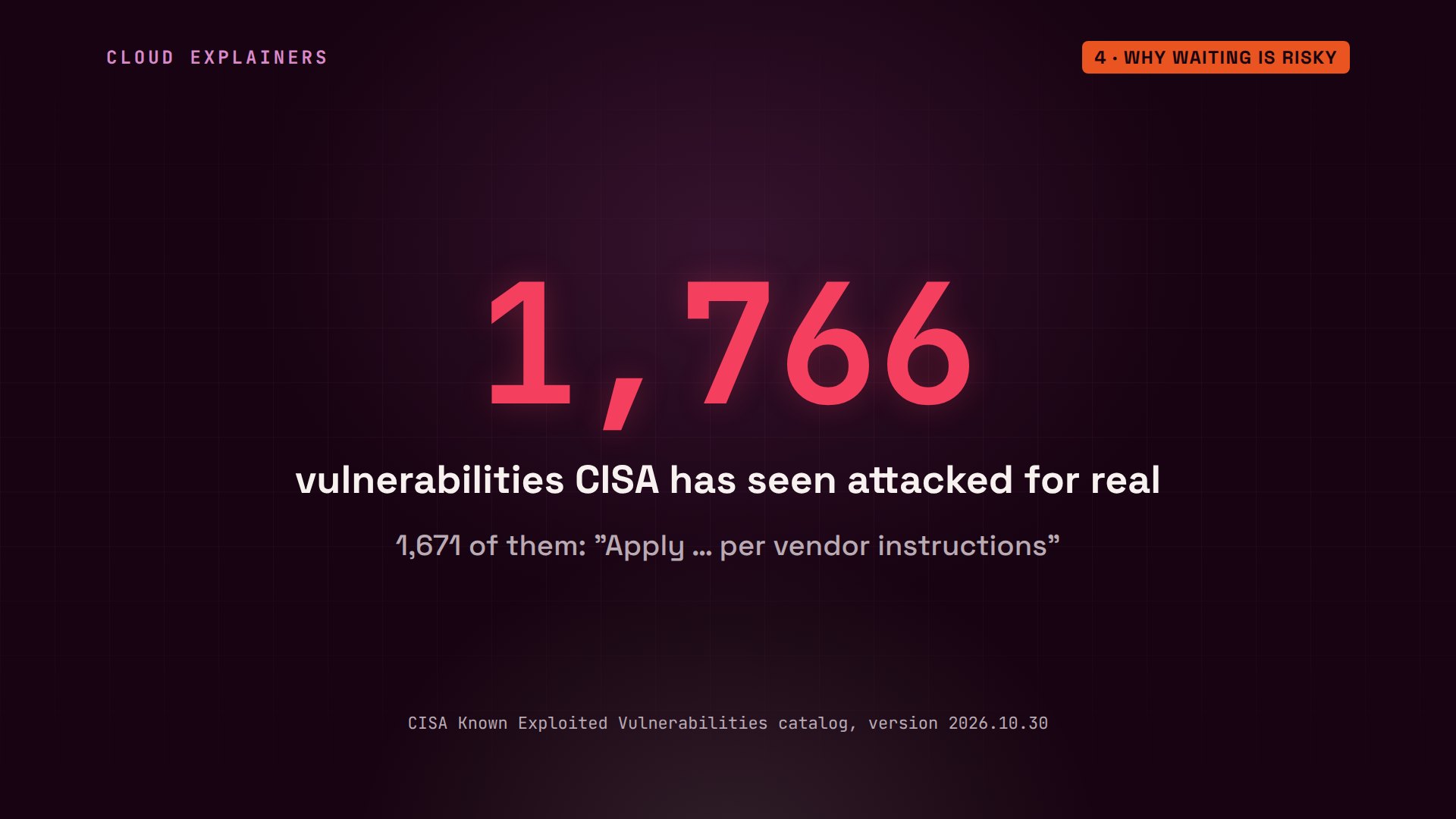
This isn't theory. America's cyber defence agency, CISA, keeps a list of vulnerabilities it has seen attacked in the wild: 1,766 so far. For 1,671 of them, its instruction starts the same way: apply the vendor's updates or mitigations.
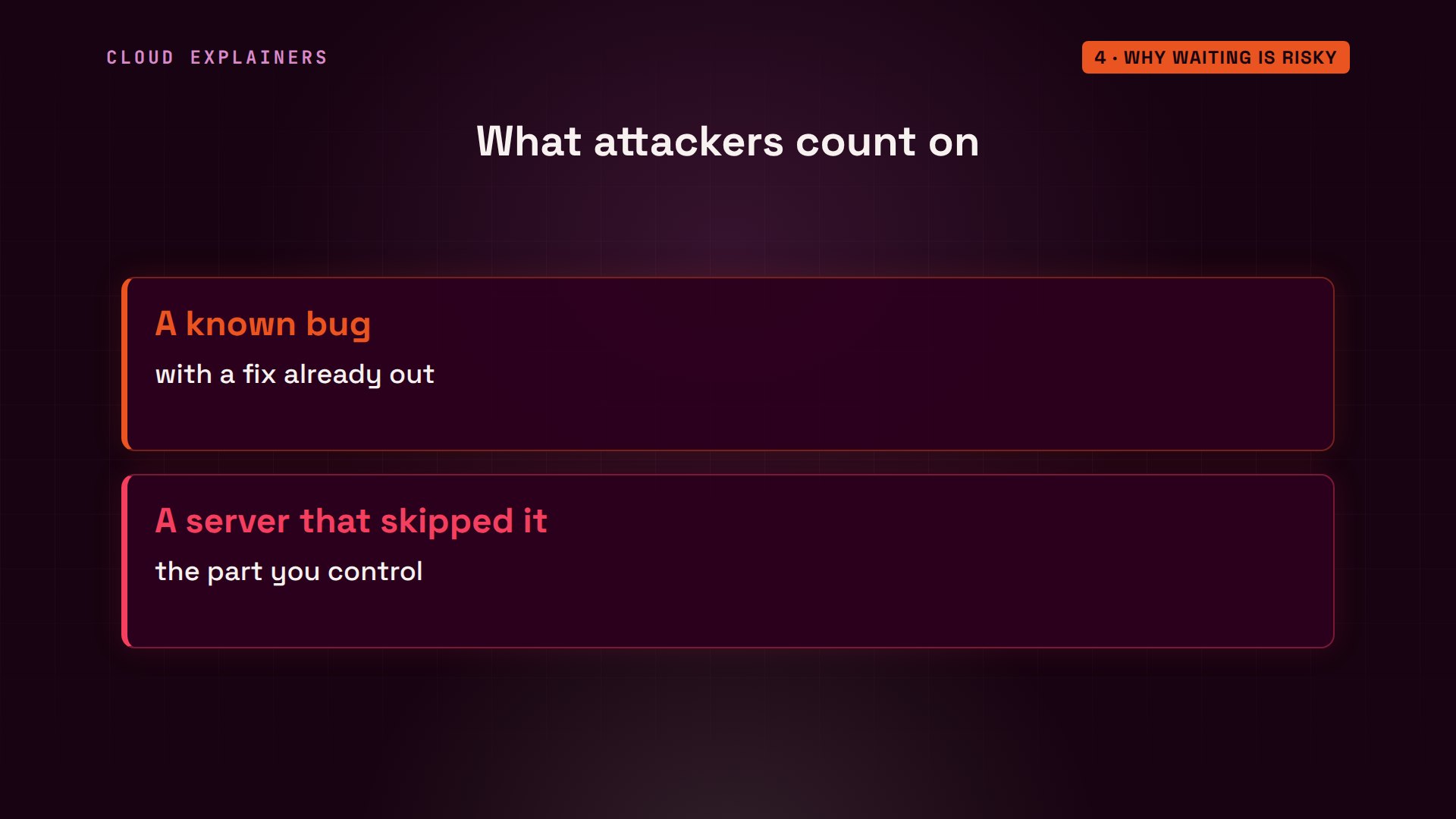
In other words, attackers mostly use bugs that already have a fix. What they need is a server that skipped it.
So why was Ana's server so far behind? When she set it up, she turned off automatic updates, planning to do them herself. Both settings say zero: no checking, no installing. And then she got busy.
cat /etc/apt/apt.conf.d/20auto-upgradesAPT::Periodic::Update-Package-Lists "0";
APT::Periodic::Unattended-Upgrade "0";
Installing the updates
Updating takes two commands. apt update downloads Ubuntu's latest list of packages, signed, so the server can check it really came from Ubuntu. It changes nothing yet. apt upgrade then downloads the new packages, checks them against that list, and installs them.
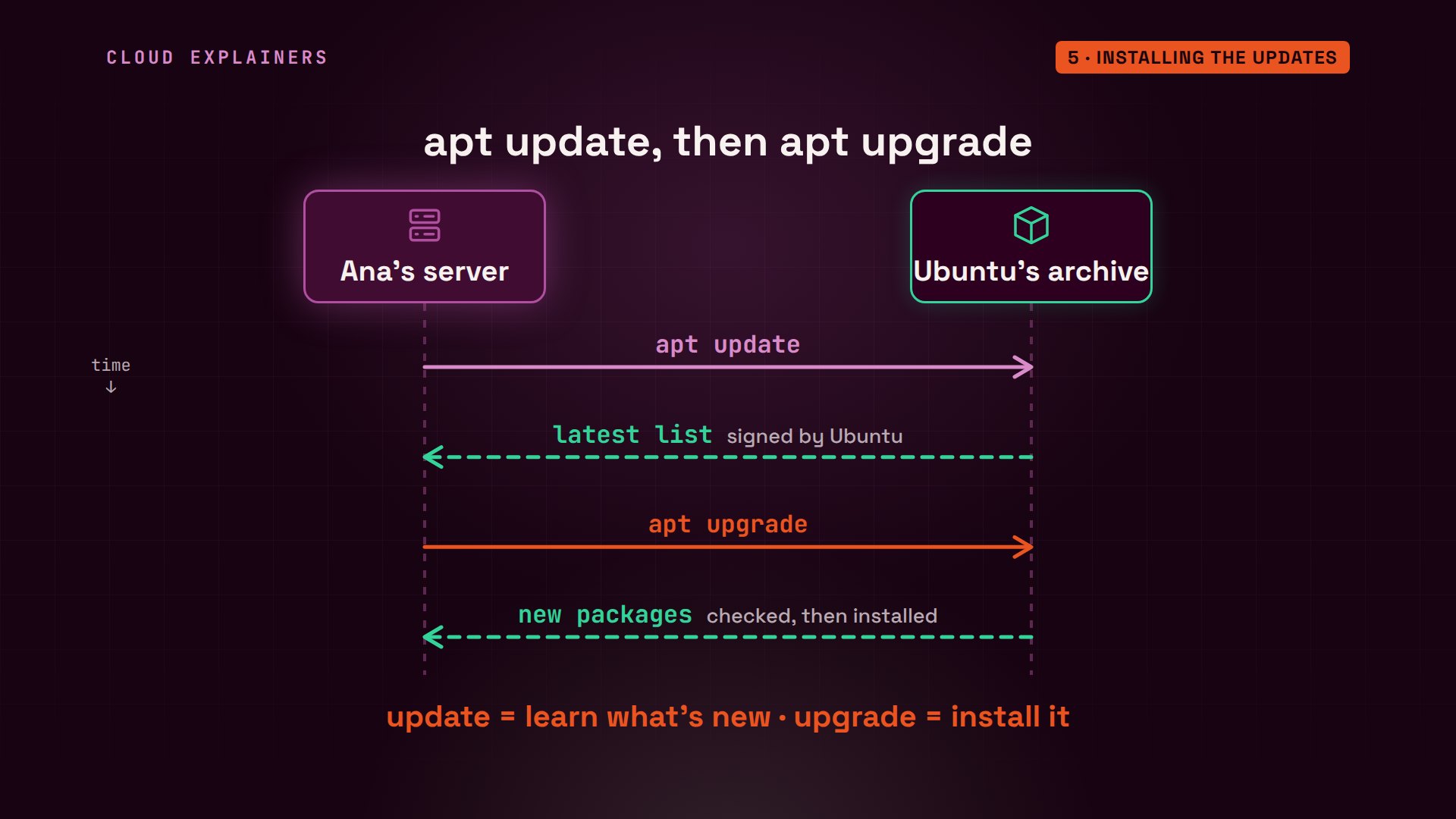
Ana runs the first one, with sudo, because changing the system needs admin rights. It checks the security channel and the regular one, and finds 24 packages to upgrade.
sudo apt update[sudo] password for ana:
Hit:1 http://archive.ubuntu.com/ubuntu noble InRelease
Hit:2 http://security.ubuntu.com/ubuntu noble-security InRelease
Hit:3 http://archive.ubuntu.com/ubuntu noble-updates InRelease
Hit:4 http://archive.ubuntu.com/ubuntu noble-backports InRelease
Reading package lists... Done
Building dependency tree... Done
Reading state information... Done
24 packages can be upgraded. Run 'apt list --upgradable' to see them.
Then the second, where dash y answers yes for her. Now apt lists every package it will replace, OpenSSL, OpenSSH and sudo among them, and sums it up: 24 upgraded, 16 of them security updates. On this server it took well under a minute.
sudo apt upgrade -yReading package lists... Done
Building dependency tree... Done
Reading state information... Done
Calculating upgrade... Done
The following packages will be upgraded:
  ca-certificates cloud-init distro-info-data gir1.2-glib-2.0 git
  git-man libbrotli1 libglib2.0-0t64 libglib2.0-bin libglib2.0-data
  liblzma5 libnss3 libssl3t64 openssh-client openssh-server
  openssh-sftp-server openssl python3-jwt sudo tmux ubuntu-pro-client
  ubuntu-pro-client-l10n xz-utils zlib1g
24 upgraded, 0 newly installed, 0 to remove and 0 not upgraded.
16 standard LTS security updates
Need to get 15.8 MB of archives.
After this operation, 45.1 kB of additional disk space will be used.
Get:1 http://archive.ubuntu.com/ubuntu noble-updates/main amd64 zlib1g amd64 1:1.3.dfsg-3.1ubuntu2.3 [63.2 kB]
Get:2 http://archive.ubuntu.com/ubuntu noble-updates/main amd64 git-man all 1:2.43.0-1ubuntu7.4 [1101 kB]
Get:3 http://archive.ubuntu.com/ubuntu noble-updates/main amd64 git amd64 1:2.43.0-1ubuntu7.4 [3681 kB]
Get:4 http://archive.ubuntu.com/ubuntu noble-updates/main amd64 libssl3t64 amd64 3.0.13-0ubuntu3.16 [1945 kB]
Get:5 http://archive.ubuntu.com/ubuntu noble-updates/main amd64 openssh-sftp-server amd64 1:9.6p1-3ubuntu13.20 [37.4 kB]
Get:6 http://archive.ubuntu.com/ubuntu noble-updates/main amd64 openssh-server amd64 1:9.6p1-3ubuntu13.20 [512 kB]
Get:7 http://archive.ubuntu.com/ubuntu noble-updates/main amd64 openssh-client amd64 1:9.6p1-3ubuntu13.20 [909 kB]
Get:8 http://archive.ubuntu.com/ubuntu noble-updates/main amd64 liblzma5 amd64 5.6.1+really5.4.5-1ubuntu0.4 [128 kB]
Get:9 http://archive.ubuntu.com/ubuntu noble-updates/main amd64 openssl amd64 3.0.13-0ubuntu3.16 [1004 kB]
Get:10 http://archive.ubuntu.com/ubuntu noble-updates/main amd64 ca-certificates all 20260816ubuntu0.24.04.1 [139 kB]
Get:11 http://archive.ubuntu.com/ubuntu noble-updates/main amd64 distro-info-data all 2026.10.12-0ubuntu0.24.04.1 [7836 B]
Get:12 http://archive.ubuntu.com/ubuntu noble-updates/main amd64 libglib2.0-data all 2.80.0-6ubuntu3.10 [50.2 kB]
Get:13 http://archive.ubuntu.com/ubuntu noble-updates/main amd64 libglib2.0-bin amd64 2.80.0-6ubuntu3.10 [97.9 kB]
Get:14 http://archive.ubuntu.com/ubuntu noble-updates/main amd64 gir1.2-glib-2.0 amd64 2.80.0-6ubuntu3.10 [183 kB]
Get:15 http://archive.ubuntu.com/ubuntu noble-updates/main amd64 libglib2.0-0t64 amd64 2.80.0-6ubuntu3.10 [1548 kB]
Get:16 http://archive.ubuntu.com/ubuntu noble-updates/main amd64 sudo amd64 1.9.15p5-3ubuntu5.24.04.4 [949 kB]
Get:17 http://archive.ubuntu.com/ubuntu noble-updates/main amd64 ubuntu-pro-client-l10n amd64 38ubuntu0~24.04 [19.8 kB]
Get:18 http://archive.ubuntu.com/ubuntu noble-updates/main amd64 ubuntu-pro-client amd64 38ubuntu0~24.04 [259 kB]
Get:19 http://archive.ubuntu.com/ubuntu noble-updates/main amd64 xz-utils amd64 5.6.1+really5.4.5-1ubuntu0.4 [267 kB]
Get:20 http://archive.ubuntu.com/ubuntu noble-updates/main amd64 libbrotli1 amd64 1.1.0-2ubuntu0.1 [331 kB]
Get:21 http://archive.ubuntu.com/ubuntu noble-updates/main amd64 libnss3 amd64 2:3.98-1ubuntu0.3 [1445 kB]
Get:22 http://archive.ubuntu.com/ubuntu noble-updates/main amd64 python3-jwt all 2.7.0-1ubuntu0.4 [23.2 kB]
Get:23 http://archive.ubuntu.com/ubuntu noble-updates/main amd64 tmux amd64 3.4-1ubuntu0.2 [480 kB]
Get:24 http://archive.ubuntu.com/ubuntu noble-updates/main amd64 cloud-init all 26.2-0ubuntu1~24.04.2 [634 kB]
Fetched 15.8 MB in 4s (4178 kB/s)
debconf: unable to initialize frontend: Dialog
debconf: (Dialog frontend will not work on a dumb terminal, an emacs shell buffer, or without a controlling terminal.)
debconf: falling back to frontend: Readline
Preconfiguring packages ...

(Reading database ... 37644 files and directories currently installed.)
Preparing to unpack .../zlib1g_1%3a1.3.dfsg-3.1ubuntu2.3_amd64.deb ...
Unpacking zlib1g:amd64 (1:1.3.dfsg-3.1ubuntu2.3) over (1:1.3.dfsg-3.1ubuntu2.2) ...
Setting up zlib1g:amd64 (1:1.3.dfsg-3.1ubuntu2.3) ...
(Reading database ... 37644 files and directories currently installed.)
Preparing to unpack .../git-man_1%3a2.43.0-1ubuntu7.4_all.deb ...
Unpacking git-man (1:2.43.0-1ubuntu7.4) over (1:2.43.0-1ubuntu7.3) ...
Preparing to unpack .../git_1%3a2.43.0-1ubuntu7.4_amd64.deb ...
Unpacking git (1:2.43.0-1ubuntu7.4) over (1:2.43.0-1ubuntu7.3) ...
Preparing to unpack .../libssl3t64_3.0.13-0ubuntu3.16_amd64.deb ...
Unpacking libssl3t64:amd64 (3.0.13-0ubuntu3.16) over (3.0.13-0ubuntu3) ...
Setting up libssl3t64:amd64 (3.0.13-0ubuntu3.16) ...
(Reading database ... 37644 files and directories currently installed.)
Preparing to unpack .../openssh-sftp-server_1%3a9.6p1-3ubuntu13.20_amd64.deb ...
Unpacking openssh-sftp-server (1:9.6p1-3ubuntu13.20) over (1:9.6p1-3ubuntu13) ...
Preparing to unpack .../openssh-server_1%3a9.6p1-3ubuntu13.20_amd64.deb ...
Unpacking openssh-server (1:9.6p1-3ubuntu13.20) over (1:9.6p1-3ubuntu13) ...
Preparing to unpack .../openssh-client_1%3a9.6p1-3ubuntu13.20_amd64.deb ...
Unpacking openssh-client (1:9.6p1-3ubuntu13.20) over (1:9.6p1-3ubuntu13) ...
Preparing to unpack .../liblzma5_5.6.1+really5.4.5-1ubuntu0.4_amd64.deb ...
Unpacking liblzma5:amd64 (5.6.1+really5.4.5-1ubuntu0.4) over (5.6.1+really5.4.5-1ubuntu0.3) ...
Setting up liblzma5:amd64 (5.6.1+really5.4.5-1ubuntu0.4) ...
(Reading database ... 37644 files and directories currently installed.)
Preparing to unpack .../00-openssl_3.0.13-0ubuntu3.16_amd64.deb ...
Unpacking openssl (3.0.13-0ubuntu3.16) over (3.0.13-0ubuntu3) ...
Preparing to unpack .../01-ca-certificates_20260816ubuntu0.24.04.1_all.deb ...
Unpacking ca-certificates (20260816ubuntu0.24.04.1) over (20260601~24.04.1) ...
Preparing to unpack .../02-distro-info-data_2026.10.12-0ubuntu0.24.04.1_all.deb ...
Unpacking distro-info-data (2026.10.12-0ubuntu0.24.04.1) over (0.72-0ubuntu0.24.04.1) ...
Preparing to unpack .../03-libglib2.0-data_2.80.0-6ubuntu3.10_all.deb ...
Unpacking libglib2.0-data (2.80.0-6ubuntu3.10) over (2.80.0-6ubuntu3.9) ...
Preparing to unpack .../04-libglib2.0-bin_2.80.0-6ubuntu3.10_amd64.deb ...
Unpacking libglib2.0-bin (2.80.0-6ubuntu3.10) over (2.80.0-6ubuntu3.9) ...
Preparing to unpack .../05-gir1.2-glib-2.0_2.80.0-6ubuntu3.10_amd64.deb ...
Unpacking gir1.2-glib-2.0:amd64 (2.80.0-6ubuntu3.10) over (2.80.0-6ubuntu3.9) ...
Preparing to unpack .../06-libglib2.0-0t64_2.80.0-6ubuntu3.10_amd64.deb ...
Unpacking libglib2.0-0t64:amd64 (2.80.0-6ubuntu3.10) over (2.80.0-6ubuntu3.9) ...
Preparing to unpack .../07-sudo_1.9.15p5-3ubuntu5.24.04.4_amd64.deb ...
Unpacking sudo (1.9.15p5-3ubuntu5.24.04.4) over (1.9.15p5-3ubuntu5) ...
Preparing to unpack .../08-ubuntu-pro-client-l10n_38ubuntu0~24.04_amd64.deb ...
Unpacking ubuntu-pro-client-l10n (38ubuntu0~24.04) over (37.2ubuntu~24.04.1) ...
Preparing to unpack .../09-ubuntu-pro-client_38ubuntu0~24.04_amd64.deb ...
Unpacking ubuntu-pro-client (38ubuntu0~24.04) over (37.2ubuntu~24.04.1) ...
Preparing to unpack .../10-xz-utils_5.6.1+really5.4.5-1ubuntu0.4_amd64.deb ...
Unpacking xz-utils (5.6.1+really5.4.5-1ubuntu0.4) over (5.6.1+really5.4.5-1ubuntu0.3) ...
Preparing to unpack .../11-libbrotli1_1.1.0-2ubuntu0.1_amd64.deb ...
Unpacking libbrotli1:amd64 (1.1.0-2ubuntu0.1) over (1.1.0-2build2) ...
Preparing to unpack .../12-libnss3_2%3a3.98-1ubuntu0.3_amd64.deb ...
Unpacking libnss3:amd64 (2:3.98-1ubuntu0.3) over (2:3.98-1ubuntu0.2) ...
Preparing to unpack .../13-python3-jwt_2.7.0-1ubuntu0.4_all.deb ...
Unpacking python3-jwt (2.7.0-1ubuntu0.4) over (2.7.0-1ubuntu0.3) ...
Preparing to unpack .../14-tmux_3.4-1ubuntu0.2_amd64.deb ...
Unpacking tmux (3.4-1ubuntu0.2) over (3.4-1ubuntu0.1) ...
Preparing to unpack .../15-cloud-init_26.2-0ubuntu1~24.04.2_all.deb ...
Unpacking cloud-init (26.2-0ubuntu1~24.04.2) over (26.1-0ubuntu1~24.04.1) ...
Setting up cloud-init (26.2-0ubuntu1~24.04.2) ...
Installing new version of config file /etc/cloud/templates/hosts.azurelinux.tmpl ...
Installing new version of config file /etc/cloud/templates/sources.list.debian.tmpl ...
Installing new version of config file /etc/profile.d/Z99-cloud-locale-test.sh ...
Installing new version of config file /etc/profile.d/Z99-cloudinit-warnings.sh ...
debconf: unable to initialize frontend: Dialog
debconf: (Dialog frontend will not work on a dumb terminal, an emacs shell buffer, or without a controlling terminal.)
debconf: falling back to frontend: Readline
Setting up python3-jwt (2.7.0-1ubuntu0.4) ...
Setting up distro-info-data (2026.10.12-0ubuntu0.24.04.1) ...
Setting up openssh-client (1:9.6p1-3ubuntu13.20) ...
Setting up libbrotli1:amd64 (1.1.0-2ubuntu0.1) ...
Setting up libnss3:amd64 (2:3.98-1ubuntu0.3) ...
Setting up libglib2.0-0t64:amd64 (2.80.0-6ubuntu3.10) ...
No schema files found: doing nothing.
Setting up libglib2.0-data (2.80.0-6ubuntu3.10) ...
Setting up xz-utils (5.6.1+really5.4.5-1ubuntu0.4) ...
Setting up sudo (1.9.15p5-3ubuntu5.24.04.4) ...
Setting up gir1.2-glib-2.0:amd64 (2.80.0-6ubuntu3.10) ...
Setting up git-man (1:2.43.0-1ubuntu7.4) ...
Setting up openssl (3.0.13-0ubuntu3.16) ...
Setting up tmux (3.4-1ubuntu0.2) ...
Setting up ubuntu-pro-client (38ubuntu0~24.04) ...
Installing new version of config file /etc/apparmor.d/ubuntu_pro_esm_cache ...
debconf: unable to initialize frontend: Dialog
debconf: (Dialog frontend will not work on a dumb terminal, an emacs shell buffer, or without a controlling terminal.)
debconf: falling back to frontend: Readline
Setting up ubuntu-pro-client-l10n (38ubuntu0~24.04) ...
Setting up openssh-sftp-server (1:9.6p1-3ubuntu13.20) ...
Setting up openssh-server (1:9.6p1-3ubuntu13.20) ...
debconf: unable to initialize frontend: Dialog
debconf: (Dialog frontend will not work on a dumb terminal, an emacs shell buffer, or without a controlling terminal.)
debconf: falling back to frontend: Readline
Replacing config file /etc/ssh/sshd_config with new version
Setting up libglib2.0-bin (2.80.0-6ubuntu3.10) ...
Setting up ca-certificates (20260816ubuntu0.24.04.1) ...
debconf: unable to initialize frontend: Dialog
debconf: (Dialog frontend will not work on a dumb terminal, an emacs shell buffer, or without a controlling terminal.)
debconf: falling back to frontend: Readline
Updating certificates in /etc/ssl/certs...
rehash: warning: skipping ca-certificates.crt,it does not contain exactly one certificate or CRL
4 added, 5 removed; done.
Setting up git (1:2.43.0-1ubuntu7.4) ...
Processing triggers for libc-bin (2.39-0ubuntu8.9) ...
Processing triggers for rsyslog (8.2312.0-3ubuntu9.4) ...
Processing triggers for ufw (0.36.2-6) ...
Processing triggers for man-db (2.12.0-4build2) ...
Processing triggers for debianutils (5.17build1) ...
Processing triggers for ca-certificates (20260816ubuntu0.24.04.1) ...
Updating certificates in /etc/ssl/certs...
0 added, 0 removed; done.
Running hooks in /etc/ca-certificates/update.d...
done.

Scanning processes...
Scanning candidates...

Restarting services...
 /etc/needrestart/restart.d/systemd-manager
 systemctl restart esm-cache.service nginx.service packagekit.service polkit.service systemd-journald.service systemd-networkd.service systemd-resolved.service systemd-udevd.service udisks2.service

Service restarts being deferred:
 /etc/needrestart/restart.d/dbus.service
 systemctl restart systemd-logind.service
 systemctl restart unattended-upgrades.service

No containers need to be restarted.

User sessions running outdated binaries:
 ana @ session #11071: check-new-relea[1729]
 ana @ session #11074: apt[2088], sshd[1794]
 ana @ user manager service: systemd[1684]

No VM guests are running outdated hypervisor (qemu) binaries on this
 host.
Restarts finish the job
But a new file on disk isn't the end. A program reads its libraries into memory when it starts, so the web shop that's already running is still using the old OpenSSL, holes and all, until it restarts.
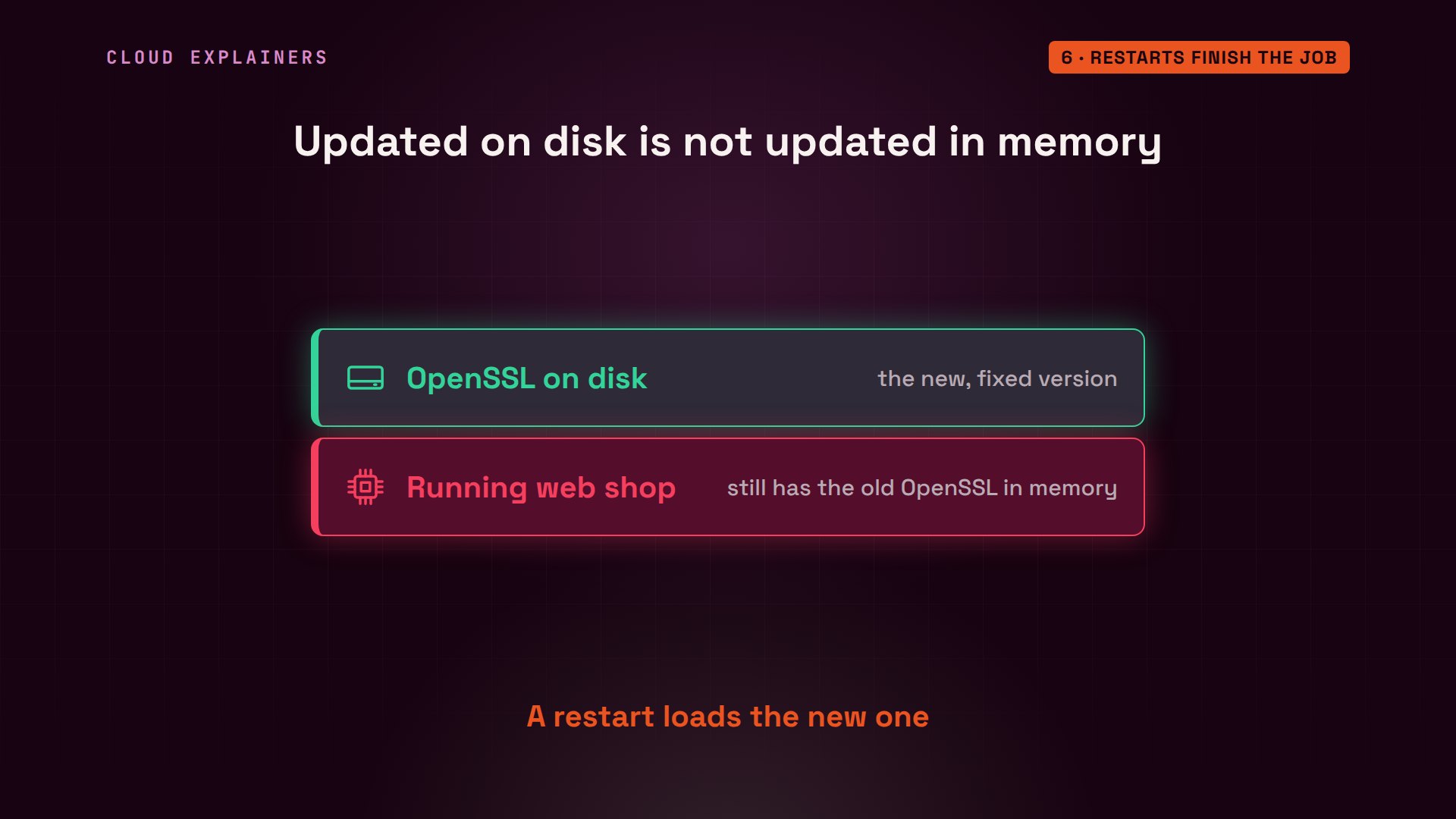
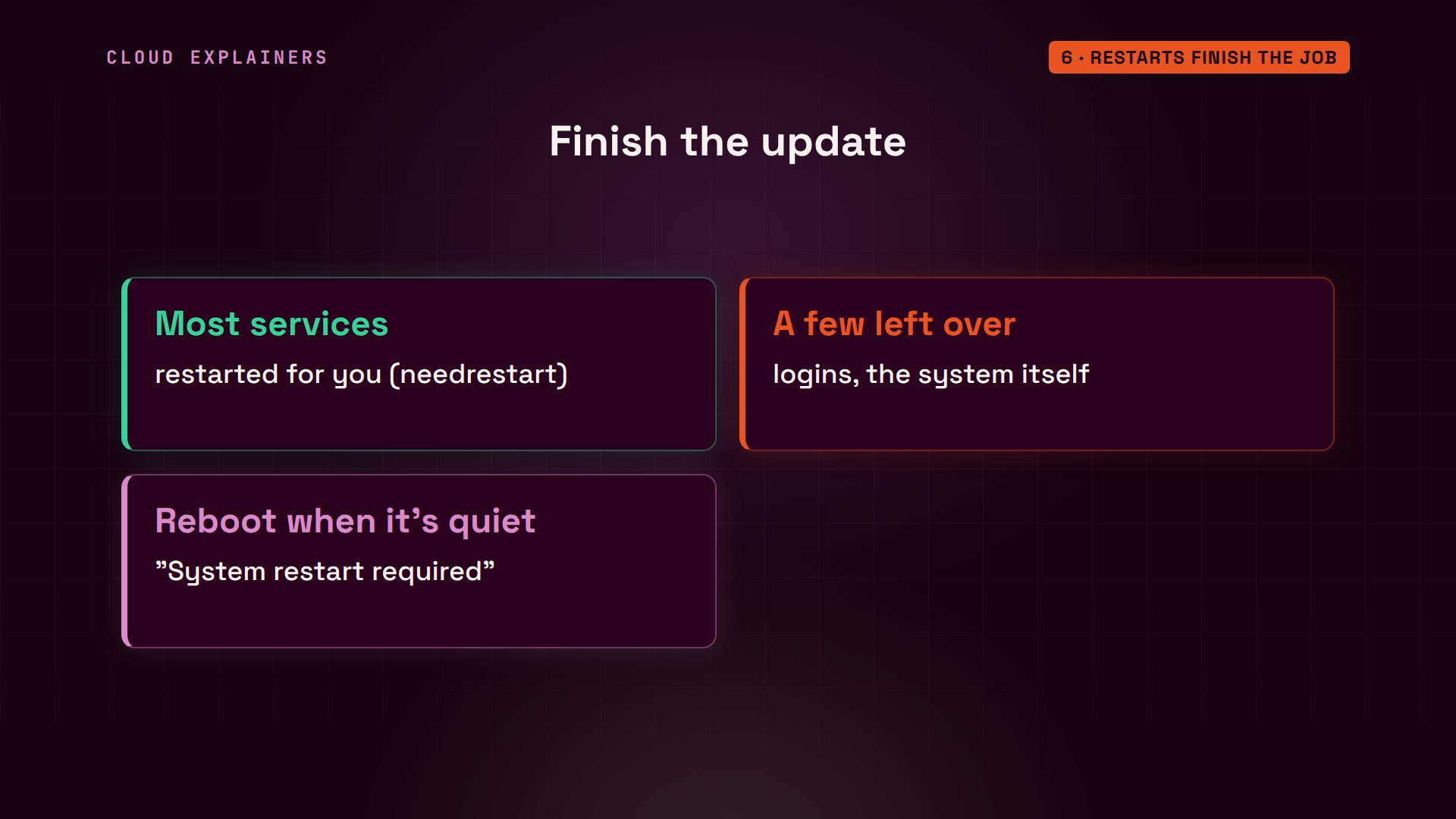
Ubuntu handles most of this for you. At the end of the upgrade, a tool called needrestart found the services still using an old library, and restarted most of them, the web shop, nginx, included. Three it left for later, and it lists them.
The rest, like the service that manages logins, are safest to restart with a reboot. Ubuntu leaves a note when one is needed, the line System restart required when you log in. Pick a quiet moment, and reboot.
Now the same scan again. Vulnerabilities with a fix waiting, zero. And SSH reports 9.6p1 again, now with fix number 20.
trivy rootfs --ignore-unfixed /Report Summary

┌─────────────────────┬────────┬─────────────────┐
│       Target        │  Type  │ Vulnerabilities │
├─────────────────────┼────────┼─────────────────┤
│ shop (ubuntu 24.04) │ ubuntu │        0        │
└─────────────────────┴────────┴─────────────────┘
Legend:
- '-': Not scanned
- '0': Clean (no security findings detected)
ssh -VOpenSSH_9.6p1 Ubuntu-3ubuntu13.20, OpenSSL 3.0.13 30 Jan 2024
Before and after, from the same scanner. 196 fixable vulnerabilities, 11 of them high, down to none. The scanner still lists 107 that have no fix yet, all low or medium. Ubuntu tracks those, and their fixes will arrive the same way.
Updates that install themselves
The real fix is to stop depending on Ana's memory. sed, a find and replace tool, turns both settings back to one: check every day, and install every day.
sudo sed -i 's/"0"/"1"/' /etc/apt/apt.conf.d/20auto-upgrades
cat /etc/apt/apt.conf.d/20auto-upgradesAPT::Periodic::Update-Package-Lists "1";
APT::Periodic::Unattended-Upgrade "1";
What gets installed on its own? The tool is called unattended-upgrades. Its dry run, filtered to one line, shows the sources it trusts: noble-security, plus Ubuntu's extended security channels. Security fixes only, not every update. A timer starts it every day, and the next one is due in 5 hours 20 minutes.
sudo unattended-upgrade --dry-run --debug 2>&1 | grep -m1 'Allowed origins'Allowed origins are: o=Ubuntu,a=noble, o=Ubuntu,a=noble-security, o=UbuntuESMApps,a=noble-apps-security, o=UbuntuESM,a=noble-infra-security
systemctl status apt-daily-upgrade.timer | grep -E 'Active|Trigger:'Active: active (waiting) since Sat 2026-10-31 01:08:38 UTC; 4min 49s ago Trigger: Sat 2026-10-31 06:33:29 UTC; 5h 20min left
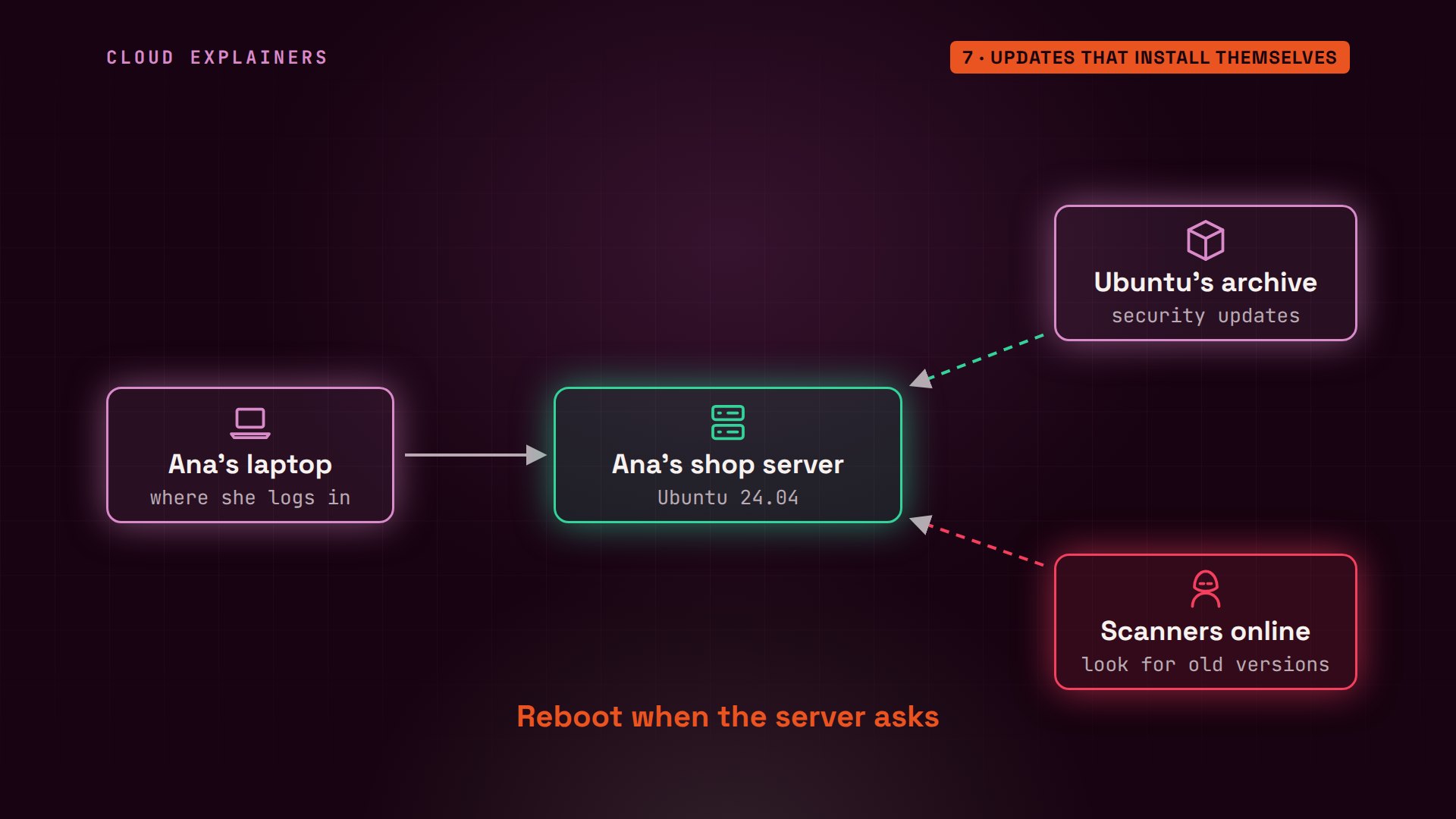
So now the loop runs without her. Every day the server asks Ubuntu for new security fixes, and installs them. When a new advisory comes out, the scanners find a server that's already fixed. Ana still logs in once in a while, reads that message, and reboots when it asks.
Recap
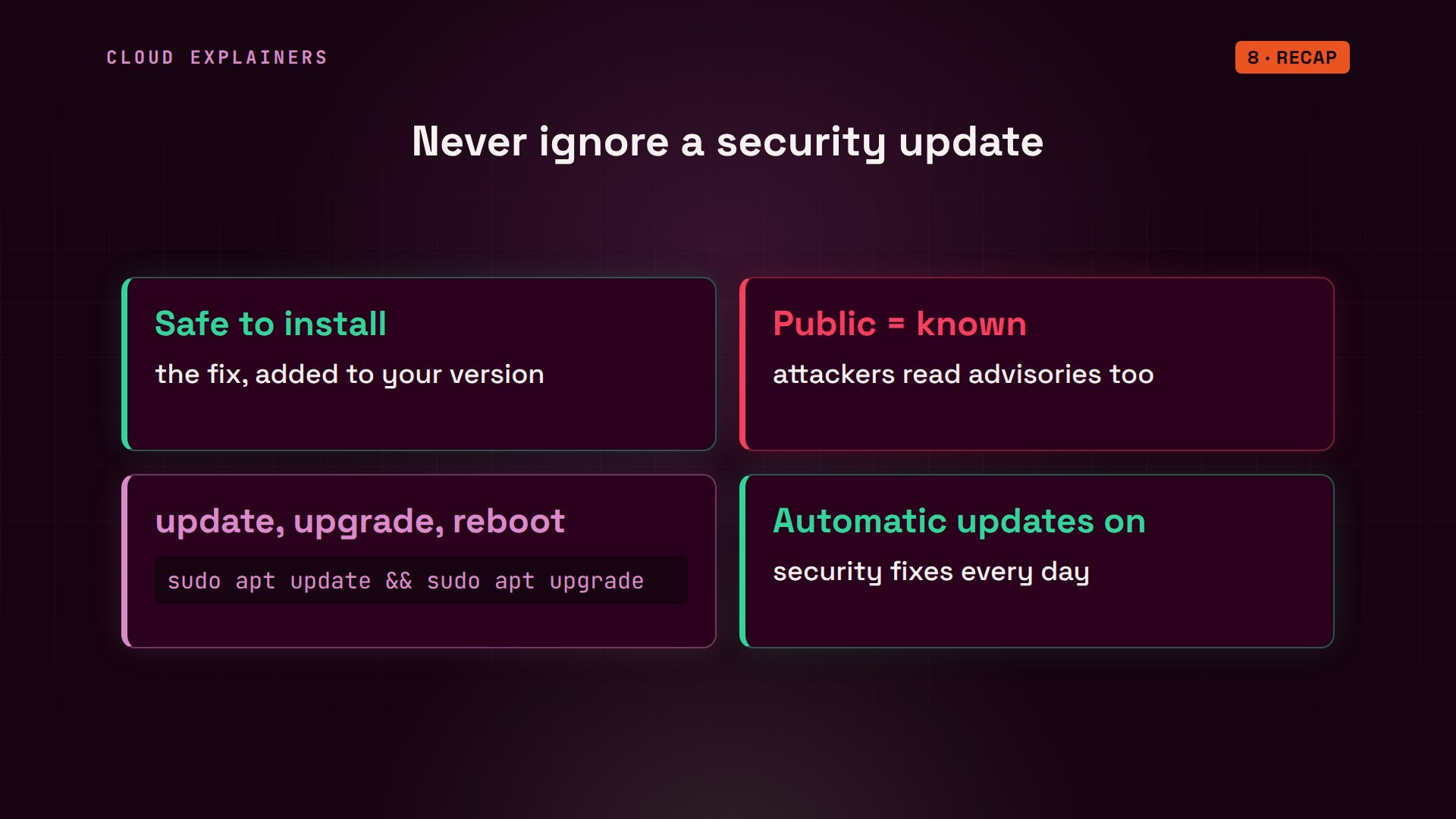
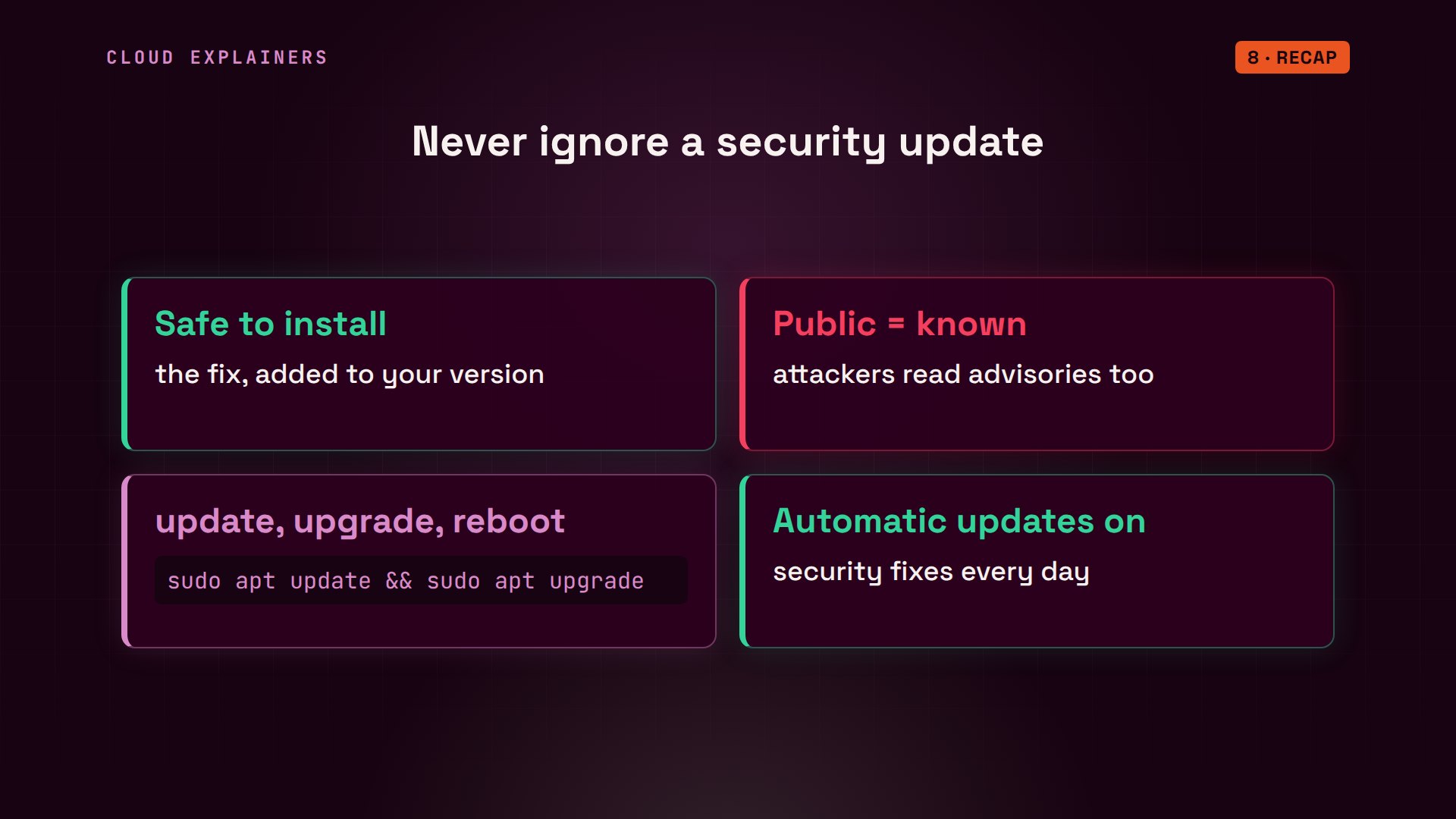
Let's recap. A security update adds the fix to the version you already run, so it's safe to install. Once a fix is public, attackers know which versions to look for. Run apt update, then apt upgrade, and reboot when it asks. And keep automatic security updates on, so the next fix doesn't wait for you.
If seeing the scan go from 196 to zero made this click, subscribing helps more beginners find videos like this one.
Every command and number in this video came from a real run in our lab. Thanks for watching Cloud Explainers.
Sources
Demos: real output from two Ubuntu containers on a private network on our own machine. We only scanned and updated our own lab server; nothing was attacked. Watch the full video on YouTube.
More videos

Two-Factor Authentication Will Finally Make Sense
Never Expose a Database to the Internet
SSH Keys vs Passwords: Which Is Safer for Security?

The 5 Levels of Linux Boot: From Power On to Login
The 5 Levels of Network Firewalls

Password Security: Why Hackers Crack Weak Passwords
Why Your Linux Server Runs Out of Memory
HTTP vs HTTPS: What Actually Changes on Your Network

Every Linux File Permission You Need to Know
Linux Processes vs Threads: When Each One Wins

The OSI Model Will Finally Make Sense After This

The 7 Levels of Git
Every Network Troubleshooting Command You Need
Hashing vs Encryption in Cybersecurity: When Each One Wins
Why the Internet Ran Out of IP Addresses

Linux Package Managers: apt vs Snap vs Flatpak

Why Python Is Slow (and When It Doesn't Matter)
TCP vs UDP: When Each One Wins

Stop Running Linux as Root (Do This Instead)

Linux Users and Groups Will Finally Make Sense

Why Phishing Beats Good Security (and How to Spot It)

The 7 Levels of Docker

AI Agents Will Finally Make Sense After This

Stop Using git push --force (Use This Instead)
Agent Skills vs MCP: When Each One Wins

Networking Will Finally Make Sense After This

Every Linux Command You Actually Need

The 7 Levels of Cybersecurity

Every System Design Concept You Need, in One Diagram
