How to Fix API CORS Errors: No 'Access-Control-Allow-Origin'
'Blocked by CORS policy: No Access-Control-Allow-Origin header' means the request reached your API and the answer came back, but the browser kept it from your page, because the answer didn't say this page's origin may read it. With a real Chromium, nginx and a small API on Ubuntu 24.04 we show the header that fixes it, why the star fails with cookies, the preflight request, Content-Type not allowed, and the same error hiding a 409.
Data in curl, blocked in the browser
Your browser says blocked by CORS policy: No Access-Control-Allow-Origin header. This is a surf school's booking page, and the lessons never load. The page only says Failed to fetch.
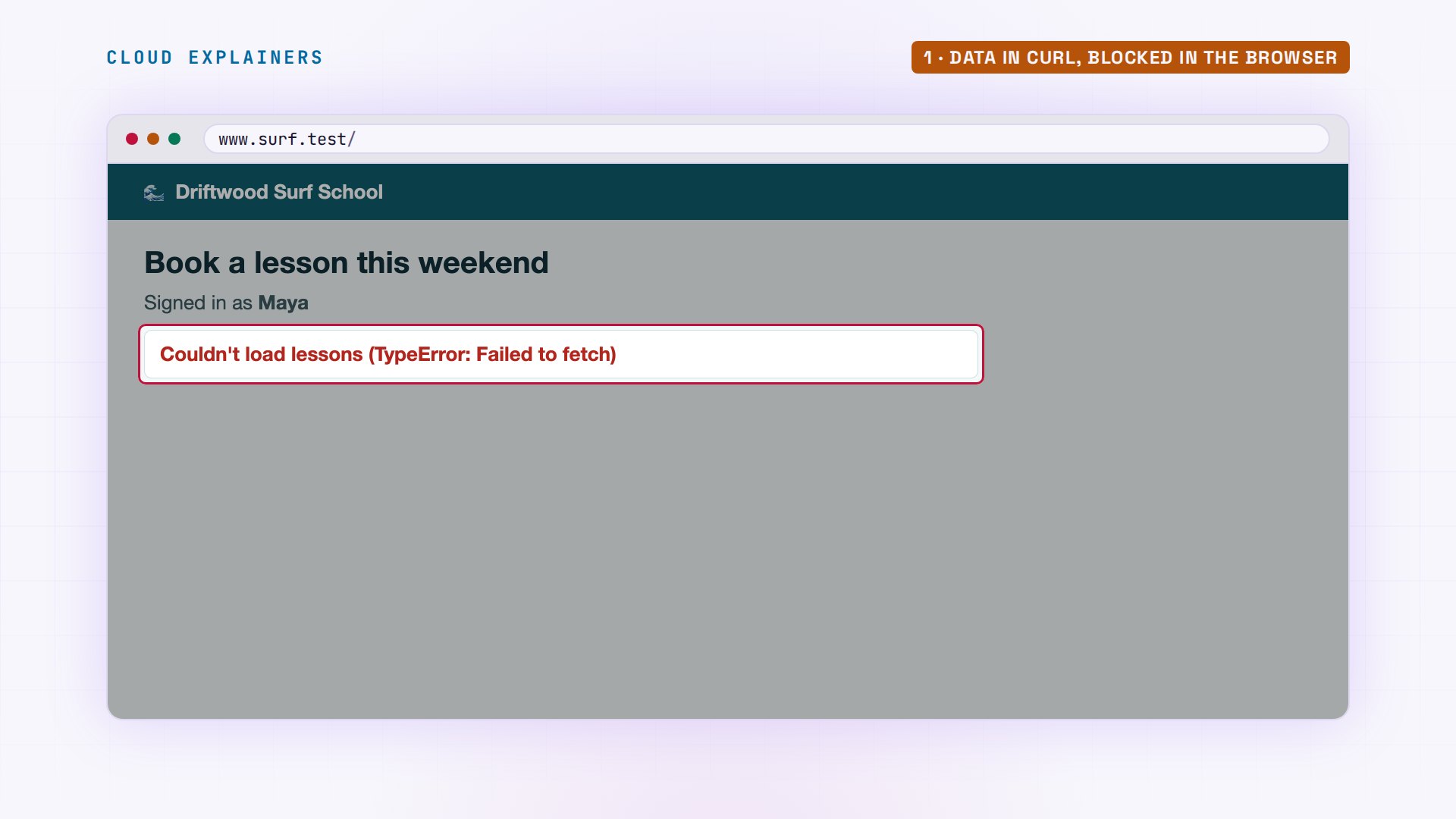
The full message is in the browser's developer console, which opens with F12. Now ask the same address with curl, a command-line tool. Every lesson comes back. The data is fine. The only one who can't see it is the page it was built for. The browser blocked it. So did the request even reach the API? Take a guess. Yes. The log shows the browser's request, answered two hundred, OK.
Access to fetch at 'http://api.surf.test/lessons' from origin 'http://www.surf.test' has been blocked by CORS policy: No 'Access-Control-Allow-Origin' header is present on the requested resource.
Failed to load resource: net::ERR_FAILED
curl -s http://api.surf.test/lessons[{"id":1,"when":"Sat 9:00","what":"Beginner group","spaces":0},{"id":2,"when":"Sat 11:00","what":"Beginner group","spaces":3},{"id":3,"when":"Sun 10:00","what":"Private lesson","spaces":1}]
sudo tail -n 2 /var/log/nginx/api.log[20/Nov/2026:12:38:26 +0000] "GET /lessons" 200 origin=http://www.surf.test
[20/Nov/2026:12:38:27 +0000] "GET /lessons" 200 origin=-
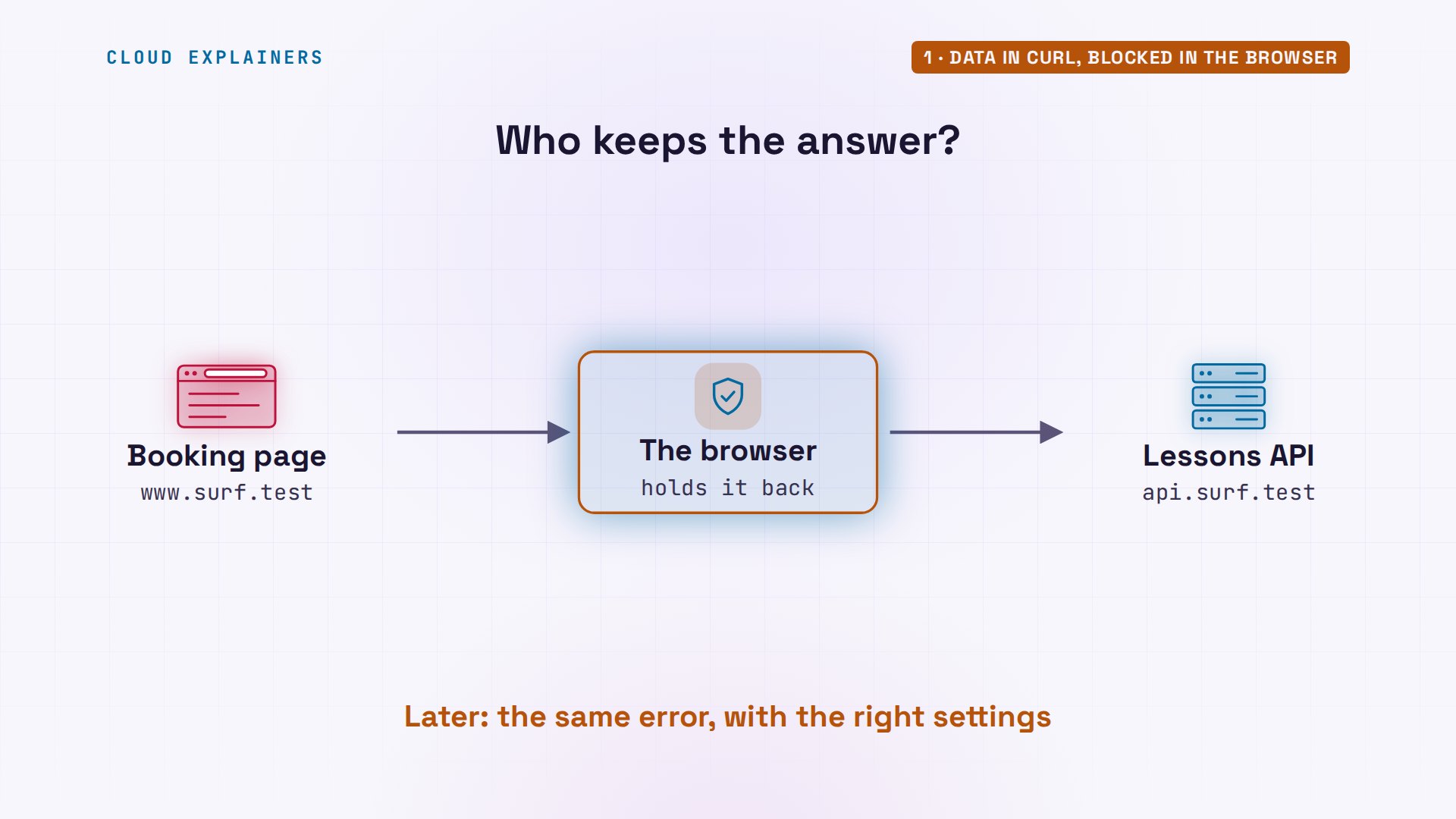
So the request got there, and the answer came back, but the browser kept it from the page. The fix is one header on the server, and you'll add it in the next minute. Later, you'll see this same error come back on a server whose settings are right.
The quick fix: one header
Meet Ana. She runs Driftwood Surf School's server: the page at www.surf.test and its API at api.surf.test, both served by nginx, a web server. Ask the API the way a browser does, with an Origin header. That header says which site the page came from. Look at the answer: nothing in it starts with Access-Control. So she adds one line to the API's nginx settings, checks them, and reloads. Now the answer carries Access-Control-Allow-Origin, star: any website may read this.
curl -sI -H "Origin: http://www.surf.test" http://api.surf.test/lessonsHTTP/1.1 200 OK
Server: nginx/1.24.0 (Ubuntu)
Date: Fri, 20 Nov 2026 12:38:27 GMT
Content-Type: application/json
Content-Length: 190
Connection: keep-alive
grep -n add_header /etc/nginx/sites-available/surfschool.conf15: add_header Access-Control-Allow-Origin "*";
sudo nginx -t && sudo systemctl reload nginxnginx: the configuration file /etc/nginx/nginx.conf syntax is ok
nginx: configuration file /etc/nginx/nginx.conf test is successful
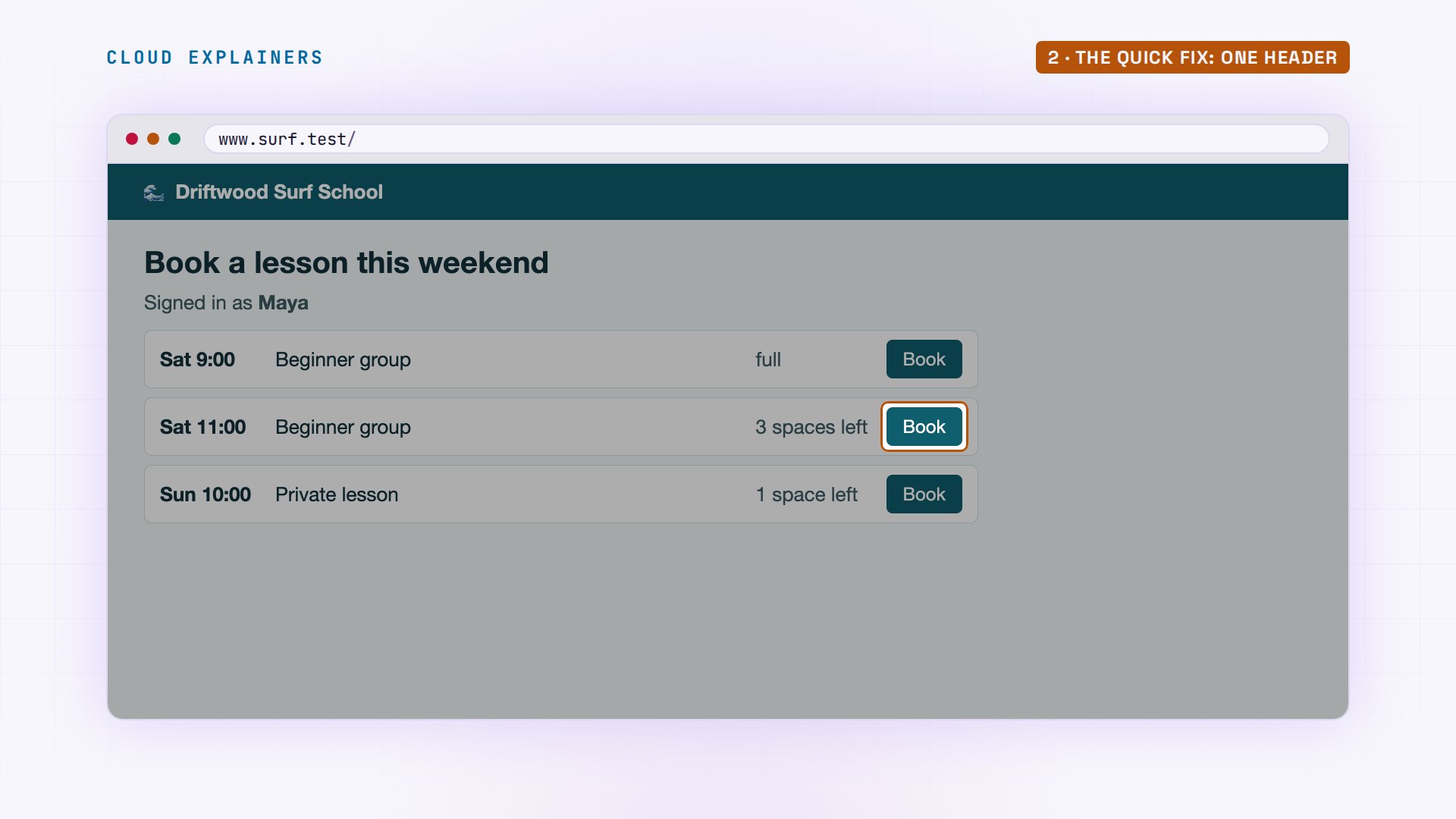
Reload the booking page, and the lessons are there. Star is fine for public data like this. It stops being enough the moment a request carries the customer's sign-in, which is where most people get stuck next.
Who blocks it, and why
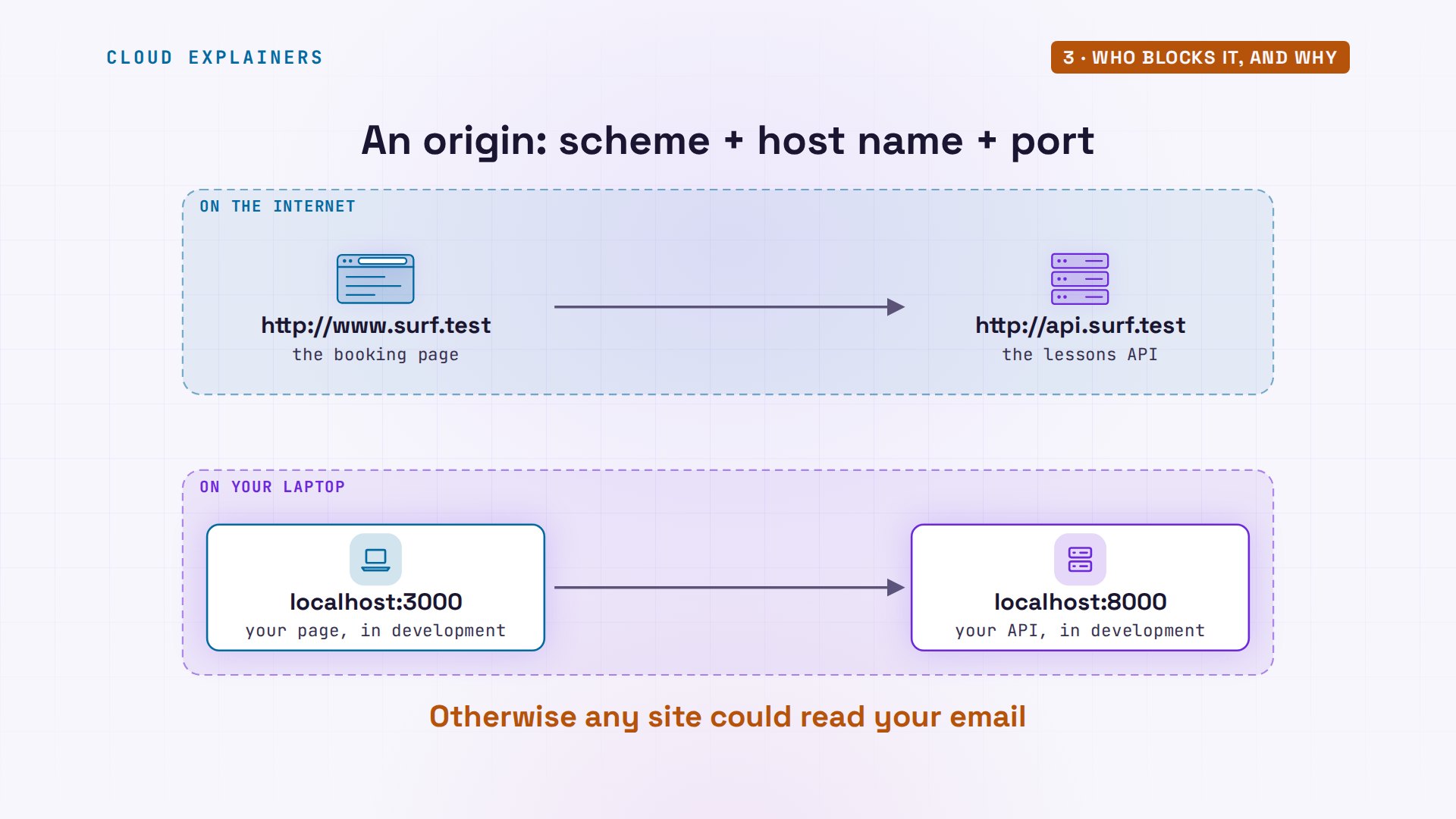
So why would a browser hide an answer that already arrived? It's protecting something called an origin. A page's origin is three things: the scheme, the host name, and the port. www.surf.test and api.surf.test differ in the host name, so they are two origins, even on one server. On your own laptop, a page on localhost port three thousand and an API on port eight thousand are two origins too. By default, a script may only read answers from its own origin. Otherwise any site you visit could quietly read your email or your bank account, using the sign-ins already in your browser.
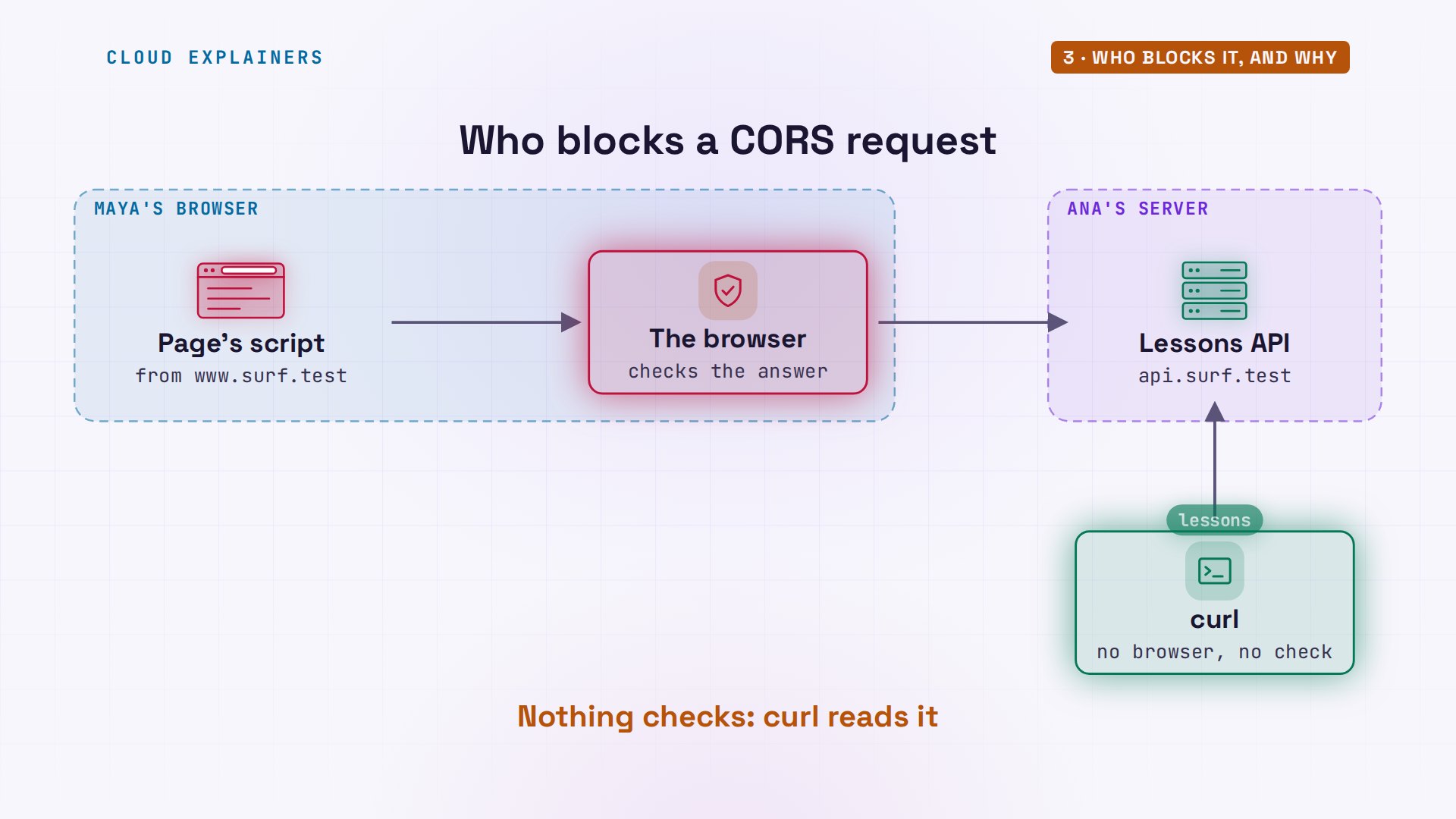
So here's the whole trip. The page's script calls fetch, and the browser sends the request with the page's origin attached. The API answers with every lesson. Then the browser looks for one header in the answer: Access-Control-Allow-Origin, naming that origin, or star. Here, that header is missing, so the browser keeps the answer away from the page. curl is not a browser, so nobody checks.
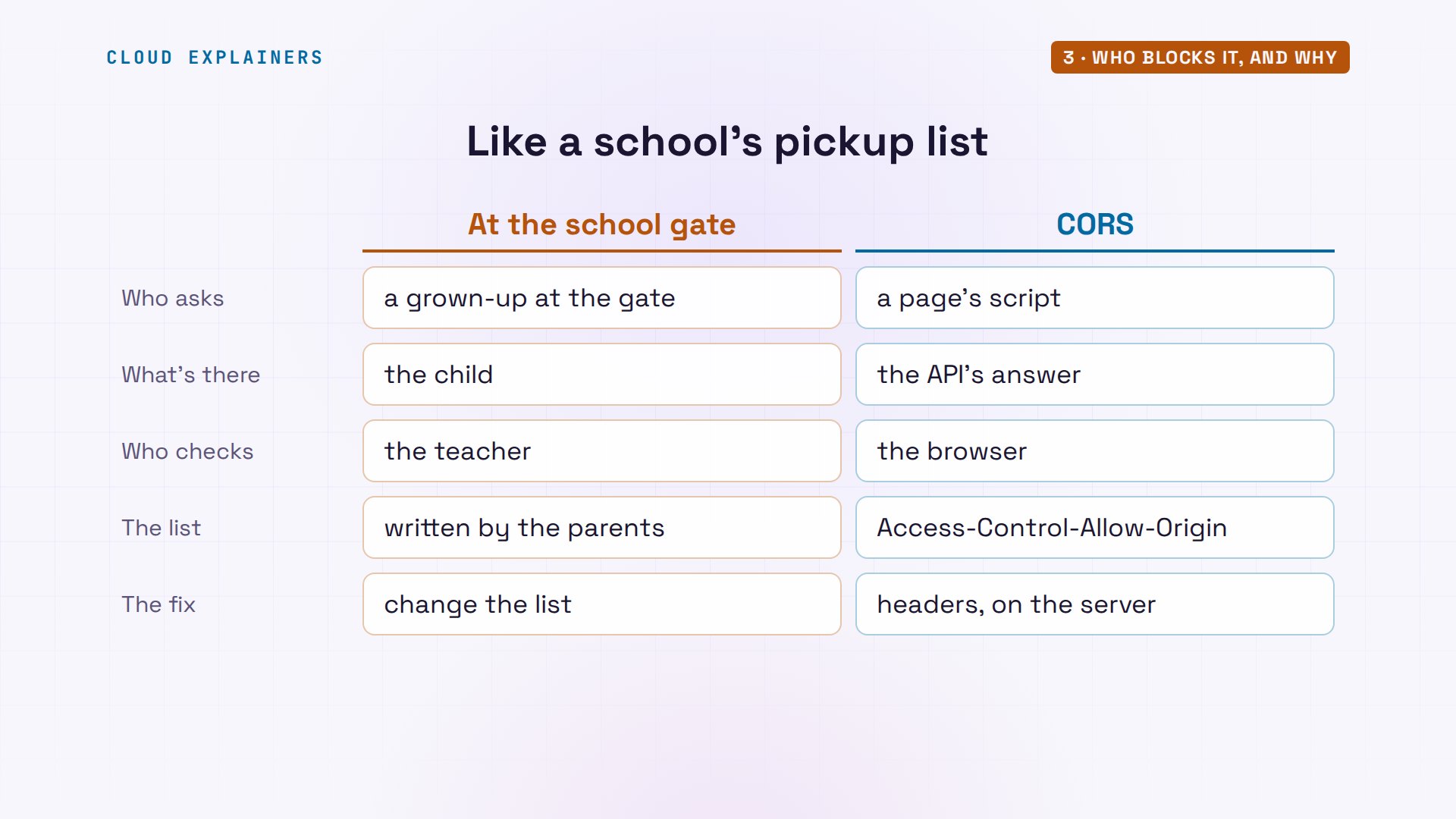
Think of a school at home time. A grown-up at the gate asks for a child. The child is right there, but the teacher only lets them go to names on the pickup list, and the parents wrote that list, not the teacher. The grown-up is the page's script, and the child is the data. The parents are the API's owner, and the API's header is the pickup list. The browser is the teacher. So you fix the list, on the server, never at the gate.
Two fixes that don't work
Two fixes you'll find online don't work. The first is setting mode to no-cors in your fetch call. The red error goes away, but so does your data: your script gets an empty, unreadable answer, opaque, with status zero. The second puts Access-Control-Allow-Origin on the request. It's a response header: the server has to send it. On a request, it makes the browser ask the server's permission first, and the server says no. You'll see that asking step in a minute.
status: 0 type: opaque body: ""
The request before the request
Now Maya, a customer who's signed in, books Saturday at eleven. Booking failed. The console blames something called a preflight request, and it blames that star. Star isn't allowed when the request carries credentials, like a sign-in cookie: any website could then read a signed-in customer's bookings.
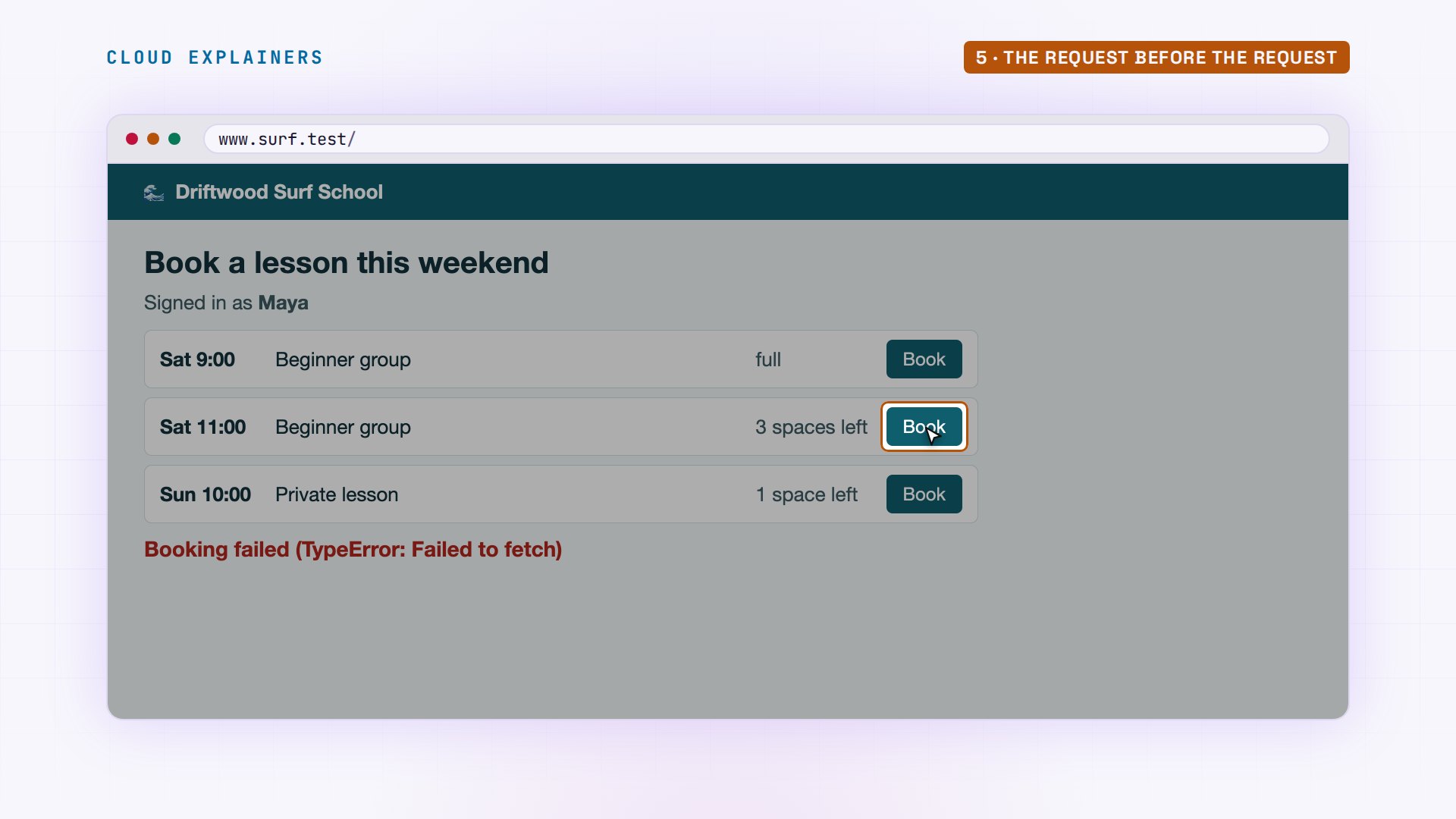
And in Ana's API log, one line: an OPTIONS request, answered two hundred. That two hundred answered the browser's question, but with the star, so the browser stopped. The booking itself never arrived.
Access to fetch at 'http://api.surf.test/bookings' from origin 'http://www.surf.test' has been blocked by CORS policy: Response to preflight request doesn't pass access control check: The value of the 'Access-Control-Allow-Origin' header in the response must not be the wildcard '*' when the request's credentials mode is 'include'.
Failed to load resource: net::ERR_FAILED
sudo tail -n 3 /var/log/nginx/api.log[20/Nov/2026:12:38:32 +0000] "OPTIONS /bookings" 200 origin=http://www.surf.test
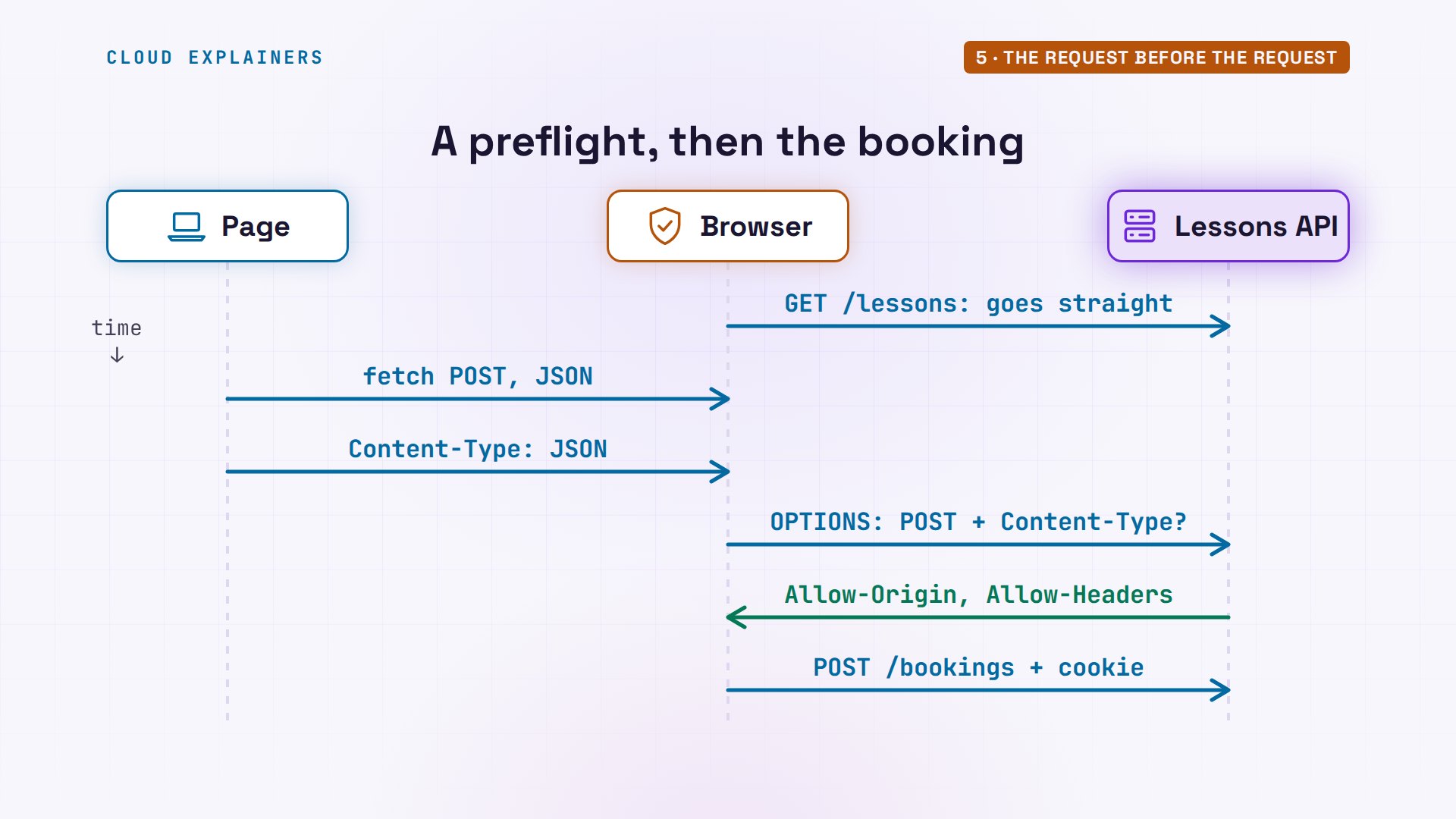
That OPTIONS request is the preflight. A plain read, like fetching the lessons, goes straight out. A booking sends its details as JSON, a text format for data, and says so in a Content-Type header. That value isn't on the browser's short list of safe ones. So the browser first asks: may this origin send a POST with that header? Only if the answer says yes does the real request go.
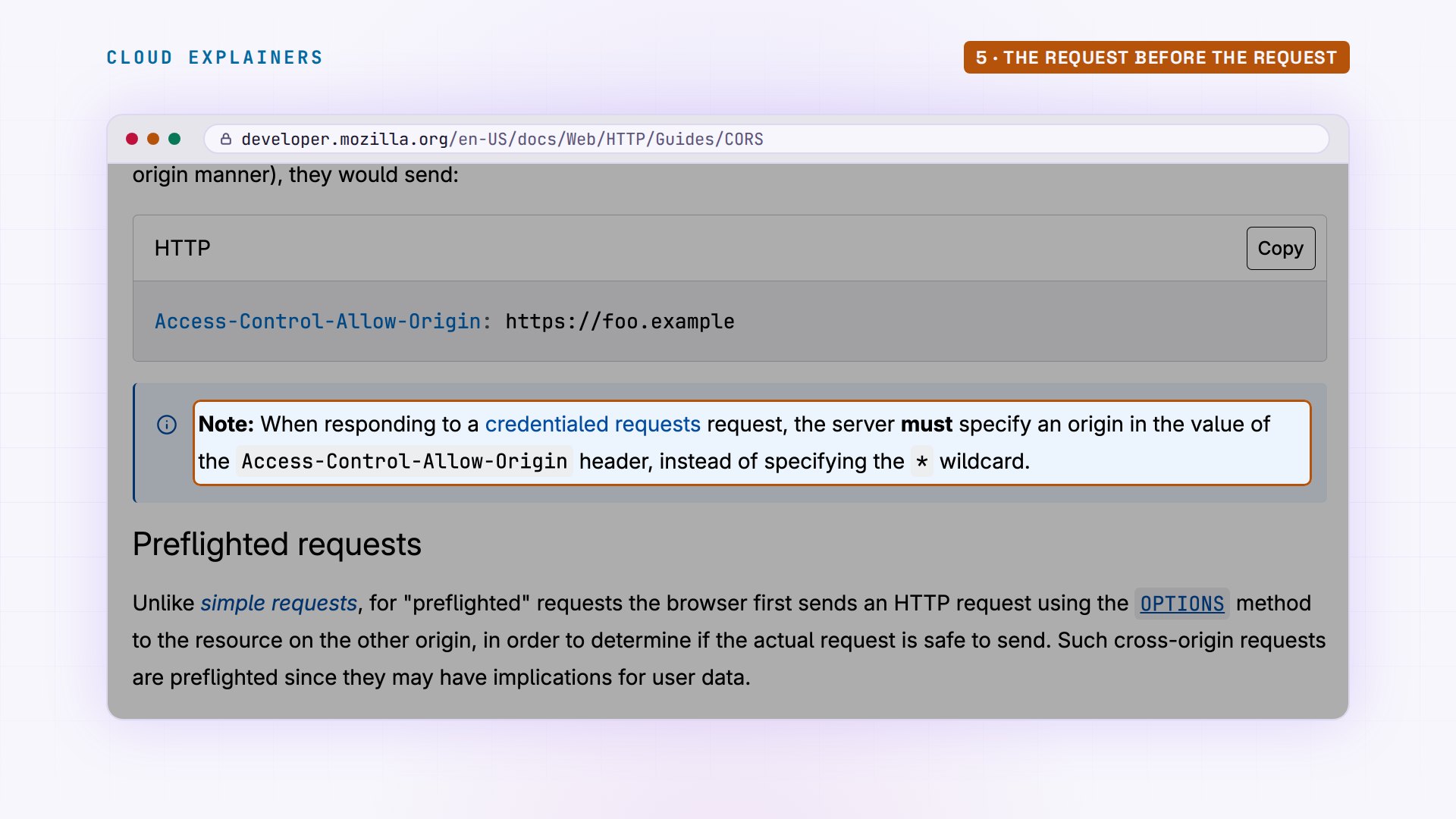
MDN's guide to CORS says the same. For a preflighted request, the browser first sends options, to find out if the real request is safe to send. And with credentials, the server must name the origin, not use star.
So Ana swaps the star for the page's exact origin, and adds Access-Control-Allow-Credentials, true. That lets the page read answers to requests that carry cookies. Maya tries again, and gets a new message: the Content-Type header is not allowed. The preflight asked about it, and the answer didn't list it. So she adds Access-Control-Allow-Headers, Content-Type.
grep -n add_header /etc/nginx/sites-available/surfschool.conf15:        add_header Access-Control-Allow-Origin "http://www.surf.test";
16:        add_header Access-Control-Allow-Credentials "true";
Access to fetch at 'http://api.surf.test/bookings' from origin 'http://www.surf.test' has been blocked by CORS policy: Request header field content-type is not allowed by Access-Control-Allow-Headers in preflight response.
Failed to load resource: net::ERR_FAILED
Maya books again, and it works: booked, Saturday at eleven.
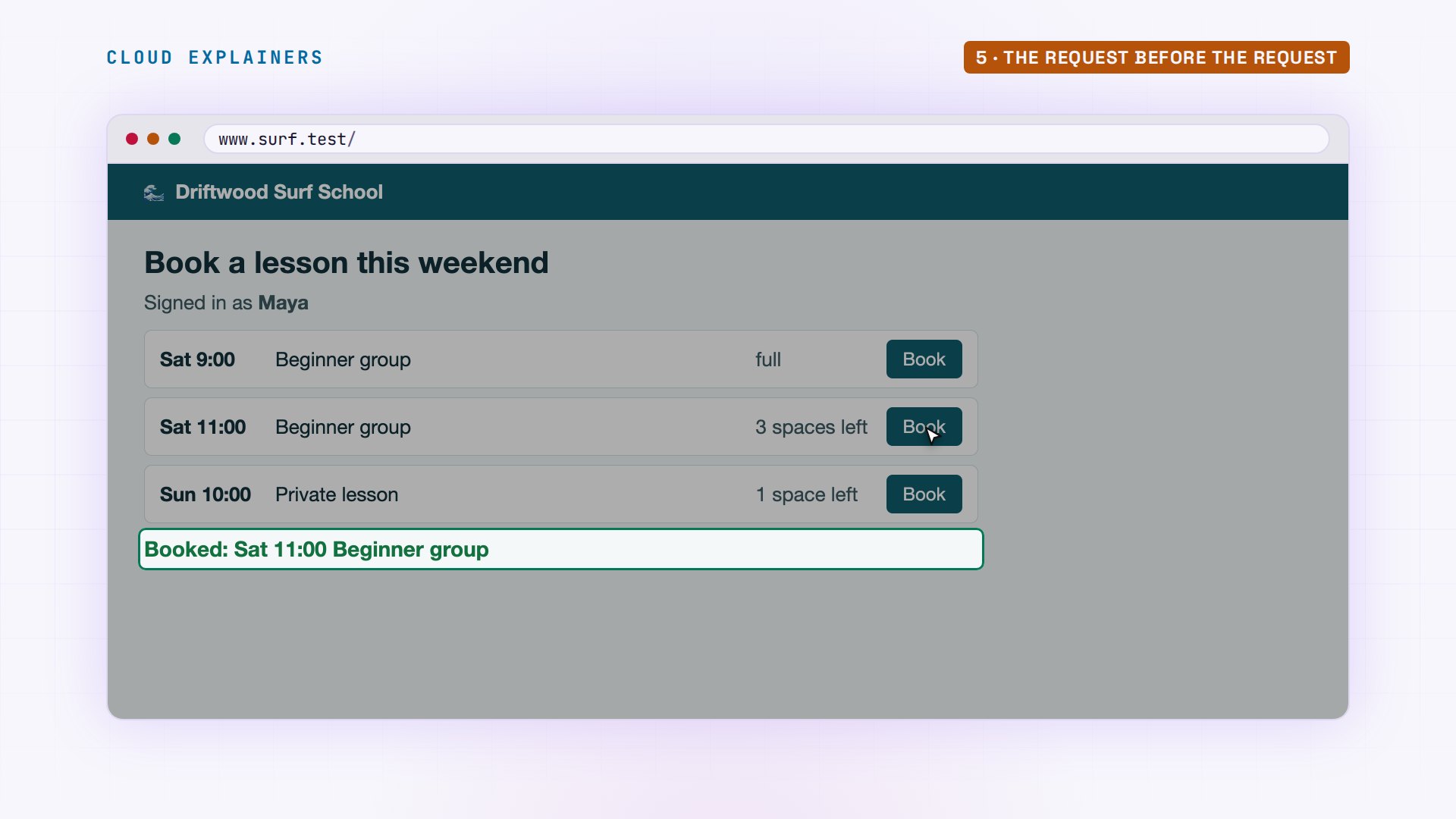
In the log, the preflight, then the POST, two oh one, created. Two requests for one click: the question, then the booking.
sudo tail -n 2 /var/log/nginx/api.log[20/Nov/2026:12:38:38 +0000] "OPTIONS /bookings" 200 origin=http://www.surf.test
[20/Nov/2026:12:38:38 +0000] "POST /bookings" 201 origin=http://www.surf.test
The same error, from a full lesson
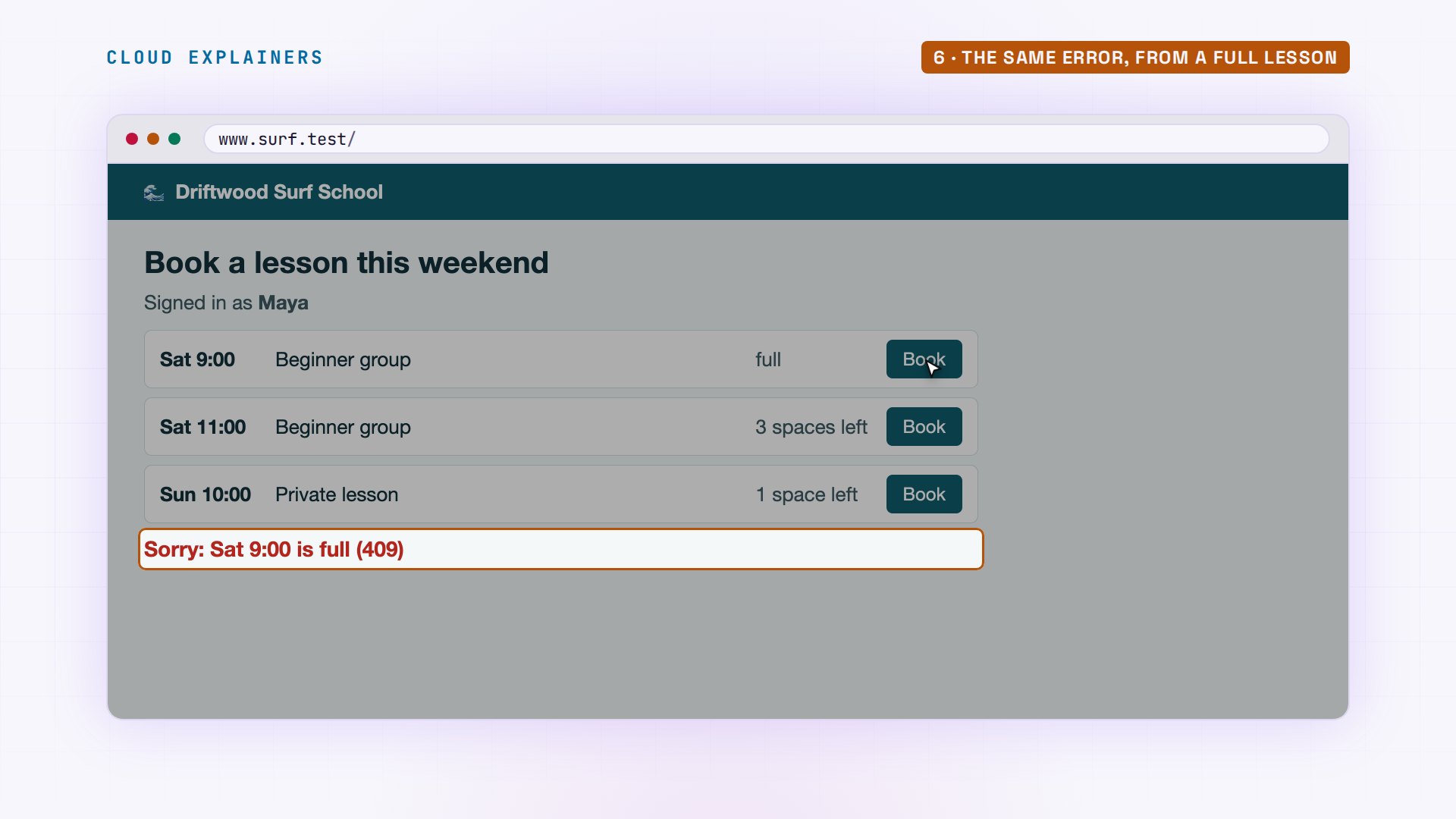
Then Maya tries Saturday at nine, which is full. The API answers four oh nine, conflict, with a message saying so. Guess first: what does the page show? Booking failed, and the console has the very first error again: no Access-Control-Allow-Origin header. This is the case I promised at the start: the same error, on a server whose settings are right.
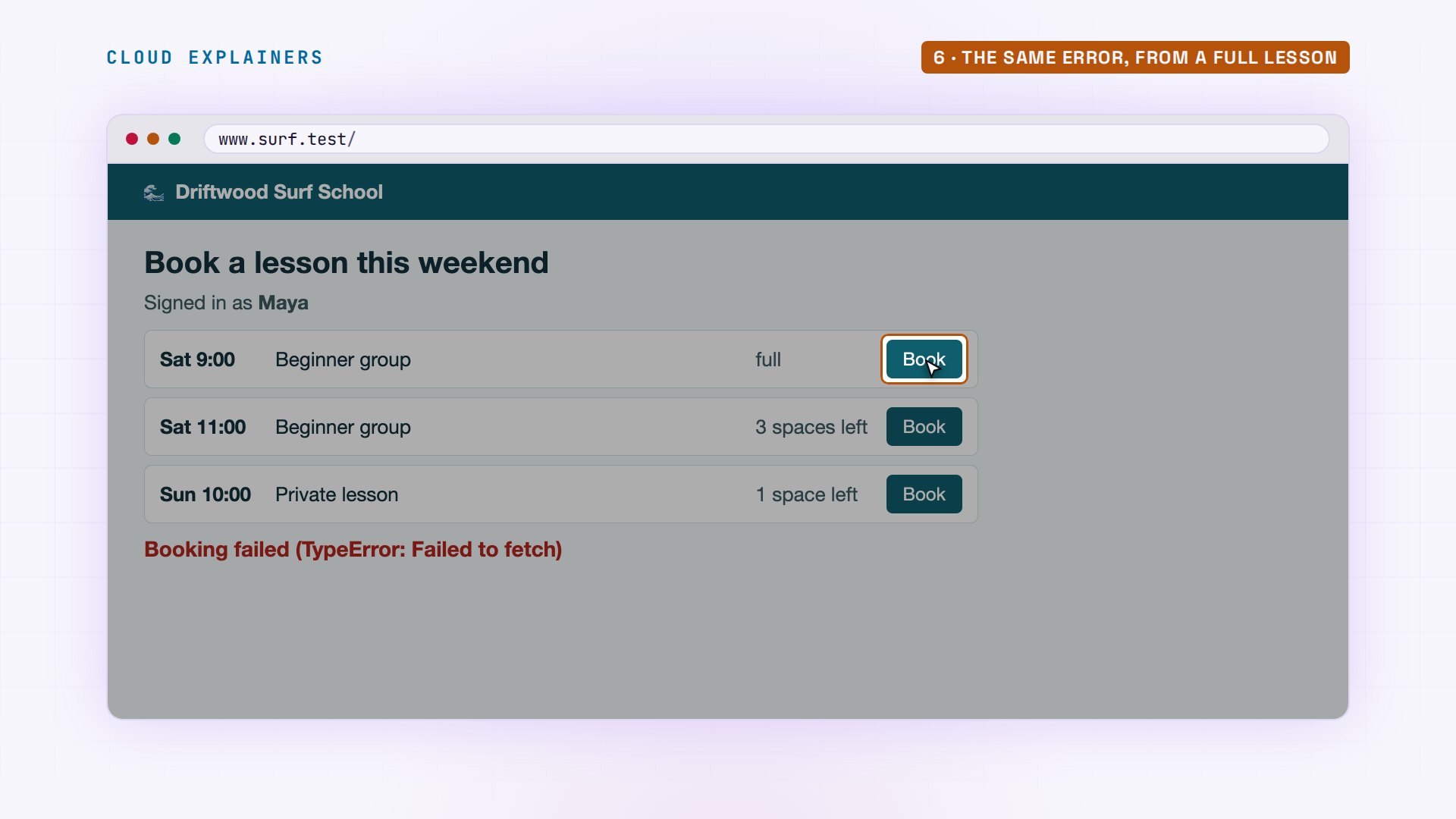
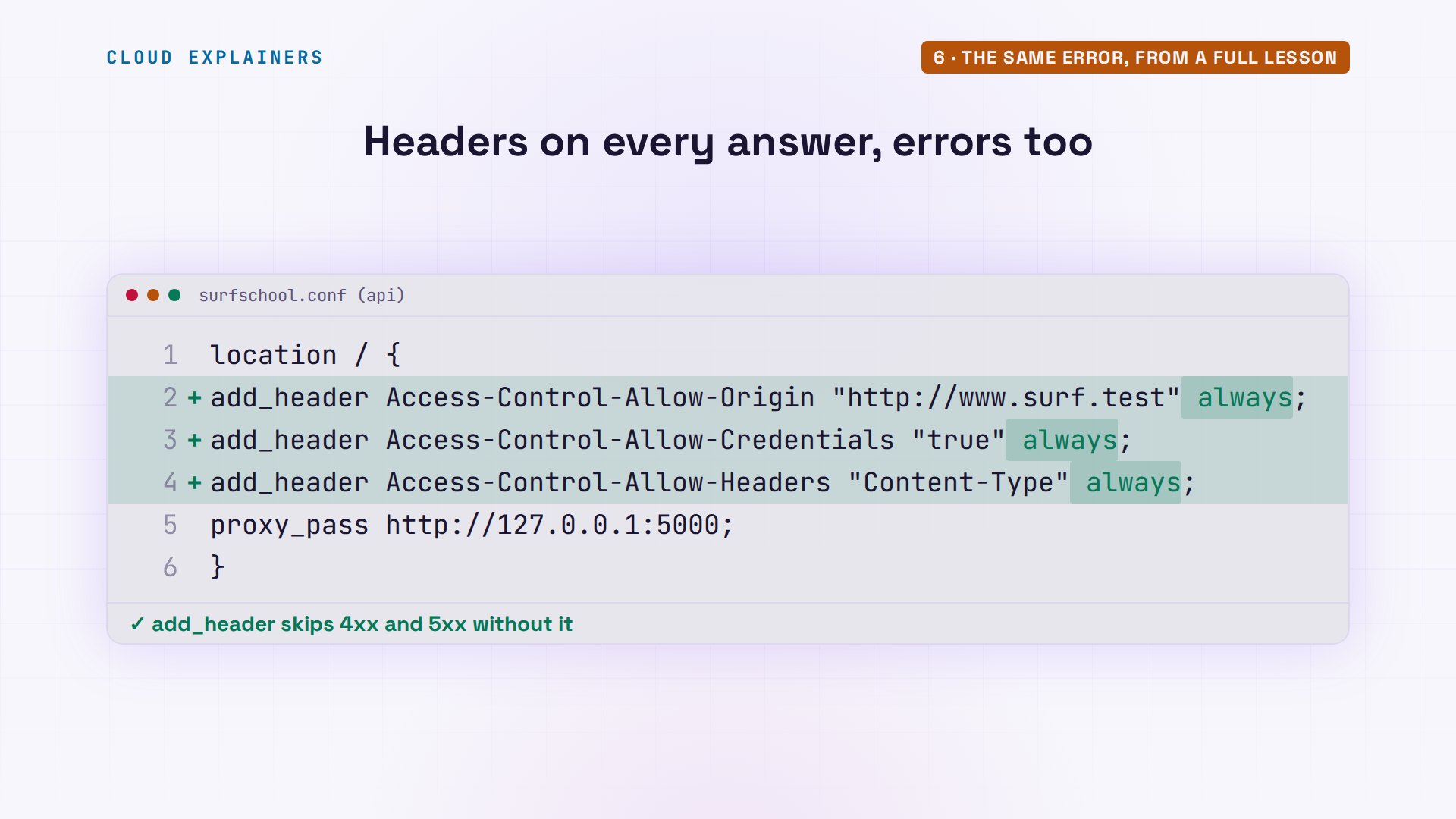
That console line is the first error, word for word. Ana's log says four oh nine: the lesson is full. Ask with curl, the same POST with the same Origin and cookie, and the answer has the message, but not one Access-Control line. In nginx, add header only works on success answers, like two hundred and two oh one. Error answers get no Access-Control lines at all, unless you add the word always.
Access to fetch at 'http://api.surf.test/bookings' from origin 'http://www.surf.test' has been blocked by CORS policy: No 'Access-Control-Allow-Origin' header is present on the requested resource.
Failed to load resource: net::ERR_FAILED
sudo tail -n 2 /var/log/nginx/api.log[20/Nov/2026:12:38:40 +0000] "POST /bookings" 409 origin=http://www.surf.test
curl -si -X POST -H "Origin: http://www.surf.test" -b session=maya-7f3a -H 'Content-Type: application/json' -d '{"lesson": 1}' http://api.surf.test/bookingsHTTP/1.1 409 CONFLICT
Server: nginx/1.24.0 (Ubuntu)
Date: Fri, 20 Nov 2026 12:38:41 GMT
Content-Type: application/json
Content-Length: 29
Connection: keep-alive

{"error":"Sat 9:00 is full"}
So Ana adds always to each line, and reloads nginx. Now error answers carry the headers too.
Same click, and the page can finally read the API's answer: Saturday at nine is full.
Check it from a terminal
The console shows you only the error, not the preflight's answer. So after a change, check it yourself with curl: the OPTIONS method, an Origin, and two request headers that ask: may I use POST, and may I send Content-Type? Dash i prints the answer's headers. The answer should name your page's origin, say credentials true if you send cookies, and list every header you send.
curl -si -X OPTIONS -H "Origin: http://www.surf.test" -H "Access-Control-Request-Method: POST" -H "Access-Control-Request-Headers: content-type" http://api.surf.test/bookingsHTTP/1.1 200 OK
Server: nginx/1.24.0 (Ubuntu)
Date: Fri, 20 Nov 2026 12:38:44 GMT
Content-Type: text/html; charset=utf-8
Content-Length: 0
Connection: keep-alive
Allow: POST, OPTIONS
Access-Control-Allow-Origin: http://www.surf.test
Access-Control-Allow-Credentials: true
Access-Control-Allow-Headers: Content-Type
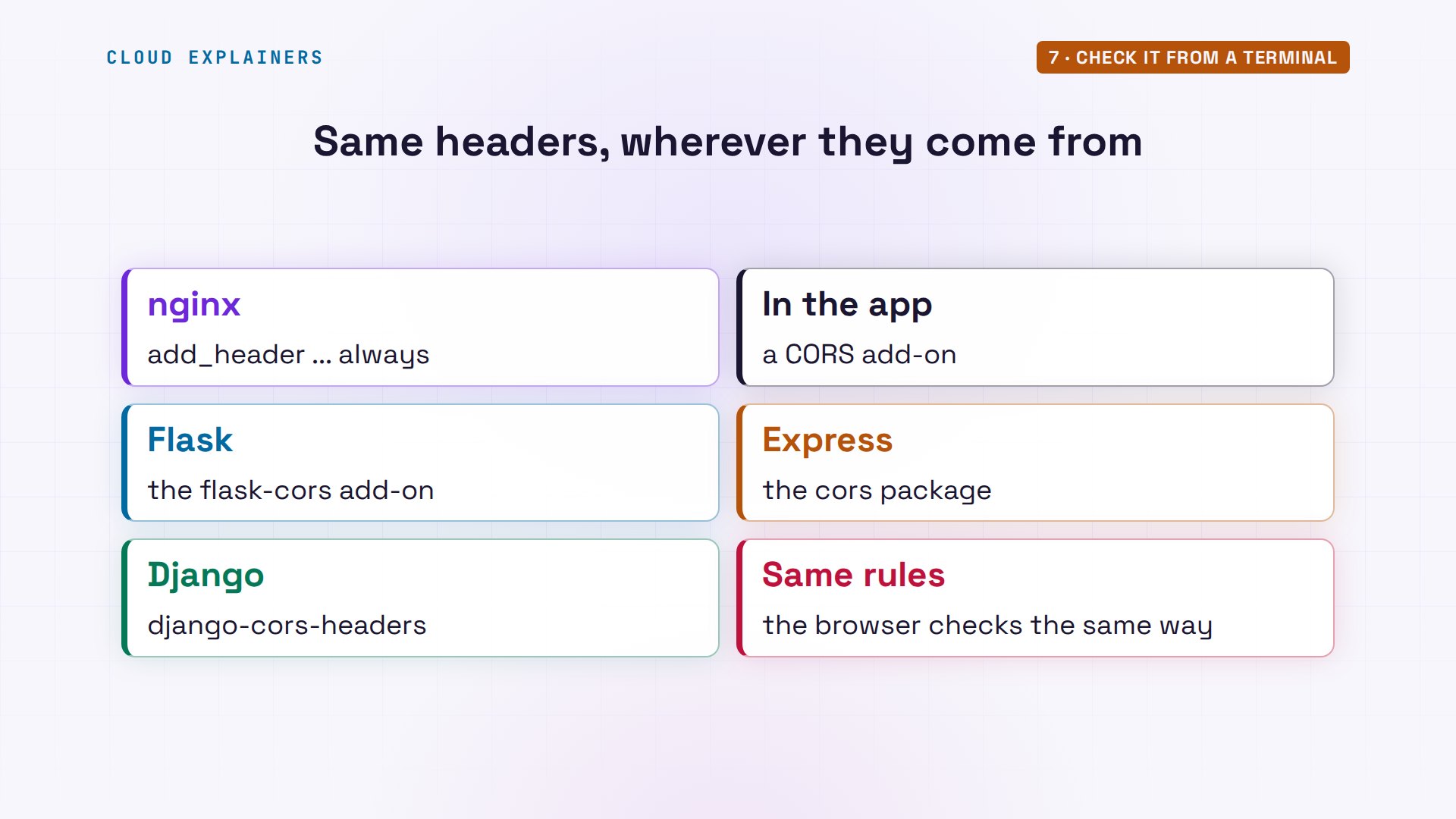
No nginx in front of your API? Then the same headers come from the app, usually through a small CORS add-on for your framework: Flask, Express, Django, and the rest all have one. The rules are exactly the ones you just saw, and the browser checks them the same way.
Recap
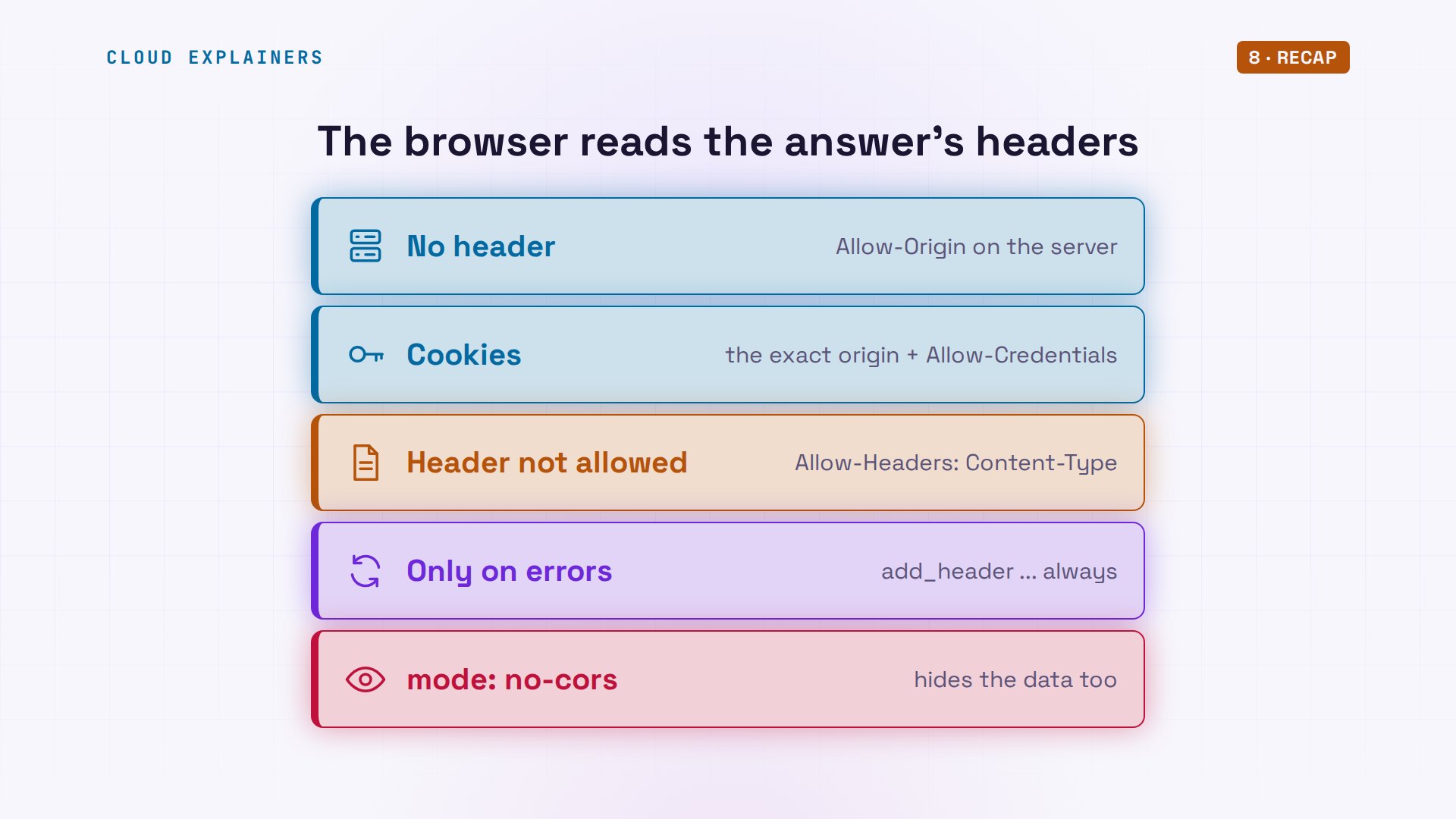
No header? Add Access-Control-Allow-Origin on the server. Cookies? Name the origin, and allow credentials. Content-Type not allowed? List it in Allow-Headers. Still blocked, but only when the API returns an error? Send the headers on errors too: in nginx, always. And skip no-cors.
If your page can read its API again, a like helps the next person stuck on this error find it, and subscribing brings more fixes, shown on real machines.
Every message in this video came from a real Chromium, and every command and the lab files are linked in the description. Thanks for watching Cloud Explainers.
Sources
Demos: a container on our own Mac standing in for a surf school's web server, and Playwright's Chromium; the surf school is made up. Every console message was Chromium's own. Watch the full video on YouTube.
More videos
How to Fix Python ModuleNotFoundError: No Module Named
Golang Pointers in 5 Minutes
How to Fix a Kubernetes Pod Stuck in CrashLoopBackOff
How to Fix a Homelab ESXi Host Not Responding
PostgreSQL: Full Tutorial for Beginners
How a Load Balancer Works with HAProxy

How Python Virtual Environments Work
How to Fix Cloudflare Tunnel Errors in a Homelab

How Authenticator App Login Codes Work (TOTP)
Git and GitHub: Full Tutorial for Beginners

How a Homelab Hypervisor Works (VMware ESXi)
How to Fix Kubernetes ImagePullBackOff Errors
How to Fix DNS 'Temporary Failure in Name Resolution' on Linux
How to Fix AWS CLI 'Unable to Locate Credentials'
Proxmox vs ESXi for Your Homelab: When Each One Wins
PostgreSQL UUID vs Auto Increment: Which Primary Key Should You Use?
Kubernetes: Full Tutorial for Beginners

How TCP Sockets Work

How to Fix PostgreSQL 'Could Not Connect to Server'
Claude Code Hooks Will Finally Make Sense After This
DevOps with Ansible Will Finally Make Sense After This

How SNMP Network Monitoring Works
How to Fix GitHub 'Permission Denied (publickey)' Errors
Docker: Full Tutorial for Beginners
How to Fix PostgreSQL 'Password Authentication Failed'
Why One Linux Server Handles More Users Than You Think
How to Fix Network 'Connection Refused' Errors
DevOps Pipelines: Jenkins vs GitHub Actions
Linux Nginx Reverse Proxy: Full Tutorial for Beginners
Every Networking Term a Beginner Needs in 12 Minutes
How to Fix Docker 'Permission Denied' on docker.sock
How to Fix Git 'Updates Were Rejected' When You Push
How to Fix nginx 502 Bad Gateway Errors on Linux

How to Fix Linux apt 'Could Not Get Lock' Errors (Ubuntu)

How Email Works on the Internet (SMTP) in 10 Minutes
The Python Roadmap for Beginners

Golang REST API with Gin: Full Tutorial for Beginners
How a WireGuard VPN Network Works

Linux Makefiles Will Finally Make Sense After This

SAML vs OAuth vs OpenID Connect: What's the Difference?
How to Fix Python cron Jobs That Never Run
Linux Bash Scripting: Full Tutorial for Beginners
How PXE Network Boot Works
How Active Directory Works

How to Fix a Linux systemd Service That Won't Start
Linux Logs: syslog vs journald
JWT vs Session Cookies: Which One Should You Use?
Docker vs Docker Compose: Which One Should You Use?
How to Fix Docker Compose Containers That Can't Talk to Each Other

Django Full Tutorial for Beginners

How Linux systemd Works

How to Fix 'Windows Cannot Access' Network Share Errors (SMB)
REST vs gRPC: Which One Should You Use?
How to Fix SSL Certificate Chain Errors (Missing Intermediate)

Every Python Concept for Beginners in 10 Minutes
Every SQL Join Type in 10 Minutes
Why OpenRouter Free Models Hit Their Limit So Fast
Why Your Gemini API Free Tier Runs Out So Fast
OpenRouter Will Finally Make Sense After This
How Redis Caching Works
Gemini API vs Vertex AI: Which One Should You Use?
How to Fix a Leaked Gemini API Key
Why Golang Uses Goroutines Instead of Threads
How to Fix Gemini API Error 429: Resource Exhausted
Claude Token Pricing Will Finally Make Sense After This
Why Python Web Scraping Returns Nothing (and the Fix)

Python uv vs pip: Which One Should You Use?

Python Automation: Full Tutorial for Beginners
How OAuth Login Works

Google AI Studio Will Finally Make Sense After This
What Happens When You Run a Docker Container
How to Fix Claude Code Billing Your API Key Instead of Your Plan
Why Passkeys Can't Be Phished Like Passwords
PowerShell vs Bash: Which One Should You Learn?
The Linux Roadmap for Beginners
Django vs FastAPI: Which One Should You Use?
Why SQLite Is the Most Used Database in the World
How a NoSQL Database Like MongoDB Works
How to Fix Python pip error: externally-managed-environment
How to Fix MySQL Too Many Connections Database Errors
Golang Concurrency Will Finally Make Sense After This
How Amazon S3 Works
How Kubernetes Works

How Git Works
How to Fix Docker Port Already Allocated Errors
How PostgreSQL Works
How to Fix Git Merge Conflicts

How to Fix No Space Left on Device in Linux
How the Internet Works
SQL vs NoSQL: When Each One Wins
How to Fix JWT Token Expired Errors (401 Unauthorized)
Claude API vs Claude Pro: Why Your Subscription Doesn't Include It
Why AI Agent Skills Beat Giant Prompts

Linux Cron Jobs Will Finally Make Sense After This

Security Logs Will Finally Make Sense After This

How to Fix a Security Leak: An API Key Pushed to GitHub
DNS Will Finally Make Sense After This
Never Ignore a Security Update
Two-Factor Authentication Will Finally Make Sense
Never Expose a Database to the Internet
SSH Keys vs Passwords: Which Is Safer for Security?

The 5 Levels of Linux Boot: From Power On to Login
The 5 Levels of Network Firewalls
Password Security: Why Hackers Crack Weak Passwords
Why Your Linux Server Runs Out of Memory
HTTP vs HTTPS: What Actually Changes on Your Network

Every Linux File Permission You Need to Know
Linux Processes vs Threads: When Each One Wins
The OSI Model Will Finally Make Sense After This
The 7 Levels of Git
Every Network Troubleshooting Command You Need
Hashing vs Encryption in Cybersecurity: When Each One Wins
Why the Internet Ran Out of IP Addresses
Linux Package Managers: apt vs Snap vs Flatpak

Why Python Is Slow (and When It Doesn't Matter)
TCP vs UDP: When Each One Wins
Stop Running Linux as Root (Do This Instead)
Linux Users and Groups Will Finally Make Sense

Why Phishing Beats Good Security (and How to Spot It)

The 7 Levels of Docker

AI Agents Will Finally Make Sense After This

Stop Using git push --force (Use This Instead)
Agent Skills vs MCP: When Each One Wins

Networking Will Finally Make Sense After This

Every Linux Command You Actually Need
The 7 Levels of Cybersecurity
Every System Design Concept You Need, in One Diagram