
Why Your Linux Server Runs Out of Memory
Why a Linux server runs out of memory, shown on a real 1 GB Ubuntu 24.04 server: too many workers, a memory leak and one big job, each killed by the real OOM killer. How to read free -h (available, not free), what the OOM killer does, and the fix for each reason, including a systemd memory limit.
The shop is down
Ana's shop is down, and Linux stopped it on purpose. Why does a Linux server run out of memory, and how do you stop it happening? Last night, she doubled her shop's workers for a sale. This morning, the status says failed, and the reason is oom-kill.
systemctl status shop -n 0× shop.service - Ana's shop
     Loaded: loaded (/etc/systemd/system/shop.service; disabled; preset: enabled)
     Active: failed (Result: oom-kill) since Thu 2026-10-29 18:26:45 UTC; 5s ago
   Duration: 1.356s
    Process: 3418 ExecStart=/usr/local/bin/shop (code=exited, status=0/SUCCESS)
   Main PID: 3418 (code=exited, status=0/SUCCESS)
        CPU: 840ms
The log tells the story. Workers died with signal nine, a kill that can't be refused. systemd says a process was killed by the OOM killer. OOM means out of memory. systemd restarted the shop fifteen times, the killer struck every time, and then systemd gave up.
journalctl -u shop -o cat | tail -n 8shop: worker 3423 died (signal 9), starting a new one
shop: worker 3422 died (signal 9), starting a new one
shop.service: A process of this unit has been killed by the OOM killer.
shop.service: Failed with result 'oom-kill'.
shop.service: Scheduled restart job, restart counter is at 15.
shop.service: Start request repeated too quickly.
shop.service: Failed with result 'oom-kill'.
Failed to start shop.service - Ana's shop.
In this video, we'll see what memory is, and how to read it. Then the three usual reasons a server runs out: too many workers, a memory leak, and one big job. We'll see what the OOM killer does, and then the fix for each reason, all on Ana's real server.
What memory is
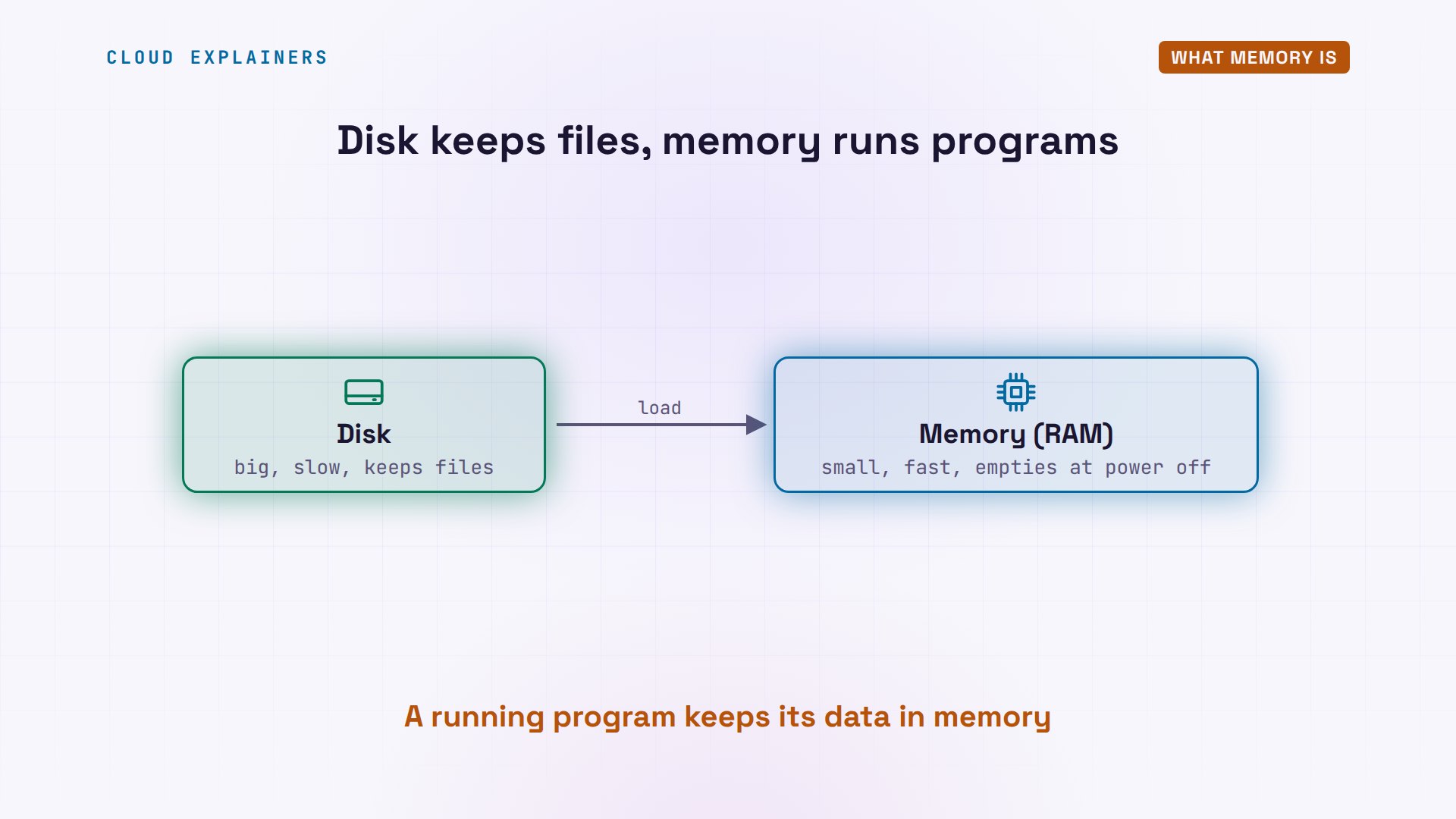
First, what memory is. Your server has two places to keep things. The disk is big and keeps files, even when the power is off. Memory, or RAM, is much smaller, but far faster, and it's empty when the power goes off. A program runs from memory: Linux loads it there, and the program keeps its data there while it works.
Reading free
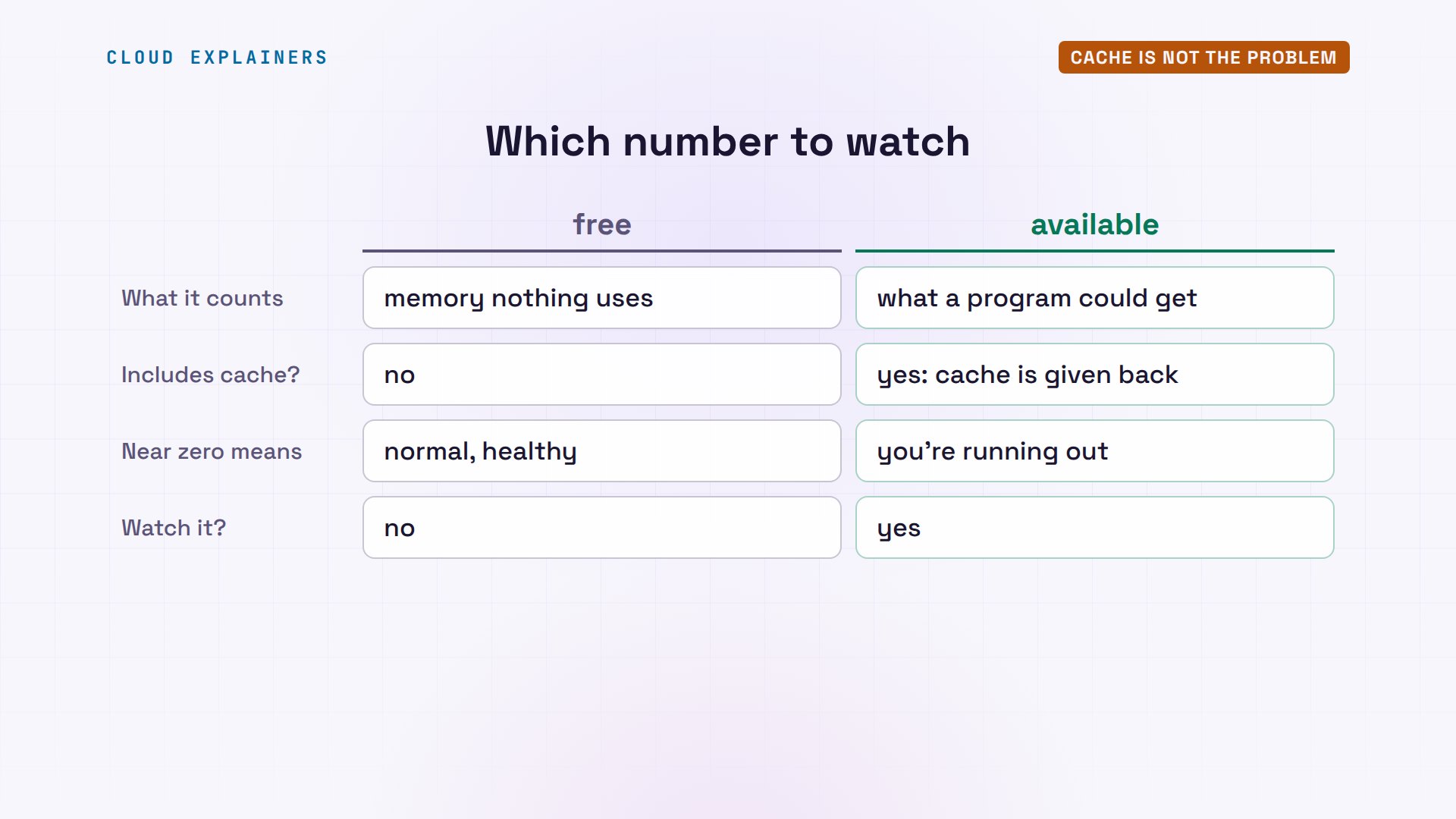
To see memory, run free, with dash h for human sizes. With the shop stopped, total is one gigabyte, and used is only ninety-three megabytes. Free is memory nothing is using at all. Buff and cache is memory Linux borrowed to keep recent files close. And the column to watch is the last one, available: how much a new program could get. The swap line says zero: no swap. More on that in a moment.
free -htotal used free shared buff/cache available Mem: 1.0Gi 93Mi 918Mi 26Mi 37Mi 930Mi Swap: 0B 0B 0B
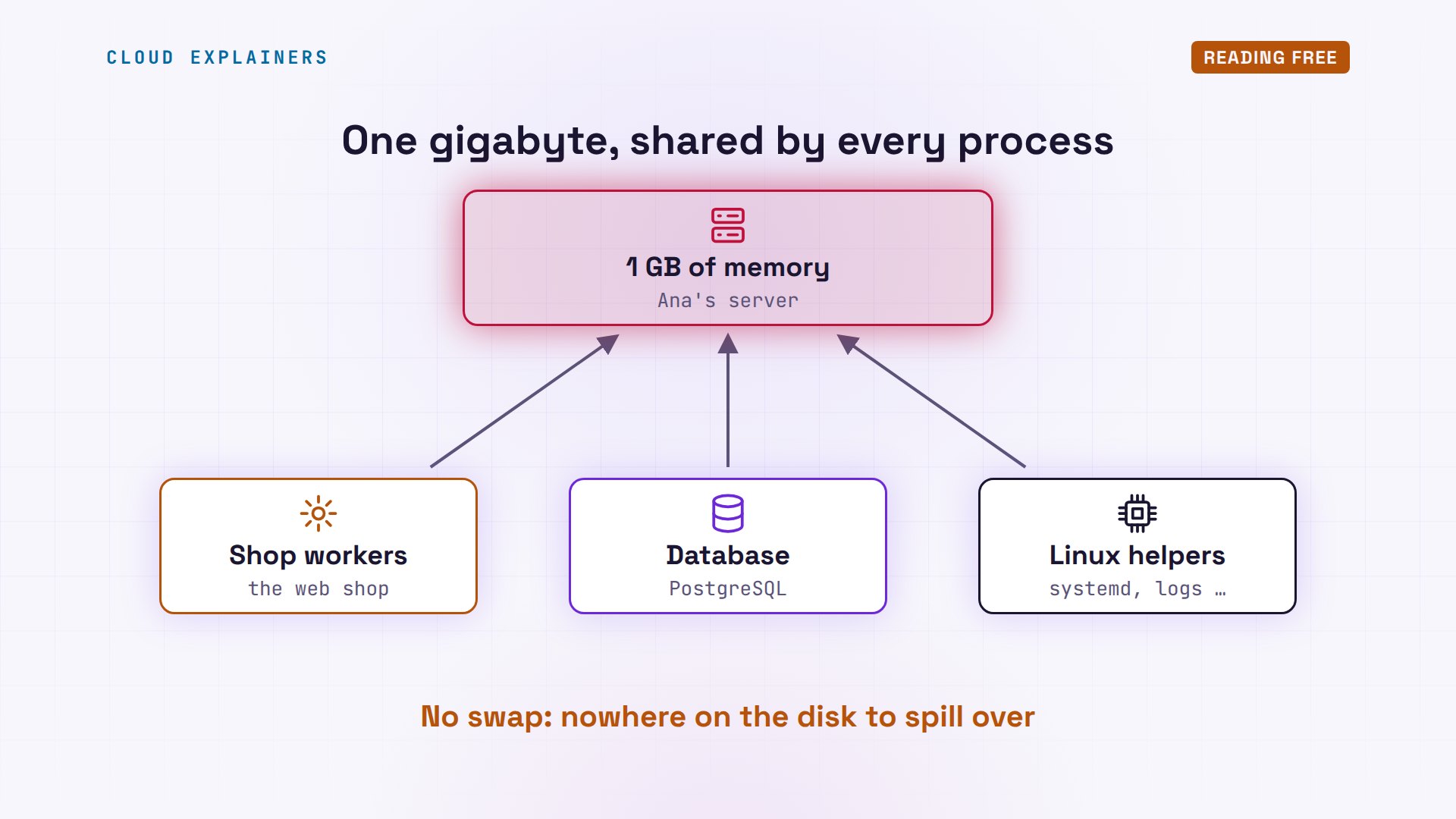
Every running program, every process, takes some of that memory. The server Ana runs has one gigabyte in total, which is common for a small cloud server. Her shop's workers, her database and Linux's own helpers all share it. And there's no swap: no space on the disk to spill over into. When the gigabyte is full, something has to give.
Which processes use it? ps can list them sorted by RSS: the memory each one really holds, in kilobytes. The database is about twenty-six megabytes. The rest are small helpers that Ubuntu runs. So with the shop stopped, the server is nearly empty.
ps -eo rss,comm --sort=-rss | head -n 6RSS COMMAND 34668 python3 26988 postgres 23220 unattended-upgr 21148 packagekitd 15272 systemd-journal
Reason 1: Too many workers
So what filled it? systemctl cat shows the shop's settings. It runs eight workers, eight copies of the shop that answer customers at the same time. And each one loads the whole product catalog into memory: a hundred and fifty megabytes.
systemctl cat shop# /etc/systemd/system/shop.service
[Unit]
Description=Ana's shop
After=postgresql.service

[Service]
User=shop
Environment=WORKERS=8 CATALOG_MB=150
ExecStart=/usr/local/bin/shop
Restart=on-failure

[Install]
WantedBy=multi-user.target
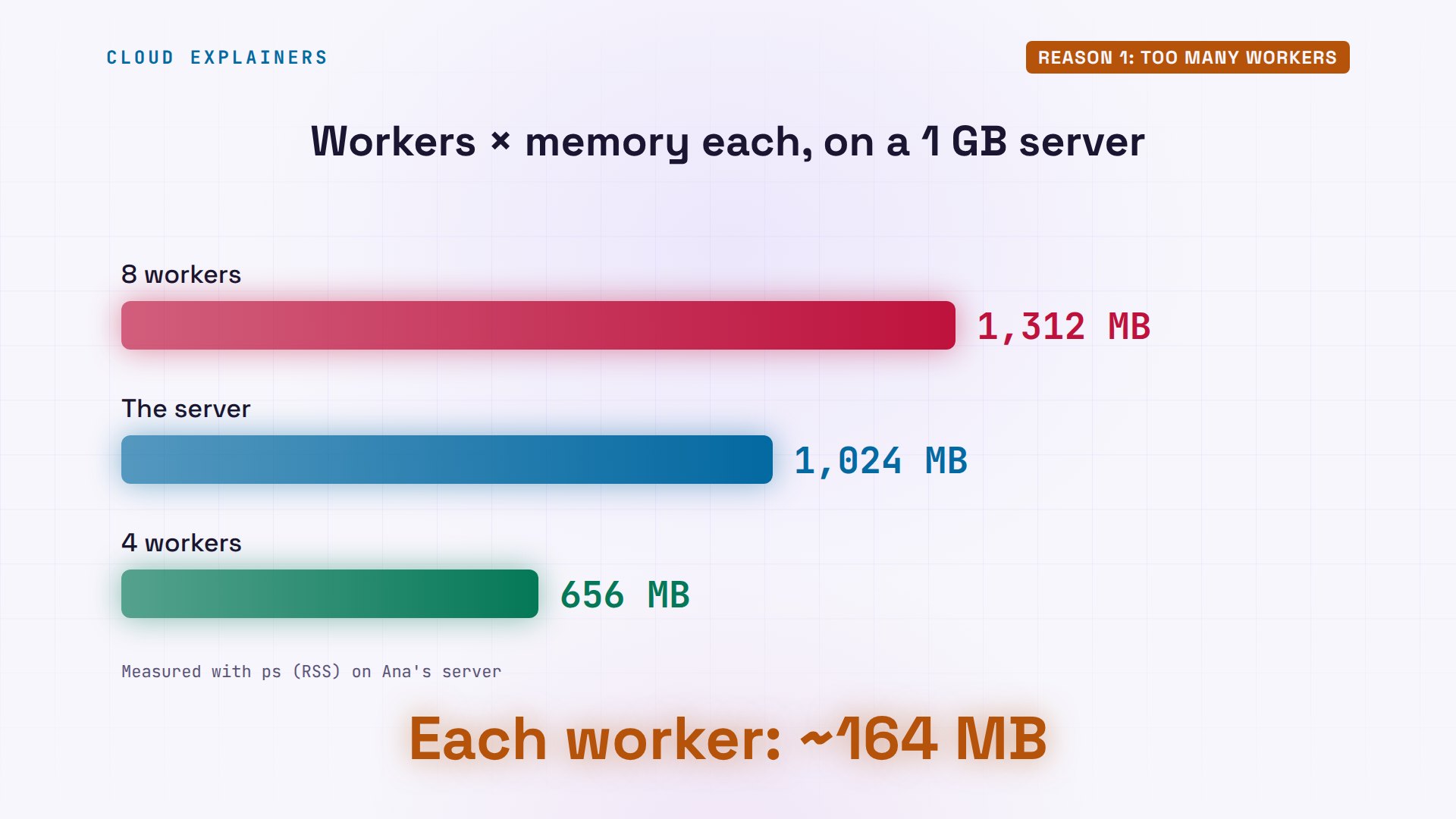
With its own code added, each worker holds about one hundred and sixty-four megabytes. Eight of them need about one thousand three hundred and twelve megabytes. The server has one thousand and twenty-four. It never fit, not even for a minute. Four workers need about six hundred and fifty-six, which leaves room for the database and Linux.
Here's the fix for reason one. Ana changes eight workers to four with sed, a find and replace for files. She reloads systemd so it reads the change, and restarts the shop. ps shows four workers at about a hundred and sixty-seven thousand kilobytes: one hundred and sixty-four megabytes each. free shows three hundred and fifteen megabytes still available. And the shop answers: ok.
sudo sed -i 's/WORKERS=8/WORKERS=4/' /etc/systemd/system/shop.service[sudo] password for ana:
sudo systemctl daemon-reload
sudo systemctl restart shop
ps -eo rss,comm --sort=-rss | head -n 6RSS COMMAND 167740 shop-worker 167740 shop-worker 167712 shop-worker 167708 shop-worker 34668 python3
free -htotal used free shared buff/cache available Mem: 1.0Gi 708Mi 302Mi 26Mi 38Mi 315Mi Swap: 0B 0B 0B
curl localhost:8080ok
The OOM killer
So what happens when memory runs out? First, Linux takes back what it can: cached files it can read again later. With swap, it could move some memory to the disk. Ana has none. When nothing is left, the kernel, the core of Linux, calls the OOM killer. It gives every process a score, mostly by how much memory it uses, and kills the one with the highest score, so the rest of the system survives.
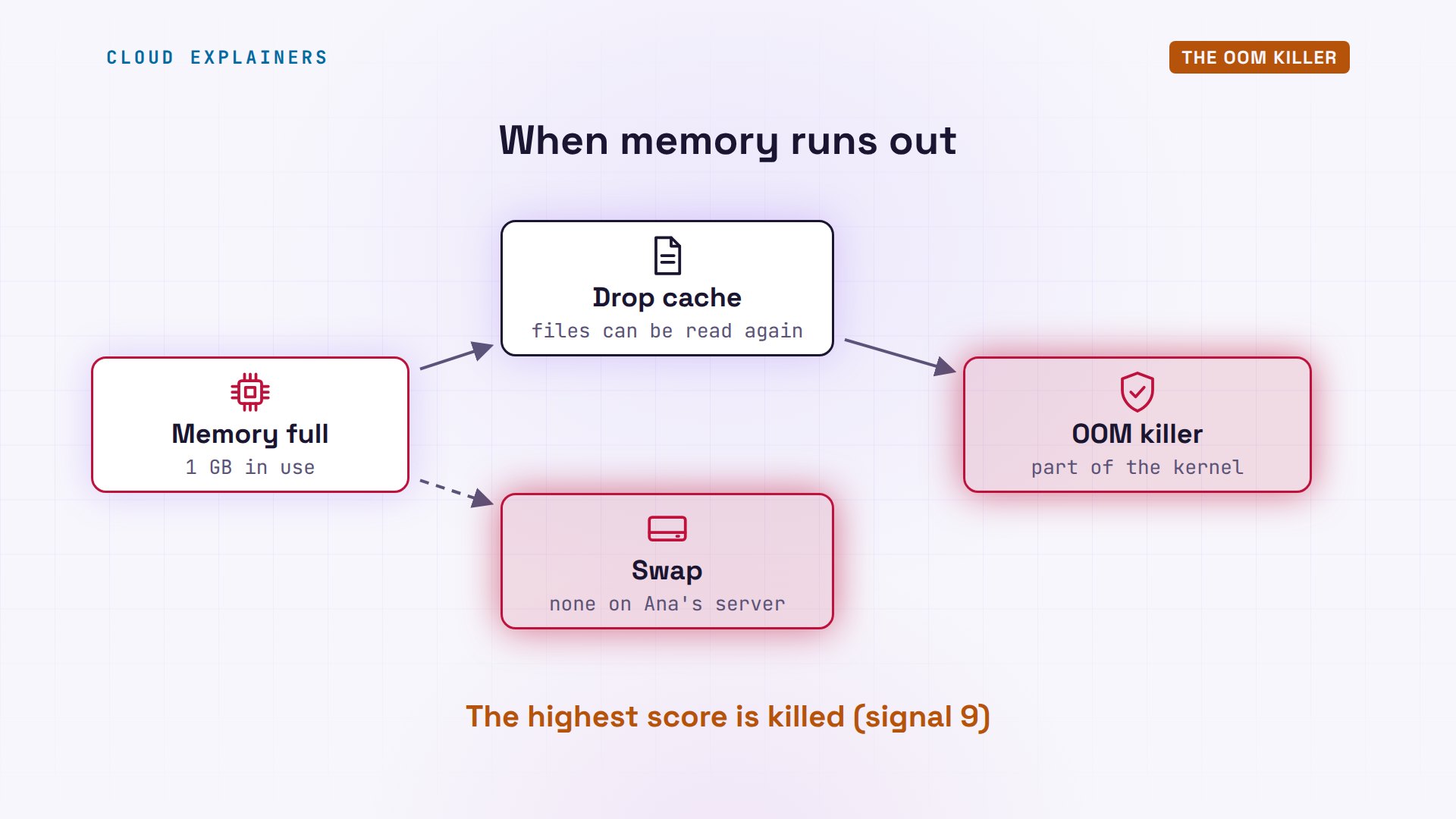
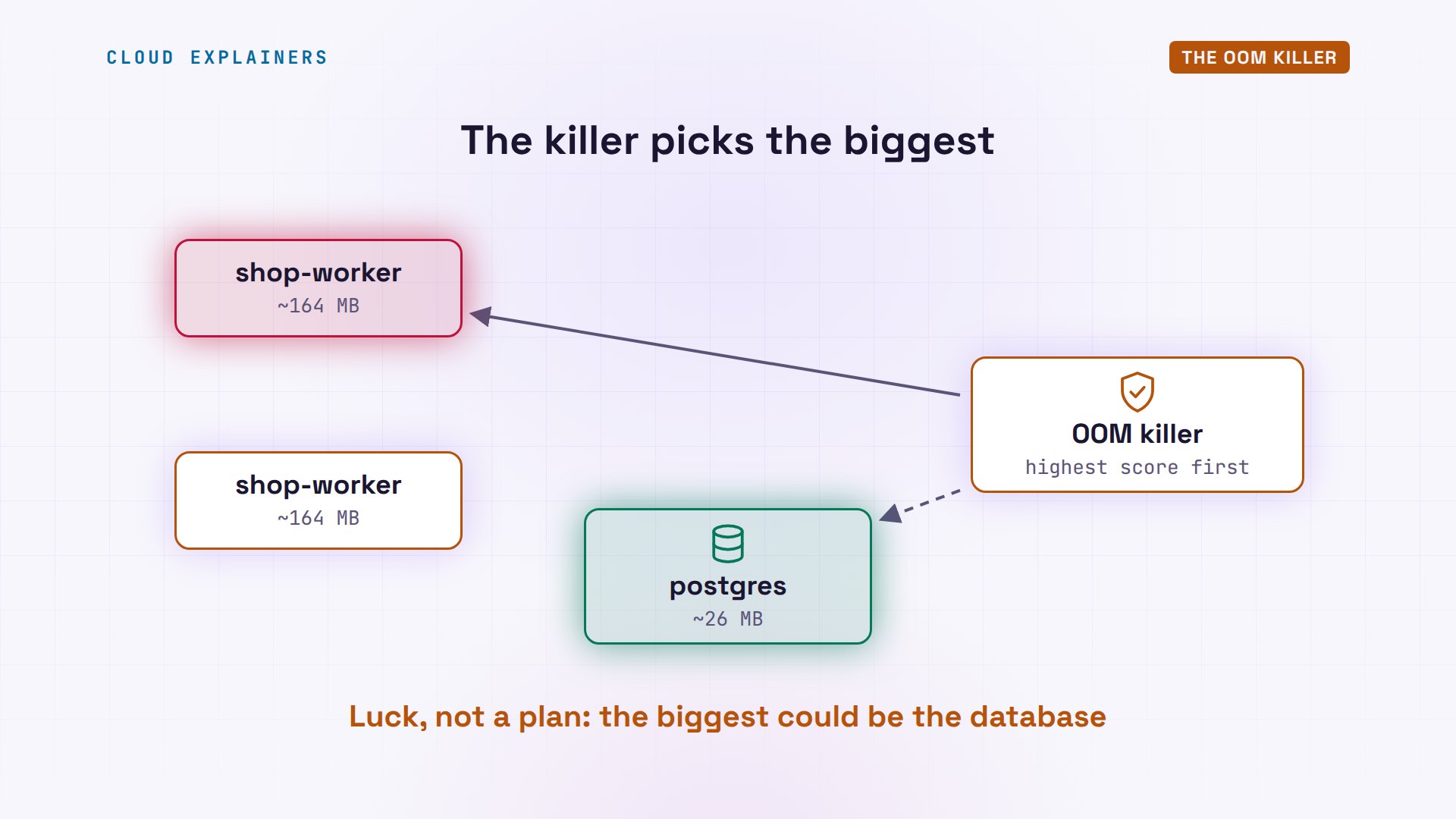
On Ana's server, the biggest processes were always shop workers, so the killer chose them. The database survived. That's good luck, not a plan: on another server, the biggest process could be the database itself. And when a worker died, the shop restarted it, ran out again, and lost again.
Cache is not the problem
Now, a trap that scares a lot of beginners. Ana's nightly backup copies three hundred megabytes of product photos. Run free again: free is now zero! But look at buff and cache: it grew to three hundred and forty megabytes. And available barely moved.
tar -cf backup.tar /var/lib/shop/photos 2>/dev/null; ls -lh backup.tar-rw-rw-r-- 1 ana ana 301M Oct 29 18:27 backup.tar
free -htotal used free shared buff/cache available Mem: 1.0Gi 709Mi 0B 26Mi 340Mi 314Mi Swap: 0B 0B 0B
Linux uses spare memory to cache files it just read or wrote, because memory is faster than the disk. It gives that memory back the moment a program needs it. So low free memory is normal, and healthy. Watch available instead. When available heads to zero, then you're running out.
Reason 2: A memory leak
Reason two is a memory leak. The shop Ana runs keeps a list of recently viewed products, to show them again quickly. But the list has no limit, and nothing ever removes a page. Every visit adds a little. Memory that's never given back is a leak, and a leak only grows.
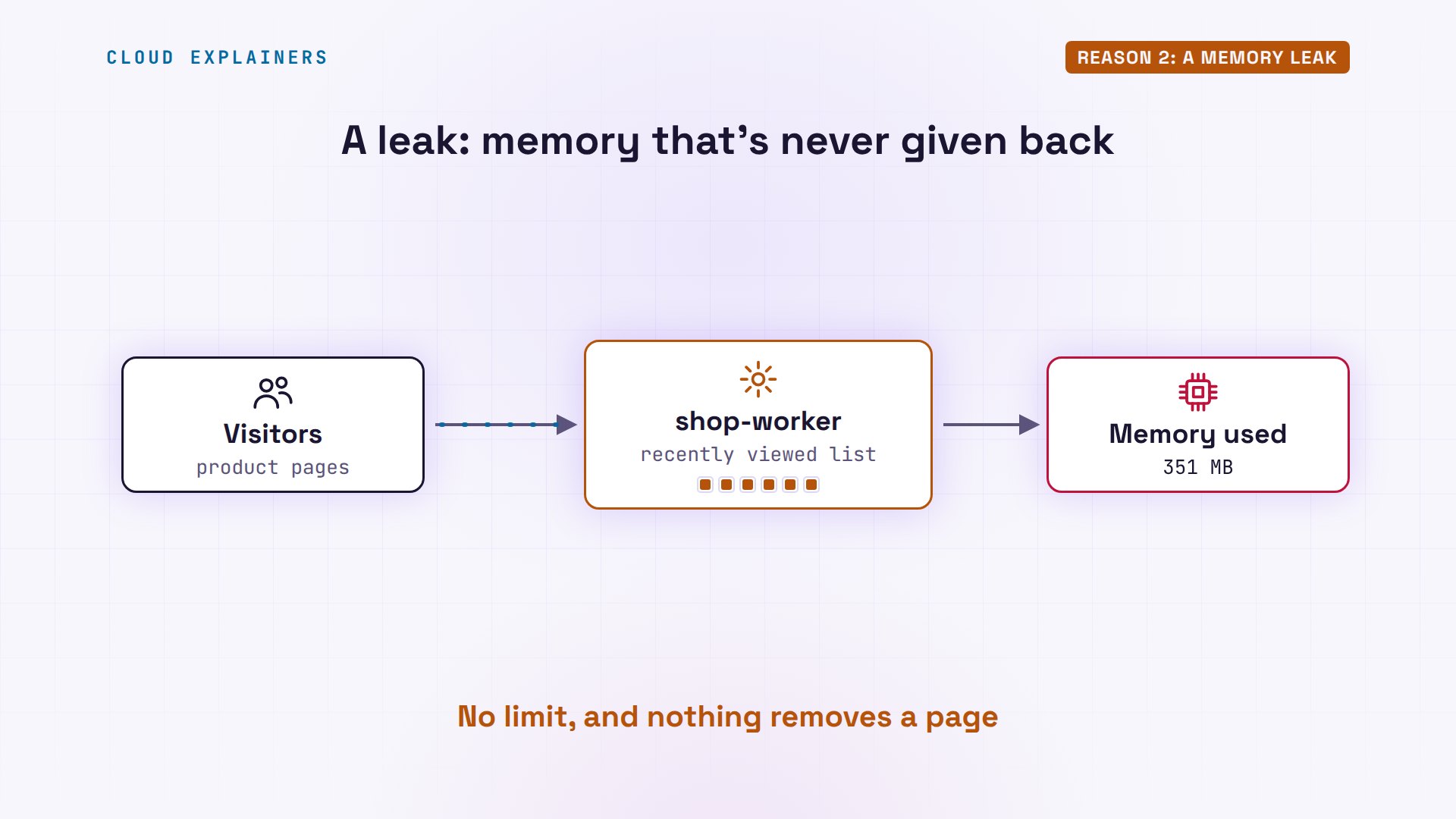
Let's watch it. Here are the four workers. Now a hundred product visits, sent with curl. Every worker grew. Together, they hold about one hundred and two megabytes more, one for each visit. Nothing was freed afterwards.
ps -C shop-worker -o pid,rss,commPID RSS COMMAND 3521 167712 shop-worker 3522 168264 shop-worker 3523 167708 shop-worker 3524 167740 shop-worker
for i in $(seq 100); do curl -s localhost:8080/product > /dev/null; done
ps -C shop-worker -o pid,rss,commPID RSS COMMAND 3521 185724 shop-worker 3522 192948 shop-worker 3523 199084 shop-worker 3524 198088 shop-worker
Available is down to two hundred and eleven megabytes. Three hundred more visits, and the log shows it: a worker died with signal nine, the OOM killer again, and systemd started the shop again. After the restart, the workers are back to normal size. A restart hides a leak for a while, but the leak is still in the code, and it will grow again.
free -htotal used free shared buff/cache available Mem: 1.0Gi 812Mi 50Mi 26Mi 187Mi 211Mi Swap: 0B 0B 0B
for i in $(seq 300); do curl -s localhost:8080/product > /dev/null; done
journalctl -u shop -o cat | tail -n 6shop: worker 3524 died (signal 9), starting a new one
shop.service: A process of this unit has been killed by the OOM killer.
shop.service: Failed with result 'oom-kill'.
shop.service: Scheduled restart job, restart counter is at 1.
Started shop.service - Ana's shop.
shop 1.0: 4 workers, catalog 150 MB each
ps -C shop-worker -o pid,rss,commPID RSS COMMAND 3951 167728 shop-worker 3952 167728 shop-worker 3953 167728 shop-worker 3954 167728 shop-worker
Reason 3: One big job
Reason three is one big job. Once a month, Ana asks the shop for a sales report. The code loads a whole year of sales into memory at once: four hundred megabytes. Day to day, the server is fine, with three hundred and fifteen megabytes available. But four hundred doesn't fit into that.

Ana asks for the report. Curl gets an empty reply: the worker died before it could answer. The log shows signal nine again: the OOM killer, and a new worker starting. One request took a worker down, and every customer it was serving.
curl -sS localhost:8080/reportcurl: (52) Empty reply from server
journalctl -u shop -o cat | tail -n 6shop.service: A process of this unit has been killed by the OOM killer.
shop.service: Failed with result 'oom-kill'.
shop.service: Scheduled restart job, restart counter is at 1.
Started shop.service - Ana's shop.
shop 1.0: 4 workers, catalog 150 MB each
shop: worker 3954 died (signal 9), starting a new one
The fixes
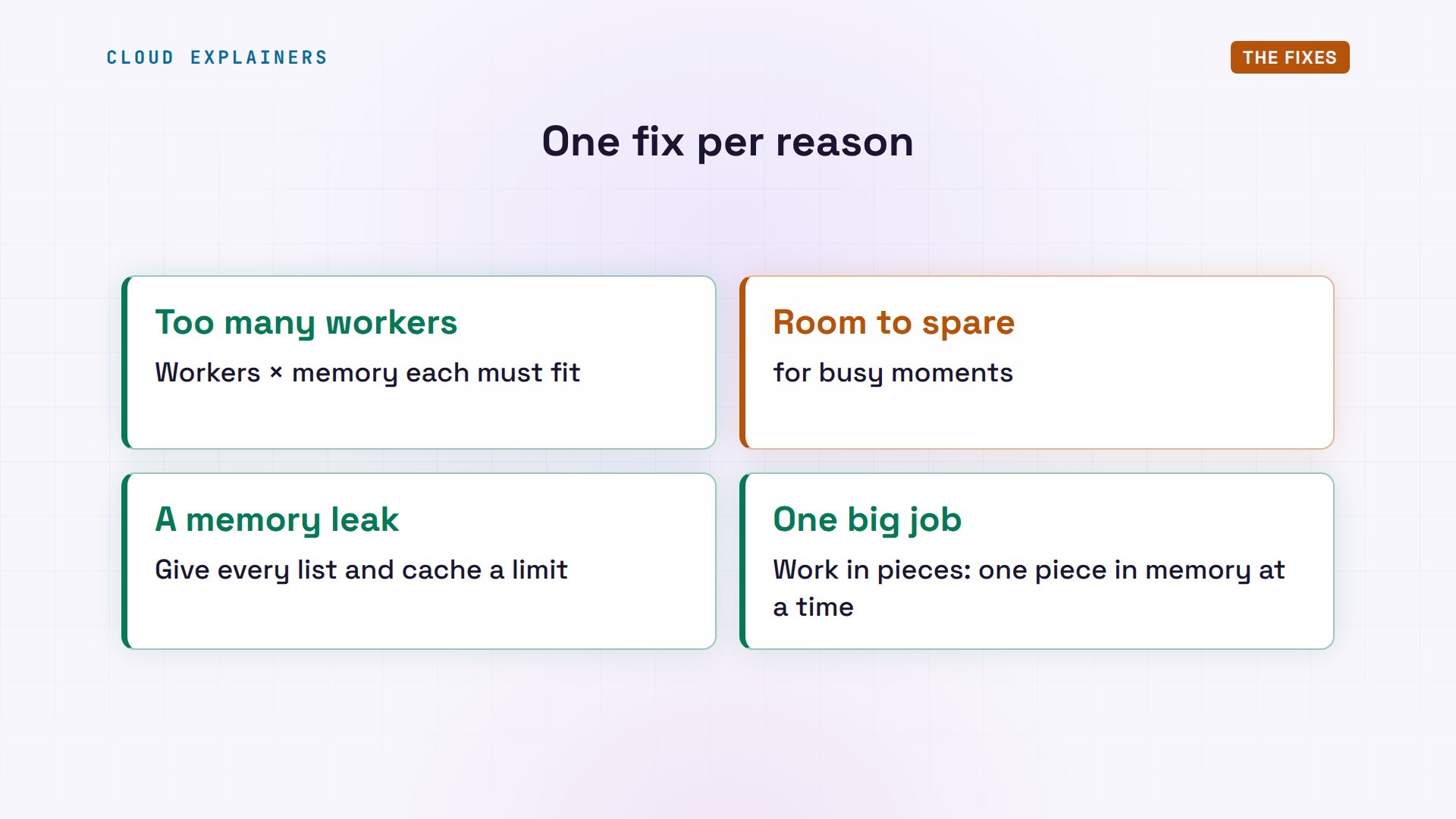
Now the fixes, one per reason. For workers, do the maths before you add them: workers times memory per worker must fit in what's available, with room to spare for busy moments. For a leak, fix the code: give every list or cache a limit. For a big job, do the work in pieces, so only one piece is in memory at a time.
Then her developer ships version one point one: it keeps only the last twenty pages, and builds the report twenty megabytes at a time. Four hundred visits this time, and the workers stay under a hundred and ninety thousand kilobytes: about one hundred and eighty-five megabytes. The report finishes too. And no worker died.
sudo cp shop-1.1 /usr/local/bin/shop && sudo systemctl restart shop
journalctl -u shop -o cat | tail -n 1shop 1.1: 4 workers, catalog 150 MB each
for i in $(seq 400); do curl -s localhost:8080/product > /dev/null; done
ps -C shop-worker -o pid,rss,commPID RSS COMMAND 3979 189688 shop-worker 3980 189688 shop-worker 3981 189688 shop-worker 3982 189688 shop-worker
curl -sS localhost:8080/reportreport ready (400 MB of sales, 20 MB at a time)
One more safety net: a fence. systemctl set-property gives the shop its own memory limit, here eight hundred and fifty megabytes. The status shows the shop's memory, with the maximum next to it. Now if a new bug makes the shop grow, the killer acts inside the shop's fence, and the database and the rest of the server keep running. The database, postgresql, and the shop are both active.
sudo systemctl set-property shop.service MemoryMax=850M
systemctl status shop | grep -E 'Active:|Memory:'Active: active (running) since Thu 2026-10-29 18:27:24 UTC; 12s ago Memory: 722.8M (max: 850.0M available: 127.1M peak: 722.9M)
systemctl is-active postgresql shopactive
active
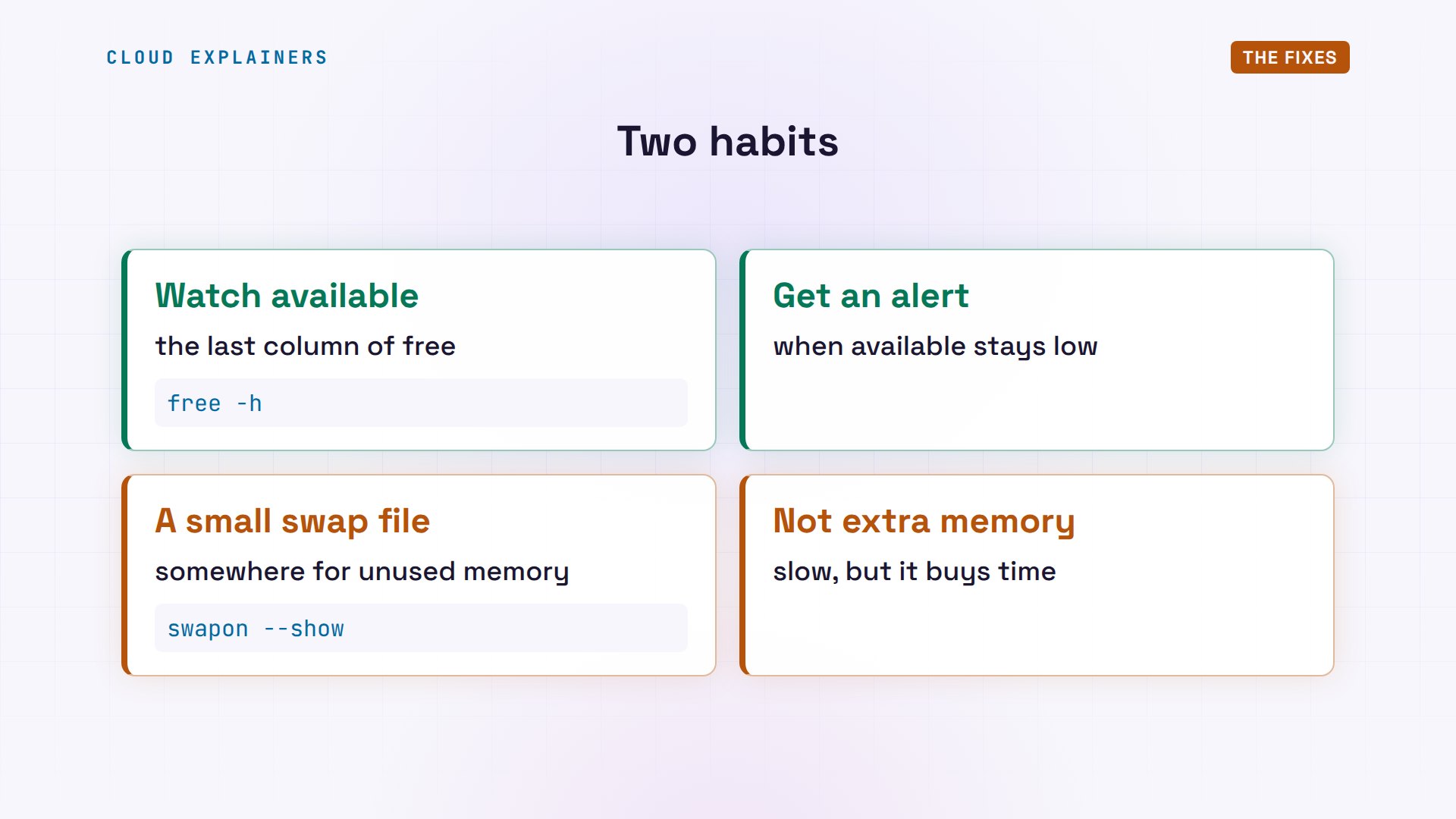
Two last habits. Watch available, and get an alert when it stays low, so you find out before your customers do. And consider a small swap file. Swap is slow, so it's not extra memory, but it gives Linux somewhere to put memory nobody is using, and it buys you time.
Recap
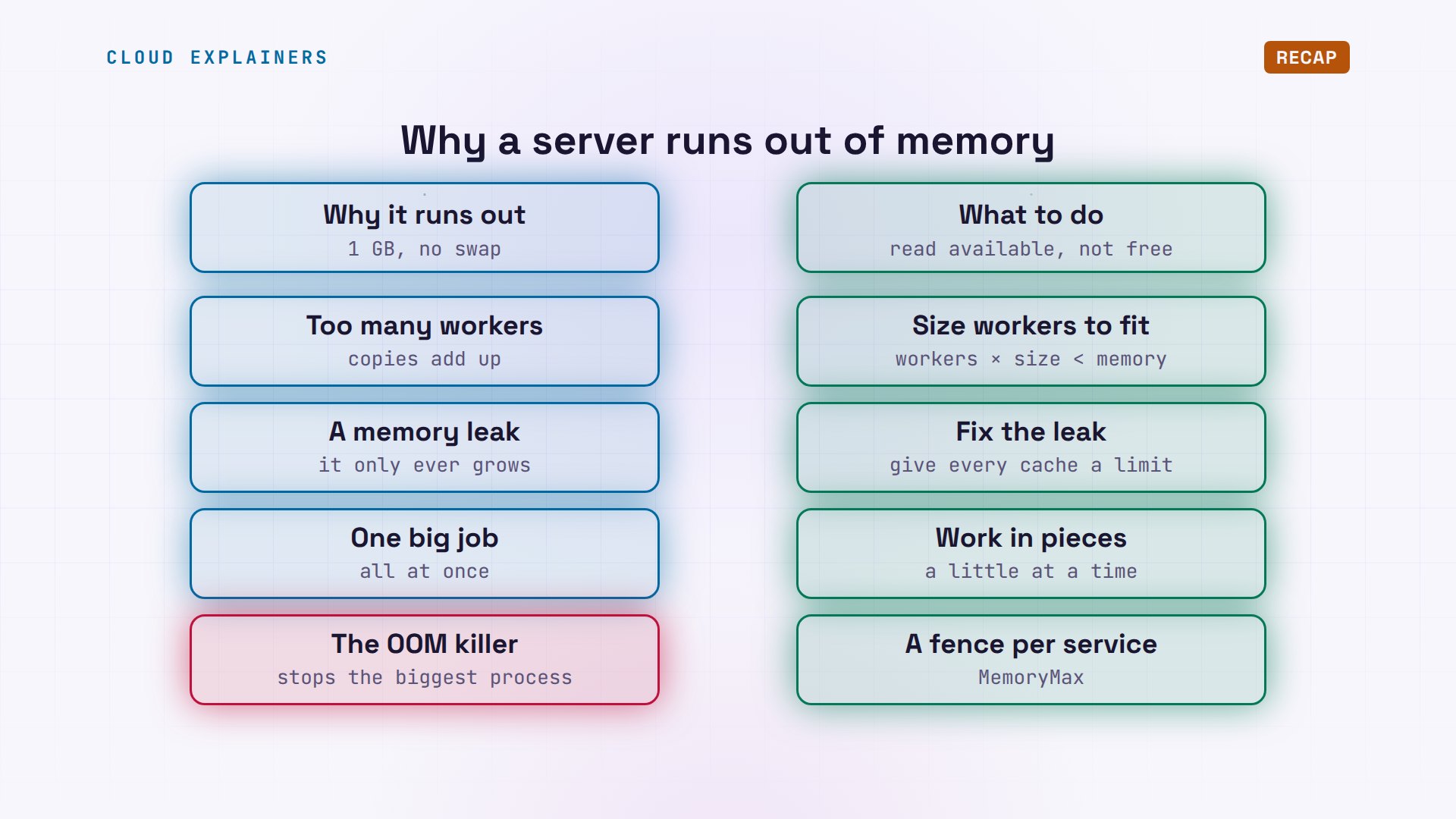
So, a Linux server runs out of memory for three usual reasons: too many workers, a leak that only grows, or one big job. When it's full, the OOM killer stops the biggest process. Read available, not free. Size workers to fit, give every cache a limit, work in pieces, and give each service its own fence.
How much memory does your server have available right now? Run free dash h, and tell me in the comments.
Sources
Demos: a real Ubuntu 24.04 test server (a system container with 1 GB of memory) running PostgreSQL and a small stand-in web shop we wrote for this video. Watch the full video on YouTube.
More videos

HTTP vs HTTPS: What Actually Changes on Your Network

Every Linux File Permission You Need to Know
Linux Processes vs Threads: When Each One Wins

The OSI Model Will Finally Make Sense After This

The 7 Levels of Git

Every Network Troubleshooting Command You Need

Hashing vs Encryption in Cybersecurity: When Each One Wins

Why the Internet Ran Out of IP Addresses

Linux Package Managers: apt vs Snap vs Flatpak

Why Python Is Slow (and When It Doesn't Matter)

TCP vs UDP: When Each One Wins

Stop Running Linux as Root (Do This Instead)

Linux Users and Groups Will Finally Make Sense

Why Phishing Beats Good Security (and How to Spot It)

The 7 Levels of Docker

AI Agents Will Finally Make Sense After This

Stop Using git push --force (Use This Instead)
Agent Skills vs MCP: When Each One Wins

Networking Will Finally Make Sense After This

Every Linux Command You Actually Need

The 7 Levels of Cybersecurity

Every System Design Concept You Need, in One Diagram
