
Why PostgreSQL Ignores Your Index
You added an index, but EXPLAIN ANALYZE still says Seq Scan. This beginner-friendly guide explains what an index really is, how the PostgreSQL planner decides whether to use it, and the six real reasons it skips your index, each proven on a real PostgreSQL 18.6 database with a one-million-row table, with the fix for each.
The symptom
You added an index on the email column. You ran the query again. It still takes 118 milliseconds, and EXPLAIN ANALYZE says Parallel Seq Scan. Postgres just read all one million rows to find one user. Your index is fine. It just wasn't invited.
EXPLAIN ANALYZE SELECT * FROM users WHERE lower(email) = 'user424242@example.com';QUERY PLAN ---------------------------------------------------------------------------------------------------------------------------- Gather (cost=1000.00..17151.00 rows=5000 width=43) (actual time=58.733..117.639 rows=1.00 loops=1) Workers Planned: 2 Workers Launched: 2 Buffers: shared hit=9401 -> Parallel Seq Scan on users (cost=0.00..15651.00 rows=2083 width=43) (actual time=94.168..113.027 rows=0.33 loops=3) Filter: (lower(email) = 'user424242@example.com'::text) Rows Removed by Filter: 333333 Buffers: shared hit=9401 Planning: Buffers: shared hit=100 Planning Time: 0.208 ms Execution Time: 117.682 ms (12 rows)
If that screen looked like gibberish, don't worry: by the end, you'll read every line of it. We'll go from what an index is, to how Postgres decides, to six real reasons it skips yours, each with a fix.
What an index is
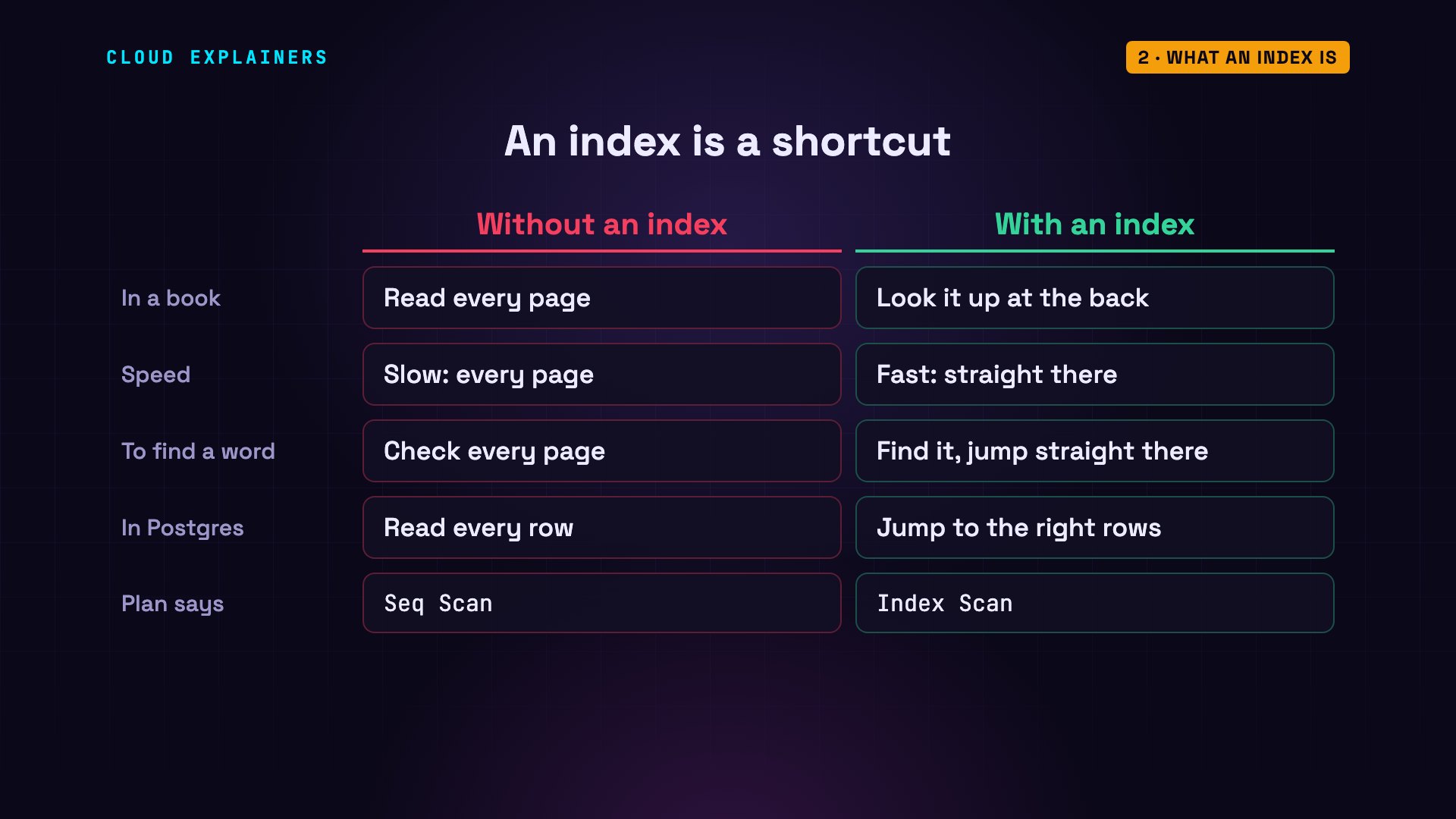
Think of a book. If you want every page that mentions Postgres, you could read the whole book, cover to cover. Or you could flip to the index at the back, find the word, and jump straight to the right pages. A database index works the same way. Without one, Postgres reads every row. That's called a sequential scan. With one, it jumps straight to the rows it needs. That's an index scan.
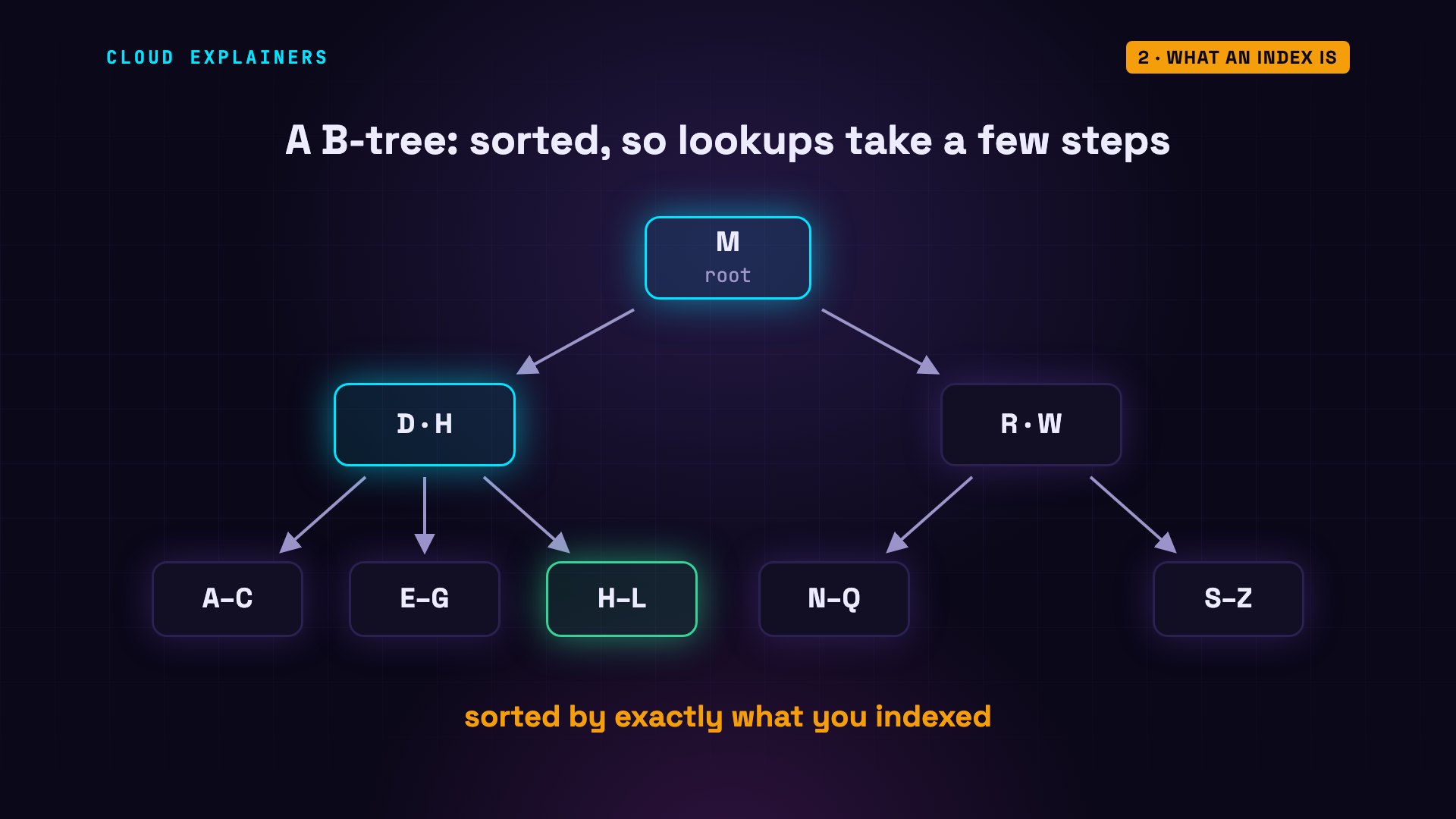
Under the hood, Postgres stores most indexes as a B-tree: a sorted tree of values. To find one value, it starts at the top, picks a branch, and repeats. Three or four steps, even with a million rows. That's why an index scan can be thousands of times faster. But there's a catch: the tree is sorted by exactly what you indexed. Keep that in mind. It's the key to most of what follows.
How the planner decides
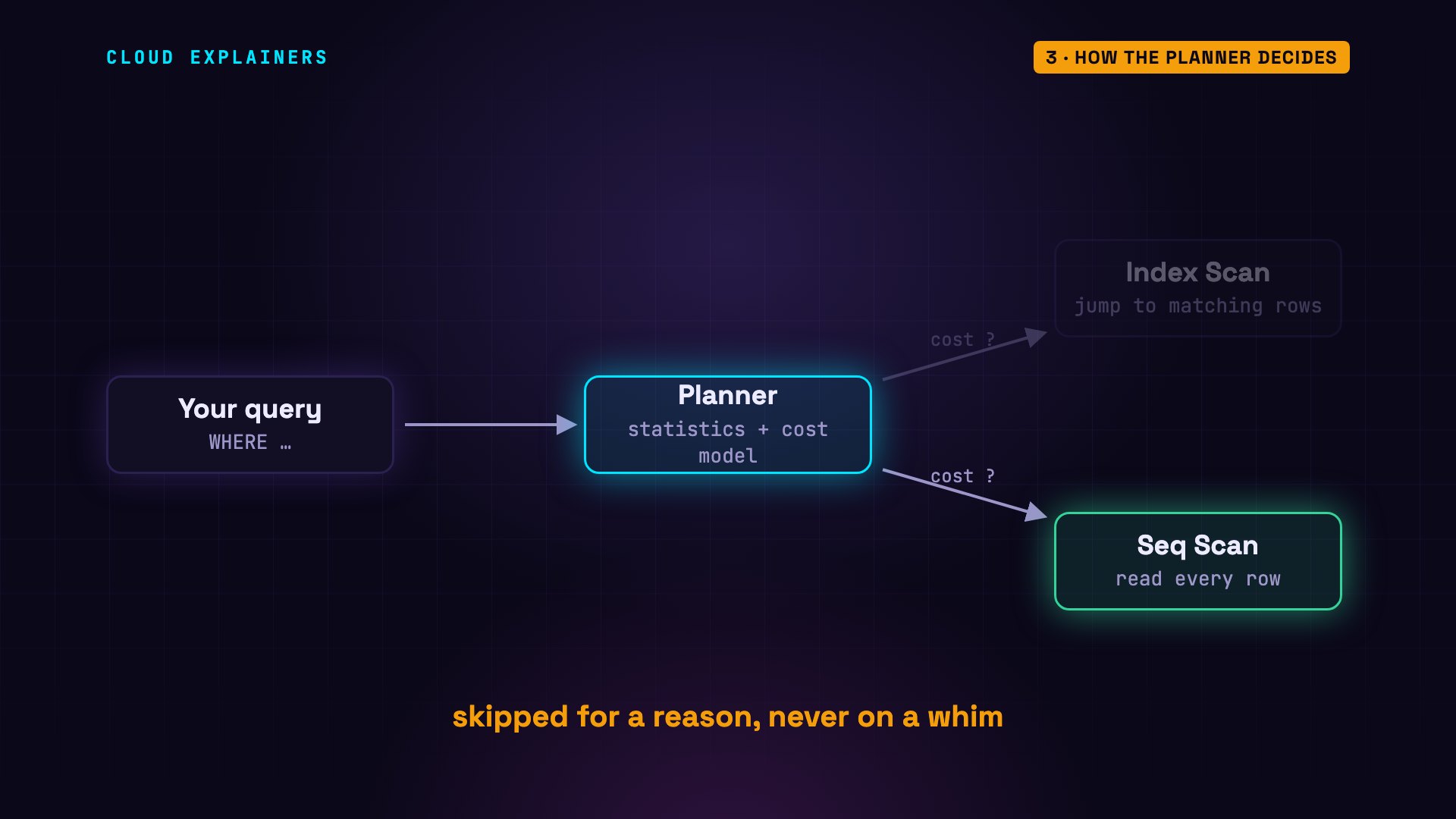
Every query goes through the planner first. The planner considers the different ways to run it, like an index scan or a sequential scan, and estimates what each one will cost, using statistics about your table. Then it runs the cheapest plan. So Postgres never ignores your index on a whim. It skips it either because it can't use it for this query, or because another plan looks cheaper. Our job is to find out why.
Reading EXPLAIN ANALYZE
To see the planner's decision, put EXPLAIN in front of your query. Postgres shows its chosen plan, without running it. Each line is a step. The cost is the planner's estimate: an internal score, not milliseconds, and rows is how many rows it expects. Here, it expects 5,000. The cost has two numbers: the cost to get started, and the total. The top line is the whole query, and the lines below it are its steps. Now add ANALYZE. Postgres actually runs the query and adds what really happened: the actual time, and the actual rows. It found 1. And at the bottom, the total execution time.
EXPLAIN SELECT * FROM users WHERE lower(email) = 'user424242@example.com';QUERY PLAN ---------------------------------------------------------------------------- Gather (cost=1000.00..17151.00 rows=5000 width=43) Workers Planned: 2 -> Parallel Seq Scan on users (cost=0.00..15651.00 rows=2083 width=43) Filter: (lower(email) = 'user424242@example.com'::text) (4 rows)
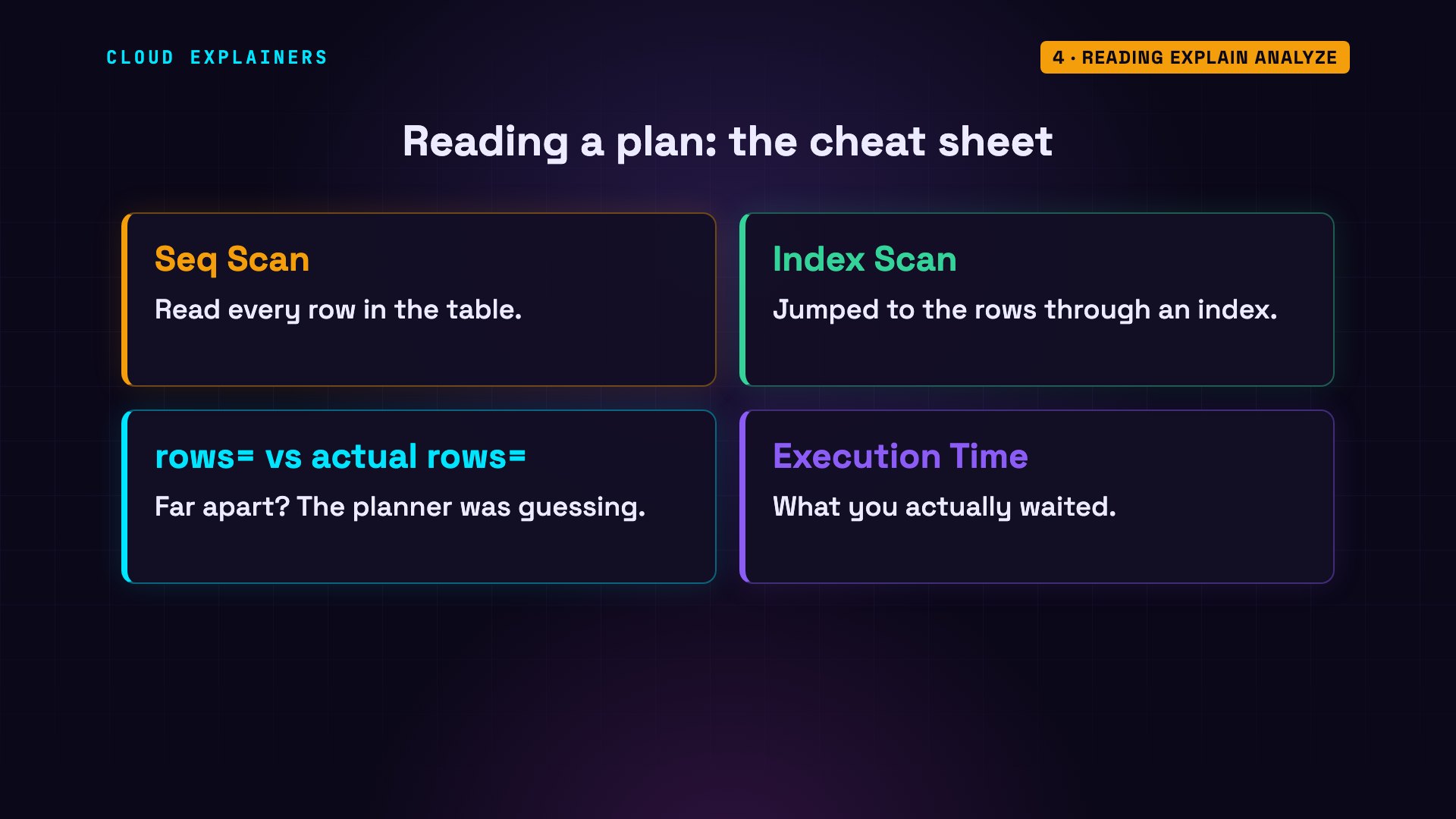
Here's your cheat sheet. Seq Scan means Postgres read every row. Index Scan means it used an index. Compare the estimated rows with the actual rows: when they're far apart, the planner was guessing. And Execution Time is what you actually waited.
Reason 1: a function on the column
Look at the filter in our slow plan: lower of email. Our index is on email, stored exactly as written, with capital letters. But the query asks for lower of email, a different value. The B-tree is sorted by email, not by lower of email, so it can't help. Postgres falls back to reading every row: three processes, the main one plus two parallel workers, each removing about 333,000 rows. That's the whole table.
SELECT indexname, indexdef FROM pg_indexes WHERE tablename = 'users' ORDER BY indexname;indexname | indexdef -----------------+------------------------------------------------------------------ users_email_idx | CREATE INDEX users_email_idx ON public.users USING btree (email) users_pkey | CREATE UNIQUE INDEX users_pkey ON public.users USING btree (id) users_plan_idx | CREATE INDEX users_plan_idx ON public.users USING btree (plan) (3 rows)
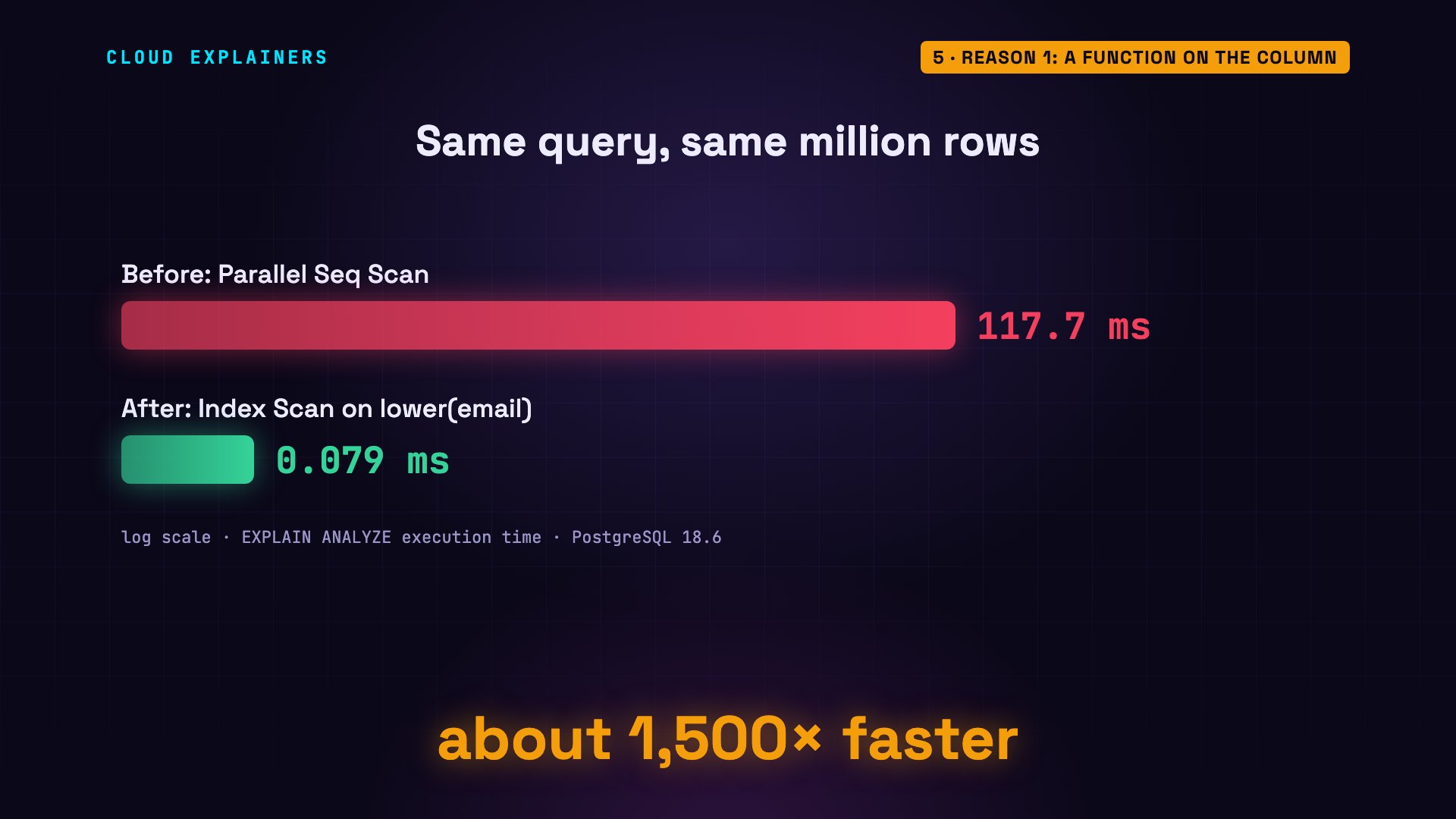
The fix is an expression index: an index on lower of email itself. Now the tree is sorted by exactly what the query asks for. Run ANALYZE so the planner has fresh statistics, then check the plan again. Index Scan, using the new index. 0.079 milliseconds.
CREATE INDEX users_email_lower_idx ON users (lower(email));CREATE INDEX
ANALYZE users;ANALYZE
EXPLAIN ANALYZE SELECT * FROM users WHERE lower(email) = 'user424242@example.com';QUERY PLAN --------------------------------------------------------------------------------------------------------------------------------- Index Scan using users_email_lower_idx on users (cost=0.42..8.44 rows=1 width=43) (actual time=0.040..0.041 rows=1.00 loops=1) Index Cond: (lower(email) = 'user424242@example.com'::text) Index Searches: 1 Buffers: shared hit=1 read=3 Planning: Buffers: shared hit=121 read=1 Planning Time: 0.337 ms Execution Time: 0.079 ms (8 rows)
From 118 milliseconds to 0.079. That's about 1,500 times faster, from one line of SQL.
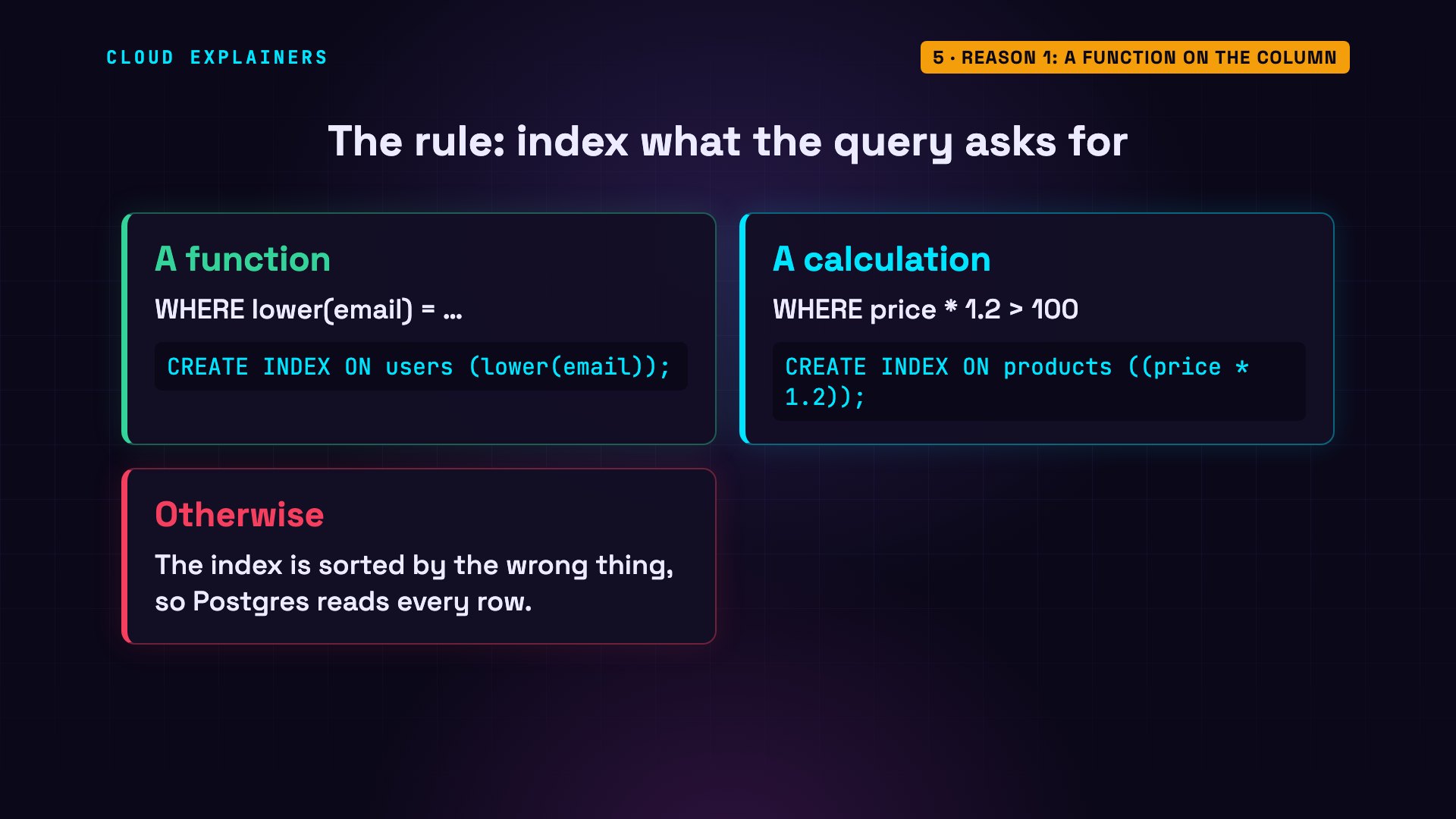
And the rule is general. If your query changes the column, with a function like lower, or a calculation like price times 1.2, the index has to be built on that same expression. Otherwise, the index is sorted by the wrong thing.
Reason 2: too many matching rows
And this time, Postgres is right.
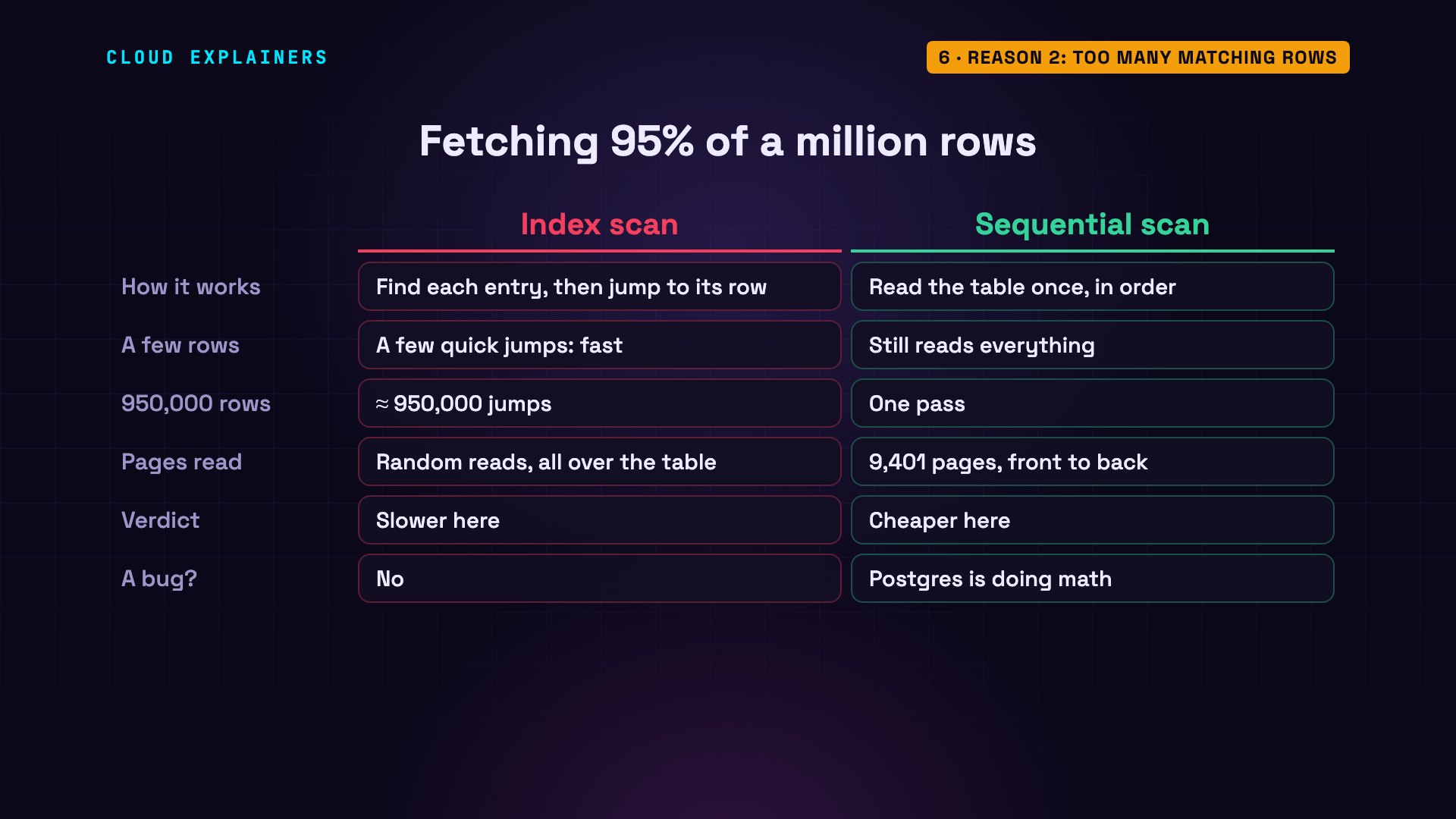
Our users table has a plan column. About 95 percent of users are on the free plan, and 5 percent are on enterprise, and there's an index on plan. Ask for the free users, and Postgres reads the whole table in order: a sequential scan. Ask for the enterprise users, and it uses the index.
SELECT plan, count(*) FROM users GROUP BY plan ORDER BY 2 DESC;plan | count ------------+-------- free | 949745 enterprise | 50255 (2 rows)
EXPLAIN SELECT * FROM users WHERE plan = 'free';QUERY PLAN --------------------------------------------------------------- Seq Scan on users (cost=0.00..21901.00 rows=948867 width=43) Filter: (plan = 'free'::text) (2 rows)
EXPLAIN SELECT * FROM users WHERE plan = 'enterprise';QUERY PLAN ------------------------------------------------------------------------------------ Index Scan using users_plan_idx on users (cost=0.42..8333.36 rows=51133 width=43) Index Cond: (plan = 'enterprise'::text) (2 rows)
Why? An index scan works in two steps: find the entry in the index, then jump to the row in the table. For a few rows, that's fast. For 950,000 rows, it's 950,000 jumps. Reading the whole table once, front to back, is about 9,400 pages, the 8-kilobyte blocks Postgres stores tables in, and that's cheaper. So when a query matches most of the table, skipping the index isn't a bug. Postgres is doing math.
Reason 3: mismatched types
Our id column is a bigint: a whole number. Now compare it to 42.0, a decimal. To compare the two, Postgres converts every id to numeric, and you can see that conversion right in the filter: double colon numeric means converted to numeric. The index holds the bigint values, not the converted ones, so it can't be used. Write 42 instead, and the primary key index is back. This can sneak in through application code that sends the wrong type.
EXPLAIN SELECT * FROM users WHERE id = 42.0;QUERY PLAN ---------------------------------------------------------------------------- Gather (cost=1000.00..17151.00 rows=5000 width=43) Workers Planned: 2 -> Parallel Seq Scan on users (cost=0.00..15651.00 rows=2083 width=43) Filter: ((id)::numeric = 42.0) (4 rows)
EXPLAIN SELECT * FROM users WHERE id = 42;QUERY PLAN ------------------------------------------------------------------------- Index Scan using users_pkey on users (cost=0.42..8.44 rows=1 width=43) Index Cond: (id = 42) (2 rows)
Reason 4: a leading wildcard
Searching for part of a value, with LIKE and a percent sign at the start, means: anything can come before this. A normal B-tree is sorted from the first character, so it can't jump to a value that could start with anything. Postgres scans every row: 34 milliseconds.
EXPLAIN ANALYZE SELECT * FROM users WHERE email LIKE '%424242%';QUERY PLAN ------------------------------------------------------------------------------------------------------------------------- Gather (cost=1000.00..15619.33 rows=100 width=43) (actual time=31.291..33.727 rows=1.00 loops=1) Workers Planned: 2 Workers Launched: 2 Buffers: shared hit=9401 -> Parallel Seq Scan on users (cost=0.00..14609.33 rows=42 width=43) (actual time=23.898..29.558 rows=0.33 loops=3) Filter: (email ~~ '%424242%'::text) Rows Removed by Filter: 333333 Buffers: shared hit=9401 Planning: Buffers: shared hit=110 Planning Time: 0.305 ms Execution Time: 33.774 ms (12 rows)
The fix is a trigram index, from the trigram extension that ships with Postgres. It breaks every value into three-letter chunks, so Postgres can find a match anywhere in the text. The USING gin part builds a GIN index: a kind of index made for searching inside values. With it, the same search takes 1.2 milliseconds. The index finds candidate rows, and Postgres double-checks each one: that's the recheck line. One honest caveat: this works best when the text you search for is distinctive. Search for something that appears in almost every row, and the index can't narrow much down.
CREATE EXTENSION pg_trgm;CREATE EXTENSION
CREATE INDEX users_email_trgm_idx ON users USING gin (email gin_trgm_ops);CREATE INDEX
EXPLAIN ANALYZE SELECT * FROM users WHERE email LIKE '%424242%';QUERY PLAN ------------------------------------------------------------------------------------------------------------------------------------- Bitmap Heap Scan on users (cost=38.27..408.57 rows=100 width=43) (actual time=0.705..1.151 rows=1.00 loops=1) Recheck Cond: (email ~~ '%424242%'::text) Rows Removed by Index Recheck: 559 Heap Blocks: exact=202 Buffers: shared hit=209 -> Bitmap Index Scan on users_email_trgm_idx (cost=0.00..38.24 rows=100 width=0) (actual time=0.281..0.281 rows=560.00 loops=1) Index Cond: (email ~~ '%424242%'::text) Index Searches: 1 Buffers: shared hit=7 Planning: Buffers: shared hit=139 Planning Time: 0.650 ms Execution Time: 1.235 ms (13 rows)
Reason 5: stale statistics
The planner's choices are only as good as its statistics. Here's an orders table where every order was pending, and the statistics say so. Then a big update ships all but 10 of them. The statistics haven't caught up. The planner still thinks a million rows match: in Postgres, an update writes a new version of each row and keeps the old one until VACUUM cleans it up, and those old versions still count. So it picks a sequential scan. It actually finds 10, after 58 milliseconds.
-- orders: 500,000 rows, all 'pending' when ANALYZE last ran
UPDATE orders SET status = 'shipped' WHERE id > 10;
EXPLAIN ANALYZE SELECT * FROM orders WHERE status = 'pending';QUERY PLAN ---------------------------------------------------------------------------------------------------------------- Seq Scan on orders (cost=0.00..18870.00 rows=1000000 width=22) (actual time=0.031..57.644 rows=10.00 loops=1) Filter: (status = 'pending'::text) Rows Removed by Filter: 499990 Buffers: shared hit=6370 Planning: Buffers: shared hit=88 Planning Time: 0.245 ms Execution Time: 57.691 ms (8 rows)
Run VACUUM ANALYZE. It cleans up the old row versions the update left behind, and refreshes the statistics. Now the planner expects about one row, picks the index, and the query takes 0.056 milliseconds.
VACUUM ANALYZE orders;VACUUM
EXPLAIN ANALYZE SELECT * FROM orders WHERE status = 'pending';QUERY PLAN ------------------------------------------------------------------------------------------------------------------------------- Index Scan using orders_status_idx on orders (cost=0.42..4.44 rows=1 width=22) (actual time=0.010..0.017 rows=10.00 loops=1) Index Cond: (status = 'pending'::text) Index Searches: 1 Buffers: shared hit=6 Planning: Buffers: shared hit=88 Planning Time: 0.264 ms Execution Time: 0.056 ms (8 rows)
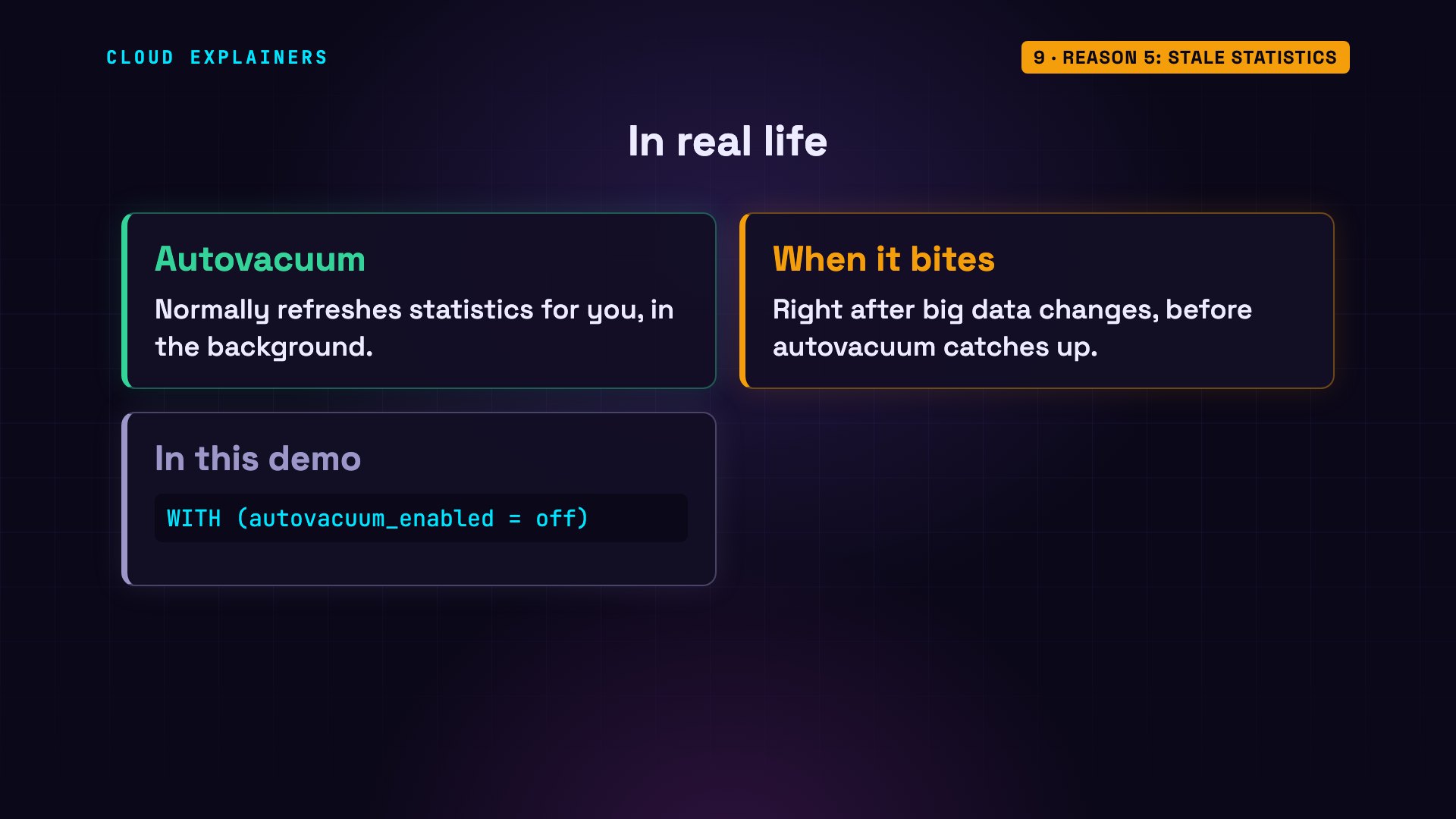
Normally, autovacuum does this for you in the background. Stale statistics bite right after big data changes, before autovacuum catches up. For this demo, we turned autovacuum off on this table, so you could see it happen.
Reason 6: tiny tables
Finally, a countries table with 15 rows and a primary key index. Look up one country, and Postgres reads the whole table anyway. The whole table is 8 kilobytes: a single page. Reading one page directly is cheaper than reading the index first, then the table. Nothing to fix here. The index will start paying off as the table grows.
EXPLAIN SELECT * FROM countries WHERE code = 'DE';QUERY PLAN ---------------------------------------------------------- Seq Scan on countries (cost=0.00..1.19 rows=1 width=11) Filter: (code = 'DE'::text) (2 rows)
SELECT pg_size_pretty(pg_relation_size('countries')) AS table_size;table_size ------------ 8192 bytes (1 row)
Prevent it
Two habits keep this from coming back. First, turn on auto explain. It logs the plan of any query slower than a limit you choose, so slow plans find you before your users do. Second, check the index usage statistics: a built-in view that counts how many times each index has been used. This index on plan has zero scans. Indexes nobody uses still add work to every insert, so they're worth reviewing.
SET auto_explain.log_min_duration = '50ms';  -- then any slow query2026-10-22 14:03:37.740 UTC [322] LOG:  duration: 111.892 ms  plan:
	Query Text: SELECT * FROM users WHERE lower(email) LIKE 'user42424%';
	  ->  Parallel Seq Scan on users  (cost=0.00..15651.00 rows=42 width=43)
	        Filter: (lower(email) ~~ 'user42424%'::text)
SELECT indexrelname AS index, idx_scan AS scans FROM pg_stat_user_indexes WHERE relname = 'users' ORDER BY idx_scan;index | scans -----------------------+------- users_plan_idx | 0 users_email_idx | 1 users_email_lower_idx | 1 users_email_trgm_idx | 2 users_pkey | 4 (5 rows)
And one warning. EXPLAIN ANALYZE really runs the query. For a SELECT, that's harmless. For a DELETE or an UPDATE, it changes your data. So wrap it in a transaction, and roll it back. Here, the delete ran and found nine rows, and after the rollback, all nine are still there.
BEGIN; =# EXPLAIN ANALYZE DELETE FROM users WHERE id < 10; =# ROLLBACK; =# SELECT count(*) FROM users WHERE id < 10;QUERY PLAN --------------------------------------------------------------------------------------------------------------------------- Delete on users (cost=0.42..8.58 rows=0 width=0) (actual time=0.023..0.023 rows=0.00 loops=1) Buffers: shared hit=13 dirtied=1 -> Index Scan using users_pkey on users (cost=0.42..8.58 rows=9 width=6) (actual time=0.006..0.008 rows=9.00 loops=1) Index Cond: (id < 10) Index Searches: 1 Buffers: shared hit=4 Planning: Buffers: shared hit=136 read=4 Planning Time: 0.402 ms Execution Time: 0.078 ms (10 rows) count ------- 9 (1 row)
The checklist
Let's recap. When Postgres skips your index, check six things. A function on the column: build an expression index. Too many matching rows: the planner is right. Mismatched types: compare like with like. A leading wildcard: use a trigram index. Stale statistics: run VACUUM ANALYZE. And tiny tables: nothing to fix.
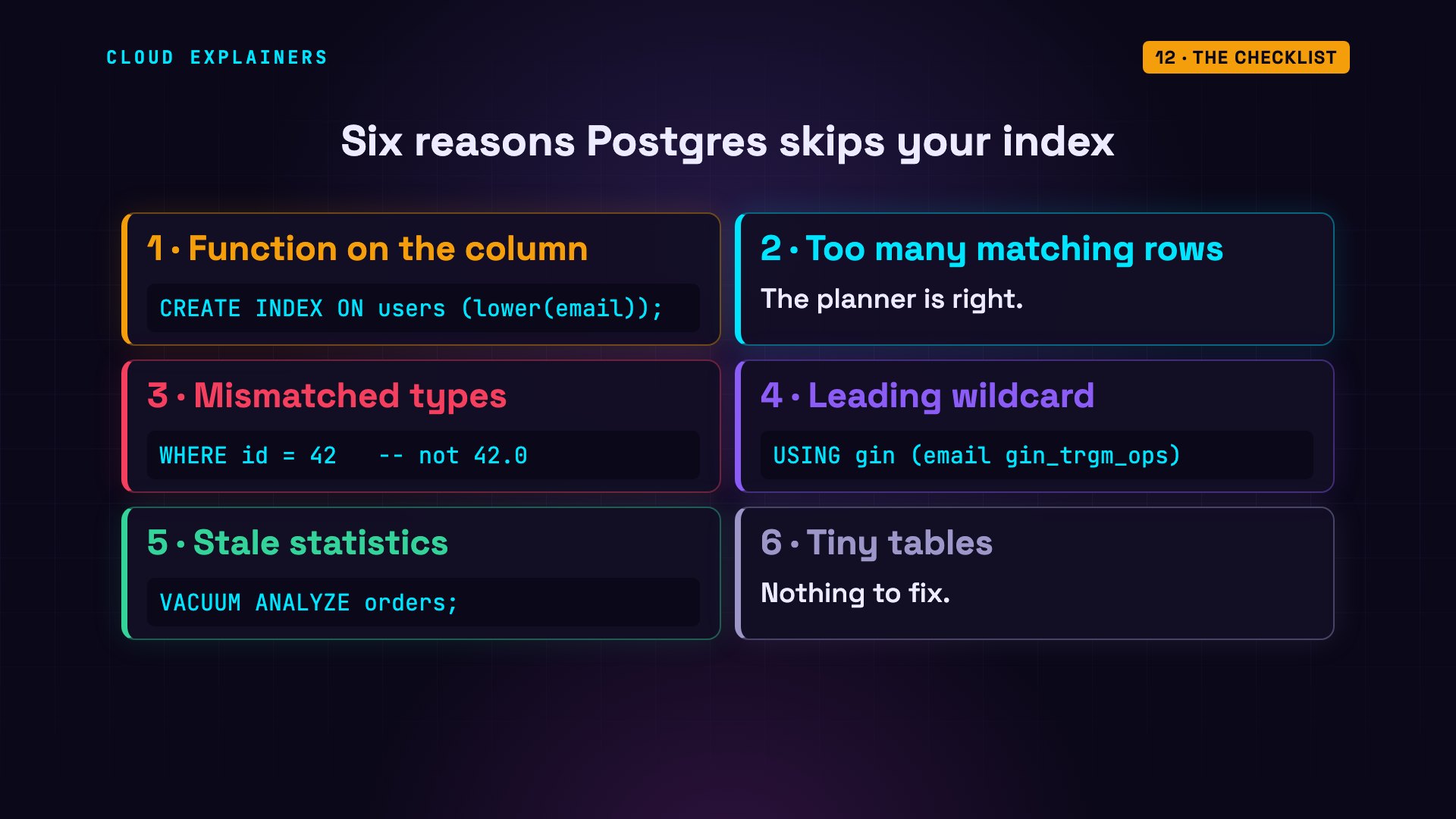
Your index was never broken. It just needed the query to ask the right question. Next time Postgres skips it: read the plan, find the reason, and fix it.
Sources
Narration: AI voice (Google Cloud Text-to-Speech). Demos: real PostgreSQL 18.6 output, nothing staged. Watch the full video on YouTube.


