
How to Fix Gemini API Error 429: Resource Exhausted
Gemini API error 429 RESOURCE_EXHAUSTED means one of your project's rate limits ran out. We hit every kind for real on the free tier: requests per minute (wait the retry delay), requests per day (waiting a minute won't help), and limit 0 (the model needs billing), then fix the script with a retry that reads the API's own delay, and with pacing.
Every request says 429
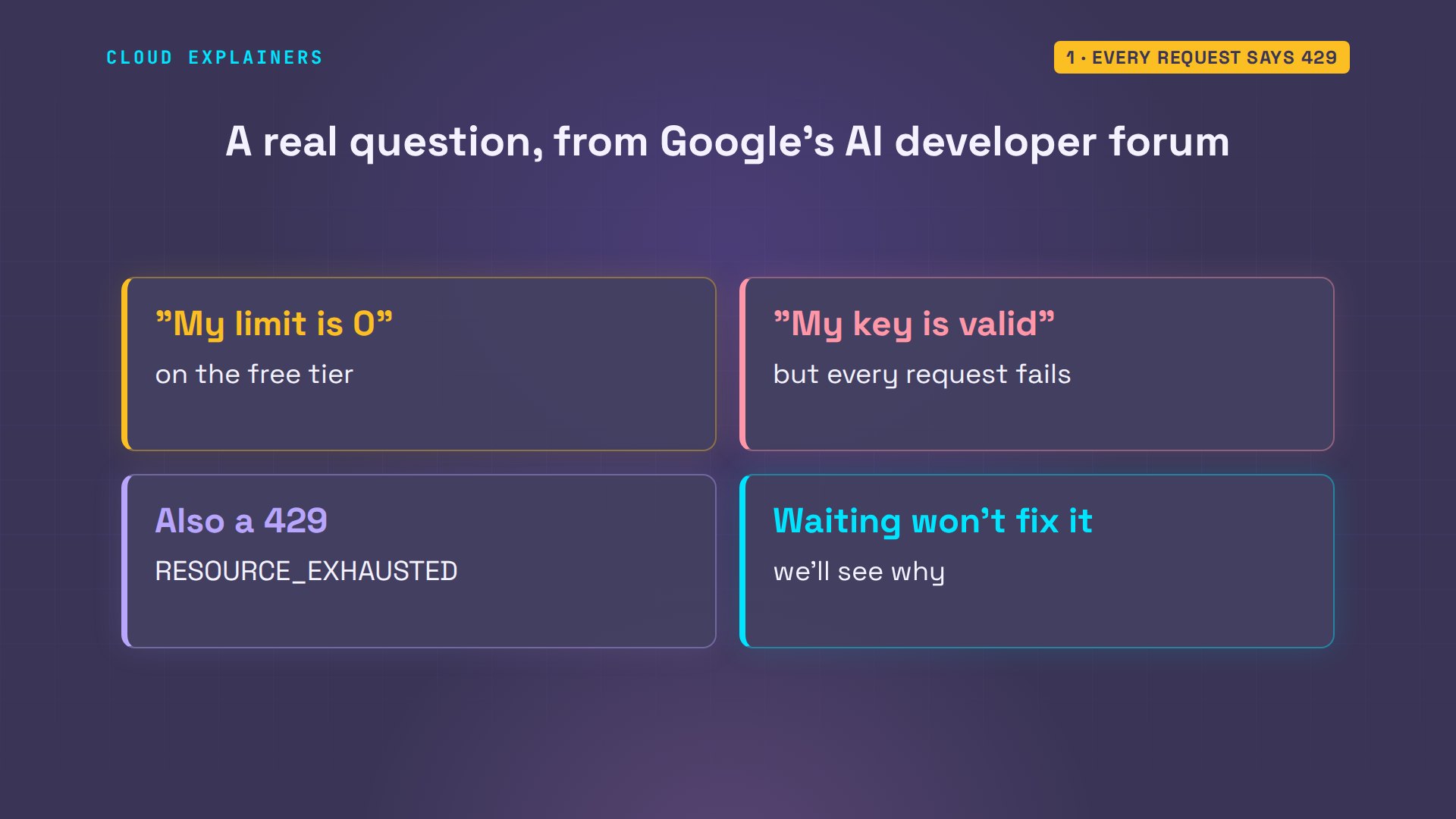
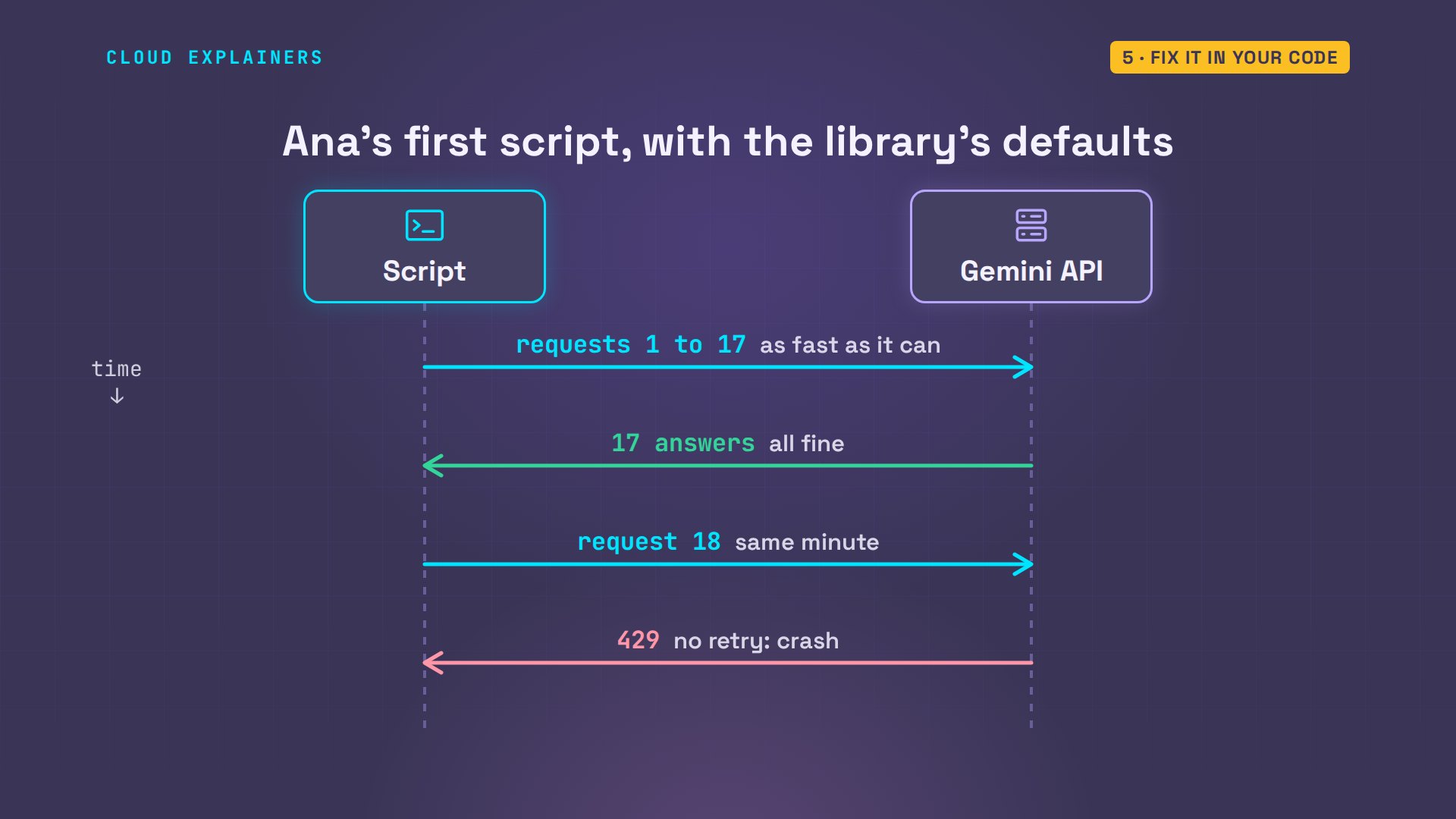
Your Gemini API script worked a minute ago, and now it stops with error 429: resource exhausted. You made a new API key. Same error. Here, the script for Ana's tea shop hit it too: 17 tea descriptions done, and then the whole thing crashed.
python describe.py 2>&1 | cut -c1-801 Sencha done
2 Assam done
3 Earl Grey done
4 Darjeeling done
5 Jasmine done
6 Genmaicha done
7 Oolong done
8 Rooibos done
9 Chamomile done
10 Peppermint done
11 Hojicha done
12 Lapsang done
13 Ceylon done
14 Matcha done
15 Gyokuro done
16 Bancha done
17 Keemun done
Traceback (most recent call last):
  File "/home/ana/shop/describe.py", line 7, in <module>
    reply = client.models.generate_content(
            ^^^^^^^^^^^^^^^^^^^^^^^^^^^^^^^
  File "/home/ana/.venv/lib/python3.12/site-packages/google/genai/models.py", li
    response = self._generate_content_with_continuation(
               ^^^^^^^^^^^^^^^^^^^^^^^^^^^^^^^^^^^^^^^^^
  File "/home/ana/.venv/lib/python3.12/site-packages/google/genai/models.py", li
    response = self._generate_content(
               ^^^^^^^^^^^^^^^^^^^^^^^
  File "/home/ana/.venv/lib/python3.12/site-packages/google/genai/models.py", li
    response = self._api_client.request(
               ^^^^^^^^^^^^^^^^^^^^^^^^^
  File "/home/ana/.venv/lib/python3.12/site-packages/google/genai/_api_client.py
    response = self._request(http_request, http_options, stream=False)
               ^^^^^^^^^^^^^^^^^^^^^^^^^^^^^^^^^^^^^^^^^^^^^^^^^^^^^^^
  File "/home/ana/.venv/lib/python3.12/site-packages/google/genai/_api_client.py
    return self._retry(self._request_once, http_request, stream)  # type: ignore
           ^^^^^^^^^^^^^^^^^^^^^^^^^^^^^^^^^^^^^^^^^^^^^^^^^^^^^
  File "/home/ana/.venv/lib/python3.12/site-packages/tenacity/__init__.py", line
    do = self.iter(retry_state=retry_state)
         ^^^^^^^^^^^^^^^^^^^^^^^^^^^^^^^^^^
  File "/home/ana/.venv/lib/python3.12/site-packages/tenacity/__init__.py", line
    result = action(retry_state)
             ^^^^^^^^^^^^^^^^^^^
  File "/home/ana/.venv/lib/python3.12/site-packages/tenacity/__init__.py", line
    raise retry_exc.reraise()
          ^^^^^^^^^^^^^^^^^^^
  File "/home/ana/.venv/lib/python3.12/site-packages/tenacity/__init__.py", line
    raise self.last_attempt.result()
          ^^^^^^^^^^^^^^^^^^^^^^^^^^
  File "/usr/lib/python3.12/concurrent/futures/_base.py", line 449, in result
    return self.__get_result()
           ^^^^^^^^^^^^^^^^^^^
  File "/usr/lib/python3.12/concurrent/futures/_base.py", line 401, in __get_res
    raise self._exception
  File "/home/ana/.venv/lib/python3.12/site-packages/tenacity/__init__.py", line
    result = fn(*args, **kwargs)
             ^^^^^^^^^^^^^^^^^^^
  File "/home/ana/.venv/lib/python3.12/site-packages/google/genai/_api_client.py
    errors.APIError.raise_for_response(response)
  File "/home/ana/.venv/lib/python3.12/site-packages/google/genai/errors.py", li
    cls.raise_error(response.status_code, response_json, response)
  File "/home/ana/.venv/lib/python3.12/site-packages/google/genai/errors.py", li
    raise ClientError(status_code, response_json, response)
google.genai.errors.ClientError: 429 RESOURCE_EXHAUSTED. {'error': {'code': 429,
429 means one of your limits ran out, and the error tells you which one. By the end you'll read it in five seconds, you'll know when waiting fixes it and when it never will, and have a script that doesn't crash. And that new key? We'll see exactly why it can't help.
It comes up again and again on Google's AI developer forum. One person wrote that their limit on the free tier, the level with no billing, is zero, and the API refuses a key that's perfectly valid. That's a 429 too, and it's the one waiting never fixes.
The quick fix
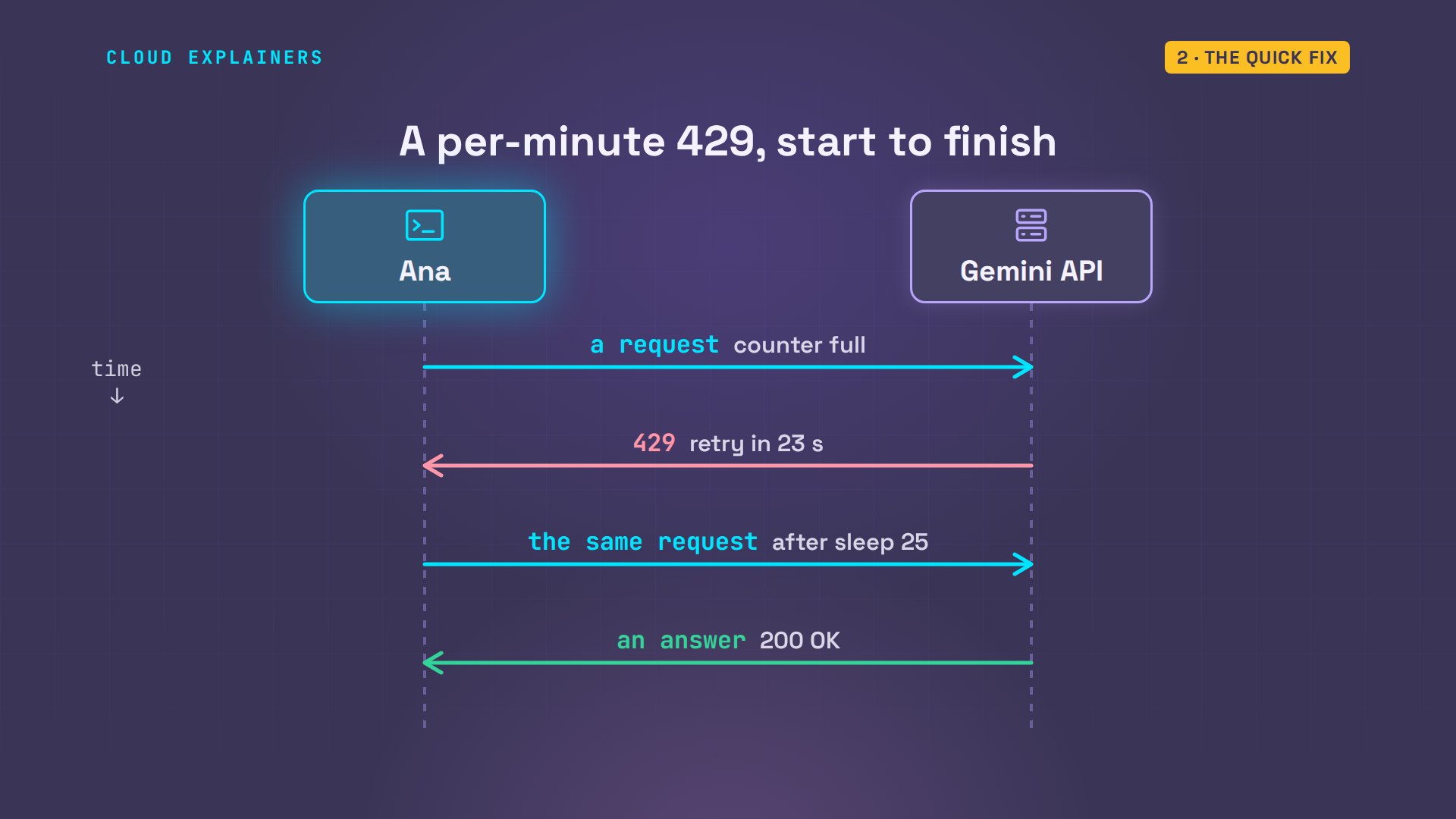
So what do you try first? Read the end of the message. Ana sends one more request with her little ask script, which keeps the whole error in a file: same error. jq, a tool for reading JSON, prints the message the API sent back: a limit of 15 requests per minute, and the last line says: please retry in 23 seconds.
./ask "One calm sentence about Sencha tea."error 429 RESOURCE_EXHAUSTED
jq -r .error.message error.jsonYou exceeded your current quota, please check your plan and billing details. For more information on this error, head to: https://aistudio.google.com/docs/rate-limits. To monitor your current usage, head to: https://ai.dev/rate-limit.
* Quota exceeded for metric: generativelanguage.googleapis.com/generate_content_free_tier_requests, limit: 15, model: gemini-3.5-flash-lite, description: Generate content requests per minute limit exceeded on Free Tier. See https://aistudio.google.com/docs/rate-limits.
Please retry in 23.332568065s.
So she does exactly that. Sleep 25 seconds, then the same request: an answer.
sleep 25 && ./ask "One calm sentence about Sencha tea."Steeped in hot water, vibrant green sencha leaves release a soothing aroma of fresh grass and a gently sweet, refreshing flavor.
For a limit per minute, that's the whole fix. The request is refused, the error says how long the counter needs, you wait that long, and the same request goes through.
What 429 is telling you
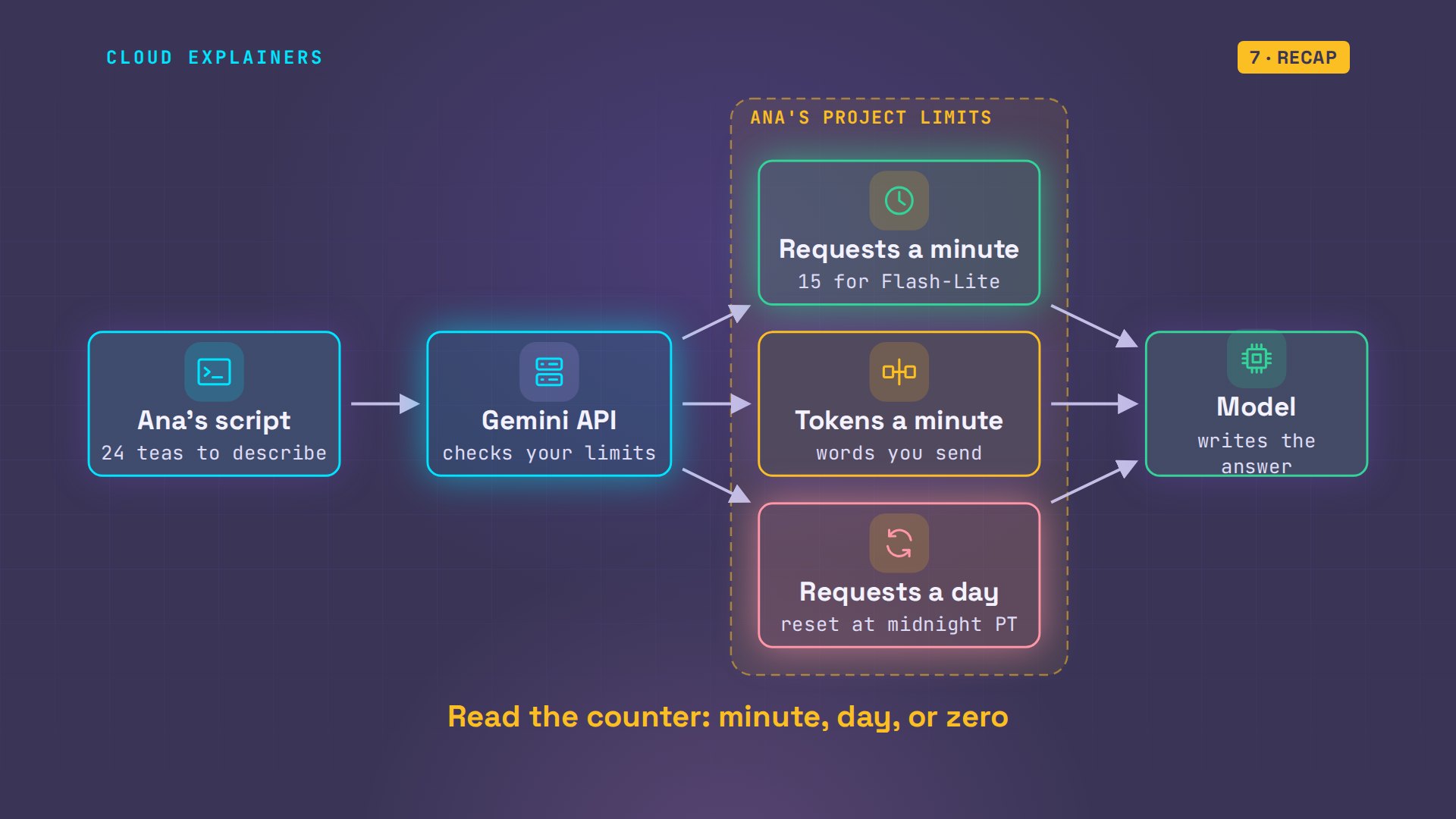
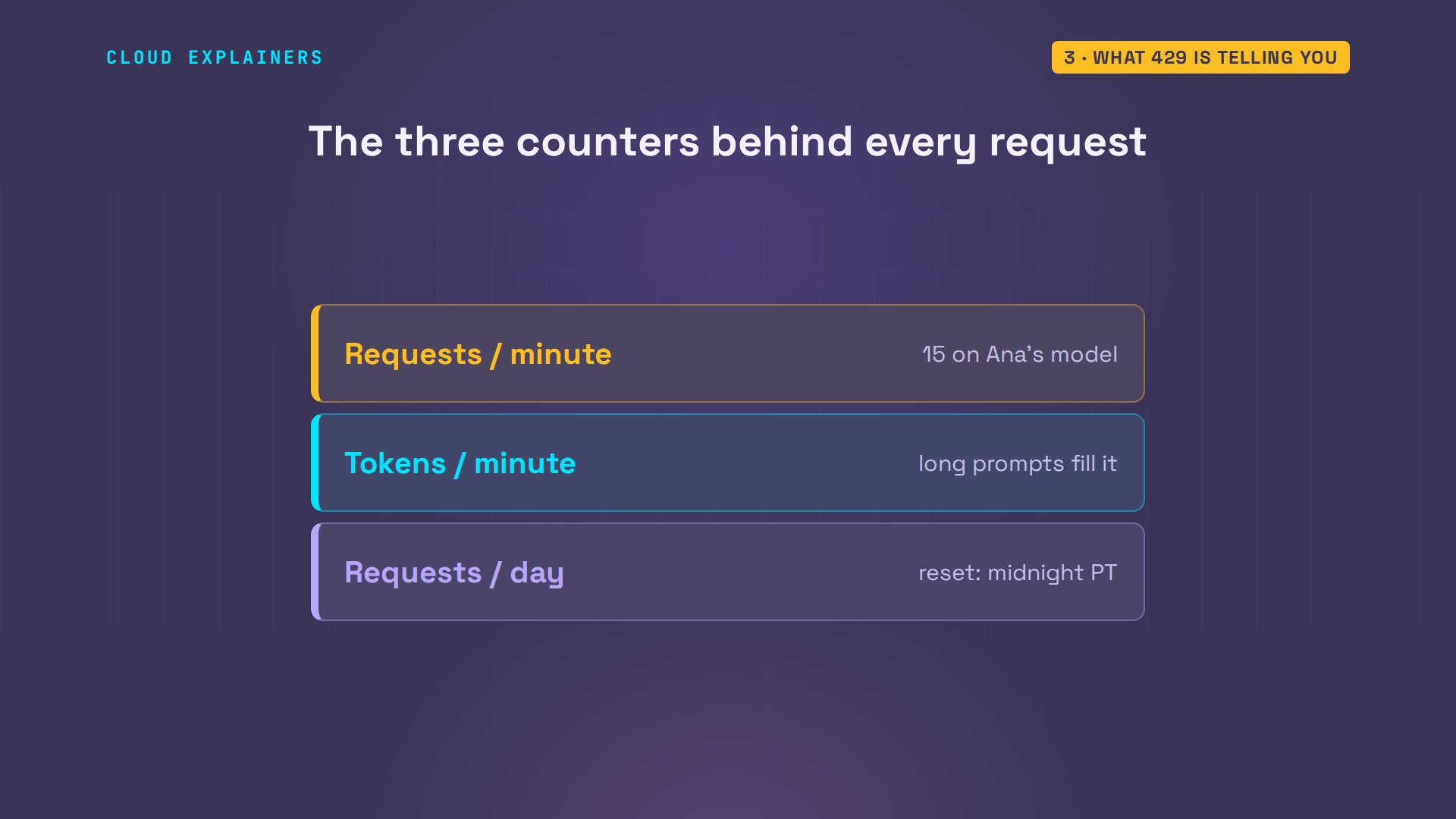
But why does the API refuse at all? Every request passes a set of counters before it reaches the model. Requests a minute, tokens a minute, and requests a day. When any one of them is full, the API answers 429 instead of passing the request on.
Tokens are pieces of words, so the second counter fills up with long prompts, even if you send only a few. The daily counter resets at midnight, Pacific time. And Google's docs are clear about whose counters they are: limits apply per project, the Google Cloud account behind your key, not per API key.
The error's details say the same thing, if you know where to look. The quota I D is the counter's name: requests per minute, per project, per model, on the free tier. Its value: 15. And the retry info block holds the wait as a number, 23 seconds, ready for code to read.
jq '.error.details[1].violations[0]' error.json{
  "description": "Generate content requests per minute limit exceeded on Free Tier. See https://aistudio.google.com/docs/rate-limits.",
  "quotaMetric": "generativelanguage.googleapis.com/generate_content_free_tier_requests",
  "quotaId": "GenerateRequestsPerMinutePerProjectPerModel-FreeTier",
  "quotaDimensions": {
    "location": "global",
    "model": "gemini-3.5-flash-lite"
  },
  "quotaValue": "15"
}
jq '.error.details[2]' error.json{
  "@type": "type.googleapis.com/google.rpc.RetryInfo",
  "retryDelay": "23s"
}
Read that name in parts. Per minute: which counter. Per project: whose counter. Per model: every model has its own. Free tier: which set of limits you're on.
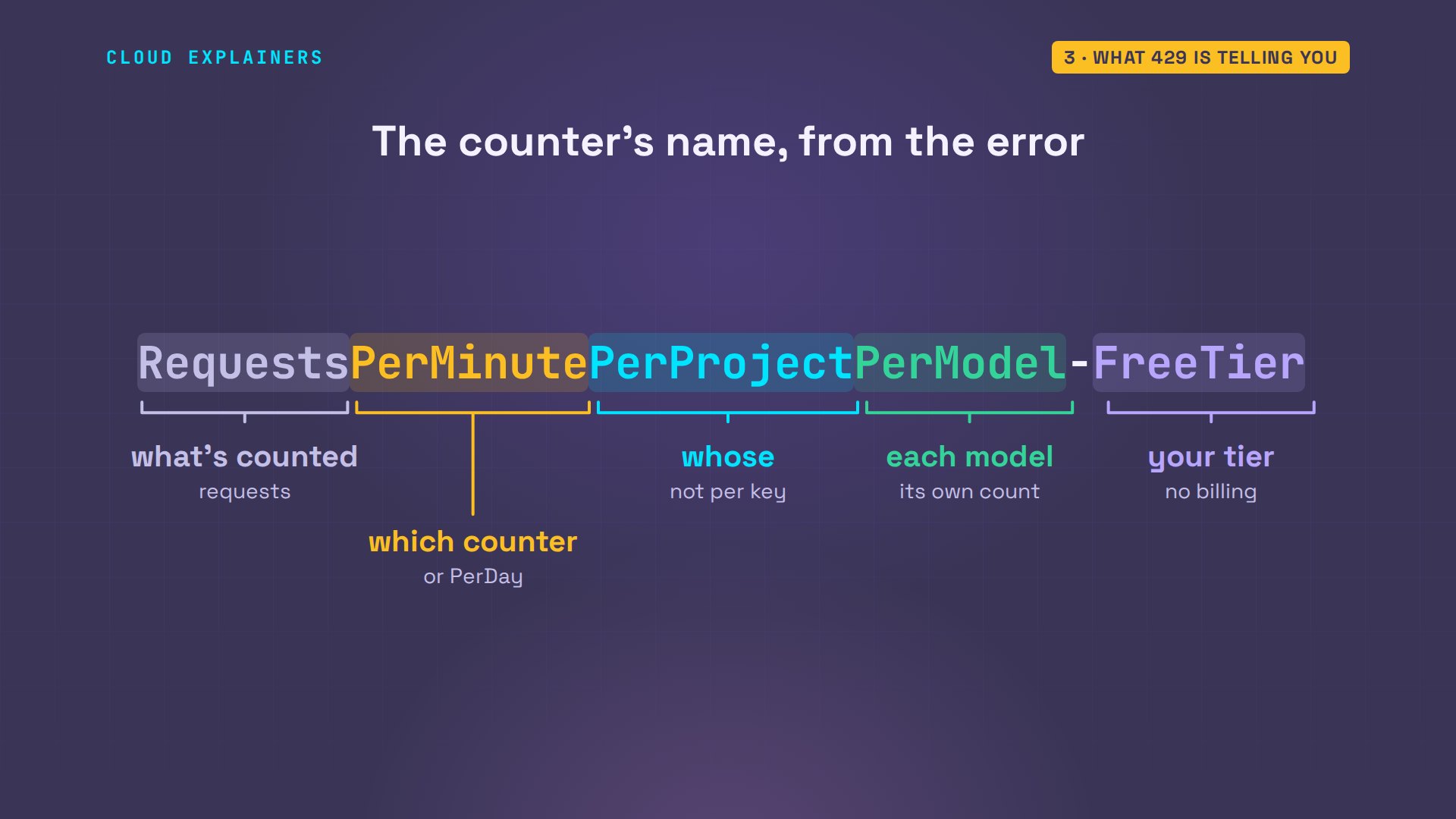
Per model is worth testing. Right after her 429, Ana asked a different model the same question. What came back? An answer, straight away. Each model keeps its own counters.
MODEL=gemini-3.1-flash-lite ./ask "One calm sentence about Sencha tea."A gentle cup of steamed sencha brings the quiet freshness of a spring morning to the palate.
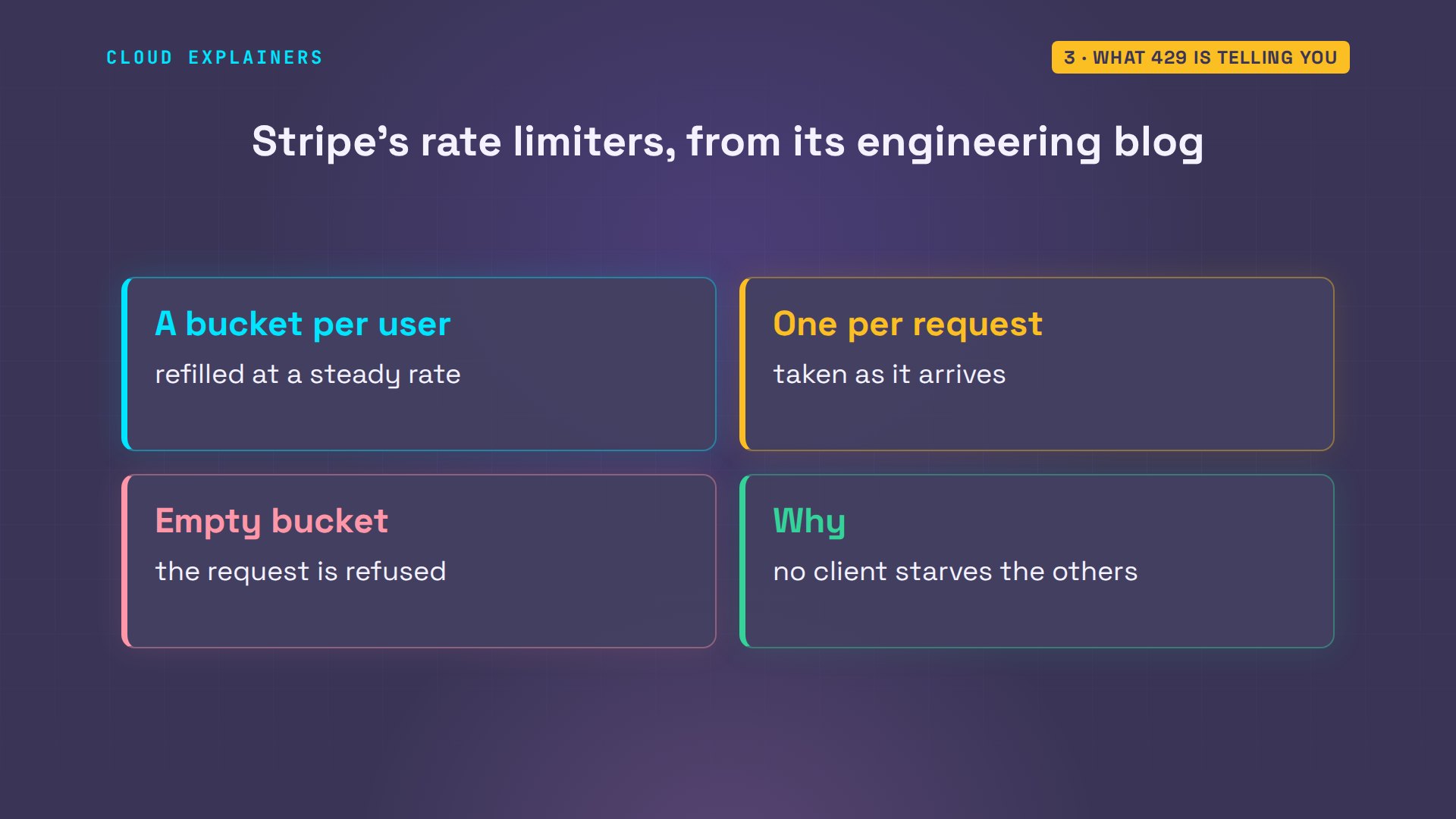
Why build an API this way? Stripe, the payments company, explains it on its engineering blog. It runs rate limiters in production: every user gets a bucket that refills at a steady rate, each request takes one, and when the bucket is empty, the request is refused. One busy client can't slow down everyone else.
When waiting won't help
Now a 429 that a short wait can't fix. Ana asks a Flash model she's used up today. The message names a daily limit: 20 requests per day on the free tier, for gemini 3.8 Flash. And the retry time is 5 hours and 10 minutes away.
MODEL=gemini-3.7-flash ./ask "One calm sentence about Sencha tea."error 429 RESOURCE_EXHAUSTED
jq -r .error.message error.jsonYou exceeded your current quota, please check your plan and billing details. For more information on this error, head to: https://aistudio.google.com/docs/rate-limits. To monitor your current usage, head to: https://ai.dev/rate-limit.
* Quota exceeded for metric: generativelanguage.googleapis.com/generate_content_free_tier_requests, limit: 20, model: gemini-3.8-flash, description: Generate content requests per day limit exceeded on Free Tier. See https://aistudio.google.com/docs/rate-limits.
Please retry in 5h10m11.036750343s.
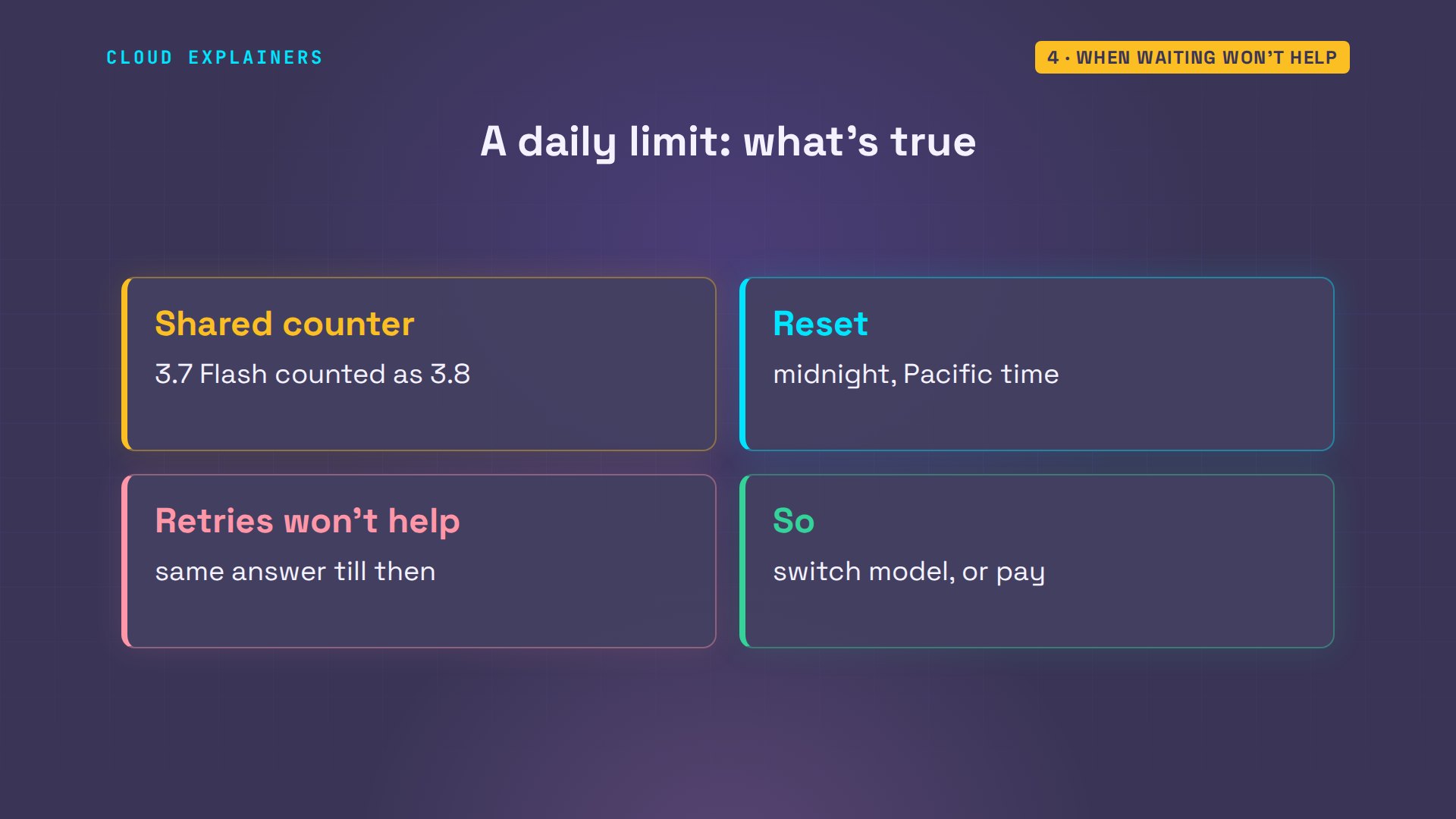
Notice she asked for 3.7 Flash, and the error names 3.8: her request was counted against 3.8 Flash's daily limit. That retry time is midnight in California, when daily counters reset. Until then, every retry of that request gets the same answer, so the fix is a different model, or a project with billing.
And the forum's question: limit zero. Ana asks Gemini 3.1 Pro, from the same free project. Four limits, every one of them zero. Zero doesn't mean you used it up: this model isn't on the free tier at all, so no amount of waiting helps. With the key of a project that has billing turned on, the same request answers.
MODEL=gemini-3.1-pro-preview ./ask "One calm sentence about Sencha tea."error 429 RESOURCE_EXHAUSTED
jq -r .error.message error.jsonYou exceeded your current quota, please check your plan and billing details. For more information on this error, head to: https://aistudio.google.com/docs/rate-limits. To monitor your current usage, head to: https://ai.dev/rate-limit.
* Quota exceeded for metric: generativelanguage.googleapis.com/generate_content_free_tier_requests, limit: 0, model: gemini-3.1-pro, description: Generate content requests per day limit exceeded on Free Tier. See https://aistudio.google.com/docs/rate-limits.
* Quota exceeded for metric: generativelanguage.googleapis.com/generate_content_free_tier_requests, limit: 0, model: gemini-3.1-pro, description: Generate content requests per minute limit exceeded on Free Tier. See https://aistudio.google.com/docs/rate-limits.
* Quota exceeded for metric: generativelanguage.googleapis.com/generate_content_free_tier_input_token_count, limit: 0, model: gemini-3.1-pro, description: Generate content input tokens per minute limit exceeded on Free Tier. See https://aistudio.google.com/docs/rate-limits.
* Quota exceeded for metric: generativelanguage.googleapis.com/generate_content_free_tier_input_token_count, limit: 0, model: gemini-3.1-pro, description: Generate content input tokens per day limit exceeded on Free Tier. See https://aistudio.google.com/docs/rate-limits.
Please retry in 5h10m10.840076692s.
GEMINI_API_KEY=$PAID_KEY MODEL=gemini-3.1-pro-preview ./ask "One calm sentence about Sencha tea."With its delicate, grassy warmth, a freshly steeped cup of sencha gently invites a quiet moment of stillness.
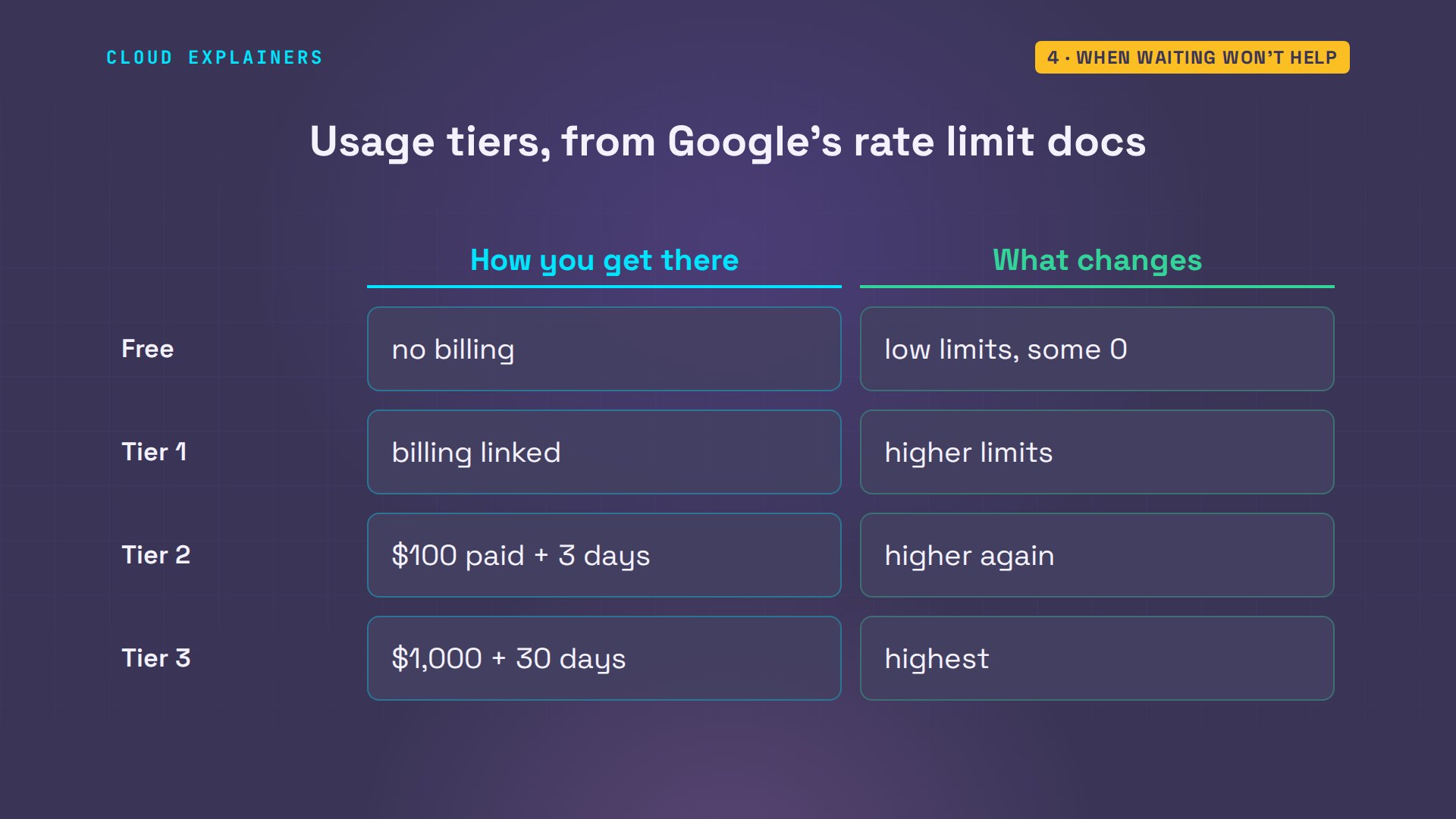
Billing moves the whole project up a tier. Tier one starts when you link a billing account. Tier two after a hundred dollars spent and three days, tier three after a thousand dollars and thirty days. Each tier raises every counter; AI Studio's rate limit page shows your project's numbers.
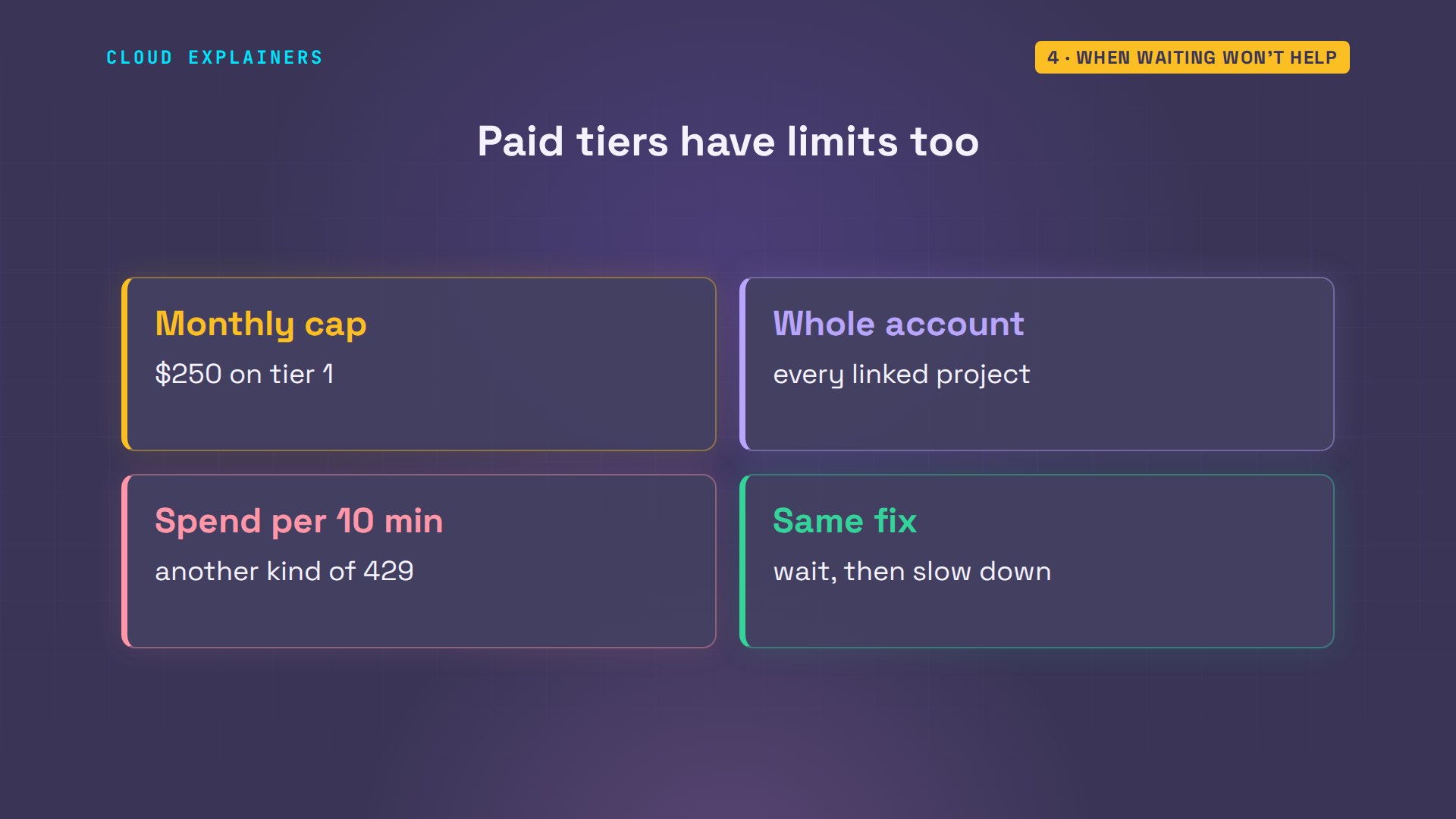
Before you turn billing on, two things worth knowing. Each tier also has a monthly spending cap for the whole billing account: two hundred and fifty dollars on tier one. And there's a second kind of 429 on paid tiers: a limit on spending within any ten minutes. The same fixes apply: wait, and slow down.
Fix it in your code
Back to the script that crashed. Didn't Google's library retry by itself? Google's troubleshooting page says it does, but we checked the code of version 3.0.0: retries are off unless you pass retry options. So the first 429, on request 18, ended the whole run.
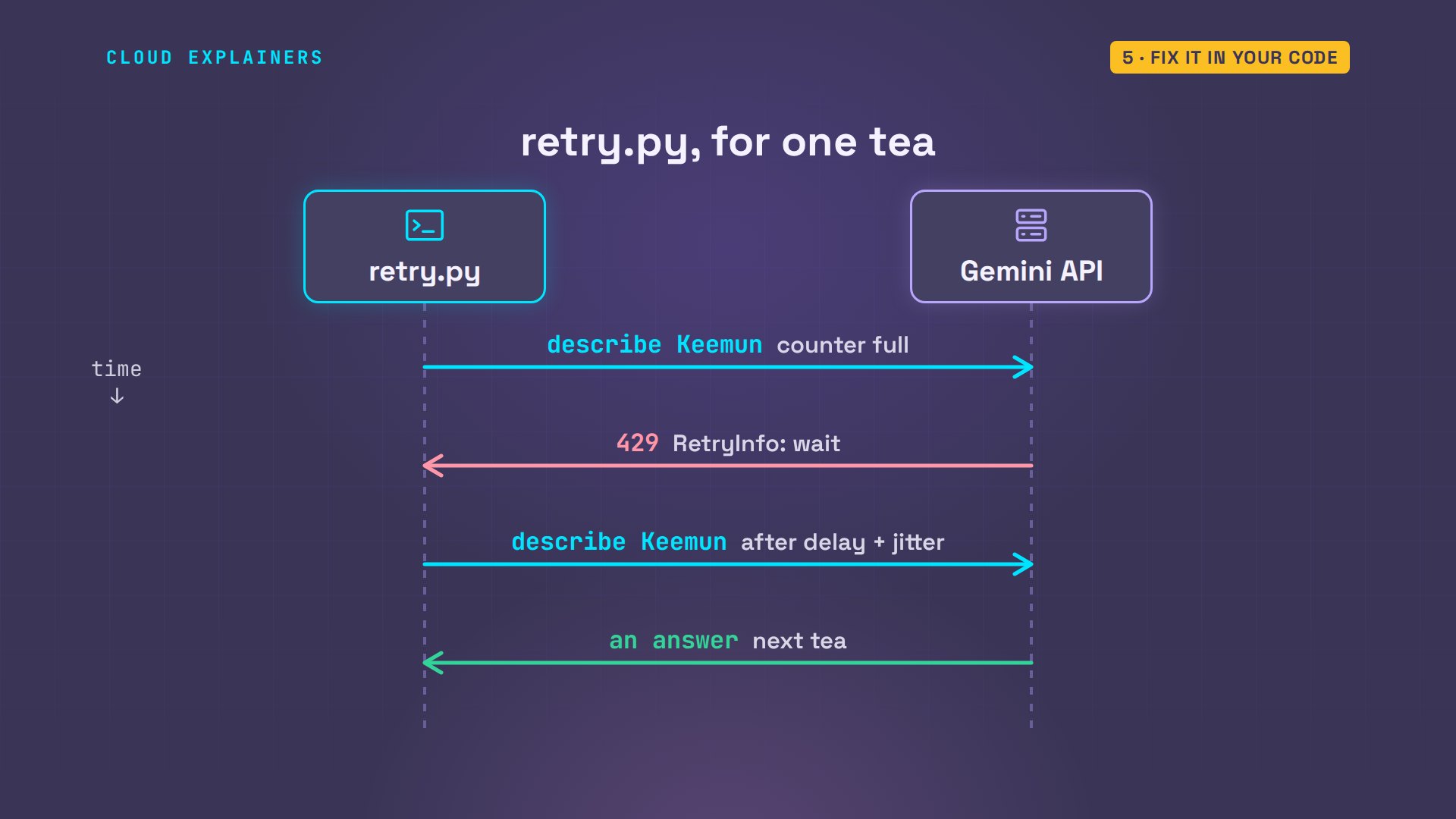
So Ana writes the retry herself. sed prints lines ten to fifteen of her script: a small function that looks through the error's details for the retry info block, and returns its delay in seconds. If the API didn't send one, it waits ten.
sed -n 10,15p retry.pydef wait_time(e):
    """How long the API asked us to wait (its RetryInfo), else 10 seconds."""
    for detail in e.details["error"]["details"]:
        if detail["@type"].endswith("RetryInfo"):
            return float(detail["retryDelay"].rstrip("s"))
    return 10
Then the loop around each request. It tries up to five times. On a client error that's a 429, and not a daily limit, whose error says PerDay, it waits that delay plus jitter: up to one random extra second, so many scripts don't all retry at the same moment. Any other error stops the script, so you can read it.
sed -n 18,31p retry.pydef describe(tea):
    for attempt in range(5):
        try:
            return client.models.generate_content(
                model="gemini-3.5-flash-lite",
                contents=f"One calm sentence about {tea} tea for our shop page.",
            )
        except errors.ClientError as e:
            if e.code != 429 or "PerDay" in str(e):
                raise  # not a short wait: stop and read the error
            wait = wait_time(e) + random.uniform(0, 1)  # plus jitter
            print(f"   429: waiting {wait:.0f} s")
            time.sleep(wait)
    raise SystemExit("still 429 after 5 tries")
Here's one tea going through it. The request gets a 429. The script reads the delay the API asked for, sleeps that long plus the jitter, and sends the same request again. A daily limit skips all of this and stops, because no short wait can fix it.
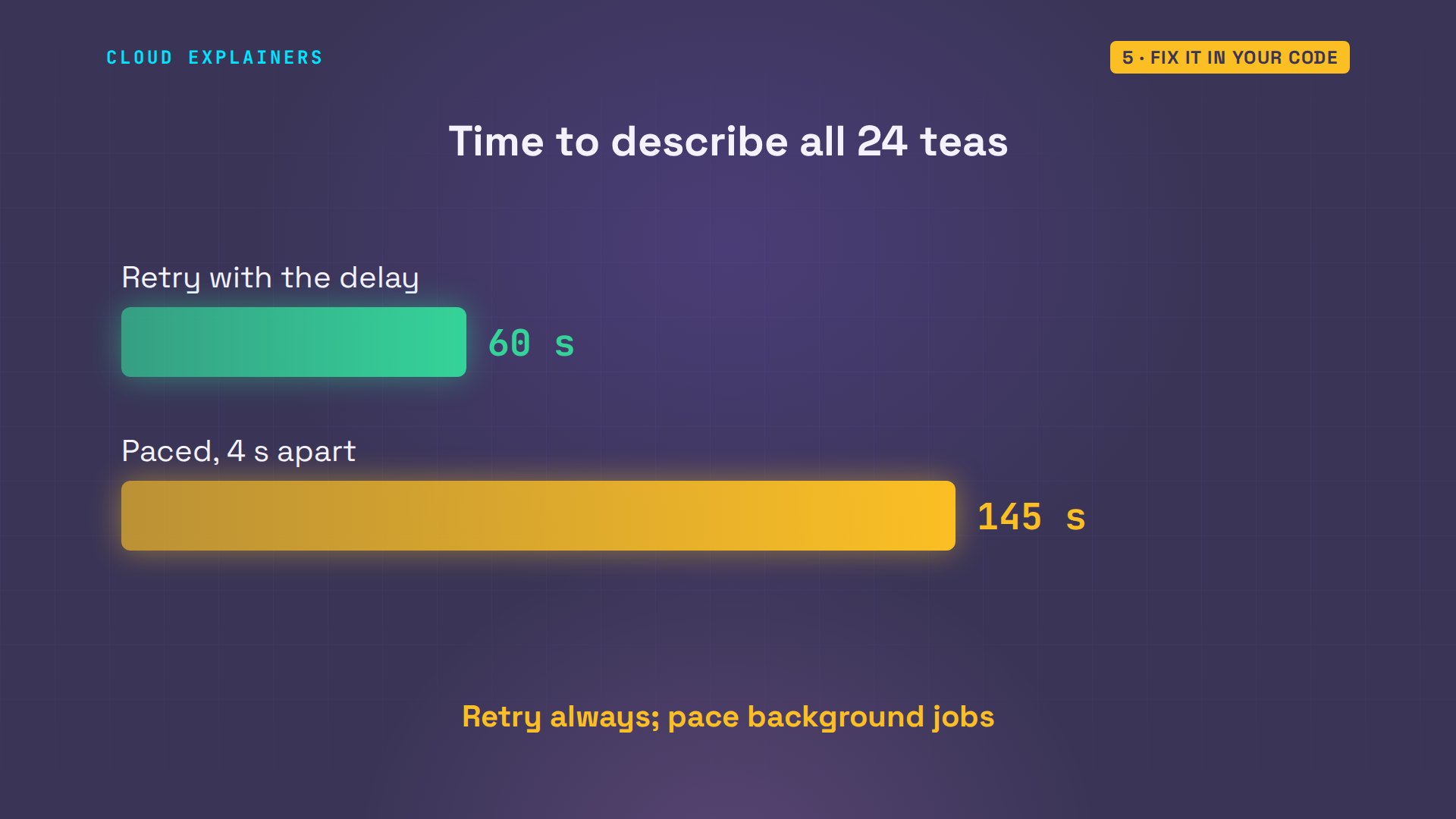
The limit is 15 a minute, and the script sends 24. Guess first: how many finish? All 24. After tea 16 it hit the limit, waited 28 seconds as the API asked, and carried on. 60 seconds in all, and no crash.
time python retry.py1 Sencha done
2 Assam done
3 Earl Grey done
4 Darjeeling done
5 Jasmine done
6 Genmaicha done
7 Oolong done
8 Rooibos done
9 Chamomile done
10 Peppermint done
11 Hojicha done
12 Lapsang done
13 Ceylon done
14 Matcha done
15 Gyokuro done
16 Bancha done
   429: waiting 28 s
17 Keemun done
18 Pu-erh done
19 Masala Chai done
20 Lemon Verbena done
21 Yerba Mate done
22 Hibiscus done
23 White Peony done
24 Silver Needle done

real	1m0.227s
user	0m0.327s
sys	0m0.026s
Or never hit the limit at all. Pacing adds two lines to the first script: sleep four seconds after each request, which keeps it under 15 a minute. All 24 done, not one 429. But it took 2 minutes 25 seconds, because each request's own time comes on top of the sleep.
cat paced.pyimport time
from google import genai

client = genai.Client()  # finds the key in GEMINI_API_KEY
teas = open("teas.txt").read().splitlines()

for n, tea in enumerate(teas, 1):
    reply = client.models.generate_content(
        model="gemini-3.5-flash-lite",
        contents=f"One calm sentence about {tea} tea for our shop page.",
    )
    print(n, tea, "done")
    time.sleep(4)  # 15 requests a minute: one every 4 seconds
time python paced.py1 Sencha done
2 Assam done
3 Earl Grey done
4 Darjeeling done
5 Jasmine done
6 Genmaicha done
7 Oolong done
8 Rooibos done
9 Chamomile done
10 Peppermint done
11 Hojicha done
12 Lapsang done
13 Ceylon done
14 Matcha done
15 Gyokuro done
16 Bancha done
17 Keemun done
18 Pu-erh done
19 Masala Chai done
20 Lemon Verbena done
21 Yerba Mate done
22 Hibiscus done
23 White Peony done
24 Silver Needle done

real	2m24.811s
user	0m0.354s
sys	0m0.036s
Side by side, for the same 24 teas: the first script crashed. Retrying with the API's own delay finished in 60 seconds. Pacing took 145, and never saw an error. Use the retry always, and add pacing to jobs that run on their own.
Never see it again
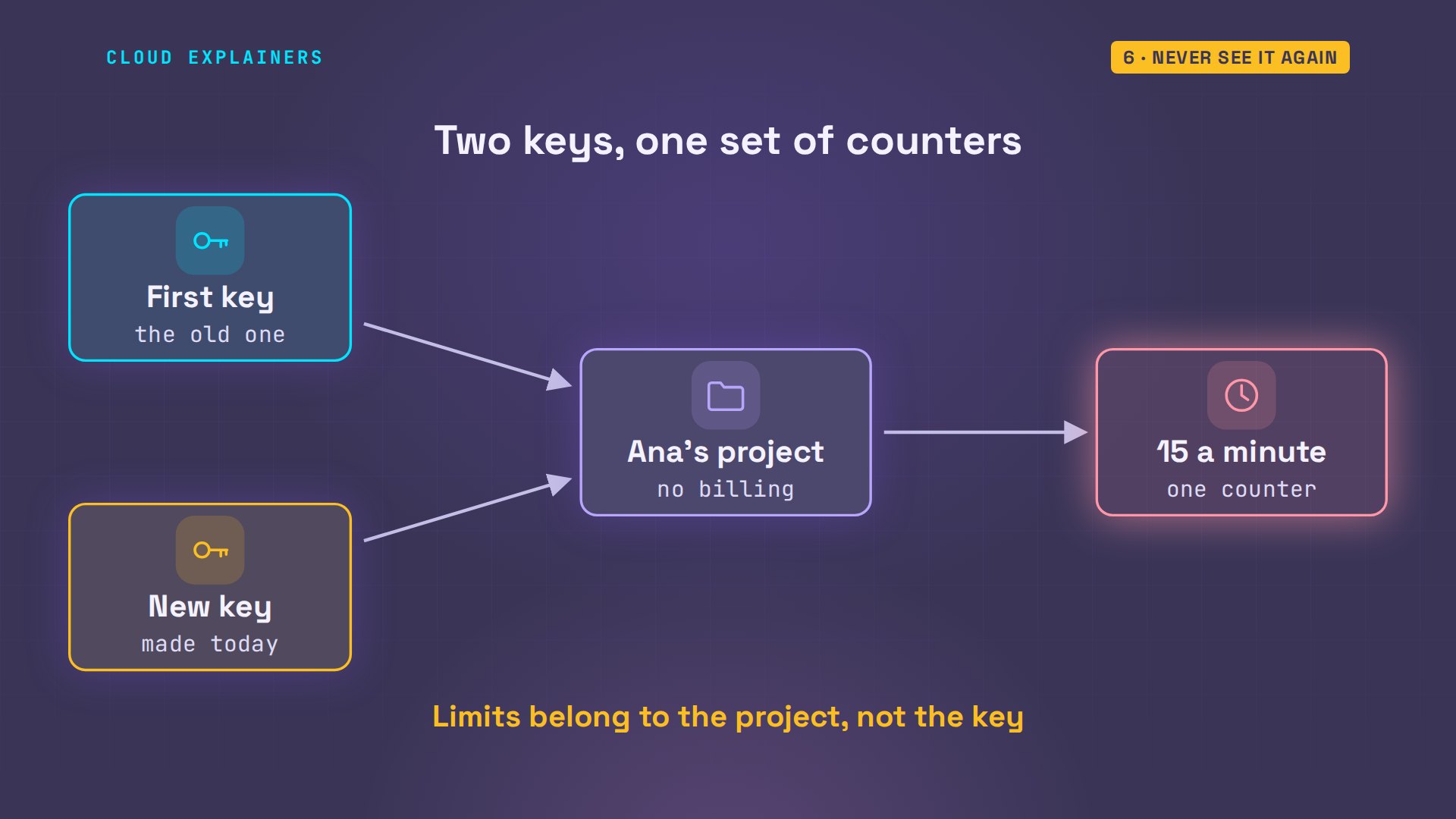
And the new API key from the start? A key is only how the project is found. A new key made in the same project leads to the same counters, so it hits the same 429. To get more, the project itself needs a higher tier.
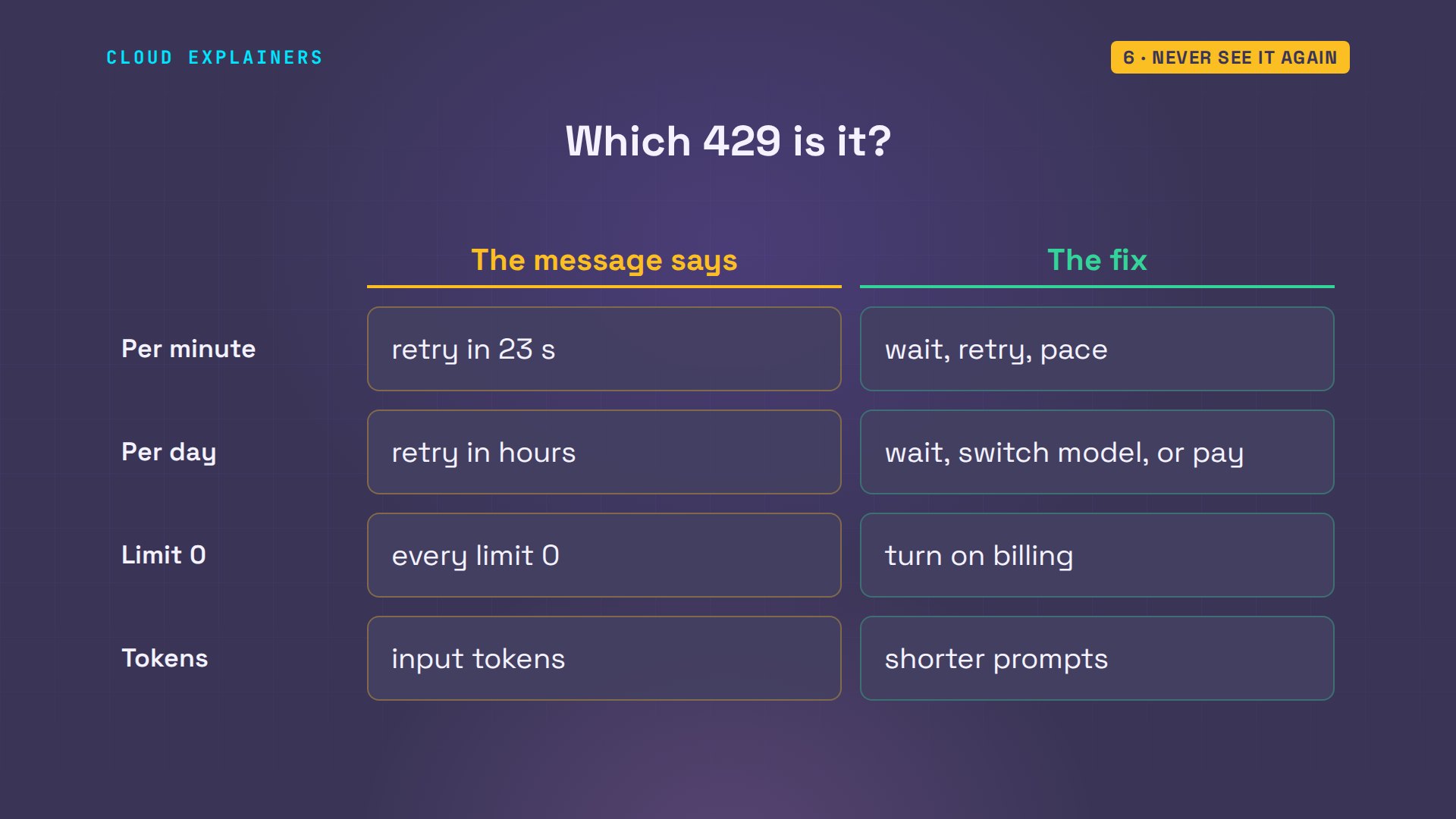
So, which 429 is it? Per minute: wait the delay, retry, and pace. Per day: wait for midnight Pacific, use another model, or turn on billing. Limit zero: the model needs billing. Tokens per minute: shorter prompts, or fewer at once.
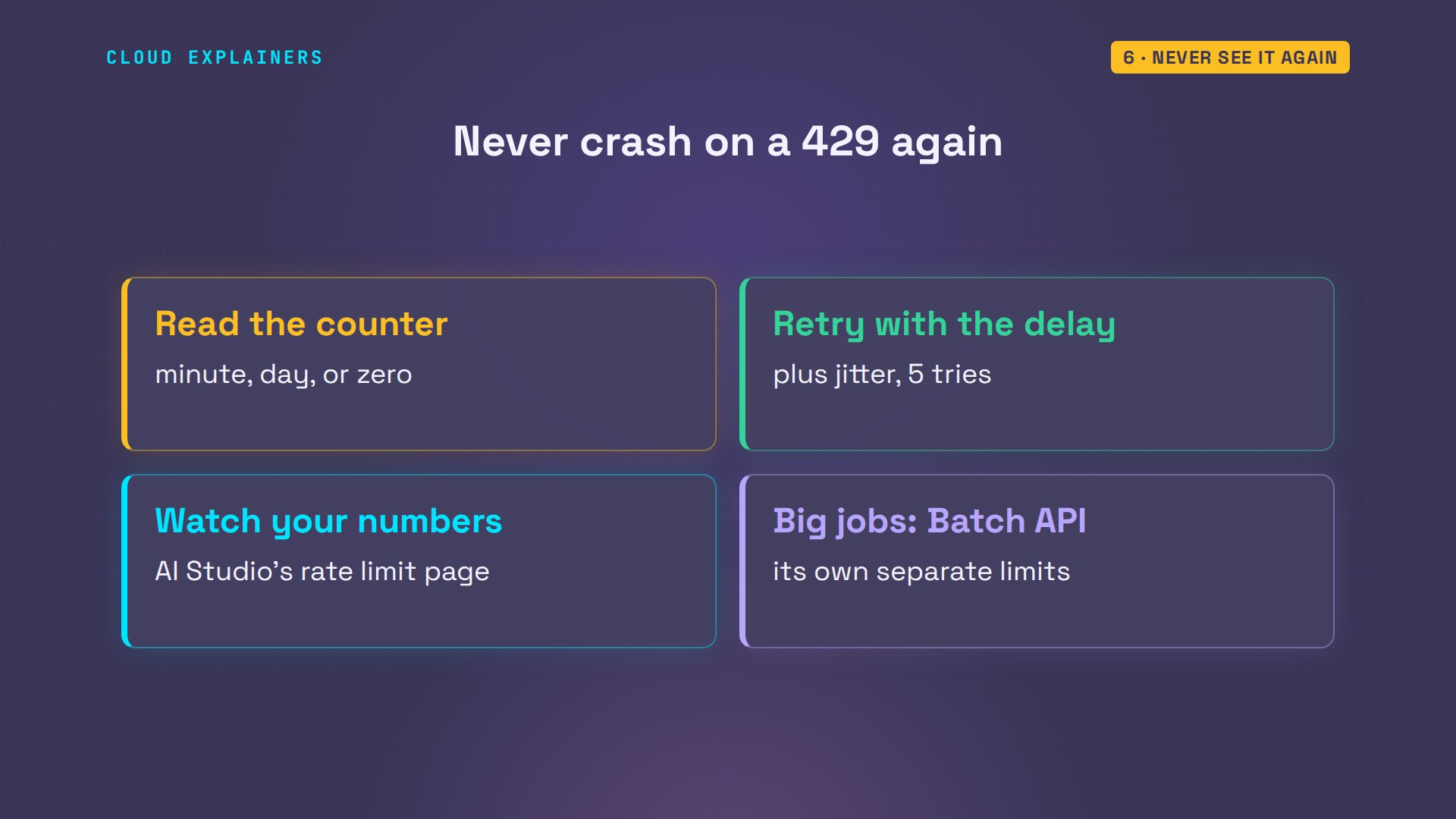
To stop seeing it: read which counter ran out, every time. Keep the retry in your code. Watch your numbers on AI Studio's rate limit page, and for big one-off jobs, look at the batch A P I, which has its own, separate limits.
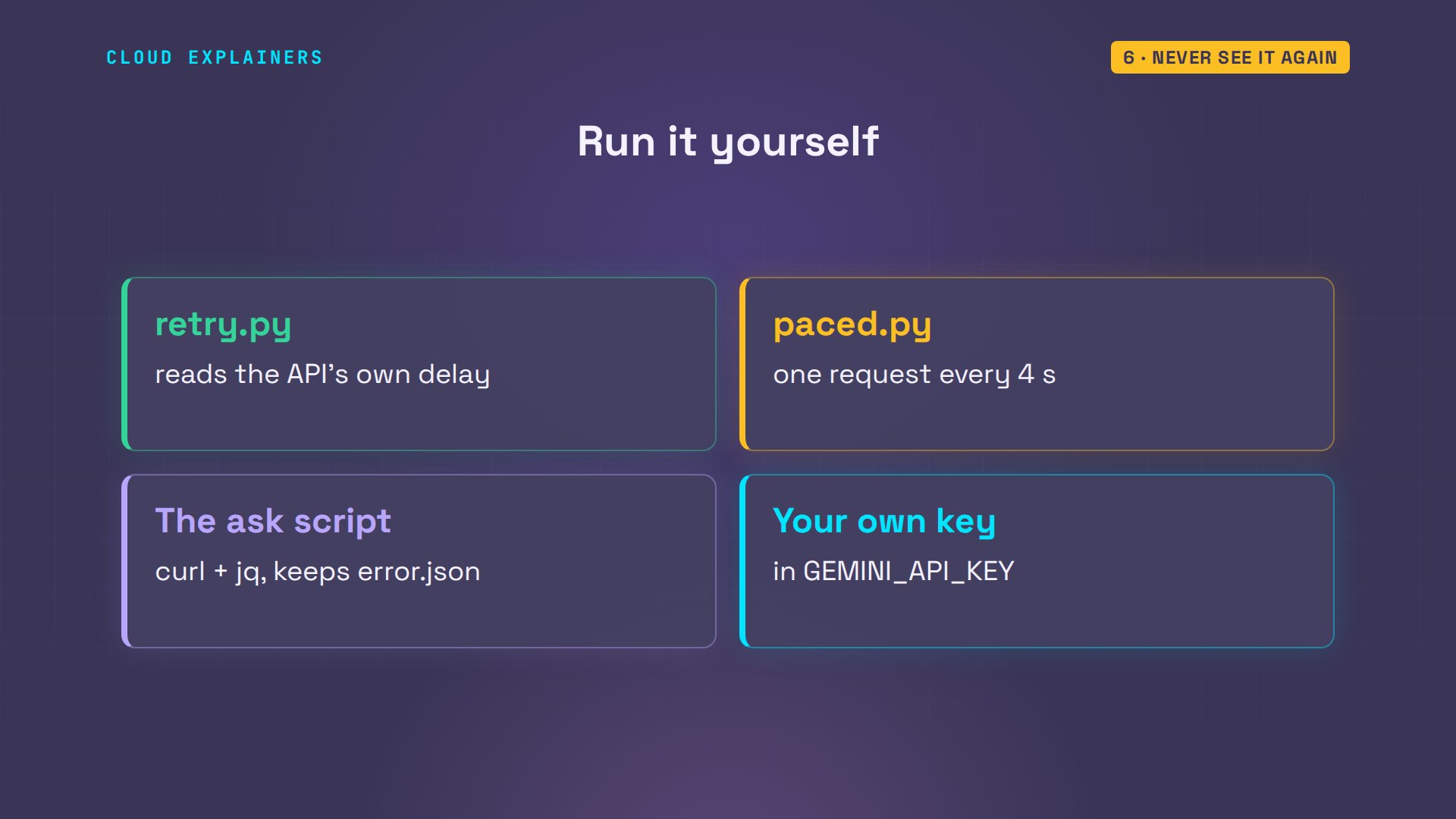
Every command and the lab files, retry script included, are linked in the description, ready for your own key.
Recap
So: 429 means one counter ran out. Read which one. Per minute, wait and retry. Per day or zero, waiting won't help, and a new key never does.
If reading the error saved you an evening, subscribing helps more beginners find these fixes.
Every 429 here came from the real Gemini API. Thanks for watching Cloud Explainers.
Sources
- Gemini API rate limits (RPM, TPM, RPD; per project, not per API key; RPD resets at midnight Pacific; usage tiers and how to qualify)
- Gemini API troubleshooting (429 RESOURCE_EXHAUSTED: exponential backoff, jitter, retry only transient errors, a maximum number of retries)
- Gemini API billing (tiers, monthly caps, spend-based limits)
- Your project's active limits
- Google AI Developers Forum, Gemini API - Free tier limit is 0, cannot use API despite valid key
- Stripe Engineering, Scaling your API with rate limiters (Paul Tarjan, 2017; token bucket, 4 limiters in production)
- Google Gen AI SDK for Python (google-genai; HttpRetryOptions turns retries on)
Demos: one container on our own Mac standing in for Ana's laptop, sending real requests with our own keys (never shown); the tea shop is made up. Watch the full video on YouTube.
More videos

Linux Makefiles Will Finally Make Sense After This

SAML vs OAuth vs OpenID Connect: What's the Difference?

How to Fix Python cron Jobs That Never Run

Linux Bash Scripting: Full Tutorial for Beginners

How PXE Network Boot Works

How Active Directory Works

How to Fix a Linux systemd Service That Won't Start

Linux Logs: syslog vs journald

JWT vs Session Cookies: Which One Should You Use?

Docker vs Docker Compose: Which One Should You Use?

How to Fix Docker Compose Containers That Can't Talk to Each Other

Django Full Tutorial for Beginners

How Linux systemd Works

How to Fix 'Windows Cannot Access' Network Share Errors (SMB)

REST vs gRPC: Which One Should You Use?

How to Fix SSL Certificate Chain Errors (Missing Intermediate)

Every Python Concept for Beginners in 10 Minutes

Every SQL Join Type in 10 Minutes

Why OpenRouter Free Models Hit Their Limit So Fast

Why Your Gemini API Free Tier Runs Out So Fast

OpenRouter Will Finally Make Sense After This

How Redis Caching Works

Gemini API vs Vertex AI: Which One Should You Use?

How to Fix a Leaked Gemini API Key

Why Golang Uses Goroutines Instead of Threads

Claude Token Pricing Will Finally Make Sense After This

Why Python Web Scraping Returns Nothing (and the Fix)

Python uv vs pip: Which One Should You Use?

Python Automation: Full Tutorial for Beginners

How OAuth Login Works

Google AI Studio Will Finally Make Sense After This

What Happens When You Run a Docker Container

How to Fix Claude Code Billing Your API Key Instead of Your Plan

Why Passkeys Can't Be Phished Like Passwords

PowerShell vs Bash: Which One Should You Learn?

The Linux Roadmap for Beginners

Django vs FastAPI: Which One Should You Use?

Why SQLite Is the Most Used Database in the World

How a NoSQL Database Like MongoDB Works

How to Fix Python pip error: externally-managed-environment

How to Fix MySQL Too Many Connections Database Errors

Golang Concurrency Will Finally Make Sense After This

How Amazon S3 Works

How Kubernetes Works

How Git Works

How to Fix Docker Port Already Allocated Errors

How PostgreSQL Works

How to Fix Git Merge Conflicts

How to Fix No Space Left on Device in Linux

How the Internet Works

SQL vs NoSQL: When Each One Wins

How to Fix JWT Token Expired Errors (401 Unauthorized)

Claude API vs Claude Pro: Why Your Subscription Doesn't Include It

Why AI Agent Skills Beat Giant Prompts

Linux Cron Jobs Will Finally Make Sense After This

Security Logs Will Finally Make Sense After This

How to Fix a Security Leak: An API Key Pushed to GitHub

DNS Will Finally Make Sense After This

Never Ignore a Security Update

Two-Factor Authentication Will Finally Make Sense

Never Expose a Database to the Internet

SSH Keys vs Passwords: Which Is Safer for Security?

The 5 Levels of Linux Boot: From Power On to Login

The 5 Levels of Network Firewalls

Password Security: Why Hackers Crack Weak Passwords

Why Your Linux Server Runs Out of Memory

HTTP vs HTTPS: What Actually Changes on Your Network

Every Linux File Permission You Need to Know

Linux Processes vs Threads: When Each One Wins

The OSI Model Will Finally Make Sense After This

The 7 Levels of Git

Every Network Troubleshooting Command You Need

Hashing vs Encryption in Cybersecurity: When Each One Wins

Why the Internet Ran Out of IP Addresses

Linux Package Managers: apt vs Snap vs Flatpak

Why Python Is Slow (and When It Doesn't Matter)

TCP vs UDP: When Each One Wins

Stop Running Linux as Root (Do This Instead)

Linux Users and Groups Will Finally Make Sense

Why Phishing Beats Good Security (and How to Spot It)

The 7 Levels of Docker

AI Agents Will Finally Make Sense After This

Stop Using git push --force (Use This Instead)

Agent Skills vs MCP: When Each One Wins

Networking Will Finally Make Sense After This

Every Linux Command You Actually Need

The 7 Levels of Cybersecurity

Every System Design Concept You Need, in One Diagram
