
How the Internet Works
How the internet works, for beginners, proven on a tiny internet of four real networks: a video site nobody can reach until it announces its addresses with BGP, the announcement spreading network by network, a router picking the shortest of two paths, a cable pulled at an exchange point and the traffic rerouting through two carriers, and the same withdrawal that took Facebook off the internet for about six hours in 2021.
A site nobody can find
How does your data find its way across the internet, when nobody runs the whole thing? Here's a video site, up and running, and Ana's laptop, on her home internet. She types the site's address, and gets nothing. By the end, you'll see why, and how one message, passed from network to network, brings it back.
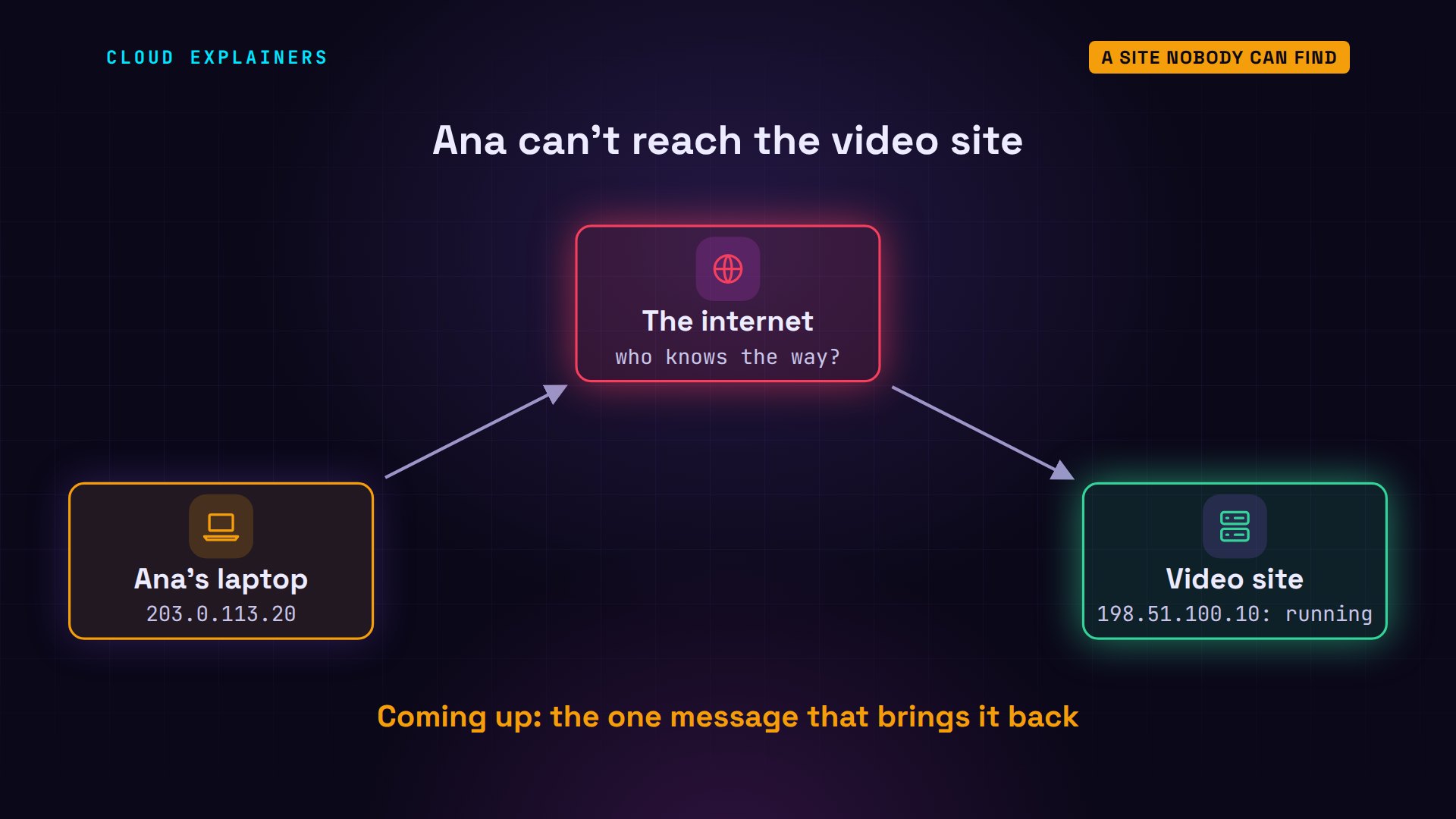
curl, a tool that fetches web pages, says it couldn't connect. And ping says the network itself is unreachable: her provider has no idea where that address is. Yet nothing is broken. The rest of the internet just hasn't been told where the site is.
curl -m 5 http://video.example/curl: (7) Failed to connect to video.example port 80 after 0 ms: Couldn't connect to server
ping -n -c 2 video.examplePING video.example (198.51.100.10) 56(84) bytes of data.
From 203.0.113.1 icmp_seq=1 Destination Net Unreachable
From 203.0.113.1 icmp_seq=2 Destination Net Unreachable

--- video.example ping statistics ---
2 packets transmitted, 0 received, +2 errors, 100% packet loss, time 1041ms
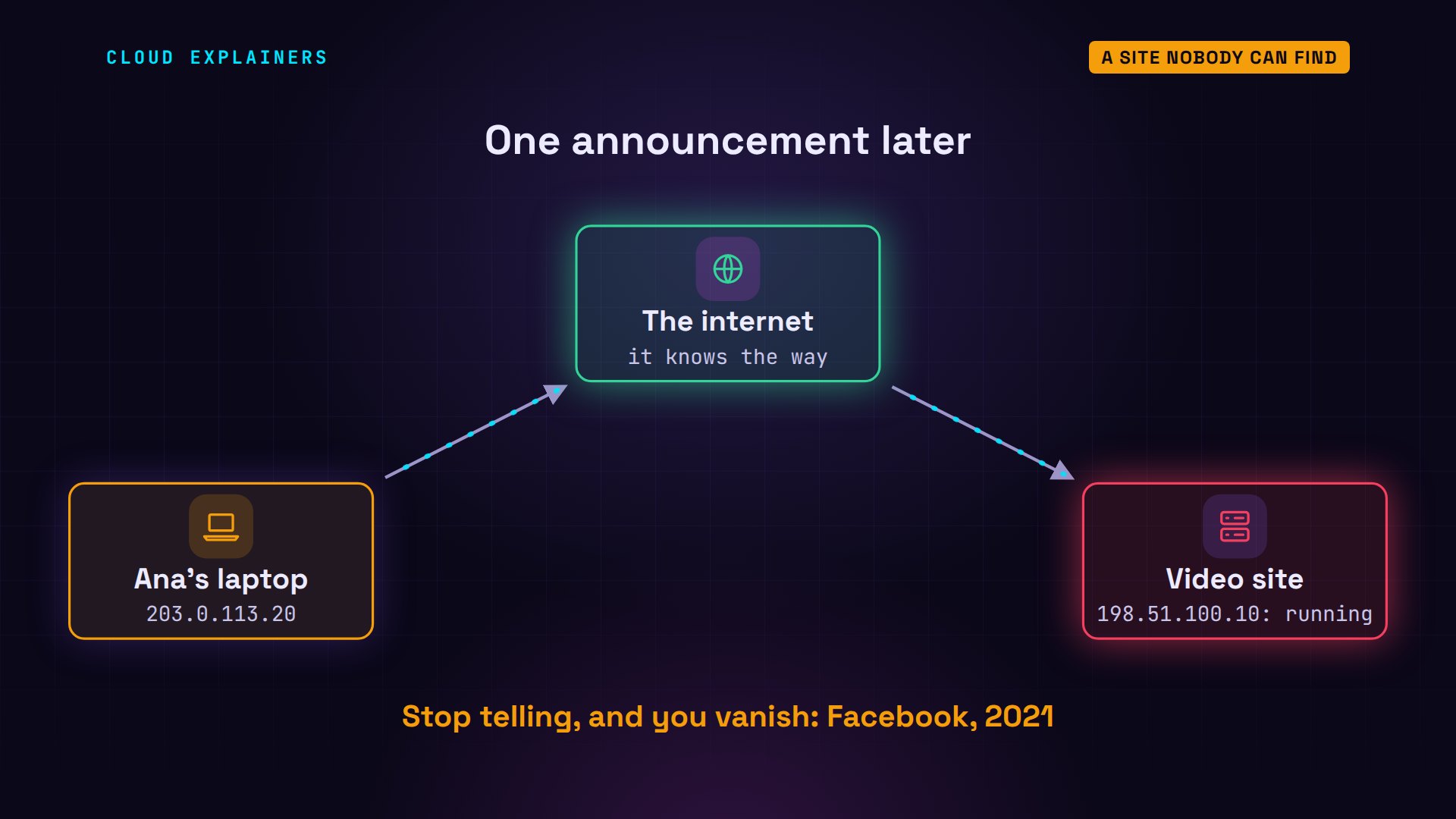
So the video site's router announces its block of addresses, with one command. Ana tries again, and the page loads. That command printed nothing, but within a second, the news had spread from network to network.
vtysh -c 'configure' -c 'router bgp 64503' -c 'network 198.51.100.0/24'
curl -m 5 http://video.example/video.example: now playing 'How tea is made'
Ana's provider learned the way in 0.34 seconds. No one approved it, and no central map was updated. Networks simply told each other. That telling is how the whole internet works, and it's also how a giant company once vanished from it for about six hours.
A network of networks
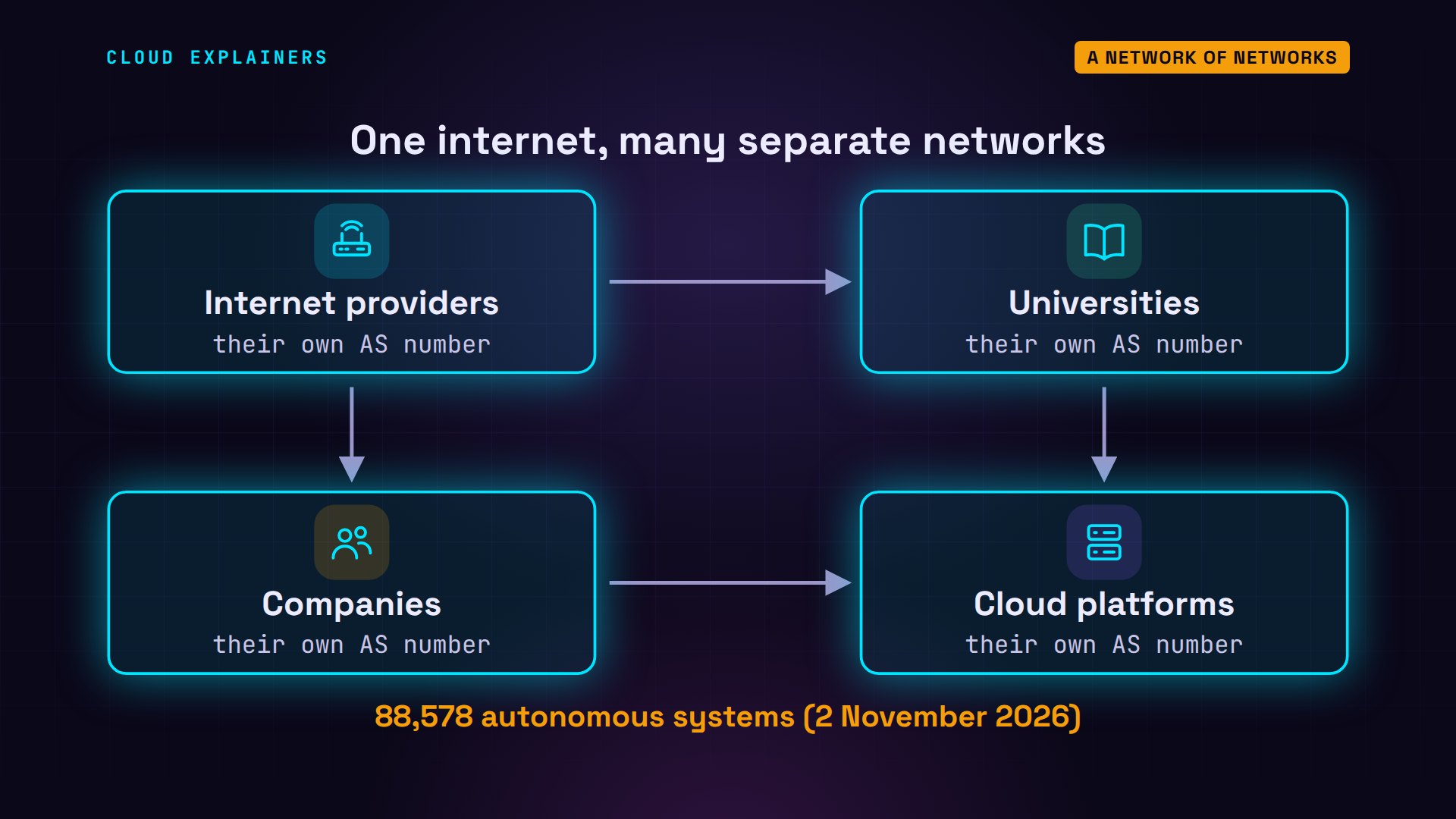
The internet isn't one network. It's tens of thousands of separate networks, each run by someone different: internet providers, universities, companies, cloud platforms. Each one is called an autonomous system, and has its own number. On the day we made this video, the routing collectors of RIPE NCC, Europe's internet registry, saw 88,578 of them.
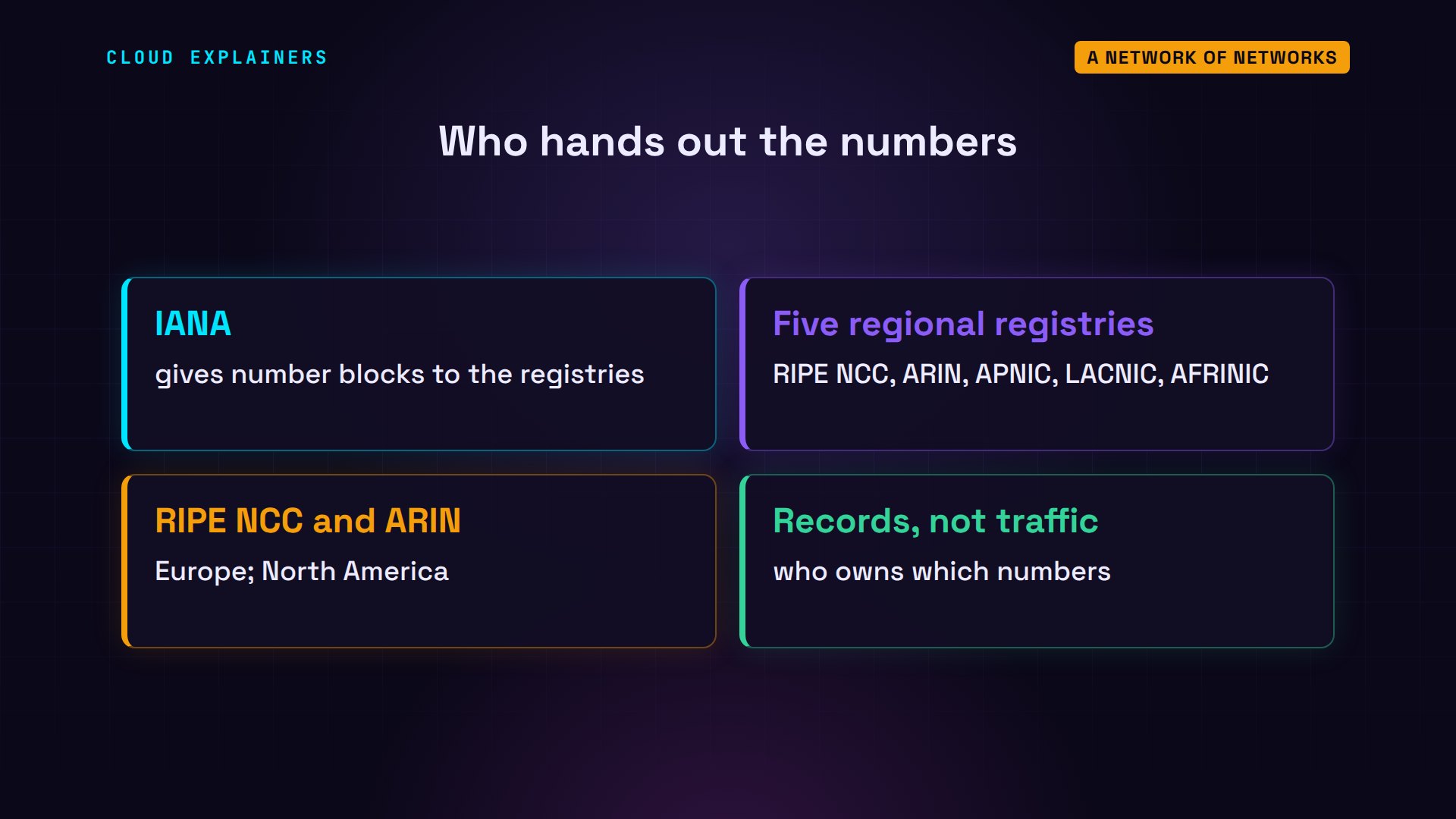
If nobody runs the internet, who hands out those numbers? IANA, the Internet Assigned Numbers Authority, gives blocks of them to five regional registries. RIPE NCC is the one for Europe and the Middle East; ARIN covers North America. Registries keep the list of who owns what. They don't carry anyone's traffic.
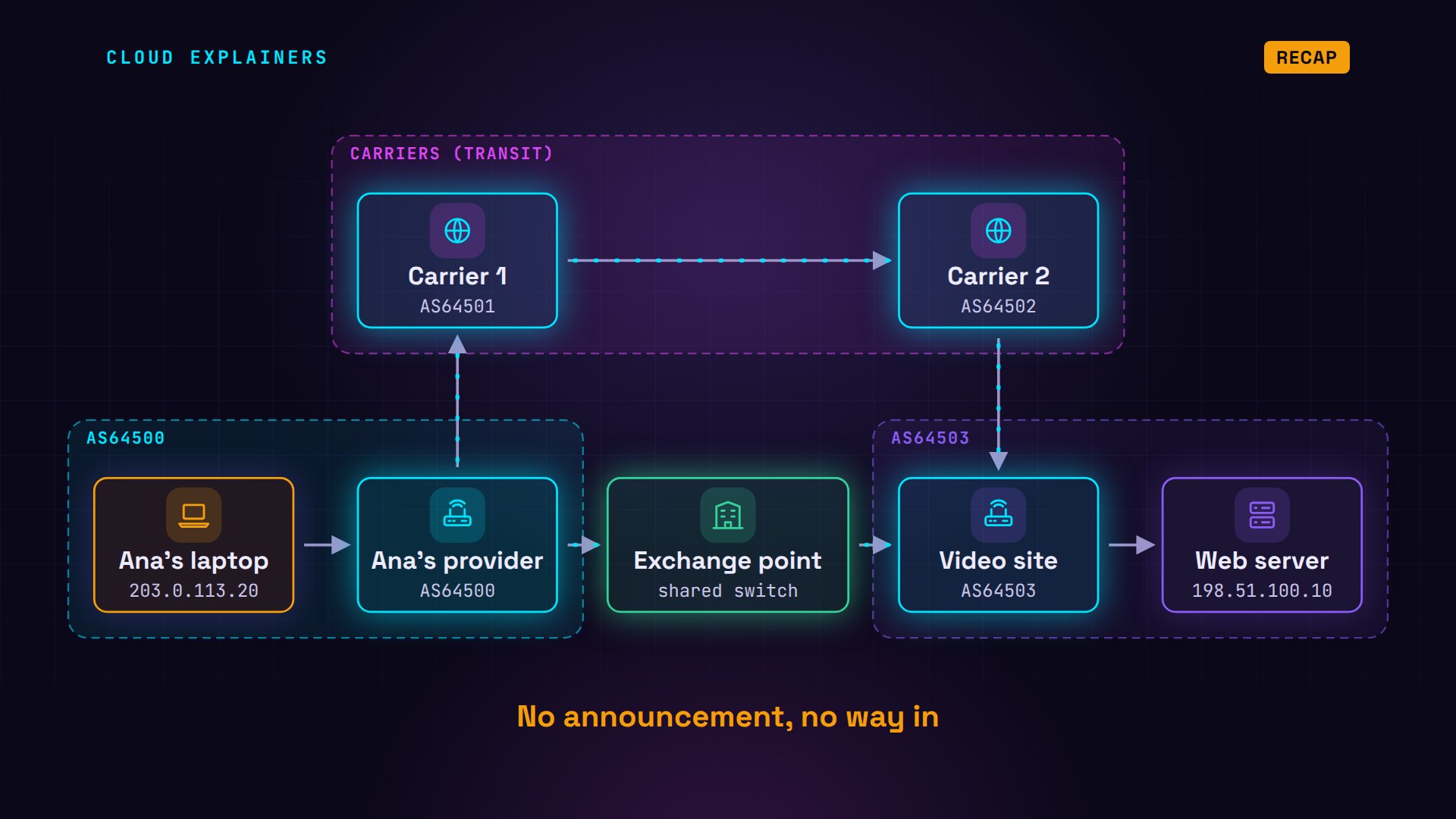
To watch them work, we built a tiny internet of four networks on one computer, running a routing program called FRRouting, which real networks use. Ana's internet provider is network 64500. The video site is 64503. And two big carriers sit between them, 64501 and 64502. These numbers are set aside for examples, so our tiny internet clashes with no real one.
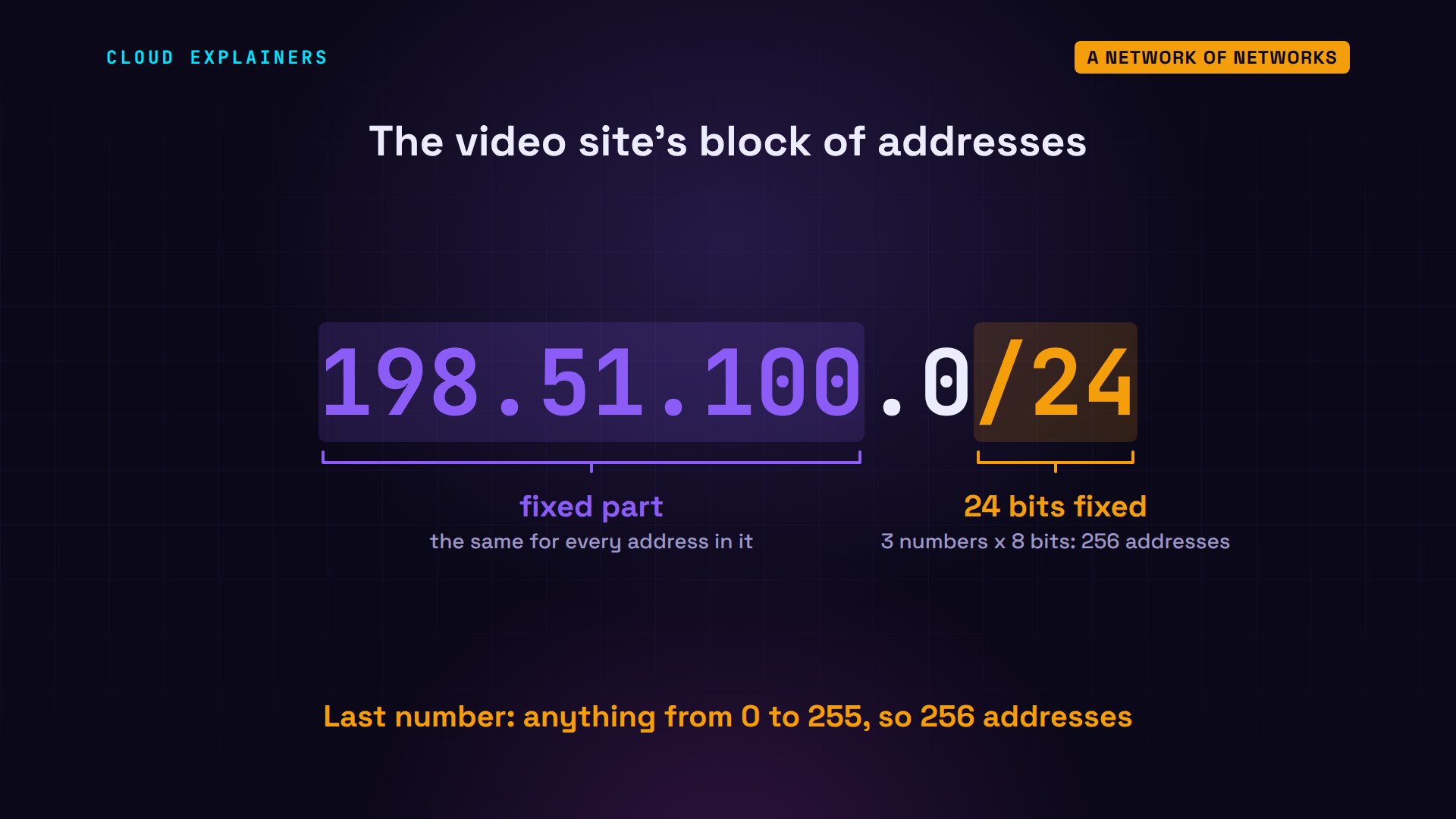
Each network also owns blocks of addresses. The video site's block is 198.51.100.0/24. The first three numbers are fixed, the last one can be anything from 0 to 255, and the 24 says how many bits are fixed: 256 addresses, including the web server's.
How networks connect
How do separate networks connect? The first way is paying. A small network pays a bigger one to carry its traffic to everywhere else: that's called transit. Ana's provider pays carrier one, the video site pays carrier two, and the carriers connect to each other, so together they reach the whole internet. The very biggest carriers, called tier one, pay no one: they reach everywhere by connecting to each other.
The second way is free. Ana's provider sends a lot of traffic to the video site, so paying a carrier for all of it makes no sense. The two connect directly, and swap traffic for nothing: that's called peering. They meet at an internet exchange point: a building where many networks plug into one big shared switch, so one cable reaches all of them.
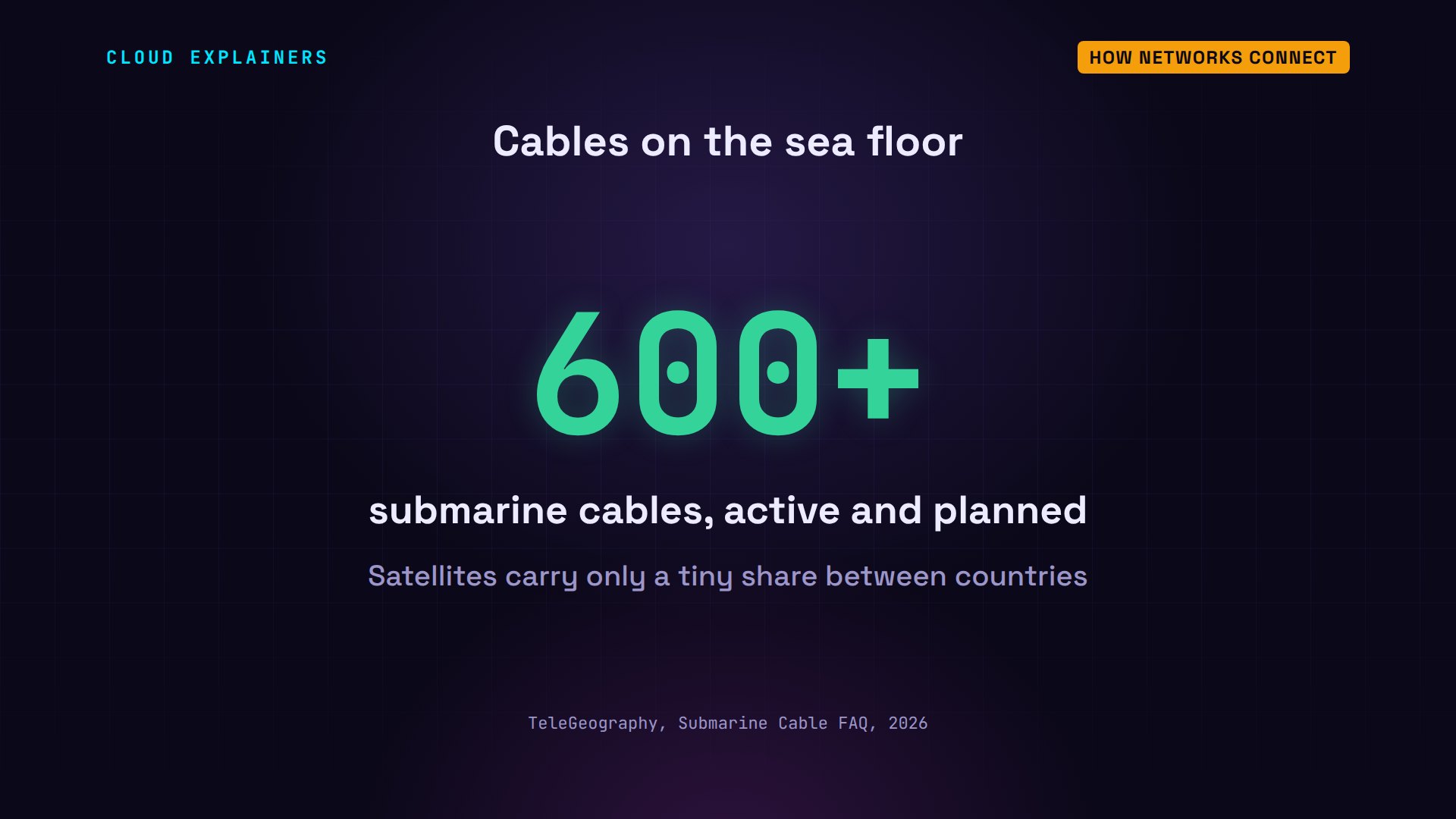
Between cities and continents, those connections are fibre-optic cables, many of them on the sea floor. TeleGeography, which maps them, tracks more than 600 submarine cables, active and planned. Satellites carry only a tiny share of the traffic between countries.
BGP: telling the world
So how did Ana's provider learn where 198.51.100 lives? The routers at the edge of each network use BGP, the Border Gateway Protocol, to talk with their neighbours. The video site told its neighbours: I can reach 198.51.100.0/24. Each neighbour passed it on, adding its own network's number to the front of a list, called the path.
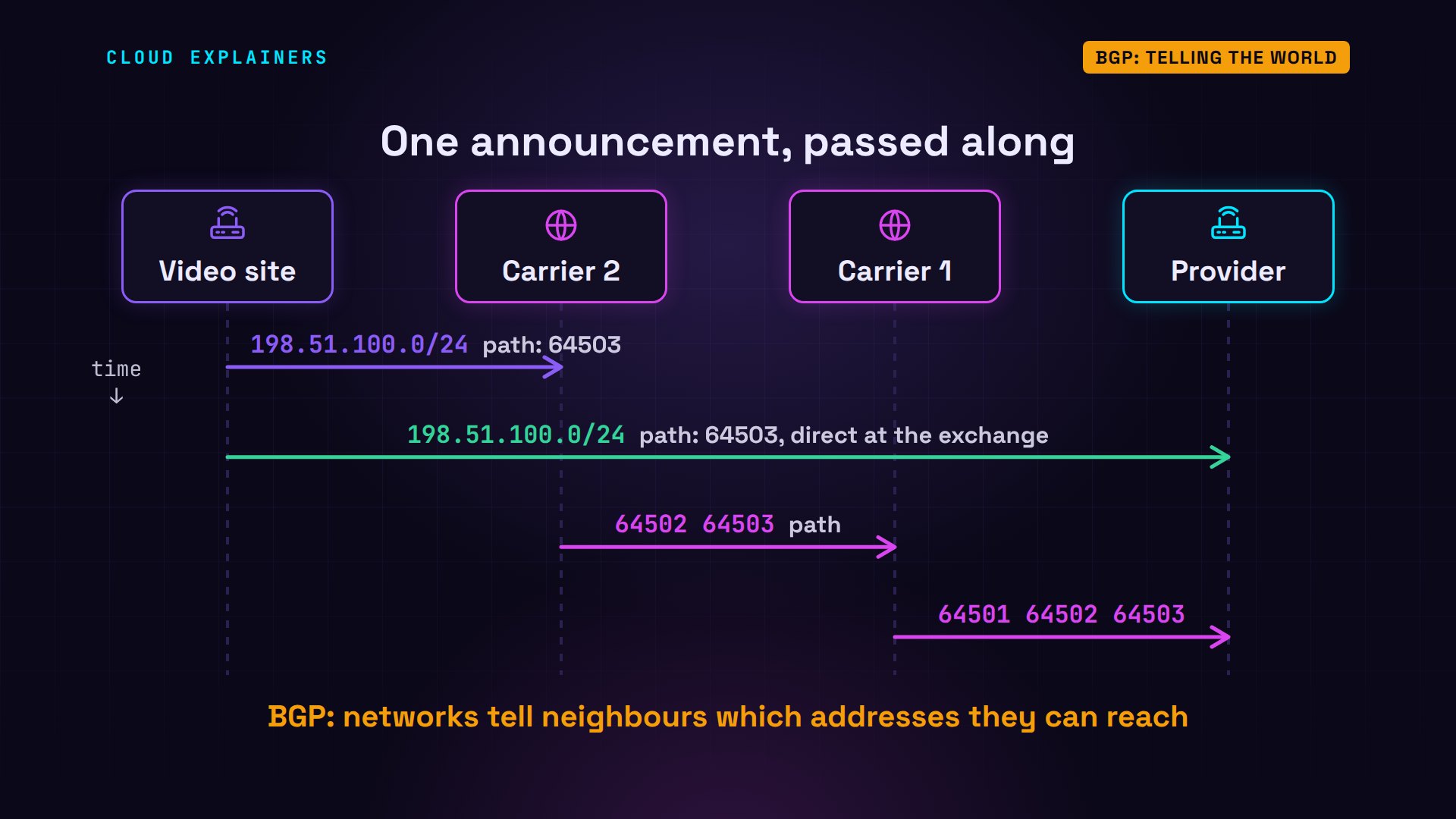
Here's that list on the real routers. Carrier two heard the route straight from the video site, so its path is just one number: 64503. Carrier one heard it through carrier two, so its path has two: 64502, then 64503.
vtysh -c 'show ip bgp'BGP table version is 2, local router ID is 10.255.0.3, vrf id 0
Default local pref 100, local AS 64502
Status codes:  s suppressed, d damped, h history, u unsorted, * valid, > best, = multipath,
               i internal, r RIB-failure, S Stale, R Removed
Nexthop codes: @NNN nexthop's vrf id, < announce-nh-self
Origin codes:  i - IGP, e - EGP, ? - incomplete
RPKI validation codes: V valid, I invalid, N Not found

     Network          Next Hop            Metric LocPrf Weight Path
 *>  198.51.100.0/24  10.0.3.2                 0             0 64503 i
 *>  203.0.113.0/24   10.0.2.1                               0 64501 64500 i

Displayed 2 routes and 2 total paths
vtysh -c 'show ip bgp'BGP table version is 2, local router ID is 10.255.0.2, vrf id 0
Default local pref 100, local AS 64501
Status codes:  s suppressed, d damped, h history, u unsorted, * valid, > best, = multipath,
               i internal, r RIB-failure, S Stale, R Removed
Nexthop codes: @NNN nexthop's vrf id, < announce-nh-self
Origin codes:  i - IGP, e - EGP, ? - incomplete
RPKI validation codes: V valid, I invalid, N Not found

     Network          Next Hop            Metric LocPrf Weight Path
 *>  198.51.100.0/24  10.0.2.2                               0 64502 64503 i
 *>  203.0.113.0/24   10.0.1.1                 0             0 64500 i

Displayed 2 routes and 2 total paths
And Ana's provider heard it twice: once directly from the video site, at the exchange point, and once from its carrier, three networks long. The arrow marks the path it picked.
vtysh -c 'show ip bgp'BGP table version is 2, local router ID is 10.255.0.1, vrf id 0
Default local pref 100, local AS 64500
Status codes:  s suppressed, d damped, h history, u unsorted, * valid, > best, = multipath,
               i internal, r RIB-failure, S Stale, R Removed
Nexthop codes: @NNN nexthop's vrf id, < announce-nh-self
Origin codes:  i - IGP, e - EGP, ? - incomplete
RPKI validation codes: V valid, I invalid, N Not found

     Network          Next Hop            Metric LocPrf Weight Path
 *>  198.51.100.0/24  192.0.2.3                0             0 64503 i
 *                    10.0.1.2                               0 64501 64502 64503 i
 *>  203.0.113.0/24   0.0.0.0                  0         32768 i

Displayed 2 routes and 3 total paths
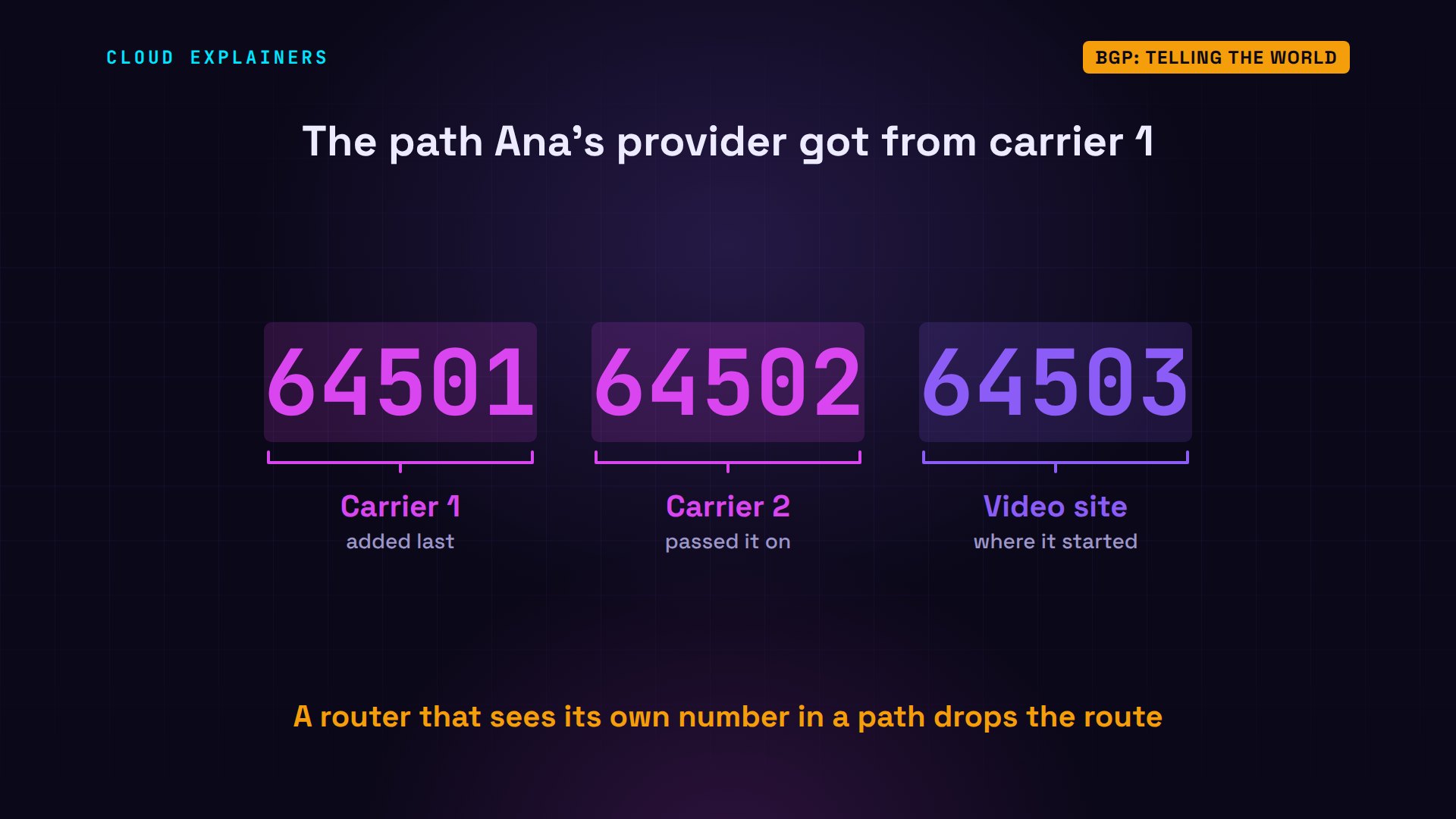
The path does a second job. It stops loops. By the time the route reaches Ana's provider, the path holds three numbers. If a router ever sees its own number in a path, it throws the route away, so an announcement can never circle forever.
One more rule shaped what we saw. Ana's provider tells its carrier only about its own customers' addresses, not the video site's route it learned at the exchange. Passing it on would invite the carrier to send its video traffic through Ana's provider, and the provider would carry its own carrier's traffic for free, when it's the provider that pays the carrier. So every network chooses what to pass on, and to whom.
Picking a path
With two paths, the router picks one. Networks can set their own preferences first, often to save money. When nothing else decides, the rule is simple: the path through fewer networks wins. One network beats three.
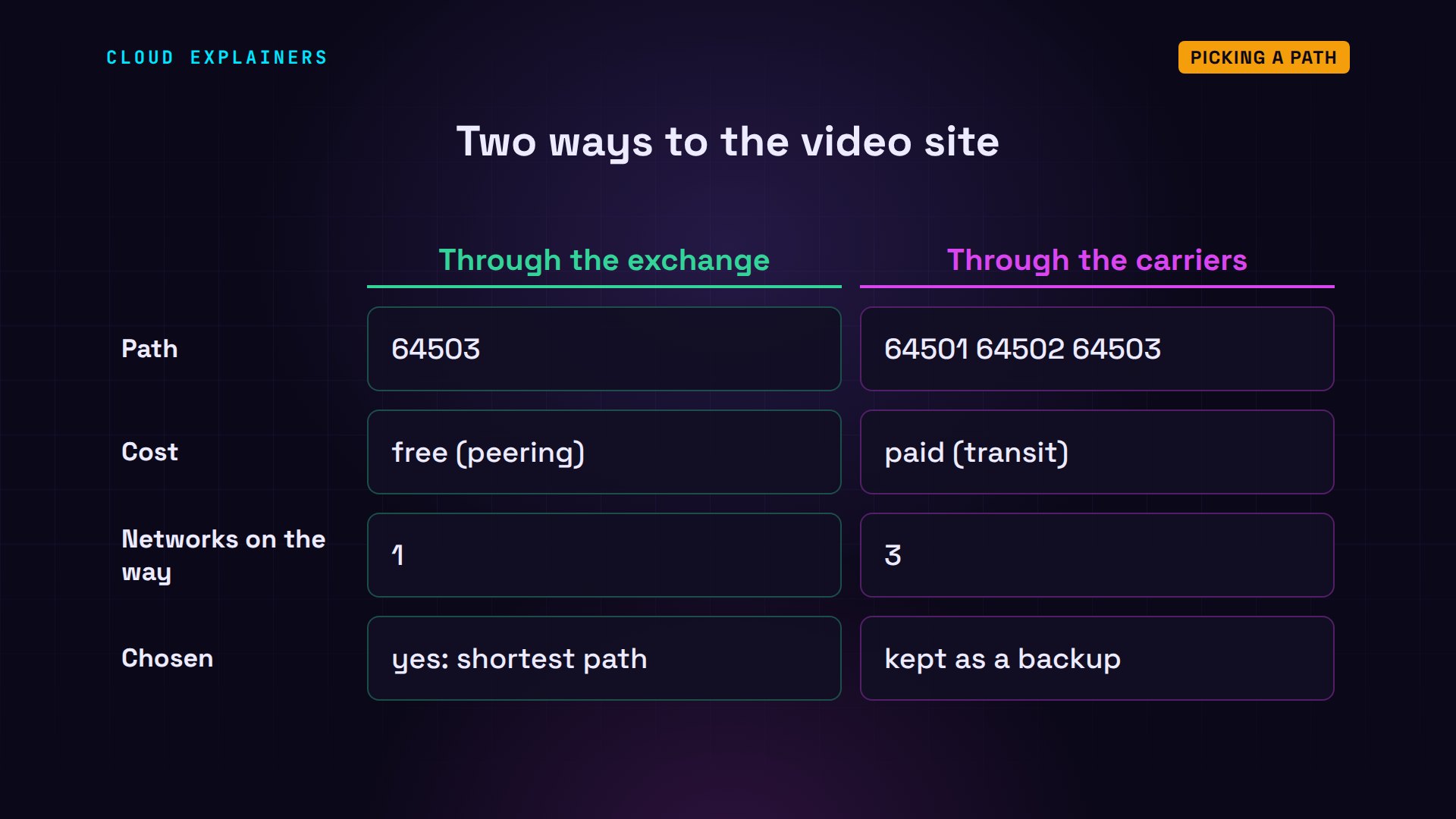
The router even says why. Two paths available, and next to the first: best, because of the AS path, the list of networks. The second stays in the table, ready.
vtysh -c 'show ip bgp 198.51.100.0/24'BGP routing table entry for 198.51.100.0/24, version 2
Paths: (2 available, best #1, table default)
  Not advertised to any peer
  64503
    192.0.2.3 from 192.0.2.3 (10.255.0.4)
      Origin IGP, metric 0, valid, external, best (AS Path)
      Last update: Mon Nov  2 12:24:15 2026
  64501 64502 64503
    10.0.1.2 from 10.0.1.2 (10.255.0.2)
      Origin IGP, valid, external
      Last update: Mon Nov  2 12:24:15 2026
traceroute shows the trip Ana's packets take. Hop one: her provider. Hop two is the video site's router, seen through its exchange point address. Hop three: the web server.
traceroute -n -q 1 video.exampletraceroute to video.example (198.51.100.10), 30 hops max, 60 byte packets
 1  203.0.113.1  0.021 ms
 2  192.0.2.3  0.014 ms
 3  198.51.100.10  0.018 ms
Every packet takes the short way: from Ana's laptop to her provider, across the exchange point, into the video site. The carriers never see it. That's free for both networks, and usually faster for Ana.
When a cable breaks
Now someone unplugs the video site's cable at the exchange point. How does Ana's provider find out? BGP neighbours send each other a short I'm still here message, called a keepalive, on a timer. When one goes quiet for too long, past a limit called the hold time, it's declared gone, along with every route it sent.
Our routers say I'm still here every 3 seconds, and wait 9 seconds before giving up. That's shortened for the demo: this software's usual default is three minutes. Ana pings the video site five times a second while the cable is pulled. 30 of 100 pings are lost: about 6 seconds without the site.
vtysh -c 'show ip bgp neighbors 192.0.2.3' | grep -E 'Hold time is|BGP state'BGP state = Established, up for 00:00:20 Hold time is 9 seconds, keepalive interval is 3 seconds
ping -n -i 0.2 -c 100 -q video.examplePING video.example (198.51.100.10) 56(84) bytes of data.

--- video.example ping statistics ---
100 packets transmitted, 70 received, 30% packet loss, time 20588ms
rtt min/avg/max/mdev = 0.041/0.069/0.095/0.009 ms
Then Ana's provider drops the dead path and uses the one it kept: through both carriers. traceroute now shows five hops instead of three, and the site loads again.
vtysh -c 'show ip bgp'BGP table version is 3, local router ID is 10.255.0.1, vrf id 0
Default local pref 100, local AS 64500
Status codes:  s suppressed, d damped, h history, u unsorted, * valid, > best, = multipath,
               i internal, r RIB-failure, S Stale, R Removed
Nexthop codes: @NNN nexthop's vrf id, < announce-nh-self
Origin codes:  i - IGP, e - EGP, ? - incomplete
RPKI validation codes: V valid, I invalid, N Not found

     Network          Next Hop            Metric LocPrf Weight Path
 *>  198.51.100.0/24  10.0.1.2                               0 64501 64502 64503 i
 *>  203.0.113.0/24   0.0.0.0                  0         32768 i

Displayed 2 routes and 2 total paths
traceroute -n -q 1 video.exampletraceroute to video.example (198.51.100.10), 30 hops max, 60 byte packets
 1  203.0.113.1  0.036 ms
 2  10.0.1.2  0.024 ms
 3  10.0.2.2  0.021 ms
 4  10.0.3.2  0.029 ms
 5  198.51.100.10  0.026 ms
That's the internet's great strength. There's no central map to repair. Each network notices the broken link on its own, and finds another way. Real networks often add faster link checks, so they notice in well under a second.
When a network vanishes
Last test. The video site's router withdraws its announcement. In 0.4 seconds, Ana's provider and carrier one have both forgotten the way. Carrier one: network not in table. And Ana is back where she started: couldn't connect.
vtysh -c 'configure' -c 'router bgp 64503' -c 'no network 198.51.100.0/24'
vtysh -c 'show ip bgp 198.51.100.0/24'% Network not in table
curl -m 5 http://video.example/curl: (7) Failed to connect to video.example port 80 after 0 ms: Couldn't connect to server
Yet the web server is fine. From inside the video site's own network, the page loads. It's running. The internet just doesn't know where it is.
wget -qO- http://198.51.100.10/video.example: now playing 'How tea is made'
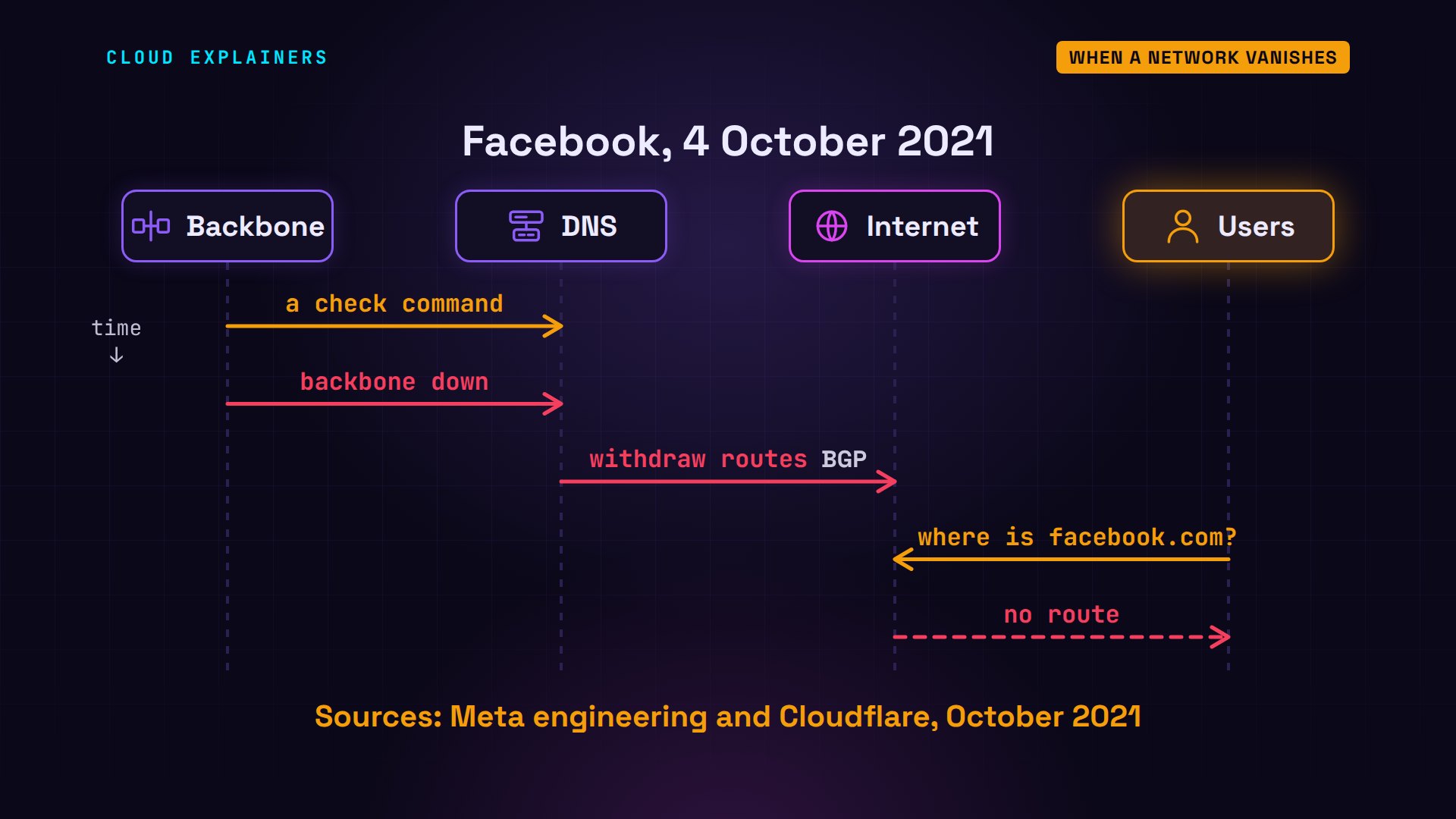
That's what happened to Facebook on 4 October 2021. A command meant to check its backbone, the network joining its data centres, took the whole backbone down. Its DNS servers, which answer where facebook.com is, are built to stop announcing themselves when they can't reach the data centres. So they withdrew their BGP routes, and the rest of the internet could no longer find them.
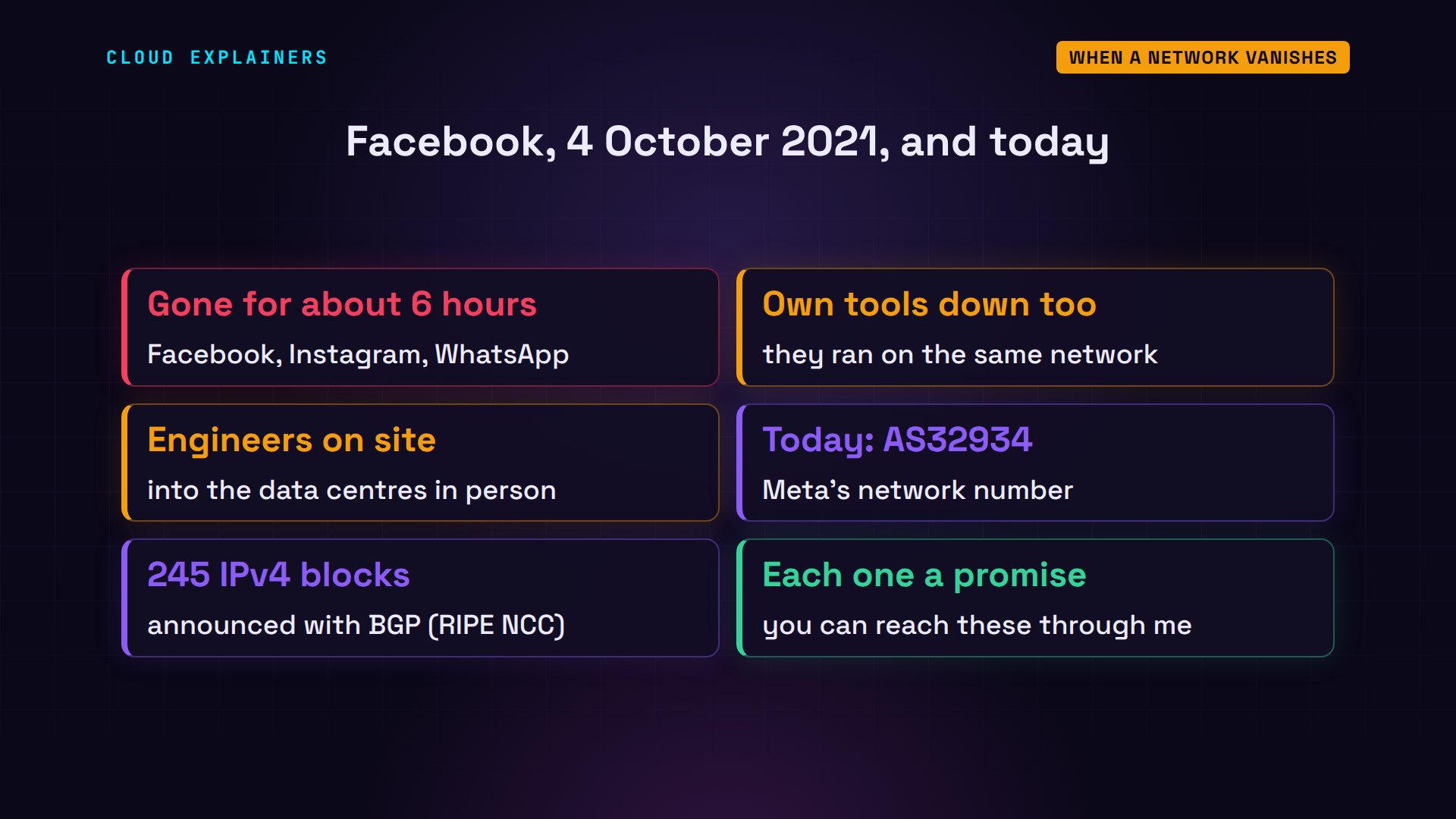
Facebook, Instagram and WhatsApp were gone for about six hours. With the network down, even the company's own tools stopped working, so engineers had to go into the data centres in person. Today, Meta's network, AS32934, announces 245 blocks of IPv4 addresses, each one a promise: you can reach these through me.
Recap
So here's how the internet works. It's about 88 thousand separate networks. They connect by paying carriers for transit, or by peering for free at exchange points, over cables that cross oceans. Each network announces its addresses with BGP, and the announcement spreads, every network adding its number. Routers pick the shortest path, switch to another when a cable breaks, and forget a network the moment it stops announcing.
If watching one route spread across a tiny internet made this click, subscribing helps more beginners find this series.
Every command and number in this video came from a real run on our own machine. This was episode nine of Networking for Beginners. Thanks for watching Cloud Explainers.
Sources
- RFC 4271, A Border Gateway Protocol 4 (BGP-4)
- RFC 5398, AS number reservation for documentation
- RIPEstat (RIPE NCC Routing Information Service)
- TeleGeography, Submarine Cable FAQ
- Meta engineering, More details about the October 4 outage
- Cloudflare, Understanding how Facebook disappeared from the Internet
- FRRouting documentation, BGP
Demos: real output from four routers and two computers in containers on our own machine, using addresses and network numbers reserved for documentation; nothing touched the real internet's routing. Watch the full video on YouTube.
More videos
SQL vs NoSQL: When Each One Wins
How to Fix JWT Token Expired Errors (401 Unauthorized)

Claude API vs Claude Pro: Why Your Subscription Doesn't Include It

Why AI Agent Skills Beat Giant Prompts

Linux Cron Jobs Will Finally Make Sense After This

Security Logs Will Finally Make Sense After This

How to Fix a Security Leak: An API Key Pushed to GitHub

DNS Will Finally Make Sense After This

Never Ignore a Security Update

Two-Factor Authentication Will Finally Make Sense

Never Expose a Database to the Internet

SSH Keys vs Passwords: Which Is Safer for Security?

The 5 Levels of Linux Boot: From Power On to Login

The 5 Levels of Network Firewalls

Password Security: Why Hackers Crack Weak Passwords

Why Your Linux Server Runs Out of Memory

HTTP vs HTTPS: What Actually Changes on Your Network

Every Linux File Permission You Need to Know

Linux Processes vs Threads: When Each One Wins

The OSI Model Will Finally Make Sense After This

The 7 Levels of Git

Every Network Troubleshooting Command You Need

Hashing vs Encryption in Cybersecurity: When Each One Wins

Why the Internet Ran Out of IP Addresses

Linux Package Managers: apt vs Snap vs Flatpak

Why Python Is Slow (and When It Doesn't Matter)

TCP vs UDP: When Each One Wins

Stop Running Linux as Root (Do This Instead)

Linux Users and Groups Will Finally Make Sense

Why Phishing Beats Good Security (and How to Spot It)

The 7 Levels of Docker

AI Agents Will Finally Make Sense After This

Stop Using git push --force (Use This Instead)

Agent Skills vs MCP: When Each One Wins

Networking Will Finally Make Sense After This

Every Linux Command You Actually Need

The 7 Levels of Cybersecurity

Every System Design Concept You Need, in One Diagram
