
Every Linux Command You Actually Need
The 32 Linux commands you'll actually use, in ten groups, for complete beginners: finding your way around, files, reading and searching, pipes, permissions and sudo, processes, disk space, installing software, the network, and getting help. Every command runs for real on Ubuntu 24.04.
The terminal
Your disk is filling up. Which folders are eating it? On Linux, one line tells you. It measures everything in your home folder, sorts it biggest first, and keeps the top three. Your videos: 421 megabytes. This page teaches you to read lines like this, and write your own, with the 32 commands you'll actually use.
du -sh * | sort -rh | head -n 3421M	Videos
37M	Pictures
24K	app.log
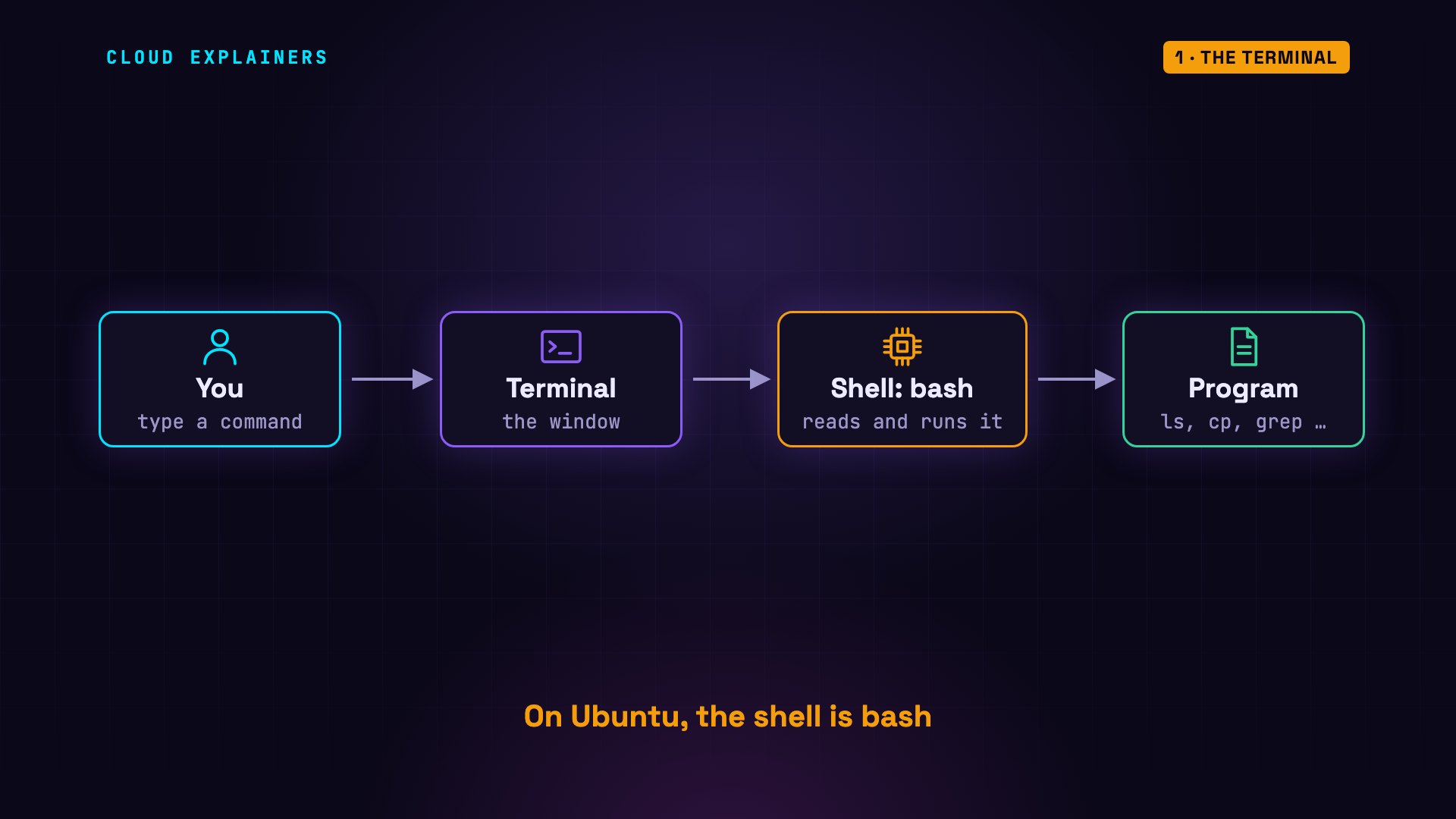
Two words first. The terminal is the window you type in. Inside it runs the shell: a program that reads each command, runs it, and prints the result. On Ubuntu, it's called bash.
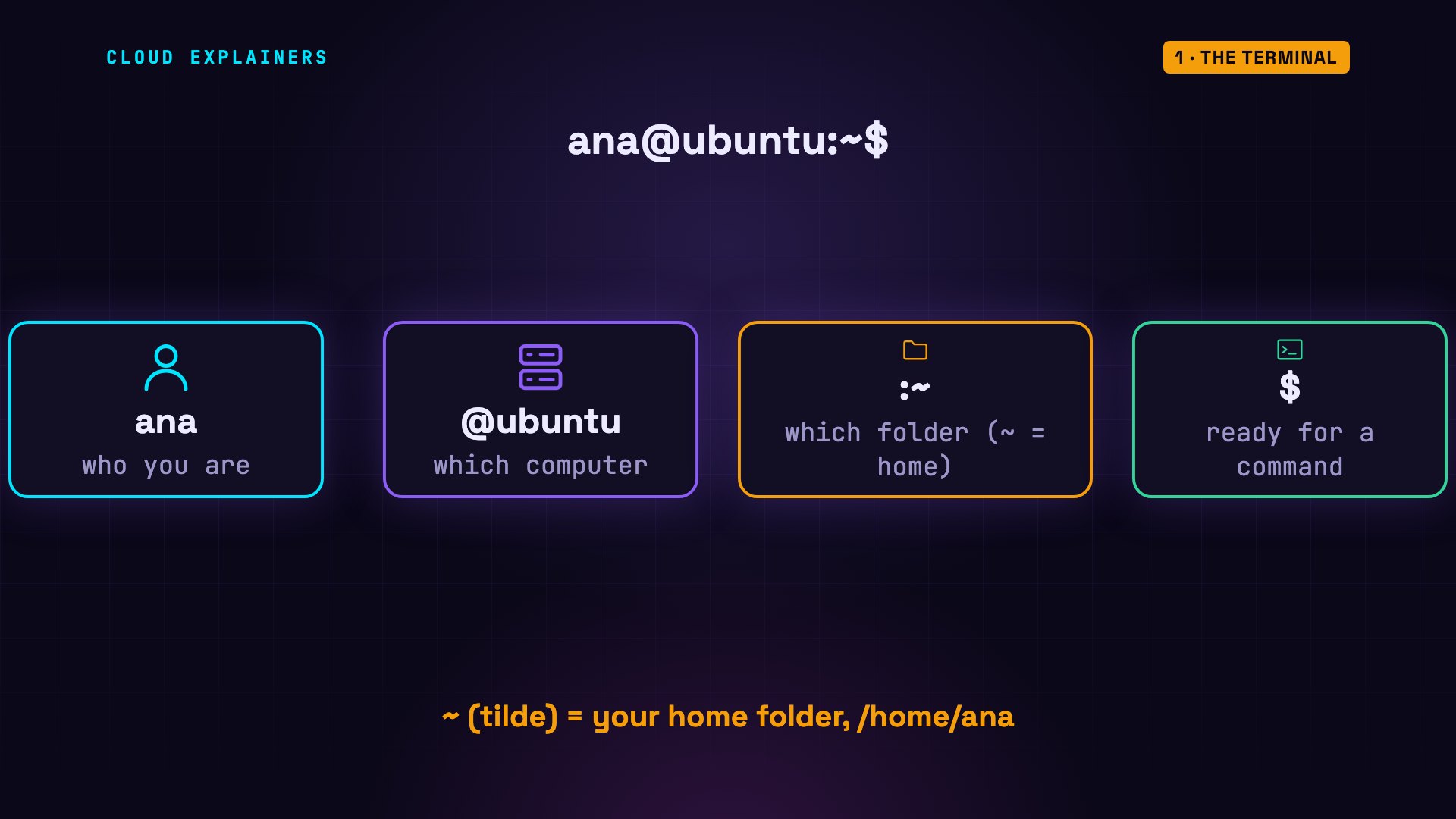
Before your cursor, the shell prints a prompt. Who you are: ana. Which computer: ubuntu. Which folder: the tilde means your home folder. And the dollar sign: ready for a command.
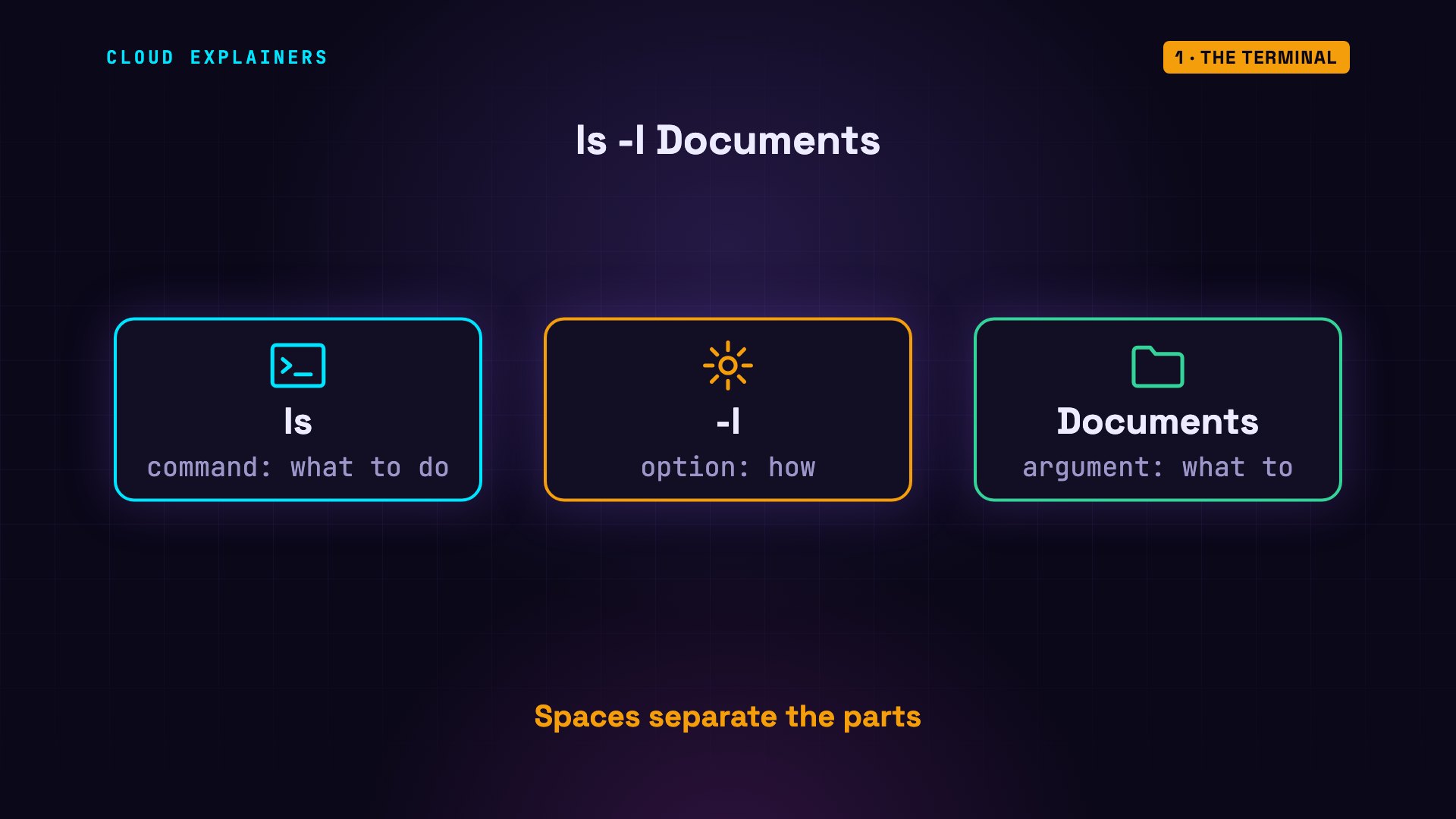
Commands follow one pattern. The command says what to do: ls means list. Options start with a dash and change how: -l means the long version. Arguments say what to do it to: the Documents folder. Spaces separate the three parts.
Run it, and you get the long list of the two files inside Documents. We'll read those other columns in a minute.
ls -l Documentstotal 8
-rw-r--r-- 1 ana ana 32 Oct 23 19:57 budget.csv
-rw-r--r-- 1 ana ana 28 Oct 23 19:57 report.txt
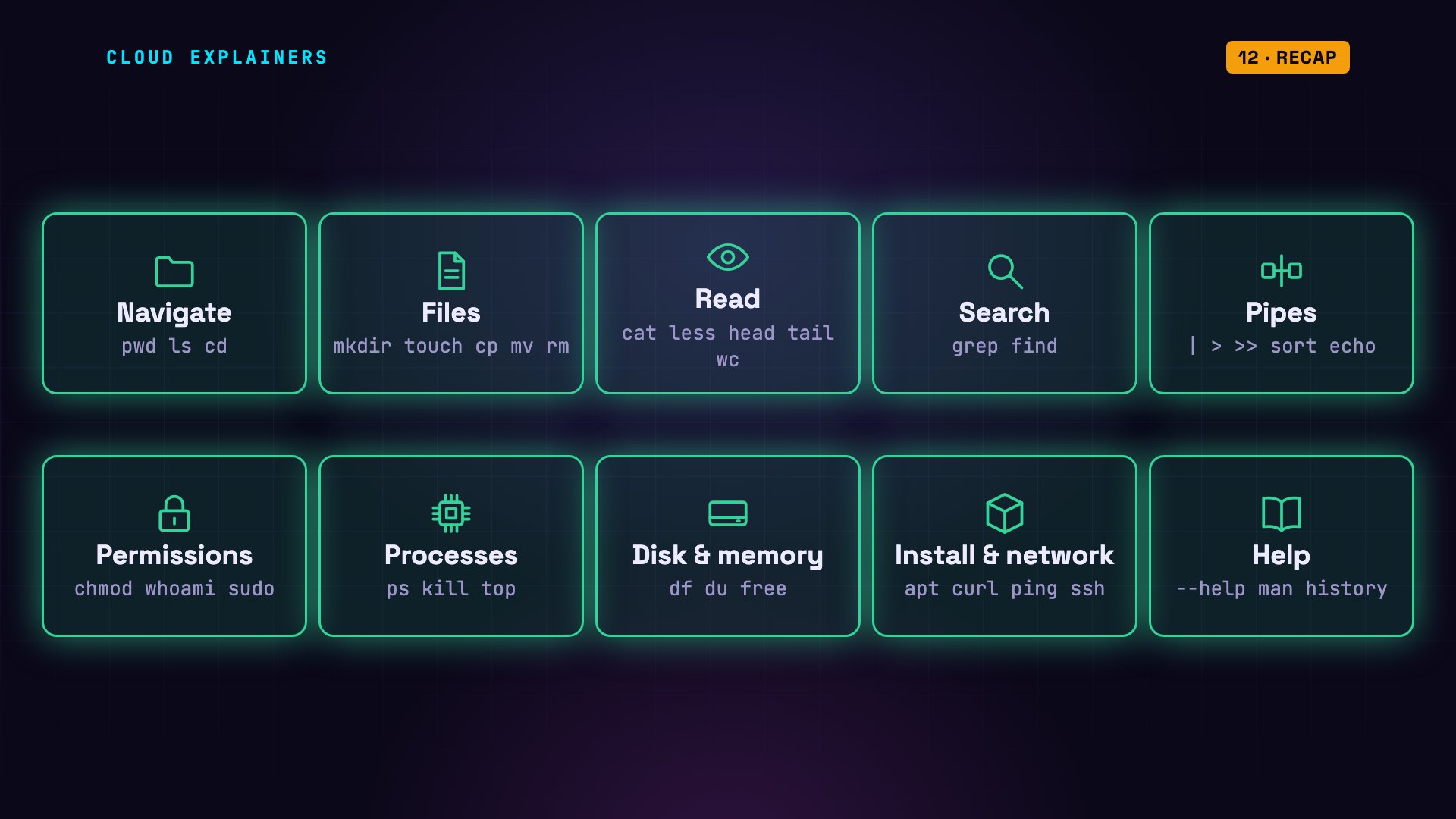
Here's the whole map: 32 commands in ten groups, from finding your way around to installing software. We'll take them one group at a time, and every command runs for real, on Ubuntu 24.04, a popular version of Linux.
Navigate: pwd, ls, cd
Group one: finding your way around.
pwd prints the folder you're in, your working directory: /home/ana, your home folder. ls lists what's in it: folders and files. Names that start with a dot are hidden files, which usually hold settings. ls -a shows them too.
pwd/home/ana
lsDocuments  Videos   backup.sh  projects
Pictures   app.log  notes.txt
ls -a.   .bash_logout  .profile   Pictures  app.log    notes.txt
..  .bashrc       Documents  Videos    backup.sh  projects
ls -l, the long list, shows one line per item. A d at the start means directory, which is Linux for folder. Then come the permissions, the owner, the size in bytes, and when it last changed.
ls -ltotal 48
drwxr-xr-x 2 ana ana  4096 Oct 23 19:57 Documents
drwxr-xr-x 2 ana ana  4096 Oct 23 19:57 Pictures
drwxr-xr-x 2 ana ana  4096 Oct 23 19:57 Videos
-rw-r--r-- 1 ana ana 23312 Oct 23 19:57 app.log
-rw-r--r-- 1 ana ana    96 Oct 23 19:57 backup.sh
-rw-r--r-- 1 ana ana    59 Oct 23 19:57 notes.txt
drwxr-xr-x 3 ana ana  4096 Oct 23 19:57 projects
Every file on Linux lives in one big tree. It starts at a single slash, called the root. Home folders are inside /home, so yours is /home/ana. Settings for the whole system live in /etc, and logs in /var/log.
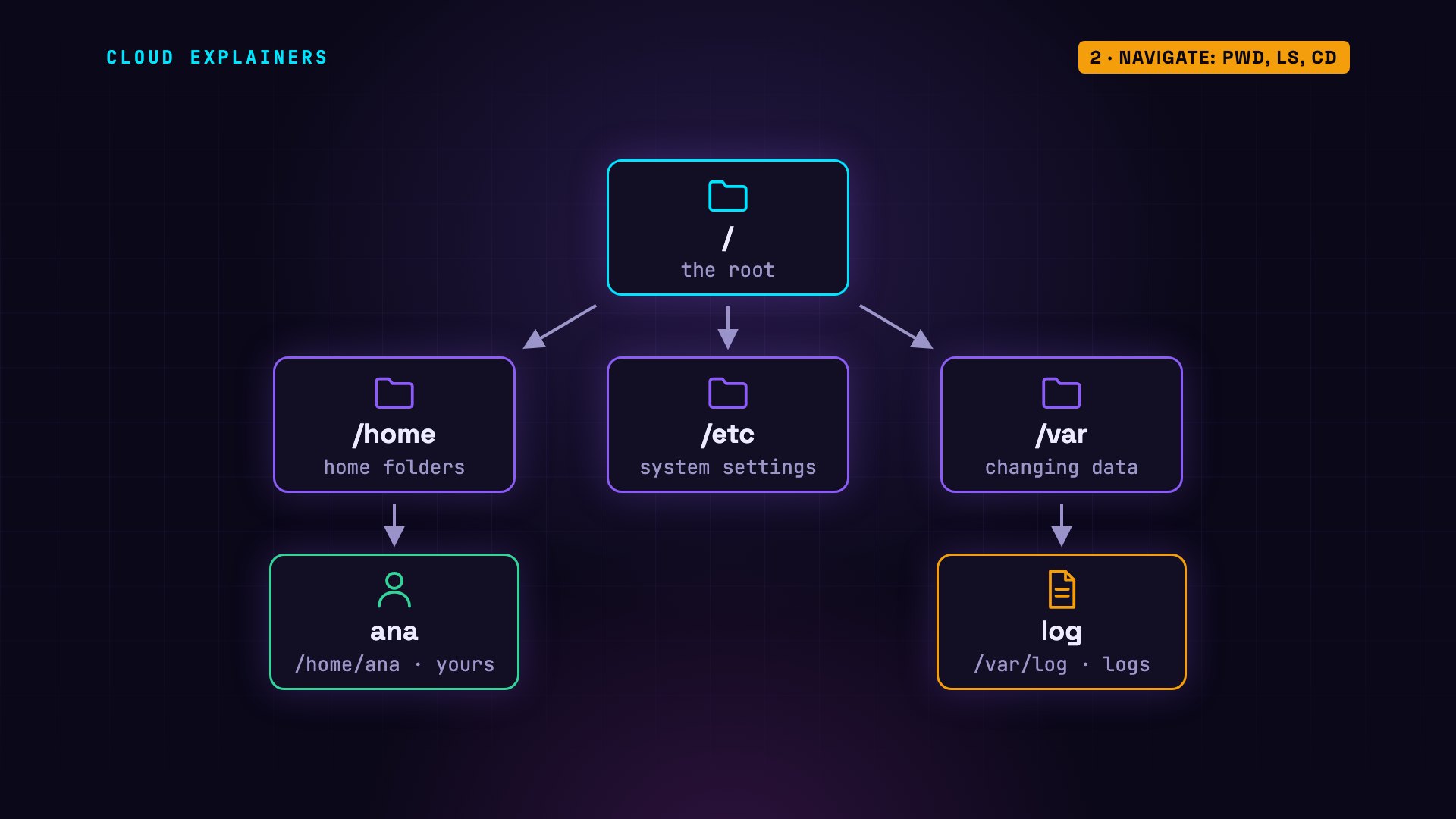
cd changes directory. cd projects/website goes two folders down. No slash at the start means: start from where you are. Watch the prompt: it now shows where you are. cd.. goes up one level: two dots always mean the folder above. And cd on its own takes you home, from anywhere.
cd projects/website
lsindex.html style.css
cd ..
pwd/home/ana/projects
cd
pwd/home/ana
Files: mkdir, cp, mv, rm
Group two: making, copying, moving, and deleting files.
mkdir makes a directory: here, a folder called backups. touch creates an empty file. And ls shows both are there.
mkdir backups
touch todo.txt
lsDocuments  Videos   backup.sh  notes.txt  todo.txt
Pictures   app.log  backups    projects
cp copies: first what to copy, then where to put it. mv moves a file, and it's also how you rename one: todo.txt becomes tasks.txt.
cp notes.txt backups/
ls backupsnotes.txt
mv todo.txt tasks.txt
lsDocuments  Videos   backup.sh  notes.txt  tasks.txt
Pictures   app.log  backups    projects
rm removes a file. There's no trash can here: it's gone for good. rm refuses to remove a folder. Add -r, for recursive, and it removes the folder and everything inside it. So read the line twice before you press Enter.
rm tasks.txt
rm backupsrm: cannot remove 'backups': Is a directory
rm -r backups
lsDocuments  Videos   backup.sh  projects
Pictures   app.log  notes.txt
Read: cat, head, tail
Group three: reading files.
cat prints a whole file: perfect for short ones, like our notes. Before you open a long file, wc -l counts its lines. This log, from a test web shop, has 480.
cat notes.txtMeeting at 10:00
Back up the website
Renew the domain name
wc -l app.log480 app.log
head shows the first lines; -n 3 means three of them. tail shows the last lines. Logs add new lines at the end, so tail shows what just happened. Each line has a date and time, a level, like INFO or ERROR, and a message.
head -n 3 app.log2026-10-23 09:00:01 INFO  GET /cart 200 in 57 ms
2026-10-23 09:00:04 INFO  GET /cart 200 in 20 ms
2026-10-23 09:00:08 INFO  GET /shop 200 in 31 ms
tail -n 3 app.log2026-10-23 09:39:08 INFO  GET /shop 200 in 45 ms
2026-10-23 09:39:12 INFO  GET / 200 in 10 ms
2026-10-23 09:39:21 INFO  GET /login 200 in 25 ms
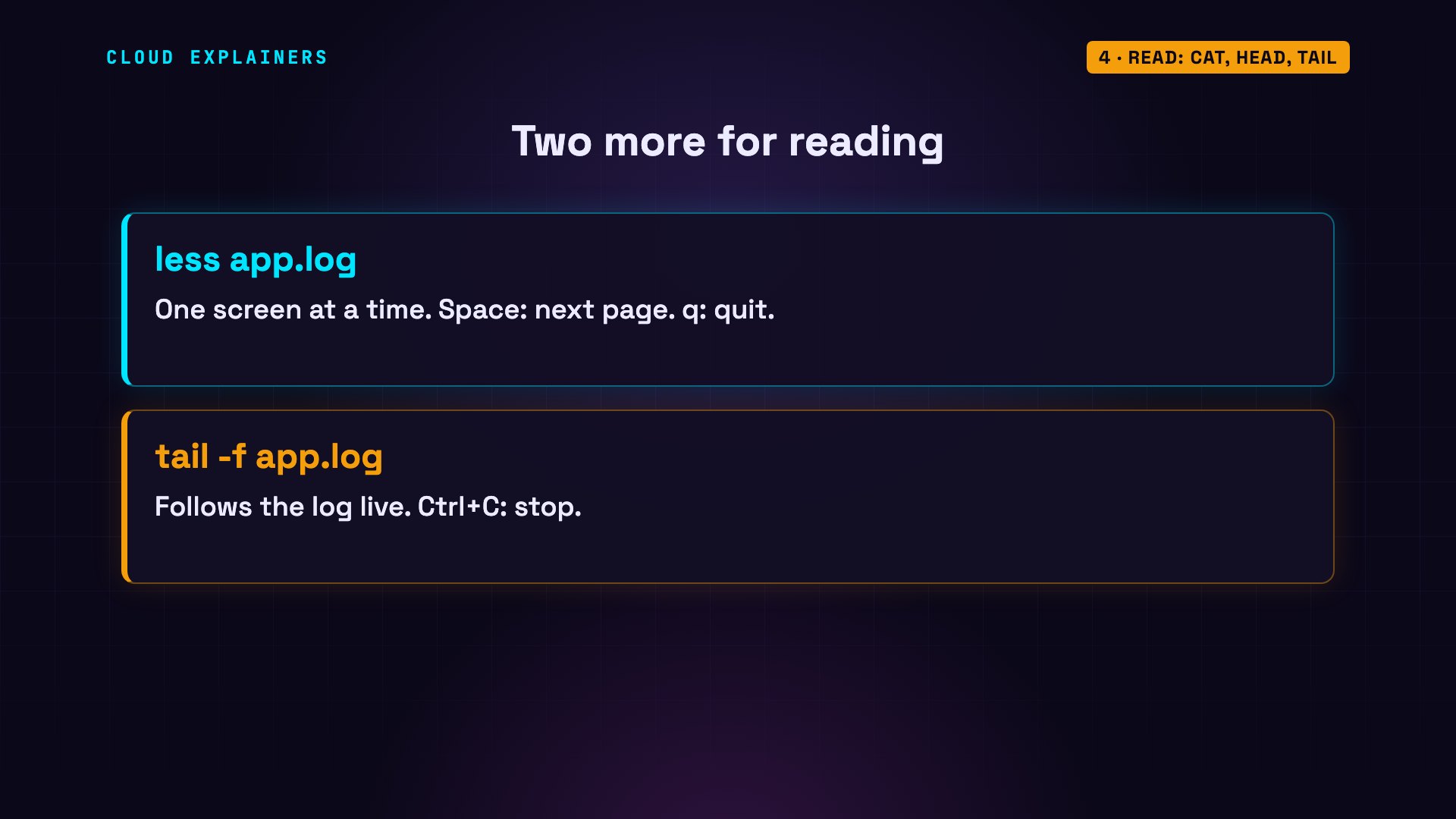
Two more for reading. less opens a long file one screen at a time: space goes down a page, and q quits. And tail -f follows a log live, printing new lines as they arrive, until you press Control C.
Search: grep, find
Group four: searching.
grep searches inside files. Give it some text and a file, and it prints every line that contains that text: 6 disk-full errors. -c counts the matching lines instead: 28 errors in all.
grep "disk full" app.log2026-10-23 09:04:51 ERROR disk full: could not write upload
2026-10-23 09:10:48 ERROR disk full: could not write upload
2026-10-23 09:12:31 ERROR disk full: could not write upload
2026-10-23 09:18:34 ERROR disk full: could not write upload
2026-10-23 09:28:16 ERROR disk full: could not write upload
2026-10-23 09:34:30 ERROR disk full: could not write upload
grep -c ERROR app.log28
find searches for the files themselves, by name or by size. The dot means start here, in this folder and every folder inside it. Every file whose name ends in.txt. Or every file bigger than 100 megabytes: that holiday video.
find . -name "*.txt"./Documents/report.txt
./notes.txt
find . -size +100M./Videos/holiday.mp4
Pipes and redirection
Group five: pipes, where Linux gets powerful.
The vertical bar is called a pipe. It sends one command's output into the next command, instead of to the screen. Each command does one small job, and pipes join them: grep keeps only the error lines, and wc counts them.
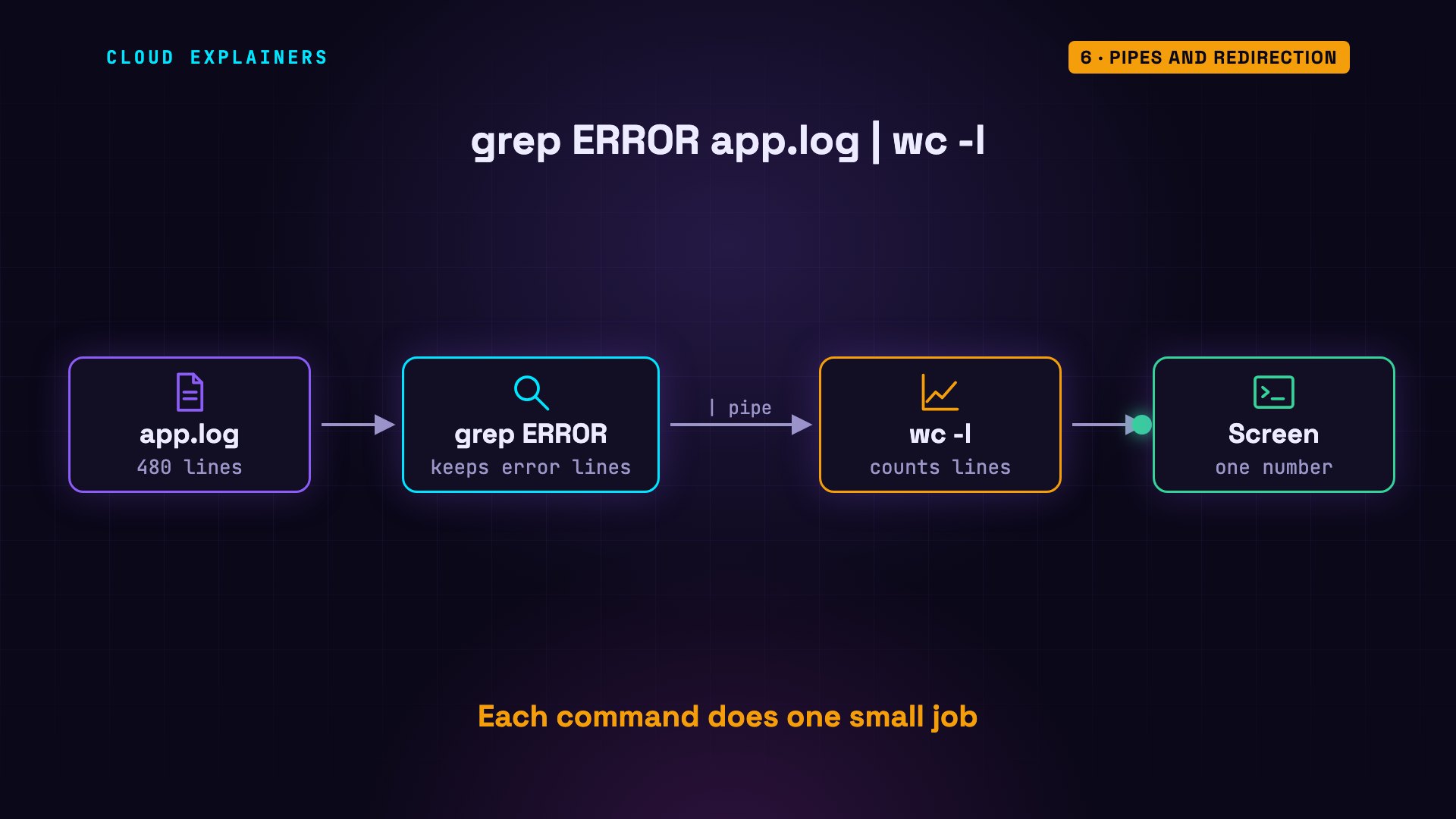
One number: 28. Now the line from the start. du -sh shows how much space each item uses, in human-friendly units. Pipe that into sort -rh, and the biggest comes first. Then head keeps the top three.
grep ERROR app.log | wc -l28
du -sh *12K	Documents
37M	Pictures
421M	Videos
24K	app.log
4.0K	backup.sh
4.0K	notes.txt
16K	projects
du -sh * | sort -rh421M	Videos
37M	Pictures
24K	app.log
16K	projects
12K	Documents
4.0K	notes.txt
4.0K	backup.sh
A pipe sends output to another command. An arrow sends it to a file. Here, all 28 error lines go into errors.txt. Careful: one arrow replaces whatever was in the file. Two arrows add to the end instead. echo prints text, so this adds a line to our notes.
grep ERROR app.log > errors.txt
wc -l errors.txt28 errors.txt
echo "Call the bank" >> notes.txt
cat notes.txtMeeting at 10:00
Back up the website
Renew the domain name
Call the bank
Permissions: chmod, sudo
Group six: permissions, and the most powerful word in Linux.
This script backs up the Documents folder. To run a program in the current folder, type dot slash, then its name: the dot means this folder. Permission denied. The reason is in those letters at the start.
ls -l backup.sh-rw-r--r-- 1 ana ana 96 Oct 23 19:57 backup.sh
./backup.shbash: ./backup.sh: Permission denied
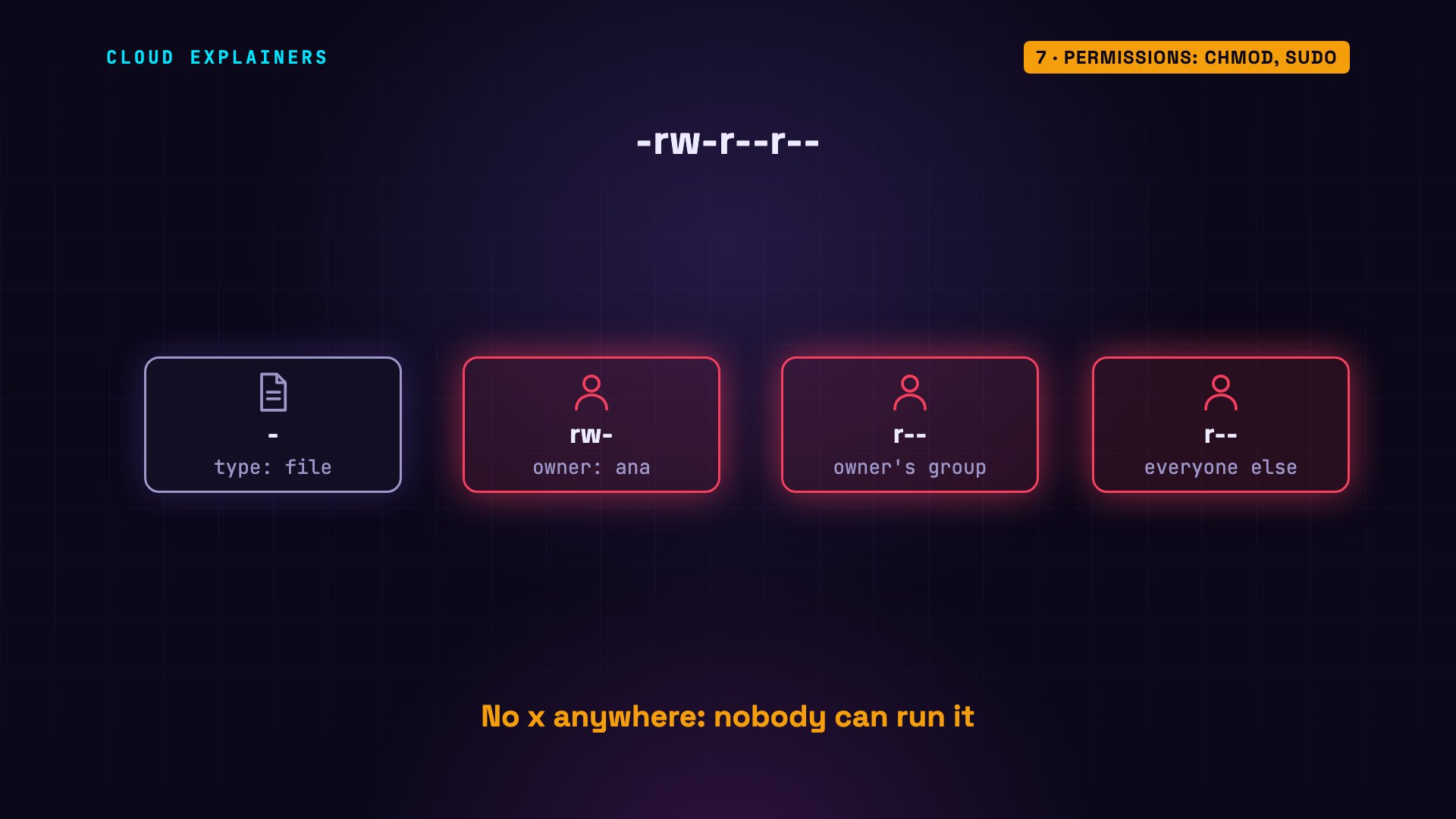
The first character is the type: a dash means a plain file, a d means a folder. Then come three groups of three: for the owner, for the owner's group, and for everyone else. r means read, w means write, and x means execute: run it as a program. There's no x anywhere, so nobody can run it.
chmod changes those permissions. +x adds execute, for everyone. Now each group has an x, and the script runs.
chmod +x backup.sh
ls -l backup.sh-rwxr-xr-x 1 ana ana 96 Oct 23 19:57 backup.sh
./backup.shBacked up Documents to backup.tar.gz
The whoami command prints your user name: ana, a normal user. Some files are off limits. This one holds the password hashes, the scrambled fingerprints of everyone's passwords, so only the administrator, called root, can read it. sudo runs one command as root. On a normal Ubuntu install, it asks for your own password first. Use it only for changes to the system.
whoamiana
cat /etc/shadowcat: /etc/shadow: Permission denied
sudo whoamiroot
Processes: ps, kill
Group seven: processes.
Every running program is a process. This machine feels slow. ps aux lists every process; sorted by CPU use, the top one is a program called yes, using 100 percent of a processor core. Each process has a number, its process ID. This one is 125.
ps aux --sort=-%cpu | head -n 3USER         PID %CPU %MEM    VSZ   RSS TTY      STAT START   TIME COMMAND
ana          125  100  0.0   2700  1492 ?        R    19:57   0:04 yes
ana           60  0.7  0.0   4592  4024 pts/0    Ss   19:57   0:00 bash -i
kill 125 asks that process to stop. List them again: yes is gone, and the busiest process now is our own shell, bash, using almost nothing. To watch this list live, run top; q quits.
kill 125
ps aux --sort=-%cpu | head -n 3USER         PID %CPU %MEM    VSZ   RSS TTY      STAT START   TIME COMMAND
ana           60  0.5  0.0   4592  4024 pts/0    Ss   19:57   0:00 bash -i
root           1  0.3  0.0   2700  1500 ?        Ss   19:57   0:00 sleep infinity
Disk and memory: df, du, free
Group eight: disk space and memory.
df shows free disk space; -h means human-readable, so sizes come in gigabytes. 180 gigabytes available, 7 percent used. Overlay is just the disk's name inside this test container. du, from earlier, shows what's using the space. And free -h shows memory: 23 gigabytes in total, 22 still available.
df -h /Filesystem      Size  Used Avail Use% Mounted on
overlay         193G   14G  180G   7% /
free -htotal used free shared buff/cache available Mem: 23Gi 757Mi 22Gi 1.3Mi 548Mi 22Gi Swap: 0B 0B 0B
Install and network: apt, curl, ping
Group nine: installing software, and the network.
Let's check a website with curl. Command not found: it isn't installed. apt is Ubuntu's package manager: it installs software from Ubuntu's servers. That changes the whole system, so it needs sudo. Unable to locate package: on a fresh machine, apt doesn't know what's available yet. sudo apt update downloads the latest list. Now the install works. We add ping too: it comes in a package called iputils-ping.
curl -I https://example.combash: curl: command not found
sudo apt install -y curlReading package lists... Done
Building dependency tree... Done
Reading state information... Done
E: Unable to locate package curl
sudo apt updateGet:1 http://archive.ubuntu.com/ubuntu noble InRelease [256 kB]
Get:2 http://archive.ubuntu.com/ubuntu noble-updates InRelease [126 kB]
Get:3 http://archive.ubuntu.com/ubuntu noble-backports InRelease [126 kB]
Get:4 http://archive.ubuntu.com/ubuntu noble/main amd64 Packages [1808 kB]
Get:5 http://security.ubuntu.com/ubuntu noble-security InRelease [126 kB]
Get:6 http://archive.ubuntu.com/ubuntu noble/universe amd64 Packages [19.3 MB]
Get:7 http://archive.ubuntu.com/ubuntu noble/restricted amd64 Packages [117 kB]
Get:8 http://archive.ubuntu.com/ubuntu noble/multiverse amd64 Packages [331 kB]
Get:9 http://archive.ubuntu.com/ubuntu noble-updates/main amd64 Packages [1733 kB]
Get:10 http://archive.ubuntu.com/ubuntu noble-updates/universe amd64 Packages [2171 kB]
Get:11 http://archive.ubuntu.com/ubuntu noble-updates/restricted amd64 Packages [2231 kB]
Get:12 http://archive.ubuntu.com/ubuntu noble-updates/multiverse amd64 Packages [61.7 kB]
Get:13 http://archive.ubuntu.com/ubuntu noble-backports/universe amd64 Packages [36.0 kB]
Get:14 http://archive.ubuntu.com/ubuntu noble-backports/multiverse amd64 Packages [669 B]
Get:15 http://archive.ubuntu.com/ubuntu noble-backports/main amd64 Packages [49.0 kB]
Get:16 http://security.ubuntu.com/ubuntu noble-security/restricted amd64 Packages [2122 kB]
Get:17 http://security.ubuntu.com/ubuntu noble-security/universe amd64 Packages [1549 kB]
Get:18 http://security.ubuntu.com/ubuntu noble-security/main amd64 Packages [1411 kB]
Get:19 http://security.ubuntu.com/ubuntu noble-security/multiverse amd64 Packages [55.6 kB]
Fetched 33.6 MB in 2s (19.9 MB/s)
Reading package lists... Done
Building dependency tree... Done
Reading state information... Done
4 packages can be upgraded. Run 'apt list --upgradable' to see them.
sudo apt install -y curl iputils-pingReading package lists... Done
Building dependency tree... Done
Reading state information... Done
The following additional packages will be installed:
  ca-certificates krb5-locales libbrotli1 libcap2-bin
  libcurl4t64 libgssapi-krb5-2 libk5crypto3 libkeyutils1
  libkrb5-3 libkrb5support0 libldap-common libldap2
  libnghttp2-14 libpam-cap libpsl5t64 librtmp1 libsasl2-2
  libsasl2-modules libsasl2-modules-db libssh-4 openssl
  publicsuffix
Suggested packages:
  krb5-doc krb5-user libsasl2-modules-gssapi-mit
  | libsasl2-modules-gssapi-heimdal libsasl2-modules-ldap
  libsasl2-modules-otp libsasl2-modules-sql
The following NEW packages will be installed:
  ca-certificates curl iputils-ping krb5-locales libbrotli1
  libcap2-bin libcurl4t64 libgssapi-krb5-2 libk5crypto3
  libkeyutils1 libkrb5-3 libkrb5support0 libldap-common
  libldap2 libnghttp2-14 libpam-cap libpsl5t64 librtmp1
  libsasl2-2 libsasl2-modules libsasl2-modules-db libssh-4
  openssl publicsuffix
0 upgraded, 24 newly installed, 0 to remove and 4 not upgraded.
Need to get 3650 kB of archives.
After this operation, 9489 kB of additional disk space will be used.
Get:1 http://archive.ubuntu.com/ubuntu noble-updates/main amd64 openssl amd64 3.0.13-0ubuntu3.16 [1004 kB]
Get:2 http://archive.ubuntu.com/ubuntu noble-updates/main amd64 ca-certificates all 20260816ubuntu0.24.04.1 [139 kB]
Get:3 http://archive.ubuntu.com/ubuntu noble-updates/main amd64 libcap2-bin amd64 1:2.66-5ubuntu2.4 [34.1 kB]
Get:4 http://archive.ubuntu.com/ubuntu noble-updates/main amd64 iputils-ping amd64 3:20240117-1ubuntu0.1 [44.6 kB]
Get:5 http://archive.ubuntu.com/ubuntu noble-updates/main amd64 krb5-locales all 1.20.1-6ubuntu2.10 [15.3 kB]
Get:6 http://archive.ubuntu.com/ubuntu noble-updates/main amd64 libkrb5support0 amd64 1.20.1-6ubuntu2.10 [34.9 kB]
Get:7 http://archive.ubuntu.com/ubuntu noble-updates/main amd64 libk5crypto3 amd64 1.20.1-6ubuntu2.10 [81.9 kB]
Get:8 http://archive.ubuntu.com/ubuntu noble/main amd64 libkeyutils1 amd64 1.6.3-3build1 [9490 B]
Get:9 http://archive.ubuntu.com/ubuntu noble-updates/main amd64 libkrb5-3 amd64 1.20.1-6ubuntu2.10 [348 kB]
Get:10 http://archive.ubuntu.com/ubuntu noble-updates/main amd64 libgssapi-krb5-2 amd64 1.20.1-6ubuntu2.10 [143 kB]
Get:11 http://archive.ubuntu.com/ubuntu noble-updates/main amd64 libpam-cap amd64 1:2.66-5ubuntu2.4 [12.5 kB]
Get:12 http://archive.ubuntu.com/ubuntu noble-updates/main amd64 libnghttp2-14 amd64 1.59.0-1ubuntu0.4 [74.6 kB]
Get:13 http://archive.ubuntu.com/ubuntu noble/main amd64 libpsl5t64 amd64 0.21.2-1.1build1 [57.1 kB]
Get:14 http://archive.ubuntu.com/ubuntu noble/main amd64 publicsuffix all 20231001.0357-0.1 [129 kB]
Get:15 http://archive.ubuntu.com/ubuntu noble/main amd64 libbrotli1 amd64 1.1.0-2build2 [331 kB]
Get:16 http://archive.ubuntu.com/ubuntu noble-updates/main amd64 libsasl2-modules-db amd64 2.1.28+dfsg1-5ubuntu3.1 [20.4 kB]
Get:17 http://archive.ubuntu.com/ubuntu noble-updates/main amd64 libsasl2-2 amd64 2.1.28+dfsg1-5ubuntu3.1 [53.2 kB]
Get:18 http://archive.ubuntu.com/ubuntu noble-updates/main amd64 libldap2 amd64 2.6.10+dfsg-0ubuntu0.24.04.1 [198 kB]
Get:19 http://archive.ubuntu.com/ubuntu noble/main amd64 librtmp1 amd64 2.4+20151223.gitfa8646d.1-2build7 [56.3 kB]
Get:20 http://archive.ubuntu.com/ubuntu noble-updates/main amd64 libssh-4 amd64 0.10.6-2ubuntu0.5 [191 kB]
Get:21 http://archive.ubuntu.com/ubuntu noble-updates/main amd64 libcurl4t64 amd64 8.5.0-2ubuntu10.16 [344 kB]
Get:22 http://archive.ubuntu.com/ubuntu noble-updates/main amd64 curl amd64 8.5.0-2ubuntu10.16 [226 kB]
Get:23 http://archive.ubuntu.com/ubuntu noble-updates/main amd64 libldap-common all 2.6.10+dfsg-0ubuntu0.24.04.1 [32.9 kB]
Get:24 http://archive.ubuntu.com/ubuntu noble-updates/main amd64 libsasl2-modules amd64 2.1.28+dfsg1-5ubuntu3.1 [69.9 kB]
Fetched 3650 kB in 0s (23.2 MB/s)
debconf: delaying package configuration, since apt-utils is not installed

Selecting previously unselected package openssl.
(Reading database ... 4454 files and directories currently installed.)
Preparing to unpack .../00-openssl_3.0.13-0ubuntu3.16_amd64.deb ...
Unpacking openssl (3.0.13-0ubuntu3.16) ...
Selecting previously unselected package ca-certificates.
Preparing to unpack .../01-ca-certificates_20260816ubuntu0.24.04.1_all.deb ...
Unpacking ca-certificates (20260816ubuntu0.24.04.1) ...
Selecting previously unselected package libcap2-bin.
Preparing to unpack .../02-libcap2-bin_1%3a2.66-5ubuntu2.4_amd64.deb ...
Unpacking libcap2-bin (1:2.66-5ubuntu2.4) ...
Selecting previously unselected package iputils-ping.
Preparing to unpack .../03-iputils-ping_3%3a20240117-1ubuntu0.1_amd64.deb ...
Unpacking iputils-ping (3:20240117-1ubuntu0.1) ...
Selecting previously unselected package krb5-locales.
Preparing to unpack .../04-krb5-locales_1.20.1-6ubuntu2.10_all.deb ...
Unpacking krb5-locales (1.20.1-6ubuntu2.10) ...
Selecting previously unselected package libkrb5support0:amd64.
Preparing to unpack .../05-libkrb5support0_1.20.1-6ubuntu2.10_amd64.deb ...
Unpacking libkrb5support0:amd64 (1.20.1-6ubuntu2.10) ...
Selecting previously unselected package libk5crypto3:amd64.
Preparing to unpack .../06-libk5crypto3_1.20.1-6ubuntu2.10_amd64.deb ...
Unpacking libk5crypto3:amd64 (1.20.1-6ubuntu2.10) ...
Selecting previously unselected package libkeyutils1:amd64.
Preparing to unpack .../07-libkeyutils1_1.6.3-3build1_amd64.deb ...
Unpacking libkeyutils1:amd64 (1.6.3-3build1) ...
Selecting previously unselected package libkrb5-3:amd64.
Preparing to unpack .../08-libkrb5-3_1.20.1-6ubuntu2.10_amd64.deb ...
Unpacking libkrb5-3:amd64 (1.20.1-6ubuntu2.10) ...
Selecting previously unselected package libgssapi-krb5-2:amd64.
Preparing to unpack .../09-libgssapi-krb5-2_1.20.1-6ubuntu2.10_amd64.deb ...
Unpacking libgssapi-krb5-2:amd64 (1.20.1-6ubuntu2.10) ...
Selecting previously unselected package libpam-cap:amd64.
Preparing to unpack .../10-libpam-cap_1%3a2.66-5ubuntu2.4_amd64.deb ...
Unpacking libpam-cap:amd64 (1:2.66-5ubuntu2.4) ...
Selecting previously unselected package libnghttp2-14:amd64.
Preparing to unpack .../11-libnghttp2-14_1.59.0-1ubuntu0.4_amd64.deb ...
Unpacking libnghttp2-14:amd64 (1.59.0-1ubuntu0.4) ...
Selecting previously unselected package libpsl5t64:amd64.
Preparing to unpack .../12-libpsl5t64_0.21.2-1.1build1_amd64.deb ...
Unpacking libpsl5t64:amd64 (0.21.2-1.1build1) ...
Selecting previously unselected package publicsuffix.
Preparing to unpack .../13-publicsuffix_20231001.0357-0.1_all.deb ...
Unpacking publicsuffix (20231001.0357-0.1) ...
Selecting previously unselected package libbrotli1:amd64.
Preparing to unpack .../14-libbrotli1_1.1.0-2build2_amd64.deb ...
Unpacking libbrotli1:amd64 (1.1.0-2build2) ...
Selecting previously unselected package libsasl2-modules-db:amd64.
Preparing to unpack .../15-libsasl2-modules-db_2.1.28+dfsg1-5ubuntu3.1_amd64.deb ...
Unpacking libsasl2-modules-db:amd64 (2.1.28+dfsg1-5ubuntu3.1) ...
Selecting previously unselected package libsasl2-2:amd64.
Preparing to unpack .../16-libsasl2-2_2.1.28+dfsg1-5ubuntu3.1_amd64.deb ...
Unpacking libsasl2-2:amd64 (2.1.28+dfsg1-5ubuntu3.1) ...
Selecting previously unselected package libldap2:amd64.
Preparing to unpack .../17-libldap2_2.6.10+dfsg-0ubuntu0.24.04.1_amd64.deb ...
Unpacking libldap2:amd64 (2.6.10+dfsg-0ubuntu0.24.04.1) ...
Selecting previously unselected package librtmp1:amd64.
Preparing to unpack .../18-librtmp1_2.4+20151223.gitfa8646d.1-2build7_amd64.deb ...
Unpacking librtmp1:amd64 (2.4+20151223.gitfa8646d.1-2build7) ...
Selecting previously unselected package libssh-4:amd64.
Preparing to unpack .../19-libssh-4_0.10.6-2ubuntu0.5_amd64.deb ...
Unpacking libssh-4:amd64 (0.10.6-2ubuntu0.5) ...
Selecting previously unselected package libcurl4t64:amd64.
Preparing to unpack .../20-libcurl4t64_8.5.0-2ubuntu10.16_amd64.deb ...
Unpacking libcurl4t64:amd64 (8.5.0-2ubuntu10.16) ...
Selecting previously unselected package curl.
Preparing to unpack .../21-curl_8.5.0-2ubuntu10.16_amd64.deb ...
Unpacking curl (8.5.0-2ubuntu10.16) ...
Selecting previously unselected package libldap-common.
Preparing to unpack .../22-libldap-common_2.6.10+dfsg-0ubuntu0.24.04.1_all.deb ...
Unpacking libldap-common (2.6.10+dfsg-0ubuntu0.24.04.1) ...
Selecting previously unselected package libsasl2-modules:amd64.
Preparing to unpack .../23-libsasl2-modules_2.1.28+dfsg1-5ubuntu3.1_amd64.deb ...
Unpacking libsasl2-modules:amd64 (2.1.28+dfsg1-5ubuntu3.1) ...
Setting up libkeyutils1:amd64 (1.6.3-3build1) ...
Setting up libbrotli1:amd64 (1.1.0-2build2) ...
Setting up libsasl2-modules:amd64 (2.1.28+dfsg1-5ubuntu3.1) ...
Setting up libpsl5t64:amd64 (0.21.2-1.1build1) ...
Setting up libnghttp2-14:amd64 (1.59.0-1ubuntu0.4) ...
Setting up krb5-locales (1.20.1-6ubuntu2.10) ...
Setting up libldap-common (2.6.10+dfsg-0ubuntu0.24.04.1) ...
Setting up libkrb5support0:amd64 (1.20.1-6ubuntu2.10) ...
Setting up libsasl2-modules-db:amd64 (2.1.28+dfsg1-5ubuntu3.1) ...
Setting up libcap2-bin (1:2.66-5ubuntu2.4) ...
Setting up librtmp1:amd64 (2.4+20151223.gitfa8646d.1-2build7) ...
Setting up libk5crypto3:amd64 (1.20.1-6ubuntu2.10) ...
Setting up libsasl2-2:amd64 (2.1.28+dfsg1-5ubuntu3.1) ...
Setting up libkrb5-3:amd64 (1.20.1-6ubuntu2.10) ...
Setting up openssl (3.0.13-0ubuntu3.16) ...
Setting up libpam-cap:amd64 (1:2.66-5ubuntu2.4) ...
debconf: unable to initialize frontend: Dialog
debconf: (No usable dialog-like program is installed, so the dialog based frontend cannot be used. at /usr/share/perl5/Debconf/FrontEnd/Dialog.pm line 79.)
debconf: falling back to frontend: Readline
debconf: unable to initialize frontend: Readline
debconf: (Can't locate Term/ReadLine.pm in @INC (you may need to install the Term::ReadLine module) (@INC entries checked: /etc/perl /usr/local/lib/x86_64-linux-gnu/perl/5.38.2 /usr/local/share/perl/5.38.2 /usr/lib/x86_64-linux-gnu/perl5/5.38 /usr/share/perl5 /usr/lib/x86_64-linux-gnu/perl-base /usr/lib/x86_64-linux-gnu/perl/5.38 /usr/share/perl/5.38 /usr/local/lib/site_perl) at /usr/share/perl5/Debconf/FrontEnd/Readline.pm line 8.)
debconf: falling back to frontend: Teletype
Setting up iputils-ping (3:20240117-1ubuntu0.1) ...
Setting up publicsuffix (20231001.0357-0.1) ...
Setting up libldap2:amd64 (2.6.10+dfsg-0ubuntu0.24.04.1) ...
Setting up ca-certificates (20260816ubuntu0.24.04.1) ...
debconf: unable to initialize frontend: Dialog
debconf: (No usable dialog-like program is installed, so the dialog based frontend cannot be used. at /usr/share/perl5/Debconf/FrontEnd/Dialog.pm line 79.)
debconf: falling back to frontend: Readline
debconf: unable to initialize frontend: Readline
debconf: (Can't locate Term/ReadLine.pm in @INC (you may need to install the Term::ReadLine module) (@INC entries checked: /etc/perl /usr/local/lib/x86_64-linux-gnu/perl/5.38.2 /usr/local/share/perl/5.38.2 /usr/lib/x86_64-linux-gnu/perl5/5.38 /usr/share/perl5 /usr/lib/x86_64-linux-gnu/perl-base /usr/lib/x86_64-linux-gnu/perl/5.38 /usr/share/perl/5.38 /usr/local/lib/site_perl) at /usr/share/perl5/Debconf/FrontEnd/Readline.pm line 8.)
debconf: falling back to frontend: Teletype
Updating certificates in /etc/ssl/certs...
120 added, 0 removed; done.
Setting up libgssapi-krb5-2:amd64 (1.20.1-6ubuntu2.10) ...
Setting up libssh-4:amd64 (0.10.6-2ubuntu0.5) ...
Setting up libcurl4t64:amd64 (8.5.0-2ubuntu10.16) ...
Setting up curl (8.5.0-2ubuntu10.16) ...
Processing triggers for libc-bin (2.39-0ubuntu8.9) ...
Processing triggers for ca-certificates (20260816ubuntu0.24.04.1) ...
Updating certificates in /etc/ssl/certs...
0 added, 0 removed; done.
Running hooks in /etc/ca-certificates/update.d...
done.
curl talks to web servers. -I asks only for the headers: the labels on the reply. 200 means OK: the site answered. ping checks whether another computer is reachable: here 1.1.1.1, a public server on the internet. -c 3 sends three checks, then stops. Each one shows how long a message takes to get there and back: about 8 milliseconds.
curl -I https://example.comHTTP/2 200
date: Fri, 23 Oct 2026 19:57:40 GMT
content-type: text/html; charset=utf-8
server: cloudflare
last-modified: Wed, 21 Oct 2026 20:09:25 GMT
allow: GET, HEAD
accept-ranges: bytes
age: 983
cf-cache-status: HIT
cf-ray: a4f34fe76c6468ce-BOS
alt-svc: h3=":443"; ma=86400
ping -c 3 1.1.1.1PING 1.1.1.1 (1.1.1.1) 56(84) bytes of data.
64 bytes from 1.1.1.1: icmp_seq=1 ttl=58 time=7.49 ms
64 bytes from 1.1.1.1: icmp_seq=2 ttl=58 time=9.39 ms
64 bytes from 1.1.1.1: icmp_seq=3 ttl=58 time=7.78 ms

--- 1.1.1.1 ping statistics ---
3 packets transmitted, 3 received, 0% packet loss, time 2003ms
rtt min/avg/max/mdev = 7.487/8.217/9.389/0.836 ms
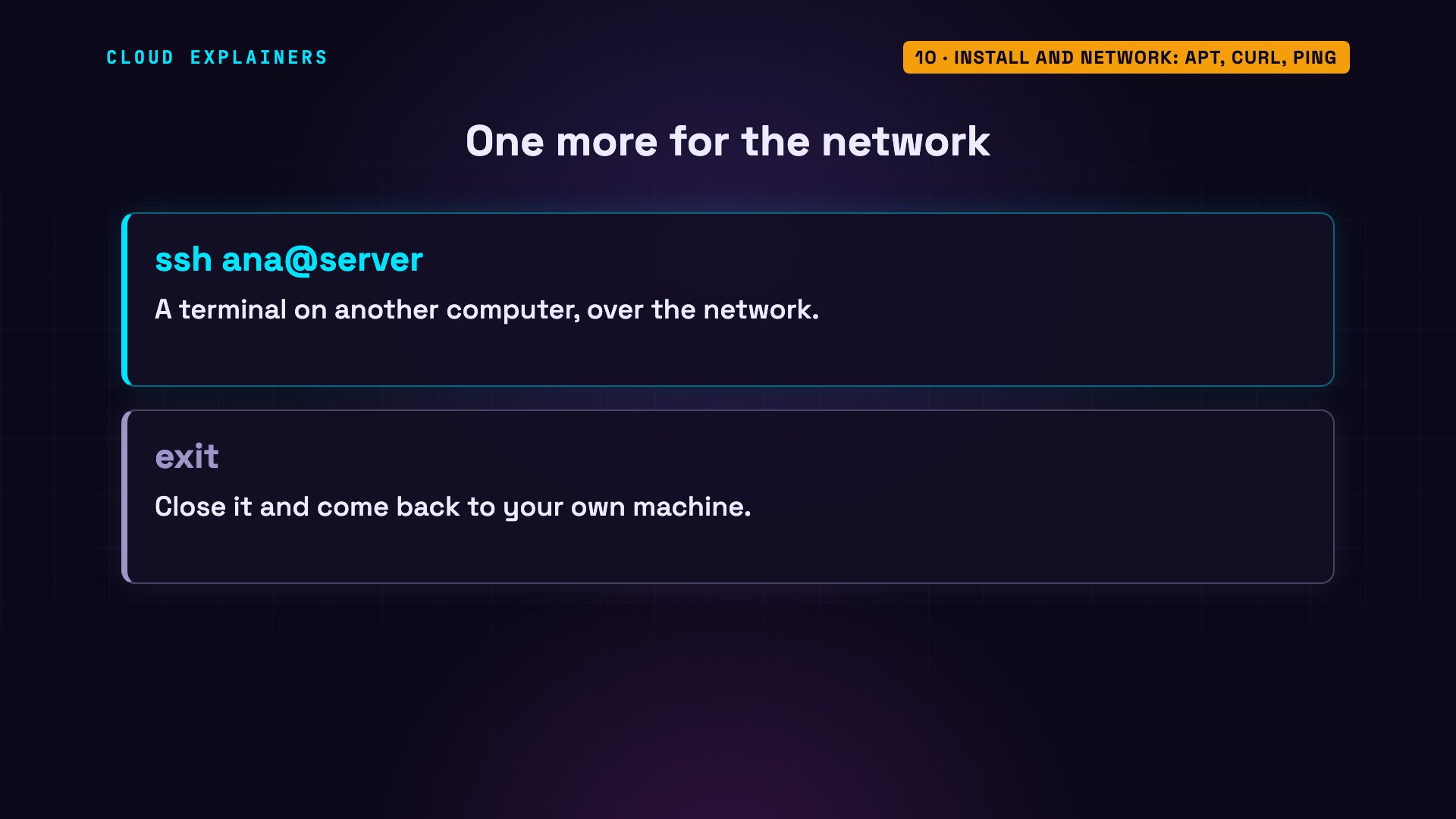
And one you'll use the day you rent a server in the cloud: ssh. It opens a terminal on another computer, over the network. Every command on this page works the same way there.
Help: --help, man, history
And group ten: getting help.
Nobody remembers every option. --help prints a short guide for almost any command. man, short for manual, shows the full one. On minimal systems like this one, the manuals are left out, and it tells you how to add them. And history lists the commands you've already typed.
ls --help | head -n 4Usage: ls [OPTION]... [FILE]...
List information about the FILEs (the current directory by default).
Sort entries alphabetically if none of -cftuvSUX nor --sort is specified.
man lsThis system has been minimized by removing packages and content that are
not required on a system that users do not log into.

To restore this content, including manpages, you can run the 'unminimize'
command. You will still need to ensure the 'man-db' package is installed.
history | tail -n 558 curl -I https://example.com 59 ping -c 3 1.1.1.1 60 ls --help | head -n 4 61 man ls 62 history | tail -n 5
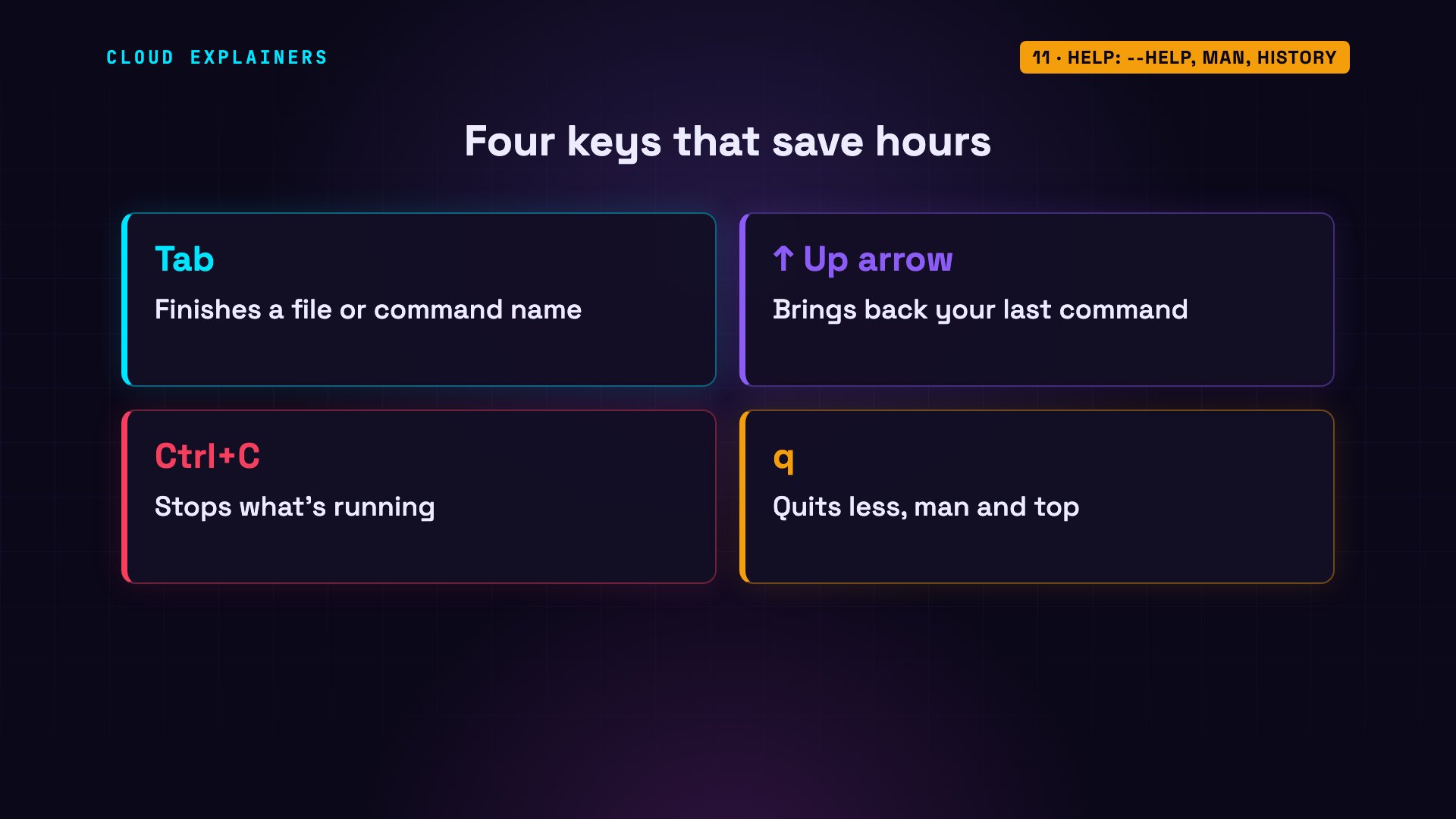
Four keys save hours. Tab finishes a file or command name for you. The up arrow brings back your last command. Control C stops what's running. And q quits full-screen programs like less, man, and top.
Recap
That's all ten groups: finding your way, files, reading, searching, and pipes. Permissions, processes, disk space, installing software, the network, and help, whenever you're stuck.
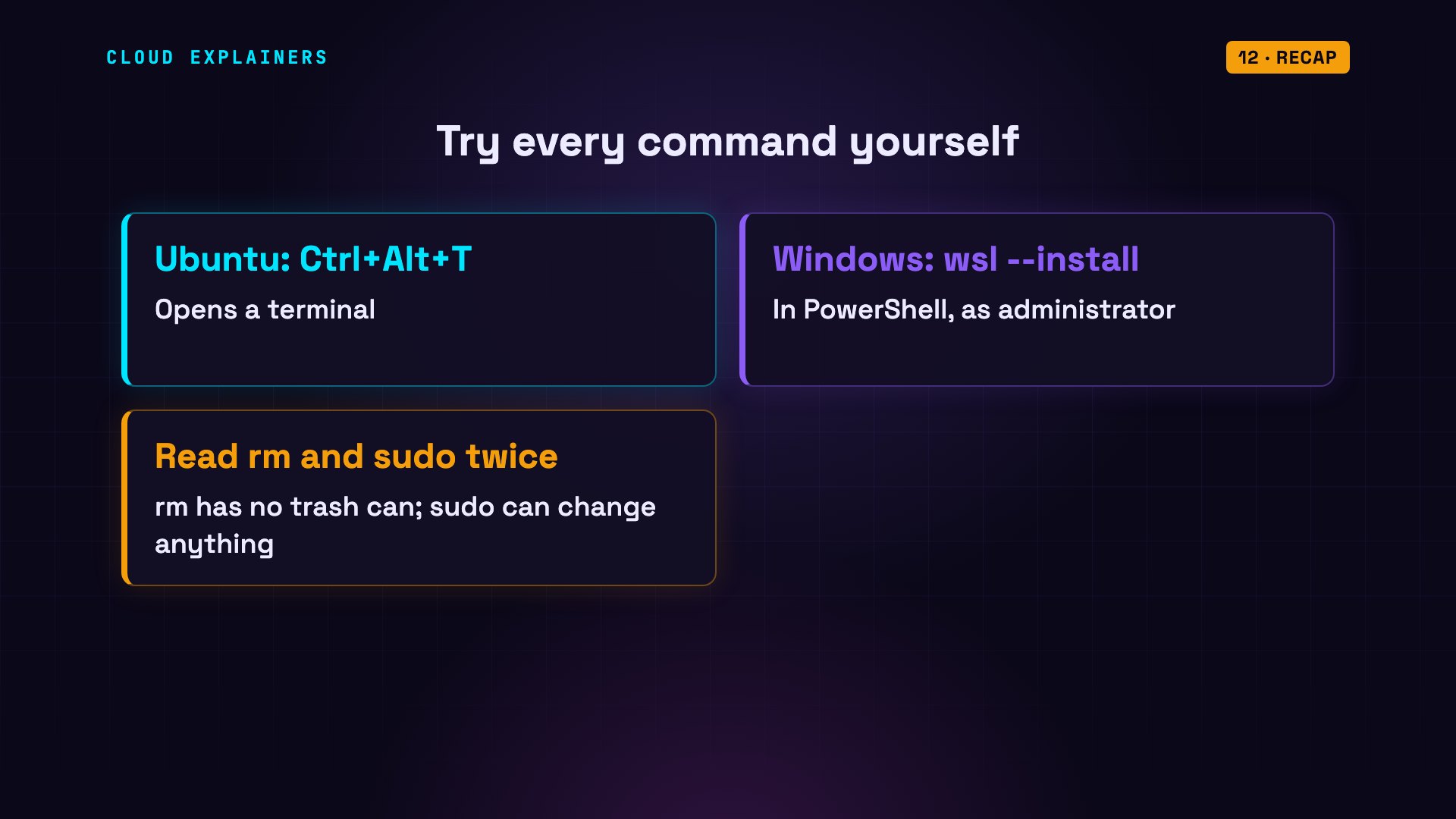
To learn them, type them. On Ubuntu, Control Alt T opens a terminal. On Windows, typing wsl --install in PowerShell, opened as administrator, gives you Ubuntu inside Windows. Everything here is safe to try in your own home folder. Just read every rm and sudo line twice.
This was episode one of Linux for Beginners. Next, we go deeper, one piece at a time.
Sources
- GNU Coreutils manual (ls, cp, mv, rm, cat, head, tail, wc, sort, du, df, chmod)
- GNU Bash manual (pipelines, redirections, history)
- GNU grep manual
- GNU findutils, find
- Filesystem Hierarchy Standard 3.0 (/, /home, /etc, /var/log)
- Ubuntu Server docs, package management (apt)
- procps-ng (ps, top, free, kill)
- sudo manual
- curl manual
- iputils (ping)
- Install Ubuntu on Windows with WSL
Narration: AI voice (Google Cloud Text-to-Speech). Demos: real output from one terminal session on an Ubuntu 24.04 test machine. The files in its home folder (a placeholder video file, a generated web-shop log) were created for the demo; every command and its output is real. Watch the full video on YouTube.


