
Hashing vs Encryption in Cybersecurity: When Each One Wins
Hashing vs encryption for complete beginners: a hash is a one-way fingerprint (same input, same output, always the same length, no key), and encryption is a two-way locked box (the key gets the original back). Proven on a test copy of a small online shop's server: SHA-256 fingerprints, AES-256 encryption with OpenSSL, why passwords get a slow salted hash like Argon2id and never encryption, checking a download with its SHA-256, and two look-alikes: Base64 (an encoding, not encryption) and broken MD5/SHA-1.
Two kinds of scrambling
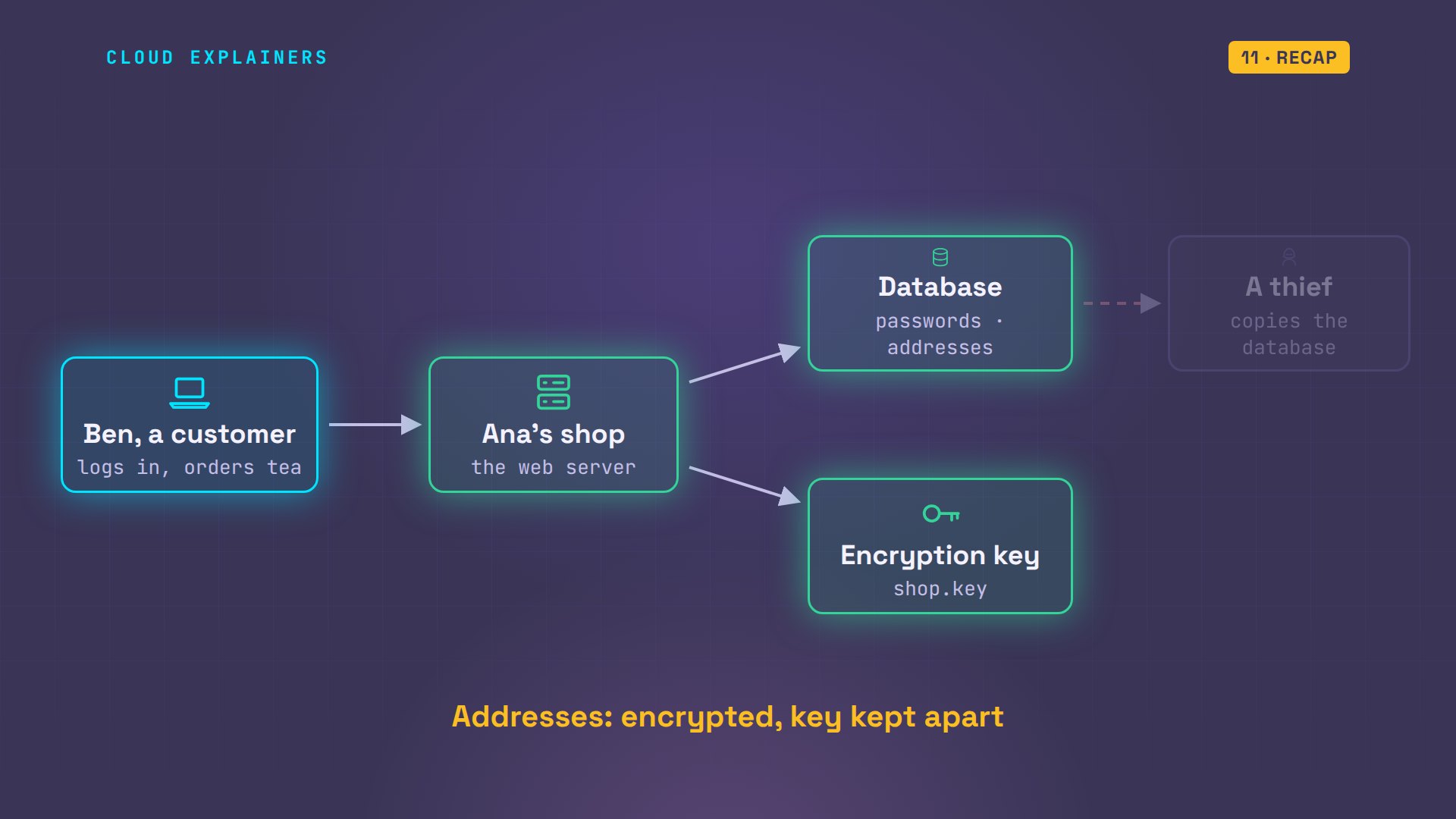
Hashing and encryption both turn your data into gibberish, but only one of them can be turned back. Mix them up, and one stolen database can give away every password. Ana runs a small online tea shop. Her customers, like Ben, log in with a password, and give her a delivery address. One of those she should hash, and the other she should encrypt. By the end of this video, you'll know which, and why.
Everything in this video runs for real, on a test copy of Ana's shop server: one small Linux machine in Docker, with no network at all. We only hash, lock and unlock files we made ourselves. First, the difference in one picture each.
The difference
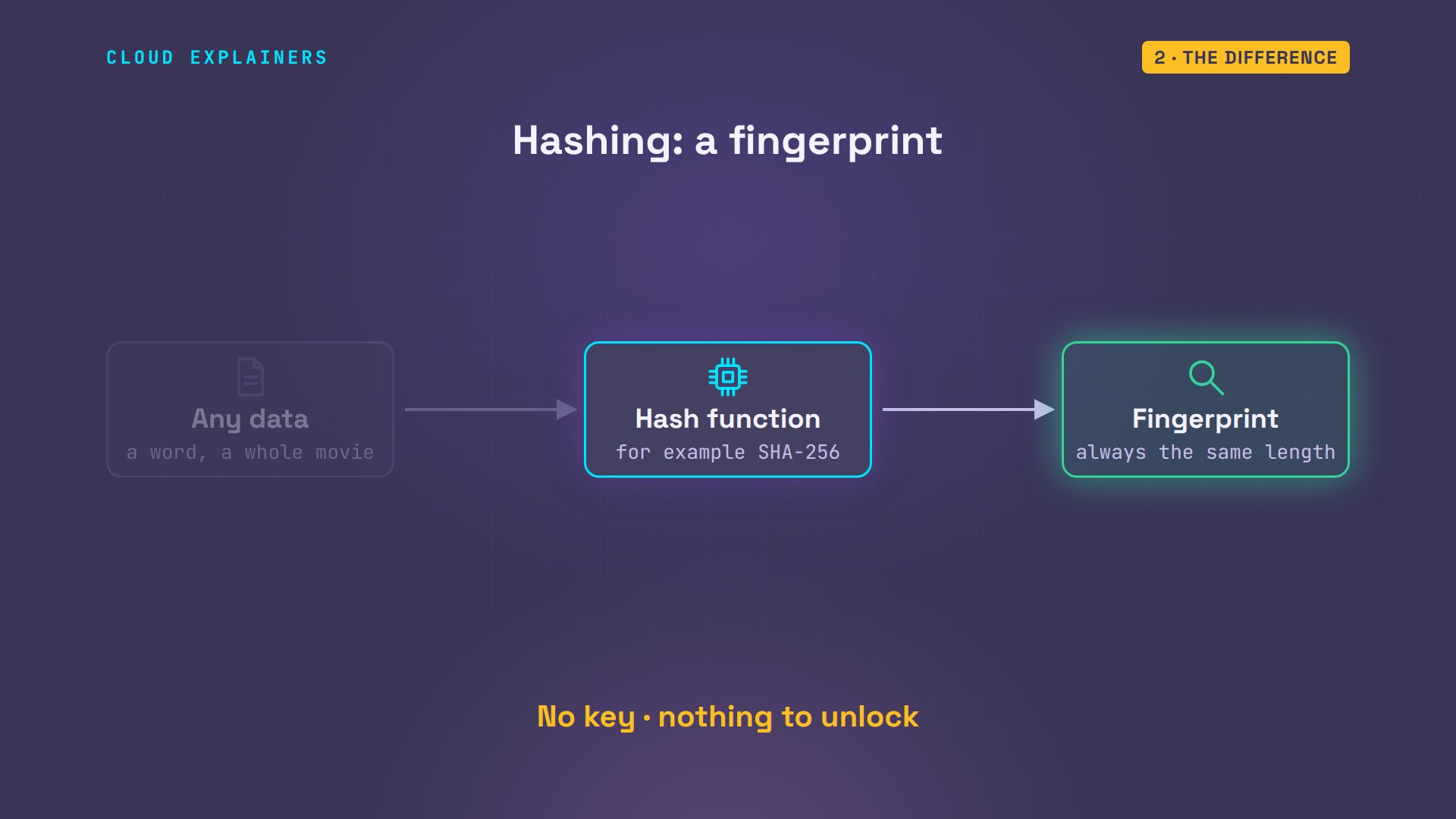
A hash is a fingerprint of data. A hash function reads any data, a word or a whole movie, and makes a short code that's always the same length. Same data in, same fingerprint out, every time. But there's no way back. The fingerprint doesn't contain the data, there's no key, and nothing to unlock.
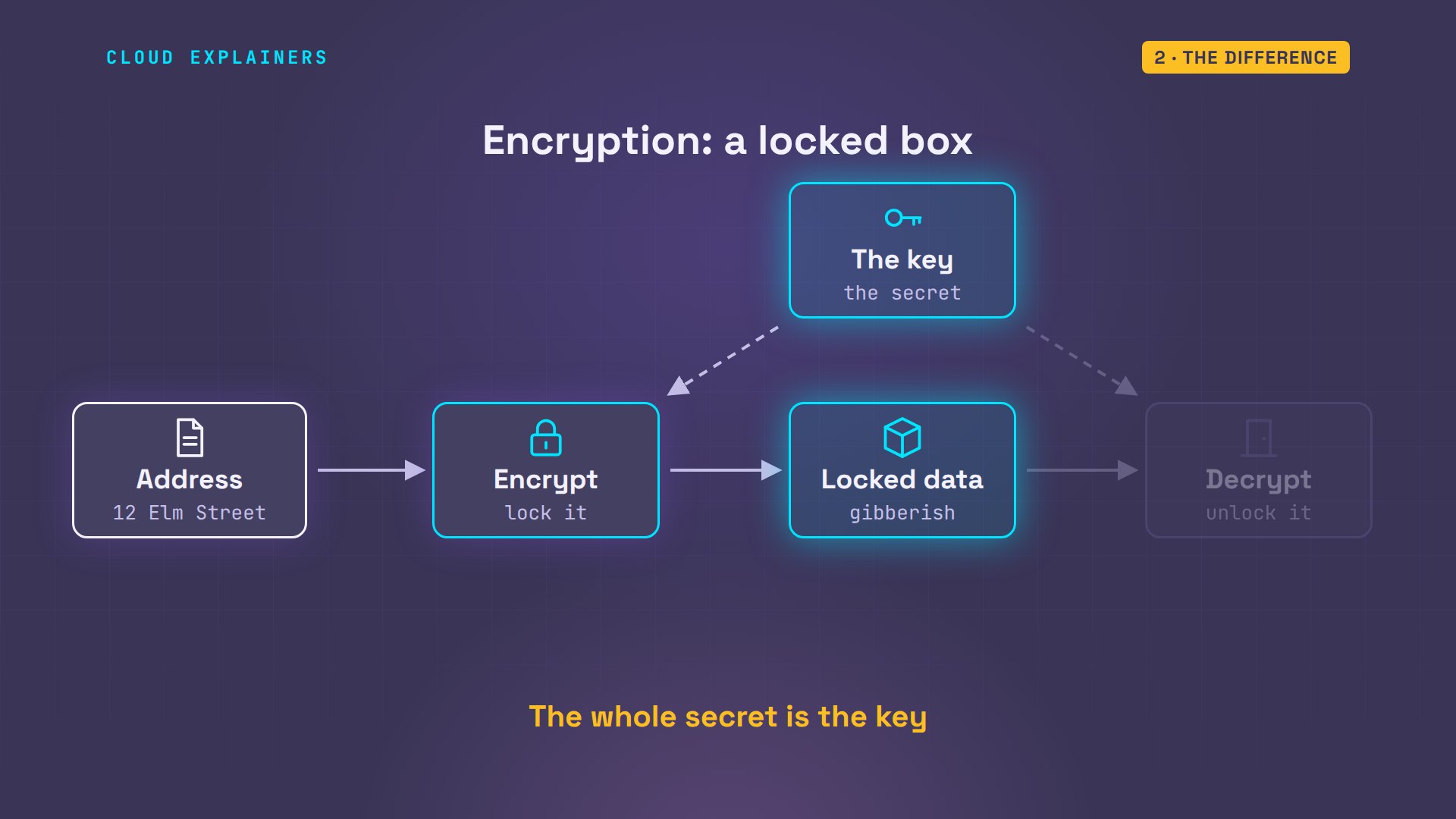
Encryption is a locked box. You lock the data with a key, and anyone who has that key can unlock it, and get the original back, word for word. Without the key, it's gibberish. So the whole secret lives in the key.
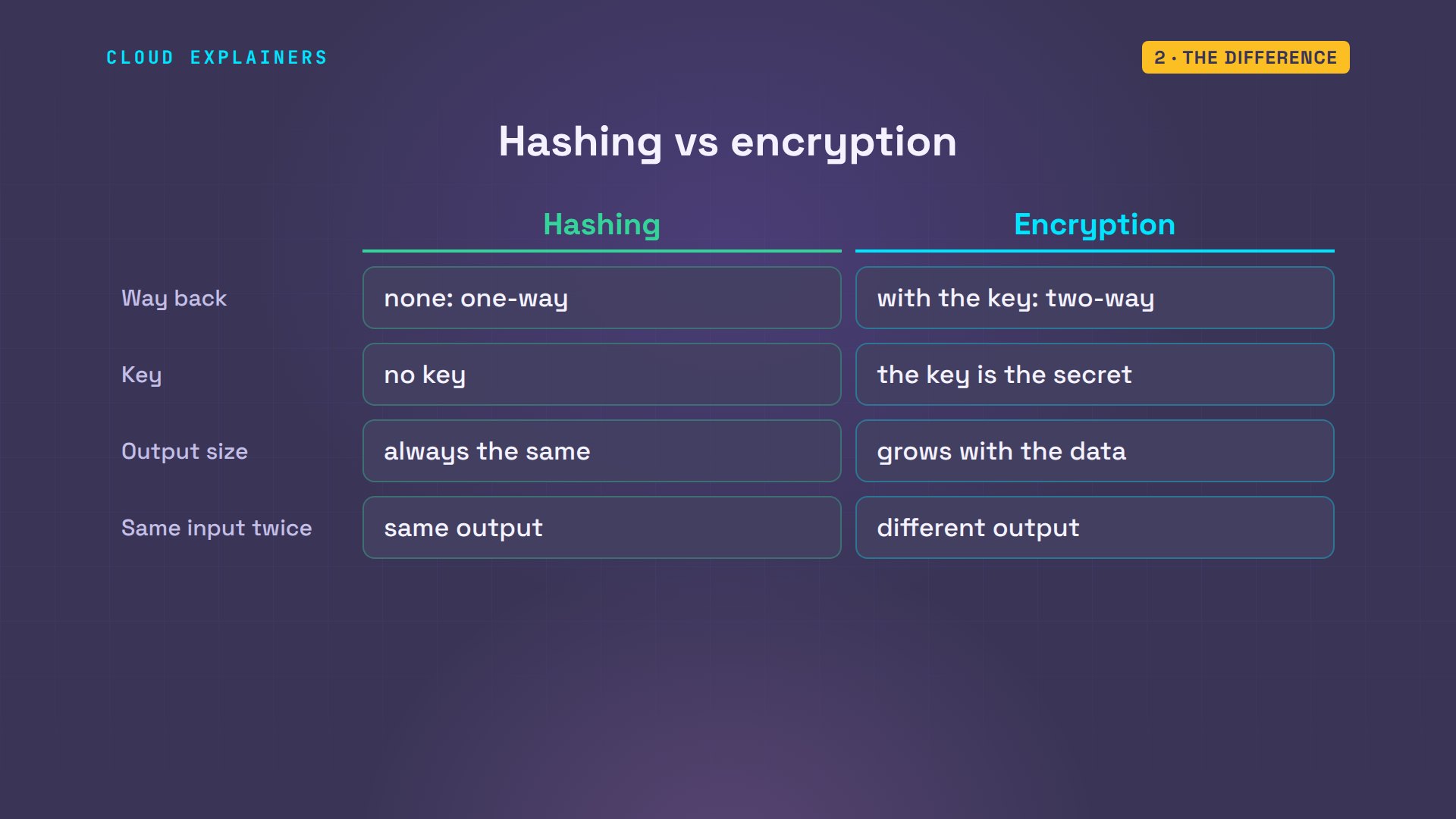
Side by side. Hashing is one-way: you can check data, but never get it back. Encryption is two-way, with a key. A hash is always the same length; encrypted data grows with what you lock. And the same word gives the same hash every time, while good encryption looks different every time. Let's prove each of these on Ana's server.
Hashing, for real
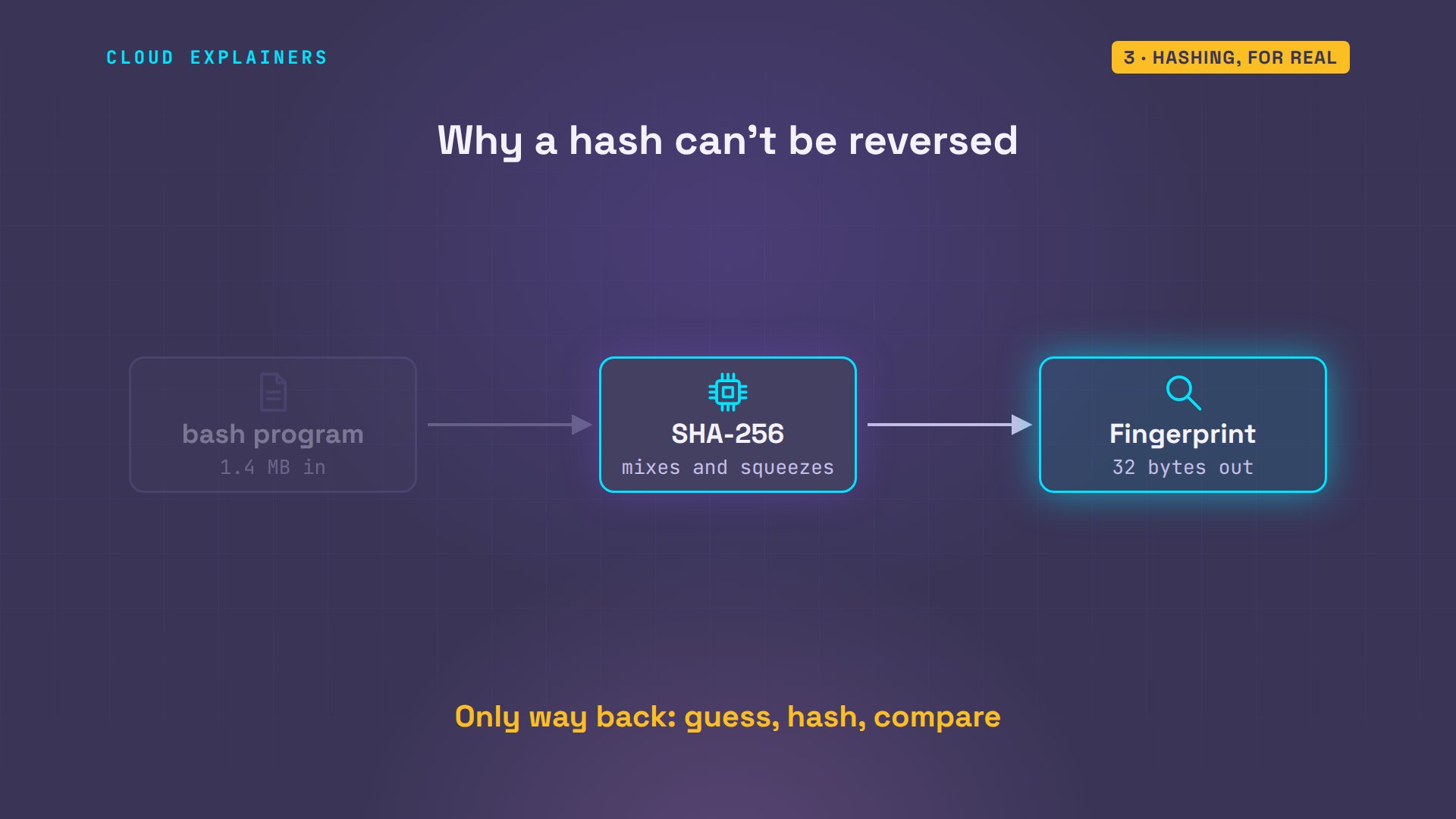
This is SHA-256, the most common hash today. We hash the word hello, and get 64 characters. Now the same word with a capital H. One letter changed, and the whole fingerprint changed, nothing like the first. Now something bigger: the bash program itself, 1.4 megabytes. Its fingerprint is 64 characters too. A word or a whole program: always the same size out.
echo -n hello | sha256sum2cf24dba5fb0a30e26e83b2ac5b9e29e1b161e5c1fa7425e73043362938b9824 -
echo -n Hello | sha256sum185f8db32271fe25f561a6fc938b2e264306ec304eda518007d1764826381969 -
ls -lh /usr/bin/bash-rwxr-xr-x 1 root root 1.4M Mar 31 2024 /usr/bin/bash
sha256sum /usr/bin/bashbc5945feb8bd26203ebfafea5ce1878bb2e32cb8fb50ab7ae395cfb1e1aaaef1 /usr/bin/bash
That's why a hash can't be run backwards. Each of those characters is one of sixteen symbols, which takes four bits, so 64 of them hold 256 bits, just 32 bytes. More than a million bytes of bash went in, and 32 came out. The rest isn't hidden somewhere: it's gone. The only way to find what made a fingerprint is to guess an input, hash it, and compare.
Encryption, for real
Now encryption. Here's a customer's delivery address. First, Ana makes a key: 32 random bytes, saved in a file called shop.key. Then OpenSSL locks the address with that key, using AES-256, the standard method behind most encryption today. Out comes gibberish. Now we lock the same address again, into a file, and look: different gibberish. Both start the same way. That part is just a label that means salted. Right after it comes the salt itself: a few random bytes, fresh every time, so nobody can tell that two locked boxes hold the same thing.
cat address.txt12 Elm Street, Springfield
openssl rand -base64 32 > shop.key
openssl enc -aes-256-cbc -pbkdf2 -a -pass file:shop.key -in address.txtU2FsdGVkX18tl+wPPLZ4OLUkhp84cMcEq5dQNOo/gzk3AOZ3mnyynRDCDZlUujPq
openssl enc -aes-256-cbc -pbkdf2 -a -pass file:shop.key -in address.txt -out address.enc
cat address.encU2FsdGVkX1/xOxYm2QOzfiabJKwRjbwSOrhC6Cl9s9yUzcBiTxBJWnqBLVHruYTg
Now unlock it with the right key, and the address comes back, exactly. That's the two-way part. Make a different random key, try again, and OpenSSL refuses: bad decrypt. Without the right key, the locked file is useless.
openssl enc -d -aes-256-cbc -pbkdf2 -a -pass file:shop.key -in address.enc12 Elm Street, Springfield
openssl rand -base64 32 > wrong.key
openssl enc -d -aes-256-cbc -pbkdf2 -a -pass file:wrong.key -in address.enc -out /dev/nullbad decrypt
402723FFDE7F0000:error:1C800064:Provider routines:ossl_cipher_unpadblock:bad decrypt:../providers/implementations/ciphers/ciphercommon_block.c:124:
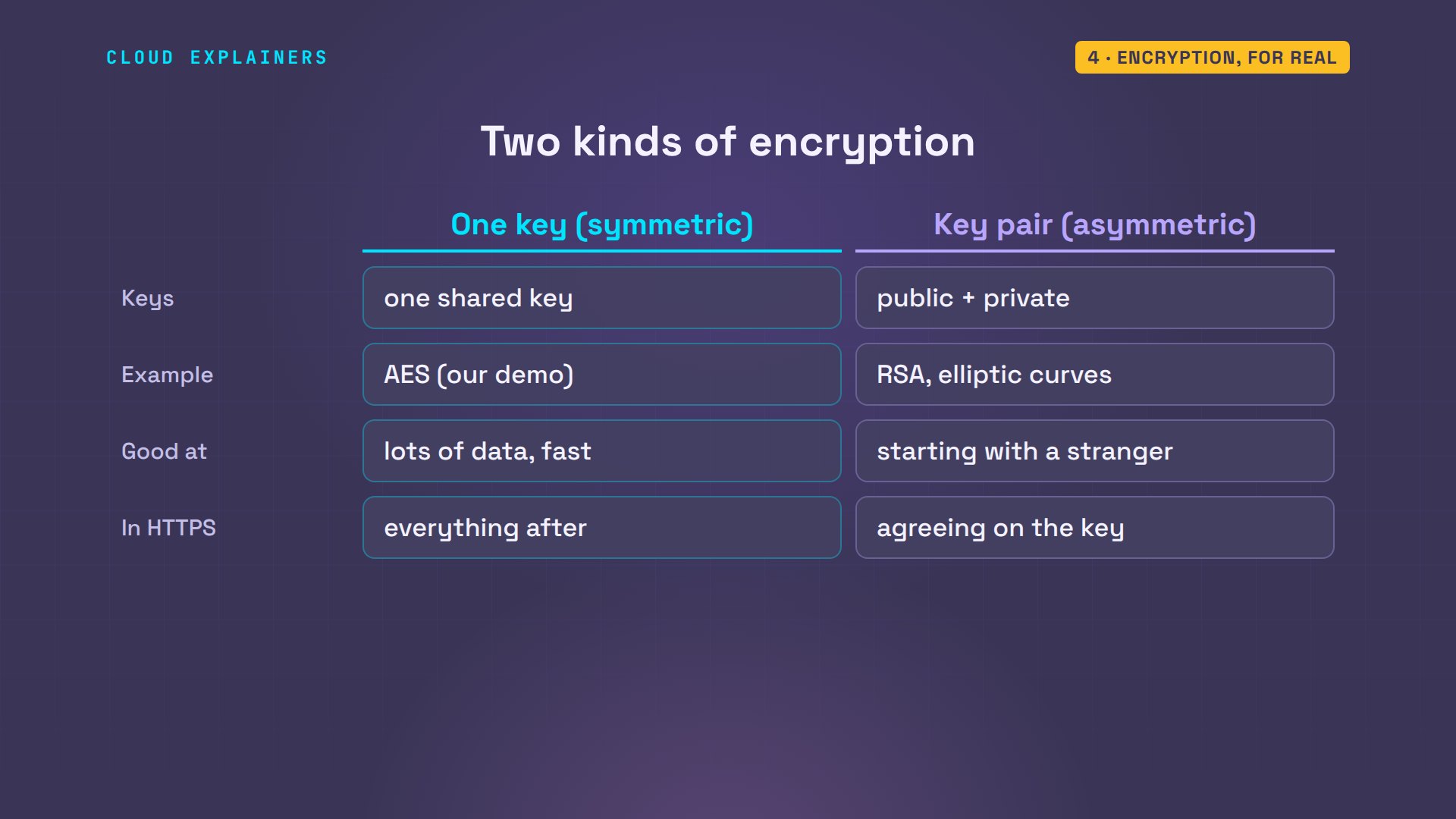
What we used is symmetric encryption: one key locks and unlocks. There's also asymmetric encryption, with a pair of keys: a public key that anyone can use, and a private key that only its owner has. HTTPS, from episode one, uses both: key pairs to agree on a shared key safely with a stranger, then fast symmetric encryption for everything after.
Passwords: hashing wins
So which one for passwords? Picture the worst day: a thief copies Ana's database. If the passwords were encrypted, the shop would need the key at every login, so the key sits on the same server. Break in once, and the thief can take the key too, and unlock every password. With hashing, there's no key to steal. And the shop never needs Ben's password back: it only needs to check it.
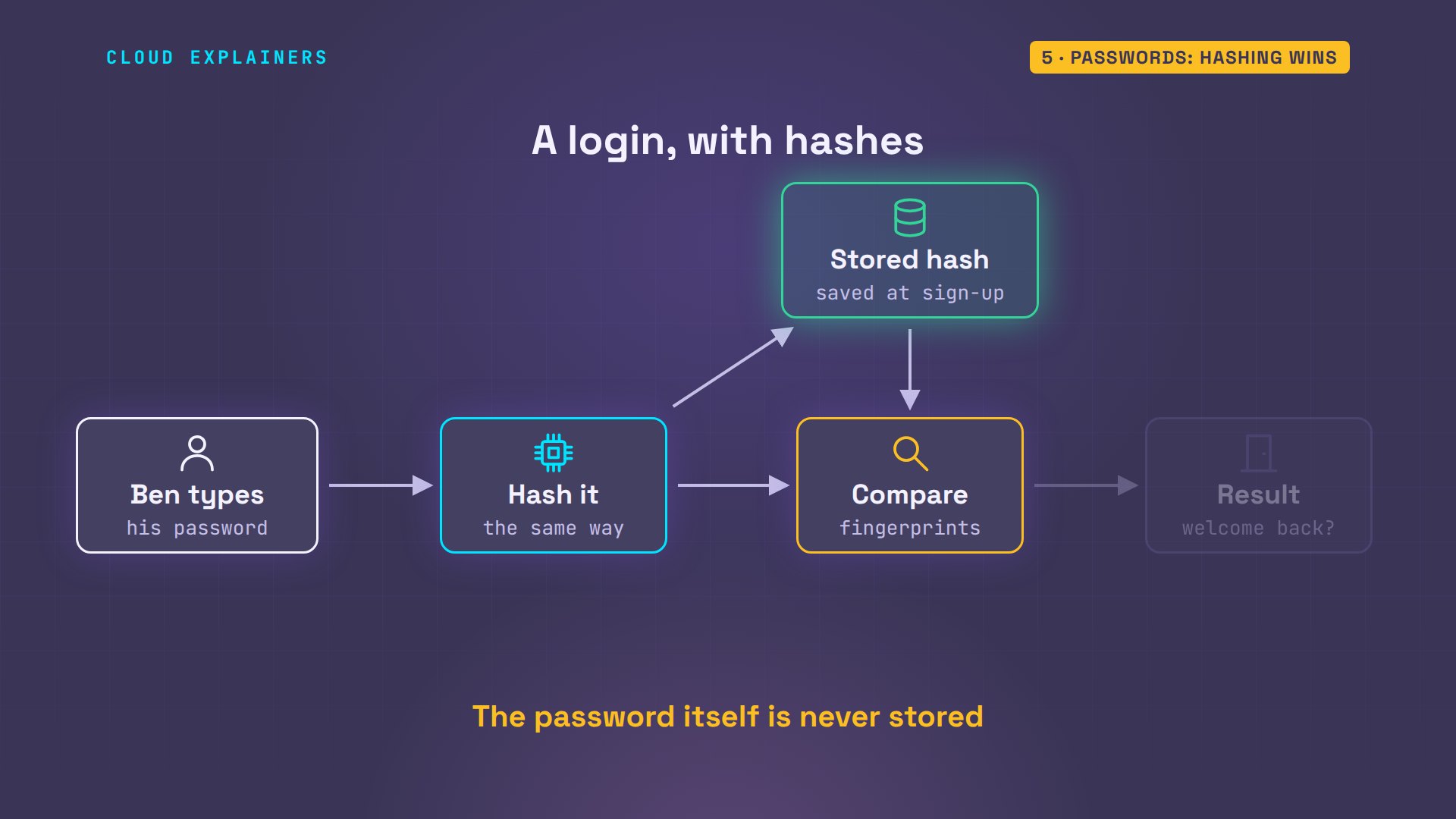
Here's how a login works with hashes. When Ben signs up, the shop hashes his password and stores only the hash. When he logs in, it hashes what he typed, the same way, and compares the two fingerprints. They match: welcome back. No match: wrong password. His password itself is never stored anywhere.
But not every hash is good for passwords. Here's how many sites used to do it: one quick SHA-256, nothing else. Two customers who don't know each other, Ben and Cara, both pick sunshine1. Look at what's stored: the exact same hash. A thief sees at once that they share a password, and the hash of a common password can be looked up in tables made in advance.
python3 old_shop.py signup ben sunshine1saved ben
python3 old_shop.py signup cara sunshine1saved cara
cat old_accounts.txtben 284fff3bd254b48cca05a8bfc4fad69e05cad0d086513a034a66a118829e6fa4
cara 284fff3bd254b48cca05a8bfc4fad69e05cad0d086513a034a66a118829e6fa4
Good password hashing
Now the same two sign-ups in the shop's real code, which uses Argon2id: the first choice of OWASP, the web security project, for passwords. Same password, completely different hashes. Each password gets its own random salt mixed in before hashing, stored right in the line, so no two customers look alike, and tables made in advance are useless.
python3 shop.py signup ben sunshine1saved ben: password stored as a hash
python3 shop.py signup cara sunshine1saved cara: password stored as a hash
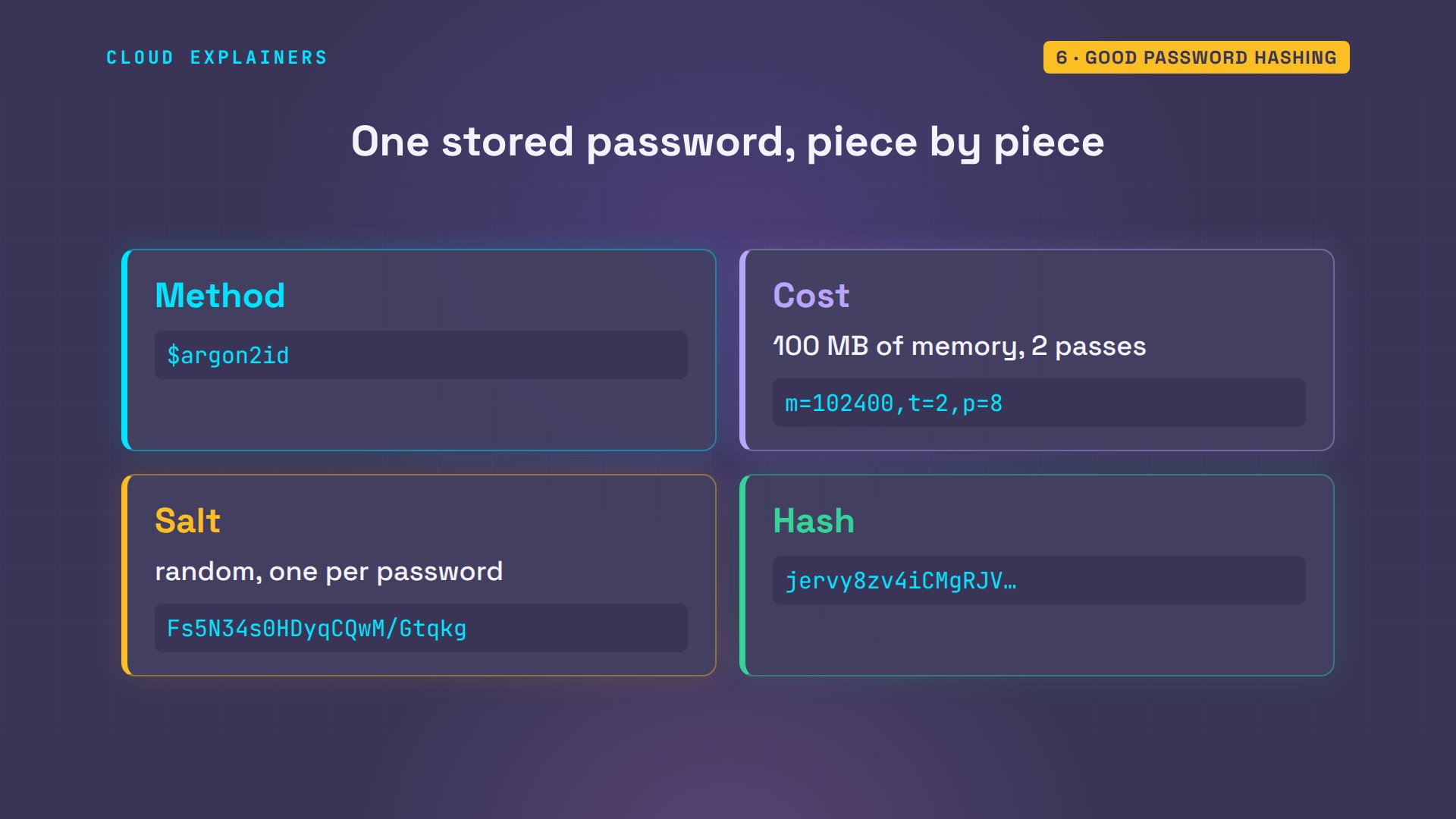
cat accounts.txtben $argon2id$v=19$m=102400,t=2,p=8$Fs5N34s0HDyqCQwM/Gtqkg$jervy8zv4iCMgRJV7TFn/w
cara $argon2id$v=19$m=102400,t=2,p=8$r51f87f5POGklWlnAYFvpQ$oLjoIH/pYdAFNuvsXZWiSQ
The stored line also says how it was made. The method, Argon2id. Its cost: 100 megabytes of memory and 2 passes over it, for every single hash. Then the salt, and then the hash itself. That cost is the point: it makes every guess expensive.
Logging in still works. The shop reads the salt and the cost from Ben's stored line, hashes what he types the same way, and compares. The right password: welcome back. One character off: wrong password.
python3 shop.py login ben sunshine1welcome back, ben
python3 shop.py login ben sunshine2wrong password
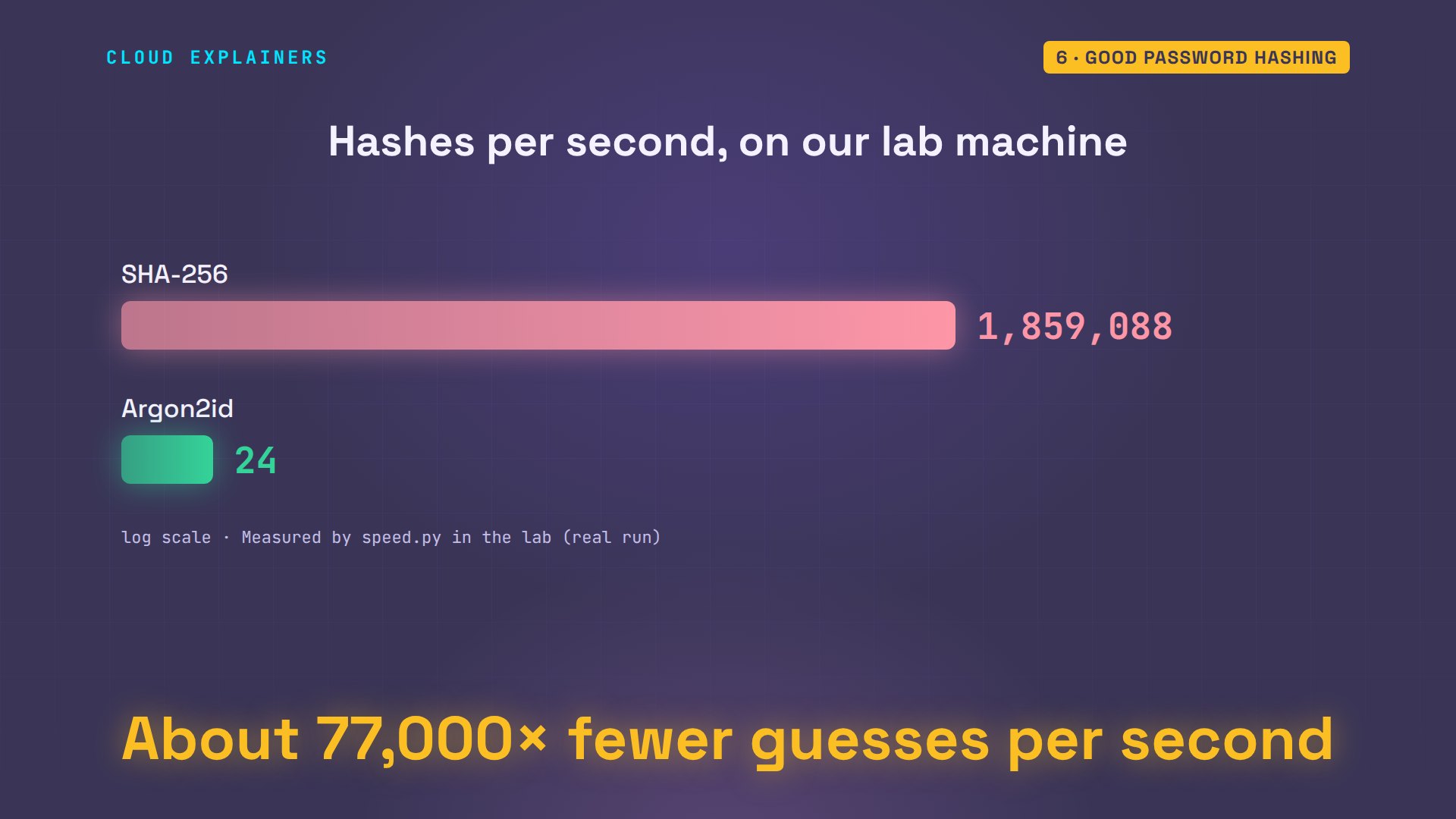
Here's why that cost matters. We counted how many hashes this computer makes in one second. SHA-256: about 1.9 million. Argon2id: 24. For Ben, about 40 milliseconds at login is nothing. For someone guessing his password from a stolen database, it means about 77,000 times fewer guesses in the same time.
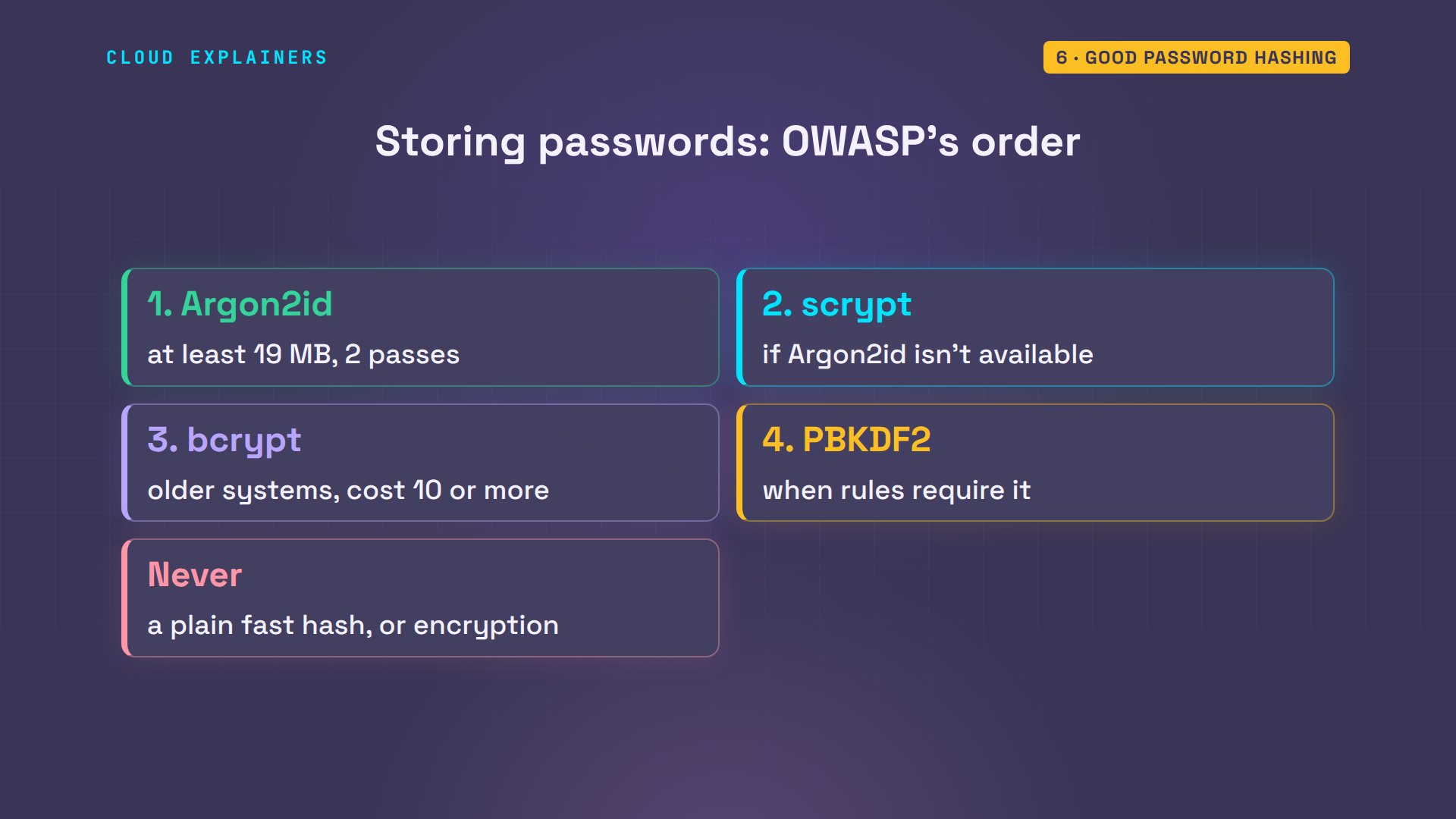
OWASP's list for passwords, in order: Argon2id first, then scrypt, then bcrypt for older systems, and PBKDF2 where rules require it. All four are salted and slow on purpose. Never a plain fast hash, and never encryption.
Downloads: hashing again
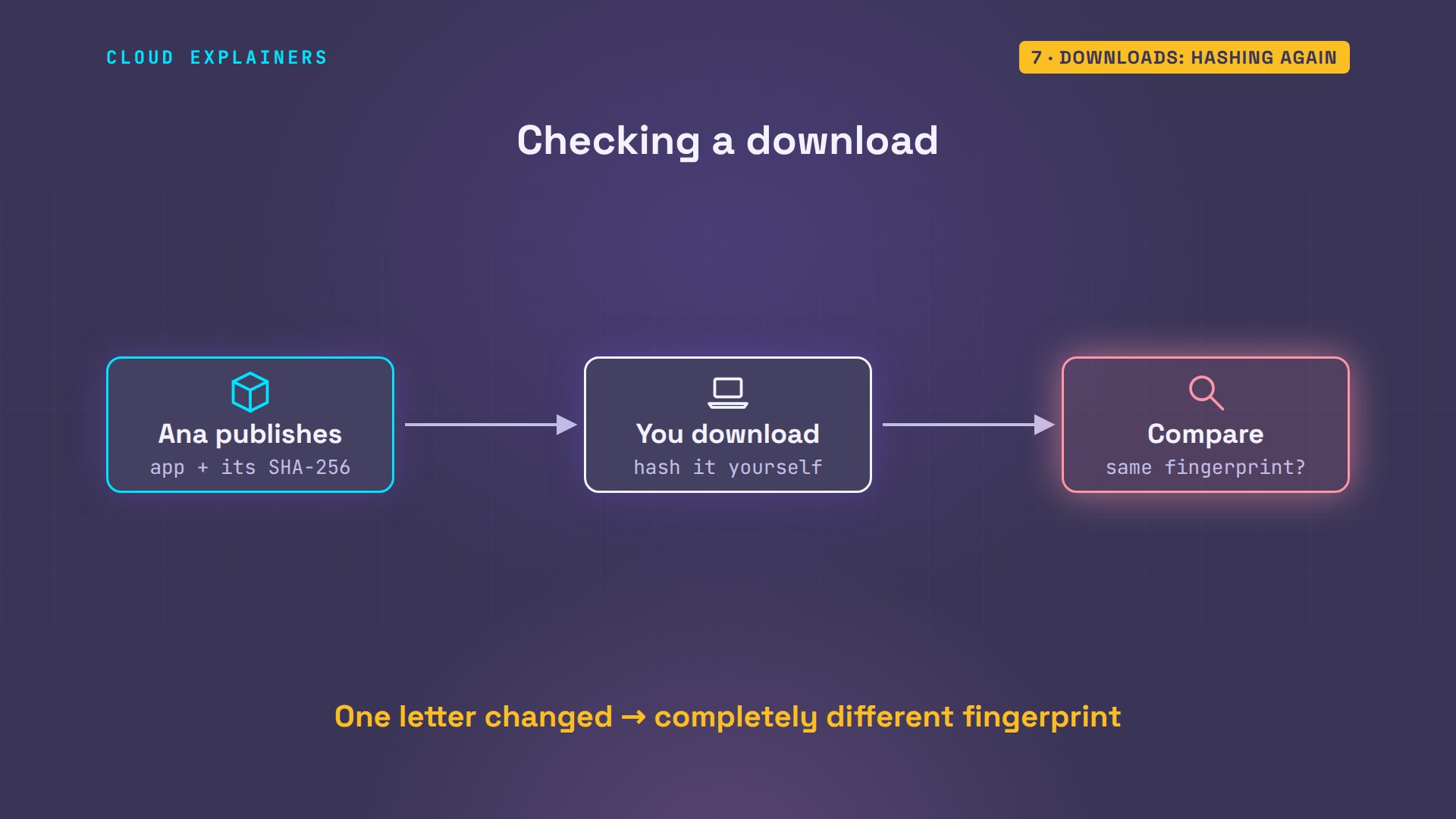
Hashes have a second job: checking files. Ana publishes her shop app for download, with its SHA-256 next to it. Anyone who downloads it can check it: OK, it's exactly the file she published. Now we change it a tiny bit, adding one letter at the end, the way a broken download or a tampered copy would differ. The check fails.
sha256sum shop-app.tar.gz > shop-app.sha256
cat shop-app.sha256dfd0b2880d9c985299d9cf9afc8a7d1390c4a634ca854d57601cea591038bea8 shop-app.tar.gz
sha256sum -c shop-app.sha256shop-app.tar.gz: OK
echo x >> shop-app.tar.gz
sha256sum -c shop-app.sha256shop-app.tar.gz: FAILED
sha256sum: WARNING: 1 computed checksum did NOT match
This is why Linux distributions and many apps publish a SHA-256 next to every download, called a checksum. Nothing needs to be hidden here, so there's no key: you just compare fingerprints. If one letter changes, the fingerprint changes completely.
Encryption wins: data you need back
Encryption wins whenever someone needs the data back. Ana has to print Ben's address on a parcel, so a hash is useless: she can't get the address out of it. The same goes for backups, private messages, and medical records: anything someone has to read later. And everything travelling over the internet, through HTTPS.
With encryption, the real question is where the key lives. A key kept next to the data is like a key taped to the box. So the shop keeps it out of the database, in a separate key store, such as a cloud key management service, that only its own code can use. Now a thief who copies the database gets locked boxes, and no key.
Look-alikes
Now two look-alikes. First, Base64. It turns the address into something that looks scrambled. But there's no key: anyone can turn it back with one command. That's encoding, a way to write data in safe characters, not a way to hide it.
echo -n '12 Elm Street' | base64MTIgRWxtIFN0cmVldA==
echo MTIgRWxtIFN0cmVldA== | base64 -d; echo12 Elm Street
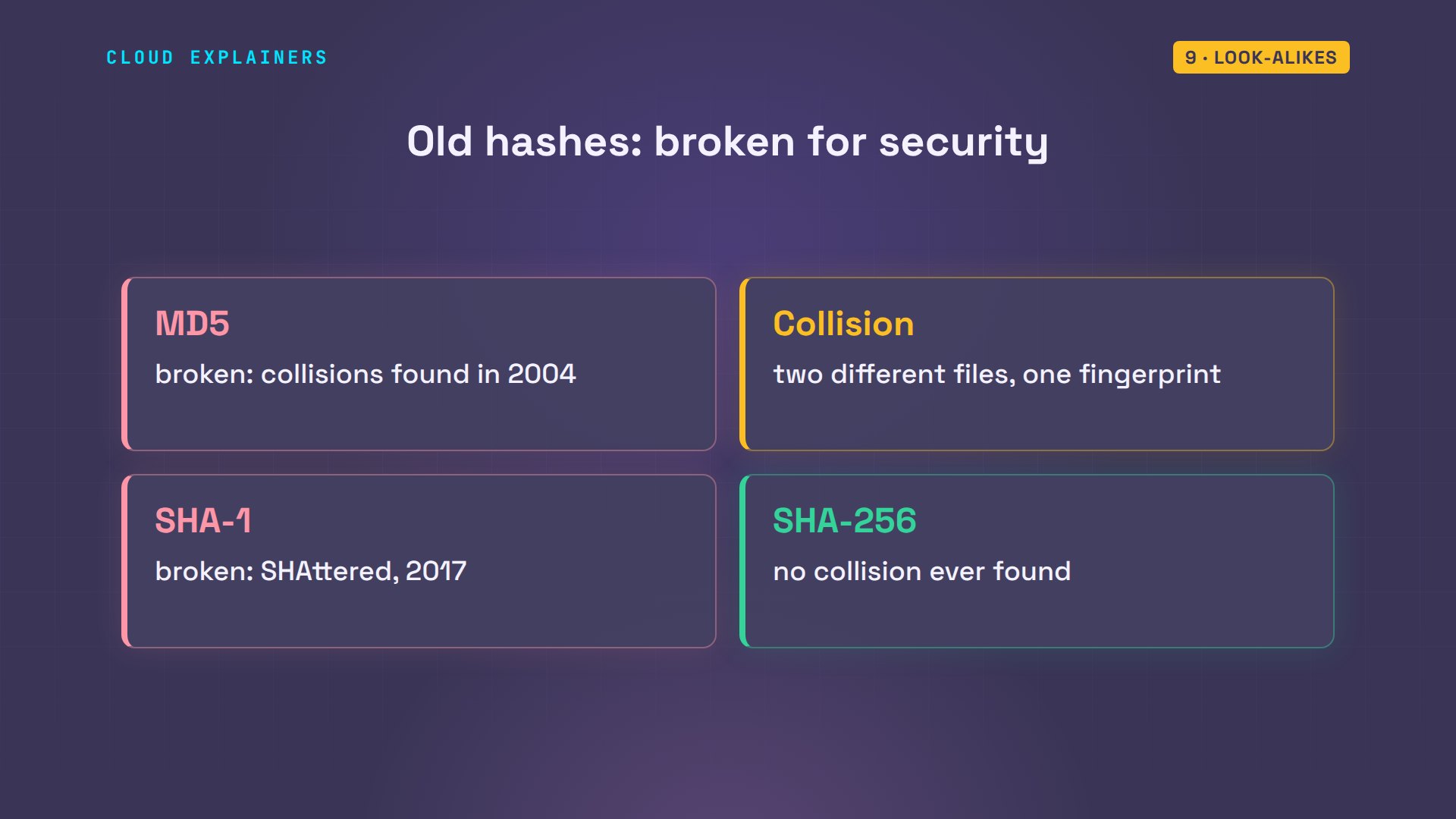
Second, old hashes. MD5 and SHA-1 were once the standard, but researchers can now make two different files with the same fingerprint. In 2017, Google and the CWI research institute did it for SHA-1, and called it SHAttered. For anything about security, use SHA-256 or newer.
When each one wins
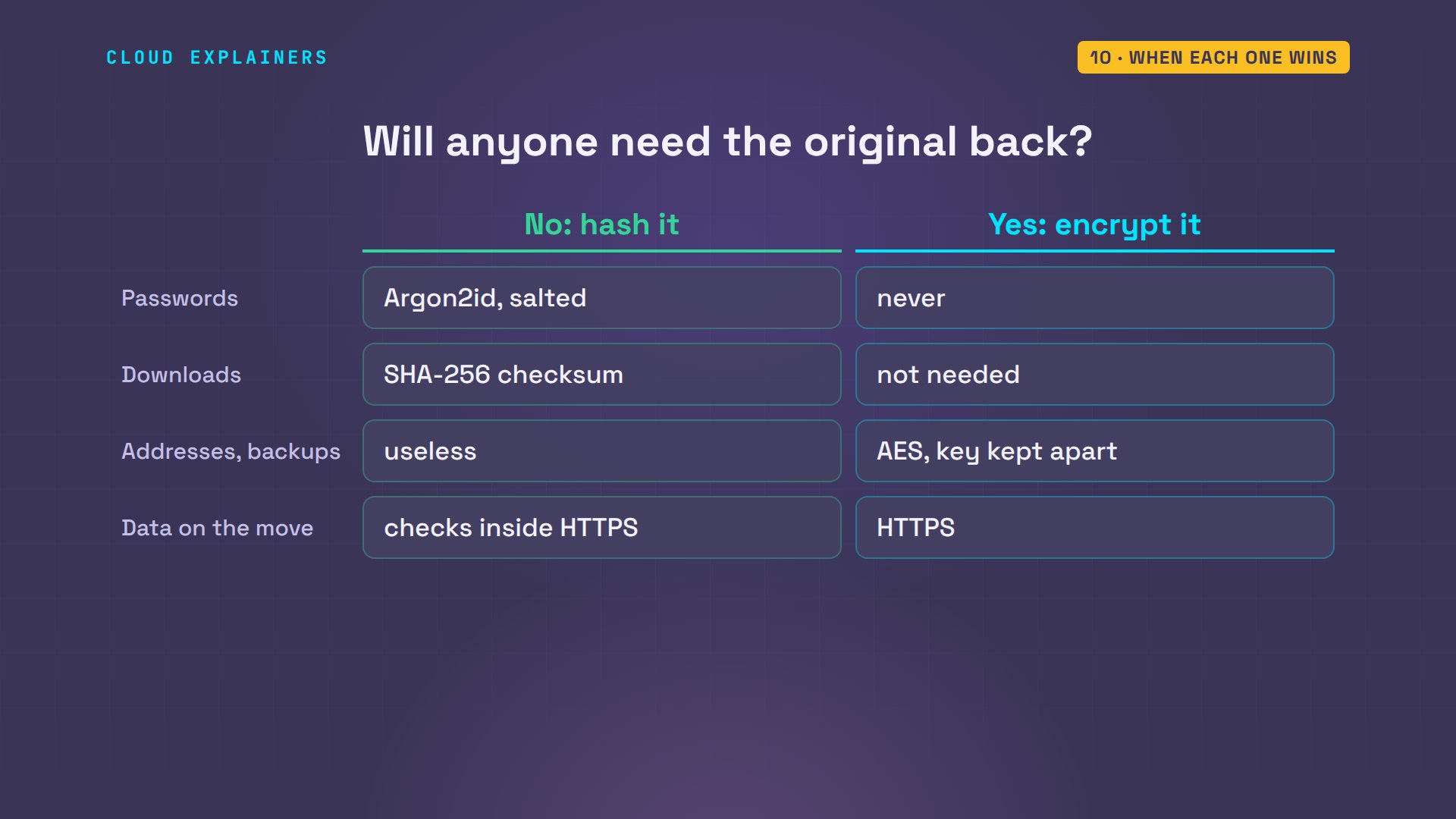
To choose, ask one question: will anyone ever need the original back? No: hash it. Passwords get a slow, salted hash like Argon2id, and downloads get a SHA-256 checksum. Yes: encrypt it, and guard the key: addresses, backups, and everything sent over the internet.
Recap
Back to Ana's shop. Hashing makes a fingerprint: one-way, always the same size, no key. Encryption makes a locked box: two-way, and the key is the secret. Ben's password is hashed with Argon2id, so a stolen database doesn't give it away. His address is encrypted, with the key kept somewhere else.
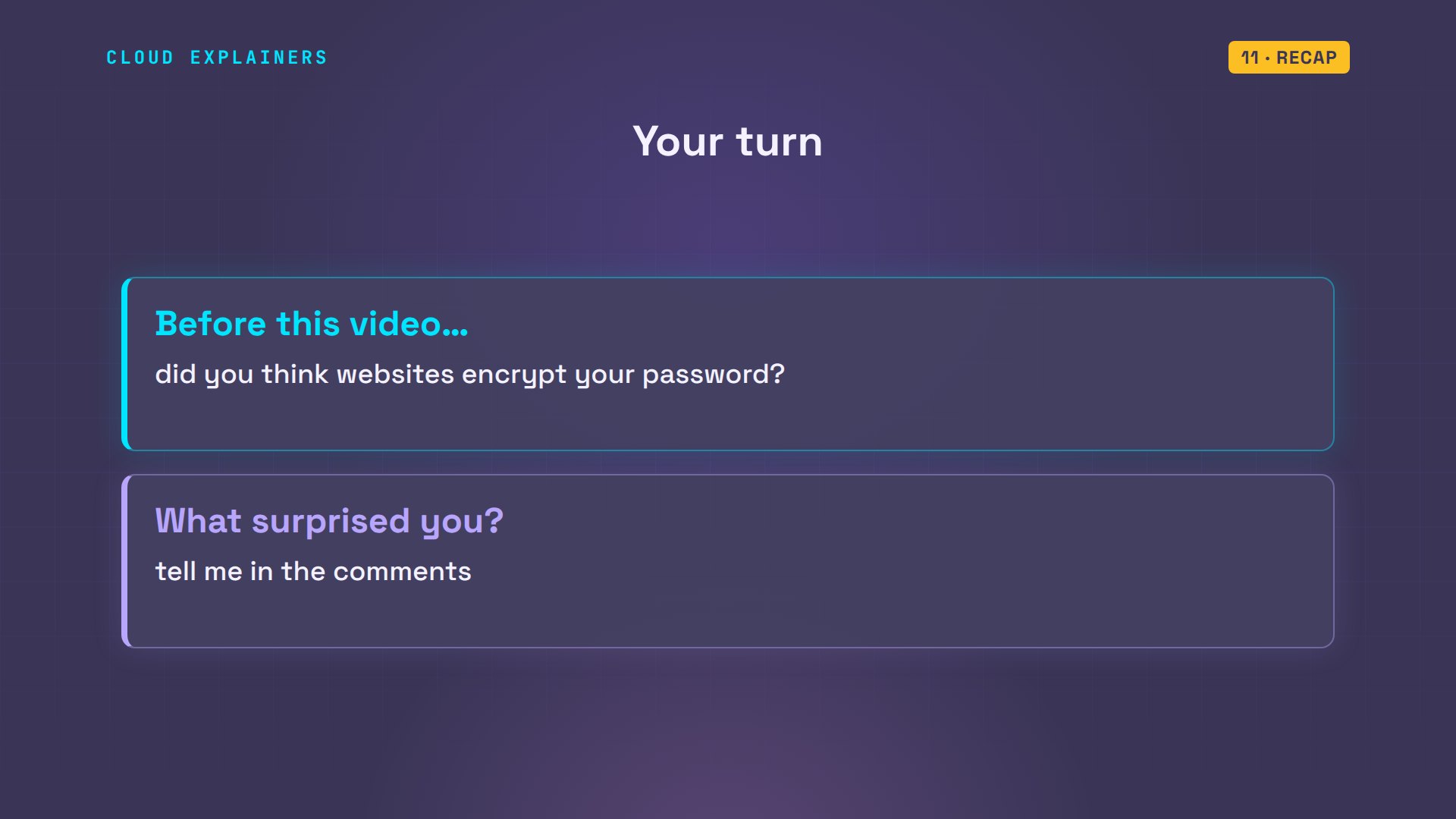
A question for the comments: before this video, did you think websites encrypt your password? Tell me in the comments, and which part surprised you most.
Every result in this video came from a real run on a test copy of Ana's shop server. This was episode three of Cybersecurity for Beginners.
Sources
- OWASP Password Storage Cheat Sheet
- RFC 9106, Argon2
- NIST FIPS 180-4, Secure Hash Standard (SHA-256)
- NIST FIPS 197, Advanced Encryption Standard (AES)
- SHAttered, the first SHA-1 collision (Google and CWI Amsterdam, 2017)
- Stevens et al., The first collision for full SHA-1
- RFC 4648, Base64 encoding
- OpenSSL enc documentation
Demos: real output from one Ubuntu container on our own machine, with no network, standing in for a small shop's server. We only hashed, encrypted and checked files we created; the account and speed scripts are small programs written for this video, and "sunshine1" is an example, not a password to use. Watch the full video on YouTube.
More videos
Every Network Troubleshooting Command You Need
Why the Internet Ran Out of IP Addresses
Linux Package Managers: apt vs Snap vs Flatpak
Why Python Is Slow (and When It Doesn't Matter)
TCP vs UDP: When Each One Wins
Stop Running Linux as Root (Do This Instead)
Linux Users and Groups Will Finally Make Sense
Why Phishing Beats Good Security (and How to Spot It)
The 7 Levels of Docker

AI Agents Will Finally Make Sense After This
Stop Using git push --force (Use This Instead)
Agent Skills vs MCP: When Each One Wins
Networking Will Finally Make Sense After This

Every Linux Command You Actually Need

The 7 Levels of Cybersecurity

Every System Design Concept You Need, in One Diagram
