
SQL vs NoSQL: When Each One Wins
SQL vs NoSQL for beginners, tested for real: the same kettle shop stored in PostgreSQL (SQL) and MongoDB (NoSQL), with the same mistakes made in both. PostgreSQL refuses to sell the last kettle twice, refuses an order for a customer who doesn't exist and undoes a half-finished order; MongoDB takes a new kind of product at once and returns a whole order in one read. Then where the two now overlap, and how to choose for your app.
One kettle, sold twice
SQL or NoSQL: which database should your app use? Here's Ana's kettle shop, stored twice: in PostgreSQL, a SQL database, and in MongoDB, a NoSQL one. There's one copper kettle left, and two orders come in for it.
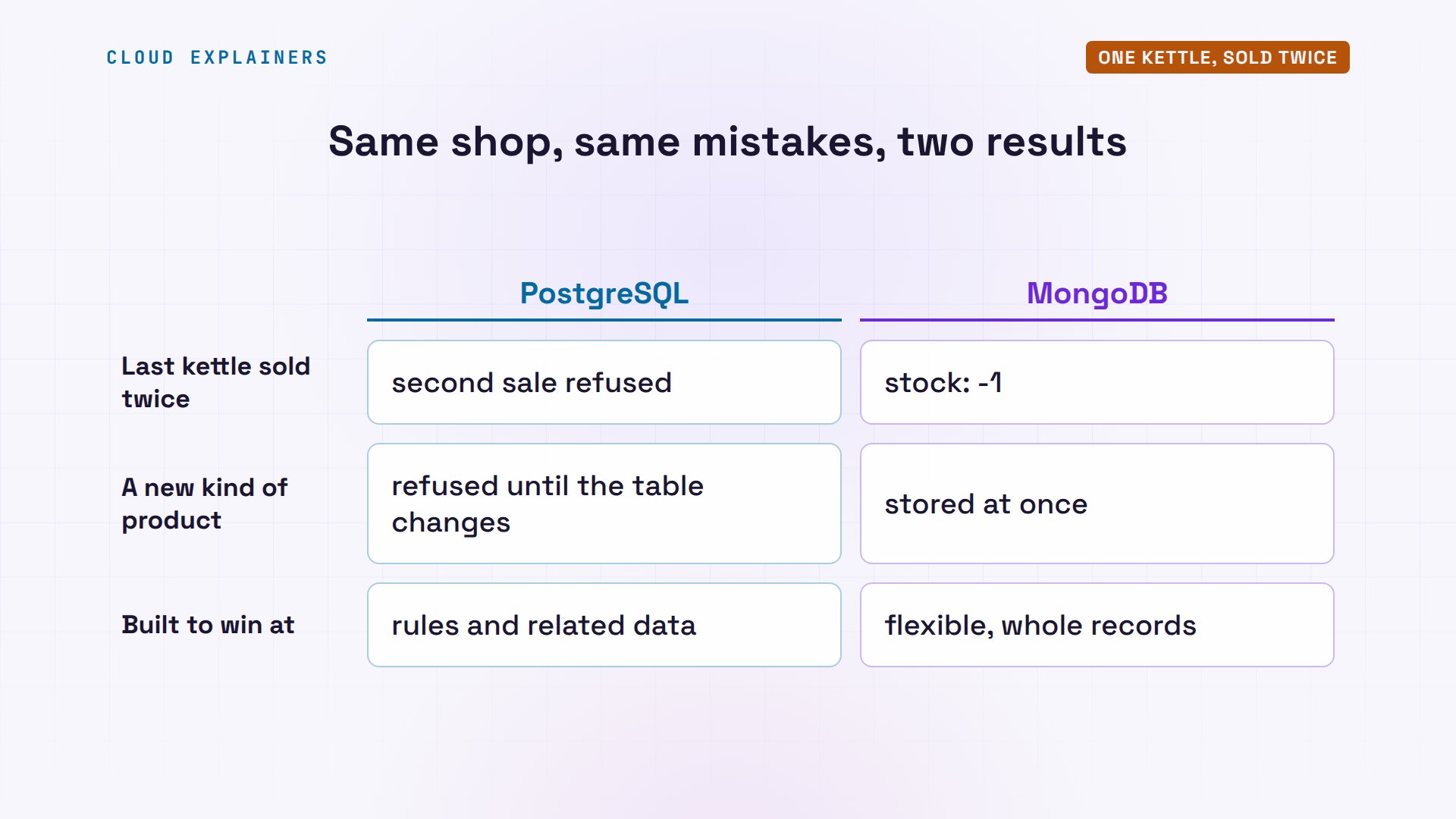
In PostgreSQL, the first sale goes through. The second is refused, because the table has a rule: stock can't go below zero.
shop=# UPDATE products SET stock = stock - 1 WHERE name = 'Copper kettle';UPDATE 1
shop=# UPDATE products SET stock = stock - 1 WHERE name = 'Copper kettle';ERROR:  new row for relation "products" violates check constraint "products_stock_check"
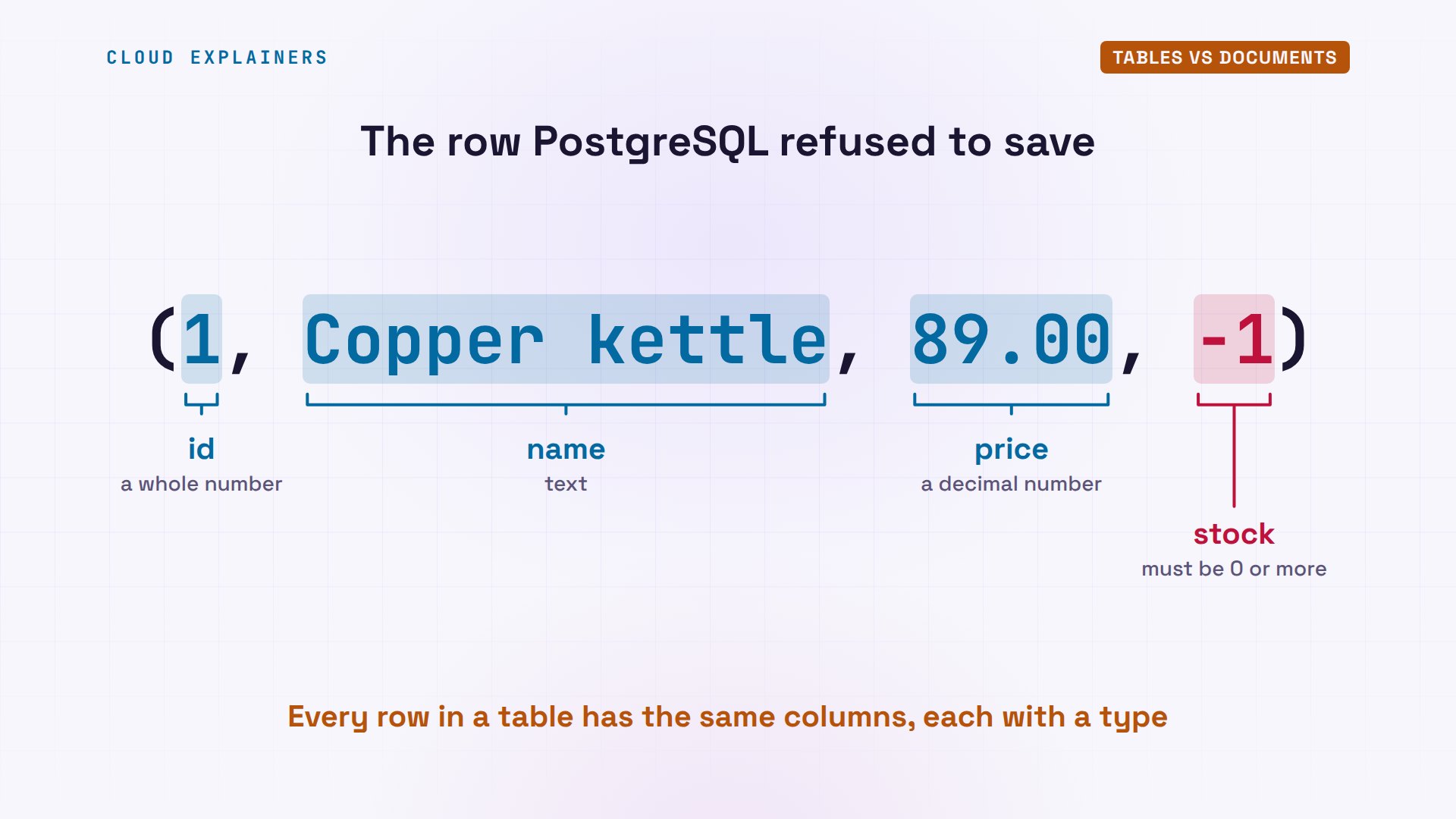
DETAIL:  Failing row contains (1, Copper kettle, 89.00, -1).
In MongoDB, the same two sales both go through. The copper kettle's stock is now minus one: the shop sold a kettle it doesn't have.
shop> db.products.updateOne({name: "Copper kettle"}, {$inc: {stock: -1}}){
  acknowledged: true,
  insertedId: null,
  matchedCount: 1,
  modifiedCount: 1,
  upsertedCount: 0
}
shop> db.products.updateOne({name: "Copper kettle"}, {$inc: {stock: -1}}){
  acknowledged: true,
  insertedId: null,
  matchedCount: 1,
  modifiedCount: 1,
  upsertedCount: 0
}
shop> db.products.findOne({name: "Copper kettle"}){ _id: 1, name: 'Copper kettle', price: 89, stock: -1 }
That doesn't make MongoDB broken. Give the shop a new kind of product, and the roles flip: MongoDB stores it at once, and PostgreSQL refuses it until its table changes. Each one was built to win at different things, and by the end you'll know which one your app needs.
Tables vs documents
That refusal came from the table itself. A SQL database stores data in tables: rows and columns, like a spreadsheet with strict rules. Every row has the same columns, and each column has a type. Here's the row PostgreSQL refused: an id, a name, a price, and a stock that must be zero or more, a rule written once, on the table.
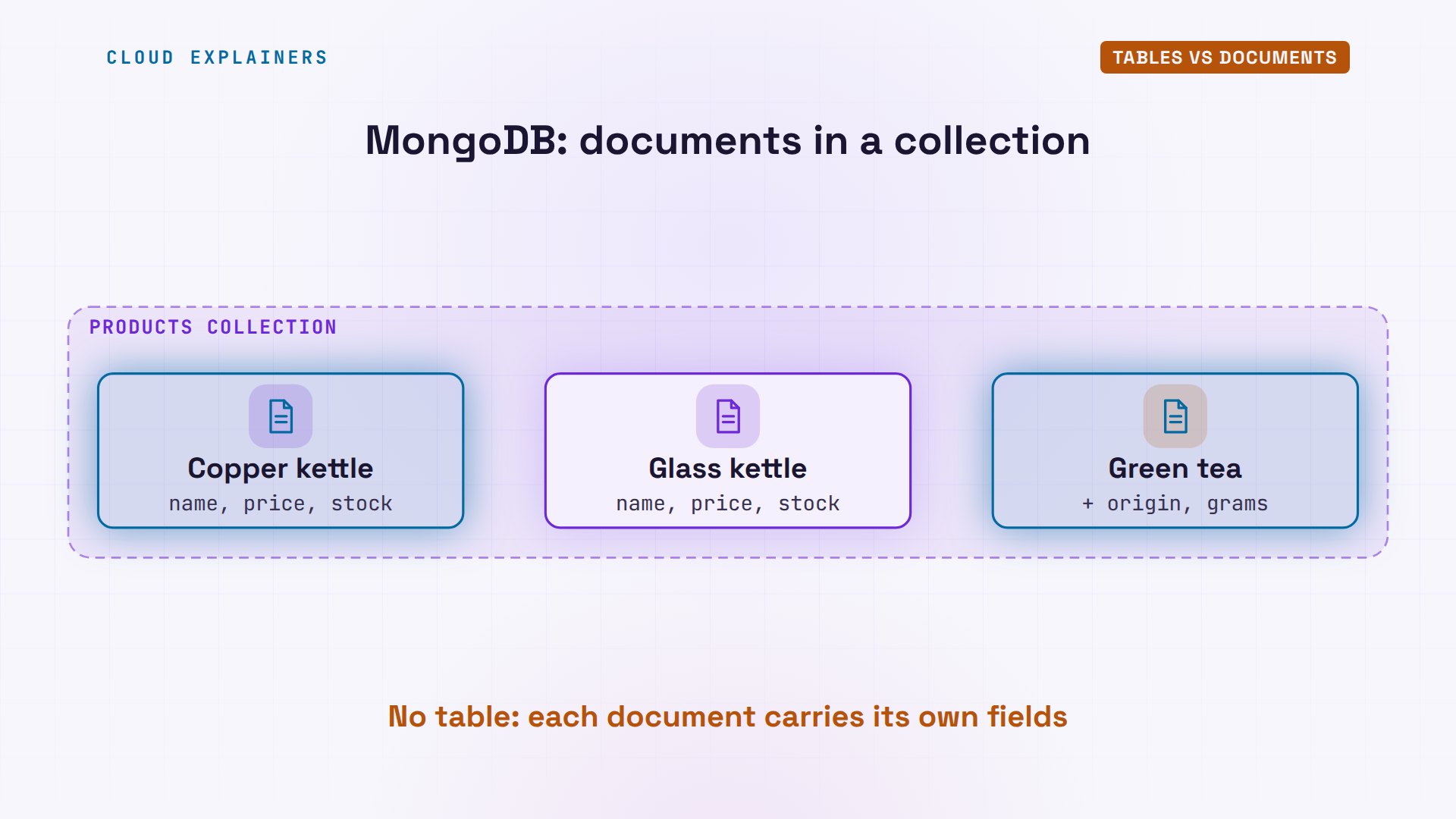
NoSQL is usually read as not only SQL: databases that don't store data in tables. The most popular kind, and the one in this video, is the document database. MongoDB stores each record as a document of fields and values, a lot like JSON, and keeps documents in collections. Two documents in the same collection don't need the same fields.
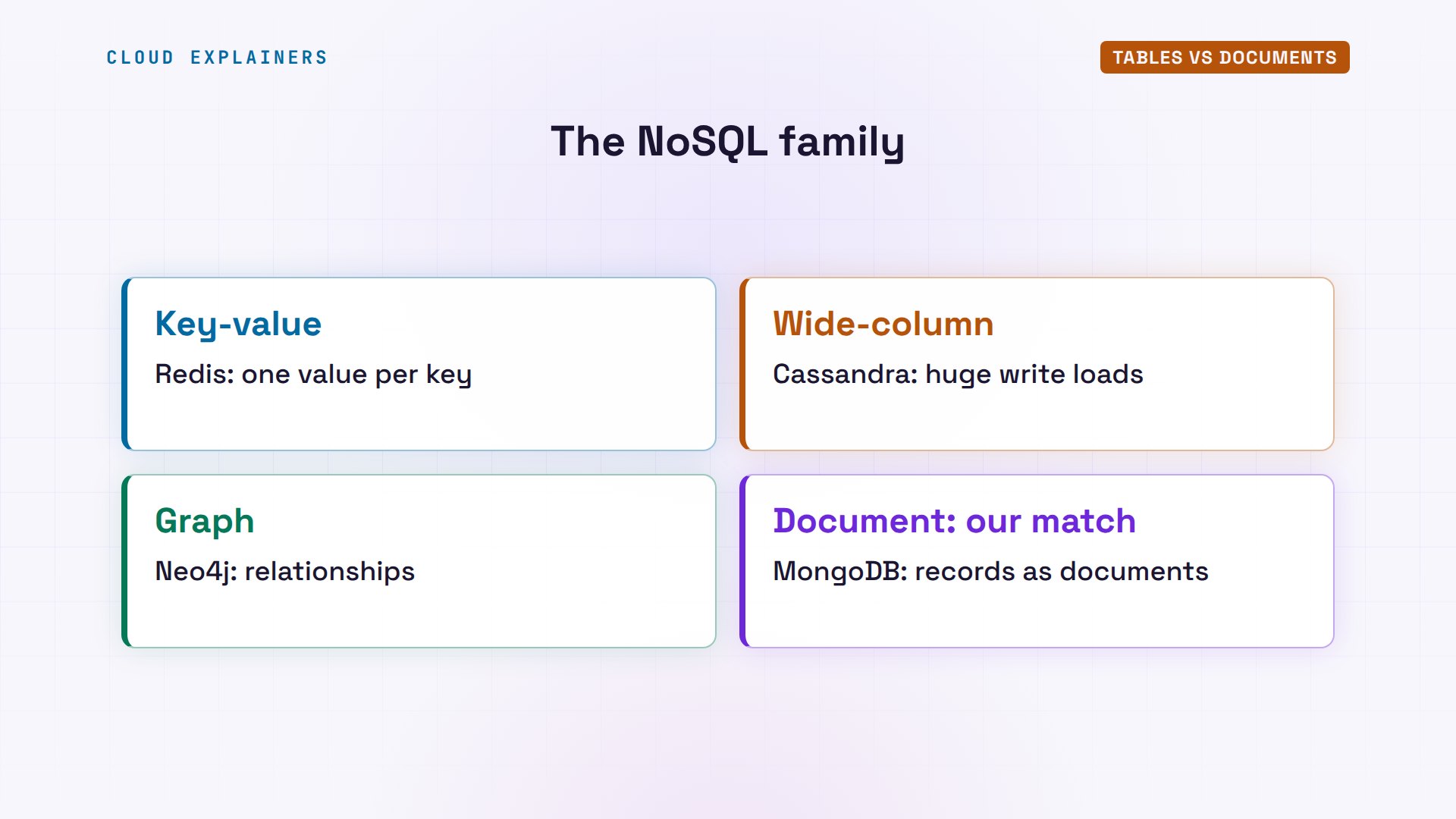
NoSQL is a whole family. Key-value stores like Redis fetch one value by its key, very fast. Wide-column stores like Cassandra spread huge amounts of writes across many machines. Graph databases like Neo4j follow relationships. But when people say SQL versus NoSQL, they usually mean tables versus documents, so that's our match.
The same order, two shapes
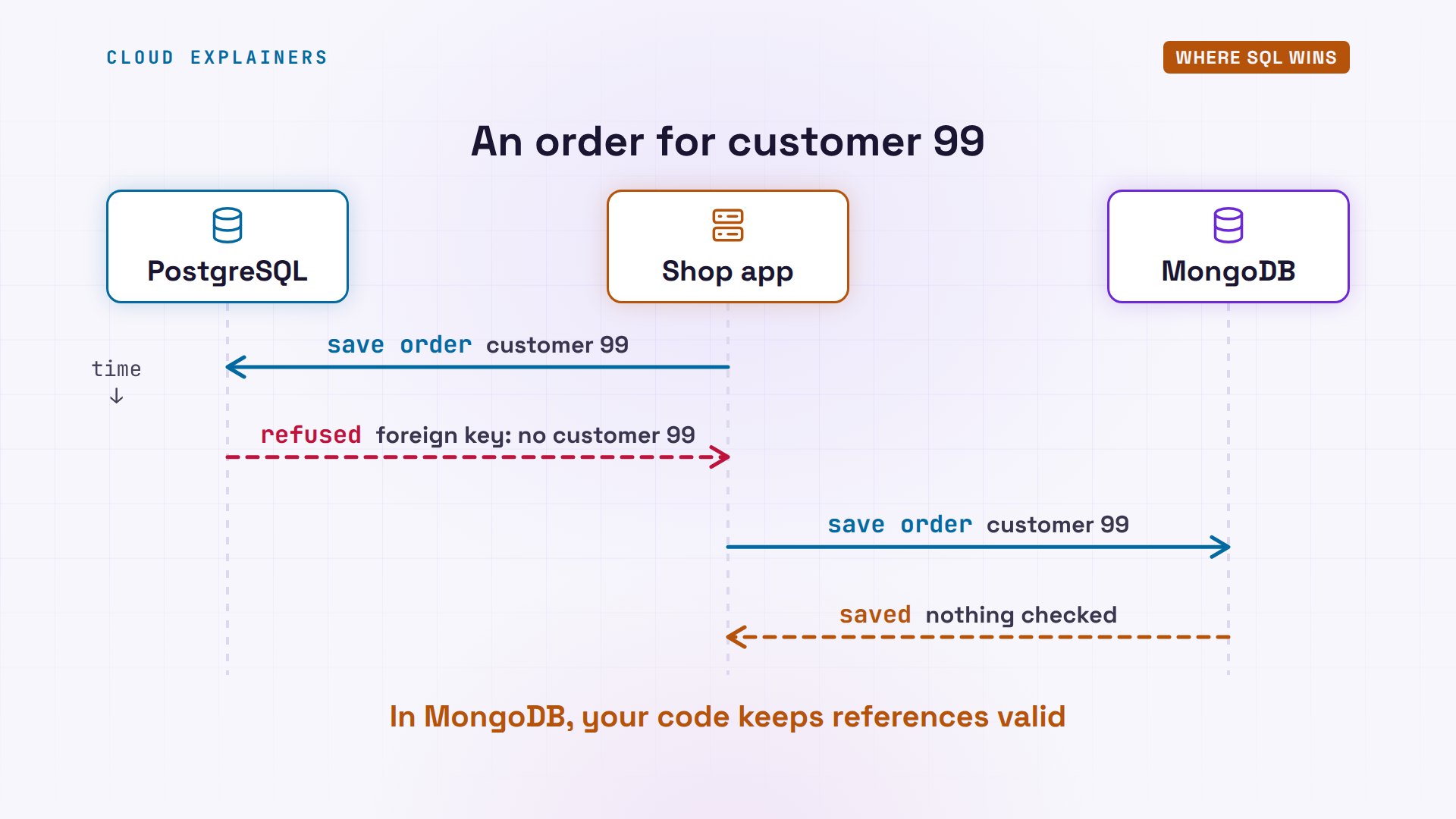
Here's one real order, number 1001: Ben bought a glass kettle and two travel kettles. PostgreSQL splits it across four tables: customers, orders, order items and products. Each row points at another by its id, called a key, so nothing is stored twice: Ben's email lives in one place.
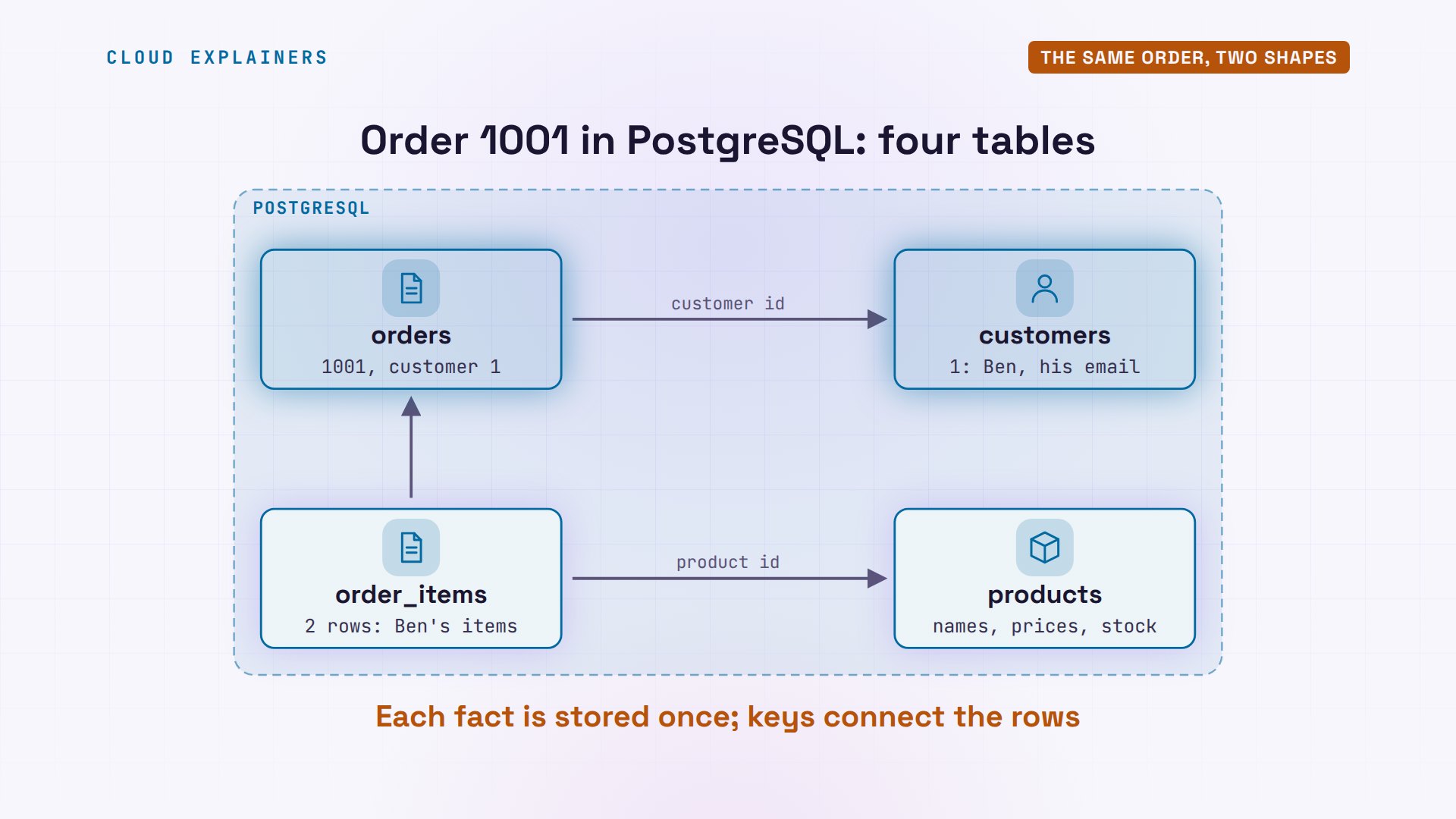
To read the whole order back, you write SQL, the structured query language, and join the tables: one query that matches rows up by their keys. Out comes Ben's order, one row per item.
shop=# SELECT o.id, c.name AS customer, p.name AS product, i.qty FROM orders o JOIN customers c ON c.id = o.customer_id JOIN order_items i ON i.order_id = o.id JOIN products p ON p.id = i.product_id WHERE o.id = 1001;id | customer | product | qty ------+----------+---------------+----- 1001 | Ben | Glass kettle | 1 1001 | Ben | Travel kettle | 2 (2 rows)
In MongoDB, the same order is one document. The items sit inside it, as a list, each with its own copy of the product's name and price. One lookup by its id returns the whole order. No joins.
shop> db.orders.findOne({_id: 1001}){
  _id: 1001,
  customer_id: 1,
  placed: ISODate('2026-11-02T00:00:00.000Z'),
  items: [
    { product_id: 2, name: 'Glass kettle', qty: 1, price: 54 },
    { product_id: 3, name: 'Travel kettle', qty: 2, price: 32.5 }
  ]
}
Neither shape is wrong. Tables avoid copies, so a change happens in one place. A document keeps together what's read together, so the app gets it in one read. The cost is copies: rename a product, and every order that copied its old name keeps it, unless your code updates them all.
Where SQL wins
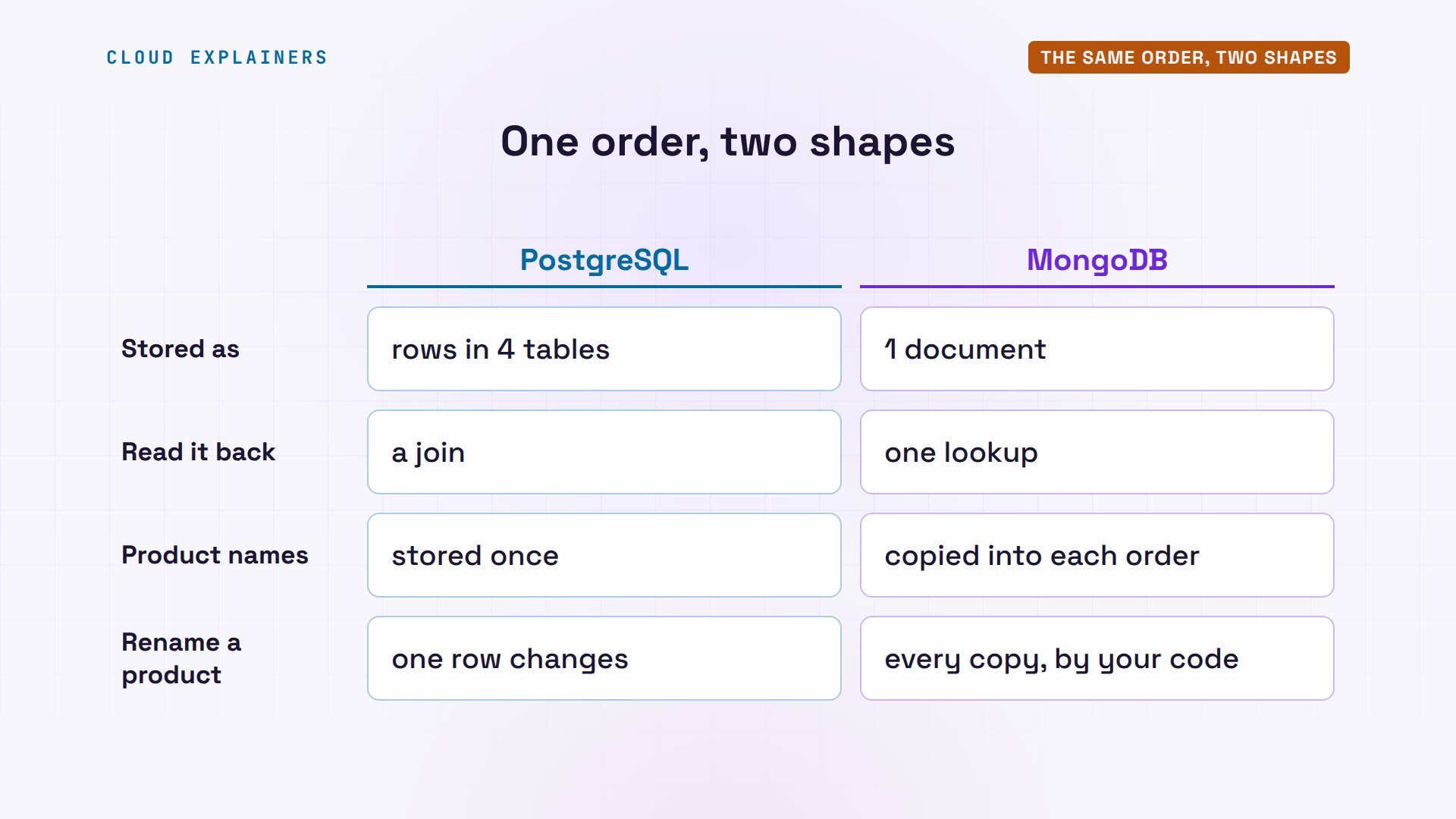
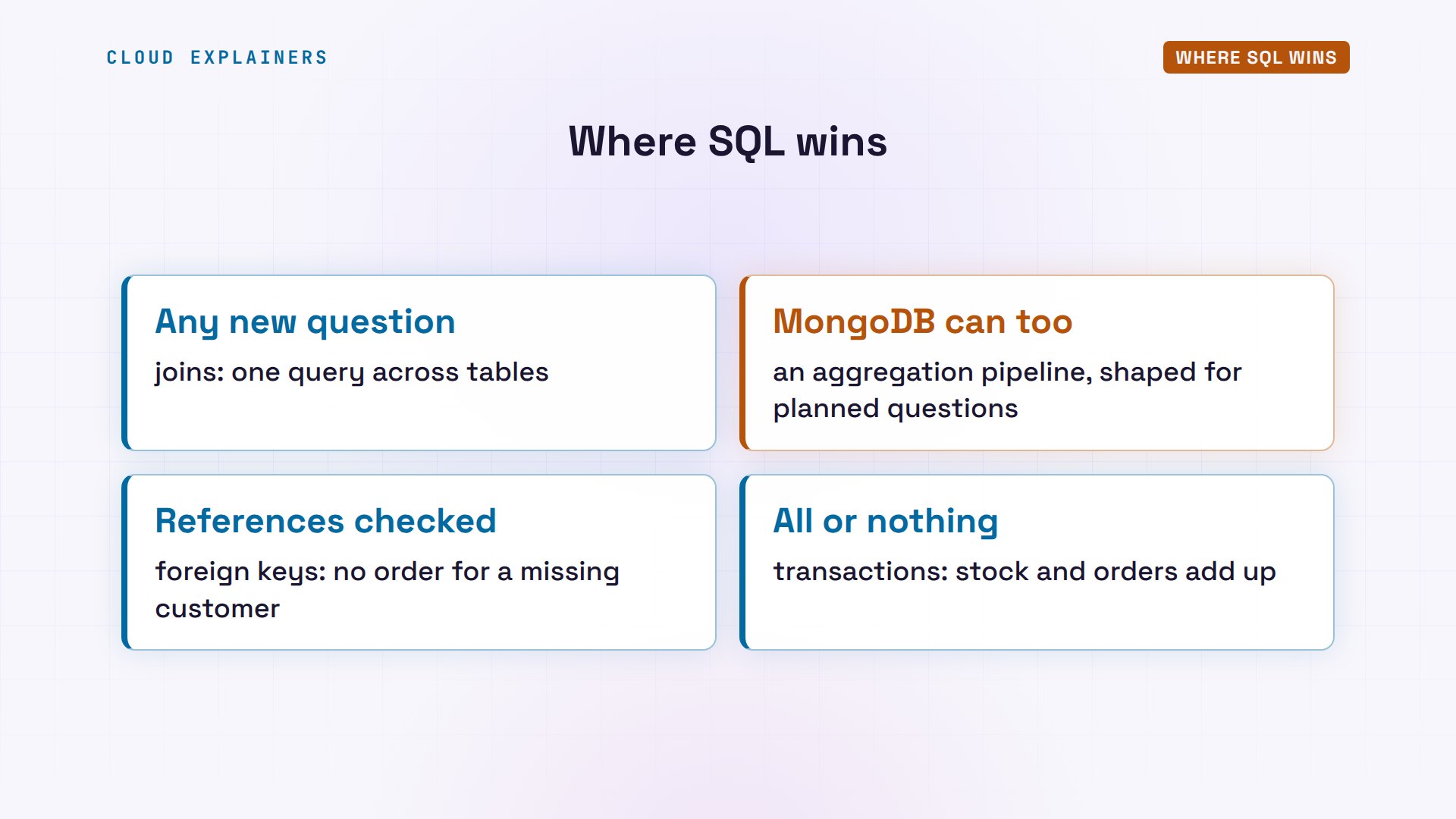
Where does SQL win? First, references are checked. A bug in the shop's code saves an order for customer 99, who doesn't exist. PostgreSQL refuses it: customer 99 isn't in the customers table.
shop=# INSERT INTO orders (id, customer_id) VALUES (1004, 99);ERROR:  insert or update on table "orders" violates foreign key constraint "orders_customer_id_fkey"
DETAIL:  Key (customer_id)=(99) is not present in table "customers".
MongoDB saves it. And when the shop looks up that order's customer, there's nobody: null. The order points at no one, and nothing warned anyone.
shop> db.orders.insertOne({_id: 1004, customer_id: 99, items: []}){ acknowledged: true, insertedId: 1004 }
shop> db.customers.findOne({_id: 99})null
That rule is a foreign key: the orders table declares that every customer id in it must exist in customers. MongoDB has no foreign keys. Keeping documents pointing at real things is your code's job.
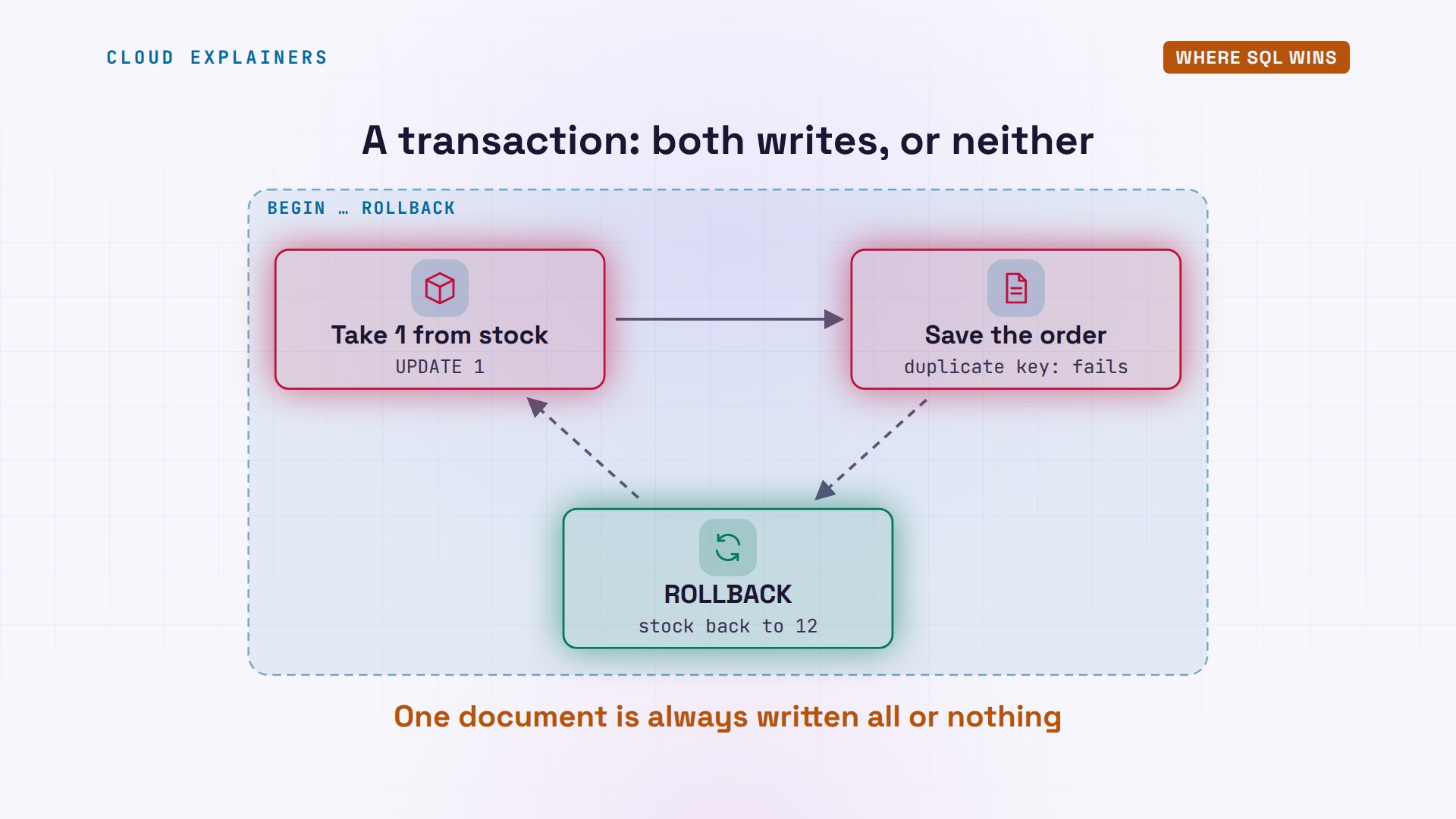
Second: all or nothing. Selling a glass kettle takes two writes: take one from stock, then save the order. Here both run inside one transaction, started by BEGIN. The second write fails: that order number already exists. So the transaction is rolled back, and the first write is undone too: stock is still 12.
shop=# BEGIN;BEGIN
shop=*# UPDATE products SET stock = stock - 1 WHERE name = 'Glass kettle';UPDATE 1
shop=*# INSERT INTO orders (id, customer_id) VALUES (1001, 2);ERROR:  duplicate key value violates unique constraint "orders_pkey"
DETAIL:  Key (id)=(1001) already exists.
shop=!# ROLLBACK;ROLLBACK
shop=# SELECT name, stock FROM products WHERE name = 'Glass kettle';name | stock --------------+------- Glass kettle | 12 (1 row)
MongoDB, with the same two writes, done separately: the kettle leaves stock, the order fails, and stock stays at 11. A kettle has vanished, with no order for it.
shop> db.products.updateOne({name: "Glass kettle"}, {$inc: {stock: -1}}){
  acknowledged: true,
  insertedId: null,
  matchedCount: 1,
  modifiedCount: 1,
  upsertedCount: 0
}
shop> db.orders.insertOne({_id: 1001, customer_id: 2, items: []})MongoServerError: E11000 duplicate key error collection: shop.orders index: _id_ dup key: { _id: 1001 }
shop> db.products.findOne({name: "Glass kettle"}, {_id: 0, name: 1, stock: 1}){ name: 'Glass kettle', stock: 11 }
That's a transaction: several writes that succeed together, or fail together. It's a big reason banks and shops keep payments and stock counts in SQL databases. To be fair, MongoDB has had transactions across documents since version 4.0, when it runs as a replica set: a few servers holding the same data. And a write to one document is always all or nothing: one more reason to keep an order in one document.
Third: questions nobody planned for. Ana wants to know how much each customer has spent. In SQL, that's one query, joining three tables, with a total per customer: Ben 173, Cara 32.50.
shop=# SELECT c.name, sum(i.qty * i.price) AS spent FROM customers c JOIN orders o ON o.customer_id = c.id JOIN order_items i ON i.order_id = o.id GROUP BY c.name ORDER BY spent DESC;name | spent ------+-------- Ben | 173.00 Cara | 32.50 (2 rows)
SQL was designed for exactly that: ask a new question of the data without changing how it's stored. MongoDB can answer it too, with an aggregation pipeline, a chain of processing steps, but its documents are shaped for the questions you planned. So SQL wins when data is related, when money and stock must add up, and when the questions keep changing.
Where NoSQL wins
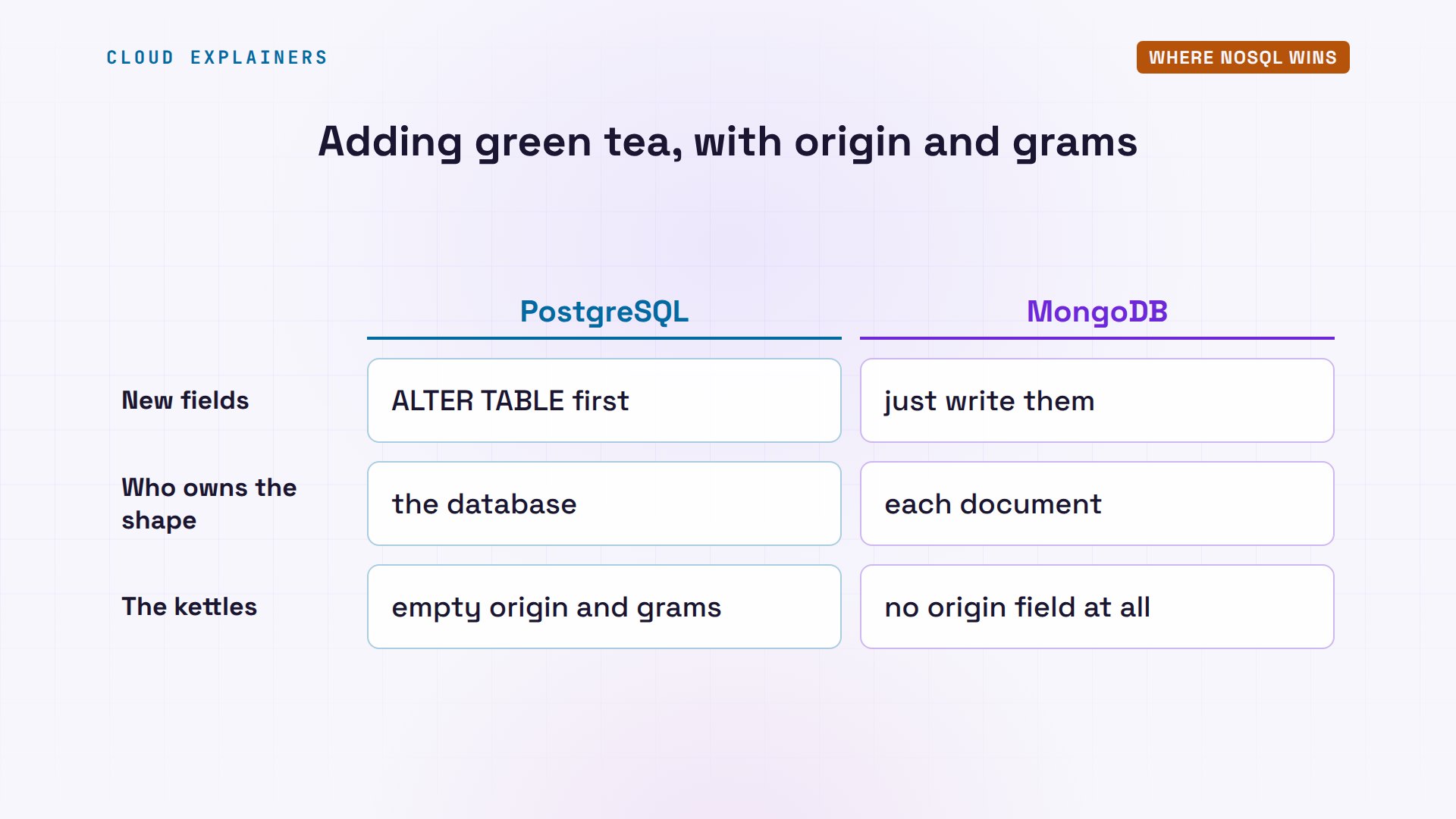
Now, where does NoSQL win? The shop starts selling tea. A tea has things a kettle doesn't: where it's grown, and how many grams are in the bag. MongoDB stores the new product right away, extra fields and all.
shop> db.products.insertOne({name: "Sencha green tea", price: 12.5, stock: 40, origin: "Japan", grams: 100}){
  acknowledged: true,
  insertedId: ObjectId('6ae7f008623a616592dae9e1')
}
PostgreSQL refuses: the products table has no origin column. So first the table itself changes. Then the same insert works, and every kettle now has an empty origin and grams.
shop=# INSERT INTO products (id, name, price, stock, origin, grams) VALUES (4, 'Sencha green tea', 12.50, 40, 'Japan', 100);ERROR:  column "origin" of relation "products" does not exist
LINE 1: INSERT INTO products (id, name, price, stock, origin, grams)...
                                                      ^
shop=# ALTER TABLE products ADD COLUMN origin text, ADD COLUMN grams int;ALTER TABLE
shop=# INSERT INTO products (id, name, price, stock, origin, grams) VALUES (4, 'Sencha green tea', 12.50, 40, 'Japan', 100);INSERT 0 1
shop=# SELECT name, origin, grams FROM products ORDER BY id;name | origin | grams ------------------+--------+------- Copper kettle | | Glass kettle | | Travel kettle | | Sencha green tea | Japan | 100 (4 rows)
That fixed shape is called a schema. In SQL, the database owns it, and changing it is a deliberate step, called a migration. In MongoDB, each document carries its own shape: the kettles simply have no origin field. When records vary a lot, or their shape changes every week, that freedom wins.
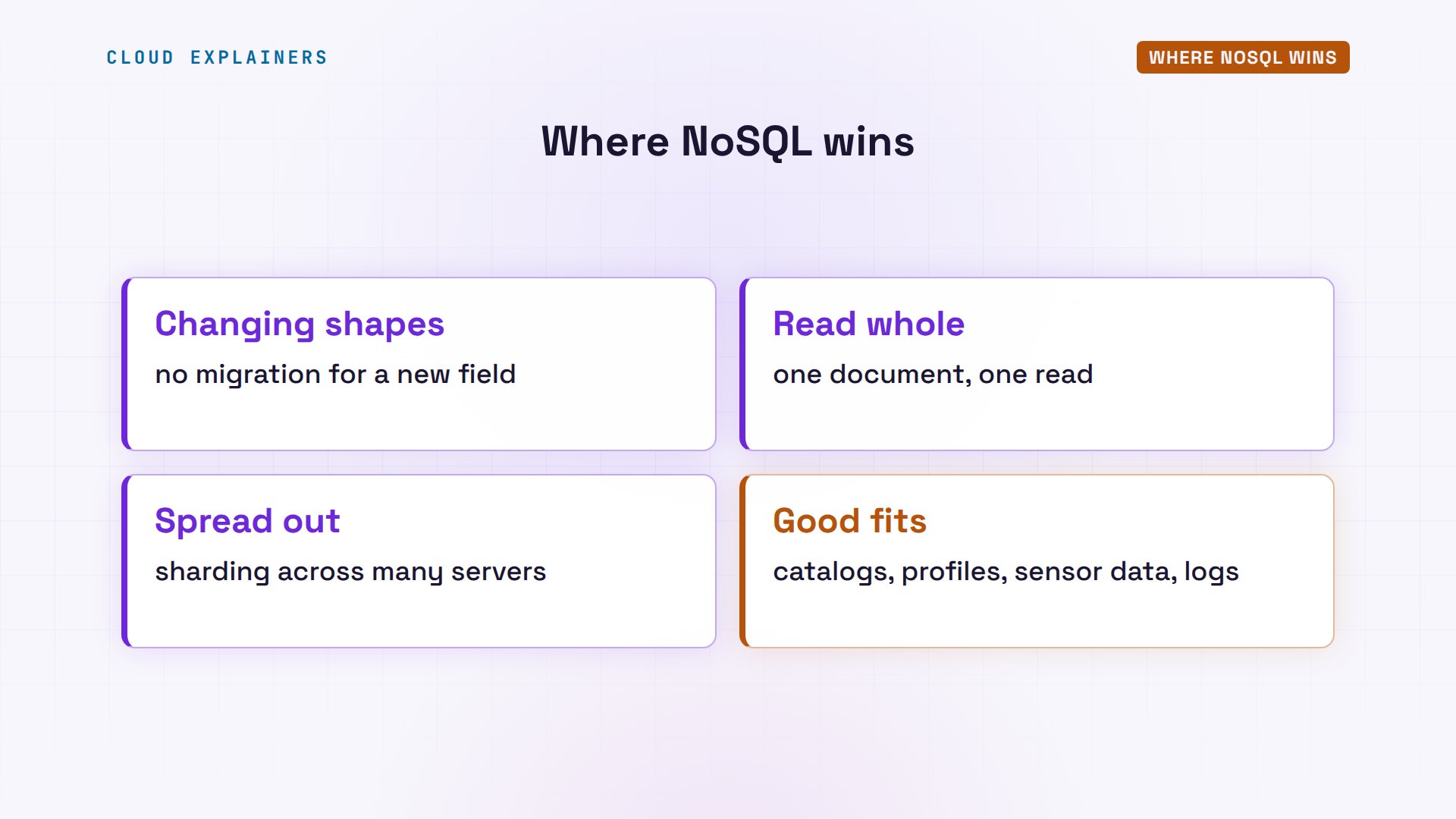
Documents also win when the app reads one thing whole: a product page, a user's profile, a shopping cart. Everything about it is stored together, so one read returns it, with no joins to do.
And documents spread out well. When one server isn't enough, MongoDB can split a collection across many servers, called shards, by a key you choose, like the customer id. Each order is self-contained, so it can live on any shard. PostgreSQL usually grows by moving to a bigger server and adding read-only copies; splitting one database across servers takes an extension, or work in your app.
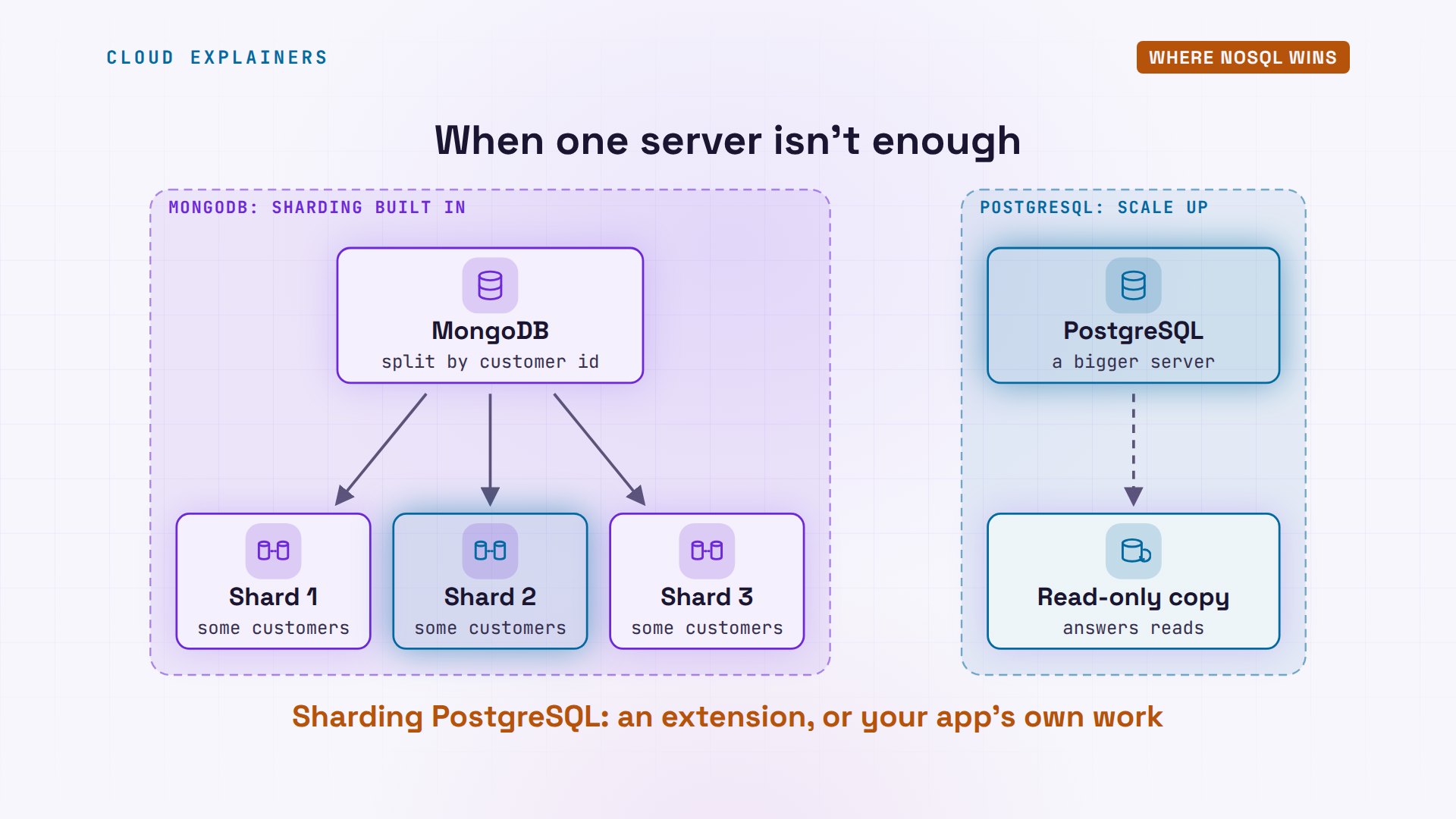
So NoSQL wins when records vary or keep changing shape, when the app reads each one whole, and when data has to spread across many servers. Think product catalogs, user profiles, sensor readings and logs.
The lines are blurring
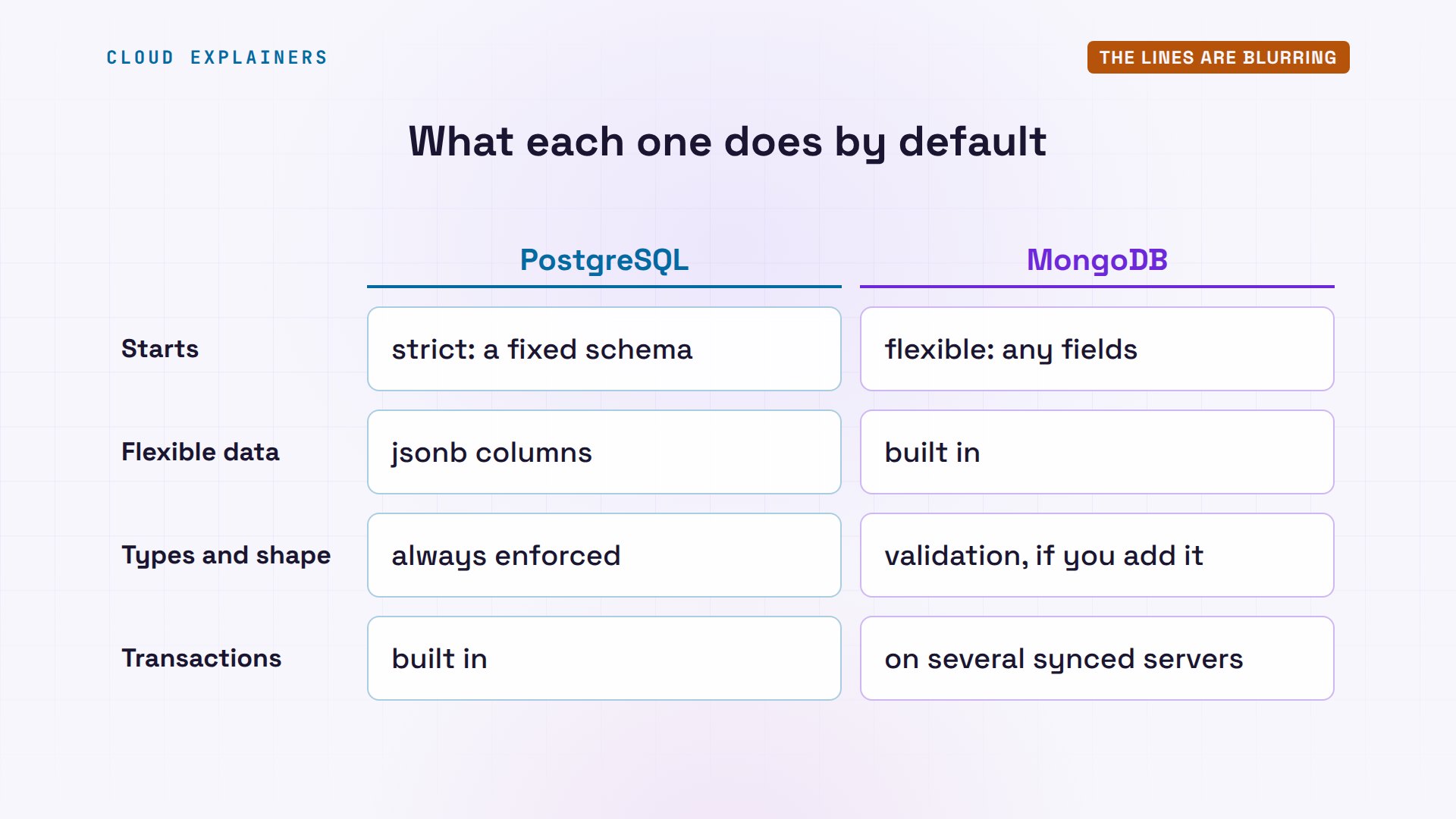
Today the two camps borrow from each other. PostgreSQL has a JSON column type, jsonb. Here, a black tea with fields no other product has: stored and searched, with no new columns.
shop=# ALTER TABLE products ADD COLUMN details jsonb;ALTER TABLE
shop=# INSERT INTO products (id, name, price, stock, details) VALUES (5, 'Assam black tea', 9.00, 25, '{"origin": "India", "grams": 250, "caffeine": "high"}');INSERT 0 1
shop=# SELECT name, details->>'caffeine' AS caffeine FROM products WHERE details ? 'caffeine';name | caffeine -----------------+---------- Assam black tea | high (1 row)
And MongoDB can enforce rules. Ana adds one: stock must be zero or more. Now another sale of the copper kettle is refused. But the minus one stored earlier is still there: a rule added late doesn't fix old data.
shop> db.runCommand({collMod: "products", validator: {stock: {$gte: 0}}}){ ok: 1 }
shop> db.products.updateOne({name: "Copper kettle"}, {$inc: {stock: -1}})MongoServerError: Plan executor error during update :: caused by :: Document failed validation
shop> db.products.findOne({name: "Copper kettle"}, {_id: 0, name: 1, stock: 1}){ name: 'Copper kettle', stock: -1 }
So the real difference isn't what each one can do. It's what each one does by default. PostgreSQL starts strict, and you loosen it with jsonb where you need freedom. MongoDB starts flexible, and you add validation and transactions where you need guarantees.
How to choose
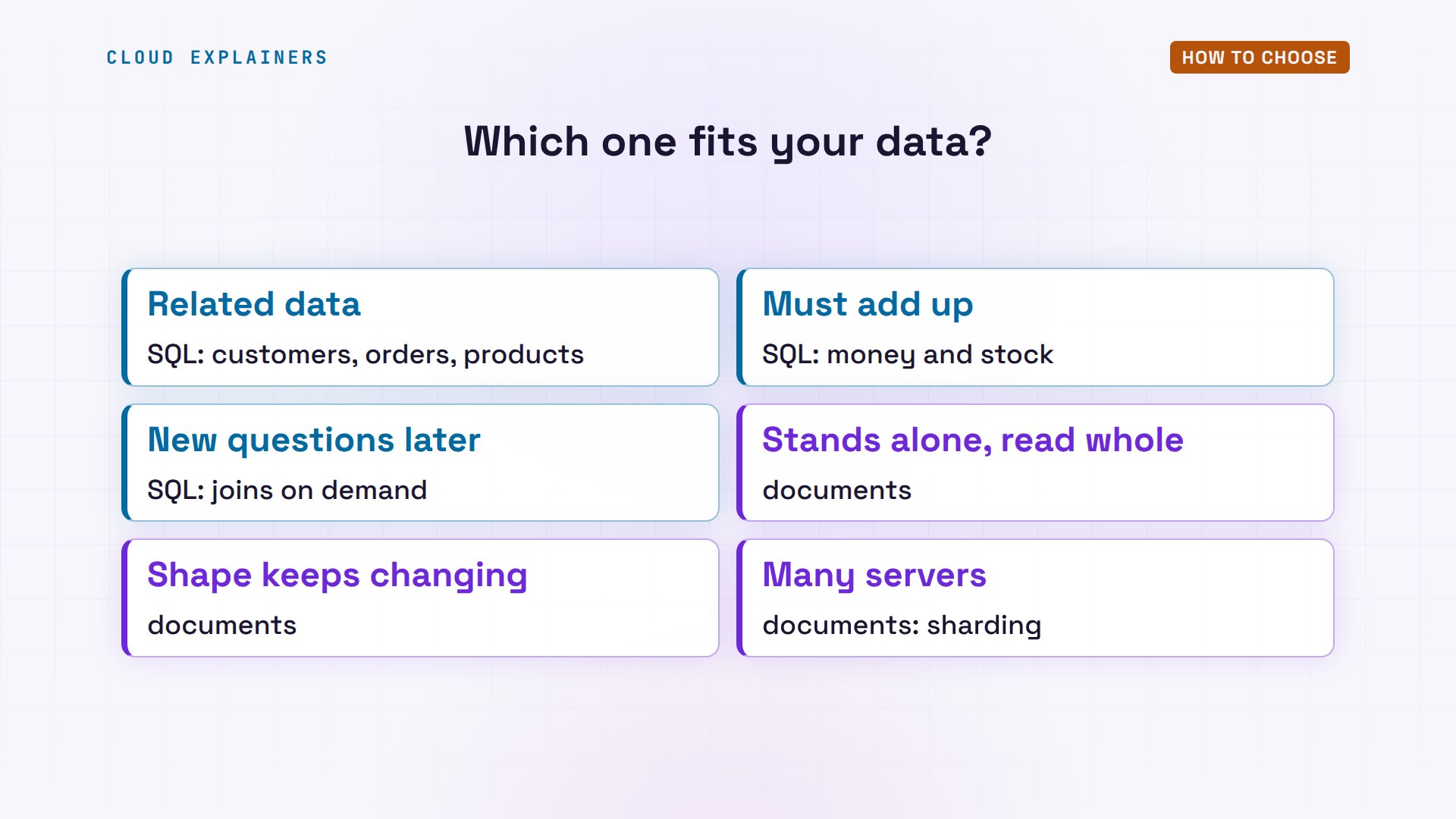
Here's how to choose. Pick SQL when your data is related, like customers, orders and products; when numbers must always add up, like money and stock; and when you'll ask new questions later. Pick a document database when each record stands alone and is read whole, when its shape varies or keeps changing, or when it must spread across many servers.
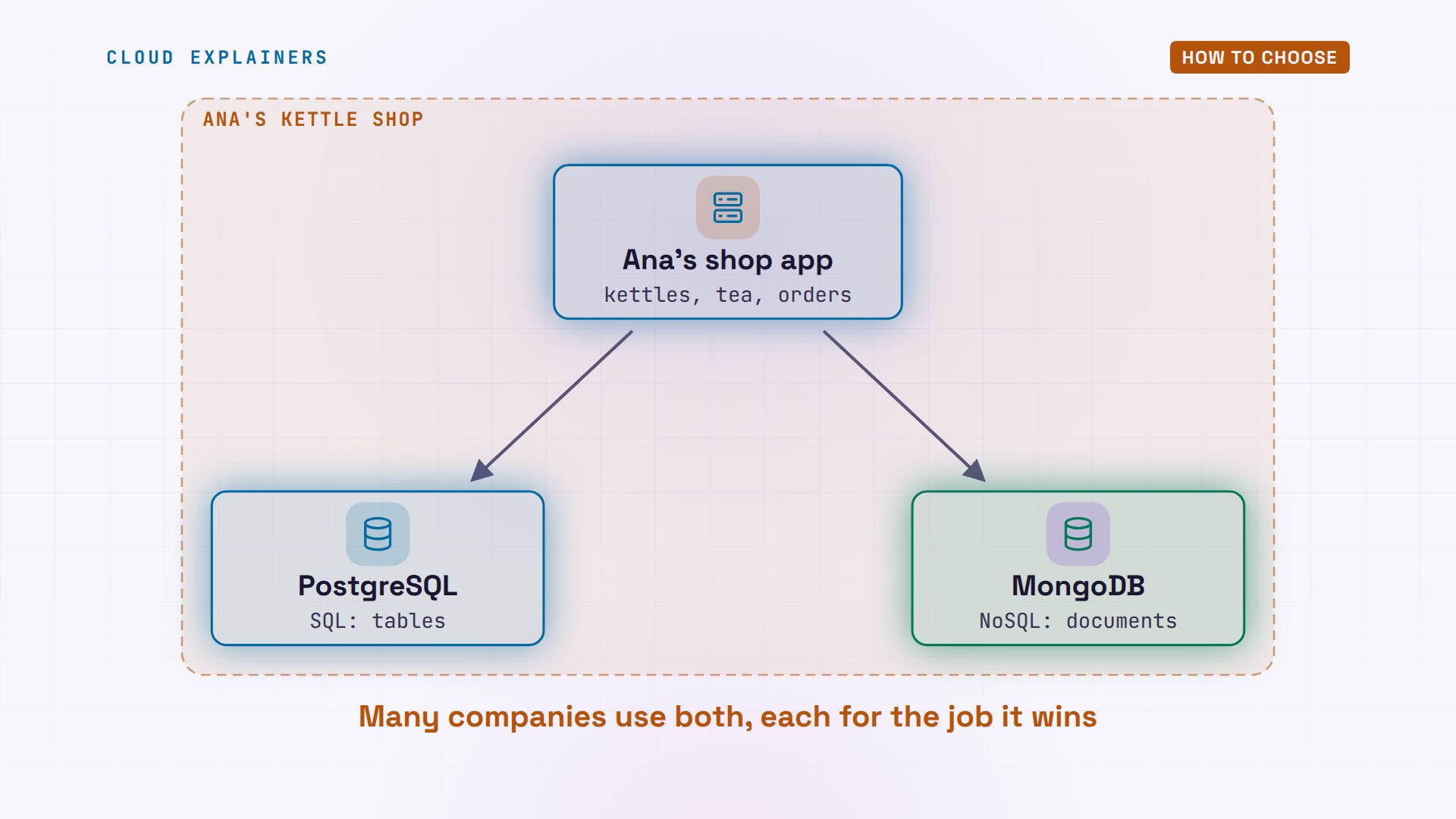
For Ana's kettle shop, that means orders, stock and customers in PostgreSQL. If you're not sure, a SQL database is a common, safe default: its rules catch mistakes early, and jsonb covers the flexible parts. And plenty of large companies use both, each for the job it wins.
Recap
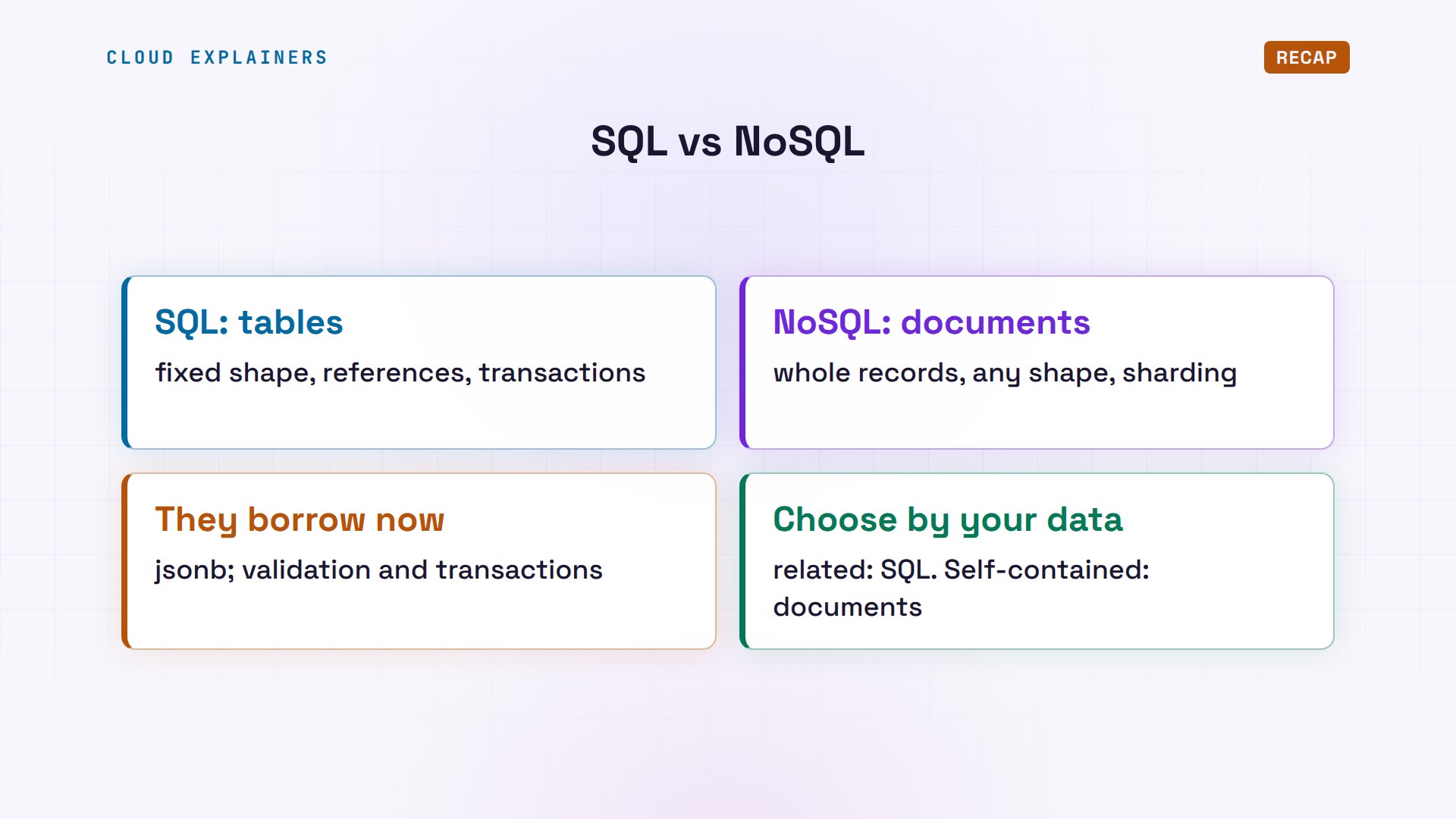
Let's recap. SQL stores rows in tables with a fixed shape, and checks references and transactions for you. Document databases store each record whole, in any shape, and spread across servers easily. Each now borrows from the other, so choose by your data: related and must add up, SQL; self-contained and changing, documents.
If seeing one shop break two different ways made this click, subscribing helps a small channel make more side-by-side tests like it.
Every command and number in this video came from a real run in our lab. Thanks for watching Cloud Explainers.
Sources
Demos: real output from two database containers with no network on our own machine, holding the same made-up shop data. Watch the full video on YouTube.
More videos
How to Fix JWT Token Expired Errors (401 Unauthorized)

Claude API vs Claude Pro: Why Your Subscription Doesn't Include It

Why AI Agent Skills Beat Giant Prompts

Linux Cron Jobs Will Finally Make Sense After This

Security Logs Will Finally Make Sense After This

How to Fix a Security Leak: An API Key Pushed to GitHub

DNS Will Finally Make Sense After This

Never Ignore a Security Update

Two-Factor Authentication Will Finally Make Sense

Never Expose a Database to the Internet

SSH Keys vs Passwords: Which Is Safer for Security?

The 5 Levels of Linux Boot: From Power On to Login

The 5 Levels of Network Firewalls

Password Security: Why Hackers Crack Weak Passwords

Why Your Linux Server Runs Out of Memory

HTTP vs HTTPS: What Actually Changes on Your Network

Every Linux File Permission You Need to Know

Linux Processes vs Threads: When Each One Wins

The OSI Model Will Finally Make Sense After This

The 7 Levels of Git

Every Network Troubleshooting Command You Need

Hashing vs Encryption in Cybersecurity: When Each One Wins

Why the Internet Ran Out of IP Addresses

Linux Package Managers: apt vs Snap vs Flatpak

Why Python Is Slow (and When It Doesn't Matter)

TCP vs UDP: When Each One Wins

Stop Running Linux as Root (Do This Instead)

Linux Users and Groups Will Finally Make Sense

Why Phishing Beats Good Security (and How to Spot It)

The 7 Levels of Docker

AI Agents Will Finally Make Sense After This

Stop Using git push --force (Use This Instead)

Agent Skills vs MCP: When Each One Wins

Networking Will Finally Make Sense After This

Every Linux Command You Actually Need

The 7 Levels of Cybersecurity

Every System Design Concept You Need, in One Diagram
