
Password Security: Why Hackers Crack Weak Passwords
Why weak passwords get cracked, for complete beginners: a stolen database holds hashes that can't be reversed, so thieves guess offline: the most common passwords, leaked lists and their usual tweaks first, every combination last. Measured on our own lab machine: how many guesses a second one CPU core makes with SHA-256 and with Argon2id, how long it takes to try every password of each kind, and how often example passwords appear in Have I Been Pwned's breach data. Then why length beats symbols, why reuse spreads one breach, and what protects you: random passphrases, a password manager, two-factor, breach warnings, and NIST's advice for sites.
Weak passwords fall first
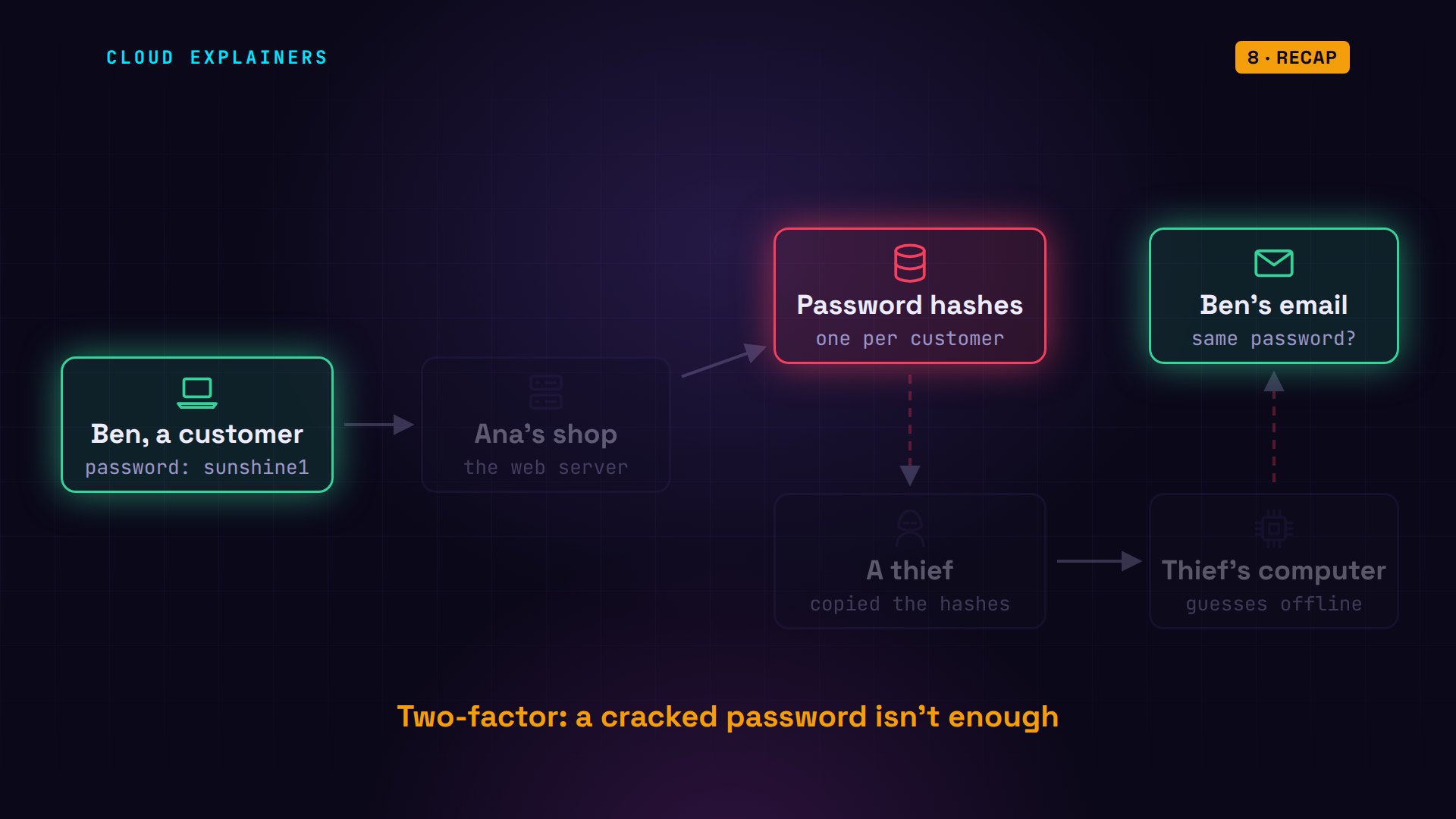
When a website gets hacked, weak passwords can be cracked within seconds, even though the site never stored them. Last episode, we pictured a thief copying the password database of Ana's small online tea shop. Inside are only hashes: one-way fingerprints, not the passwords. Yet the thief can still find Ben's password, and use it somewhere else. By the end of this video, you'll know how, why weak passwords fall first, and what makes one that survives.
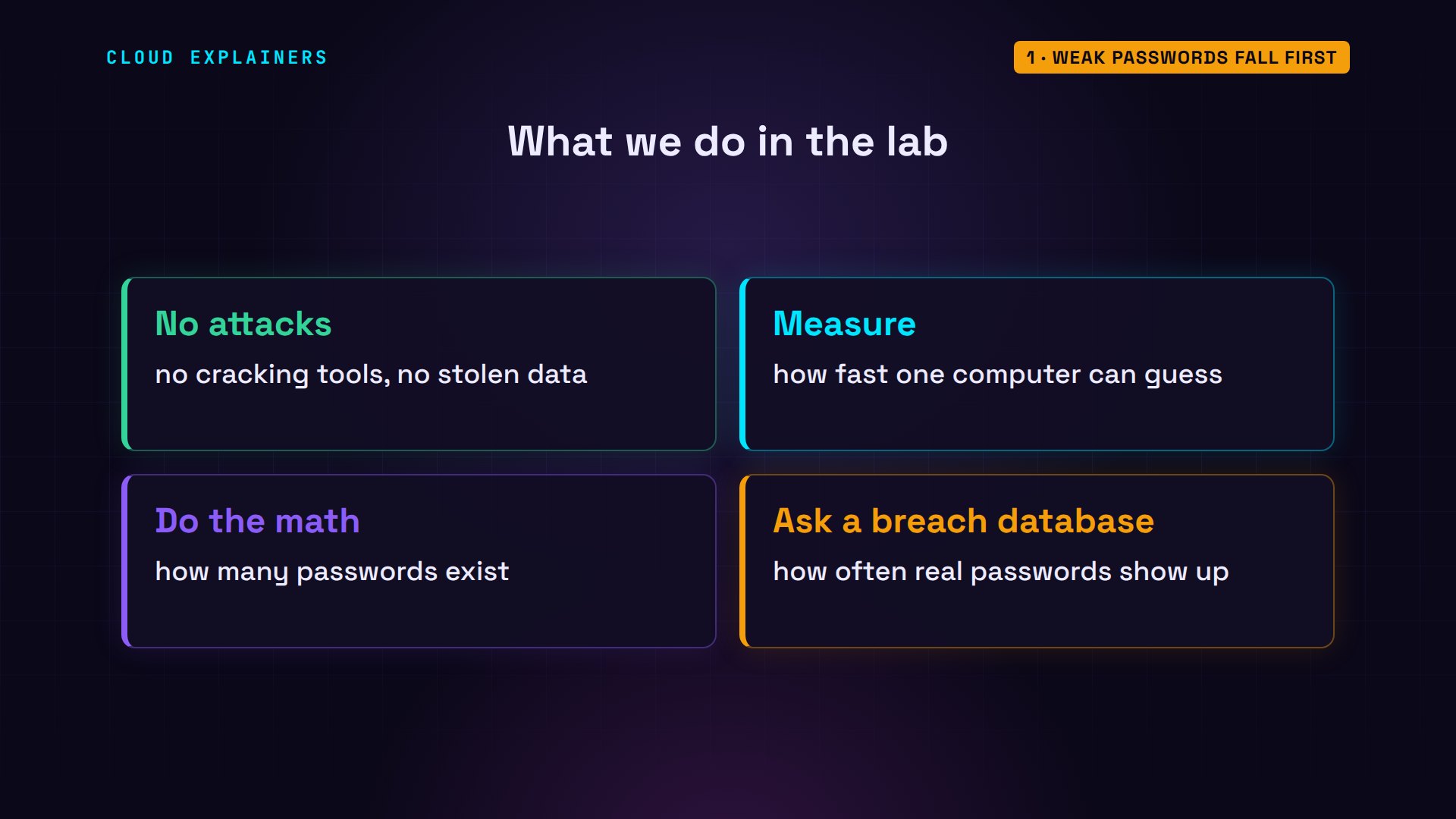
Everything here runs for real, on one small Linux machine in our lab. We don't attack anything, and we use no stolen data. We measure how fast this computer can guess, do the math, and ask a public breach database how often real passwords show up.
How cracking works
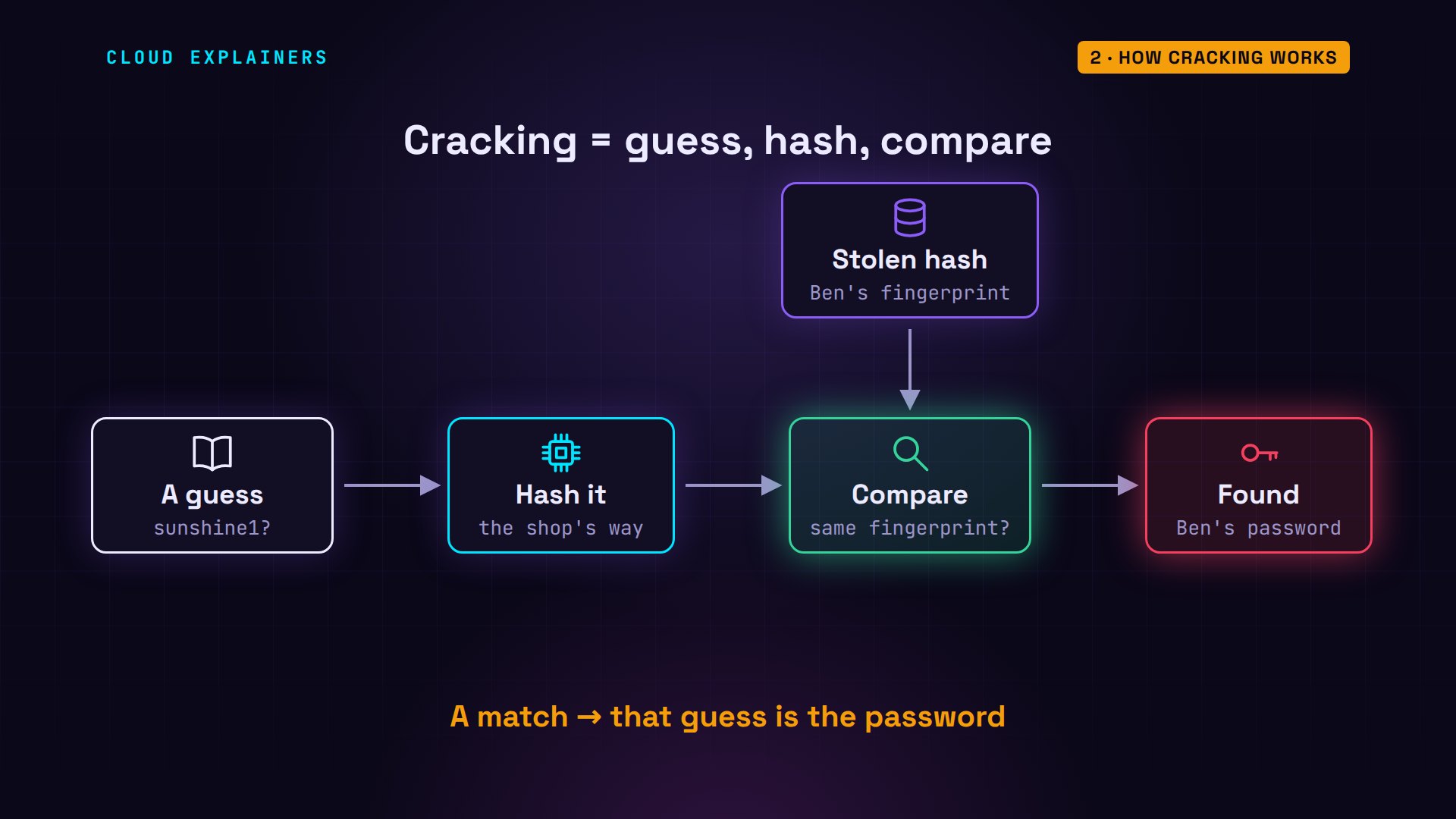
Remember from episode three: a hash can't be run backwards. So a thief with a stolen hash does the only thing left: guess. Take a candidate password, hash it the same way the shop did, and compare it with the stolen hash. No match? Next guess. A match means that guess is Ben's password.
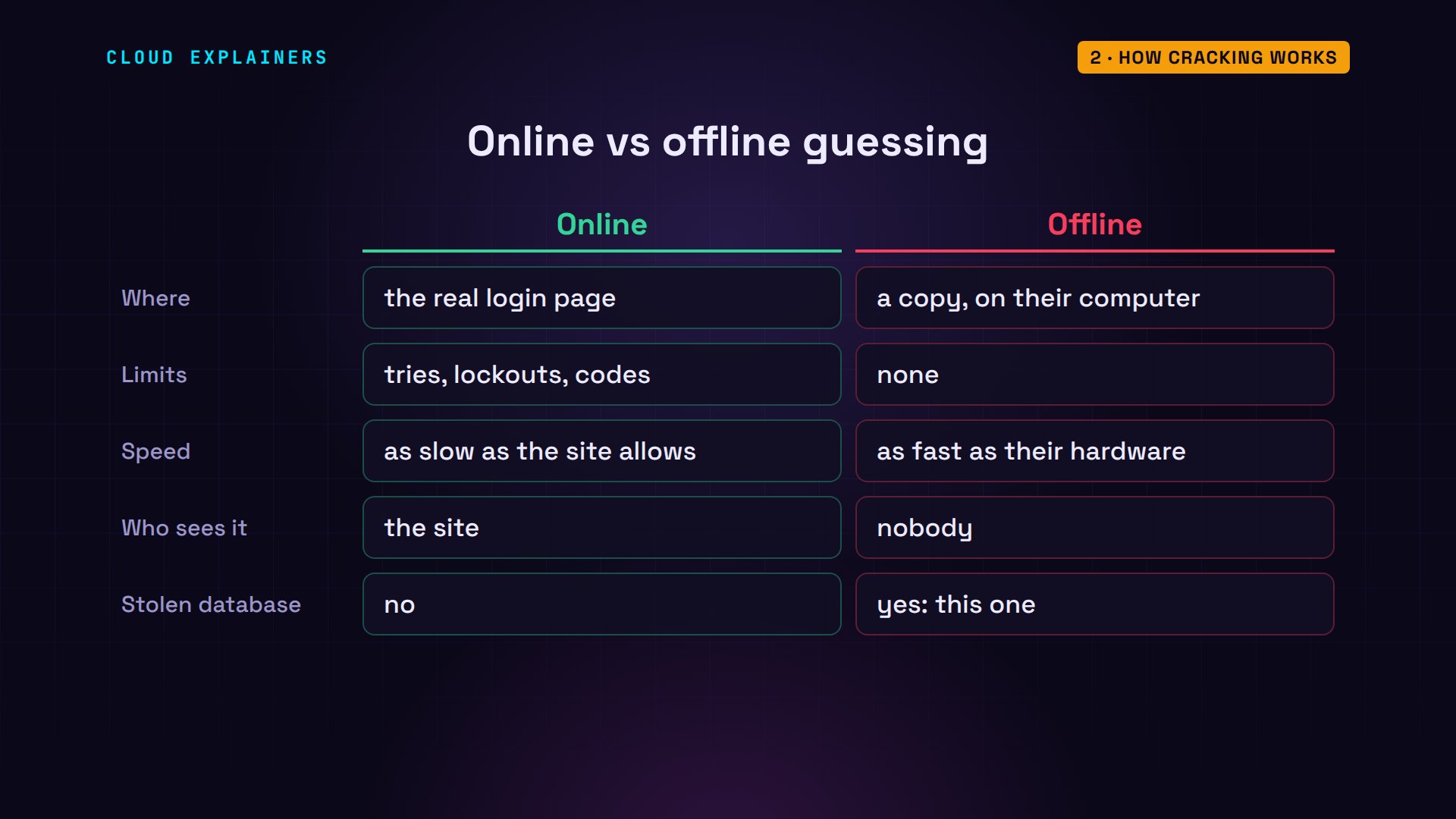
There are two ways to guess. Online means typing guesses into the real login page. That's slow, because the shop can limit tries, lock the account, or ask for a code. Offline means the thief has a copy of the hashes on their own computer. Nobody is watching, nothing locks, and the only limit is how fast that computer can hash. A stolen database means offline guessing.
How fast is that? We measured it on one ordinary CPU core. With a fast hash like SHA-256, which many older sites used, it makes about 1.8 million guesses a second. With Argon2id, the slow hash from episode three, just 24. And real attackers use graphics cards, which guess far faster than one core.
python3 space.pyGuesses a second, one CPU core:
  SHA-256 (fast):    1,805,477
  Argon2id (slow):          24

Password            Possible         SHA-256         Argon2id
10,000 common ones  10 thousand      under 1 second  7.0 minutes
8 lowercase         209 billion      1.3 days        280 years
8 of any 95 keys    6.6 quadrillion  116 years       8.9 million years
12 lowercase        95 quadrillion   1,675 years     128 million years
5 random words      28 quintillion   498,983 years   38 billion years
Guess lists come first
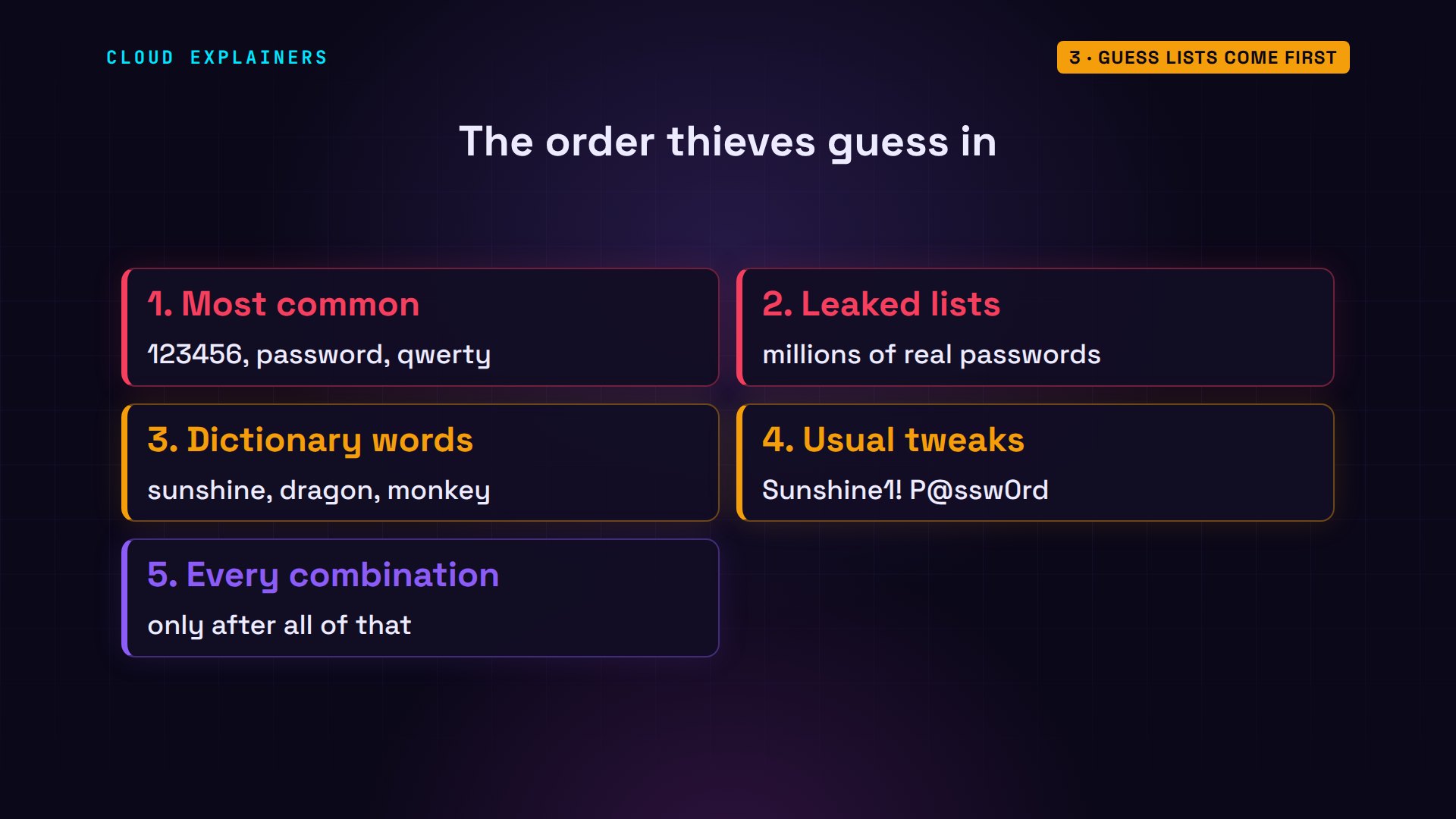
But thieves don't start at a, b, c. First they try the most common passwords, the ones real people pick again and again. Then whole lists leaked from big breaches: millions of real passwords, shared online. Then dictionary words. Then those words with the usual tweaks: a capital letter, a number or symbol at the end, an at sign for an a. Only after all that do they try every combination.
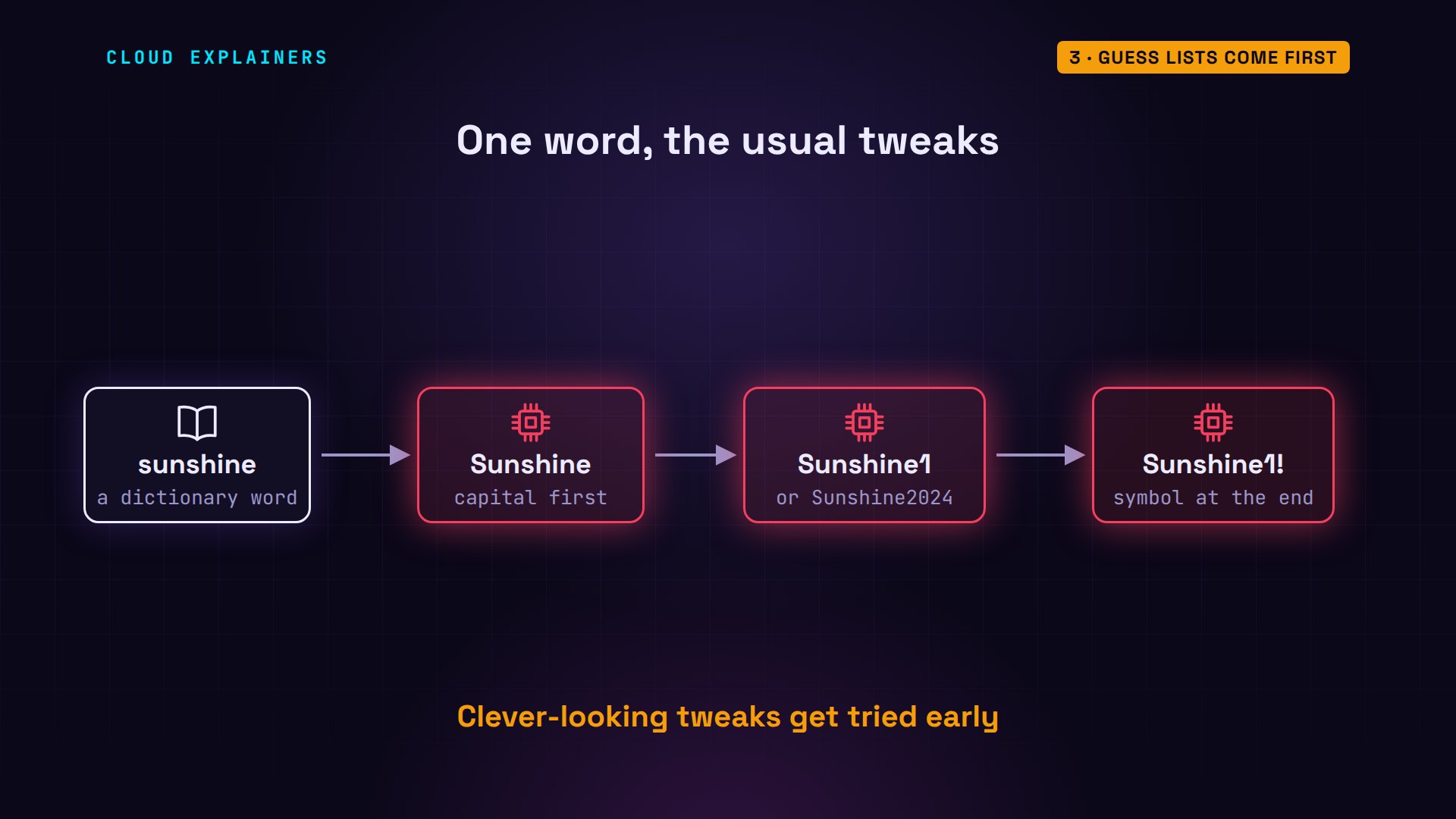
Here's what a tweak looks like to a thief. Take one dictionary word, sunshine. Capitalize the first letter. Add a 1, or a year. Add an exclamation mark. Each rule is applied to every word on the list, automatically, so one word becomes hundreds of guesses, and the tweaks people think are clever get tried early.
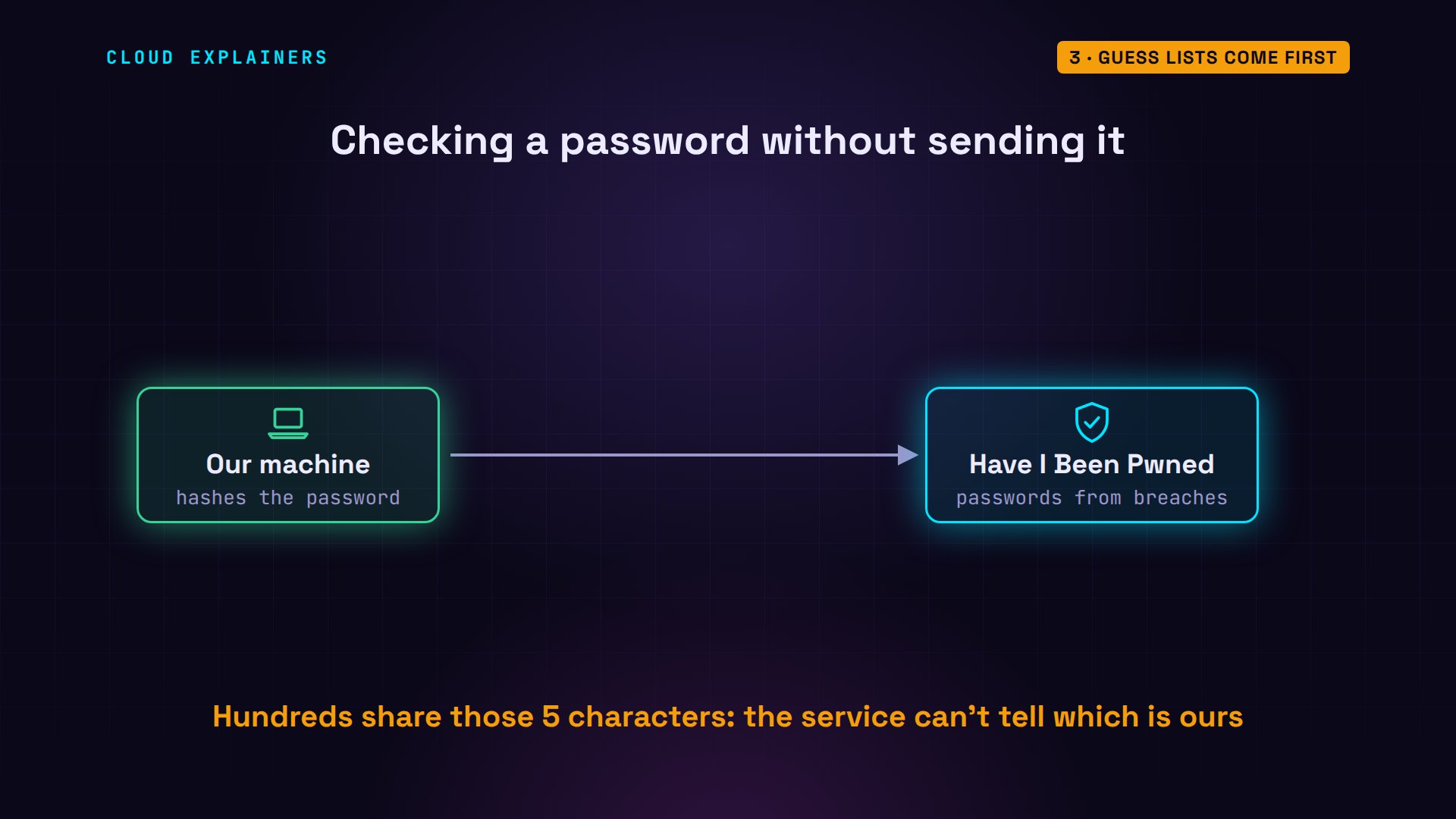
We can check how common a password is without giving it away. Have I Been Pwned is a free service that collects passwords from real breaches. Our small script hashes the password on our machine, and sends only the first five characters of that hash. The service answers with every hash that starts the same way, and how often each was seen. Our script finds ours in that list.
Ben's password from episode three, sunshine1. It was seen in breaches 858,950 times. Add a capital and an exclamation mark, and it was still seen 34,433 times. And the classic strong password, P@ssw0rd: more than 6 million times.
python3 pwned.py sunshine1sent only: 08B31 (5 of 40 hash characters)
seen in breaches: 858,950 times
python3 pwned.py 'Sunshine1!'sent only: 1CDF5 (5 of 40 hash characters)
seen in breaches: 34,433 times
python3 pwned.py 'P@ssw0rd'sent only: 21BD1 (5 of 40 hash characters)
seen in breaches: 6,421,042 times
Those tweaks feel clever, but millions of people make the same ones, so they're on the lists. With a stolen database from Ana's old code, plain SHA-256, our one core tries the ten thousand most common passwords in under a second. Even behind Argon2id, it takes about 7 minutes. A slow hash buys time, but it can't save a password that's already on the list.
Length beats symbols
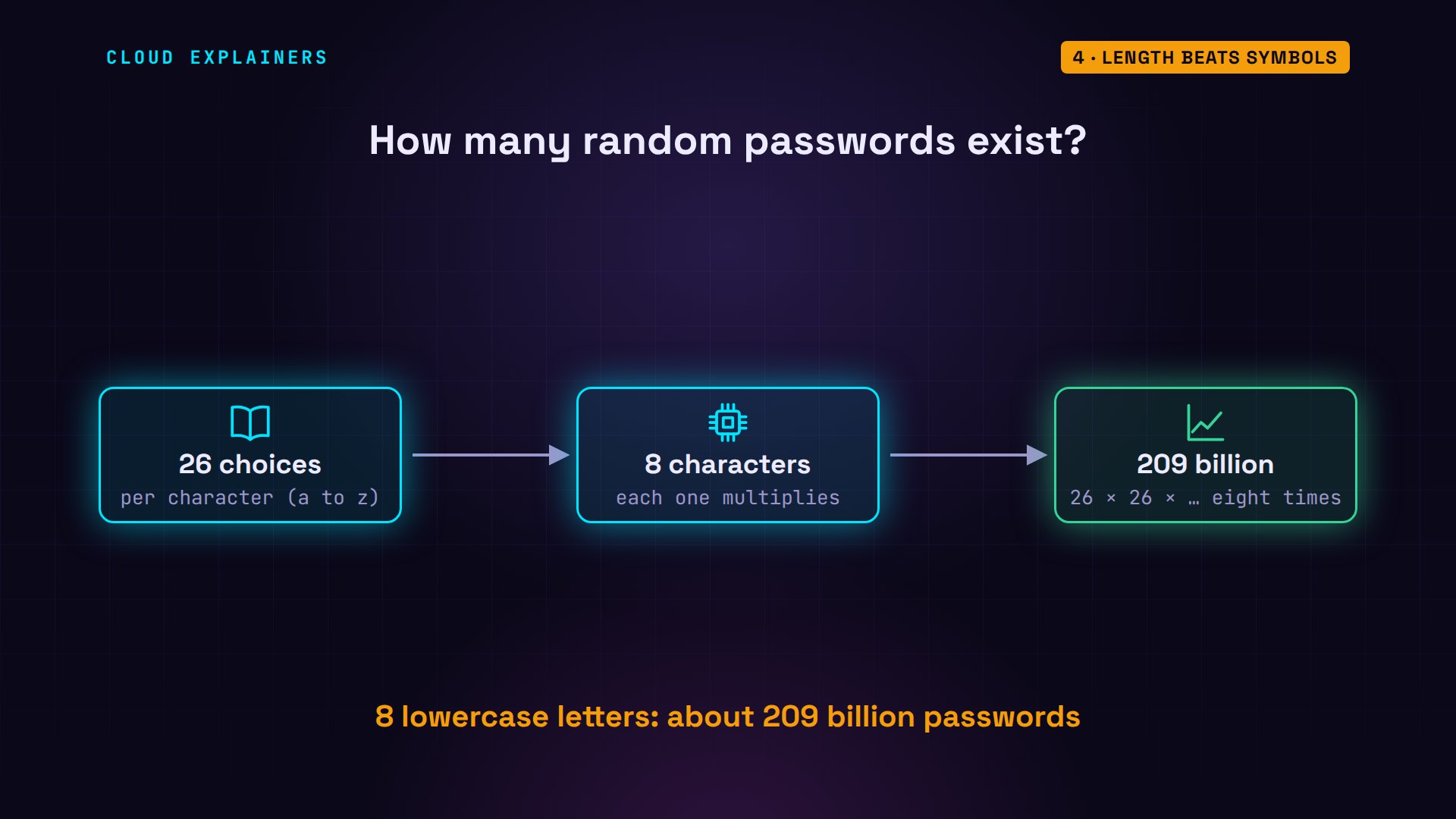
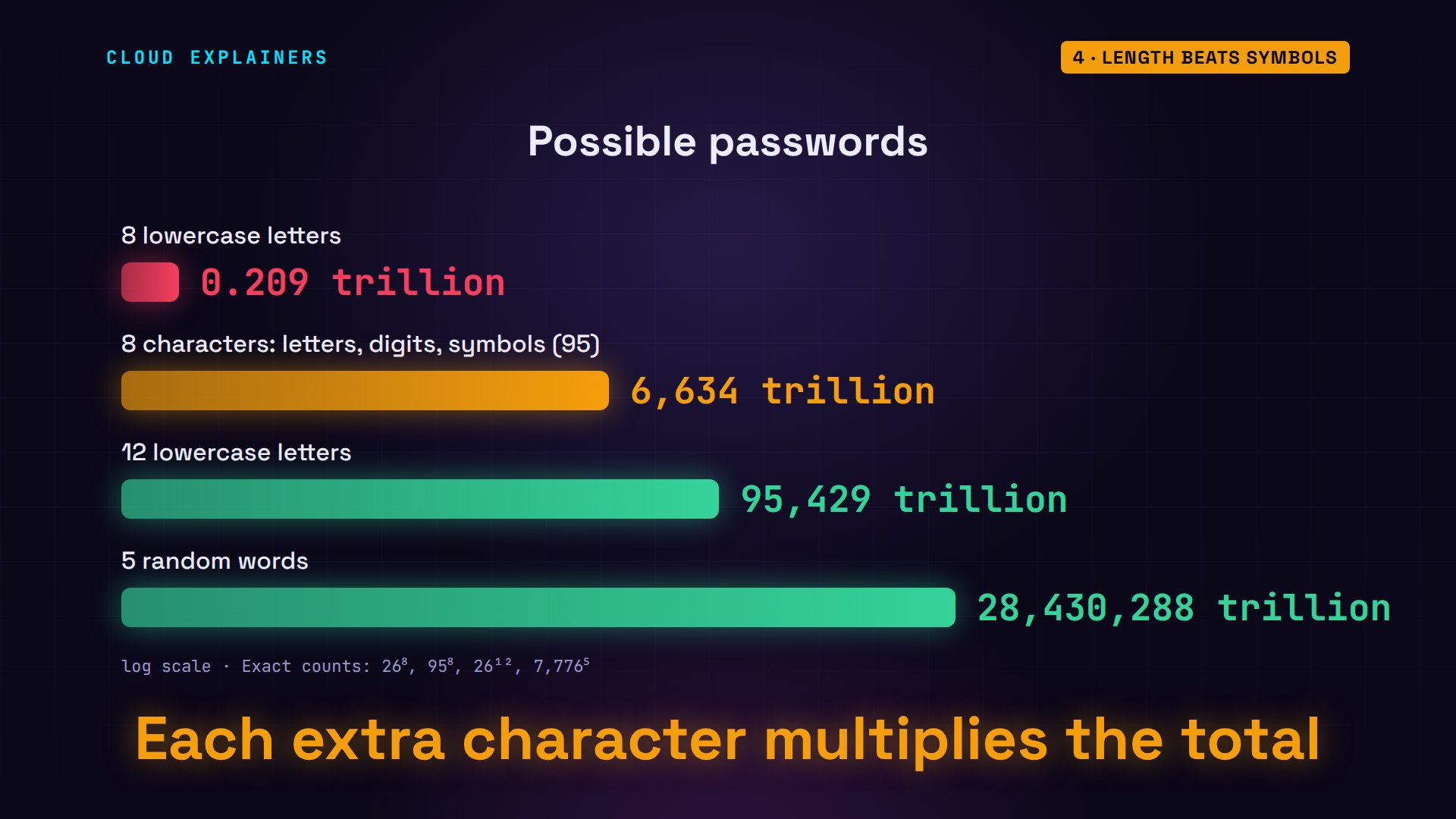
Now the passwords that aren't on any list: random ones. For those, the thief has to try every combination. The total depends on two things: how many choices each character has, and how many characters there are. Lowercase letters give 26 choices per character. Every extra character multiplies the total by 26 again, so eight of them make about 209 billion passwords.
Here's the whole table from our lab machine. Eight lowercase letters: about 1.3 days for one core with SHA-256. Eight characters using all 95 keys on the keyboard: 116 years. But twelve lowercase letters, with no symbols at all: 1,675 years. And five random words: about half a million years, and with Argon2id, 38 billion.
Why does length win? Symbols make each character harder to guess: 95 choices instead of 26. But every character you add multiplies the whole total again. So four more lowercase letters beat a full keyboard of symbols, and five random words beat them all.
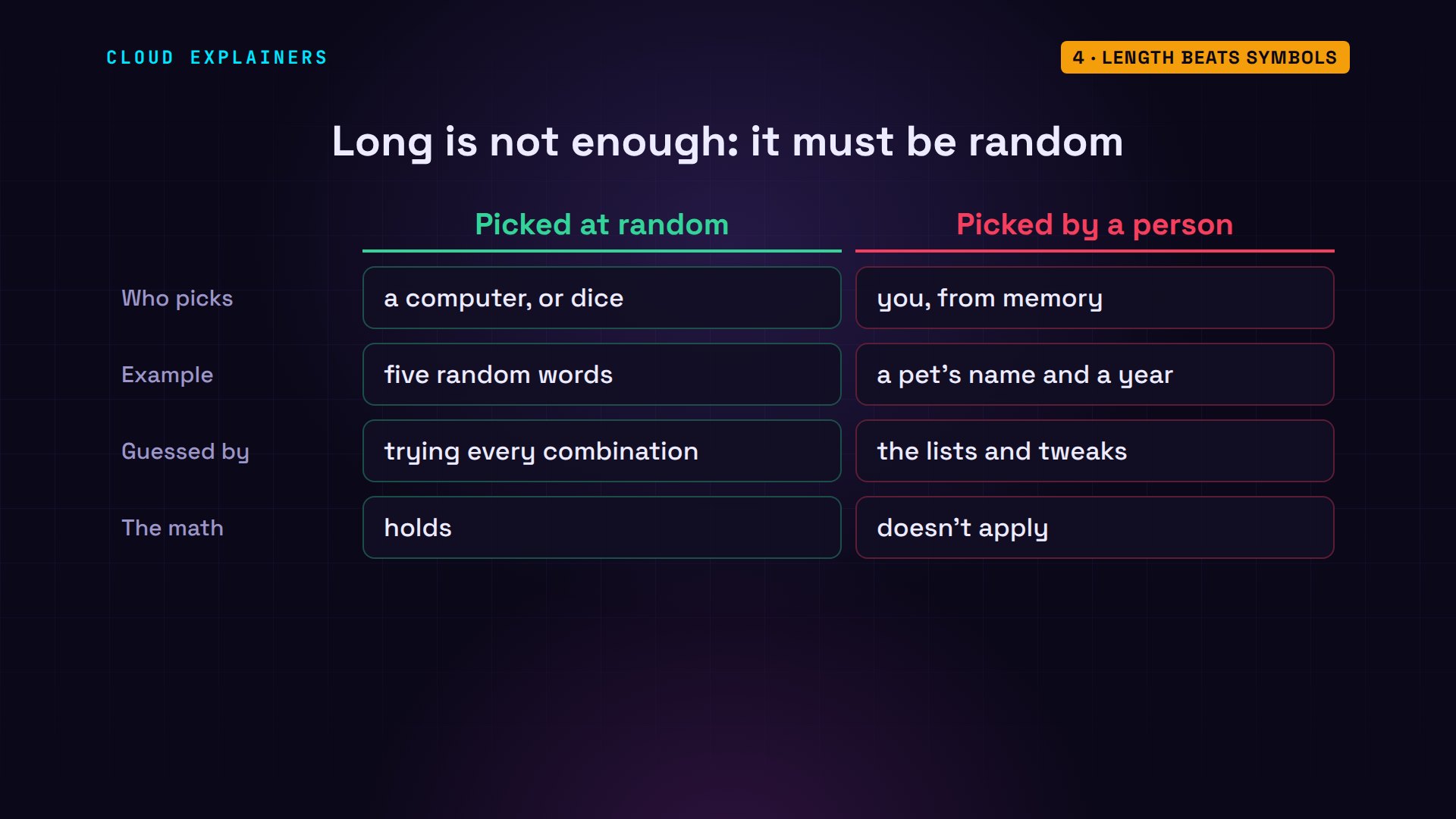
One catch: all of this math assumes the password is truly random, picked by a computer or by dice. Twelve letters a person chose, like a favourite phrase or a pet's name and a year, are probably on a list already. Length only protects you when nobody could have predicted the choice.
One password, many sites
The second reason weak passwords fall is reuse. Ben also uses sunshine1 for his email. Once the thief finds it in the shop's database, they try the same email address and password on other sites: email, banks, shops. This is called credential stuffing, and software does it automatically, across many sites at once. One weak site gives away every account that shares the password.
Notice that Ben's email provider did nothing wrong. Its own systems were never broken into. The thief simply logged in, with the right email and password, so to the provider it looks like Ben. That's why a breach at one small shop can matter far more than the shop itself.
What protects you
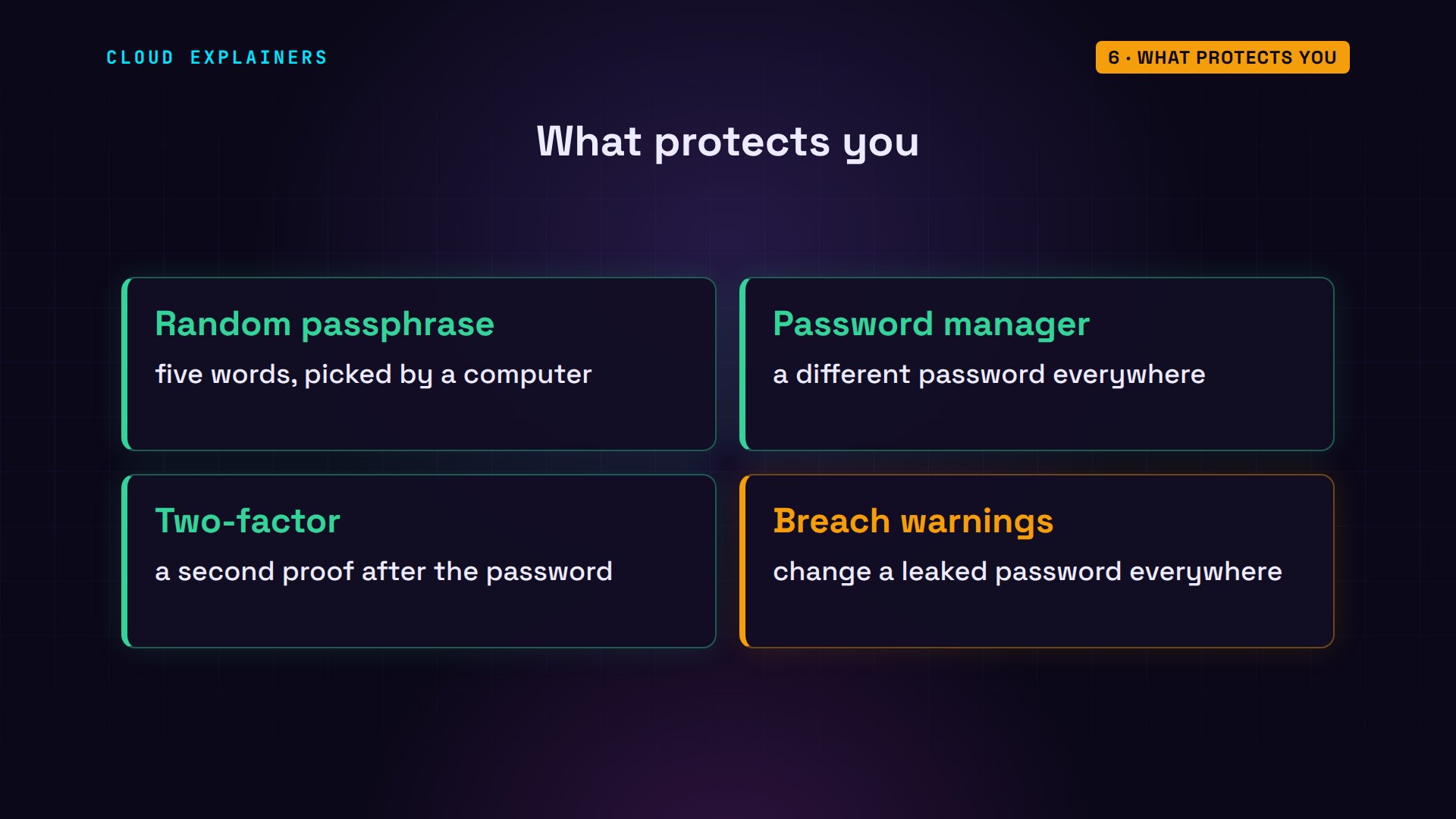
So what should you use? One good choice is a passphrase: random words picked by a computer, not by you. This list from the EFF, a digital rights group, has 7,776 words. We pick five at random. It's easy to type, and it was never seen in any breach: zero times.
wc -l words.txt7776 words.txt
shuf -n 5 words.txt | paste -sd-moneybags-quill-growing-clunky-poem
python3 pwned.py moneybags-quill-growing-clunky-poemsent only: BC91A (5 of 40 hash characters)
seen in breaches: 0 times
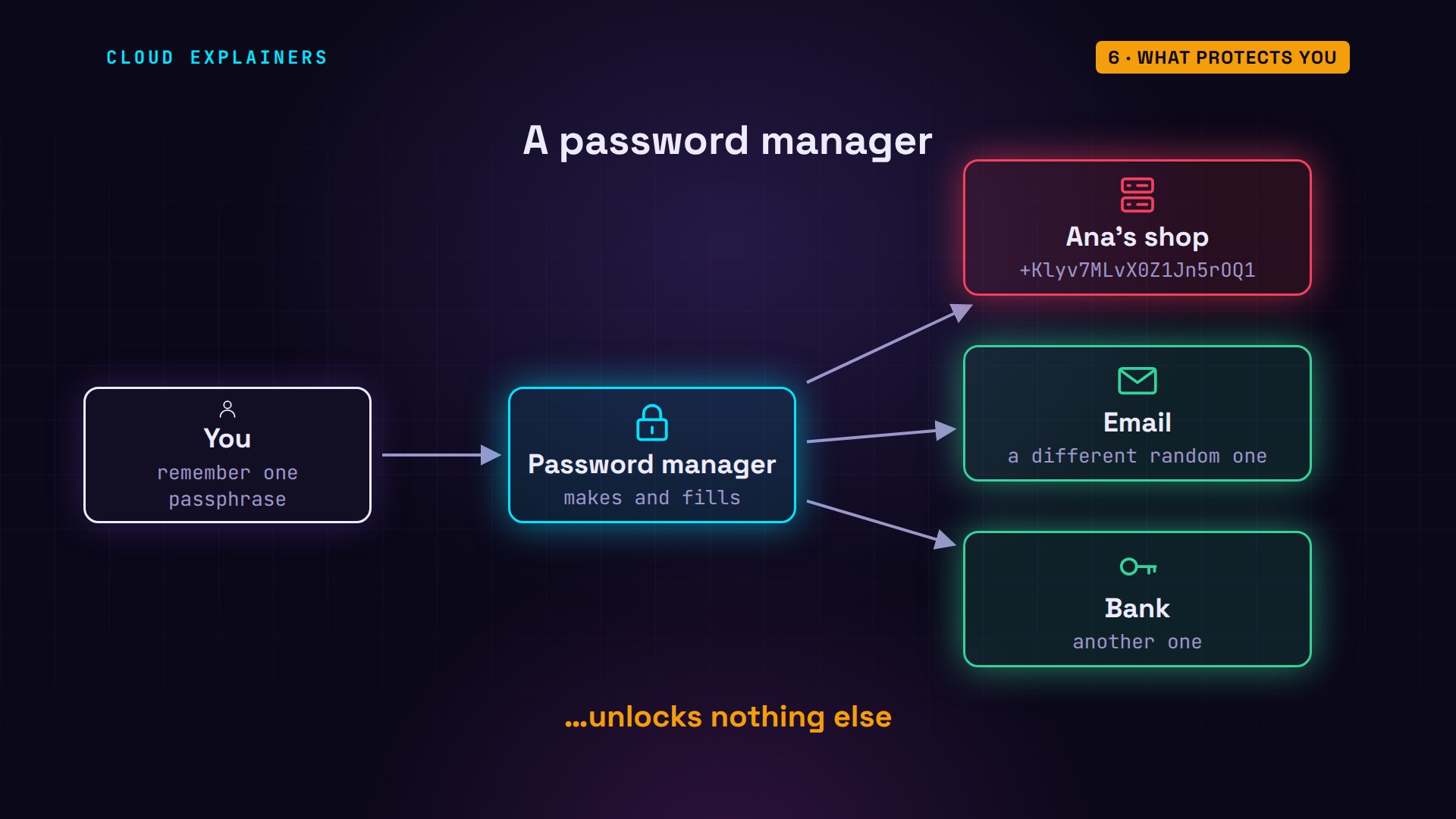
For every other account, use a password manager. It makes a long random password for each site, like this twenty-character one from our lab, remembers them all, and fills them in. You remember just one strong passphrase, for the manager itself. Every site gets a different password, so one breach unlocks nothing else.
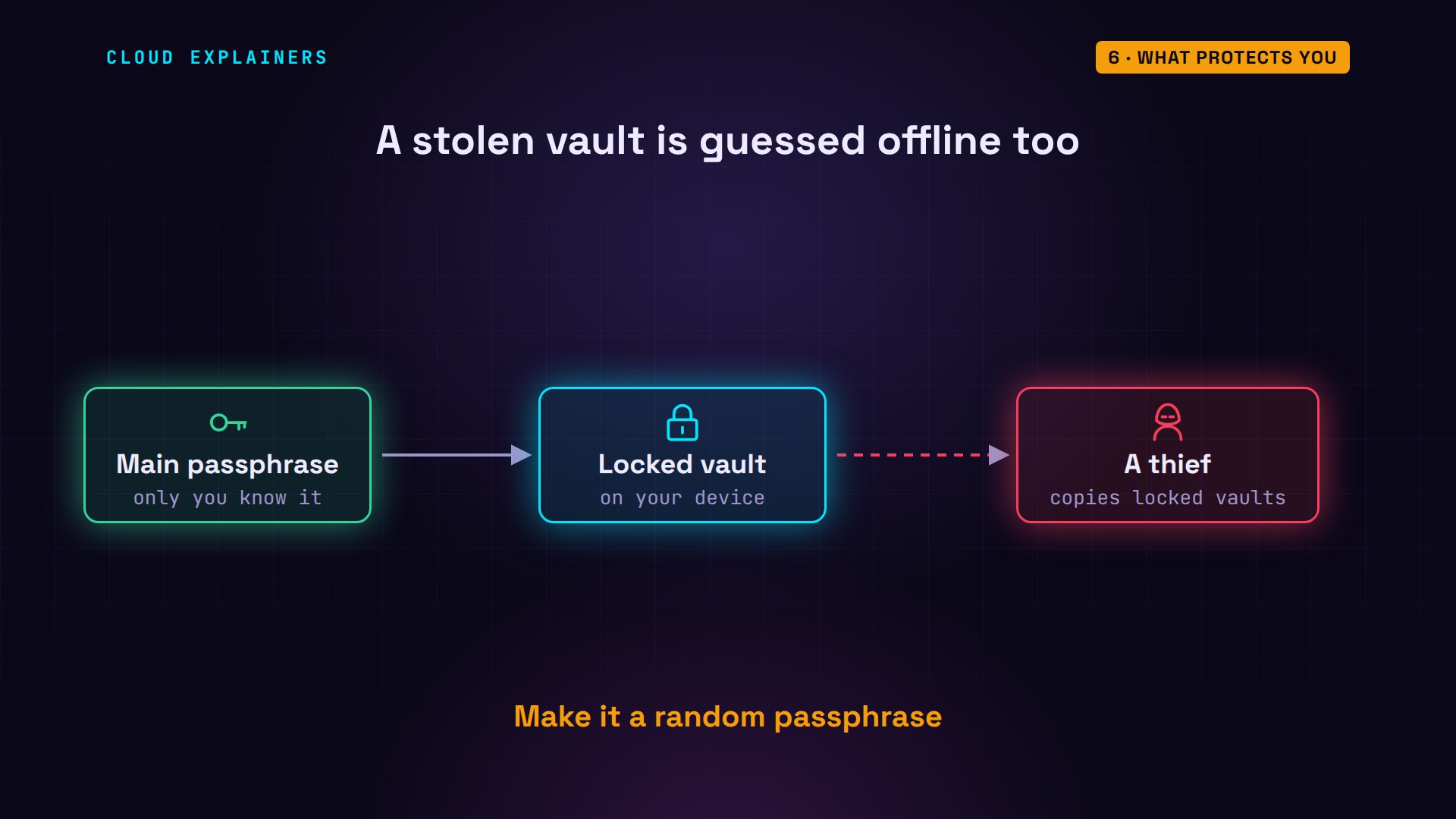
Isn't a password manager one big target? Good ones lock your saved passwords on your own device, with a key made from your main passphrase, so the company never sees them. In 2022, thieves copied customers' locked vaults from LastPass. What protected each vault was the same thing as everywhere else: how hard its main password was to guess offline. So that one password should be a random passphrase.
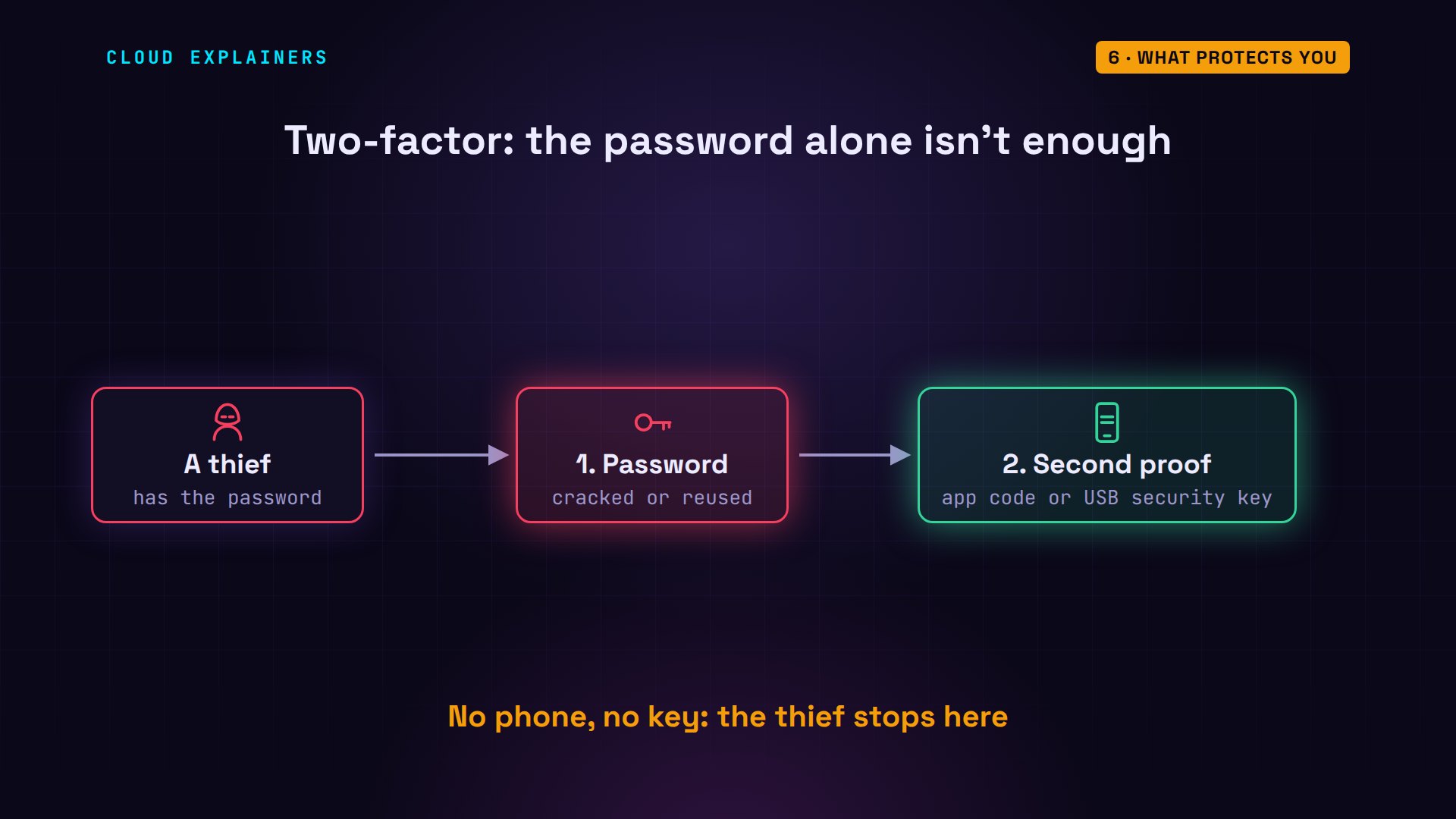
Then turn on two-factor authentication wherever it's offered. After your password, the site asks for a second proof: a code from an app, or a security key. Even if a thief cracks or reuses your password, they still don't have your phone or your key.
Last, find out whether your passwords are already out there. Many password managers and browsers can warn you when a saved password appears in a breach. If one shows up, change it, everywhere you used it.
What Ana does for her shop
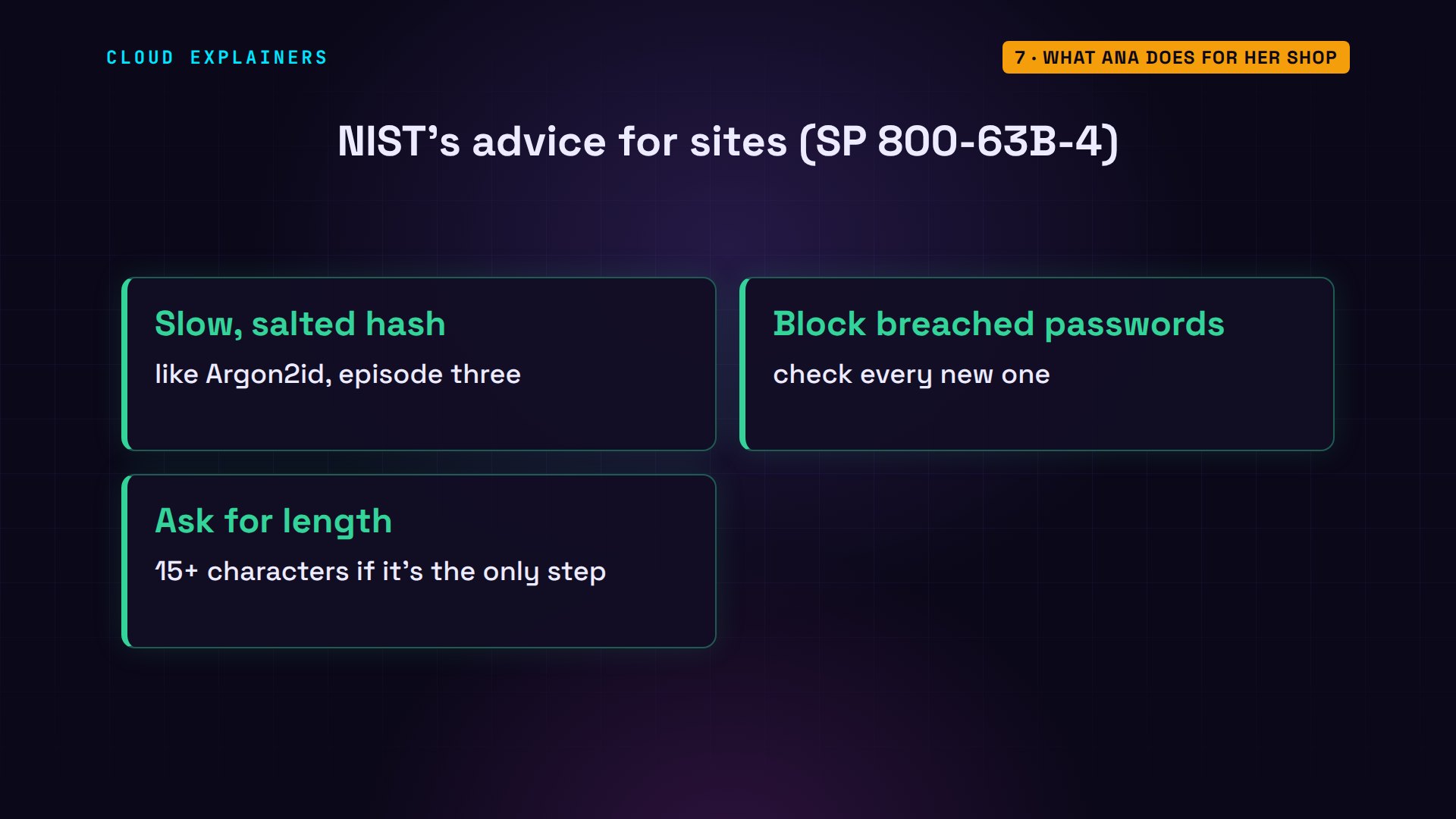
Running a site like Ana's? NIST, the US standards agency, has clear rules. Store passwords with a slow, salted hash, as in episode three. Check every new password against lists of breached ones, and refuse matches. Ask for length: at least fifteen characters when a password is the only login step.
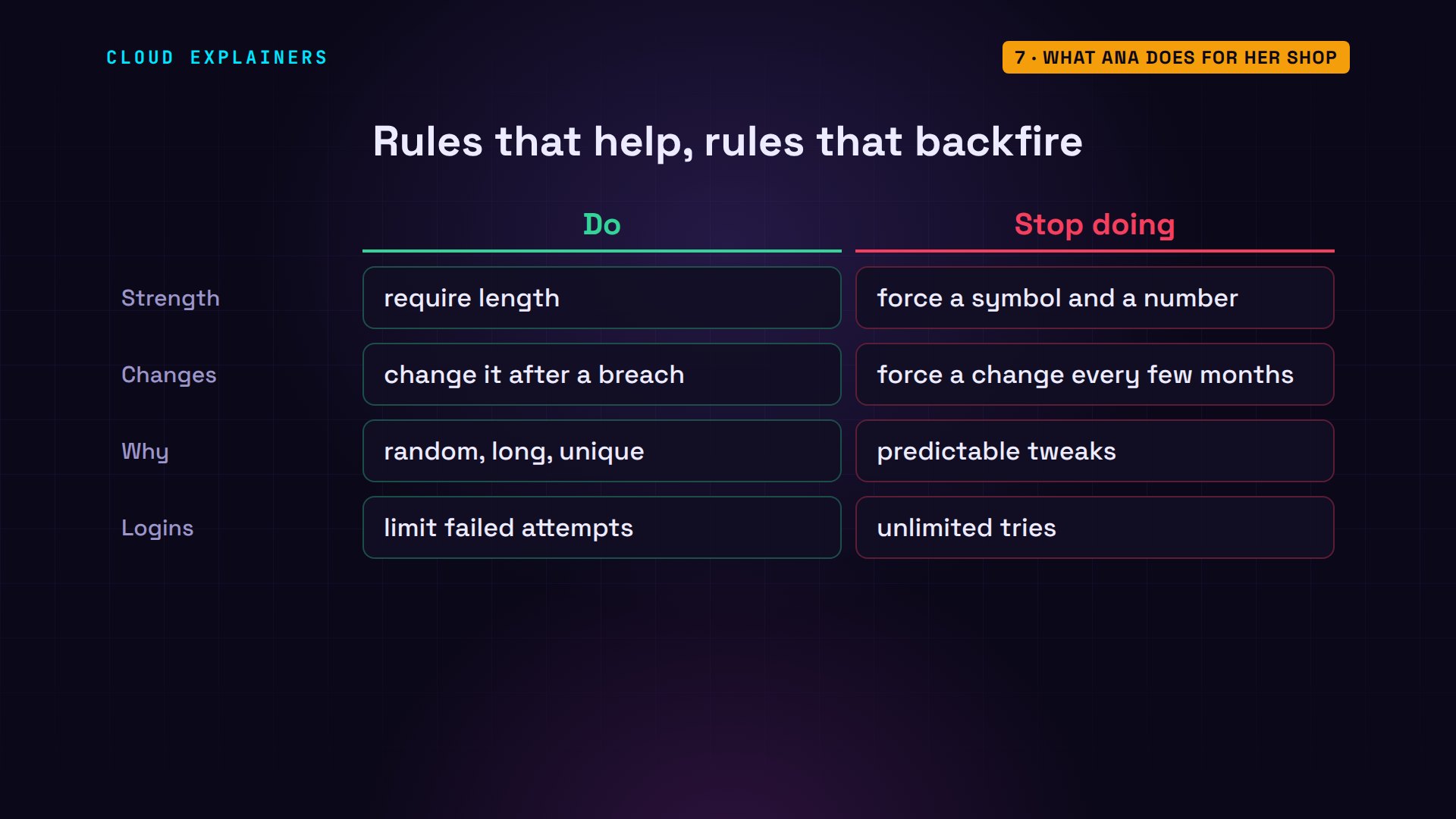
Just as important is what NIST tells sites to stop doing. No forced rules like 'one symbol and one number', and no forced password changes every few months. Those rules push people into the same predictable tweaks we saw on the lists. And limit failed logins, to keep online guessing slow.
Recap
Back to Ana's shop. A thief with stolen hashes can't reverse them, so they guess offline, as fast as their hardware allows. They try the lists first, so common passwords and clever tweaks fall in seconds. Random length survives, and a different password on every site stops one breach from spreading. Add two-factor, and even a cracked password isn't enough.
A question for the comments: do you use a password manager, or a system of your own? And if not, what's stopped you? Tell me in the comments.
Every number in this video came from a real run in our lab, or from Have I Been Pwned's breach counts. This was episode four of Cybersecurity for Beginners.
Sources
Demos: real output from one Ubuntu container on our own machine. No cracking tools and no stolen data: we measured hash speed, did the arithmetic, and checked example passwords against Have I Been Pwned (only the first 5 characters of each SHA-1 hash left the machine). The passwords shown are examples, not ones to use. Watch the full video on YouTube.
More videos
Why Your Linux Server Runs Out of Memory
HTTP vs HTTPS: What Actually Changes on Your Network

Every Linux File Permission You Need to Know
Linux Processes vs Threads: When Each One Wins
The OSI Model Will Finally Make Sense After This
The 7 Levels of Git
Every Network Troubleshooting Command You Need
Hashing vs Encryption in Cybersecurity: When Each One Wins
Why the Internet Ran Out of IP Addresses
Linux Package Managers: apt vs Snap vs Flatpak
Why Python Is Slow (and When It Doesn't Matter)
TCP vs UDP: When Each One Wins
Stop Running Linux as Root (Do This Instead)
Linux Users and Groups Will Finally Make Sense
Why Phishing Beats Good Security (and How to Spot It)
The 7 Levels of Docker

AI Agents Will Finally Make Sense After This
Stop Using git push --force (Use This Instead)
Agent Skills vs MCP: When Each One Wins
Networking Will Finally Make Sense After This

Every Linux Command You Actually Need

The 7 Levels of Cybersecurity

Every System Design Concept You Need, in One Diagram
