
Gemini API vs Vertex AI: Which One Should You Use?
The Gemini API and Vertex AI (now called Gemini Enterprise Agent Platform) reach the same Gemini models through two doors. We sent the same request to both for real: the AI Studio key is blocked at Vertex AI, which wants a Google Cloud identity, a role and billing; the code change is one line; and Vertex AI lets you choose where the model runs. Then which one to pick.
Same model, two doors
Your app talks to Gemini with an API key from AI Studio, and now someone says: move it to Vertex AI. Same Gemini models, so what actually changes? Here's Ana's tea shop script on the Gemini API: an answer. The same key, sent to Vertex AI: blocked.
python describe.pyWith soft notes of tender sweet grass and a luminous emerald glow, our Sencha green tea offers a quiet moment of refreshing clarity.
(through the Gemini API)
./ask vertex --keyerror 403 PERMISSION_DENIED (API_KEY_SERVICE_BLOCKED)
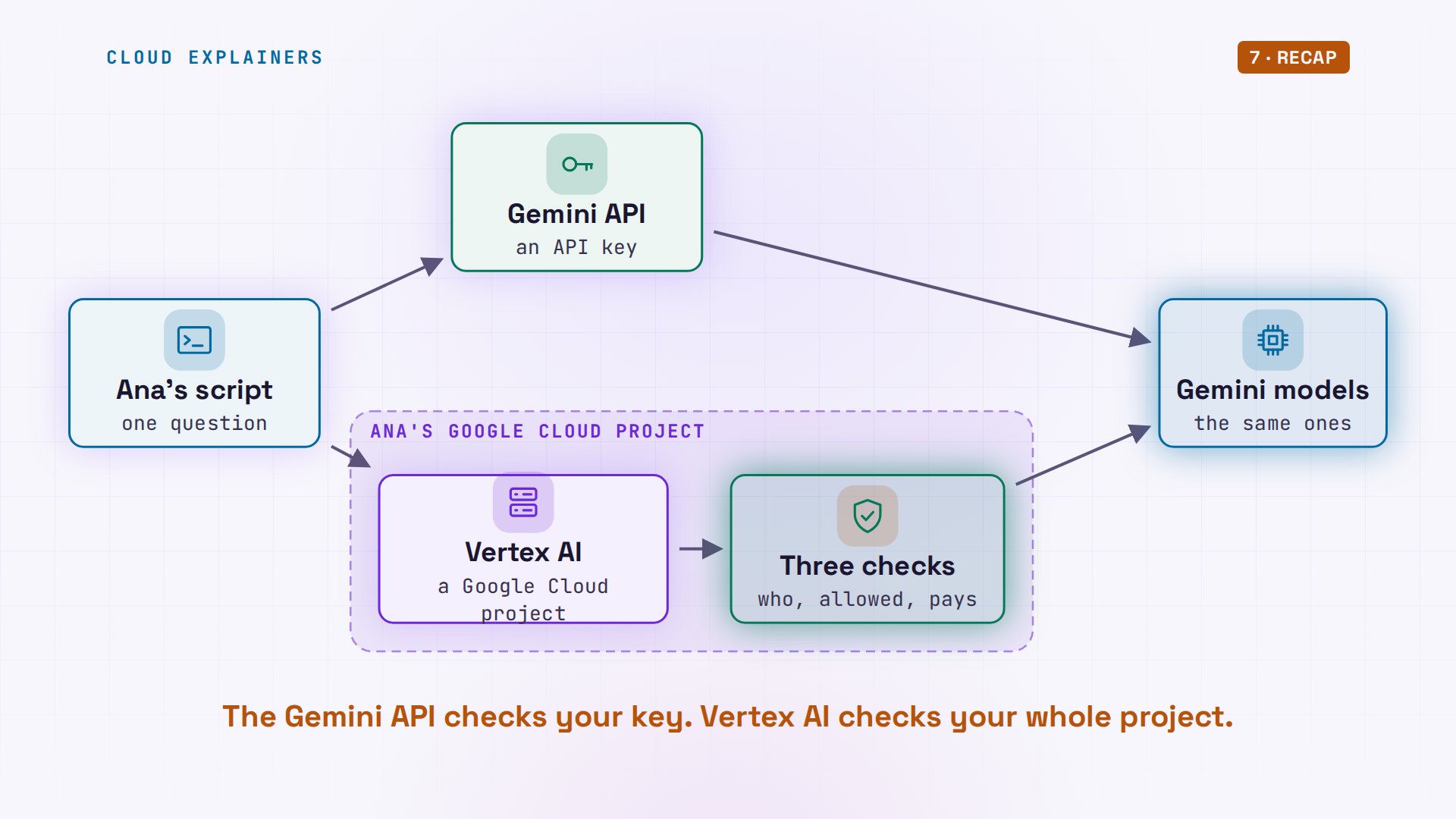
Both are doors to the same Gemini models. The Gemini API is the quick door: a key, and you're in. Vertex AI is the Google Cloud door: it checks who you are, what you're allowed to do, and who pays. By the end you'll know which door fits your app, and why asking for Gemini in Europe got us a not found.
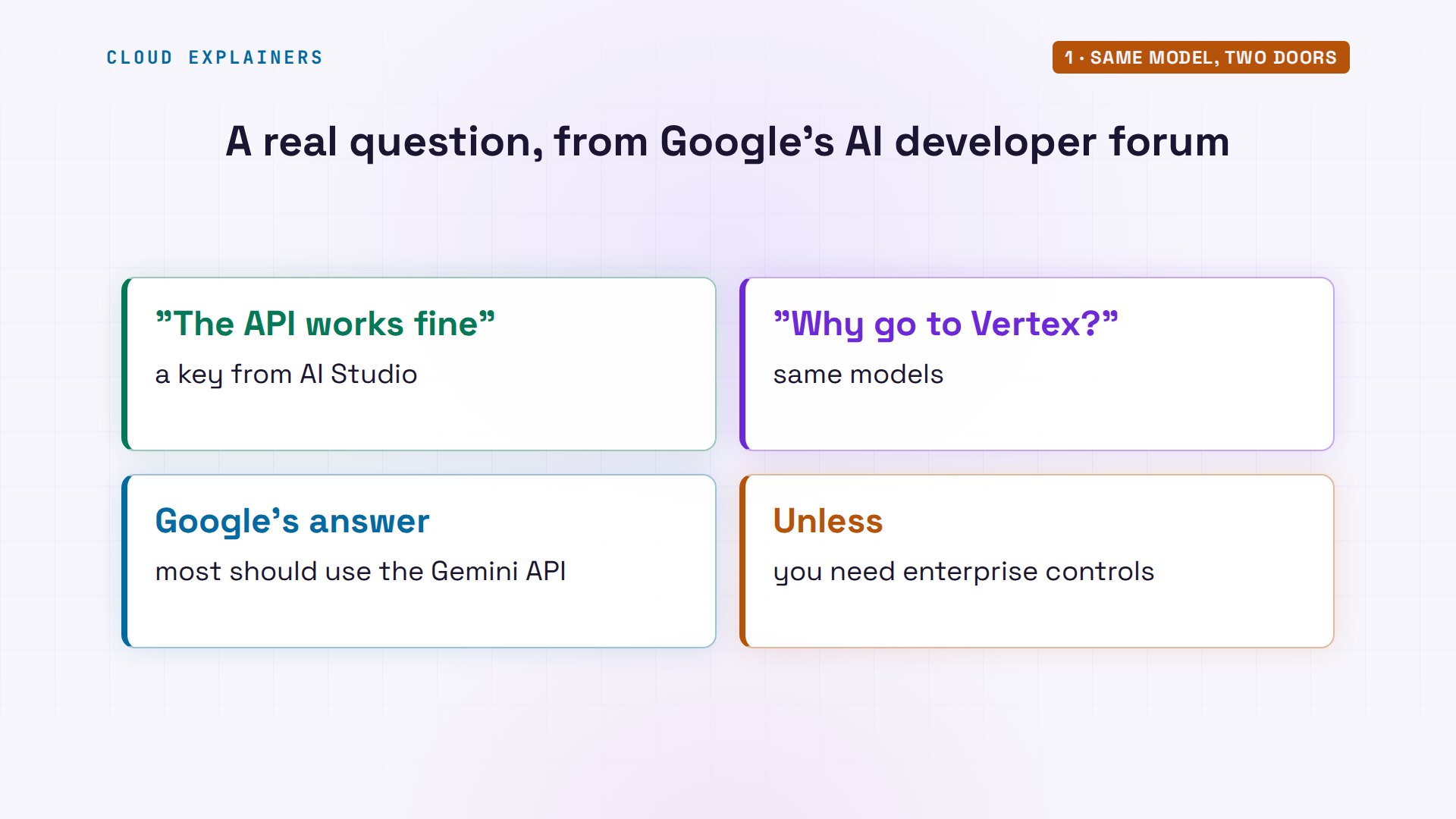
Someone asked exactly this on Google's AI developer forum: the API works fine for me, so why would I want to go to Vertex? Fair question. Google's own answer: most developers should use the Gemini API, unless they need specific enterprise controls. So what are those controls?
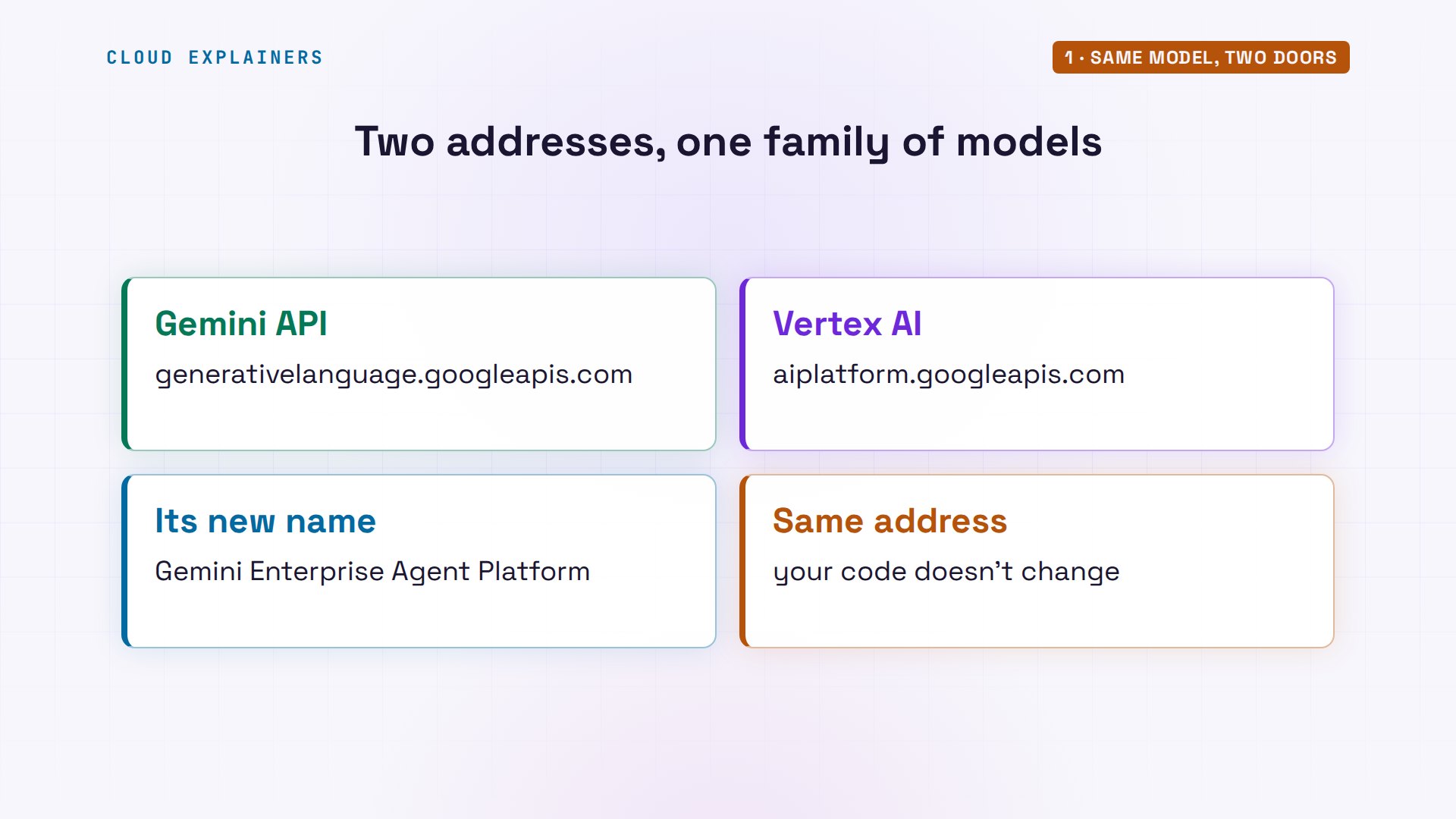
One thing first: Google Cloud's docs now call Vertex AI Gemini Enterprise Agent Platform, an evolution of Vertex AI. The address your code calls didn't change, so we'll keep the name people search for.
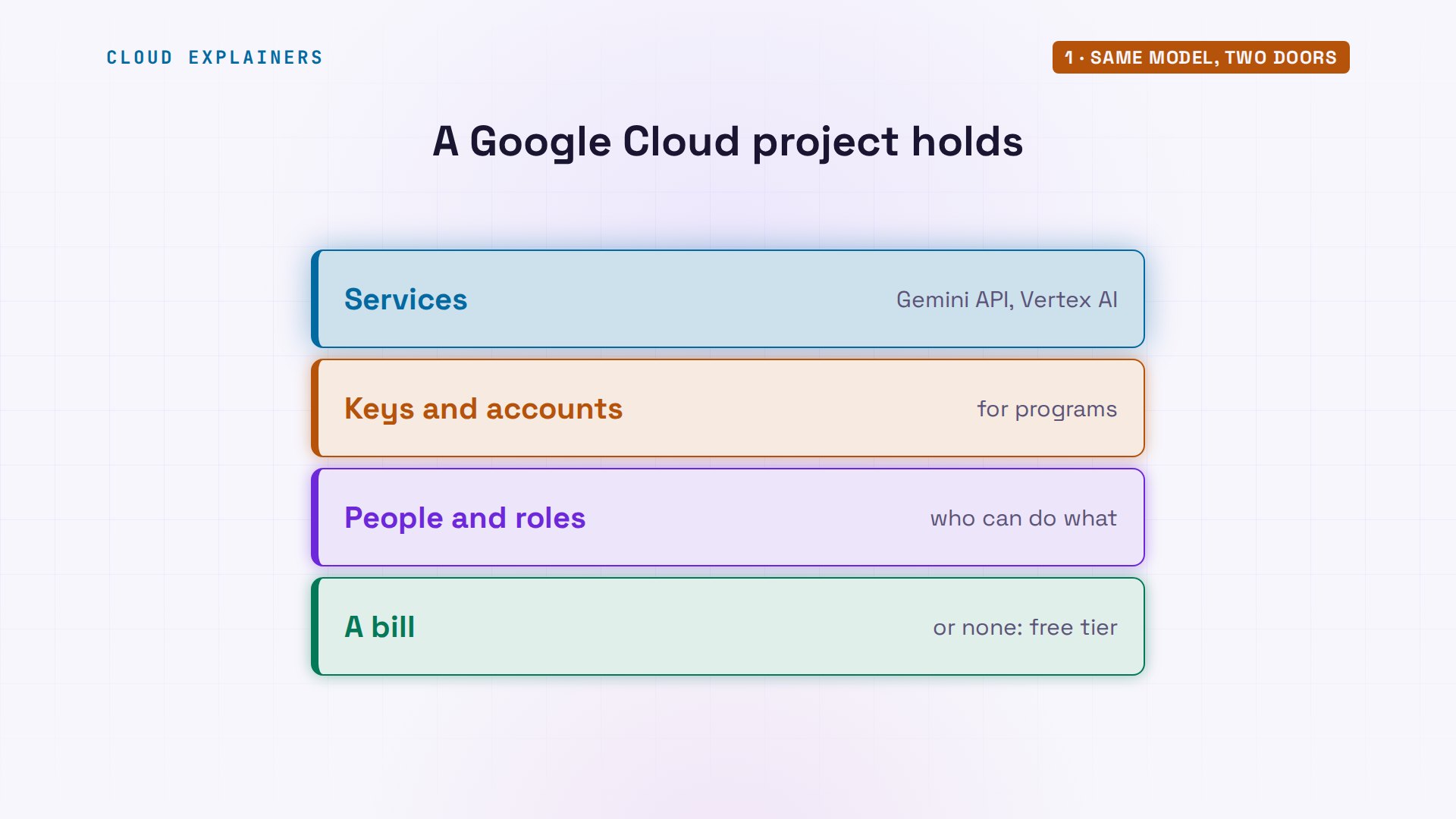
And one word we'll use a lot: project. A Google Cloud project is a folder for everything an app uses: its services, its keys, its people, and its bill. Even an AI Studio key lives in one, made for you behind the scenes. The Gemini API hides that project; Vertex AI makes you work in it.
The key Vertex AI won't take
Start where most people start. Ana's script makes a client, picks a model, and asks one question. The client finds her key by itself, in an environment variable: a named setting the shell hands to every program. Her small ask script sends the same question with curl, a tool for web requests: another answer.
cat describe.pyfrom google import genai

client = genai.Client()  # Gemini API: a key, from GEMINI_API_KEY

reply = client.models.generate_content(
    model="gemini-3.8-flash",
    contents="Describe our Sencha green tea in one calm sentence.",
)
print(reply.text)
print("(through Vertex AI)" if client.vertexai else "(through the Gemini API)")
./ask geminiSoftly steamed to preserve the fresh vitality of tender spring leaves, our Sencha green tea unfolds with a delicate, grassy sweetness that brings a moment of quiet stillness to your day.
Back to that blocked request: the same key, at Vertex AI's address, same model, same question. Guess first: does it work? No. Four oh three, permission denied: API key service blocked. The message says requests to this API are blocked. Not a typo in the address, and not a broken key: it worked a moment ago.
jq -r .error.message reply.jsonRequests to this API aiplatform.googleapis.com method google.cloud.aiplatform.v1.PredictionService.GenerateContent are blocked.
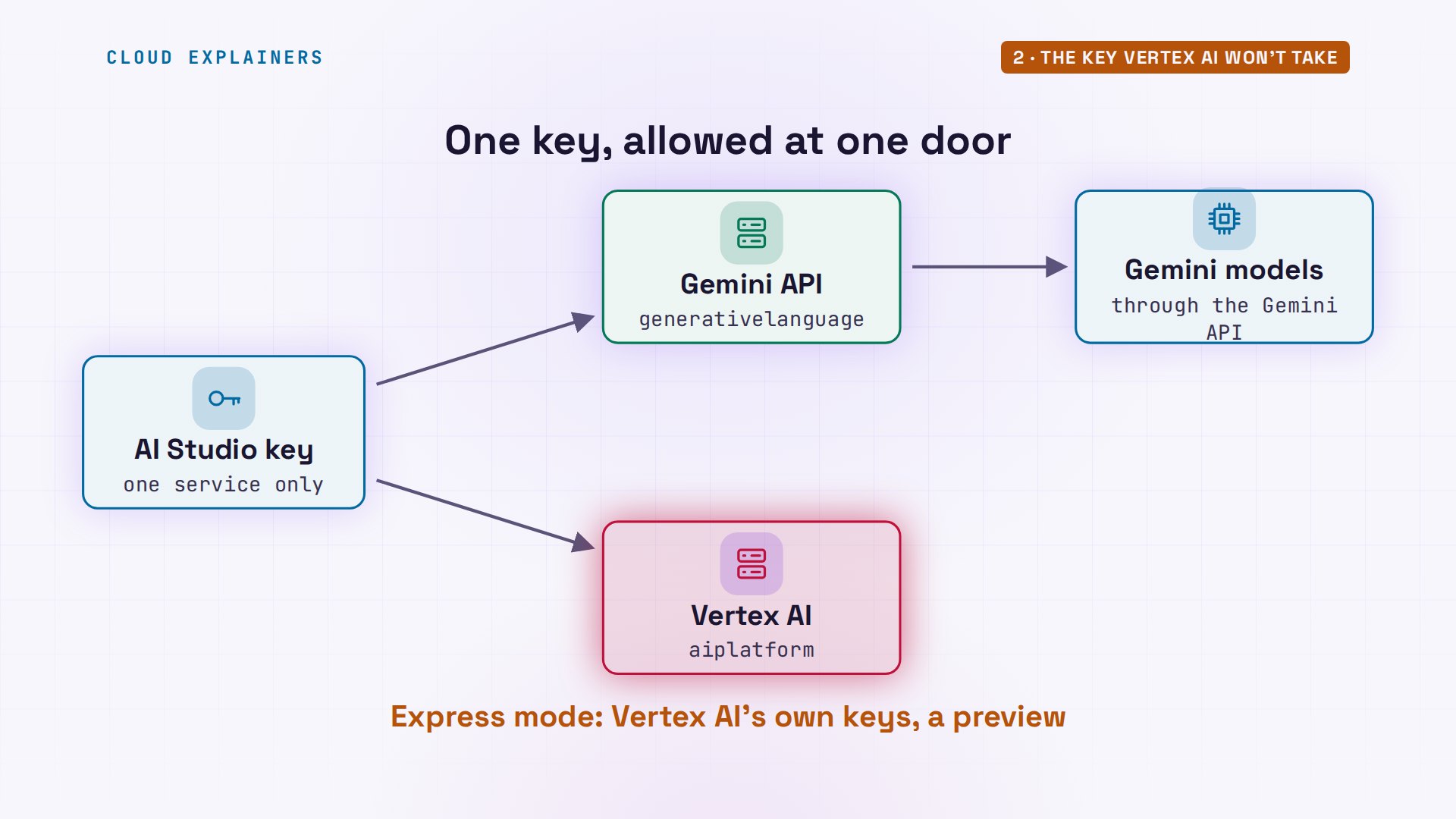
Why? Ana's key was made in AI Studio, and it's restricted to one Google service: the Gemini API. Vertex AI is a different service, so Google turns the key away before any model sees the question. Vertex AI does have a preview express mode with keys of its own, for a few models, but that's a separate key.
How Vertex AI knows who you are
Vertex AI wants a Google Cloud identity instead. Ana's Vertex script changes only the client line. With no identity on the laptop, the library stops before sending anything: default credentials not found. And curl, with nothing to sign in with, gets four oh one: unauthenticated, credentials missing.
cat describe_vertex.pyfrom google import genai

client = genai.Client(vertexai=True, project="ce-vertex-p048", location="global")

reply = client.models.generate_content(
    model="gemini-3.8-flash",
    contents="Describe our Sencha green tea in one calm sentence.",
)
print(reply.text)
print("(through Vertex AI)" if client.vertexai else "(through the Gemini API)")
python describe_vertex.py 2>&1 | tail -1google.auth.exceptions.DefaultCredentialsError: Your default credentials were not found. To set up Application Default Credentials, see https://cloud.google.com/docs/authentication/external/set-up-adc for more information.
./ask vertexerror 401 UNAUTHENTICATED (CREDENTIALS_MISSING)
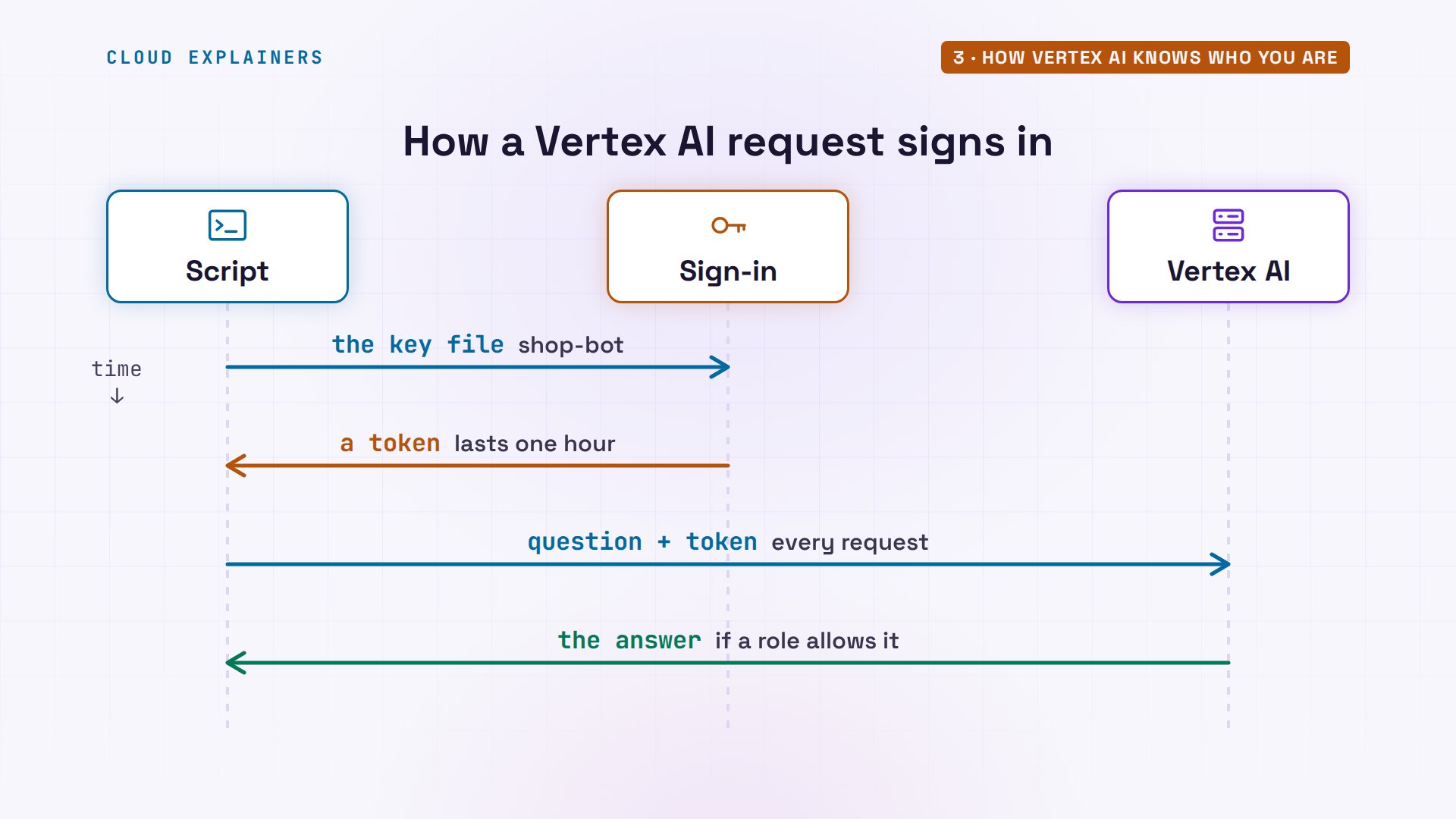
Default credentials are the places Google's libraries look for an identity. On a laptop, that's often a service account: a Google Cloud account for a program, not a person, with a key file. The library trades that file for a sign-in token that lasts an hour, and sends the token with every request. On Google Cloud's own servers, the server already has an identity, so there's no file at all.
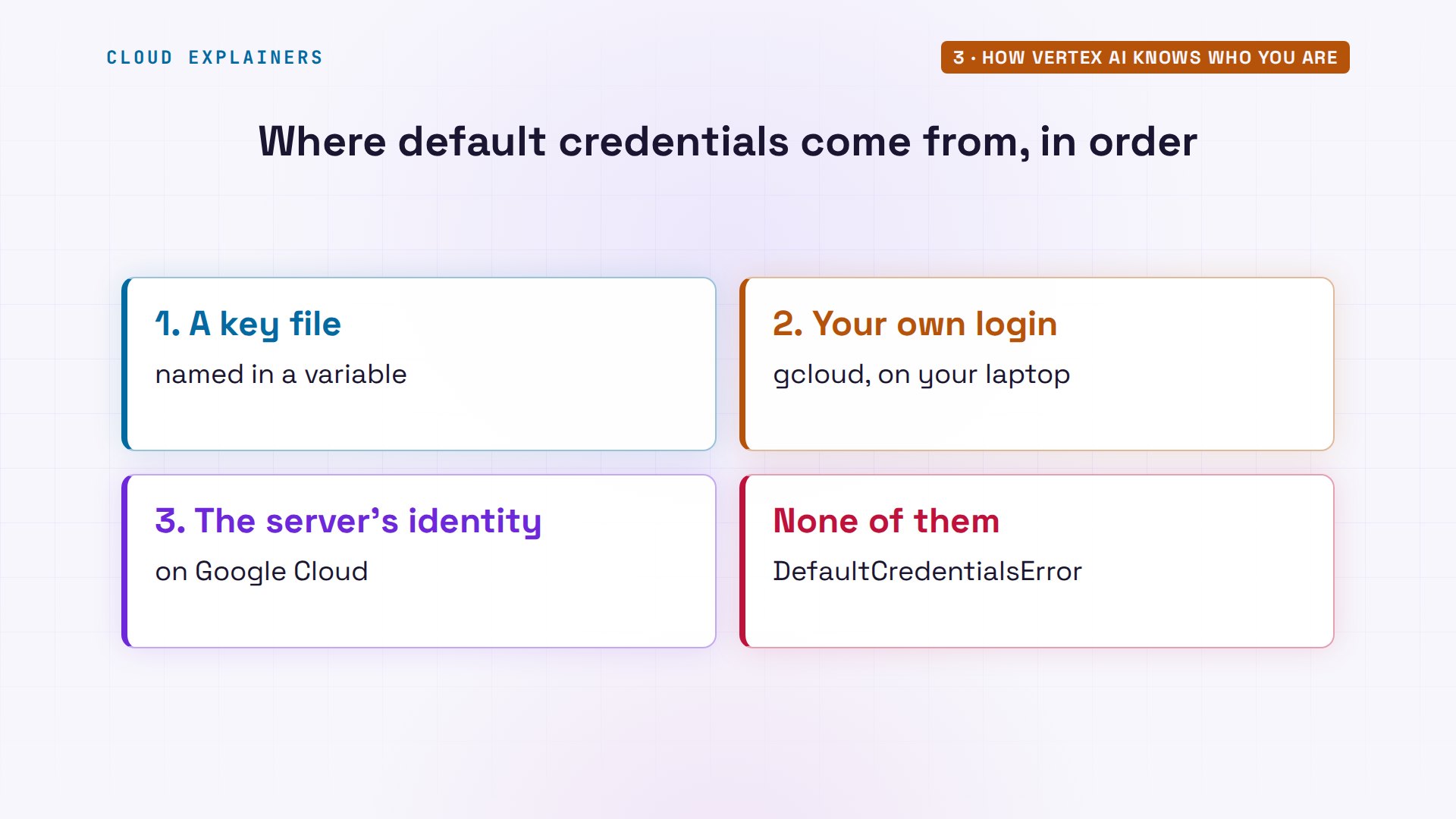
Google's libraries look in a fixed order. First a key file, named in an environment variable. Then your own Google login, if you signed in on this laptop with gcloud, Google Cloud's command-line tool. Then the identity of the Google Cloud server the code runs on. Ana's laptop had none of the three, so the library gave up.
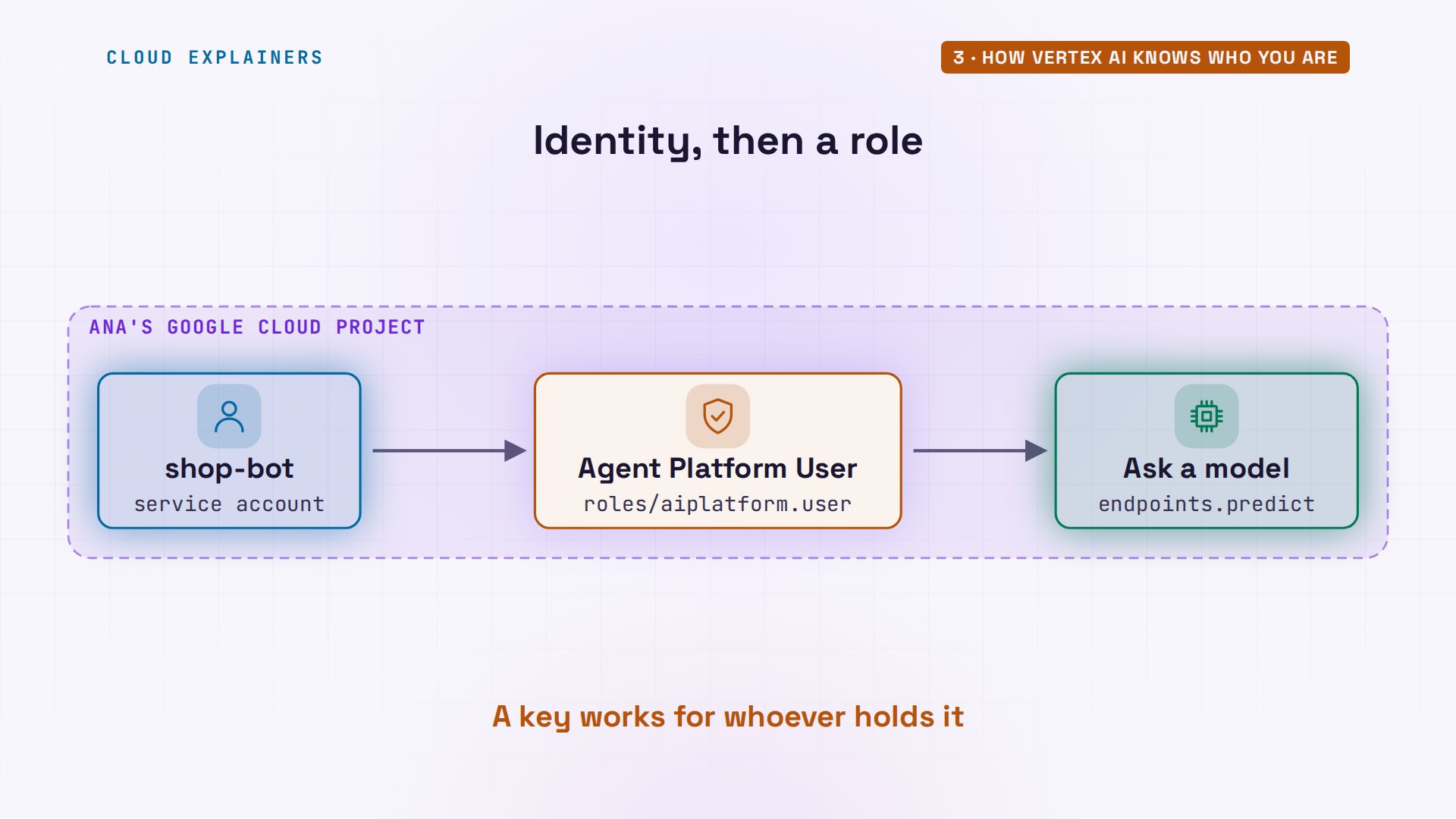
Ana points the library at the key file she downloaded when she made her service account, called shop-bot. Now Google knows who's asking, and still says no: four oh three, I A M permission denied. The message names the missing permission: A I platform dot endpoints dot predict.
export GOOGLE_APPLICATION_CREDENTIALS=~/keys/shop-bot.json
./ask vertexerror 403 PERMISSION_DENIED (IAM_PERMISSION_DENIED)
jq -r .error.message reply.json | cut -d' ' -f1-4Permission 'aiplatform.endpoints.predict' denied on
I A M is Google Cloud's rulebook: who can do what, in which project. Being someone isn't enough; you need a role that holds that permission. So the project's owner grants shop bot the Agent Platform User role, on the console's I A M page or from the command line, which includes predict. A key can't say any of this: anyone who holds it can use it.
A couple of minutes later, once the change has spread, the same command: an answer from Vertex AI.
./ask vertexDelicately steamed to capture the essence of early spring, our Sencha green tea unfolds with a soft, grassy sweetness that brings quiet clarity to your day.
One more check. With billing turned off for the project, the same request fails again: four oh three, billing disabled. This API method requires billing to be enabled. Someone has to pay for every request, and Vertex AI checks who that is first.
./ask vertexerror 403 PERMISSION_DENIED (BILLING_DISABLED)
jq -r .error.message reply.json | cut -d. -f1This API method requires billing to be enabled
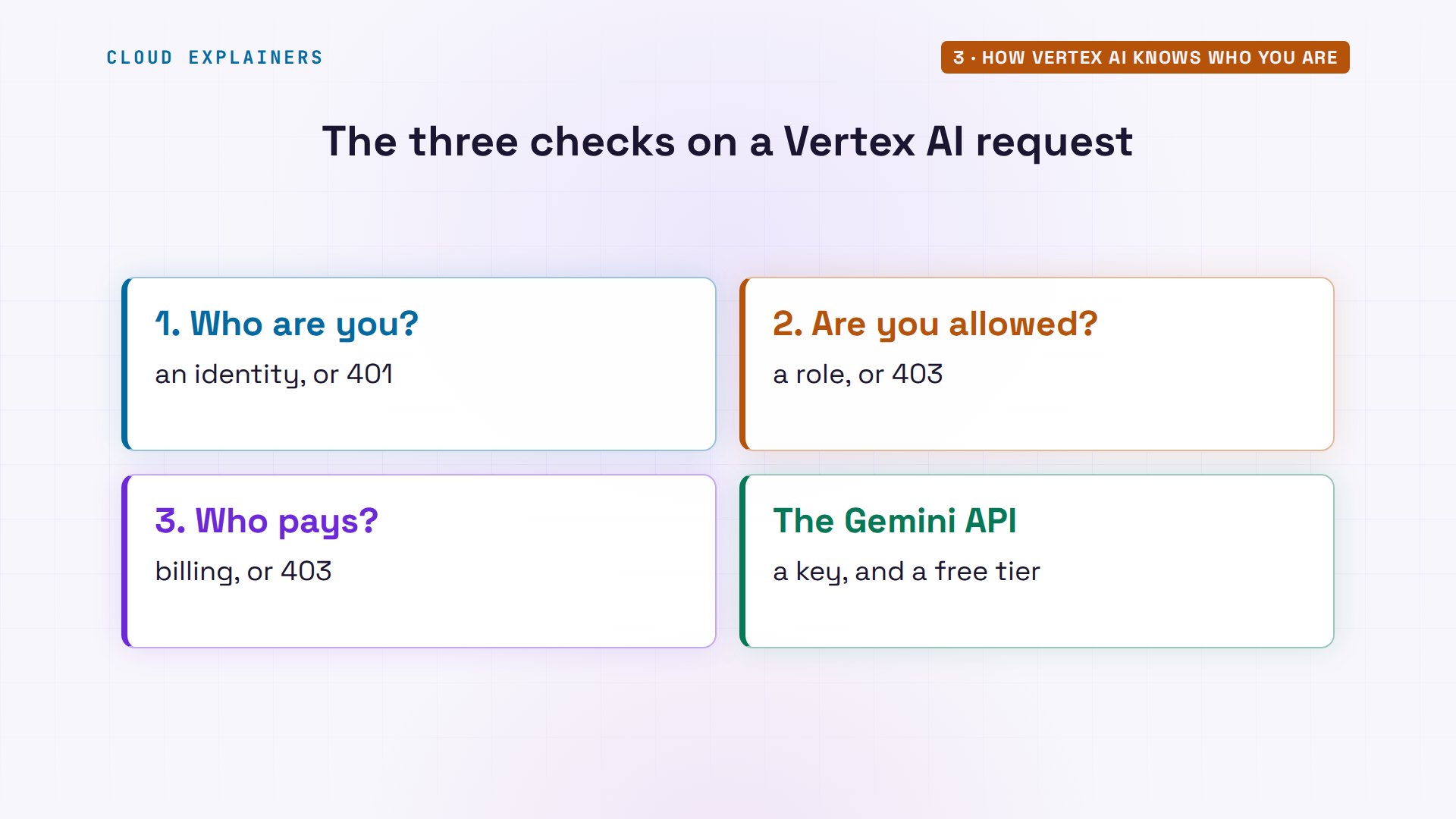
So every Vertex AI request passes three checks the key never asked about. Who are you: a Google Cloud identity. Are you allowed: a role. Who pays: the project's billing. The Gemini API has a free tier with no billing at all; Vertex AI doesn't, though new Google Cloud accounts get three hundred dollars of credit. That's more setup, and for a company, it's the whole point.
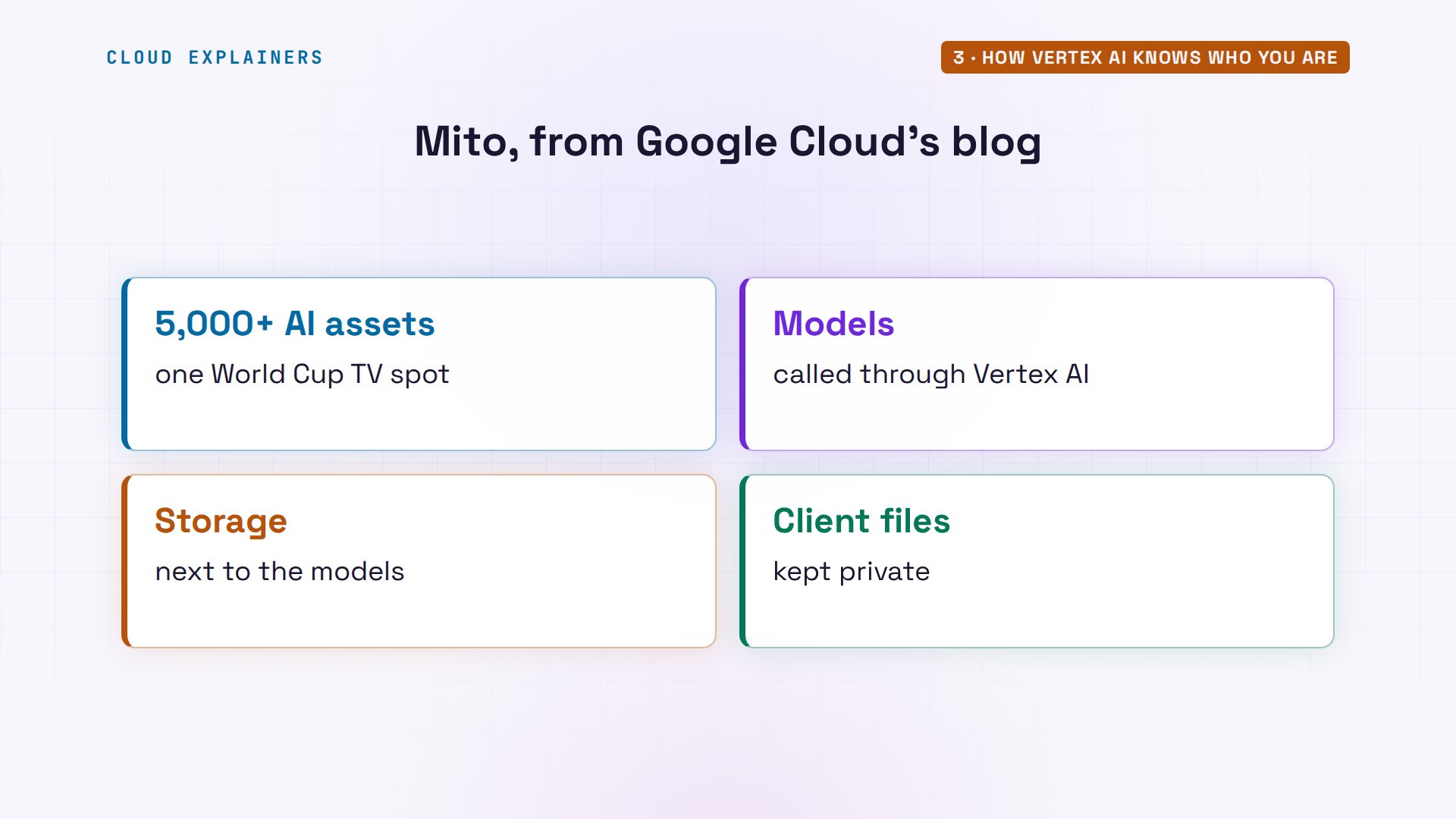
That's how companies run it in production. Mito, an AI video company, wrote on Google Cloud's blog this month how it made more than five thousand AI assets for a World Cup TV spot, with models it calls through Vertex AI, storage kept next to them, and client files kept private.
What changes in your code
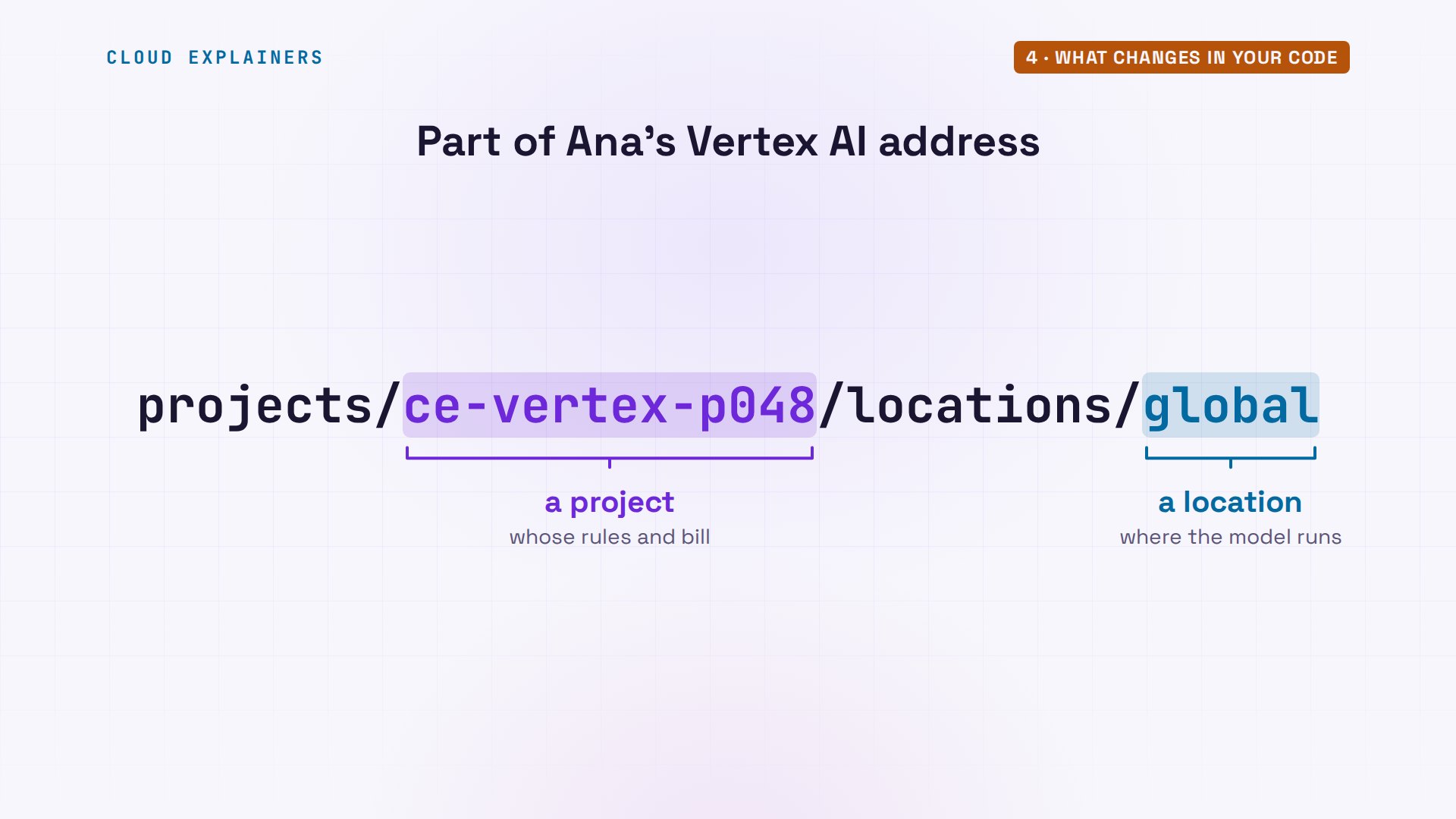
And your code? Diff compares the two scripts: the line marked with a less-than sign is from the first file, the greater-than line from the second. They differ in one line, the client. Vertex AI true, the project's I D, and a location. Everything after it is the same: the model name, the call, the reply.
diff describe.py describe_vertex.py3c3
< client = genai.Client()  # Gemini API: a key, from GEMINI_API_KEY
---
> client = genai.Client(vertexai=True, project="ce-vertex-p048", location="global")
Run it, and there's the answer, through Vertex AI. You can even leave the first script alone. Set three environment variables: use Vertex AI, the project, and the location, and the first script, unchanged, now goes through Vertex as well.
python describe_vertex.pySteamed from tender spring leaves, our Sencha unfolds with a soft, grassy sweetness and a quiet clarity that gently invites you to pause.
(through Vertex AI)
GOOGLE_GENAI_USE_VERTEXAI=true GOOGLE_CLOUD_PROJECT=ce-vertex-p048 GOOGLE_CLOUD_LOCATION=global python describe.pyGently steamed to capture the quiet freshness of tender spring leaves, our Sencha green tea unfolds with a soothing, verdant warmth and a soft, lingering sweetness.
(through Vertex AI)
Under the hood, the address shows what moved. Every Vertex AI request names a project, the one whose rules and bill apply, and a location: where Google runs the model. The Gemini API's address has neither.
Where your request runs
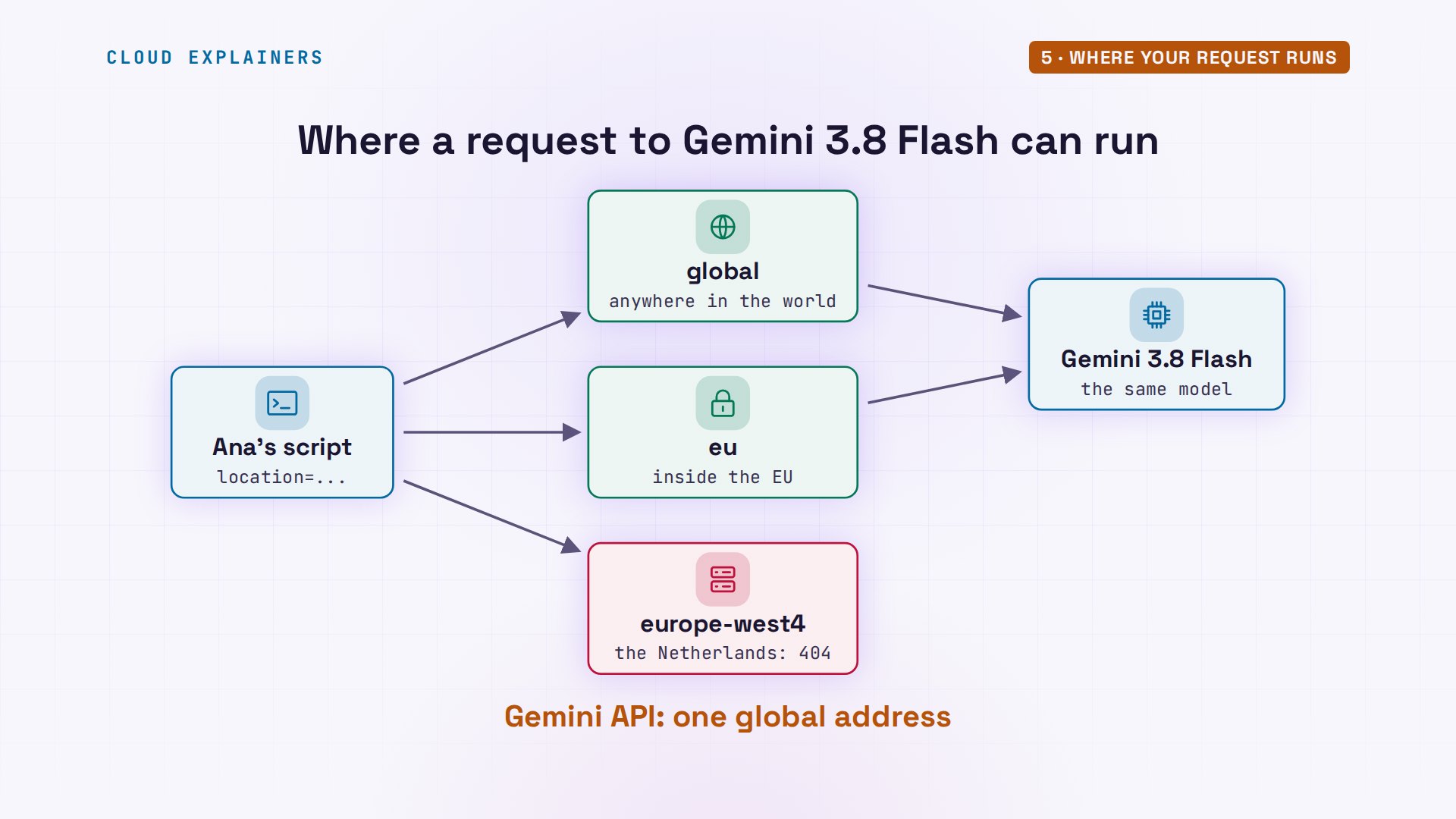
So does the location matter? Ana's where script asks Gemini 3.8 Flash for three words at five locations: global, the US and EU multi-regions, and two single regions, Iowa and the Netherlands. Guess first: which ones answer? Global, US and EU. Both single regions: four oh four, not found.
cat where.pyimport os

from google import genai

model = os.environ.get("MODEL", "gemini-3.8-flash")
for location in ["global", "us", "eu", "us-central1", "europe-west4"]:
    client = genai.Client(vertexai=True, project="ce-vertex-p048", location=location)
    try:
        client.models.generate_content(model=model, contents="Say hi in three words.")
        print(f"{location:16} answered")
    except genai.errors.ClientError as e:
        print(f"{location:16} {e.code} {e.status}")
python where.pyglobal           answered
us               answered
eu               answered
us-central1      404 NOT_FOUND
europe-west4     404 NOT_FOUND
That's the not found from the start. This model isn't offered in those single regions. Global means Google may run your request in any of its locations around the world: good availability, but no promise where your data is processed. The EU multi-region keeps that processing inside the European Union, which some companies must do. The Gemini API has one global address, and no choice.
Which one to pick
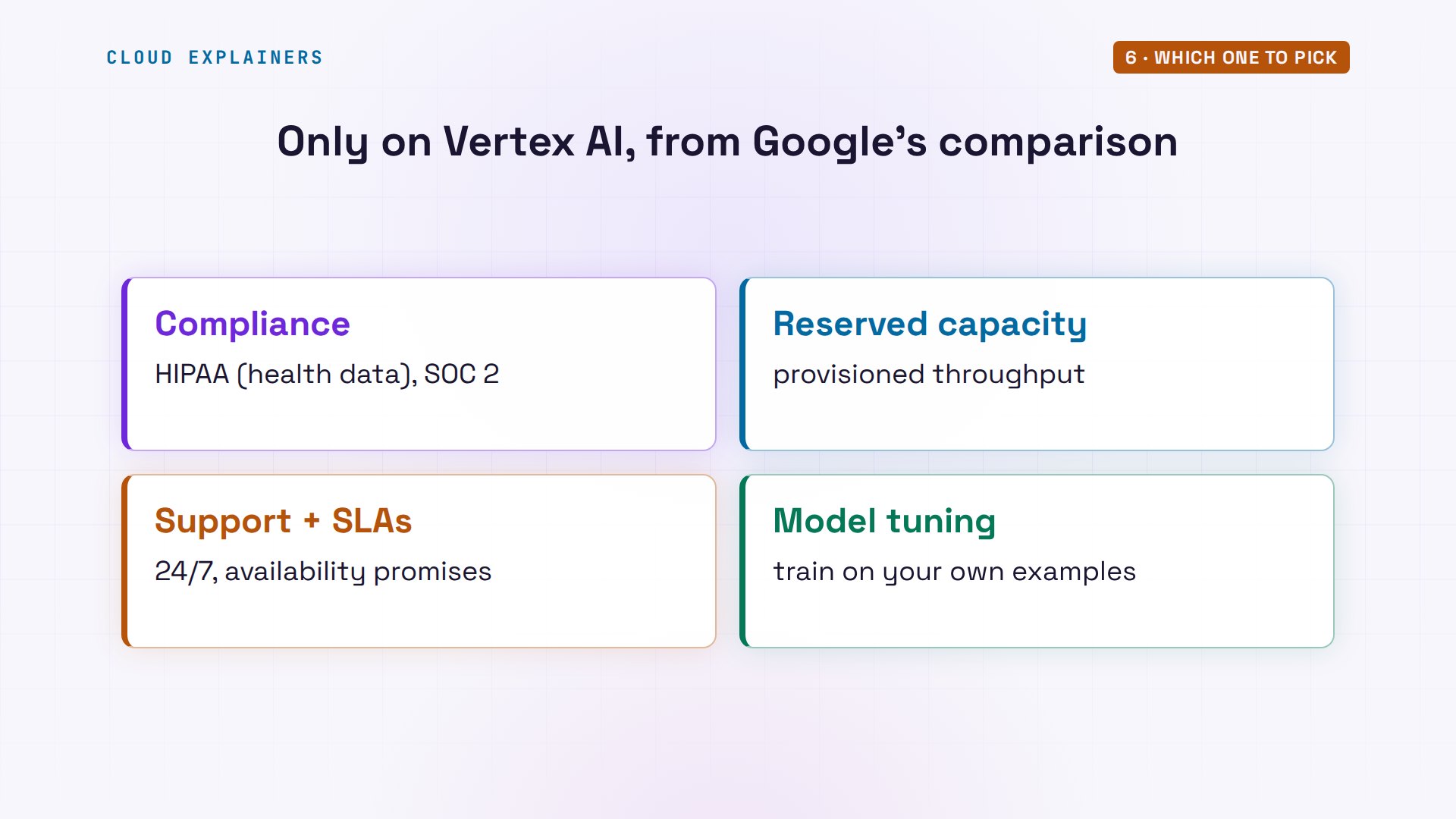
What else does Vertex AI add? Google's own comparison lists it: compliance certifications like HIPAA, for health data in the US, and SOC 2, a security audit, reserved capacity called provisioned throughput, enterprise support with service level agreements, and model tuning.
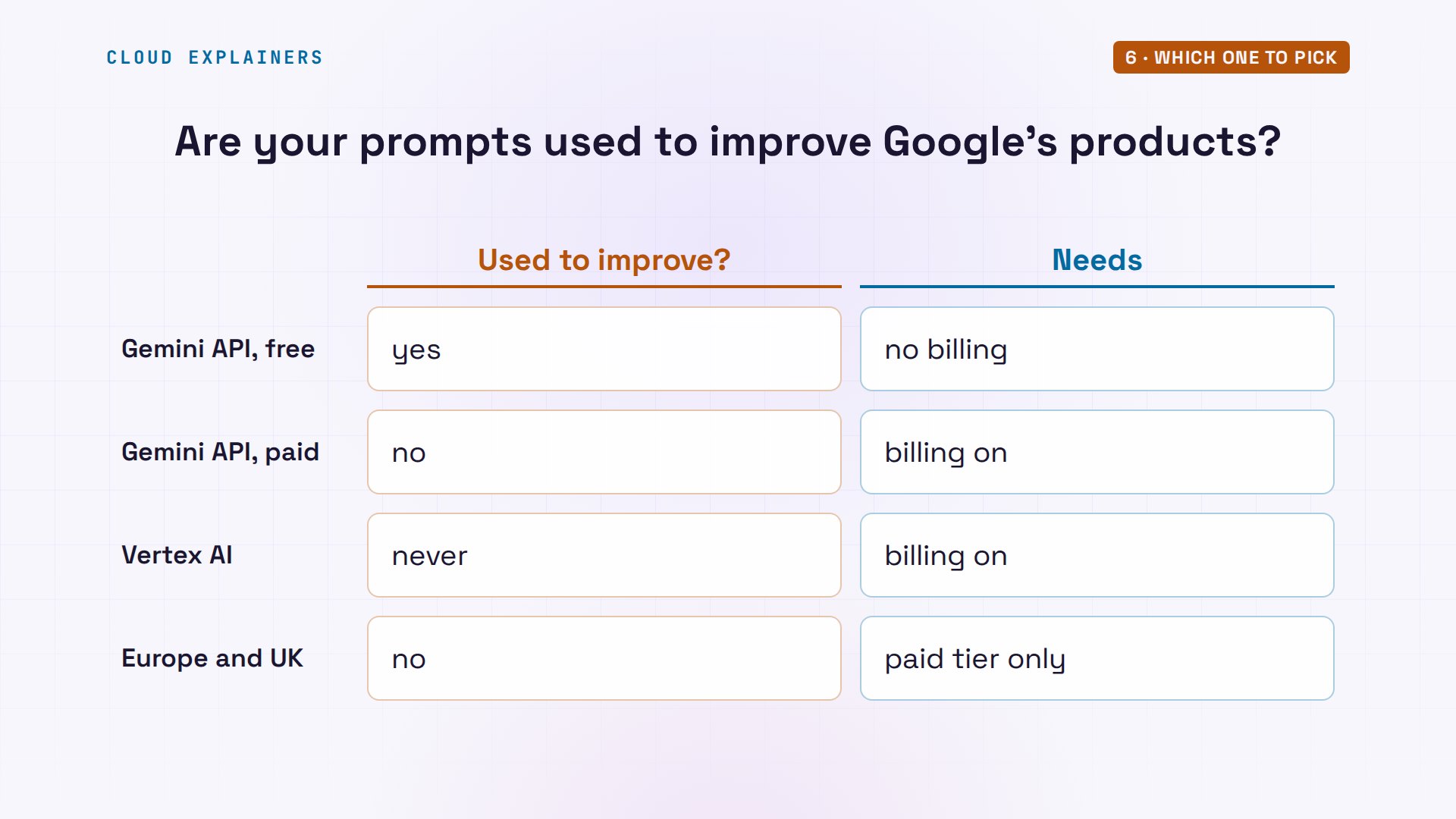
And your data. On the Gemini API's free tier, Google uses your prompts and answers to improve its products. With billing on, the paid tier, it doesn't, and on Vertex AI it never does. So the line is free versus paid, not key versus Vertex. One more rule from the Gemini API terms: apps for users in Europe or the UK must use the paid tier.
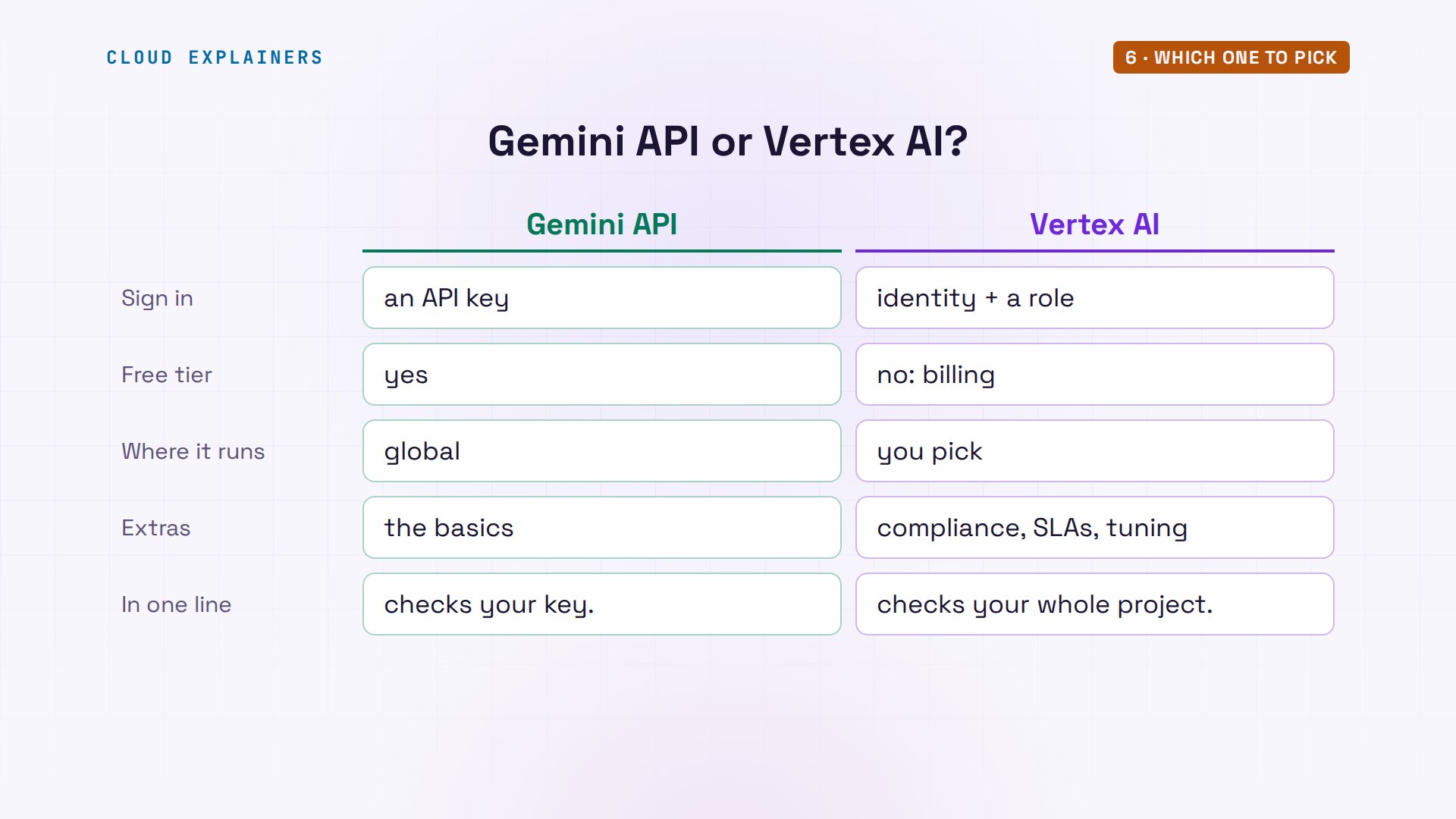
So which one should you use? The Gemini API signs in with a key, has a free tier, and runs globally. Vertex AI signs in with a Google Cloud identity and a role, needs billing, and lets you pick where it runs. In one line: the Gemini API checks your key; Vertex AI checks your whole project.
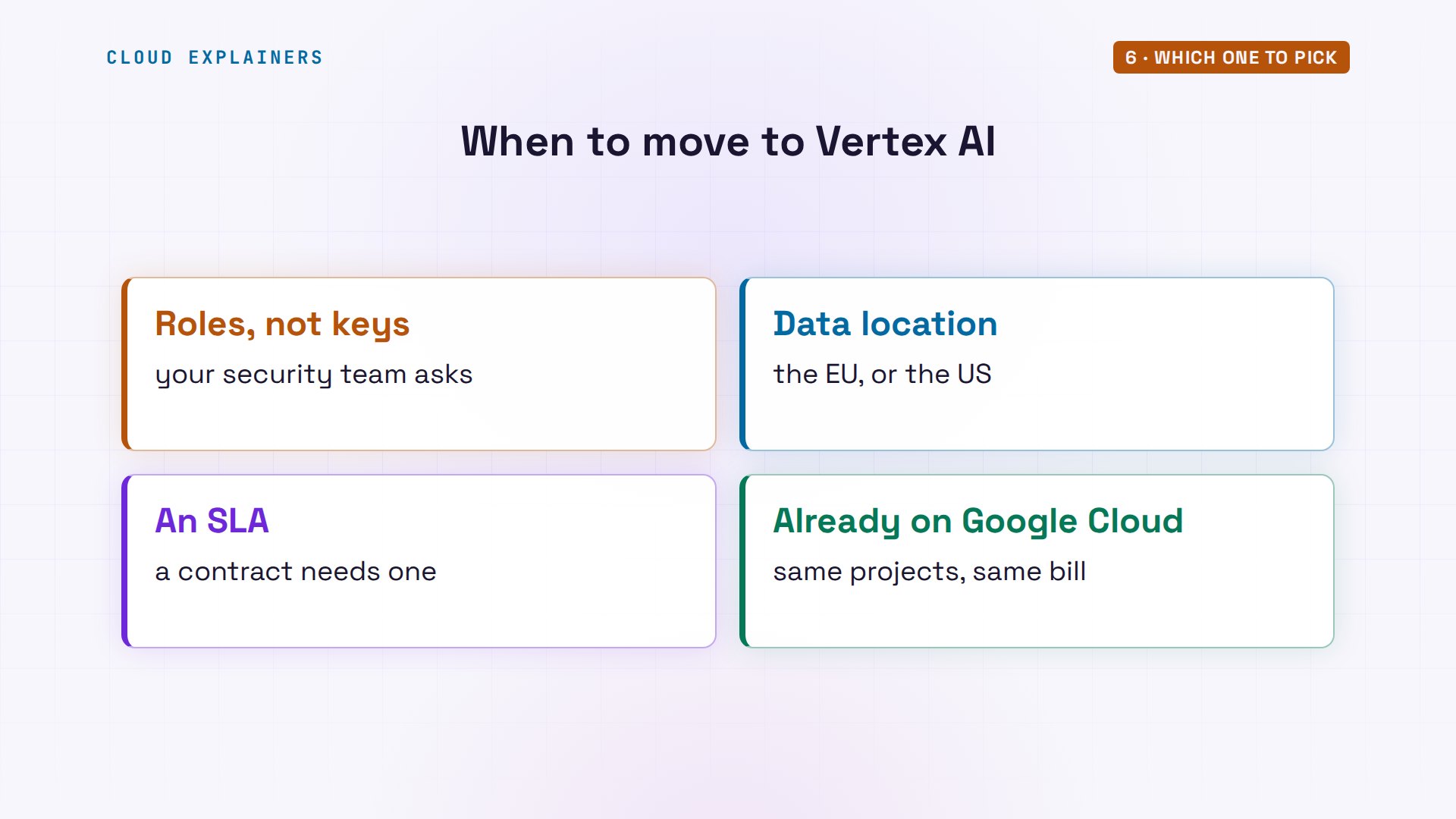
Start on the Gemini API. Move to Vertex AI when a rule says you must: a security team that wants roles instead of keys, data that has to stay in one place, a contract that needs an SLA, or a company already on Google Cloud. The move is one line of code, plus the three checks.
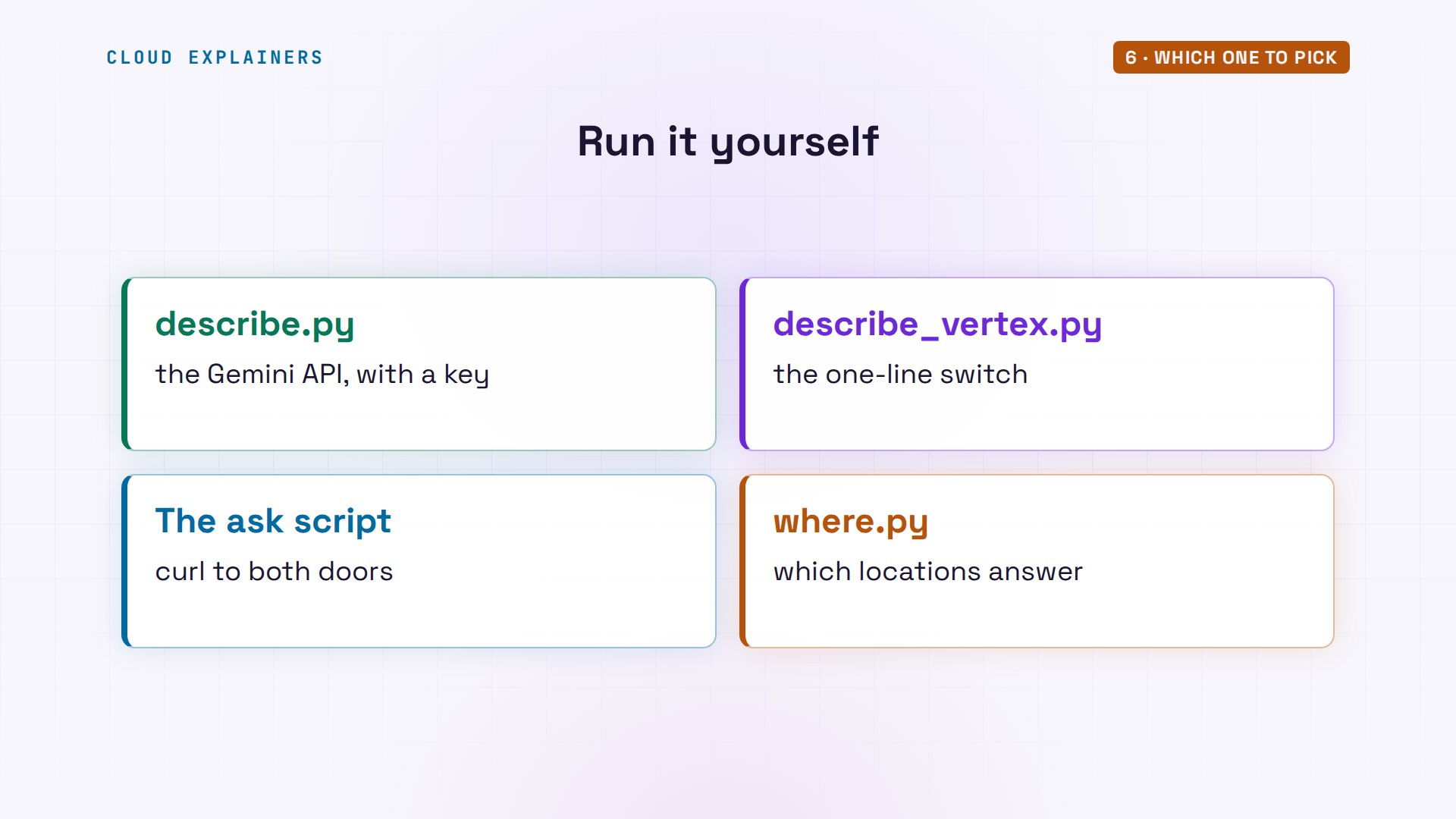
Every command and the lab files are linked in the description, ready for your own key and your own project.
Recap
So: same models, two doors. A key for building. A Google Cloud project when a company needs roles, a bill, and a place to run it.
If this saved you a day of reading Google's docs, subscribing helps us reach more beginners.
Every request here went to the real Gemini API and Vertex AI. Thanks for watching Cloud Explainers.
Sources
- Google Cloud, Migrate from the Gemini API to Gemini Enterprise Agent Platform (comparison table: endpoints, authentication, no-cost usage, global and regional endpoints, Provisioned Throughput, HIPAA and SOC 2, data use, SLAs, tuning)
- Google AI, Gemini Developer API vs. Gemini platform ("Most developers should use the Gemini Developer API unless there is a need for specific enterprise controls"; vertexai=True, project, location)
- Gemini Enterprise Agent Platform overview (an evolution of Vertex AI)
- Locations and the global endpoint (no data residency guarantee)
- Data residency (global vs US and EU multi-region ML processing)
- Access control (Agent Platform User, roles/aiplatform.user, includes aiplatform.endpoints.predict)
- Express mode (preview: API keys for Agent Platform, a few models)
- Gemini API Additional Terms of Service (unpaid services improve Google products; paid services don't; EEA, Switzerland and UK: paid services only)
- Gemini API pricing (free tier: content used to improve our products; paid: not)
- Application Default Credentials
- Google AI Developers Forum, Basic question: what is the difference between the Gemini API and Vertex?
- Google Cloud Blog, How Mito orchestrated 5,000+ AI assets for a World Cup TV spot (November 2026)
Demos: one container on our own Mac standing in for Ana's laptop, sending real requests with our own key and a lab Google Cloud project made for this video (credentials never shown); the tea shop is made up. Watch the full video on YouTube.
More videos

Linux Makefiles Will Finally Make Sense After This

SAML vs OAuth vs OpenID Connect: What's the Difference?

How to Fix Python cron Jobs That Never Run

Linux Bash Scripting: Full Tutorial for Beginners

How PXE Network Boot Works

How Active Directory Works

How to Fix a Linux systemd Service That Won't Start

Linux Logs: syslog vs journald

JWT vs Session Cookies: Which One Should You Use?

Docker vs Docker Compose: Which One Should You Use?

How to Fix Docker Compose Containers That Can't Talk to Each Other

Django Full Tutorial for Beginners

How Linux systemd Works

How to Fix 'Windows Cannot Access' Network Share Errors (SMB)

REST vs gRPC: Which One Should You Use?

How to Fix SSL Certificate Chain Errors (Missing Intermediate)

Every Python Concept for Beginners in 10 Minutes

Every SQL Join Type in 10 Minutes

Why OpenRouter Free Models Hit Their Limit So Fast

Why Your Gemini API Free Tier Runs Out So Fast

OpenRouter Will Finally Make Sense After This

How Redis Caching Works

How to Fix a Leaked Gemini API Key

Why Golang Uses Goroutines Instead of Threads

How to Fix Gemini API Error 429: Resource Exhausted

Claude Token Pricing Will Finally Make Sense After This

Why Python Web Scraping Returns Nothing (and the Fix)

Python uv vs pip: Which One Should You Use?

Python Automation: Full Tutorial for Beginners

How OAuth Login Works

Google AI Studio Will Finally Make Sense After This

What Happens When You Run a Docker Container

How to Fix Claude Code Billing Your API Key Instead of Your Plan

Why Passkeys Can't Be Phished Like Passwords

PowerShell vs Bash: Which One Should You Learn?

The Linux Roadmap for Beginners

Django vs FastAPI: Which One Should You Use?

Why SQLite Is the Most Used Database in the World

How a NoSQL Database Like MongoDB Works

How to Fix Python pip error: externally-managed-environment

How to Fix MySQL Too Many Connections Database Errors

Golang Concurrency Will Finally Make Sense After This

How Amazon S3 Works

How Kubernetes Works

How Git Works

How to Fix Docker Port Already Allocated Errors

How PostgreSQL Works

How to Fix Git Merge Conflicts

How to Fix No Space Left on Device in Linux

How the Internet Works

SQL vs NoSQL: When Each One Wins

How to Fix JWT Token Expired Errors (401 Unauthorized)

Claude API vs Claude Pro: Why Your Subscription Doesn't Include It

Why AI Agent Skills Beat Giant Prompts

Linux Cron Jobs Will Finally Make Sense After This

Security Logs Will Finally Make Sense After This

How to Fix a Security Leak: An API Key Pushed to GitHub

DNS Will Finally Make Sense After This

Never Ignore a Security Update

Two-Factor Authentication Will Finally Make Sense

Never Expose a Database to the Internet

SSH Keys vs Passwords: Which Is Safer for Security?

The 5 Levels of Linux Boot: From Power On to Login

The 5 Levels of Network Firewalls

Password Security: Why Hackers Crack Weak Passwords

Why Your Linux Server Runs Out of Memory

HTTP vs HTTPS: What Actually Changes on Your Network

Every Linux File Permission You Need to Know

Linux Processes vs Threads: When Each One Wins

The OSI Model Will Finally Make Sense After This

The 7 Levels of Git

Every Network Troubleshooting Command You Need

Hashing vs Encryption in Cybersecurity: When Each One Wins

Why the Internet Ran Out of IP Addresses

Linux Package Managers: apt vs Snap vs Flatpak

Why Python Is Slow (and When It Doesn't Matter)

TCP vs UDP: When Each One Wins

Stop Running Linux as Root (Do This Instead)

Linux Users and Groups Will Finally Make Sense

Why Phishing Beats Good Security (and How to Spot It)

The 7 Levels of Docker

AI Agents Will Finally Make Sense After This

Stop Using git push --force (Use This Instead)

Agent Skills vs MCP: When Each One Wins

Networking Will Finally Make Sense After This

Every Linux Command You Actually Need

The 7 Levels of Cybersecurity

Every System Design Concept You Need, in One Diagram
