
Every Python Concept for Beginners in 10 Minutes
Every Python concept a beginner needs, run for real in Python 3.15 on a tiny tea shop: variables and types, strings and f-strings, lists, dictionaries, if and else, loops, functions and errors. We start from a real first error (TypeError: can only concatenate str), learn to read it from the bottom up, catch the print-versus-return trap, and finish by reading every line of a 23-line receipt program that uses all eight.
Your first error
Your first Python program crashed, and the error makes no sense. Ana runs a small tea shop, and this is her first program: store two tins, then print them. Python stops with a wall of text, and a type error at the bottom.
cat order.pytins = 2
print("Tins: " + tins)
python3 order.pyTraceback (most recent call last):
  File "/home/ana/shop/order.py", line 2, in <module>
    print("Tins: " + tins)
          ~~~~~~~~~^~~~~~
TypeError: can only concatenate str (not "int") to str
Nothing here is hard. Almost every beginner program is built from the same eight ideas, and this error is two of them bumping into each other. By the end, you'll read that error at a glance, and every line of Ana's finished receipt program. One of the eight hides a trap that catches almost everyone: a function that prints the right answer, yet gives back nothing. We'll see why.
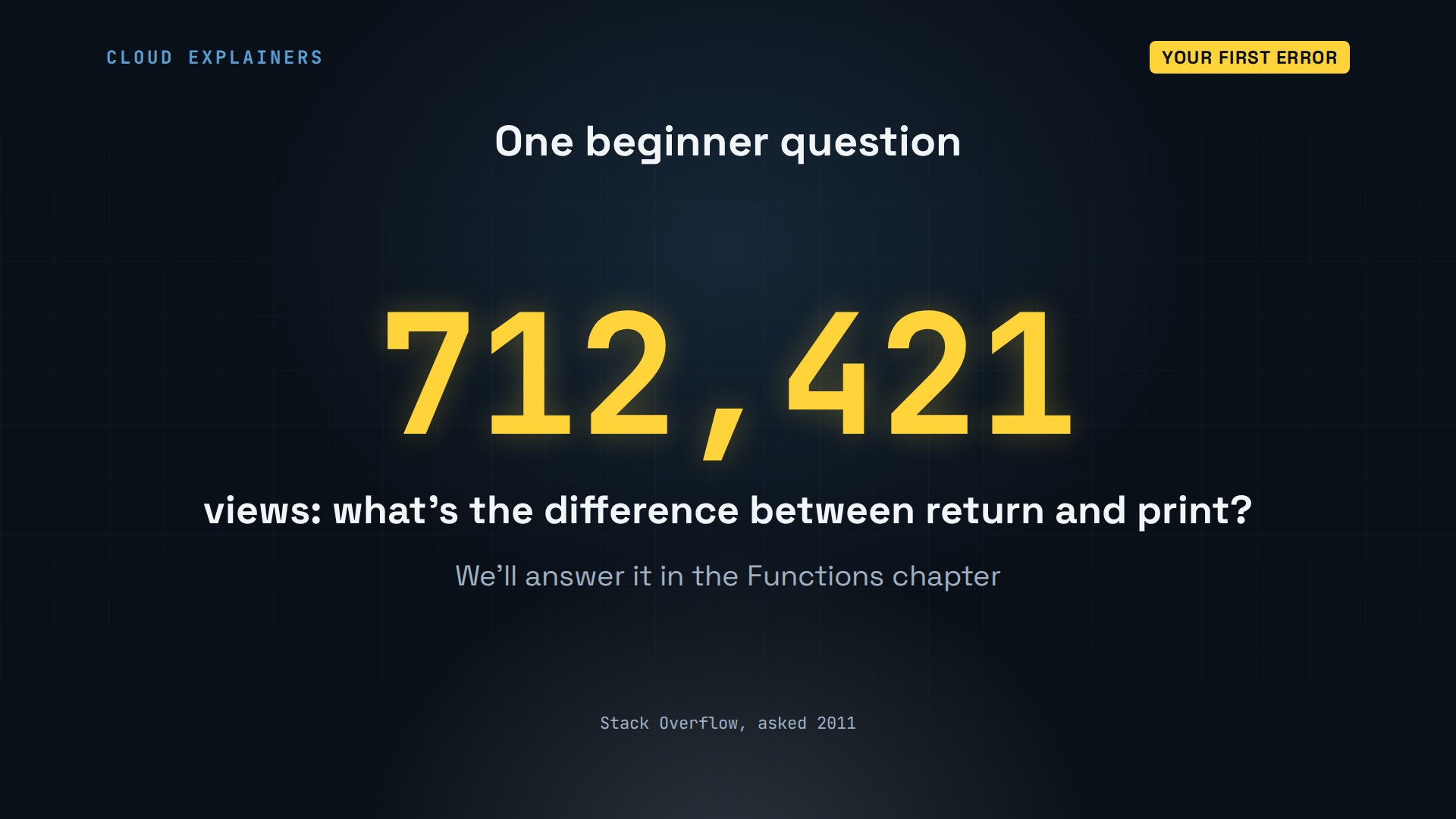
That trap is so common, one Stack Overflow question about it, what is the return statement for, and how is it different from printing, has been viewed over 710 thousand times since 2011.
Variables and types
How does a program remember anything? With variables: names that point at values. Every command and file here is linked in the description, to run yourself.
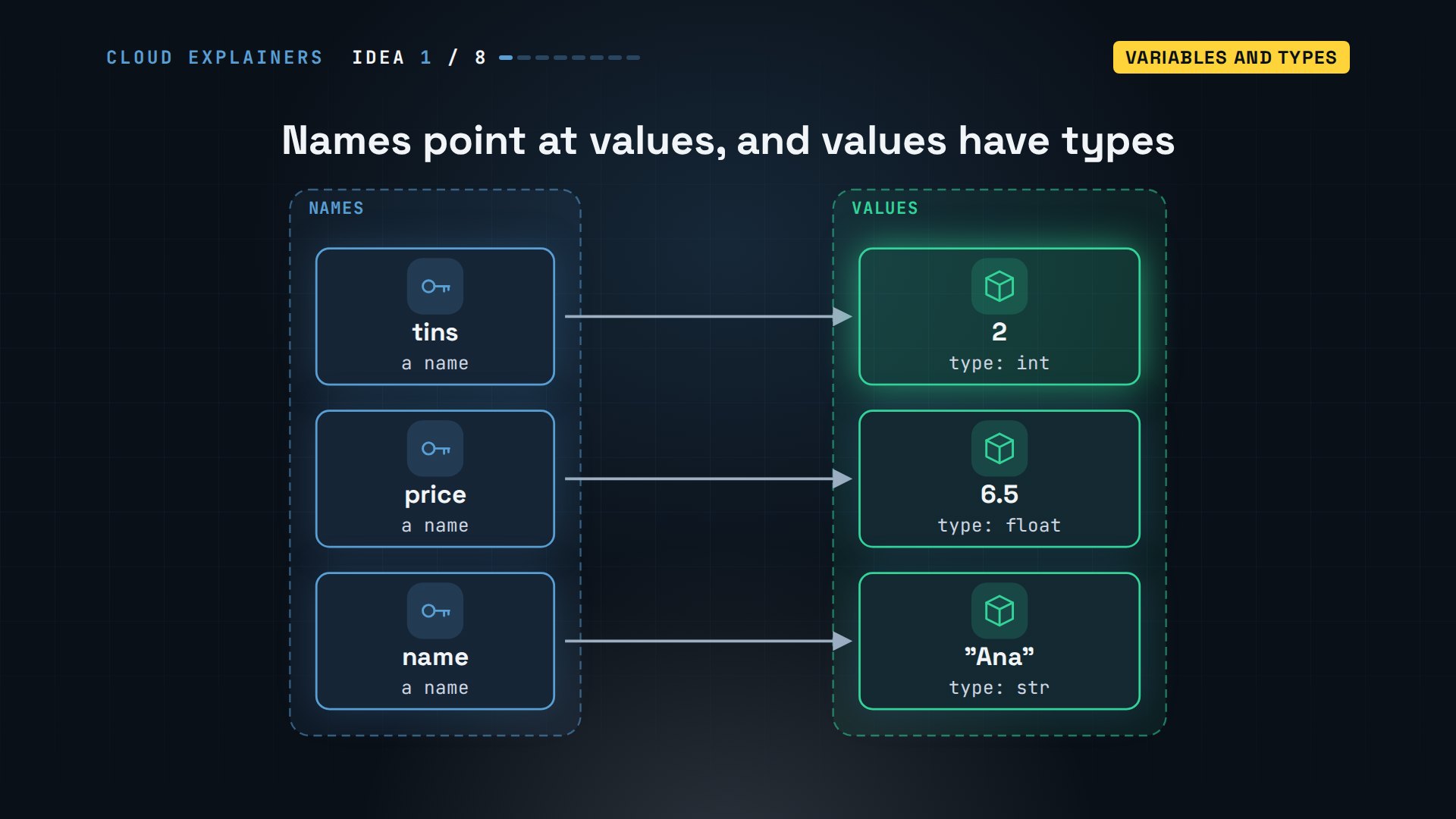
tins equals two doesn't say tins is two. The equals sign means: make the name tins point at the value two. And every value has a type. Two is an int, a whole number. Six point five is a float, a number with a decimal point. Text in quotes is a str, short for string.
Here it is in Python's own prompt, the three arrows: each line runs when you press Enter. tins plus one gives three. type of tins says int, the quoted two is a str, and six point five is a float.
python3Python 3.15.2 (main, Nov  5 2026, 08:02:30) [GCC 14.2.0] on linux
Type "help", "copyright", "credits" or "license" for more information.
>>> tins = 2
>>> tins + 13
>>> type(tins)<class 'int'>
>>> type("2")<class 'str'>
>>> type(6.5)<class 'float'>
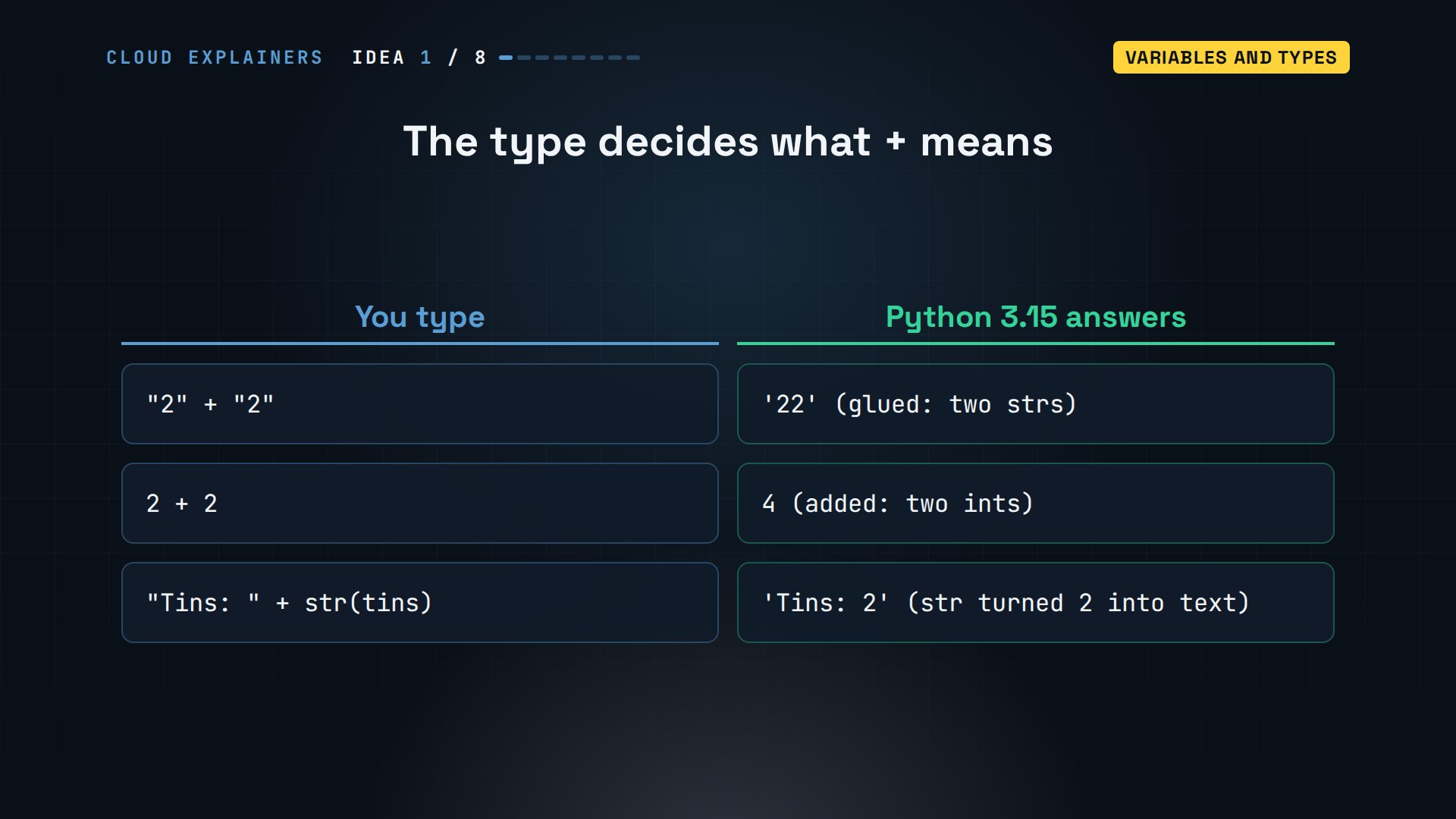
Types decide what plus means. Two strings are glued together: two two, in quotes. Add two ints, and you get four. So Ana's error says: you can't glue text to a number. Turn the number into text with str first, and it works.
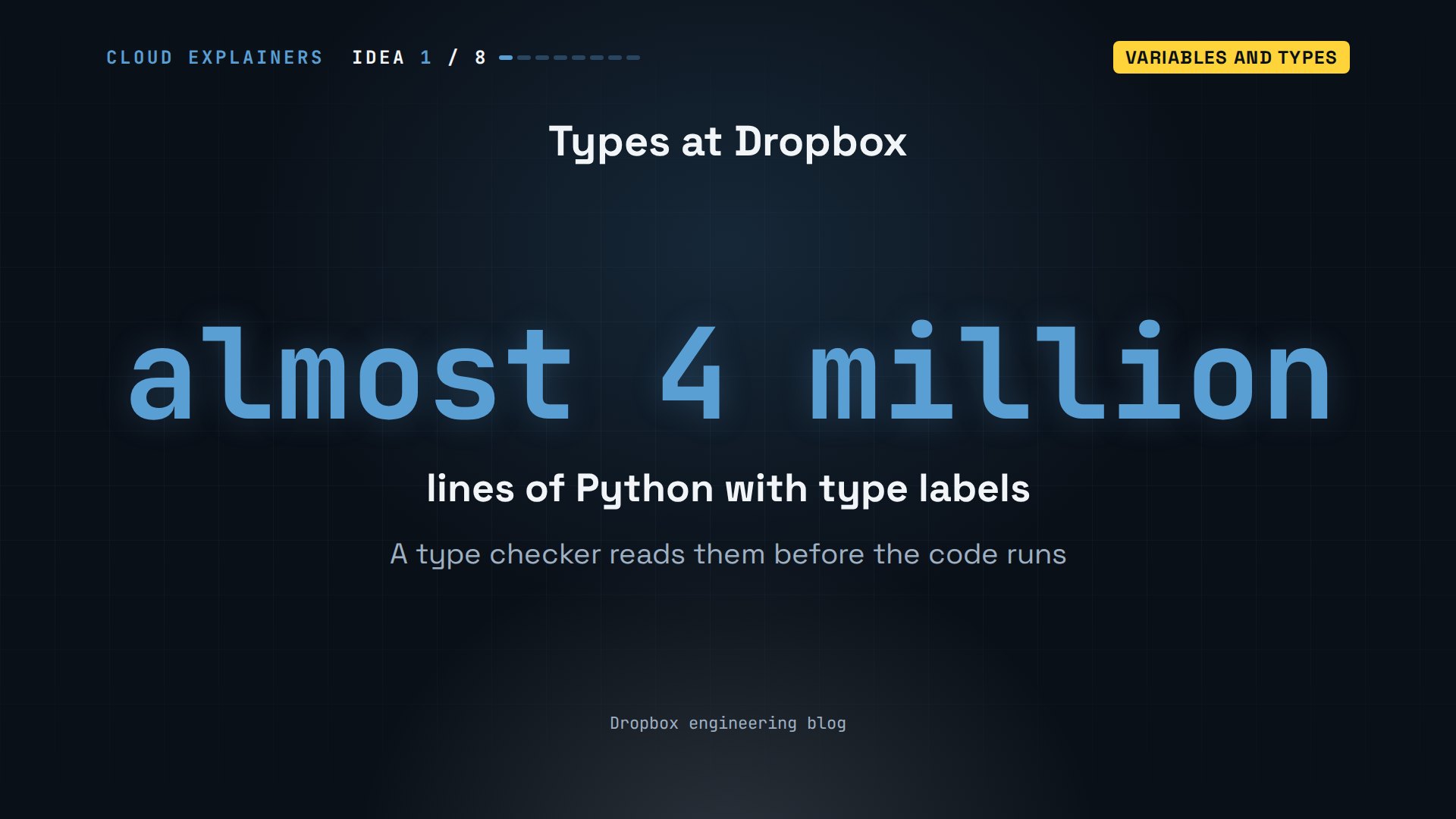
Types matter at any size. At Dropbox, Python is the most widely used language, and its engineers added type labels to almost four million lines of it, so a checker can catch mistakes like Ana's before the code even runs.
Strings
How do you build a sentence out of names and numbers? With strings, and one small letter: f.
A string is text between quotes. Put an f in front, and anything in curly braces is filled in with a variable's value. name becomes Ana, tins becomes two, and Python turns the number into text for you: the fix for Ana's error, with less typing.
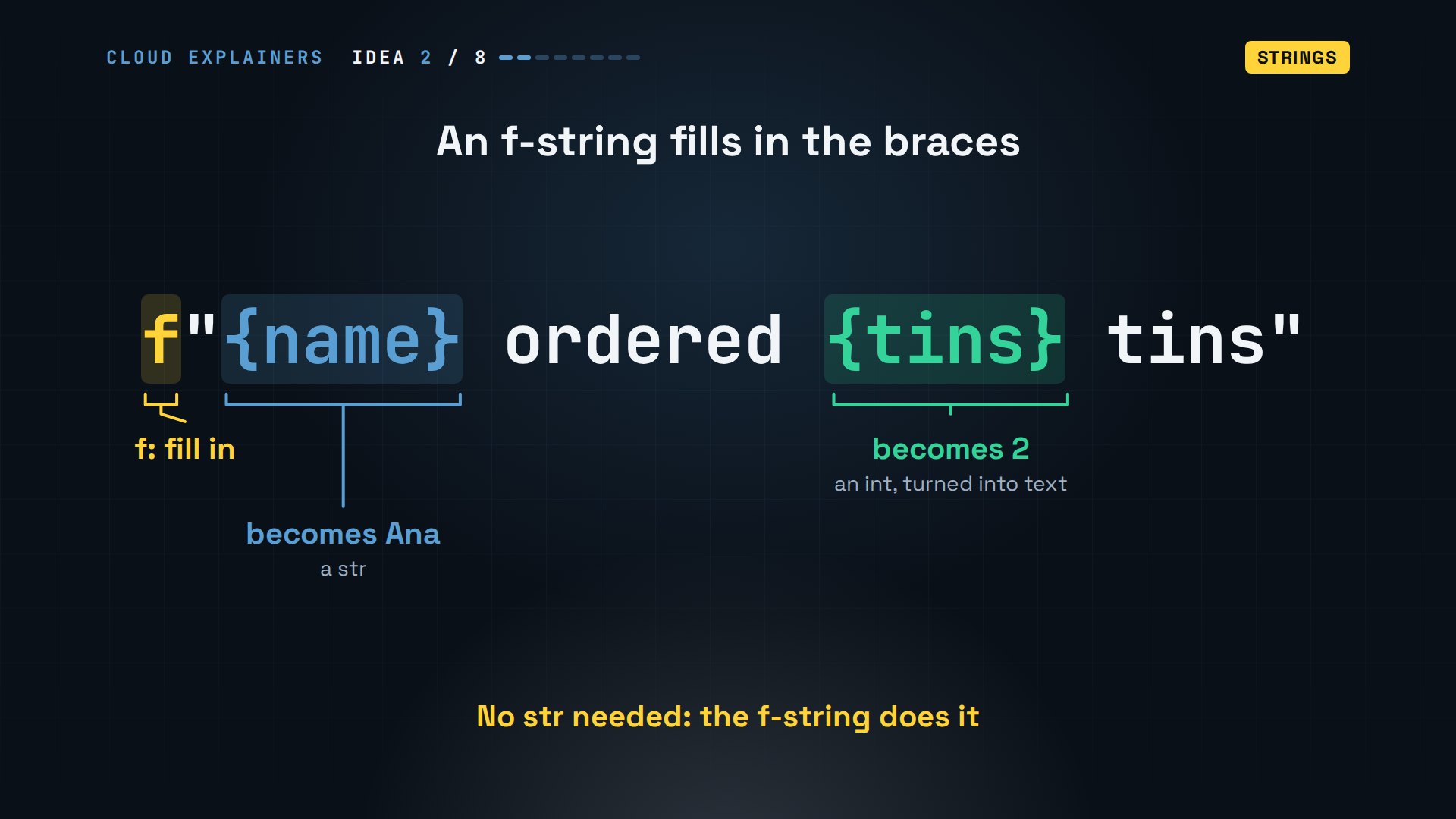
For real: Ana ordered two tins. Strings also come with tools. Dot upper gives capitals, and len counts the characters: Sencha has six.
>>> name = "Ana"
>>> f"{name} ordered {tins} tins"'Ana ordered 2 tins'
>>> name.upper()'ANA'
>>> len("Sencha")6
Lists
What if the shop sells more than one tea? A list keeps many values, in order.
A list goes in square brackets, with commas between the items. Each item has a position number, its index, and Python counts from zero: Sencha is zero, Assam is one, Oolong is two. Minus one counts back from the end.
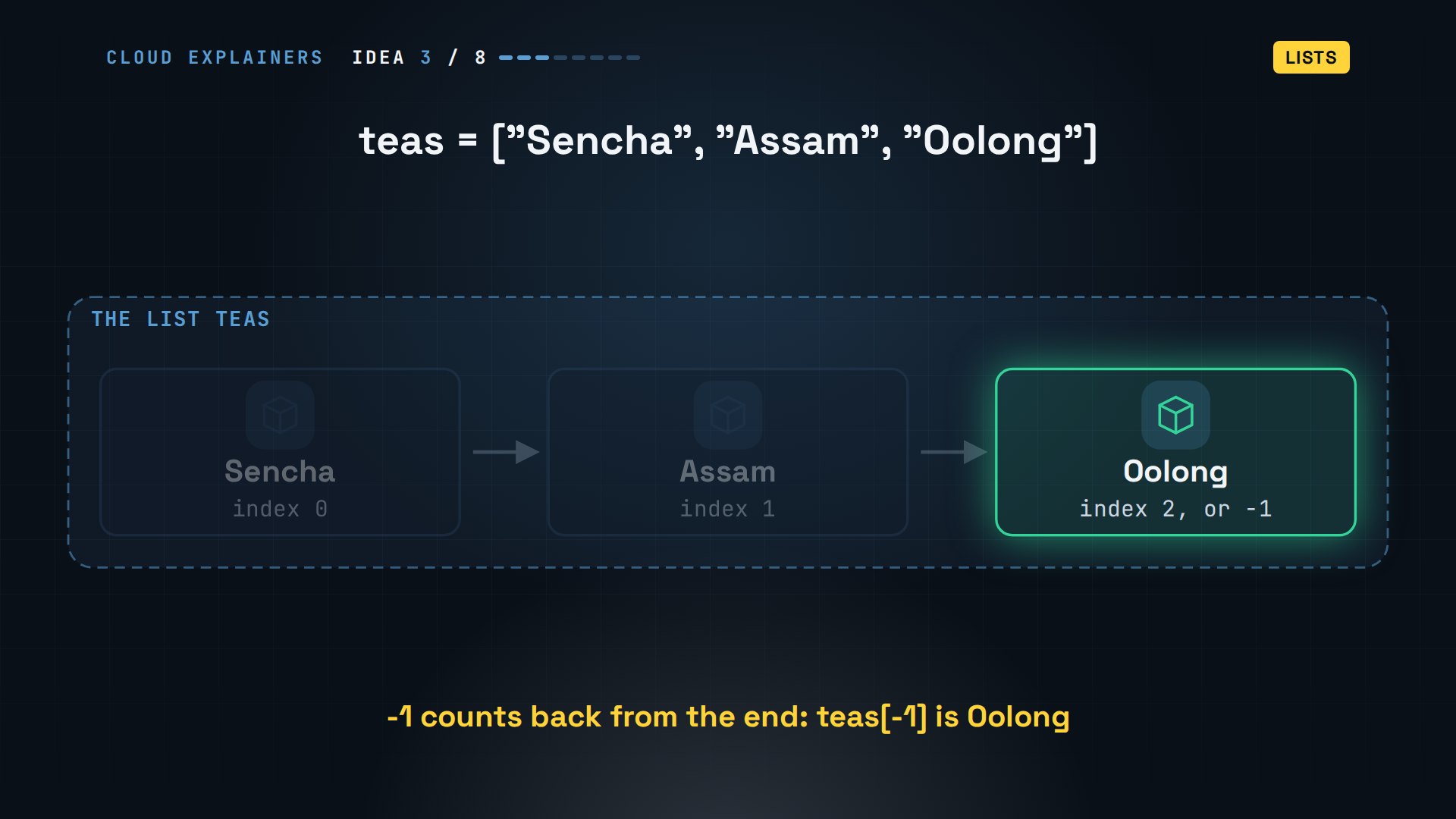
Index zero is Sencha, one is Assam, and minus one gives Oolong, the last. Append adds Earl Grey to the end, and len now says four. Four items. So what's at index four? Not Earl Grey. It's an index error. Four items means indexes zero to three.
>>> teas = ["Sencha", "Assam", "Oolong"]
>>> teas[0]'Sencha'
>>> teas[1]'Assam'
>>> teas[-1]'Oolong'
>>> teas.append("Earl Grey")
>>> len(teas)4
>>> teas[4]Traceback (most recent call last):
  File "<stdin>", line 1, in <module>
    teas[4]
    ~~~~^^^
IndexError: list index out of range
Dictionaries
How does Ana find one tea's price without counting positions? With a dictionary: values you look up by a key.
A dictionary goes in curly braces: a key, a colon, then its value. Sencha costs six point five; Assam costs four. Ask for a key in square brackets, and you get its value. Assign to a new key, and it's added: Oolong, eight.
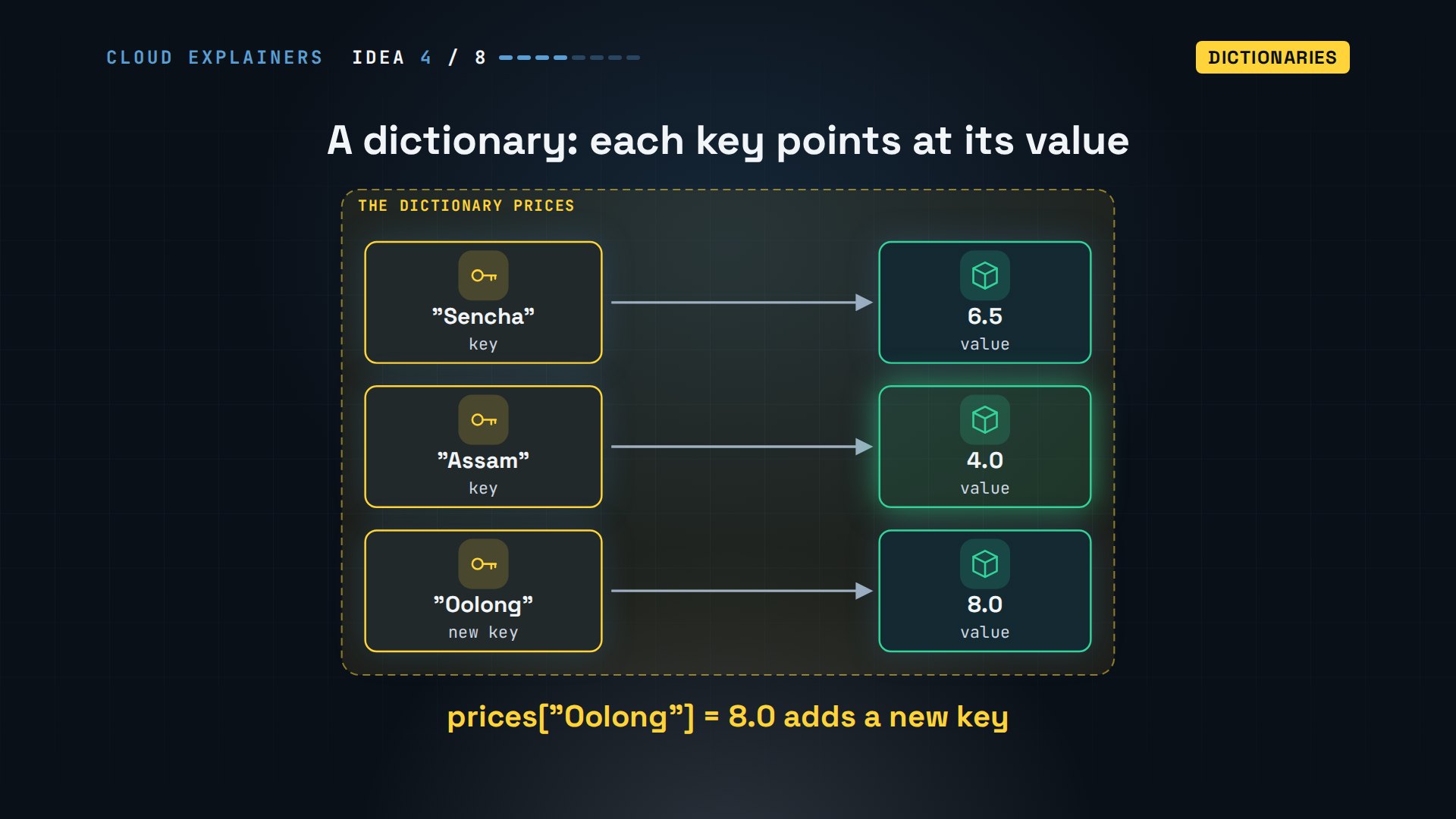
The price of Assam: four point oh. After adding Oolong, there are three teas. Now ask for Matcha, which Ana doesn't sell, and Python raises a key error. Dot get asks politely instead: when the key is missing, you get the default you chose, zero.
>>> prices = {"Sencha": 6.5, "Assam": 4.0}
>>> prices["Assam"]4.0
>>> prices["Oolong"] = 8.0
>>> prices{'Sencha': 6.5, 'Assam': 4.0, 'Oolong': 8.0}
>>> prices["Matcha"]Traceback (most recent call last):
  File "<stdin>", line 1, in <module>
    prices["Matcha"]
    ~~~~~~^^^^^^^^^^
KeyError: 'Matcha'
>>> prices.get("Matcha", 0)0
If and else
So far, every line runs. How does a program choose which lines run? With if, elif, and else.
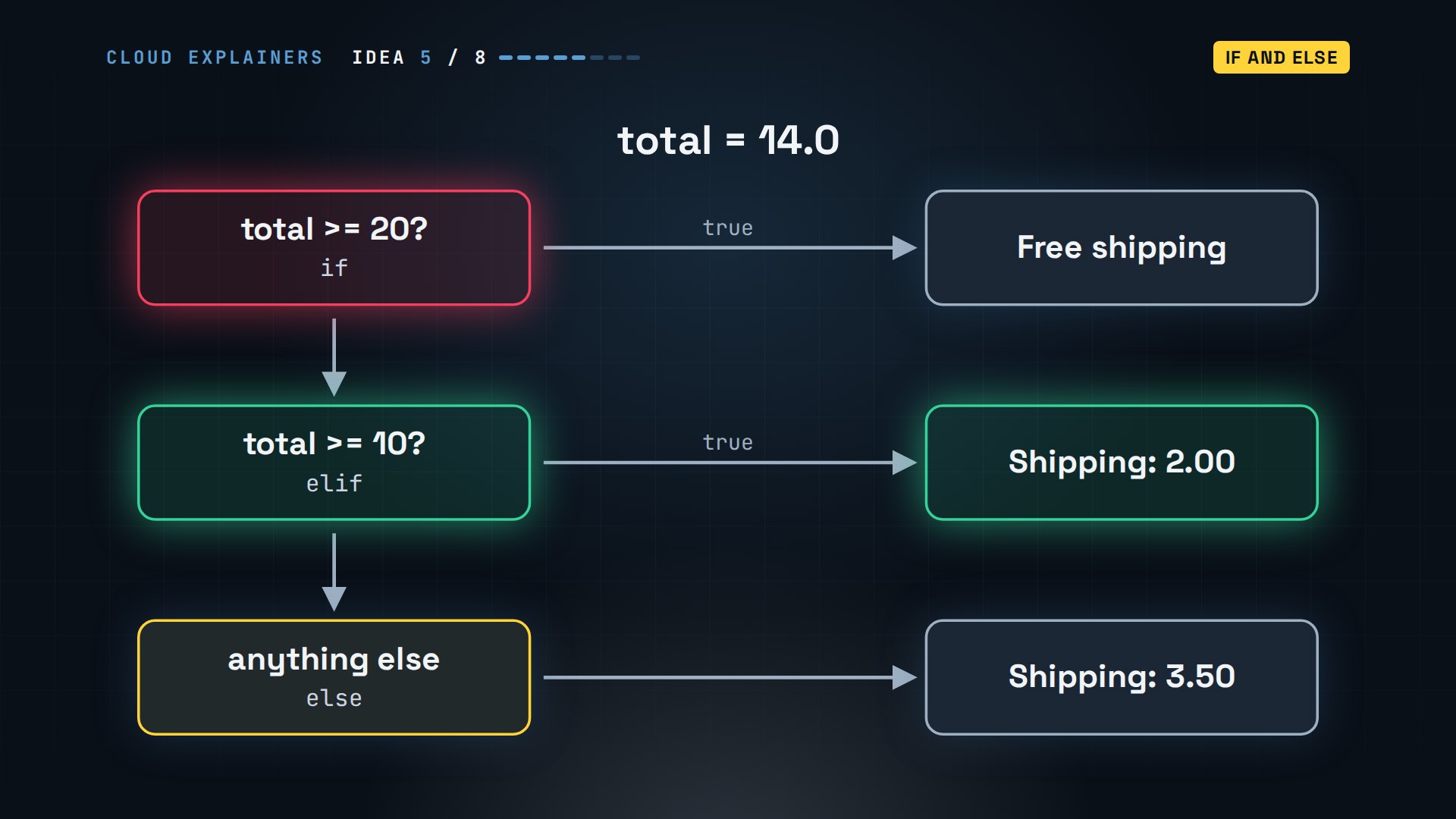
Ana's shipping rule: twenty or more ships free, ten or more pays two, anything less pays three fifty. Python checks the conditions from the top, and runs only the first one that's true. For a fourteen order, the first check is false, and the second is true.
In code, each condition ends with a colon, and the lines that belong to it are indented, usually by four spaces: the indent is how Python knows what's inside. One equals sign stores a value; two equals signs compare.
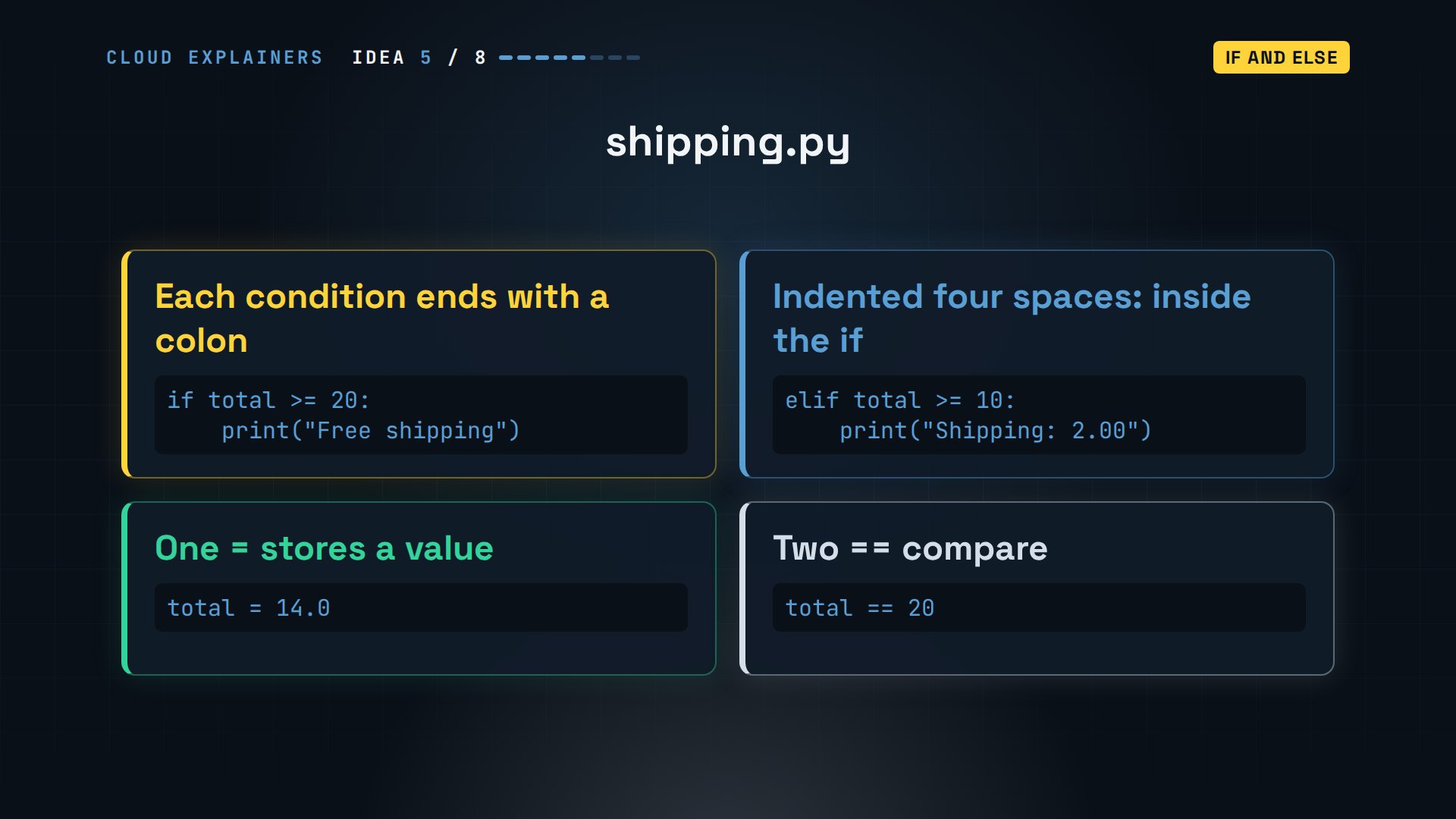
Run it, and it prints shipping two. Now mix up the signs and write one equals in the if. Python stops before running anything, and even suggests the fix: maybe you meant two equals signs.
python3 shipping.pyShipping: 2.00
python3 typo.pyFile "/home/ana/shop/typo.py", line 2 if total = 20: ^^^^^^^^^^ SyntaxError: invalid syntax. Maybe you meant '==' or ':=' instead of '='?
Loops
How do you do the same thing for every tea, without copying the line? With a loop.
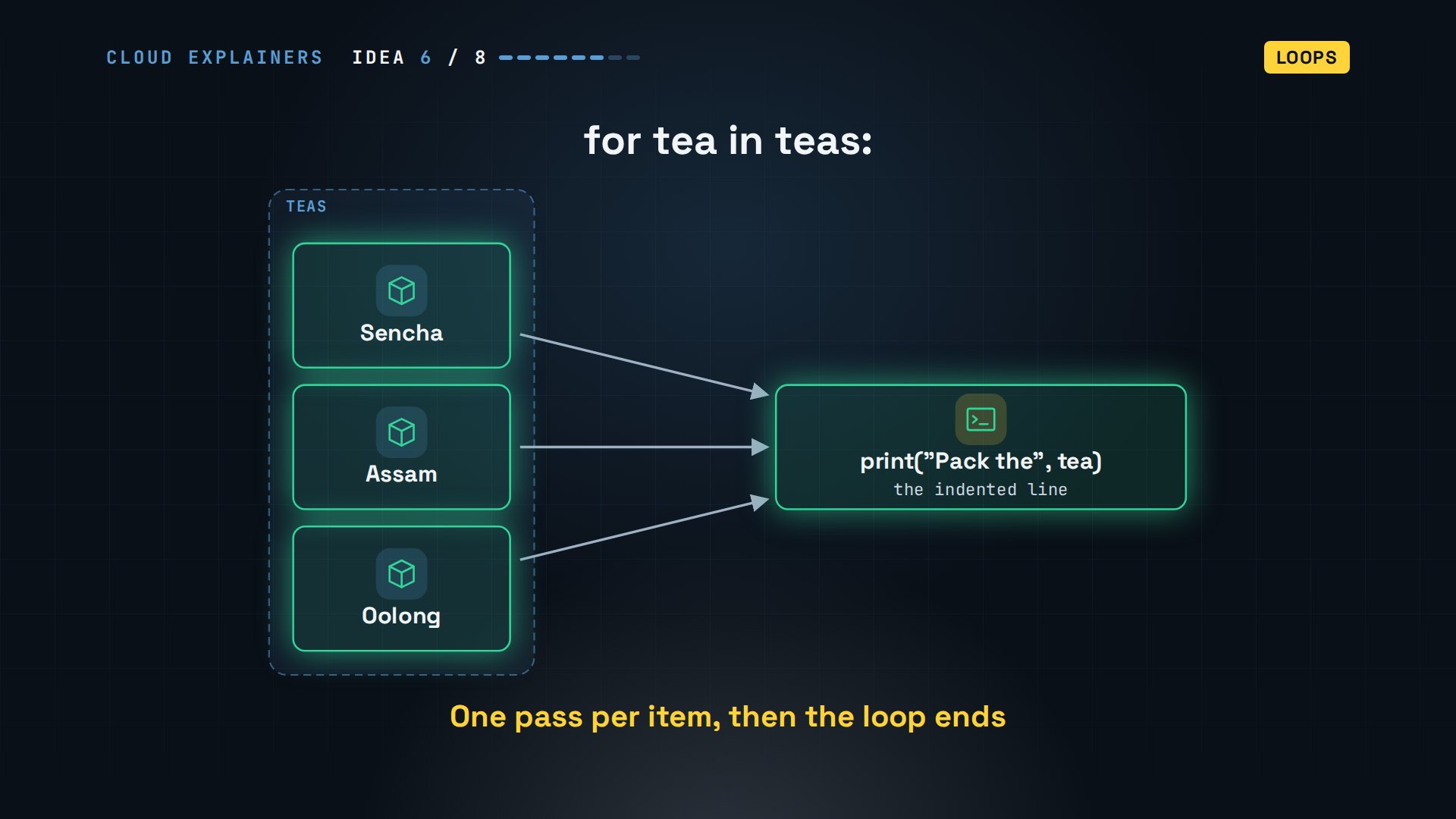
For tea in teas takes the list one item at a time. First, tea is Sencha, and the indented line runs. Then tea is Assam, and it runs again. Then Oolong. When the list runs out, the loop ends.
Here's that loop in a file, and under it a second one, over range three. Range makes numbers to loop over. What do you think range three prints? Zero, one, two.
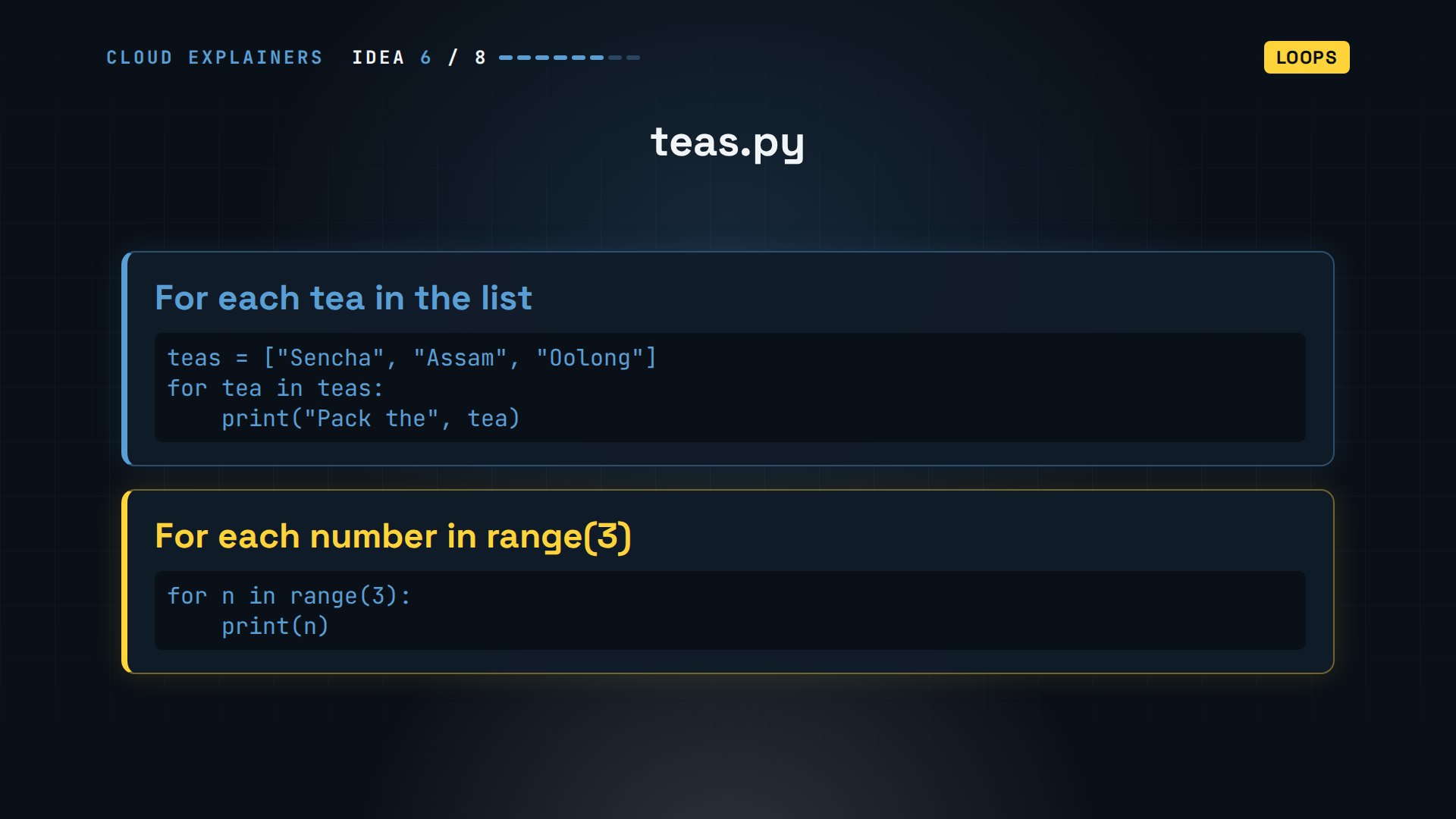
Run it: pack the Sencha, the Assam, the Oolong, one line per tea. Then zero, one, two: three numbers, starting at zero like list indexes. The end number itself is never included.
python3 teas.pyPack the Sencha
Pack the Assam
Pack the Oolong
0
1
2
Functions
How do you reuse steps, without writing them twice? With a function. And this is where that trap is hiding.
def gives a name to some indented steps. Line total takes a price and a number of tins, and prints price times tins. Run it: thirteen point oh appears, so it looks right. But cost is None, Python's word for nothing.
cat line_total.pydef line_total(price, tins):
    print(price * tins)

cost = line_total(6.5, 2)
print("Cost:", cost)
python3 line_total.py13.0
Cost: None
Here's why. Print shows a value on the screen, for a person to read. The code that called the function gets nothing back. Return hands the value back to the caller. Python's own tutorial says it: a function without return still gives back a value, None.
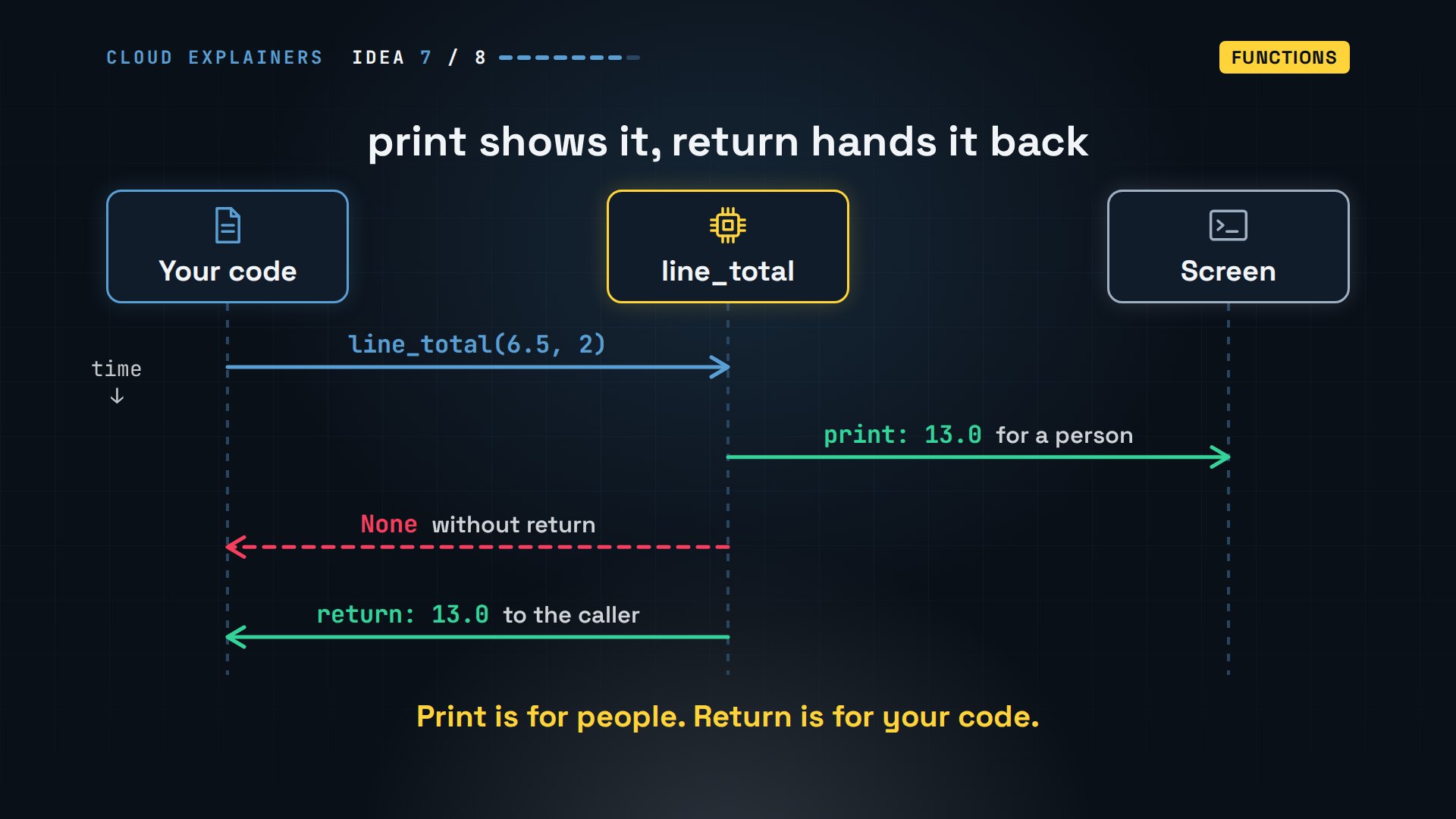
Change print to return, and cost is thirteen point oh: a value the rest of the program can use. That's the answer to the Stack Overflow question: print is for people, return is for your code.
cat line_total_fixed.pydef line_total(price, tins):
    return price * tins

cost = line_total(6.5, 2)
print("Cost:", cost)
python3 line_total_fixed.pyCost: 13.0
Errors
And when the program crashes anyway? Read the error, then handle it.
Back to Ana's first error. A traceback reads from the bottom up. The last line says what went wrong: a type error, gluing a str to an int. Above it, the code that failed, and above that, the file and the line number: order dot py, line two.
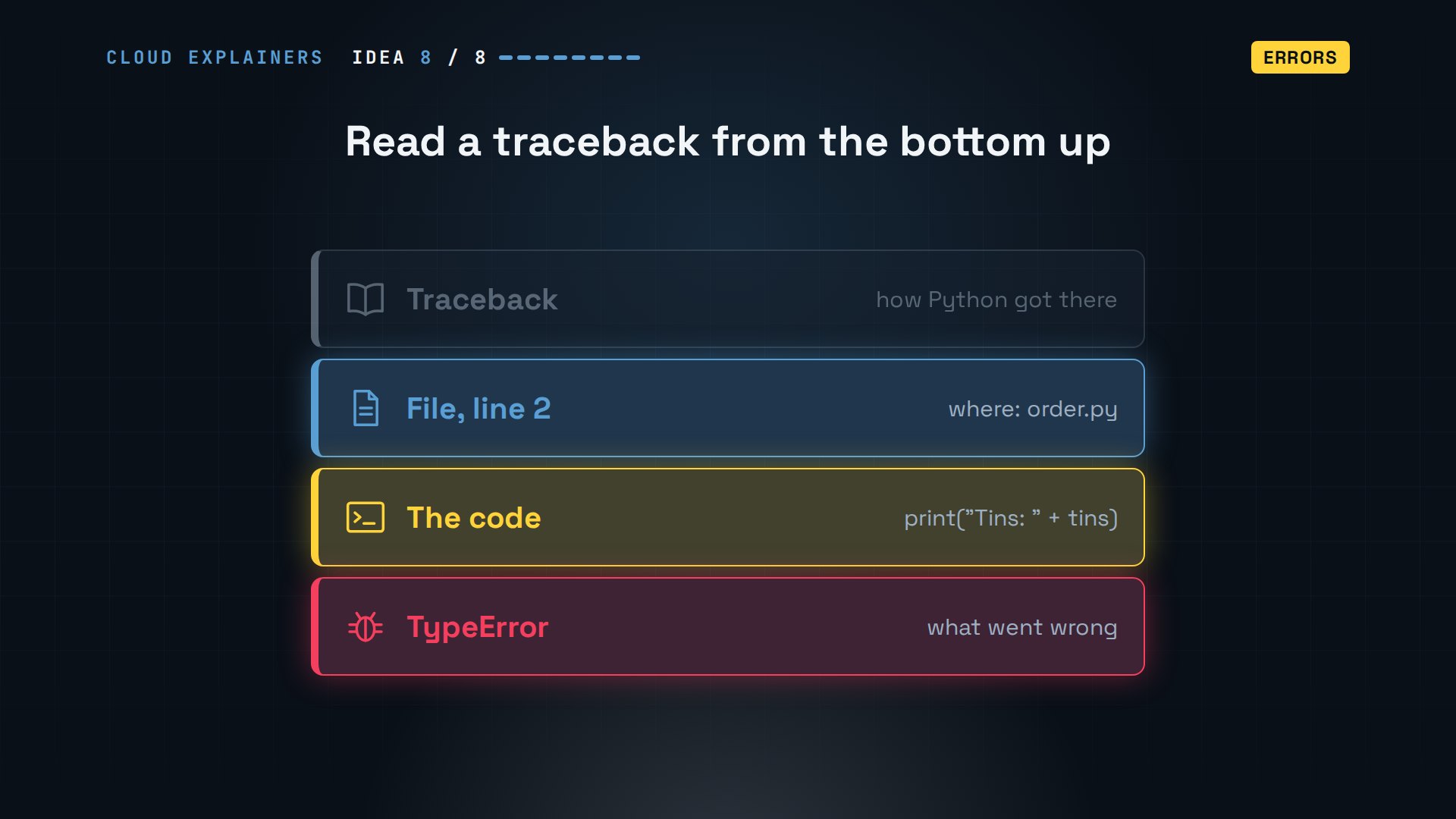
Some errors aren't mistakes in the code: a person types the word two, where a number belongs. int can't turn that into a number, so it raises a value error, and the program stops.
python3 ask.pyHow many tins? two
Traceback (most recent call last):
  File "/home/ana/shop/ask.py", line 1, in <module>
    tins = int(input("How many tins? "))
ValueError: invalid literal for int() with base 10: 'two'
Try runs the risky lines. If a value error happens, Python jumps to except instead of crashing, and Ana's program asks politely for a number.
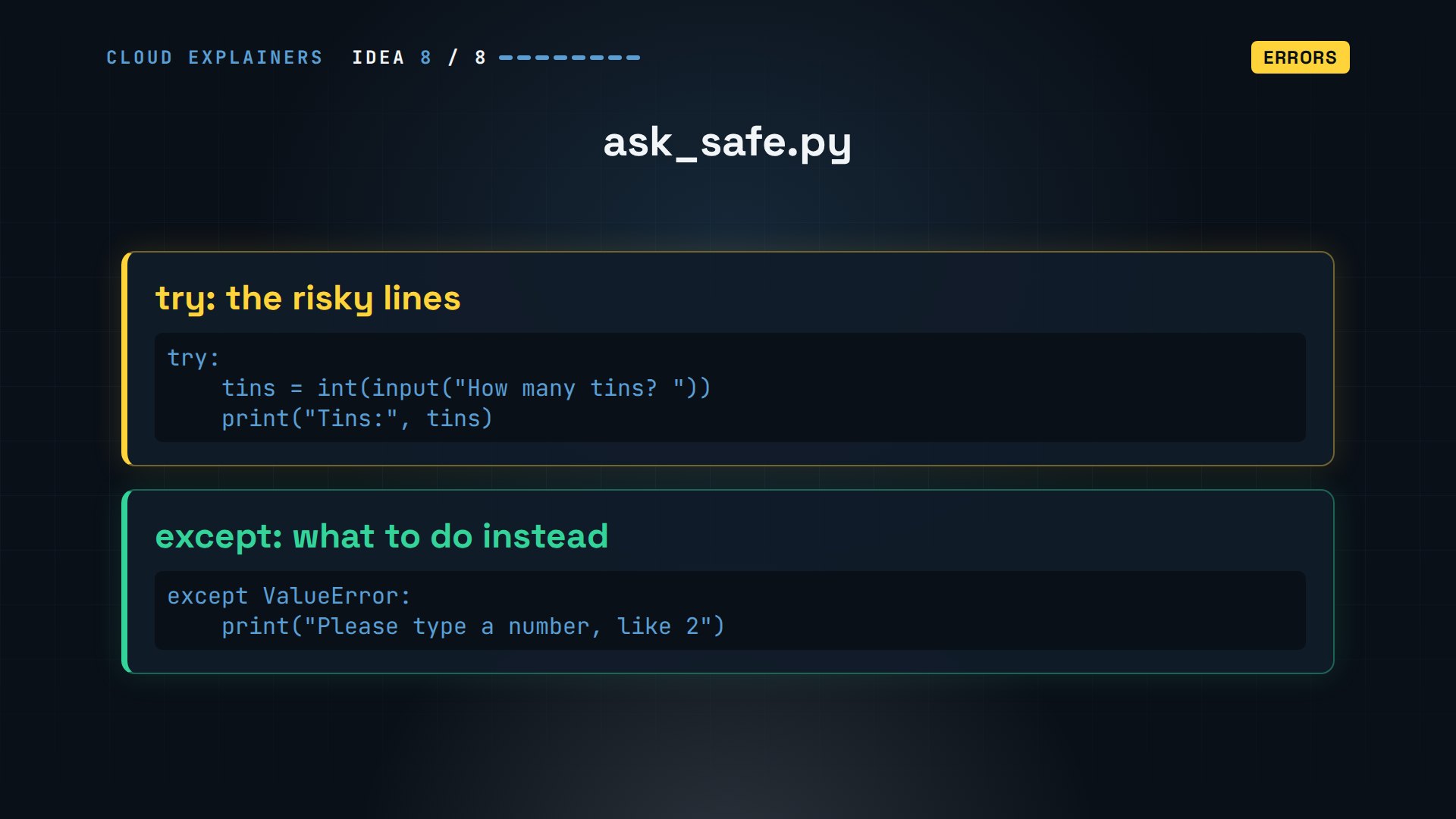
Same input, the word two. No traceback this time: please type a number.
python3 ask_safe.pyHow many tins? two
Please type a number, like 2
All eight together
Here's Ana's receipt program, 23 lines, and you can now read every one. A dictionary of prices, a function that returns a line's cost, try and except around the input, a loop over a list of teas, an f-string for each line, and an if for shipping.
cat receipt.pyprices = {"Sencha": 6.5, "Assam": 4.0}

def line_total(tea, tins):
    return prices[tea] * tins

try:
    tins = int(input("Tins of each tea: "))
except ValueError:
    print("Not a number, so 1 tin each")
    tins = 1

total = 0
for tea in ["Sencha", "Assam"]:
    cost = line_total(tea, tins)
    print(f"{tea}: {cost:.2f}")
    total = total + cost

if total >= 20:
    print("Free shipping")
else:
    total = total + 3.5
    print("Shipping: 3.50")
print(f"Total: {total:.2f}")
Two tins of each: twenty-one, with free shipping. And type the word two: no crash, one tin each, and fourteen with shipping.
python3 receipt.pyTins of each tea: 2
Sencha: 13.00
Assam: 8.00
Free shipping
Total: 21.00
python3 receipt.pyTins of each tea: two
Not a number, so 1 tin each
Sencha: 6.50
Assam: 4.00
Shipping: 3.50
Total: 14.00
Recap
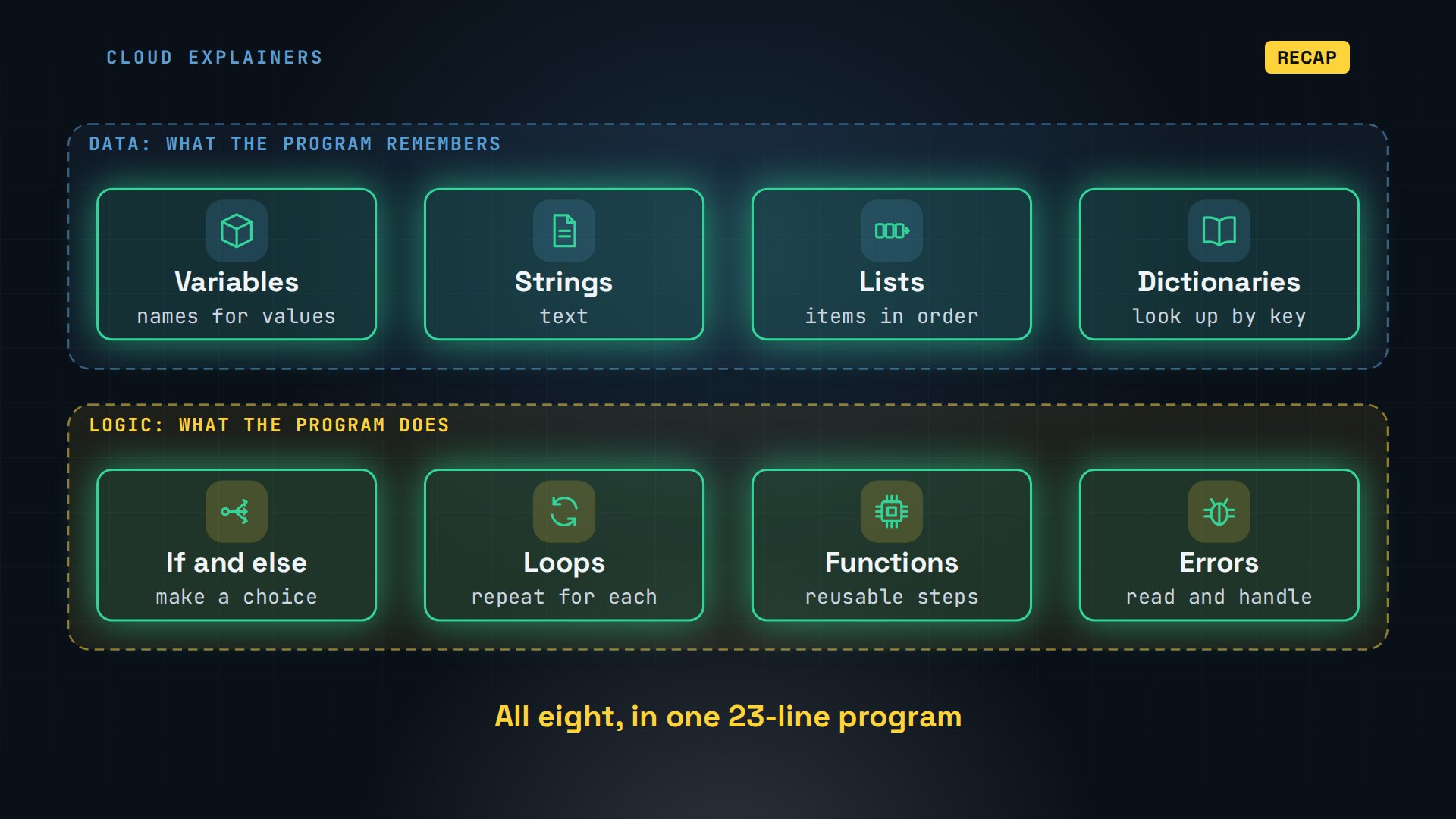
Eight ideas. Variables, strings, lists and dictionaries hold the data. If, loops and functions decide what runs. And errors tell you exactly where to look.
Every command and the lab files are in the description, to try yourself. If this made your first error less scary, a like helps YouTube show it to other new programmers, and subscribing helps a small channel reach more beginners.
Everything here ran for real on Python 3.15.2. Thanks for watching Cloud Explainers.
Sources
- Python 3.15 tutorial (indexes start at 0; range never includes its end point; a function without return returns None; a missing key raises KeyError)
- Dropbox engineering blog, Our journey to type checking 4 million lines of Python
- Stack Overflow: What is the purpose of the return statement? How is it different from printing? (asked 2011)
Demos: one Python container on our own Mac; the tea shop and its customers are made up. Watch the full video on YouTube.
More videos

Linux Makefiles Will Finally Make Sense After This

SAML vs OAuth vs OpenID Connect: What's the Difference?

How to Fix Python cron Jobs That Never Run

Linux Bash Scripting: Full Tutorial for Beginners

How PXE Network Boot Works

How Active Directory Works

How to Fix a Linux systemd Service That Won't Start

Linux Logs: syslog vs journald

JWT vs Session Cookies: Which One Should You Use?

Docker vs Docker Compose: Which One Should You Use?

How to Fix Docker Compose Containers That Can't Talk to Each Other

Django Full Tutorial for Beginners

How Linux systemd Works

How to Fix 'Windows Cannot Access' Network Share Errors (SMB)

REST vs gRPC: Which One Should You Use?

How to Fix SSL Certificate Chain Errors (Missing Intermediate)

Every SQL Join Type in 10 Minutes

Why OpenRouter Free Models Hit Their Limit So Fast

Why Your Gemini API Free Tier Runs Out So Fast

OpenRouter Will Finally Make Sense After This

How Redis Caching Works

Gemini API vs Vertex AI: Which One Should You Use?

How to Fix a Leaked Gemini API Key

Why Golang Uses Goroutines Instead of Threads

How to Fix Gemini API Error 429: Resource Exhausted

Claude Token Pricing Will Finally Make Sense After This

Why Python Web Scraping Returns Nothing (and the Fix)

Python uv vs pip: Which One Should You Use?

Python Automation: Full Tutorial for Beginners

How OAuth Login Works

Google AI Studio Will Finally Make Sense After This

What Happens When You Run a Docker Container

How to Fix Claude Code Billing Your API Key Instead of Your Plan

Why Passkeys Can't Be Phished Like Passwords

PowerShell vs Bash: Which One Should You Learn?

The Linux Roadmap for Beginners

Django vs FastAPI: Which One Should You Use?

Why SQLite Is the Most Used Database in the World

How a NoSQL Database Like MongoDB Works

How to Fix Python pip error: externally-managed-environment

How to Fix MySQL Too Many Connections Database Errors

Golang Concurrency Will Finally Make Sense After This

How Amazon S3 Works

How Kubernetes Works

How Git Works

How to Fix Docker Port Already Allocated Errors

How PostgreSQL Works

How to Fix Git Merge Conflicts

How to Fix No Space Left on Device in Linux

How the Internet Works

SQL vs NoSQL: When Each One Wins

How to Fix JWT Token Expired Errors (401 Unauthorized)

Claude API vs Claude Pro: Why Your Subscription Doesn't Include It

Why AI Agent Skills Beat Giant Prompts

Linux Cron Jobs Will Finally Make Sense After This

Security Logs Will Finally Make Sense After This

How to Fix a Security Leak: An API Key Pushed to GitHub

DNS Will Finally Make Sense After This

Never Ignore a Security Update

Two-Factor Authentication Will Finally Make Sense

Never Expose a Database to the Internet

SSH Keys vs Passwords: Which Is Safer for Security?

The 5 Levels of Linux Boot: From Power On to Login

The 5 Levels of Network Firewalls

Password Security: Why Hackers Crack Weak Passwords

Why Your Linux Server Runs Out of Memory

HTTP vs HTTPS: What Actually Changes on Your Network

Every Linux File Permission You Need to Know

Linux Processes vs Threads: When Each One Wins

The OSI Model Will Finally Make Sense After This

The 7 Levels of Git

Every Network Troubleshooting Command You Need

Hashing vs Encryption in Cybersecurity: When Each One Wins

Why the Internet Ran Out of IP Addresses

Linux Package Managers: apt vs Snap vs Flatpak

Why Python Is Slow (and When It Doesn't Matter)

TCP vs UDP: When Each One Wins

Stop Running Linux as Root (Do This Instead)

Linux Users and Groups Will Finally Make Sense

Why Phishing Beats Good Security (and How to Spot It)

The 7 Levels of Docker

AI Agents Will Finally Make Sense After This

Stop Using git push --force (Use This Instead)

Agent Skills vs MCP: When Each One Wins

Networking Will Finally Make Sense After This

Every Linux Command You Actually Need

The 7 Levels of Cybersecurity

Every System Design Concept You Need, in One Diagram
