
The 7 Levels of Cybersecurity
Cybersecurity for beginners, one level at a time: passwords, multi-factor authentication, phishing, updates, encryption, least privilege, and detection. Each level stops a different kind of attack, and each one is proven with a real demo on a real machine, not just explained.
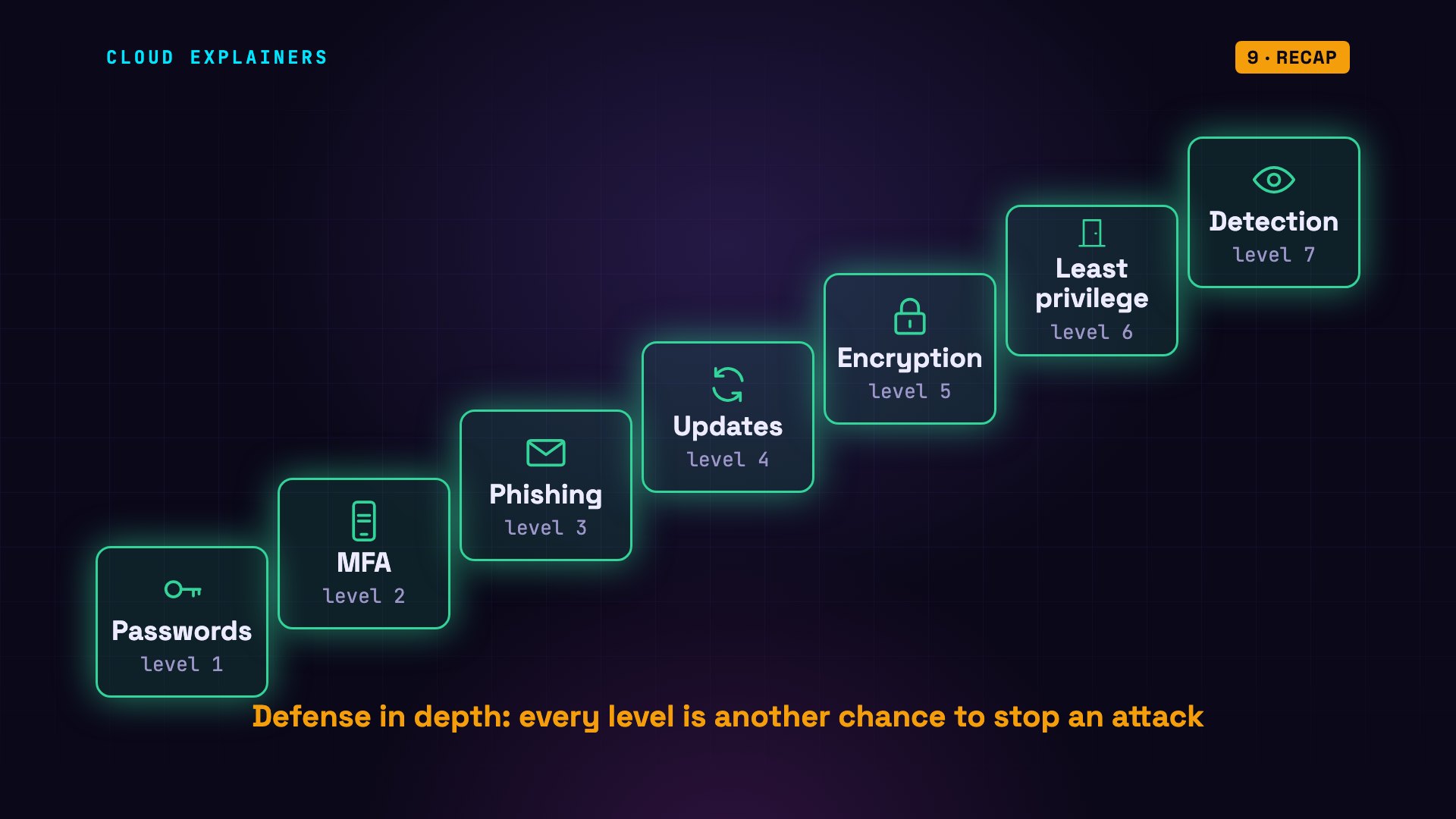
The 7 levels
This password, password123, has shown up in real data breaches 2.2 million times. Sunshine: 2.5 million. And this one, five random words, has never shown up once. This page explains exactly why, and what protects you once a password isn't enough.
python3 pwned.py password123 sunshine 'Summer2024!' gatherer-ongoing-comfy-proton-gestatetimes seen in breaches  password
 2,266,543  password123
 2,504,682  sunshine
     3,614  Summer2024!
         0  gatherer-ongoing-comfy-proton-gestate
Cybersecurity can feel huge. It's easier if you climb it one level at a time. There are seven levels, and each one stops a different kind of attack. And we won't just talk about them: we'll prove every level with a real demo, on a real machine.
Level 1: Passwords
Level one: passwords. The attack here is guessing.
A well-built website never stores your password itself. It stores a hash: a fingerprint made by a one-way function. The same password always gives the same hash, but you can't run it backwards. Change one letter, and the hash is completely different. When you log in, the site runs what you typed through the same hash, and compares the two fingerprints.
echo -n sunshine | sha256suma941a4c4fd0c01cddef61b8be963bf4c1e2b0811c037ce3f1835fddf6ef6c223 -
echo -n sunshinE | sha256sum02b401f7b2aa1314c74f1165d1ebf04746b4eb323580592c9b3b4ef84d0af379 -
When a site is breached, meaning attackers break in and copy its data, they steal those hashes. They can't log in with a hash: the login form wants the password itself. And they can't reverse it, so they guess: hash a guess, compare, and repeat, millions of times a second, on their own computers. They start with passwords people really use. The numbers at the start came from a public list of passwords leaked in real breaches, called Have I Been Pwned: pwned is internet slang for hacked.
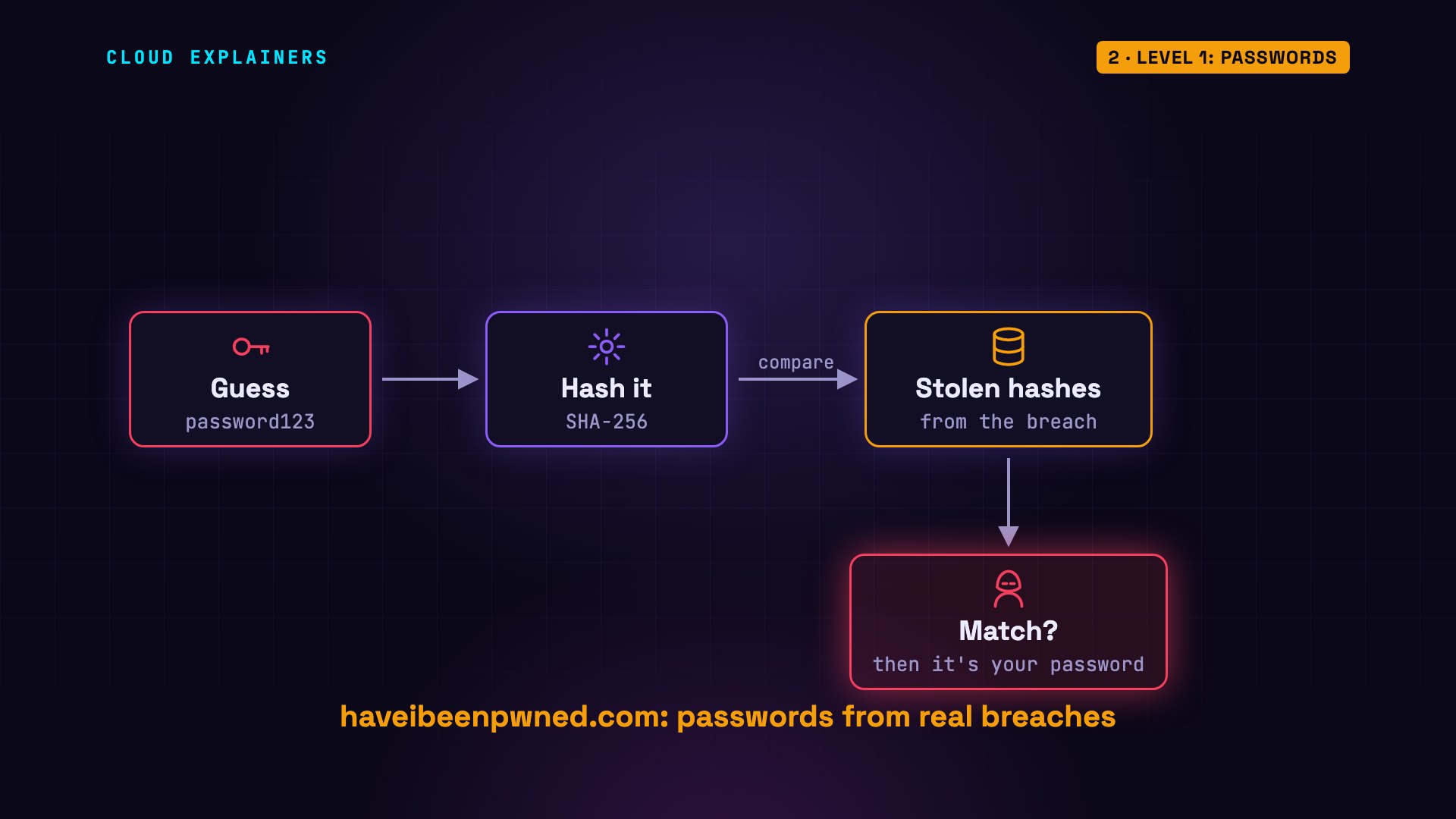
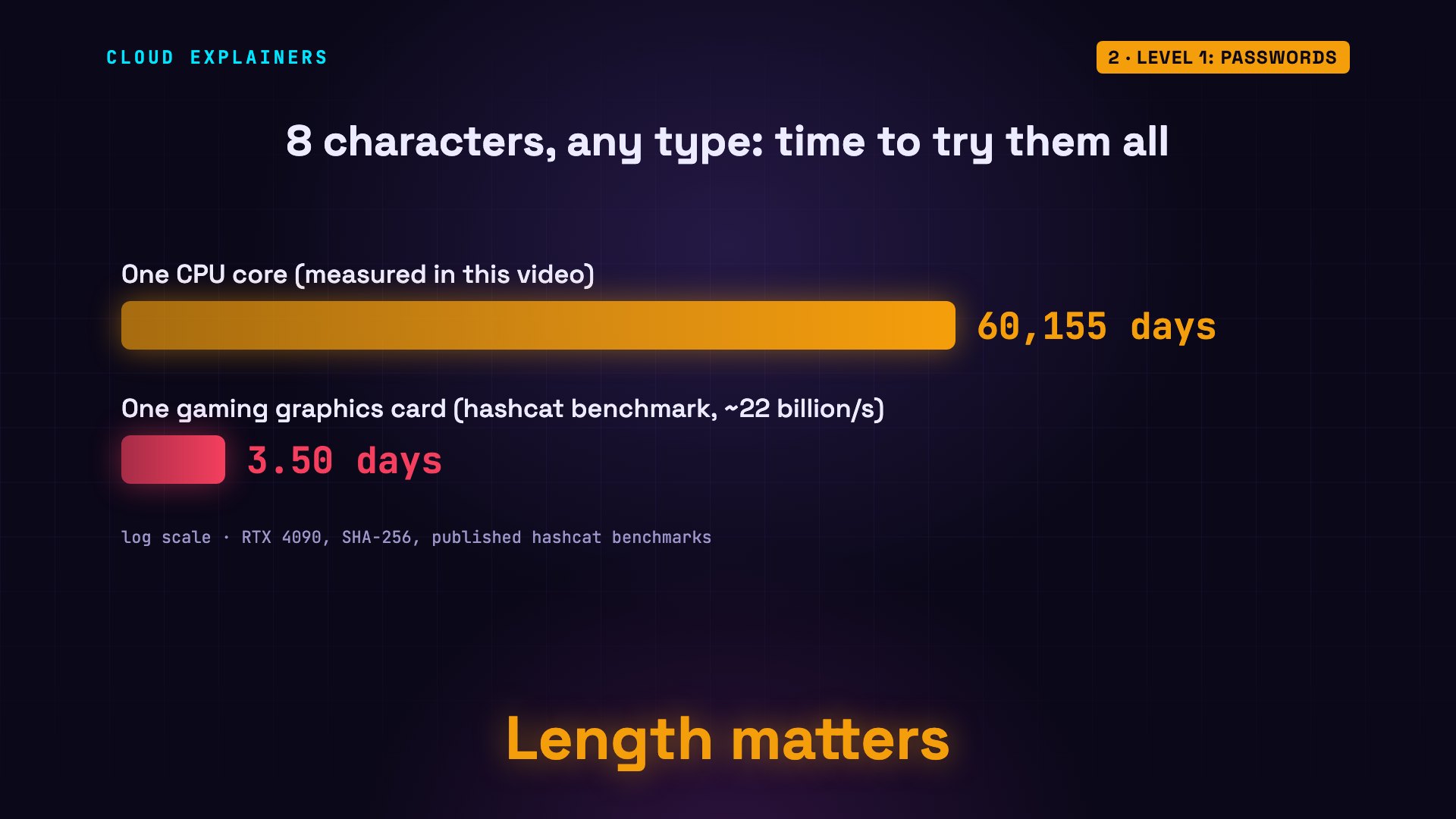
So how fast is guessing? We measured it on one core of an ordinary computer's processor: about 1.3 million guesses a second, with a fast hash called SHA-256. At that speed, every possible password of eight lowercase letters is tried in two days. Eight characters of any type: 165 years. Fifteen lowercase letters: about 42 million years. Length wins. Sites that use bcrypt, a hash that's slow on purpose, allow only about five guesses a second.
python3 guess_speed.pySHA-256:             1,276,447 guesses per second
bcrypt (cost 12):          5.3 guesses per second
time to try every password, at the SHA-256 speed:
  8 lowercase letters      2 days
  8 characters, any type   165 years
  15 lowercase letters     42 million years
  5 random words           705,788 years
But real attackers use graphics cards. One gaming card can try about 22 billion SHA-256 guesses a second. At that speed, eight characters of any type would fall in about three and a half days.
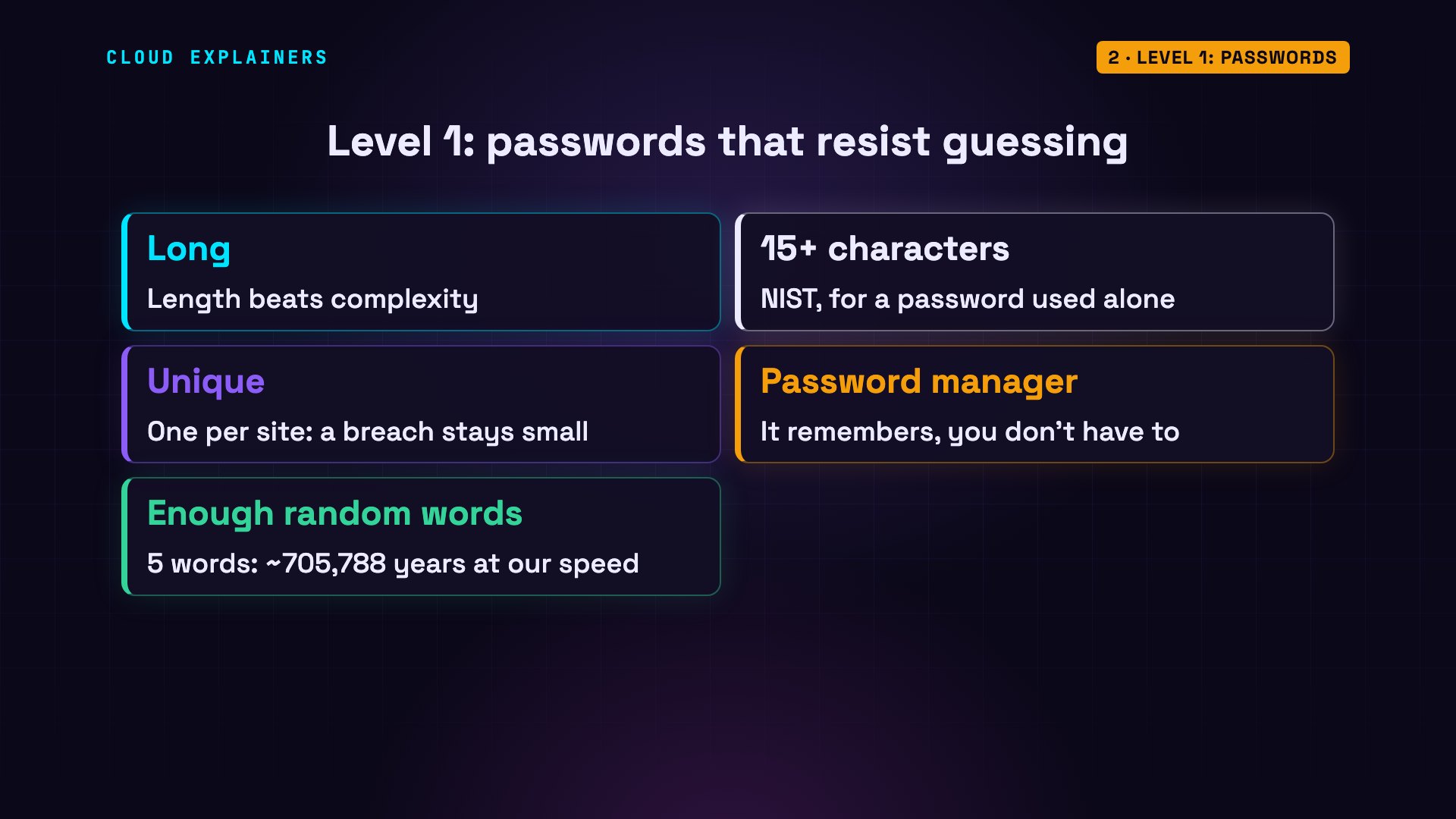
The rules for level one. Make passwords long: NIST, the US standards agency, now asks for at least fifteen characters when a password is used on its own. Use a different password for every site, so one breach doesn't unlock the rest. Let a password manager remember them for you. Random words work too, if there are enough: five of them would take about 710 thousand years.
Level 2: MFA
Level two: multi-factor authentication, or MFA. Even a perfect password can be stolen: by a breach, a fake login page, or by harmful software on your computer, called malware.
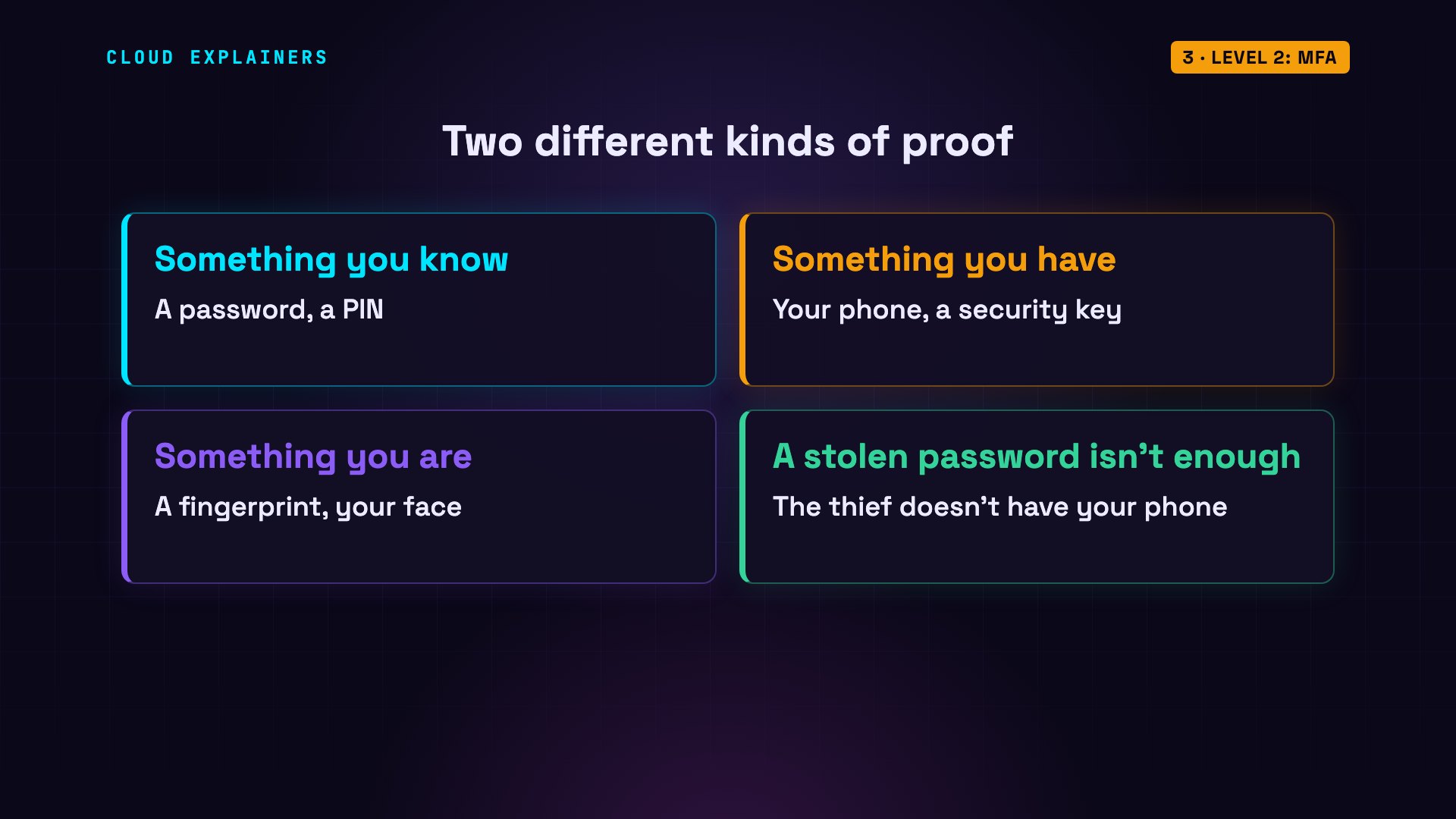
MFA means proving who you are with two different kinds of things. Something you know, like a password. Something you have, like your phone or a security key. Or something you are, like a fingerprint. A thief who steals your password still doesn't have your phone.
The most common kind is an authenticator app. When you set it up, usually by scanning a QR code, your phone and the server share a secret. Every thirty seconds, each side mixes that secret with the current time, and gets the same six-digit code, without sending it anywhere.
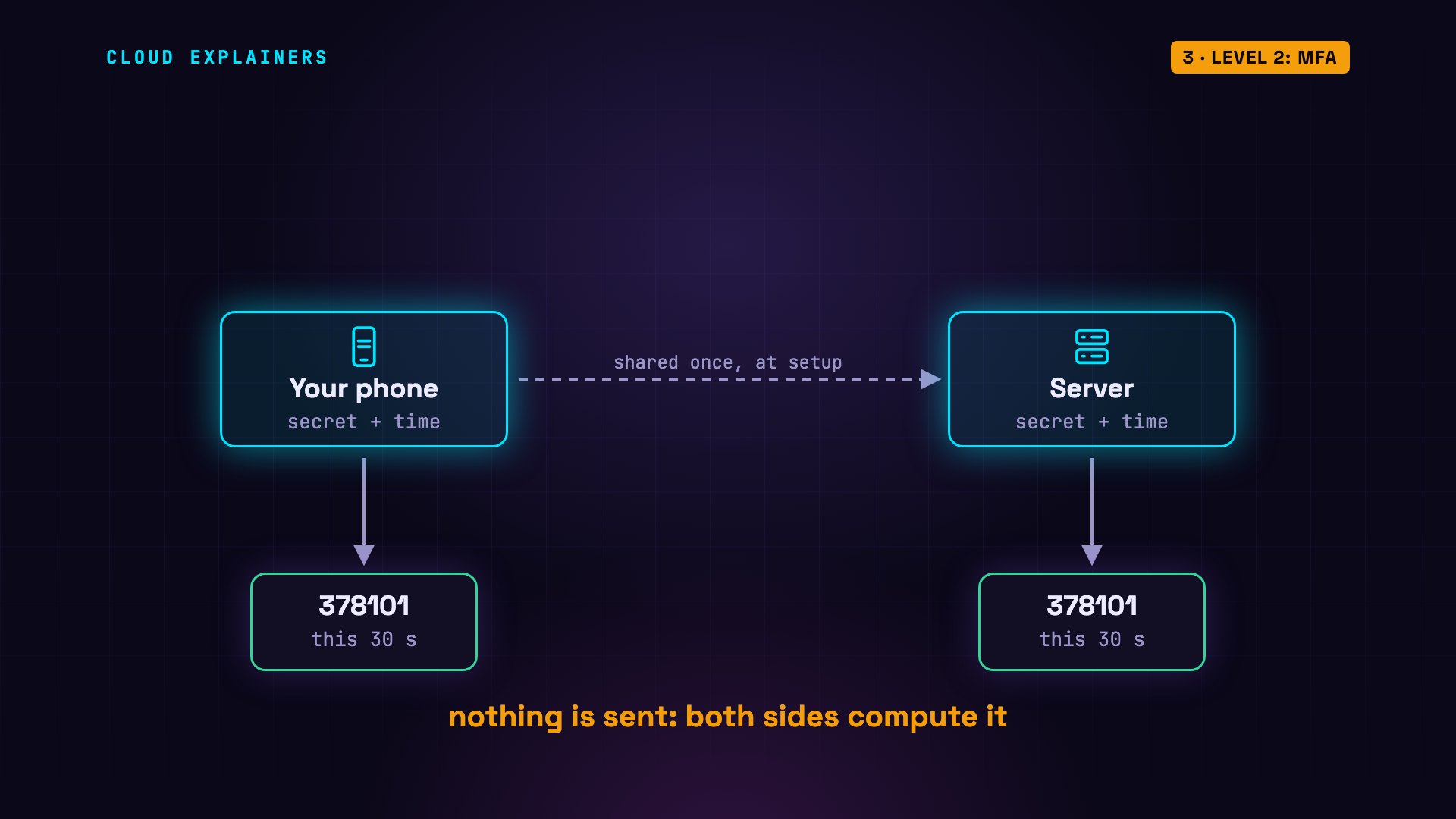
Here's a real one. The phone shows a code, and the server accepts it. Thirty seconds later, the phone shows a new code. We try the old one again: refused. So a code someone sees over your shoulder is soon useless, unlike a stolen password.
python3 mfa.py14:20:30  phone shows 378101
14:20:30  server checks 378101: accepted
14:21:01  phone shows 562589
14:21:01  server checks 378101: refused
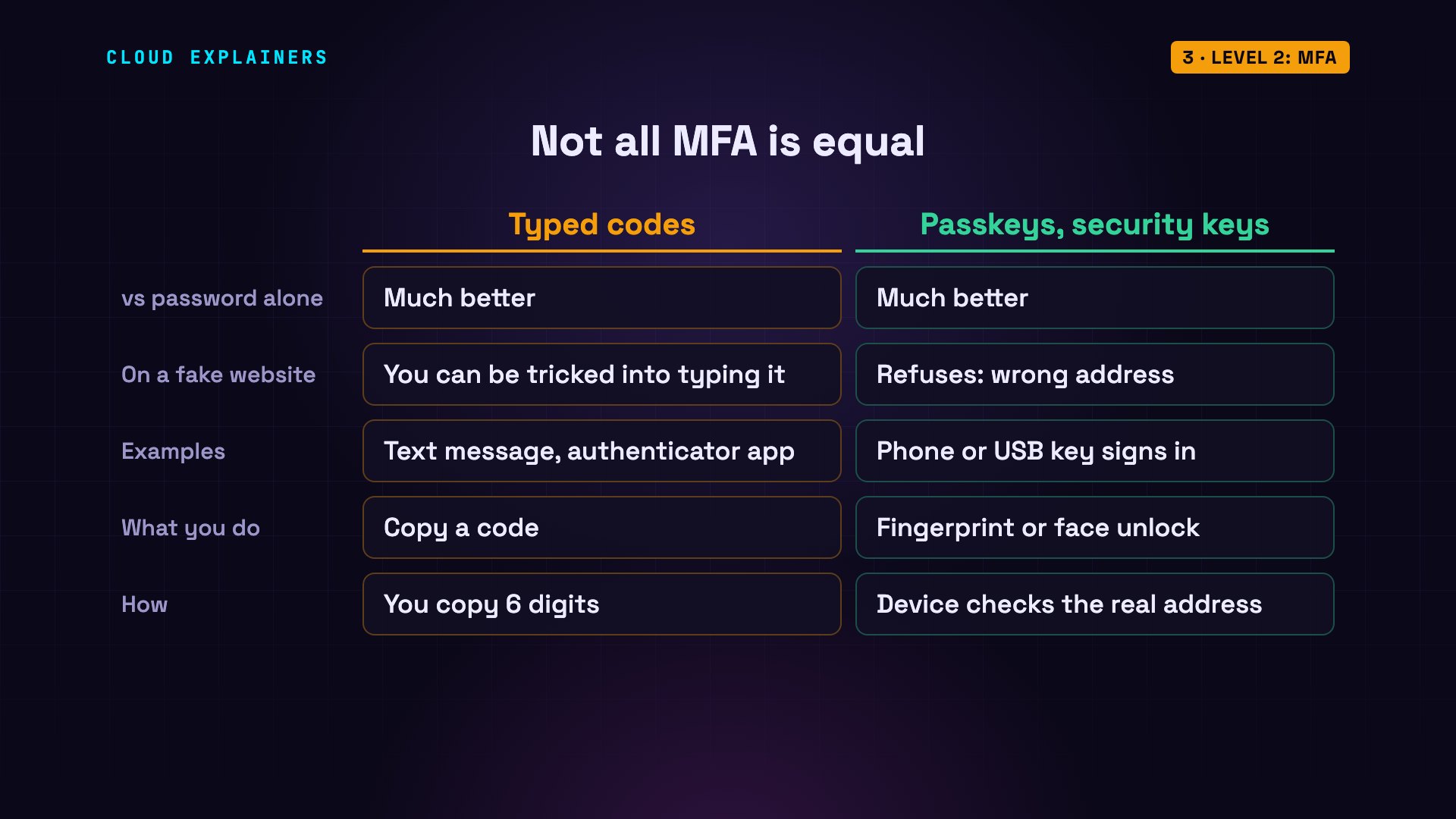
Any MFA is far better than a password alone. But codes you type by hand, from an app or a text message, have one weakness: you can be tricked into typing them into a fake website. Passkeys and security keys don't have that problem. A passkey lets you sign in with your phone's fingerprint or face unlock, instead of typing a password or a code. Your device checks the website's real address before it signs in, so on a fake site, it simply refuses.
Level 3: Phishing
Level three: phishing. Phishing is when an attacker tricks you, instead of breaking the technology. Most breaches involve a person somewhere, so this level is about you.
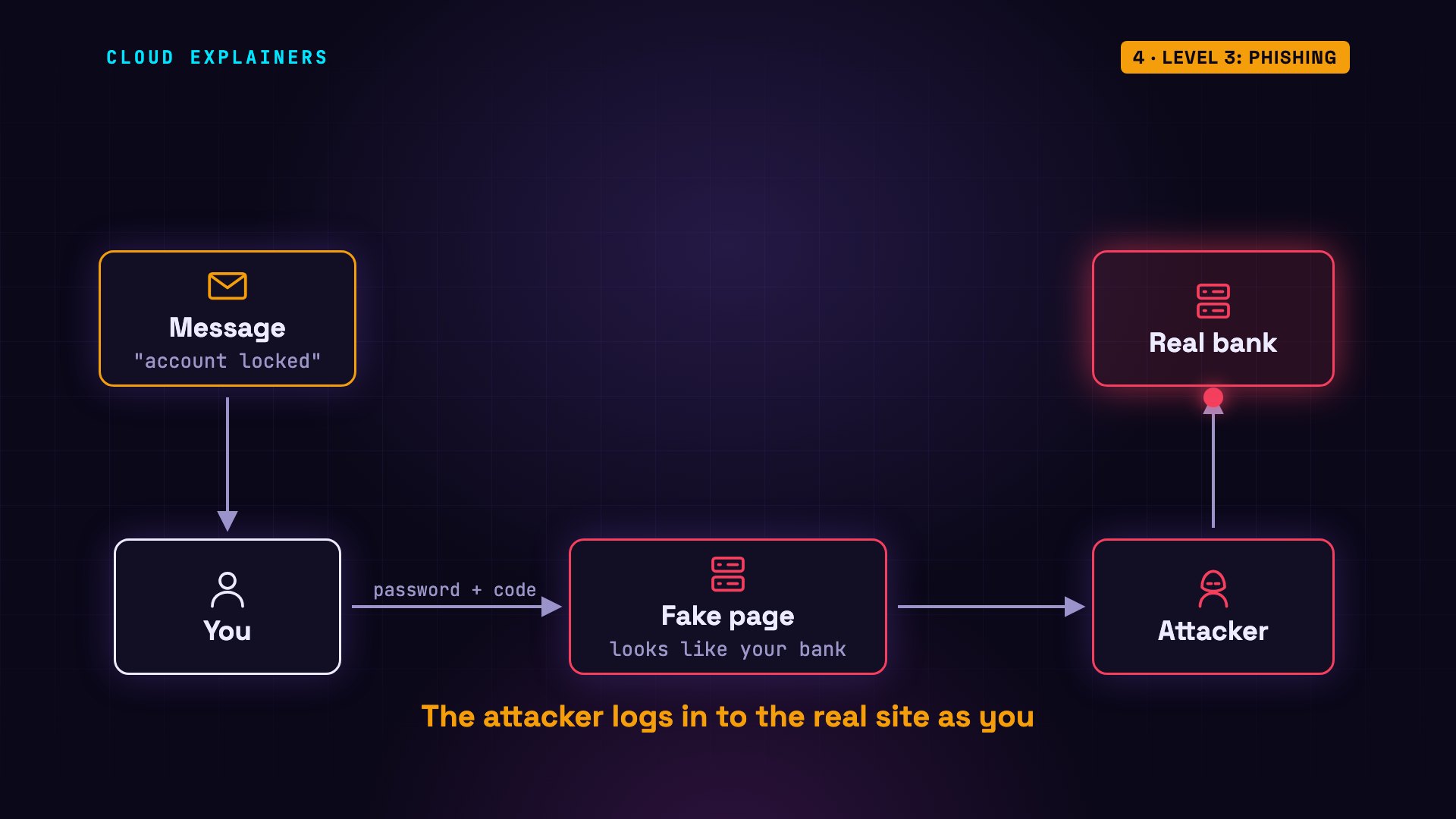
It usually starts with a message. Your account is locked, click here. The link opens a page that looks exactly like your bank. You type your password, and maybe your code, and they go straight to the attacker, who uses them on the real site.
Fake pages often use an address that looks right. Look at these two. To you, they're identical. But the computer says they're not the same. The first letter of the fake one is a Cyrillic a, from the Russian alphabet. Browsers turn letters like that into a coded name, starting with xn--. So the address you would really visit is a completely different site.
python3 lookalike.pyreal: apple.com
fake: аpple.com
same? False
first letter of fake: CYRILLIC SMALL LETTER A
address really visited: xn--pple-43d.com
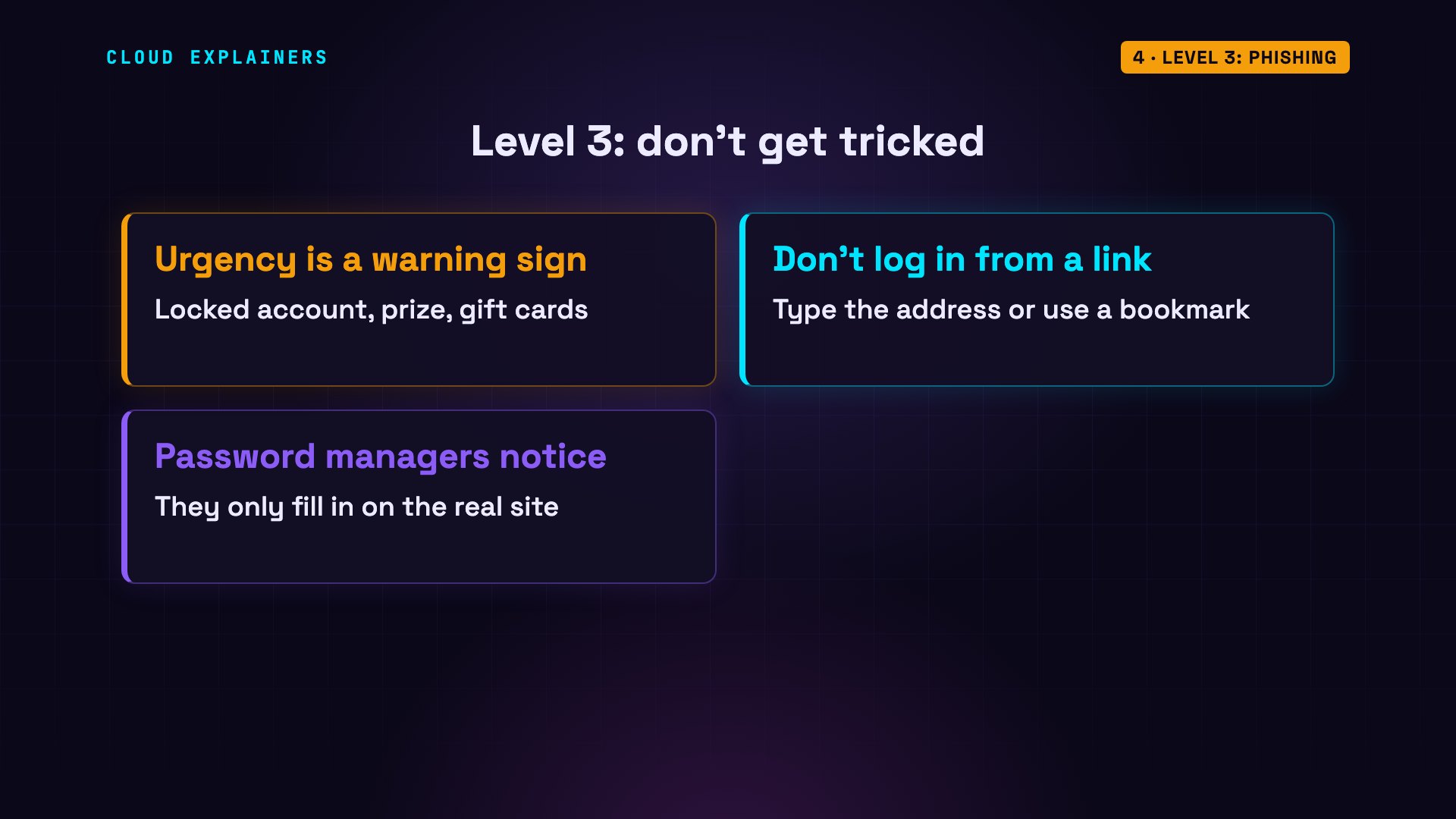
Be suspicious of urgency: locked accounts, prizes, a boss who needs gift cards. Don't log in from a link in a message: type the address, or use a bookmark. A password manager helps here too, because it only fills in your password on the real site.
Level 4: Updates
Level four: updates. All software has bugs, and some bugs let attackers in. When one is found, it gets a public ID called a CVE, and the maker ships a fix. Then attackers go after everyone who hasn't installed it yet.
CISA, the US cybersecurity agency, keeps a list of bugs that attackers are known to have actually used. Today, that list has 1,754 entries.
curl -s https://www.cisa.gov/sites/default/files/feeds/known_exploited_vulnerabilities.json | jq .count1754
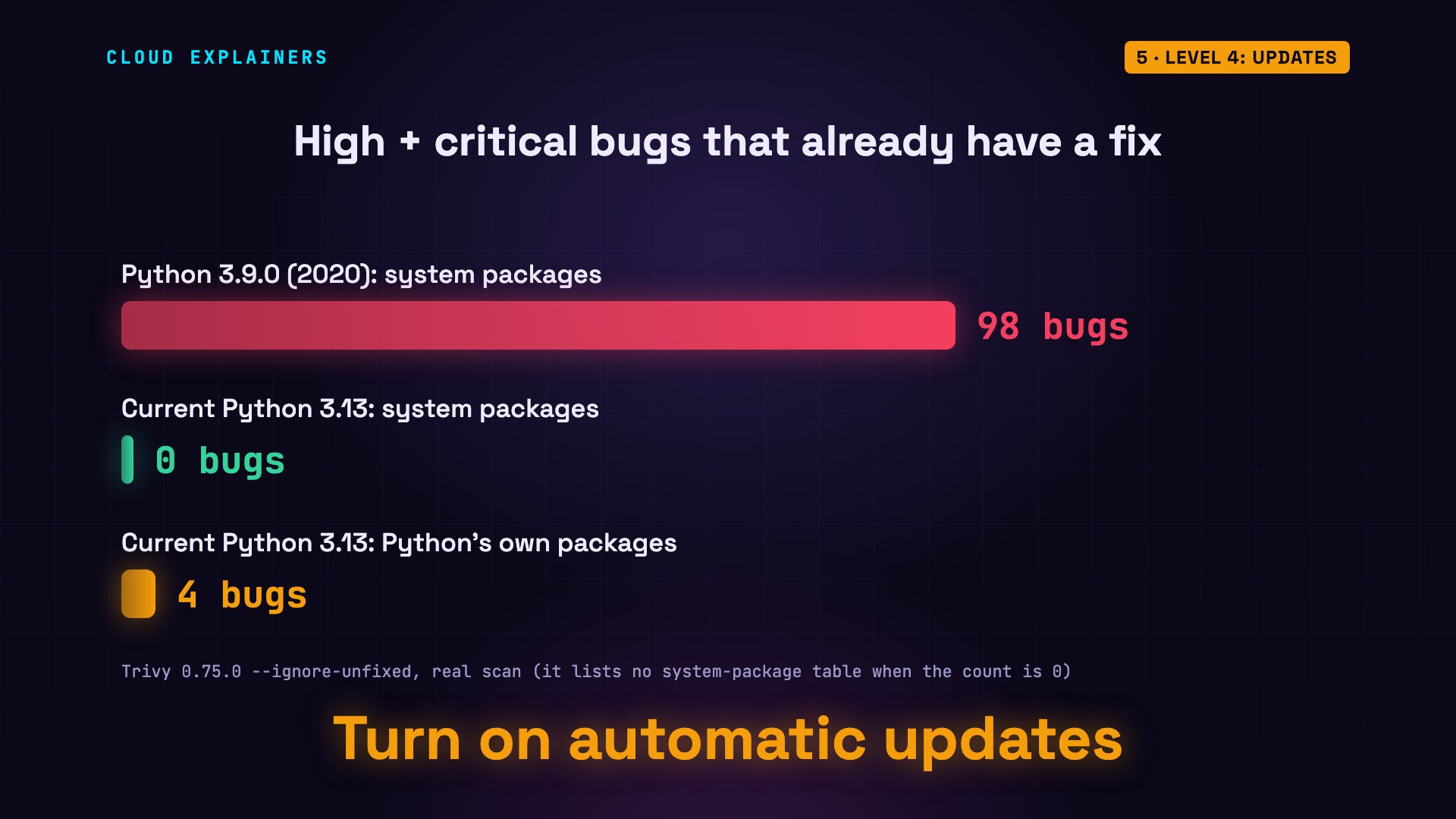
Let's measure what updating does. We scanned two versions of the same software with Trivy, a free vulnerability scanner. Software is built from smaller pieces called packages, and Trivy checks each one against the lists of known bugs, counting only high and critical ones. Python 3.9.0, released in 2020, has 126 in its system packages. The current version: 44.
trivy image -q --severity HIGH,CRITICAL python:3.9.0-slim | grep -B2 Totalpython:3.9.0-slim (debian 10.6)
===============================
Total: 126 (HIGH: 100, CRITICAL: 26)
--
Python (python-pkg)
===================
Total: 5 (HIGH: 5, CRITICAL: 0)
trivy image -q --severity HIGH,CRITICAL python:3.13-slim | grep -B2 Totalpython:3.13-slim (debian 13.7)
==============================
Total: 44 (HIGH: 44, CRITICAL: 0)
--
Python (python-pkg)
===================
Total: 4 (HIGH: 4, CRITICAL: 0)
Now count only the bugs that already have a fix waiting. The old version: 98. The current one: none in its system packages, and four in Python's own packages. Most of the risk in that old version was simply not updating. So turn on automatic updates. They shrink the risk, but they don't remove it.
Level 5: Encryption
Level five: encryption. When your data travels, it passes through machines you don't control: the Wi-Fi in a café, routers, your internet provider. Anyone along the way could read it, unless it's encrypted.
We logged in to a test site over plain HTTP, the web without encryption, while tcpdump, a packet sniffer that records network traffic, was listening. Then we searched the recording for the word password. There it is: the username and the password, in plain text, for anyone on the network to read.
curl -s -d 'user=ana&password=hunter2' http://web/loginwelcome
tcpdump -A -r http.pcap 2>/dev/null | grep -a passworduser=ana&password=hunter2
Same login, over HTTPS. We search the recording for the word password: zero matches. Everything is scrambled. And the connection details show why: TLS 1.3, the encryption that puts the S in HTTPS, and the padlock in your browser.
curl -s -d 'user=ana&password=hunter2' --cacert /certs/ca.pem https://web/loginwelcome
tcpdump -A -r https.pcap 2>/dev/null | grep -a -c password0
curl -sv --cacert /certs/ca.pem -d x=1 https://web/login 2>&1 | grep 'SSL connection'* SSL connection using TLSv1.3 / TLS_AES_256_GCM_SHA384 / X25519MLKEM768 / RSASSA-PSS
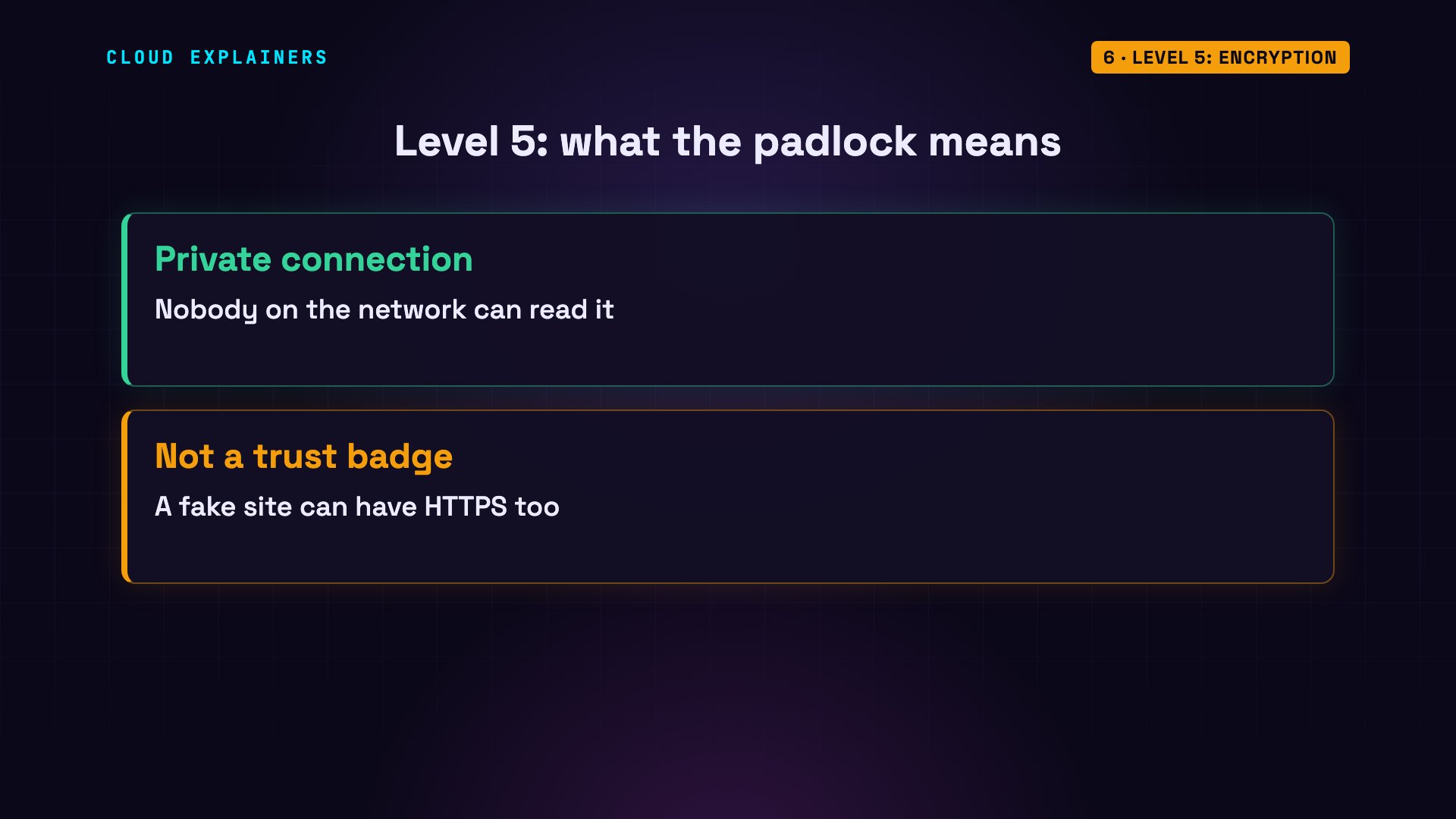
But encryption has a limit. The padlock only means nobody can read the connection. It doesn't mean the site is honest: a phishing page can have a padlock too.
Level 6: Least privilege
Level six: least privilege. Sooner or later, something gets in: a stolen account, or a buggy app. Level six limits how far it can go. The rule: every person and every program gets only the access it needs, and nothing more.
Here's a database with five thousand customers. We give a reporting account permission to read, and only to read. It can count the customers. But when it tries to delete them: permission denied. If that account is ever stolen, the attacker can't wipe the data.
GRANT SELECT ON customers TO reporting;GRANT
reporting=> SELECT count(*) FROM customers;count ------- 5000 (1 row)
reporting=> DELETE FROM customers;ERROR: permission denied for table customers
The same rule works for networks. This server runs a website, a database, and a cache, which is a fast store for temporary data. Each one listens on its own port: a numbered door into the computer. A port scanner called nmap sees all three doors open to the network. A firewall is the guard at those doors: it decides which connections get in. We allow only the website, and drop the rest. Scan again: the website is open. The database and the cache are filtered: the firewall silently drops anything sent to them.
nmap -Pn -p 80,5432,6379 serverPORT     STATE SERVICE
80/tcp   open  http
5432/tcp open  postgresql
6379/tcp open  redis
iptables -A INPUT -p tcp --dport 80 -j ACCEPT && iptables -A INPUT -p tcp -m multiport --dports 5432,6379 -j DROP && iptables -S INPUT-P INPUT ACCEPT
-A INPUT -p tcp -m tcp --dport 80 -j ACCEPT
-A INPUT -p tcp -m multiport --dports 5432,6379 -j DROP
nmap -Pn -p 80,5432,6379 serverPORT     STATE    SERVICE
80/tcp   open     http
5432/tcp filtered postgresql
6379/tcp filtered redis
Level 7: Detection
Level seven: detection and response. Professionals assume that one day, an attacker will get past the other six. So the last level is noticing quickly, and reacting. It starts with logs: records of everything that happened.
Here's a real attack, recorded on our own server. A machine tries to log in over SSH, the remote login almost every server has, guessing common passwords, one after another. The first five are rejected. Then something changes: the server refuses to even connect. That's not a crash. It's the defense, blocking that address.
for pw in 123456 password qwerty letmein admin iloveyou welcome monkey; do sshpass -p $pw ssh -o StrictHostKeyChecking=no -o ConnectTimeout=3 ana@ssh-server true 2>&1 | tail -1 | sed "s/^/$pw: /"; sleep 1; done123456: Permission denied, please try again.
password: Permission denied, please try again.
qwerty: Permission denied, please try again.
letmein: Permission denied, please try again.
admin: Permission denied, please try again.
iloveyou: ssh: connect to host ssh-server port 22: Connection refused
welcome: ssh: connect to host ssh-server port 22: Connection refused
monkey: ssh: connect to host ssh-server port 22: Connection refused
The server's log recorded every failed attempt: the account, the attacker's address, and the time. A tool called fail2ban watches this log. Five failures within ten minutes, and it tells the firewall to block that address.
grep 'Failed password' /var/log/auth.log | tail -32026-10-23T14:21:44.975216+00:00 ssh-server sshd[46]: Failed password for ana from 172.18.0.9 port 40900 ssh2
2026-10-23T14:21:48.961135+00:00 ssh-server sshd[48]: Failed password for ana from 172.18.0.9 port 49546 ssh2
2026-10-23T14:21:52.959384+00:00 ssh-server sshd[50]: Failed password for ana from 172.18.0.9 port 49548 ssh2
fail2ban-client status sshdStatus for the jail: sshd
|- Filter
|  |- Currently failed:	0
|  |- Total failed:	5
|  `- File list:	/var/log/auth.log
`- Actions
   |- Currently banned:	1
   |- Total banned:	1
   `- Banned IP list:	172.18.0.9
Recap
Passwords stop guessing. MFA stops stolen passwords. Spotting phishing stops tricks. Updates close known holes. Encryption stops eavesdropping. Least privilege limits the damage. And detection catches what gets through. No single level is perfect. Stacked together, it's called defense in depth: an attacker has to get past every level, and each one is another chance to stop them.
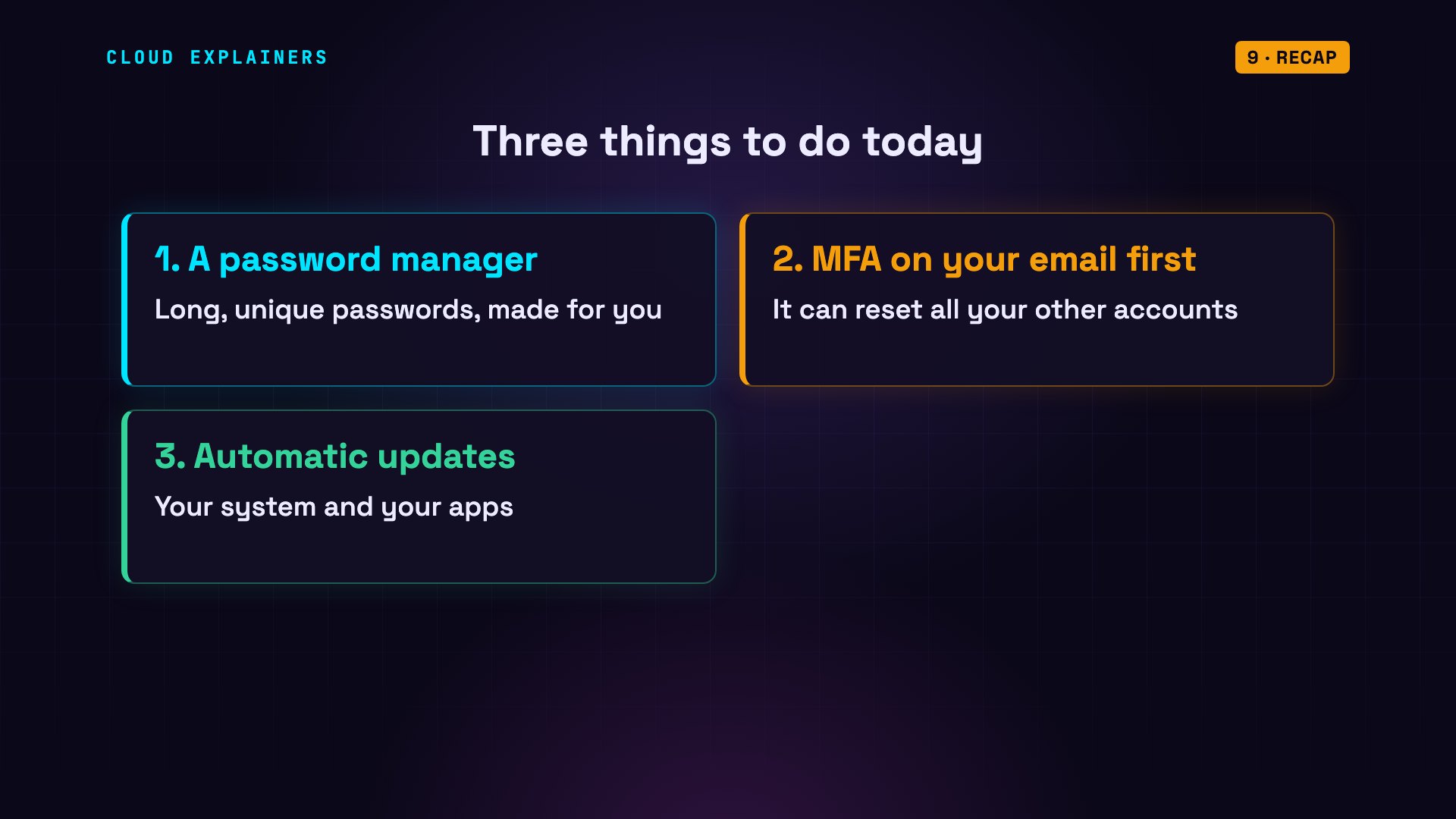
Three things to do today. Get a password manager, and let it create long, unique passwords. Turn on MFA for your email first, since it can reset everything else, and use a passkey wherever it's offered. And turn on automatic updates.
This was episode one of Cybersecurity for Beginners. Next, we go deeper, one level at a time.
Sources
- NIST SP 800-63B-4, Digital Identity Guidelines (passwords, MFA, phishing resistance)
- CISA, Multi-Factor Authentication
- CISA Known Exploited Vulnerabilities Catalog
- Have I Been Pwned, Pwned Passwords API
- EFF dice-generated passphrase word list
- Trivy documentation
- TLS 1.3 (RFC 8446)
- PostgreSQL GRANT
- Nmap port scanning basics (open, closed, filtered)
- Fail2ban
- Verizon Data Breach Investigations Report (the human element in breaches)
- Hashcat benchmarks, RTX 4090, SHA2-256 (~22 billion guesses/s)
- NIST Cybersecurity Framework 2.0 (Detect, Respond, Recover)
Narration: AI voice (Google Cloud Text-to-Speech). Demos: real output on our own test machines, nothing staged. The password-guessing and port-scanning demos target only containers we created for this video. Watch the full video on YouTube.


